It’s 6 p.m., everyone is hungry, and the fridge holds half an onion, yogurt and a lot of good intentions. Takeout wins again. The fix isn’t cooking more; it’s deciding earlier. A digital meal planner on your iPad lets you plan the week’s dinners in one sitting, write the grocery list next to the menu, and stop asking “what’s for dinner?” every single evening.
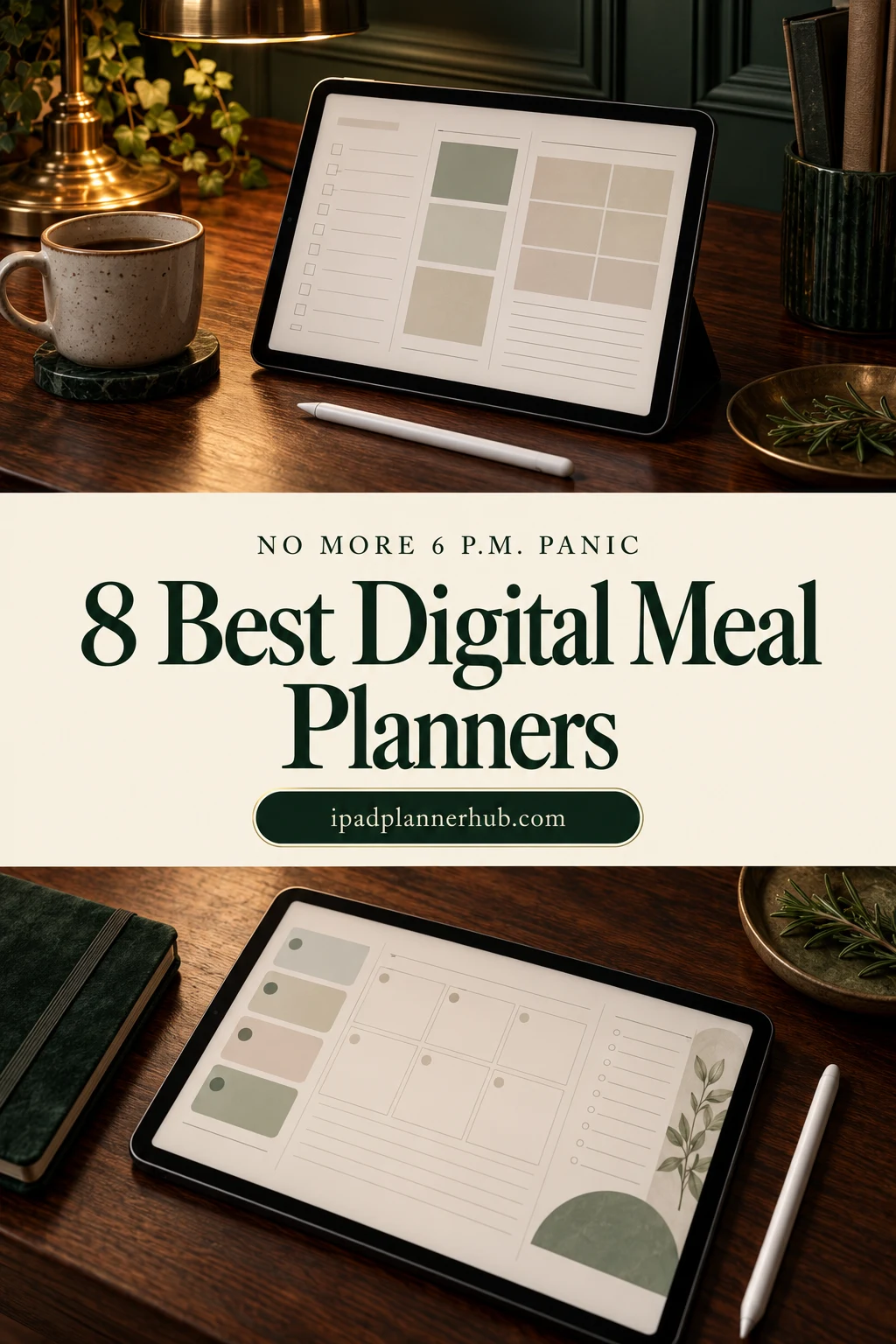
Below are the 8 meal planners from Creative Fabrica I’d use on my iPad, from a simple one-page weekly meal planner template to a family meal planner and full planners with recipes, pantry lists and a grocery list next to the menu. After the list: a 20-minute Sunday routine that ends the 6 p.m. panic, what to look for in a meal planner, and whether a template or an app suits you better.
The 8 Best Digital Meal Planners for iPad I Found
Most meal planners on marketplaces are printables or Canva templates, so I kept only digital planners for the iPad. The first four are dedicated meal planners; the other four are everyday planners with real meal, grocery and recipe sections, for when you’d rather keep dinner in the same planner as everything else.
TL;DR: 8 digital meal planners for iPad: 4 dedicated weekly meal planners and 4 everyday planners with real meal, grocery and recipe sections. Each card lists orientation, layouts and dates, plus who it suits.
Quick Picks
- Best for complete meal planner: Digital Meal Planner with Hyperlinks
- Best for a whole year of menus: 52 Weekly Meal Digital Planner (1 Year)
- Best for one-page meal planner: Weekly Meal Planner – Cozy Pastel
- Best for active people: My Weekly Sport Meal Planner
- Best for meal planning in a 2027 planner: 2027 Digital Planner | Monday and Sunday
- Best for recipes and pantry: Pastel Life Digital Planner ( Portrait )
- Digital Meal Planner with Hyperlinks – Best complete meal planner
- 52 Weekly Meal Digital Planner (1 Year) – Best for a whole year of menus
- Weekly Meal Planner – Cozy Pastel – Best one-page meal planner
- My Weekly Sport Meal Planner – Best for active people
- 2027 Digital Planner | Monday and Sunday – Best meal planning in a 2027 planner
- Pastel Life Digital Planner ( Portrait ) – Best for recipes and pantry
- All-in-One Digital Planner 2027 – Best for meals on every page
- Digital Planner for Ipad, GoodNotes – Best for family meal planning

Best complete meal planner
1. Digital Meal Planner with Hyperlinks
Orientation: PortraitLayouts: Daily, Weekly, Grocery, Recipes
Best for: home cooks, families, grocery budgeters. Designed by Perla Designs.
- Hyperlinked PDF with an index and tabs for daily, weekly and grocery pages
- 7 daily and 4 weekly meal pages, 4 grocery lists and 4 kitchen inventory pages
- 7 recipe pages and 4 food budget pages
- Also comes as PNG pages; cute pink chef design
This is the most complete dedicated meal planner I found: menu, grocery list, inventory and a food budget, all one tap apart. The inventory pages are the quiet hero here; check them before you shop and you stop buying a third jar of the same spice.
Best for a whole year of menus
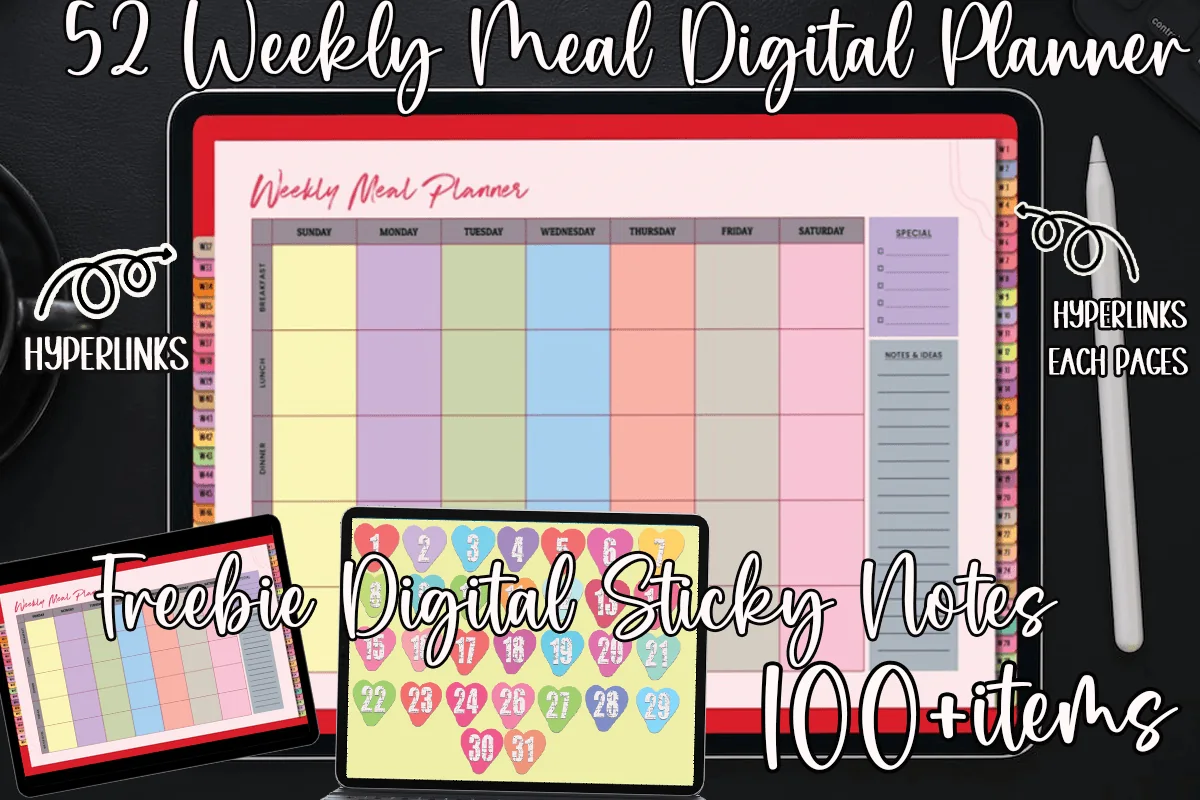
2. 52 Weekly Meal Digital Planner (1 Year)
Orientation: LandscapeLayouts: Weekly (52 pages)Dates: Undated
Best for: weekly meal planners, colorful planners, families. Designed by MOMAT THIRTYONE.
- 52 weekly meal pages, hyperlinked so each week is one tap away
- A color-coded column for every day of the week
- Undated, so you can start any week and reuse it next year
- Bonus set of 100+ digital sticky notes
One page per week, 52 of them, so last month's menus stay in the planner instead of being erased. That turns into a handy archive: when you run out of dinner ideas, flip back a few weeks and repeat what worked.
Best one-page meal planner
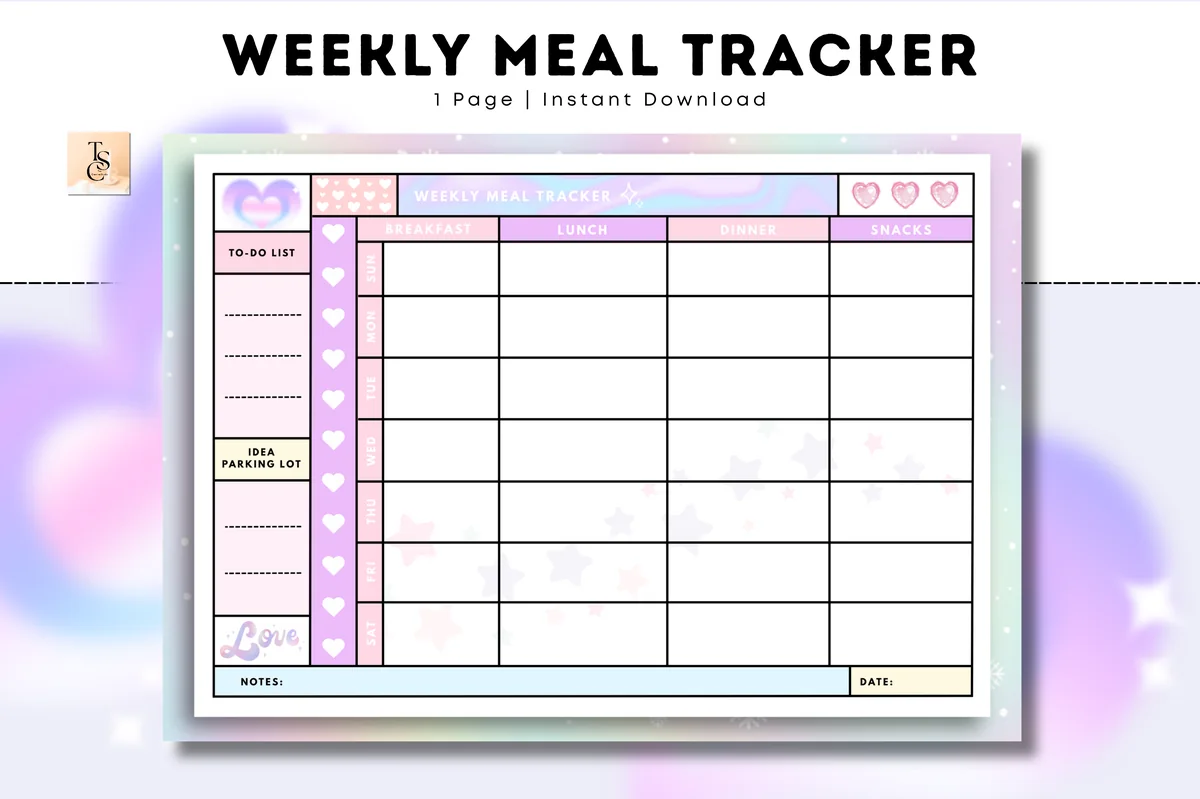
3. Weekly Meal Planner – Cozy Pastel
Orientation: LandscapeLayouts: Weekly (1 page)Dates: Undated
Best for: beginners, pastel lovers, one-page planners. Designed by Tas Creative Studio.
- One undated weekly meal tracker page: breakfast, lunch, dinner and snacks
- Side panels for a to-do list and an "idea parking lot"
- Pastel design with hearts, A4 landscape
- Digital PDF version for GoodNotes, Notability and Noteshelf
If a full planner feels like too much, start here: one page, four meals a day, done. The idea parking lot is a nice touch for recipes you want to try someday. Duplicate the page each week and you have a meal planning habit with almost no setup.

Best for active people
4. My Weekly Sport Meal Planner
Orientation: PortraitLayouts: Weekly (5 pages)Dates: Undated
Best for: gym goers, athletes, meal preppers. Designed by Zoom4Design.
- 5 weekly pages, one for each week of a month
- Interactive fields for breakfast, lunch, dinner and snacks
- Fitness-focused design for training and energy needs
- Works in GoodNotes on the iPad: type or handwrite
Snacks get their own row here, which matters if you train and need fuel between meals. The fillable fields mean you can type a menu in seconds and handwrite changes later. A good companion to a workout log.

Best meal planning in a 2027 planner
5. 2027 Digital Planner | Monday and Sunday
Orientation: LandscapeLayouts: Yearly, Quarterly, Monthly, Weekly, DailyDates: 2027Week start: Monday or Sunday
Best for: organized foodies, dark mode fans, calendar app users. Designed by SuperDigitalPlanners.
- Nutrition section with 6 trackers: meal plan, kitchen inventory, shopping list, food journal, recipes and a recipe template
- Weekly Meal Grocery page: plan meals and the shopping list side by side
- Weekly plan with space for meals next to tasks
- 1,340+ icons including food, links to Apple and Google Calendar
If you want one planner for the whole year, the nutrition section here covers everything a meal planner does. The Weekly Meal Grocery page is the one I'd use most: dinners on one side, the list on the other, so nothing gets forgotten at the store.
Best for recipes and pantry
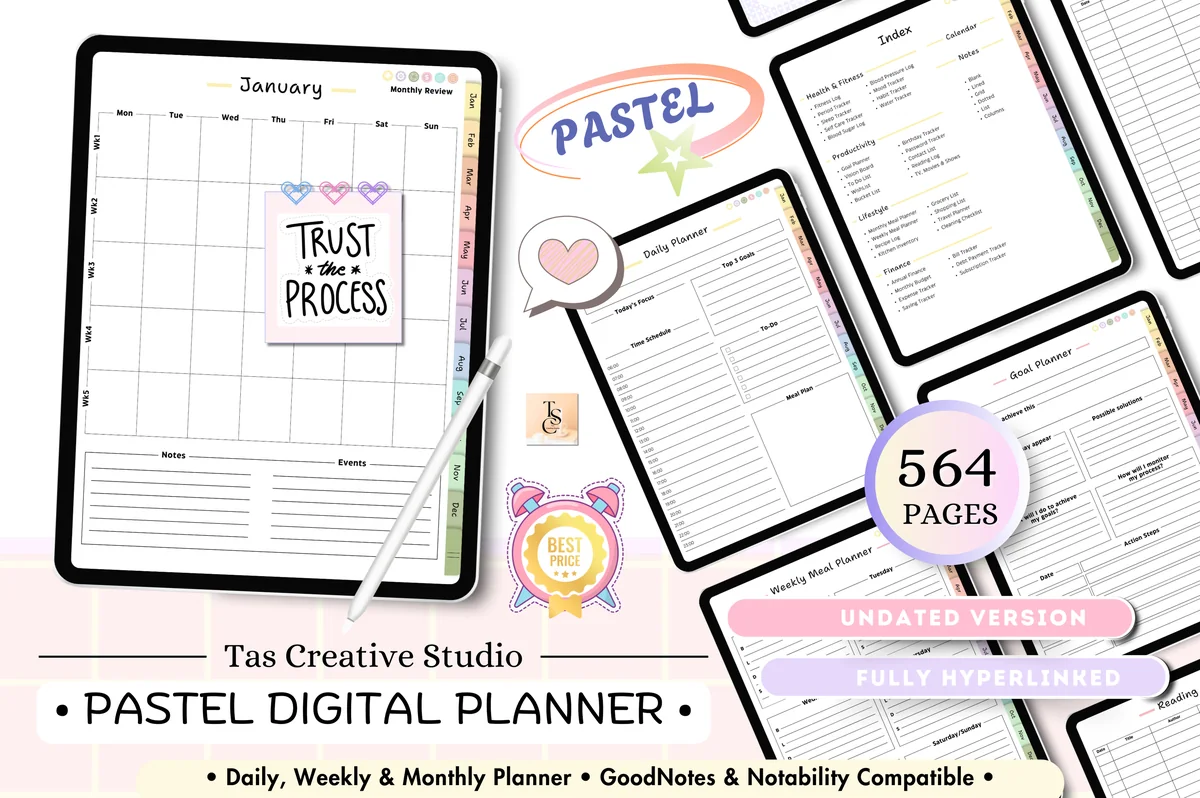
6. Pastel Life Digital Planner ( Portrait )
Orientation: PortraitLayouts: Monthly, Weekly, DailyDates: Undated
Best for: pastel lovers, home cooks, portrait planners. Designed by Tas Creative Studio.
- Monthly and weekly meal planners
- Recipe log and kitchen inventory
- Grocery and shopping lists
- 564 undated pages in portrait, fully hyperlinked
This one plans meals at two levels: a monthly view for the big picture and weekly pages for the details. Add the recipe log and pantry list and it's a small kitchen binder inside a life planner. Portrait pages suit an iPad held like a notebook.
Best for meals on every page
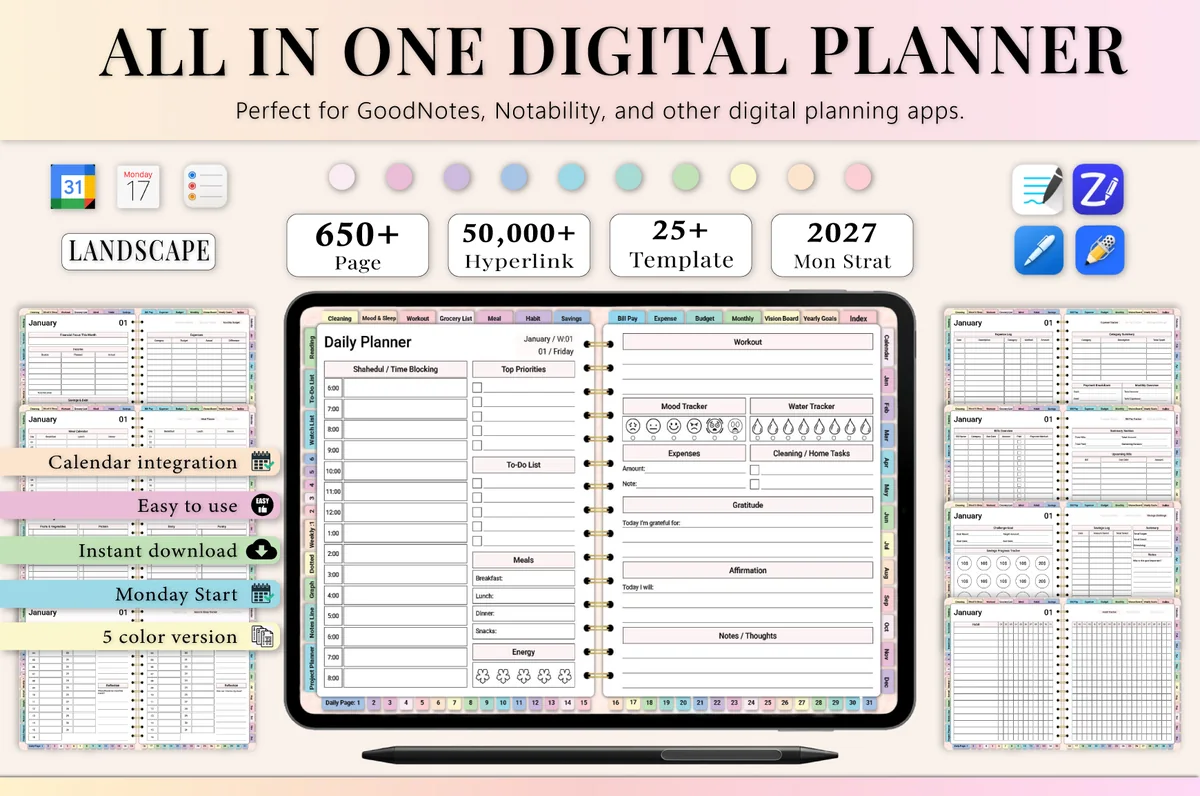
7. All-in-One Digital Planner 2027
Orientation: LandscapeLayouts: Yearly, Monthly, Weekly, DailyDates: 2027Week start: Monday
Best for: busy professionals, budgeters, people who want one planner for everything. Designed by Heartcraft Studio.
- Monthly meal planner and grocery list
- Weekly meal planning and daily meal tracking
- Weekly budget next to the menu
- 655 pages, dated 2027, landscape, works with GoodNotes and Notability
Meals show up at every level here: the month, the week and each day. That's handy if you plan dinners weekly but want to note what you actually ate. The weekly budget sits right next to the menu, a good nudge to keep grocery spending in check.
Best for family meal planning
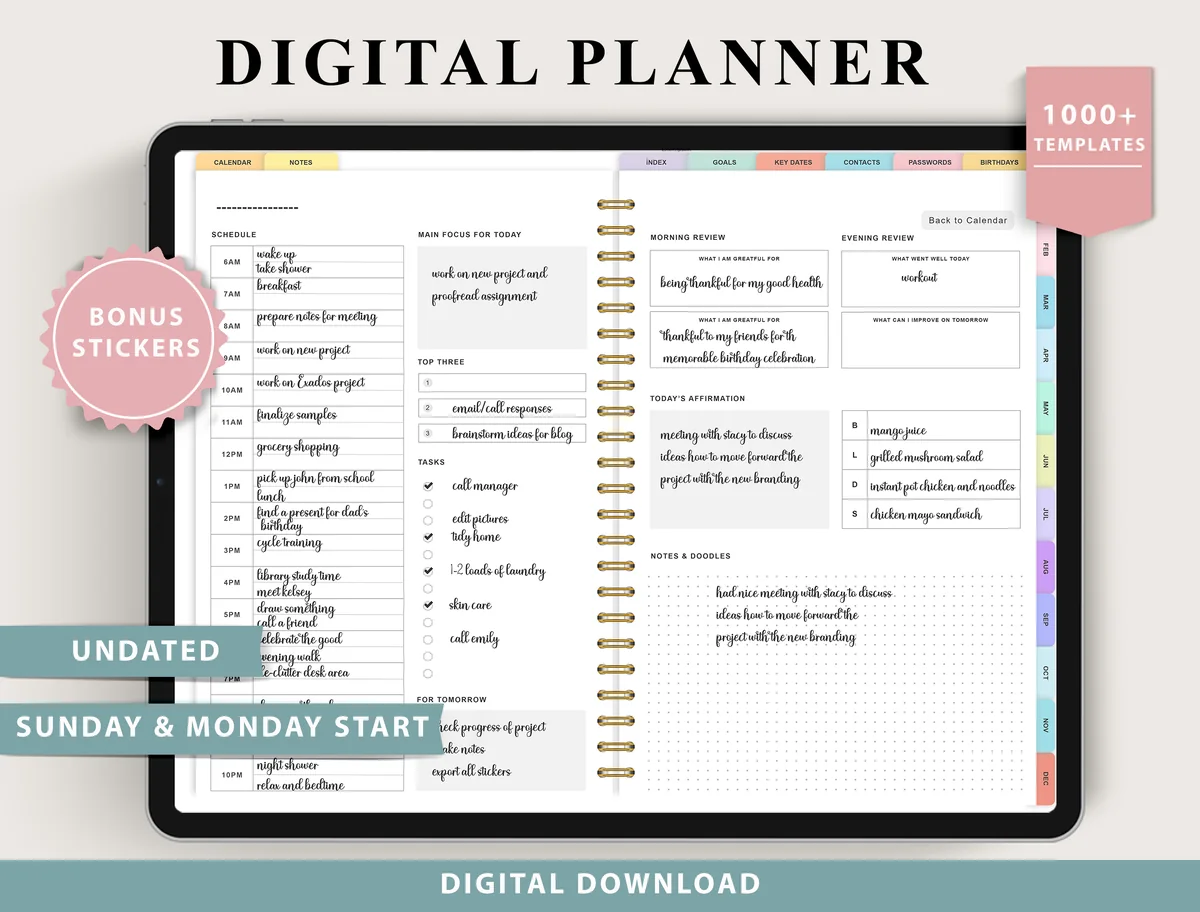
8. Digital Planner for Ipad, GoodNotes
Layouts: Monthly, Weekly (4 layouts), Daily (4 layouts), 100+ templatesDates: UndatedWeek start: Monday or Sunday
Best for: indecisive planners, fitness trackers, finance trackers. Designed by ThePlannersDelight.
- Weekly and monthly meal planners, grocery list and food journal
- Kitchen inventory and recipe log
- Chores and cleaning, routines and birthdays pages
- Undated, 4 weekly and 4 daily layouts, Monday and Sunday start
For a family, dinner is part of a bigger puzzle: practice at six, groceries on Thursday, chores in between. This planner keeps the meal plan, the grocery list and the chores page in the same undated file, which is exactly where they belong when you're feeding more than yourself.
Quick Comparison
| Planner | Best for | Meal pages | Stand-out extra |
|---|---|---|---|
| 1. Digital Meal Planner with Hyperlinks | Menu + groceries + budget | Daily + weekly menus | Kitchen inventory |
| 2. 52 Weekly Meal Digital Planner (1 Year) | Year-round weekly menus | 52 weekly pages | 100+ sticky notes |
| 3. Weekly Meal Planner – Cozy Pastel | Starting simple | 1 weekly page | Idea parking lot |
| 4. My Weekly Sport Meal Planner | Fitness meal planning | 5 weekly pages | Fillable fields |
| 5. 2027 Digital Planner | Monday and Sunday | All-in-one with meals | 6 nutrition trackers | Meal + grocery page |
| 6. Pastel Life Digital Planner ( Portrait ) | Kitchen binder in a planner | Monthly + weekly menus | Recipe log |
| 7. All-in-One Digital Planner 2027 | Meals + budget | Monthly, weekly, daily | Weekly budget |
| 8. Digital Planner for Ipad, GoodNotes | Family meals + chores | Weekly + monthly meal planners | Kitchen inventory |
No More 6 p.m. Panic: a 20-Minute Sunday Meal Plan
This is the whole routine. Do it once a week with your iPad and a coffee, and weeknight dinners stop being a daily decision.
- Check the week (3 minutes). Look at your calendar: late meetings, kids’ practice, a dinner out. Busy nights get the easiest meals.
- Check the fridge and pantry (3 minutes). Note what needs using up. Planning around it is the easiest way to waste less food.
- Pick five dinners, not seven (7 minutes). Leave one night for leftovers and one for “fridge clean-out” or takeout. A plan with breathing room survives real life.
- Write the grocery list next to the menu (5 minutes). Go meal by meal, cross off what you already have, and group the list by store section.
- Add one prep step (2 minutes). Wash the greens, cook a batch of rice, or move tomorrow’s chicken to the fridge. Tiny prep makes Monday easy.
Tip: keep a “rotation” list of 10–15 dinners your household likes. On a tired Sunday, pick from the list instead of inventing a menu from scratch.
Beside each dinner in the rotation, keep a reference to the version your household enjoyed. A few recipe journal prompts can capture what changed and what you would repeat, while the weekly menu stays focused on when to cook it.
What I Look For in a Meal Planner
- A weekly view. Seeing all seven days at once is what makes meal planning work; it’s how you spot three pasta nights in a row.
- A grocery list on the same spread or one tap away. Menu and list belong together.
- Snacks and breakfasts if you need them. Families and active people often plan more than dinner.
- Recipe and pantry pages. Nice to have: a place for favorite recipes and what’s already in the cupboard.
- Made for the iPad. Hyperlinked tabs and support for GoodNotes or Notability, so you can write with an Apple Pencil and duplicate pages.
Weekly or Monthly Meal Planner?
For most people, weekly wins: food shopping happens weekly, fresh food lasts about a week, and plans change too often to fix a whole month. A monthly meal planner is great on top of that if you like themed nights (Taco Tuesday, Soup Sunday) or cook for a large family and shop in bulk. Several planners above offer both views.
Family, Macro or Vegetarian: a Meal Planner for Your Kitchen
The best meal planner is the one that fits how your household eats. Here’s how the planners above work for the most common setups.
Family Weekly Menu Planner
A family meal planner has to work around several schedules at once: practice nights, late shifts, the picky eater. The Digital Planner for Ipad, GoodNotes puts weekly and monthly meal planners, a grocery list and a chores and cleaning page in the same undated file, with 4 weekly layouts for busy family weeks. If all you need is a weekly dinner menu template to leave on the kitchen counter, the Cozy Pastel page fits the whole family weekly menu on one screen.
Weekly Meal Planner with Grocery List
A menu planner with a grocery list is where meal planning saves the most time: you write dinners on the left, ingredients on the right, and shop once. Planner #5 does this on its Weekly Meal Grocery page, #1 pairs its weekly pages with four grocery lists and kitchen inventory pages, and #6 has grocery and shopping lists next to the monthly and weekly menus.
Macro Meal Planner for Training Weeks
To be honest, none of these planners calculates macros for you; that’s what a nutrition app does. But a macro meal planner is mostly a plan, and the My Weekly Sport Meal Planner gives every day fields for breakfast, lunch, dinner and snacks, designed around training. Write your protein, carb and fat targets at the top of the week, note rough grams next to each meal, and plan the bigger meals for workout days. Pair it with a digital workout planner so food and training sit side by side.
Vegetarian Meal Planner
No planner above is vegetarian-only, and you don’t need one: any weekly page becomes a vegetarian meal planner once your dinner rotation is meat-free. One tip that helps: give every dinner a protein line (beans, lentils, tofu, eggs, cheese) so meals stay filling. Save the vegetarian dishes your household loves on the recipe pages in #1 or #6, or keep a whole collection in a recipe planner.
Meal Planner Ideas: Pages Worth Having
- Dinner rotation list: your household’s 10–15 reliable meals.
- Theme nights: Meatless Monday, Taco Tuesday, Pizza Friday. Themes cut decisions in half.
- Leftover plan: cook once, eat twice; write the “second life” of each meal (roast chicken on Monday, chicken wraps on Wednesday).
- Pantry and freezer list: what you have, so you shop less and waste less.
- Food budget: a weekly grocery total next to the menu.
- Recipes to try: a page for the ideas you save, so they actually make it onto the menu.
Food Diary Template: Tracking What You Actually Eat
A meal planner is what you plan to eat; a food diary is what you really ate. Keeping both on the same iPad makes it easy to compare them, spot the meals you skip and plan next week more realistically. A food diary doesn’t have to be about calories: many people use one to notice energy dips, track how certain foods make them feel or keep notes for a doctor or dietitian.
A simple food diary template needs just a few columns for each day:
- Time and meal: breakfast, lunch, dinner, snacks.
- What you ate and drank, including water.
- Hunger before and fullness after, on a 1–5 scale.
- Mood or energy, a word or an emoji sticker.
- Notes: where you ate, who with, anything unusual.
Of the planners above, the 2027 Digital Planner has a food journal in its nutrition section, next to the meal plan and shopping list. In any other planner, a lined or grid page with these five columns works as a food diary; duplicate it for each week in GoodNotes.
Meal Planner Template or Meal Planning App?
Meal planning apps can suggest recipes and build a shopping list automatically, which is useful if you want ideas handed to you. A meal planner template on the iPad is better if you already know what your household eats: it’s a one-time purchase, works offline, has no ads or subscription, and your menu sits in the same planner as your week. Handwriting the plan also makes it feel more like a decision and less like a suggestion.
How to Set Up a Digital Meal Planner in GoodNotes
- Import the PDF into GoodNotes (Share → GoodNotes → Import as New Document).
- Write your dinner rotation list on a notes page first; you’ll copy from it every week.
- Duplicate a blank weekly page and keep it as a master, so next week starts clean.
- Bookmark the current week and the grocery list for one-tap access in the store.
- Use one highlighter color for meals that need prep the night before.
FAQ
What is the difference between a meal planner and a food diary?
A meal planner is for the week ahead: what you’ll cook and what to buy. A food diary records what you actually ate and drank, often with the time and how you felt. Used together, they show where the plan and real life drift apart.
Which digital meal planner is the best?
The best meal planner depends on how you plan. For a dedicated meal planner with groceries, inventory and a food budget, I’d pick the Digital Meal Planner with Hyperlinks. For something simple, the one-page Cozy Pastel weekly planner. If you want meals inside a full planner for the year, the 2027 Digital Planner has a strong nutrition section.
What is the 5-4-3-2-1 rule for groceries?
It’s a simple shopping formula that went viral: 5 vegetables, 4 fruits, 3 proteins, 2 sauces or spreads, and 1 treat (versions vary a little). It keeps a grocery trip balanced and quick. It pairs well with a weekly meal plan: build dinners from those ingredients and write the list next to your menu.
Is there a free digital meal planner for iPad?
You can draw a simple weekly grid on a blank page in GoodNotes, and some designers offer freebies. The planners above are paid, usually a few dollars, and many are included in Creative Fabrica’s All Access subscription. You get a ready layout with hyperlinks, grocery and recipe pages.
Can I share a digital meal plan with my family?
A PDF planner doesn’t sync like an app, but you can export the week’s page as an image or PDF from GoodNotes and send it to the family chat, or put the iPad on the kitchen counter. Many families like the planned menu on display; it ends the “what’s for dinner?” questions.
What should a weekly meal plan template include?
A spot for every day with breakfast, lunch, dinner and snacks, plus a grocery list on the same page or one tap away. Planner #5 puts the meal plan and the shopping list side by side on its Weekly Meal Grocery page, #1 comes with four grocery lists for its weekly meal pages, and #3 fits a whole week of meals on a single page. In any other planner, bookmark the grocery list right after the weekly menu so it’s one tap away in the store.
Is there a meal planner with a budget section?
Yes. If you want a meal and budget planner in one file, #1 adds four food budget pages next to its grocery lists, and #7 puts a weekly budget right beside the menu. A budget meal planner like these shows what a week of dinners actually costs, so you can swap one takeout night for a pantry meal.
Can I use a monthly meal planner template instead of weekly pages?
Yes, if you like to see the whole month at once, for example to repeat favorite dinners or plan around busy weeks. Planner #6 has both monthly and weekly meal planners, and #7 adds a monthly meal planner and grocery list on top of weekly and daily meal pages. Use the monthly meal planner calendar for the big picture and the weekly pages for the details.
Final Thoughts
The 6 p.m. panic is a planning problem, not a cooking one. Pick five dinners on Sunday, write the grocery list next to them, and let your digital meal planner do the remembering. Want to cook in batches? See my meal prep planners and recipe templates, pair your menu with a workout planner, or browse all meal planners. To keep the recipes behind those dinners in one place, see my digital recipe books for GoodNotes.
Still looking for an all-in-one setup? See my top digital planner picks for 2027, dated and undated. To make the week of meals easier to scan, add a few food stickers for GoodNotes.
You May Also Like
This post contains affiliate links. If you buy through them, I may earn a small commission at no extra cost to you. Learn more.