Family recipes have a way of disappearing: a stained index card in a drawer, a screenshot buried in your camera roll, a link to a blog that no longer exists. A GoodNotes recipe template gives all of them one home on your iPad: sorted by category, searchable, with your own notes in the margin (“less sugar”, “Grandma doubled the garlic”), and right next to your meal plan.
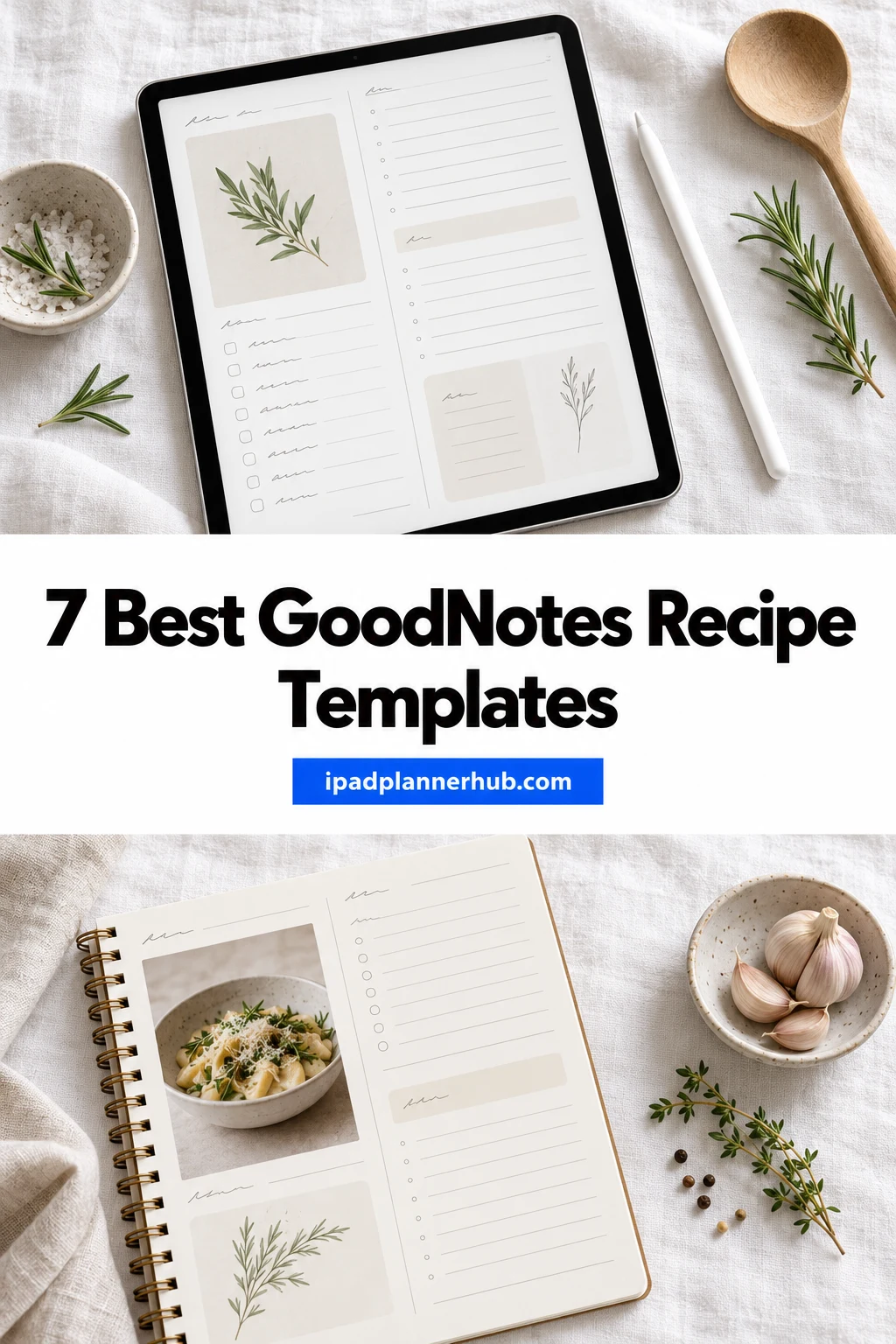
Below are 7 digital recipe books and recipe templates from Creative Fabrica that work in GoodNotes, from full hyperlinked cookbooks with hundreds of recipe pages to a single cute recipe card you duplicate. After the list: how to digitize family recipes, the sections worth having, and how to connect your recipe book with weekly meal planning.
The 7 Best Digital Recipe Books I Found
I kept only recipe books you write in directly on the iPad (Canva kits you have to edit first are out), and put the full cookbooks with categories and meal planning first, then the simpler recipe pages.
TL;DR: 7 digital recipe books and recipe templates for GoodNotes: four full hyperlinked cookbooks with categories, meal plans and grocery lists, and three simpler recipe pages you duplicate. Each card lists orientation, layouts and dates, plus who it suits.
Quick Picks
- Best for full cookbook: Digital Recipe Cookbook Hyperlinked
- Best for reviewed: Digital Recipe Book, Meal Planner
- Best for kraft paper look: Digital Recipe Book and Meal Planner
- Best for cute illustrated: Digital Recipe Planner with Hyperlinks
- Best for watercolor recipe book: Digital Recipe Book
- Best for minimal recipe card: Recipe Log – Printable & Digital Recipe
- Digital Recipe Cookbook Hyperlinked – Best full cookbook
- Digital Recipe Book, Meal Planner – Best reviewed
- Digital Recipe Book and Meal Planner – Best kraft paper look
- Digital Recipe Planner with Hyperlinks – Best cute illustrated
- Digital Recipe Book – Best watercolor recipe book
- Recipe Log – Printable & Digital Recipe – Best minimal recipe card
- Recipe – Cozy Pastel Planner – Best pastel recipe page
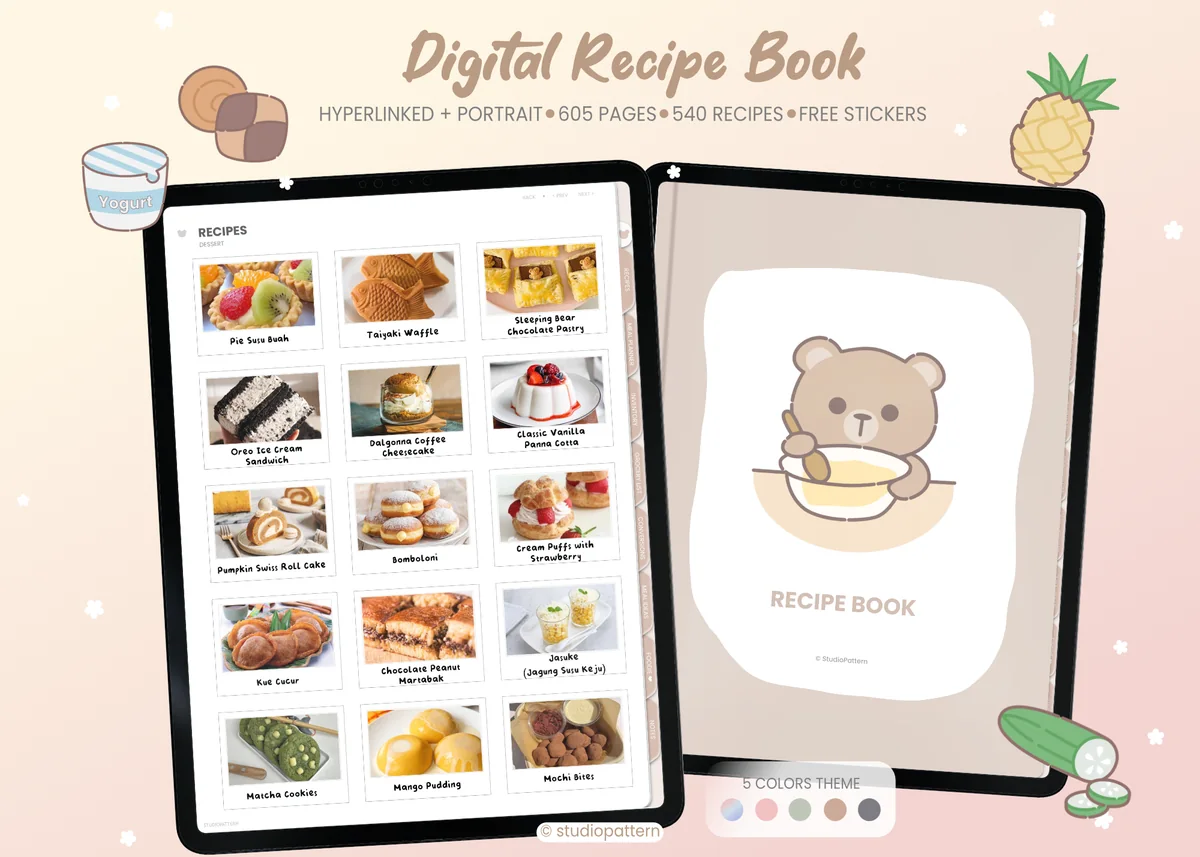
Best full cookbook
1. Digital Recipe Cookbook Hyperlinked
Orientation: PortraitLayouts: Recipes (12 categories), Monthly meal plan, InventoryWeek start: Monday
Best for: recipe collectors, cute design lovers, home cooks. Designed by studiopattern.
- Room for 540 recipes: 45 in each of 12 food categories
- Monthly meal planner (Monday start), grocery list, conversions, meal ideas
- Fridge, freezer, baking and pantry inventory pages
- 5 color options, portrait, fully hyperlinked
The most complete cookbook here: 540 recipe pages in 12 categories, plus inventory pages for the fridge and pantry. Five tab colors in one purchase, and a sweet little bear on the cover.

Best reviewed
2. Digital Recipe Book, Meal Planner
Orientation: LandscapeLayouts: Recipes (12 sections), Meal plan, Grocery list
Best for: home cooks, seasonal cooks, sticker lovers. Designed by easylifeplanners.
- 12 recipe sections with hyperlinks
- Meal plan, grocery and shopping lists, conversions, kitchen inventory
- Food journal and seasonal recipes page
- 400+ pre-cropped stickers; dotted, lined and grid notes
The best reviewed recipe book in this list, and for good reason: recipes, meal plan and grocery list are all linked together, and the seasonal recipes page is a lovely touch. Made for digital use, not printing.
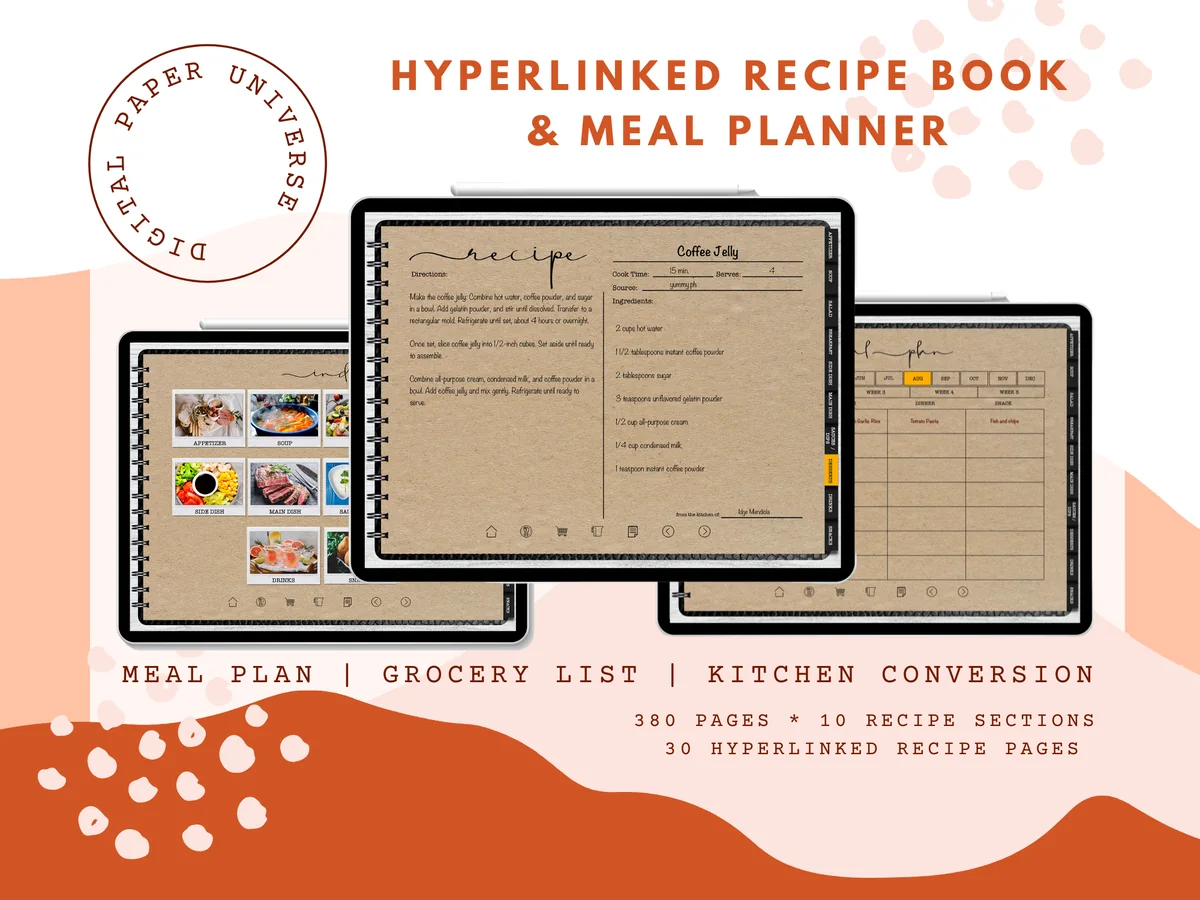
Best kraft paper look
3. Digital Recipe Book and Meal Planner
Orientation: LandscapeLayouts: Recipes (10 sections), Weekly meal plan, Grocery lists
Best for: organized cooks, neutral design lovers, home cooks. Designed by DPaperUniverse.
- 380 pages: up to 30 recipes in each of 10 sections (300 in total)
- Weekly meal planner and grocery lists
- Kitchen conversions and note templates
- Hyperlinked index; landscape
Kraft-paper pages make it look like a real family cookbook. Thirty recipes per section is plenty for most kitchens, and the weekly meal planner is right there when you plan dinners.
Best cute illustrated
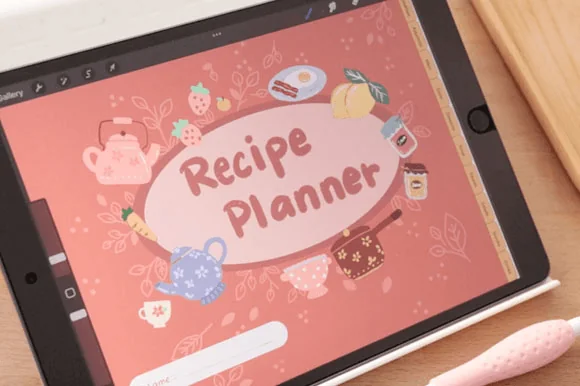
4. Digital Recipe Planner with Hyperlinks
Orientation: LandscapeLayouts: Recipe pages, IndexDates: Undated
Best for: cute design lovers, home cooks, copy-paste recipe savers. Designed by hanacrochetdesign.
- Hyperlinked recipe planner for GoodNotes
- Recipe pages with space for ingredients and steps
- Write with Apple Pencil or paste recipes from the web
- Illustrated coral design with teapots and kitchen doodles
Charming illustrations, warm coral pages and links to jump around. The designer suggests pasting recipes straight from the web, which makes building the collection quick.
Best watercolor recipe book
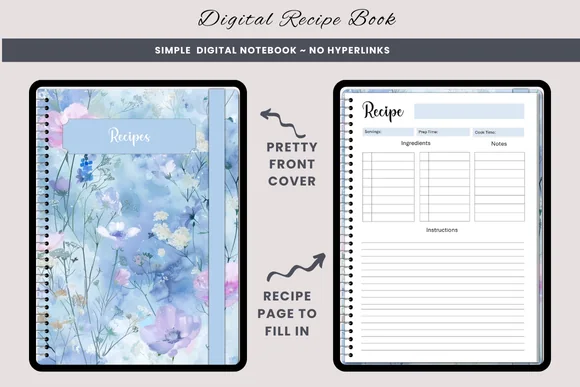
5. Digital Recipe Book
Orientation: PortraitLayouts: Recipe pagesDates: Undated
Best for: minimalists, watercolor lovers, recipe savers. Designed by daysfilledwithjoy.
- Recipe pages with ingredients, steps and notes
- Dreamy blue watercolor wildflower covers
- Not hyperlinked: duplicate pages as you go
- Bonus PNGs; AI-assisted artwork (per the designer)
No tabs, just a lovely watercolor recipe book you fill one page at a time. Perfect if you only want to save your favorites and don't need categories or a meal plan.

Best minimal recipe card
6. Recipe Log – Printable & Digital Recipe
Orientation: LandscapeLayouts: Recipe log pages
Best for: minimalists, bakers, recipe collectors. Designed by Plamarplanners.
- Recipe title, ingredients and step-by-step instructions
- Prep time, cook time, servings and difficulty rating
- Notes and adjustments, favorite recipes highlight
- Digital format for GoodNotes and Notability (plus printable PDFs)
A tidy recipe card with every field you need, including a difficulty rating and a notes box for your changes. Minimal and very cheap, so it's easy to try.

Best pastel recipe page
7. Recipe – Cozy Pastel Planner
Orientation: LandscapeLayouts: Recipe page (1 page)Dates: Undated
Best for: pastel lovers, beginners, one-page fans. Designed by Tas Creative Studio.
- Undated one-page recipe template, A4 landscape
- Ingredients and directions columns with servings, prep and cook time
- Shopping list and idea parking lot on the side
- Digital PDF (printable version included)
A cozy pastel recipe card that matches the Cozy Pastel daily, weekly and meal pages from the same designer. The shopping list column is handy: tick off what you need while you read the recipe.
Quick Comparison
| Recipe book | Recipes | Kitchen extras | Stand-out extra |
|---|---|---|---|
| 1. Digital Recipe Cookbook Hyperlinked | 540 in 12 categories | Meal plan, inventory | 5 color options |
| 2. Digital Recipe Book, Meal Planner | 12 sections | Meal plan, grocery, inventory | 400+ stickers |
| 3. Digital Recipe Book and Meal Planner | 300 in 10 sections | Weekly meal plan, grocery | Kraft paper design |
| 4. Digital Recipe Planner with Hyperlinks | Recipe pages | Copy-paste friendly | Illustrated design |
| 5. Digital Recipe Book | Unlimited (duplicate) | Recipe pages only | Watercolor covers |
| 6. Recipe Log – Printable & Digital Recipe | One card per recipe | Prep time, rating, notes | Very low price |
| 7. Recipe – Cozy Pastel Planner | One page per recipe | Shopping list column | Matches Cozy Pastel set |
How to Digitize Your Family Recipes
- Photograph handwritten cards. Use the iPad camera or a scanner app and paste the photo onto a recipe page. You keep the original handwriting, which is half the charm.
- Copy recipes from the web. Select the ingredients and steps, copy and paste them as text into GoodNotes, or take a screenshot and crop it.
- Write the favorites by hand. For recipes you make often, writing them out helps you remember them, and you can add your own changes.
- Sort into categories as you go: breakfast, mains, soups, baking, drinks. Hyperlinked recipe books do this with tabs.
- Add notes after cooking: what worked, what you’d change, who loved it.
Recipe Book Sections Worth Having
- Recipe index by category
- Breakfast, mains, sides, soups, baking, desserts
- Family recipes
- Recipes to try
- Weekly meal plan
- Grocery list
- Kitchen conversions
- Pantry, fridge and freezer inventory
- Seasonal recipes
- Holiday menus
From Recipe Book to Weekly Meal Plan
A recipe book really pays off when it feeds your meal plan. On Sunday, flip through your categories, pick four or five dinners for the week, write them into the meal plan page and build the grocery list from the ingredients. Several books in this list have the meal plan and grocery list built in; for more structure, see my digital meal planners and meal prep planners.
What I Look For in a Digital Recipe Book
- Categories with hyperlinks, so finding a recipe takes one tap.
- A clear recipe page: ingredients, steps, servings, prep and cook time, notes.
- Enough pages (or easy duplication) for a growing collection.
- Meal plan and grocery list if you want to plan from it.
- Space for a photo of the dish or the original recipe card.
How to Set Up a GoodNotes Recipe Template
- Save the recipe book and unzip it in the Files app.
- In GoodNotes, tap New → Import and choose the PDF (pick your favorite color version if there are several).
- Start with ten favorite recipes, not all of them at once.
- Use GoodNotes search: handwritten and typed text is searchable, so you can find “lasagna” without browsing.
- Keep the iPad in a stand on the counter while cooking, so the page stays readable and clean.
A Free Recipe Card for Your iPad
If you have only a handful of family recipes to save, a full recipe book may be more than you need. This single recipe card is a freebie on Creative Fabrica, with no price and no trial, and the designer says it works in GoodNotes or Notability as well as on paper.

Free single recipe page
Vintage Watercolor Recipe Card
Pages: 1 landscape recipe cardFormat: PDF + JPG, 300 dpiApps: GoodNotes, Notability or print
Best for: family recipes, baking cards, a small recipe collection. Designed by Andrea Kostelic.
- Fields for recipe name, prep time, cook time, servings, date and who the recipe came from
- Lined sections for ingredients, directions, tips and variations, and notes
- A star rating, a "Would I make this again?" checkbox and a meal category checklist
- Watercolor strawberries, preserves and kitchen utensils around the edges
The “who it came from” line is what makes it a family recipe card rather than a plain template. Import it into GoodNotes, duplicate the page for each recipe and you have a small digital recipe book without paying for one.
FAQ
Can I make a recipe book in GoodNotes?
Yes. Import a digital recipe book PDF, or use a single recipe template and duplicate the page for every recipe. You can write by hand, paste text from the web, and add photos of dishes or old recipe cards.
Is there a free GoodNotes recipe template?
Free single recipe pages exist, but full recipe books with categories and links are usually paid. Several templates in this list cost about as much as a coffee, and the single-page ones can be duplicated endlessly.
How do I organize recipes digitally?
Use categories (breakfast, mains, baking and so on), keep one recipe per page, add a “to try” section for new finds, and note changes after cooking. A hyperlinked index makes it fast to jump to any category.
Can I share my digital recipe book with family?
Yes: export it from GoodNotes as a PDF and send it, or share single recipe pages as images. It’s a lovely way to pass family recipes on.
Final Thoughts
Start with your ten most-cooked recipes and one GoodNotes recipe template you like the look of; the rest of the collection grows on its own. Then connect it to a weekly meal plan, and dinner decisions get a lot easier. For more kitchen planning, see my digital meal planners, or browse all meal planners.
If you’re choosing your main planner for next year, start with my list of the 10 best iPad digital planners for 2027. To mark favorite recipes and dessert pages, see my food stickers for iPad planners.
You May Also Like
This post contains affiliate links. If you buy through them, I may earn a small commission at no extra cost to you. Learn more.