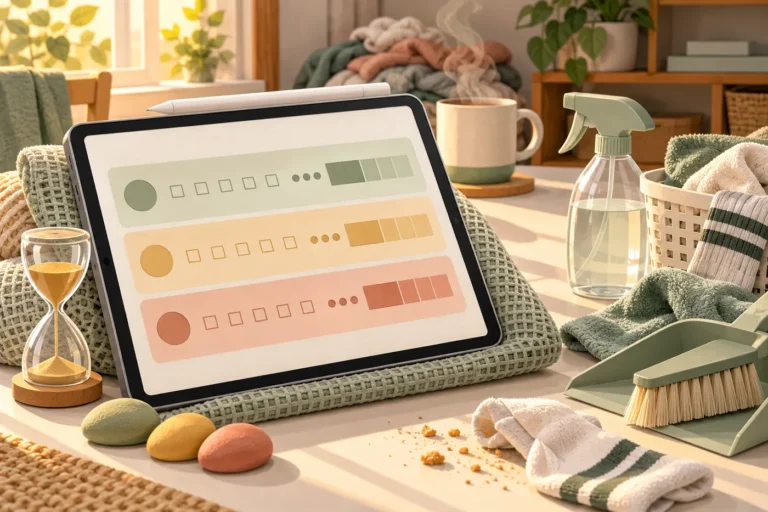
Most planners are built for a brain that remembers to open them. If yours starts the week with a beautiful spread and loses the planner by Wednesday, the problem usually isn’t you, it’s the layout: too many boxes, fixed hours and nowhere to put the hundred thoughts that arrive at once. An ADHD planner flips that around, with a place to dump everything first, short lists, visible time and pages that forgive a missed day.
Below are 25 ADHD planner ideas you can set up today, grouped by what tends to go wrong: capturing thoughts, time, daily structure, home and money. Then a simple ADHD cleaning planner setup, a brain dump template, and the 8 best planners for ADHD I’d try them in, all digital iPad planners from Creative Fabrica. A planner is a tool, not a treatment, so take the ideas that help and skip the rest.
25 ADHD Planner Ideas That Work With Your Brain
These are examples of planner spreads and pages that come up again and again in ADHD-friendly planners. You don’t need all of them. Pick one idea from each group, try it for two weeks, and keep what you actually use.
Capture Everything 1–5
- 1A brain dump page at the front of the planner, used before any planning
- 2An “inbox” page for ideas that arrive mid-task, sorted later
- 3A “parking lot” box on the daily page for thoughts that aren’t for today
- 4A “waiting on” list for replies, deliveries and other people’s tasks
- 5A running list of things you keep forgetting (keys, chargers, forms)
Time and Focus 6–11
- 6Time blocks of 30–60 minutes instead of a full hourly grid
- 7A “how long it really took” column next to each task
- 8Pomodoro boxes: tick one per 25-minute sprint
- 9Buffer time before and after every appointment
- 10A countdown to deadlines in days, not just dates
- 11A “first tiny step” next to each big task (open the doc, find the form)
Daily Structure 12–16
- 12The 1-3-5 list: one big task, three medium, five small
- 13A “must do / nice to do” split instead of one long to-do list
- 14Morning and evening routine checklists with 3–5 steps each
- 15An energy check (low, medium, high) to match tasks to the day
- 16A “done” list to see what you finished, not only what’s left
Home and Cleaning 17–21
- 17A “bare minimum” cleaning list for bad days
- 18One room or zone per day instead of a whole-house list
- 1915-minute cleaning sprints with a timer
- 20A weekly reset checklist (laundry, trash, dishes, fridge)
- 21A meal and grocery page so dinner isn’t a daily decision
Money and Life Admin 22–25
- 22A bill tracker with due dates and autopay checkboxes
- 23A subscription tracker for free trials you’ll forget to cancel
- 24An appointments page for doctors, school and paperwork
- 25A weekly 10-minute “admin hour” to clear small life tasks
How to Set Up an ADHD Cleaning Planner
Cleaning is where a lot of ADHD planners fall apart: a list of 40 chores looks organized and feels impossible. An ADHD cleaning planner works better when it’s short, visible and assumes you’ll miss days. Here’s a simple setup for any digital planner:
- Write your bare minimum. Three to five things that keep the house livable: dishes, trash, one load of laundry. On a hard day, this list is the whole job.
- Give each day one zone. Monday kitchen, Tuesday bathroom, Wednesday living room, and so on. One zone is a clear finish line; “clean the house” isn’t.
- Clean by time, not by task. Set a 15-minute timer and stop when it rings. Note the sprints in your planner as boxes to tick.
- Sort chores by energy. Low-energy tasks (wipe the counters, put shoes away) for tired evenings, high-energy ones (vacuuming, changing sheets) for your best hours.
- Plan a weekly reset. One short checklist on the same day each week: fridge, laundry, trash, a quick tidy of the entryway.
- Keep the deep cleaning separate. Monthly and seasonal jobs go on their own page, so they don’t crowd the daily list.
Missed a day? Don’t move the chore forward and pile it up. Skip it and start again with today’s zone. In the planners below, #7 has a cleaning tracker that separates routine and deep cleaning, and #6 has a cleaning checklist next to a 7-day habit tracker.
Brain Dump Template: Empty Your Head in 10 Minutes
A brain dump is the first page of almost every ADHD-friendly system. The idea is simple: get every task, worry and idea out of your head and onto a page, then decide what to do with it. A brain dump template only needs four parts:
- The dump: a big empty box. Write everything for 5–10 minutes, without sorting.
- Today: circle at most three items and move them to today’s page.
- This week: things with a date go to the weekly spread or the calendar.
- Later or never: the rest stays here. Crossing an idea out on purpose is a decision, too.
In GoodNotes you can duplicate a blank brain dump page every morning or every Sunday. Several planners below include one: #8 comes with a separate notebook just for brain dumps, and the notes pages in the other planners work the same way.
The 8 Best Digital Planners for ADHD Adults I Found
I kept only digital planners for the iPad, no printables or Canva files, and skipped any with past-year calendars. The first five are made for ADHD; the last three are all-in-one planners with a strong cleaning, routine or brain dump section.
TL;DR: 25 ADHD planner ideas (brain dump, time blindness, cleaning, money, reset pages), then 8 iPad planners to try them in: 5 planners made for ADHD and 3 all-in-ones with a strong cleaning, routine or brain dump section. Each card lists orientation, layouts and dates, plus who it suits.
Quick Picks
- Best for ADHD daily planner: Adhd Digital Planner, Adhd Daily Planner
- Best for focus sprints: ADHD Undated Digital Planner Goodnotes
- Best for all-in-one for structure: 2027 Digital Planner | Monday and Sunday
- Best for spotting patterns: Adhd Digital Planner, Adhd Planner
- Best for colorful ADHD planner: The Joy Undated Digital Planner
- Best for a fresh start: The Ultimate Life Reset Digital Planner
- Adhd Digital Planner, Adhd Daily Planner – Best ADHD daily planner
- ADHD Undated Digital Planner Goodnotes – Best for focus sprints
- 2027 Digital Planner | Monday and Sunday – Best all-in-one for structure
- Adhd Digital Planner, Adhd Planner – Best for spotting patterns
- The Joy Undated Digital Planner – Best colorful ADHD planner
- The Ultimate Life Reset Digital Planner – Best for a fresh start
- All-in-One Digital Planner – Best for home and chores
- Undated Digital Planner Bundle – Best for brain dumps
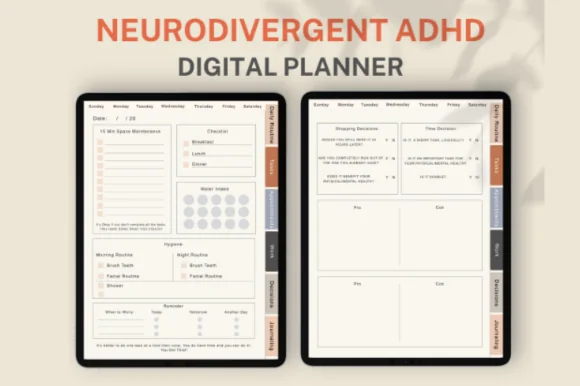
Best ADHD daily planner
1. Adhd Digital Planner, Adhd Daily Planner
Orientation: PortraitLayouts: Daily (6 page templates: routine, tasks, appointments, work, decisions, journal)Dates: UndatedWeek start: Monday or Sunday
Best for: ADHD planners, overthinkers, one-day-at-a-time planners. Designed by ThePlannersDelight.
- Six page templates for each day: Daily Routine, Tasks, Appointments, Work, Decisions and Journaling
- A blank page for doodling, plus 250+ digital stickers
- Hyperlinked weekdays and tasks, 51 pages in total
- Undated, with Monday and Sunday start versions; for GoodNotes, Notability and Noteshelf
This is the closest thing to a planner built around how a busy brain jumps between topics: routine on one page, tasks on another, decisions on a third. I like the Decisions page in particular, because a decision you've written down stops looping in your head. It's small and undated, so a messy week costs nothing.
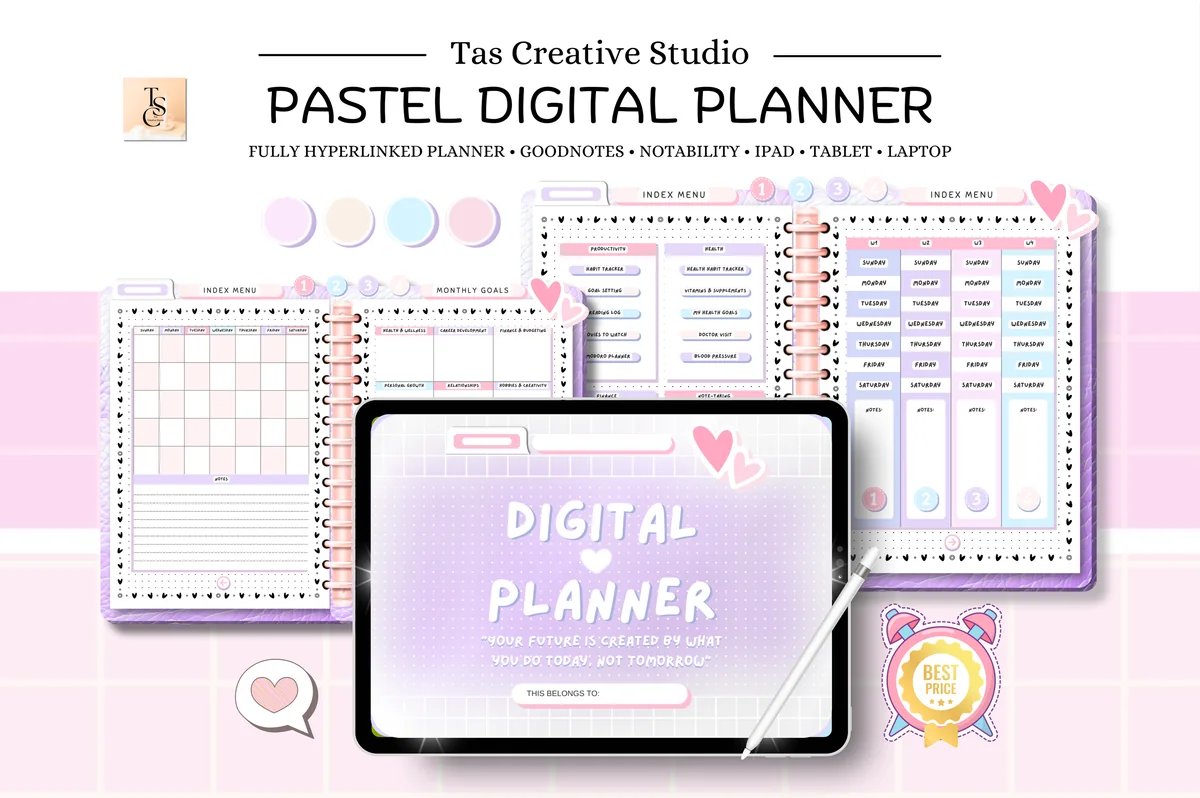
Best for focus sprints
2. ADHD Undated Digital Planner Goodnotes
Orientation: LandscapeLayouts: Monthly, Weekly, DailyDates: Undated
Best for: ADHD planners, self-care planners. Designed by Tas Creative Studio.
- 60 hyperlinked undated pages: daily, weekly and monthly
- Pomodoro planner, habit tracker, goal setting and reading log
- Weekly self-care checklist, meal tracker and vitamins & supplements page
- Monthly budget, expenses, debt, savings and subscription trackers
Sixty pages is a feature here, not a flaw: there are few places to get lost. The Pomodoro planner is the page I'd use most, since short timed sprints are one of the easiest ways into a task you keep avoiding. The subscription tracker is a nice catch for forgotten free trials.
Best all-in-one for structure
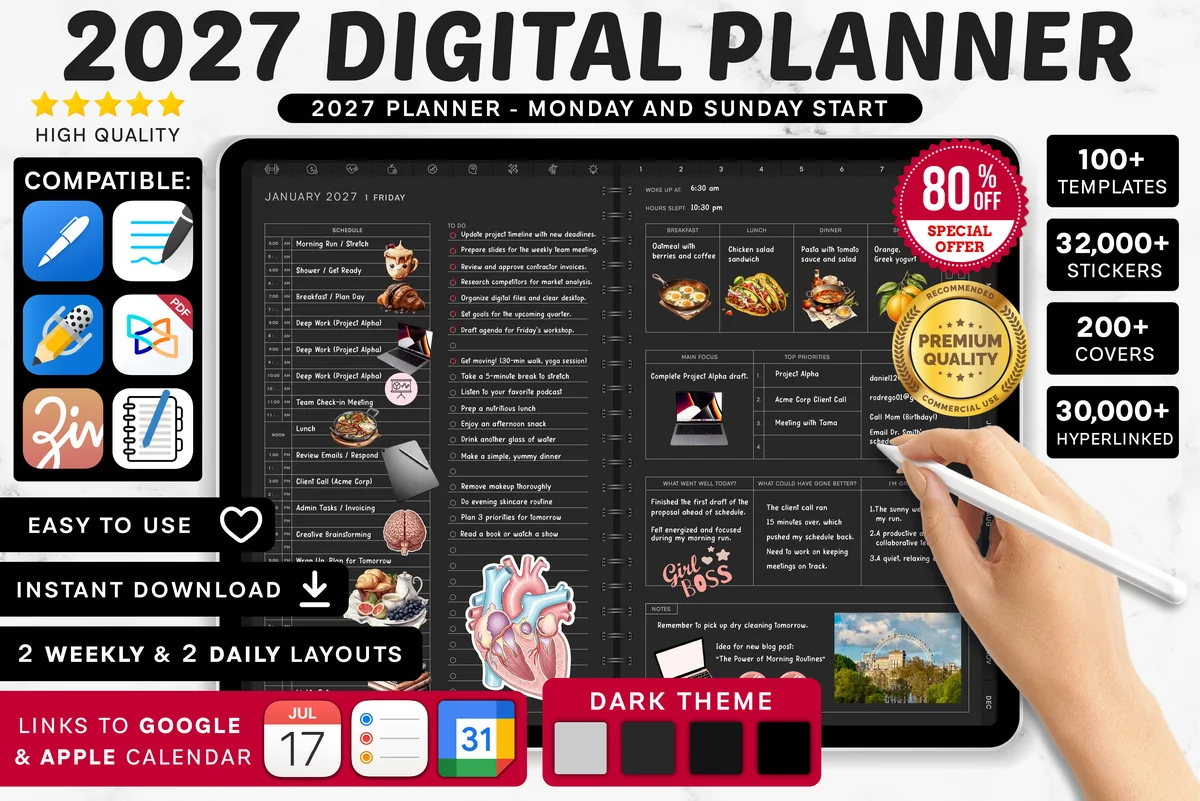
3. 2027 Digital Planner | Monday and Sunday
Orientation: LandscapeLayouts: Yearly, Quarterly, Monthly, Weekly, DailyDates: 2027Week start: Monday or Sunday
Best for: dark mode fans, calendar app users, finance trackers. Designed by SuperDigitalPlanners.
- Dated 2027 with yearly to daily pages, Monday or Sunday start
- Routine planner, chores and cleaning, weekly meal and grocery pages
- Monthly budget and monthly habit tracker
- Links to Apple Calendar, Reminders and Google Calendar
Not made for ADHD, but it covers the things that slip: a routine planner, a chores page and a habit tracker, plus calendar and Reminders links so appointments also show up on your phone. Set up only three sections first, or the size will overwhelm you.
Best for spotting patterns
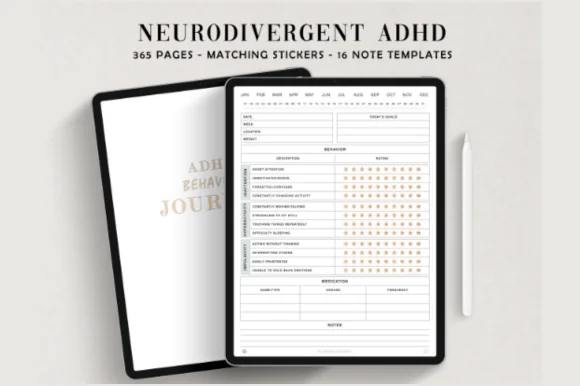
4. Adhd Digital Planner, Adhd Planner
Orientation: PortraitLayouts: Daily (365 pages), 15 note templatesDates: Undated
Best for: ADHD adults, pattern spotters, minimalists. Designed by ThePlannersDelight.
- 365 undated daily pages, hyperlinked by month and day
- Each page rates daily behavior in a simple grid
- 15 note templates, matching covers and 100+ stickers
- 384 pages in total, minimalist design for GoodNotes, Notability and Noteshelf
This one is more journal than planner: a page a day to note how the day actually went. After a few weeks you can see patterns, like which days run smoothly and what knocks a day off track. It's also useful to bring to an appointment instead of trying to remember everything on the spot.
Best colorful ADHD planner
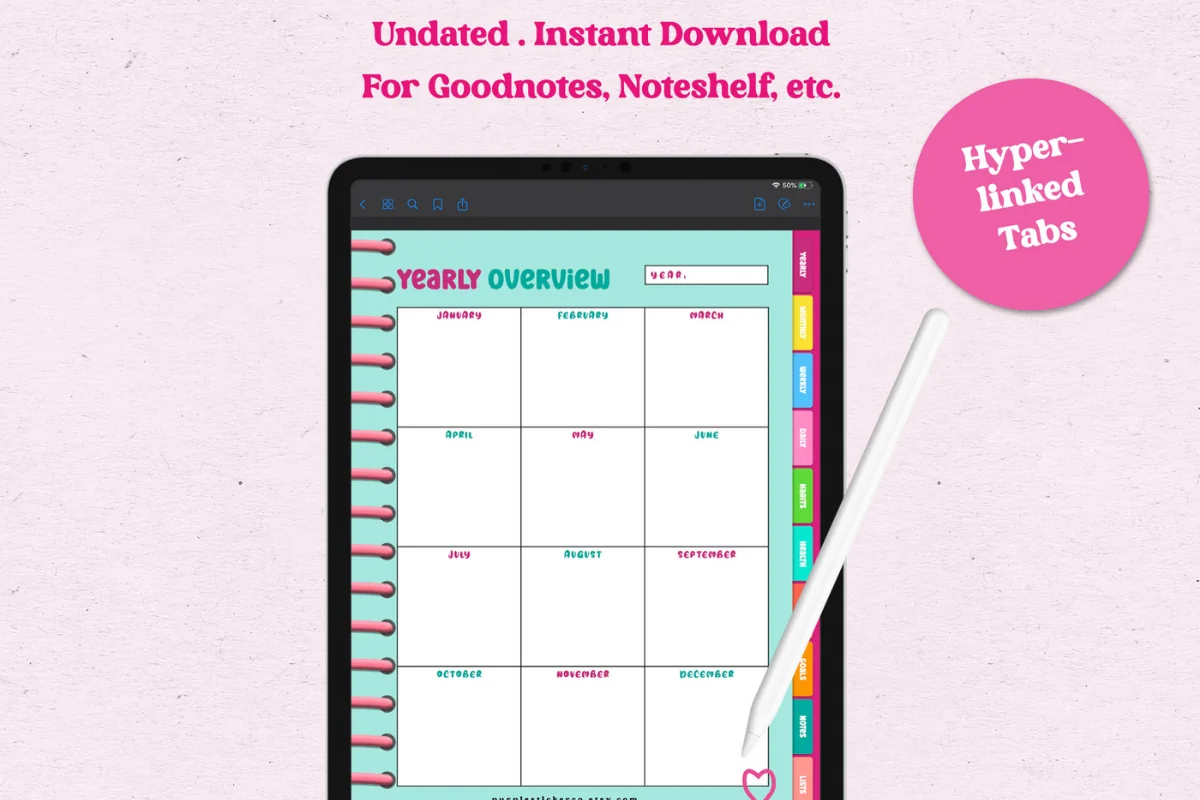
5. The Joy Undated Digital Planner
Orientation: PortraitLayouts: Yearly, Monthly, Weekly, DailyDates: UndatedWeek start: Monday
Best for: color lovers, side hustlers, habit trackers. Designed by GIRLIESPREADS.
- Rainbow tabs with a different color for each section
- 86 hyperlinked pages, undated, Monday start
- Yearly overview, 12 undated monthly calendars, weekly and daily pages
- Habits, health, money and goals pages; rated 5.0
Every section has its own color, so you find things by color before you read a single word. It's small, too: 86 pages are much less overwhelming than a 700-page planner, which makes it an easy one to actually keep using.
Best for a fresh start
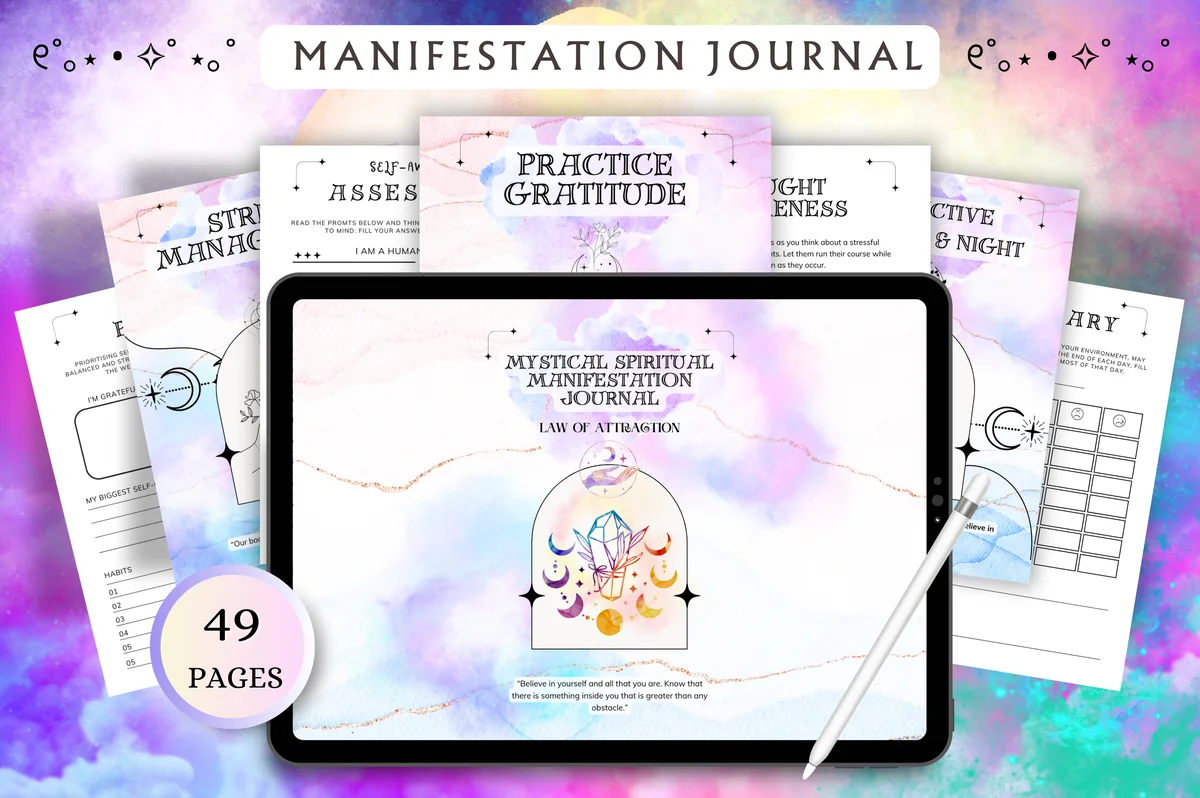
6. The Ultimate Life Reset Digital Planner
Orientation: LandscapeLayouts: Monthly, Weekly, DailyDates: Undated
Best for: fresh starts, goal setters, self-care seekers. Designed by Tas Creative Studio.
- Productive Morning Routine and Productive Night Routine pages
- Productivity section with a cleaning checklist, grocery list and 7-day habit tracker
- Thought awareness and "Action Brainstorming" pages
- 49 undated, hyperlinked pages in landscape
The cover calls it a manifestation journal, but the useful part for ADHD is inside: a morning and night routine to fill in once, a cleaning checklist, and a 7-day habit tracker that's short enough to restart without guilt. I'd use it for the week you decide to start over.
Best for home and chores
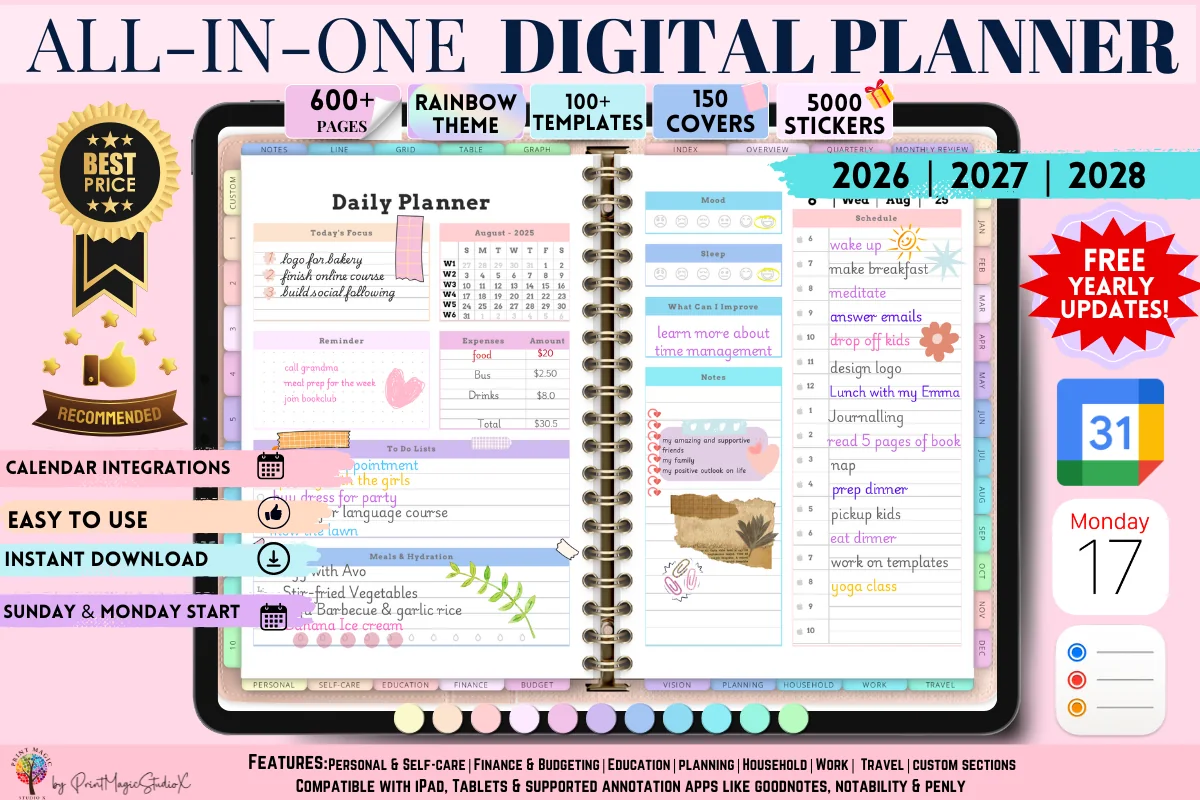
7. All-in-One Digital Planner
Orientation: LandscapeLayouts: Yearly, Monthly, Weekly, Daily, 86 templatesDates: 2026–2028
Best for: people who want one planner for everything, sticker lovers, colorful planners. Designed by Print Magic StudioX.
- Cleaning Tracker for routine and deep cleaning, plus household chores
- To-do list and a page for tasks by priority and importance
- Habit, mood and sleep trackers in the self-care section
- 86 templates, 2026–2028 calendars, rainbow theme, 5,000 stickers
This is the planner I'd pick for the cleaning side of ADHD life: a cleaning tracker that separates everyday tidying from deep cleaning, next to chores and a priority page. Dated through 2028, so it covers 2027 without a new file. Large file, so the seller notes you may need a paid GoodNotes account.
Best for brain dumps
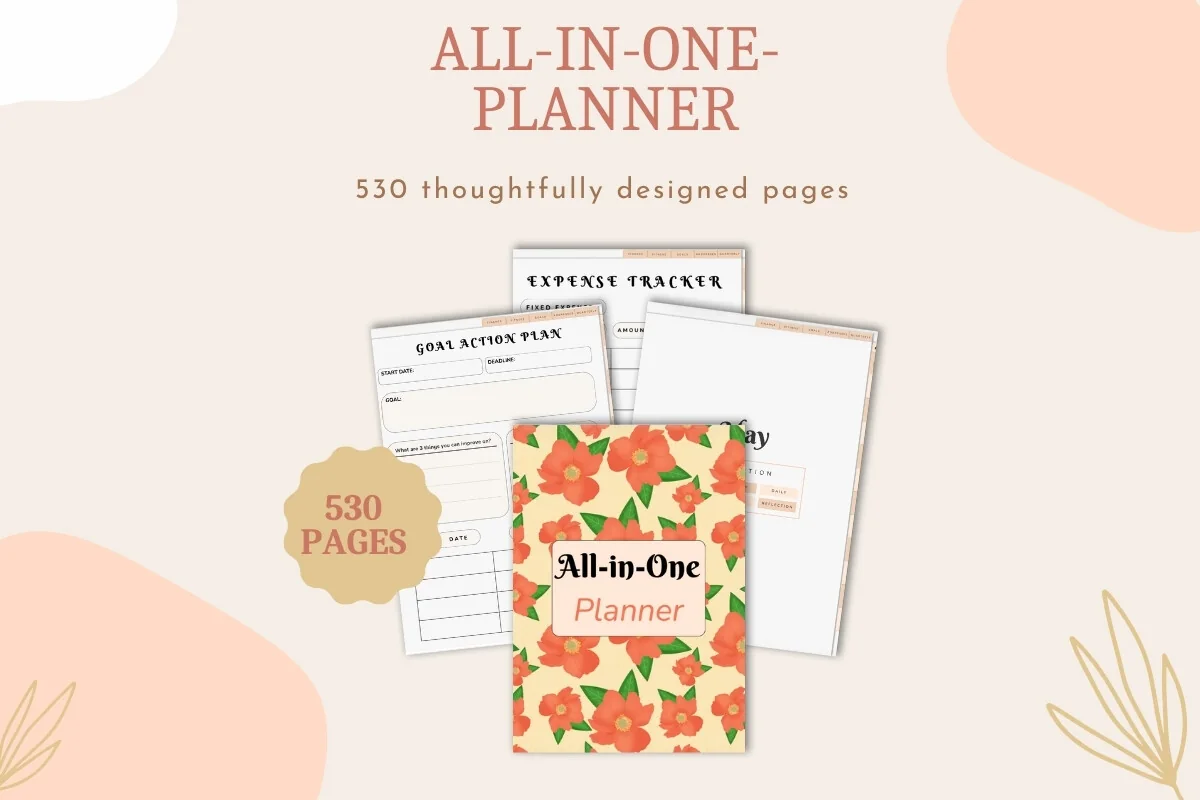
8. Undated Digital Planner Bundle
Layouts: Yearly, Quarterly, Monthly, Weekly, DailyDates: Undated
Best for: goal setters, people who want one planner for everything, brain dumpers. Designed by Dina Art Studio.
- 530-page undated planner: yearly, quarterly, monthly, weekly and daily
- A matching digital notebook for notes and brain dumps
- Habit trackers, goal milestones, finance and reflection pages
- Yearly calendar overview; for GoodNotes and Notability
The bonus notebook is the reason it's here: a separate place to dump every thought, so the planner itself stays tidy. Empty your head into the notebook, then move only today's three things into the daily page. Undated, so it starts whenever you're ready.
Quick Comparison
| Planner | Best for | ADHD-friendly pages | Stand-out extra |
|---|---|---|---|
| 1. Adhd Digital Planner, Adhd Daily Planner | Daily focus | Routine, tasks, decisions pages | Undated, 6 templates a day |
| 2. ADHD Undated Digital Planner Goodnotes | Focus and short sprints | Pomodoro, habits, self-care | Only 60 pages, undated |
| 3. 2027 Digital Planner | Monday and Sunday | One planner for everything | Routines, chores, habits | Calendar and Reminders links |
| 4. Adhd Digital Planner, Adhd Planner | Daily tracking | 365-day behavior log | Minimal, distraction-free |
| 5. The Joy Undated Digital Planner | Color-coded planning | Habits, health, money | Rainbow tabs, 86 pages |
| 6. The Ultimate Life Reset Digital Planner | Restarting routines | Morning/night routine, cleaning | 49 pages, undated |
| 7. All-in-One Digital Planner | Cleaning and chores | Cleaning tracker, priorities | 86 templates, to 2028 |
| 8. Undated Digital Planner Bundle | Brain dumping | Separate brain dump notebook | 530 pages, undated |
What Makes a Planner ADHD-Friendly
The best planner for ADHD isn’t the one with the most pages. When I compared planners for this list, these were the features that set the useful ones apart:
- A place to capture first: a brain dump or notes page you can reach in one tap.
- Low visual clutter: clean pages with a few clear boxes, not a wall of trackers.
- Short lists: three priorities, not twenty lines that never get finished.
- Visible time: time blocks, timers or deadlines counted in days.
- No guilt for missed days: undated pages, or dated ones you can simply skip.
- The same layout every week: fewer decisions about where things go.
- Fast navigation: hyperlinked tabs, so the planner opens on the right page.
ADHD Planner for Adults: Digital or Paper?
For many adults with ADHD, a digital planner on the iPad solves the two classic problems of paper: it’s hard to lose, because it’s on a device you already carry, and it never runs out of space. You can move a task to tomorrow with a drag, erase without a mess, and duplicate a page you like instead of drawing it again.
Paper still wins for some people: no notifications pulling you into other apps, and a physical book on the desk is a visual reminder. If your iPad is also where distractions live, turn on a Focus mode while you plan, or keep the planner on your Home Screen dock so it’s one tap away.
ADHD Planner Template or Planner App?
Planner apps send reminders and move unfinished tasks for you, which is a real plus. A PDF planner template in GoodNotes or Notability doesn’t nag, but writing by hand makes you decide what goes on today’s page, and that decision is often half the work. Many people use both: Reminders or Calendar for alerts, the planner for thinking and priorities. A few planners above link their tabs to Apple Calendar and Reminders, but a PDF never syncs on its own.
How to Set Up an ADHD Planner in GoodNotes
- Save the PDF from Creative Fabrica and open it in GoodNotes (Import or Share → GoodNotes).
- Use read-only mode when you navigate, so taps follow links instead of drawing lines.
- Add the brain dump page and today’s page to Favorites for one-tap access.
- Hide or ignore every section you won’t use this month. Three sections are plenty to start.
- Duplicate the file before you write, so a clean copy is always there for a fresh start.
How to Keep Using Your Planner (Even After a Bad Week)
Tie planning to something you already do: open the planner with your morning coffee or right after you sit down at your desk. Keep the daily page to five minutes. On Sunday, do one short weekly reset: a brain dump, three priorities for the week, and a look at the calendar. And when you drop the planner for a week, don’t fill in the gaps. Turn to today and start there.
Keep any visual labels as small as the daily routine itself. The functional planner sticker comparison separates task icons, blank boxes and to-do flags, so you can choose a few reusable markers without turning a short planning session into a decorating project.
FAQ
What kind of planner is best for ADHD?
A simple one with a brain dump space, short daily lists, visible time blocks and no guilt for missed days. Undated planners work well because skipped pages don’t go to waste. A digital planner on the iPad adds hyperlinked tabs and is harder to lose than a paper book.
What are the best planners for ADHD adults?
It depends on what you struggle with most. For daily focus, a small ADHD day planner like #1 above; for one system that holds work, home and money, an all-in-one like #3, or the smaller, color-coded #5; for cleaning and chores, #7. Start with the smallest planner that covers your main problem.
What is the 1-3-5 rule for ADHD planning?
It’s a way to limit a daily to-do list: one big task, three medium tasks and five small ones. Nine tasks is a realistic day, and choosing the one big task first makes the rest easier to plan. Write it as three short sections on your daily page.
Can cleaning planners help people with ADHD?
They can help by making the job smaller and visible: one zone per day, a bare-minimum list for hard days and short timed sprints. A planner won’t do the dishes, but it removes the “where do I even start” moment, which is often what stops people.
Are digital planners good for ADHD?
For many people, yes: a digital planner is always on the iPad, tabs jump to any page in one tap, and you can erase, move and duplicate without a mess. The risk is distraction from other apps, so use a Focus mode while you plan. The best digital planner for ADHD is usually the smallest one that covers your main problem: a one-page daily planner for focus, a short undated planner for sprints, a 365-day log if you want to spot patterns.
Is there a free ADHD planner?
You can make a simple one for free in GoodNotes: a blank page for brain dumps, a page with the 1-3-5 list, and a cleaning checklist. The planners above are paid and cost less than most paper planners, with hundreds of linked pages and stickers ready to use.
How do you use a planner if you have ADHD?
Start every session with a brain dump, pick at most three priorities, and block time for the first one. Keep the planner where you’ll see it, check it at the same moment every day, and restart on today’s page after a gap instead of catching up.
Final Thoughts
The best ADHD planner is the one you open tomorrow, so keep it small: a brain dump page, three priorities and one cleaning zone a day. Then add ideas from the list one at a time. For more structure, see my daily routine planners, the undated digital planners you can start on any day, and 50 habit tracker ideas. You can also browse all ADHD planners, or pick a short to-do list template with a priority box.
Want a bigger planner for the whole year? See my picks for the best digital planners for 2027.
You May Also Like
When chores feel too big to start, these ADHD cleaning planner ideas break them into short tasks matched to the energy available.
This post contains affiliate links. If you buy through them, I may earn a small commission at no extra cost to you. Learn more.