
The question you meant to ask disappears as soon as the appointment begins, while a photo and a shopping note sit in different apps. These pregnancy planner ideas give each kind of note a home on your iPad, so you can find the practical details without losing the personal story.
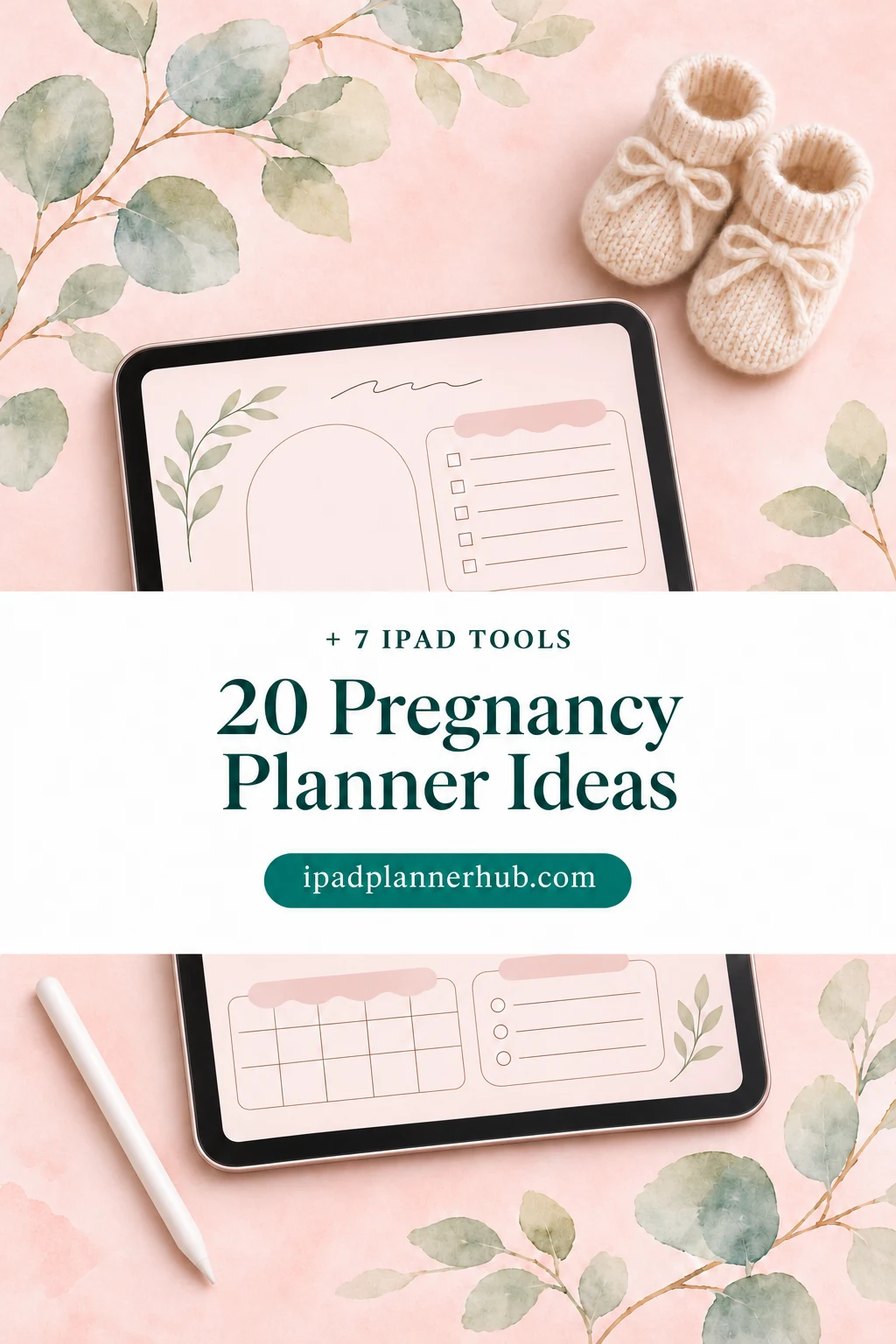
Start with four places: Weeks, Visits, Ready and Journal. Below are seven planners and journals to consider, followed by 20 pages you can adapt. Two are orientations of the same dated pregnancy planner; the other five give you general writing space rather than pregnancy forms. This guide is about organizing notes, not interpreting symptoms or planning medical care.
7 iPad tools for pregnancy notes and memories
TL;DR: Seven iPad options: two orientations of one dated pregnancy-planner family, plus five general journals and notebooks for your own headings. Choose one orientation or one flexible notebook; the general tools do not include pregnancy-specific prompts.
Quick Picks
- Best for a portrait pregnancy binder: Pregnancy Planner 2027 Portrait
- Best for a landscape pregnancy spread: Pregnancy Planner 2027 Landscape
- Best for a longer personal record: 365 Days Daily- Digital Journal
- Best for brief monthly check-ins: Digital GoodNotes Journal – Tie Dye
- Best for four custom subject sections: Watercolor Hyperlinked Digital Notebook
- Best for dark writing pages: Dark Mode Digital Notebook – Gold Theme
- Pregnancy Planner 2027 Portrait – Best for a portrait pregnancy binder
- Pregnancy Planner 2027 Landscape – Best for a landscape pregnancy spread
- 365 Days Daily- Digital Journal – Best for a longer personal record
- Digital GoodNotes Journal – Tie Dye – Best for brief monthly check-ins
- Watercolor Hyperlinked Digital Notebook – Best for four custom subject sections
- Dark Mode Digital Notebook – Gold Theme – Best for dark writing pages
- Undated Digital Planner Journal Goodnote – Best for notes beside everyday plans

Best for a portrait pregnancy binder
1. Pregnancy Planner 2027 Portrait
Orientation: PortraitLayouts: Calendar, daily pages and 25 subject templatesDates: January–December 2027Week start: Monday and Sunday files
Best for: keeping ready-made pregnancy sections alongside a dated calendar. Designed by Print Magic StudioX.
- Two hyperlinked PDFs for 2027, with Monday and Sunday starts
- Portrait pages sized at 1032 × 1376 points for a 13-inch iPad Pro; other 4:3 tablets scale the page
- Six subject tabs: Weeks, Visits, Baby, Ready, Journal and After
- 514 pages in the Monday file; 516 in the Sunday file
The six subject tabs give the four-part routine below a natural home. I like the tall page for a running question list and a short entry underneath. This is dated January through December 2027, so it will not cover a pregnancy crossing into another calendar year without extra pages. The rose gold rings are drawn on the page, and you need your own PDF annotation app and stylus-capable tablet.

Best for a landscape pregnancy spread
2. Pregnancy Planner 2027 Landscape
Orientation: LandscapeLayouts: Two-page spreads and six subject tabsDates: January–December 2027Week start: Monday and Sunday files
Best for: viewing the pregnancy binder as a wide two-page spread. Designed by Print Magic StudioX.
- Two hyperlinked 2027 PDFs with the same six subject tabs as the portrait edition
- Landscape pages sized at 1376 × 1032 points for a 13-inch iPad Pro; other 4:3 tablets scale the page
- 473 pages in the Monday file and 474 in the Sunday file
- Monthly, weekly and daily layouts plus lined, dot-grid and square-grid note paper
Choose the orientation rather than buying both versions: this is the landscape alternative from the same Nine Months family. The central ring design makes the pages read as an open notebook. A wide spread may suit a question on one side and notes on the other, but small writing areas can need zooming. It is a 2027 calendar, not an undated forty-week calendar; the annotation app and tablet are separate.
Best for a longer personal record
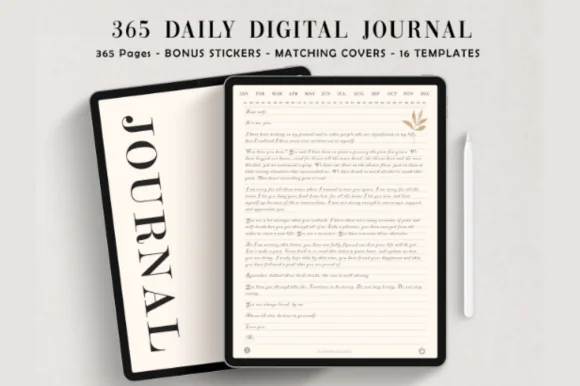
3. 365 Days Daily- Digital Journal
Orientation: PortraitLayouts: Daily lines and 16 note templatesDates: Undated
Best for: writing recurring entries without a prefilled year. Designed by ThePlannersDelight.
- Undated PDF journal with 365 linked daily pages and 384 total pages
- Narrow-lined and wide-lined versions, with 16 additional page templates
- Bonus covers and PNG stickers
- Requires a tablet that supports writing with a stylus, such as Apple Pencil; app, tablet and stylus are not included
For someone who wants the story more than a full pregnancy calendar, the plain writing space is appealing. Add your own date, week label and prompt at the top of each entry. There are no ready-made pregnancy questions here. Use as many of the 365 pages as you need. The wide-lined version leaves more space between handwritten lines.

Best for brief monthly check-ins
4. Digital GoodNotes Journal – Tie Dye
Orientation: PortraitLayouts: Monthly dividers and lined pagesDates: Undated
Best for: keeping a few short entries together under each month. Designed by Sarah Doodles.
- Hyperlinked PDF journal for iPad in apps including GoodNotes and Notability
- Monthly divider tabs and five blank lined pages per month
- Additional writing pages can be added in GoodNotes
- The seller recommends an iPad or tablet with Apple Pencil or another stylus
Five pages per month offers a smaller starting point than the daily journal. A brief dated entry after a visit, a family conversation or an ordinary afternoon would fit this approach. The tie-dye dividers are decorative, and the lines are blank: you add every pregnancy prompt yourself. If one month gets busy, duplicate a writing page rather than squeezing several memories into the margins.
Best for four custom subject sections
5. Watercolor Hyperlinked Digital Notebook
Orientation: PortraitLayouts: Lined, blank and half-linedDates: No prefilled year shown
Best for: separating weeks, visits, preparation and memories in your own notebook. Designed by daysfilledwithjoy.
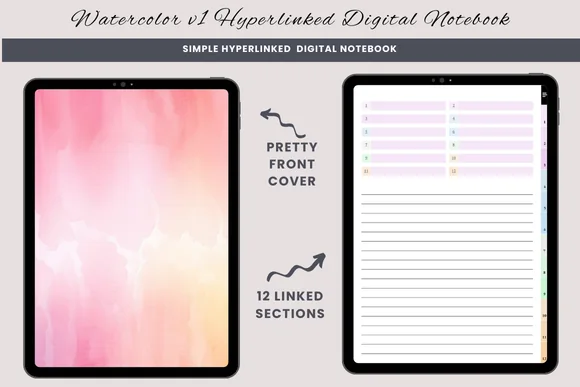
- One hyperlinked PDF for GoodNotes or a similar PDF annotation app
- Twelve sections with lined, blank and half-lined pages
- Blank pages can be duplicated to add writing space
- Pink watercolor cover and numbered section dividers are pictured
This is my flexible choice for the four-section setup below. Label the first four sections Weeks, Visits, Ready and Journal; leave the rest unused until you need them. The half-lined sheet gives a photo room above a dated caption. It is a general notebook, so you add the pregnancy fields yourself, and there is no prefilled calendar.

Best for dark writing pages
6. Dark Mode Digital Notebook – Gold Theme
Orientation: PortraitLayouts: Eight dark paper layoutsDates: No prefilled year shown
Best for: making a short question list or preparation checklist on dark paper. Designed by catsquills.
- Portrait cover and papers for GoodNotes or Notability
- PDF and PNG formats
- Eight layouts include columns, numbered list, to-do, lines and notes
- Black paper with light lines and a gold celestial cover is pictured
The numbered list and columns are useful for a small preparation page: item, person responsible, and next action. Light ink will stand out against the dark paper. This is a set of general papers, not a ready-made pregnancy planner, and the listing does not promise hyperlinked navigation. The dark paper is a visual preference.
Best for notes beside everyday plans
7. Undated Digital Planner Journal Goodnote
Orientation: LandscapeLayouts: Daily journal, weekly plans and monthly memoriesDates: Undated
Best for: keeping appointment reminders and personal journaling in one undated file. Designed by ArtistryByAnnabel.
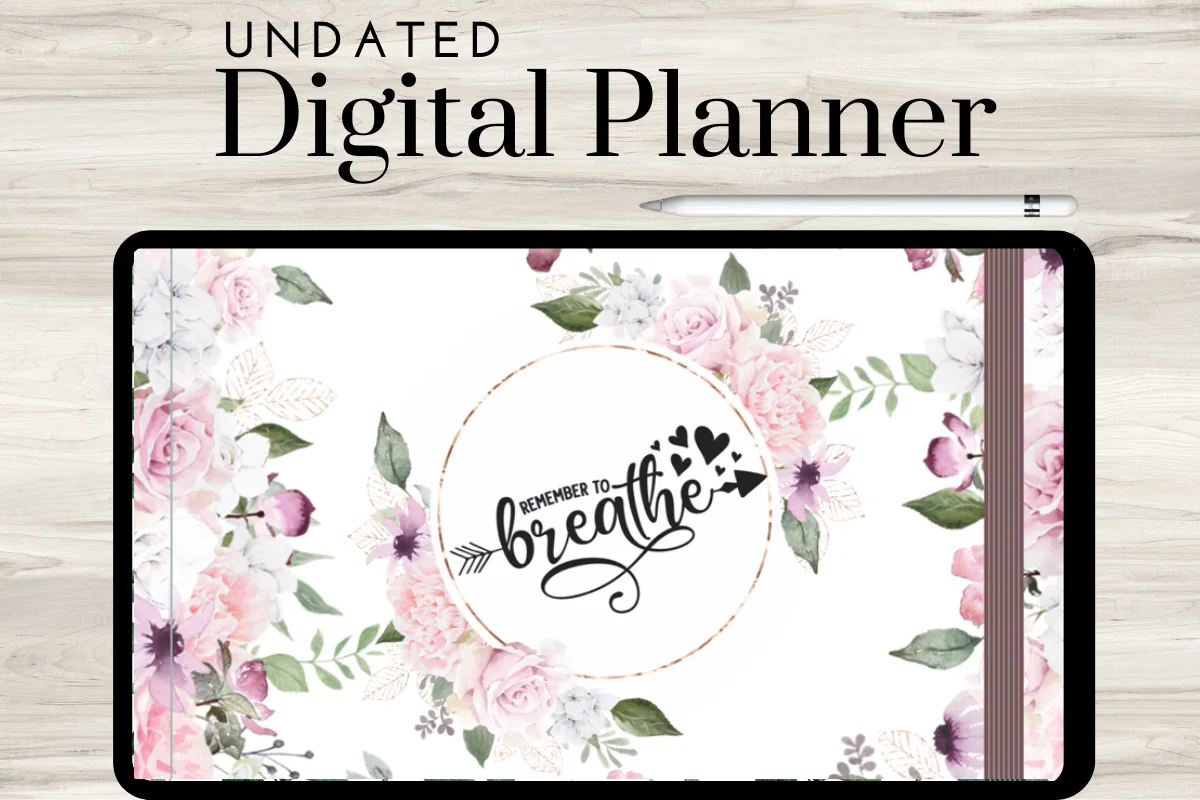
- A 59-page PDF for GoodNotes on iPad or a compatible note-taking app
- Landscape two-page view with clickable tab links
- Previews show weekly appointments, daily planning with a journal page, and monthly memories
- The general planner also contains meal, gratitude, Bible study and password pages
The journal beside the daily page is the reason I included this one: an appointment reminder and a personal reflection can sit near each other. Add your own pregnancy questions and week labels; there is no dedicated pregnancy section. The decorative floral spreads have less open space than a plain notebook. Skip unused sections and keep sensitive passwords outside this journal.
Quick Comparison
| Planner or journal | Useful for | Dates | Main distinction |
|---|---|---|---|
| 1. Pregnancy Planner 2027 Portrait | Ready-made pregnancy sections | 2027 | Portrait; Monday or Sunday |
| 2. Pregnancy Planner 2027 Landscape | Same family, wider spread | 2027 | Landscape; Monday or Sunday |
| 3. 365 Days Daily- Digital Journal | Longer daily reflections | Undated | Pregnancy headings are yours |
| 4. Digital GoodNotes Journal – Tie Dye | Short monthly entries | Undated | Five lined pages per month |
| 5. Watercolor Hyperlinked Digital Notebook | A custom four-part binder | No prefilled year shown | 12 sections; three page styles |
| 6. Dark Mode Digital Notebook – Gold Theme | Custom lists on dark paper | No prefilled year shown | PDF and PNG papers; no links promised |
| 7. Undated Digital Planner Journal Goodnote | Everyday plans plus journaling | Undated | General planner; custom pregnancy notes |
20 pregnancy planner ideas, from weekly notes to keepsakes
Treat these as a menu, not a list of pages you must finish. Start with the appointment page and a weekly note; add preparation and memory pages when they serve you. Every heading below can be handwritten on a general notebook page. These suggested layouts are yours to add; the general journals do not include them as ready-made pages.
Weeks: make a timeline you can return to
- 1A dated weekly snapshot. Write the date range and the pregnancy week as given by your care team, then leave three short spaces: what happened, what I want to remember, and what I want to ask. A label such as “Week noted at my appointment” is more useful than calculating your own due date from the planner.
- 2One ordinary moment. Give one line to something that would otherwise disappear: a conversation on the bus, a favorite song, or the first time you moved a chair to make room for baby things. Date the sentence. A weekly record does not have to be a highlight reel or a checklist of expected experiences.
- 3A photo with a real caption. Place a photo above a short caption: when it was taken, where you were, and why you kept it. A half-lined page works well for this. Leave gaps whenever you prefer privacy; neither a weekly photograph nor a particular kind of picture is necessary for a meaningful record.
- 4A week-to-week carryover line. At the bottom of a weekly page, write one unfinished practical action that still matters. Carry “ask where to find the appointment letter” forward; let an old decoration idea go if it no longer matters. Keep this separate from medical follow-up instructions, which belong with the dated visit notes.
- 5A month-end page finder. Keep a small list of dates and page titles: “May 6, questions after visit” or “May 18, names conversation.” This is a navigation aid rather than a development timeline. If a file already has monthly tabs, use the divider to tell yourself which entries are worth finding again.
Visits: prepare questions and keep the reply
- 6A next-appointment question page. Write each question as soon as it occurs to you, with a little space underneath for the answer. Before a visit, mark the few questions you most want to discuss. Keep urgent concerns out of this waiting list and use the contact instructions your care team has given you.
- 7A practical appointment card. Put the appointment date, time, location and contact route together. Add the exact document or item the appointment service has asked you to bring. A PDF note will not send a reminder by itself, so put a separate reminder in your calendar app if that helps you arrive prepared.
- 8A dated after-visit recap. After the visit, record whom you spoke with, the questions you asked, and the instructions you were given. Separate “what I was told” from “what I still need clarified.” If a detail is unclear, ask the care team rather than filling the blank with an online interpretation.
- 9A question-to-follow-up list. Use three short columns: question, reply or source, and next action. For example, “Where is the next appointment?” can lead to “letter received” and then “add location to calendar.” This keeps an administrative question from being copied across several pages without a clear next step.
- 10A care-contact reference. Copy the contact details and out-of-hours instructions from your own care service, then note the date you checked them. Keep a second accessible copy outside the journal in case the tablet is unavailable. The page is a place to find instructions, not a substitute for them.
Ready: turn preparation into small decisions
- 11A hospital-bag working list. Make columns for item, packed, and last-minute. Build the contents from your own maternity service’s list and your circumstances rather than treating a generic planner checklist as a requirement. A final “still in use” row can hold the few things that cannot go into the bag yet.
- 12A buy, borrow or already-have page. List a possible purchase once, then choose its status before shopping. Add where it will come from and any question that needs answering. This is a decision sheet, not a recommended baby-equipment list; ask an appropriate professional about safety or suitability rather than relying on a decorative template.
- 13A small preparation budget. Give each planned purchase an estimated amount and a later actual amount. Put optional ideas in a separate area so they do not look like promises you have already made. A notebook needs manual arithmetic; none of these writing pages should be assumed to calculate a total for you.
- 14A help-and-contact sheet. Write down a practical task, the person who agreed to help, and what still needs confirming. “Drive to an appointment, time to confirm” is clearer than “sort transport.” Share only the relevant details with that person; your private reflections do not need to travel with the shopping or transport list.
- 15A parking place for names and preferences. Use two columns for an idea and why it matters to you. Keep names, room colors or small keepsake ideas here until you want to make a decision. For medical or birth-care preferences, note questions to discuss with your maternity team rather than treating this page as an approved care plan.
Journal: keep a story without forcing a mood
- 16A letter from this stage. Start with “Today I want to remember…” and write as much or as little as you want. Include ordinary details of your life before the arrival as well as hopes for later. Leave the entry unfinished if you need to; a keepsake does not require a polished letter every month.
- 17The story of sharing the news. Record whom you chose to tell, how you told them, and one detail of the conversation. You can also write about choosing not to share yet. This is your private account, so there is no required announcement timetable and no obligation to include anybody else’s reaction.
- 18A mixed-feelings page. Give separate lines to “what feels good,” “what feels difficult,” and “what support I would like.” You do not need to turn the entry into gratitude or score the day. If something worries you, bring it to an appropriate professional; the page does not assess mental or physical health.
- 19A small-memories envelope page. Use a blank page for a photo of a card, a message you want to keep, or a little drawing, with a date underneath. Check that you are comfortable saving any names or personal information visible in the image. Keep the original elsewhere if the physical object matters to you.
- 20A before-baby closing note. When it feels right, write about the routine you have now, the people around you, and what you would like to remember later. You can add to this page at another time. It is a personal marker, not a deadline tied to a particular week or a prediction of how birth will unfold.
Build the four-section notebook in one sitting
For a first setup, four sections are enough. These pregnancy planner ideas for first time moms are also useful when you have planned a pregnancy before but want fewer scattered notes this time. A notebook does not need a full year of pages before you can write the first question.
- 1Choose the file for your dates. The two Nine Months versions are dated for 2027. If your notes span calendar years, an undated journal avoids a mismatch. Choose a portrait writing page or landscape spread based on how you prefer to hold the iPad.
- 2Import the PDF into your annotation app. Keep an untouched original in Files. Goodnotes documents importing PDFs; the file supplies the page underneath your writing. The app, tablet and any stylus are separate from the planner.
- 3Name four starting places. Use the existing subject tabs in the dedicated planner. In a general notebook, label four sections or pages Weeks, Visits, Ready and Journal. Add only one weekly entry, one question page and one preparation list for now.
- 4Check navigation before filling pages. Open a monthly or subject tab, then return to your question page. For Goodnotes on iOS, follow its current PDF-link instructions: select the linked text, image or planner element. Enter Read Only Mode for navigation without editing.
- 5Write a sample entry and review it. Date the page, add one question, and leave room for the answer. Check that you can read your writing at a comfortable zoom. Keep appointment reminders in a calendar app and use your preferred backup method for the notes.
For the app steps, see the official guides to importing files and opening PDF hyperlinks. I have reviewed listings and previews, not tested the purchased files or every app.
Keep questions, actions and memories easy to tell apart
A sentence can look like a task when it is really an unanswered question. Use a written label alongside any color: Question, Action or Memory. Then a page stays understandable in a quick glance or a black-and-white export.
- Question → visit page: “Where can I find the written instructions?” Leave space for the reply and its date.
- Action → preparation list: “Confirm who can collect the parcel.” Add a person and a next step.
- Memory → journal: “We spent Sunday looking at old family photographs.” Date it without turning it into a task.
For pregnancy journal ideas, a short personal entry can be enough; Day One’s pregnancy journaling guide also discusses memories, photographs and questions for care visits. The layouts above turn those broad purposes into short handwritten entries.
FAQ: choosing and using a pregnancy planner
Which pages belong in a pregnancy planner?
Start with dated weekly notes, questions for your next appointment, a practical preparation list and a place for personal memories. Add contact details from your own care service. You can leave out trackers that you do not want to maintain; a planner is not a list of milestones you are required to reach.
Is a pregnancy planner PDF the same as an app?
A pregnancy planner PDF is a document you write on inside an annotation app. Its printed labels stay part of the page, while you add handwriting, text or photos. Hyperlinks can navigate between pages; they do not by themselves synchronize appointments, create alerts or calculate a pregnancy due date.
Can I make a pregnancy journal template in a plain notebook?
Yes. Write Date and Week at the top, then add What happened, What I want to ask, and One thing to remember. Keep practical follow-ups on a separate Visits page. The five general tools above supply writing space or everyday planning layouts; these pregnancy headings are your own additions.
Do I need an entry every day?
No. A weekly note, an entry after an appointment, or a sentence when something matters can all form a personal record. The journal can contain ordinary days and mixed feelings. A 365-page file is space available to you, not an attendance target.
Can I use these notes instead of contacting my care team?
No. Keep official care instructions and records, and use your maternity team’s contact guidance for concerns rather than waiting to write them up. A personal notebook cannot assess symptoms, decide treatment or replace antenatal care. The NHS overview of antenatal care explains the role of care appointments; use the guidance appropriate to your own location and service.
Start with the note you keep losing
The most useful pregnancy planner ideas begin with one missing piece: a question you forget, a preparation decision that gets repeated, or a memory you want to keep. Give that note a place first. Choose one dedicated orientation if the 2027 dates fit, or one undated journal if flexibility matters more. Add other pages when you have something to put in them.
For the wider family schedule, these mom planner ideas cover a different job. If the writing itself is your priority, compare the page styles in GoodNotes journals or choose a starting question from these journaling prompts.
You May Also Like
This article contains affiliate links. If you choose a product through one of these links, I may earn a commission at no extra cost to you. Read the affiliate disclosure.