Trip planning has a way of spreading everywhere: flight details in your email, the hotel in another app, the packing list on a sticky note, restaurant ideas in a dozen screenshots. Then you’re at the airport scrolling for a confirmation number. A digital travel planner on your iPad puts the whole trip in one place: itinerary, bookings, packing list and budget, available offline when the Wi-Fi isn’t.

Below are the 8 best travel planners from Creative Fabrica I’d take on my iPad, from a quick weekend spread to complete trip planner templates with research pages, maps and a travel journal. After the list: a simple 6-week trip planning timeline, a packing checklist and whether a template or a travel app suits you better.
The 8 Best Digital Travel Planners for iPad I Found
Most travel planners on marketplaces are printable books or Canva templates, so I kept only hyperlinked digital planners for the iPad. The first five are dedicated trip planners; the last three are everyday planners with a real travel section, for people who travel a few times a year and want trips in the same planner as everything else.
TL;DR: 8 digital travel planners for iPad: 5 dedicated trip planners (itinerary, packing, budget, bookings) and 3 everyday planners with a real travel section. Each card lists orientation, layouts and dates, plus who it suits.
Quick Picks
- Best for complete travel planner: GoodNotes Travel Journal Planner
- Best for day-by-day trip log: Digital Travel Planner | Grey
- Best for family trips: Digital Travel Planner Bundle 1
- Best for a cruise: Cruise Digital Planner for Goodnotes PDF
- Best for quick trip planner: Digital Holiday Planner
- Best for travel section in a 2027 planner: 2027 Digital Planner | Monday and Sunday
- GoodNotes Travel Journal Planner – Best complete travel planner
- Digital Travel Planner | Grey – Best day-by-day trip log
- Digital Travel Planner Bundle 1 – Best for family trips
- Cruise Digital Planner for Goodnotes PDF – Best for a cruise
- Digital Holiday Planner – Best quick trip planner
- 2027 Digital Planner | Monday and Sunday – Best travel section in a 2027 planner
- Pastel Life Digital Planner ( Portrait ) – Best travel page in a life planner
- Digital Planner for Ipad, GoodNotes – Best undated planner with a trip page

Best complete travel planner
1. GoodNotes Travel Journal Planner
Orientation: PortraitLayouts: Trip planning, Itinerary, Journal, BudgetDates: Undated
Best for: big-trip planners, boho lovers, travel journalers. Designed by TrendyCreative.
- Trip planning: vision board, destination and accommodation research, flight and transport pages
- Pre-trip: packing list, pre-travel checklist, useful phrases, 5 itinerary layouts, outfit planner
- Travel journal, memories page and world and continent maps
- Budget planner, places to visit, tours and souvenirs; portrait, fully hyperlinked
This is the one I'd take for a trip that needs real planning: the research pages help you compare places to stay before you book, and five itinerary layouts cover anything from a city weekend to a two-week tour. The journal and maps turn it into a keepsake afterwards.
Best day-by-day trip log
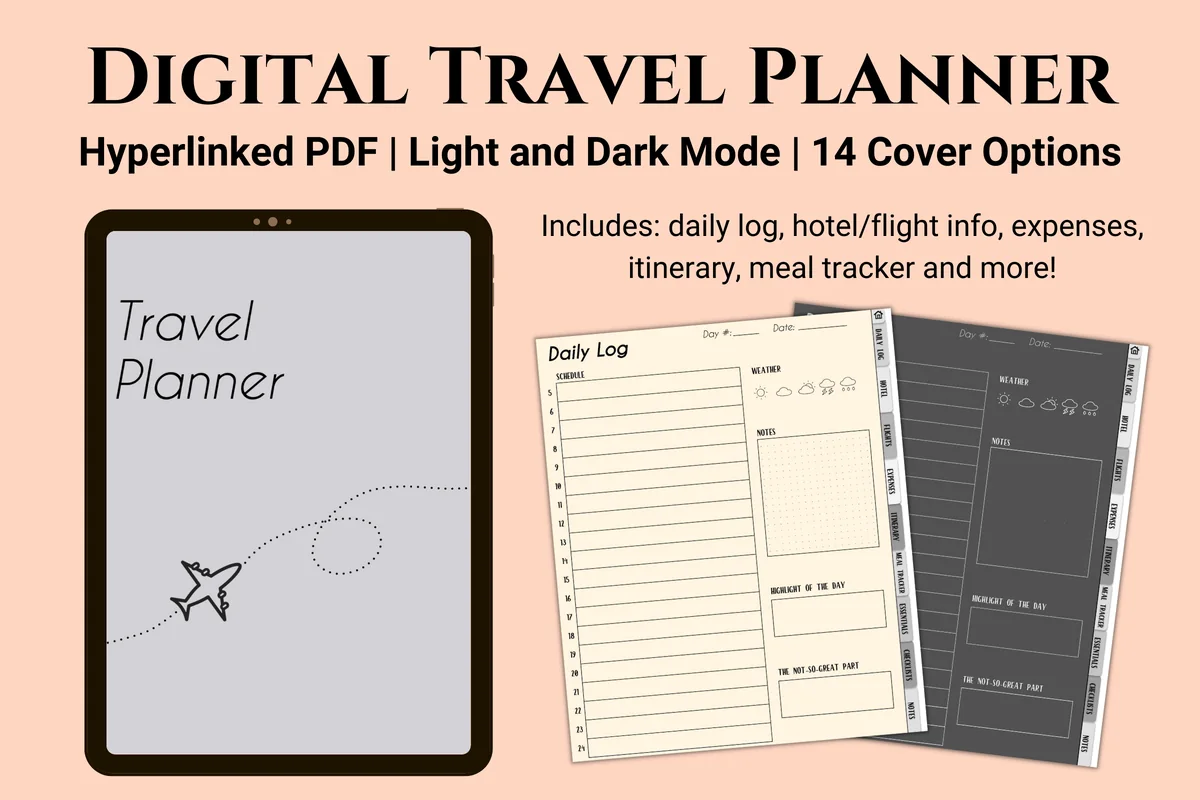
2. Digital Travel Planner | Grey
Orientation: PortraitLayouts: Daily log (15 days), Itinerary, ExpensesDates: Undated
Best for: dark mode fans, minimalists, food lovers. Designed by Kinu Planners.
- Daily log for 15 days: what you did, the weather and the highlights
- Flight, hotel, insurance and car rental details in one place
- Itinerary, expenses and a meal tracker with 5-star ratings
- Light and dark mode, 14 covers, 31 pages; also sold in purple and beige
Simple, calm and very practical. I love the meal tracker idea: rate every restaurant, so you remember where to go back and where to never eat again. The dark mode version is easy on the eyes when you're planning tomorrow in a hotel room at night.
Best for family trips
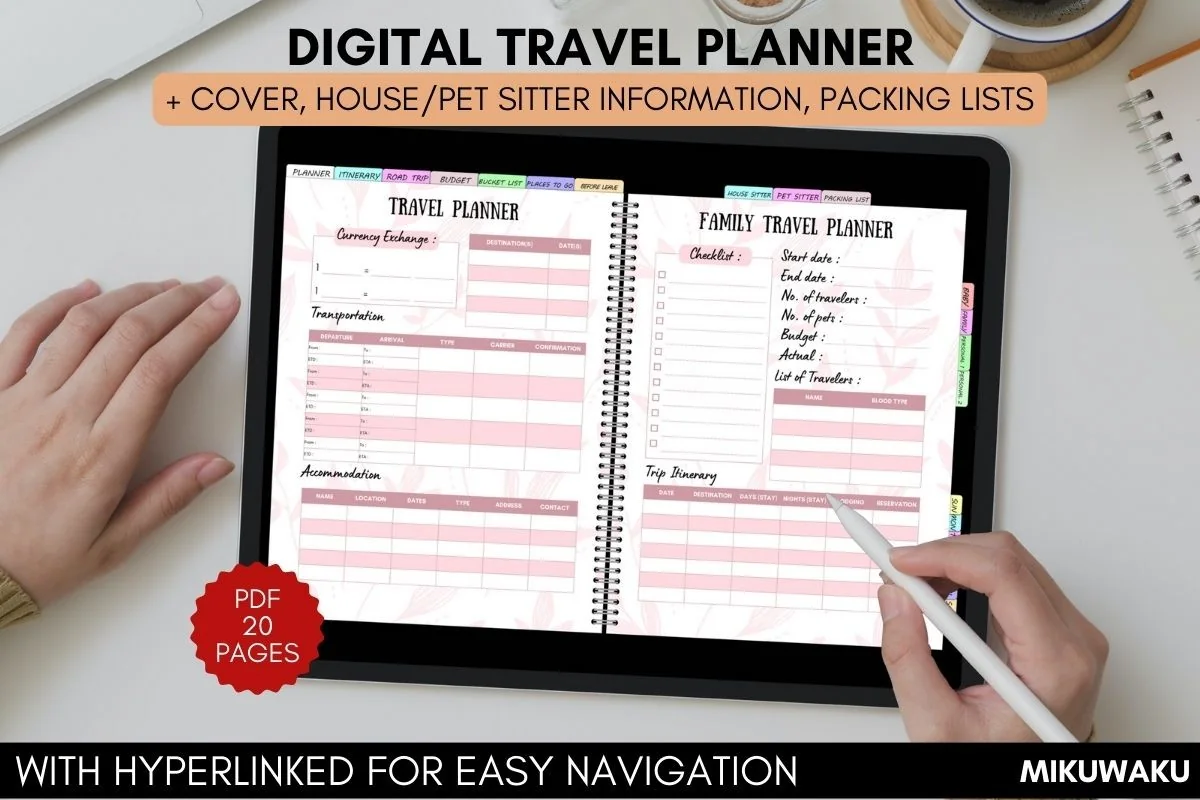
3. Digital Travel Planner Bundle 1
Orientation: LandscapeLayouts: Travel planner, Daily itinerary, Packing listsDates: Undated
Best for: families, pet owners, road trippers. Designed by MikuWaku.
- Travel planner, family travel planner, road trip daily and daily itinerary
- Packing lists, including a baby packing list
- House sitter, pet sitter and house chores pages; a before-we-leave checklist
- Travel budget, bucket list, places to go and photo of the day; 20 hyperlinked pages
Most travel planners forget the people and pets you leave at home. This one has pages for the house sitter and pet sitter, plus a baby packing list, which says a lot about who it's for. A smart pick for family vacations and road trips.
Best for a cruise
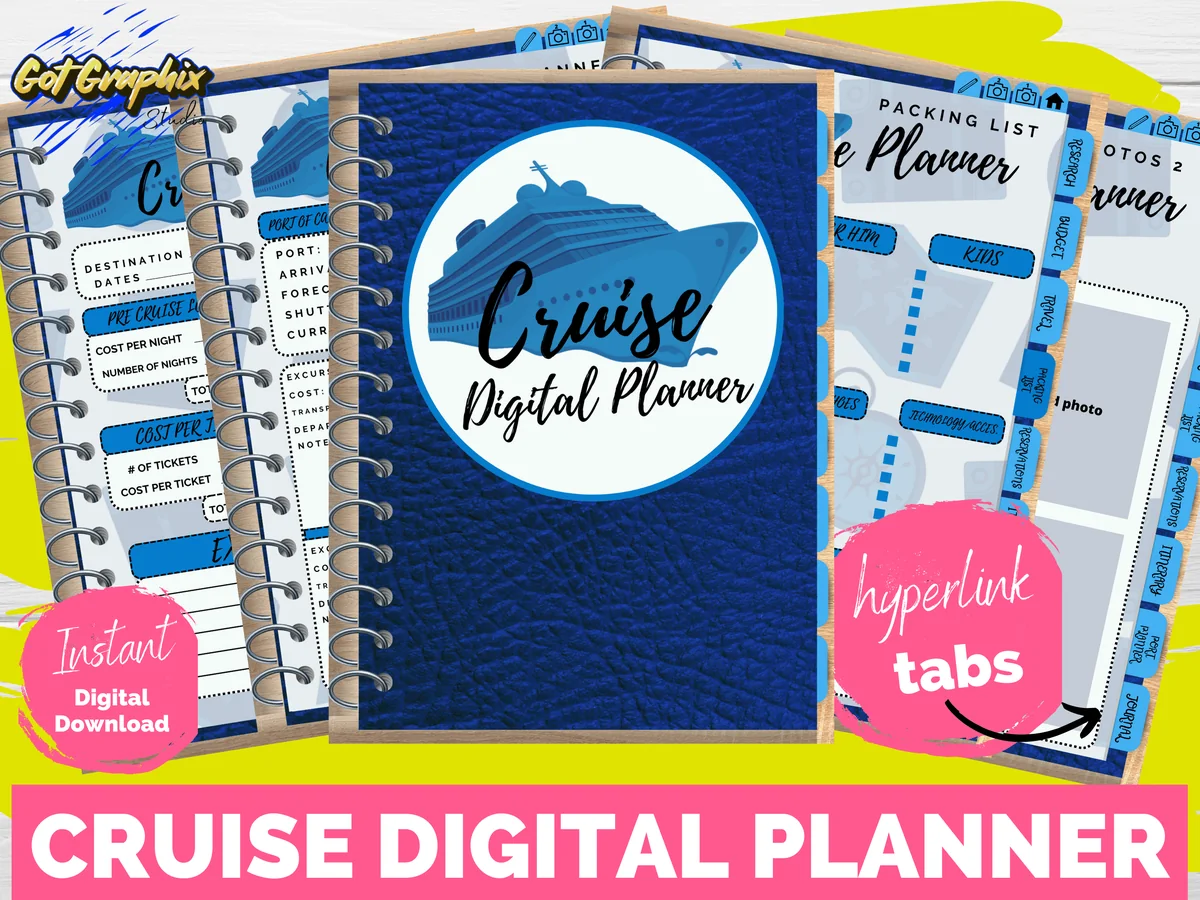
4. Cruise Digital Planner for Goodnotes PDF
Orientation: PortraitLayouts: Itinerary, Port planner, Reservations, JournalDates: Undated
Best for: first-time cruisers, cruise fans, photo journalers. Designed by Kindle&ClothDesigns.
- Cruise research, budget planner and a travel page for flights, hotel and taxis
- Itinerary with port, arrival and departure times; a port planner for excursions
- Reservations page for spa, fitness, excursions and dining
- Packing list, journal page and 2 photo pages for GoodNotes
A cruise has its own logistics, and this planner gets them: port times, excursions, dining and spa bookings. The port planner alone is worth it on a ship that stops somewhere new every day. Perfect for a first cruise.
Best quick trip planner
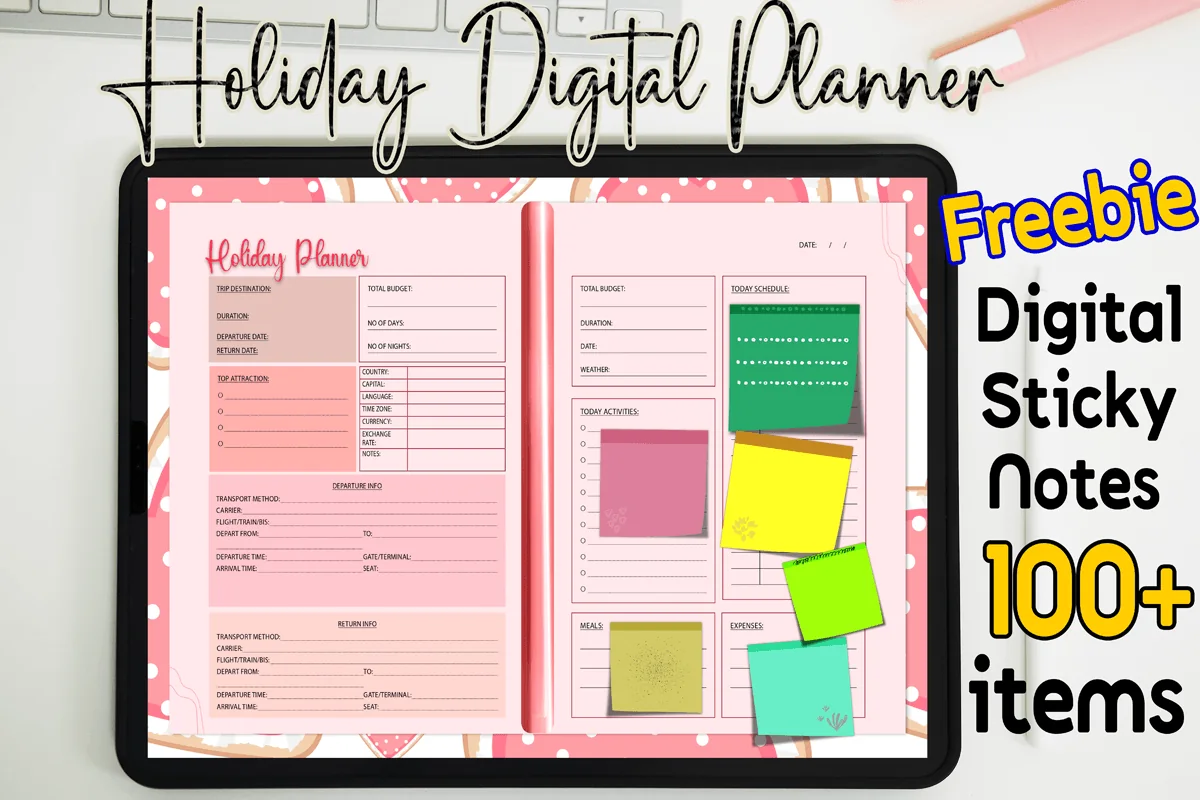
5. Digital Holiday Planner
Orientation: LandscapeLayouts: Trip overview, Daily scheduleDates: Undated
Best for: weekend travelers, pink lovers, beginners. Designed by MOMAT THIRTYONE.
- Trip overview: destination, duration, departure and return dates, total budget
- Top attractions and country info: language, currency, time zone
- Departure and return travel details, today's schedule and activities
- Meals and expenses boxes; 100+ digital sticky notes
Not every trip needs 40 pages. This pink planner fits a weekend away on a couple of pages: where, when, how much, and what to do each day. The currency and time zone boxes are a small detail I always end up looking up twice.
Best travel section in a 2027 planner
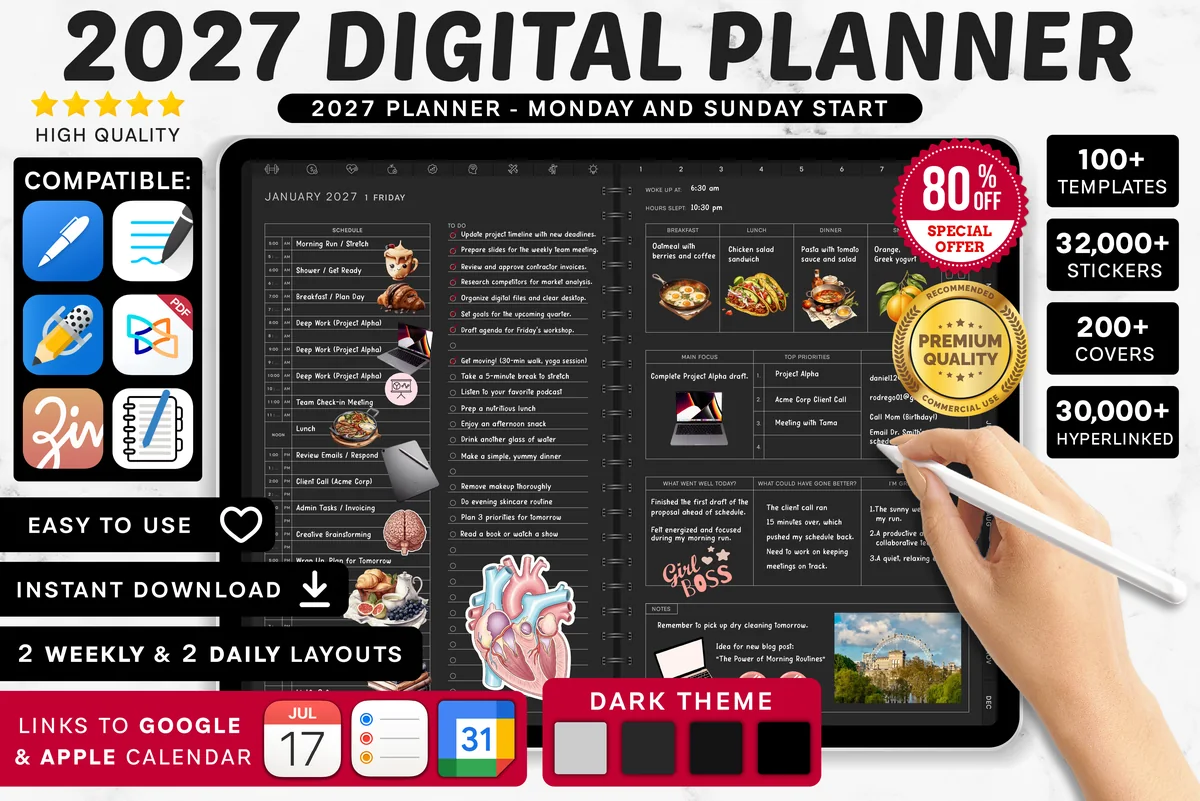
6. 2027 Digital Planner | Monday and Sunday
Orientation: LandscapeLayouts: Yearly, Quarterly, Monthly, Weekly, DailyDates: 2027Week start: Monday or Sunday
Best for: frequent travelers, dark mode fans, calendar app users. Designed by SuperDigitalPlanners.
- Travel section with 10 trackers, including a trip planner and activity planner
- Pre-departure checklist and travel goals
- Travel budget planner and travel expense tracker
- Dated 2027, links to Apple Calendar, Reminders and Google Calendar
If you travel a few times a year, a separate planner per trip gets messy. Here every trip lives in the same planner as your calendar, with a budget before and an expense tracker during. The travel goals page is a nice place to keep the 2027 wish list.
Best travel page in a life planner
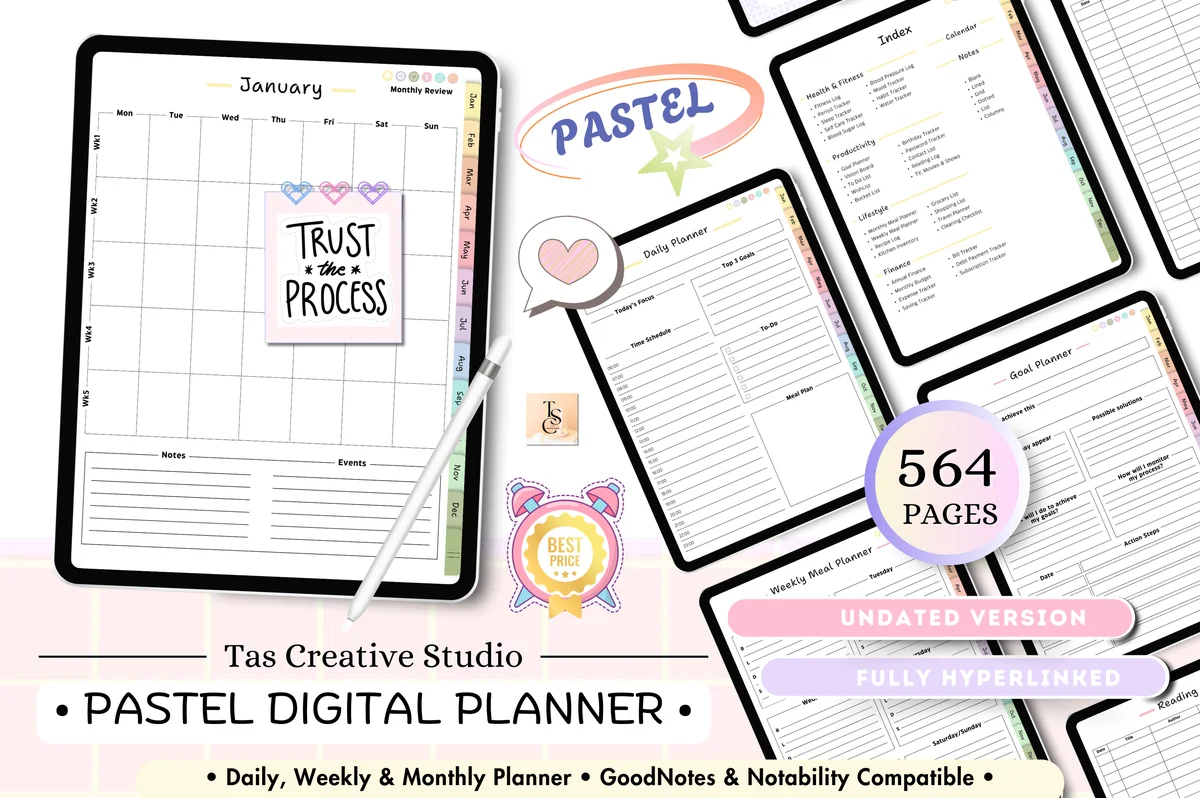
7. Pastel Life Digital Planner ( Portrait )
Orientation: PortraitLayouts: Monthly, Weekly, DailyDates: Undated
Best for: pastel lovers, home cooks, portrait planners. Designed by Tas Creative Studio.
- Travel planner and cleaning checklist
- Meal planner, recipe log and grocery lists
- Budget, expense, savings and bill trackers
- 564 undated pages in portrait, fully hyperlinked
For people who travel a few times a year and don't need a separate trip planner: the travel page sits next to the budget and savings trackers, so you can see what the trip costs before you book it.
Best undated planner with a trip page
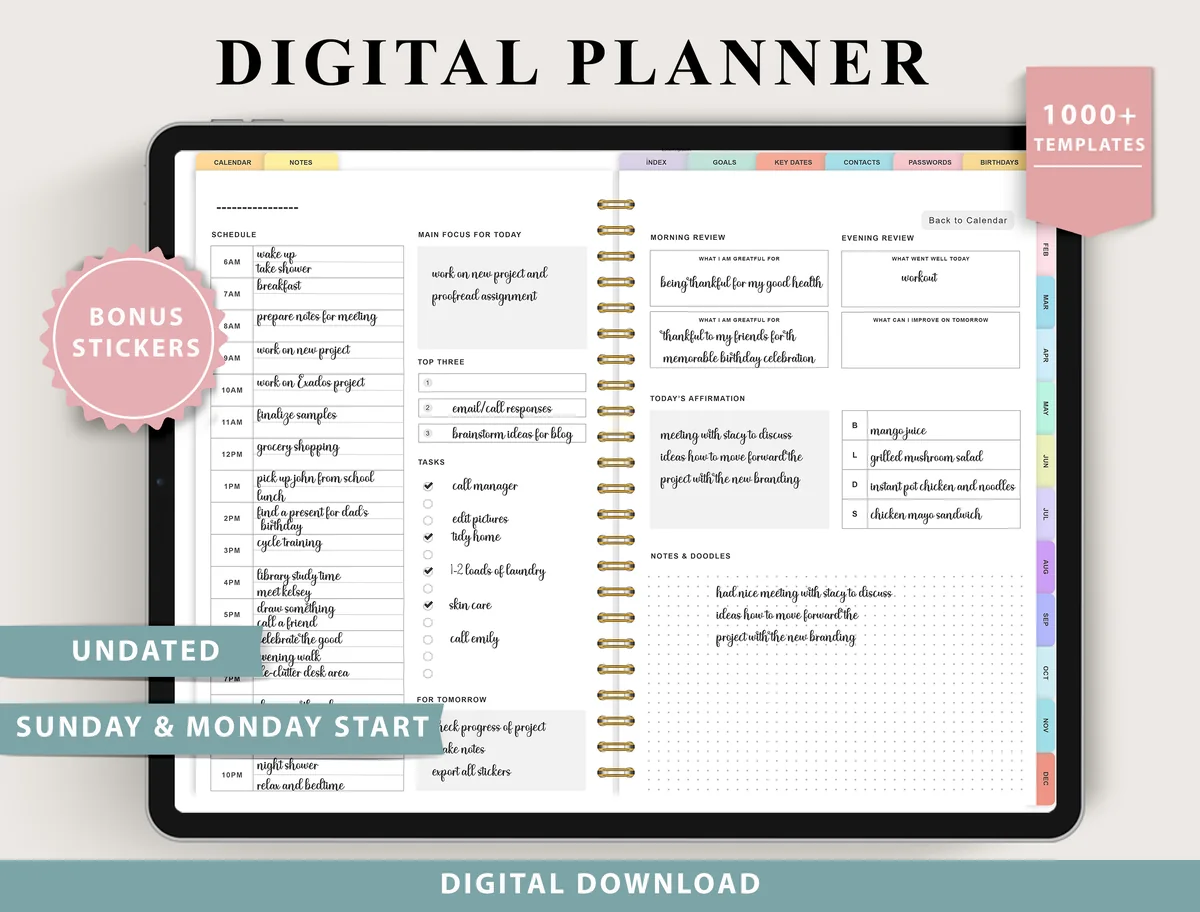
8. Digital Planner for Ipad, GoodNotes
Layouts: Monthly, Weekly (4 layouts), Daily (4 layouts), 100+ templatesDates: UndatedWeek start: Monday or Sunday
Best for: indecisive planners, fitness trackers, finance trackers. Designed by ThePlannersDelight.
- Trip planner and bucket list pages
- Savings tracker and sinking funds tracker for trip money
- 4 weekly and 4 daily layouts, undated, Monday and Sunday start
- 100+ templates; bonus stickers
Because it's undated, this planner works for a trip next spring as well as one two years from now. The bucket list feeds the trip planner, and a sinking funds tracker is a good way to save for it.
Quick Comparison
| Planner | Best for | Trip pages | Stand-out extra |
|---|---|---|---|
| 1. GoodNotes Travel Journal Planner | Big trips, start to finish | Research → itinerary → journal | World maps + outfit planner |
| 2. Digital Travel Planner | Grey | Calm, simple trip log | 15 daily logs + itinerary | Restaurant ratings |
| 3. Digital Travel Planner Bundle 1 | Family vacations | Family + road trip pages | Pet and house sitter info |
| 4. Cruise Digital Planner for Goodnotes PDF | Cruise vacations | Ports + reservations | Port planner |
| 5. Digital Holiday Planner | Short getaways | Overview + daily pages | Country info box |
| 6. 2027 Digital Planner | Monday and Sunday | Trips in your yearly planner | 10 travel trackers | Budget vs expenses |
| 7. Pastel Life Digital Planner ( Portrait ) | Trips inside everyday planning | Travel planner + budget | 564 pages, portrait |
| 8. Digital Planner for Ipad, GoodNotes | Trips years ahead | Trip planner + bucket list | Undated, 100+ templates |
The Whole Trip in One Place: a 6-Week Planning Timeline
- 6 weeks before: set the budget, book flights and accommodation, check passport expiry and visa rules. Write every confirmation number on your bookings page.
- 4 weeks before: research what to see and do; draft a rough itinerary with one or two main things per day. Book anything that sells out: tours, timed tickets, popular restaurants.
- 2 weeks before: arrange pet or house sitting, travel insurance and transport from the airport. Start the packing list.
- 1 week before: confirm bookings, save offline maps, tell your bank you’re traveling, check the weather and adjust the packing list.
- The day before: pack, charge everything, and put the planner on your iPad’s home screen or in the GoodNotes favorites.
- During the trip: log expenses each evening and write three lines in the daily log. Future you will thank you.
How to Make a Trip Itinerary on iPad
The planners above give you the pages; this is how I would fill them. A trip itinerary template works best when every day follows the same structure, so here are the parts, the steps and one example day.
What Goes in a Travel Itinerary: 7 Parts
Whatever template you pick, a useful travel itinerary has the same seven parts. If one is missing, that’s usually the moment you end up searching your email at a ticket gate.
- Trip overview: dates, destinations in order, who’s traveling and the total budget.
- Transport: flights, trains, ferries and car rental with times, terminals and confirmation numbers.
- Where you sleep: the address, check-in and check-out times and the booking reference for every night.
- Day-by-day plan: one block per day with a morning, afternoon and evening, plus anything booked for a fixed time.
- Getting between stops: how you get from the hotel to the first stop and between places, and roughly how long it takes.
- Money: what’s paid, what’s still due and a daily amount for food and extras.
- Essentials: emergency contacts, insurance number, embassy or local emergency numbers, and notes like “museum closed Mondays”.
How to Make a Travel Itinerary, Day by Day
- Start with the fixed points. Write in flights, trains, check-ins and anything with a set time (timed tickets, tours, dinner reservations). Everything else fits around them.
- Give each day one main thing. One big sight or activity per day, then smaller “if there’s time” ideas below it. A day with five musts is a day you’ll spend rushing.
- Group by area. Put places that are close to each other on the same day, so you walk more and commute less.
- Add travel time. Note how you get there and how long it takes; airport days and travel days between cities should stay light.
- Leave free time. Keep at least half a day free on longer trips for rest, weather or the place you discover on the way.
- Add the details last. Booking codes, addresses and opening hours go in once the plan is settled.
A Travel Itinerary Example: One Day in a City
Here is what a single day can look like on a daily itinerary page. Copy the structure, not the times:
- Day 3 · Old town · hotel: address and booking code at the top of the page
- 8:30 breakfast near the hotel
- 9:30 main sight of the day (timed ticket, confirmation code noted), about 2 hours
- 12:30 lunch in the same area; one backup place written below
- 14:00 walk to the market and viewpoint, 20 minutes on foot
- 16:00 free time: back to the hotel, café or shopping
- 19:30 dinner reservation (name, address, booking time)
- Notes: museum closed tomorrow; buy train tickets for Day 4 tonight
In GoodNotes, duplicate this page for every day of the trip and fill the fixed points first. In the evening, tick off what you did and add a line or two about the day: the itinerary becomes a travel journal without any extra work.
If a trip day includes a hike, give that walk a record you can find separately from the itinerary. These hiking journal ideas organize entries by trail and visit date, with room for photo references and details you notice on repeat walks.
A Road Trip Itinerary Template
On a road trip, the itinerary is the route. Plan each day as a driving leg: start and end point, distance and driving time, fuel or charging stops, one or two sights on the way and where you sleep. Keep driving days under about five hours if you want time to stop. The road trip daily page in the Digital Travel Planner Bundle (#3) is built for exactly this.
Multi-City Trips and Visit Itineraries
For a trip with several stops, start with an overview page that lists the cities in order with dates and the transport between them, then a separate daily page for each day. Travel days count as days: a morning train and an afternoon check-in is a full plan. The GoodNotes Travel Journal Planner (#1) has five itinerary layouts, so the overview and the daily pages can look different. A short visit itinerary (a weekend with family, a college visit) fits on a single itinerary page.
What I Look For in a Travel Planner
- Itinerary by day. One page or block per day, with times for flights, check-ins and tours.
- Bookings in one place. Flights, hotels, car rental and confirmation numbers on one page you can find in seconds.
- Packing list and pre-trip checklist. The pages that stop you from forgetting chargers and passports.
- Budget and expenses. A plan before the trip and a tracker during it.
- Room for memories. A journal or photo page turns the planner into a keepsake.
- Made for the iPad. Hyperlinked tabs in GoodNotes or Notability; it all works offline on the plane.
A Simple Packing Checklist to Start From
- Documents: passport or ID, tickets, insurance, bookings (also saved offline), cards and some cash.
- Tech: phone, iPad and Apple Pencil, chargers, power bank, travel adapter, headphones.
- Clothes: outfits per day plus one spare, sleepwear, comfortable shoes, a layer for the plane.
- Toiletries: travel-size basics, medication, sunscreen, glasses or contacts.
- Extras: reusable water bottle, snacks, a tote bag, earplugs and an eye mask.
Copy it into your planner’s packing page once, then duplicate and adjust it for every trip.
Travel Planner Template or Travel App?
Travel apps like TripIt or Wanderlog can read booking emails and build an itinerary automatically, and AI tools can suggest a route. They’re great for logistics. A trip planner template on the iPad is better for the thinking part: comparing options, writing a budget, deciding what matters on each day. It works offline, has no account or subscription, and doubles as a travel journal. Many travelers use both: an app for confirmations, the planner for the plan and the memories.
How to Set Up a Travel Planner in GoodNotes
- Import the PDF into GoodNotes (Share → GoodNotes → Import as New Document).
- Keep a blank copy and duplicate it for every new trip.
- Paste screenshots of booking confirmations onto the bookings page with the image tool.
- Duplicate the daily itinerary page for the number of days you’ll be away.
- Make sure the document is saved on the iPad before you leave, so it opens offline.
FAQ
How do I make a travel planner?
Start with five pages: a trip overview (dates, budget, bookings), a day-by-day itinerary, a packing list, a pre-trip checklist and an expense tracker. You can draw them in GoodNotes or use a ready hyperlinked template like the ones above.
What is the best digital travel planner for iPad?
For a big trip, I’d pick the GoodNotes Travel Journal Planner: research, itineraries, budget, maps and a journal. For a calm day-by-day log, the Digital Travel Planner by Kinu Planners. For a cruise, the Cruise Digital Planner.
Can I use a digital travel planner offline?
Yes. A PDF planner in GoodNotes or Notability is stored on the iPad, so it opens on a plane or abroad without data. Just make sure the file is saved on the device, not only in the cloud, before you travel.
What should an itinerary planner template include?
Whether you call it an itinerary planner template, a trip organizer template or a travel itinerary schedule template, a good one gives each day its own block: the date and place, times for flights, check-ins and tours, booking and confirmation numbers, how you get from one stop to the next, and a little free time. The GoodNotes Travel Journal Planner (#1) has five itinerary layouts, the Cruise Digital Planner (#4) adds port arrival and departure times, and the Grey travel planner (#2) pairs an itinerary with 15 daily logs. For a full example day, see How to Make a Trip Itinerary on iPad above.
Can I use a digital itinerary for a visa application?
Some consulates ask for a travel itinerary with a visa application. They usually want a clear typed document with dates, cities, accommodation and transport, so check the exact rules for your visa. You can plan the trip in your iPad template first, then type the final version or export the overview page from GoodNotes as a PDF if a handwritten page is accepted.
Can I share my itinerary with travel companions?
Yes. GoodNotes can export a page or the whole notebook as a PDF that you can send by message or email. For a group trip, share the overview and daily pages before you leave, so everyone knows the plan and the meeting points.
How do I plan a trip budget?
Start with the budget page of your trip planning template: write down the fixed costs first (flights, stays, insurance, tours), then a daily amount for food, transport and small extras, and keep a buffer for surprises. During the trip, log what you actually spend so you can see where the money went. A trip budget planner like the one in the GoodNotes Travel Journal Planner (#1), or the travel budget planner and expense tracker in the 2027 Digital Planner (#6), keeps the plan and the real numbers side by side.
Can I use ChatGPT to plan a trip?
AI tools can draft an itinerary or suggest what to see, which is a helpful starting point. Always double-check opening hours, prices and distances, then copy the plan you settle on into your travel planner, where it sits next to your bookings and budget.
Final Thoughts
A good trip feels easy because the planning was done before you left. Put the itinerary, bookings, packing list and budget in one digital travel planner, and the trip itself can be about the trip. Planning a bigger year? See my best iPad digital planners for 2027, or browse all travel planners. Planning a honeymoon? Start with my wedding planner checklist. Once you’re on the road, my travel journal ideas help you write the trip down before the details fade.
Once the itinerary is readable, these travel digital stickers can help you choose decorative accents for the trip pages.
You May Also Like
This post contains affiliate links. If you buy through them, I may earn a small commission at no extra cost to you. Learn more.