A trip fills a journal faster than any other month: tickets, a packing list, a day-by-day plan, then photos and notes from every stop. Travel stickers tie those pages together, and they are a big theme on Pinterest. Search for them, though, and you mostly get vinyl decals for suitcases and laptop stickers. In a GoodNotes journal on the iPad you need transparent PNGs or a ready sticker file that you can use on every trip without running out.
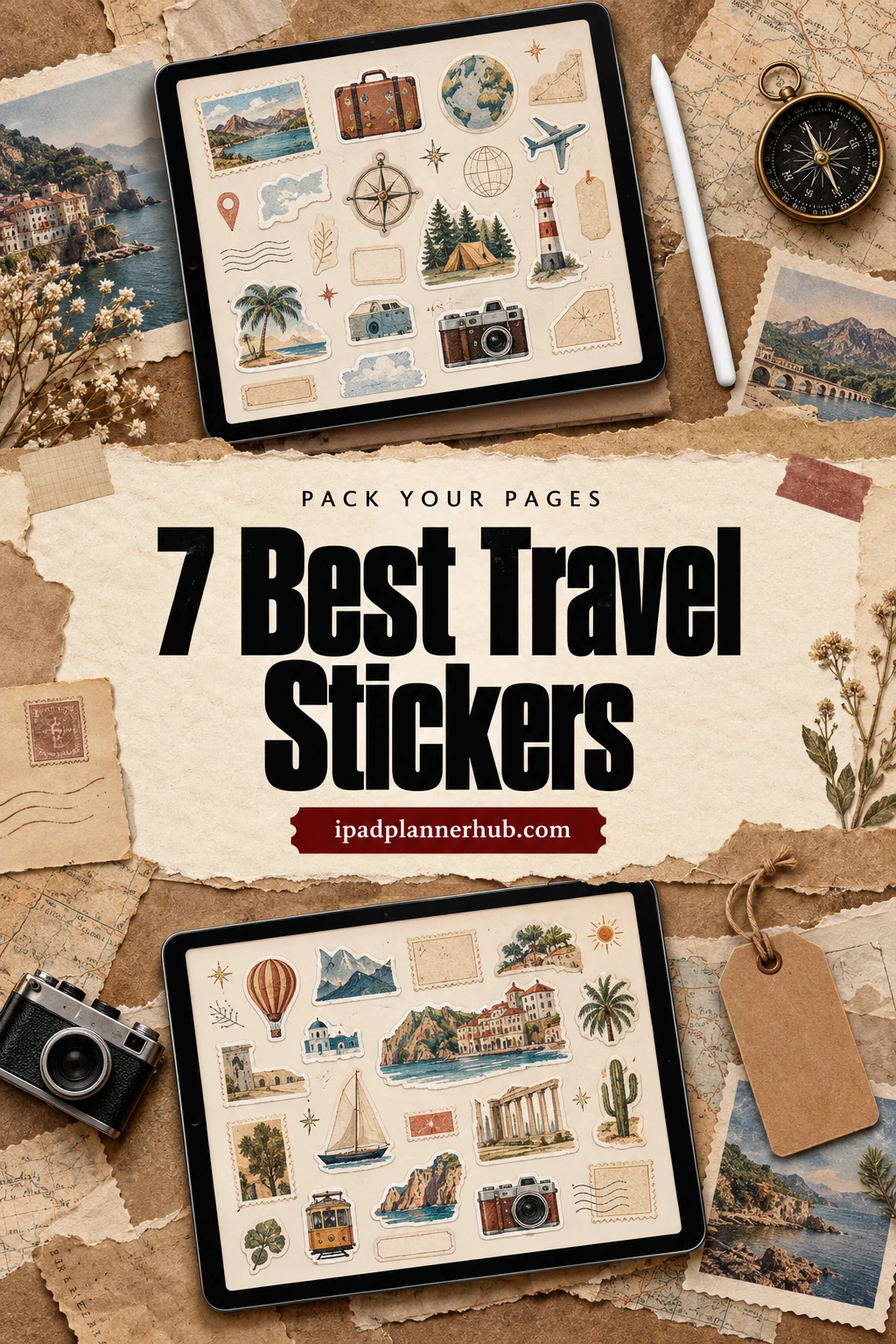
Below are 7 travel sticker packs from Creative Fabrica I’d use in a digital journal, from a pre-cropped vacation kit with day labels to kawaii suitcases, painted beach scenes, two camping sets, watercolor city sights and simple vacation flags for a calendar. After the list: which style fits which page, what to look for, how to journal a trip before, during and after, a one-page trip recap and how to add the stickers in GoodNotes.
The 7 Best Travel Stickers I Found for GoodNotes
I skipped luggage decals, sublimation designs, printable-only sheets and packs sold mainly as SVG cut files, plus seasonal sets like Christmas road trips. Every pack below names GoodNotes, Notability, the iPad or a digital planner in its description. One pack per designer, so you see seven different styles. Two strong packs from my travel journal ideas (the retro realistic set and Travel Days) aren’t repeated here.
TL;DR: 7 travel sticker packs for GoodNotes and iPad journals: a pre-cropped summer vacation kit with day labels, kawaii travel icons, painted beach scenes, two camping sets, watercolor Taiwan sights and 100 colored "Vacation" flags for marking trip days. The cards say which packs include a GoodNotes file.
Quick Picks
- Best overall: Summer Vacation Digital Stickers
- Best for kawaii: Adventure Travel Sticker Vacation PNG
- Best for beach scenes: Beach Digital Stickers, Sea Clipart
- Best for camping trips: Cute Camping Goodnotes Digital Stickers
- Best for characters: Camping Digital Stickers
- Best for a city trip: Taiwan Travel Journal III Stickers
- Summer Vacation Digital Stickers – Best overall
- Adventure Travel Sticker Vacation PNG – Best kawaii
- Beach Digital Stickers, Sea Clipart – Best beach scenes
- Cute Camping Goodnotes Digital Stickers – Best for camping trips
- Camping Digital Stickers – Best characters
- Taiwan Travel Journal III Stickers – Best for a city trip
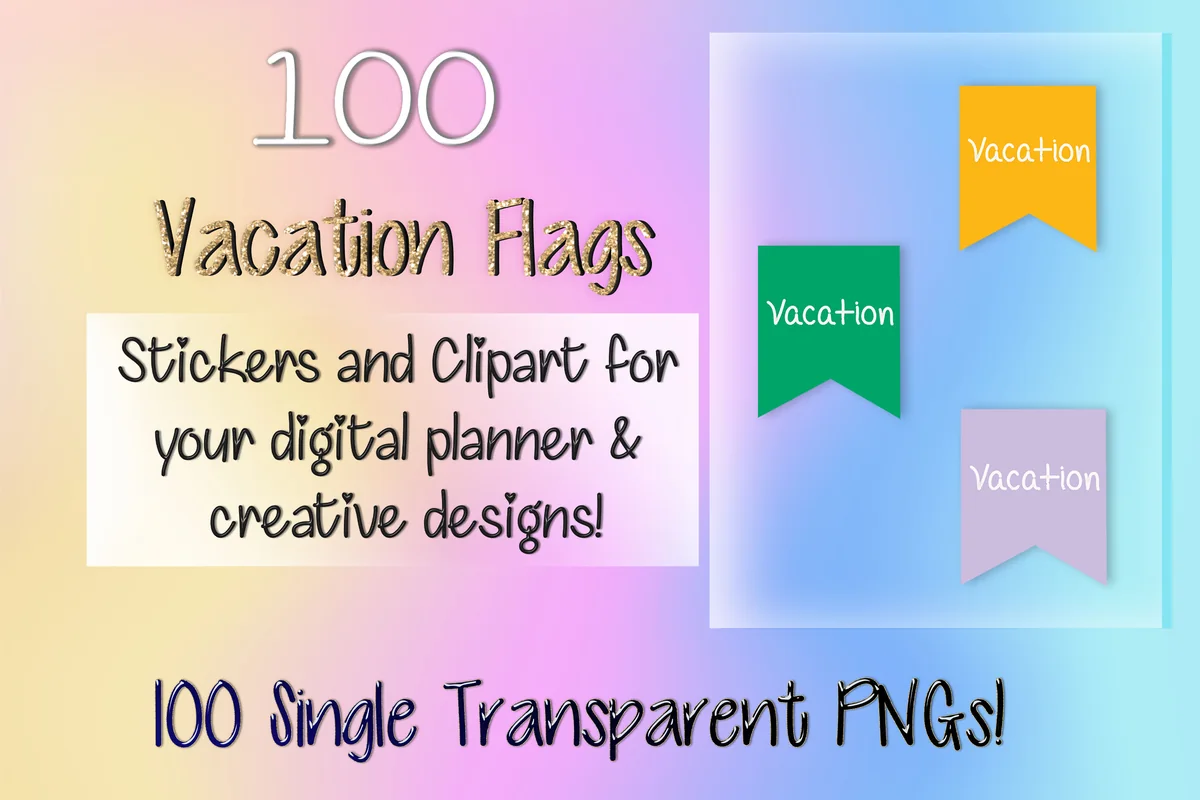
- 100 Vacation Flag Digital Stickers – Best functional

Best overall
1. Summer Vacation Digital Stickers
Layouts: 50+ pre-cropped stickers: beach and camper scene boxes, day labels, To Do and Next Week headers, Weekend bannerFormat: Pre-cropped PNG + PNG sheets + GoodNotes, ZoomNotes and Noteful files (screen only)
Best for: weekly spread fans, beach vacationers, GoodNotes beginners. Designed by Bren Wotherspoon.
- Over 50 pre-cropped stickers, plus PNG sheets
- Full boxes with beach scenes, a camper van, a lighthouse and a bike by the sea
- Day labels (Monday to Sunday), "To Do", "This Week" and "Next Week" headers and a "Weekend" banner
- GoodNotes, ZoomNotes and Noteful files; the designer says the stickers are not suited for printing
This is the only pack in the list that works as a complete planner kit: scene boxes for decoration, labels and headers for the actual plan. If you want your vacation week to look like a themed spread with very little effort, I'd start here. It's screen only, so it's not the pick for a paper journal.

Best kawaii
2. Adventure Travel Sticker Vacation PNG
Layouts: 30 kawaii travel stickers (suitcases, passport, boarding pass, map, camper van, tent)Format: PNG + SVG + EPS
Best for: pastel planner fans, kawaii lovers, travel journalers. Designed by MeawwaDigitalArts.
- 30 individual sticker designs in a pastel kawaii style
- Suitcases, a passport, a boarding pass, a travel map, a compass, a hotel and a taxi
- A flower-topped camper van, a tent, a backpack, travel coffee cups and sneakers
- PNG files with a transparent background, plus SVG and EPS
Listed in May 2026, already saved by 41 people on Creative Fabrica, and the cutest pack in the list. Soft blues and pinks with little hearts and flowers make every sticker look like it belongs to the same trip. It has the paperwork pieces too (passport, boarding pass, map), so it covers both the planning pages and the memories.
Best beach scenes
3. Beach Digital Stickers, Sea Clipart
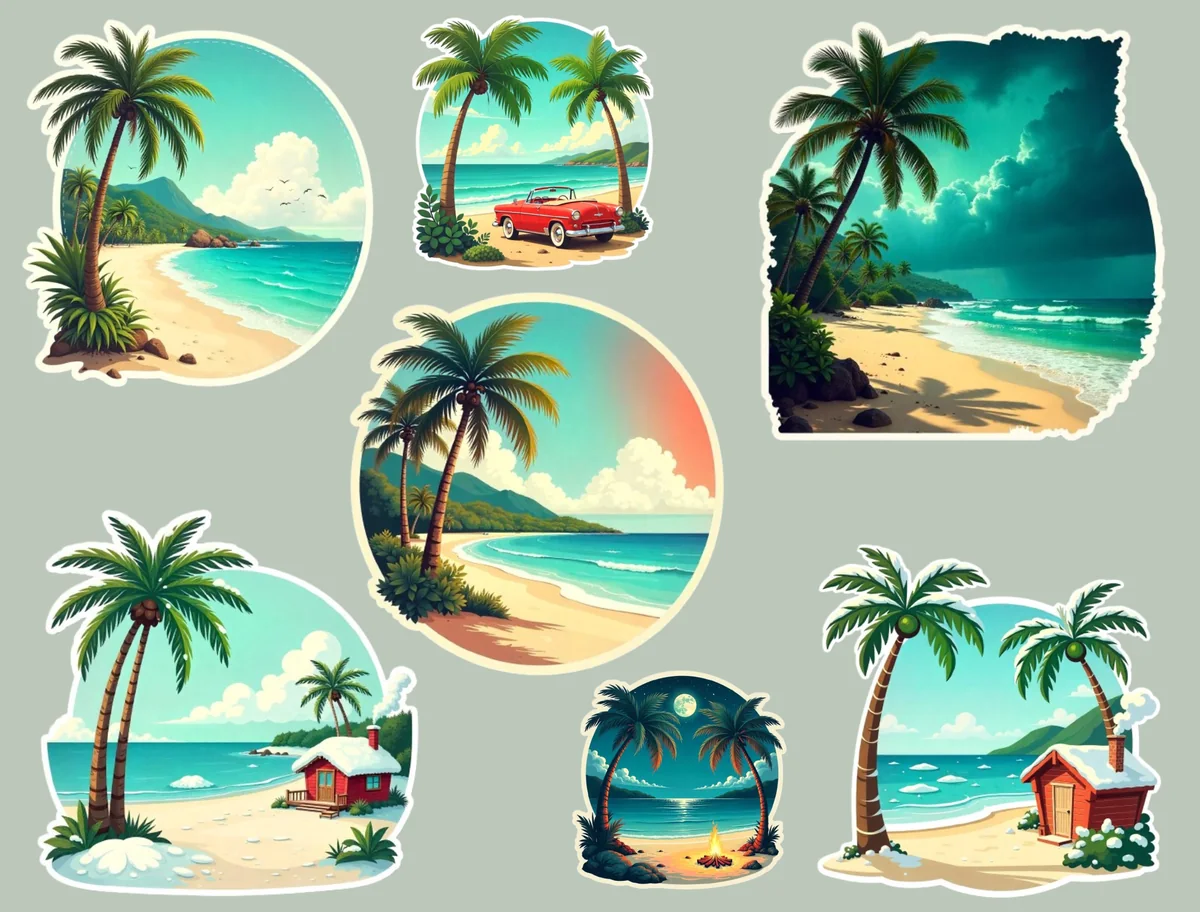
Layouts: Round and torn-edge beach scenes with palm trees, a beach hut and a red carFormat: Digital PNG stickers for GoodNotes and Notability
Best for: beach vacationers, photo-style journalers, summer spreads. Designed by Planners Campus.
- Painted beach scenes in round and torn-paper shapes
- Palm trees, turquoise water, a red car on the shore and a beach hut
- Made to drag and drop into GoodNotes, Notability or any PDF editor
- The description doesn't give the number of stickers
These aren't icons but little views, the kind you'd put next to a few lines about the best beach day. They look like photo cutouts, so they sit well next to real trip photos. It has no favorites yet, and the listing doesn't say how many scenes are inside, so check the preview first.

Best for camping trips
4. Cute Camping Goodnotes Digital Stickers
Layouts: 20 camping stickers (tents, campfire, lantern, compass, map, binoculars, guitar)Format: 20 PNG (72 dpi) + pre-cropped GoodNotes sheet (screen only)
Best for: campers, road trippers, outdoor journalers. Designed by The Elisa Design.
- 20 individual PNG stickers plus a pre-cropped GoodNotes sticker sheet
- Tents in three colors, a campfire, a lantern, a compass, a map and binoculars
- Camp kit too: a frying pan with an egg, an enamel mug, an axe, a flashlight, a guitar and a sleeping bag
- 72 dpi, made for the screen and not for printing
A camping trip needs different stickers than a city break, and this set has the whole kit. The GoodNotes sheet means no cropping: open it next to your journal and copy. The pieces are small and flat, so they work as icons for a packing list or a day-by-day plan rather than big headers.

Best characters
5. Camping Digital Stickers
Layouts: 25 cartoon camping stickers with a bunny and a chickFormat: 25 pre-cropped PNG + PNG sheet 2732 x 2048 + PDF for print, 300 DPI
Best for: kawaii lovers, family campers, character sticker fans. Designed by Jibchaa.
- 25 cartoon stickers with a fluffy bunny and a little chick out camping
- 25 pre-cropped PNGs plus one PNG sheet sized for the iPad (2732 x 2048 px)
- A PDF for printing; all files at 300 DPI
- The previews show a tent, a campfire, a fishing rod and trees
If kawaii is your style, this is the camping pack with a story: the same two characters on every page of the trip. The designer made it for the iPad, and the pre-cropped PNGs drop straight onto a page. I'd pick it over the flat camping set for a relaxed, cute journal, and the other way round for a practical packing list.
Best for a city trip
6. Taiwan Travel Journal III Stickers
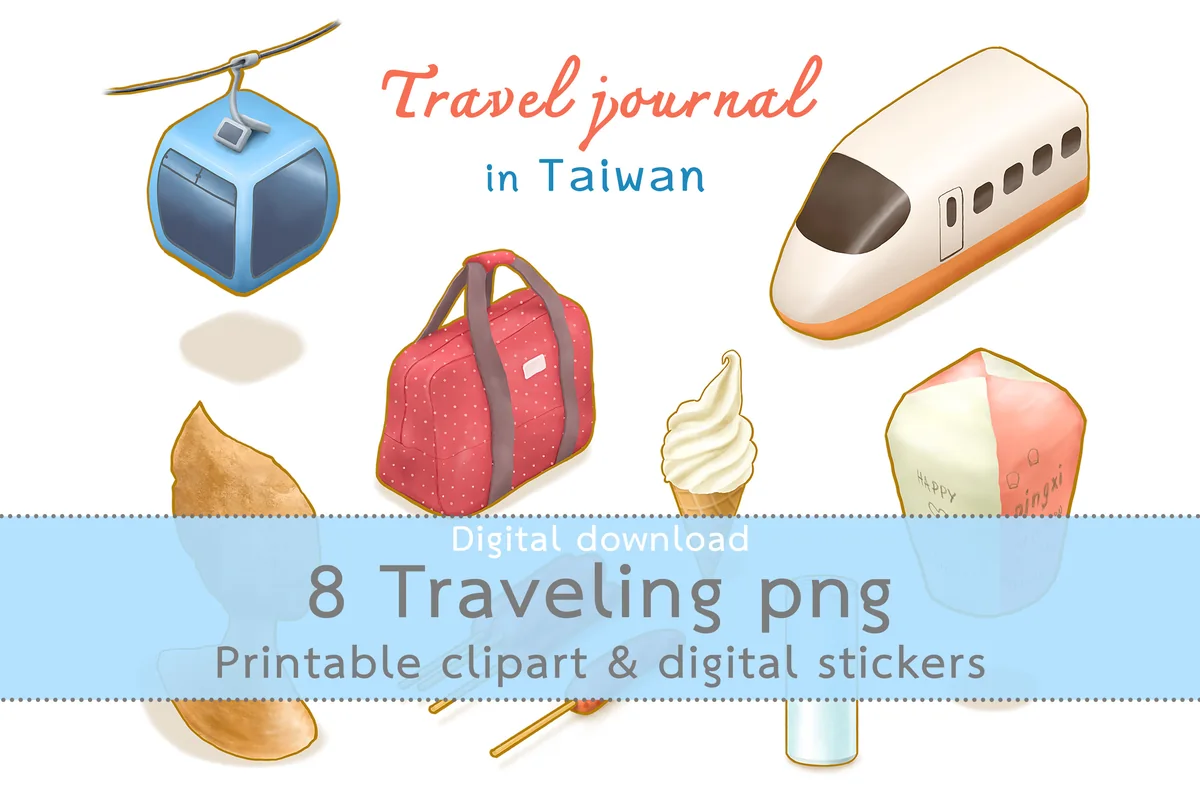
Layouts: 8 watercolor-style Taiwan stickers (ropeway, sky lantern, Yehliu rock, high speed train, street food)Format: PNG (300 and 72 dpi) + GoodNotes sticker sheet
Best for: Taiwan travelers, city trip journalers, watercolor fans. Designed by phasuthorn.
- 8 watercolor-style stickers: a ropeway car, a sky lantern, Yehliu's Queen's Head rock and a high speed train
- Street food too: Taiwanese sausage, an ice cream cone and a drink can, plus a travel bag
- PNGs at 300 dpi (2,400 px) and screen size (1,000 px)
- A GoodNotes sticker file
Most travel packs are about suitcases and planes. This one is about a place: real sights and food you'd write about on a city day page. It's small (8 pieces), but each one is detailed and has a soft, painted look. Planning Taiwan? I'd pair it with the series' first set, which I cover in my travel journal ideas.
Best functional
7. 100 Vacation Flag Digital Stickers
Layouts: 100 "Vacation" flag labels in 100 colorsFormat: Single transparent PNGs
Best for: functional planners, family calendars, color coders. Designed by Magnolia Blooms.
- 100 single transparent PNGs
- A small "Vacation" flag label in 100 colors
- The designer mentions GoodNotes, Notability and other planner apps
- Works on monthly calendars, weekly headers and family planners
Not decoration but a tool: one flag on every day off, and the vacation is visible on the month at a glance. With 100 colors, there's always one that matches your planner or a family member's color code. It's the least "travel" looking pack here and the one I'd use most often.
Quick Comparison
| Sticker pack | Style | What you get | Stand-out extra |
|---|---|---|---|
| 1. Summer Vacation Digital Stickers | Photo-style beach scenes | 50+ pre-cropped + 3 app files | Day labels and headers |
| 2. Adventure Travel Sticker Vacation PNG | Pastel kawaii | 30 PNG stickers | Passport and boarding pass |
| 3. Beach Digital Stickers, Sea Clipart | Painted beach views | Digital stickers | Torn-paper shapes |
| 4. Cute Camping Goodnotes Digital Stickers | Flat outdoor icons | 20 PNG + GoodNotes sheet | Full camp kit |
| 5. Camping Digital Stickers | Kawaii characters | 25 pre-cropped PNG | Same two characters |
| 6. Taiwan Travel Journal III Stickers | Watercolor sights | 8 PNG + GoodNotes file | Real Taiwan landmarks |
| 7. 100 Vacation Flag Digital Stickers | Simple labels | 100 PNG flags | Any planner color |
Kits, Cute Icons or Labels: Which Travel Stickers Fit Your Pages
The 7 packs do different jobs. One pack for decoration and one for function is plenty for a trip; seven styles on one spread look like a souvenir shop.
A ready vacation kit
The Summer Vacation kit has scene boxes, day labels and headers in one palette. It decorates and organizes the week at the same time, which is what you want for the days of the trip itself.
Cute and simple travel icons, beach views
Suitcases, planes, passports and cameras in a pastel kawaii look. For a beach trip, the painted beach scenes add views that sit well next to photos.
Camping and road trip stickers
Two camping sets in two moods: flat camp kit icons with a GoodNotes sheet for packing lists and day plans, and kawaii camping characters for a relaxed family journal.
A place and a calendar label
Watercolor Taiwan sights show how good a destination pack looks on a city day page. The vacation flags are the opposite: no decoration, just a clear mark on the calendar for every day off.
What I Look For in Travel Stickers for a Digital Journal
- Made for the screen, not the suitcase. “Transparent PNG”, “pre-cropped” or “GoodNotes file” in the description. “Vinyl”, “waterproof” and “print and cut” mean physical stickers.
- A GoodNotes file when possible. Three of the seven packs include one: the Summer Vacation kit (with ZoomNotes and Noteful files too), the flat camping set and the Taiwan set. With the others, you place the PNGs yourself once and save them.
- Paperwork pieces. A passport, a boarding pass, tickets and a map are the stickers you use on planning pages, not only on memory pages. The kawaii pack and the flat travel set have them.
- One look per trip. Pastel, bright, painted or kawaii: pick one and keep it for the whole trip so the pages read as one story.
- Something functional. Day labels, headers or flags help plan, not only decorate. The vacation kit and the flags do that job.
- Size and resolution. 300 dpi packs scale well for a big header. Smaller files are fine as icons next to the date.
Pack Your Pages: How to Journal a Trip on iPad With Travel Stickers
The idea behind the title: pack your journal the way you pack your bag, before you leave. Set up the pages at home, keep notes short on the road and finish the story when you’re back. Here’s the order I’d follow:
Before the trip
- Mark the dates. Put a vacation flag on every trip day in your monthly calendar.
- Make a packing list. A suitcase sticker as the header, a checklist under it.
- Plan the days. One line per day with the city or the main stop. A plane or a train sticker marks travel days.
- Set up the sticker book. Save 10 to 15 stickers from one pack to GoodNotes Elements, so on the road it’s one tap.
During the trip
Keep it to five minutes in the evening: the date, one photo, three lines on what happened and one sticker that matches the day (the beach, a train, a street food stall). Short entries are the ones that actually get written on a trip.
After the trip: a one-page trip recap
Back home, make one page that sums up the whole trip. A simple layout:
- a header with the destination and dates, plus a big sticker (a plane, a camper van, a landmark)
- a small map with location pin stickers on every stop
- three photos and one line under each
- “Best meal”, “Best view”, “Funniest moment” with a sticker next to each
- what to do differently next time
For the planning pages themselves, a dedicated travel planner helps: see my digital travel planners.
Travel Sticker Ideas for Your Journal
- A countdown page with one plane sticker per day left
- A “places I want to go” page with a pin sticker for every dream destination
- A boarding pass sticker with the flight number written on it
- A passport sticker on a page that lists the countries you’ve visited
- A food page for the trip with a street food sticker per dish
- Camper van and tent stickers for road trip and camping days
- A “Best Trip Ever” badge on the recap page
- Weather stickers (sun, cloud) next to each trip day
- A travel budget line with a suitcase as the header
- A different color vacation flag for each family member
More layouts and prompts are in my travel journal ideas and digital journaling ideas.
Digital Travel Stickers vs Luggage and Printable Stickers
Many searches for travel stickers are about vinyl decals for luggage, laptops and water bottles. Those are physical products; the packs above are digital files for a note app. Some of them print too, if you also keep a paper journal:
- Digital and print: the kawaii adventure pack, the kawaii camping characters (with a PDF for printing), the Taiwan set (300 dpi files) and the vacation flags.
- Screen only: the Summer Vacation kit and the flat camping set, which their designers say are made for digital use, not for printing.
- Not stated: the painted beach scenes; check the file size before printing.
How to Add Travel Stickers in GoodNotes
- Unzip the pack in the Files app. Depending on the pack, you’ll find single PNGs, PNG sheets or a GoodNotes file.
- If there is a GoodNotes file, import it: it’s your sticker book. Open it in a second tab next to your journal and copy stickers across.
- For single PNGs, tap the image tool on a page, add the sticker from Photos or Files and resize it.
- For PNG sheets, add the sheet to a sticker notebook, cut out one sticker with the lasso and copy it to your page.
- Save favorites as Elements. Select a sticker with the lasso and add it to an Elements collection named after the trip, so the whole set is one tap away on the road.
Using Notability or Noteful? PNG stickers go onto the page as images in either app, and the Summer Vacation kit has a Noteful file. My GoodNotes vs Notability comparison covers how each app handles stickers.
FAQ
Can I use travel stickers in a digital journal on iPad?
Yes. Digital travel stickers are PNG images with a transparent background or sticker books in GoodNotes format. You add them to journal and planner pages in GoodNotes, Notability or another note app, move and resize them, and reuse them on every trip.
Where can I get travel stickers for GoodNotes?
Digital sticker shops on Creative Fabrica, Etsy and independent planner sites sell packs for GoodNotes; the 7 packs above are all on Creative Fabrica. Look for “transparent PNG”, “pre-cropped” or “GoodNotes file” in the description, not “vinyl” or “SVG cut file”.
Are there free travel stickers for GoodNotes?
Some planner blogs share a few free travel stickers, usually a plane and a suitcase in one style. A full pack gives you dozens of pieces in one look, plus paperwork pieces like passports and boarding passes, which keeps a whole trip journal consistent.
How do I add stickers to GoodNotes from Pinterest?
Most sticker pins lead to a shop or a blog post, not to the file itself. Open the pin’s link, get the pack there and add the PNGs or the GoodNotes file as described above. A picture saved straight from a pin is usually a low-resolution preview, and it may not come with permission to use it.
How do I make my own travel stickers?
Take a photo of a ticket, a postcard or a souvenir, touch and hold the object in the Photos app to lift it out of the background, then tap Copy and paste it into GoodNotes. It’s a sticker of your own trip, and it mixes well with any of the packs above.
Do these travel stickers work in Notability?
Yes. Transparent PNGs work in any app that lets you add images: Notability, Noteful, ZoomNotes and GoodNotes. Only the GoodNotes files inside some packs are GoodNotes-specific; the PNGs in the same pack work everywhere.
Final Thoughts
The best travel stickers are the ones you set up before you leave. Start with one decorative pack, like the Summer Vacation kit or the kawaii adventure stickers, add the vacation flags for your calendar and save both to Elements. For the trip pages, see my digital travel planners and travel journal ideas. For more sticker styles, see my GoodNotes sticker packs and scrapbook stickers, or browse all planner stickers.
You May Also Like
This post contains affiliate links. If you buy through them, I may earn a small commission at no extra cost to you. Learn more.