Sunday evening, a new week ahead, and everything is scattered: meetings in the calendar, errands in your head, a gym class you keep forgetting. A weekly digital planner on your iPad puts the whole week on one page, so you can see what’s coming, spread the load across the days and change plans with a swipe of your Apple Pencil.
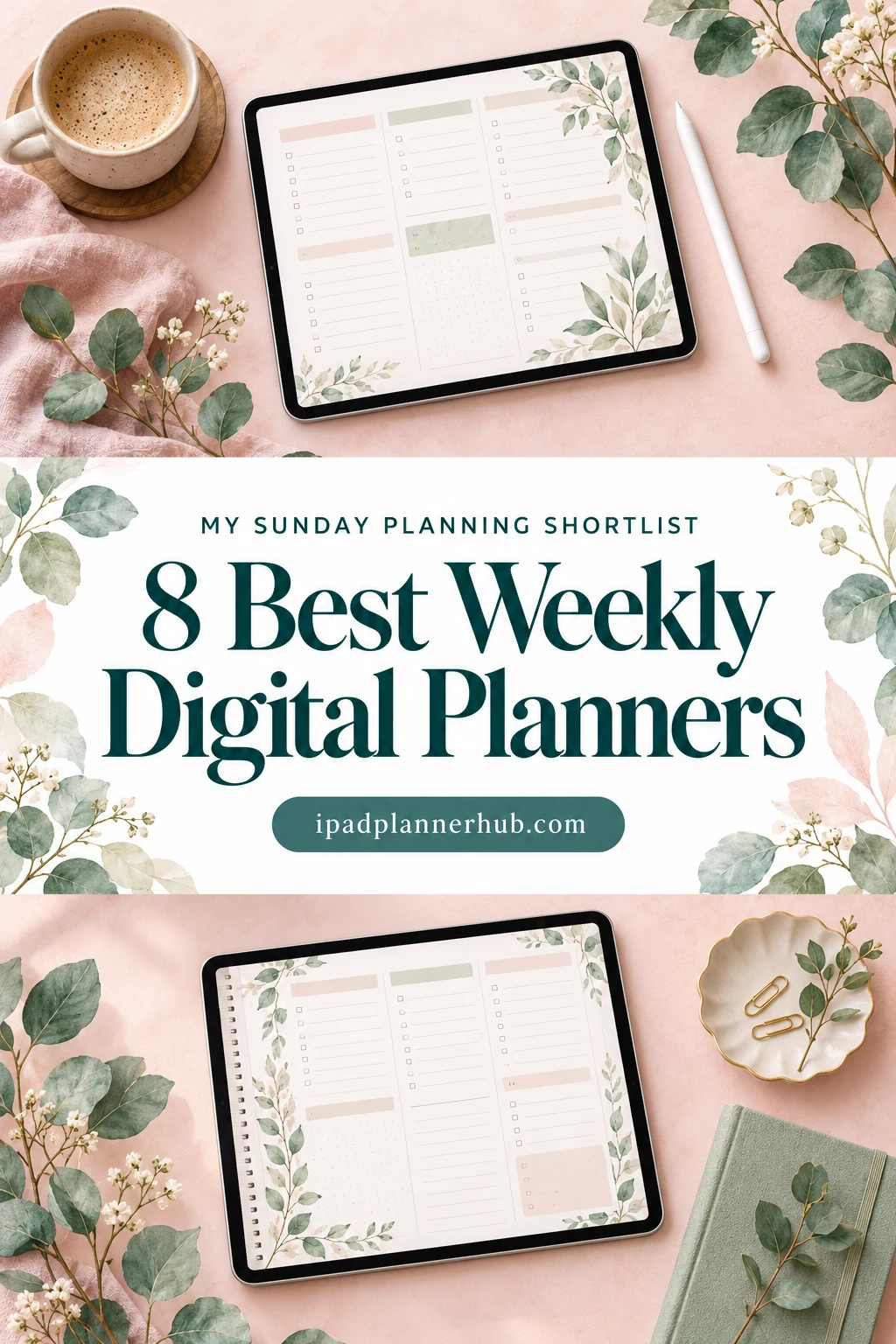
Below are the 8 best weekly planners from Creative Fabrica I’d actually use on my iPad, each with a quick note on who it suits. After the list you’ll find how to choose one, which weekly layout fits you, ideas for your weekly spread and a 20-minute routine to plan your week.
The Best Weekly Digital Planners for iPad I Found
I went through dozens of options and skipped printables, Canva templates, big all-in-one planners where the week is an afterthought, and anything dated for past years. Every planner here is built around the week and works on the iPad in GoodNotes or a similar app.
TL;DR: 8 weekly digital planners for iPad that are built around the week, from paper-like undated planners to multi-layout and ADHD-friendly picks. Each card lists orientation, layouts, dates and week start, plus who it suits.
Quick Picks
- Best overall: Undated Weekly Digital Planner
- Best for most weekly layouts: Digital Planner for Ipad, GoodNotes
- Best for weekly-only: 52 Weekly Digital Planner Colorful Style
- Best for dated 2027: 2027 Digital Planner | Monday and Sunday
- Best for working from home: Weekly Work From Home Planner
- Best for ADHD-friendly: Pastel ADHD Digital Planner
- Undated Weekly Digital Planner – Best overall
- Digital Planner for Ipad, GoodNotes – Most weekly layouts
- 52 Weekly Digital Planner Colorful Style – Best weekly-only
- 2027 Digital Planner | Monday and Sunday – Best dated 2027
- Weekly Work From Home Planner – Best for working from home
- Pastel ADHD Digital Planner – Best ADHD-friendly
- Cozy Cat Digital Planner (Undated) – Best cute
- Wildflower Weekly Planning Pages – Best no-fuss notebook
Best overall
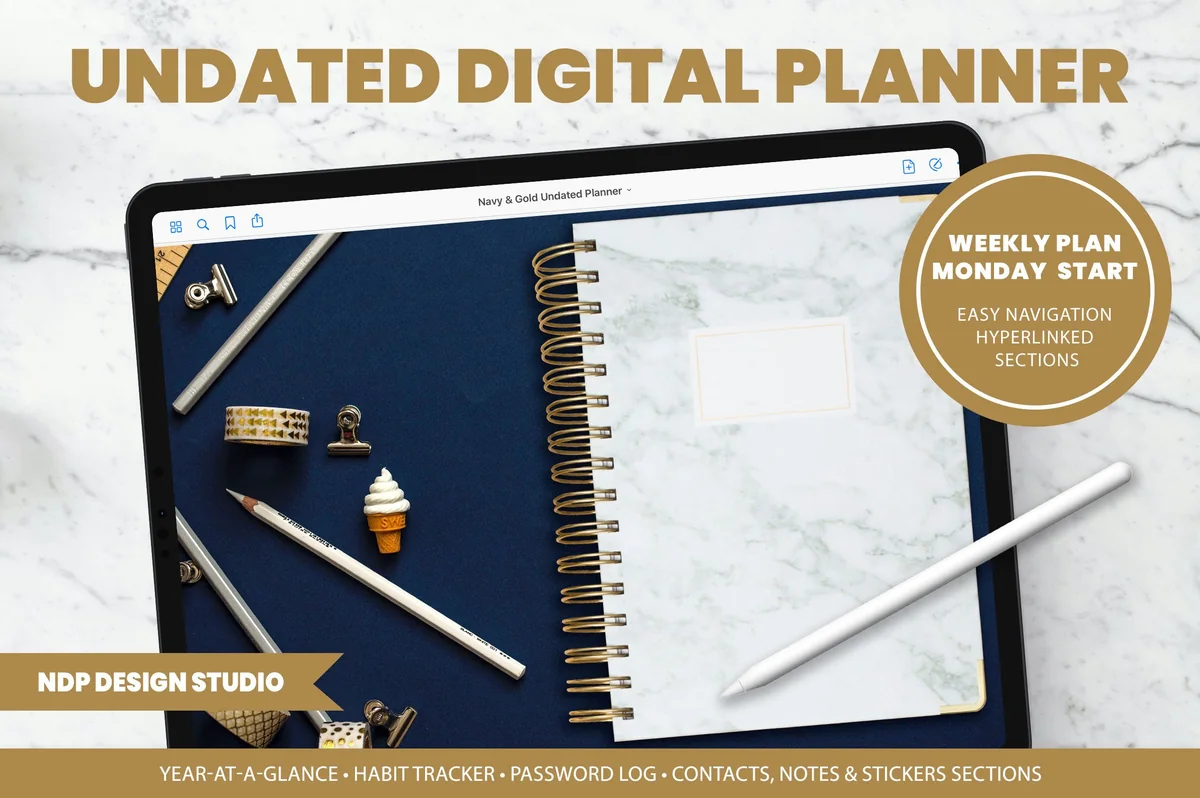
1. Undated Weekly Digital Planner
Layouts: Yearly, Monthly, WeeklyDates: UndatedWeek start: Monday
Best for: weekly planners, paper planner lovers, minimalists. Designed by NDP Design Studio.
- Undated, Monday start, with a realistic textured cover and spiral
- Year, month and week pages you can reach in a few taps
- A GoodNotes file plus a hyperlinked PDF for other apps
- Notes section with grid, dot, lined and blank pages
- Illustrated PDF instruction guide
This one looks and feels the most like a real paper planner, down to the spiral, and the navigation is built so you don't have to swipe through dozens of pages to find this week. The seller includes a separate GoodNotes file, which is a thoughtful detail. Because it's undated, you can start it any Monday and keep using it next year.
Most weekly layouts
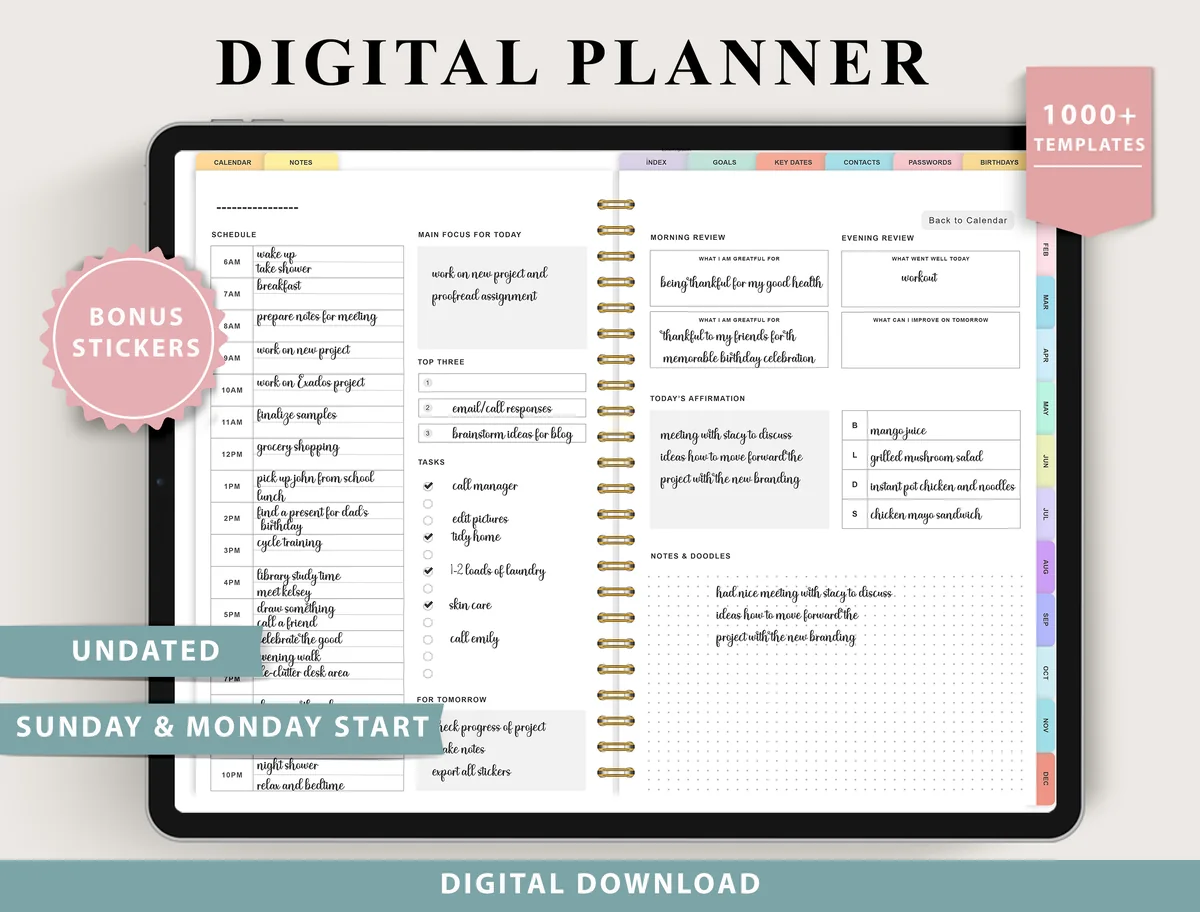
2. Digital Planner for Ipad, GoodNotes
Layouts: Monthly, Weekly (4 layouts), Daily (4 layouts), 100+ templatesDates: UndatedWeek start: Monday or Sunday
Best for: indecisive planners, fitness trackers, finance trackers. Designed by ThePlannersDelight.
- 4 weekly layouts: boxed, horizontal and scheduled
- 4 daily layouts, structured and minimal
- Undated, Monday and Sunday start
- 100+ templates and bonus stickers
If you're not sure which weekly spread suits you, this is the one to start with: four layouts, from boxes to a full schedule. Try a different one each week for a month, then keep the one you actually fill on Sunday.
Best weekly-only
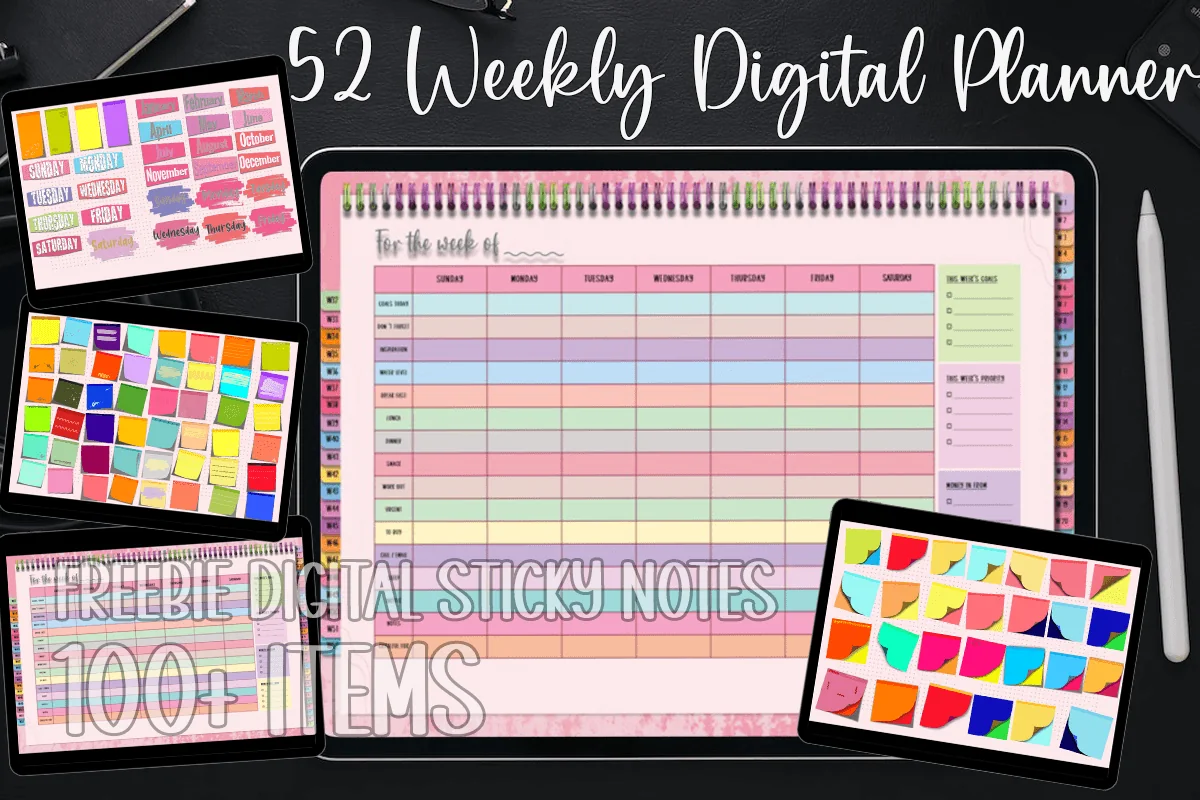
3. 52 Weekly Digital Planner Colorful Style
Layouts: Weekly (52 weeks)Dates: Undated
Best for: weekly-only planners, colorful planners. Designed by MOMAT THIRTYONE.
- 52 undated weekly pages, one for every week of the year
- Colorful landscape grid with a column for each day
- Hyperlinks between the pages
- Bonus: 100+ digital sticky notes
- Works in GoodNotes, Notability, Noteshelf and Xodo
No monthly calendars, no trackers, no 500-page index: just your week, laid out in bright colored columns. If big all-in-one planners feel like too much, this is the simplest way to plan week by week. The sticky notes are handy for tasks that keep moving from day to day.
Best dated 2027
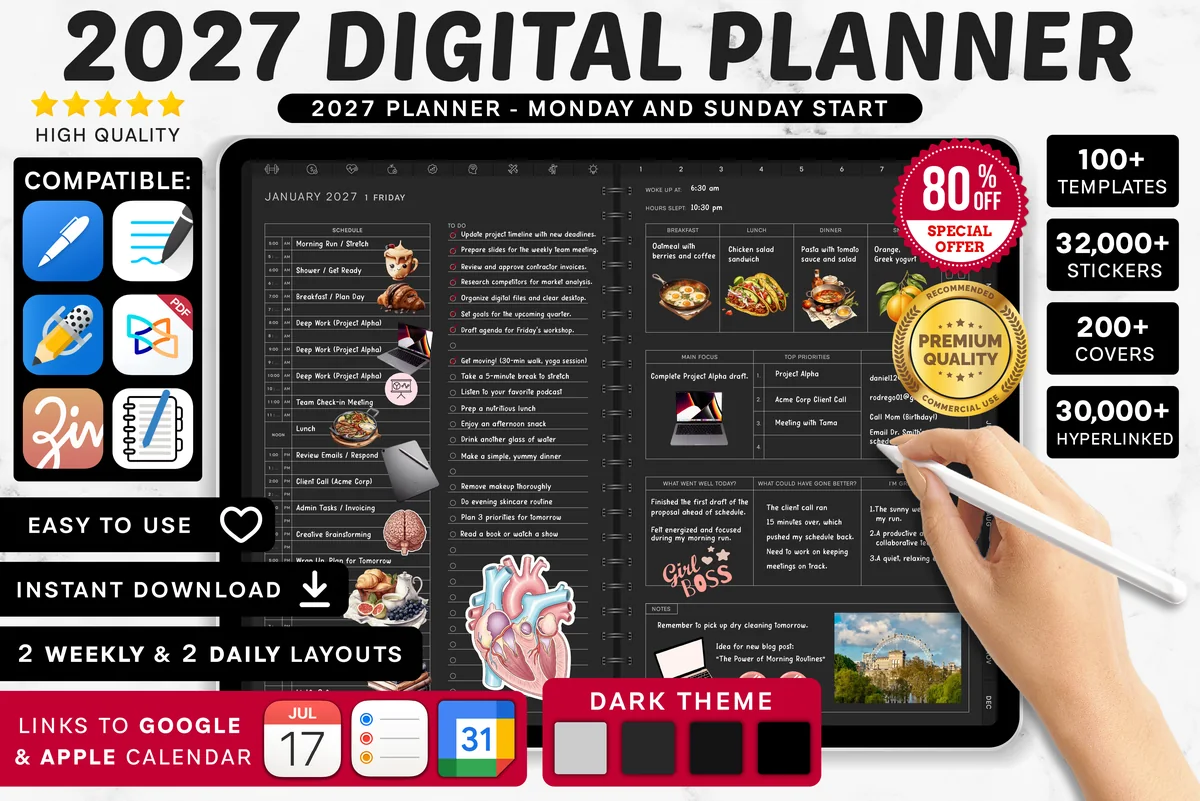
4. 2027 Digital Planner | Monday and Sunday
Orientation: LandscapeLayouts: Yearly, Quarterly, Monthly, Weekly, DailyDates: 2027Week start: Monday or Sunday
Best for: dark mode fans, calendar app users, finance trackers. Designed by SuperDigitalPlanners.
- Dated 2027, Monday or Sunday start, yearly to daily pages
- Weekly plan pages for tasks, meals and schedule
- Links to Apple Calendar, Reminders and Google Calendar
- 1,340+ icons, 4,200+ stickers and 200+ covers
If you like your weeks dated and ready, this is the 2027 version of a big all-in-one planner. The weekly plan has room for tasks, meals and the schedule, and the calendar links help if your appointments also live on your phone.
Best for working from home
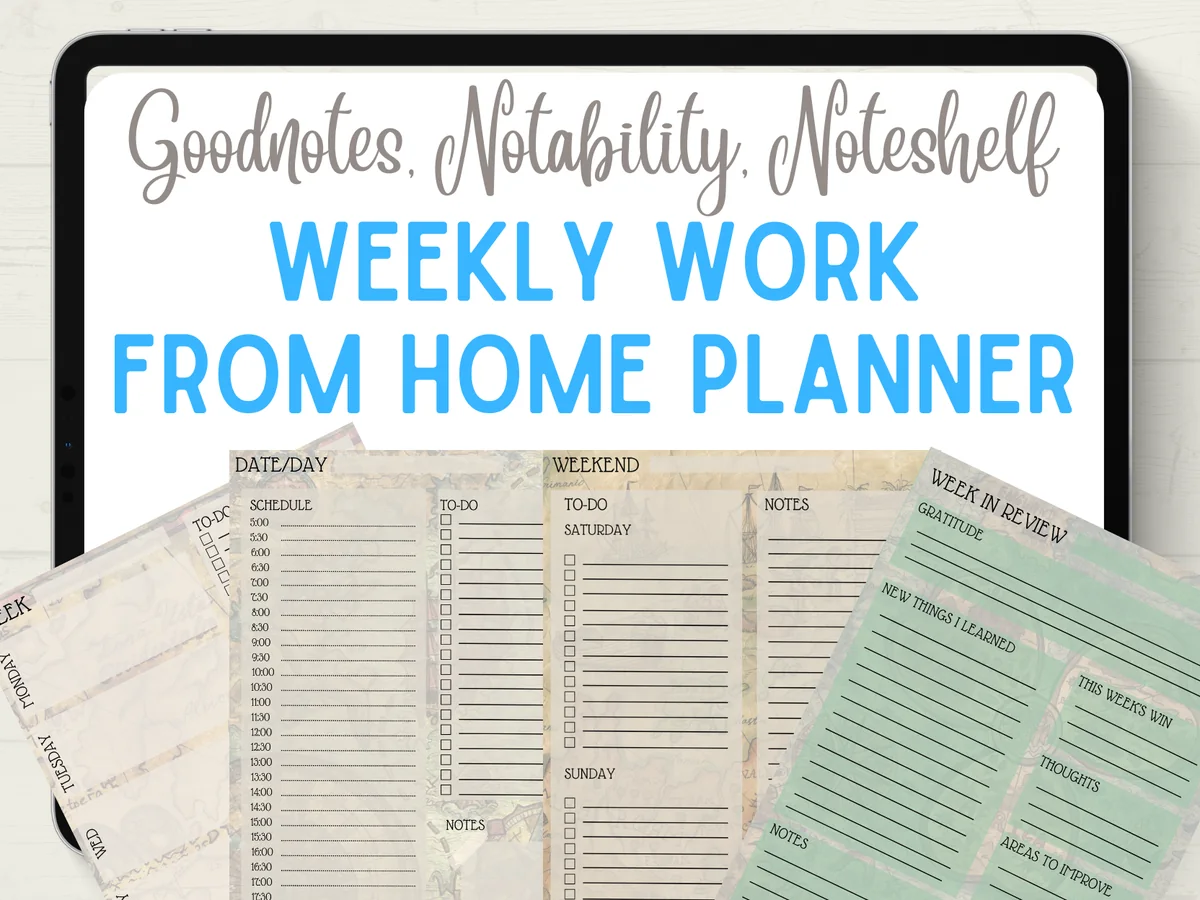
5. Weekly Work From Home Planner
Layouts: Weekly, Daily
Best for: remote workers, freelancers. Designed by Quiet Deluxe Digital.
- A weekly overview page
- A daily to-do list with a time schedule
- A combined page for the weekend
- A week-in-review page: gratitude, your big win and notes for next week
- A4 PDF for GoodNotes, with visual instructions and 14 bonus covers
This is a small, focused planner: a week overview, a to-do page with a schedule and a weekly review. The review page is my favorite part, because it closes the week with your big win before you plan the next one. The covers have a playful pirate theme, while the pages themselves are calm and easy to write on.
Best ADHD-friendly
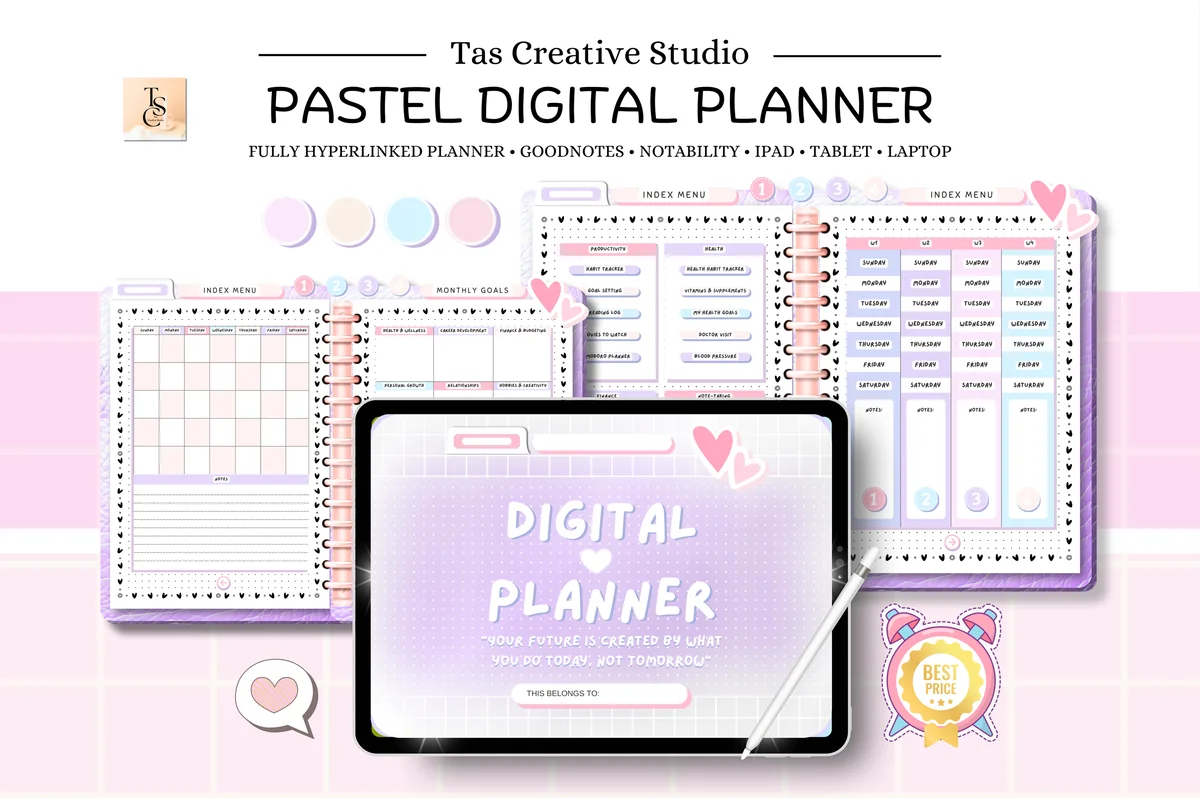
6. Pastel ADHD Digital Planner
Orientation: LandscapeLayouts: Monthly, Weekly, DailyDates: Undated
Best for: ADHD planners, self-care planners. Designed by Tas Creative Studio.
- Undated, 60 hyperlinked pages in landscape format
- Weekly planner, weekly self-care checklist and weekly meal tracker
- Pomodoro planner, habit tracker, goals and reading log
- Health and finance pages: vitamins, doctor visits, budget, subscriptions
- Works in GoodNotes, Notability, Noteshelf, Xodo and Samsung Notes
The seller made this one with ADHD in mind, and it shows in the structure: short sections, soft pastel colors and a Pomodoro page for focused work. The weekly self-care checklist is a nice reminder that planning the week isn't only about work. At 60 pages it's compact, so it doesn't feel overwhelming.
Best cute
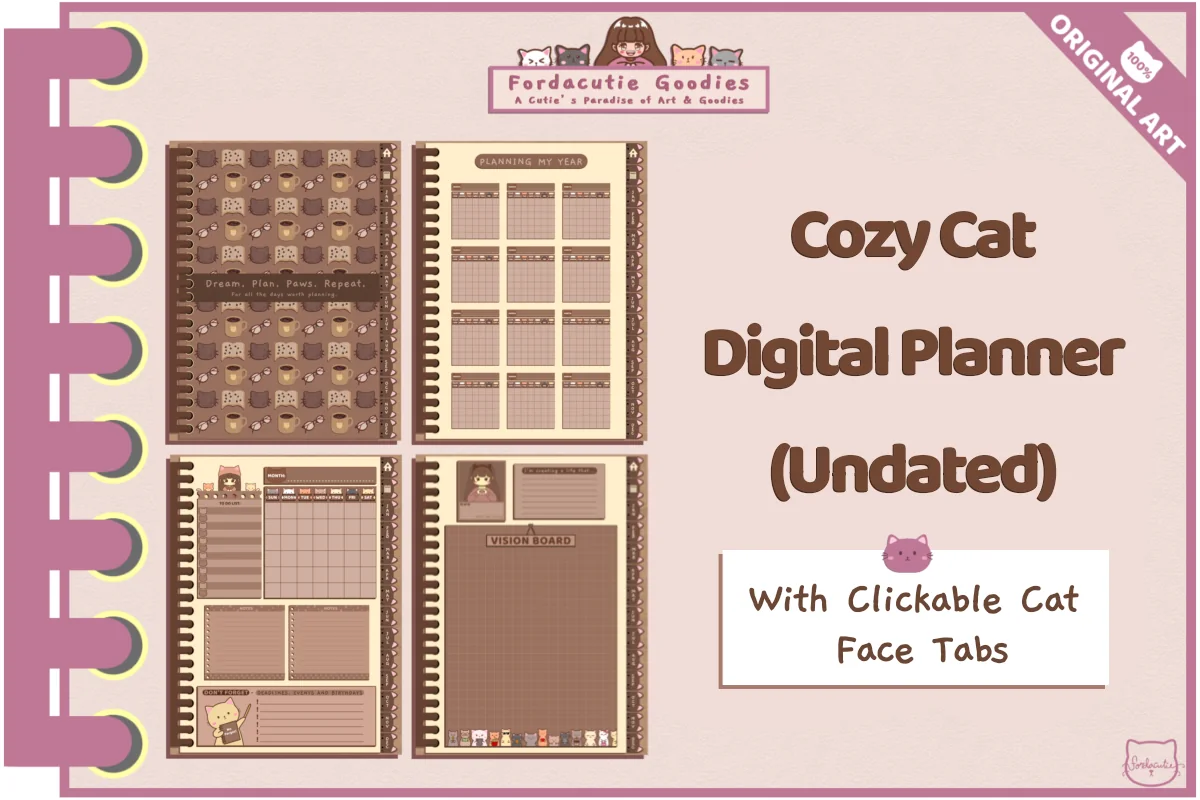
7. Cozy Cat Digital Planner (Undated)
Layouts: Monthly, WeeklyDates: Undated
Best for: cat lovers, cute planners, Android users. Designed by Fordacutie Goodies.
- 148 undated pages, all hand-drawn in warm brown and cream
- 60 weekly layouts (5 per month) and 12 monthly pages
- Goals, finance and mood tracker pages for every month
- Clickable cat face tabs for navigation
- Tested in Samsung Notes and Kilonotes; also printable
Every page is illustrated by hand, with little cats in the tabs, and it's the coziest planner I found for this list. With five weekly layouts per month, you never run out of weeks. One honest note: the seller tested it in Samsung Notes and Kilonotes and says it should work in GoodNotes, so it's a great pick for Android users too.
Best no-fuss notebook
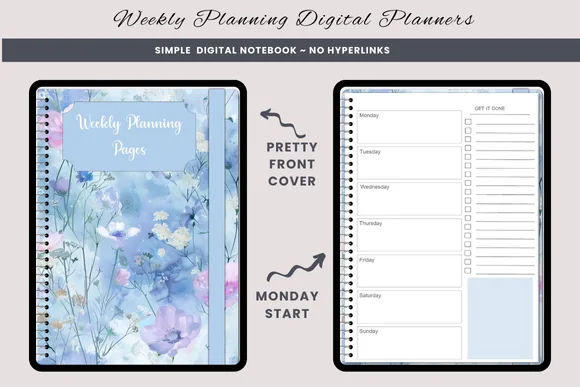
8. Wildflower Weekly Planning Pages
Layouts: WeeklyWeek start: Monday or Sunday
Best for: simple weekly planners, floral lovers. Designed by daysfilledwithjoy.
- Weekly pages with a section for each day and a to-do list
- Sunday and Monday start versions (2 PDF files)
- Blue watercolor wildflower front and back covers
- Not hyperlinked: add weeks by duplicating a page
- Bonus PNG graphics; the seller notes the artwork was made with AI
No hyperlinks, no index, no 500 pages: just a notebook of weekly pages that you fill in and duplicate as you go. That makes it the easiest planner in this list to start with. The seller is upfront that the pages aren't linked and the artwork is AI-made, which I appreciate.
Quick Comparison
| Planner | Best for | Dates | Stand-out extra |
|---|---|---|---|
| 1. Undated Weekly Digital Planner | Paper-like weekly planning | Undated | Realistic spiral design |
| 2. Digital Planner for Ipad, GoodNotes | Finding your layout | Undated | 4 weekly layouts |
| 3. 52 Weekly Digital Planner Colorful Style | Weekly overview only | Undated, 52 weeks | 100+ sticky notes |
| 4. 2027 Digital Planner | Monday and Sunday | Complete dated planner | 2027 | Calendar links |
| 5. Weekly Work From Home Planner | Work-from-home weeks | Undated | Week-in-review page |
| 6. Pastel ADHD Digital Planner | ADHD-friendly structure | Undated | Weekly self-care checklist |
| 7. Cozy Cat Digital Planner (Undated) | Cute, hand-drawn | Undated | 60 weekly layouts |
| 8. Wildflower Weekly Planning Pages | Simple weekly notebook | Undated | No links, just weeks |
What I Look For in a Weekly Planner Template
- Enough room for each day. Seven tiny boxes look pretty in a preview but are hard to write in. Check the size of a day block in the screenshots.
- Working hyperlinks. Month to week and week to day should be one tap away.
- Monday or Sunday start. Pick the one that matches how you think about your week; many planners include both.
- Dated or undated. Dated planners come ready for 2027; undated ones let you start any week and skip weeks without wasting pages.
- Space beyond the days. A to-do list, weekly goals or a notes box turns a calendar grid into a real planning page.
- App compatibility. Look for PDFs that work in GoodNotes, Notability and Noteshelf.
Weekly Planner Layouts: Which One Fits You?
The same week can look very different on the page. These are the most common weekly planner layouts:
- Vertical weekly planner. Each day is a column from morning to evening. Great for time blocking and busy work weeks.
- Horizontal weekly planner. Each day is a row with lines for tasks. Best for to-do lists rather than schedules.
- Boxed (grid). Seven boxes plus one for notes. Flexible and good for mixing tasks, events and doodles.
- Hourly weekly planner. A weekly planner with time slots for every day. Useful if your week is full of appointments.
- Dashboard. The days plus sections for goals, habits, meals or a to-do list on the same spread.
Not sure which one you like? The Digital Planner for Ipad, GoodNotes in my list includes boxed, horizontal and scheduled weeks, so you can try them all.
Here’s how the layouts map to my list. For a vertical week, the 52 Weekly Digital Planner gives every day its own column on a colorful grid. For an hourly weekly planner, the scheduled week in Digital Planner for Ipad, GoodNotes is the closest match, and the Weekly Work From Home Planner adds a daily page with a time schedule. If you want a monthly and weekly planner in one file, look at #1, #4, #6 and #7: all four have monthly pages next to the weekly spreads. If you plan with the iPad sideways in a keyboard case, my landscape digital planners for iPad spread the whole week across the wide screen.
Weekly Planner Ideas: What to Put on Your Weekly Spread
What should be in a weekly planner? Start with the basics and add the rest only if you use it:
- Appointments and deadlines for each day
- Top 3 goals for the week
- A weekly to-do list for tasks without a fixed day
- Meal plan and grocery list
- Habit tracker for the week
- Workouts or self-care time
- A short review: what went well, what to change
A few combinations that work well:
- For work: vertical layout with time blocks, weekly goals and a list of things to delegate.
- For students: classes, assignment due dates, study sessions and one free evening.
- For beginners: a boxed layout with just events and a to-do list.
- For an aesthetic weekly spread: a soft color palette, a few stickers and a quote for the week.
Why Use a Weekly Planner on Your iPad?
A week is the sweet spot of planning: long enough to see the big picture, short enough to stay realistic. On a weekly spread you notice right away that Tuesday is overloaded and Thursday is empty. Planning it on the iPad adds a few extras:
- Move tasks, don’t rewrite them. Drag a task from Tuesday to Thursday with the lasso tool instead of crossing it out.
- Hyperlinked weeks. Jump from the monthly calendar to any week with one tap.
- Copy what works. Duplicate a weekly page with your routine already filled in.
- Always with you. The same planner on your iPad at home, at work and on the go.
- Reuse it. Undated weekly planners work for any year and any starting week.
Weekly or Daily Planner: Which One Do You Need?
A weekly planner is best if your days are fairly predictable and you think in terms of “this week I need to…”. A daily planner is better when every day is packed with appointments and needs an hourly schedule. Many people combine them: the week for the overview, a daily page only for the busiest days. If you mostly need the daily view, see my daily digital planner picks.
Who a Weekly Digital Planner Is For
- Working professionals who want meetings, deadlines and personal plans on one page.
- Students who plan around a weekly class schedule and assignment due dates.
- Parents juggling school, activities, meals and appointments for the whole family.
- Teachers who already think in weekly lesson plans.
- Anyone who feels overwhelmed by daily planners, including many people with ADHD, who find one clear weekly page easier to keep up with.
What You Need to Use a Weekly Digital Planner
A weekly planner template is a PDF you write in by hand. It’s not a calendar app with reminders, so you need three things:
- An iPad and a stylus. Any iPad that works with an Apple Pencil is enough; a compatible cheaper stylus works too.
- A note-taking app. GoodNotes, Notability and Noteshelf are the most popular for PDF planners. On Android, Samsung Notes, Xodo and Noteshelf work well.
- The planner file. Usually a PDF, sometimes with a separate GoodNotes file, stickers and a quick start guide.
Does iPad Size Matter for Weekly Planning?
More than for daily planning. A weekly spread fits seven days on one page, so on an 11-inch or larger iPad you can write comfortably without zooming. On an iPad mini it works too, but you’ll zoom in more often; a vertical layout with fewer sections is easier on a small screen.
How to Set Up a Weekly Planner in GoodNotes
- Save the planner to your iPad (the Files app is fine). If there’s a ZIP file, tap it to unpack.
- Open GoodNotes, tap New → Import and choose the PDF (or the GoodNotes file, if the seller included one).
- Switch to read-only mode (pen off) to tap the tabs and dates, then switch the pen back on to write.
- Bookmark the current week so it opens in one tap.
- Import stickers or sticky notes into the GoodNotes sticker library, if they came with the planner.
In Notability and Noteshelf the steps are almost the same: import the PDF, then use the tabs to move around.
How to Plan Your Week in 20 Minutes
A weekly planner works best with a small weekly ritual. Pick a fixed time, for example Sunday evening or Monday morning, and go through these steps:
- Look back (3 minutes). What got done last week, what didn’t, and what should move to this week.
- Add the fixed things (5 minutes). Meetings, classes, appointments and deadlines from your calendar.
- Choose 3 weekly goals (2 minutes). The things that would make the week feel successful.
- Spread the tasks (7 minutes). Give each task a day, and leave one lighter day for anything unexpected.
- Plan meals and self-care (3 minutes). A rough meal plan and one slot just for yourself.
During the week, check the page every morning and move unfinished tasks instead of letting them pile up.
FAQ
What is a weekly digital planner?
It’s a PDF planner with a spread for every week, made to be written on with a stylus in apps like GoodNotes or Notability. Most include hyperlinked tabs, so you can jump from the monthly calendar to any week.
Which weekly planner layout is best for time blocking?
A vertical weekly planner or an hourly weekly planner. Both give each day a column you can fill from morning to evening, and an hourly layout adds time slots, so blocking out meetings, errands and focus time is easy. A horizontal week works better for plain to-do lists.
Can I get a monthly and weekly planner in one file?
Yes. Most of the planners in my list have both: the Undated Weekly Digital Planner (#1) adds year and month pages, the 2027 Digital Planner (#4) goes from yearly to daily, and the Pastel ADHD (#6) and Cozy Cat (#7) planners pair monthly pages with weekly spreads. The 52 Weekly and Wildflower pages are weekly-only, and the Work From Home planner pairs the week with daily pages instead.
Is there a free weekly digital planner template?
Yes, you can find free weekly planner templates and import them into GoodNotes like any PDF. Free versions usually have a single weekly page without hyperlinks. A paid planner makes sense if you want 52 linked weeks, several layouts or extras like goals and meal pages.
Dated or undated: which weekly planner should I choose?
Choose dated if you like everything ready to go and plan every single week. Choose undated if you sometimes skip weeks, start mid-year or want to reuse the planner next year.
Can I use a weekly digital planner on an iPad mini or an Android tablet?
Yes. Any PDF planner opens on the iPad mini; the weekly spread is smaller there, so choose a layout with bigger day blocks and zoom in when you write. On Android tablets most of these planners open in Samsung Notes, Xodo, Noteshelf and similar apps, and the Cozy Cat planner was even tested on Samsung Notes by its designer.
Can a weekly planner sync with Apple Calendar or Google Calendar?
Not the way a calendar app does. Some planners have links that open Apple Calendar, Google Calendar or Reminders with one tap, but your events don’t appear on the weekly pages by themselves. The easy fix is the weekly ritual above: copy the key events from your calendar once a week.
What does an ADHD-friendly weekly planner look like?
Usually simple and visual: one clear page for the week, a short list of priorities, color coding and room for breaks. Fewer sections often work better than many. The Pastel ADHD planner in my list is built around that idea.
Final Thoughts
The best weekly digital planner is the one you actually open on Sunday evening. Choose a layout that matches your week, keep the spread simple and add goals, meals or habits only when you need them. If some days need more detail, pair it with one of my daily digital planners, or browse all everyday planners. Not sure what to put on your spread? Here are my 40 weekly planner ideas. Care most about how your week looks? Browse my weekly planner designs, from minimal to cozy cats. For a one-hour routine to fill it in, see my Sunday reset ideas.
If you’re choosing your main planner for next year, start with my list of the digital planners for iPad, dated and undated.
If you also want a paper option, these printable weekly planners for iPad are a separate set of PDF choices to compare with digital-first planners.
You May Also Like
This post contains affiliate links. If you buy through them, I may earn a small commission at no extra cost to you. Learn more.