Some days feel like a to-do list that keeps growing while the clock keeps running. Sticky notes get lost, the paper planner stays at home, and the calendar app shows meetings but not the small things that actually fill the day. A daily digital planner on your iPad fixes that: one page per day, always with you, and easy to rewrite with your Apple Pencil when plans change.

Below are the 10 daily planners from Creative Fabrica I’d actually use on my iPad, each with a quick note on who it suits. After the list you’ll find how to choose one, ideas for your daily page and a simple routine to stick with it.
The Best Daily Digital Planners for iPad I Found
I went through dozens of options and skipped printables, Canva templates and anything dated for past years. Every planner here works in GoodNotes or Notability on the iPad.
TL;DR: 10 daily digital planners for iPad from Creative Fabrica, from minimalist and dark mode to cute and all-in-one, dated 2027 or undated. Each card lists orientation, layouts, dates and week start, plus who it suits.
Quick Picks
- Best overall: IPad Daily Digital Planner ( 620 Pages )
- Best for minimalist: Digital Minimalist Daily Planner
- Best for self-care: Pastel Life Digital Planner ( Portrait )
- Best for dated 2027: All-in-One Digital Planner 2027
- Best for sticker lovers: 2027 Digital Planner | Monday and Sunday
- Best for dark mode: Digital Daily Planner (Dark Mode)
- IPad Daily Digital Planner ( 620 Pages ) – Best overall
- Digital Minimalist Daily Planner – Best minimalist
- Pastel Life Digital Planner ( Portrait ) – Best for self-care
- All-in-One Digital Planner 2027 – Best dated 2027
- 2027 Digital Planner | Monday and Sunday – Best for sticker lovers
- Digital Daily Planner (Dark Mode) – Best dark mode
- GoodNotes Minimalist Undated Daily Planner – Best neutral colors
- Undated Daily Digital Planner – Best simple & reusable
- Daily Digital Planner, Pastel Pink – Best to try it out
- Undated Yearly Daily Digital Planner – Best for trackers
Best overall
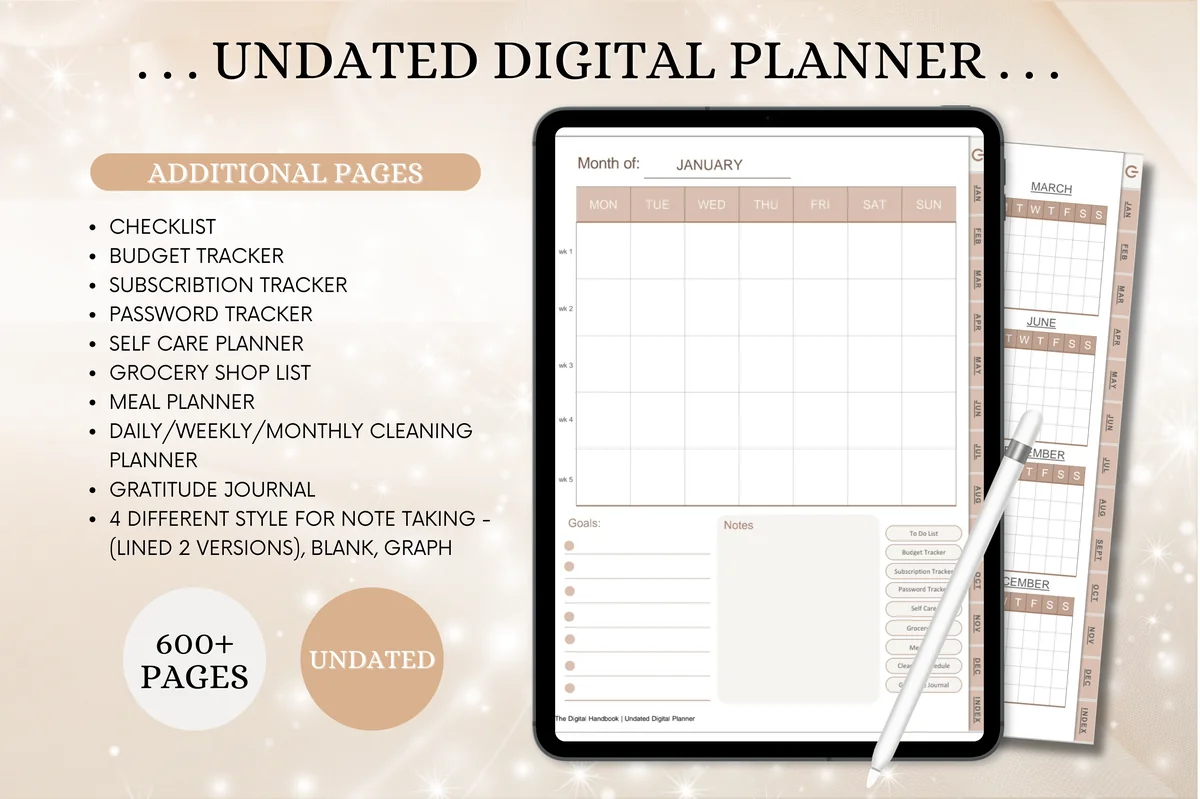
1. IPad Daily Digital Planner ( 620 Pages )
Orientation: PortraitLayouts: Yearly, Monthly, Weekly, DailyDates: Undated
Best for: homemakers, busy parents, meal planners. Designed by Tas Creative Studio.
- 620 undated pages, portrait, with an index that links to every page
- Year at a glance, 12 monthly calendars, weekly overviews and daily pages
- Cleaning planner, meal planner, grocery list, budget and self-care pages
- Works in GoodNotes, Notability, Noteshelf and Xodo
One page per day, and everything the day touches is a tap away: meals, cleaning, money and a gratitude page. It's undated, so you can start any day and skip days without wasted pages. The warm neutral design keeps 620 pages from feeling busy.

Best minimalist
2. Digital Minimalist Daily Planner
Layouts: DailyDates: Undated
Best for: minimalists, daily planners. Designed by ThePlannersDelight.
- 365 undated daily pages, fully hyperlinked
- Two versions: your day starts at 5 AM or 6 AM
- 16 extra page templates for notes and journaling
- Bonus: 5 notebook covers and 100+ pre-cropped stickers
If busy, colorful planners stress you out, this ivory, minimalist one is the opposite. Every day gets its own page, and because it's undated, you can skip weekends or start mid-month without wasting pages. The 5 AM version is a nice touch for early risers.

Best for self-care
3. Pastel Life Digital Planner ( Portrait )
Orientation: PortraitLayouts: Monthly, Weekly, DailyDates: Undated
Best for: pastel lovers, home cooks, portrait planners. Designed by Tas Creative Studio.
- 564 undated pages in portrait, fully hyperlinked
- Daily, weekly and monthly pages
- Self-care tracker, mood tracker, habit and water tracker
- Fitness log, sleep tracker, meal planner and budget pages
A daily planner that leaves room for you: the self-care, mood and water trackers sit one tap away from the daily page. The pastel design makes it a pleasant place to start the morning.

Best dated 2027
4. All-in-One Digital Planner 2027
Orientation: LandscapeLayouts: Yearly, Monthly, Weekly, DailyDates: 2027Week start: Monday
Best for: busy professionals, budgeters, people who want one planner for everything. Designed by Heartcraft Studio.
- 655 hyperlinked pages dated for 2027, in landscape format
- Daily pages with time blocking, top priorities, to-do list, gratitude, water and mood trackers
- Budget, savings challenge, meal, workout, sleep and cleaning pages
- Works in GoodNotes, Notability, Noteshelf, Xodo, Penly, ZoomNotes and Samsung Notes
If you like your dates filled in and ready to go on January 1, this is the one for 2027. Its daily page is the most detailed in this list, with time blocking and small trackers for water, mood and meals. One note from the seller: a paid GoodNotes account may be needed for large planners like this.
Best for sticker lovers
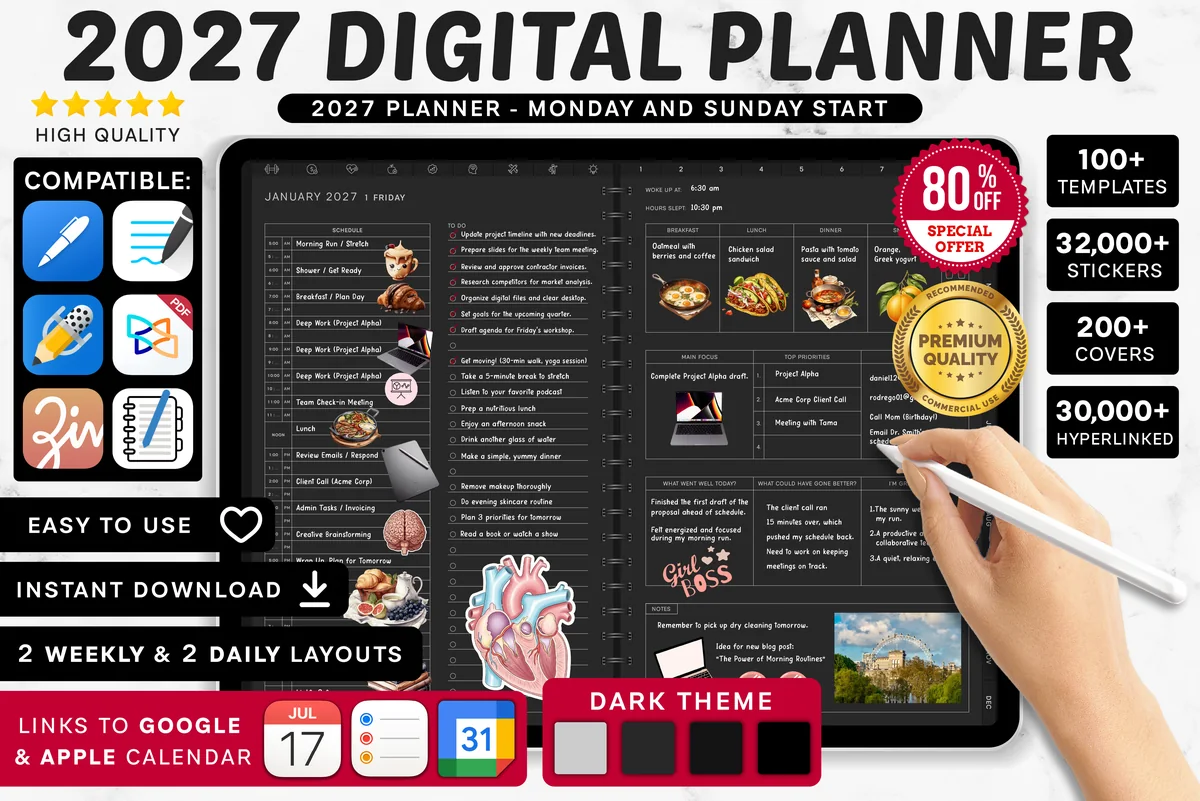
5. 2027 Digital Planner | Monday and Sunday
Orientation: LandscapeLayouts: Yearly, Quarterly, Monthly, Weekly, DailyDates: 2027Week start: Monday or Sunday
Best for: dark mode fans, calendar app users, finance trackers. Designed by SuperDigitalPlanners.
- 1,340+ icons and 480+ stickers in 14 color palettes, plus 4,200+ premium stickers
- 200+ covers
- Daily, weekly, monthly and yearly pages, Monday or Sunday start, dated 2027
- Links to Apple Calendar, Reminders and Google Calendar
If decorating is half the fun, this planner comes with more stickers than you'll ever use, in matching color palettes. The daily pages link to Apple and Google Calendar, so it's practical too.

Best dark mode
6. Digital Daily Planner (Dark Mode)
Layouts: DailyDates: Undated
Best for: night owls, dark mode fans. Designed by ThePlannersDelight.
- 365 undated, hyperlinked daily pages on a coal-black background
- 5 AM and 6 AM start versions
- 16 extra page templates
- Bonus covers and matching digital stickers
Think of it as the dark twin of the minimalist planner above. Light ink on a black page looks striking on an iPad screen and feels easier on the eyes in the evening. If you plan tomorrow at night, it's a lovely choice.
Best neutral colors
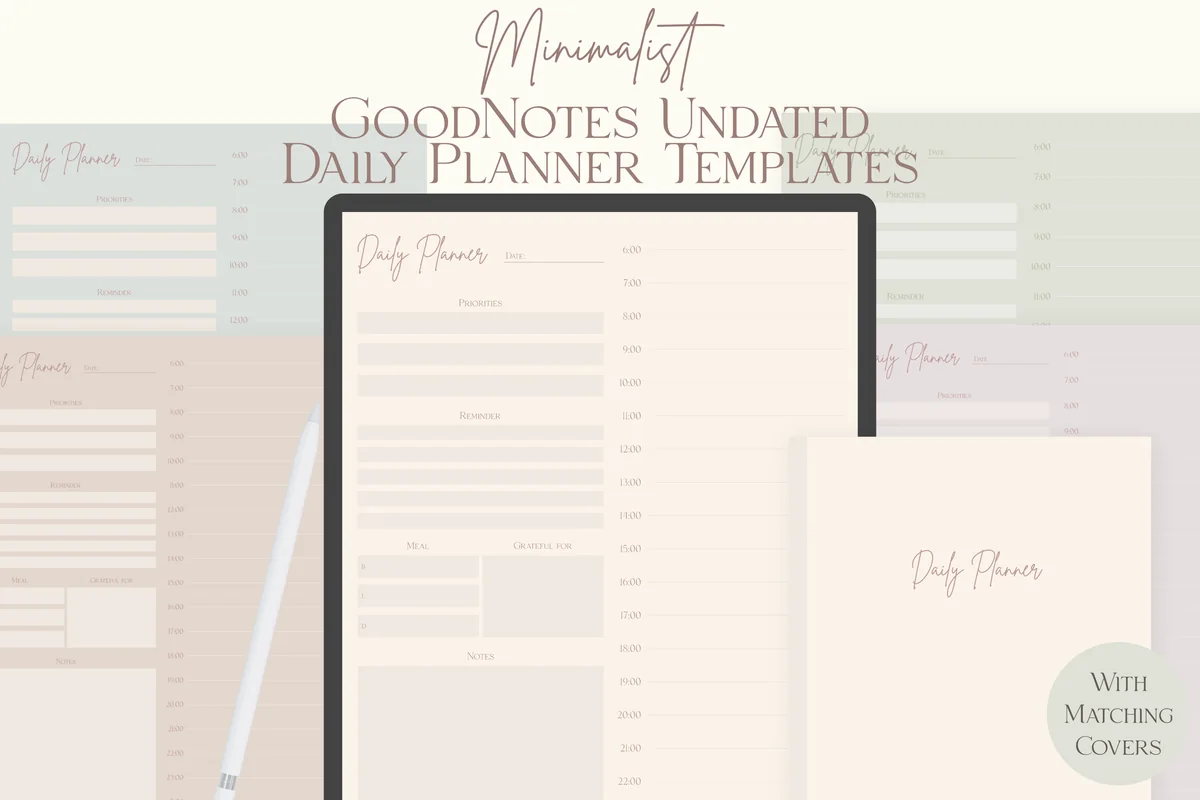
7. GoodNotes Minimalist Undated Daily Planner
Orientation: PortraitLayouts: DailyDates: Undated
Best for: minimalists, neutral color lovers, daily planners. Designed by lilyuri0205.
- Undated daily planner template in 5 neutral colors
- Matching notebook covers for every color
- US Letter, portrait, made for GoodNotes on the iPad
- Single-page files you can save as a GoodNotes page template
One honest daily page with a time column, in five muted shades from sage to sand. Save it as a GoodNotes template and add a new day only when you need one, so nothing goes to waste.
Best simple & reusable
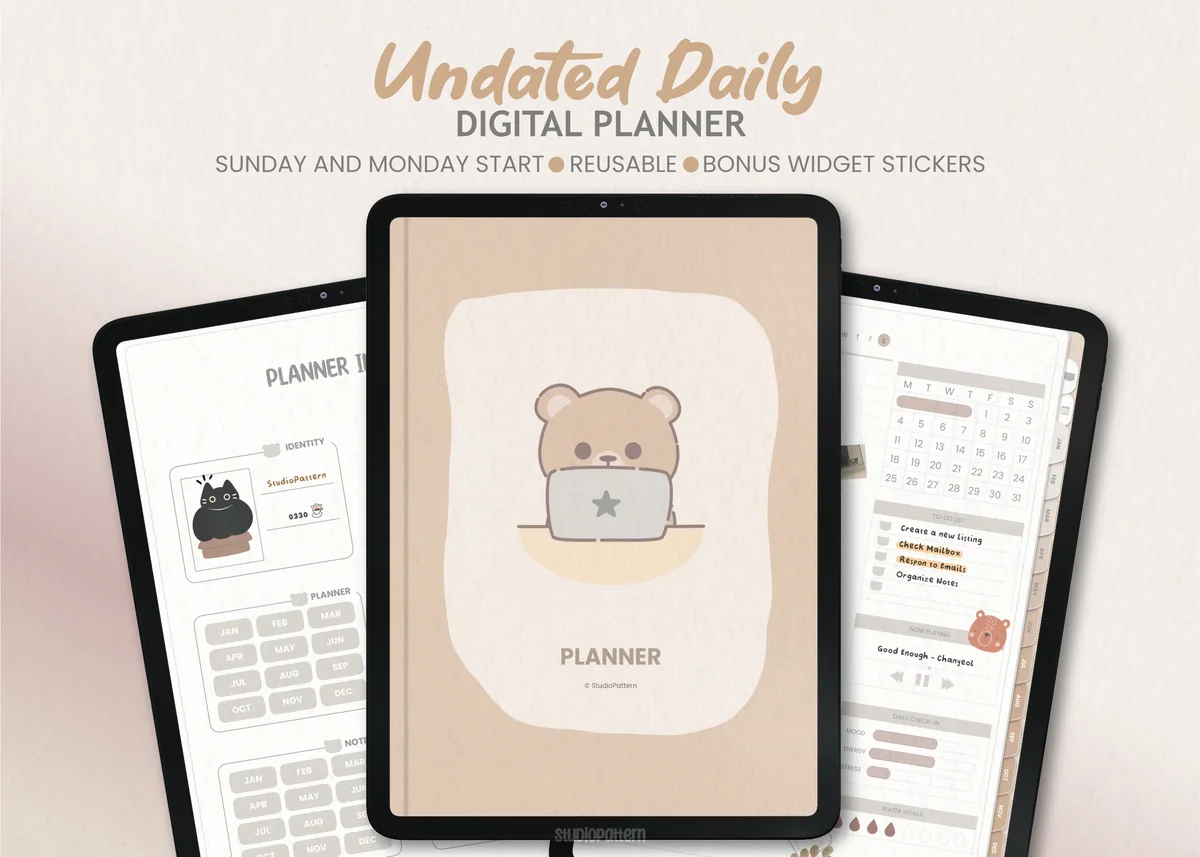
8. Undated Daily Digital Planner
Layouts: DailyDates: UndatedWeek start: Monday or Sunday
Best for: daily planners, minimalists. Designed by studiopattern.
- 2 hyperlinked PDFs: Sunday and Monday start
- Undated, so you can fill in the dates for any year
- Calendar stickers and 16 widget stickers (PNG)
- User manual included; works in GoodNotes, Notability and Xodo
A clean, no-fuss option. The widget stickers are a cute idea: they let you add small blocks to a page without cluttering it. Great if you want something simple that you can reuse year after year.

Best to try it out
9. Daily Digital Planner, Pastel Pink
Layouts: Weekly, DailyDates: Undated
Best for: beginners, pink lovers, one-month planners. Designed by MOMAT THIRTYONE.
- 31 undated daily pages with hyperlinks
- 5 finance pages and 6 weekly shopping pages
- A weight loss tracker
- 100+ sticky note stickers
This is the smallest planner here, and that's the point: 31 undated days you can reuse every month. It's cute, pink and a low-pressure way to find out whether daily planning on the iPad is for you.

Best for trackers
10. Undated Yearly Daily Digital Planner
Orientation: PortraitLayouts: Yearly, Monthly, DailyDates: UndatedWeek start: Monday
Best for: daily planners, mood trackers, habit builders. Designed by Kinu Planners.
- Daily pages with a timed schedule, to-do list, habit, mood and hydration trackers, plus a song and affirmation of the day
- Monthly calendar, goals, habit tracker, finances and monthly review
- Year in Pixels, vision board, period tracker, book and movie trackers
- Several cover options and 6 color versions, Monday start
The daily page here is fun: besides the schedule and to-do list, there's a spot for the song and affirmation of the day. Add Year in Pixels and the period tracker, and it becomes a planner and a little life diary at the same time.
Quick Comparison
| Planner | Best for | Dates | Stand-out extra |
|---|---|---|---|
| 1. IPad Daily Digital Planner ( 620 Pages ) | Daily planning + home | Undated | 620 pages |
| 2. Digital Minimalist Daily Planner | Minimalist daily pages | Undated | 5 AM / 6 AM start |
| 3. Pastel Life Digital Planner ( Portrait ) | Self-care & habits | Undated | Wellness trackers |
| 4. All-in-One Digital Planner 2027 | Detailed daily page | 2027 | Time blocking |
| 5. 2027 Digital Planner | Monday and Sunday | Decorated daily pages | 2027 | 4,200+ stickers |
| 6. Digital Daily Planner (Dark Mode) | Dark mode | Undated | Black pages |
| 7. GoodNotes Minimalist Undated Daily Planner | Add-a-page daily planning | Undated | 5 neutral colors |
| 8. Undated Daily Digital Planner | Simple & reusable | Undated | Widget stickers |
| 9. Daily Digital Planner, Pastel Pink | First daily planner | Undated, 31 days | Sticky notes |
| 10. Undated Yearly Daily Digital Planner | Trackers & mood | Undated | Year in Pixels |
What I Look For in a Daily Planner Template
There are hundreds of daily planners online, and many look great in the preview but are frustrating to use. These are the things I check first:
- Hyperlinks that actually work. Year, month, week and day pages should all be linked, with tabs on the side.
- A layout that fits your day. Hourly schedules suit busy calendars; a simple priorities-and-to-do page suits flexible days.
- Dated or undated. Dated planners come ready for 2027; undated ones let you start any day and skip weekends without wasting pages.
- App compatibility. Look for PDFs that work in GoodNotes, Notability and Noteshelf. Most are also fine in Samsung Notes or Xodo.
- Portrait or landscape. Portrait feels like a real notebook; landscape gives more width for split layouts.
- Extras you will really use. Habit trackers, notes pages, meal plans or stickers are a bonus only if you need them.
Daily Planner Ideas: What to Put on Your Page
What should a daily planner have? Not everything at once. Pick three or four of these and keep the rest for the days you need them:
- Top 3 priorities for the day
- Hourly schedule or time blocks
- To-do list split into work and personal
- Morning and evening routine checklist
- Water, sleep and mood trackers
- Meals for the day
- A gratitude line or a short journal note
- Notes and ideas for tomorrow
A few combinations that work well:
- For work: top 3 priorities, time blocks for meetings and focused work, a short to-do list.
- For students: classes, assignments with due dates, study blocks and a small habit tracker.
- For beginners: just priorities and a to-do list. Add more only after you have used the page for a couple of weeks.
- For an aesthetic page: a pastel layout, a few stickers and a gratitude line. It’s the page you want to open every morning.
Why Use an iPad Daily Planner?
A weekly spread shows the big picture, but the day itself needs more room. A daily page gives every task, appointment and note its own place, so nothing competes for space. Doing it digitally adds a few things paper can’t:
- Everything in one place. Your daily pages, weekly overview, monthly calendar and notes live in one file on the device you already carry.
- Hyperlinked navigation. Tap a date or a tab and you jump straight to the right page, no endless scrolling.
- Nothing is permanent. Move a task, erase a messy line, duplicate a page or copy a routine you liked from yesterday.
- Stickers and colors without clutter. Decorate as much as you want and keep your desk empty.
- One purchase, reused for years. Undated planners can be started on any day and used again next year.
Digital vs Paper Daily Planner
Paper still wins on one thing: nothing beats the feel of a pen on a real page, and some people remember better when they write on paper. A digital planner keeps the handwriting part but drops the weight, the crossed-out pages and the need to buy a new notebook every year. If you already carry your iPad everywhere, going digital is mostly a win. If you rarely use your iPad, a paper planner is probably the better fit.
Who a Daily Digital Planner Is For
- Busy professionals and freelancers who juggle meetings, deadlines and personal errands and want to see the whole day at a glance.
- Students who need space for classes, assignments and study blocks on the same page.
- Moms and anyone running a household: appointments, meals, school pickups and a few minutes for yourself.
- Anyone building a daily routine who wants habit, water and mood trackers next to the schedule.
- People who get overwhelmed by big planners, including many with ADHD, who prefer a structured page that shows only today.
Daily Planner Template or Planner App?
When you search for a daily planner for iPad, half the results are apps: calendars, to-do lists and planning tools with reminders. A planner template is something else. It’s a PDF you write in by hand, inside a note-taking app you probably already have.
- Choose a template if you like handwriting, want a page that looks the way you like, and prefer to pay once instead of a monthly subscription.
- Choose an app if you need reminders, sharing with a team and automatic sync with your calendar.
- Or use both. Many people keep meetings in the calendar app and plan the day itself on a handwritten page.
This guide is about templates: they are what I collect and review on this site.
What You Need to Use a Daily Digital Planner
- An iPad. Any model that works with an Apple Pencil is enough; you don’t need an iPad Pro. Android tablets work too.
- A stylus. The Apple Pencil gives the most natural writing, but a cheaper compatible stylus is fine for planning.
- A note-taking app. GoodNotes, Notability and Noteshelf are the most popular for PDF planners. Apple doesn’t have a dedicated planner app, but any of these turns a PDF into a planner you can write in.
- The planner file. Usually a PDF, often with a sticker file and a quick start guide.
How to Set Up a Daily Planner in GoodNotes
- Save the PDF planner to your iPad (the Files app is fine).
- Open GoodNotes, tap New → Import and choose the PDF.
- Make sure you are in read-only mode (the pen icon off) when you tap links, so tabs and dates open the right page. Switch the pen back on to write with your Apple Pencil.
- Add bookmarks to today’s page and your monthly view for even faster access.
- Import the stickers that came with the planner into the GoodNotes sticker library, if any are included.
The steps are almost the same in Notability and Noteshelf: import the PDF, then use the tabs to move around.
How to Use a Daily Planner Every Day
A beautiful planner doesn’t help if it stays closed. This simple routine takes about ten minutes a day:
- The evening before (5 minutes). Open tomorrow’s page, write down fixed appointments and move unfinished tasks from today.
- In the morning (3 minutes). Choose your top 3 priorities and give them a time block in the schedule.
- During the day. Check things off, and add new tasks to the to-do list instead of keeping them in your head.
- Once a week. Look back at your daily pages and move anything important into your weekly or monthly view.
If a section stays empty for a week, stop using it. The best daily page is the one that matches how your days really go.
FAQ
What is a daily digital planner?
It’s a PDF planner with one page (or a spread) for each day, designed to be written on with a stylus in apps like GoodNotes or Notability. Most include hyperlinked tabs for months and weeks, so you can jump between pages quickly.
Is there a free daily digital planner for GoodNotes?
Yes. You can import any PDF into GoodNotes, including free daily planner templates. Free versions are usually simpler, with fewer pages and no hyperlinks. A paid planner makes sense if you want full navigation, a year of dated pages or extras like trackers and stickers.
Dated or undated: which daily planner should I choose?
Choose a dated planner if you like everything ready to go for 2027. Choose an undated one if you plan only on some days, start mid-year or want to reuse the template next year.
Do these planners work on Android tablets?
Most do. They are regular PDFs, so they open in Samsung Notes, Xodo, Noteshelf for Android and similar apps. Hyperlinks work in most of them, but it’s worth checking the product description first.
Is a daily digital planner worth it?
It is if you already use your iPad every day: you get a handwritten planner that’s always with you, easy to change and reusable if it’s undated. If your iPad mostly sits in a drawer, a paper planner will serve you better.
Can a daily digital planner sync with Apple Calendar or Google Calendar?
Not the way a calendar app does. Some planners in this list have links that open Apple Calendar, Google Calendar or Reminders with one tap, so you can check your schedule and come back to the page. But your events don’t appear on the planner pages by themselves: most people copy the key ones onto the daily page each morning. If you need real two-way sync, a planner app is the better choice.
Can I use it on my iPhone or Mac?
Yes, if your note-taking app syncs across devices. GoodNotes and Notability, for example, let you open the same planner on iPhone and Mac to check your day. Writing is still most comfortable on the iPad with a stylus.
How do I make a daily schedule?
Start with fixed points (work, classes, appointments), then add your top three tasks in the time that’s left and leave gaps between blocks. Keep it on one daily page with an hourly section, and move anything unfinished to the next day in the evening. For repeating parts of the day, see my daily routine planners. For planners where the hour grid is the main page, see the hourly and time blocking planners.
Final Thoughts
The best daily digital planner is the one you open every morning. Start with a layout that matches how your days really look, keep the page simple, and add trackers only when you need them. If you plan more by the week, take a look at my weekly planner picks, or browse all everyday planners. Need ideas for the page itself? Try my 40 daily planner ideas, or start smaller with a to-do list template. Prefer a softer look? These cute daily planner templates keep the one-page-a-day idea in pink and pastel.
Want one planner for the whole year instead? Here are the digital planners for iPad I’d keep all year in 2027, from daily to all-in-one.
You May Also Like
This post contains affiliate links. If you buy through them, I may earn a small commission at no extra cost to you. Learn more.