A to-do list tells you what to do. It doesn’t tell you when, and that’s why half of it moves to tomorrow. A day planner with an hourly schedule, an hourly planner, fixes the gap: you give each task a slot, see right away that eleven tasks don’t fit into a six-hour afternoon, and choose what really happens today.
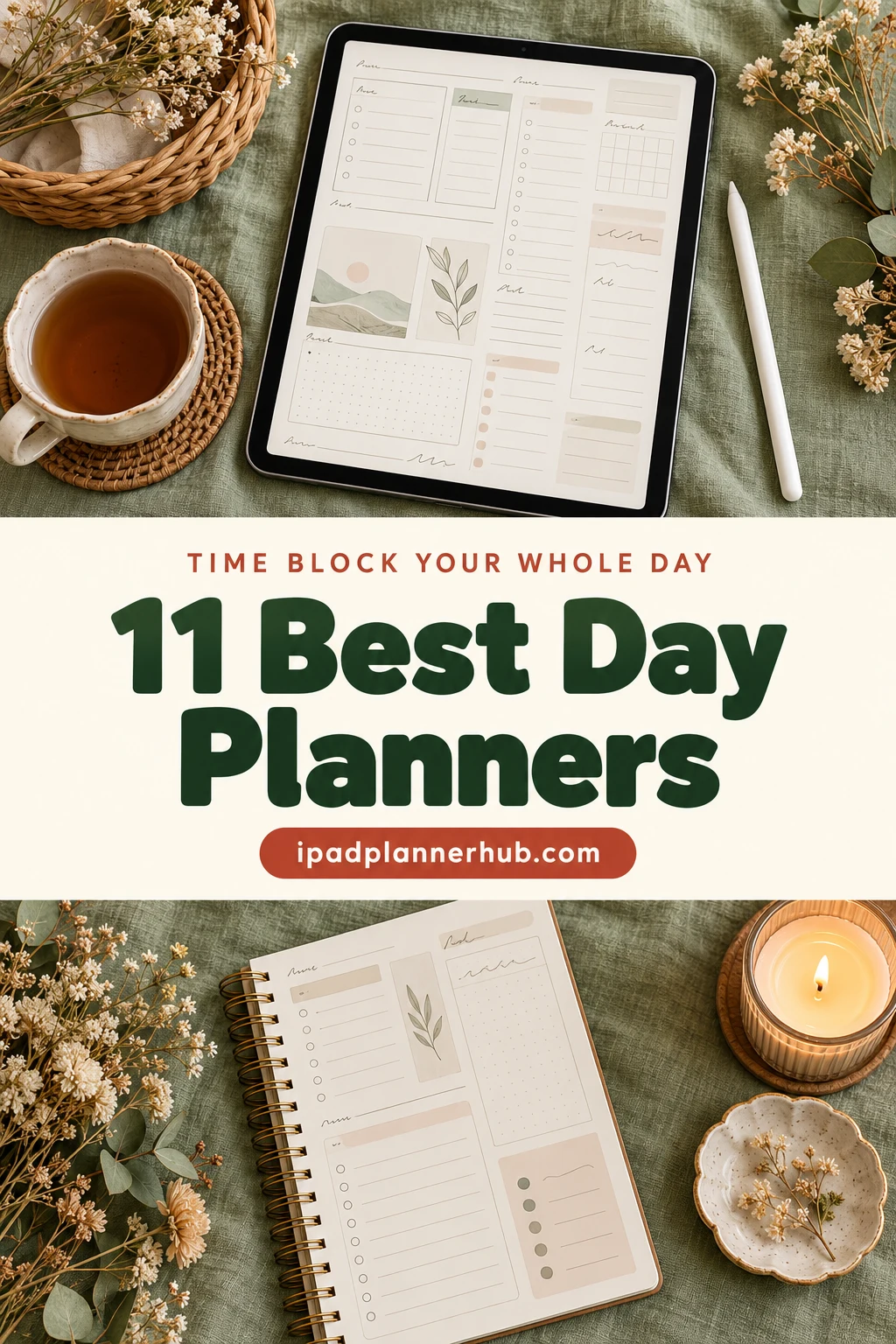
Below are 11 day planners for the iPad from Creative Fabrica that I’d use for time blocking: eight daily planners with an hour-by-hour schedule or time blocking pages, and three weekly planners split into hours or half hours. After the list: how to time block a day in ten minutes, which layout fits which kind of day, and a few blocks worth scheduling.
The 11 Best Day Planners and Hourly Planners for Time Blocking I Found
Every planner here has a real time grid (hours, half hours or a time blocking page), not just a list of tasks. Daily planners come first, then weekly ones for people who like to block the whole week at once. If you want the hour grid itself to be the whole planner, see my hourly and time blocking planners for iPad.
TL;DR: 11 day planners for time blocking on the iPad: 8 daily planners with an hourly schedule or time blocking pages, and 3 weekly planners split into hours or half hours. Each card lists orientation, layouts and dates, plus who it suits.
Quick Picks
- Best for hourly day planner: Digital Minimalist Daily Planner
- Best for dark mode day planner: Digital Daily Planner
- Best for one-page day: Daily Planner • Coffee Latte
- Best for pastel day planner: Daily Planner – Cozy Pastel
- Best for all-in-one with time blocking: All-in-One Digital Planner 2027
- Best for ADHD time blocking: Premium ADHD Time Blocking System
- Digital Minimalist Daily Planner – Best hourly day planner
- Digital Daily Planner – Best dark mode day planner
- Daily Planner • Coffee Latte – Best one-page day
- Daily Planner – Cozy Pastel – Best pastel day planner
- All-in-One Digital Planner 2027 – Best all-in-one with time blocking
- Premium ADHD Time Blocking System – Best for ADHD time blocking
- Simple Digital Planner 2027 Portrait – Best dated hourly planner for 2027
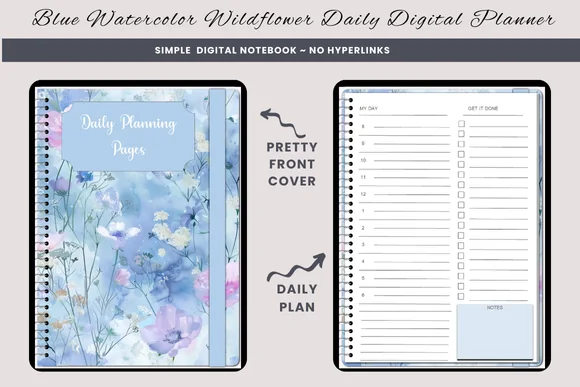
- Daily Planning Pages Digital Notebook – Best simple hourly notebook
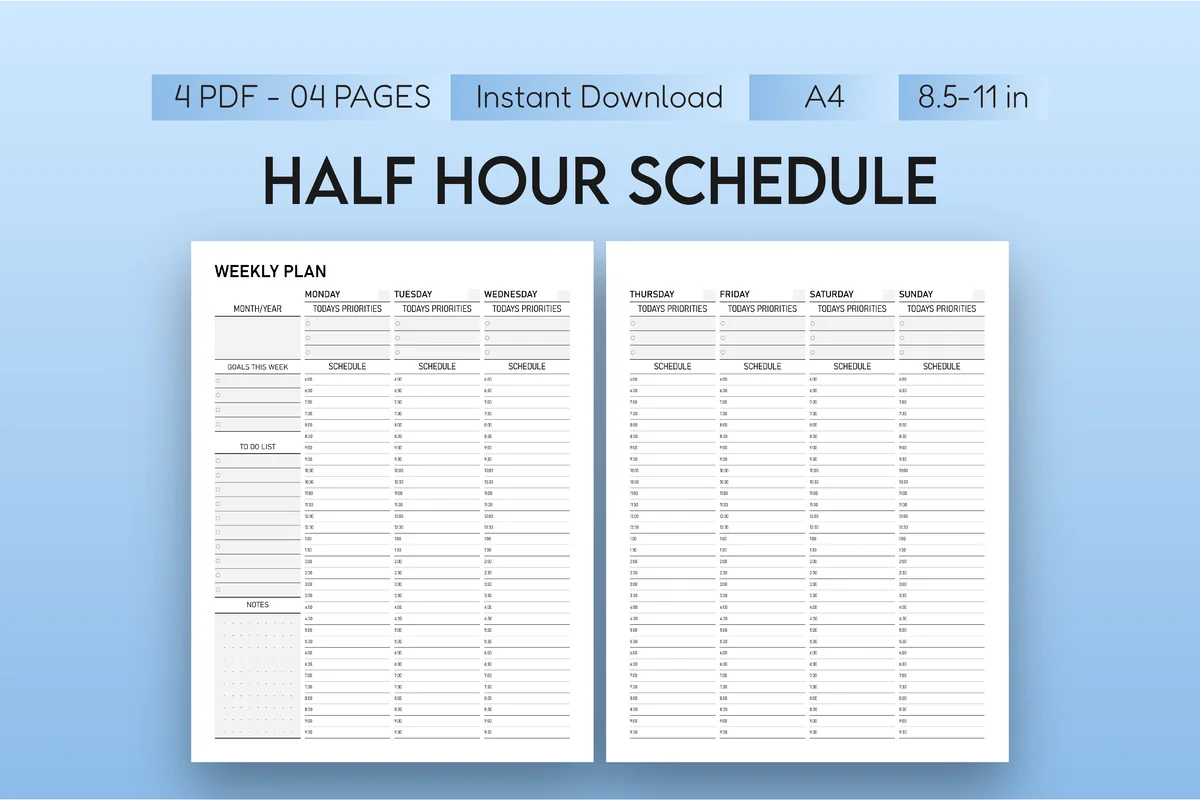
- Half-Hour Weekly Planner – Best half-hour schedule
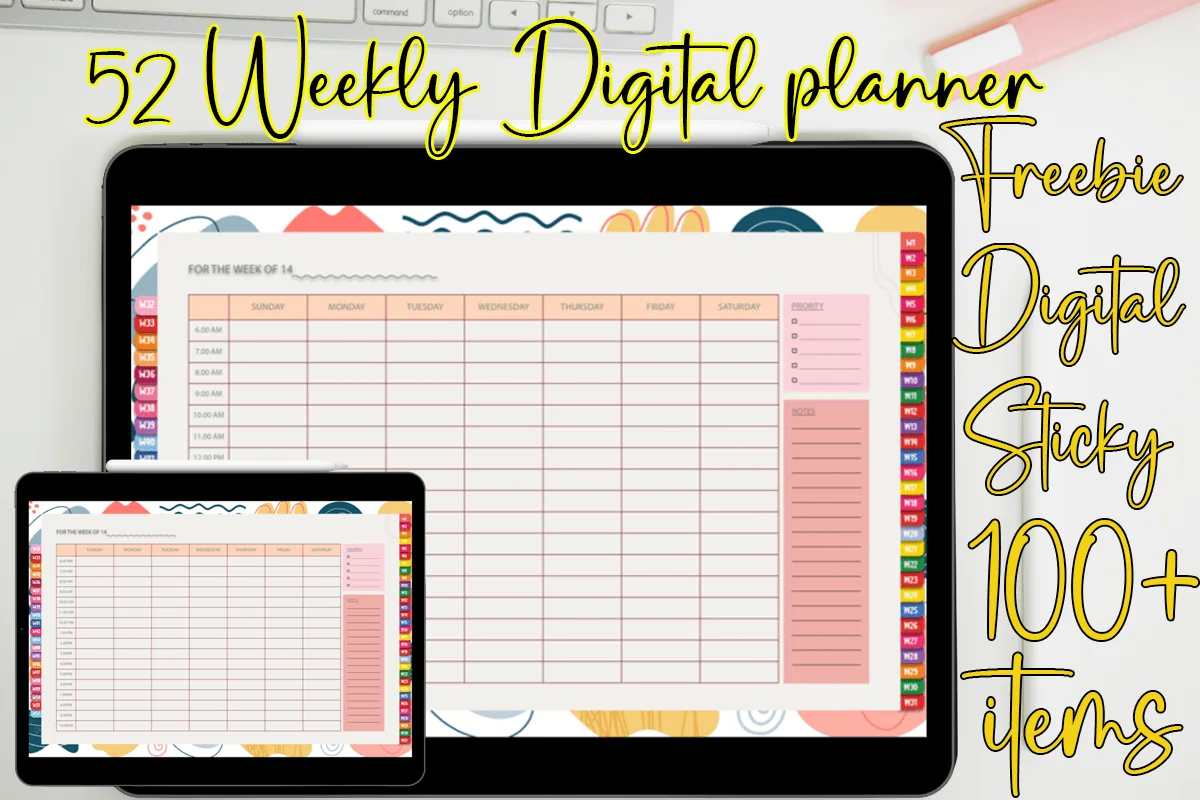
- 52 Weekly Digital Planner + Hyperlinks – Best colorful weekly hours
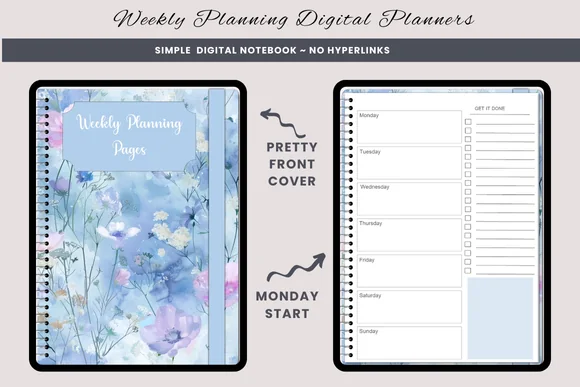
- Weekly Planning Digital Planners Sun Mon – Best simple weekly notebook
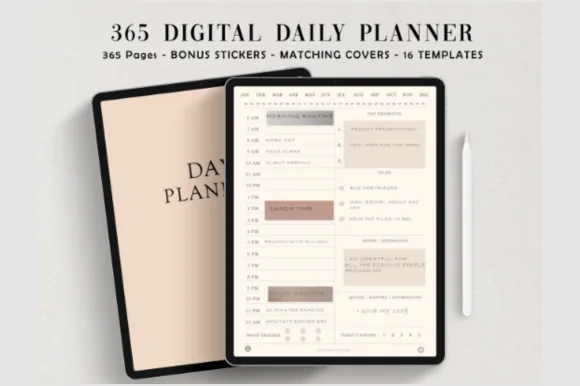
Best hourly day planner
1. Digital Minimalist Daily Planner
Layouts: DailyDates: Undated
Best for: minimalists, daily planners. Designed by ThePlannersDelight.
- 365 undated daily pages, fully hyperlinked (384 pages in total)
- Two versions: schedule starting at 5 a.m. or 6 a.m.
- Ivory white, minimalist design; 16 extra page templates
- Bonus: 5 covers and 100+ pre-cropped stickers
This is the planner I'd pick for serious time blocking: a clean hourly column every day, nothing decorative fighting for attention, and a 5 a.m. version for early starts. 365 linked pages means today is always one tap away.
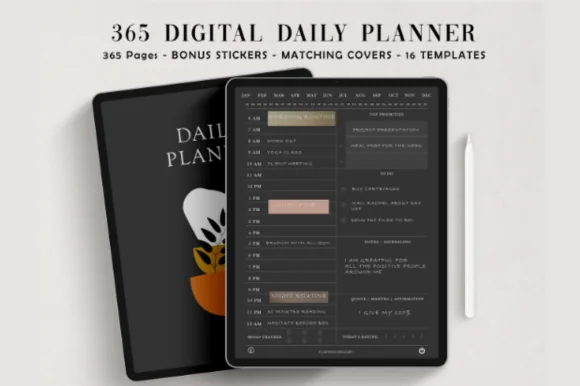
Best dark mode day planner
2. Digital Daily Planner
Layouts: DailyDates: Undated
Best for: night owls, dark mode fans. Designed by ThePlannersDelight.
- 365 undated daily pages on a coal black base, fully hyperlinked
- 5 a.m. and 6 a.m. start versions
- 16 page templates in the same dark style
- Bonus: 5 covers and matching stickers
The same hourly layout as the planner above, in dark mode. If you block tomorrow at 10 p.m. in bed, a black page is much easier on the eyes; pair it with a light ink and bright highlighter.
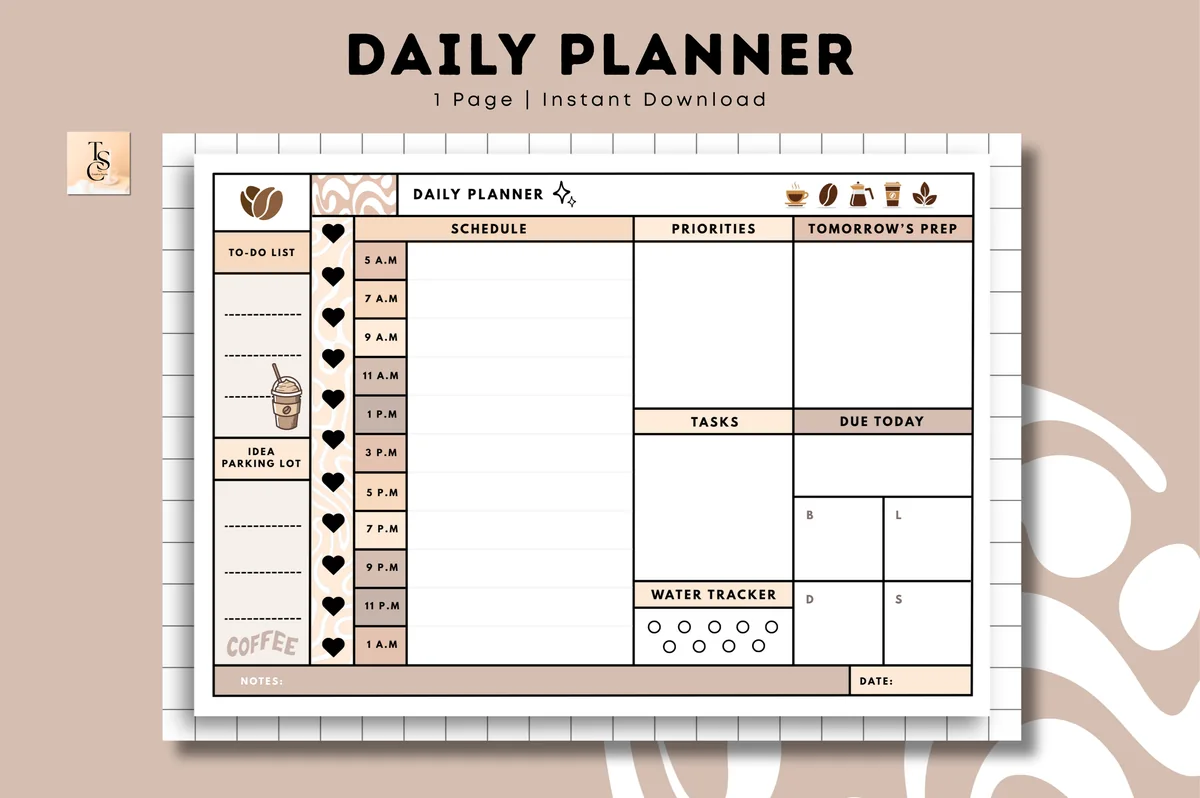
Best one-page day
3. Daily Planner • Coffee Latte
Orientation: LandscapeLayouts: Daily (1 page, hourly)Dates: Undated
Best for: time blockers, coffee lovers, one-page planners. Designed by Tas Creative Studio.
- Undated one-page daily planner, landscape
- Hourly schedule column next to priorities and tasks
- "Tomorrow's prep", "due today" and a water tracker
- Digital PDF (printable version included); works in GoodNotes and other apps
Everything for a time-blocked day fits on one landscape page: the hours on the left, priorities and tasks on the right, and a "tomorrow's prep" box that makes evening planning a habit. Warm coffee colors.
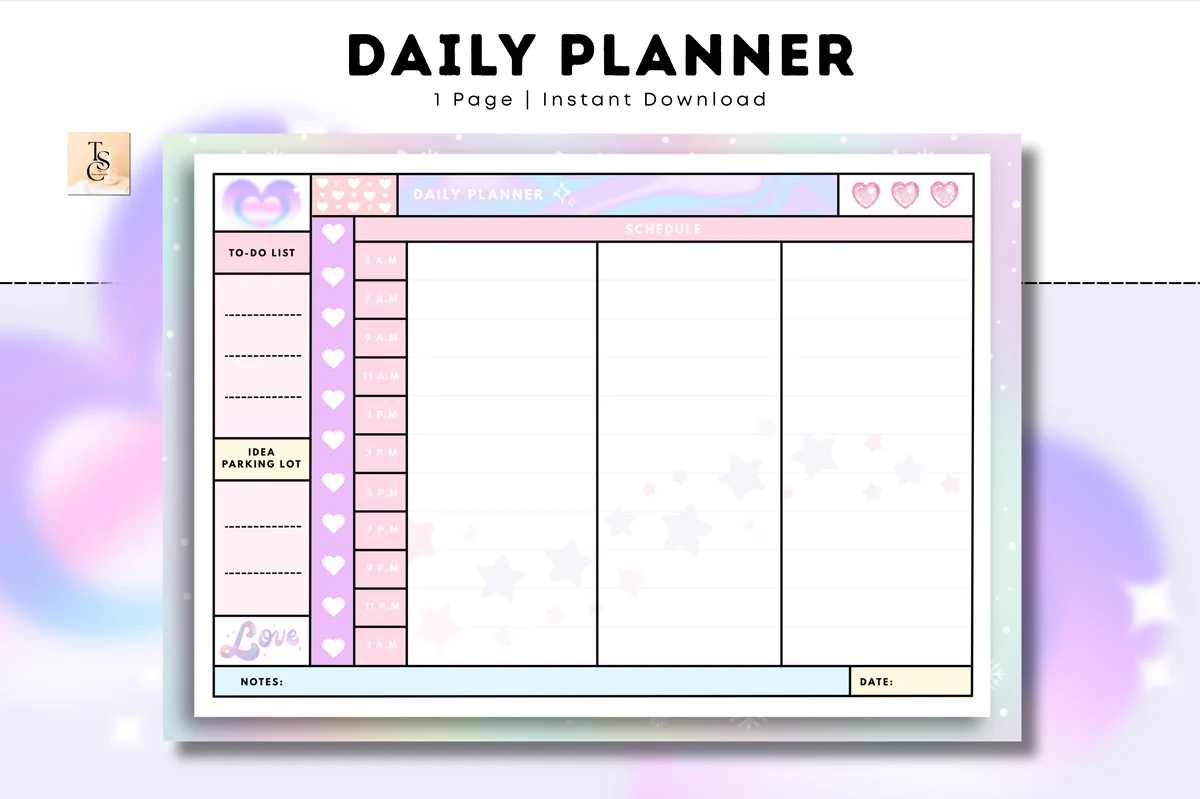
Best pastel day planner
4. Daily Planner – Cozy Pastel
Orientation: LandscapeLayouts: Daily (1 page, time column)Dates: Undated
Best for: pastel lovers, one-page planners, time blockers. Designed by Tas Creative Studio.
- Undated daily planner, A4 landscape
- Time column next to a to-do list and focus boxes
- Soft pastel design
- Digital PDF (printable version included); works in GoodNotes, Notability and more
A softer sister of the Coffee Latte page: same practical one-page structure, in dreamy pastels. Proof that a schedule doesn't have to look like an office spreadsheet.
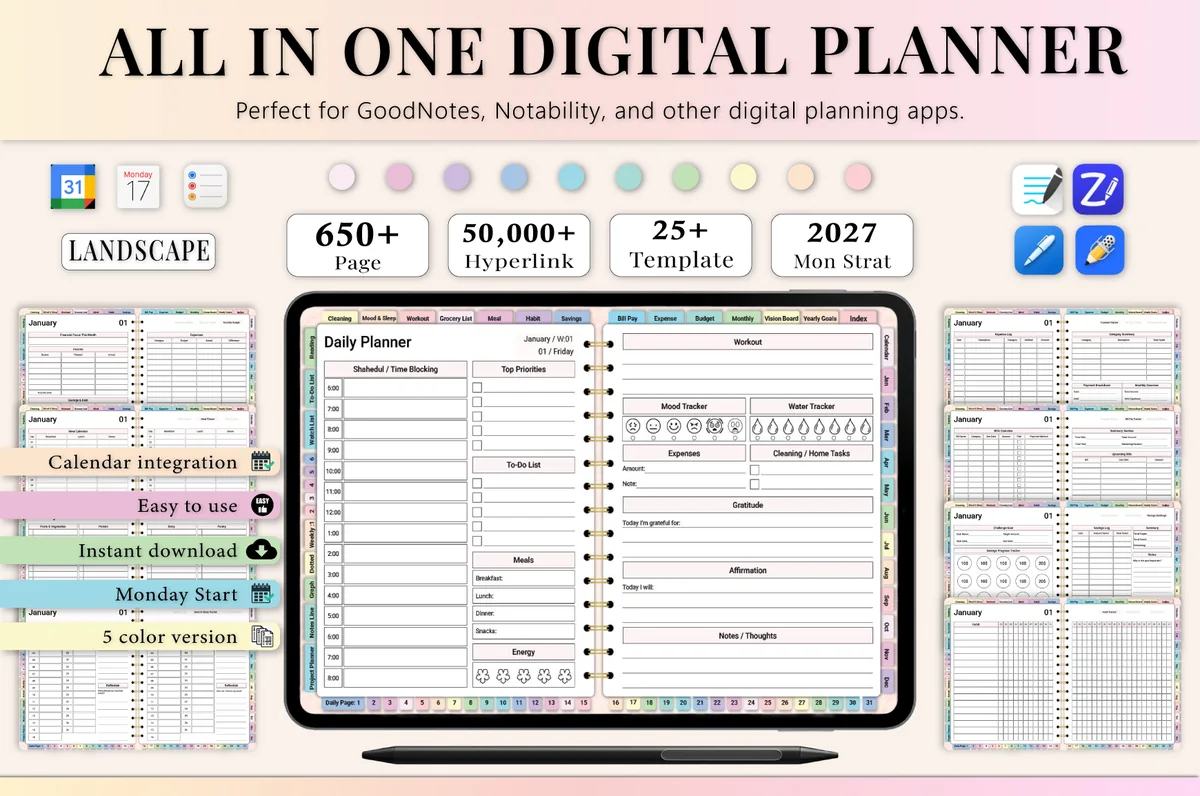
Best all-in-one with time blocking
5. All-in-One Digital Planner 2027
Orientation: LandscapeLayouts: Yearly, Monthly, Weekly, DailyDates: 2027Week start: Monday
Best for: busy professionals, budgeters, people who want one planner for everything. Designed by Heartcraft Studio.
- 655 hyperlinked pages, dated 2027
- Daily schedule and time blocking pages
- Monthly, weekly and daily layouts with budget, habit and meal pages
- Works in GoodNotes, Notability, Noteshelf, Xodo and more
If you want your blocks next to the budget, habits and meal plan, this one has dedicated time blocking pages inside a full year planner. The file is big; the designer notes a paid GoodNotes account may be needed.
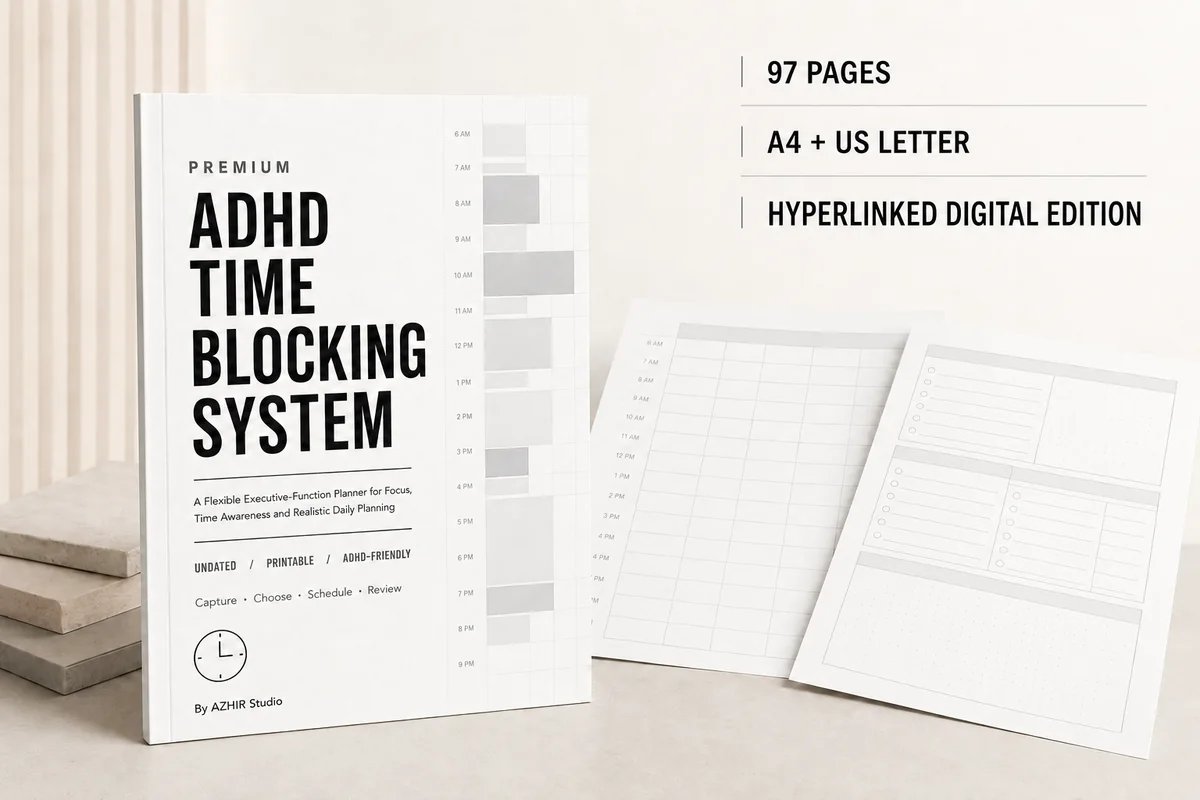
Best for ADHD time blocking
6. Premium ADHD Time Blocking System
Orientation: PortraitLayouts: Daily, Weekly, Monthly, hourly and half-hour time blockingFormat: Hyperlinked PDF, 97 pages (+ A4 and US Letter printables)Dates: Undated
Best for: ADHD planners, deep work fans, overwhelmed days. Designed by Azhir.
- 97 undated pages with a hyperlinked digital PDF for GoodNotes and Notability (A4 and US Letter printables too)
- Hourly and half-hour time blocking pages, a three-block day and focus-block planners
- Brain dump, priority filter, task breakdown and buffer time between tasks
- Black, white and light-gray design
If a strict hourly grid makes you freeze, this one gives you softer options next to it: a three-block day, focus sprints and buffer time between tasks. It's plain black and gray, so the attention stays on the plan, not the decoration.
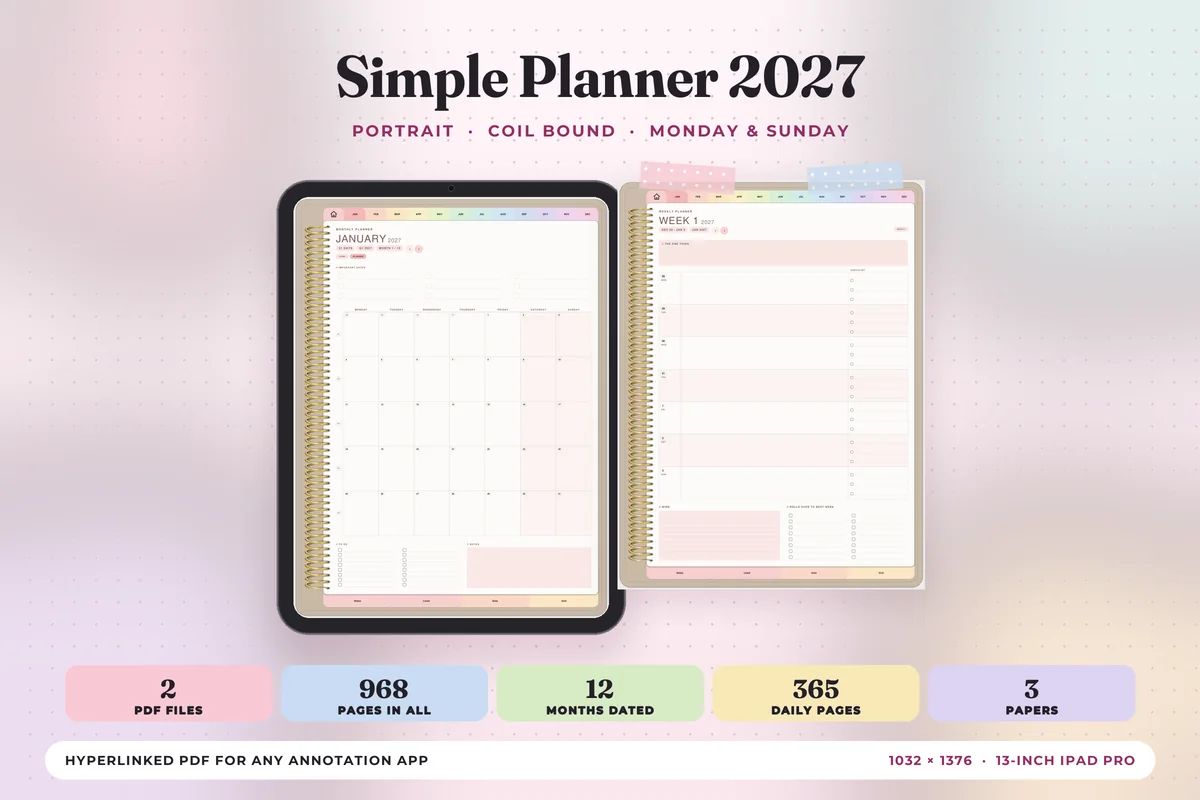
Best dated hourly planner for 2027
7. Simple Digital Planner 2027 Portrait
Orientation: PortraitLayouts: Monthly, Weekly, DailyDates: 2027Week start: Monday or Sunday
Best for: 2027 planners, pastel lovers, daily planners. Designed by Print Magic StudioX.
- 365 daily pages dated 2027 with an hourly schedule from 6 a.m. to 9 p.m., top 3 and to-do
- Monthly and weekly planners plus 12 month-at-a-glance pages
- Two hyperlinked PDFs: Monday or Sunday start
- Sized for the iPad in portrait, with month tabs on every page
Pick this one if you want every 2027 date already in place: open today, and the hours from 6 to 9 are waiting next to three priorities. Soft pastel tabs and a drawn coil make it pretty without crowding the schedule.
Best simple hourly notebook
8. Daily Planning Pages Digital Notebook
Orientation: PortraitLayouts: DailyFormat: PDF without hyperlinks + PNGsDates: Undated
Best for: beginners, workday planners, watercolor lovers. Designed by daysfilledwithjoy.
- Daily page with an hourly column for the working day and a "Get it done" checklist
- Notes box at the bottom of each page
- Blue watercolor wildflower cover; no hyperlinks, duplicate pages as you need
- One PDF for GoodNotes plus bonus PNGs
No tabs and no links, just a pretty cover and a page with your working hours on one side and the to-do list on the other. Duplicate the page each morning and it becomes a time blocking notebook that never runs out.
Best half-hour schedule
9. Half-Hour Weekly Planner
Orientation: PortraitLayouts: Weekly (30-minute slots)Dates: UndatedWeek start: Monday
Best for: busy professionals, students, time blockers. Designed by Mol Tazime.
- Weekly layout with 30-minute intervals
- Space for notes, priorities or to-dos
- Undated, clean minimalist design
- PDF and PNG; works in GoodNotes and Notability
Thirty-minute slots for the whole week: ideal for meeting-heavy jobs or students who juggle classes and shifts. You see where the week is full before Monday starts.
Best colorful weekly hours
10. 52 Weekly Digital Planner + Hyperlinks
Orientation: LandscapeLayouts: Weekly (hourly, 52 weeks)Dates: UndatedWeek start: Sunday
Best for: time blockers, colorful planners, sticky note fans. Designed by MOMAT THIRTYONE.
- 52 undated weekly pages with hyperlinks
- Hourly weekly layout
- Colorful design
- Bonus: 100+ sticky note stickers
A year of hourly weeks in one linked file. The sticky notes are handy for tasks that don't have a time yet: park them on the side and move them into a slot when you know when.
Best simple weekly notebook
11. Weekly Planning Digital Planners Sun Mon
Layouts: WeeklyWeek start: Monday or Sunday
Best for: simple weekly planners, floral lovers. Designed by daysfilledwithjoy.
- Weekly planning pages, Sunday and Monday start
- Made for weekly planning, time blocking and notes
- Watercolor wildflower design
- Not hyperlinked; duplicate pages as needed
No tabs, no sections, just a lovely weekly page to block your days on. Because it's not hyperlinked, it's light and simple, a nice choice if all-in-one planners overwhelm you.
Quick Comparison
| Planner | Time grid | Best for | Stand-out extra |
|---|---|---|---|
| 1. Digital Minimalist Daily Planner | Hourly, from 5 or 6 a.m. | Early risers, minimalists | 365 linked days |
| 2. Digital Daily Planner | Hourly, from 5 or 6 a.m. | Night owls | Dark mode |
| 3. Daily Planner • Coffee Latte | Hourly column | One-page planners | Tomorrow's prep box |
| 4. Daily Planner – Cozy Pastel | Time column | Pastel lovers | Cute one-page layout |
| 5. All-in-One Digital Planner 2027 | Time blocking pages | One planner for everything | 655 pages, 2027 |
| 6. Premium ADHD Time Blocking System | Hourly and half-hour | ADHD, overwhelm days | Brain dump and buffer pages |
| 7. Simple Digital Planner 2027 Portrait | Hourly, 6 a.m. to 9 p.m. | Dated 2027 planners | Monday or Sunday start |
| 8. Daily Planning Pages Digital Notebook | Hourly, working day | Simple daily planning | Unlimited pages |
| 9. Half-Hour Weekly Planner | 30-minute slots, weekly | Meeting-heavy weeks | Half-hour precision |
| 10. 52 Weekly Digital Planner + Hyperlinks | Hourly, weekly | Weekly planners | 100+ sticky notes |
| 11. Weekly Planning Digital Planners Sun Mon | Weekly, free-form | Simplicity seekers | Watercolor florals |
How to Time Block Your Day in 10 Minutes
Time blocking sounds strict, but it’s mostly a ten-minute habit, best done the evening before or first thing in the morning:
- Fill in the fixed things first: meetings, classes, school pickup, the gym. These are the walls of your day.
- Pick your top 3 tasks and give each its own block in the free time, the most important one at the hour you focus best.
- Batch the small stuff: email, calls and errands go into one or two “admin” blocks instead of interrupting everything else.
- Leave buffers: 15 minutes between blocks and one empty block in the afternoon. Things always take longer than planned.
- Block the evening too: dinner, rest and screens off are part of the plan, not what’s left over.
- Re-plan without guilt: when the day goes sideways, draw a new block. On the iPad you erase and move it in seconds.
Give each kind of block its own color (work, family, health, admin), and you’ll see at a glance whether the day is balanced. My GoodNotes color palettes have ready hex codes for that.
Hourly Planner, Half-Hour or Weekly: Which Day Planner Layout Fits You?
| Layout | Best for | Watch out |
|---|---|---|
| Daily, hourly | Busy days with appointments and focus work | One page per day means more pages to scroll |
| Daily, half-hour | Meeting-heavy jobs, students with tight schedules | Small boxes: write short |
| Weekly, by hour | Seeing the whole week’s rhythm, shift work, routines | Less room for task details |
| All-in-one with time blocking pages | People who want calendar, budget and blocks in one file | Big file, more tabs to learn |
A simple test: if you usually know your day the evening before, take a daily hourly planner, one page per day with every hour on it. If your week has a repeating rhythm (classes, shifts, gym days), a weekly hourly page saves you from rewriting it every day.
Time Blocking Ideas: Blocks Worth Putting in Your Day
- Deep work: 90 minutes, no notifications
- Admin: email, calls, paperwork
- Morning routine
- Lunch away from the screen
- Workout or a walk
- Errands and chores in one batch
- Family or partner time
- Learning: a course, a language, reading
- Weekly review on Friday or Sunday
- Buffer: nothing planned on purpose
- Wind-down: screens off
For more ways to fill a daily page beyond the schedule, see my daily planner ideas; for morning and evening routines, the daily routine planners.
Time Blocking When Your Brain Doesn’t Like Schedules
Many people, including many with ADHD, find that strict hour-by-hour plans fall apart by 10 a.m. A gentler version often works better:
- Use bigger blocks: “morning: report” instead of 9:00–9:45.
- Plan only three blocks and leave the rest open.
- Put a timer next to the planner, so a block has a clear start and end.
- Write the first tiny step inside the block (“open the doc”), not just the task.
- Re-block at lunch instead of giving up on the afternoon.
What I Look For in a Day Planner
- A time grid that matches your day: early starts need 5 or 6 a.m. rows, night owls need the evening.
- A top priorities box next to the schedule, so blocks start from what matters.
- A to-do list beside the hours, for tasks that don’t need a fixed time.
- Undated pages so skipped days don’t waste anything.
- Hyperlinks to jump to today in one tap when there are 365 pages.
Day Planner or Planner App?
Calendar apps (Apple Calendar, Google Calendar and dedicated time blocking apps) are great at reminders, recurring events and sharing with others. A PDF day planner in GoodNotes doesn’t sync or ping you. What it does better: you see the whole day on one page, writing by hand makes you more realistic about what fits, and moving a block doesn’t trigger five notifications. A common mix: appointments live in the calendar app, and each evening you copy them into the day planner and block the rest by hand.
How to Set Up a Day Planner in GoodNotes
- Save the planner from Creative Fabrica and unzip it in the Files app.
- In GoodNotes, tap New → Import and choose the version that fits you (5 a.m. or 6 a.m. start, Monday or Sunday).
- Bookmark today’s page or use the hyperlinked index to jump to it.
- Add your recurring blocks (gym, school run) to a week in advance, then fill the rest daily.
- Use the highlighter in light colors for blocks, so your handwriting stays readable on top.
FAQ
What is a day planner?
A planner with one page (or one column) per day, usually with an hourly schedule, a to-do list and space for priorities and notes. Some call it a schedule planner, because it’s for planning when things happen, not just what needs doing.
What’s the difference between a day planner and a daily planner?
Mostly the name. “Day planner” is often used for planners with a strong hour-by-hour schedule; “daily planner” for any page-per-day planner, including ones with only lists. If you want to time block, look for the hourly grid. For more page-per-day options, see my daily digital planners.
How do I use a day planner effectively?
Plan the next day the evening before, put fixed appointments in first, give your top three tasks real time slots, and leave buffers. Look at the page again at lunch and adjust.
What is the 3-3-3 rule for productivity?
A simple way to plan a day: three hours on your most important project, three shorter tasks, and three maintenance jobs (chores, admin). It fits a day planner well: one long block, three short blocks and one admin block.
Can I use my iPad as a day planner?
Yes. Import a PDF day planner into GoodNotes or Notability and write on it with an Apple Pencil. Hyperlinks take you to any day in one tap, and you can erase and move blocks as often as the day changes.
Does Apple have a day planner?
Not as a handwritten planner. Apple Calendar shows a day view by hour and Reminders handles tasks, but for a page you plan on with a pencil, you need a planner template in a note-taking app.
What is the best hourly planner?
The best hourly planner is one where the hours match your day: if you start at 6 a.m. or work late, check the time range before you buy. For most people, an hourly daily planner (one page per day, hour by hour) with a short to-do list next to the schedule works best; if your week repeats, a weekly page split into hours is enough.
What hours should an hourly planner cover?
Match the grid to your real day, not a standard office one. Early risers need a page that starts at 5 or 6 a.m., night owls one that runs past 9 p.m., and if you only plan your working hours, a simple 8-to-6 column is enough. The 2027 planner above runs from 6 a.m. to 9 p.m., the minimalist one starts at 5 or 6 a.m., and the watercolor notebook covers the working day.
Final Thoughts
Pick a planner with a time grid that matches your day, spend ten minutes blocking it the evening before, and leave room for the unexpected. That’s all time blocking really is. For more page-per-day planners, see my daily digital planners and weekly digital planners, or browse all daily planners.
Still looking for an all-in-one setup? See my top digital planner picks for 2027, dated and undated.
You May Also Like
This post contains affiliate links. If you buy through them, I may earn a small commission at no extra cost to you. Learn more.