A crowded title page can look lovely full size and turn into an unreadable patch on your iPad shelf. My science notebook cover ideas start with the subject, your name and your class, then give the illustration one clear job. You do not need to draw a complicated laboratory to make the notebook feel like science.
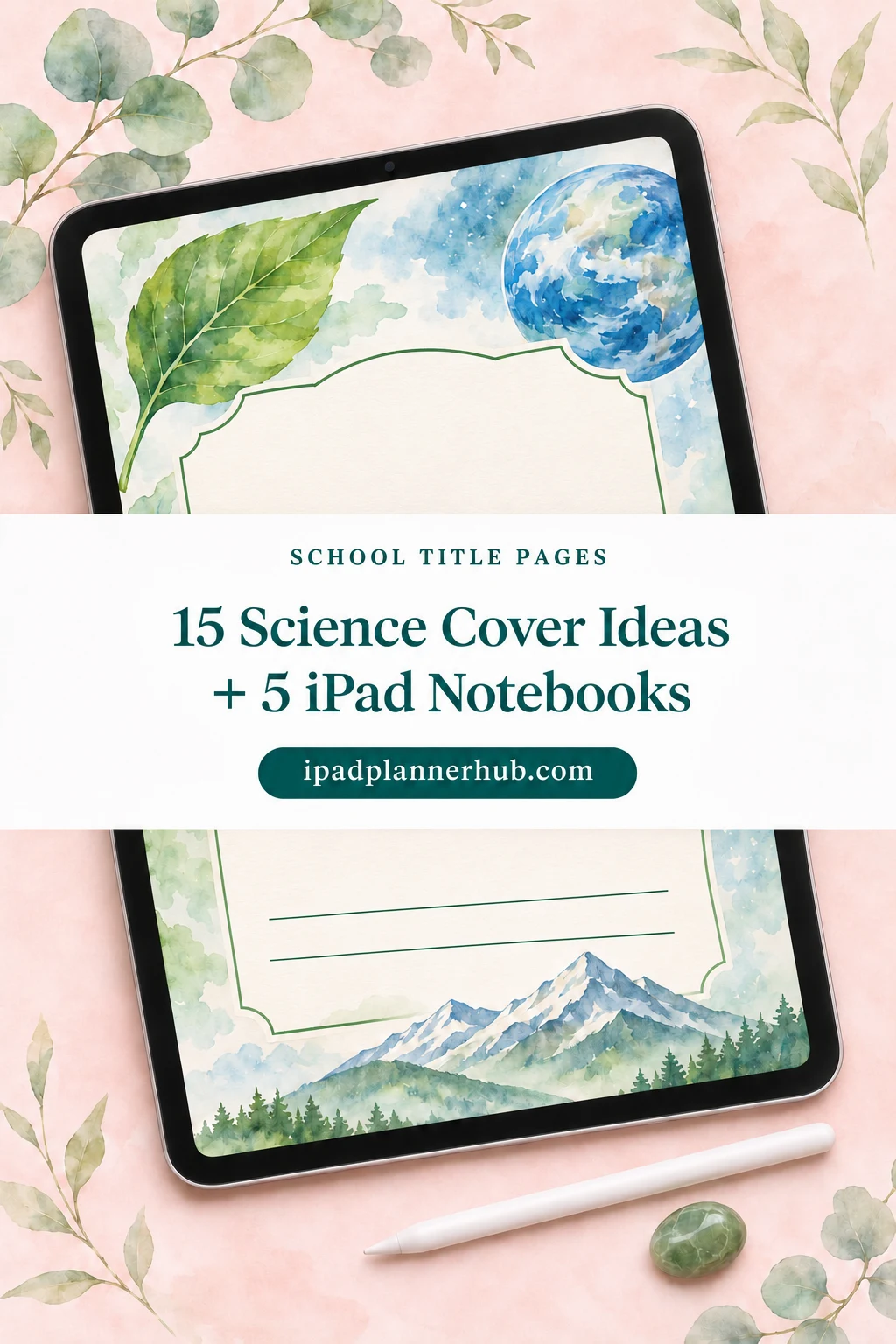
Below are 15 original compositions for a school science title page, followed by five optional digital notebooks you can adapt. The ideas work as handwriting, simple shapes or a few images you have permission to use. The fifteen compositions are drawing prompts created for this article.
Give your science title page a clear reading order
Settle the information before choosing the decoration. Write the exact subject your teacher uses, then decide whether you need a class, period or teacher line. A broad Science title can combine disciplines; a Biology title should make its narrower focus obvious.
For a separate chemistry course, keep that clear title panel but choose a motif tied to the subject. These chemistry notebook cover ideas develop glassware corners, a lab-notes label and geometric borders without treating decorative shapes as scientific diagrams.
- First glance: the subject is the largest readable element. Give it a quiet background.
- Second glance: your name and class or period sit together in a consistent panel. Use the naming details required by your school.
- Third glance: one main motif supplies the mood, with smaller accents only where space remains.
- Before decorating: check any class cover requirements. A personal design should still contain the assigned information.
The California Academy of Sciences notebook activity puts a prominent name and personal decoration at the center of its cover task. How She Teaches also keeps name and period visible in a physical notebook collage. Here I adapt that identification-first approach to an iPad title page; the digital compositions below are my own suggestions.
15 science notebook cover ideas, from easy labels to mini landscapes
Choose one composition rather than combining all fifteen. Each has a subject area, a place for identification and a specific stopping point. A small doodle can carry the theme; you do not need to reproduce a textbook diagram.
Easy science notebook cover ideas with simple shapes
- 1The field-label cover
Start with a plain rectangle slightly above the center. Write SCIENCE in the upper half, then add Name and Class on two smaller lines below. Put one tiny leaf or mountain outside a corner of the label.
Use a single ink color and one muted accent. This suits a first attempt because the information stays together, even if your drawing is uneven. Stop after the one motif: the empty area is part of the composition.
- 2The three-symbol header
Set a leaf, a planet and a mountain in a short row across the upper third. Keep them roughly equal in size, then place the science title underneath and identification near the bottom.
This is a broad science book cover for school rather than a single-subject diagram. Draw the symbols as silhouettes with very little internal detail. If the row becomes busier than the title, remove an accent instead of shrinking every word.
- 3The oversized initial
Draw one large outlined S as the background shape. Place the full word Science across its middle on a plain strip, with your name and class beneath. Keep the interior of the initial mostly empty.
A few small dots or short strokes can make the letter feel handmade without turning it into a dense pattern. Use a darker title than the initial so the subject remains readable. This composition also works when you prefer lettering to illustration.
- 4The corner doodle
Choose just one lower corner for a compact cluster: a cloud, a sprout and a small star. Let the title occupy the opposite upper area and put your name on a straight baseline under it.
Keep the cluster inside the margin rather than touching the edge. A corner arrangement gives a useful starting point when the notebook already has a textured background. Match the doodle color to one existing background color instead of introducing a new palette.
- 5The graph-paper nameplate
Use faint grid lines as a background, then place a solid light title panel over the center. Add a small ruler-like border of short ticks along one edge, without numerical values.
The grid suggests measurement without pretending to display actual experimental data. Do not add an unlabeled scientific graph just to fill space. If the background already has a grid, avoid stacking another pattern on top; one grid is plenty.
Nature-led science journal cover ideas
- 6The leaf specimen card
Make a small portrait rectangle look like a specimen card, with a simple leaf silhouette above the title. Put your name and class in a narrow footer, separated from the drawing by a thin line.
Choose a generic leaf outline unless you have a reliable identification source for a specific plant. You can enjoy a botanical mood without adding an uncertain Latin name. A warm paper background and dark green linework are enough for the whole cover.
- 7The mountain window
Place a rounded rectangular window in the top half and draw two overlapping mountain shapes inside it. Keep the lower half for a large subject title and two identification lines.
A pale sky and two darker slopes provide depth with very few marks. Leave the window frame simple so the mountains remain the only illustration. For an Earth science class, use the actual course name; for general science, the landscape can be one broad visual cue.
- 8The ocean band
Draw a broad blue band along the lower third, with one wavy upper edge. Above it, set Science in dark lettering and place your name on a separate line. A small fish silhouette can sit inside the band.
Keep the wave abstract rather than adding layers of tiny bubbles and creatures. The band gives the page a clear base, so the upper space can stay quiet. A plain light name label above the water stays clearer than white lettering over the wave.
- 9The weather strip
Use three small panels across the top for a sun, a cloud and a raindrop. Repeat the same border thickness in each panel. Place a single title block below, with room for your name and class.
These are decorative weather symbols, not a forecast or observation record. Do not add invented temperature readings to make them look more official. A soft yellow accent in the sun and blue in the raindrop will separate the panels without requiring a full rainbow palette.
- 10The botanical frame
Draw one loose stem along each side of the page, leaving the center open. Place the title high in that opening, with a wide name panel beneath. Use only a few large leaves on each stem.
This works best on a plain background. If your notebook already has a dense floral pattern, use its existing white label instead of adding another botanical border. Keep leaf tips away from the title letters and check that the bottom identification area has not become an afterthought.
Space, motion and a personal science collage
- 11The single-planet cover
Place one large circle above the center and add a tilted ring. Keep the title below the planet, with your name and class aligned on the same left edge. A tiny star can balance the opposite corner.
Treat the planet as an invented decorative icon unless you are following a reference for a named planet. There is no need to add inaccurate surface features or labels. A navy title and muted gold ring make a restrained space-themed science notebook cover design.
- 12The orbit-line border
Run a thin curved line around the outer area of the page, leaving clear gaps around the name panel. Add two or three small circles along the curve. Put the subject in the largest open space.
This is a decorative motion motif, not an atomic model or a diagram of a real orbit. Keep the line pale and the lettering dark. If the curve crosses a word, move the curve; do not squeeze the title into a leftover gap.
- 13The sound-wave ribbon
Draw a horizontal ribbon of short vertical strokes across the middle, varying their heights gently. Set the subject above it and your identification below. Use one accent color for the ribbon.
The marks are an abstract rhythm pattern, not measured sound data. Do not label them with frequencies or claim they represent a particular voice. The composition is useful for a physics-leaning notebook when you want a recognizable science mood without a complicated illustration.
- 14The mixed-science collage
Arrange three small image windows around a plain central title panel: one for nature, one for Earth and one for space. A single generic lab icon can be a small fourth accent if there is room.
Use your own drawings or images you are allowed to reuse. Keep all windows subordinate to the subject title and place your name in a fixed footer. This is a cross-disciplinary overview; leave detailed chemical elements, bonds and laboratory compositions for a dedicated chemistry cover.
- 15The question-first cover
Choose one short personal question about science, such as What will I notice? Put it in a small speech-bubble shape near the top. Keep Science as the main title, with one simple magnifying-glass outline beside the name panel.
The question adds a personal angle without needing photographs or a busy collage. Leave room to change the question later if your interests shift. It adds a sense of curiosity while still identifying the notebook.
Turn one idea into an iPad title page
Keep this as a composition task rather than a full app tutorial. Start on a spare blank page or a copy of a cover you can annotate. A purchased notebook is optional: a page you already have may be enough for the design.
- 1Choose the page shape first.
Match the orientation of the page where the design will live. A portrait specimen label and a wide landscape binder spread need different spacing. Keep the illustration within the usable cover panel, especially when a decorative spine or tabs already occupy an edge.
- 2Reserve the words before the pictures.
Place the subject, name and class or period as separate text areas. Use placeholder words while arranging them. Leave more room for a long name than your first sketch seems to need, and check any required school wording before you decorate.
- 3Build one motif at a time.
Add the main drawing, then a smaller accent only if the page still needs balance. Keep a plain area behind text. Imported PNG decoration is an image; it does not create linked tabs, and placing art over an existing navigation target may make that target harder to use.
- 4Check the small view and the full page.
Look at the title at the size you normally use to choose a notebook, then inspect it full size. Is Science obvious? Can you read your identification? Are any letters hidden by a picture? If the small version feels cluttered, remove detail before reducing the text size.
For a notebook that mainly needs a different exterior, compare the Goodnotes cover options separately. If you want a few ready-made decorative accents, the study sticker selection explains the packs and their limits. Neither is required to draw the simple shapes above.
Five optional iPad notebooks for your own science title
Choose a notebook as a base for your own science title page. Pick the starting surface and section structure that suit the way you organize your notes. Add your own subject title and drawings using one of the compositions above.
TL;DR: You can make the ideas above on a blank page you already own. These five optional notebooks offer different starting surfaces: a blank title label, watercolor, a purple binder, neutral paper texture or a floral cover. None includes the fifteen finished science designs.
Quick Picks
- Best for a ready-made title space: Digital Notebook 5 Hyperlinked Tabs
- Best for a soft color background: Watercolor Hyperlinked Digital Notebook
- Best for several science subjects: Digital Notebook
- Best for textured neutral pages: Digital Notebook 5 Hyperlinked Tab
- Best for a floral botany title: DaisyNotes | Digital Notebook | Purple
- Digital Notebook 5 Hyperlinked Tabs – Best for a ready-made title space
- Watercolor Hyperlinked Digital Notebook – Best for a soft color background
- Digital Notebook – Best for several science subjects
- Digital Notebook 5 Hyperlinked Tab – Best for textured neutral pages
- DaisyNotes | Digital Notebook | Purple – Best for a floral botany title
Best for a ready-made title space
1. Digital Notebook 5 Hyperlinked Tabs
Orientation: LandscapeLayouts: 5 paper typesFormat: PDF
Best for: a short subject title in a blank cover label. Designed by aviswilliams.
- Blank book cover and index
- Five linked sections
- Blank, lined, dotted, graph and Cornell pages
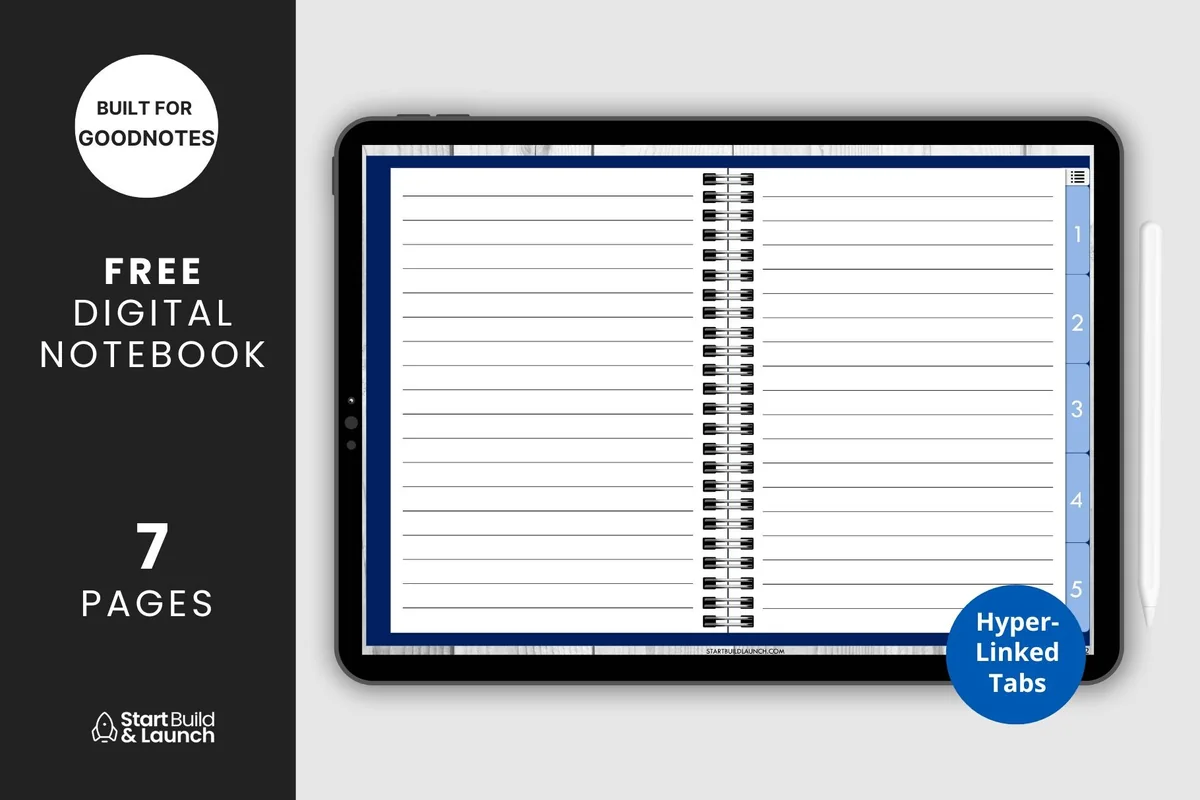
This is the most direct starting point for the label-first idea. The blue cover already leaves a white panel for your title, so there is no need to cover a busy illustration. Its landscape spread has a decorative spine: keep your science motif on the cover panel, away from the binding and the navigation tabs.
Best for a soft color background
2. Watercolor Hyperlinked Digital Notebook
Orientation: PortraitLayouts: Lined, blank, half-linedFormat: PDF
Best for: a watercolor title page with one small science motif. Designed by daysfilledwithjoy.
- One hyperlinked PDF
- 12 sections
- Lined, blank and half-lined pages
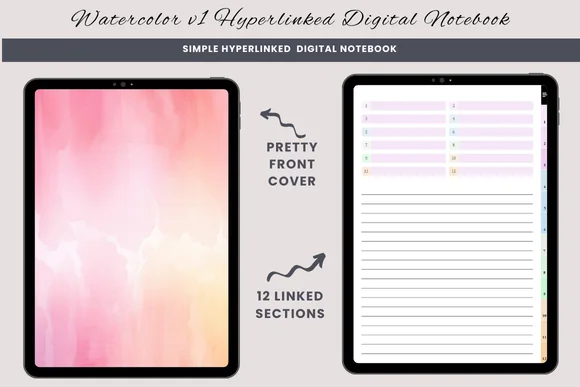
The pink watercolor cover gives a soft background to a small leaf or planet. A plain light title panel keeps the lettering clear against the wash. Use a blank or half-lined page for a matching subject divider.
Best for several science subjects
3. Digital Notebook
Orientation: LandscapeLayouts: 16 templatesFormat: PDF annotation apps
Best for: separate subject dividers in one notebook. Designed by Shades of Zen.
- 12 hyperlinked sections
- 16 note templates
- Lined, dotted, graph and Cornell options
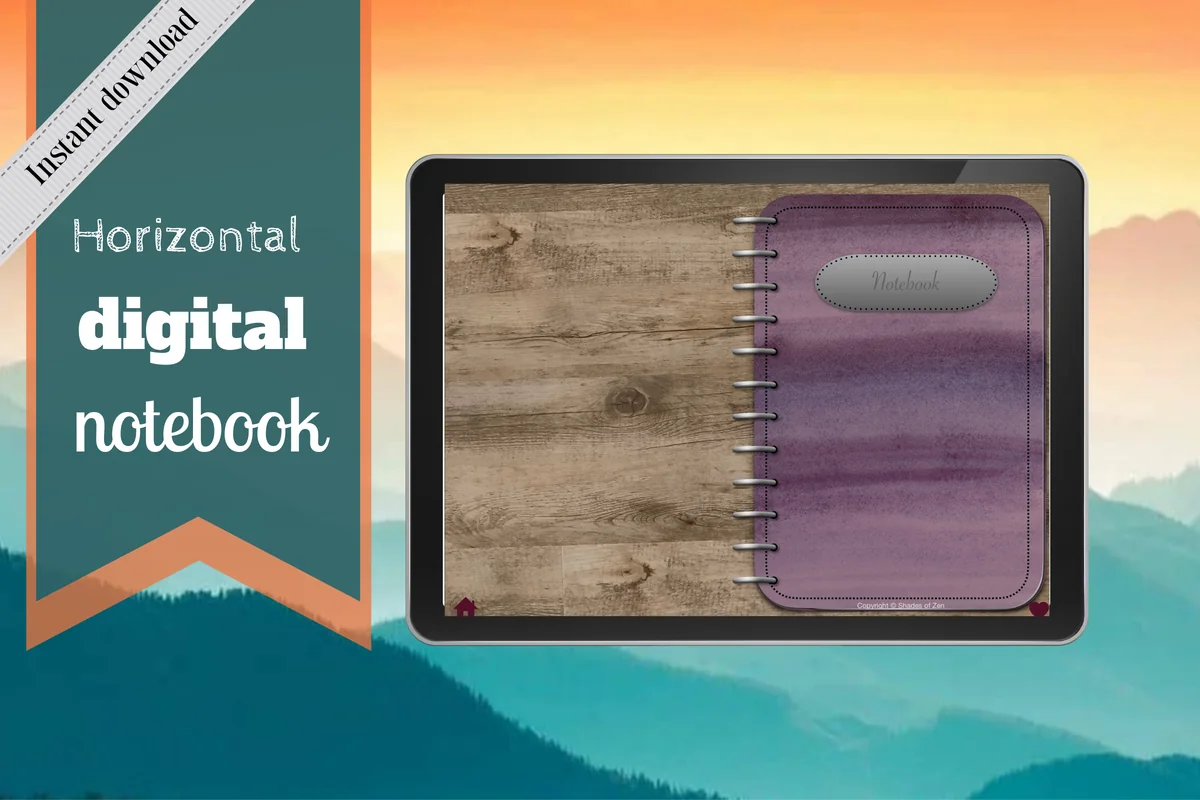
Twelve sections make sense if your science notebook holds several units or disciplines. Assign one small motif to each divider, then repeat a single title treatment. The purple cover is already decorative and the interior has a visible binder, so this is a better choice for organizing a set of subject pages than for a completely borderless cover.
Best for textured neutral pages
4. Digital Notebook 5 Hyperlinked Tab
Orientation: PortraitLayouts: 30 templatesFormat: PDF; PNG; Goodnotes sticker book
Best for: a warm neutral title and coordinated dividers. Designed by studiopattern.
- Five linked subject sections
- 30 paper templates
- 250+ PNG stickers and a Goodnotes sticker book
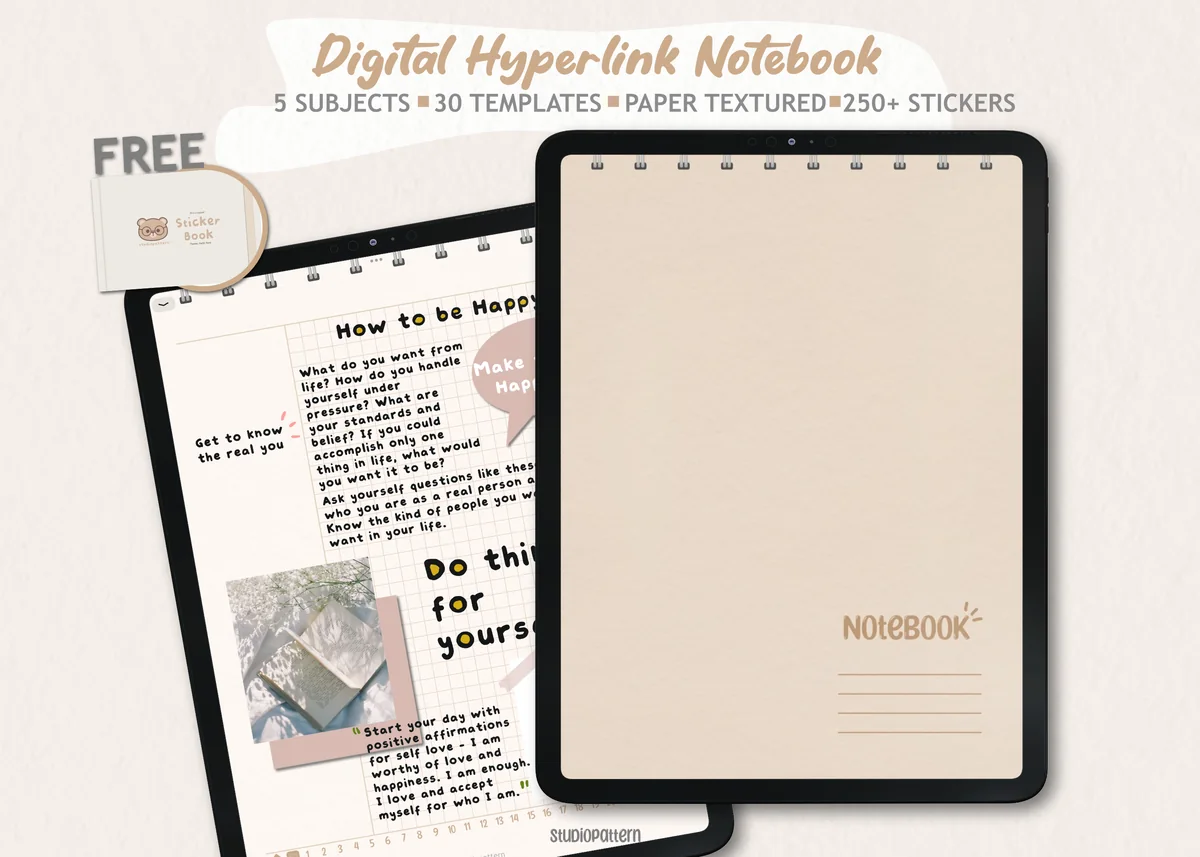
The beige paper texture suits the specimen-label idea without a bright background. Its template selector and five subject folders are useful if the cover is the start of a larger science notebook. The sticker bonus shows general labels, shapes and decorative pieces; it is not a library of science diagrams. Keep any scientific illustration separate from that bonus.
Best for a floral botany title
5. DaisyNotes | Digital Notebook | Purple
Orientation: PortraitLayouts: 2 page templatesFormat: JPG and PDF
Best for: a flower-themed cover with a short subject label. Designed by catsquills.
- Four covers
- Two page templates
- JPG and PDF files for Goodnotes or Notability
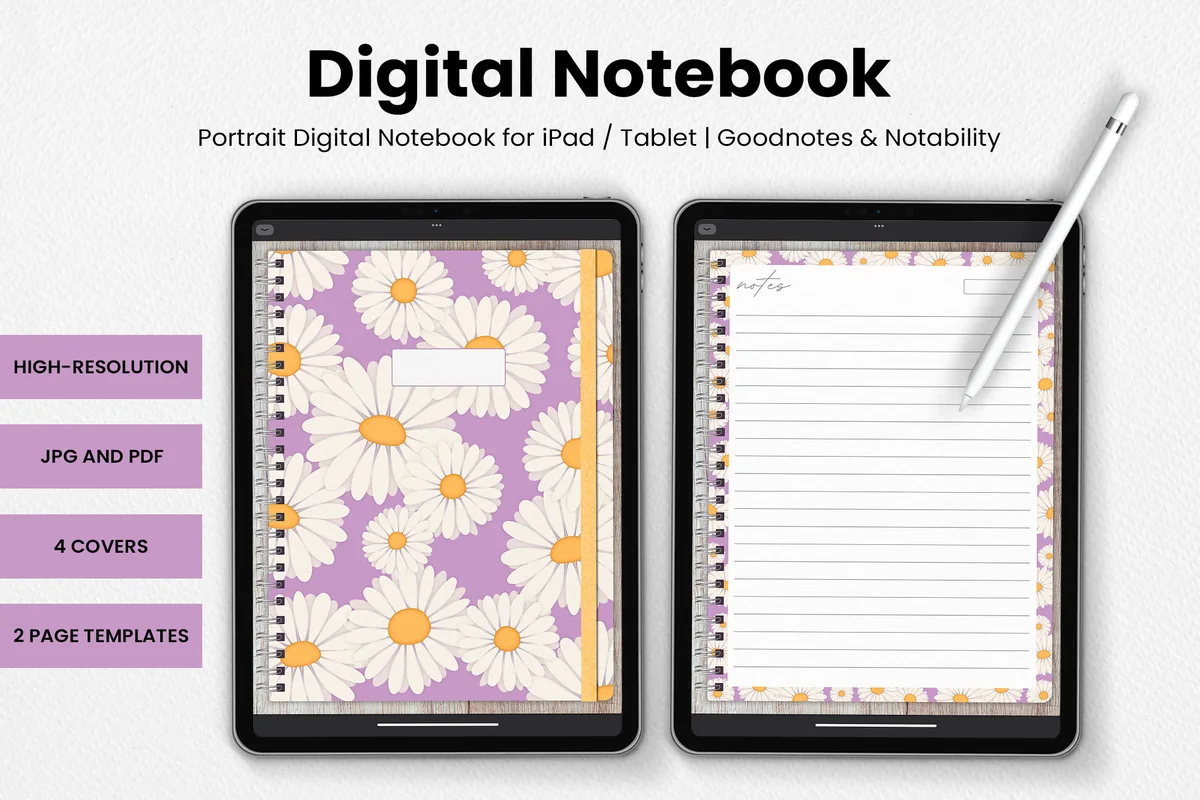
DaisyNotes is the narrower choice here: the flower pattern already sets a botanical mood. The previews show a small white label on the covers and a wood-textured background. A short title will work better than a large collage on top of the daisies. Pick a plainer notebook if you want a broad science cover with equal space for Earth, space and biology.
Quick Comparison
| Notebook | Orientation | Inside | Cover starting point |
|---|---|---|---|
| 1. Digital Notebook 5 Hyperlinked Tabs | Landscape spread | 5 sections; 5 paper types | Blank cover label |
| 2. Watercolor Hyperlinked Digital Notebook | Portrait | 12 sections; 3 page types | Watercolor background |
| 3. Digital Notebook | Landscape spread | 12 sections; 16 templates | Purple binder styling |
| 4. Digital Notebook 5 Hyperlinked Tab | Portrait | 5 sections; 30 templates | Paper texture; general sticker bonus |
| 5. DaisyNotes | Digital Notebook | Purple | Portrait | 4 covers; 2 page templates | Daisy pattern and title label |
Build a reusable science notebook cover design template
Draw a subject box, a smaller name panel and one empty illustration area on a spare digital page. Keep that page as your template, then copy it before adding each unit title. For middle school students, include a period number if the classroom assignment requires it.
For a cute science notebook cover, try the corner sprout or a small ringed planet with rounded outlines. A pencil-style digital brush can give the drawing the soft texture of colored pencils; use one darker pen for the lettering. Keep a handmade feel through your own strokes while leaving the title panel clear.
Plan an interactive science notebook cover design
Repeat the cover’s motif on a unit divider, then give the next page a table of contents for lesson notes and your responses. For example, use a leaf beside a biology unit title and repeat it beside that unit’s contents entry. Keep worksheet pages and observation notes inside the notebook so the front stays easy to recognize.
When should you decorate and update the cover?
Make the title page at the beginning of the school year, once your teacher has explained the required details. The California Academy of Sciences activity cited above allows at least 30 minutes for students to label and decorate their notebooks. Treat that as a classroom activity example, rather than a deadline for completing every illustration on your iPad.
Write the important identification first and leave the rest of the decoration for later if the lesson needs to begin. At the start of a new unit, update its divider and contents entry; add a small cover illustration only if it still leaves the title readable. After each class, return to the notebook library and keep the same naming routine so you can find the next assignment quickly.
Check the cover before you call it finished
After choosing a notebook, return to the cover itself. Extra paper layouts can be useful later, but they cannot rescue an unreadable subject title. Use this short review to keep the design focused.
- Identification: the subject, name and required class details are present and readable.
- Hierarchy: the subject stands out before the decorative motif.
- Accuracy: a decorative symbol is not labeled as a scientific model or a measured result.
- Navigation: the art does not obscure an existing tab or button. Check links after changing the page.
- Permissions: any outside artwork is yours to reuse. A search result is not a license.
- Consistency: one main motif, a limited palette and repeated text alignment make the page feel intentional.
Once the title page is settled, the inside can stay practical. The study guide layout ideas cover a different job: arranging information for review. A decorative front page does not need to double as a revision sheet.
FAQ: Science notebook cover design questions
What should I put on a science notebook cover?
Start with the subject, your name and the class or period details your teacher requests. Add one science-related motif, such as a leaf, mountain or planet. Keep identification in a plain area rather than burying it inside a collage.
Which science notebook cover ideas are easy to draw?
The field label, corner doodle and oversized initial need only basic shapes and lettering. The weather strip also works with three simple symbols. Pick the one that leaves you enough room for the actual subject title; easy should mean fewer elements, not tiny crowded drawing.
The oversized initial also gives a companion language notebook a starting shape. In the English notebook cover compositions, a letter-pattern band and an alphabet border shift the decoration toward writing while leaving the course title and owner details clear.
How can I make an aesthetic cover without a lot of decoration?
Repeat one accent color, use a consistent alignment and leave open space around the title. A single leaf on a neutral specimen card can be enough. If your notebook has a patterned background, use its existing label rather than adding a second busy frame.
Are these science cover ideas free to make?
The composition prompts can be drawn on a blank page you already have without buying one of the notebooks listed above. Your app or any third-party art may have its own cost and license. I am not presenting the Creative Fabrica notebooks as free products.
How can I use these ideas with a digital notebook?
Choose one of the drawing prompts above and sketch it on a spare page in your digital notebook. Add the subject, your name and the class details, then adjust the drawing to fit around them. Keep any existing navigation clear and check the title at notebook-library size.
Will a PNG cover create clickable notebook tabs?
No. A PNG is a flat image. Use an existing hyperlinked notebook if you need linked sections, and avoid placing decoration over its navigation. Check the actual links after editing; a drawing of a tab is not a working link.
Keep the subject easy to spot
The simplest science notebook cover ideas offer three clear starting points: a field label for a clean page, a mountain window for Earth science or a single planet for a space theme. Choose one, write the required details first and let the illustration support them. You can always add a small accent later; a readable title already does the most useful work.
You May Also Like
This article contains affiliate links. If you buy through them, I may earn a commission at no extra cost to you. Read the affiliate disclosure.