The rent is covered, but the money left in checking still has to pay for groceries, next month’s car registration and the bill you forgot was coming. A zero based budget template gives that money named jobs before it quietly becomes spending money.
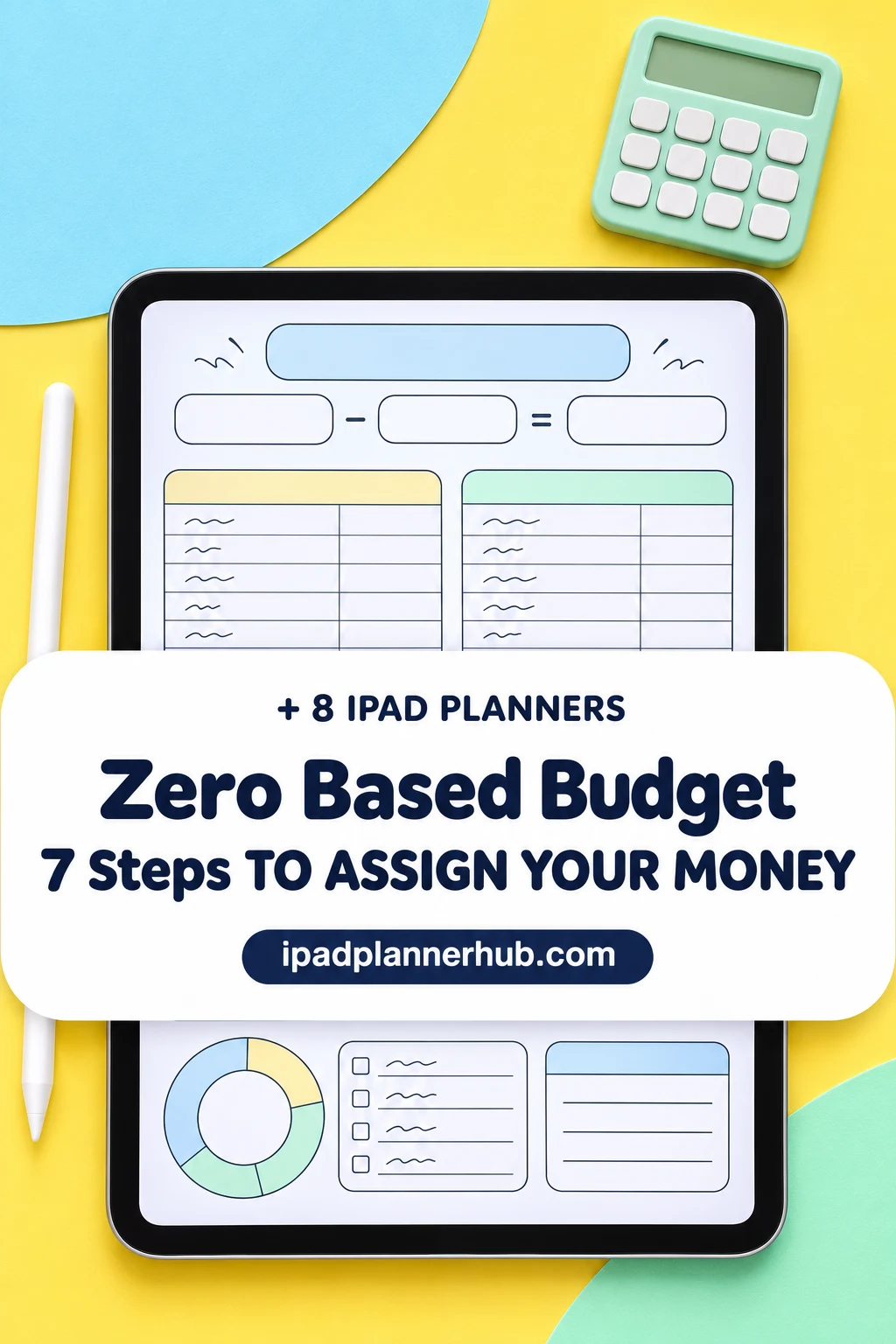
Below, I walk through seven steps using a fictional $2,400 income, then compare eight iPad tools for keeping the plan and its supporting records. You can follow the method on a blank note page first. Buying a planner is optional, and none of these files is presented as an automatic budgeting app.
What the zero actually means
The target is income minus all planned assignments equals zero. Assignments include spending, savings, future costs and any buffer you choose to keep. The target of zero means no money in this plan is still waiting for a job; it does not tell you to empty your bank account. Ramsey’s explanation of zero-based budgeting makes that distinction.
The practical foundation is ordinary budgeting: gather income and bills, write a plan, record spending and compare the result. Consumer.gov’s budget guide also includes savings among the amounts a budget can plan for. The worksheet and examples here are my own illustrations of that process, not recommended spending targets.
Build a zero based budget template in 7 steps
1. Set the period and income boundary
- 1Write the start date, end date and income total at the top. For this example, one month has $2,400 available to assign. Keep an expected payment separate from money actually received so the plan does not imply that tomorrow’s deposit can pay today’s bill.
- 2Record the source, amount and expected or received date.
- 3If you include existing cash, identify only the amount available for this period; leave already committed money out.
- 4Check bill dates separately from the monthly total. A balanced month can still have a timing gap.
2. Give obligations their own rows
- 1Use recent bills and actual spending records to choose categories. Separate rent, utilities, insurance and required payments from flexible everyday spending. A useful category is specific enough that you know which transaction belongs there.
- 2Begin with the amount due and its date, rather than guessing a rounded total for all bills.
- 3Use one food category at first, or separate groceries and eating out if that helps you make decisions.
- 4Keep a notes column for amounts that are estimates.
3. Name savings, future costs and the buffer
- 1Money reserved for a later purpose still has a job. In the sample, savings gets $200, irregular costs gets $180 and a buffer gets $100. Those are illustrative choices, not percentages you need to copy.
- 2Describe the purpose of each reserved amount.
- 3Keep the buffer visible as an assignment rather than treating it as unexplained leftover money.
- 4Distinguish setting money aside from spending it later, so the same amount is not counted twice.
4. Calculate the unassigned amount
- 1Add all planned assignments and subtract that total from the income for the period. If $2,250 has jobs out of $2,400, the unassigned amount is $150. The worksheet needs one more decision, even if the bank balance looks comfortable.
- 2Positive result: choose a purpose for the remainder.
- 3Negative result: the plan assigns more than the available total.
- 4Zero result: every dollar in this plan has an assignment; actual spending still needs tracking.
5. Revise the plan until the difference is zero
- 1Change the flexible rows until the total fits. Do not erase a known bill just to make the equation look right. If necessary expenses exceed available income, the problem needs practical support or a different plan, not prettier categories.
- 2Make each adjustment explicit: which category changes, by how much and why?
- 3Recalculate after every revision.
- 4Keep the original plan legible so you can learn from the difference later.
6. Record transactions and reassign deliberately
- 1Use a separate log for the date, category and actual amount. Suppose food needs $30 more than planned: moving $30 from personal spending changes those two allocations without changing the total income. Check that the category you reduce can genuinely spare the amount.
- 2Food plan: $350 becomes $380.
- 3Personal plan: $100 becomes $70.
- 4Total assignments remain $2,400; record the reason for the transfer.
7. Reconcile before starting the next period
- 1Compare your recorded transactions with the relevant account or cash records, then total actual amounts by category. Review discrepancies and decide what happens to unused allocations. A category balance is not automatically unassigned cash for the next month.
- 2Mark missing or duplicate entries and correct the log.
- 3Write whether an unused amount stays reserved or receives a new job.
- 4Use the corrected totals when planning the next period.
A complete $2,400 zero-based budgeting example
This is a fictional allocation for demonstrating the arithmetic. The amounts are not an affordability test or a recommendation for your household. Copy the structure and replace the categories and amounts with your own records.
| Assignment | Planned amount | Purpose |
|---|---|---|
| Housing | $900 | Rent or housing payment |
| Utilities | $180 | Household bills |
| Food | $350 | Planned food spending |
| Transport | $160 | Travel costs |
| Insurance | $110 | Premiums due |
| Minimum payments | $120 | Required debt payments |
| Savings | $200 | A chosen savings goal |
| Irregular costs | $180 | Reserved for planned future bills |
| Personal | $100 | Flexible personal spending |
| Buffer | $100 | A named reserve in this plan |
| Total assigned | $2,400 | $2,400 income minus $2,400 assignments = $0 unassigned |
The $200 savings entry and $100 buffer can remain in an account while still being assigned. Writing either amount in the planner does not move it. Keep transfers, card purchases and later card payments consistent in your records so the same purchase does not inflate spending twice.
8 iPad planners for the plan and its supporting records
These choices are based on Creative Fabrica descriptions and gallery previews, rather than hands-on testing of the files, links or calculations. The first group supports the budget itself, the second adds wider records, and the last two keep finance pages within a life planner. A compatible PDF annotation app is separate from the file.
TL;DR: Start with the seven steps and worked example. The eight digital tools offer manual budget pages or supporting records; add your own unassigned-money calculation.
Quick Picks
- Best for allocation and review: Digital Budget Planner, Financial Planner
- Best for separate income records: Budget Digital Planner Hyperlinked Tabs
- Best for spare worksheet space: Black & Gold Budget Planner
- Best for spending summaries: Undated Budget Planner for GoodNotes
- Best for wider financial context: Digital Budget Planner, Finance Tracker
- Best for supporting savings records: Simple Savings Planner, Digital Planner
- Digital Budget Planner, Financial Planner – Best for allocation and review
- Budget Digital Planner Hyperlinked Tabs – Best for separate income records
- Black & Gold Budget Planner – Best for spare worksheet space
- Undated Budget Planner for GoodNotes – Best for spending summaries
- Digital Budget Planner, Finance Tracker – Best for wider financial context
- Simple Savings Planner, Digital Planner – Best for supporting savings records
- All-in-One Digital Planner ( 112 Pages ) – Best for a landscape life planner
- Undated Digital Planner, Life Planner – Best for separate revenue and expenses
Build and review the allocation
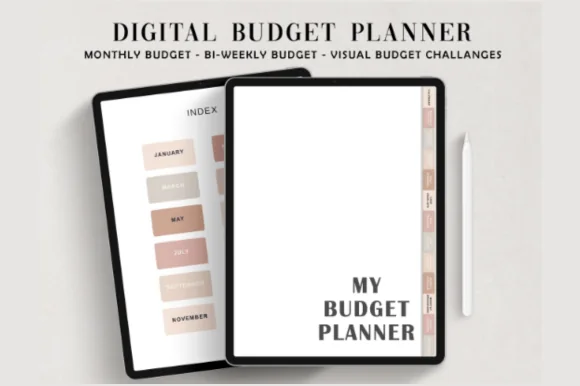
Best for allocation and review
1. Digital Budget Planner, Financial Planner
Orientation: PortraitLayouts: Monthly budget, spending log, breakdown
Best for: building a monthly plan beside a separate spending log. Designed by ThePlannersDelight.
- Monthly and biweekly budget layouts with budget and actual columns
- Sinking funds, daily spending log and monthly budget breakdown
- Hyperlinked PDF for GoodNotes, Noteshelf or Notability
- For this PDF, the seller specifies an Apple tablet and a writable stylus such as Apple Pencil. The apps, tablet and stylus are not included.
The paired budget and actual columns make this my first choice for the full workflow. A separate daily spending log keeps the initial allocation distinct from transactions, while the sinking funds page holds future costs. Add your own unassigned-money calculation; the planner does not promise a zero-based formula.
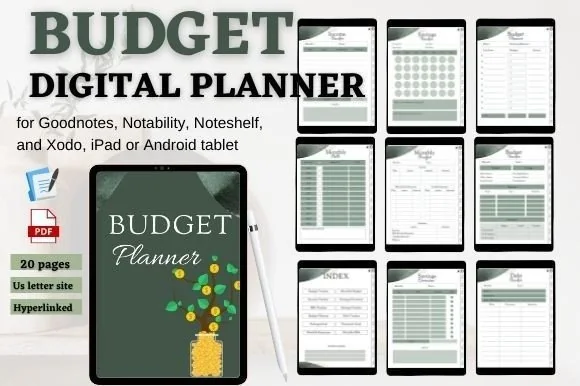
Best for separate income records
2. Budget Digital Planner Hyperlinked Tabs
Orientation: PortraitLayouts: Income, budget, bills and notes
Best for: keeping income, budget categories and bills in distinct sections. Designed by mixxdigitaldesign.
- 20-page digital PDF with hyperlinked tabs
- Monthly Budget, Income Tracker and Budget Planner pages
- Savings Overview, Monthly Bills, Notes and extra pages
The green tabbed layout separates the source of the money from its planned uses. That is useful if you want to check the income total before allocating it, rather than folding receipts and expenses into one running list. Notes and extra pages give you room to write the zero-based equation. The ready-made fields are general budgeting fields, so you still choose the assignments.
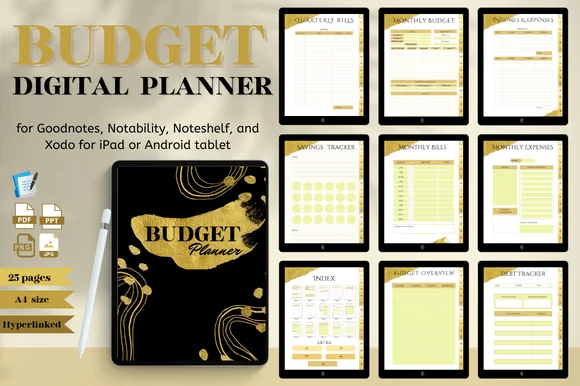
Best for spare worksheet space
3. Black & Gold Budget Planner
Orientation: PortraitLayouts: Budget overview and extra notes
Best for: adding a personal allocation check beside the existing budget. Designed by Nann Digital Art.
- 25-page A4 digital planner for GoodNotes, Notability, Noteshelf or Xodo
- Monthly Budget, Incomes & Expenses and Budget Overview
- Five extra pages with note layouts shown in the gallery
The black and gold design offers extra note pages alongside the budget layouts. Label one with income, assignments and unassigned money, then use the existing budget pages for category detail. Those spare layouts give you room to build a summary, but there is no dedicated zero-based worksheet or promised automatic arithmetic.

Best for spending summaries
4. Undated Budget Planner for GoodNotes
Orientation: PortraitLayouts: Spending summary and annual overview
Best for: reviewing spending patterns alongside a monthly plan. Designed by Perla Designs.
- Hyperlinked PDF for GoodNotes
- 30 pages advertised in the gallery
- Yearly Overview, Spending Summary and Monthly Spending layouts
The rose binder design pairs a monthly budget with a spending summary and annual overview. Keep the starting allocation in the monthly budget section, then use the summary to identify categories that need a different amount next period. Entries and calculations are manual; the short product description gives little guidance beyond PDF format and hyperlinks.
Keep supporting records

Best for wider financial context
5. Digital Budget Planner, Finance Tracker
Orientation: PortraitLayouts: Spending, savings and bill records
Best for: keeping a budget beside other household finance records. Designed by PlannersByBee.
- GoodNotes financial planning workbook
- Gallery shows Spending Planner and Savings Overview
- Annual Bill Tracker and other financial worksheets visible in preview
A spending planner, savings overview and bill tracker put wider commitments beside the monthly plan. That makes this a useful companion when you need to check upcoming costs before assigning money. Only one gallery image is available, so the individual layouts are harder to assess than those in the other budget planners. Do not rely on calculator-like page names as a promise of automatic calculations.
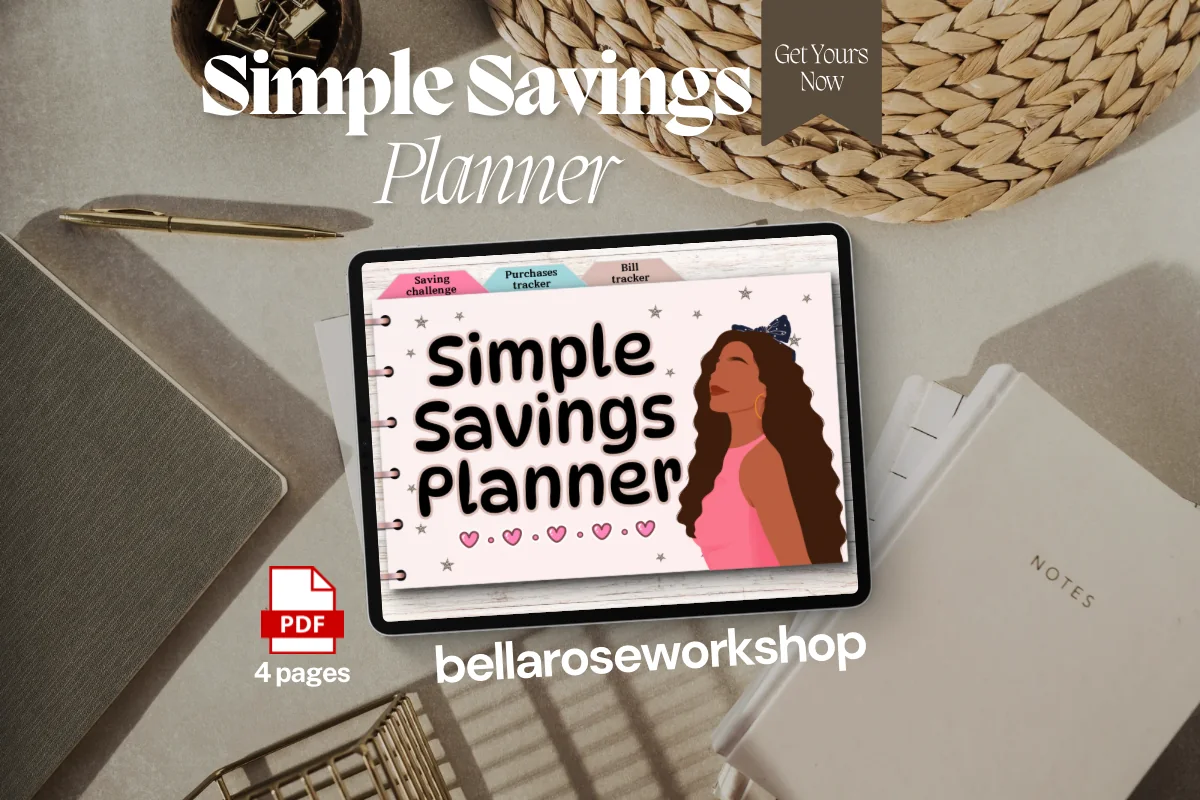
Best for supporting savings records
6. Simple Savings Planner, Digital Planner
Orientation: LandscapeLayouts: Savings, purchases and bills
Best for: recording the savings assignment after making the main budget. Designed by bellaROSEworkshop.
- Hyperlinked PDF for GoodNotes or Notability
- Saving Challenge with month, date, deposit, balance and notes
- Purchases Tracker and Bill Tracker; four pages advertised
Use this small four-page planner to follow through on a savings assignment made in your main budget. The saving challenge records deposits and balances, while the bill tracker keeps upcoming payments nearby. It suits a reader who already keeps the allocation elsewhere; it does not replace the category-by-category plan in the worked example.
Put the budget inside a life planner
Best for a landscape life planner
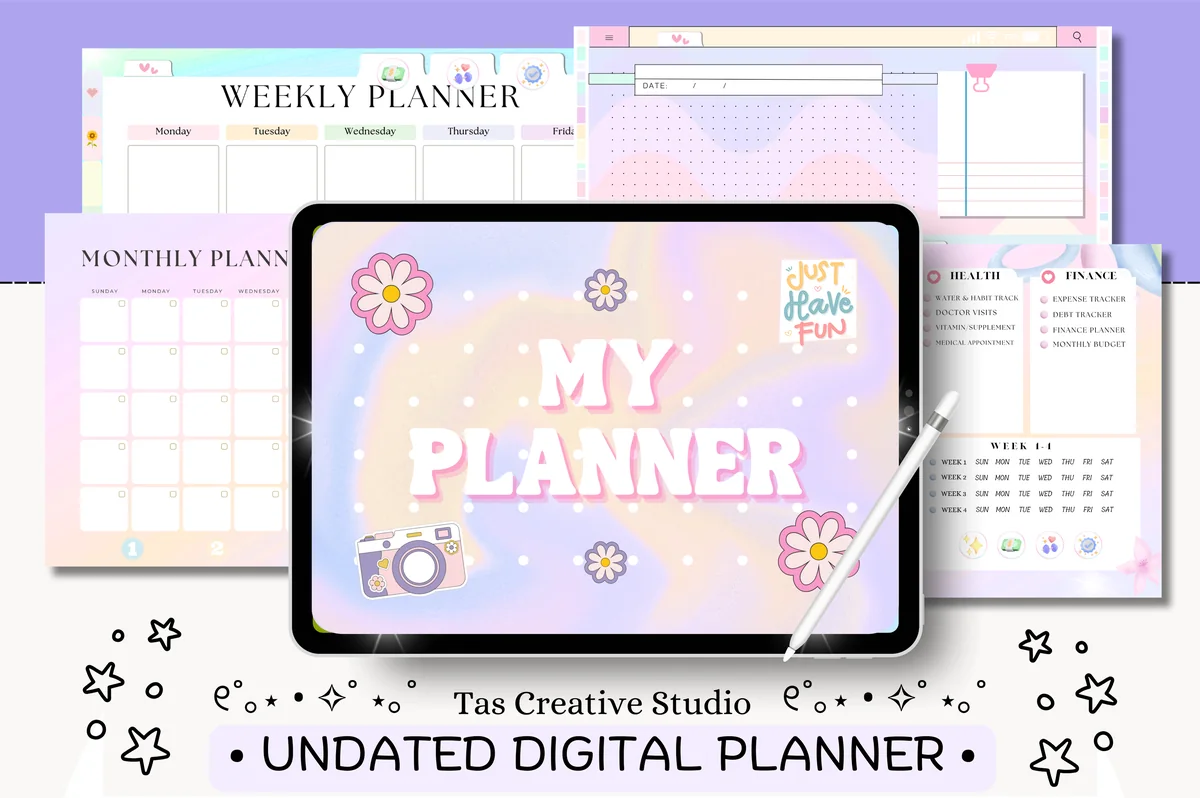
7. All-in-One Digital Planner ( 112 Pages )
Orientation: LandscapeLayouts: Monthly budget and finance recordsDates: Undated
Best for: keeping the budget beside weekly plans and notes. Designed by Tas Creative Studio.
- Undated 112-page horizontal PDF
- Monthly Budget, Finance Tracker, savings and bills shown in gallery
- GoodNotes, Notability, Noteshelf and Xodo listed as compatible
The finance section is part of a broader planner with pastel colors and game-console illustrations. Choose it if the budget needs to sit beside the week's schedule, rather than in a separate finance-only file. The monthly budget and finance tracker are visible in the gallery. Add the unassigned-money summary on a note page; no purpose-built zero-based section is claimed.
Best for separate revenue and expenses
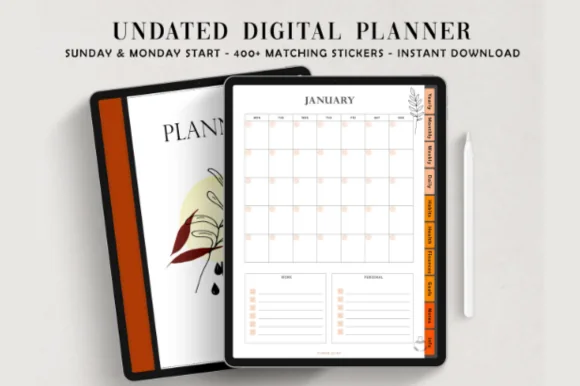
8. Undated Digital Planner, Life Planner
Orientation: PortraitLayouts: Budget, revenue and expensesDates: UndatedWeek start: Monday and Sunday versions
Best for: using a life planner with distinct money ledgers. Designed by ThePlannersDelight.
- Undated hyperlinked PDF for GoodNotes or Noteshelf
- Monthly Budget, Revenue Tracker and Expenses Tracker
- Monday-start and Sunday-start versions listed; note layouts shown
Autumn Hues uses warm orange tabs and keeps revenue and expense records separate. That separation fits the income-to-assignments check: total the received income, consult the budget, then log what actually happened. Notes can hold a handwritten unassigned balance. It is a general life planner, so your zero-based labels and arithmetic are added manually.
Quick Comparison
| Planner | Useful role | Relevant pages | Adaptation or limit |
|---|---|---|---|
| 1. Digital Budget Planner, Financial Planner | Monthly allocation | Budget, actual and spending records | Calculate the unassigned amount yourself |
| 2. Budget Digital Planner Hyperlinked Tabs | Income-to-budget cross-check | Income Tracker and Monthly Budget | General fields, manual calculations |
| 3. Black & Gold Budget Planner | Custom allocation worksheet | Monthly budget and extra notes | Write the zero-based summary yourself |
| 4. Undated Budget Planner for GoodNotes | Period-end review | Spending Summary and Yearly Overview | Sparse listing; manual entries |
| 5. Digital Budget Planner, Finance Tracker | Broader money records | Spending Planner and Annual Bill Tracker | One gallery image; no automation verified |
| 6. Simple Savings Planner, Digital Planner | Savings follow-through | Saving Challenge and Bill Tracker | Supporting record, not a full allocation plan |
| 7. All-in-One Digital Planner ( 112 Pages ) | Budget beside the weekly plan | Monthly Budget and Finance Tracker | Universal planner; custom summary needed |
| 8. Undated Digital Planner, Life Planner | Revenue and expense separation | Monthly Budget, Revenue and Expenses | Custom zero-based labels and arithmetic |
Choose between a PDF, spreadsheet and app
- PDF on iPad: useful if handwriting and a page you can mark up help you think. Enter amounts and do the arithmetic yourself unless a specific feature is verified.
- Excel or Google Sheets: consider a spreadsheet if editable formulas are the main requirement. It is a different format from the files compared here; check formulas and sharing settings before relying on a sheet.
- Budgeting app: investigate individual app features if transaction imports or automated category balances matter. A PDF’s hyperlinks navigate pages; they do not by themselves connect to your bank.
The main advantage of a manual worksheet is seeing each decision on the page. Its trade-off is the time needed for entries, arithmetic and corrections. Choose the format you can maintain, rather than expecting a more decorative file to solve an income shortfall.
Zero-based budgeting advantages and disadvantages
The pros become visible when two priorities compete for the same money: you can see what a larger grocery allocation takes away from another category. This budgeting method gives every dollar a job, including money you allocate toward an emergency fund. Keeping planned and actual numbers side by side helps you notice when the plan needs to change.
The disadvantage is the upkeep: the plan requires honest spending records and repeated decisions about what can move. A zero on the worksheet doesn’t guarantee control over payment timing or make an unrealistic estimate affordable. Use the seven-step review to adjust the plan as transactions arrive, rather than treating the first version as fixed.
Use received income when pay varies
For irregular income, keep expected earnings outside the amount available to assign, as in step one. If a side payment arrives later, add the received amount and give it jobs before increasing spending. Write down which bills it must cover before the next payment so a monthly total doesn’t hide a gap between paydays.
Couples can review the same category totals together before either partner changes an allocation. Agree which row will give up money when another needs more; managing a shared plan requires both people to record their spending. Keep the discussion about the remaining amounts and upcoming bills so the page helps you manage the next decision.
How does envelope budgeting fit this worksheet?
Envelope budgeting separates money by spending category; the zero-based check asks whether all available income has an assignment. You can use envelope categories as worksheet rows while keeping savings and future bills visible in the total. When one envelope needs more, record the matching reduction elsewhere, just as the food adjustment in step six shows.
Keep three checks beside the comparison table
- Allocation check: available income minus current assignments equals zero.
- Timing check: enough money is available when each payment falls due; the monthly equation alone does not prove that.
- Record check: actual transactions match your records, and reserved balances still have clear purposes.
A percentage framework answers a different question: how to divide income into broad shares. This workflow assigns individual amounts and checks the remainder. The 50/30/20 budget guide explains how those broad shares work.
FAQ: Zero-based budget questions
What is the zero-based budget format?
Use an income total, category assignments and a final unassigned amount. Add planned and actual columns plus a transaction log if you want to review the period. The example above shows one possible structure; the category names are yours to choose.
Does my bank balance have to reach zero?
No. Savings and a chosen buffer can have jobs while the money remains in an account. The zero belongs to the unassigned part of the budget, not necessarily the bank balance.
Is there a free way to try this before buying a PDF?
Yes. Draw income, assignment and unassigned-total fields on a blank page and use the steps above. The eight commercial planners offer reusable page layouts and supporting records; none is required for doing the exercise.
Do these planners include a zero-based budget calculator?
I have not verified automatic calculations in any of them. They are listed as digital planners or workbooks. Treat the amounts, category changes and final equation as manual work, even when a page uses calculator-like labels.
When should I get help with the budget?
This is general educational planning, not individual financial advice. If essential bills cannot be covered, debts are becoming unmanageable or you need advice on legal or tax obligations, seek an appropriately qualified professional or reputable nonprofit financial counselor. A template cannot create extra income or guarantee an outcome.
Start with one period you can explain
A useful zero based budget template lets you explain where the available money is assigned, which decisions changed and how the actual records compare. Start with the fictional example, replace every amount with your own and keep the final unassigned total separate from the bank balance.
You May Also Like
This article contains affiliate links. If you buy through them, I may earn a commission at no extra cost to you. Read the affiliate disclosure.