Open the GoodNotes library and most shelves look the same: a row of default covers in the same few colors, and you have to read every title to find the right notebook. GoodNotes covers fix that in a minute. A night-sky cover for the journal, a mustard one for work, florals for the planner, and suddenly you find things by color before you read a word.
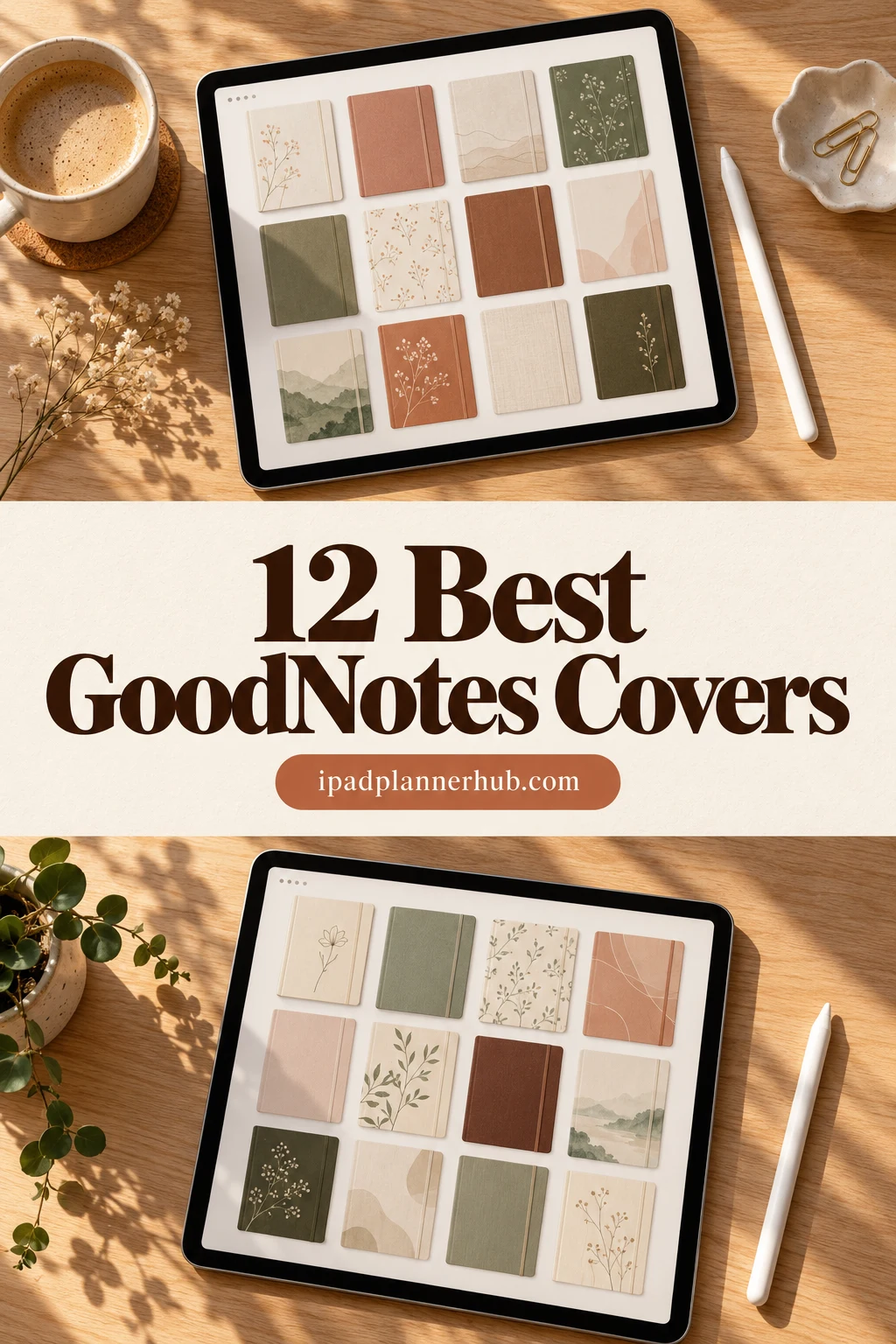
Below are 12 cover sets from Creative Fabrica that I’d put on my own iPad shelf: minimal and textured sets, illustrated and floral ones, and two hyperlinked notebooks that already come with their covers. Each card says how many covers you get, the file format and the page size. After the list: how to change a cover in GoodNotes, which cover size to use and a few ideas for organizing the shelf.
The 12 Best GoodNotes Covers I Found
I kept only sets made for note apps on iPad: PNG, JPG or PDF covers sized for a notebook page. Cover kits made for reselling, Canva templates, composition-notebook prints and sets with an old year on the cover are out. The list starts with minimal and textured covers, then illustrated ones, florals and, at the end, two notebooks with covers included.
TL;DR: 12 GoodNotes cover sets from Creative Fabrica: 5 minimal and textured, 3 illustrated, 2 floral and 2 hyperlinked notebooks that come with their own covers. Every card lists how many covers you get, the file format and the page size, so you can match the cover to your notebook before you buy.
Quick Picks
- Best overall: Starry Night GoodNotes Cover Templates
- Best for retro-modern: Goodnotes Covers – Mid Century Modern
- Best for big bundle: GoodNotes Covers
- Best for minimalist: Rose Gold GoodNotes Covers
- Best for with editable labels: Digital Notebook Retro Covers
- Best for solid colors: Digital Notebook Covers | Keep Going
- Starry Night GoodNotes Cover Templates – Best overall
- Goodnotes Covers – Mid Century Modern – Best retro-modern
- GoodNotes Covers – Best big bundle
- Rose Gold GoodNotes Covers – Best minimalist
- Digital Notebook Retro Covers – Best with editable labels
- Digital Notebook Covers | Keep Going – Best solid colors
- Digital Journal Covers – Best illustrated
- GoodNotes Planner Notebook Cat Cover – Best cute set
- Floral Design Goodnotes Notebook Covers – Best for landscape notebooks
- Bold Flower Digital Notebook Covers – Best for Letter and A4
- Digital Notebook Hyperlinked Goodnotes – Best notebook set
- Cute Hyperlinked Notebook – 5 Tab – Best tabbed notebook
Best overall
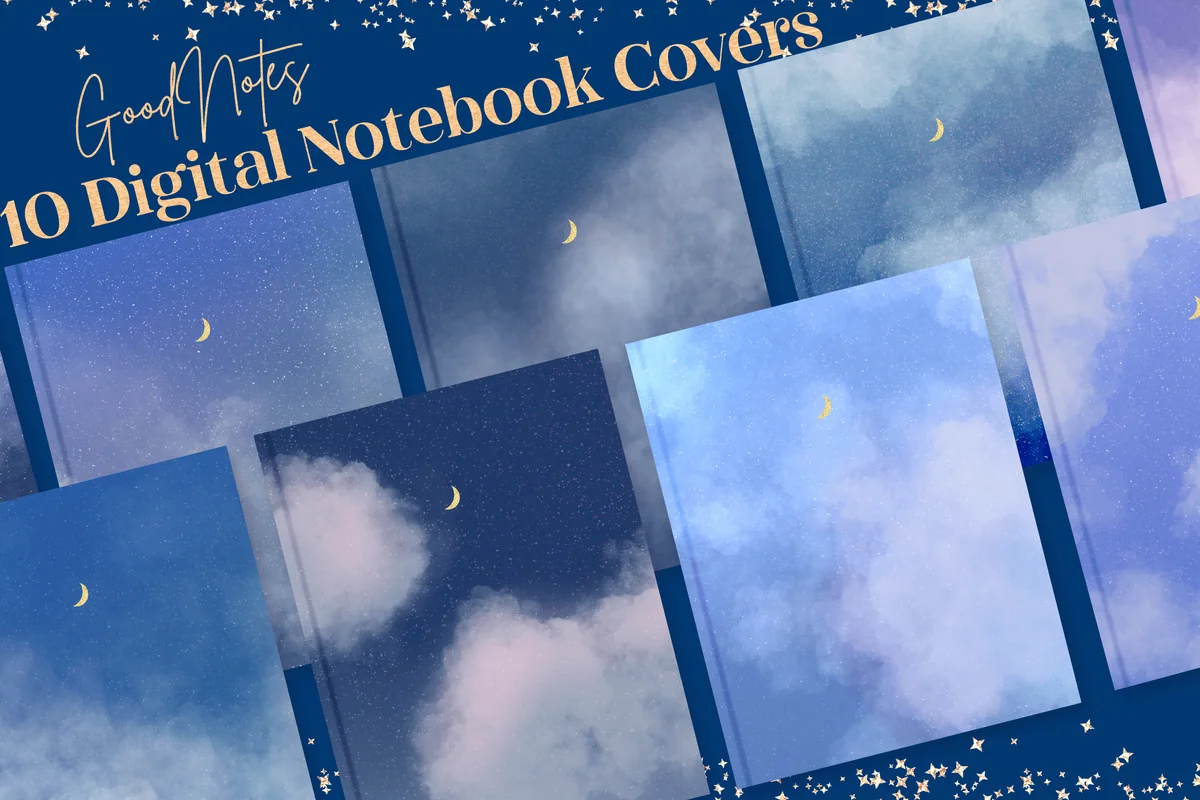
1. Starry Night GoodNotes Cover Templates
Orientation: PortraitLayouts: 10 coversFormat: PNG + PDF, 8.5 x 11 in (2550 x 3300 px)
Best for: night owls, dark mode fans, students. Designed by lilyuri0205.
- 10 starry night notebook covers
- PNG and PDF files, 8.5 x 11 inch (about 2550 x 3300 px)
- Step-by-step notes on adding covers to the GoodNotes template library
- The most saved cover set I found on Creative Fabrica, rated 5.0
This is the set I would start with: ten deep blue night-sky covers that look calm side by side on the GoodNotes shelf. Dark covers also make it easier to spot one notebook among many light ones.
Best retro-modern
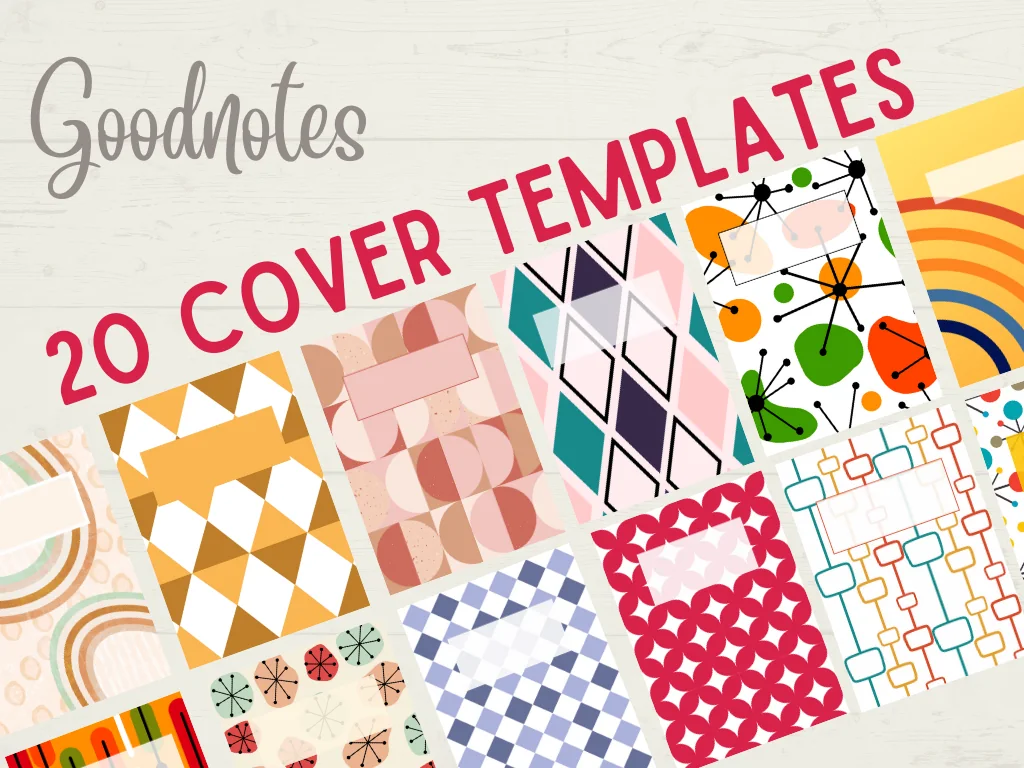
2. Goodnotes Covers – Mid Century Modern
Orientation: PortraitLayouts: 20 coversFormat: PNG, A4
Best for: design lovers, work notebooks, bold color fans. Designed by Quiet Deluxe Digital.
- 20 cover templates in mid-century modern style
- Geometric shapes, bold colors and clean lines
- A4 PNG files
- Visual installation instructions included
Twenty covers is enough for a whole shelf, and the geometric shapes keep them from looking childish. A good pick if your notebooks are for work and you still want them to look designed.
Best big bundle
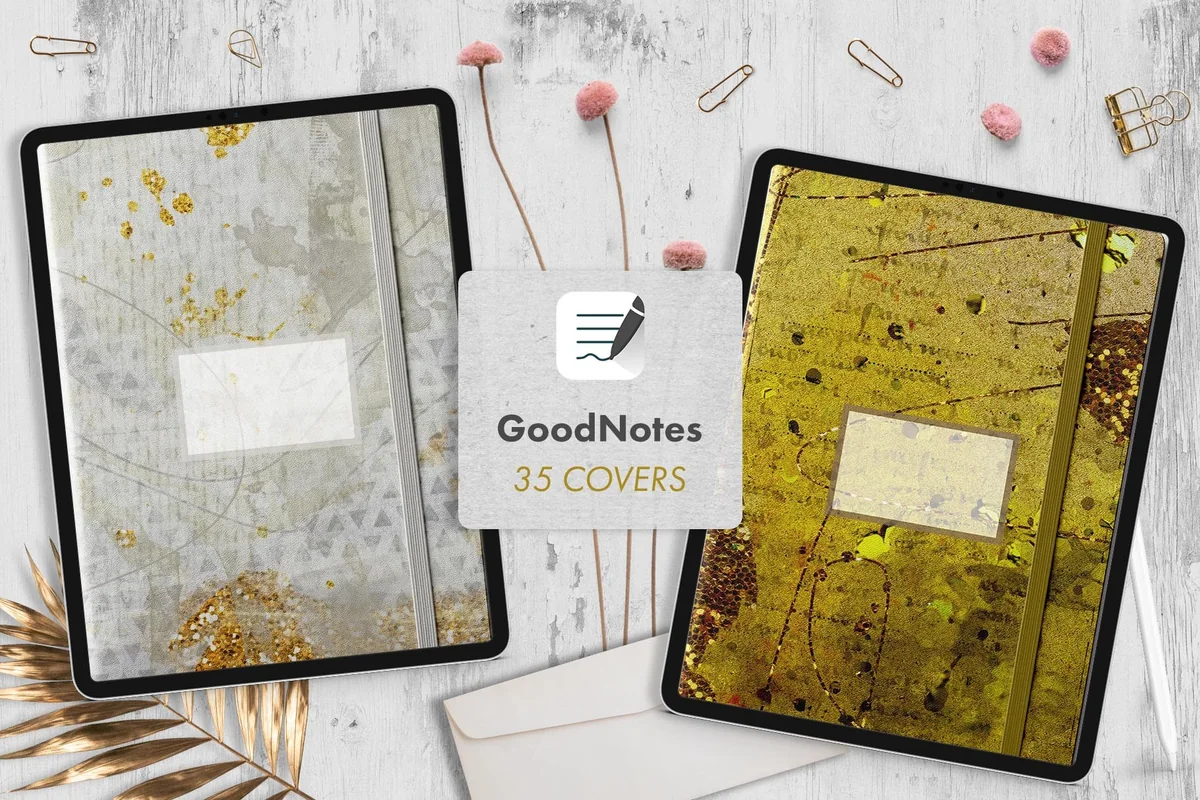
3. GoodNotes Covers
Orientation: PortraitLayouts: 35 covers with an elastic band lookFormat: JPG, A4 (GoodNotes A4 portrait)
Best for: heavy note takers, students with many subjects, minimalists. Designed by Lu Otero.
- 35 covers with an elastic band detail
- Mix of patterns and plain or rich textures
- JPG files sized for the GoodNotes A4 portrait template
- Title them by hand with the Apple Pencil or with the GoodNotes Text tool
The elastic band makes these look like real notebooks on the shelf, and 35 covers means one per subject with plenty to spare. The quieter textures are easy to read titles on.
Best minimalist
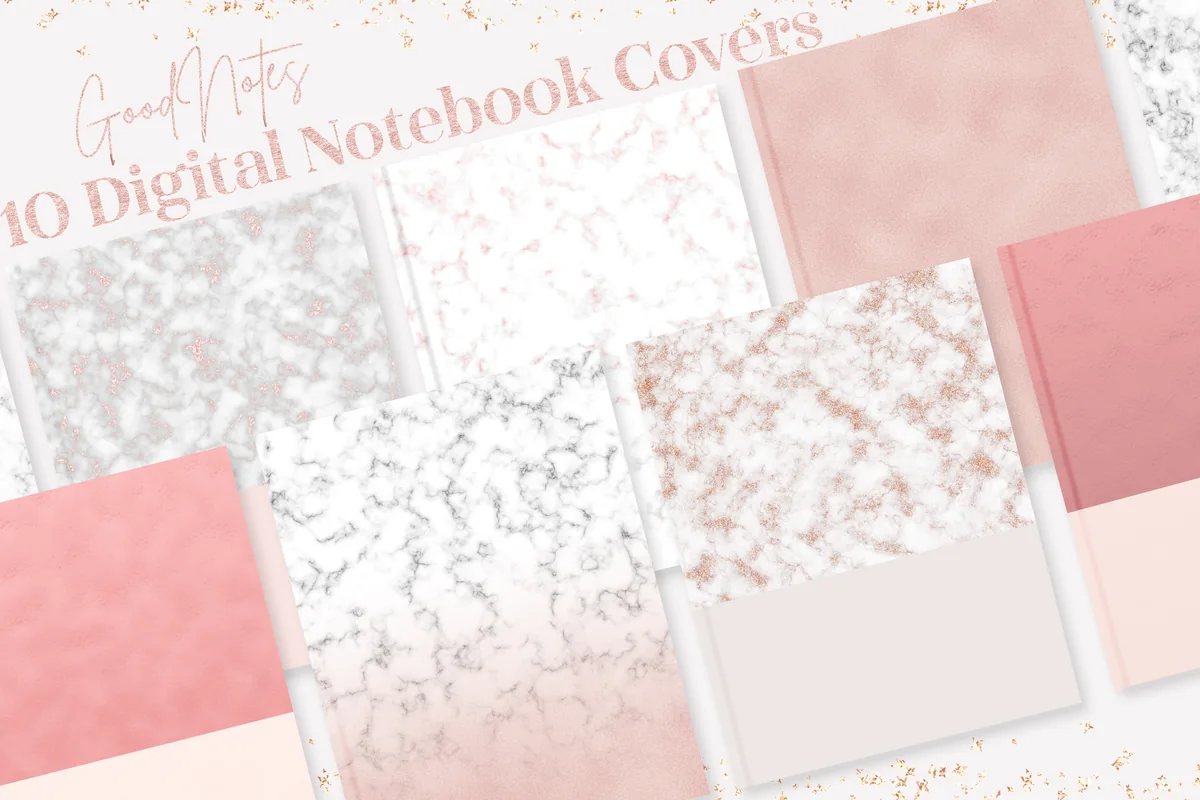
4. Rose Gold GoodNotes Covers
Orientation: PortraitLayouts: 10 coversFormat: PNG + PDF, 8.5 x 11 in (2550 x 3300 px)
Best for: minimalists, pastel lovers, journaling. Designed by lilyuri0205.
- 10 minimalist rose gold covers
- PNG and PDF files, 8.5 x 11 inch
- Instructions for adding covers to the GoodNotes template library
- Same designer as the Starry Night set, so the two sets mix well
Pale backgrounds with rose gold details: simple enough for any notebook, and the title you write on top stays readable. If Starry Night is too dark for you, this is its light opposite.
Best with editable labels
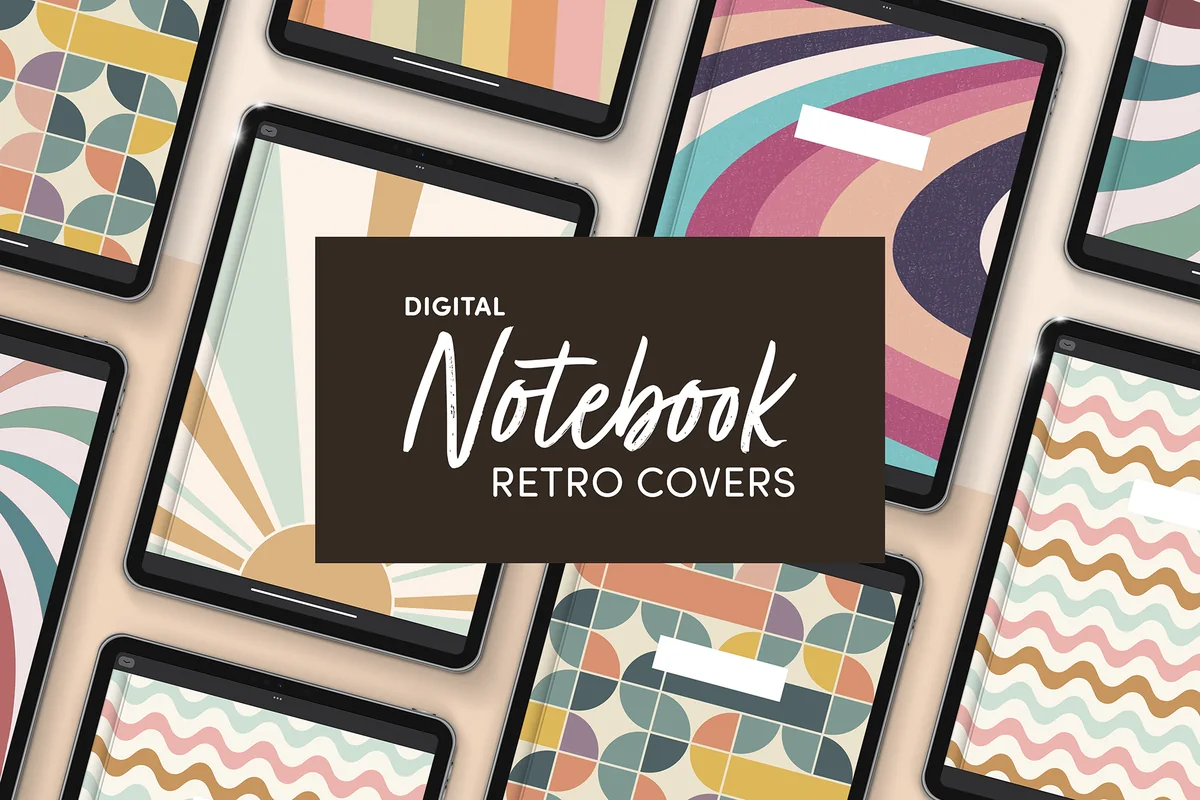
5. Digital Notebook Retro Covers
Orientation: PortraitLayouts: 6 retro covers with an editable labelFormat: PNG + PDF, 8.5 x 11 in, 300 dpi
Best for: organized note takers, retro fans, work notebooks. Designed by catsquills.
- 6 portrait covers in a retro style
- Editable label for the notebook title
- PNG and PDF, 2550 x 3300 px (8.5 x 11 inch), 300 dpi
- Made for GoodNotes and Notability
The built-in label solves the biggest cover problem: where to write the title so it stays readable. Only six covers, so it suits a small set of notebooks rather than a whole library.
Best solid colors
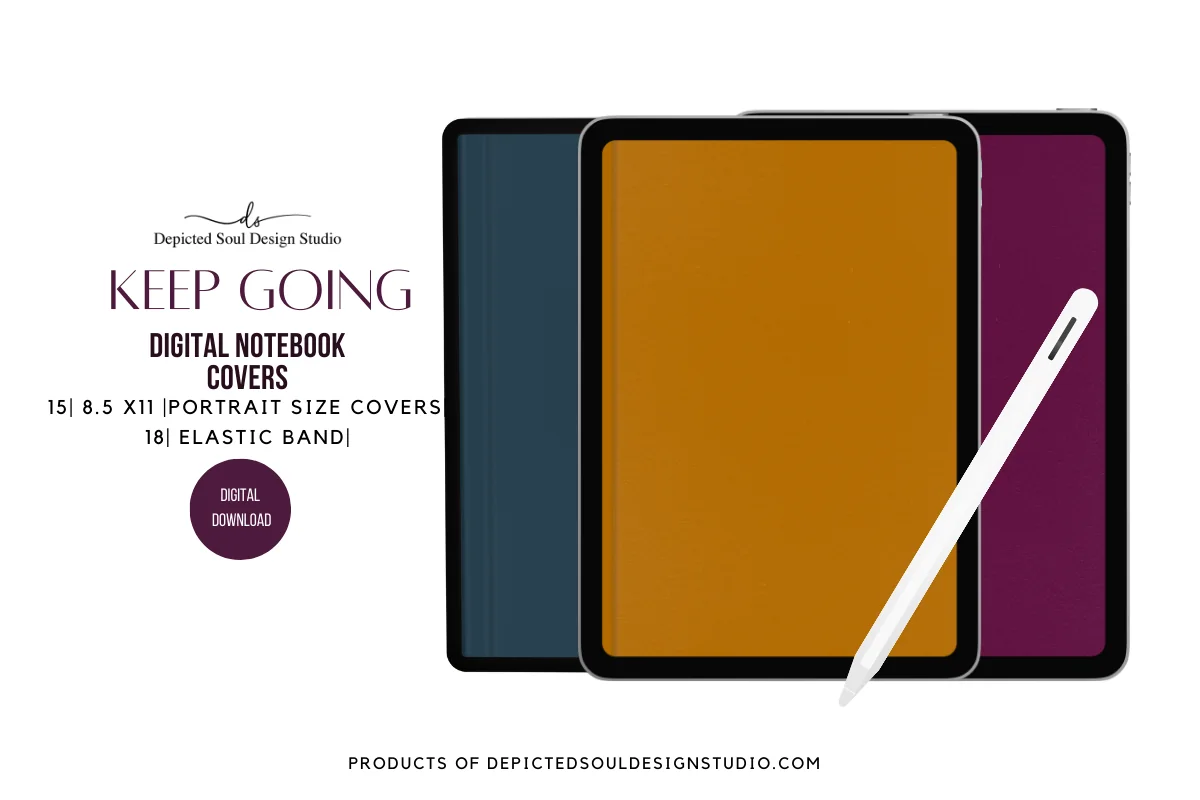
6. Digital Notebook Covers | Keep Going
Orientation: PortraitLayouts: 15 solid-color covers with an elastic bandFormat: PDF + PNG, 8.5 x 11 in
Best for: minimalists, work notebooks, color coders. Designed by Cre8nue Design Studio.
- 15 portrait covers in deep solid colors (the preview shows teal, mustard, plum)
- Elastic band detail
- 8.5 x 11 inch, delivered as a PDF and as individual PNG files
- Instructions: paste the cover as the first page and it becomes the thumbnail
Solid colors are the easiest way to color-code a shelf: one color per subject or area of life, with a title in white on top. The paste-as-first-page method works in GoodNotes and most other note apps.
Best illustrated
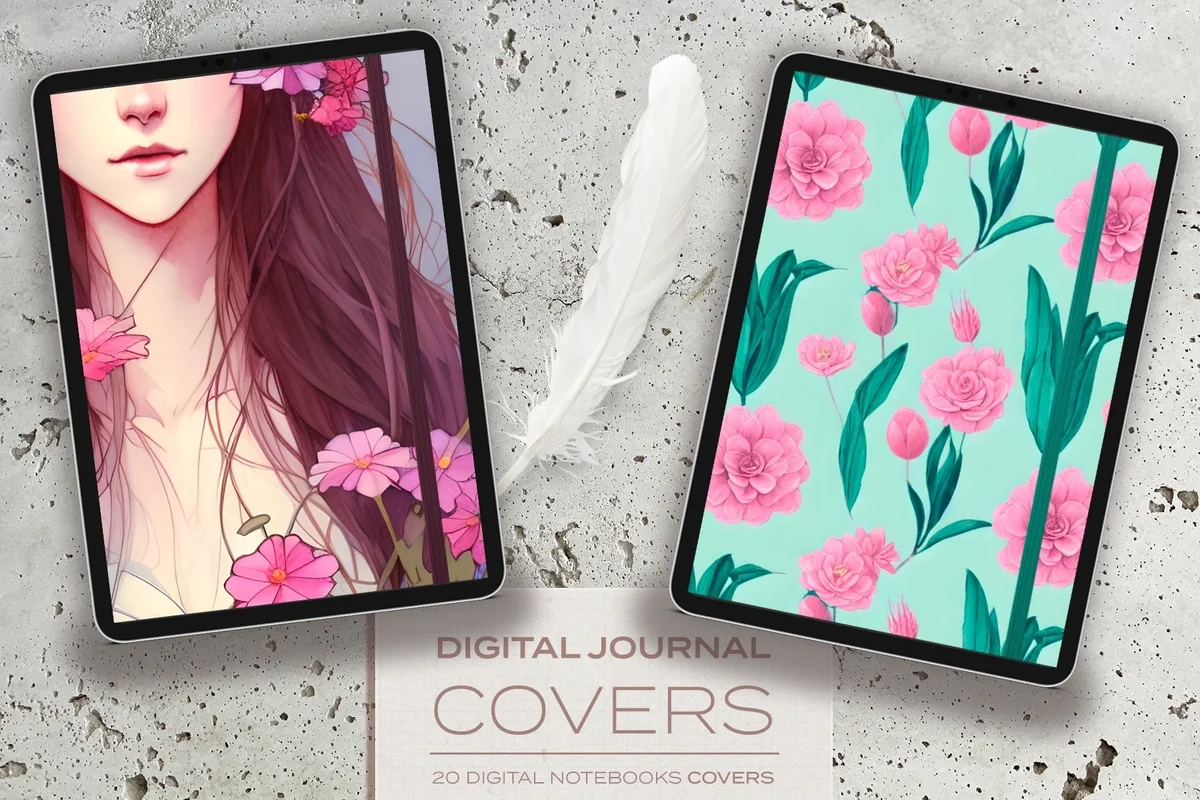
7. Digital Journal Covers
Orientation: PortraitLayouts: 20 illustrated covers + 2 title labelsFormat: JPG, A4 (GoodNotes A4 portrait)
Best for: journaling, creative notebooks, nature lovers. Designed by Lu Otero.
- 20 illustrated covers: women, flowers, mushrooms, forests and magical scenes
- Elastic band detail like the bigger GoodNotes Covers set
- 2 PNG title labels, one opaque and one semi-transparent
- JPG files sized for GoodNotes A4 portrait
These feel more like book covers than notebook covers, which suits a journal or a reading log. The semi-transparent label is a nice touch: the title sits on top without hiding the drawing.
Best cute set
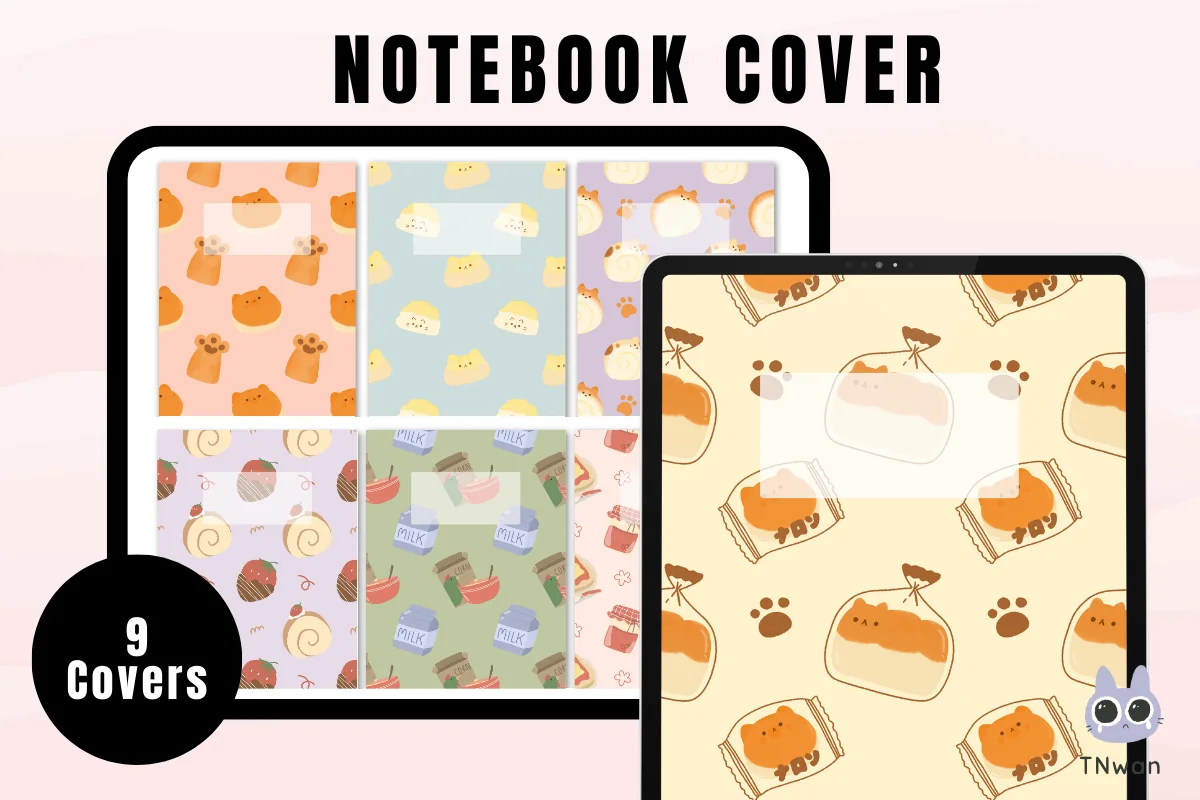
8. GoodNotes Planner Notebook Cat Cover
Orientation: PortraitLayouts: 12 PNG files (9 cover designs in the preview)Format: PNG, 8.5 x 11 in (2550 x 3300 px)
Best for: cat lovers, cute style fans, students. Designed by TNwan.
- Cute cat pattern covers with a blank title box
- 12 PNG files; the preview shows 9 cover designs
- 8.5 x 11 inch (about 2550 x 3300 px)
- Short guide: create a notebook, tap the cover, import from Files
Cute without being childish: soft pastel backgrounds with little cats and a blank box for the title. A practical size for a planner plus a few subject notebooks.
Best for landscape notebooks
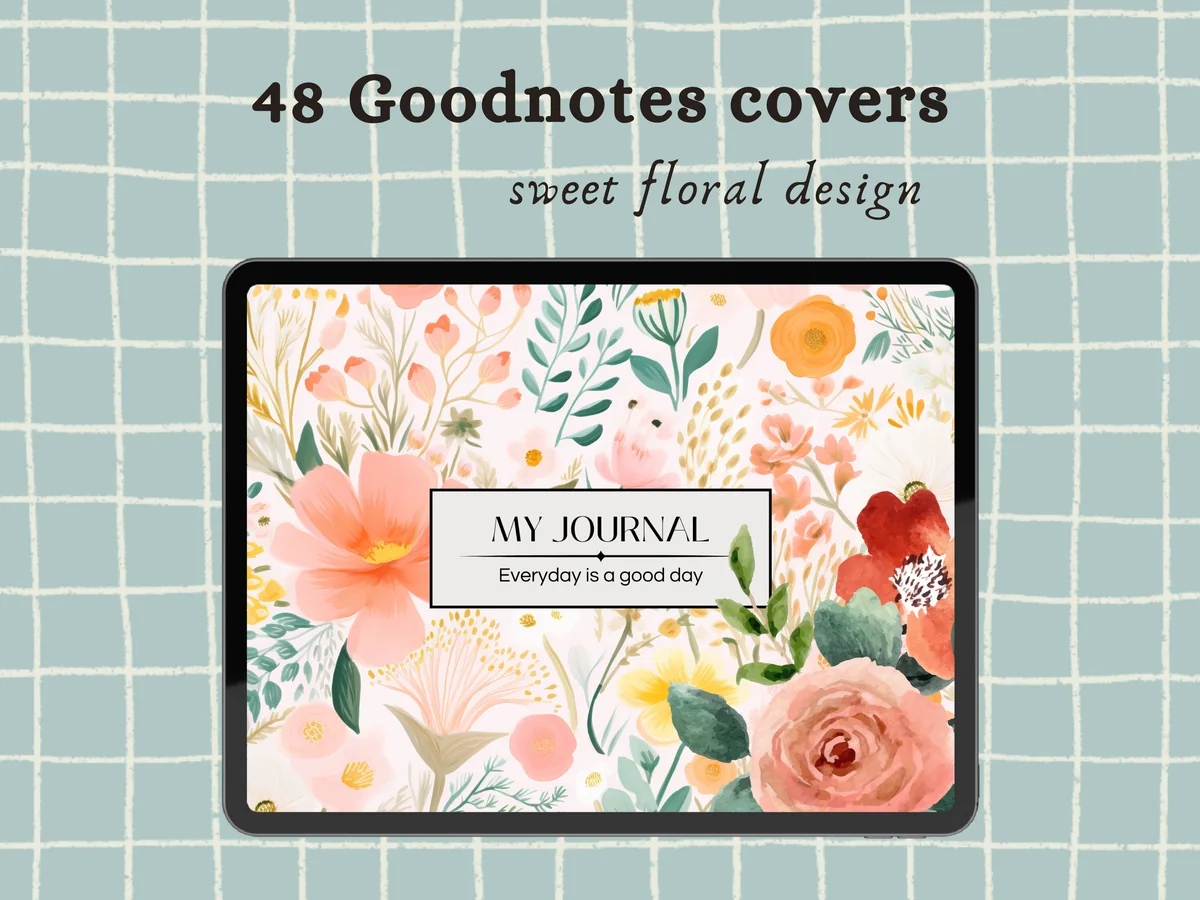
9. Floral Design Goodnotes Notebook Covers
Orientation: Portrait + landscapeLayouts: 48 floral coversFormat: PNG
Best for: floral lovers, landscape planner users, journaling. Designed by Petit Creation Lab.
- 48 floral covers for planners and notebooks
- Both vertical and horizontal versions
- PNG files, delivered as a PDF with a link to the zip files
- Rated 5.0 and one of the newer sets in this list
Most cover sets are portrait only, so this is the one I'd pick for a landscape planner. Forty-eight covers is a lot of florals; you can keep one style across every notebook and planner you have.
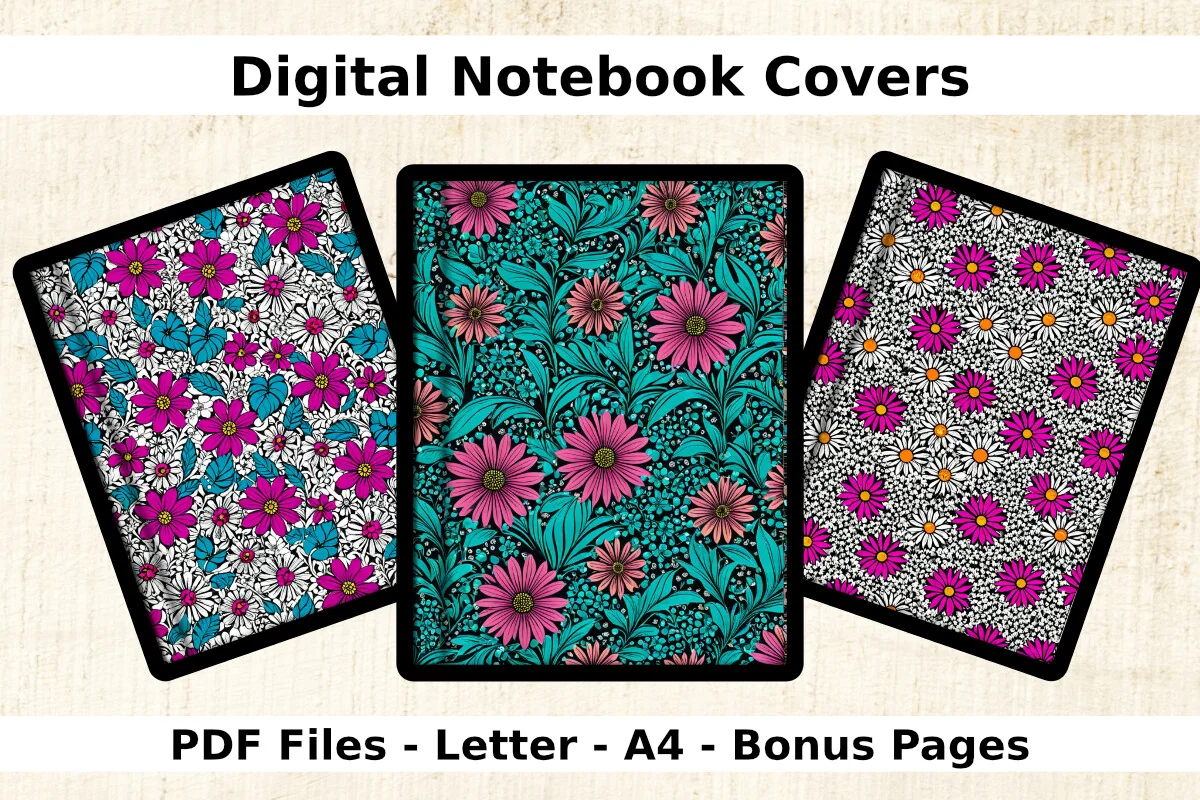
Best for Letter and A4
10. Bold Flower Digital Notebook Covers
Orientation: PortraitLayouts: 8 covers + 5 bonus pagesFormat: PDF, Letter and A4, 300 dpi
Best for: floral lovers, A4 note takers, Letter note takers. Designed by Crafty Kiara.
- 8 portrait covers with bold flowers
- Every cover in both Letter and A4 sizes
- 5 bonus pages
- PDF, 300 dpi
Having both Letter and A4 versions removes the most common cover headache: a cover that does not match the paper size of your notebook. Big, bright flowers that read well even as a small thumbnail.
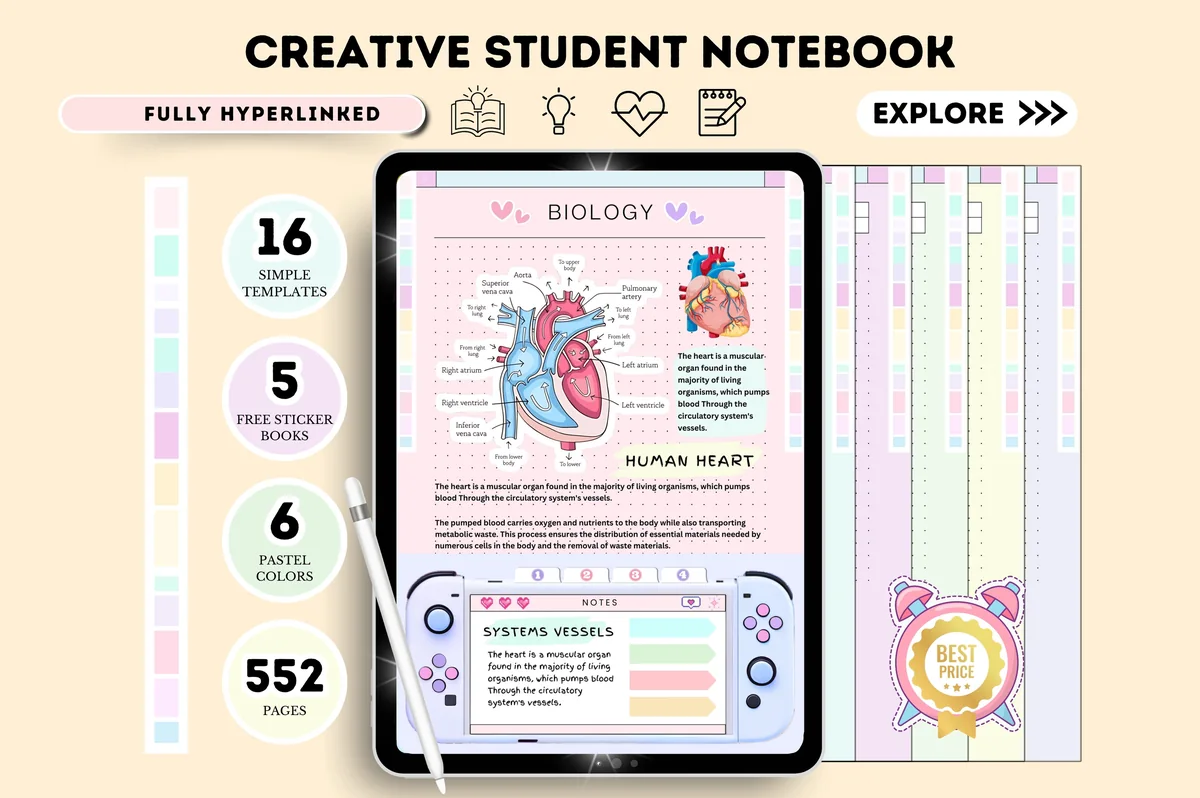
Best notebook set
11. Digital Notebook Hyperlinked Goodnotes
Layouts: 6 pastel notebooks, 16 page templates, 552 pagesDates: Undated
Best for: beginners, pastel lovers, students. Designed by Tas Creative Studio.
- 6 undated pastel notebooks in 6 colors, each with its own cover
- 16 page templates and 552 pages in total (from the preview)
- Hyperlinked for GoodNotes
- Bonus sticker book in soft blue and pink
Not a cover set but a full student notebook, and the most saved product in my search by far. Its rating is 3.0 from two reviews, so look through the preview pages first; if you want notebooks rather than covers, it is the simplest start.
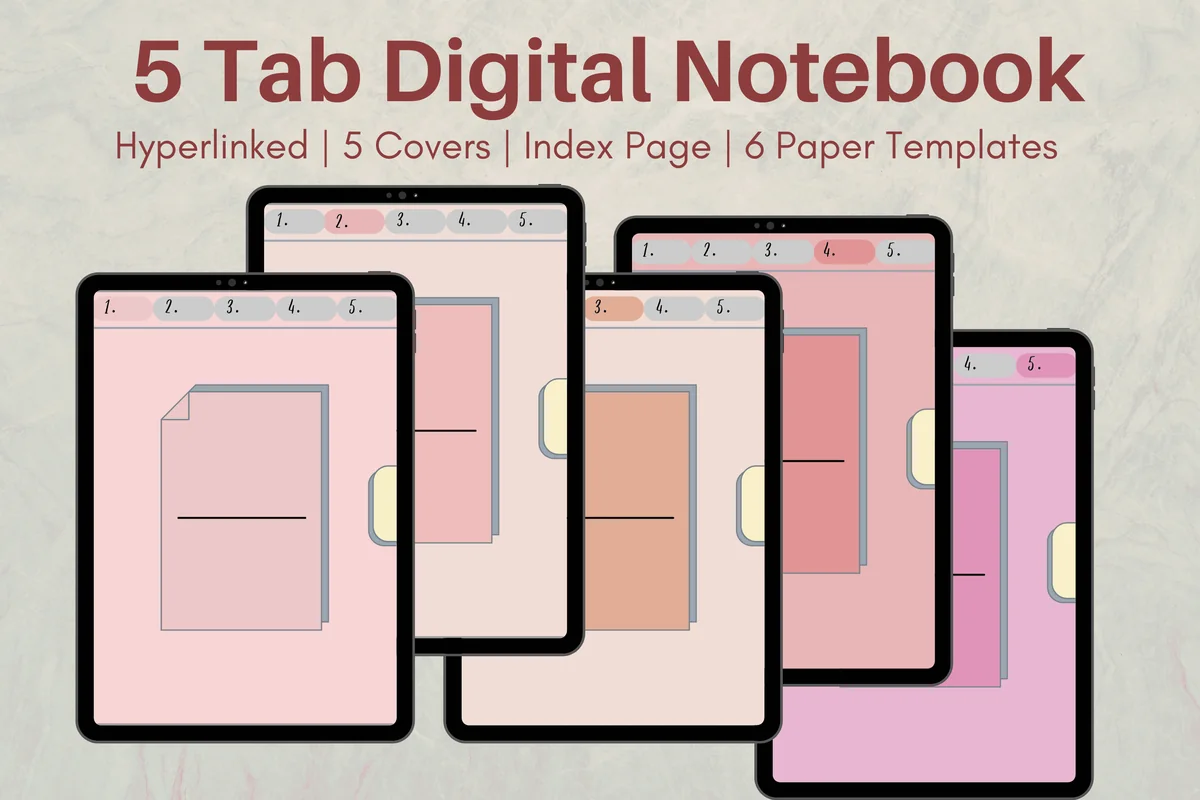
Best tabbed notebook
12. Cute Hyperlinked Notebook – 5 Tab
Orientation: PortraitLayouts: 5 covers, 6 paper templates, 5 dividersFormat: Hyperlinked PDF
Best for: students, multi-subject note takers, cute style fans. Designed by Melissam Illustration.
- 5 tabbed, hyperlinked sections with subject dividers
- 5 covers and 6 paper templates
- Index page to note each subject
- Works in GoodNotes, Notability, Noteshelf and Xodo
Instead of five separate notebooks with five covers, this keeps every subject in one file behind tabs. A practical choice for a semester; the covers come with it, so there is nothing extra to match.
Quick Comparison
| Cover set | Style | What you get | Size / format |
|---|---|---|---|
| 1. Starry Night GoodNotes Cover Templates | Night sky | 10 covers | PNG + PDF, Letter |
| 2. Goodnotes Covers – Mid Century Modern | Mid-century geometric | 20 covers | PNG, A4 |
| 3. GoodNotes Covers | Textured, elastic band | 35 covers | JPG, A4 |
| 4. Rose Gold GoodNotes Covers | Minimal rose gold | 10 covers | PNG + PDF, Letter |
| 5. Digital Notebook Retro Covers | Retro | 6 covers + label | PNG + PDF, Letter |
| 6. Digital Notebook Covers | Keep Going | Solid colors, elastic band | 15 covers | PDF + PNG, Letter |
| 7. Digital Journal Covers | Illustrated, magical | 20 covers + 2 labels | JPG, A4 |
| 8. GoodNotes Planner Notebook Cat Cover | Cute cats | 12 PNG files | PNG, Letter |
| 9. Floral Design Goodnotes Notebook Covers | Floral | 48 covers | PNG, portrait + landscape |
| 10. Bold Flower Digital Notebook Covers | Bold floral | 8 covers + 5 pages | PDF, Letter + A4 |
| 11. Digital Notebook Hyperlinked Goodnotes | Pastel student notebooks | 6 notebooks, 552 pages | Hyperlinked PDF |
| 12. Cute Hyperlinked Notebook – 5 Tab | Cute tabbed | 5 sections, 5 covers | Hyperlinked PDF |
How to Change a Notebook Cover in GoodNotes
There are three ways to put a new cover on a notebook. Menu names move a little between GoodNotes versions, so if a button looks different on your iPad, GoodNotes’ own help article Change a notebook cover in Goodnotes has the current steps.
1. Pick the cover when you create a notebook
- Save the cover files (PNG, JPG or PDF) to the Files app on your iPad.
- In GoodNotes, create a new notebook.
- Tap the cover preview, then choose to import a cover from Files.
- Select your cover and create the notebook.
2. Save a set of covers to reuse
Several sellers in this list describe adding covers to the GoodNotes template library: open the settings for notebook templates, create a new cover group and import the files. After that, your covers appear next to the built-in ones every time you create a notebook, which is the easiest way to keep a matching shelf.
3. Paste the cover as the first page
For a notebook you already have, or for any other note app, import the cover as a page and move it to the very front. The first page becomes the thumbnail you see in the library. This is the method the Keep Going and some journal cover sets recommend, and it also works in Notability and Noteshelf.
GoodNotes Cover Size: Letter, A4 and Landscape
The single most useful thing to check before you buy GoodNotes covers is the size. A cover that matches the shape of your notebook pages fills the thumbnail neatly; a cover in a different shape may leave empty edges or get cropped. The sets above use three sizes:
- US Letter, 8.5 x 11 inches (2550 x 3300 px at 300 dpi): Starry Night, Rose Gold, Retro, Keep Going and the cat covers.
- A4 (2480 x 3508 px at 300 dpi): Mid Century Modern and both Lu Otero sets, which are sized for the GoodNotes A4 portrait template.
- Both Letter and A4: Bold Flower comes in two versions of every cover, so it fits either kind of notebook.
If you plan in landscape, look for sets with horizontal versions; in this list that is the Floral Design set with 48 covers. And if your notebook already has a cover you like, only the shape matters: the cover can be a different size as long as the proportions are close.
How to Choose GoodNotes Covers
- Number of covers. One per notebook you actually use, plus a few spare. A student with six subjects needs a different set than someone with a planner and a journal.
- A place for the title. Labels or a calm area on the cover keep the title readable. Retro covers have an editable label, the Lu Otero journal set comes with semi-transparent labels.
- Format. PNG and JPG import as images; PDF is handy when you paste the cover as the first page. Many sets include both.
- Style that ages well. Textures, solids and florals stay pleasant for years; very trendy designs are fun for a single notebook.
- Color coding. If you want to find notebooks by color, solid or two-tone sets work better than busy patterns.
Digital Notebook Covers vs Ready-Made Notebooks
A cover set changes how notebooks look, but the pages inside stay the same. A ready-made digital notebook, like the two at the end of the list, gives you covers, tabs, dividers and paper templates in one file. If you mostly take notes in plain lined notebooks, covers are enough. If you want subjects behind tabs or a structured student notebook, start with a notebook and add a cover set later. For the pages themselves, see my GoodNotes note templates.
GoodNotes Cover Ideas for an Organized Shelf
- One color per area of life: work in navy, health in green, money in mustard, journaling in plum.
- One style per year or semester: a new set every September or January makes old and current notebooks easy to tell apart.
- Folder covers as a set: GoodNotes groups notebooks into folders in the library, so give every notebook in one folder the same cover style, one color per notebook. A folder of class notes in one pattern and a folder of journals in another reads like a shelf at a glance.
- Dark covers for archives: finished notebooks get a dark cover, active ones stay light.
- Seasonal covers for the planner: swap the planner cover each season to make it feel new again.
- Match covers to your palette: if you use a fixed set of pen colors, pick covers in the same tones; my GoodNotes color palettes have hex codes to start from.
Are Free GoodNotes Covers Worth It?
GoodNotes has its own built-in covers, and you can find single free covers online. They are fine for one or two notebooks. A paid set makes sense when you want a matching shelf: the same style in 10 to 48 versions, the right size for your paper and labels for titles. Many Creative Fabrica products are also part of the All Access subscription, so check that before buying sets one by one.
FAQ
What size should a GoodNotes cover be?
Match it to the notebook paper. Letter-size notebooks use 8.5 x 11 inch covers (2550 x 3300 px at 300 dpi), A4 notebooks use A4 covers (2480 x 3508 px). Landscape notebooks need horizontal covers.
Can I change the cover of an existing GoodNotes notebook?
Yes. You can change it from the notebook options in the library or paste the new cover as the first page; the first page becomes the thumbnail in the library.
What file types work as GoodNotes covers?
PNG, JPG and PDF all work. Image files import as a cover image, and a PDF page can be pasted to the front of a notebook.
Do GoodNotes covers work in Notability and other apps?
Most sets in this list mention Notability, and the paste-as-first-page method works in any app that shows the first page as a thumbnail, such as Notability, Noteshelf and Xodo.
How do I add a title to a GoodNotes cover?
Write it with the Apple Pencil, use the Text tool, or place a label sticker on top. Some sets include editable labels or semi-transparent title labels.
Are digital notebook covers the same as a digital notebook?
No. A cover set only changes the front page. A digital notebook includes the inside pages too, often with tabs, dividers and paper templates.
Final Thoughts
Good GoodNotes covers do two jobs at once: they make the iPad shelf look like something you want to open, and they help you find the right notebook by color. Start with one set in the size of your paper, give each notebook its own cover, and add a second set when a new semester or year begins. For the inside of the notebook, see my GoodNotes stickers and note templates; for a notebook to write in every day, a ready-made GoodNotes journal; and if you are still choosing an app, GoodNotes vs Notability or all how-to guides.
You May Also Like
This post contains affiliate links. If you buy through them, I may earn a small commission at no extra cost to you. Learn more.