The sweater in your illustration is finished, but its flat color still looks like a cutout. A few repeats could help, until the tiny flowers turn into a busy blur. The right Procreate pattern brushes give that shape detail while leaving room for the rest of the drawing.
For a drawn seam along the edge of that fabric shape, compare Procreate stitch brushes. They address the stitched detail rather than the repeated fill inside the shape.
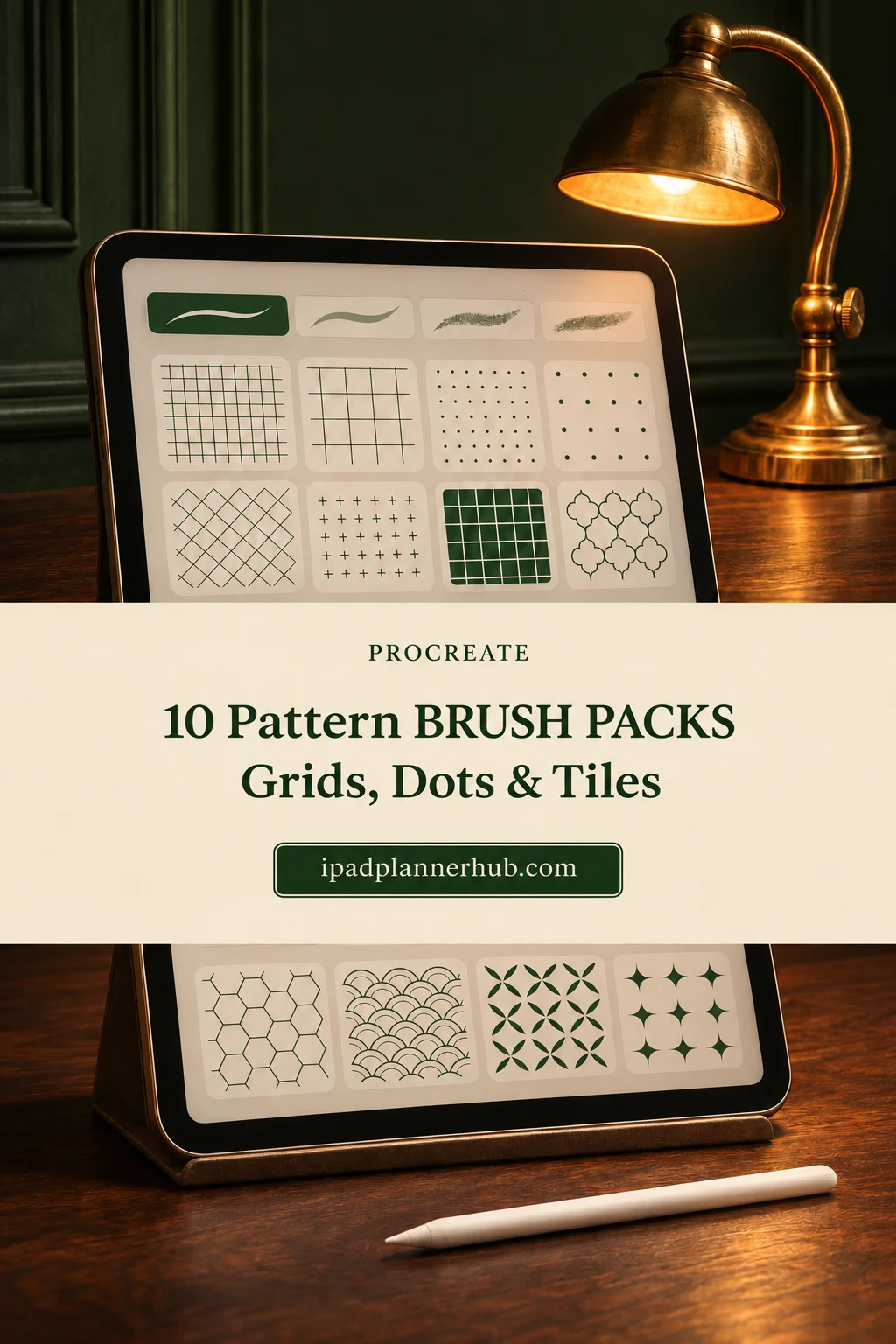
I chose 10 brush packs for different kinds of repetition: simple grids, loose illustrated marks, dots, plaid, mosaic tiles and fabric-inspired motifs. My choices come from their descriptions and complete public preview galleries, not a hands-on test of purchased files. After the comparison, follow a scale test and an editable fill workflow to match a repeat to your drawing.
TL;DR: Compare 10 packs for geometric grids, illustrated marks, dots, plaid, mosaic tiles and Shibori motifs. First Set offers 58 familiar repeats; the 65-brush collection explicitly links pattern scale to brush size. Choose a specialist when one surface or motif family matters more than variety.
Quick Picks
- Best for a geometric starting library: Procreate Pattern Brushes First Set
- Best for size-linked pattern scale: 60+ Procreate Seamless Pattern Brushes
- Best for illustrated texture combinations: Pattern Magic Brushes
- Best for a compact decorative mix: Procreate Pattern Brushes, Procreate
- Best for simple stripes and spots: Procreate Pattern Brushes
- Best for loose nature-inspired marks: Procreate Pattern Brushes, Repeat Stamps
- Procreate Pattern Brushes First Set – Best for a geometric starting library
- 60+ Procreate Seamless Pattern Brushes – Best for size-linked pattern scale
- Pattern Magic Brushes – Best for illustrated texture combinations
- Procreate Pattern Brushes, Procreate – Best for a compact decorative mix
- Procreate Pattern Brushes – Best for simple stripes and spots
- Procreate Pattern Brushes, Repeat Stamps – Best for loose nature-inspired marks
- Just Dotty Procreate Pattern Brush Set – Best for a range of dot densities
- 18 Procreate Plaid Pattern Brushes – Best for soft plaid fills
- 20 Mosaic Tile Brushes for Procreate – Best for architectural tile repeats
- Procreate Shibori Pattern Brushes – Best for tie-dye inspired repeats
Broad libraries for mixing repeats
Best for a geometric starting library
1. Procreate Pattern Brushes First Set
Sections: 58 pattern brushesFormat: .brushset in ZIP
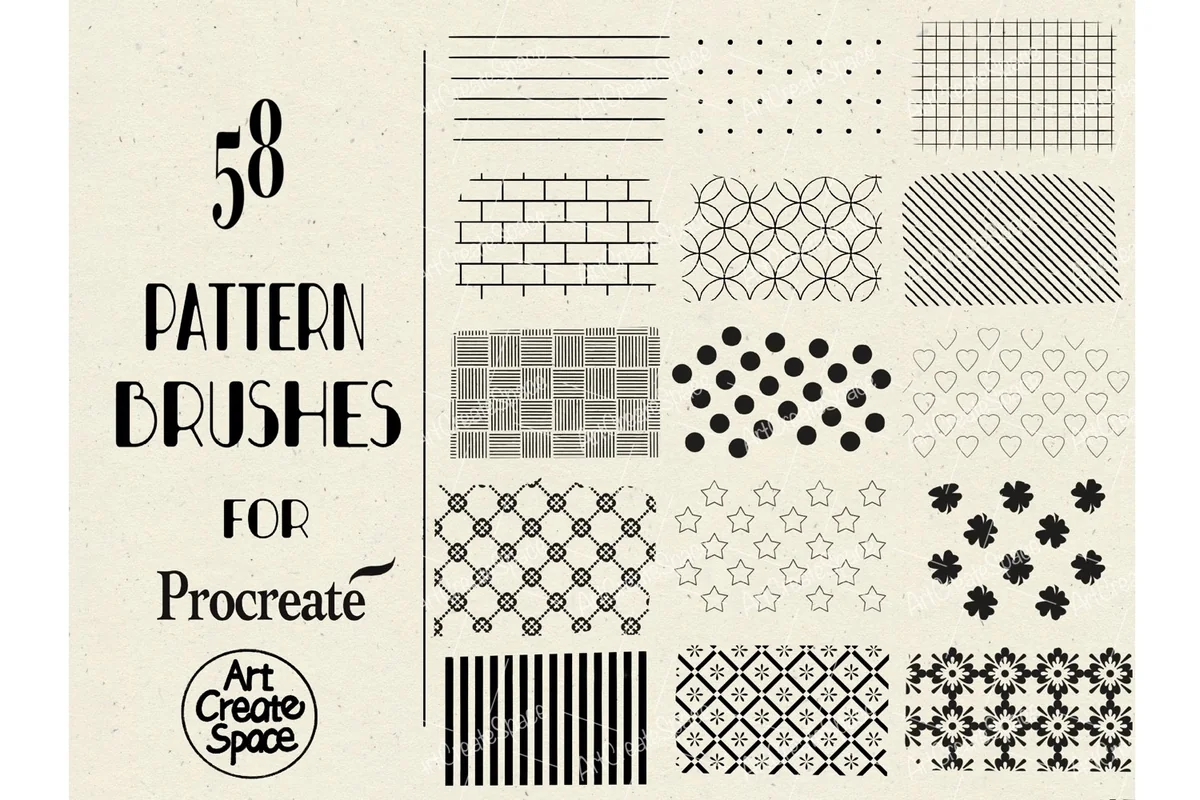
Best for: building a reusable library of grids, stripes and decorative repeats. Designed by ArtCreateSpace.
- 58 pattern brushes in a .brushset inside a ZIP archive
- Preview grids include hearts, stars, diamonds, checks and small floral motifs
- For Procreate on iPad with Apple Pencil; not other drawing software
This is my starting point for someone who wants familiar repeat shapes rather than a single theme. The gallery moves from airy dots and thin lines to dark diamonds and detailed circular grids. That gives you options for a quiet page border as well as a bold illustrated sweater. Begin with three favorites and keep the rest as alternatives so that one picture does not have to carry the whole library.
Best for size-linked pattern scale
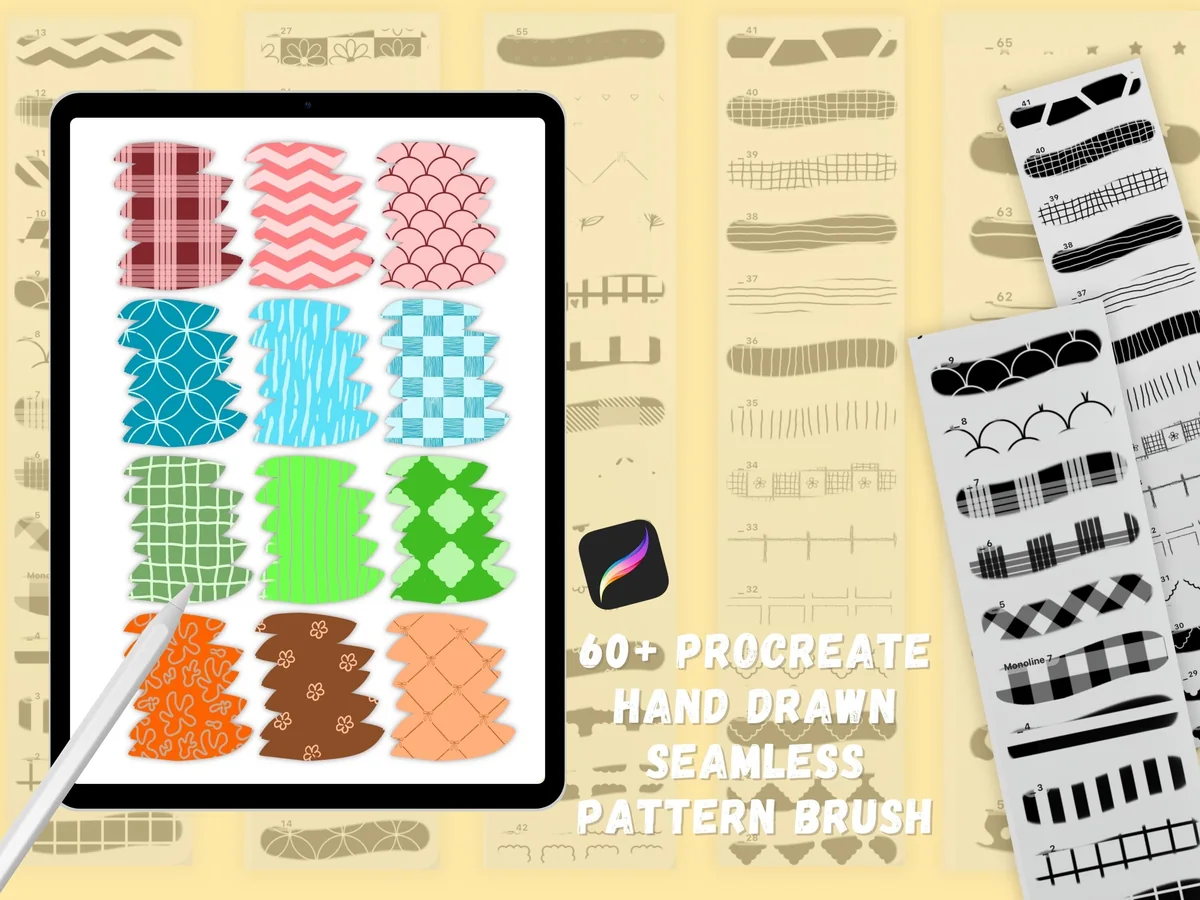
2. 60+ Procreate Seamless Pattern Brushes
Sections: 65 seamless patternsFormat: Procreate brushes
Best for: switching between small and large repeats with a brush-size change. Designed by jenstrokeandstyle.
- 65 seamless pattern brushes, sold under the 60+ product name
- Pattern scale follows brush size; previews compare 100% and 25%
- Preview library includes checks, scallops, lines, tiny leaves and bows
The size-linked behavior is the useful distinction here. A narrow stroke and a broad stroke can give you different motif sizes, so this suits exploratory pattern sketches. It also means that changing the brush width may change the look of a fill you were trying to match. The pillow, cup and bag pictures are application examples; the offer is a digital brush collection, not those finished objects.
Best for illustrated texture combinations
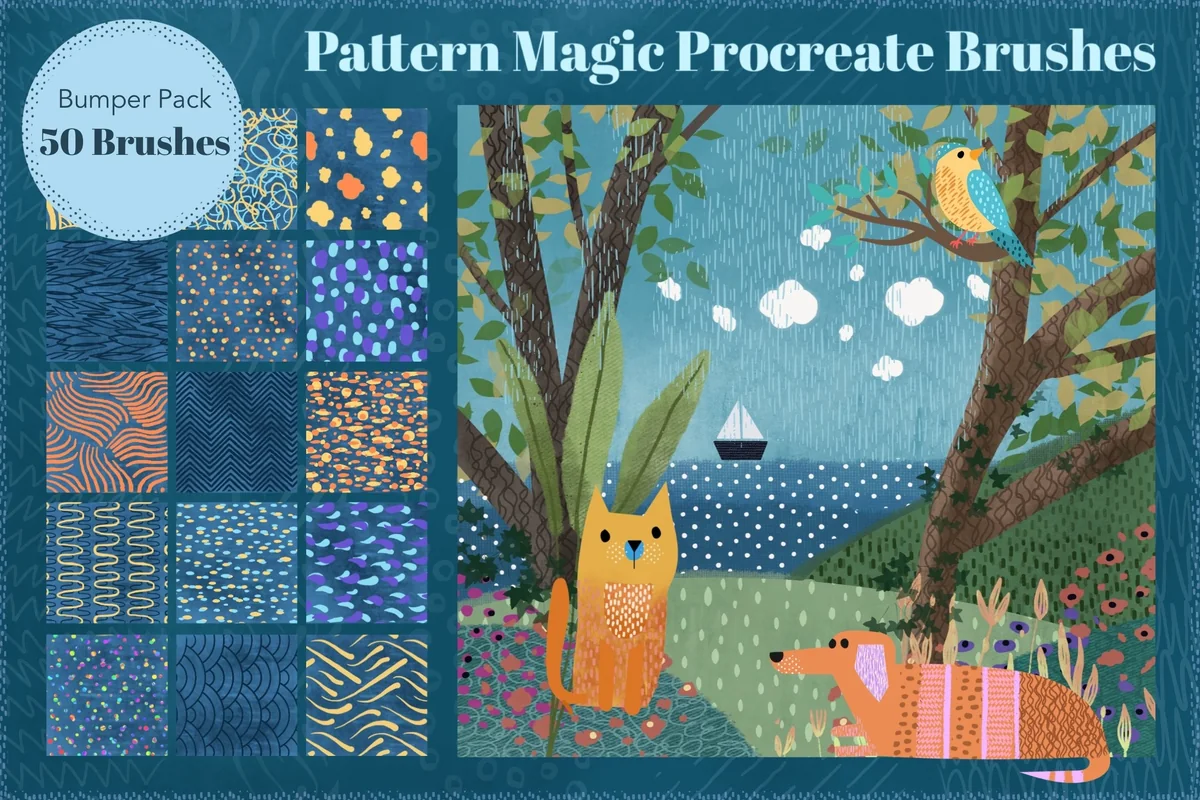
3. Pattern Magic Brushes
Sections: 50 pattern + 7 base brushesFormat: Procreate brushes
Best for: adding several kinds of repeat marks to a larger illustration. Designed by MelsBrushes.
- 50 pattern brushes plus 7 base brushes
- Preview swatches show waves, loops, dots, hatching and short expressive marks
- Suggested workflow: paint pattern onto an Alpha Locked illustration
Pattern Magic has a softer illustrated character than the crisp tile and plaid sets later in this list. I like the contrast between little scattered marks and flowing curved lines in its gallery. The seven base brushes are a useful extra if you want to sketch the underlying shapes in the same set.
Compact sets for everyday illustration
Best for a compact decorative mix
4. Procreate Pattern Brushes, Procreate
Sections: 16 patternsFormat: Procreate brushes
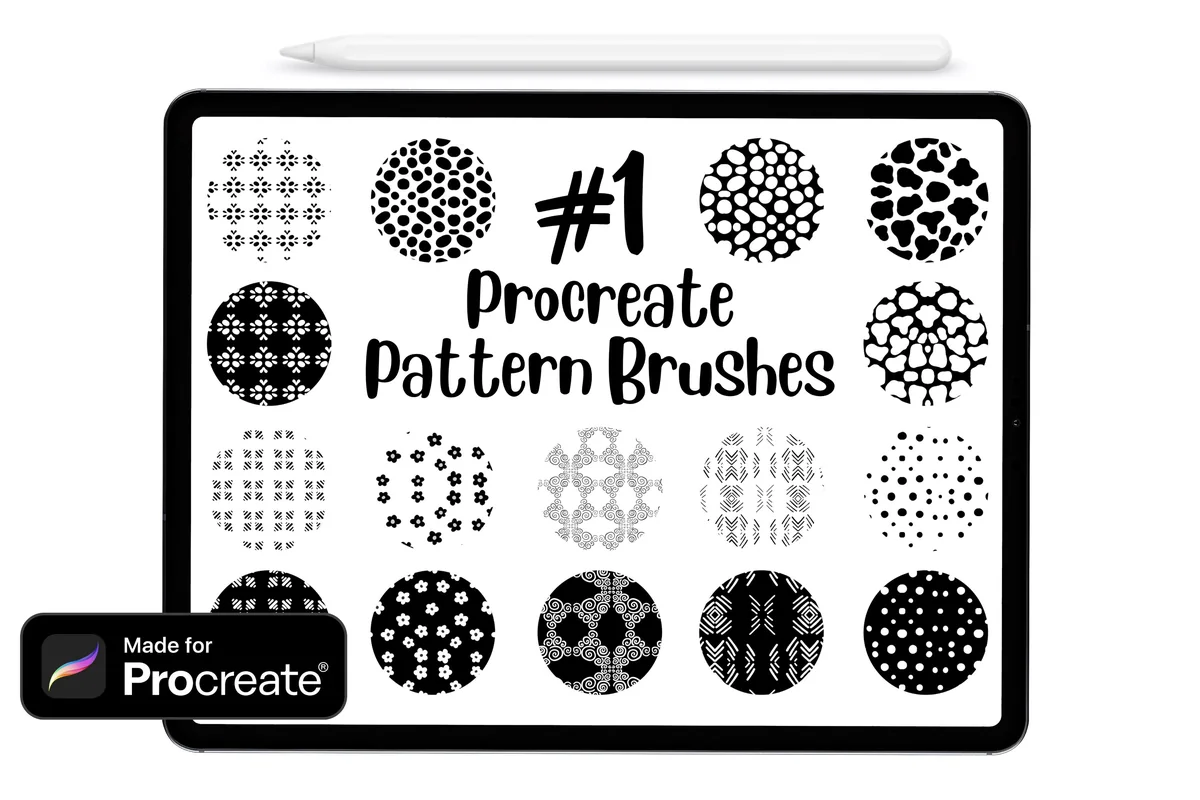
Best for: decorating small shapes without managing a large brush library. Designed by DreanArtDesign.
- 16 pattern brushes for Procreate 4.1 and later
- Works with Apple Pencil, a third-party stylus or a finger
- Gallery shows dots, flower-like repeats, stone-like shapes and ornamental lines
Sixteen patterns are enough for a small repeat toolkit when you prefer fewer choices. The colored swatches make the mix easy to compare: some have open white space, while others form a denser field. This is also the clearest finger-friendly option in the list because the description explicitly allows it. I would use its sparse dots beside a heading and save the heavier stone-like motif for a larger shape.
Best for simple stripes and spots
5. Procreate Pattern Brushes
Sections: 8 brushesFormat: ZIP / Procreate file
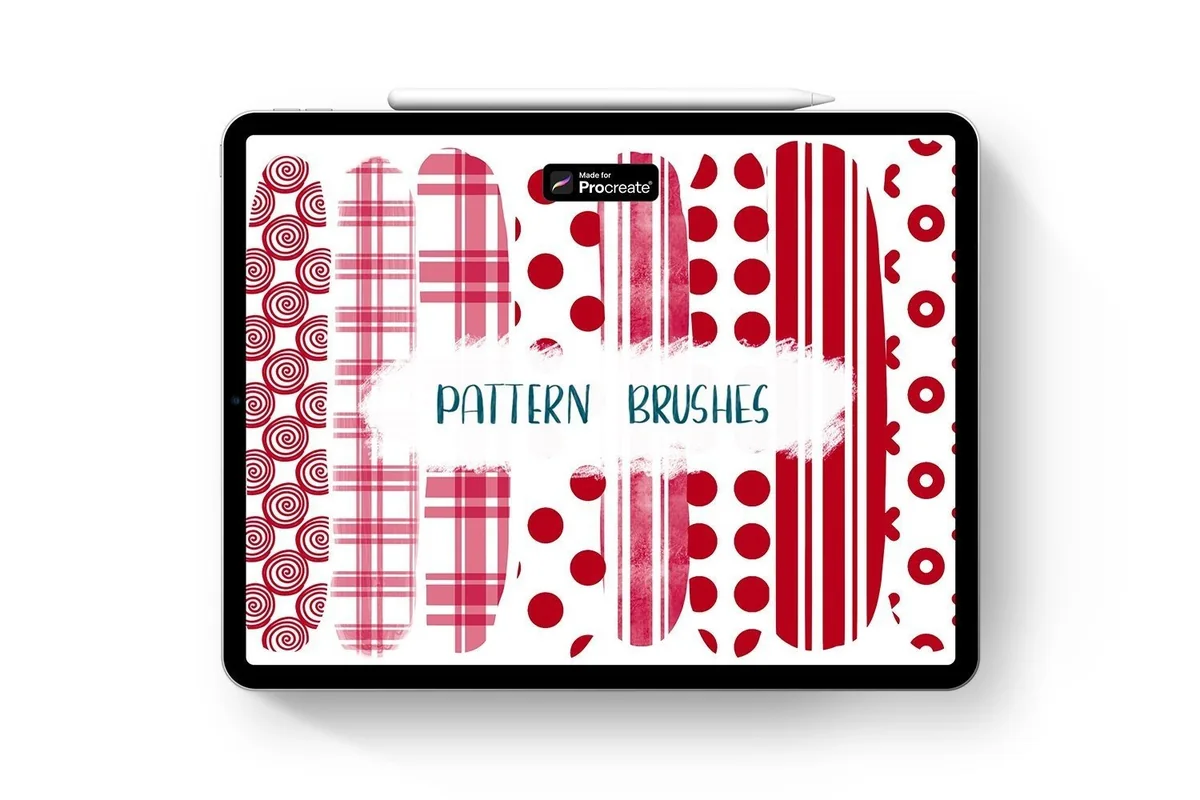
Best for: putting familiar graphic repeats into a small illustration. Designed by Nova Studio.
- 8 brushes in a ZIP archive containing a Procreate file
- Motifs include spirals, stripes, checks, dots and an X/O repeat
- Requires an iPad with Procreate; not Photoshop
Nova Studio keeps the choice small and graphic. Two stripe treatments and two check treatments give a different feel without sending you through dozens of motifs. The loose spiral is the standout if a regular grid feels too rigid. Its eight brushes suit a simple graphic project; a larger collection makes more sense if you need detailed tiles or botanical variety.
Best for loose nature-inspired marks
6. Procreate Pattern Brushes, Repeat Stamps
Sections: 10 patternsFormat: .brushset
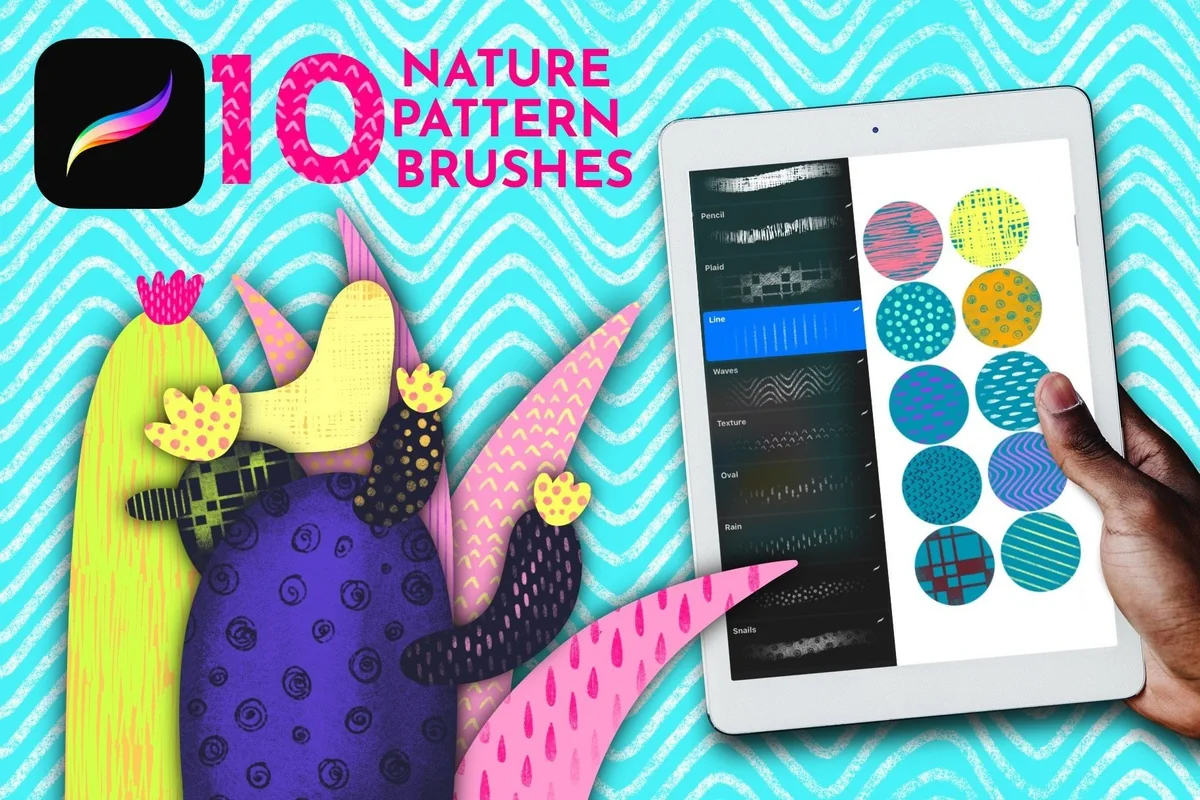
Best for: adding dots, drops and uneven lines to bright illustration shapes. Designed by DatsenCreate.
- 10 seamless pattern brushes in one .brushset
- Requires Procreate 5.0+ and Apple Pencil or a pressure-sensitive pen
- Gallery includes drops, wavy lines, dots, short marks and checks
Although the title says Repeat Stamps, the contents are described as seamless pattern brushes. The cactus example shows the sort of job I would give them: a few marks inside an existing shape, with the original silhouette still readable. Their irregular edges feel different from the precise geometry in the First Set. Keep the stated pressure-sensitive pen requirement in mind if you normally paint with your finger.
Dots, plaid, tiles and textile motifs
Best for a range of dot densities
7. Just Dotty Procreate Pattern Brush Set
Sections: 15 dot patternsFormat: .brushset
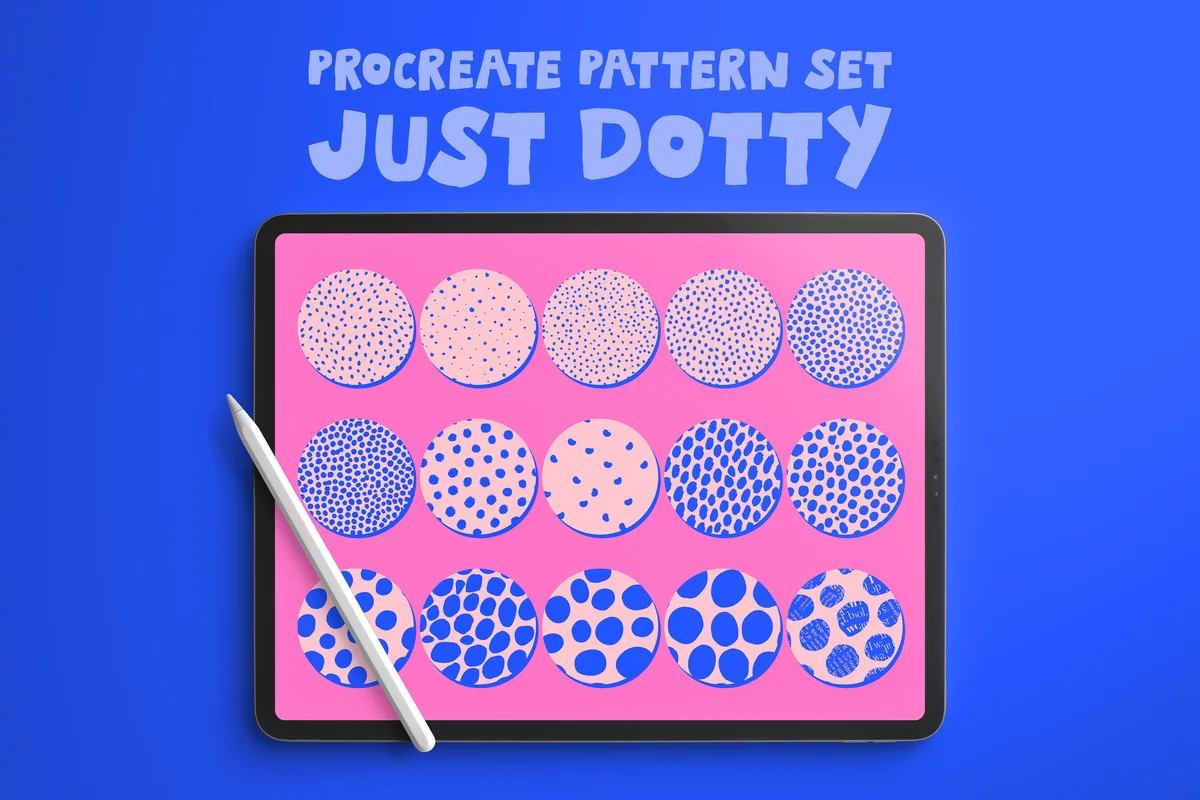
Best for: choosing between scattered speckles and oversized decorative circles. Designed by HG Designs.
- 15 seamless pattern brushes in a .brushset
- Gallery ranges from tiny speckles to large irregular circles
- Requires Procreate for iPad
This is a dot specialist rather than another all-purpose collection. The full swatch sheet makes the density changes particularly clear: a few large spots read as individual shapes, while the finest marks become a background texture. I would use that range to keep one visual theme across several page decorations. Choose it for decorative spots; the listing does not describe a tonal halftone shading system.
Best for soft plaid fills
8. 18 Procreate Plaid Pattern Brushes
Sections: 18 plaid brushesFormat: ZIP archive
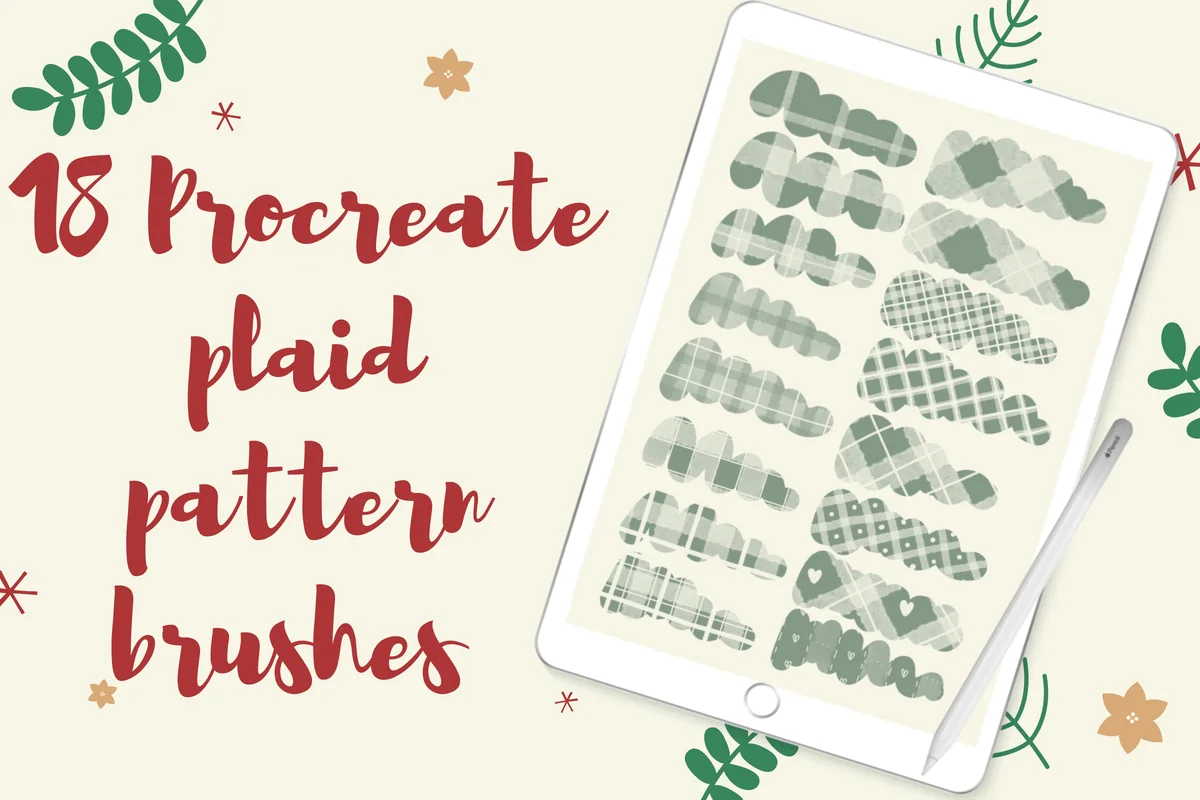
Best for: giving lettering and illustrated clothing a fabric-like check pattern. Designed by Temtemdesign.
- 18 brushes in one ZIP archive
- Gallery includes soft checks, diagonal grids and small decorative heart accents
- For Procreate only; color, size and opacity can be changed
The soft edges make this a different choice from a hard checkerboard. I like it for a scarf, a chunky letter or a small illustrated notebook cover where the pattern should suggest fabric. The full preview sheet shows the 18 patterns together, including diagonal checks and a few heart-accented variations.
Best for architectural tile repeats
9. 20 Mosaic Tile Brushes for Procreate
Sections: 20 mosaic patternsFormat: .brushset
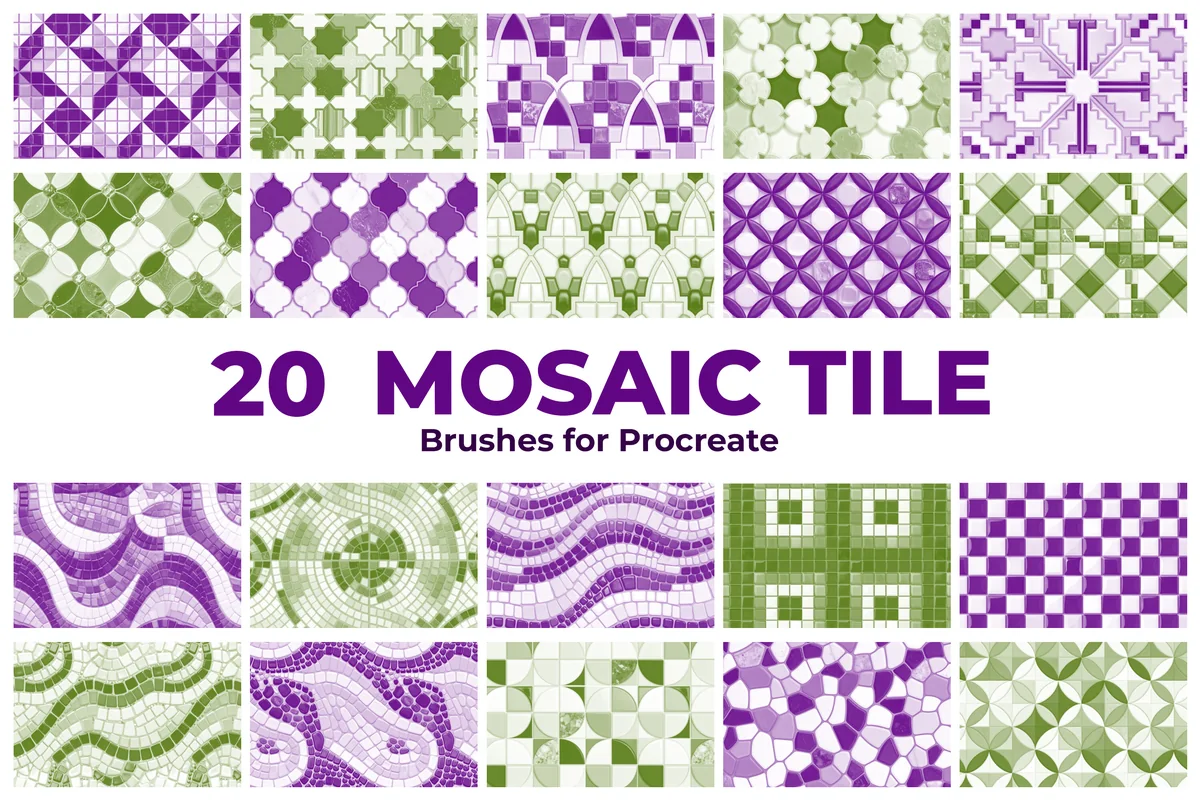
Best for: adding a decorative floor, backsplash or geometric background. Designed by Yuliarty.
- 20 seamless mosaic tile pattern brushes in .brushset format
- Gallery labels patterns 1–20 and shows geometric, circular and wave designs
- Compatible with iPads that support Procreate
These repeats have a tile structure instead of loose spots or drawn hatching. The numbered gallery is helpful when comparing angular stars, checkerboard areas and curving mosaics. For an interior sketch, I would place the pattern on one clearly bounded surface and keep the surrounding walls quiet. The kitchen photographs illustrate a possible application; they do not turn these brushes into ready-made room mockups or automatically perspective-mapped materials.
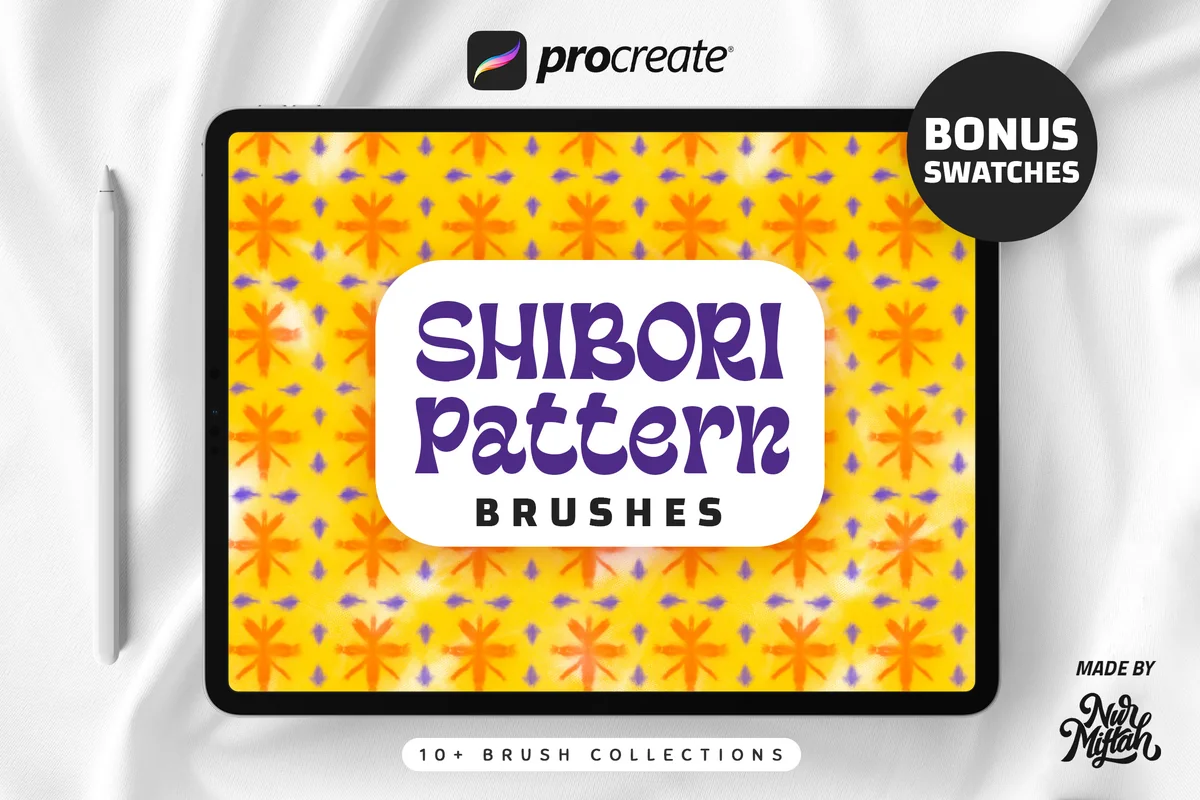
Best for tie-dye inspired repeats
10. Procreate Shibori Pattern Brushes
Sections: 10+ main brushesFormat: Procreate brushes + swatches
Best for: bringing fabric-derived color and irregular motifs into surface sketches. Designed by Nurmiftah.
- 10+ main Shibori pattern brushes plus color swatches / palettes
- Texture sources made from tie-dye patterned fabrics
- For the iOS Procreate app, including 5X and earlier versions; not Photoshop
Shibori is the most textile-specific direction here. The previews show colorful starburst and banded motifs on clothing and accessories. A small swatch will help you judge whether that soft fabric character fits your illustration. The included palettes offer a starting point for tie-dye color combinations, while the 10+ brush count leaves the exact total unspecified.
Quick Comparison
| Brush pack | Pattern style | Contents | Useful difference |
|---|---|---|---|
| 1. Procreate Pattern Brushes First Set | Geometric and decorative | 58 brushes | Apple Pencil required |
| 2. 60+ Procreate Seamless Pattern Brushes | Mixed decorative repeats | 65 brushes | Pattern follows brush size |
| 3. Pattern Magic Brushes | Expressive illustrated texture | 50 patterns + 7 base brushes | Base brushes included |
| 4. Procreate Pattern Brushes, Procreate | Small decorative assortment | 16 brushes | Finger input explicitly allowed |
| 5. Procreate Pattern Brushes | Spirals, stripes and spots | 8 brushes | Small familiar motif set |
| 6. Procreate Pattern Brushes, Repeat Stamps | Loose marks and drops | 10 brushes | Pressure-sensitive pen required |
| 7. Just Dotty Procreate Pattern Brush Set | Dots and organic spots | 15 brushes | One motif family, varied density |
| 8. 18 Procreate Plaid Pattern Brushes | Soft plaid and diagonal checks | 18 brushes | Fabric-like edges |
| 9. 20 Mosaic Tile Brushes for Procreate | Mosaic tiles and geometric floors | 20 brushes | Numbered tile swatches |
| 10. Procreate Shibori Pattern Brushes | Tie-dye inspired motifs | 10+ brushes + palettes | Fabric-derived texture sources |
Choose Procreate Pattern Brushes by the Space They Need to Fill
Start with the shape in your picture, rather than the largest brush count. Seamless pattern brushes can supply a repeated motif, but a brush set with 65 options is not automatically a better match for a narrow sleeve than a compact set of eight. First decide whether the repeat needs to look like decoration, fabric or a recognizable tiled surface.
- A small object: try sparse dots, a simple stripe or one open check. Dense loops may lose their gaps when the object is reduced.
- A large flat background: compare broad geometric repeats with loose illustrated marks. Choose one dominant rhythm before adding a second pattern.
- Clothing or a scarf: use plaid for a woven suggestion, Shibori for a tie-dye direction, or a simple decorative repeat for a stylized garment.
- An interior surface: the mosaic set supplies recognizable tile geometry. Keep its direction and apparent size consistent with the floor or wall you are drawing.
The distinction from Procreate texture brushes matters here. A repeat can become a texture when it is small, but dots and checks remain decorative choices, not a promise of realistic paper grain or tonal shading. The dots in Just Dotty are useful precisely because the gallery shows different amounts of open space, rather than only different brush names.
Separate the Motif Size from the Brush Width
A broad stroke does not always mean a large motif. Procreate’s Brush Studio handbook describes controls for the grain inside a brush, while RetroSupply’s pattern-size instructions point to Grain → Scale. A particular brush can also link its pattern size to the brush-size control, as the 65-brush collection explicitly does.
A small scale test before the full fill
- 1Make a spare swatch. Use the intended canvas and draw a small shape beside the artwork. Pick a midrange brush width, then paint enough area to see several complete repeats rather than one isolated mark.
- 2Compare a narrow and a broad stroke. Keep the selected brush the same. Notice whether the motifs grow with the stroke width. For the 65-brush set this linked behavior is advertised; for the others, check the actual brush rather than assume it.
- 3Adjust one control at a time. Duplicate a brush before changing its settings. Where appropriate, compare Grain → Scale at two values, keeping the stroke width steady so that you can see which change affects the repeat.
- 4Return to the finished view. Judge the swatch at the size your picture will be seen. If dots merge or fine gaps disappear, try a larger motif or a simpler pattern before filling the real shape.
Save the useful version under a descriptive name such as “small dots for notebook cover.” That is easier to recognize later than a percentage with no project context.
Keep Pattern Inside the Shape, with Room to Change It
For a sweater, vase or lettering shape, a separate pattern layer lets you move the decoration without repainting the silhouette. Procreate’s masking handbook explains that a Clipping Mask uses the content of the layer beneath it. Alpha Lock instead limits painting to existing pixels on the same layer. Pattern Magic also recommends Alpha Lock for adding pattern to an illustration.
Plan an editable patterned shape
- 1Give the object a clear silhouette. Keep the base shape on its own layer. Before adding decoration, make sure its outline reads clearly against the background; pattern will not fix an unclear shape.
- 2Add a layer above it. Set that new layer to Clipping Mask, then paint the repeat there. This keeps the pattern separate from the base color and limits its visible area to the object underneath.
- 3Compare position and contrast. Move the pattern layer if a large spot lands awkwardly at an edge. Try a quieter color before erasing details or replacing the brush. Keep an unpatterned area near the focal point if the picture feels crowded.
- 4Keep the useful layers separate. Name the base and pattern layers before moving on. If you use Alpha Lock instead, remember that the pattern is painted into the same layer; choose that route when this tradeoff suits the project.
For a planner decoration, I would give one object the patterned fill and leave the writing area plain. For a character, compare the sleeve and torso together: two different repeats can work, but both need enough space to remain legible.
For a mermaid or dragon character, the repeated fill may need to read as scales rather than fabric decoration. These Procreate scale brushes compare clean scallops, textured rows and glimmer effects, with attention to keeping the creature’s outline and focal details clear.
Check the Repeat Beyond Its First Attractive Swatch
A preview demonstrates a style, but it cannot show every combination of scale, overlapping strokes and canvas size you might use. A seamless brush is also not the same deliverable as a finished seamless image tile. If your project needs an exported repeating tile, check that tile’s edges separately.
- Look across a large area. Watch for a repeated gap, dark band or distinctive cluster that attracts more attention than the main drawing.
- Test where strokes meet. Paint across an earlier stroke and inspect the join. If the pattern shifts, review the brush’s grain behavior before using it for a continuous background.
- Inspect the smallest version. A dense black-and-white repeat may look clear close up and nearly solid when the full illustration is reduced.
- Compare pattern direction. Checks that work on a flat panel may need a different approach on a curved sleeve. A brush does not automatically wrap a repeat around a three-dimensional object.
- Keep a quiet zone. Give faces, small lettering and other focal details enough plain space. Reduce the number of competing motifs before adding more decorative marks.
Procreate separates moving grain from texturized grain in Brush Studio; their behavior can affect how a pattern responds along a stroke. If a repeated fill breaks at joins, inspect the actual settings. Packs with similar-looking swatches can still behave differently as you paint.
Match a Pack to One Small Project
If two packs appeal equally, picture one finished object for each. This makes overlapping motifs easier to spot before you buy several libraries of similar dots. These three projects make useful starting points.
An illustrated sweater
- 1Compare a soft plaid with one open geometric repeat. Pick the one that leaves the sleeve outline readable.
- 2Keep the cuffs plain and place the pattern on the larger fabric area. Use the same scale across matching parts.
A decorative notebook cover
- 1Try dots or loose lines around a plain title panel. Let the repeat frame the words instead of passing through them.
- 2Compare the full cover with its small thumbnail. Keep the motif that still looks intentional in both views.
A tiled kitchen sketch
- 1Choose one mosaic geometry for the backsplash. Keep nearby surfaces simple so the tiled area has a clear role.
- 2Check the direction and size of the tiles against the drawn counter. The surface needs your composition decisions.
FAQ: Repeating Fills and Pattern Brush Files
How are pattern brushes different from stamp brushes?
A pattern brush is intended to carry repeated marks across a painted area. An individual stamp places a motif that you can arrange yourself. Names can be confusing: DatsenCreate uses “Repeat Stamps” in its title but describes 10 seamless pattern brushes. Read the contents and look at the stroke samples together.
How do I make a seamless pattern brush in Procreate?
The core task is preparing a repeating grain source, then setting how the brush applies it. Procreate’s Grain Editor includes Auto Repeat controls for constructing a texture tile. That is a separate creation project from choosing a ready-made pack; test the resulting repeat across a large painted area before relying on it.
Does every pack need an Apple Pencil?
No single input rule applies to this list. DreanArtDesign explicitly allows a finger or third-party stylus. ArtCreateSpace lists Apple Pencil, and DatsenCreate requires Apple Pencil or another pressure-sensitive pen. For the remaining packs, do not infer finger or stylus support that the description does not promise.
Can I use these patterns for clothing and architectural sketches?
Yes, those are useful illustration directions: plaid and Shibori suggest fabric, while mosaic tiles suit a floor or backsplash. They are digital drawing brushes, not physical fabric or construction materials. You still decide the surface, perspective and pattern scale in your artwork.
For a building study, a tiled floor and a brick wall need different surface decisions. These Procreate brick brushes compare masonry repeats, loose sketch marks and weathered finishes, with a wall study for checking scale and perspective.
Are the mockups, palettes and finished illustrations included?
Do not assume so from the pictures alone. Shibori includes bonus color palettes, and Pattern Magic includes seven base brushes. Cups, bags, clothing and finished scenes in galleries demonstrate possible uses; they are not extra contents unless the offer specifically lists those files.
Can I sell artwork made with a pattern brush?
Check the current license attached to the exact product and your intended use before selling work. A seller’s mockup does not establish every permission, and permission to use a brush does not automatically mean permission to redistribute its files. This comparison does not replace reading the applicable terms.
Let the Repeat Support the Drawing
My starting choice for a broad geometric library is First Set; for one specific surface, I would compare the dot, plaid, mosaic or Shibori specialist instead. The best Procreate pattern brushes for your picture are the ones whose motif, spacing and scale suit that shape. Choose one useful repeat, check it at the finished size and leave the focal details room to breathe.
You May Also Like
This article contains affiliate links. If you buy through them, I may earn a commission at no extra cost to you. Read the affiliate disclosure.