You remember that everyone laughed at the last turn, but who was there, which version did you play, and why did you want a rematch? These board game journal ideas help keep the result and the story together. A short handwritten entry on your iPad can preserve both without turning game night into a data-entry job.
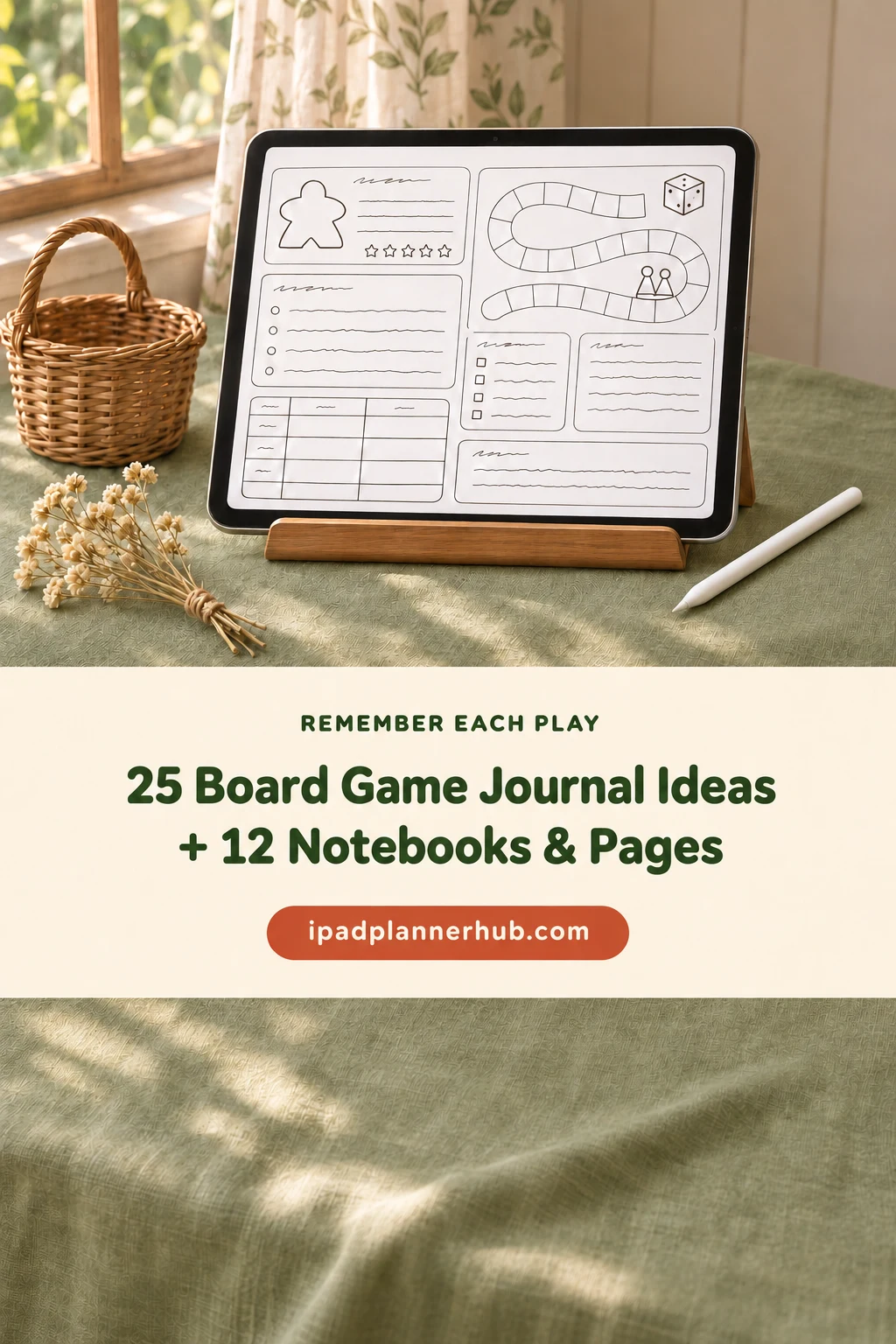
Start with the sessions you played. Give each played session a date, a game title, the people at the table, an outcome and one memorable detail. The twenty-five ideas below are optional ways to extend that core entry. You can adapt the twelve Creative Fabrica notebooks, journals and paper sets with a game title, players and result.
Find a writing base for the way you revisit a game
A notebook with sections can keep rematches together; a date-linked journal can tell the story of a month of game nights. Separate paper templates are useful when an existing notebook already works for you. These are files for a compatible iPad annotation app, not game-tracking apps. The app and stylus are separate, and scores, player totals and page indexes remain manual.
TL;DR: Pick section tabs for rematches, date navigation for a game-night diary, or separate papers for a custom session sheet. These twelve general iPad notebooks and page sets need your own game fields.
Quick Picks
- Best for comparing rematches: Digital Notebook
- Best for a photo and a story: Watercolor Hyperlinked Digital Notebook
- Best for a five-part setup: Digital Notebook 5 Hyperlinked Tabs
- Best for mixing record styles: Digital Notebook 5 Hyperlinked Tab
- Best for a long play history: Digital Notebook 500 Pages Bundle – 2
- Best for a date-first diary: 365 Days Daily- Digital Journal
- Digital Notebook – Best for comparing rematches
- Watercolor Hyperlinked Digital Notebook – Best for a photo and a story
- Digital Notebook 5 Hyperlinked Tabs – Best for a five-part setup
- Digital Notebook 5 Hyperlinked Tab – Best for mixing record styles
- Digital Notebook 500 Pages Bundle – 2 – Best for a long play history
- 365 Days Daily- Digital Journal – Best for a date-first diary
- Digital GoodNotes Journal – Tie Dye – Best for monthly game-night notes
- Digital GoodNotes Journal – Art Deco – Best for a next-play review
- Digital Ruled Journal – Best for longer session stories
- Digital Notebook Papers – GoodNotes – Best for building a session sheet
- Undated Cute Orange Bullet Journal – Best for a compact memory page
- DaisyNotes | Digital Notebook | Purple – Best for simple ruled recaps
Sectioned notebooks for rematches and recurring games
Best for comparing rematches
1. Digital Notebook
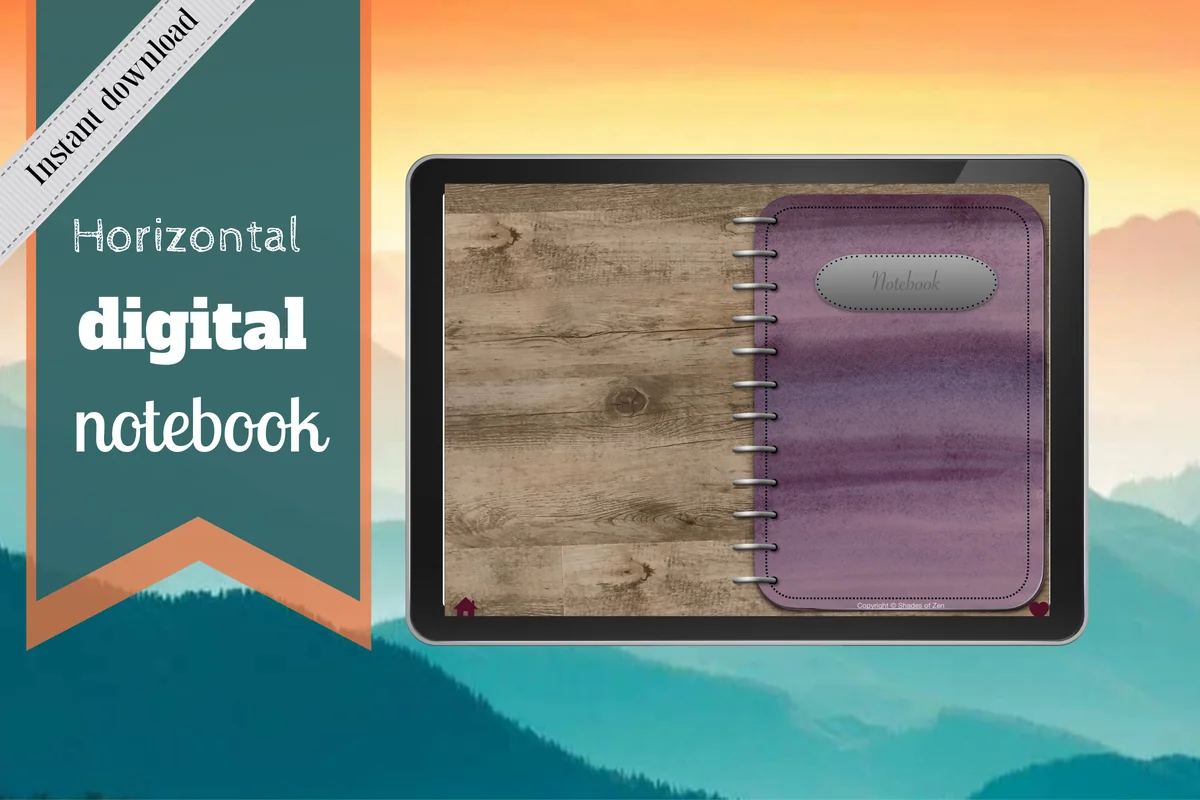
Layouts: 12 linked sections; 16 note templates
Best for: two sessions side by side. Designed by Shades of Zen.
- Landscape notebook with purple section dividers
- Lined, dotted, graph, two-column and Cornell pages
- PDF for GoodNotes and other PDF annotation apps
The landscape two-column sheets make an appealing rematch spread. Give each play its own column: the same game, a new player count, and the decision you want to remember. The purple notebook has twelve sections, so several frequently played games can each have a home. You still draw or write the score and player fields yourself. It suits a broad comparison better than a long, narrow portrait account.
Best for a photo and a story
2. Watercolor Hyperlinked Digital Notebook
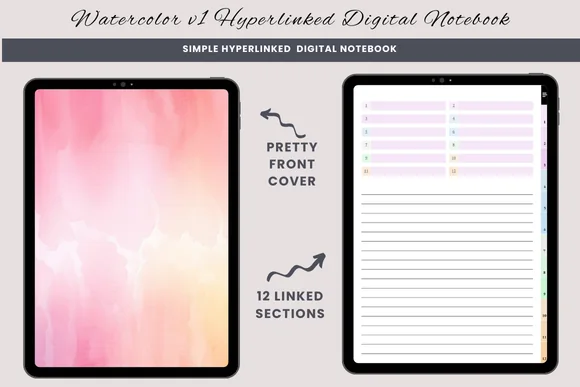
Layouts: 12 linked sections; 3 page styles
Best for: a table photo with a short recap. Designed by daysfilledwithjoy.
- Lined, blank and half-lined pages
- Watercolor cover and numbered section dividers
- One PDF for an annotation app such as GoodNotes
A half-lined page leaves an open space for a table photo and a ruled area for the story below it. I like that division for one memorable turn rather than a transcript of every move. Number the twelve sections by game or by month in your own index. Lined and blank alternatives are included too. The half-lined format suits a visual memory with a short caption; choose a full lined page when the story needs more space.
Best for a five-part setup
3. Digital Notebook 5 Hyperlinked Tabs
Layouts: 5 linked sections; 5 paper templates
Best for: a small, repeatable play journal. Designed by aviswilliams.
- Blank cover and index page
- Lined, blank, graph, dotted and Cornell paper
- PDF designed for GoodNotes, Noteshelf or Notability
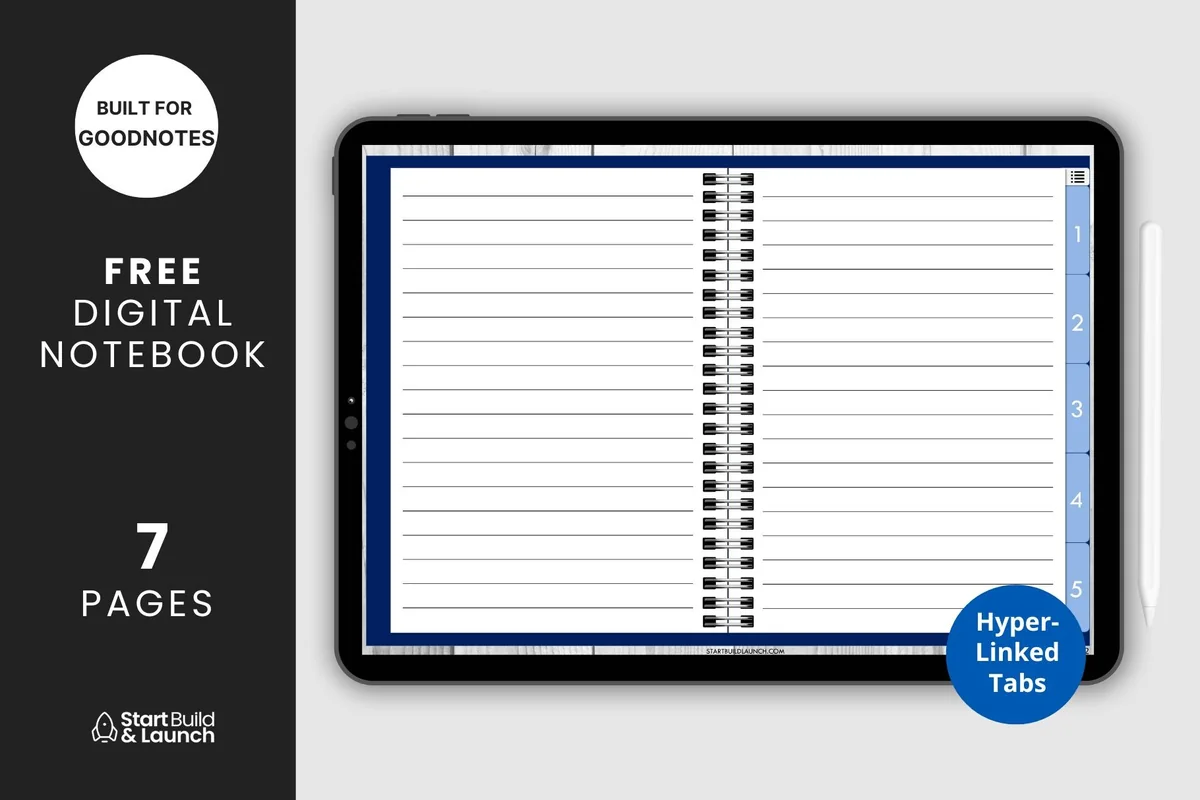
The five blue tabs offer a manageable starting structure: play index, session notes, rematches, open questions and favorites. Use those headings to label the general sections yourself. Its blank, lined, graph, dotted and Cornell papers let you choose between a short narrative and a small handwritten score grid. Five sections keep the initial setup smaller than a ten- or twelve-section archive.
Best for mixing record styles
4. Digital Notebook 5 Hyperlinked Tab
Layouts: 5 linked sections; 30 paper templates
Best for: trying a recap, grid and turn sketch. Designed by studiopattern.
- Contents page and paper-textured note layouts
- Blank, lined, grid, dot and additional organizer templates
- PDF plus manual, PNG stickers and a GoodNotes sticker book
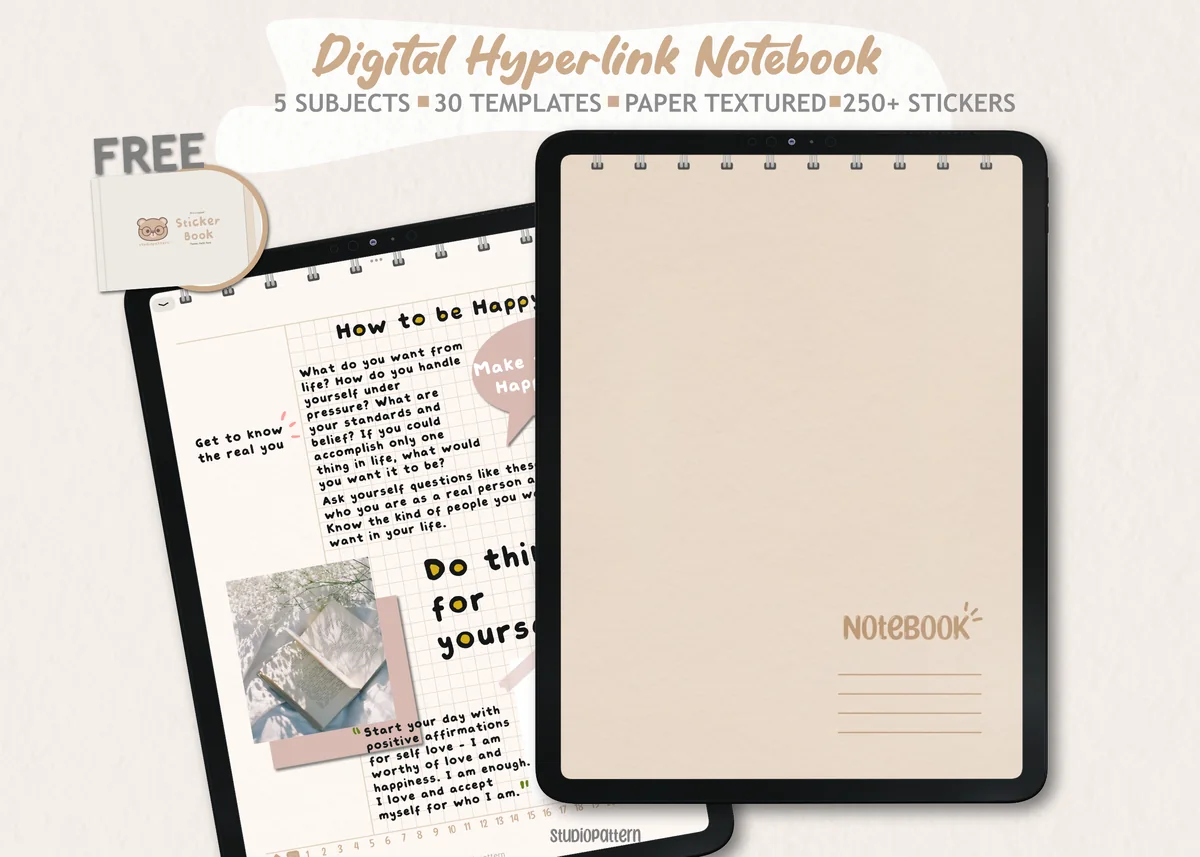
Thirty paper templates give a group with varied games room to experiment. A wordy cooperative recap can sit behind one tab while a dotted score sketch lives behind another. The paper texture and five subject dividers are visible throughout the previews. Start with a plain session sheet; bring in an organizer or sticker only when it helps distinguish entries.
Best for a long play history
5. Digital Notebook 500 Pages Bundle – 2
Layouts: 10 sections; 500 ready pages
Best for: an established habit with many entries. Designed by Motto Plan.
- Hyperlinked section dividers and an index
- Lined, bottom-lined, graph, dot grid and Cornell options
- PDF notebook, covers, user guide and sticker files
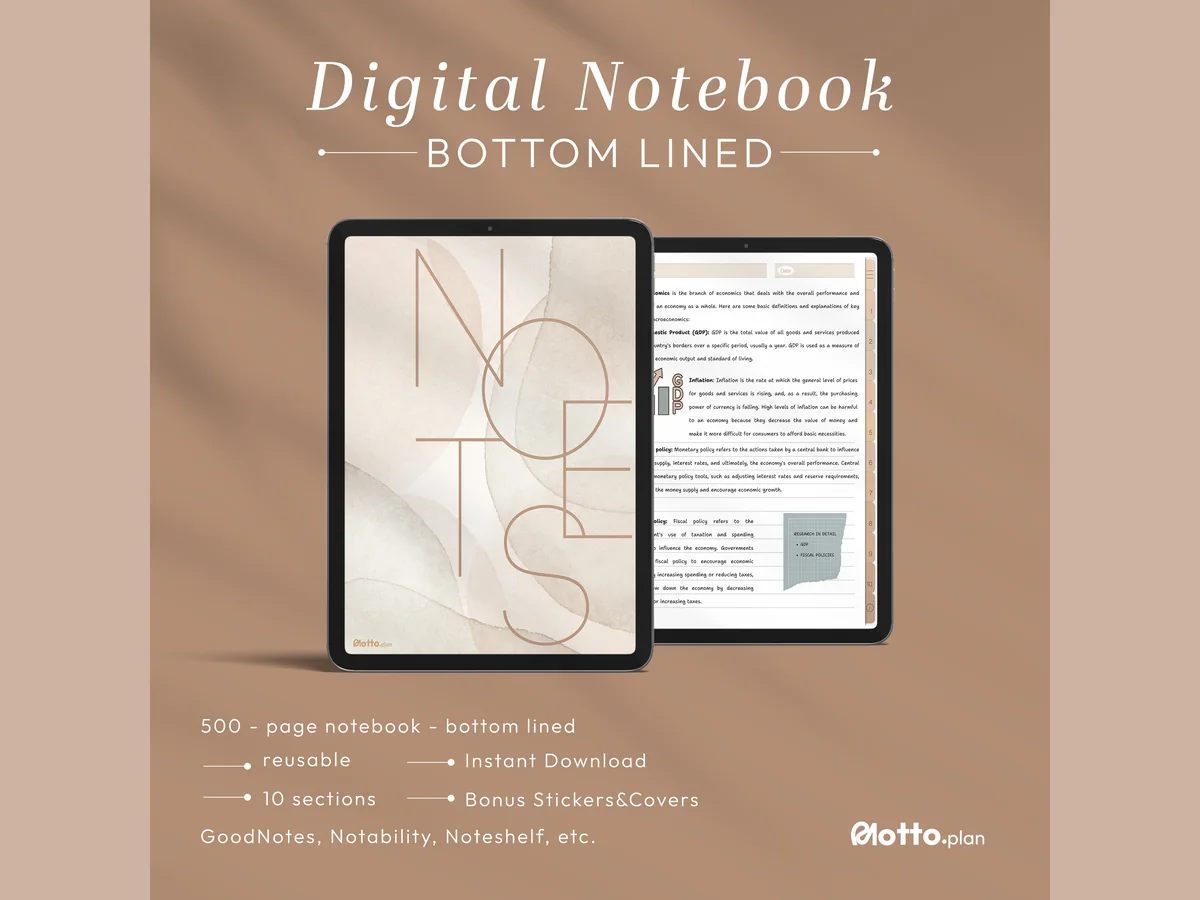
Five hundred ready pages and ten sections suit someone who already records many sessions. Name the sections for games you return to often, or reserve one for each regular group. Lined, bottom-lined, graph, dot-grid and Cornell options offer different balances of space. This is a substantial general notebook rather than an automatic statistics tracker. Audio or sharing actions shown in an app preview depend on the app, not a feature built into the PDF.
Daily and monthly journals for a play history

Best for a date-first diary
6. 365 Days Daily- Digital Journal
Layouts: 365 undated daily pages; linked navigation
Best for: finding the night a game was played. Designed by ThePlannersDelight.
- Narrow-lined and wide-lined PDF versions
- 384 total pages; 16 page templates
- Bonus covers and botanical PNG stickers; GoodNotes and Notability named
The month-and-day navigation gives a game night a clear place in a chronological diary. Narrow and wide ruling let you choose how much handwriting fits comfortably on the ivory pages. A daily page can hold several short plays separated by game title; a longer session can continue on an added page. Undated navigation leaves you free to skip quiet days. To find every play of one game, maintain your own title index as well.
Best for monthly game-night notes
7. Digital GoodNotes Journal – Tie Dye
Layouts: Monthly linked dividers; 5 lined pages each
Best for: short recaps arranged by month. Designed by Sarah Doodles.
- Undated hyperlinked PDF journal
- Pastel tie-dye monthly divider covers
- Additional lined pages can be duplicated in GoodNotes
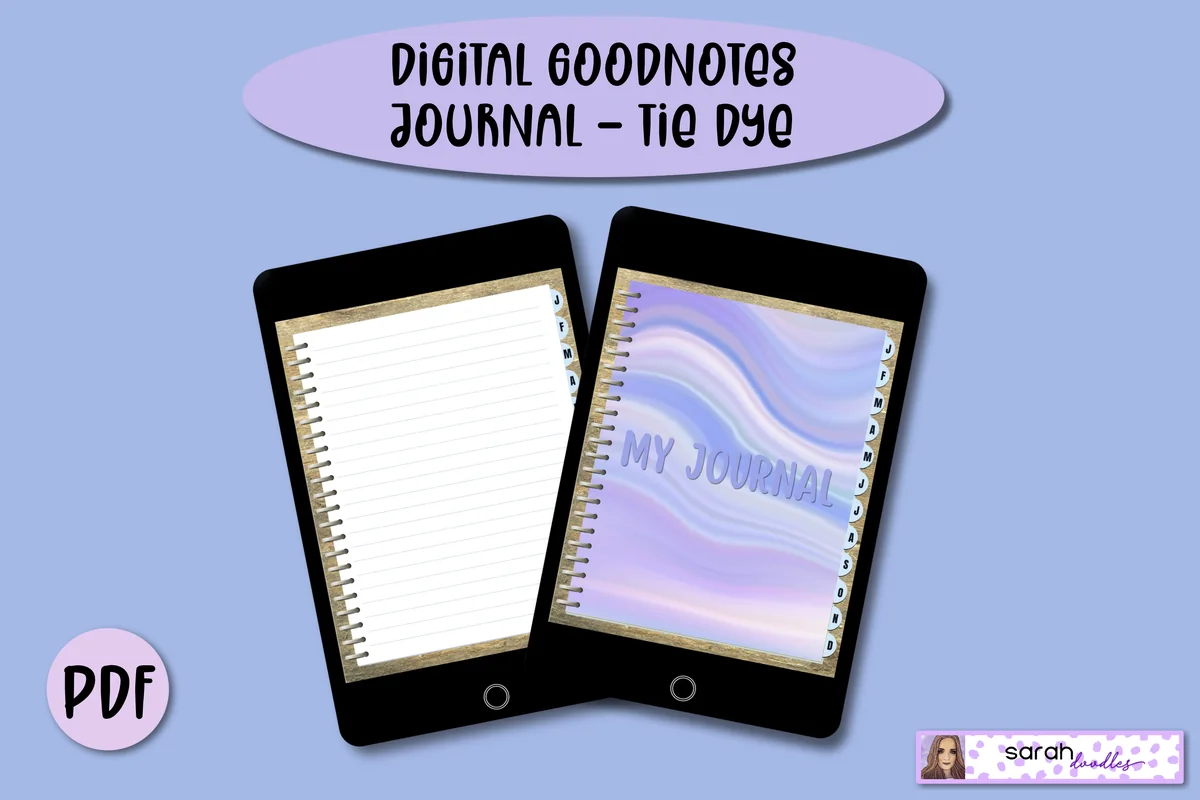
Pastel tie-dye monthly covers make this an inviting light diary. Begin a month with its played-games list, then use the lined pages for individual recaps. There are five starting pages per month, so duplicate paper in GoodNotes when a busy month needs more. That smaller initial allocation separates it from the large ready-page notebooks. It supplies monthly navigation, not a prebuilt play counter or winner chart.
Best for a next-play review
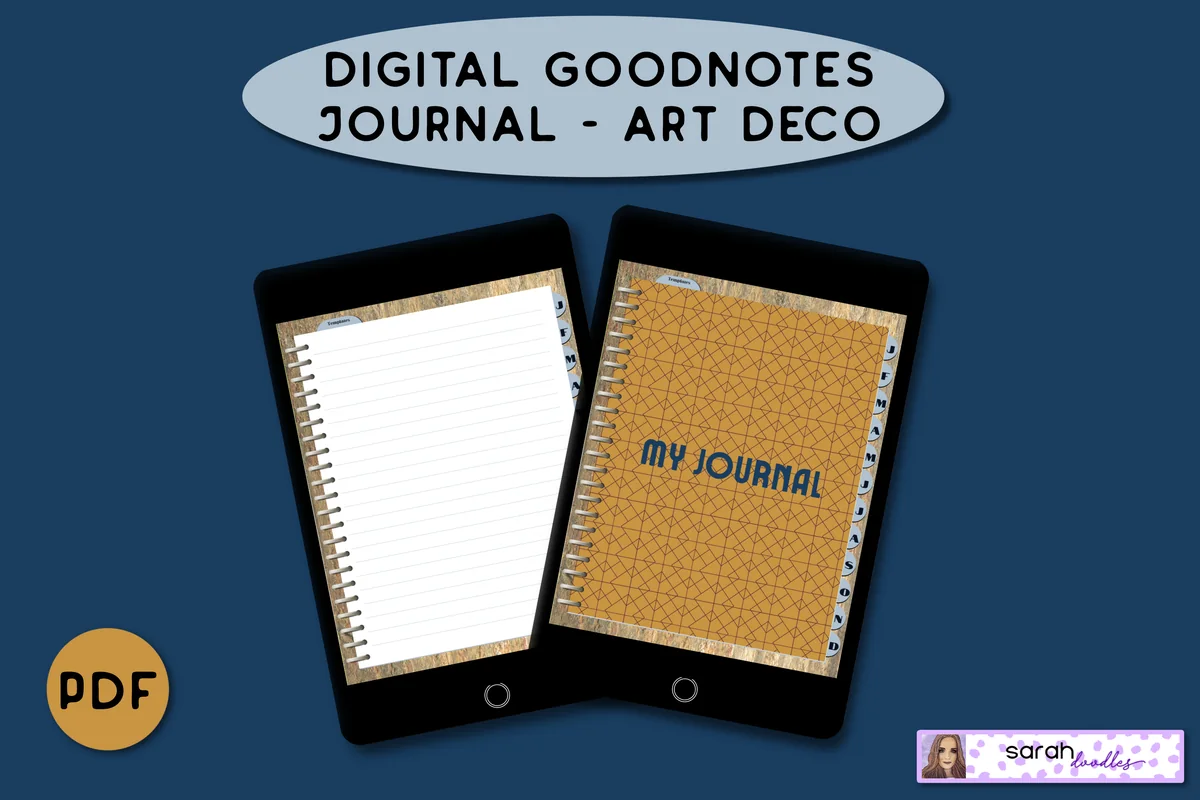
8. Digital GoodNotes Journal – Art Deco
Layouts: Monthly tabs; lined and brain-dump pages
Best for: a monthly recap plus an open-notes page. Designed by Sarah Doodles.
- Undated PDF for annotation apps including GoodNotes
- Gold and blue Art Deco monthly covers
- Lined pages plus brain-dump and priority layouts shown
The Art Deco version adds brain-dump and priority pages alongside its monthly lined diary. Use an open-notes sheet for questions that came up at the table, then turn only the useful ones into a next-play reminder. The gold-and-blue dividers suit someone who wants a different visual style from Tie Dye. Five lined starting pages per month still apply, and new pages are added in the annotation app.
Best for longer session stories
9. Digital Ruled Journal
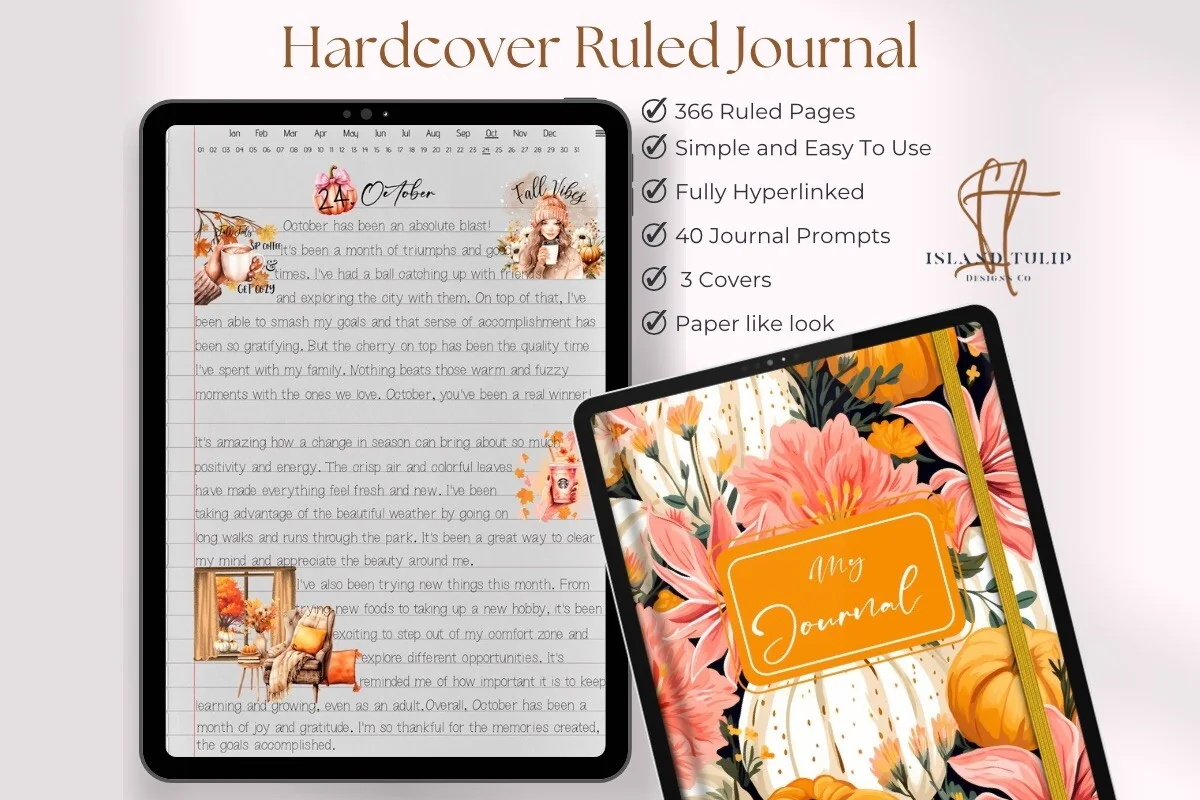
Layouts: 366 ruled pages; linked month and day index
Best for: a chronological handwritten account. Designed by Island Tulip Designs Co.
- Three floral covers
- Paper-like ruled daily page with navigation
- 40 PNG and precropped GoodNotes journal prompts
A ruled journal makes space for the part a score cannot explain: a risky choice, a funny exchange or a narrow team escape. This one has 366 ruled pages, linked navigation, three floral covers and general journal prompts. None of those prompts is a game-specific worksheet. Reserve the first few lines for title, players and outcome, then use the remaining space for the narrative.
Papers and compact pages for short session notes
Best for building a session sheet
10. Digital Notebook Papers – GoodNotes
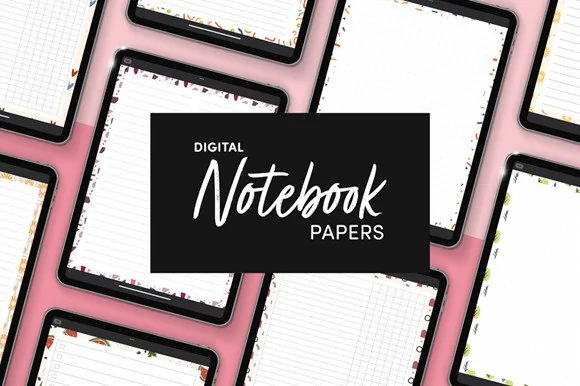
Layouts: 9 paper designs; 8 layout types
Best for: adding your own form to a notebook. Designed by catsquills.
- Portrait papers for GoodNotes and Notability
- Columns, tracker, list, dot, square, lined and notes layouts
- PNG and PDF formats
These portrait papers are a page set rather than a promise of a linked gaming organizer. Nine decorative designs come in eight layout types, including columns, square grid, lines and notes, in PNG and PDF. Columns could become your handwritten player-and-score list; a notes page could hold the recap. Choose this route if you already like your notebook and only need new paper. It will not supply game names, formulas or automatic totals.
Best for a compact memory page
11. Undated Cute Orange Bullet Journal
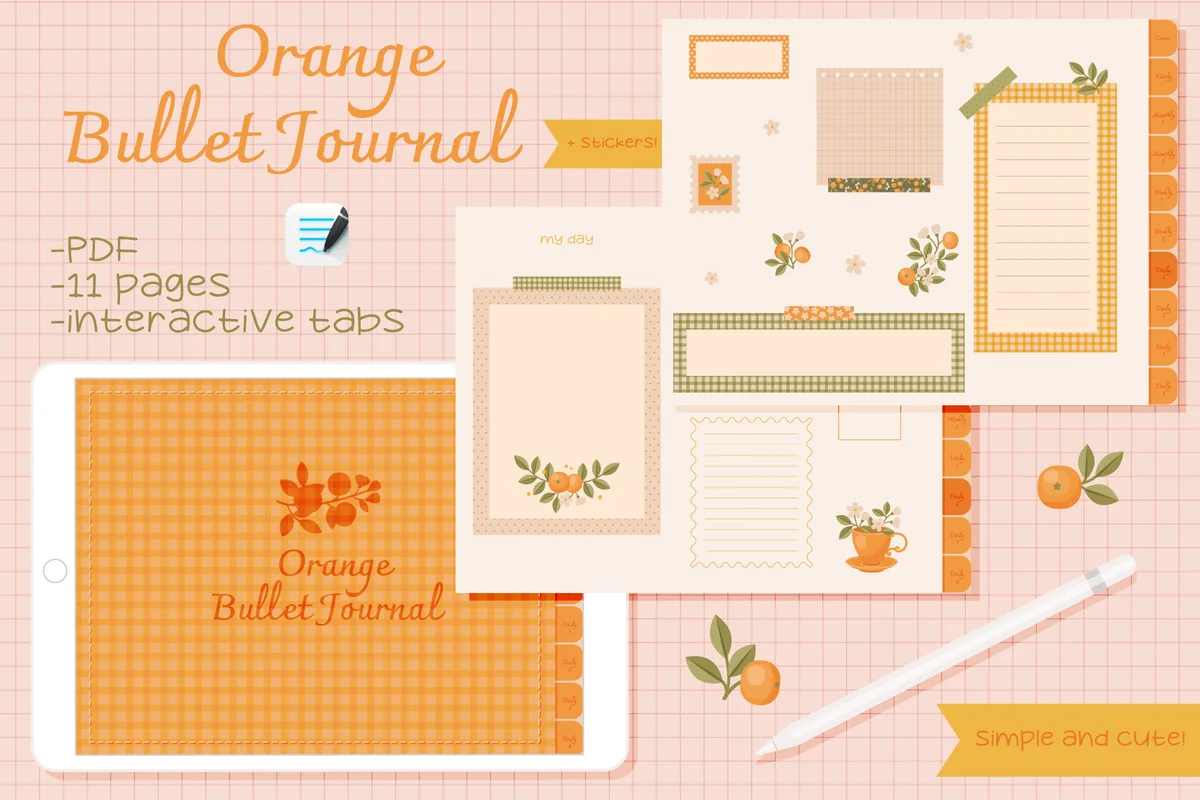
Layouts: 11 pages; decorated frames and calendars
Best for: a brief highlight rather than a long report. Designed by digitaliya_studio.
- Interactive PDF with clickable tabs
- Fill-in calendar, weekly layouts and short writing frames pictured
- GoodNotes sticker file included
The orange bullet journal has small frames and fill-in calendar pages, which makes it better for a short game-night memory than a detailed account. Write the title, a standout moment and one reason to replay in the available boxes. Its clickable PDF and GoodNotes stickers offer a more decorated page from the start. A crowded results table or a long campaign history would need a roomier layout elsewhere in your notebook.
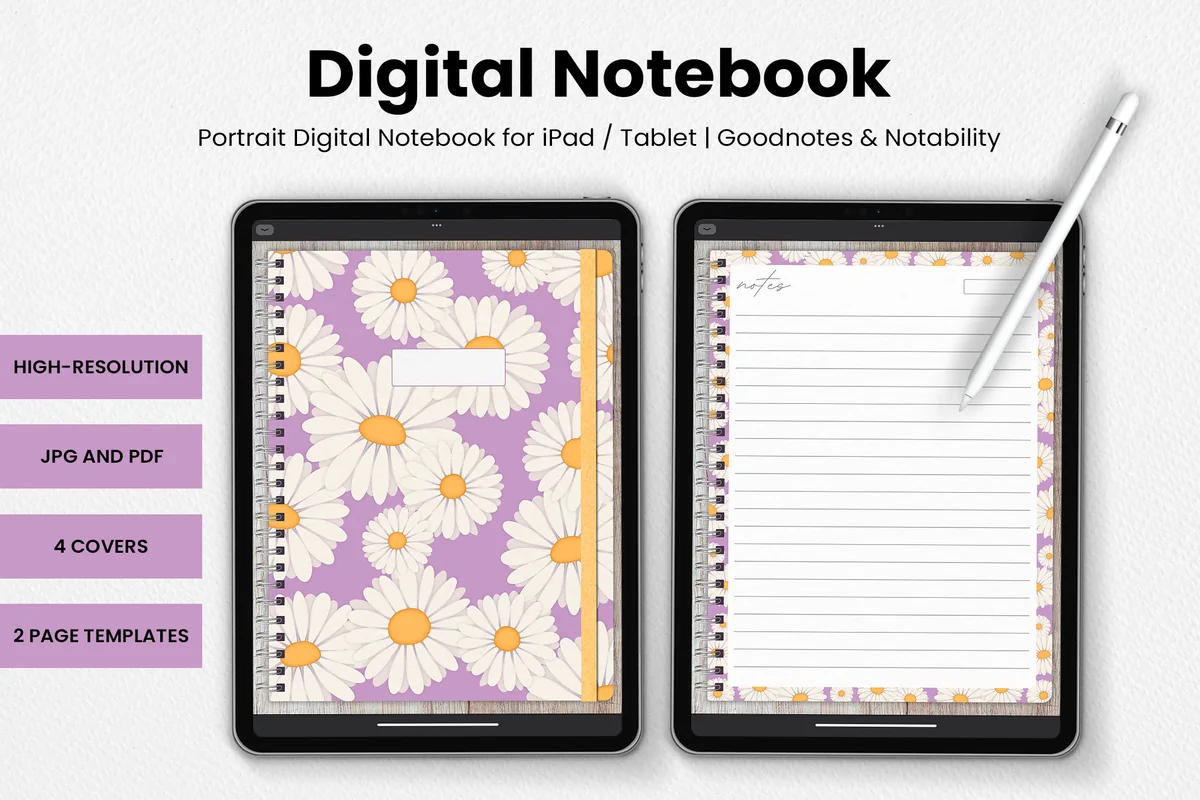
Best for simple ruled recaps
12. DaisyNotes | Digital Notebook | Purple
Layouts: 4 covers; 2 page templates
Best for: an uncluttered page with floral edges. Designed by catsquills.
- Portrait digital notebook for GoodNotes and Notability
- Purple daisy borders and wood-textured backgrounds
- JPG and PDF files
DaisyNotes keeps the choice small: four covers and two portrait paper templates in JPG and PDF. The purple daisies and wood texture are decorative, while the ruled writing space can hold a title and a short session summary. This suits someone who wants to write a few useful sentences without building many tabs. Keep a simple title-and-date list alongside the recaps if you want to find a previous play quickly.
Quick Comparison
| Option | Structure | Useful for | Keep in mind |
|---|---|---|---|
| 1. Digital Notebook | 12 linked sections; 16 note templates | two sessions side by side | Add your own game fields |
| 2. Watercolor Hyperlinked Digital Notebook | 12 linked sections; 3 page styles | a table photo with a short recap | Add your own game fields |
| 3. Digital Notebook 5 Hyperlinked Tabs | 5 linked sections; 5 paper templates | a small, repeatable play journal | Add your own game fields |
| 4. Digital Notebook 5 Hyperlinked Tab | 5 linked sections; 30 paper templates | trying a recap, grid and turn sketch | Add your own game fields |
| 5. Digital Notebook 500 Pages Bundle – 2 | 10 sections; 500 ready pages | an established habit with many entries | Add your own game fields |
| 6. 365 Days Daily- Digital Journal | 365 undated daily pages; linked navigation | finding the night a game was played | Add your own game fields |
| 7. Digital GoodNotes Journal – Tie Dye | Monthly linked dividers; 5 lined pages each | short recaps arranged by month | Add your own game fields |
| 8. Digital GoodNotes Journal – Art Deco | Monthly tabs; lined and brain-dump pages | a monthly recap plus an open-notes page | Add your own game fields |
| 9. Digital Ruled Journal | 366 ruled pages; linked month and day index | a chronological handwritten account | Add your own game fields |
| 10. Digital Notebook Papers – GoodNotes | 9 paper designs; 8 layout types | adding your own form to a notebook | Paper set; create navigation yourself |
| 11. Undated Cute Orange Bullet Journal | 11 pages; decorated frames and calendars | a brief highlight rather than a long report | Small frames limit long reports |
| 12. DaisyNotes | Digital Notebook | Purple | 4 covers; 2 page templates | an uncluttered page with floral edges | Create your own title-and-date index |
25 board game journal ideas, from results to rematches
Choose only the fields that help you remember your own table. A quick card game may need two lines; a long cooperative session may deserve a page. Start with the first group, then add a narrative, comparison or replay idea when you have a reason to use it. Use these suggestions to design a page around the details you want to remember.
Capture the played session 1–5
- 1A five-field session slip. Write the game title, date, players, outcome and one highlight. Leave an extra line for the edition or expansion actually used when it matters. This becomes the smallest reusable record for an ordinary play.
- 2A player-and-score strip. Put each participant beside their final score, using initials if you prefer. Mark a tie explicitly instead of forcing a winner. For a game without points, replace the score column with the result that the game actually uses.
- 3A shared team result. For cooperative games, record the team outcome and the roles people played. Keep personal contributions in the story below, rather than turning a shared result into an invented individual leaderboard.
- 4A first-play marker. Add a small first-play flag and note who was learning. A later rematch can then be read in context. The point is to preserve the learning situation, not to excuse every loss or predict future skill.
- 5A real session length note. Separate setup, teaching and actual play if those distinctions matter to your group. Label an estimate as an estimate. That makes a future evening easier to plan without pretending a rough memory is a stopwatch measurement.
Keep the story worth retelling 6–10
- 6A turning-point box. Describe one decision that changed the direction of the session. Write what happened before and after it in a sentence each. A small sketch can replace a complicated paragraph when the position is hard to explain.
- 7A table quote with permission. Save a line everyone wants to remember, with enough context to make it funny later. Ask before keeping someone else’s personal remark or sharing the page. A private joke does not need to become a public caption.
- 8A photo-and-caption page. Place a table photo above a short caption: game, players and the moment pictured. Keep faces or private surroundings out of shared copies unless people agree. A caption makes the picture useful when the game is no longer fresh in memory.
- 9A surprise worth a sentence. Finish the prompt “I expected…, but…” with an observation from this play. It might be a quieter player taking the lead or a familiar game feeling different with a new group. Keep it about this session rather than a universal verdict.
- 10A tiny session report. Use three headings: opening, turning point, finish. Give each one a few lines. This preserves a readable arc without recording every turn, and it leaves room to say why the session mattered beyond the final score.
Compare plays without flattening them 11–15
- 11A rematch pair. Put two dated sessions on facing pages or in two columns. Keep player count, scenario and expansion visible on both. Note one meaningful difference before deciding whether your impressions really changed.
- 12A player-count observation. Write how the pace or interaction felt at the count you actually played. Add a new dated observation after trying another count. Avoid filling the rest of a comparison chart from someone else’s opinion or the number printed on the box.
- 13A changing-role page. For games with roles, factions or characters, note the one you played and a decision it encouraged. On a later play, compare your own experience with another role. Do not include hidden information that could spoil a future session.
- 14A rules-question parking space. Record the question, where to check it in the official rulebook, and the answer once found. Keep an unresolved question clearly marked. Your journal is a reminder to verify the rule, not a replacement rulebook for other players.
- 15A score with a reason. Beside an optional enjoyment rating, write one sentence explaining it. Separate enjoyment from winning. A high score in the game and a satisfying evening are different things, so give them separate labels if you keep both.
Prepare a thoughtful return 16–20
- 16A try-next-time note. Write one choice you want to try on a rematch, phrased as an experiment. Include the situation where it might matter. This is more useful than declaring a single play has revealed the best strategy.
- 17A teach-again reminder. After the session, jot down one explanation that helped and one point that caused confusion. Keep the note short enough to glance at before teaching again. Use the official rules to check the substance before relying on your shorthand.
- 18A replay invitation. Write who might enjoy another session and why, based on what your group actually said. Keep preferences provisional: “Sam asked to try it again” is more useful than assigning permanent labels such as “only likes easy games.”
- 19A campaign breadcrumb. Note the session number and the next starting point in a clearly labeled campaign section. Put spoilers on a separate page or behind a warning. This is a personal memory aid; follow the game’s own instructions for official campaign records.
- 20A return-after-a-break page. Write the last session date, where your fuller notes live and the one thing you want to check before playing again. Leave room to update this after the next play. It connects the history to a useful action without becoming a separate party plan.
Make the history easy to revisit 21–25
- 21A monthly played-games shelf. List only games that reached the table that month, with page references to their sessions. This is a play history, not a collection catalog. A small tick for each recorded play is enough if exact statistics are not your goal.
- 22A same-game session index. Give a frequently played title one index line per date. Add a page number or a short locator matching your notebook’s navigation. The index is manual, so update it while the new entry is still open.
- 23A memorable-moments recap. At the end of a month, pick three moments from existing entries and write why they stayed with you. Link them back to the original pages. The recap becomes a short route into the archive rather than a second copy of every result.
- 24A shared-page contribution. Invite willing players to add one sentence to a session page. Use names or initials only with their agreement. Differing impressions can sit beside one another without the journal needing to decide whose account is correct.
- 25A next-game shortlist from actual plays. Choose a few games your entries make you want to revisit, and attach a reason to each. Keep this list separate from the recorded sessions so an intention is never counted as a play. Replace it when the group’s interest changes.
Read game stats alongside the story of each play
If you are looking for who wins most often, make a manual tally from completed entries for one specific game. Count each player’s appearances as well as wins, and keep ties and cooperative results separately labeled. Compare sessions with the same player count and scenario before drawing a conclusion from the data. A win total alone leaves out how often someone joined the table.
Beside the tally, write what made the gaming experience worth repeating: a close finish, a surprising roll or a decision you would love to try differently. If you play alone, record the scenario, difficulty and outcome, then set one challenge for the next attempt. Keep that thought beside the result so a personal best does not become the only reason to revisit a game.
Set up one reusable play page before adding extras
Make one useful session entry before designing a whole season of pages. On a blank or ruled sheet, leave the top area for facts and the larger lower area for the story. That keeps a score from swallowing the page and gives you a consistent place to find names later.
From blank paper to a repeatable entry 4 steps
- 1Choose the return route. Use chronological pages if you remember evenings by date, or one section per recurring game if you mainly want rematches together. Write the choice into your index. Avoid maintaining two complete copies of the same session.
- 2Make a clean master sheet. Add title, date, players, result and memorable moment, leaving the actual answers blank. Duplicate this clean sheet using your annotation app’s page tools when needed. Check the new page before writing so yesterday’s scores are not carried forward.
- 3Write after the result is settled. Capture the five facts first and add a short account while the session is still familiar. If you are unsure of a number, mark it unknown or approximate. There is no need to reconstruct every turn just to fill the space.
- 4Add one useful connection. Point the entry toward an earlier play, an unresolved rule or a next-time experiment. Update the relevant index once. Keep a future intention separate from the finished play history, then close the journal and leave it ready for the next session.
To manage a growing tabletop journal, give each recurring title a consistent name in your index, including the edition when it matters. Add a short locator such as “first play” or “campaign session 3” beside the date so you can search the index for the evening you remember. For physical cards or board positions that need a longer explanation, bring a photo from your phone into the entry and caption the exact moment. Keep putting new page references in the same place rather than rebuilding the index after a long gap.
A short fictional entry that leaves room for the evening
Here is an invented example of the amount of detail I mean. “Garden Routes” is a made-up game title, and the names and results below are illustrative. The entry shows how you can arrange your own session notes.
- Session: Garden Routes, November 8; Alex, Jo and Mira; second play for the group.
- Result: Jo 42, Mira 39, Alex 37. Scores copied from the finished game.
- Moment: Mira changed plans near the end, which made the final round much closer than expected.
- Impression: I liked the close finish; the opening still felt slow while we remembered the steps.
- Next play: Check the setup sequence in the official rules, then try again with the same group.
A different session could replace points with a shared win, omit the detailed totals or use a photograph instead of the moment paragraph. Keep the parts you will want to reread. If writing begins to interrupt the evening, reduce the page to the title, people, result and one sentence until the habit feels comfortable.
Keep a play log distinct from a collection list or an app
- Play log: what happened during a completed session, including the people and their impressions.
- Collection inventory: what you own, where it lives or what you might buy. Keep it elsewhere if you need one.
- Session report: a longer account of one play, with a turning point or narrative. A short log can link to it.
- Replay list: what you want to put on the table next. It is a future choice, not evidence of a completed play.
A PDF journal gives you handwriting space and, where included, fixed page links. It does not calculate win rates, import a game collection, synchronize with BoardGameGeek or generate charts from your entries. If automatic statistics are essential, a purpose-built tool serves a different job. Choose the notebook because you want flexible notes, sketches and stories, rather than expecting database behavior from paper layouts.
FAQ: Building a board game play journal
What should a beginner record after a game?
Start with title, date, players, outcome and one memorable moment. The result might be a winner, a tie, a team outcome or an unfinished session. Add expansion or scenario details only when they help you identify what was actually played.
Should I use a page per game or a page per session?
Use a page per session when you want a clear chronology and room for the evening’s story. Give recurring games an index or section that points to those entries. One page per game works for brief summaries, but repeated sessions can quickly run out of space.
How do I record cooperative games without a winner?
Write the team result and who played which role, if roles matter. Add the moment when the plan worked or changed. There is no need to assign an individual winner when the game does not have one.
How can I adapt a notebook page for a board game log?
Choose a page with room for the game title, player list and result. In a compatible annotation app, add those headings and leave space for one memorable moment. Reuse that arrangement when it helps you compare sessions.
Can the PDF calculate scores or track plays automatically?
The papers do not calculate scores or gather statistics automatically. Keep totals and indexes manually. Fixed hyperlinks help you move through the pages that a notebook supplies; they do not turn handwriting into a game database.
How can I keep a campaign journal without spoiling the game?
Give campaign notes their own clearly marked section, and separate public recaps from hidden information. Ask other players before sharing a page or photo. Use the official campaign materials for required game records and the journal for your own memories.
Leave the next entry easy to write
Let these board game journal ideas fit the amount you want to write after an ordinary evening. Choose a page with enough room for the result and the story, write the five core details, then stop if that is all you need. When you return for a rematch, the note about what mattered last time will be waiting beside the score.
You May Also Like
Some links are affiliate links: qualifying purchases may provide a commission to this site. Further details are in the affiliate disclosure.