Lecture notes have one job: to make sense three weeks later, the night before the exam. A blank page rarely manages that. Things get written wherever there’s space, the main ideas hide in the middle of a paragraph, and there’s nothing to quiz yourself with. A good notes template in GoodNotes fixes most of that before you write a word, and a Cornell notes template goes one step further: it builds the review into the page.
When those lecture notes need to become a revision sheet, compare these study guide layout ideas. The examples help you rearrange concepts and recall questions instead of simply copying the original notes onto another blank page.
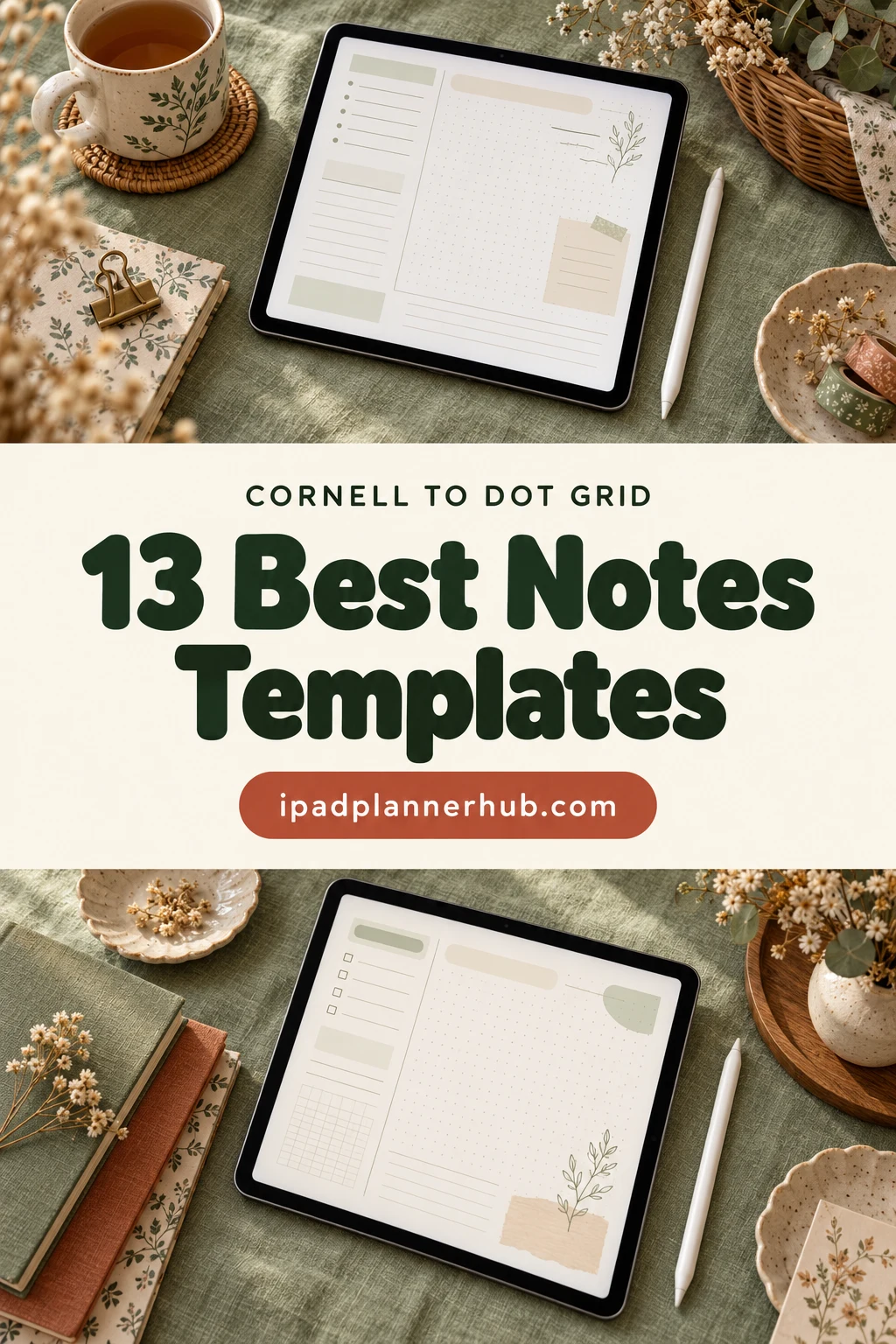
Below are the 13 GoodNotes note templates from Creative Fabrica I’d use for class, from notebooks with Cornell, dot grid and graph pages to paper packs you can mix into any notebook. After the list: what a Cornell notes template is, how to take Cornell notes on the iPad, which paper suits which subject, and a simple review routine for exam time.
The same dot-grid or graph notebook does not have to stay a lecture notebook. These empty notebook ideas help you choose another purpose and a starting structure before filling an unused section with unrelated notes.
The 13 Best GoodNotes Notes Templates I Found
Search “Cornell notes” on a template marketplace and most results are KDP book interiors, Canva files or printables. I skipped all of those and kept only digital notebooks and paper packs made for GoodNotes on the iPad. Cornell-ready notebooks come first, then subject notebooks and paper packs, and last a semester planner with lecture-note pages.
TL;DR: 13 GoodNotes notes templates for class: digital notebooks with a Cornell notes template, subject notebooks with 5 to 20 hyperlinked tabs, two big paper packs to mix your own, and a semester planner with lecture-note trackers. Each card lists the paper styles and sections.
Quick Picks
- Best for overall for lecture notes: Digital Notebook 500 Pages Bundle
- Best for simple Cornell notebook: Digital Notebook 5 Hyperlinked Tabs
- Best for landscape notebook: Horizontal Digital Notebook
- Best for 5-subject notebook: Digital Notebook 5 Hyperlinked Tab
- Best for most paper styles: Paradise Digital Note Templates
- Best for aesthetic notebook: Digital Notebook Purple Sky
- Digital Notebook 500 Pages Bundle – Best overall for lecture notes
- Digital Notebook 5 Hyperlinked Tabs – Best simple Cornell notebook
- Horizontal Digital Notebook – Best landscape notebook
- Digital Notebook 5 Hyperlinked Tab – Best 5-subject notebook
- Paradise Digital Note Templates – Most paper styles
- Digital Notebook Purple Sky – Best aesthetic notebook
- Digital Student Notebook – Best minimalist student notebook
- Cute Hyperlinked Notebook – 5 Tab – Best cute notebook
- Digital Notebook Papers – GoodNotes – Best decorative paper pack
- Digital Notebook Hyperlinked Goodnotes – Most pages for every subject
- 10 Tab Digital PDF Notebook for Studying – Best calm 10-subject notebook
- Digital Notebooks – Most tabs (20 subjects)
- Digital Semester Planner for Goodnotes – Best for lecture notes plus planning
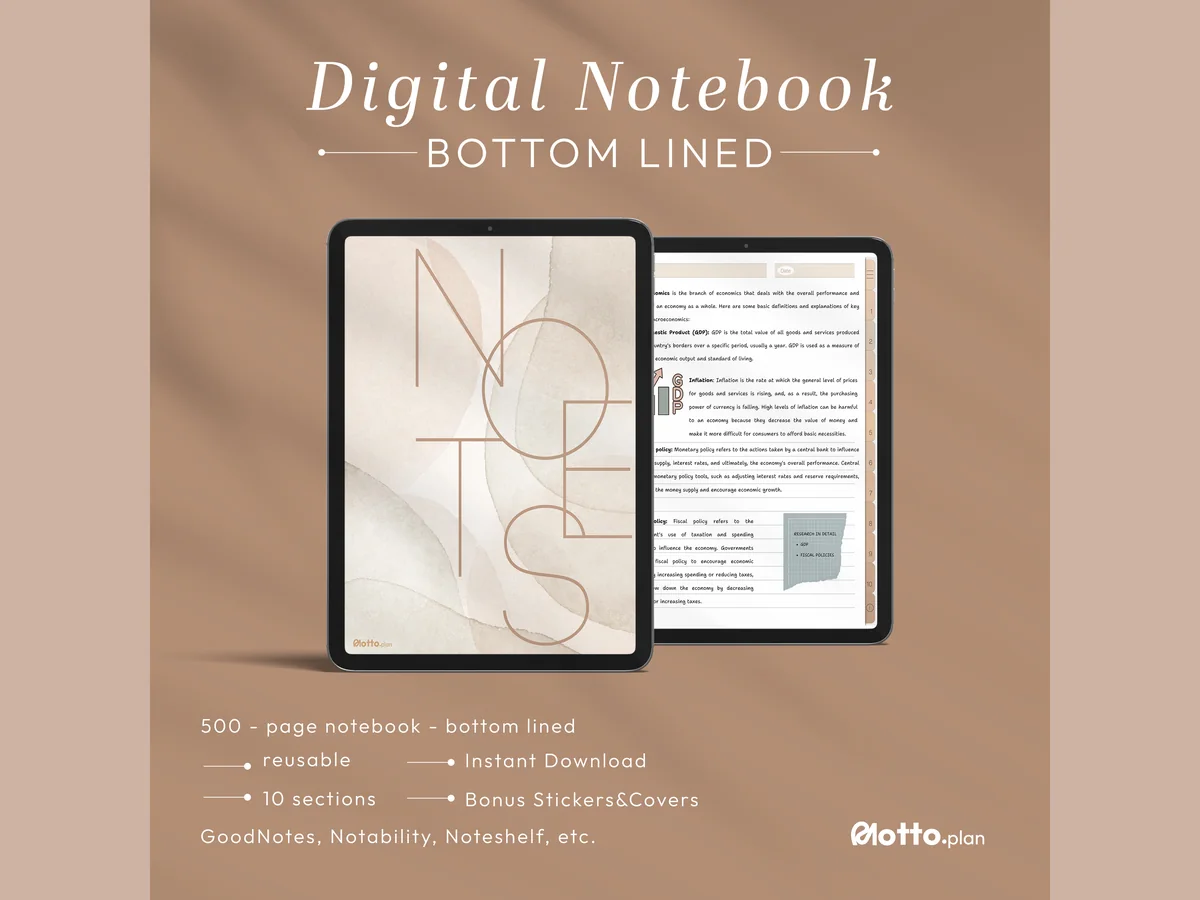
Best overall for lecture notes
1. Digital Notebook 500 Pages Bundle
Orientation: PortraitPaper: Lined, Bottom lined, Dot grid, Graph, CornellSections: 10 hyperlinked
Best for: college students, lecture note-takers, Cornell method fans. Designed by Motto Plan.
- 500 ready-to-use pages in 10 hyperlinked sections you can rename
- Lined, bottom lined, blank, dot grid, graph and Cornell notes pages (with several Cornell variants)
- Pre-cropped GoodNotes sticker book, PNG stickers and front covers
- User guide; works in GoodNotes, Notability, Noteshelf and Xodo
If I had to pick one notebook for a semester of lectures, it would be this one. Ten sections cover a full class load, and having several Cornell layouts next to graph and dot grid means one subject can switch format without a second file. The soft beige design stays out of the way of your handwriting.
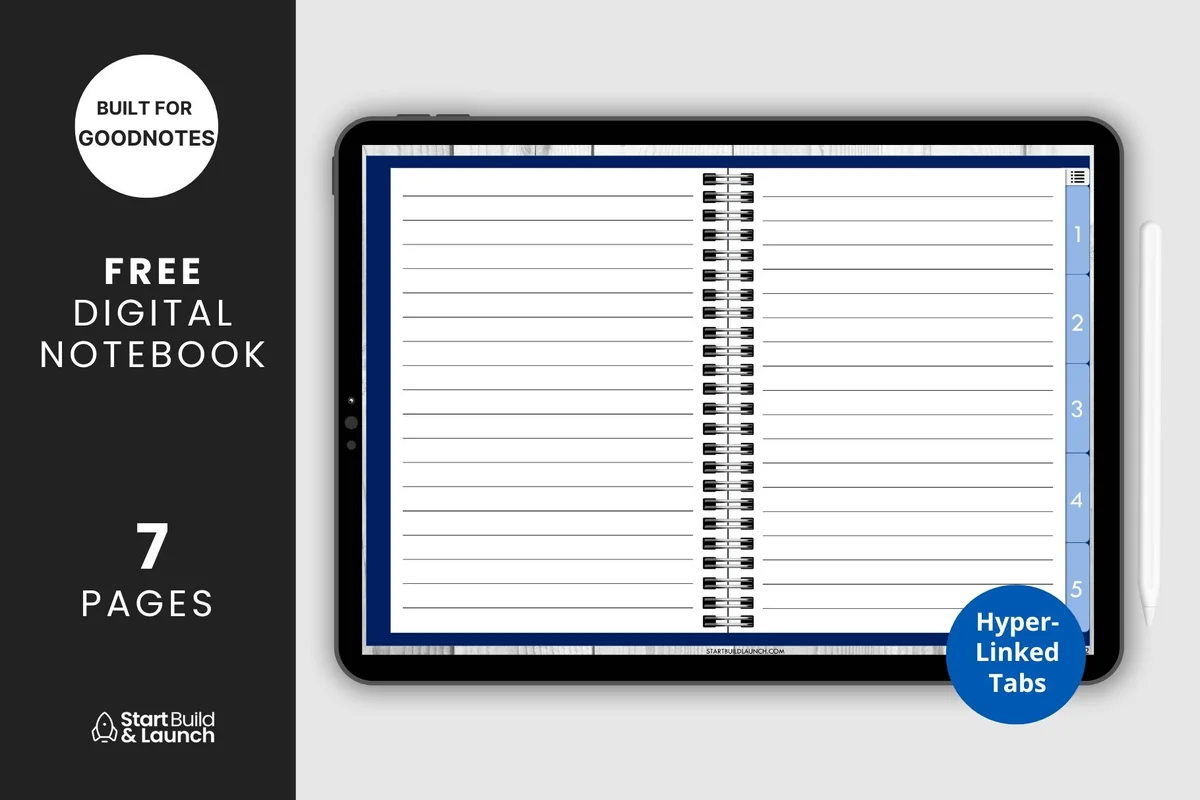
Best simple Cornell notebook
2. Digital Notebook 5 Hyperlinked Tabs
Paper: Lined, Blank, Graph, Cornell, Dot gridSections: 5 hyperlinked tabs + index
Best for: beginners, high school students, minimalists. Designed by aviswilliams.
- Five hyperlinked tabs, each its own section, plus a blank cover and an index page
- Paper: blank, lined, graph, Cornell notes and dot grid
- A small 7-page file that you duplicate as you write
- Made for GoodNotes; also works in Notability and Noteshelf
This is the smallest notebook on the list, and that's its charm. Five tabs for five classes, an index you fill in yourself, and exactly the paper styles a student needs, including a Cornell page. Good for a first try at digital note-taking before committing to a bigger notebook.
Best landscape notebook
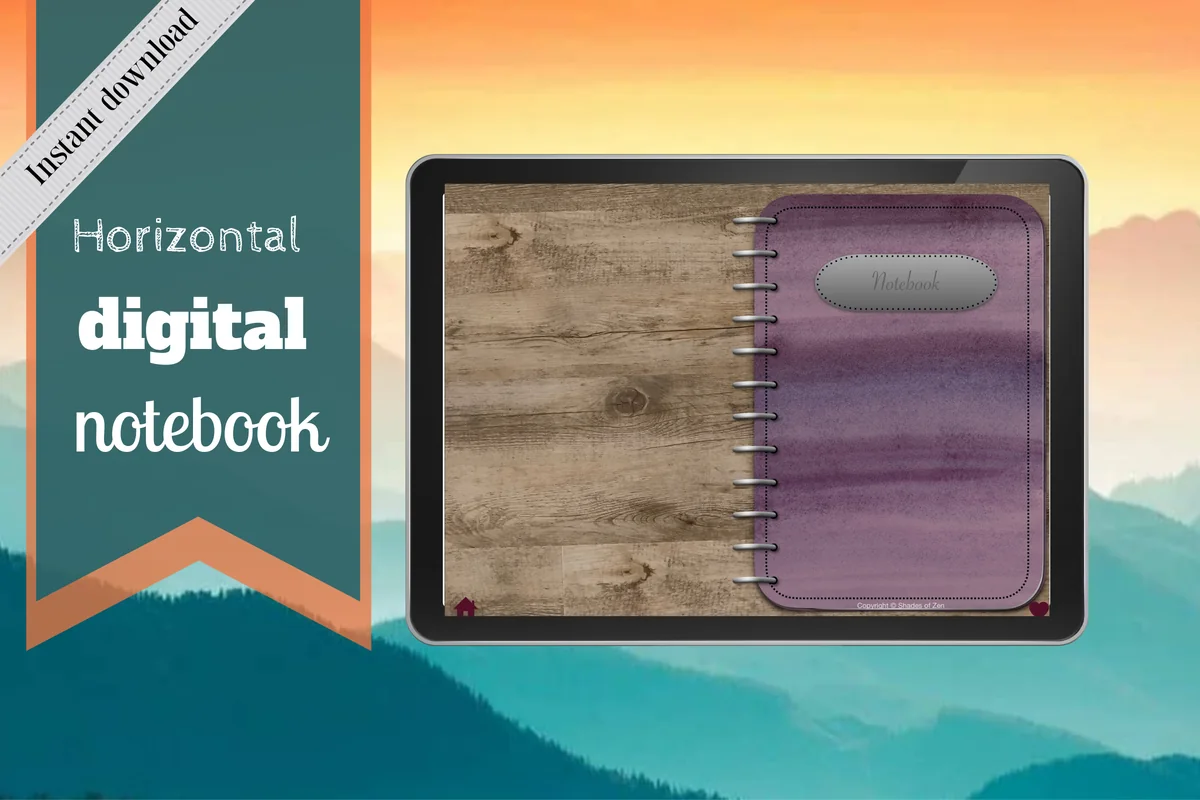
3. Horizontal Digital Notebook
Orientation: LandscapePaper: 16 templates incl. Cornell, two columns, dot gridSections: 12 hyperlinked
Best for: landscape note-takers, busy students, meeting notes. Designed by Shades of Zen.
- Landscape notebook with 12 hyperlinked sections you can expand to any number of pages
- 16 note templates: blank, dot grid in two sizes, lined, two columns, Cornell notes and more
- Each section has its own divider, and the tabs link from any page
- Instructions for importing into GoodNotes included
Most notebooks are portrait, so this horizontal one stands out. Landscape pages give a Cornell layout more room for the cue column, and the two-column template works well for comparing ideas in class. Twelve sections are enough for every subject plus a catch-all.
Best 5-subject notebook
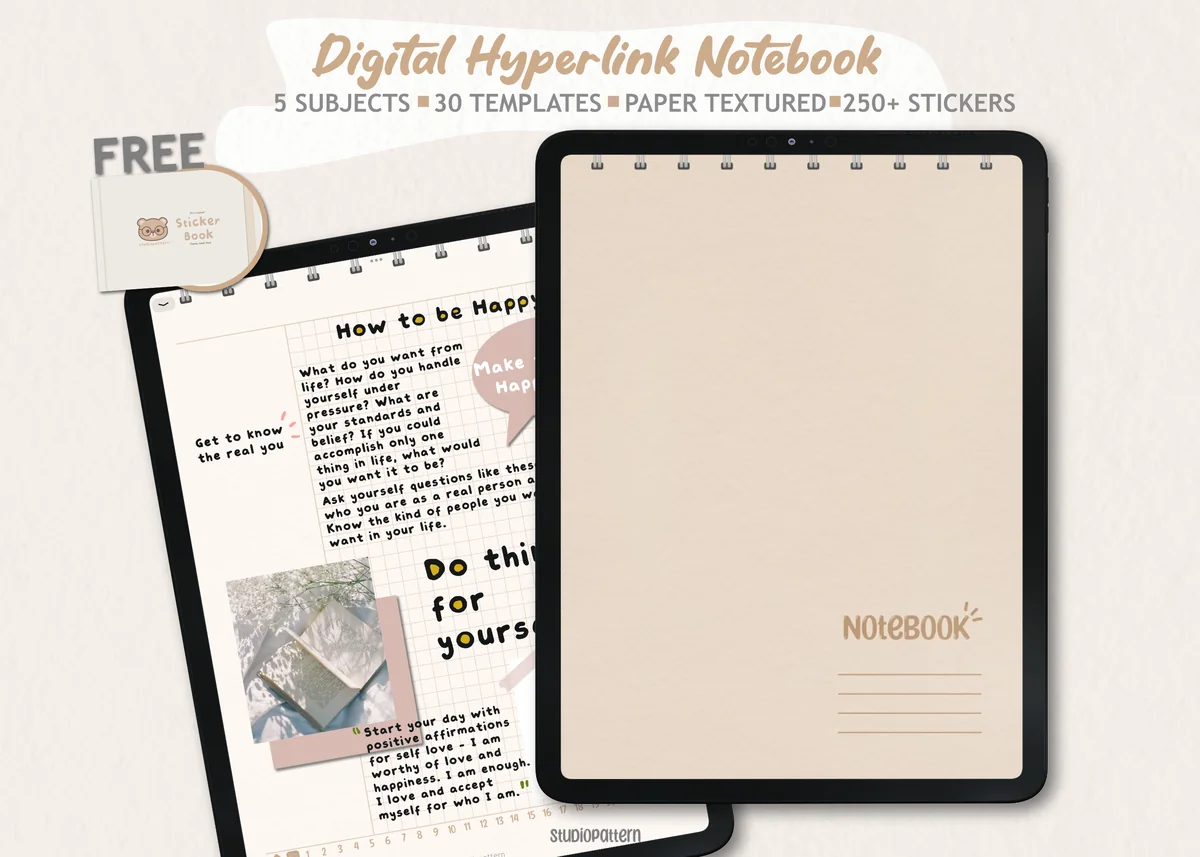
4. Digital Notebook 5 Hyperlinked Tab
Orientation: PortraitPaper: 30 templatesSections: 5 subjects + contents page
Best for: 5-subject students, sticker lovers, neutral aesthetic fans. Designed by studiopattern.
- 5 section dividers with clickable tabs and a contents page
- 30 note-taking templates to duplicate behind any section
- 250+ stickers as PNG files plus a pre-cropped GoodNotes sticker book
- Manual included; works in GoodNotes, Notability, Xodo and Noteshelf
Thirty templates is a lot of choice for a 5-subject notebook, so each class can get the paper that suits it: graph for math, lined for history, dot grid for diagrams. The soft textured paper and the sticker book make it feel cozy without crowding the page.
Most paper styles
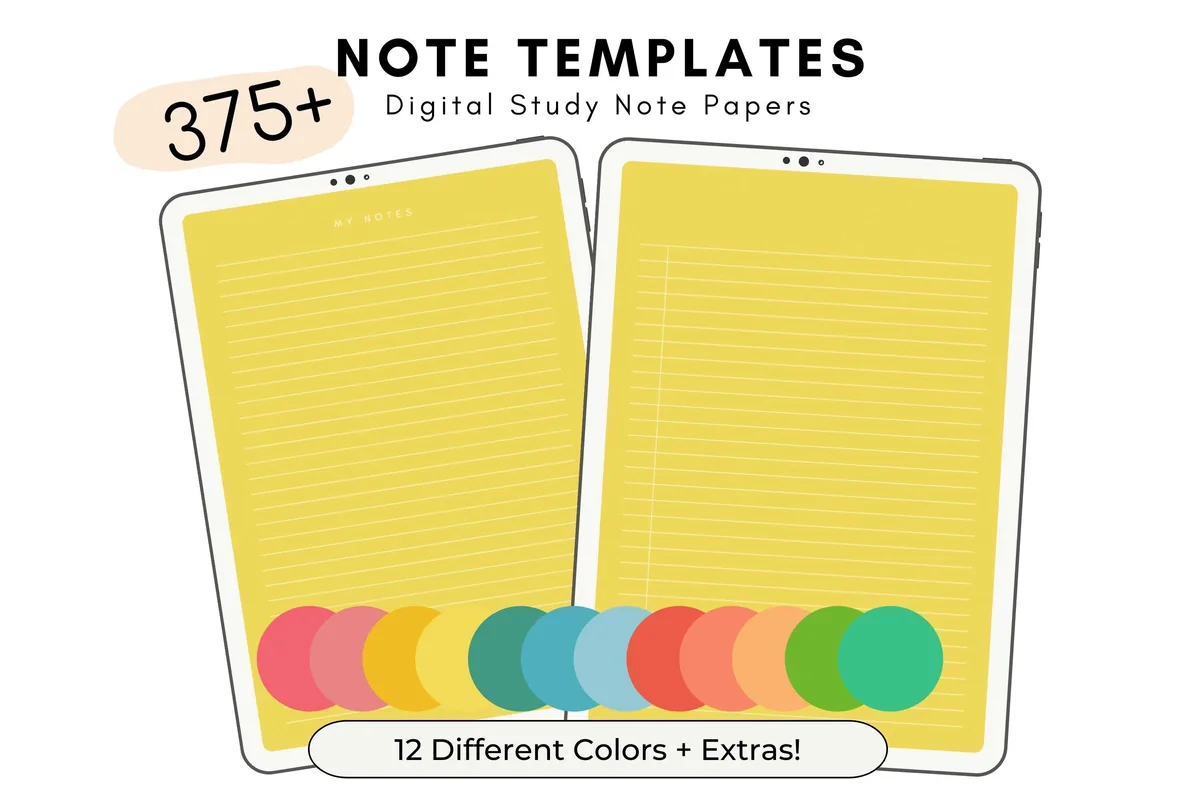
5. Paradise Digital Note Templates
Orientation: PortraitPaper: 33 note styles in 12 colorsFormat: Separate PDF pages, US Letter
Best for: color coders, study note-takers, people who mix their own notebook. Designed by thedigitaldoodle.
- 33 note template styles, each in 12 colors, saved as separate PDF files grouped by color
- A weekly planner and a to-do list page in every color
- 10 bonus PDF notebook covers
- US Letter size; works in GoodNotes and most PDF annotation apps
This isn't a notebook but a paper drawer: hundreds of single pages you drop into any GoodNotes notebook you already use. I like it for color-coding, one color per subject, while keeping the same layouts. The colors are bright, so it suits people who like a cheerful page.
Best aesthetic notebook
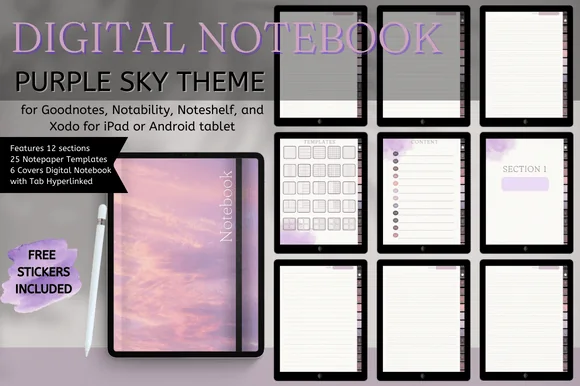
6. Digital Notebook Purple Sky
Orientation: PortraitPaper: 25 templatesSections: 12 hyperlinkedDates: Undated
Best for: purple lovers, journal-style notes, Android tablet users. Designed by Nann Digital Art.
- 12 hyperlinked sections with an index page
- 25 notebook paper templates; all 40 pages can be duplicated
- 5+1 covers and a free purple sticker set
- Undated; works in GoodNotes, Notability, Noteshelf and Xodo on iPad or Android tablets
The purple sky covers make this the prettiest notebook here, and 25 paper templates mean it's not only looks. I'd use it for reading notes, personal study or one subject you love. It's also one of the few that mentions Android tablets, handy if you switch devices.
Best minimalist student notebook
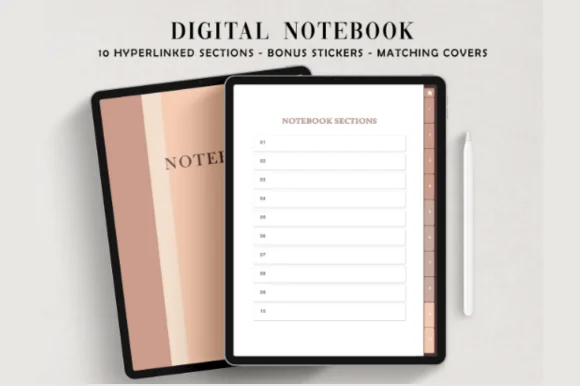
7. Digital Student Notebook
Orientation: PortraitPaper: Blank, Dotted, LinedSections: 10 hyperlinked
Best for: students, boho aesthetic fans, sticker lovers. Designed by ThePlannersDelight.
- 10 hyperlinked section dividers with color-coordinated tabs and an index
- Three templates in each section: blank, dotted and lined
- 6 bonus boho notebook covers
- 650+ pre-cropped stickers: number icons, washi tapes, checklists and frames
If Cornell pages feel like too much structure, this one keeps it simple: blank, dotted and lined in every section, with ten tabs for a heavy course load. The soft boho covers and a huge sticker set make it easy to tell subjects apart at a glance.
Best cute notebook
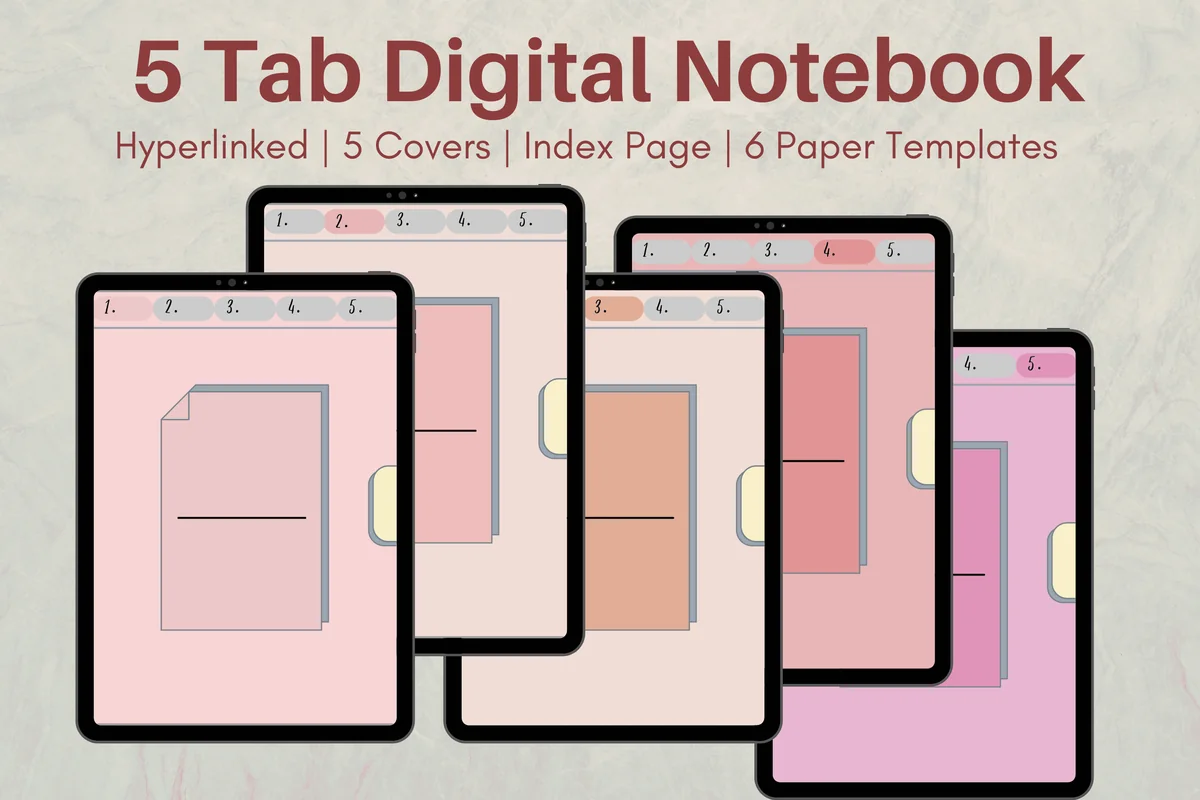
8. Cute Hyperlinked Notebook – 5 Tab
Orientation: PortraitLayouts: 5 covers, 6 paper templates, 5 dividersFormat: Hyperlinked PDF
Best for: students, multi-subject note takers, cute style fans. Designed by Melissam Illustration.
- 5 subject dividers with hyperlinked tabs and an index page to name each subject
- 6 paper templates to duplicate and mix
- 5 cover color options
- One PDF for GoodNotes, Notability, Noteshelf or Xodo
A small, cheerful notebook with pink and peach tabs and an index you fill in yourself. Six templates are enough for everyday class notes, and the date line on each page helps when you review later. A nice pick for high school.
Best decorative paper pack
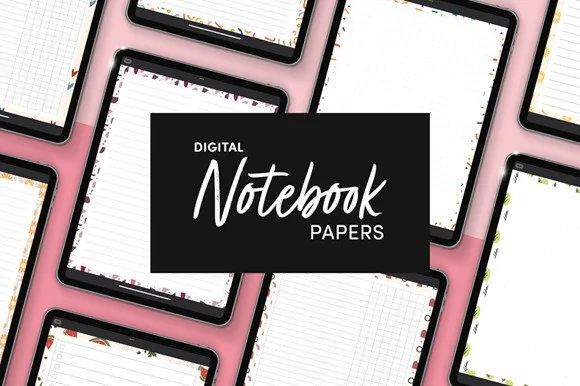
9. Digital Notebook Papers – GoodNotes
Orientation: PortraitPaper: 8 layouts in 9 designsFormat: PDF + PNG
Best for: list makers, decorative note-takers, planner add-ons. Designed by catsquills.
- 9 portrait paper designs made for GoodNotes and Notability
- 8 layouts for each design: columns, habit tracker, to-do, numbered list, dots, square, lines and notes
- PDF and PNG files, 8.5 × 11 in
These pages are for the bits of class life that aren't lecture notes: reading lists, numbered steps, to-dos for a group project. The floral borders are subtle enough for school, and you can add a single page to the notebook you already use.
Most pages for every subject
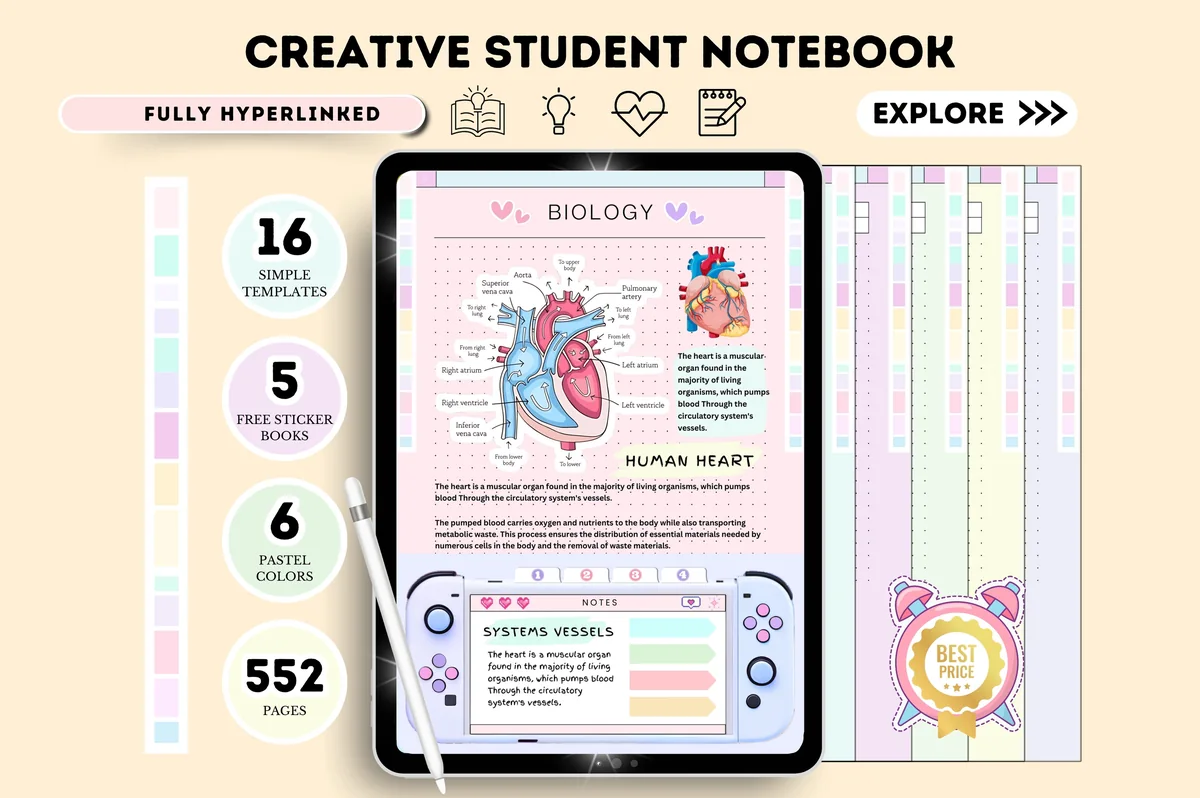
10. Digital Notebook Hyperlinked Goodnotes
Layouts: 6 pastel notebooks, 16 page templates, 552 pagesDates: Undated
Best for: beginners, pastel lovers, students. Designed by Tas Creative Studio.
- 15 custom sections you can name, linked from an index page
- 16 note templates: lined, dotted, grid, graph and Cornell
- 552 pages in 6 pastel color versions, undated
- 5 sticker books included; works in GoodNotes, Notability, Noteshelf and Xodo
This is the one I'd pick if a single notebook has to hold every class plus the notes that don't fit anywhere else. Fifteen sections is room for a full timetable and a couple of spares, and the quick menu on each page saves a lot of scrolling. The playful game-console frame won't suit everyone, so look at the covers first.
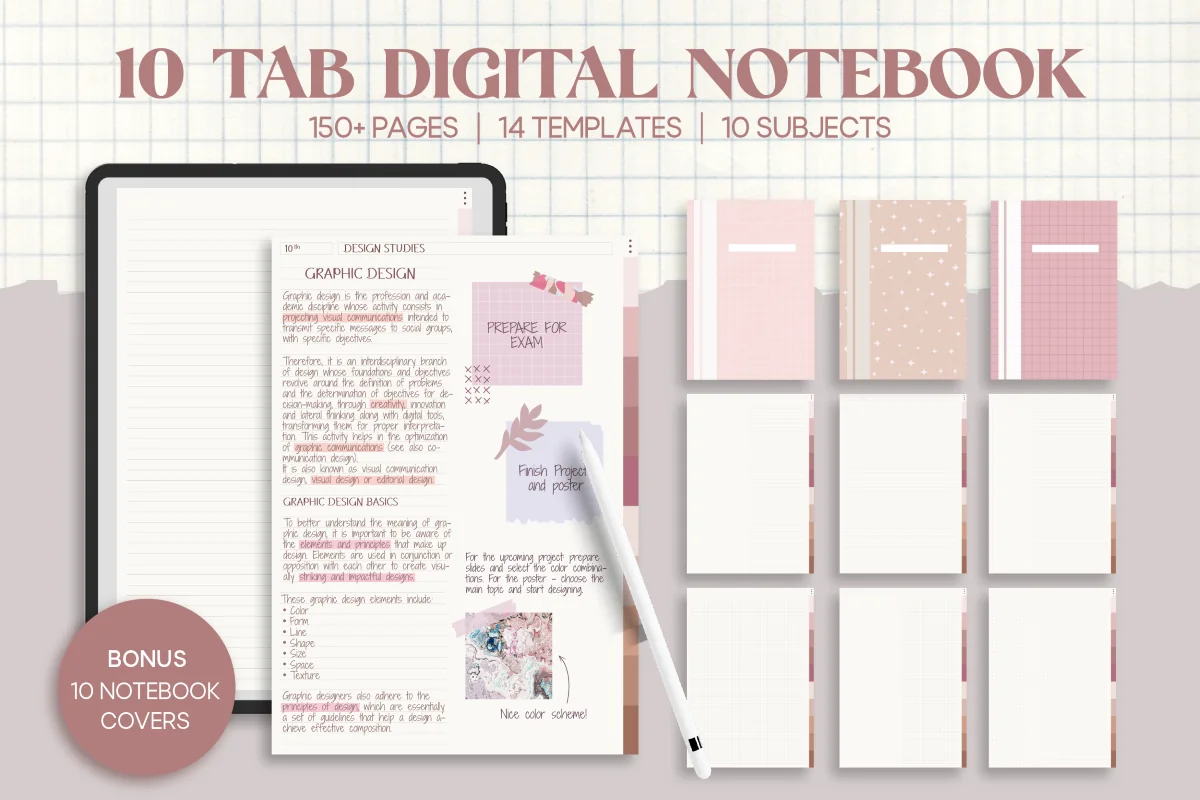
Best calm 10-subject notebook
11. 10 Tab Digital PDF Notebook for Studying
Orientation: PortraitPaper: 14 templates incl. 2 Cornell stylesSections: 10 subjects + indexFormat: A4 PDF
Best for: full course load, neutral aesthetic fans, Cornell method fans. Designed by Felicia Notes.
- 10 hyperlinked subject tabs and an index page
- 14 note-taking templates: lined, dotted, grid, blank, two Cornell styles and column layouts
- 150+ pages on cream paper, A4 size
- 10 bonus notebook covers
Ten tabs, two kinds of Cornell page and cream paper that's easy on the eyes during a long study night. It's quiet in a good way: the pages leave room for your own color coding. The A4 size can show thin margins on some iPads, which I'd accept for the layout choice.
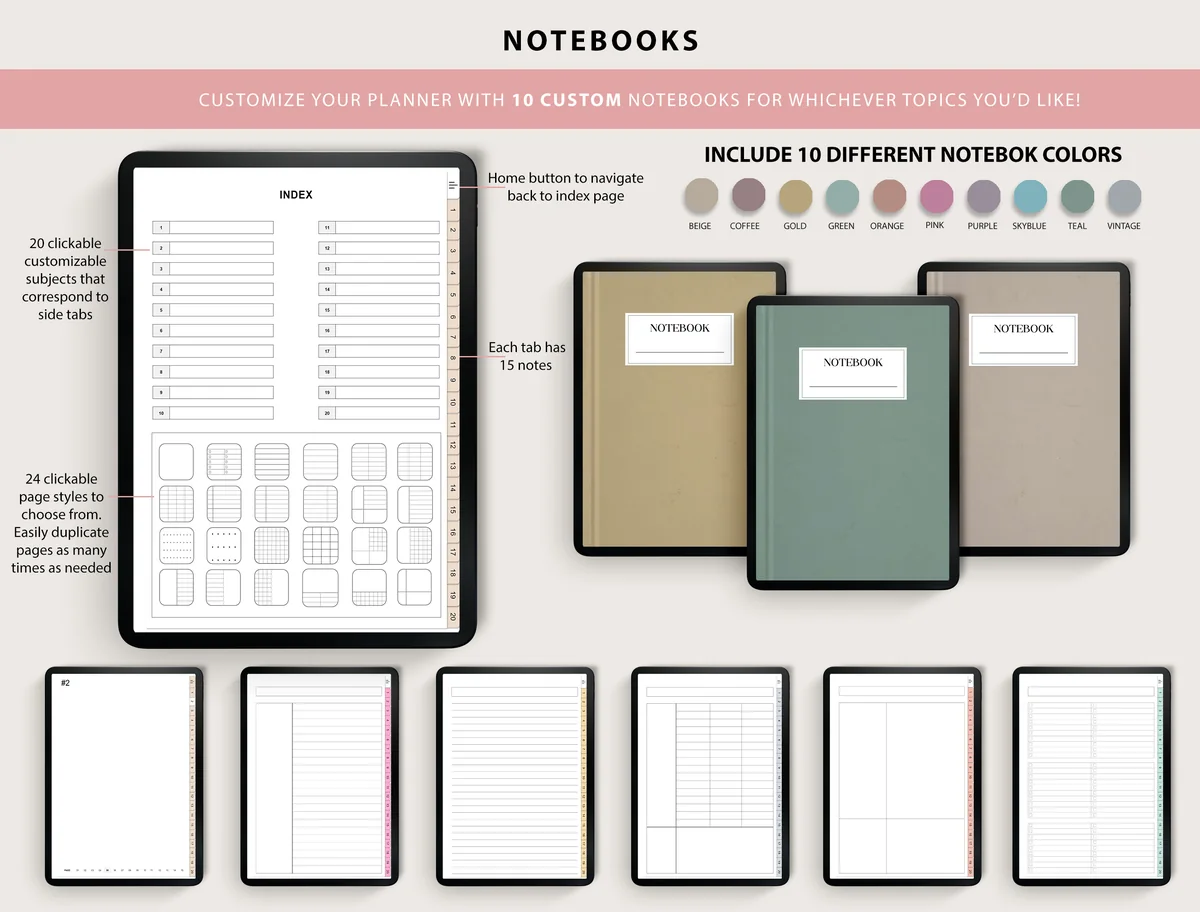
Most tabs (20 subjects)
12. Digital Notebooks
Orientation: PortraitPaper: 24 page stylesSections: 20 tabs + index
Best for: students with side projects, minimalists, life admin. Designed by ThePlannersDelight.
- 20 clickable tabs you can rename from the index
- 15 note pages behind every tab, plus 24 bonus pages
- 24 page styles to duplicate as needed
- 10 notebook cover colors and a home button back to the index
Twenty tabs is more than most students need, and that's the point: classes in the first half, projects, clubs and life admin in the rest. The design is plain and the covers are simple color blocks, so it suits someone who cares more about structure than decoration.
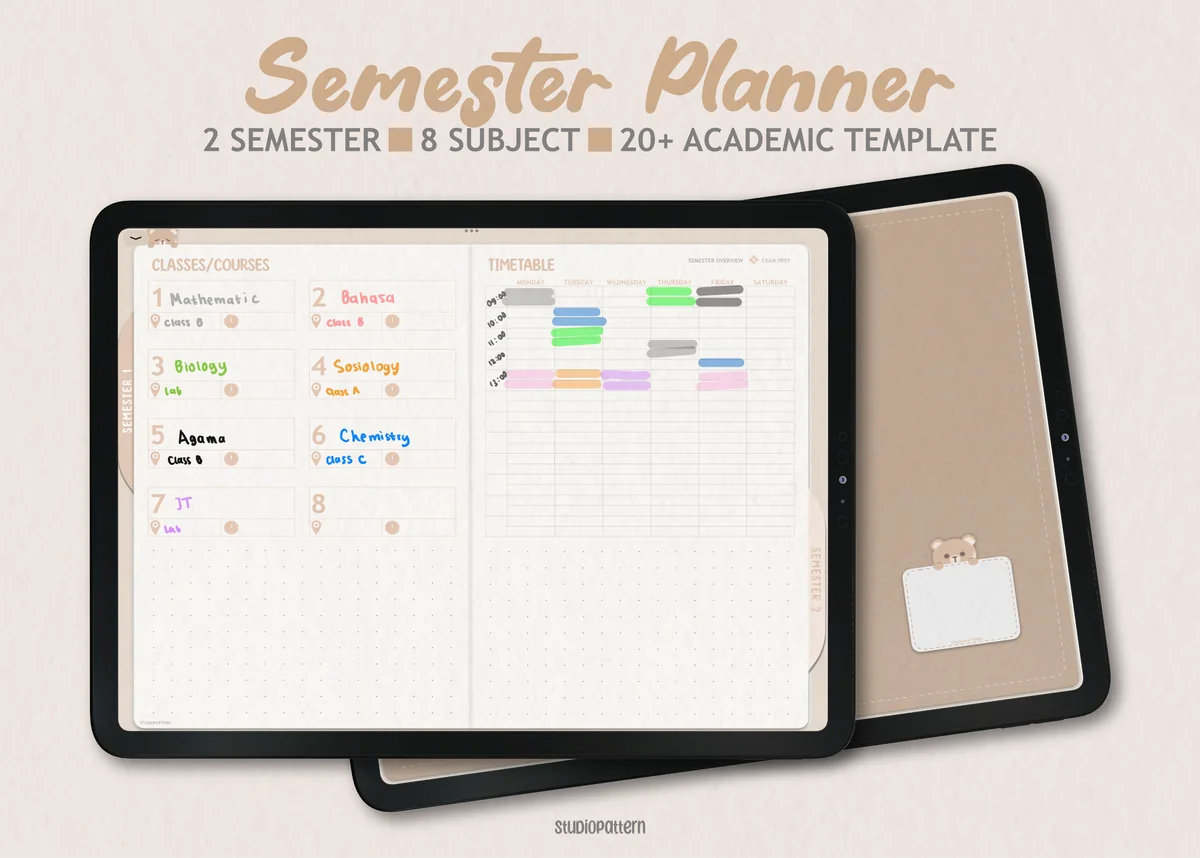
Best for lecture notes plus planning
13. Digital Semester Planner for Goodnotes
Orientation: LandscapeLayouts: Semester, Classes (8), Exam timetableDates: Undated
Best for: college students, high school students, exam season. Designed by studiopattern.
- Class overview pages with their own trackers for assignments, lecture notes, reading and grades
- 4 paper templates (blank, lined, dotted, grid) for 5 section pages
- Semester dashboard for up to 8 classes, a timetable and an exam timetable
- Hyperlinked PDF plus GoodNotes calendar elements
This one is a semester planner first, which is why it's last here. But the description lists a lecture notes tracker for every class and four note papers, so your notes live right next to the deadlines they're for. If you'd rather have one file for planning and notes, this is the one I'd try.
Quick Comparison
| Template | Best for | Paper styles | Stand-out extra |
|---|---|---|---|
| 1. Digital Notebook 500 Pages Bundle | Full semester of lectures | Cornell, dot grid, graph, lined | 500 pages, 10 sections |
| 2. Digital Notebook 5 Hyperlinked Tabs | First digital notebook | Cornell, lined, graph, dot, blank | 5 tabs + index |
| 3. Horizontal Digital Notebook | Landscape note-taking | 16 templates incl. Cornell | 12 sections, two-column page |
| 4. Digital Notebook 5 Hyperlinked Tab | One tab per class | 30 templates | 250+ stickers |
| 5. Paradise Digital Note Templates | Mix-your-own notebooks | 33 styles × 12 colors | Separate PDF pages |
| 6. Digital Notebook Purple Sky | Pretty everyday notes | 25 templates | 6 covers + stickers |
| 7. Digital Student Notebook | Simple notes, many subjects | Blank, dotted, lined | 650+ stickers |
| 8. Cute Hyperlinked Notebook – 5 Tab | Cute 5-subject notes | 6 templates | 5 cover colors |
| 9. Digital Notebook Papers – GoodNotes | Lists next to your notes | 8 layouts × 9 designs | PDF + PNG |
| 10. Digital Notebook Hyperlinked Goodnotes | 15 sections | 16 templates incl. Cornell | 552 pages, 6 colors |
| 11. 10 Tab Digital PDF Notebook for Studying | 10 subjects | 14 templates, 2 Cornell | 150+ pages, A4 |
| 12. Digital Notebooks | 20 tabs | 24 page styles | 15 pages per tab |
| 13. Digital Semester Planner for Goodnotes | Notes + semester plan | Blank, lined, dotted, grid | Lecture notes tracker per class |
What Is a Cornell Notes Template?
A Cornell notes template splits the page into three parts, a layout developed at Cornell University for studying from lecture notes:
- Notes column (right, the widest): what you write during class, in short phrases rather than full sentences.
- Cue column (left, narrow): filled in after class with keywords and questions that point to the notes, such as “What causes inflation?”
- Summary (bottom): two or three sentences in your own words about the whole page.
The trick is the cue column. Cover the notes with your hand (or a sticky note in GoodNotes), read the questions on the left and answer them out loud. That’s active recall, and it’s built into every page. A Cornell note taking template simply saves you from drawing the lines each time, and in a digital notebook you can duplicate the page as often as you like.
How to Take Cornell Notes in GoodNotes
- Before class: add a fresh Cornell page to the subject’s tab and write the date and topic at the top.
- During class: write only in the notes column. Use abbreviations, arrows and bullet points, and leave space between ideas.
- Same evening: read the notes once and write one question or keyword per idea in the cue column. Highlight anything you didn’t understand.
- Write the summary at the bottom in two or three sentences. If you can’t, that topic needs a second look.
- Each week: hide the notes column, answer the cue questions, and mark the ones you missed for the next review.
In GoodNotes you can paste slide screenshots straight into the notes column, use the lasso tool to move a paragraph next to the right cue, and search your handwriting later. That’s where a Cornell notebook on the iPad beats paper.
At a conference, slide notes also need a way back to the right speaker and session. These conference note layouts extend the notes-and-questions split with session codes, a handout register and an event index, so several talks do not merge into one account.
Which Paper for Which Class
- Cornell: lecture-heavy subjects with lots of theory, such as history, biology, psychology and economics.
- Graph: math notes, physics and chemistry, where equations and graphs need to line up. For GoodNotes math notes, graph paper also keeps fractions and columns of numbers tidy.
- Dot grid: diagrams, mind maps and science sketches. The dots guide you without boxing you in.
- Lined: essays, literature and language classes, where you write in full sentences.
- Two columns: comparing two things side by side, such as vocabulary and translation, or pros and cons.
- Guided notes: if a teacher shares a guided notes template (a page with blanks to fill in), import it into GoodNotes and write on it like any other page.
Most notebooks above let you mix these inside one subject, so a chemistry tab can hold graph pages for calculations and Cornell pages for theory.
A research session needs more context than a page of class theory. Pair your chosen paper with student research journal headings for session identifiers, observations and file references, following the recording method your instructor requires.
GoodNotes Paper Templates: Built-In Paper and Your Own
GoodNotes paper templates are the single pages behind your writing. The app has built-in paper (blank, ruled, dotted and squared), and the notebooks above add designed pages on top of that. The paper types worth having:
- Lined paper in narrow and wide ruling, for full sentences.
- Grid paper for math, tables and neat diagrams.
- Dot grid for sketches, mind maps and bullet journal pages.
- Cornell pages with a cue column and a summary box.
- Colored paper, such as pink grid or cream lined, if white pages feel too bright on the screen.
To use your own paper, save it as a PDF or image and import it in the Templates section of GoodNotes settings. After that it shows up in the template picker when you add a new page, next to the built-in paper.
Importing the paper is only one part of choosing where to keep it. The iPad note-taking app comparison looks at PDF navigation, handwriting and reusable stickers, which matter if you want your class notebook and planner to share an app.
What I Look For in a Notes Template
- Several paper styles in one file: at least lined, grid and dot grid, ideally with Cornell.
- Hyperlinked subject tabs: one tap from math to history instead of scrolling through 200 pages.
- An index or contents page you can name yourself.
- Quiet design: soft colors and thin lines, so your handwriting is what you see.
- Made for the iPad: a PDF that opens in GoodNotes or Notability, not a printable or a Canva file.
Digital Notebook or Loose Paper Templates?
A digital notebook is one hyperlinked file with covers, tabs and an index: you open it and start writing. It suits anyone who wants every class in one place, and a Cornell notebook like the 500-page bundle is ready on day one.
Loose paper templates, like the Paradise pack or the decorative papers, are single pages. You add them to notebooks you already have, or save them as custom paper in GoodNotes. They suit people who already have a system and just want better pages, or who color-code by subject.
One Notebook for Every Class (and Everything Else)
If you take five or more classes, a multi-subject GoodNotes notebook with 10 to 20 tabs saves a lot of switching between files. Give each class its own tab in timetable order, then keep two or three spare tabs for things that aren’t lectures: club meetings, a side project, reading notes, life admin. The 10-tab notebook covers a full course load, while the 15-section and 20-tab notebooks leave room for the rest of your week. When a semester ends, duplicate the file, rename the tabs and start clean without losing last term’s notes.
Two-column paper can also help when you start applying for work: place a role requirement beside an honest example from your experience. The job search notebook layouts develop that comparison alongside resume version records and interview pages, with an application ID connecting the notes for each opening.
A spare reading-notes section can also hold ideas you want to revisit beyond the next exam. These commonplace book page ideas keep the source beside your response, with entry labels that let you connect related thoughts later.
One spare tab can hold thoughts that have not yet found a subject or project. These digital brain dump templates compare open writing space with priority fields and broader journal formats, offering a separate place to sort loose ideas before adding them to organized class notes.
How to Set Up Your Notes Notebook in GoodNotes
- Save the file on your iPad and unzip it in the Files app if it comes as a ZIP.
- Open GoodNotes, tap New → Import and choose the PDF. It opens as a new notebook with working tabs.
- Rename the tabs or the index page with your subjects for this semester.
- Duplicate the paper you need behind each tab: Cornell for lectures, graph for math, and so on.
- Use read-only mode when you want to jump between tabs, and pen mode when you write.
- For loose paper packs, import the page you like and save it as a custom template, so every new page in any notebook can use it.
Turn Class Notes Into Exam Prep
Notes only pay off if you go back to them. A simple routine that fits around classes:
- Same day, 10 minutes: fill in the cue column and the summary while the lecture is fresh.
- Weekly, 30 minutes per subject: cover the notes and answer the cues. Star the questions you missed.
- Before exams: go through only the starred cues and the summaries. That’s your revision list, already written.
To plan those review sessions, pair your notebook with a study planner. My digital study planners roundup has a revision plan for exam season.
A Free Notes Template for GoodNotes
If you’d rather test digital notes before paying for a notebook, one simple option on Creative Fabrica is listed as a freebie, so there’s no price and no All Access trial attached. It has no Cornell layout, but lined pages and tabs are enough for a first notes template on the iPad.
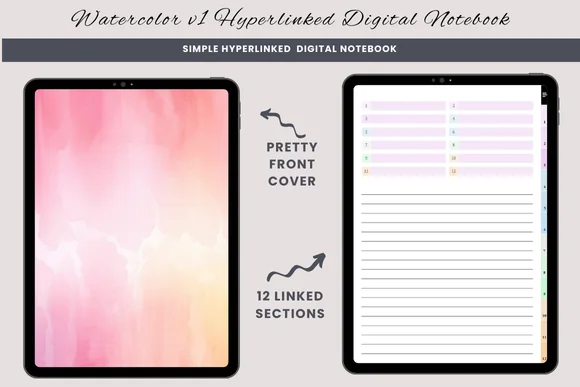
Free hyperlinked notebook
Watercolor Hyperlinked Digital Notebook
Sections: 12 hyperlinked sectionsPaper: Lined, blank, half-linedFormat: PDF for GoodNotes
Best for: a first digital notebook, one tab per class, mixed notes and journaling. Designed by daysfilledwithjoy.
- 12 hyperlinked sections with numbered side tabs
- Three page types in each section: lined, blank and half-lined
- A pink and peach watercolor cover and section dividers
- One PDF for GoodNotes or a similar PDF annotation app; duplicate a page to add more
Twelve tabs is enough for a full class load, and every section repeats the same three papers, so lecture notes and quick sketches can sit side by side. It's plainer than the paid notebooks above: no Cornell page and no index, just lined and blank paper behind a pretty cover.
FAQ
What is the best notes template for GoodNotes?
For lectures, I’d choose a notebook with several paper styles and a Cornell page, like the Digital Notebook 500 Pages Bundle. For a light start, the 5-tab notebook with Cornell, graph and dot grid pages. If you already have a notebook and just want more paper, a pack like Paradise Digital Note Templates.
Is there a Cornell notes template for GoodNotes?
Yes. Three notebooks in this list include Cornell notes templates: the 500 Pages Bundle, the 5 Hyperlinked Tabs notebook and the horizontal 12-section notebook. Import the PDF into GoodNotes and duplicate the Cornell page whenever you need a new one.
Are there free GoodNotes templates for note taking?
GoodNotes comes with basic built-in paper such as lined, grid and dotted. Two of the 5-tab notebooks above are labeled free on their covers. The bigger notebooks and paper packs are paid, and many are included in Creative Fabrica’s All Access subscription.
What are the 5 R’s of Cornell notes?
Record (write the notes in class), Reduce (turn them into cues and keywords), Recite (answer the cues with the notes covered), Reflect (think about how the ideas connect) and Review (go back to the page regularly). The template’s columns map to the first three.
Do Cornell notes work for math?
They can: write worked examples in the notes column and the formula or the type of problem as the cue. But many students prefer graph paper for math notes, because equations and columns of numbers stay aligned. A notebook with both lets you choose per class.
Can I use a Cornell notes template for work meetings?
Yes, and it works well: discussion in the notes column, decisions and action items as cues, and a one-line summary at the bottom to share. For a planner built around meetings and projects, see my digital work planners.
What are Cornell notes?
A note-taking method from Cornell University: the page is split into a narrow cue column on the left, a wide notes area on the right and a summary box at the bottom. You take notes during class, add questions and keywords to the cue column afterwards, and sum up the page in a few lines, which makes review much faster.
How do I take better notes?
Write in your own words instead of copying everything, use headings and short bullet points, and leave space to add things later. Review your notes within a day and turn the key points into questions. A structured template, like Cornell or a simple outline page, does half of this for you.
Final Thoughts
Good notes aren’t about pretty handwriting; they’re about pages you can study from. Pick a notebook with the paper your classes need, give the Cornell layout a try for your most lecture-heavy subject, and spend ten minutes the same evening on the cue column. For what to plan around your notes, see my study planner ideas and the digital academic planners for the whole semester. To color-code subjects, grab hex codes from my GoodNotes color palettes, and decorate your pages with GoodNotes stickers. Want the pages to look good too? See my aesthetic notes ideas that stay easy to read. For headers, sticky notes and to-do flags in your notes, see my study stickers.
Looking for planner pages rather than note paper? Start with my digital planner templates or the best digital planners for 2027. Taking notes at work? See these meeting notes templates.
You May Also Like
This post contains affiliate links. If you buy through them, I may earn a small commission at no extra cost to you. Learn more.