You reach the appointment and remember the question you meant to ask only after you leave. Medical log templates give those questions, visit notes and background details a place to wait, so the next conversation starts with something more useful than a search through loose notes.
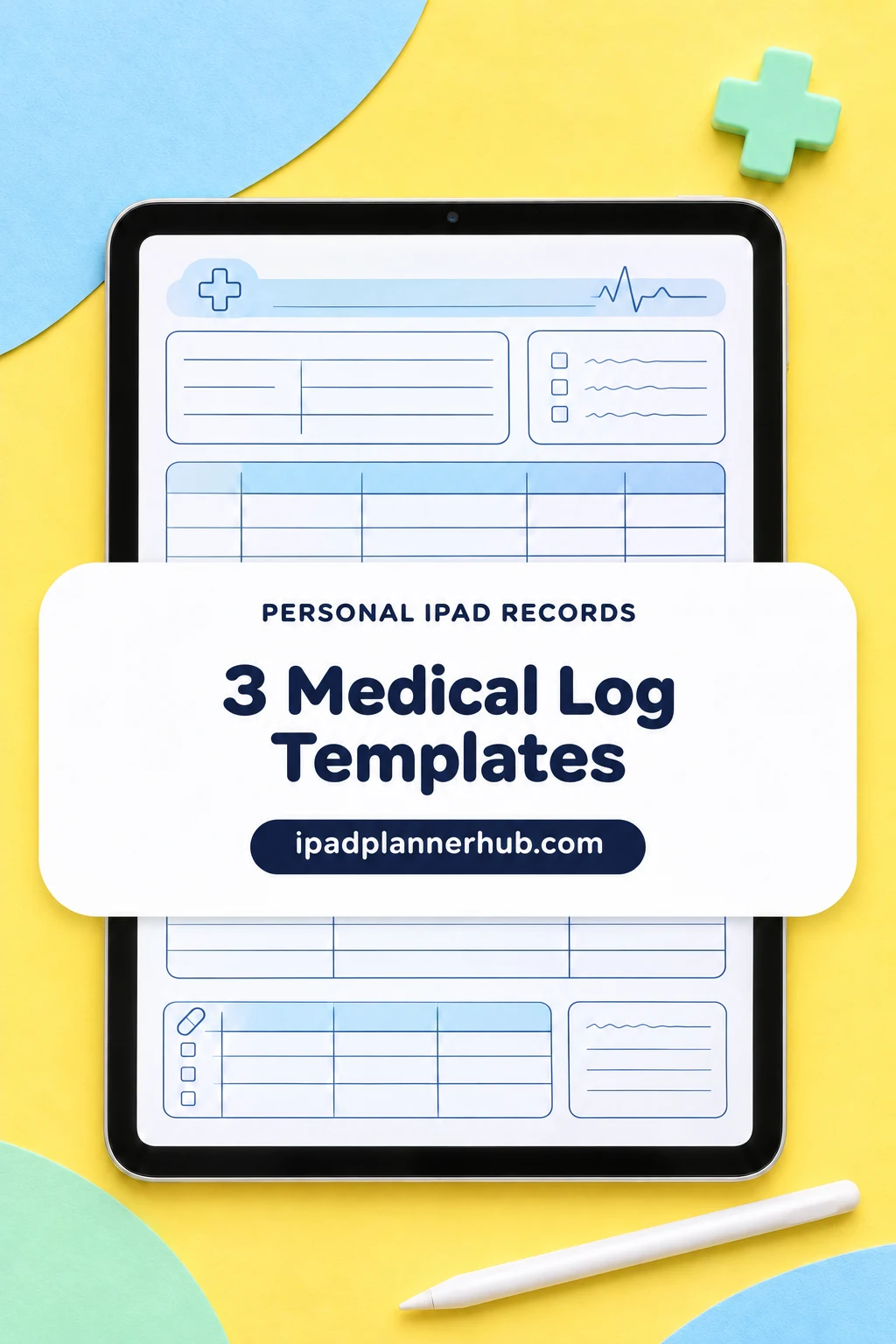
I selected three digital options with different jobs: a doctor-visit log, a broader medical organizer and a weekly supplement record. All have an explicitly described GoodNotes option. They are alternatives for parts of a personal record system, not a bundle you need to buy together. Choose the gap you actually have before adding another notebook to your iPad.
Which medical log templates belong in your iPad notebook?
A personal health record can get confusing when every page tries to do everything. A question for a doctor is different from an observation, and both are different from an instruction a clinician has given you. Start by deciding which kind of information you need to find quickly.
- Before an appointment: a visit page with the date, the reason for the visit and questions you want answered.
- Between appointments: a background record for medical history and practical details, with a clear date on each update.
- For an existing supplement routine: a named weekly sheet, with the information your clinician or pharmacist has told you to record.
A full organizer makes sense when the information is spread across several places. A single sheet makes sense when the rest of your system already works. Keep one current version of each entry: an old copy can look just as current as the page you updated yesterday.
TL;DR: Use the visit log for questions and recorded follow-up, the broader medical organizer for history and paperwork, or the supplement sheet for a separate weekly record. These three options solve different record-keeping tasks. They are personal writing templates, not three complete medical planners, reminder apps or clinical guidance.
Quick Picks
- Best for preparing one appointment: Doctor Visits Log – Printable & Digital
- Best for a broader personal medical file: Medical Planner – Printable
- Best for a separate supplement record: Vitamin & Supplement Tracker
- Doctor Visits Log – Printable & Digital – Best for preparing one appointment
- Medical Planner – Printable – Best for a broader personal medical file
- Vitamin & Supplement Tracker – Best for a separate supplement record
Best for preparing one appointment
1. Doctor Visits Log – Printable & Digital
Orientation: Landscape spreadLayouts: Paired visit panelsFormat: PDF; GoodNotes / NotabilityDates: Undated
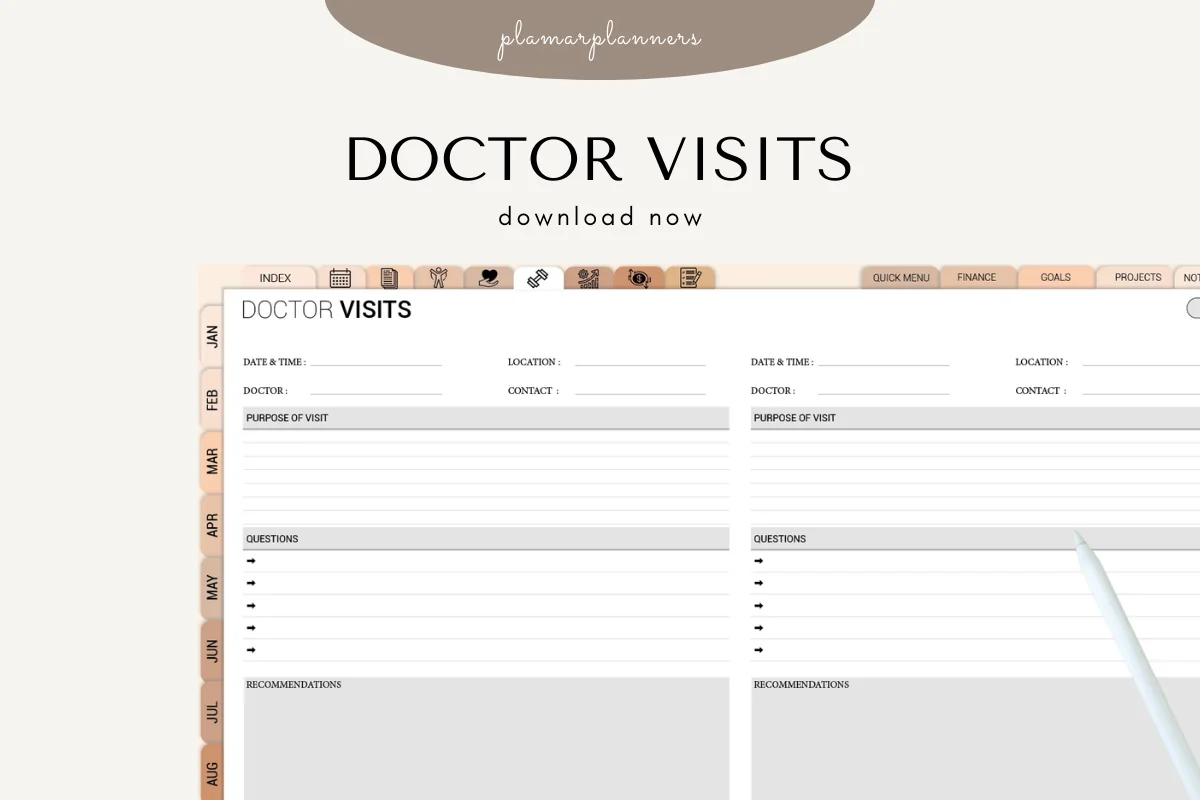
Best for: keeping questions and the clinician’s answers on the same visit spread. Designed by Plamarplanners.
- Date, time, doctor, location and contact fields
- Purpose of visit, questions and recommendations areas
- Medication and diagnostic record fields, plus next-appointment space
- Printable PDFs in US Letter and A4; digital use with GoodNotes and Notability
This is the most direct choice when your notes fall apart at the appointment itself. I like the separation between the questions you bring and the recommendations you receive: a question can stay open until someone answers it. The paired visit panels also make it easy to see how much writing space you get. The small medication area is a visit record, not a full weekly intake tracker. Copy a clinician’s words there; don't turn the diagnostic field into a place for your own conclusions.
Best for a broader personal medical file
2. Medical Planner – Printable
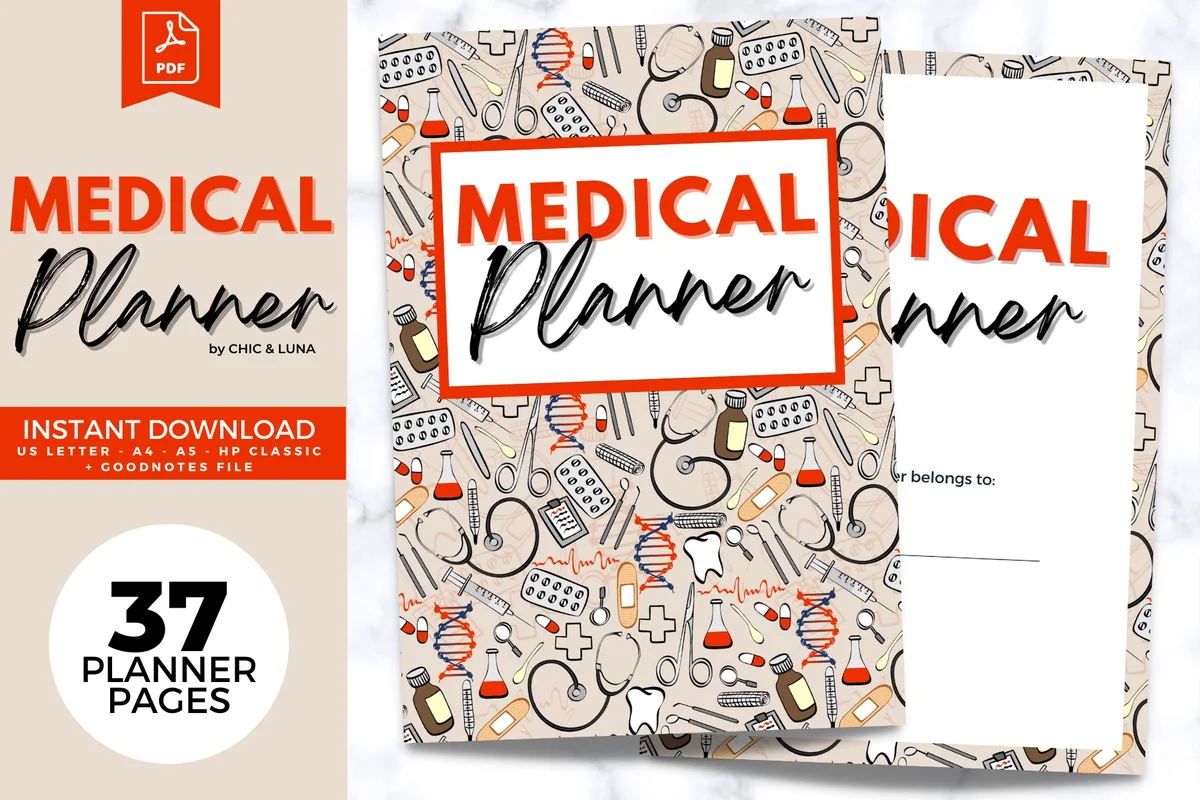
Orientation: Portrait pagesLayouts: 37-page medical organizerFormat: PDF sizes + A4 GoodNotes fileDates: Undated layouts shown
Best for: keeping medical history, visit records and administrative details in one organizer. Designed by Jennifer Magri Designs.
- 37-page medical organizer
- Medical history, medical information, vitamins and medications, and doctor-visit layouts
- Additional layouts include insurance information, medical expenses and emergency contacts
- Four printable PDF sizes plus a separate A4 GoodNotes file
The separate GoodNotes file makes this more useful for iPad records than the printable-first title suggests. Medical history and insurance layouts give background details their own place, while the visit pages handle individual appointments. Keep the sections you need in regular use and leave the rest aside. This is the broader organizer in the selection; its navigation has not been tested, so do not assume every page is linked.
Best for a separate supplement record
3. Vitamin & Supplement Tracker
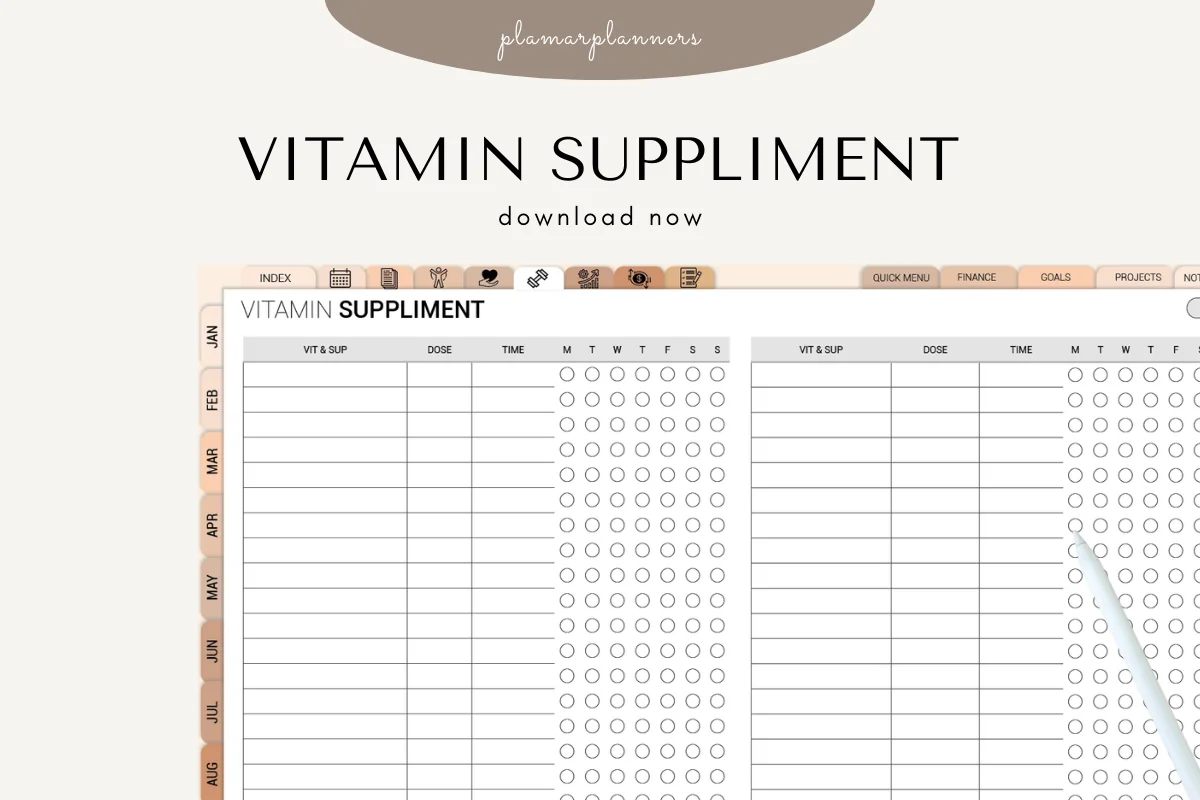
Orientation: Landscape spreadLayouts: Weekly intake grid + notesFormat: PDF; GoodNotes / NotabilityDates: Undated
Best for: writing an existing supplement routine in a clearly labeled weekly grid. Designed by Plamarplanners.
- Columns labeled Vit & Sup, Dose and Time
- Monday-through-Sunday circles and a notes area
- Printable PDF files in US Letter and A4
- Digital version described for GoodNotes and Notability
I like the dedicated heading for keeping vitamins and supplements distinct within a personal record. The weekly grid suits an existing routine, with space for names, doses, times and notes. Its layout is close to a standard medicine tracker, so a second sheet is useful only if the separation helps you. The previews do not establish separate refill or reaction pages, and the file does not provide automatic alerts.
Quick Comparison
| Template | Record task | Page fields | Limit to know |
|---|---|---|---|
| 1. Doctor Visits Log – Printable & Digital | Visit preparation and follow-up | Questions, recommendations, visit details | Focused visit page; limited running-history space |
| 2. Medical Planner – Printable | History and administrative records | Medical history, medicines, visits, insurance | Broader 37-page organizer; navigation untested |
| 3. Vitamin & Supplement Tracker | Existing supplement routine | Name, dose, time and weekday circles | Weekly recording sheet; no automatic alerts |
Build a record around three kinds of notes
The distinction to keep visible is simple: what you observed, what you want to ask, and what a professional told you. Put those labels on a notes page if your chosen template does not already separate them. You supply the headings; this does not imply that every product includes a dedicated symptom diary.
- Observed: a date, time and factual description in your own words. A blank field means nothing was recorded, not that nothing happened.
- To ask: a question you want a clinician or pharmacist to answer. Keep it as a question until it has an answer.
- Instructions received: the source, date and words you were given. If you do not understand an instruction, ask for clarification rather than filling the gap yourself.
For a fictional example, a reader might write “November 7, 2 p.m.: noticed discomfort while working” under observations and “What details should I record if this happens again?” under questions. That is a way to organize a conversation. It does not establish what caused the discomfort or what to do medically.
What should a personal medical log form include?
Give each entry a date, identify whose record it is and state what the page records: a visit, a current list or a daily observation. Add the name of the care provider when you record instructions, and leave space for questions you want to review at the next checkup. These are headings you can write on a notes page, rather than extra fields promised by every template.
Choose medical log sheet templates by the information you need to retrieve, rather than by how many boxes they contain. If you want to discuss food, exercise or physical activity, keep your dated observations separate from any recommended routine a professional has given you. A short summary can identify the topic you want to raise without turning your notes into an explanation of what caused a symptom.
Prepare a doctor-visit note you can actually use
The dedicated visit log is the smallest starting point here. It shows both questions and recommendations, so the page can carry the conversation from preparation to follow-up without turning into a general journal. Keep the most important question near the top so it is easy to find during the conversation.
From a blank visit page to a dated record
- 1Name the visit. Add the appointment date, doctor and purpose before writing a long narrative. If you are preparing for several visits, keep a separate page for each. This gives later notes a clear context and avoids mixing answers from different conversations.
- 2List the questions. Use short, specific prompts you can scan while speaking. Leave room below each for the answer. If a question is unanswered, leave it open rather than writing an answer from memory after the visit.
- 3Record the response. Write recommendations as they are explained and identify the source. Keep your own questions separate. When something is unclear, use the page to ask for clarification; do not interpret a short note as a complete instruction.
- 4Close the visit. Add any next-appointment details you were given and date the entry. A practical follow-up such as “call office to confirm time” belongs in a task list; clinical questions go back to the care team.
The diagnostic field on the product preview is space to record information you receive. It is not an invitation to diagnose a symptom yourself. The same applies to the medication field: it can preserve visit information, but it does not replace a current list maintained with your clinician or pharmacist.
A weekly record is different from a current medicine list
A weekly medication log sheet PDF usually answers a day-by-day question. A current medicine list answers what the list contains as of a particular date. These jobs overlap, but they are not identical. The supplement tracker in this selection is a weekly record with name, dose, time and weekday circles, rather than a complete medication-history file.
- Label the time period yourself. An undated weekly grid needs a week or date range written on the page. Otherwise two identical pages are hard to distinguish later.
- Keep the wording exact. Record an existing routine using the information you have been given. Do not use a template to decide a dose, add a supplement or change a schedule.
- Separate entries from certainty. A mark is something a person entered. The PDF cannot verify an action or resolve uncertainty about an entry.
- Keep the current version identifiable. Put a date on updates and keep older pages as historical records rather than silently treating them as current.
The FDA’s guide to keeping a medication list includes vitamins and supplements alongside medicines. If your doctor or pharmacist needs a particular form, use that form. The point of a personal notebook is to make information easier to bring to a conversation. It should not create a second set of instructions that competes with the ones you have been given.
How should you use a medicine log template for a family member?
When you help a family member keep records at home, label each page with their name and write who added the entry. Keep each person’s current list separate, and date any copy you prepare for a health care appointment. Before sharing, review the selected pages together where possible so the copy contains the information they intend to share.
For managing the notebook, use a brief checklist: confirm the person, confirm the date range and identify any unanswered questions. Follow the existing instructions when recording medicines, and preserve the source of any change you have been given. If two entries disagree, mark the question for the pharmacist or prescriber instead of choosing an instruction from the notebook yourself.
Choose a focused sheet or a broader medical organizer
The 37-page organizer adds a different kind of value: room for medical history, insurance information and other background records. Its extra sections are useful when you need them, but page count is not a reason to fill everything in. A short, maintained record is easier to use than a large file full of stale entries.
- Choose the visit sheet if you already know where your background information lives and mainly need questions and follow-up in one place.
- Choose the broader organizer if medical history and administrative details are scattered. Its separate GoodNotes file is explicitly included despite the printable-first title.
- Choose the supplement sheet if a separate, clearly labeled weekly record fills a real gap. Skip it if your current medicine record already includes the same information.
The two focused sheets are by Plamarplanners; the broader organizer is by Jennifer Magri Designs. They are not three independent all-in-one systems, and combining them will not automatically create links between files. I have compared their public descriptions and previews, not tested purchased files or measured health outcomes.
Keep the files together without copying every page
Start with one person’s records in one clearly named notebook or folder, then use consistent page titles. For example: “Visit | November 7 | Questions” and “Supplements | Week of November 9.” These are suggested names you create, not built-in features of the products.
Set up the notebook in a small pass
- 1Keep the original. Save an unchanged copy of the received file before adding personal information. Check which file belongs to your app: the broader organizer includes a GoodNotes file as well as printable PDFs, while the focused products describe PDF-based digital use.
- 2Start with the needed pages. Open the appropriate file in your chosen annotation app and check that you can write comfortably. Use the app’s available page tools for your working copy. Avoid importing several near-identical trackers just because they are included.
- 3Write dates and a small index. Name the record periods and list the pages you expect to revisit. A simple index can say “current list,” “questions” and “past visits.” Visible tabs in a product image do not prove that links have been tested in your file.
- 4Check a fictional entry first. Write a sample question, read it at your usual zoom and see how the page looks when shared or printed. Only then decide whether the available writing space suits you. Keep screenshots used for testing free of real personal information.
For file-format help, Goodnotes’ import guide explains supported files and ways to add them. For general notebook organization, my GoodNotes planning tips cover ways to keep pages manageable. If you are still choosing an annotation app, the GoodNotes versus Notability comparison is a separate starting point; app features are not features of the template itself.
Template or app: where the boundary matters
These are writing files used inside an app. They do not become an automatic medical-record service because a gallery shows an iPad. A printable PDF and a digital annotation copy can share the same page design; the difference is how you write on and manage that page.
- Reminders: a field labeled time does not create an alarm. Use the reminder method agreed with your care team when one is needed.
- Calendar: writing a next-appointment date does not automatically place it in a calendar. Any separate calendar entry is your own additional action.
- Navigation: a photographed tab is not a file-level test. Check navigation in your copy before relying on it.
- Privacy: these listings do not establish special medical security or compliance. Consider who can access the device, the notebook and any shared copy.
- Clinical decisions: a log can hold a question or an instruction, but it cannot interpret symptoms or decide treatment.
A self-care page has a different job again. If you want space for ordinary routines and reflection alongside your records, see the self-care planner selection. Keep those reflections separate from professional instructions so they remain easy to tell apart.
FAQ: personal medical records on iPad
Which files work with GoodNotes and Notability?
The two focused products explicitly describe GoodNotes and Notability compatibility. The broader medical organizer explicitly includes a GoodNotes file; its additional files are printable PDFs. That does not establish native Notability compatibility for the GoodNotes file. Check the file type you receive and the requirements of your chosen app before using it.
Does the medical planner include a GoodNotes file even though the title says printable?
Yes. Its description and gallery list a separate A4 GoodNotes file in addition to the printable PDF sizes. The gallery also advertises 37 pages. Navigation and the import experience have not been tested with the purchased file.
Can a monthly tracker replace a weekly record?
A monthly medication log sheet PDF and a weekly grid cover different periods, so choose the period that matches the record you need. The Vitamin & Supplement Tracker description lists weekly and monthly overviews for supplements. That stated scope does not establish a complete monthly medication journal.
Can these pages tell me what to do about symptoms or a missed entry?
No. These templates are personal record organizers, not medical advice. Ask a qualified clinician about symptoms or treatment questions, and a pharmacist or prescriber about medicine instructions or uncertainty. Do not use an empty box, a severity scale or a note in a template to decide what to take or change.
Is a shared notebook the same as a clinical record?
No. A personal notebook is information you maintain. Before sharing it, check that you have selected the intended pages and that the recipient can use that format. Do not assume that an annotation app or a template supplies a secure clinical record system or automatic access for your care team.
Start with the record you will need next
The most useful medical log templates are the ones with a clear job. For an upcoming visit, start with questions and room for answers. For scattered background details, choose the broader organizer. For an existing supplement routine, use the weekly sheet only if it adds something your current record does not already do.
I suggest starting with a dated, fictional entry on the page you expect to open next. If the headings and writing space make sense, build from there. The goal is a record you can find and explain, with your observations and the instructions you receive kept distinct.
You May Also Like
This article contains affiliate links. If you buy through them, I may earn a commission at no extra cost to you. Read the affiliate disclosure.