You open your tracker at bedtime and see three empty circles, but cannot remember whether you skipped the habit, changed the plan or simply forgot to mark it. A habit tracker journal on iPad can keep the missing context beside the record, so your next decision has something more useful behind it than a broken streak.
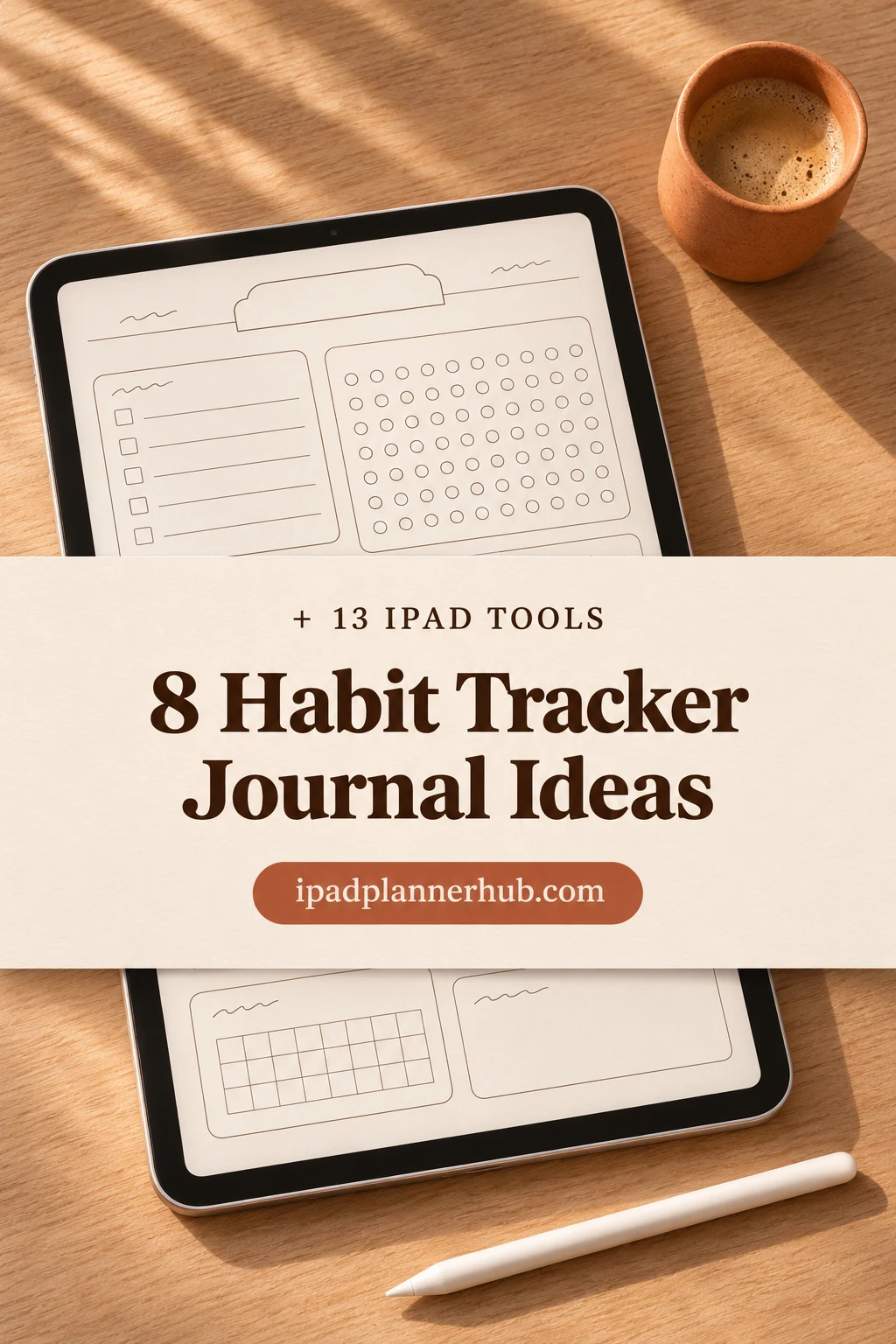
Build this around three connected pieces: a mark for what happened, a dated entry for the circumstances and a small adjustment you can revisit. Below are eight page ideas for that workflow, followed by 13 iPad tools I selected for their tracking pages, writing space or both. You can create the ideas in a journal you already own; a new template is optional.
Build a Habit Tracker Journal That Explains the Marks
A tracker records whether a defined action happened. The journal entry adds the detail that a checkmark cannot hold: where you were, what interrupted you and what you want to try differently. Keeping those jobs separate lets daily marking stay brief without reducing the whole month to a score. Treat your habit data as a starting point for questions about daily behaviors, not a measure of your worth.
- Choose a small starting set. Two or three actions are enough to try the system. Prefer a behavior you want to notice over something you already do without thinking. For a walking habit, define the minimum as a short walk after breakfast rather than a complete morning routine.
- Define completion. “Read one page after lunch” gives you a clearer mark than “be more focused.” Write the minimum and the planned frequency before tracking.
- Use a short key. A tick means completed, a dash means not scheduled and a question mark means uncertain. Give a missed planned action a separate symbol. Do not silently turn unknown days into misses.
- Connect by date and ID. Put J04 beside a mark and head the matching entry “Nov 12 · J04 · reading.” This is a handwritten cross-reference, not a promise of an automatic link.
For a daily action, give each date a space. For something planned twice a week, mark only the intended opportunities as scheduled; the other days are not failures. If choosing the behaviors is your main challenge, start with the goal-based examples in these habit tracker ideas, then return here to add the explanation behind each mark.
8 Connected Pages for Your iPad Habit Journal
These are page ideas you create, not claims that a purchased template contains this exact system. A bullet journal grid handles the record; your journal entries handle the detail. Keep a consistent date format across the pages so a short journaling habit does not become a filing project.
Make the action and the record clear 1–2
- 1A cue, action and reward map. Divide a page into “What happens first?”, “What will I do?” and “What makes finishing satisfying?” For reading, try “Lunch plate goes in the sink → read one page → place a bookmark at the next page.” Add a line for the minimum action and the days you intend to do it. Leave space for the cue that actually occurred; the plan and the event may differ. This page describes your intended routine rather than proving why a behavior happens.
- 2A minimum-fact log. Give each row a date, habit, completion mark and optional entry ID. Write “Nov 12 · reading · missed · J04,” rather than “bad day.” If you did not record the event and cannot recall it, use your uncertain symbol. A useful record can include gaps without pretending they are precise data. Keep the grid plain enough to fill in quickly by hand or with typed text, then save longer writing for the dates that need it.
Give an unusual day some context 3–4
- 3A before-the-action entry. Use three prompts: “Where was I?”, “What was happening just before?” and “What did I expect to do?” A sample entry might read, “Nov 12 · J04: got home late, bag stayed by the door, book remained upstairs.” Keep observations separate from a later interpretation such as “Maybe the book was too far away.” A few concrete details are easier to use later than a full account of the day. You can also record an ordinary successful day for comparison.
- 4An obstacle note with an open question. Split the page into “Observed obstacle,” “My current guess” and “What I still do not know.” For J04, the obstacle is a late return; the guess is that evening reading loses its usual cue. Ask whether reading also gets missed on quiet evenings before deciding timing explains it. The question keeps the note useful without making a harsh judgment about yourself. Record interruptions and changed priorities as circumstances, not character traits.
Turn a note into a next attempt 5–6
- 5An if/then adjustment card. Write one practical response to the obstacle: “If I will be out after lunch, then I will read one page before leaving.” Add the entry that suggested it, the date you started and the next review point. Keep the completion rule stable while trying a different cue, or clearly label a changed minimum. Otherwise a fuller row of marks could reflect a different definition rather than an easier routine. The card is a plan to try, not a guaranteed solution.
- 6A mark-to-entry index. Create a small lookup list with Date, Habit, Entry ID and Page/Section. A single missed mark may point to J04; a later completed mark can point to J09 showing how the adjustment went. Write the same reference on both the grid and the entry. Hyperlinked notebook tabs can get you to a section, but this handwritten index still identifies the individual note. Test the system by finding one entry from its mark before adding more habits.
Review the evidence and keep the useful change 7–8
- 7A counterexample review. Put “Dates that fit my explanation” beside “Dates that do not.” If you think late returns stop reading, include a late-return day when you did read, plus a quiet day when you did not. Note whether the book was nearby or the plan was different. You are looking for a better question, not trying to prove your first guess right. A personal log can suggest a pattern, but it cannot establish a cause or rule out other influences.
- 8A versioned next-plan page. Finish the review with Keep, Change and Pause. Write one decision in each field only when you have something useful to say: “Keep one-page minimum; change book location; pause tracking a second reading goal.” Label the revision V2 with its start date and reference entries J04 and J09. Preserve the earlier plan so the next review can distinguish a changed routine from a changed tracking rule. Your journal now ends with a decision you can actually revisit.
A Filled Example: One Mark, One Entry, One Adjustment
Here is an invented reading example to show how the pieces connect. The point is that every decision points back to a dated observation.
| Stage | What you write | What it tells you |
|---|---|---|
| Mark | Nov 12 · reading · missed · J04 | The planned minimum was not completed that day. |
| Entry | J04: home late; book upstairs; usual evening cue did not happen. | A circumstance to investigate, not proof of a cause. |
| Adjustment | V2: leave the book by the lunch seat; read one page before going out. | A specific next attempt with the same minimum. |
| Review | Compare J04 with J09 and one day that does not fit the explanation. | Whether to keep, revise or pause the next plan. |
If the action happened but you forgot to mark it, record that distinction when you genuinely remember it. Do not invent a week of entries to make the grid look complete. A one-sentence note such as “record incomplete while traveling” preserves more meaning than a reconstructed streak.
Choose a Habit Tracker Journal Layout
- One short note per habit: start with a tracker that leaves a notes column or lower notes area. Use the entry ID when a sentence becomes too long.
- Several paragraphs or sketches: a tabbed notebook gives you room for context and counterexamples. Draw the tracker yourself and keep the journal nearby in the same file.
- Habits alongside appointments: a planner with tracking and note pages can hold the routine in its wider schedule. Check dated versus undated before choosing.
- An existing journal you like: paper assets let you add a grid and a writing page. Match their orientation to how you normally hold the iPad.
I picked the following tools for those different roles. A dedicated tracker can supply the marks while you add your own reflection page; a general notebook can hold the whole DIY layout. Read the individual cards for the file format, layout and extra setup rather than expecting the same features from every option.
TL;DR: Record the action, add a dated note when context matters, and turn the review into one specific adjustment. The eight page ideas below work with your own iPad journal. These 13 tools include dedicated trackers, planners and notebooks or paper sets; their cards explain which parts are ready-made and which you create.
Quick Picks
- Best for a note beside the mark: Weekly Habit Tracker • Cozy Pastel
- Best for cue and obstacle reflection: Habit Loop Streak Tracker
- Best for a dated journal routine: Habit Builder Planner 2027 Portrait
- Best for defining a useful target: Habit Tracker – Printable & Digital
- Best for a compact monthly record: Digital Habit Tracker, Goodnotes Template
- Best for separate habit calendars: Habit Tracker for iPad GoodNotes
- Weekly Habit Tracker • Cozy Pastel – Best for a note beside the mark
- Habit Loop Streak Tracker – Best for cue and obstacle reflection
- Habit Builder Planner 2027 Portrait – Best for a dated journal routine
- Habit Tracker – Printable & Digital – Best for defining a useful target
- Digital Habit Tracker, Goodnotes Template – Best for a compact monthly record
- Habit Tracker for iPad GoodNotes – Best for separate habit calendars
- Digital Habit Tracker + Freebie Sticky – Best for movable context labels
- Undated Digital Planner for Goodnotes – Best for habits beside monthly reviews
- Watercolor Hyperlinked Digital Notebook – Best for longer context entries
- Digital Notebook – Best for comparing two explanations
- Digital Notebook 5 Hyperlinked Tabs – Best for a five-part journal
- Digital Notebook 5 Hyperlinked Tab – Best for varied journal pages
- Digital Notebook Papers – GoodNotes – Best for extending an existing journal
Start with a tracker and a place to reflect
Best for a note beside the mark
1. Weekly Habit Tracker • Cozy Pastel
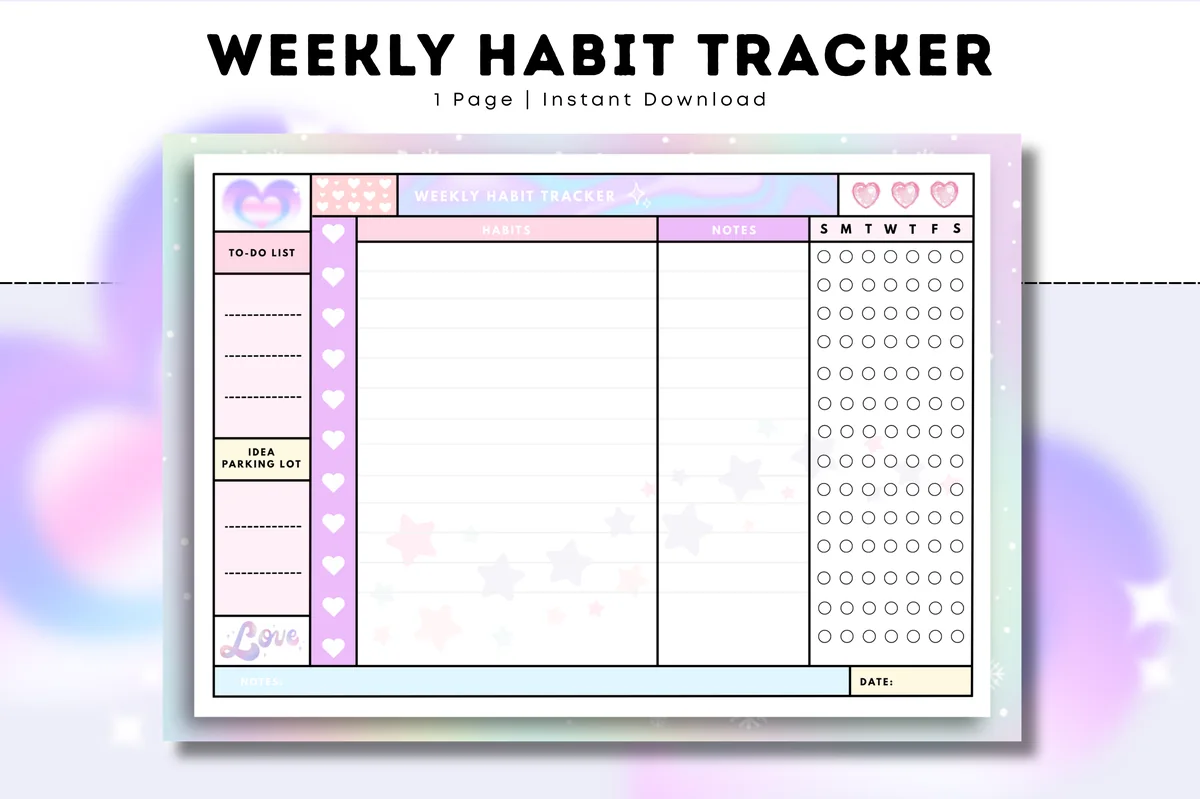
Orientation: LandscapeLayouts: Weekly habit rows and notesDates: UndatedWeek start: Sunday
Best for: a short weekly record with context on the same row. Designed by Tas Creative Studio.
- Undated A4 landscape PDF; digital use in GoodNotes, Notability, Noteshelf or Xodo
- A habit column beside Notes and seven Sunday-to-Saturday circles
- A date field, to-do area and idea parking lot
The Notes column is the reason I put this first: a short reference such as J04 can sit beside the habit without covering the circles. Keep a longer entry on your own notes page. The printed week begins on Sunday, so check that detail before choosing it for a Monday-first journal.
Best for cue and obstacle reflection
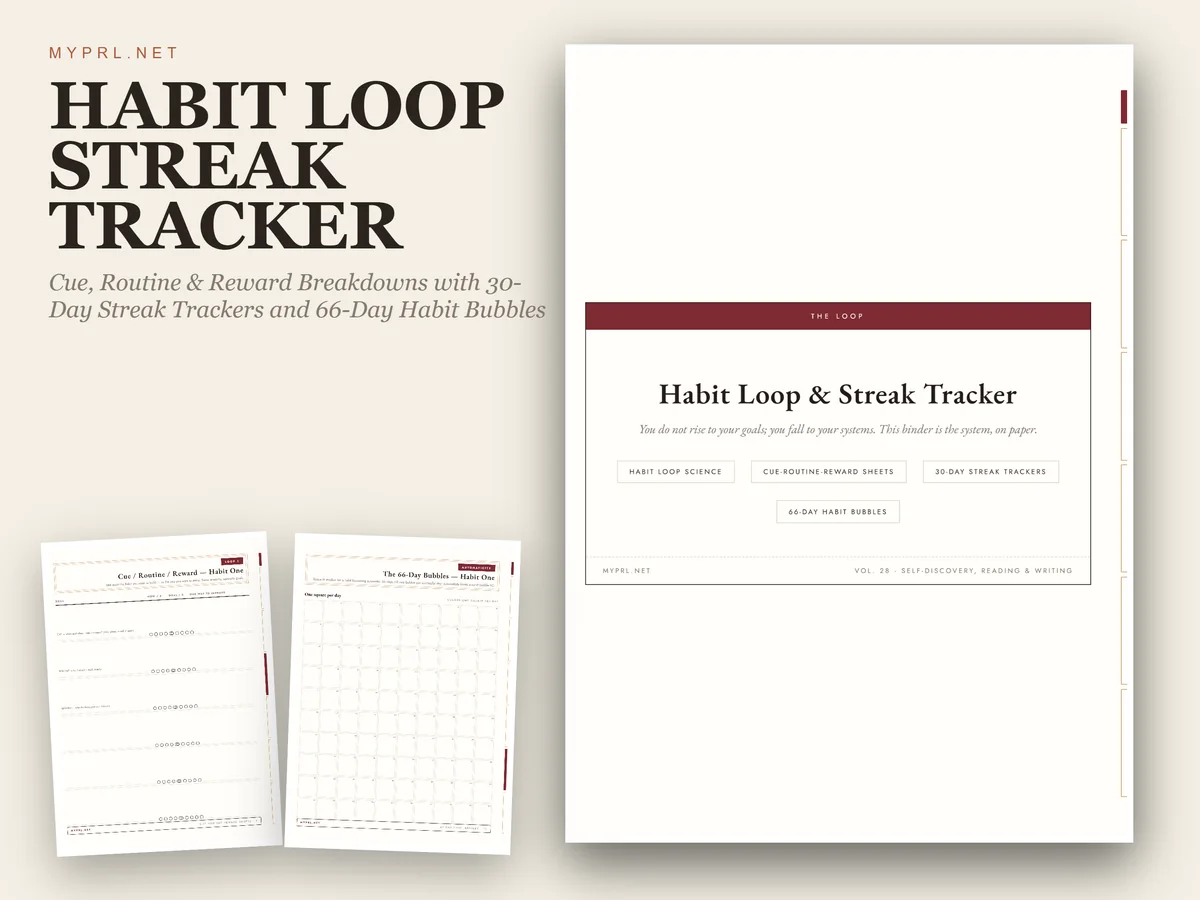
2. Habit Loop Streak Tracker
Orientation: PortraitLayouts: Cue sheets, streaks, bubbles and auditsDates: Numbered tracking periods
Best for: writing down what happens before a habit. Designed by Healers Hub co.
- Hyperlinked US Letter PDF for GoodNotes, Notability or Xodo
- Cue/routine/reward sheets, a swap matrix and if/then obstacle planning
- 30-day streak pages, 66-day bubble layouts and monthly habit audits
Choose this when the question is why the action did or did not happen. The obstacle sheet gives a next attempt somewhere to live rather than leaving it buried in a diary paragraph. Treat its 66-day bubbles simply as a page length; they do not establish a deadline for a habit becoming automatic.
Best for a dated journal routine
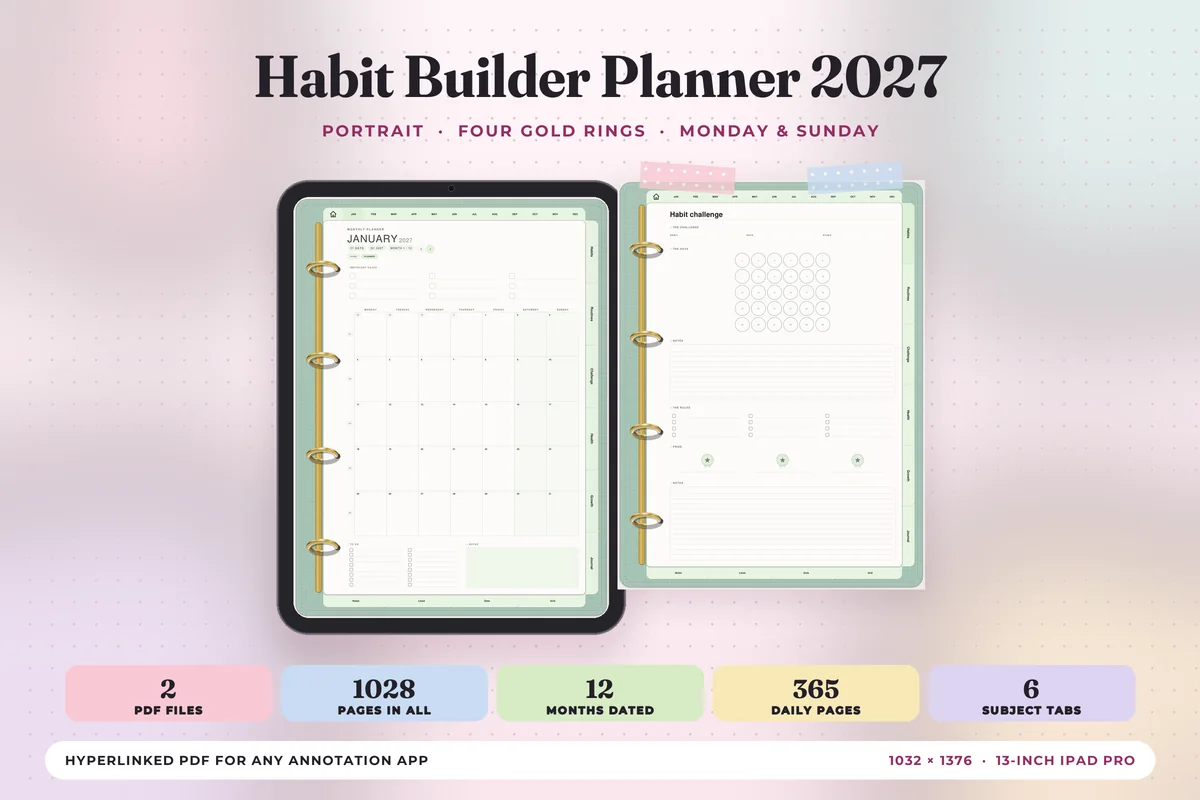
3. Habit Builder Planner 2027 Portrait
Orientation: PortraitLayouts: Daily, weekly, monthly, subject pages and notesDates: January–December 2027Week start: Monday or Sunday
Best for: keeping habits, daily notes and planning in one annual file. Designed by Print Magic StudioX.
- Two hyperlinked portrait PDFs dated January through December 2027, with Monday and Sunday starts
- Six subject tabs: Habits, Routines, Challenge, Health, Growth and Journal
- Weekly and daily planning plus lined, dot-grid and square-grid note pages
The separate Habits and Journal tabs suit a mark-to-entry workflow: use the tracker for the fact and a dated journal page for the circumstances. Its page size is based on the 13-inch iPad Pro portrait ratio; the seller says other 4:3 tablets scale it. Open it in a PDF annotation app with a stylus. It is a substantial dated planner for 2027, rather than a small undated insert.
Best for defining a useful target
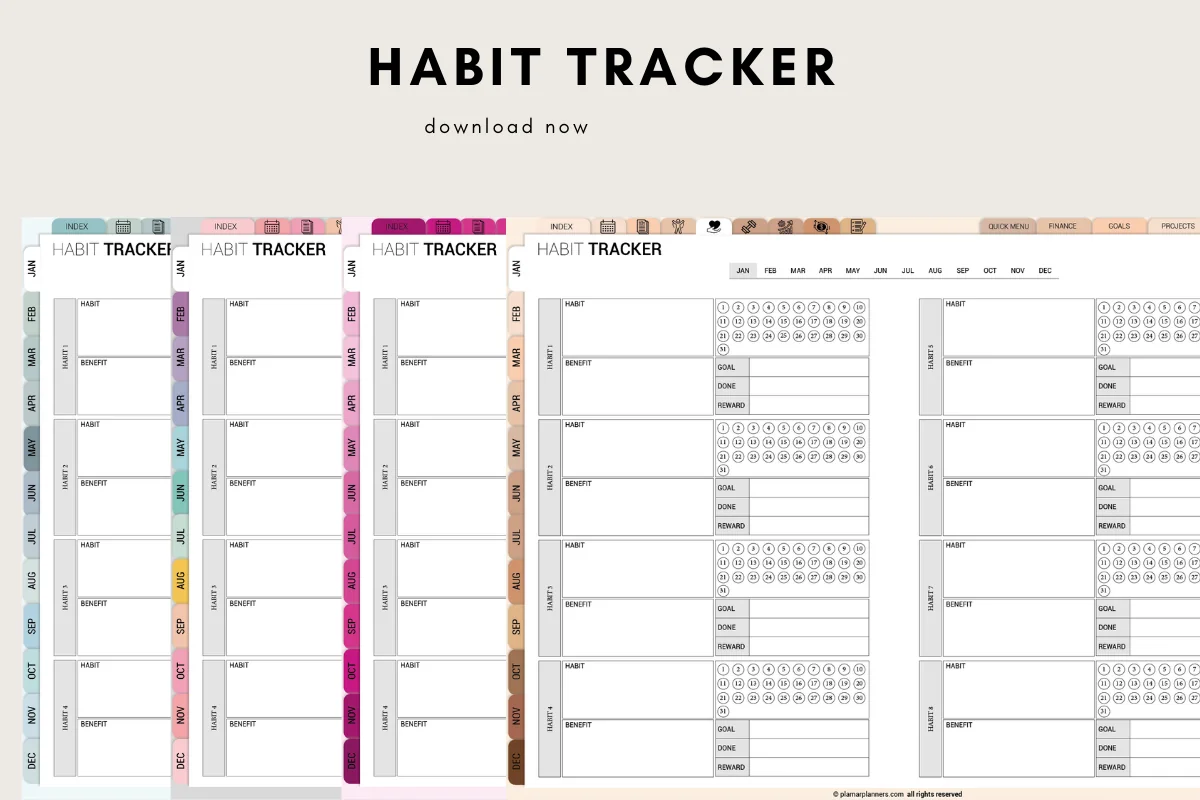
4. Habit Tracker – Printable & Digital
Orientation: LandscapeLayouts: Monthly habit panels and target fields
Best for: writing the purpose of a habit beside its monthly marks. Designed by Plamarplanners.
- A digital version for GoodNotes or Notability; printable PDF sizes also listed
- Previewed monthly habit panels with numbered day circles
- Visible Habit, Benefit, Goal, Done and Reward fields
The Benefit box can hold your reason for tracking, while Goal can hold the completion rule. Put a dated entry reference beside the relevant mark and keep the fuller story on an adjacent journal page. The previews emphasize monthly panels, so that is the layout I am choosing it for here.
Best for a compact monthly record
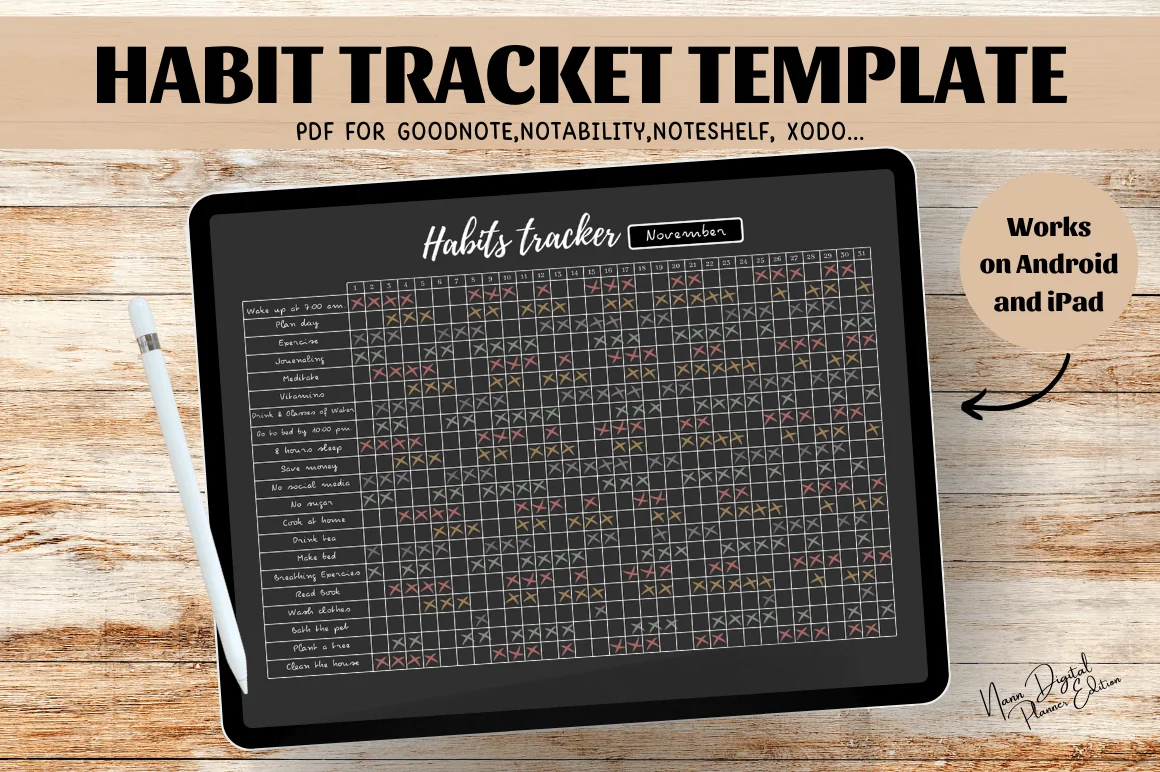
5. Digital Habit Tracker, Goodnotes Template
Orientation: LandscapeLayouts: Monthly habit matrixDates: Undated
Best for: seeing several habits together before opening the journal. Designed by Nann Digital Art.
- A4 landscape habit tracker template PDF
- GoodNotes, Notability, Noteshelf and Xodo are named by the seller
- A dark monthly matrix with habits in rows and numbered days in columns
This is the compact option for people who want the marks in one place and the writing somewhere roomier. Put a small entry ID at the edge of the row when a day needs explanation, rather than squeezing a sentence into a day cell. The sample is filled with colored marks, but you can keep your own key much simpler.
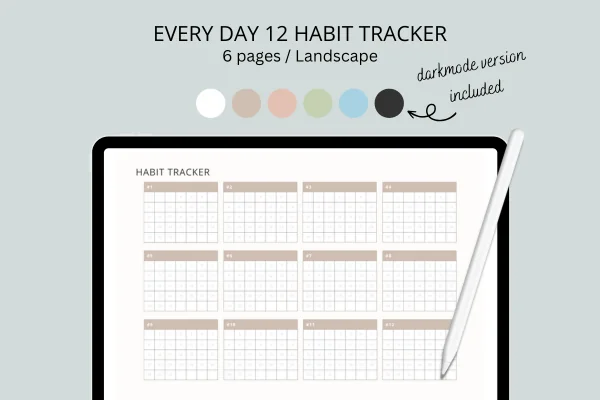
Best for separate habit calendars
6. Habit Tracker for iPad GoodNotes
Orientation: LandscapeLayouts: Twelve habit calendars and notesDates: Undated
Best for: giving each habit its own small monthly calendar. Designed by sleekdarling.
- Six landscape US Letter PDF files in five light colorways and a dark version
- Twelve numbered habit calendar panels with a notes area below
- iPad use with GoodNotes 5, Notability or Xodo is listed
Separate calendars make it easier to notice that reading and desk tidying have different rhythms. You do not need to fill twelve habits just because twelve panels are available. Use the lower notes area as an entry index, then let your journal explain the few dates that matter.
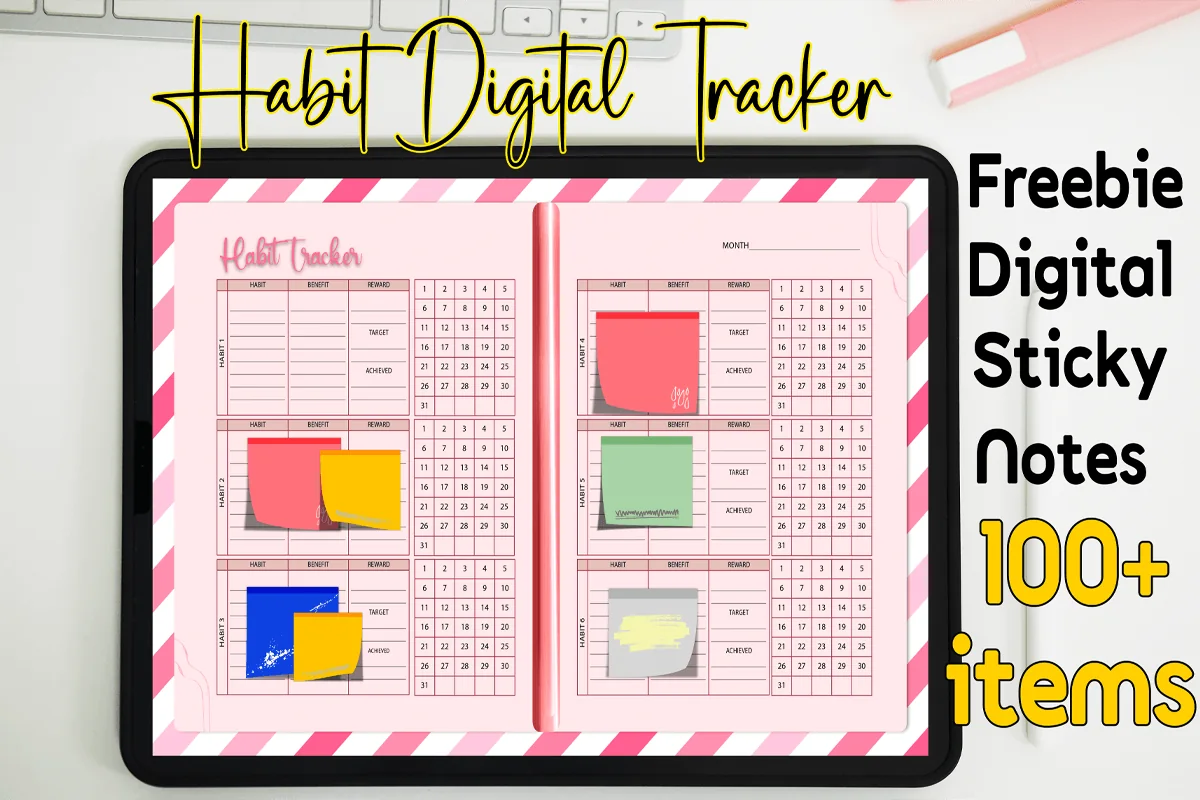
Best for movable context labels
7. Digital Habit Tracker + Freebie Sticky
Orientation: LandscapeLayouts: Monthly habit grids and sticky notes
Best for: adding short notes around a monthly tracker. Designed by MOMAT THIRTYONE.
- One habit tracker PDF for GoodNotes, Notability, Xodo or Noteshelf on iPad
- Monthly habit grids with benefit, reward, target and achieved fields
- More than 100 bonus sticky-note items; gallery examples include colorful PNG notes
A sticky note can hold a context tag or the date of a longer entry without taking over the tracking grid. Keep those notes away from the numbered days so the record remains readable. Freebie refers to the bonus sticky notes in the listing title; check the current offer rather than assuming the tracker itself costs nothing.
Keep the record inside an undated planner
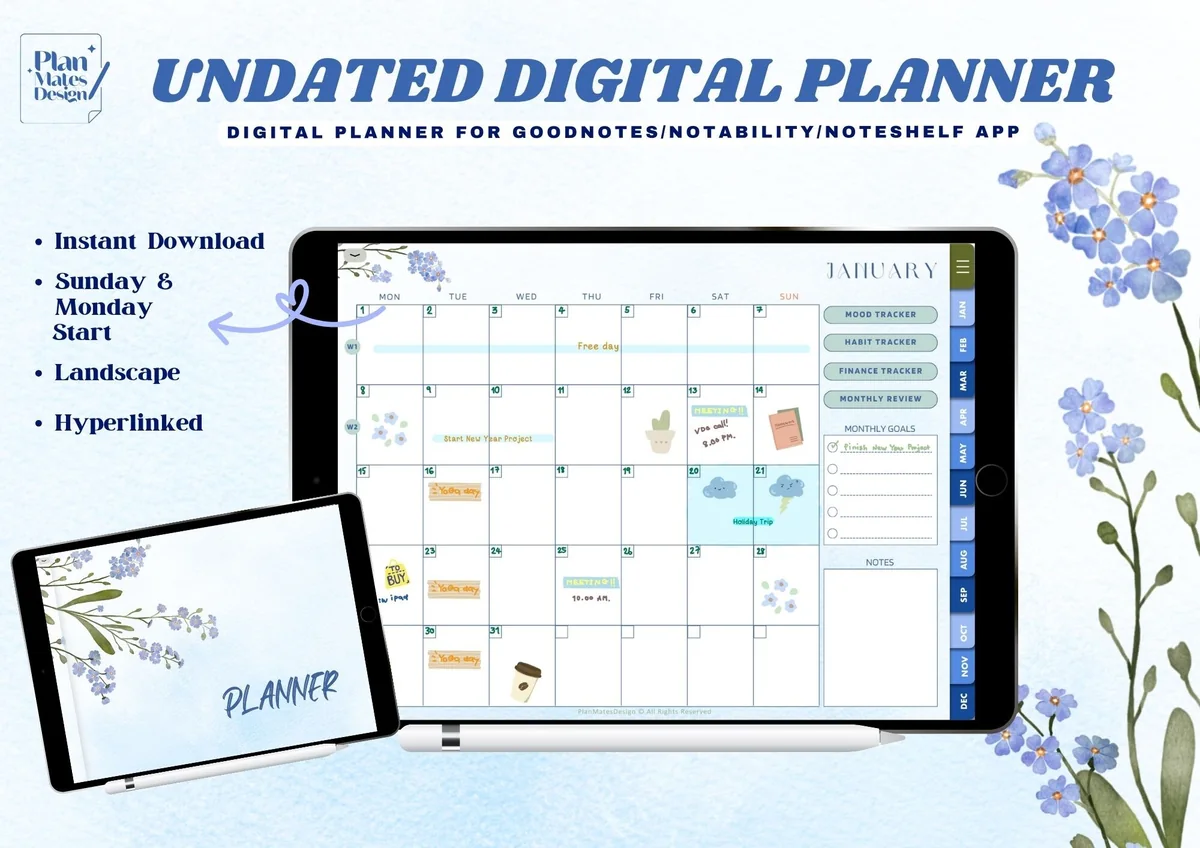
Best for habits beside monthly reviews
8. Undated Digital Planner for Goodnotes
Orientation: LandscapeLayouts: Yearly, monthly, weekly, trackers and notesDates: UndatedWeek start: Monday or Sunday
Best for: connecting a tracker to existing planning and notebook pages. Designed by TinyGoong Studio.
- Monday-start and Sunday-start undated planner PDFs, plus ten JPEG covers
- Hyperlinked yearly, monthly and weekly pages with habit and finance trackers
- Gallery shows four notebook sections, blank/grid/dot note templates and monthly review pages
This light-blue planner gives a journal entry somewhere to go beyond a tiny tracking box. Use one notebook section for dated context notes and a monthly review to collect changes worth trying. The daily reflection structure in this article is something you add yourself; choose it for the planner and note pages, rather than expecting these eight prompts to be prewritten.
Create your own connected journal pages
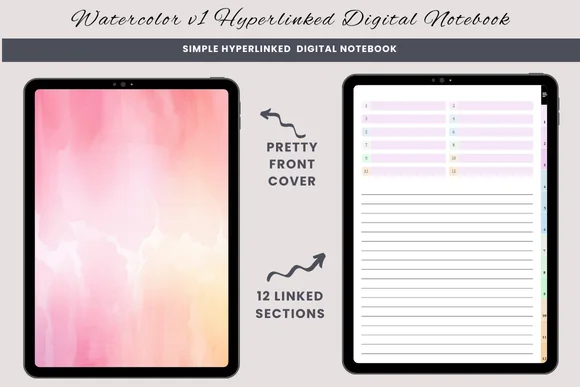
Best for longer context entries
9. Watercolor Hyperlinked Digital Notebook
Orientation: PortraitLayouts: Lined, blank and half-linedDates: Undated
Best for: writing freely with a simple section index. Designed by daysfilledwithjoy.
- One hyperlinked PDF for GoodNotes or a similar PDF annotation app
- Twelve sections with lined, blank and half-lined page types
- Pages can be expanded by duplicating a blank page
I like the half-lined page for this job: sketch a tiny timeline above and explain it below. Reserve one section for marks and another for entries, using matching date-and-ID labels. This is a general notebook; the habit grid, context prompts and decision log are pages you create, rather than a ready-made habit journal system.
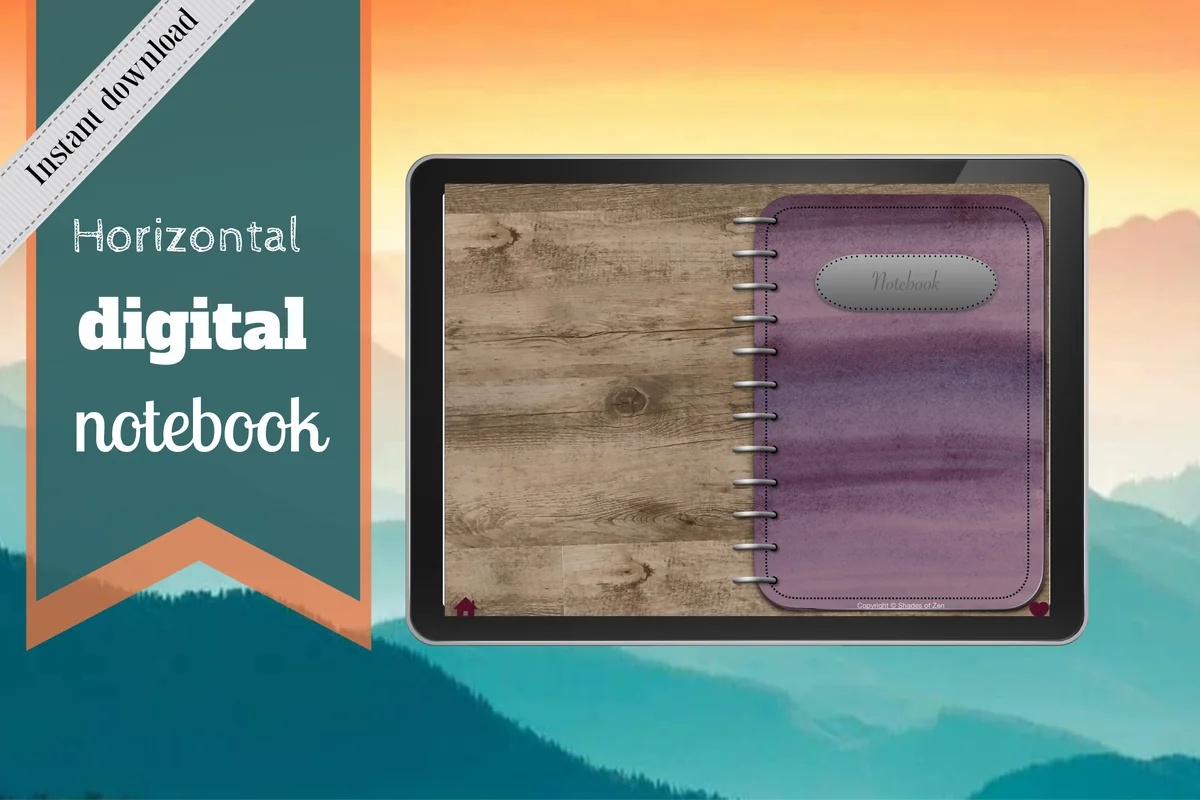
Best for comparing two explanations
10. Digital Notebook
Orientation: LandscapeLayouts: Sixteen note templatesDates: Undated
Best for: a wide notebook with room for evidence and counterexamples. Designed by Shades of Zen.
- A purple digital notebook for GoodNotes or a PDF annotation app
- Twelve expandable sections with hyperlinked tabs and individual dividers
- Sixteen note templates, including lined, dotted, graph and Cornell pages
The horizontal spread gives an observed event and a possible explanation separate places to sit. A two-column page can hold supporting dates on one side and counterexamples on the other. Name sections after the questions you want to answer, not after a dozen habits you feel obliged to maintain.
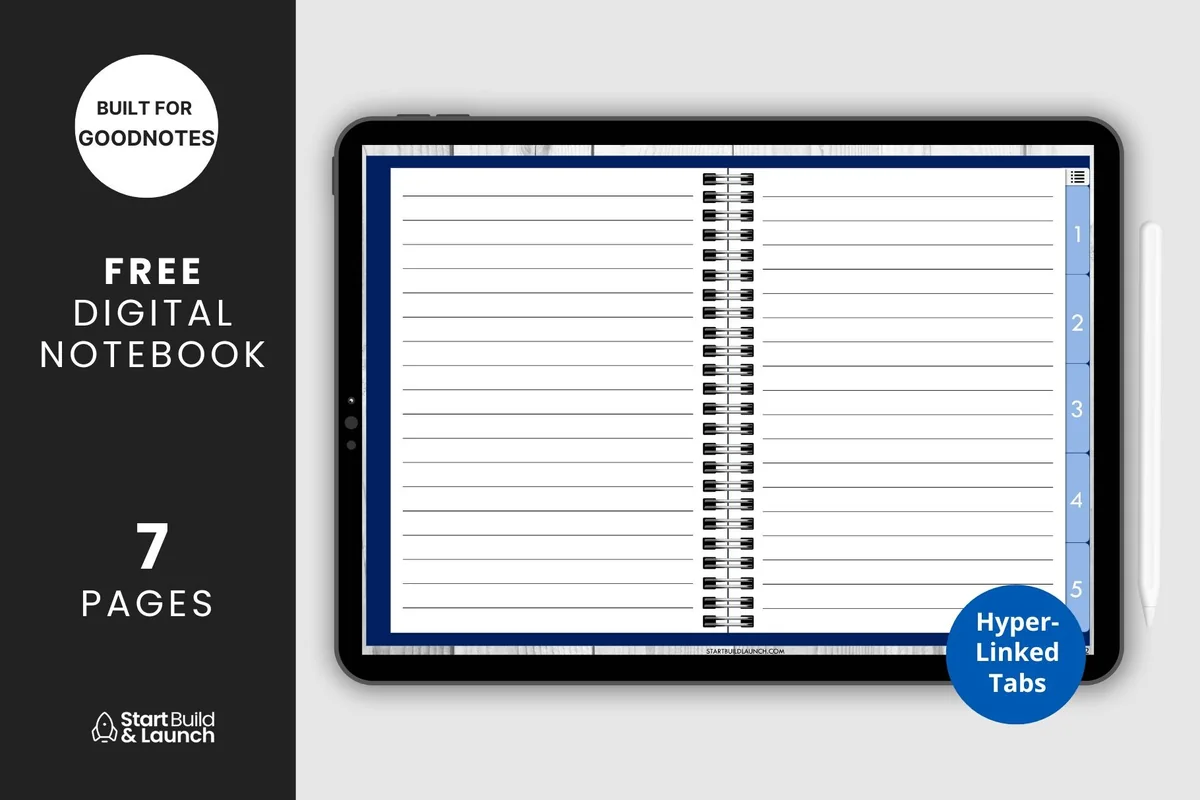
Best for a five-part journal
11. Digital Notebook 5 Hyperlinked Tabs
Orientation: LandscapeLayouts: Blank, lined, graph, Cornell and dot-gridDates: Undated
Best for: separating marks, context, obstacles, review and revisions. Designed by aviswilliams.
- A PDF notebook for iPad or tablet with a stylus; GoodNotes, Noteshelf and Notability are named
- Five sections with hyperlinked tabs and an index/contents page
- Blank, lined, graph, Cornell and dot-grid note templates
Five tabs are enough for the whole workflow if each tab has a clear job. Put the two context pages together and keep the revision log in the final section, so finding a decision is easy. Cornell paper is useful here as a layout choice: write the event in the main area and a question or next action in the margin.
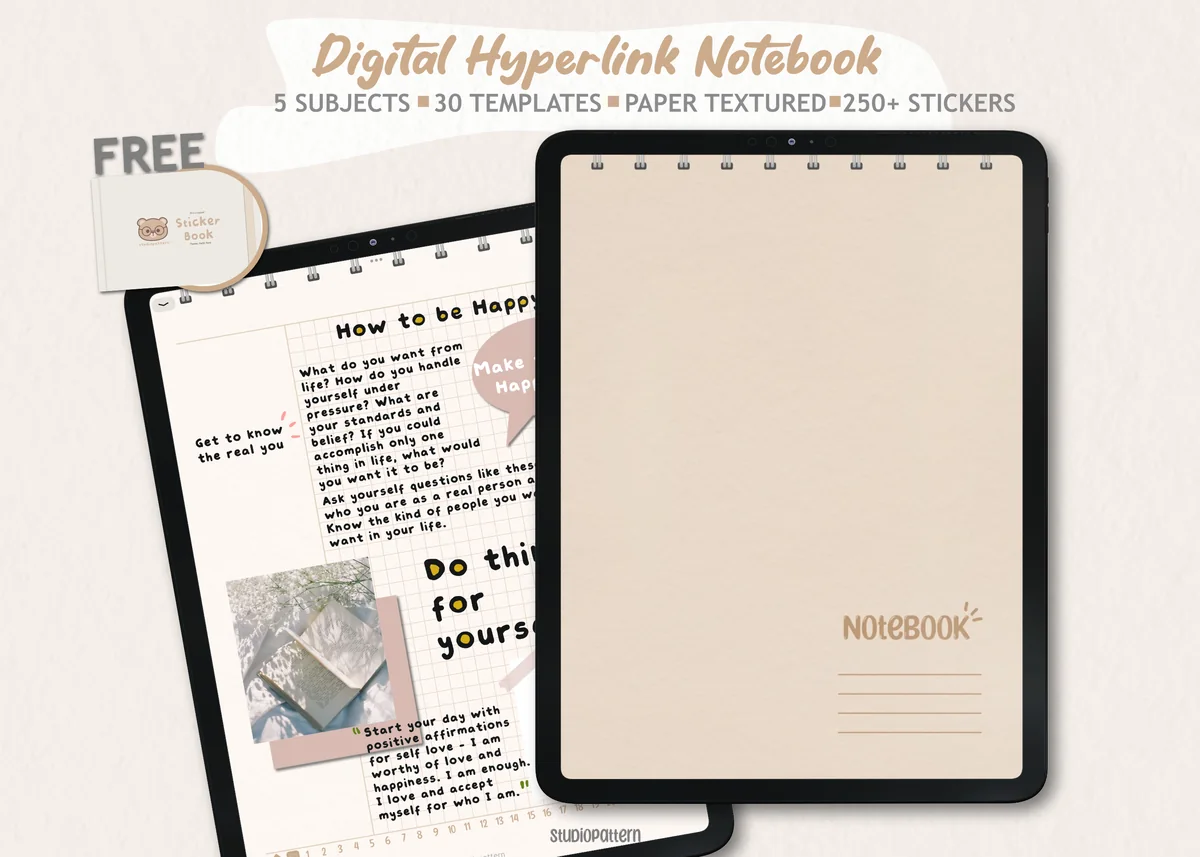
Best for varied journal pages
12. Digital Notebook 5 Hyperlinked Tab
Orientation: PortraitLayouts: Thirty templates and sticker assetsDates: Undated
Best for: mixing handwritten entries with different paper layouts. Designed by studiopattern.
- Hyperlinked PDF with five sections and thirty paper templates; a manual PDF is included
- More than 250 individual PNG stickers and a pre-cropped .goodnotes sticker book
- Best used with an iPad/tablet and Apple Pencil or stylus; annotation apps may require separate purchase
The paper selection suits someone who wants a small tracker, a full written entry and a review page in the same notebook. The gallery also shows a habit-tracker page among the templates, but the mark-to-entry process remains your own setup. Keep sticker choices secondary to the date and entry reference, which are what make the system searchable by eye.
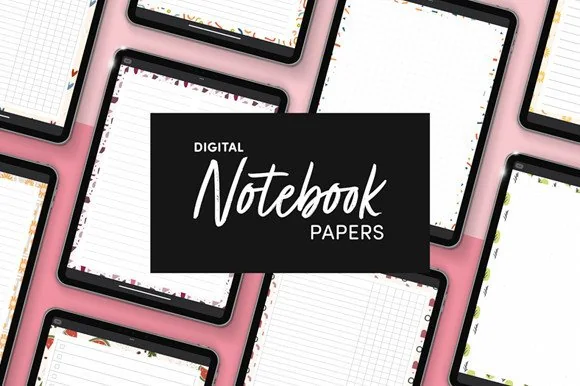
Best for extending an existing journal
13. Digital Notebook Papers – GoodNotes
Orientation: PortraitLayouts: Eight layouts in nine designs
Best for: adding tracking and writing pages without choosing another notebook. Designed by catsquills.
- Nine portrait paper designs for GoodNotes and Notability
- Eight layouts per design: Columns, Habit Tracker, To-Do, Numbered List, Dots, Square, Lines and Notes
- PNG and PDF formats at US Letter proportions, 2550 × 3300 pixels and 300 dpi
This is a paper set, so it makes most sense if you already know where your journal lives. Put a Habit Tracker layout beside a Lines or Notes page and add the same entry ID to each. You are choosing page assets rather than a complete tabbed planner; use your annotation app to arrange the pages in a way you can revisit.
Quick Comparison
| Tool | Journal role | Page setup | Keep in mind |
|---|---|---|---|
| 1. Weekly Habit Tracker • Cozy Pastel | Short notes beside a row | Weekly tracker plus your entry | Sunday-first header |
| 2. Habit Loop Streak Tracker | Cue and obstacle notes | Design sheet plus audit | Longer tracking layouts |
| 3. Habit Builder Planner 2027 Portrait | Dated planning and reflection | Habit and Journal tabs | 2027 annual planner |
| 4. Habit Tracker – Printable & Digital | Purpose and completion rule | Monthly benefit/goal panels | Add longer journal entries |
| 5. Digital Habit Tracker, Goodnotes Template | Several habits at a glance | Monthly row-and-column grid | Context on a separate page |
| 6. Habit Tracker for iPad GoodNotes | One calendar per habit | Twelve numbered panels | Six color versions |
| 7. Digital Habit Tracker + Freebie Sticky | Short movable annotations | Monthly tracker with bonus notes | Keep marks unobstructed |
| 8. Undated Digital Planner for Goodnotes | Planning plus notebook sections | Habit tracker and monthly review | You add the entry prompts |
| 9. Watercolor Hyperlinked Digital Notebook | Longer writing and sketches | Twelve sections; three paper types | Draw your habit pages |
| 10. Digital Notebook | Evidence beside counterexamples | Twelve sections; sixteen templates | General-purpose notebook |
| 11. Digital Notebook 5 Hyperlinked Tabs | A small, organized journal | Five tabs; five paper types | You write the habit structure |
| 12. Digital Notebook 5 Hyperlinked Tab | Flexible writing layouts | Five sections; thirty templates | App may cost extra |
| 13. Digital Notebook Papers – GoodNotes | Adding pages to a journal | Tracking plus writing papers | Paper assets, not a full planner |
Make the Daily Record Easy to Return To
The best journal for this process is one you can find and write in without rearranging your whole screen. A plain line of text can do the journal work; decoration is optional. Once you choose the page layout, keep the same mark key and date format long enough to understand your own record.
- Keep marking brief. Put a tick or your chosen symbol in the grid. Add an entry only when something is worth explaining, rather than requiring an essay for each completed action. Keep the page within reach; if a phone reminder helps you return to it, set one for a time you can actually write.
- Keep two or three writing prompts nearby. “What happened?”, “What helped or got in the way?” and “What will I try?” are enough. Choose a journaling style that fits the space you have.
- Review at a visible checkpoint. Write the next review date on the version page. A weekly check-in or month-end review can work; choose the interval that matches how frequently the action is planned.
- Protect readability. Use a neutral writing color, a second color for references and a simple symbol key. Leave less decoration around small day cells so the basic marks stay clear. Add washi-style decoration or stickers after the dates and marks are easy to read.
- Keep sensitive details minimal. An initials-only note or a general context label may be enough. Check your chosen app’s privacy and backup settings before storing personal journal entries.
For a full calendar grid, see monthly habit tracker ideas. For writing prompts beyond the tracking process, explore these digital journaling ideas. Here, keep the emphasis on the connection between a recorded action and your next plan.
Template or App for Habit Tracking?
A PDF template is a page you annotate in a compatible app. A habit-tracking app is software with its own features. Choose a template when handwriting, drawing and personal prompts matter most; if reminders or automatic statistics are essential, check those functions in the software you are considering rather than assuming a page file provides them.
- File: check the individual card for PDF, PNG or other included assets. PNG papers are page images; a .goodnotes sticker book is a different asset from a PDF notebook.
- Navigation: existing hyperlinks can take you to a supplied section. They do not automatically create links between your handwritten mark and a new journal entry.
- Automation: a PDF does not itself send reminders, count your streak or synchronize habit marks with a calendar. Set a separate reminder if you want one and keep the record manual.
- Writing tools: match the product to a compatible annotation app. If handwriting is your preference, check compatibility with your Apple Pencil or other stylus separately; the template purchase is not a device or app purchase.
FAQ: Habit Tracking and Journal Entries
How do I make a habit tracker in a journal?
Write one clearly defined action, its planned days and a small completion key. Make a row or calendar grid, then leave room for an entry ID beside a date. On a separate page, write the matching date, ID and a brief note about what happened. Start with that pair before adding obstacle and review pages.
Which habit tracker journal template is best for daily use?
Choose the layout that gives your marks and writing enough room. A lined page suits longer entries, a dot grid helps you draw a small tracker, and a blank page leaves space for sketches. You can also put a ready-made tracker beside a lined journal page. Decide based on the amount of context you want to record, rather than the number of templates in a pack.
Can I use a habit tracker journal PDF on iPad?
Yes, when the particular PDF is intended for a compatible annotation app on your device. Several cards above name GoodNotes, Notability or other apps; check the seller’s requirements for the option you choose. Import the appropriate file, keep an unused copy and add your own marks and entries. Some packs include other assets as well, so follow their instructions for each format.
Do I need a separate habit tracker journal app?
Not necessarily. If you already use a compatible iPad annotation app, you can keep your tracker and writing pages there. A dedicated app may be worth considering if you need software features such as notifications or automatic summaries. The tools selected here are page files and related assets, rather than a ranking of current habit-tracking software.
What should I write after a missed day?
Write the date, the action and one observed circumstance. Try “missed reading; home late; book upstairs,” then add a possible next attempt if one is clear. Keep an uncertain memory labeled uncertain. You do not need to punish yourself with a longer entry or reset every other habit because one planned action was missed.
Can a tracker diagnose a health problem or show what caused it?
No. A personal habit log is an organizational record, not a diagnosis or a way to establish medical causes. If you use it for health-related notes, do not change treatment based on its patterns. Discuss persistent or concerning symptoms with a qualified clinician, and simplify or pause tracking if it becomes distressing.
Let One Clear Note Shape the Next Plan
A useful habit tracker journal lets you move from a mark to an explanation you can question, then to an adjustment you can revisit. Start with one action, a short key and a dated entry. Add the other pages when they help you make a decision, and let the record stay honest even when it is incomplete.
You May Also Like
This article contains affiliate links. If you purchase through them, I may earn a commission at no extra cost to you. Read the affiliate disclosure.