A habit tracker that runs all year has one big flaw: a bad week in March still stares at you in October. A monthly habit tracker fixes that. One month gets one grid, and on the 1st you start a fresh page with clean boxes and maybe a new habit or two. A missed week stays in last month, where it belongs.
Choose the action before deciding how many boxes to draw. These glow up challenge ideas offer small choices for a month-long plan, while the layouts here help you record the habit you actually decide to repeat.
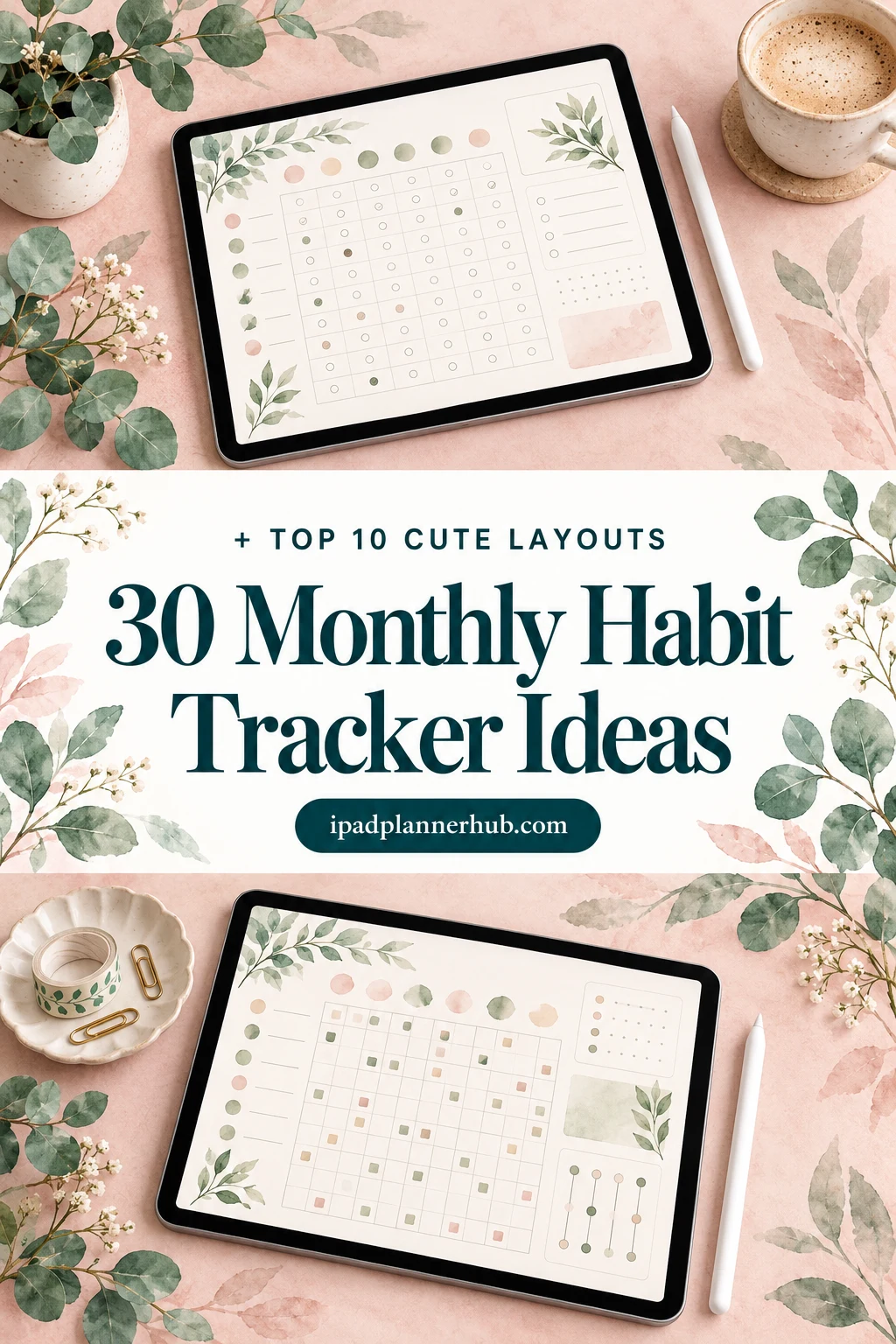
Below are 30 ideas for that one grid: 10 layouts to draw or pick, 12 habits to try month by month, and 8 ways to make the page cute enough that you want to open it. Then come the 10 iPad templates from Creative Fabrica I’d use, from dedicated habit trackers to planners with a monthly habit page. After the list: how to set it up in GoodNotes and a 10-minute review for the last day of the month.
For the November gratitude-line idea in this guide, these gratitude journal layout ideas offer writing arrangements alongside the habit grid. The grid records whether you returned; a separate space can hold the detail you wanted to remember.
30 Monthly Habit Tracker Ideas
The ideas come in three groups: how the grid looks, what goes on it each month, and the cute details. Pick one from each group and you have a page for next month.
Monthly Habit Tracker Layouts 1–10
- 1The classic grid: habits down the side, days 1–31 across the top
- 2A mini calendar for each habit, so every habit gets its own little month
- 3A circle tracker: 31 slices like a pie, one ring per habit
- 4Week rows: four or five rows for the weeks, columns for the habits
- 5A habit grid with a mood strip underneath, one colored square a day
- 6Fill-in shapes: a jar of 31 marbles, a flower with 31 petals, a stack of 31 books
- 7A goal count per habit, like “20 of 31”, with a progress bar to color in
- 8A goal, done and reward line next to each habit
- 9Color bands by area: health in green, money in gold, study in blue
- 10A dark mode grid for ticking boxes in bed without the glare
A Habit for Every Month 11–22
- 11January: one fixed bedtime, the habit that makes the others easier
- 12February: one kind message a day, to a friend or to yourself
- 13March: a 10-minute declutter, one drawer or shelf at a time
- 14April: a daily walk outside as the days get longer
- 15May: a one-line mental health check-in (May is Mental Health Awareness Month in the US)
- 16June: water, with a small box for every glass
- 17July: no-spend days, aiming for a set number rather than a perfect month
- 18August: 10 pages a day before summer ends
- 19September: a back-to-school routine, like reviewing notes the same day
- 20October: screens off an hour before bed as the evenings get darker
- 21November: one gratitude line a day, all the way to Thanksgiving and beyond
- 22December: rest on purpose, plus a holiday budget check
Cute Habit Tracker Ideas 23–30
- 23A new color palette every month: pastel spring, bright summer, warm autumn
- 24A small icon for each habit instead of words: a glass, a book, a shoe
- 25A tiny doodle in every done box: a heart, a star, a dot of washi color
- 26A sticker reward at the end of every full week
- 27A washi-tape header with the month’s name in hand lettering
- 28A seasonal theme: snowflakes in January, leaves in October
- 29A small mood board on the month’s cover page
- 30A “best moments” bubble at the bottom for the month’s wins
Which Monthly Layout Fits You?
The layout matters more than it looks: it decides how much effort a single tick takes. A quick guide:
- Many habits: the classic grid (1)
- One or two big habits: a mini calendar each (2)
- Visual people: circle tracker or fill-in shapes (3, 6)
- Habits a few times a week: week rows or a goal count (4, 7)
- Need motivation: goal, done and reward (8)
- Tracking moods too: grid plus mood strip (5)
Not sure? Start with the classic grid. It’s the fastest to fill in, and you can always switch layouts on the 1st.
The 10 Best Monthly Habit Tracker Templates I Found
I kept only digital templates for the iPad and skipped printable sheets, Canva files and anything with past years in it. First come six dedicated habit trackers; after them, four planners with a real monthly habit tracker page, for when you want your habits next to your days and goals.
TL;DR: 30 monthly habit tracker ideas: 10 grid layouts, 12 habits to try month by month and 8 ways to make the page cute. Then 10 iPad templates: 6 dedicated habit trackers first, then 4 planners with a monthly habit tracker page. Each card lists orientation, layouts and dates, plus who it suits.
Quick Picks
- Best for overall monthly habit tracker: Habit Tracker – Printable & Digital
- Best for dated habit planner for 2027: Habit Builder Planner 2027 Portrait
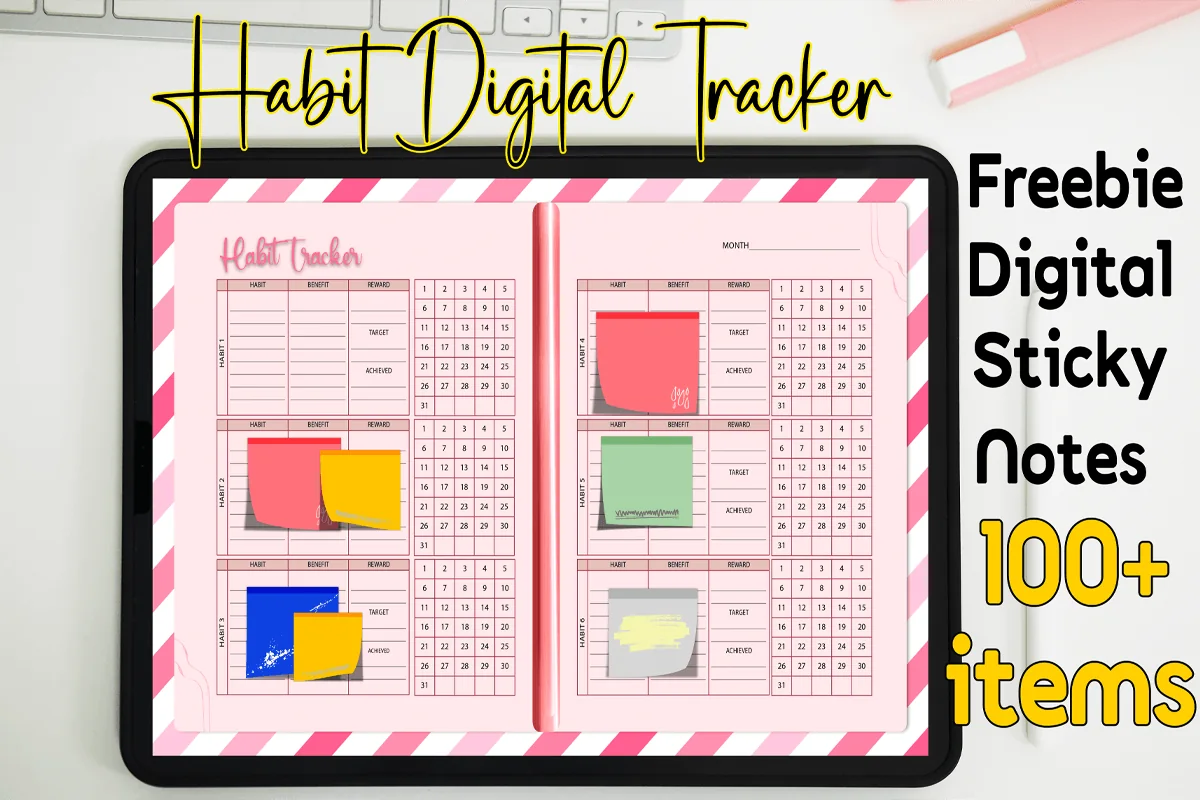
- Best for cute pink pick: Digital Habit Tracker + Freebie Sticky
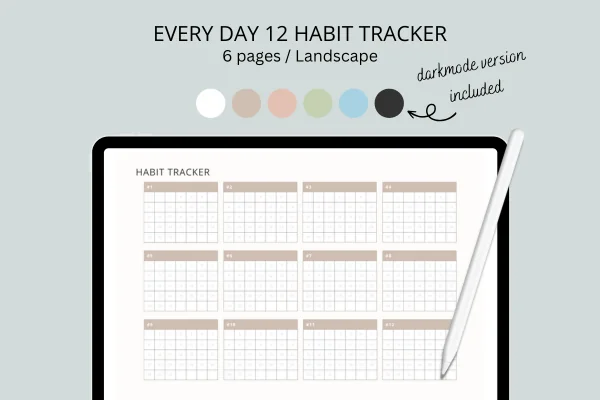
- Best for tracking up to 12 habits: Habit Tracker for IPad Goodnotes
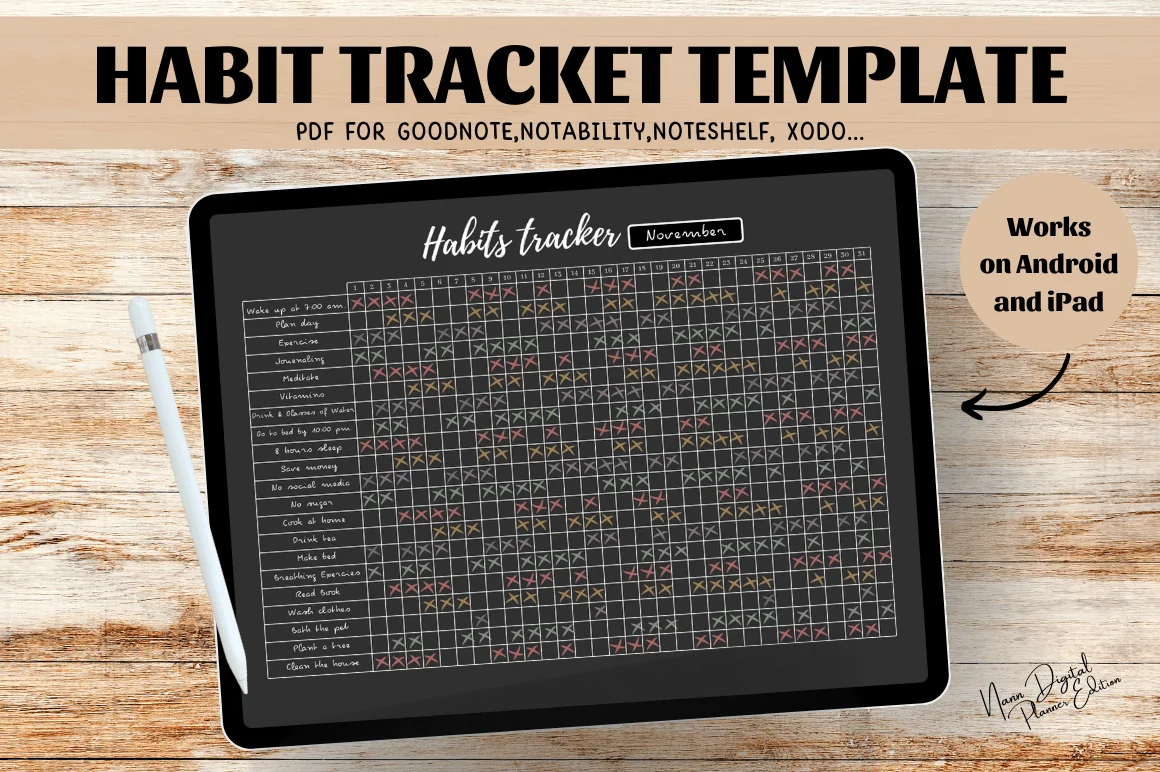
- Best for minimal dark grid: Digital Habit Tracker,Goodnotes Template
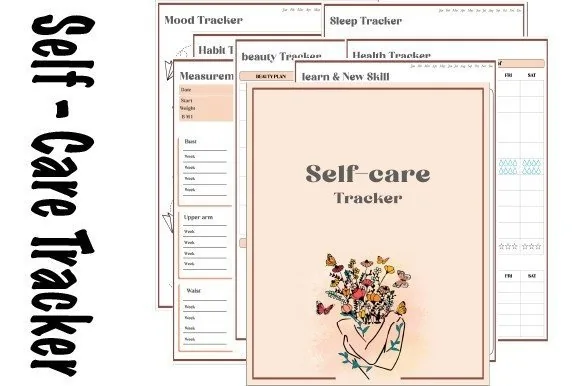
- Best for habits plus mood and sleep: Self-care Tracker
- Habit Tracker – Printable & Digital – Best overall monthly habit tracker
- Habit Builder Planner 2027 Portrait – Best dated habit planner for 2027
- Digital Habit Tracker + Freebie Sticky – Best cute pink pick
- Habit Tracker for IPad Goodnotes – Best for tracking up to 12 habits
- Digital Habit Tracker,Goodnotes Template – Best minimal dark grid
- Self-care Tracker – Best for habits plus mood and sleep
- Digital Planner Cute Pastel ( Undated ) – Best pastel planner with a habit page
- Undated Digital Planner, Life Planner – Best undated planner with a habit section
- 2027 Digital Planner | Monday and Sunday – Best 2027 planner with monthly habit pages
- All-in-One Digital Planner 2027 – Best all-in-one for 2027

Best overall monthly habit tracker
1. Habit Tracker – Printable & Digital
Orientation: LandscapeLayouts: Monthly, weekly and year-at-a-glance habit trackers
Best for: habit builders, goal setters, minimalists. Designed by Plamarplanners.
- Monthly and weekly habit trackers, plus a year-at-a-glance tracker
- Goal-setting section, a habit brainstorm page, notes and reflections
- A separate digital version for GoodNotes, Notability and other planner apps
- Previews show month tabs from January to December down the side, and goal, done and reward boxes next to each habit grid
This is the one I'd start with if I wanted a real monthly habit tracker and nothing else. Each habit gets its own little block with a goal and a reward line, so the page asks why the habit matters, not just whether you ticked it. The brainstorm page is a nice place to park the ideas from the list above.
Best dated habit planner for 2027
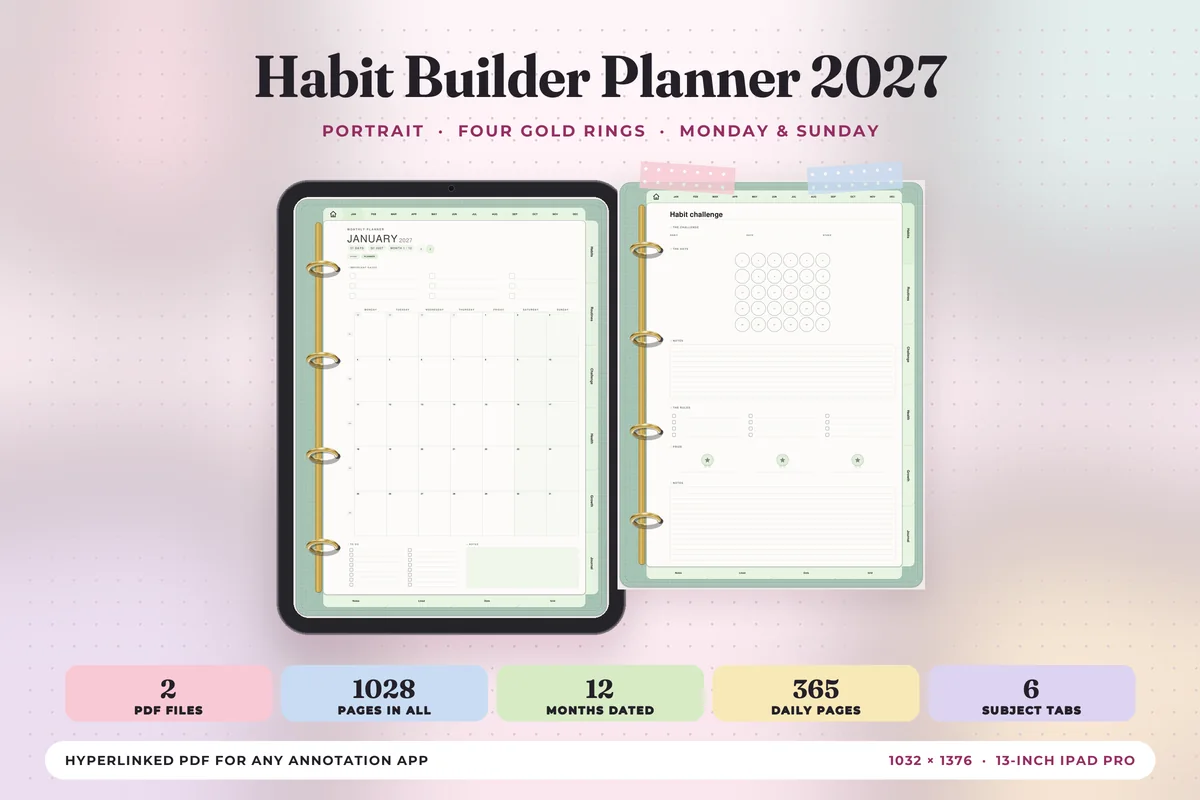
2. Habit Builder Planner 2027 Portrait
Orientation: PortraitLayouts: Yearly, Monthly, Weekly, Daily + 24 habit templatesDates: 2027Week start: Monday or Sunday
Best for: habit builders, routine lovers, pastel lovers. Designed by Print Magic StudioX.
- 6 subject tabs: Habits, Routines, Challenge, Health, Growth and Journal, with 4 templates under each
- 12 monthly planners, a weekly page for every week and 365 daily pages
- 2 hyperlinked PDFs: Monday start and Sunday start
- Portrait page sized for the 13-inch iPad Pro, dated January to December 2027
A planner built around habits rather than a planner with a habit page tacked on. The Habits and Challenge tabs give the monthly tracker a home, and the month tabs across the top make the 1st-of-the-month reset a single tap. Soft pastels and gold rings on every page make it the prettiest dated option here.
Best cute pink pick
3. Digital Habit Tracker + Freebie Sticky
Layouts: Monthly habit trackerDates: Undated
Best for: habit beginners, budget shoppers. Designed by MOMAT THIRTYONE.
- Digital habit tracker PDF for GoodNotes, Notability, Noteshelf and Xodo
- 100+ digital sticky notes included
- Previews show a pink striped two-page spread, a month field and a 1–31 grid next to each habit
If cute is the whole point, this is it: candy stripes, a pink spread and sticky notes to drop on top. The 1–31 grid sits right next to each habit, so one page really is one month. I'd use a sticky note as the monthly reward reminder.
Best for tracking up to 12 habits
4. Habit Tracker for IPad Goodnotes
Orientation: LandscapeLayouts: Habit tracker (12 habits)Dates: Undated
Best for: minimalists, dark mode fans, goal setters. Designed by sleekdarling.
- One page tracks 12 habits or goals, each with its own grid
- 6 PDF files: white, cocoa, champagne, matcha, smokey blue and dark mode
- US Letter, landscape, made for tablets
- Works in GoodNotes 5, Notability and Xodo
Twelve separate grids on one landscape page, so each habit reads like its own small calendar for the month. I'd pick one color file per season and switch on the 1st, which is an easy way to make a new month feel new. The dark mode version suits evening check-ins.
Best minimal dark grid
5. Digital Habit Tracker,Goodnotes Template
Orientation: LandscapeLayouts: Monthly habit gridDates: Undated
Best for: habit builders, minimalists. Designed by Nann Digital Art.
- Habit tracker template PDF, A4 landscape
- For GoodNotes, Notability, Noteshelf, Xodo or any PDF annotation app
- Previews show a dark page titled "Habits tracker" with a month field, habit rows and day columns
The classic monthly habit tracker: habits down the side, days across the top, nothing else. It's undated, so I'd duplicate the blank page twelve times on day one and never think about setup again. Bright pen colors pop nicely on the dark background.
Best for habits plus mood and sleep
6. Self-care Tracker
Orientation: PortraitLayouts: Habit, sleep, mood, health, beauty and skill trackers
Best for: self-care trackers, mood trackers, illustration lovers. Designed by dolce_gioia.
- 7 tracker types: habit, sleep, measurement, health, beauty, mood and skill or learning
- 6 mood tracker designs; previews show illustrations you color in, like leaves and puzzle pieces
- A year of trackers; tap a title to jump to the index page
- Made for GoodNotes, Notability and Noteshelf on the iPad
This one makes the monthly check-in feel like coloring, not homework. The habit tracker sits next to mood and sleep pages, so at the end of the month you can see whether the bad-sleep weeks were also the skipped-habit weeks. The floral cover and line-art mood pages are the cutest in this list.
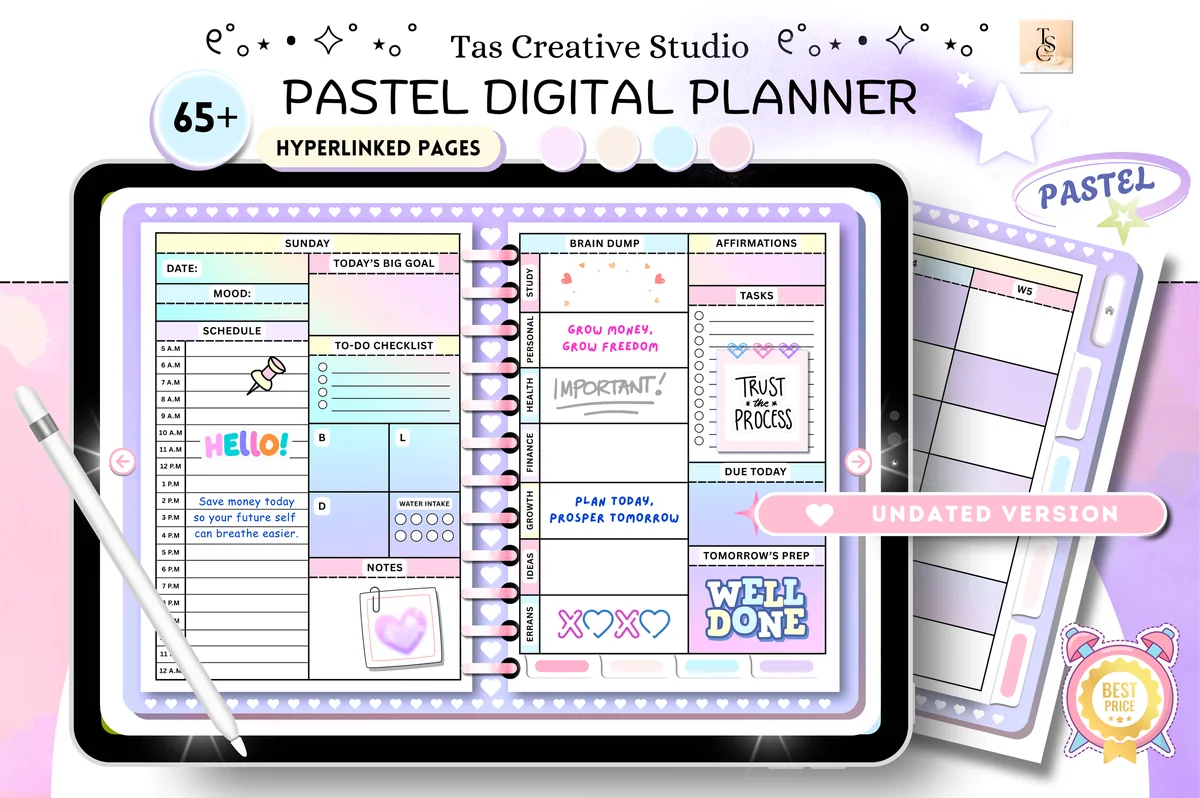
Best pastel planner with a habit page
7. Digital Planner Cute Pastel ( Undated )
Orientation: LandscapeLayouts: Monthly, Weekly, DailyDates: Undated
Best for: pastel lovers, wellness planners, challenge fans. Designed by Tas Creative Studio.
- Productivity section: habit tracker, reading log, movies to watch and daily routines
- 30-day fitness, mental health and no-spend challenges
- 68 hyperlinked pages, undated, horizontal 11" × 8.3"
- For GoodNotes, Notability, Noteshelf and Xodo
A full undated planner in soft pastels, where the habit tracker shares a section with daily routines. The 30-day challenges pair nicely with the month-by-month ideas above: one challenge, one month, one grid. It's undated, so you can start on any 1st.
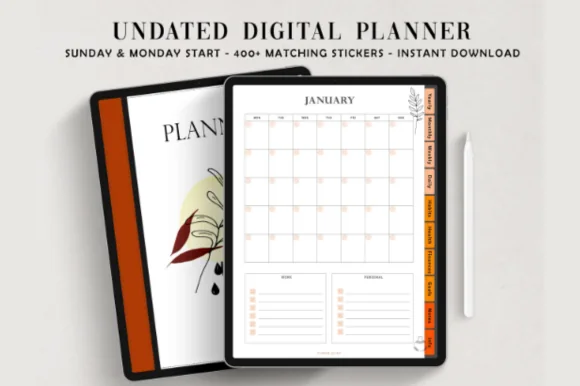
Best undated planner with a habit section
8. Undated Digital Planner, Life Planner
Layouts: Yearly, Monthly, Weekly, DailyDates: UndatedWeek start: Monday or Sunday
Best for: organized planners, autumn aesthetic lovers, habit trackers. Designed by ThePlannersDelight.
- Habits section: a monthly habit tracker and a habits page
- 12 monthly planner pages, plus mood tracker, workout log and meal planner
- 10 hyperlinked sections, each with its own illustrated cover
- Monday-start and Sunday-start PDFs, 1800+ digital stickers
Here the monthly habit tracker has its own illustrated section, which makes it feel like part of the planner, not an afterthought. Warm autumn tones are a nice change from all the pink. I'd keep the mood tracker open next to it at month's end.
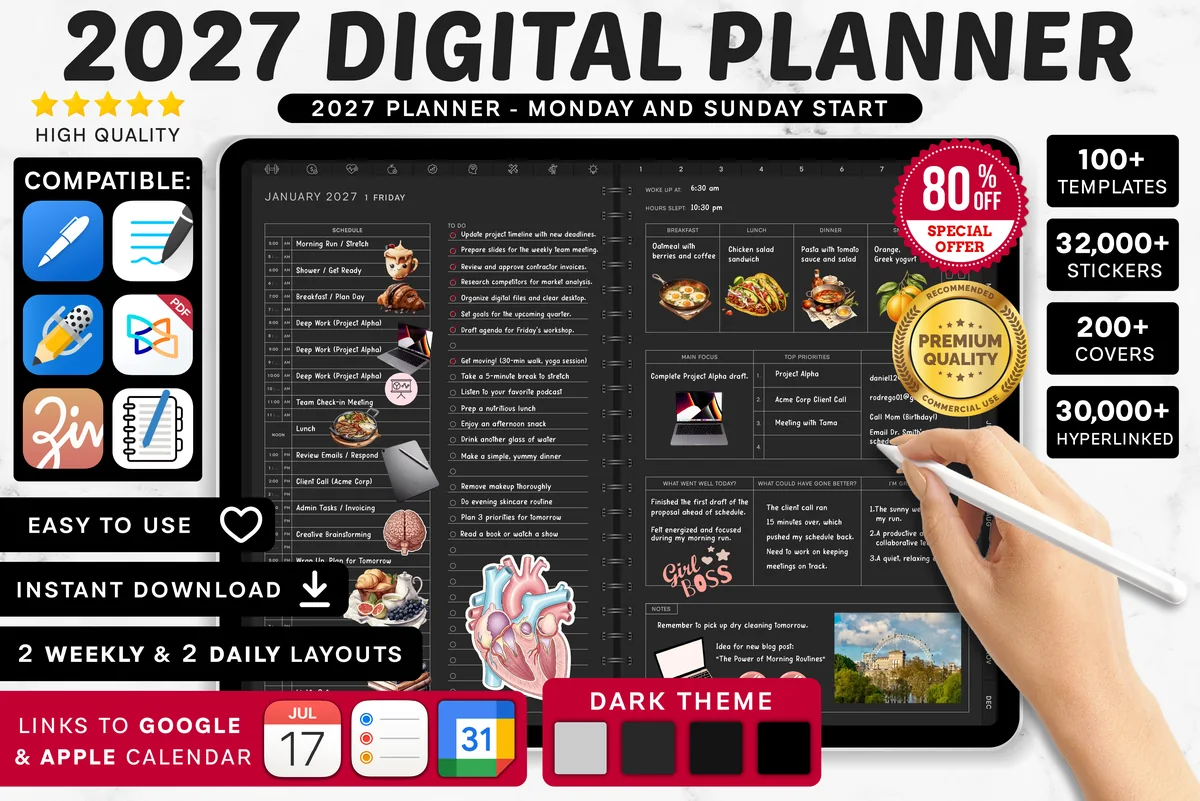
Best 2027 planner with monthly habit pages
9. 2027 Digital Planner | Monday and Sunday
Orientation: LandscapeLayouts: Yearly, Quarterly, Monthly, Weekly, DailyDates: 2027Week start: Monday or Sunday
Best for: dark mode fans, calendar app users, finance trackers. Designed by SuperDigitalPlanners.
- Every month has a monthly habit tracker and a monthly hydration tracker
- Monthly overview, goals, budget, vision board and reflection pages
- Links to Apple Calendar, Reminders and Google Calendar
- Dated 2027, Monday and Sunday start; previews show a dark theme
The monthly habit tracker is built into every month here, right beside a monthly reflection page, so the review happens where the grid is. The hydration tracker covers a habit almost everyone wants to track anyway. Good if you like a dark, dated planner.
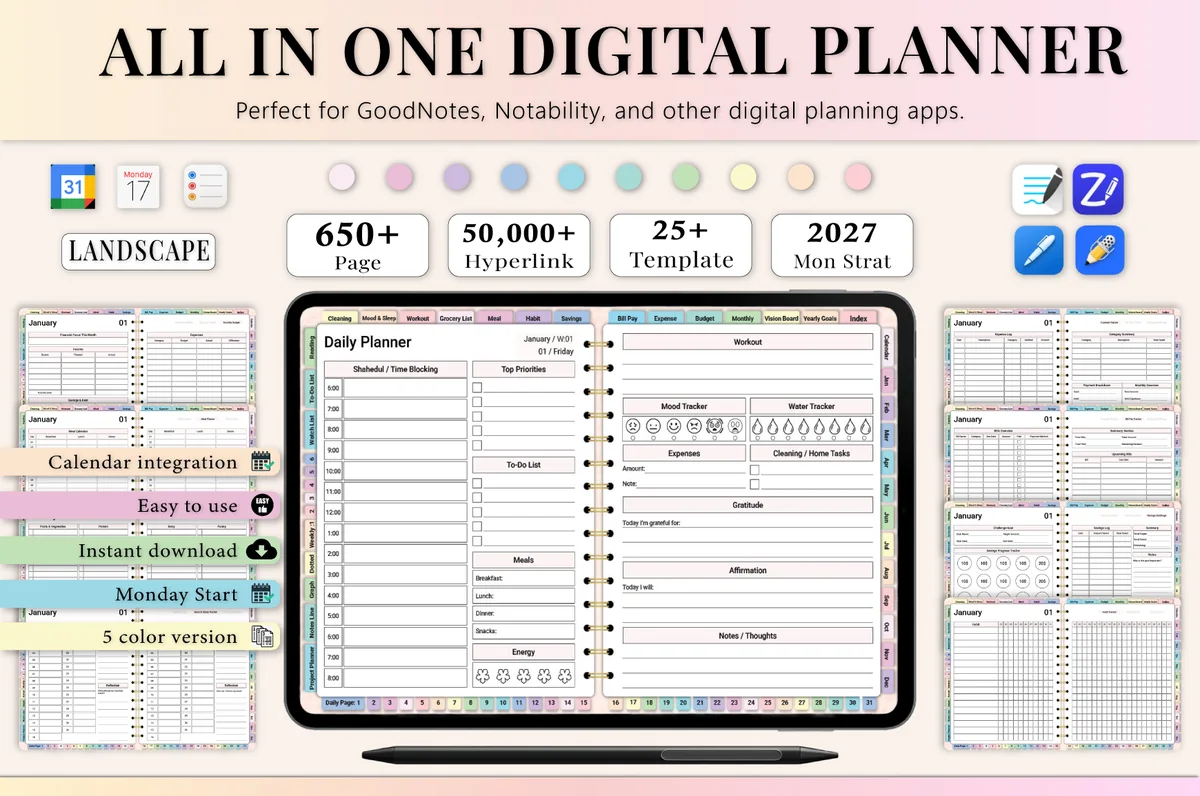
Best all-in-one for 2027
10. All-in-One Digital Planner 2027
Orientation: LandscapeLayouts: Yearly, Monthly, Weekly, DailyDates: 2027Week start: Monday
Best for: busy professionals, budgeters, people who want one planner for everything. Designed by Heartcraft Studio.
- Monthly planning includes a habit tracker, mood tracker and sleep tracker
- 655 hyperlinked pages, 25+ templates, 5 color PDFs
- Landscape, dated 2027, Monday start
- For GoodNotes, Notability, Noteshelf, Xodo, ZoomNotes and other PDF apps
If you want one file for everything, the habit tracker sits inside the monthly section with mood and sleep, which is exactly the trio I'd review at month's end. With five color versions, you could even pick a different one each quarter.
Quick Comparison
| Template | Best for | Monthly habit pages | Stand-out extra |
|---|---|---|---|
| 1. Habit Tracker – Printable & Digital | A focused habit tracker | Monthly, weekly, yearly | Goal and reward per habit |
| 2. Habit Builder Planner 2027 Portrait | Habits as the main theme | Habit tab + 12 months | 6 subject tabs, 2027 |
| 3. Digital Habit Tracker + Freebie Sticky | Cute monthly spread | 1–31 grid per habit | 100+ sticky notes |
| 4. Habit Tracker for IPad Goodnotes | Many habits, one page | 12 habit grids | 5 colors + dark mode |
| 5. Digital Habit Tracker,Goodnotes Template | The classic layout | Habit rows × days | Dark background |
| 6. Self-care Tracker | Habits + mood + sleep | Habit tracker + 6 trackers | Color-in mood pages |
| 7. Digital Planner Cute Pastel ( Undated ) | Pastel all-in-one | Habit tracker page | 30-day challenges |
| 8. Undated Digital Planner, Life Planner | Undated life planner | Monthly habit tracker | Illustrated section covers |
| 9. 2027 Digital Planner | Monday and Sunday | Dated 2027 planner | Habit + hydration monthly | Calendar links |
| 10. All-in-One Digital Planner 2027 | One planner for all | Habit, mood, sleep | 5 color versions |
Why One Grid a Month Works
A month is long enough to see a pattern and short enough to stay honest. You can look at 28 to 31 boxes and tell at a glance whether a habit is sticking. A yearly grid hides that in a wall of tiny squares, and a weekly tracker resets before you see the trend.
- A built-in fresh start. The 1st of the month is a natural restart, so one rough week doesn’t turn into “I failed this year”.
- Room to experiment. Try a habit for one month. If it doesn’t fit your life, it simply doesn’t make next month’s page.
- A clear review point. The last day of the month is when you count, compare and decide, which is where most of the progress happens.
Monthly or Weekly Habit Tracker?
Weekly trackers suit habits you plan around the week, like workouts on set days. Monthly trackers suit daily habits you want to see as a streak: water, reading, sleep. Many people use both, a weekly row inside the planner and one monthly grid as the big picture.
Habit Tracker Journal or a Planner with a Habit Tracker?
A habit tracker journal (the first six templates above) is just the trackers: light, quick to open and easy to keep beside any planner you already use. A planner with a habit tracker (the last four) puts the monthly grid next to your calendar, goals and budget, so you see everything in one file. If you already love your planner, add a tracker. If you’re starting from zero, a planner with a monthly habit page saves you from switching between files.
How to Set Up a Monthly Habit Tracker in GoodNotes
- Import the PDF into GoodNotes (Share → GoodNotes → Import as New Document).
- If the tracker is undated, duplicate the blank page 12 times and write a month name on each, so the whole year is ready.
- Write this month’s habits: three to five is plenty for one grid.
- Cross out the boxes for days the month doesn’t have (February 2027 has 28 days).
- Bookmark the page or add it to your favorites, so it’s one tap away every evening.
- On the 1st, copy the habits you’re keeping with the lasso tool and paste them onto the new page.
A 10-Minute Review for the Last Day of the Month
This is where “one grid a month” pays off. Before you open the new page, spend ten minutes with the old one:
- Count. Write the total next to each habit, like 22/31.
- Look for the gaps. Were the empty boxes all weekends, or all in one busy week? That tells you what to fix.
- Keep, tweak or drop. Keep what worked, make the hard habit smaller, and drop the one you never really wanted.
- Add one. Pick next month’s new habit from the list above.
- Note one win. Write it in the “best moments” bubble, even if it’s small.
Monthly Habit Tracker Template or App?
Habit apps send reminders and count streaks for you. A monthly habit tracker template on the iPad shows the whole month on one page in your own handwriting and colors, which an app list rarely does. It also lives inside your planner, so the review at the end of the month happens next to your goals and calendar. If reminders help you, use an app for the nudge and the template for the record.
FAQ
What are some ideas for a monthly habit tracker?
Pick a layout (a classic grid, a circle tracker or a mini calendar per habit), then three to five daily habits such as water, a walk, reading 10 pages or a set bedtime. A theme habit for each month helps too: decluttering in March, no-spend days in July, gratitude in November.
How do I make a habit tracker cute?
Change the color palette every month, use small icons instead of words, add a doodle or a sticker to every done box and give the month a hand-lettered header. On the iPad you can do all of it with digital stickers and pen colors, then start clean next month.
How many habits should go on a monthly habit tracker?
Three to five daily habits fit comfortably on one grid. More than that and the evening check-in starts to feel like a chore. Habits you do weekly or monthly can go in a separate row or a small checklist at the bottom of the page.
Is a 30-day habit tracker the same as a monthly one?
Almost. A 30-day habit tracker counts 30 days from whenever you start, which suits a challenge. A monthly habit tracker follows the calendar month, so it lines up with your planner and your end-of-month review. Many templates work for both: just number the boxes yourself.
How long does it take for a habit to stick?
Longer than one month for most people. An often-cited 2009 study from University College London found an average of about 66 days, with a wide range from person to person. That’s another reason to keep a habit on your tracker for two or three monthly pages before you judge it.
Can I use a free printable monthly habit tracker on my iPad?
Yes, a printable PDF opens in GoodNotes as a plain page. You just won’t get tabs, links or a page sized for the screen. The templates above are made for digital use, so they’re easier to duplicate, navigate and keep going month after month.
Final Thoughts
A monthly habit tracker works because it forgives: one grid, one month, then a clean page. Pick a layout from the list, choose this month’s three to five habits and keep the end-of-month review short. For more trackers, see my digital habit trackers for iPad, the 50 habit tracker ideas by goal, or browse all habit trackers.
Want the habit grid inside a prettier planner? See my cute and aesthetic digital planners, the digital monthly planners and the self-care planners.
You May Also Like
This post contains affiliate links. If you buy through them, I may earn a small commission at no extra cost to you. Learn more.