It is Sunday evening, and the empty boxes on your iPad say very little about what happened this week. Was Tuesday a missed action, a day off, or simply a day you forgot to log? A weekly habit tracker becomes much more useful when each mark has a meaning before the week begins.
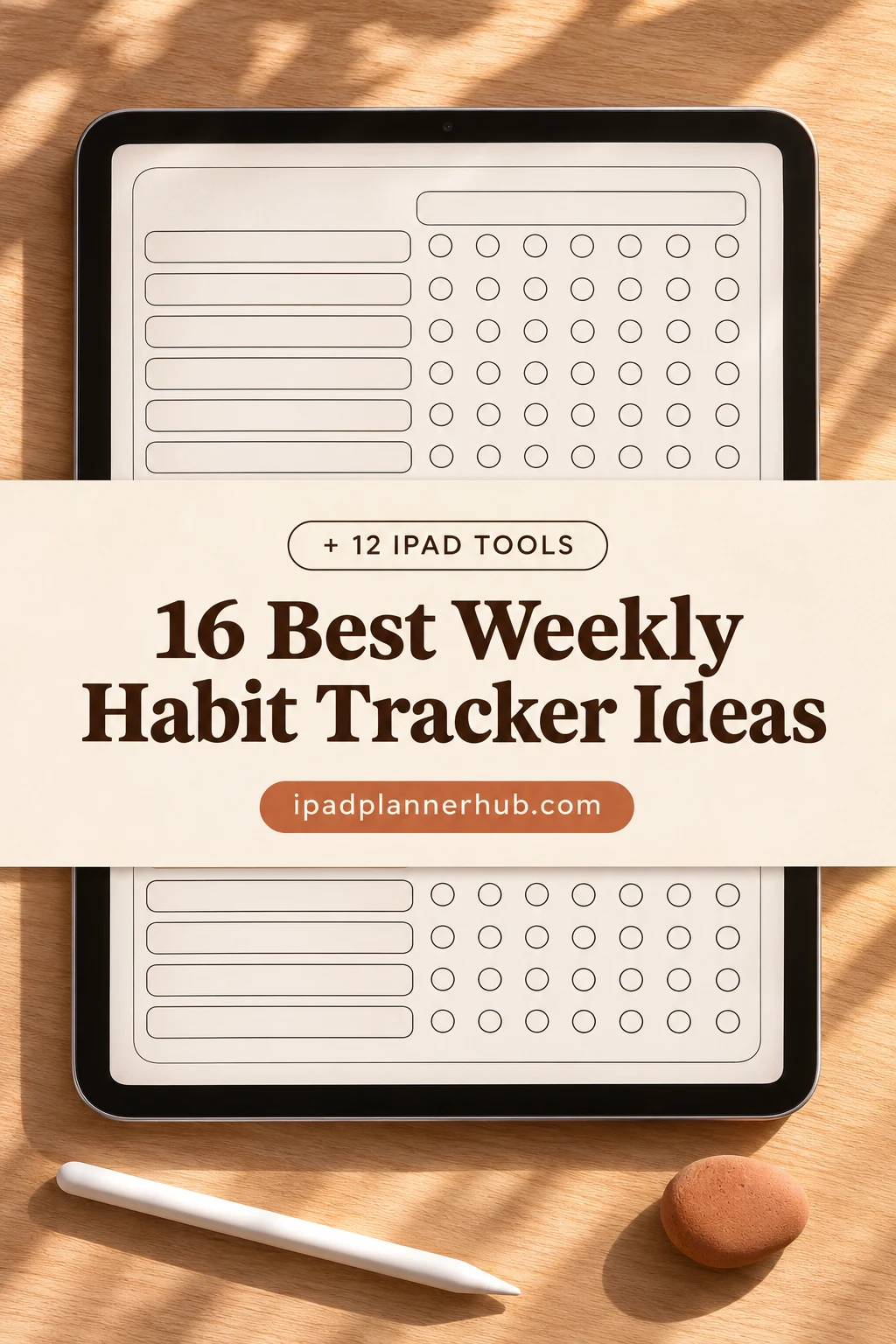
Start with one small action and a seven-day experiment, then change one thing after the review. Here are 12 iPad tools for that approach, followed by 16 ideas for choosing the action, arranging the page and reading the result. Some tools have weekly pages; others need your own seven-day outline or hand-drawn grid.
12 iPad tools for a seven-day habit experiment
TL;DR: Try one clear action for seven days, decide the planned days before you start, and use the result to change one thing next week. Below are 12 iPad tools: a weekly tracker and dated planner, five longer-format trackers you can adapt manually, and five notebooks or paper sets for your own grid.
Quick Picks
- Best for ready-made seven-day page: Weekly Habit Tracker • Cozy Pastel
- Best for a dated weekly routine: Habit Builder Planner 2027 Portrait
- Best for planning the cue: Habit Loop Streak Tracker
- Best for a weekly goal within a month: Habit Tracker – Printable & Digital
- Best for a dark tracking grid: Digital Habit Tracker, GoodNotes Template
- Best for separate habit mini-grids: Habit Tracker for iPad GoodNotes
- Weekly Habit Tracker • Cozy Pastel – Best ready-made seven-day page
- Habit Builder Planner 2027 Portrait – Best for a dated weekly routine
- Habit Loop Streak Tracker – Best for planning the cue
- Habit Tracker – Printable & Digital – Best for a weekly goal within a month
- Digital Habit Tracker, GoodNotes Template – Best for a dark tracking grid
- Habit Tracker for iPad GoodNotes – Best for separate habit mini-grids
- Digital Habit Tracker + Freebie Sticky Notes – Best for a movable review note
- Watercolor Hyperlinked Digital Notebook – Best for a handwritten weekly reflection
- Digital Notebook by Shades of Zen – Best for several weekly experiments
- Digital Notebook 5 Hyperlinked Tabs – Best for a simple five-section system
- Digital Notebook 5 Hyperlinked Tab – Best for mixing tracker and planner paper
- Digital Notebook Papers – GoodNotes – Best for an existing notebook
Start with a weekly page or weekly schedule
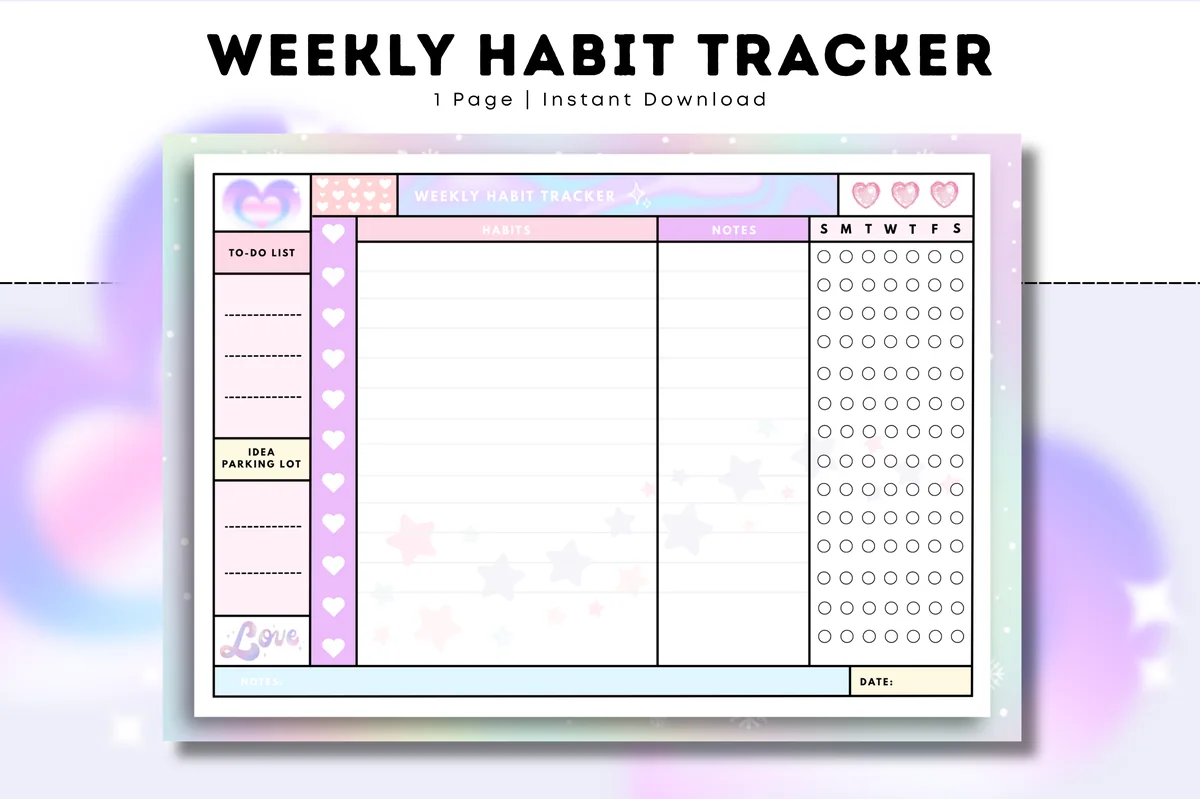
Best ready-made seven-day page
1. Weekly Habit Tracker • Cozy Pastel
Orientation: LandscapeLayouts: Habit rows, notes and seven day columnsDates: UndatedWeek start: Sunday
Best for: habit beginners, pastel lovers. Designed by Tas Creative Studio.
- Undated A4 landscape PDF with a digital version for GoodNotes, Notability, Noteshelf and Xodo
- Habit rows, a notes column and seven Sunday-to-Saturday circles
- To-do list, idea parking lot and a date field visible on the page
This is my most direct match for a one-week experiment. Write a precise action in the habit column and its completion rule in Notes, then mark only the days you planned. The pastel design leaves the tracking area together on one page; choose another option if a printed Monday-first header matters to you.
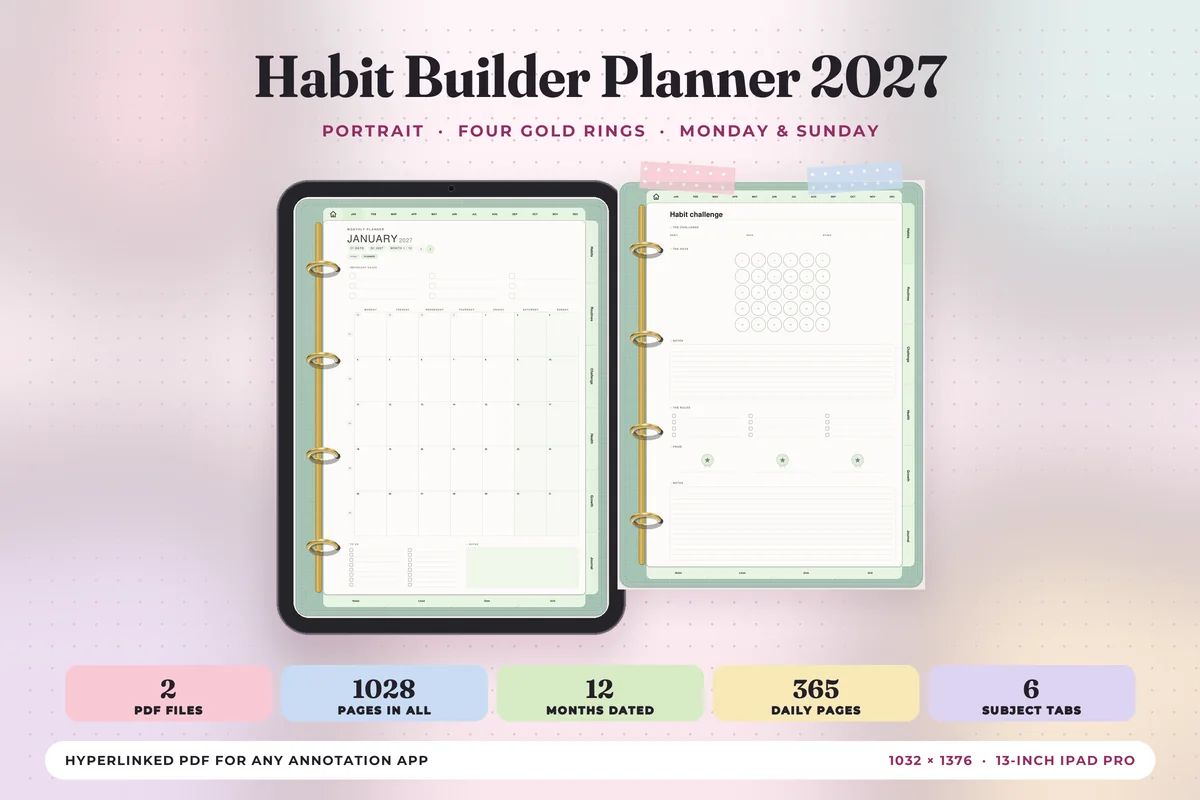
Best for a dated weekly routine
2. Habit Builder Planner 2027 Portrait
Orientation: PortraitLayouts: Weekly, daily, monthly, subject pages and notesDates: January–December 2027Week start: Monday or Sunday
Best for: habit builders, routine lovers, pastel lovers. Designed by Print Magic StudioX.
- Two hyperlinked PDF files with Monday-start and Sunday-start versions, dated January through December 2027
- Weekly pages with seven day rows, checklists, wins and carryover space
- Six subject tabs including Habits and Routines; lined, dot-grid and square-grid note paper
The weekly checklist gives each planned action a place beside its day. Keep the exact success rule in the notes area and use the wins and carryover panels for the end-of-week decision. This is a dated annual planner, so it is a larger commitment than the undated one-page tracker and is intended for 2027.
Adapt a longer tracker to one seven-day experiment
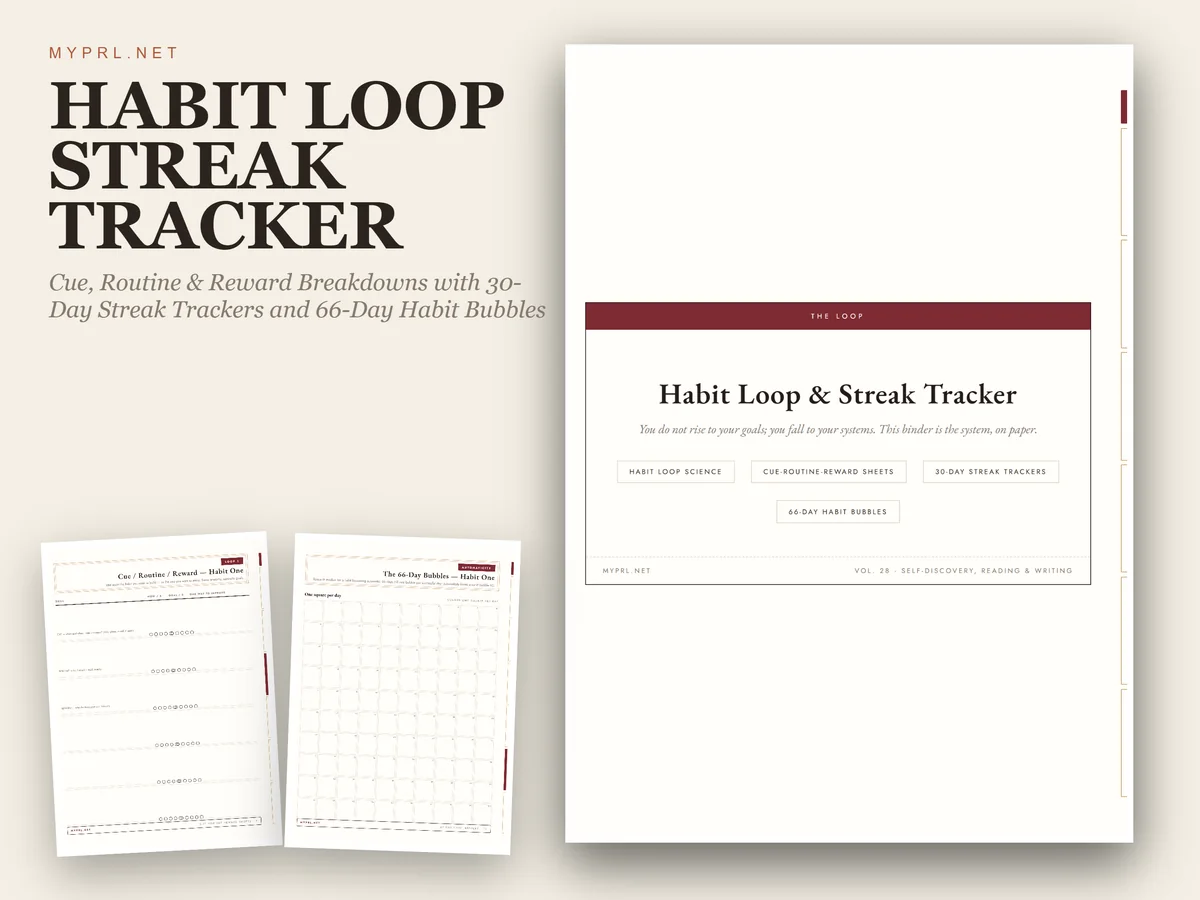
Best for planning the cue
3. Habit Loop Streak Tracker
Orientation: PortraitLayouts: Cue/routine/reward, if/then, streak grids and auditsDates: UndatedWeek start: Self-defined seven-day range
Best for: designing the action before counting it. Designed by Healers Hub co.
- Hyperlinked US Letter PDF for GoodNotes, Notability and Xodo
- Cue, routine and reward sheets plus if/then obstacle planning
- Longer 30-day grids, 66-day bubbles and monthly audits; these are not dedicated weekly layouts
The useful part for this article is the preparation sheet: decide what happens before the action and what to do when the usual cue disappears. Use seven dated spaces on a longer tracker and review them yourself. The file's 66-day page title is a layout length, not a promise that your habit will become automatic on that day.
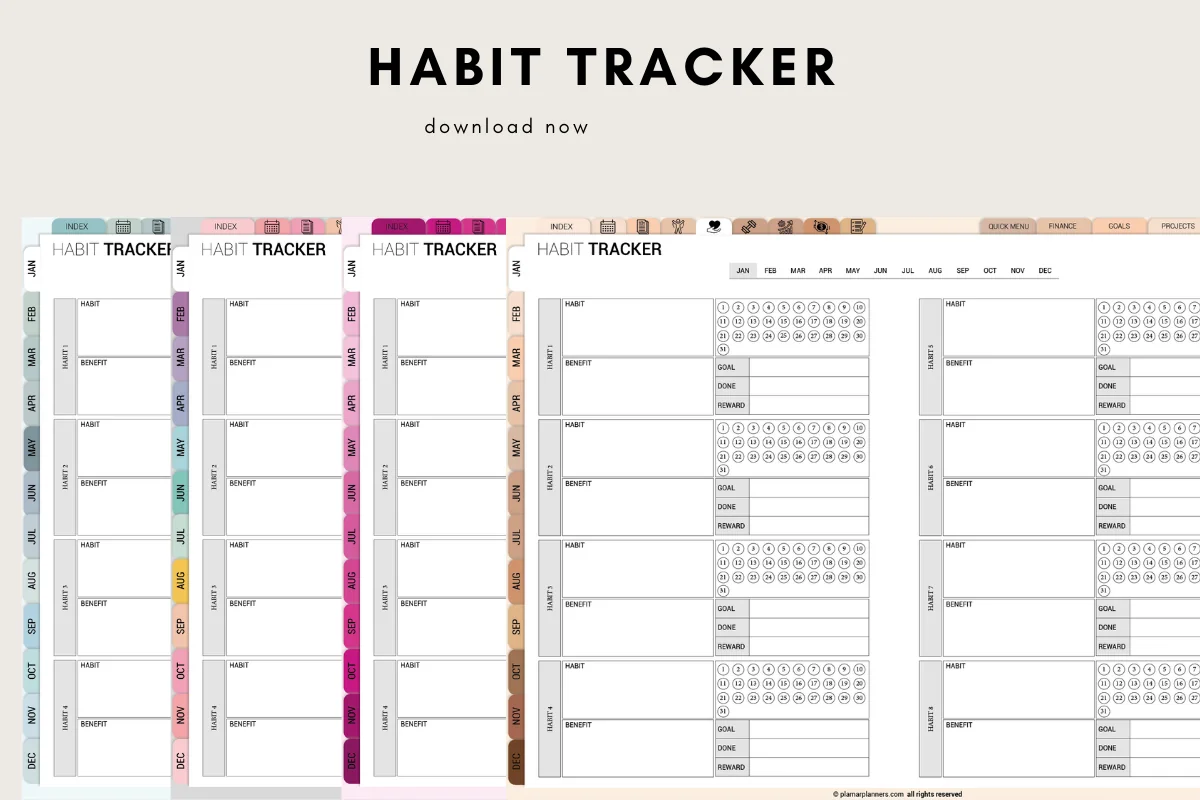
Best for a weekly goal within a month
4. Habit Tracker – Printable & Digital
Orientation: Landscape in shown galleryLayouts: Monthly habit blocks with goal and reward fieldsDates: Undated in shown pagesWeek start: Chosen date range on monthly page
Best for: habit builders, goal setters, minimalists. Designed by Plamarplanners.
- Separate digital version for GoodNotes and Notability, alongside printable files
- Gallery shows numbered monthly circles and benefit, goal, done and reward fields
- Description also lists weekly and yearly pages; their exact arrangement is not shown in the gallery
I like the benefit field for answering why this particular action deserves space. For the illustrated layout, outline seven consecutive dates and write a weekly target beside them; do not assume the monthly page automatically calculates a weekly score. If a specific weekly-page design is the deciding factor, ask the seller to show it before buying.
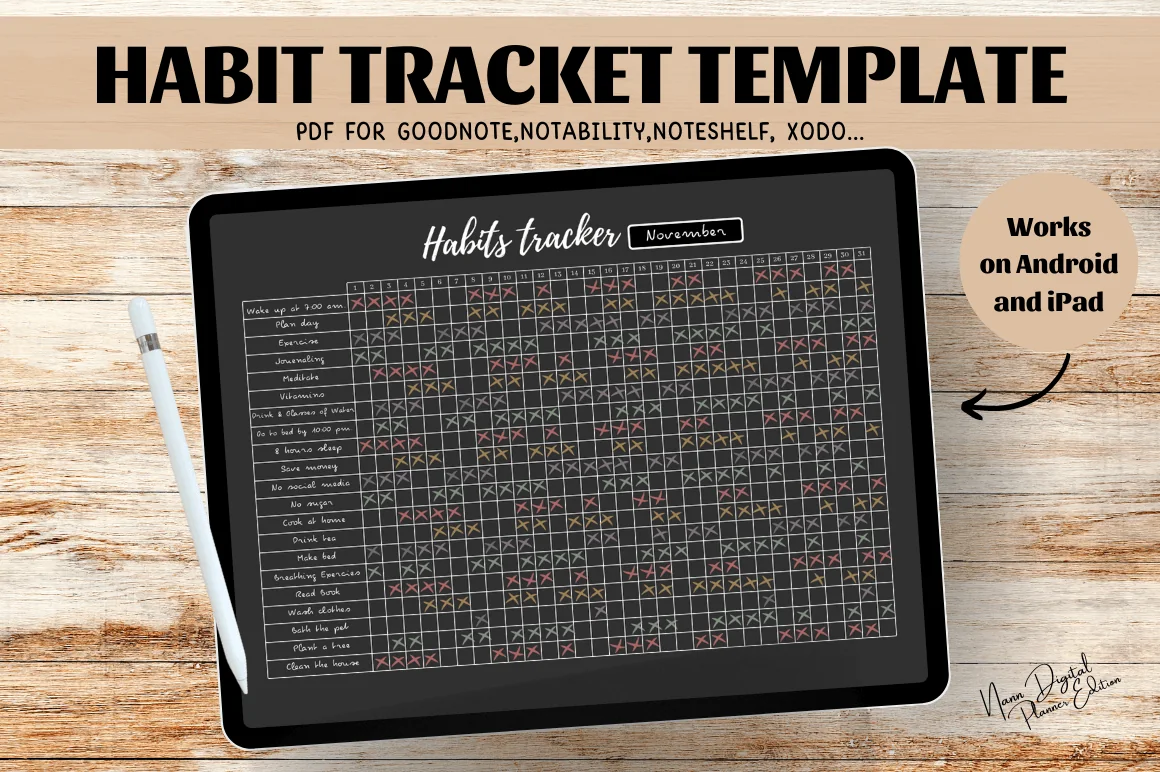
Best for a dark tracking grid
5. Digital Habit Tracker, GoodNotes Template
Orientation: LandscapeLayouts: Monthly rows-and-days matrixDates: UndatedWeek start: Selected date columns
Best for: habit builders, minimalists. Designed by Nann Digital Art.
- A4 landscape habit-tracker PDF for GoodNotes, Notability, Noteshelf and Xodo
- Dark monthly matrix with habit rows and numbered day columns
- Blank template and filled example visible in the gallery
A pale outline around seven date columns is enough to separate this week's experiment from the rest of the month. Keep the outline distinct from completion marks so a planned day cannot look finished. This is a monthly matrix adapted by you, rather than a ready-made weekly page; the compact cells favor short habit names.
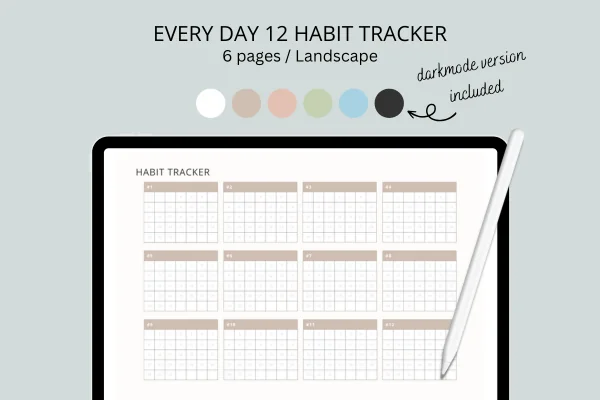
Best for separate habit mini-grids
6. Habit Tracker for iPad GoodNotes
Orientation: LandscapeLayouts: Twelve monthly habit mini-gridsDates: UndatedWeek start: Chosen seven-date window
Best for: minimalists, dark mode fans, goal setters. Designed by sleekdarling.
- Six landscape US Letter PDF files for GoodNotes, Notability and Xodo
- Twelve numbered habit or goal mini-grids on one page
- White, cocoa, champagne, matcha, smokey blue and dark-mode versions
The separate grids make it easier to distinguish a daily habit from something scheduled only twice this week. Highlight the same seven dates in each grid you actually need, then leave the unused grids blank. Twelve spaces are capacity, not a recommendation to begin twelve habits. For this experiment, count the completed actions in your chosen seven-date window.

Best for a movable review note
7. Digital Habit Tracker + Freebie Sticky Notes
Orientation: Landscape two-page spreadLayouts: Monthly habit blocks and sticky notesDates: UndatedWeek start: Chosen date range
Best for: habit beginners, budget shoppers. Designed by MOMAT THIRTYONE.
- Digital habit tracker PDF for GoodNotes, Notability, Xodo and Noteshelf
- Pink two-page monthly spread with numbered dates and target/achieved fields
- More than 100 sticky-note items; gallery also shows decorative labels
Use one sticky note for the current week's rule and replace its text with the review when the week ends. The pink spread itself remains monthly, so mark the seven dates you mean and calculate the result yourself. The bonus name does not establish the price of the product; check the current offer and whether you want the decorative extras.
Draw your own week in a notebook or paper set
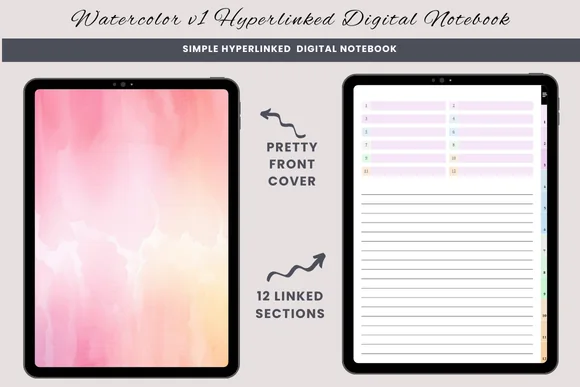
Best for a handwritten weekly reflection
8. Watercolor Hyperlinked Digital Notebook
Orientation: PortraitLayouts: Lined, blank and half-lined pagesDates: UndatedWeek start: Write your own
Best for: free-form writers, sketch and write journalers, topic-by-topic journalers. Designed by daysfilledwithjoy.
- Hyperlinked PDF notebook for GoodNotes or another PDF annotation app
- Twelve sections with lined, blank and half-lined pages
- Blank pages can be duplicated to extend a section
The half-lined page is a natural home for seven boxes above and a few review sentences below. Use a blank page if the action needs more than one mark per day. You create the tracker yourself: the watercolor cover and linked sections organize the notebook, but the product does not supply a finished weekly habit system.
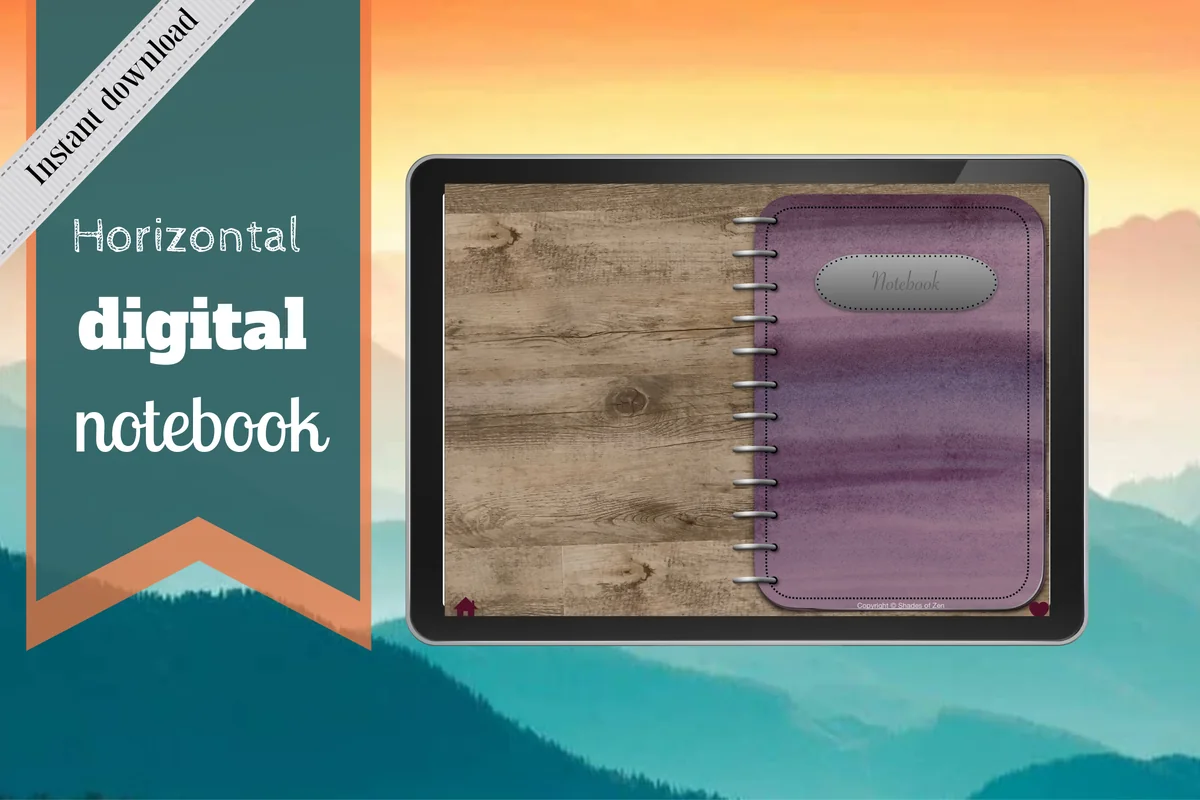
Best for several weekly experiments
9. Digital Notebook by Shades of Zen
Orientation: LandscapeLayouts: Sixteen note templates and twelve section dividersDates: UndatedWeek start: Write your own
Best for: landscape note-takers, busy students, meeting notes. Designed by Shades of Zen.
- Purple digital notebook for GoodNotes and PDF annotation apps
- Twelve expandable sections with linked tabs and section dividers
- Sixteen note templates including dotted, lined, graph and Cornell notes
Use a section for each experiment rather than a section for every day. That keeps the setup, seven-day record and review close together when you compare weeks later. The landscape spread offers room for a grid and notes, but it is blank note paper: planned days, completion symbols and any totals are your own additions.
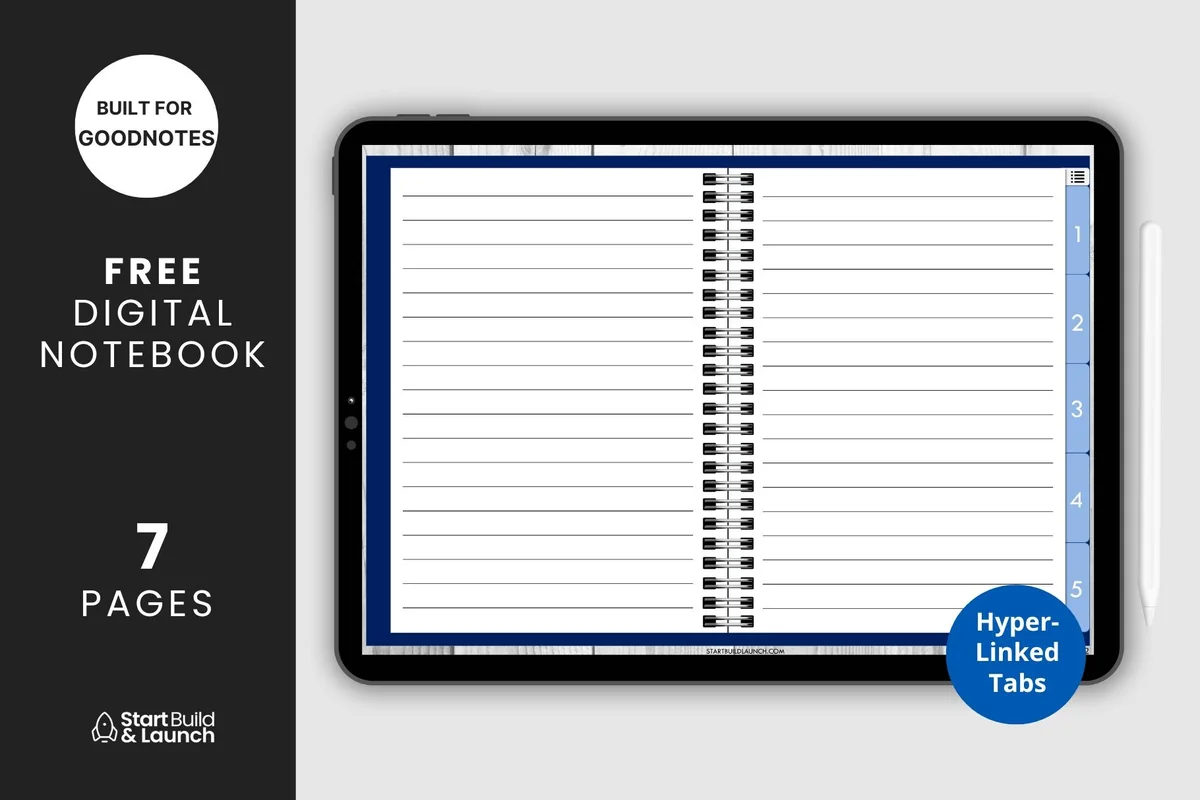
Best for a simple five-section system
10. Digital Notebook 5 Hyperlinked Tabs
Orientation: LandscapeLayouts: Blank, lined, dotted, graph and CornellDates: UndatedWeek start: Write your own
Best for: beginners, high school students, minimalists. Designed by aviswilliams.
- PDF notebook designed for iPad or tablet with a stylus
- GoodNotes, Noteshelf and Notability are recommended annotation apps
- Five sections with blank, lined, dotted, graph and Cornell paper, plus an index
Five tabs are enough for a rule page, current week, past weeks, ideas and reviews without turning the project into an elaborate archive. Graph paper is the straightforward choice for equal-size day boxes. Bring a suitable tablet, stylus and annotation app; the notebook provides the page underneath your writing, not an app with reminders.
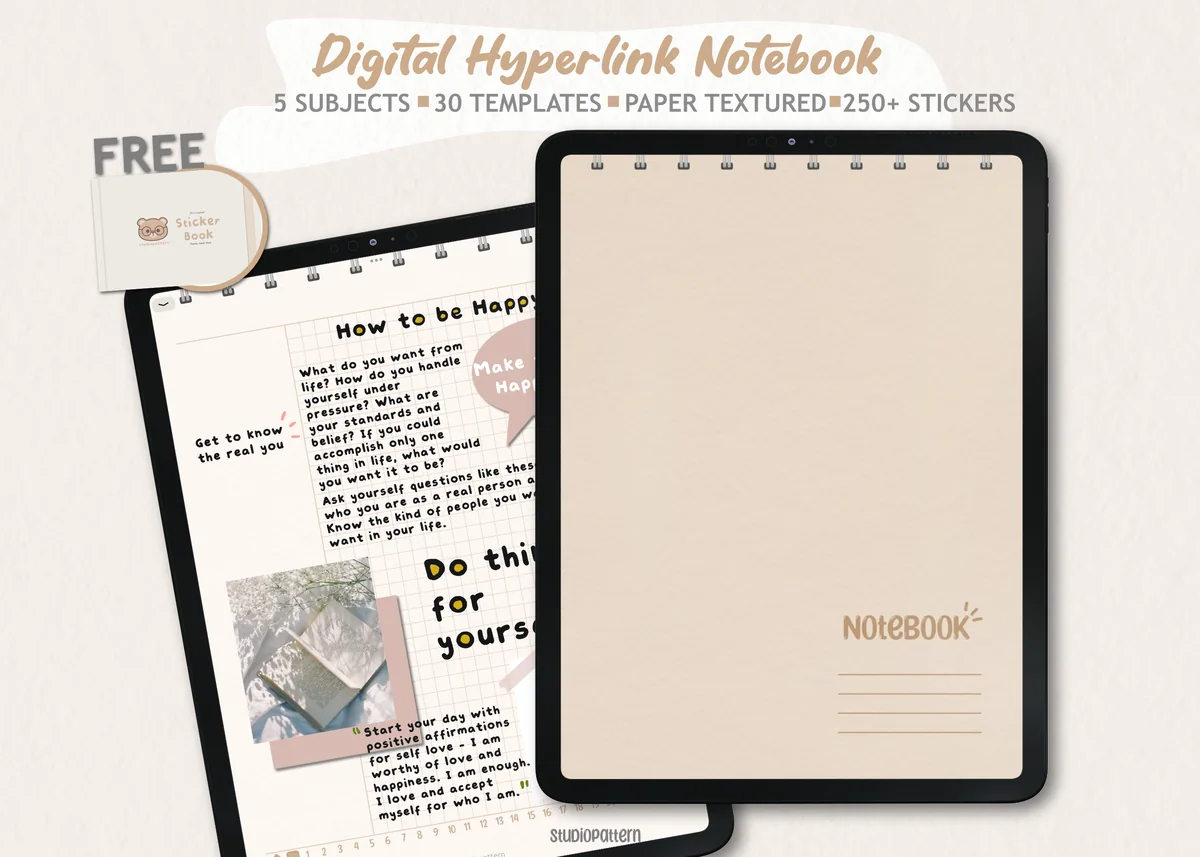
Best for mixing tracker and planner paper
11. Digital Notebook 5 Hyperlinked Tab
Orientation: PortraitLayouts: Thirty paper templates with planning and note pagesDates: UndatedWeek start: Self-defined for custom tracker
Best for: 5-subject students, sticker lovers, neutral aesthetic fans. Designed by studiopattern.
- Hyperlinked PDF notebook with five sections and thirty paper templates
- Blank, line, grid, dot and dashed paper, plus weekly, daily and habit pages
- Manual, 250+ individual PNG stickers and a GoodNotes sticker-book file; annotation app purchased separately if required
This is the flexible paper-texture option for a grid on one page and a weekly plan on the next. Draw the seven-day test explicitly: the habit tracker shown is circular, so this choice is for building your own weekly record. The seller recommends an iPad or tablet with an Apple Pencil or stylus; the stickers are optional decoration, not necessary tracking equipment.
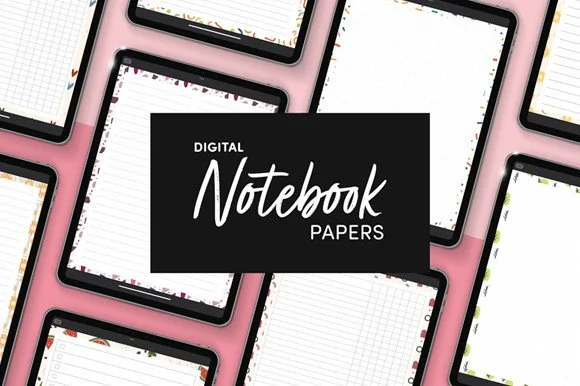
Best for an existing notebook
12. Digital Notebook Papers – GoodNotes
Orientation: PortraitLayouts: Eight layouts in nine paper designsDates: UndatedWeek start: Write your own
Best for: list makers, decorative note-takers, planner add-ons. Designed by catsquills.
- Portrait PNG and PDF papers for GoodNotes and Notability
- Nine designs with eight layouts each, including columns, dots, square, lines and a habit tracker
- 2550 × 3300 px paper, US Letter proportions
Choose this if you already have a notebook you like and only need a fresh page. Use square paper to draw seven columns or use columns for an action log and a short note. Choose a page design that leaves enough room for your habit names, seven date columns and a short review.
Quick Comparison
| Tool | Best for | Seven-day setup | Keep in mind |
|---|---|---|---|
| 1. Weekly Habit Tracker • Cozy Pastel | A separate week | Seven day circles | Undated; Sunday start |
| 2. Habit Builder Planner 2027 Portrait | Schedule plus habits | Weekly checklists | Dated 2027; two starts |
| 3. Habit Loop Streak Tracker | Cue and obstacle planning | Choose seven spaces | Longer tracking horizons |
| 4. Habit Tracker – Printable & Digital | A goal inside the month | Select seven numbered dates | Weekly page design not shown |
| 5. Digital Habit Tracker, GoodNotes Template | A compact dark matrix | Outline seven columns | Monthly layout adapted manually |
| 6. Habit Tracker for iPad GoodNotes | Separate habit blocks | Seven dates per mini-grid | Six color versions |
| 7. Digital Habit Tracker + Freebie Sticky Notes | Review beside a monthly spread | Highlight selected dates | Sticky notes included |
| 8. Watercolor Hyperlinked Digital Notebook | An open weekly page | Draw your own seven boxes | Twelve linked sections |
| 9. Digital Notebook by Shades of Zen | Experiments in separate sections | Custom grid plus notes | Sixteen note templates |
| 10. Digital Notebook 5 Hyperlinked Tabs | A small custom system | Graph or dotted paper | Five linked sections |
| 11. Digital Notebook 5 Hyperlinked Tab | Mixed planning pages | Build a seven-day record | Thirty paper templates |
| 12. Digital Notebook Papers – GoodNotes | Paper for your current notebook | Draw seven columns | PNG and PDF papers |
Set up a weekly habit tracker before the first checkmark
If you are looking for progress you can interpret, keep the record small enough to complete in seconds. A useful page answers five questions: what action, after which cue, on which days, what counts as complete, and when you will review it. Write those answers at the top before adding colors or stickers. A small action with a clear finish is easier to record honestly than a broad goal such as “be productive.”
Build the first week in five steps
- 1Choose one observable action. Replace “read more” with “read two pages after breakfast.” Put the book where you expect to use it. The tracker records the action you actually do; a long-term goal such as finishing a shelf of books belongs in a separate planning note.
- 2Set the opportunity days. Write seven actual dates, even if the page already has weekday initials. Circle the days you intend to act and cross out the days you have deliberately left free. A three-day schedule means three planned opportunities, not seven obligations.
- 3Write the completion rule. Decide whether success means yes/no, a count or a duration. For reading two pages, a checkmark means two pages finished. Reading one page can be a separate small dot if you want that information, but it does not silently become the original target.
- 4Make a short key. Use a check for complete, an open circle for a planned action not completed, a dash for not scheduled and a question mark for unknown. Keep the key beside the grid so an empty box cannot mean several different things.
- 5Book the review now. Choose a short check-in after the seventh date. Compare completed actions with planned opportunities and write one change for the next week. Keep the original record intact; if the action was too ambitious, adjust the next experiment rather than rewriting this one.
16 ideas for a week you can actually learn from
Choose one idea from the action group, then one way to arrange the page. You do not need sixteen new habits. These are alternative experiments and layout choices, intended to make the record clearer rather than make your routine longer.
Four small actions with a clear finish
- 1The breakfast reading cue. Set a two-page target on three named mornings. Put a tiny “2 pages” note above the day columns so you do not have to remember the rule. At review time, ask whether breakfast was a dependable cue before deciding to add more days.
- 2The end-of-work desk reset. Define the finish as putting loose papers in one tray and returning the pen to its place. Schedule only the days you work at that desk. This makes the action specific enough to mark quickly, without turning tidiness into a judgment about your whole home.
- 3The two-minute journal opening. Write the date and one sentence after your evening routine. Two minutes is a proposed starting limit for this experiment, not a requirement for a meaningful journal. Keep longer reflection optional so a busy night does not change what the completion mark means.
- 4The weekly plant check. Pick one day to check the soil and record what you did. Completion means checking, not automatically watering: a plant may not need water. This is a useful example of an observation habit, where the right action can be deciding to leave something alone.
Four schedules that leave room for real life
- 5The three-opportunity week. Schedule Monday, Wednesday and Friday, and shade the other four boxes before starting. Count completed actions out of three. This avoids treating a deliberate rest day as a broken streak and gives you a realistic denominator for the review.
- 6The shift-based week. Replace morning/evening labels with “after waking” and “before my main sleep.” Date every column so a night shift does not move an action into the wrong day. Keep the action small and choose one consistent point at which you record it.
- 7The morning-and-evening split. Give one action two rows only if those are genuinely separate opportunities, such as a short desk setup and an end-of-work reset. Label both rows with their own rule. A single half-filled box is much harder to interpret than two clearly named marks.
- 8The away-from-home week. Mark travel days in advance and decide whether a portable version counts. If the original action requires equipment you will not have, leave those days unscheduled or write a different experiment. Do not invent a substitute after seeing the final score.
Four layouts for clearer habit data
- 9One habit, seven large boxes. Give each day enough room for one mark and a very short note. This bullet journal layout works on blank or square paper and keeps the page readable when you are writing with a stylus. Add a single review box below it.
- 10A weekly window in a monthly grid. Outline seven consecutive dates with a pale color and write the date range above the page. If the week crosses into another month, note the split explicitly. The highlight is your planning boundary; completed actions still need their own distinct symbol.
- 11A count row instead of a streak. Write the number of short practice sessions completed each day, with a weekly target beside the row. Use this when frequency matters more than consecutive days. Keep the counting unit stable so one long session does not become several sessions halfway through.
- 12A tiny context strip. Under the seven boxes, reserve one line for practical obstacles such as “book stayed at work” or “meeting ran late.” Record what you know, rather than guessing a cause from a blank square. A separate mood tracker can hold feelings without making mood equal completion.
Four ways to turn the review into a next step
- 13Keep the cue, shrink the action. If you reached the right moment but repeatedly stopped before finishing, test a smaller action next week. Write the new rule beside the next date range, leaving this week unchanged. That lets you compare two defined experiments instead of one moving target.
- 14Keep the action, move the cue. If the action itself felt manageable but the chosen time kept disappearing, attach it to a different regular event. For example, move reading from an unpredictable commute to breakfast. Change the cue alone for the next trial so the comparison has a clear purpose.
- 15Separate missing records from missed actions. Leave a question mark when you cannot remember what happened. Do not reconstruct a perfect week from wishful thinking or turn uncertainty into failure. For the next week, try marking the page immediately after the action while the result is still fresh.
- 16Write one keep/change/stop decision. End with one concrete sentence: “Keep three reading mornings, put the book beside the mug.” You can also stop tracking an action that no longer serves a useful goal. The page is a working record, not a score you have to protect forever.
Read the result without changing the rules
Suppose reading was planned for Monday, Wednesday and Friday. You completed Monday and Friday, did not complete Wednesday, and deliberately left the other days free. That is two completed actions out of three planned opportunities; it is not two out of seven and it does not say anything about the quality of your character.
- Completion: compare the same action and the same rule across the scheduled days. Write a fraction such as 2/3; a percentage is optional.
- Frequency: count how often an action occurred. A weekly target of three practice sessions does not necessarily require a daily streak.
- Context: use a short written note to decide what could change. A pattern on a grid can suggest a question, but it does not prove the cause.
- Unknown data: report it separately. “Two complete, one unknown” is more useful than quietly treating the unknown as either a success or a miss.
If you enjoy graphs, draw a small bar for completed opportunities beside the target. Use the same scale next week and label any rule change. Habit streaks can be satisfying, but a streak alone hides how many opportunities were planned and whether the action still fits your goals.
Weekly or monthly: choose the review interval
Use a week when you want a quick decision about a new cue, a different schedule or a smaller action. Use a month when you want to see a longer pattern with fewer page changes. A daily habit tracker describes how often you record; it can still live on a page that you review weekly.
- Start with a week: a changing work schedule, one new routine, or an action with a clear weekly target.
- Keep the monthly page: a routine you already understand, with a seven-date outline if you want a focused weekly review.
- Use a separate journal page: when the explanation needs more room than the tracking marks. Keep the grid short rather than writing a paragraph into every cell. Fewer categories leave more room for a useful note.
For more grid styles, see the monthly habit tracker ideas. This guide stays with the seven-day decision: what you tried, what actually happened and what you will change next.
Template or app: what do you want the tool to do?
A weekly habit tracker app and a handwritten file solve different problems. Habit tracker apps may handle reminders; tracker apps also vary in how they record completion. The tools above are files for an annotation workflow, with a daily habit tracker you fill in yourself. For this experiment, write the rule, mark the days and count completed actions against your planned opportunities. A PDF page does not generate reminders, import Apple Health data or synchronize its boxes with a calendar.
- Choose a PDF or notebook when you want a flexible handwritten page and already use an iPad annotation app.
- Choose a dedicated tracker app if automatic reminders, widgets or calculated statistics are central to your decision. Check those features in the current app listing instead of assuming every tracker app includes them.
- Choose a spreadsheet or Notion workflow when editable databases or formulas are the main requirement. Excel, Notion and a PDF planner are different formats; the files here are not interchangeable templates for all three.
A to-do list can be enough for a single appointment or one-off job. Use a repeated row when your question is “How often did I do this action on the days I intended?” If you already use a task list comfortably, you can add a seven-day record beside it rather than replace your whole planning system.
Keep decoration smaller than the tracking area
A weekly habit tracker bullet journal page needs readable dates, an action name and a key before it needs a theme. A weekly habit tracker stamp can repeat a blank grid, while weekly habit tracker stickers can label the review. Keep both outside the completion marks so decoration does not change the record. A decorative check on an uncompleted day makes the record harder to trust.
- Keep one color for the planned-date outline and another for completion.
- Put a weekly review sticker outside the seven day cells, where it can hold a short decision.
- If copying a blank page for the next experiment, check that old checkmarks and dates were not copied with it.
- Check the page at the screen size you normally write on the iPad. A beautiful full-screen preview can still have cells too small for your handwriting.
FAQ: choosing and using a seven-day tracker
What makes a good weekly habit tracker?
It lets you name an action, specify its planned days, define completion and review the result without much effort. The best choice for you may be one large row rather than a planner with dozens of habit fields. Compare the current price and page size before spending on extra productivity features you will not use. I favor legibility and room to write the rule over extra decoration.
Do habit trackers actually work?
They can give you a record of what you marked and a visible prompt to return to the action. They cannot guarantee motivation, prove why a day was difficult or establish that a habit is automatic after a fixed number of days. Judge this experiment by whether the record helps you make a useful next decision.
How many habits should I start with?
For this seven-day experiment, start with one. That is an editorial recommendation to keep the result interpretable, not a universal limit. Add another only when the recording stays quick and you can still explain the completion rule for each action.
Can I use a weekly habit tracker printable on my iPad?
Only if the actual file works in your chosen annotation app. A printable label alone does not establish that compatibility. The selected products identify digital files or supported annotation apps; check the specific card for PDF, PNG and any separate digital version before buying.
What should a weekly habit tracker template include?
Look for seven dated spaces, a named action, a completion key and room for the review. A weekly habit tracker PDF can provide the page, but you still need to choose the scheduled days and write your rule. For a morning routine, for example, name the cue as well as the action; “after breakfast, read two pages” is clearer than “read daily.”
Which habit tracker app is best for iPad?
That depends on whether you need handwritten pages or automated features. This selection compares files used inside annotation apps, not a tested ranking of habit apps. Check your app’s current PDF or image support and any separate purchase requirements; a planner file does not include the app itself.
Can I use this for health goals or to break a harmful habit?
Use the page for a small action that is safe and appropriate for you, such as recording a routine your clinician has already recommended. It is not a treatment plan or a reason to change medication, food, sleep or exercise against medical advice. If tracking causes distress or the behavior is harmful, discuss it with a qualified health professional rather than escalating targets to fill more boxes.
Give the next week one clear job
The useful result of a weekly habit tracker is a specific decision you can carry into the next seven days. Choose one action, mark the opportunities honestly and keep the review short. My starting point is the simplest page with room to explain what a checkmark means.
You May Also Like
This article contains affiliate links. If you buy through them, I may earn a commission at no extra cost to you. See the affiliate disclosure.