You set a target, but weeks later the page only shows completed tasks and no number that tells you whether the result moved. These iPad goal tracker ideas turn a chosen goal into a small measuring system: one result, a baseline, a target, and a weekly place to compare what happened with what you planned.
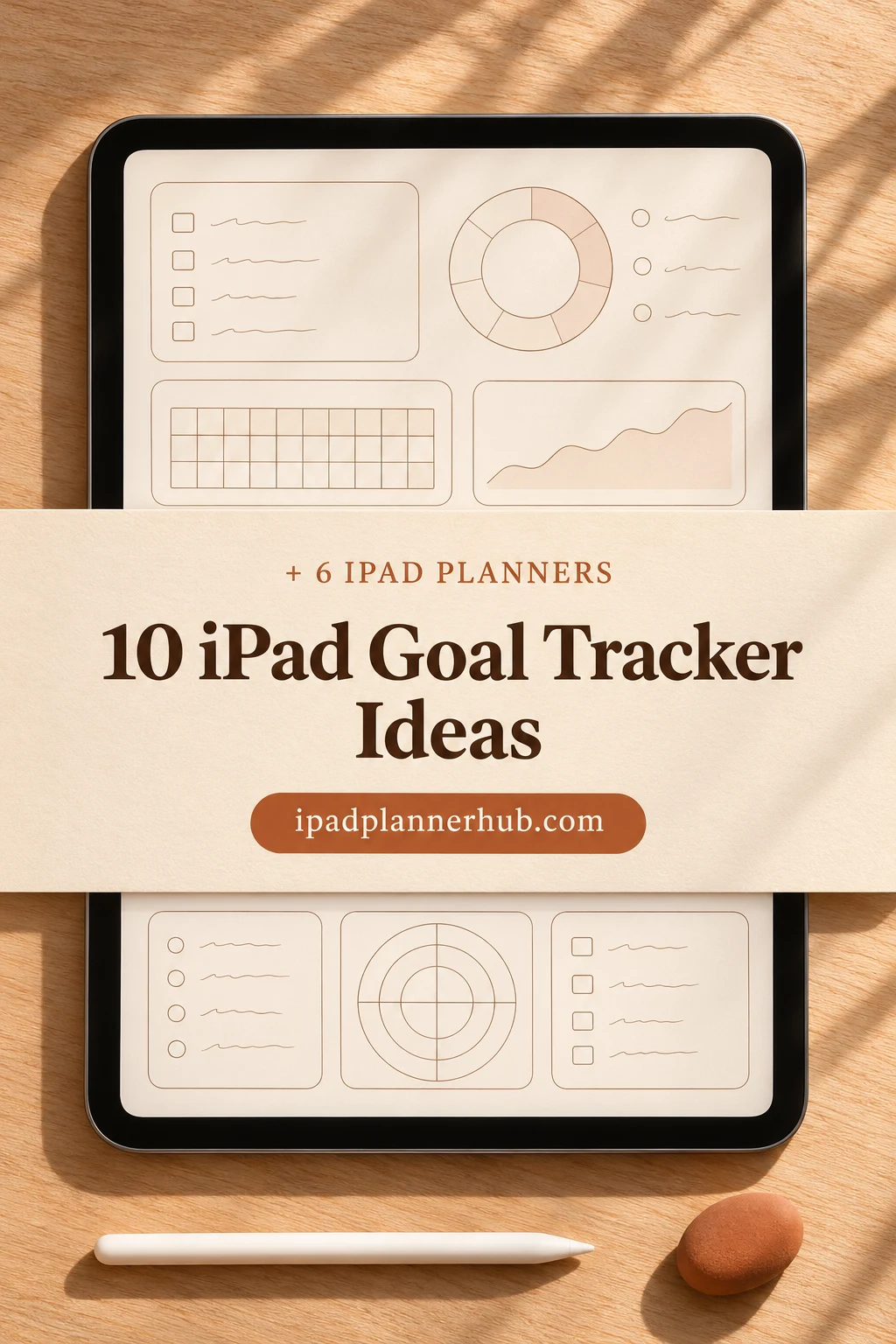
Start with the result you already chose. You do not need a new SMART worksheet or a long list of goals. Pick one outcome, name its unit, and write down where it starts. The ten ideas below are layouts you create yourself on blank, grid, or dot paper. After them are six iPad planners that can hold the pages.
Turn iPad goal tracker ideas into a measuring system
A tracker is not a promise to be perfect. It is a record that lets you adjust the plan without losing the original target. Keep the scale simple and the evidence short. If filling the page takes longer than the action, reduce the fields until the update takes under a minute.
- Keep one unit per scale.
- Label baseline, target, and date.
- Record facts, not just completion.
- Write a short reason for any gap.
Set the scale
- 1.Name the result unit, not the action. Write the exact number you are measuring: pages drafted, kilometers walked, lessons completed, or another chosen result. Add the date of the baseline. Do not switch from pages to percent or from minutes to sessions without noting the change.
- 2.Draw a straight progress bar for a cumulative result. Divide the bar into equal intervals when every unit has the same value. Put baseline on the left, target on the right, and the current point as a dated dot. Equal spacing is useful for counting the same unit repeatedly.
- 3.Build a milestone ladder when stages are not equal. Place each milestone at its own result value and date. Do not space the rungs evenly just to make the ladder look balanced. Label each rung with its cumulative total, so a 20-page milestone is distinct from a 4-page milestone even when the drawing is decorative.
- 4.Add a planned vs actual table by week. Write the planned number, the recorded number, and the gap for each chosen interval. Keep the original plan in its own column and mark changes separately, so a revision is not mistaken for a perfect forecast.
Record the result
- 5.Separate lead measures from outcome measures. Put actions such as three practice sessions in one column and the result such as twelve correct answers in another. A completed action is useful, but it does not automatically mean the outcome moved.
- 6.Attach a short evidence note to each update. Write what you counted, where the number came from, and one sentence of context. A dated note helps you understand an old record instead of guessing what the number meant.
- 7.Mark a pause separately from a zero. A missed week is not a result of zero. Write paused or no measurement beside the interval and leave the scale alone. Do not erase the history to make the line look smoother.
Review and adjust
- 8.Use a weekly review point with three fields. Write planned result, actual result, and the most likely reason for the gap. Then add one small experiment for the next interval. This keeps the review focused on the result rather than a long list of feelings.
- 9.Change the action plan with a revision date. If you need to lower the pace or change the method, write the new plan next to the old one with the date and reason. Keep the original target scale unless you intentionally replace it, and record the change.
- 10.Use one dashboard for several goals only when units stay labeled. Give each goal its own row with unit, baseline, target, and current value. Never add pages, kilometers, and percentages into one total. The dashboard shows separate scales side by side, not one blended number.
Six iPad planners for your goal tracker page
I selected these six planners for their writing space, review pages, or navigation. Some include goal and habit pages; the ten layouts above are ideas you adapt yourself, rather than a promised set of included charts.
TL;DR: Start with the page you will use: a dated goal section for one result, a broad yearly system for several projects, or grid paper for your own progress bar. These six planners provide writing space and review layouts. Add your own baseline, target, scale, and weekly check-in; record each measurement and calculate your progress yourself.
Quick Picks
- Best for a dated 2027 goal system: Goal Getter Planner 2027 Landscape
- Best for several goals split into projects: 2027 Bundle Digital Planner, Goodnotes
- Best for comparing actions with results: Premium ADHD Time Blocking System
- Best for drawing your own scale from scratch: Undated Digital Planner for Goodnotes
- Best for a weekly variance check: Weekly Planner & Review
- Best for a limited 2027 check-in period: 2027 Weekly Planner
- Goal Getter Planner 2027 Landscape – Best for a dated 2027 goal system
- 2027 Bundle Digital Planner, Goodnotes – Best for several goals split into projects
- Premium ADHD Time Blocking System – Best for comparing actions with results
- Undated Digital Planner for Goodnotes – Best for drawing your own scale from scratch
- Weekly Planner & Review – Best for a weekly variance check
- 2027 Weekly Planner – Best for a limited 2027 check-in period
Best for a dated 2027 goal system
1. Goal Getter Planner 2027 Landscape
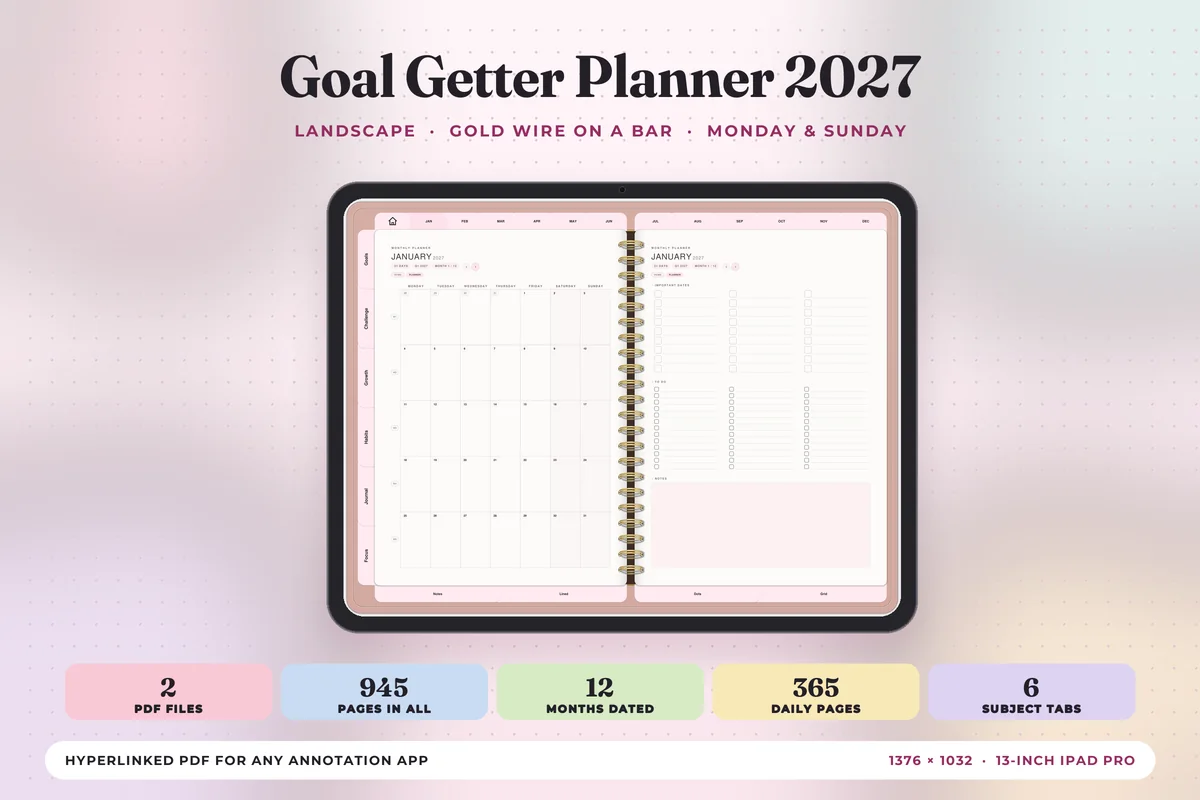
Orientation: LandscapeLayouts: 6 tabs, lined/dot/square gridDates: 2027 dated
Best for: tracking one goal with weekly checkpoints and your own scale on grid or dot paper. Designed by Print Magic StudioX.
- Two hyperlinked PDFs: Monday start with 472 pages and Sunday start with 473 pages
- Page size 1376 x 1032 points; the 13-inch iPad Pro is named and any 4:3 tablet scales to it
- Dated January through December 2027
- Six sections: Goals, Challenge, Growth, Habits, Journal, Focus with 24 subject templates
- 30 note pages: 10 lined, 10 dot grid, 10 square grid
The dated year and six subject tabs suit one goal with weekly control points. Use the dot-grid or square-grid paper to draw a simple scale with a baseline, a target, and a dated current point. Create the chart yourself and calculate each progress update from your recorded measurements.
Best for several goals split into projects
2. 2027 Bundle Digital Planner, Goodnotes
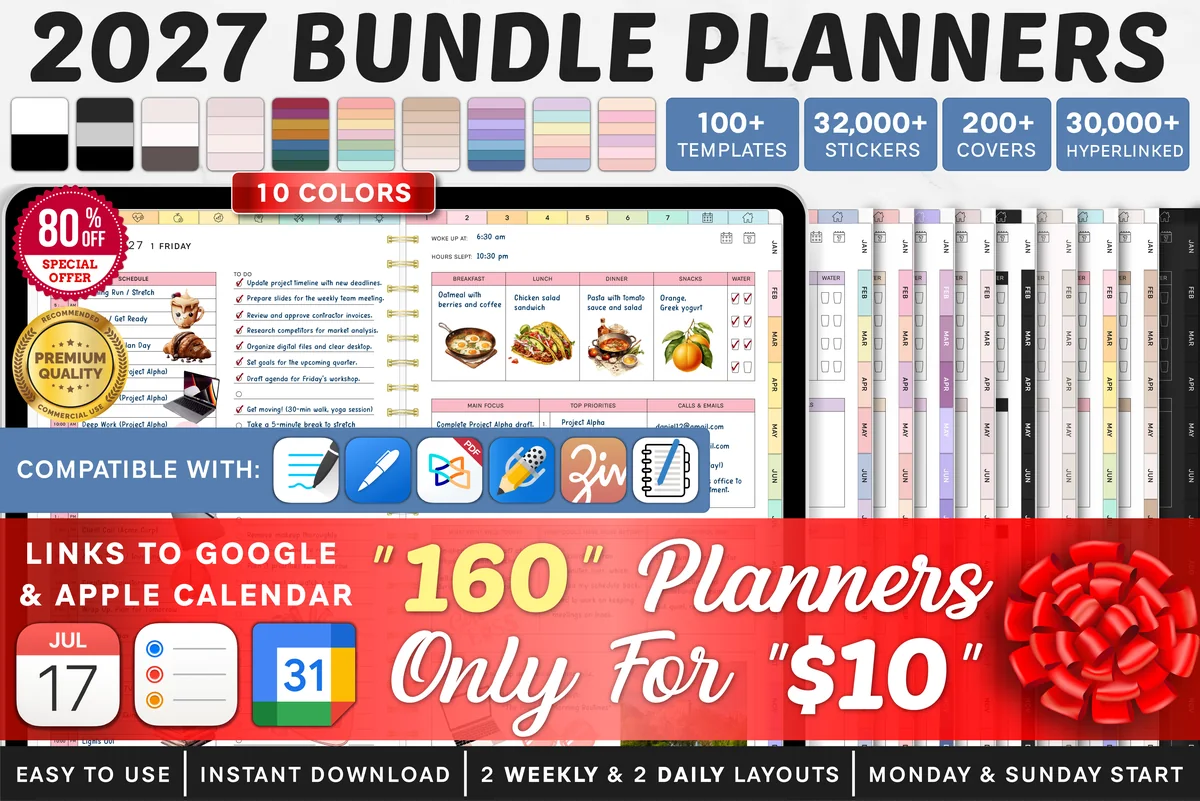
Orientation: Not specifiedLayouts: Yearly, monthly, weekly, daily and templatesDates: 2027 dated
Best for: recording results across multiple goals and monthly or weekly reflections. Designed by SuperDigitalPlanners.
- Digital planner for GoodNotes, Notability, Xodo, and Noteshelf with hyperlinked navigation
- Yearly and monthly goals, quarterly overview, monthly and weekly reflection
- 12 projects, 15 note templates, and 7 custom pages
- 160 variants inside one offer
- Links to Apple Calendar, Google Calendar, and Reminders; not designed for OneNote
Use the yearly and monthly goals plus the reflection pages to record a result and one lesson. This is a broad multi-goal planner rather than a narrow ready-made progress tracker. The Apple Calendar, Google Calendar, and Reminders links are shown, but they are not evidence of two-way synchronization.
Best for comparing actions with results
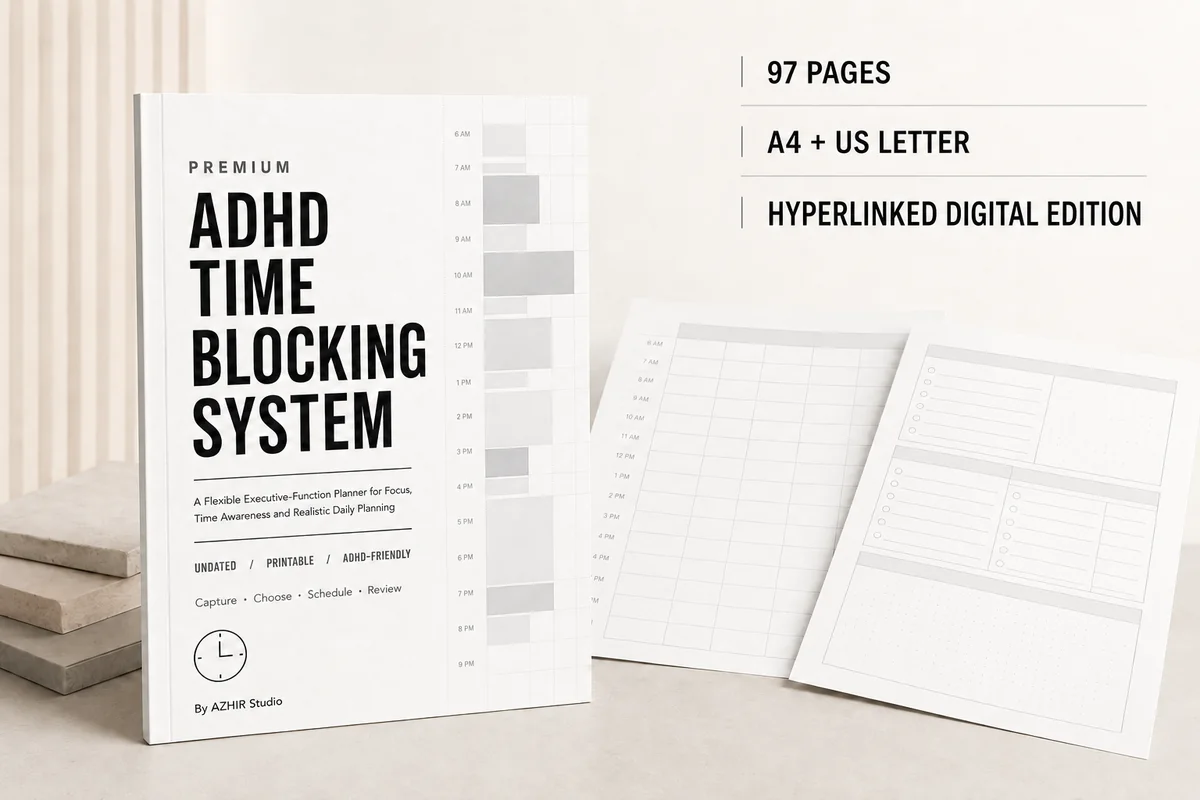
3. Premium ADHD Time Blocking System
Orientation: Not specifiedLayouts: Time blocking, reviews, tracking, notesDates: Undated
Best for: linking time-blocked actions to a result review without turning a planner into medical advice. Designed by Azhir.
- 97-page undated hyperlinked digital PDF plus A4 and US Letter printable versions
- Designed for GoodNotes, Notability, and similar annotation apps; a stylus is recommended
- Clickable contents and internal navigation
- Weekly, monthly, and quarterly reviews
- Energy, mood, and focus tracking plus reusable notes
Pair a time-blocked action with a small result box for one chosen goal number. The weekly and quarterly reviews are useful for asking whether the action actually changed the result. This is an organizational and self-reflection tool, not a treatment or diagnosis system.
Best for drawing your own scale from scratch
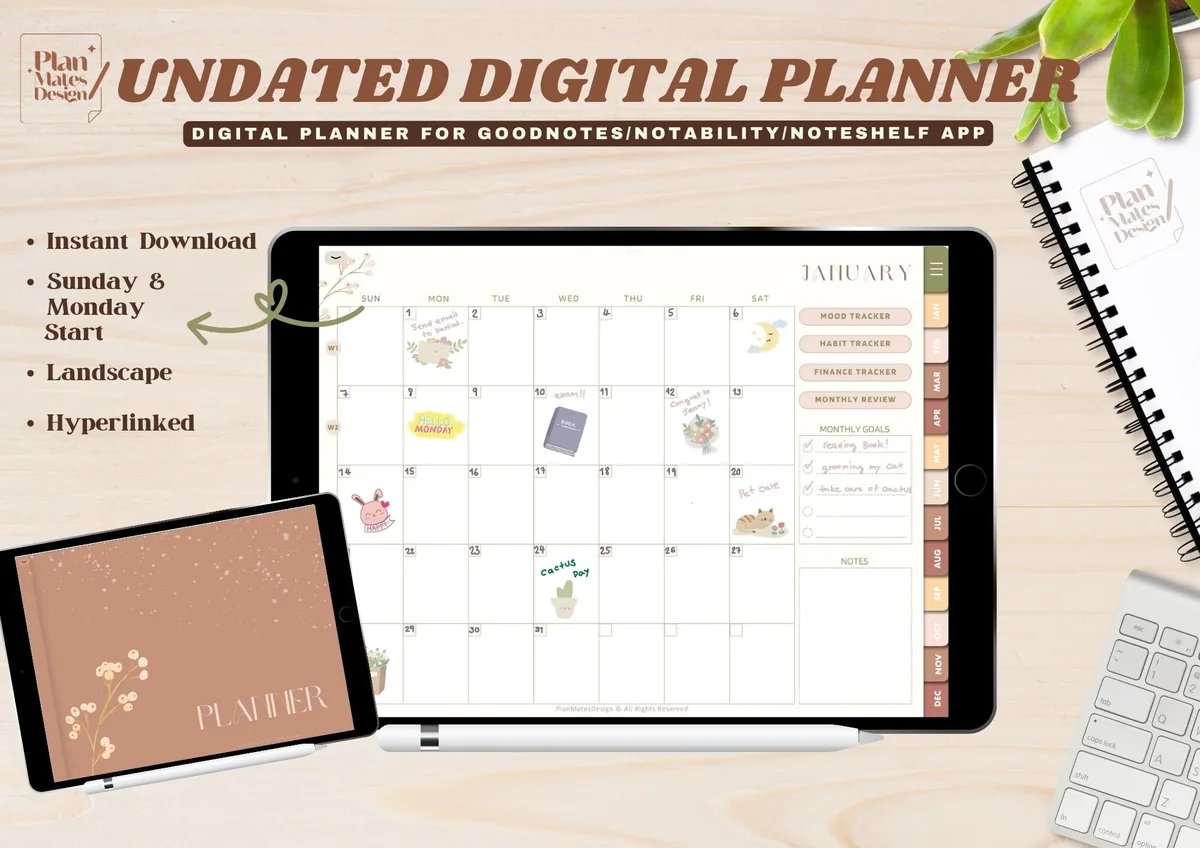
4. Undated Digital Planner for Goodnotes
Orientation: LandscapeLayouts: Blank, grid, dots, year/month/weekDates: Undated
Best for: building a baseline, target, and result journal on blank, grid, or dot paper. Designed by TinyGoong Studio.
- Two PDFs: Monday start and Sunday start for GoodNotes, Notability, iPad
- 124 fully hyperlinked pages
- 4 notebook sections and blank, grid, and dots paper
- End-of-year review, New Year's resolutions, and monthly review pages
- 10 JPEG covers included
Blank, grid, and dots pages give you space for a hand-drawn progress bar or milestone ladder. The yearly and monthly review pages can hold your check-ins, while four notebook sections keep separate goals apart. It also suits Noteshelf users.
Best for a weekly variance check
5. Weekly Planner & Review
Orientation: Not specifiedLayouts: Weekly planner and reviewDates: Undated
Best for: recording what happened, what changed, and the next small experiment. Designed by Print Magic StudioX.
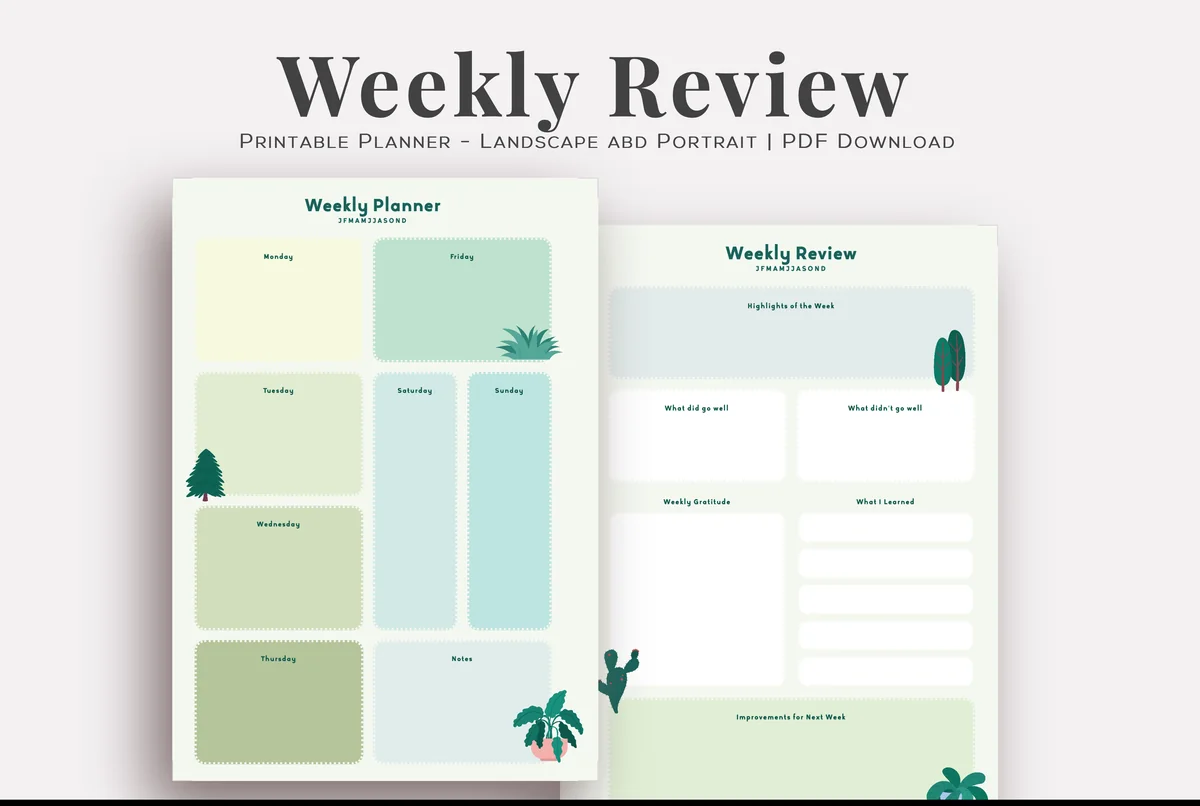
- Botanical weekly planner Monday through Sunday with a notes section
- Weekly review page with highlights, what went well, what did not, gratitude, lessons, and improvements
- PDF compatible with GoodNotes, Notability, Penly, Xodo; hybrid for print and digital annotation
The review prompts give a simple weekly check-in somewhere to live. Add your planned result, actual result, one cause, and one improvement alongside them. For a numeric scale, use the notes area alongside the weekly planner and review prompts.
Best for a limited 2027 check-in period
6. 2027 Weekly Planner
Orientation: PortraitLayouts: Month grids, week spreads, reviewsDates: 2027 dated
Best for: tracking eighteen weeks with weekly reviews and a year-in-review. Designed by Healers Hub co.
- Hyperlinked PDF plus every page as PNG
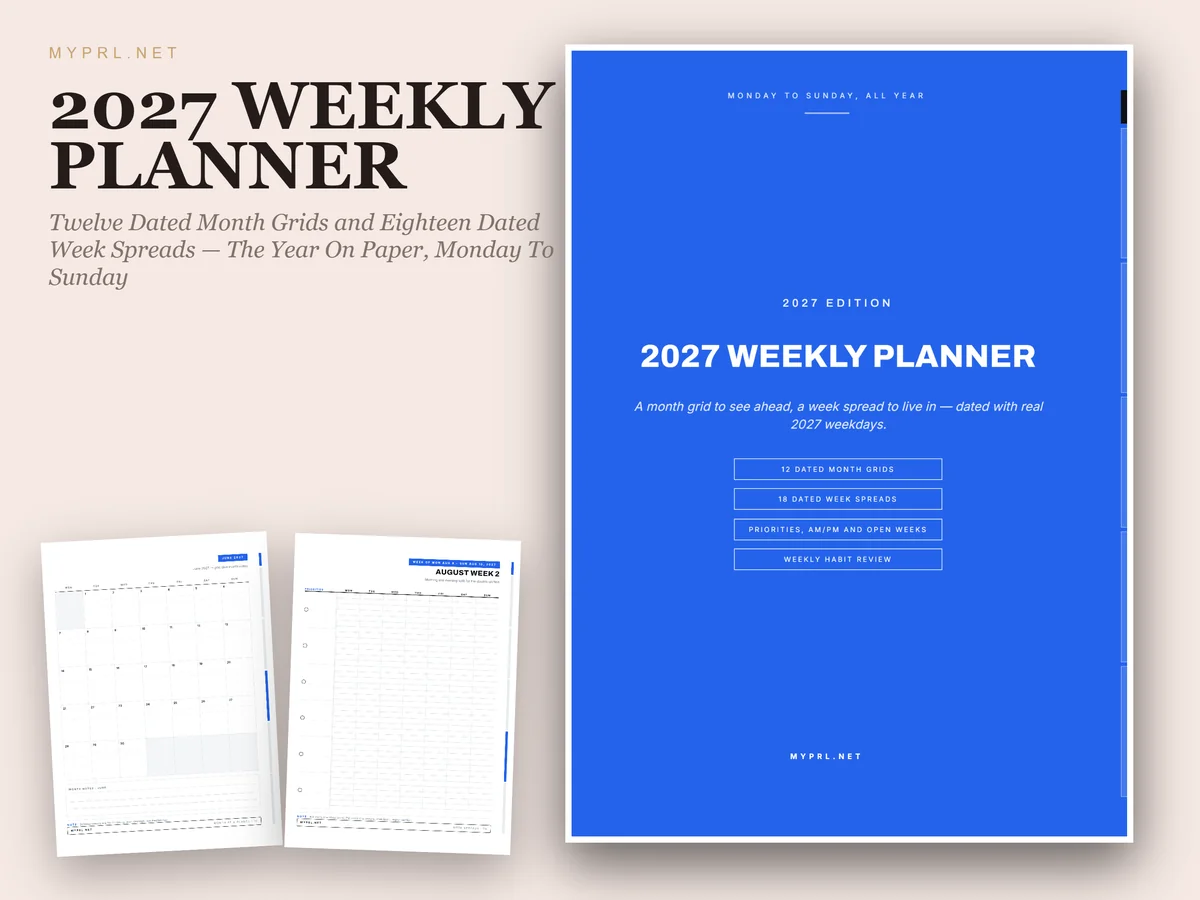
- 36 pages in total: 12 month grids, 18 dated week spreads, weekly habit reviews and a year-in-review
- GoodNotes, Notability, Xodo; side tabs for navigation
- US Letter size; preview also says A4 friendly
- 2027 dated; habit reviews and year-in-review described
Use the 18 dated week spreads for a short planned vs actual run. The preview count is 36 pages total, so it is not a full 52-week year. The review pages support a final check at the end of the selected period.
Quick Comparison
| Tool | Goal tracking use | Page structure | Main distinction |
|---|---|---|---|
| 1. Goal Getter Planner 2027 Landscape | Goal system | 6 sections, 24 templates | 30 blank/grid pages |
| 2. 2027 Bundle Digital Planner, Goodnotes | Multi-goal projects | Goals + weekly/monthly reviews | 12 projects |
| 3. Premium ADHD Time Blocking System | Action-to-result review | 97-page undated system | Reviews and tracking |
| 4. Undated Digital Planner for Goodnotes | Blank scale canvas | 4 sections, 3 paper types | 124 pages |
| 5. Weekly Planner & Review | Weekly variance review | Weekly plus review prompts | Botanical design |
| 6. 2027 Weekly Planner | 18-week control | 12 month grids + 18 weeks | Side tabs |
Set up a goal tracker on iPad
For visual progress tracking ideas, start with one labeled bar or ladder rather than a decorative page full of unrelated numbers. Keep an untouched page as a template before writing. Start with one scale and one weekly review page, then duplicate only the parts you use.
A small setup you can repeat
- 1.Create two pages. Make a goal scale page and a weekly review page. Use dot or square grid for the scale, and a weekly layout for planned vs actual.
- 2.Write the range once. Label the unit, baseline, target, and a target date at the top. Put the same labels on every update page so a number cannot drift out of context.
- 3.Enter one real measurement. Copy only the values you actually recorded. Leave a blank when something is missing, and write a short note explaining the gap.
- 4.Review after your chosen interval. Compare planned and actual, add a reason, and choose one next action. Remove fields that stay empty and do not help the record.
- 5.Keep a clean copy. Use your annotation app’s duplicate or export options and open the saved copy once. Check that your template is easy to read at your usual writing size.
Example: a weekly writing goal with one missing value
Here is an invented example of manual record-keeping, not a promise of writing speed. Your goal is to reach a total of 60 drafted pages in six weeks, starting from 12 pages. You plan eight additional pages per week. In week one you add six; in week two you add nine. In week three you are away and record no measurement.
- Known total: 12 + 6 + 9 = 27 pages when the page source stays the same.
- Missing week: mark “no measurement”; do not set it to zero.
- Reason note: “After week two: 15 pages added against 16 planned. Try a shorter outline before each writing session; review the pace next week.”
- Avoid mixing: do not add a different goal such as two blog posts to this total.
If a later value is found, update it with the correction date. Keep estimated and measured values distinct.
For the writing example, keep a separate record of which planned writing sessions actually happened. These seven-day habit tracking ideas explain scheduled, completed and unknown entries; compare that action record with drafted pages without combining the two measures.
What’s the best way for you to evaluate if you’re on track with your goal?
Compare the result recorded today with the result you planned to reach by this check-in, using the same unit and baseline. In the writing example above, 27 pages after two weeks is one page behind the planned total of 28. That gap gives you a specific next decision: keep the pace, change the weekly action, or revise the deadline with a dated note.
For a long-term goal, break the remaining work into smaller steps with their own review dates. Keep goal setting measurable: define what counts as progress before you begin, then compare actual results with those checkpoints. A structured goal page can still be flexible when you preserve the original plan beside each revision.
Personal goal tracking ideas for work and study
- “Where is the old scale?” Use a dated system with large goal sections, such as the Goal Getter Planner 2027 Landscape.
- “I have several goals.” Use the 2027 Bundle Digital Planner, Goodnotes.
- “I need action plus result.” Use the Premium ADHD Time Blocking System.
- “I want to draw from blank paper.” Use the Undated Digital Planner for Goodnotes.
- “I only need a weekly check.” Use the Weekly Planner & Review.
- “I want a short dated block.” Use the 2027 Weekly Planner.
Template or app: where each record belongs
Use a PDF planner to record each measurement yourself and calculate your goal totals from those entries. The bundle includes calendar and reminder links, but those links alone do not establish two-way synchronization. Hyperlinks move between pages; they are not a data connection.
- Notebook: baseline, target, hand-drawn scale, planned vs actual, and review.
- Measurement source: the original record where the count was produced; copy the value.
- Plan change: revision date, reason, and next experiment.
FAQ: goal tracker pages on iPad
What should I put on a beginner goal tracker page?
Start with one result unit, baseline, target, date, current value, and a planned vs actual row. Leave missing values blank and label them rather than guessing.
Do I need a ready-made progress chart?
No. A blank or grid page can hold a simple scale. Some of these planners already include goal, habit, or review pages, but this selection does not promise the ten layouts as an included chart library. Draw or adapt the layout you need.
Will the planner calculate progress automatically?
For the tracker layouts in this article, annotate the planner in your app, enter each measurement yourself, and calculate the totals before updating your scale. Keep a short note of the calculation so you can check it at your next review.
How do I handle a missed week?
Mark it “no measurement” or “paused”. Do not enter zero just because no measurement happened. Keep the gap visible so the record stays honest.
Can I track all my goals on one page?
You can build a dashboard, but keep each goal in its own row with its own unit. Do not mix units into a single total. If units differ, separate scales are clearer.
How often should I update the number?
Pick the shortest interval that still matters for the goal. For many goals a weekly planned vs actual check is enough. More frequent updates help only when the number changes daily and you have time to record it.
Is a goal tracker different from a habit tracker?
A habit tracker records repeated actions, such as whether you practiced today; a personal goal tracker records progress toward a chosen result. Keep habit streaks beside your outcome scale if you want to compare routines with results. A yes/no mark for a writing session does not tell you how many pages you drafted.
The difference matters when a full row of checkmarks gives you motivation but the result stays unchanged. Use a small to-do list for the next action and a separate progress tracker for the measured outcome. At the weekly review, note small wins and decide which action to repeat.
To understand the circumstances behind a repeated action, keep a dated note beside its mark. These habit tracker journal pages connect an entry to a later adjustment; use that context when choosing the next action without treating it as proof of what caused the result.
Keep the next update easy to read
The most useful iPad goal tracker ideas keep one result visible, label the unit, and give each gap a short reason. Start with a scale and a weekly review page. Let the planner hold the record, and let the plan change only after you can see what actually happened.
You May Also Like
For more planning layouts, see our everyday planners collection.
Purchases through selected links may earn this site a commission without changing your price. Our affiliate disclosure explains the arrangement.