Your watch saved the run, but a week later you cannot remember why the last mile felt different. These running journal ideas give distance and time a little company: route context, a few honest observations and a weekly page you can read on your iPad.

Build the record around completed runs first. Choose a small set of fields, keep the units consistent and leave a blank when you do not know a number. The eighteen ideas below are layouts you create yourself, followed by seven general digital tools that can hold them.
Simple running journal ideas for beginners: finish one entry
Give each run a date, a route label, a distance with its unit, a time with its timing method, and one sentence of context. A note such as “river loop, stopped at two crossings” can explain more than a decorative page full of empty boxes. You can add detail later without rebuilding the notebook.
- Keep the record factual: distinguish a completed run from a planned one.
- Choose a time convention: label moving time or elapsed time rather than mixing them silently.
- Protect private locations: use a route nickname instead of an exact home address, particularly in screenshots.
- Make room for unknowns: an unrecorded distance is not a zero-distance outing.
18 running journal ideas for useful iPad pages
Pick two or three layouts to begin. A running bullet journal can be sparse: a clean log, one route page and a weekly review already answer different questions. Add a new page only when an existing entry makes you wish you had somewhere to put a particular detail.
Capture the completed run
- 1.One-row run log. Write Date, Route, Distance, Time and Note across a grid page. Keep the note column wider than the date column. Use one row per outing, including a second row if you run twice on the same date.
- 2.Three-line check-in. On lined paper, write the route and date first, the recorded distance and time second, then one observation. This version works when a detailed spread would keep you from making any entry at all.
- 3.Planned and actual split. Divide a page into two columns. Preserve the original intention on the left and record what happened on the right, including an outing that changed or did not happen. Do not rewrite the plan to make it look completed.
- 4.Perceived-effort note. Use a few consistent personal words such as comfortable, mixed or demanding, plus a sentence explaining your choice. Keep these labels personal and use them consistently when reviewing older entries.
- 5.Conditions strip. Leave a narrow line for weather, surface and anything that affected the route. “Wet path, turned back at bridge” is more useful than a row of icons with no explanation. Record what you observed rather than reconstructing exact weather later.
- 6.Stops and timing note. Add a small box explaining whether the time includes crossings, a water stop or an auto-paused watch. Keep the original measurement and label it. This makes a later comparison easier to interpret without pretending every run happened under identical conditions.
Give recurring details a home
- 7.Route reference page. Assign a short code such as R1 to a familiar loop. Sketch landmarks, note the surface and add the source of any measured distance. The sketch is a memory aid, not a navigation map or proof that a route is safe.
- 8.Route-change margin. Beside the reference page, date each detour or changed turning point. Use the matching route code in the daily log. Keep temporary observations separate from the basic route description so one blocked path does not overwrite the whole record.
- 9.Shoe-use ledger. Write a shoe nickname and list the recorded outings in that pair. Add distances only when known, using one unit. Label incomplete totals clearly so you can distinguish recorded use from the pair’s full history.
- 10.Gear observation card. Leave three headings: Item, Conditions and What I Noticed. A pocket that bounced on one outing belongs here as an observation. Avoid turning a single note into a universal verdict about the product or every runner.
- 11.Companion and setting note. Record “club loop” or “solo park route” if the setting helps you recognize the outing. Keep other people’s personal details out. This can explain why a familiar route had a different rhythm without scoring the social run against a solo effort.
- 12.Memorable moment page. Keep a short scene, a tiny drawing or a photo you have permission to use. Date it and link it back to the log entry. The purpose is to remember the outing, so it needs no distance goal or performance claim.
Review the record without filling gaps
- 13.Weekly mileage sheet. List each completed outing once, then add the known distances. State the unit and the week boundaries at the top. Mark the total partial if any distance is missing; do not replace missing measurements with guessed miles.
- 14.Time-method key. Write the timing convention you use and a small key for exceptions, such as E for elapsed. Put the key beside the weekly sheet. You can preserve a watch’s moving time without treating it as interchangeable with elapsed time.
- 15.Comparable-run pair. Place two entries for the same route side by side. Include date, timing method and conditions before looking at the times. Describe what differs; two entries alone cannot tell you what caused a change or prove fitness progress.
- 16.Monthly running calendar. Mark actual outings with a short route code and a link or page reference. Leave non-running dates unfilled or give them a neutral label. The calendar is an archive of what happened, not an attendance chart that pressures you to fill every square.
- 17.Questions for a professional. Keep dated observations you may want to discuss with a clinician or qualified coach. Record what happened and when rather than assigning a diagnosis or building a treatment plan from a tracker. Keep sensitive notes out of shared screenshots.
- 18.One useful weekly reflection. Finish with three prompts: What can I explain now? Which entry needs clarification? What would make the next record easier to keep? A better route label or a consistent time field is a useful outcome even when you make no change to your running.
Adapt a bullet journal running log to your week
For running bullet journal ideas that stay manageable, use the one-row log as your main spread and put a short review at the bottom. If you call your notebook a bujo, keep the same symbols you already use: a checkbox can mark a completed entry, while a written route code connects it to a reference page. These running log ideas also work without decoration; leave enough space to add a note in the middle of a busy week.
Keep running goals beside the record rather than mixing targets into completed totals. If you already follow a training schedule or a race program, copy the planned session into the left column and the actual workout into the right. A speed workout or marathon entry can use the same structure as any other outing, with the session label taken from your existing plan. Use the training log to preserve what happened, without treating its totals as instructions to increase distance or run fast.
For motivation, write why you wanted to keep a journal and what you enjoy along a familiar route. At your weekly review, ask what you found helpful, which detail was important enough to record, and what you want to continue. Improving the written record can mean finding an old note quickly or leaving at least one useful observation, without setting a big mileage target yet.
Seven digital tools for your own running pages
I selected these for their paper layouts and navigation, not for ready-made running dashboards. The five-tab notebook organizes a whole system, while the simpler lined options suit a short account. You can also use a notebook you already own; the page ideas do not depend on buying a new file.
TL;DR: Start with the page structure you will actually use: a five-tab notebook for filing, a ruled diary for context, or monthly dividers for reviews. These seven tools are general notebooks. You add the running fields yourself; none is an automatic GPS tracker or a prescribed training plan.
Quick Picks
- Best for a five-part running notebook: Digital Notebook 5 Hyperlinked Tab
- Best for detailed post-run notes: Digital Ruled Journal
- Best for a compact three-line entry: DaisyNotes | Digital Notebook | Purple
- Best for a monthly running archive: Digital GoodNotes Journal – Art Deco
- Best for a frequent running diary: 365 Days Daily- Digital Journal
- Best for separating favorite routes: Watercolor Hyperlinked Digital Notebook
- Digital Notebook 5 Hyperlinked Tab – Best for a five-part running notebook
- Digital Ruled Journal – Best for detailed post-run notes
- DaisyNotes | Digital Notebook | Purple – Best for a compact three-line entry
- Digital GoodNotes Journal – Art Deco – Best for a monthly running archive
- 365 Days Daily- Digital Journal – Best for a frequent running diary
- Watercolor Hyperlinked Digital Notebook – Best for separating favorite routes
- Dark Mode Digital Notebook – Gold Theme – Best for dark-paper comparison notes

Best for a five-part running notebook
1. Digital Notebook 5 Hyperlinked Tab
Orientation: PortraitLayouts: Blank, ruled, grid and planner pagesDates: No prefilled year shown
Best for: filing run entries, routes, shoes, observations and weekly reviews. Designed by studiopattern.
- Five linked subject sections and a contents page
- One hyperlinked PDF, a PDF manual and 30 reusable paper templates
- 250+ individual PNG stickers and a GoodNotes sticker book
- Designed for PDF annotation apps; the seller recommends an iPad or tablet with Apple Pencil or another stylus
Five tabs give the journal a clear filing system. Put the chronological log first, routes second, then shoes, extra observations and reviews. The grid pages suit a hand-drawn distance-and-time table; use lined pages when a route needs more explanation. You create those running headings yourself. Choose this structure when finding an older entry matters more than fitting extra numbers onto one page.
Best for detailed post-run notes
2. Digital Ruled Journal
Orientation: PortraitLayouts: Ruled daily pages and indexDates: No prefilled year shown
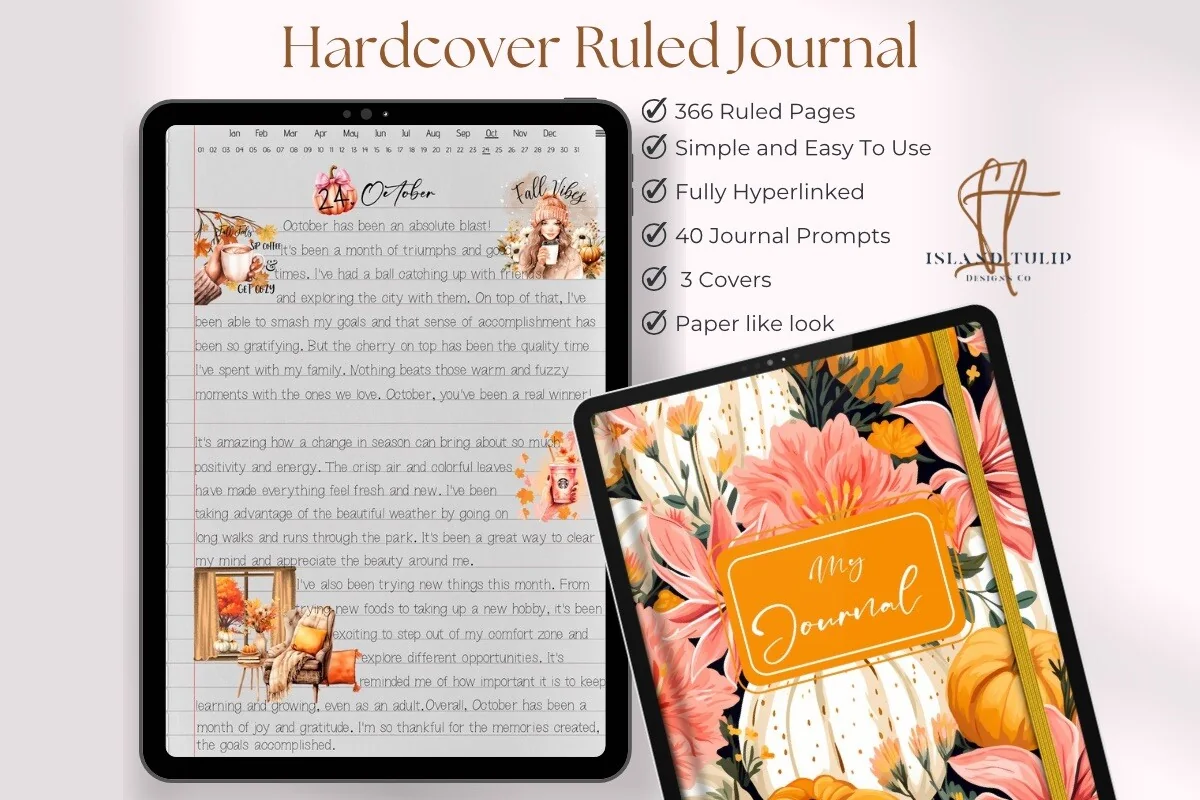
Best for: keeping a chronological account with room for context. Designed by Island Tulip Designs Co.
- 366 ruled pages with a paper-like appearance
- Fully hyperlinked navigation with month and day links shown
- Three floral covers and 40 PNG/GoodNotes journal prompts
- The included prompts are general journaling prompts, not running forms
A run can need more than a row: a changed route, a stop at a crossing or an unusually windy return leg. This journal gives those details a lined page and date navigation. Put distance and time in the first line, then use the remaining space selectively. The floral covers distinguish it from the minimalist daily journal below. Skip the general prompts if a factual run entry is all you need.

Best for a compact three-line entry
3. DaisyNotes | Digital Notebook | Purple
Orientation: PortraitLayouts: Two lined page designsDates: No prefilled year shown
Best for: writing one short note after each completed run. Designed by catsquills.
- Portrait digital notebook for GoodNotes and Notability
- Four covers and two page templates
- JPG and PDF files with wood-texture backgrounds
- The seller allows handwriting with a stylus or finger
The two page designs suit a compact record: Date and Route, Distance and Time, then One Thing I Noticed. The purple floral border keeps the page visually distinct but leaves less room for a wide table. Use it for brief handwriting rather than squeezing a whole week into tiny columns. Linked monthly or route navigation is not promised here.
Best for a monthly running archive
4. Digital GoodNotes Journal – Art Deco
Orientation: PortraitLayouts: Lined pages and brain-dump templatesDates: Undated
Best for: filing run notes and a hand-written summary by month. Designed by Sarah Doodles.
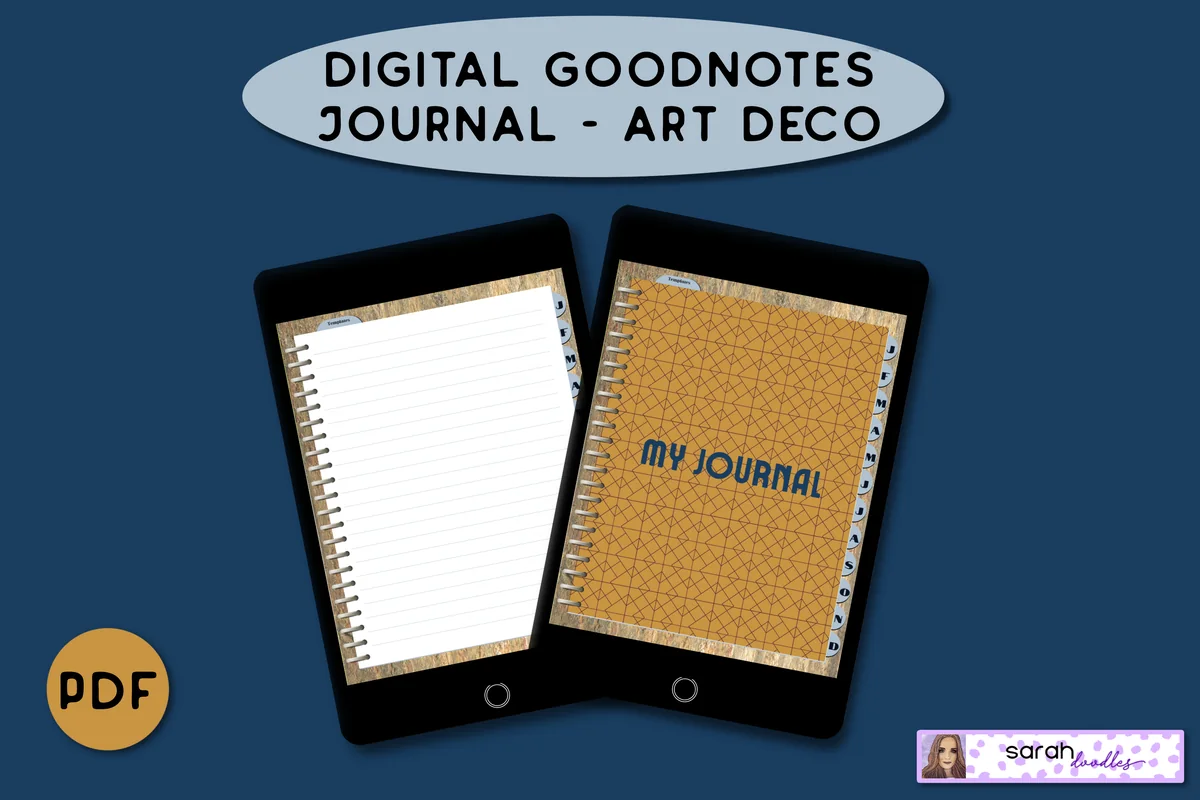
- Undated hyperlinked PDF for apps including GoodNotes and Notability
- Monthly dividers with five blank lined pages per month
- Brain-dump pages, including a priority layout, can be duplicated
- The seller recommends a tablet with Apple Pencil or another stylus and specifies personal use only
The monthly dividers are a natural home for an overview and the entries behind it. Start each month with a handwritten list of completed runs, then keep the longer notes on the lined pages. Five pages per month are included and more can be added as the seller explains. Use the read-only tool for links in apps where that is required. This personal-use journal is not a template to distribute to a running group.
Best for a frequent running diary
5. 365 Days Daily- Digital Journal
Orientation: PortraitLayouts: Daily lines and 16 note templatesDates: Undated
Best for: keeping dated entries with a choice of line spacing. Designed by ThePlannersDelight.
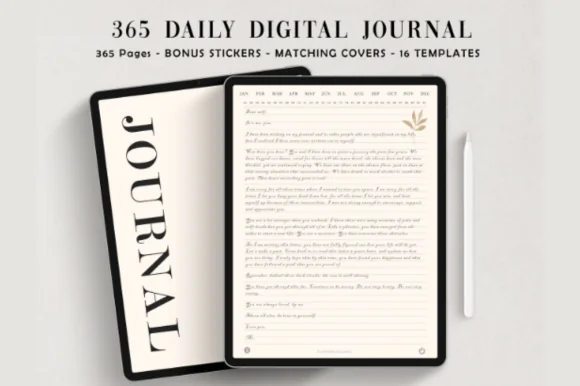
- Undated PDF journal with 365 linked daily pages and 384 total pages
- Narrow-lined and wide-lined versions plus 16 additional templates
- Bonus covers and PNG stickers
- Requires a tablet that supports writing with a stylus, such as Apple Pencil; app, tablet and stylus are not included
Wide lines give a short run note breathing room; narrow lines fit a longer account without shrinking your writing. The month-and-day links help you return to an entry, while the extra column and grid templates offer space for your own weekly tally. A daily page is available, not an instruction to run daily. Empty dates can stay empty. Choose this over the floral ruled journal if line spacing matters more than decorative covers.
Best for separating favorite routes
6. Watercolor Hyperlinked Digital Notebook
Orientation: PortraitLayouts: Lined, blank and half-linedDates: No prefilled year shown
Best for: giving each route its own section and dated observations. Designed by daysfilledwithjoy.
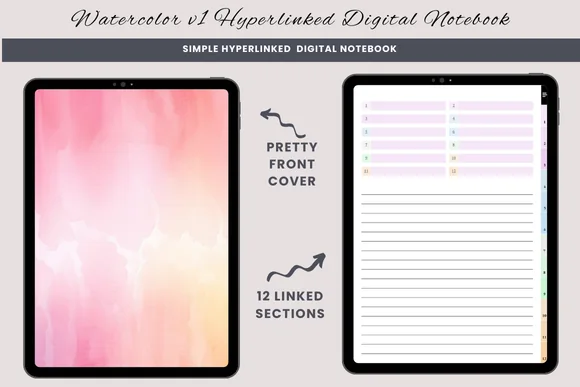
- One hyperlinked PDF for GoodNotes or a similar PDF annotation app
- Twelve sections with lined, blank and half-lined pages
- Blank pages can be duplicated to extend a section
- Pink watercolor cover and numbered dividers
Twelve sections can hold several familiar routes, with room left for a general log and reviews. A half-lined sheet makes a useful route page: a rough landmark sketch above, surface and crossing notes below. Add dates to observations so a later change does not silently replace an older detail. The notebook supplies the linked sections and paper; it does not supply maps, measured distances or ready-made running fields.

Best for dark-paper comparison notes
7. Dark Mode Digital Notebook – Gold Theme
Orientation: PortraitLayouts: Columns, lists, dots, square, lines, notesDates: No prefilled year shown
Best for: writing planned and actual details side by side. Designed by catsquills.
- Portrait digital notebook for GoodNotes and Notability
- Eight dark-paper layouts with light lines
- Columns, habit tracker, to-do, numbered list, dots, square, lines and notes
- PNG and PDF files with a celestial gold cover
The column paper is useful for a short Intended and Actual note, especially when a route changed after you set out. Choose light ink and inspect a complete entry at your usual zoom before committing to the dark pages. Lists and grid paper give you alternatives for a simple log. Choose it for the dark paper and column layouts; plan on adding your own running headings.
Quick Comparison
| Tool | Running use | Page structure | Main distinction |
|---|---|---|---|
| 1. Digital Notebook 5 Hyperlinked Tab | Run notebook | 5 linked sections | 30 paper templates |
| 2. Digital Ruled Journal | Longer run notes | 366 ruled pages | Month and day links |
| 3. DaisyNotes | Digital Notebook | Purple | Brief run record | 2 page templates | 4 floral covers |
| 4. Digital GoodNotes Journal – Art Deco | Monthly archive | 5 lined pages per month | Linked month dividers |
| 5. 365 Days Daily- Digital Journal | Frequent entries | 365 linked daily pages | Narrow or wide lines |
| 6. Watercolor Hyperlinked Digital Notebook | Route library | 12 linked sections | Blank, lined, half-lined |
| 7. Dark Mode Digital Notebook – Gold Theme | Plan and actual | 8 dark layouts | Columns and light lines |
Set up a running journal on iPad
Keep an untouched template page before writing your first entry. That clean copy lets you adjust spacing after a few real notes without repeatedly erasing old handwriting. For general app navigation, our GoodNotes planning tips cover the wider setup.
A small setup you can repeat
- 1.Create three destinations. Make a log, route notes and weekly review section. In a linked notebook, use its existing sections; in a simple notebook, use clear page titles. Do not assume that writing a title creates a clickable link.
- 2.Write the key once. Put miles or kilometers, elapsed or moving time, and your route codes on a reference page. Keep time notation consistent, such as minutes:seconds. Put the same labels on the entry template so you can understand an older note.
- 3.Enter one real outing. Copy only the measurements you actually recorded. Add a route detail and one sentence about the experience. Check whether the note area is large enough at your usual writing size before duplicating the layout for a whole month.
- 4.Review before expanding. At the end of your chosen week, check that each outing appears once. Total known distances, flag missing values and add one reflection. If a field stays empty because it does not help you, remove it from the next clean template.
- 5.Keep a recoverable copy. Use the backup or export options available in your app and check that you can open a saved copy. Check backup settings separately from the notebook’s page links.
Example: a weekly running log with one unknown
Here is an invented example of record-keeping, not a suggested running schedule. The first outing is R1, 3 miles, 31:20 elapsed, with two crossing stops. The second is R2, 2.5 miles, 28:10 elapsed, on a wet path. A third outing has a 25:00 time but no recorded distance.
- Known distance: 3 + 2.5 = 5.5 miles. Label this “5.5 miles recorded; third distance unknown.”
- Timing: the first two entries use elapsed time. The third stays unclassified until you can verify how it was recorded.
- Route review: R1 and R2 are different routes, so their times are not a direct comparison.
- Next record: make the timing-method label more visible. Do not invent the third distance to complete the total.
If you later find the original measurement, update the entry and note the correction. Keep estimated and measured values distinct, and leave average pace blank when the underlying data is incomplete.
Choose the page by the question you want to answer
- “Where is that old route note?” Use the five-tab notebook or the twelve-section watercolor notebook. Route codes connect the reference page to each dated outing.
- “What happened during that run?” The Ruled Journal or the daily journal gives a longer account more space. Choose line spacing before decorative extras.
- “Can I keep this very short?” DaisyNotes can hold the three-line version. Skip the shoe and conditions pages until you have a use for them.
- “What happened this month?” The Art Deco dividers suit a monthly archive and manual summary.
- “I prefer a dark page.” The Gold Theme has dark layouts with light lines; check your pen colors against the page before filling it.
Template or app: where each record belongs
A notebook is a place to write and review. A GPS app or watch may collect measurements through its own features; these notebook files do not establish that connection. Copy a useful summary instead of reproducing every available statistic. Keep the original measurement source when you may need to check a value later.
- Notebook: route descriptions, context, personal observations and your hand-written review.
- Measurement source: the original activity record, if you used one. The notebook does not turn a sketch into a measured route.
- Training guidance: a separate discussion with an appropriately qualified professional when needed, rather than an instruction generated from the weekly total.
If you need wider exercise records, compare the digital fitness journals or workout planners. Those cover broader routines; this running journal keeps attention on individual outings and their context. For writing-first options beyond these seven, see our GoodNotes journals.
Where the basic running-log fields come from
For the core fields, I compared the running-log examples from Archer & Olive, Sweet PlanIt and Running with Roots. Their examples connect distance and time with a dated log; location, conditions and personal notes add context. The iPad filing system and eighteen layouts here are my own adaptation.
FAQ: running records on iPad
What should a beginner put in a running journal?
Start with date, route, distance and unit, timing method, and one observation. Keep unknown numbers blank and label them unknown. You can add weekly totals after the entries are consistent; there is no requirement to track every available metric.
Do these tools include ready-made running journal templates?
The product descriptions do not explicitly identify ready-made running forms. The layouts suggested here are intended for you to create yourself, using the notebook’s existing paper layouts and navigation.
Can I use every one as a PDF in GoodNotes?
Six listings explicitly identify PDF files. Digital Ruled Journal identifies GoodNotes prompts and linked pages but does not specify the main journal file extension in its description. Check the current listing and your app before purchasing rather than assuming all seven have the same main-file format.
Will the journal sync with my watch or calendar?
These notebook listings do not establish automatic watch-data import or calendar synchronization. Hyperlinks move between pages. Treat activity measurements as a separate source and enter the details you want to keep by hand unless your exact app and product explicitly support another workflow.
Should I calculate pace for every run?
No. A useful journal can keep distance, time and context without a pace column. If you include pace, use a complete distance and a clearly labeled time measurement. Avoid comparing moving time from one outing with elapsed time from another as if they were the same measure.
Can a running journal tell me whether pain is safe?
No. A page can preserve dated observations for a discussion, but it cannot diagnose symptoms, clear you to exercise or prescribe a safe workload. Bring health concerns to a qualified healthcare professional and training questions to an appropriately qualified coach. Do not use a mileage total as medical clearance.
Keep the next entry easy to understand
The most useful running journal ideas leave you with a record you can interpret later. Start with a completed outing, label the units and timing method, and give one observation enough space. Let the seven tools support that habit rather than turning every available page into another obligation.
You May Also Like
Purchases through selected links may earn this site a commission without changing your price. Our affiliate disclosure explains the arrangement.