The kitchen looks fine until everyone asks whose turn it is. A paper list gets buried under school folders, a phone note disappears, and nobody can remember who checked the trash. These ipad chore chart ideas keep one clear page of people, tasks, turns and check-offs on your iPad.
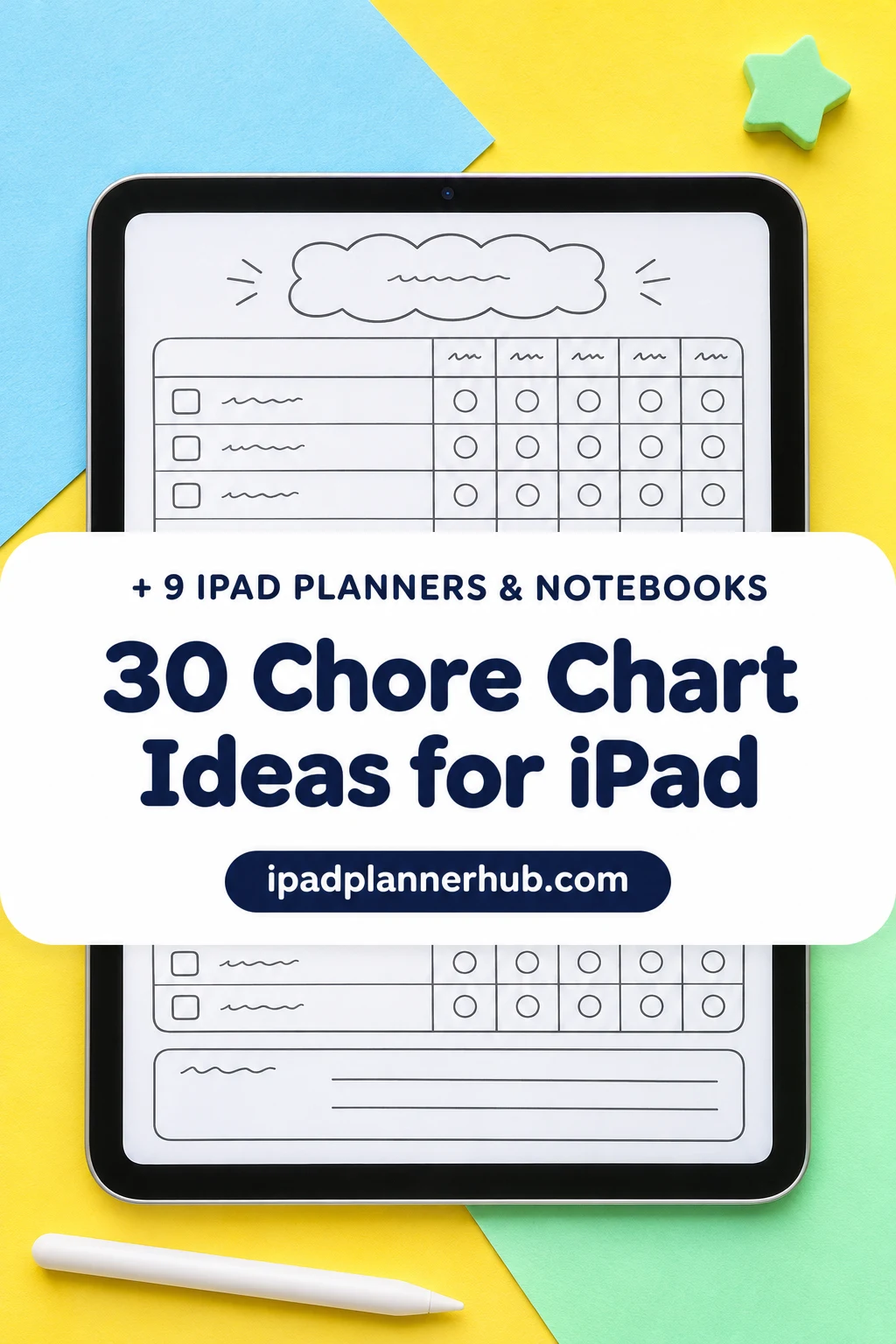
Build the page around the actual weekly flow first: one person per duty, a visible turn, and a box for done. The thirty ideas below are layouts you create yourself, followed by nine general iPad planners and notebooks that can hold them.
Start with the fields your household will actually read
Give each task a clear owner, a visible turn and a check mark with a date. Use names rather than vague labels, and keep the symbols simple enough to read at a quick glance. You can add detail later without rewriting the page.
- One owner per duty: a shared task with no owner often becomes no one’s task.
- Show the turn: visible rotation stops the same person from taking an unpleasant job by default.
- Separate done from checked: the person doing the work may not be the one confirming it later.
- Keep a clean page: duplicate the blank layout before writing so it is easy to start a fresh week.
30 iPad Chore Chart Ideas You Can Draw on a Notebook Page
Pick two or three layouts to begin. A basic grid, a weekly rotation and a review page answer different questions without turning every available page into an obligation.
Assign each task to a real person
- 1.Person, task, turn, checked-by table. Draw four columns. Write the owner, the duty, the start date and the person who confirmed completion. Keep one row per shift.
- 2.One duty per grid square. Use graph paper to make task cards. Put the task in the center, the owner beneath, and the due date in the corner.
- 3.Name-first rows. List names down the left side and tasks across the top. Fill the intersection with an X when the job is done.
- 4.Weekday and person matrix. Label the columns Monday through Sunday and the rows with household names. Put a short task in each cell.
- 5.Daily and weekly split. Use one list for everyday jobs like dishes and a separate page for weekly jobs like bathroom cleaning. Do not mix them into one long column.
- 6.Assigned, done, verified columns. Use separate marks for each stage. A task can be done without being checked, and the gap is useful to see.
- 7.Backup owner on the same row. Add a second person as the backup for a missed shift. Write the backup’s name smaller to avoid confusion about who is responsible.
- 8.Age-aware task page. Keep younger-child jobs on a shorter list with one clear action. Choose tasks an adult can supervise safely, and keep chemicals, heat and sharp tools out of a young child’s list.
- 9.Lead-and-helper card. For a two-person task, create one row with a Lead field and a Help field. Mark who takes the lead and what the helper completes.
- 10.Zone key. Assign each task a zone like kitchen, bathroom, entry or trash. Keep the zone short so the page does not become crowded.
Rotate the week without losing the history
- 11.Weekly rotation wheel. Draw a circle, put names around it and weeks in the middle. Move the marker one spot after each weekly review.
- 12.Past-turn history. Keep a small log with the task, the last owner and the last completed date. Use it before assigning the next turn.
- 13.Unpopular-task rotation. Put the least-liked jobs in a Monday-to-Sunday grid by person. The next week moves everyone one column.
- 14.Week-start label. Write the week number or start date at the top of the page. A clean week boundary makes old pages easy to find.
- 15.Midweek swap note. If someone trades a shift, write the new name, the date and the reason. Do not erase the original assignment so the history stays clear.
- 16.Last-checked stamp. Add a small line for initials and a date after a task passes inspection. Keep the stamp separate from the doer’s mark.
- 17.Symbol legend. Use a circle for planned, a slash for started and a filled box for done. Put the legend on the same page.
- 18.Highlighter per person. Assign one color to each household member. Use it for names or completed marks, but keep enough contrast for reading.
- 19.Fixed-task lock. If a certain weekly job stays with the same person, mark it as fixed in the legend. A fixed task is an intentional choice rather than an unnoticed default.
- 20.Open handoff note. Add a “passed to” box on the weekly page. Write the next person and date so the last step of one week feeds the next.
Check, review and reset the load
- 21.Five-minute evening check. Put a small box for Done and Missing at the bottom of the daily page. The check is not a full review, just a fast gap finder.
- 22.Weekly family review page. Use three prompts: What worked, What slipped, What should we adjust. Keep each answer to one or two lines.
- 23.Small-wins log. List completed micro tasks that are easy to overlook. This is useful for visible progress, not a reward system with promises.
- 24.Monthly roster reset. Start a clean grid on the first week of the month. Carry over only the fixed tasks and new adjustments.
- 25.Seasonal chore page. Keep a separate page for less frequent jobs like window cleaning, coat sorting or yard prep. Check it once a month instead of crowding the weekly page.
- 26.Guest or helper page. List short tasks a guest can do without a long explanation. Keep this page separate from the household’s regular rotation.
- 27.Apartment and roommate agreement page. Separate common-area jobs from private-space jobs. Add the agreed review day to avoid an unspoken schedule.
- 28.Too-much this week note. Record when the volume felt high. Use it to reduce next week rather than silently accepting an overloaded chart.
- 29.Follow-up list. Write “check again Saturday” for any unfinished task. Move it to the next page and keep the original date.
- 30.Clean template page. Keep one blank copy of the grid and legend. Use it as the starting page for next week instead of erasing old marks repeatedly.
Nine general iPad planners and notebooks for your own chore chart
I selected these for their paper layouts and section navigation, not for ready-made household chore templates. You can also use a notebook you already own; the ideas do not depend on buying a new file.
TL;DR: Start with the page structure your household can keep up with: a grid notebook for a wide table, a bullet journal spread for weekly marks, or a lined notebook for short lists. These nine tools are general notebooks and planners. You add the people, tasks, turns and checkboxes yourself; none is a ready-made chore chart or a shared syncing app.
Quick Picks
- Best for a person-and-task grid: Digital Notebook
- Best for five weekly roles: Cute Hyperlinked Notebook – 5 Tab
- Best for a large household roster: Digital Notebook 24 Hyperlinked Tab
- Best for a wide graph-paper chart: Digital Notebook 5 Hyperlinked Tabs
- Best for a visual weekly check-off: Undated Cute Orange Bullet Journal
- Best for the parent coordinating the household: ADHD Planner for Moms
- Digital Notebook – Best for a person-and-task grid
- Cute Hyperlinked Notebook – 5 Tab – Best for five weekly roles
- Digital Notebook 24 Hyperlinked Tab – Best for a large household roster
- Digital Notebook 5 Hyperlinked Tabs – Best for a wide graph-paper chart
- Undated Cute Orange Bullet Journal – Best for a visual weekly check-off
- ADHD Planner for Moms – Best for the parent coordinating the household
- Digital Notebook Hyperlinked Goodnote – Best for 12 monthly or per-person sections
- Watercolor Hyperlinked Digital Notebook – Best for simple responsible-person lists
- DaisyNotes | Digital Notebook | Purple – Best for a compact who-does-what list
Build a grid and file the rotation
Best for a person-and-task grid
1. Digital Notebook
Orientation: HorizontalLayouts: Lined, dotted, graph, Cornell and moreDates: No prefilled year shown
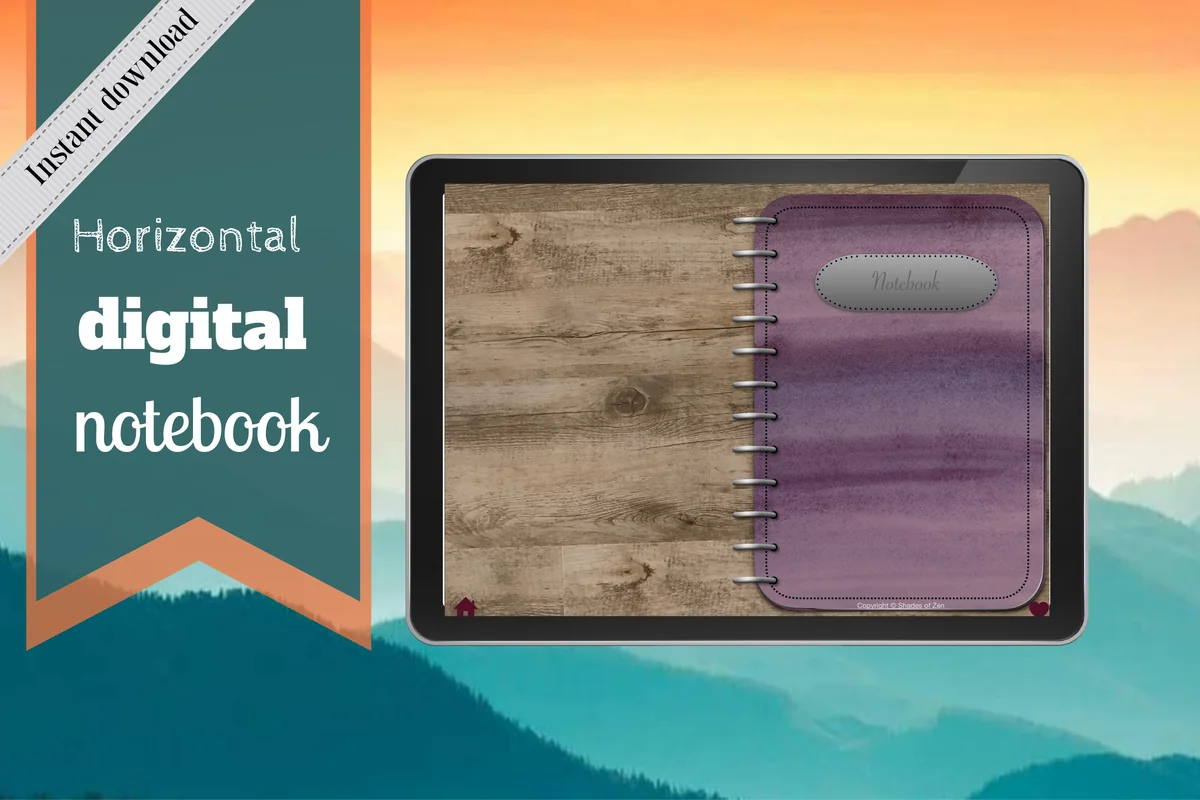
Best for: drawing the four core columns: person, task, turn and checked by. Designed by Shades of Zen.
- PDF for GoodNotes with twelve expandable sections
- Sixteen paper types, including lined, dotted, graph and Cornell
- Hyperlinked section tabs with a divider section for labels
- Horizontal purple notebook with a 12-section index
The graph paper is the right starting point for a wide chore table. Name the sections after household members, then draw the weekly grid by hand. Because sections can be expanded, you can add pages when a set of tasks grows. The notebook gives you the paper and linked sections, not a pre-filled chore chart.
Best for five weekly roles
2. Cute Hyperlinked Notebook – 5 Tab
Orientation: PortraitLayouts: Grid, column and blank paperDates: No prefilled year shown
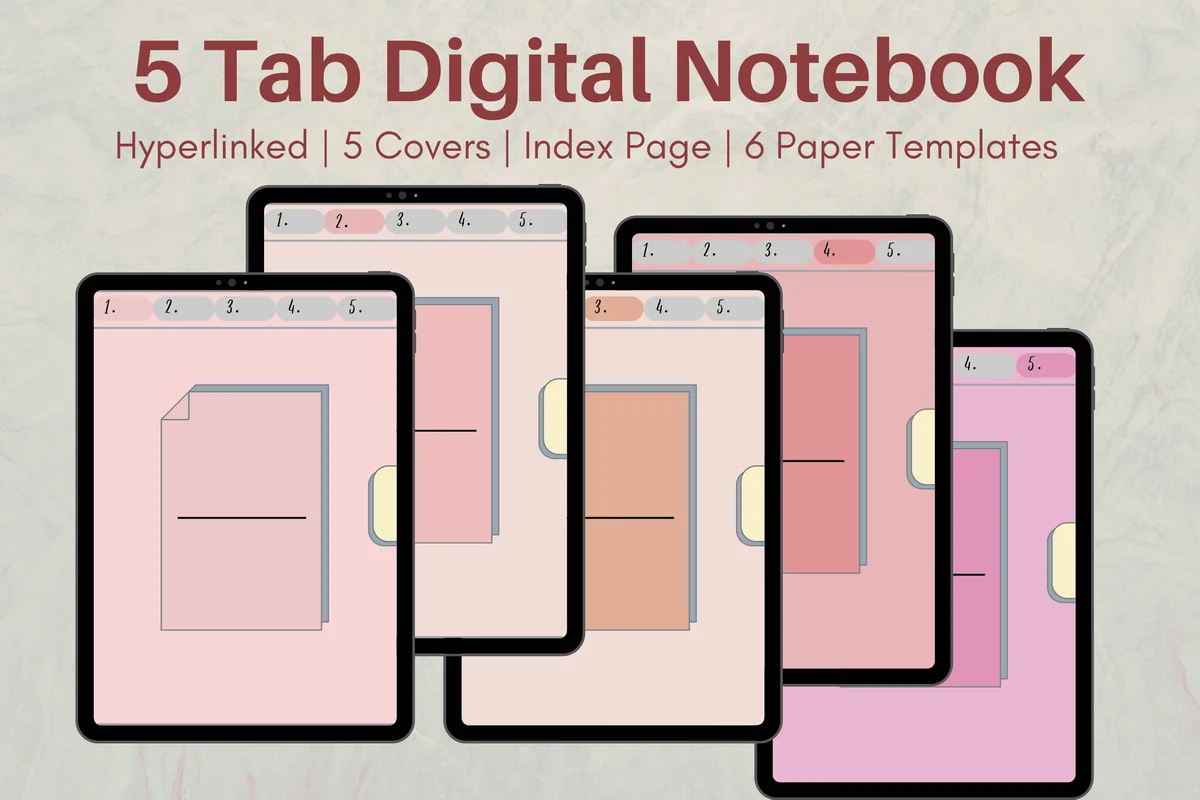
Best for: organizing separate tabs for week rotations or family roles. Designed by Melissam Illustration.
- One PDF with five linked subject sections
- Six paper templates and five covers
- An index page for quick navigation
- Portrait notebook with grid, column and blank pages
Five tabs can hold a week-by-week rotation without piling every task onto one page. Assign Week 1 through Week 5, or name each tab after a person. Label the section dividers clearly and use the grid or column paper for the table. You create the task headings yourself.
Best for a large household roster
3. Digital Notebook 24 Hyperlinked Tab
Orientation: PortraitLayouts: Lined, grid, dot, blank, column, weekly/daily and checklistDates: No prefilled year shown
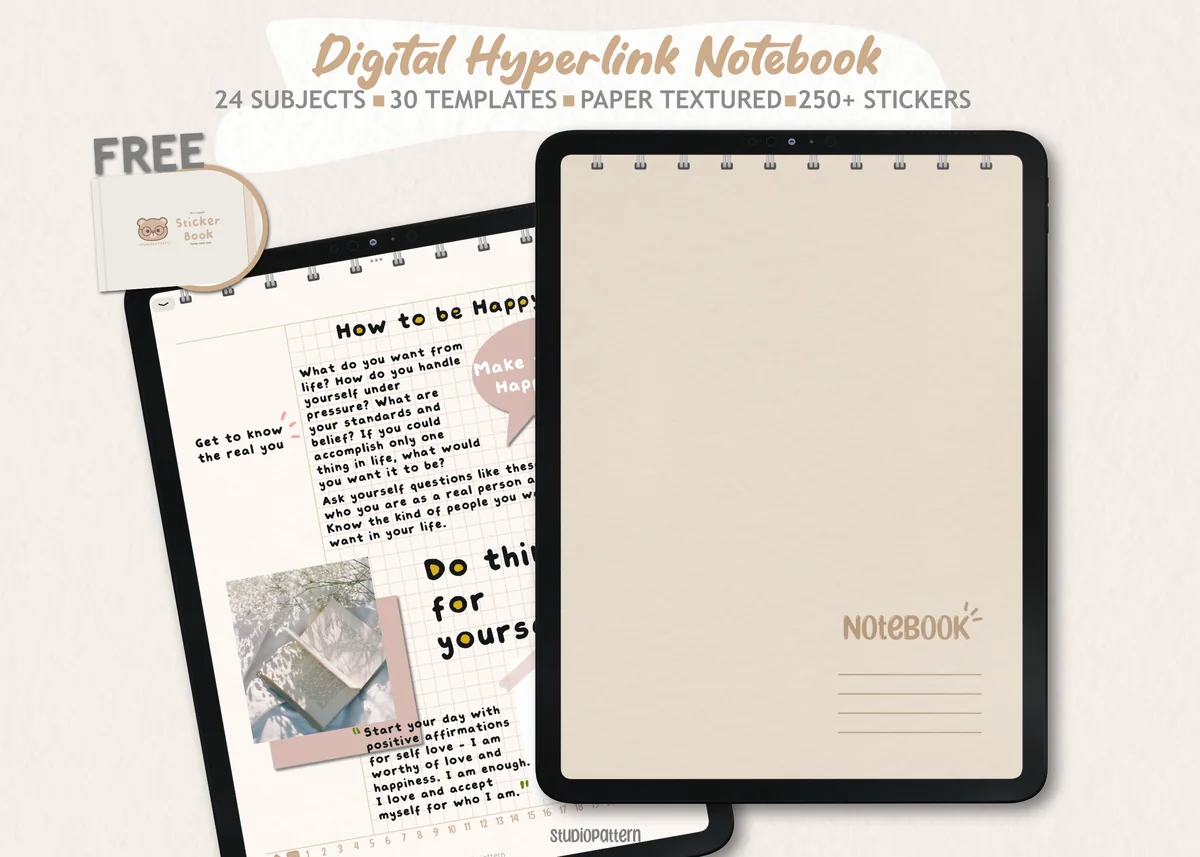
Best for: filing many task pages with checklist and column layouts. Designed by studiopattern.
- Interactive PDF with 24 linked sections and a contents page
- 30 paper templates to duplicate
- 250+ PNG stickers and a GoodNotes sticker book file
- Listed for GoodNotes, Notability, Xodo, Noteshelf and Notes Writer
Twenty-four sections leave room for a full task library, a monthly roster and separate per-person pages. The included checklist layout is useful for evening and weekend passes. Duplicate only the pages you need and label each tab with a chore zone or week. The notebook is a manual system, not a shared family database.
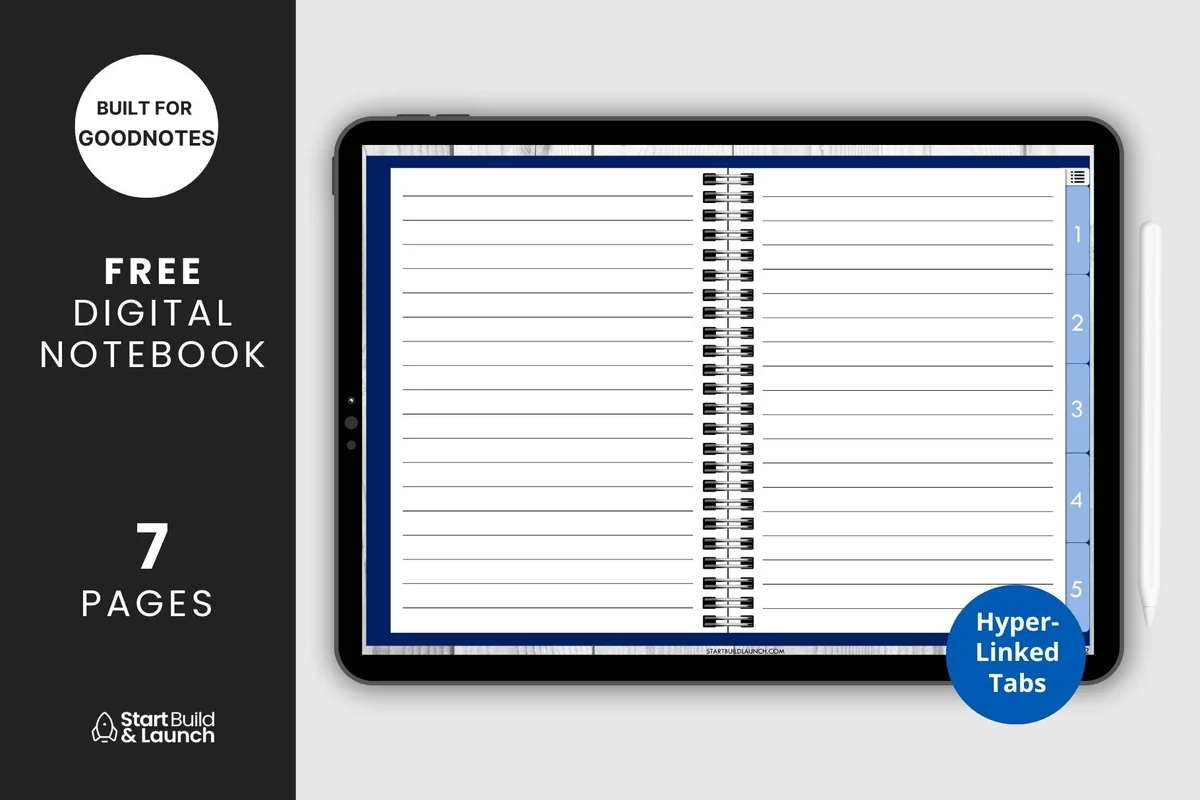
Best for a wide graph-paper chart
4. Digital Notebook 5 Hyperlinked Tabs
Orientation: HorizontalLayouts: Blank, lined, dotted, graph and CornellDates: No prefilled year shown
Best for: drawing a big week-by-people matrix on graph and Cornell paper. Designed by aviswilliams.
- One PDF for iPad or tablet with a stylus
- Five sections with blank, lined, dotted, graph and Cornell paper
- Hyperlinked tabs and an index page
- Horizontal blue notebook with a cover label area
This horizontal notebook feels like a wall chart turned into a digital page. Use the graph paper to draw clean columns for days and rows for names. Cornell paper can hold a weekly summary with notes on the side. Keep a clean copy of the grid before marking it up so the next week starts quickly.
Keep weekly checks beside household planning

Best for a visual weekly check-off
5. Undated Cute Orange Bullet Journal
Orientation: Horizontal spreadsLayouts: Weekly grid, tracker boxes and sticker sheetDates: Undated
Best for: marking repeating small tasks across an orange weekly spread. Designed by digitaliya_studio.
- PDF journal with a GoodNotes sticker file
- Clickable tabs shown on the previews
- Weekly grid and small tracker grids for handwritten entries
- Orange theme with decorative blocks and circle markers
The weekly spread gives a chore check-off page room to breathe. Keep the printed weekdays, add short tasks in the day columns, and use a small tracker for repeated duties. I like the orange markers for separating assignments from completion marks. You still create the household labels yourself.
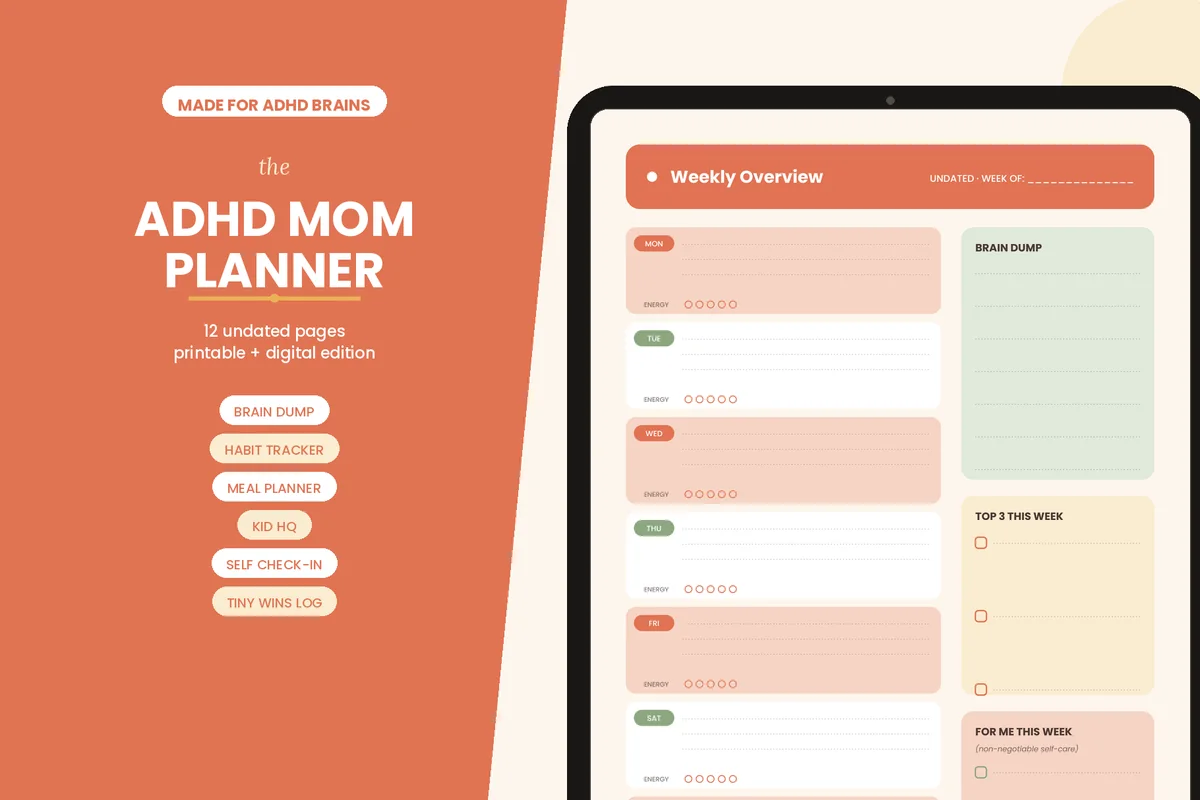
Best for the parent coordinating the household
6. ADHD Planner for Moms
Orientation: Not statedLayouts: Weekly overview, daily page, monthly calendar, habit tracker, meal planner and family scheduleDates: Undated
Best for: keeping a task assignment list beside meal planning and micro-cleaning checklists. Designed by thecliparthouse.
- One PDF with 12 undated pages
- Digital and printable format listed for GoodNotes, Notability and any PDF annotation app on iPad
- Page names include weekly overview, daily page, habit tracker and meal planner
- Kid Wrangling HQ and The 5-Minute Reset micro-cleaning checklist
This planner suits the adult coordinating the household. Use the weekly overview to assign duties and the room-by-room micro-cleaning checklist for short after-dinner passes. Treat the pages as a manual toolkit; shared annotations and automatic reminders are not established features. PDF form fields and link behavior have not been tested.
Archive monthly turns or keep a short list
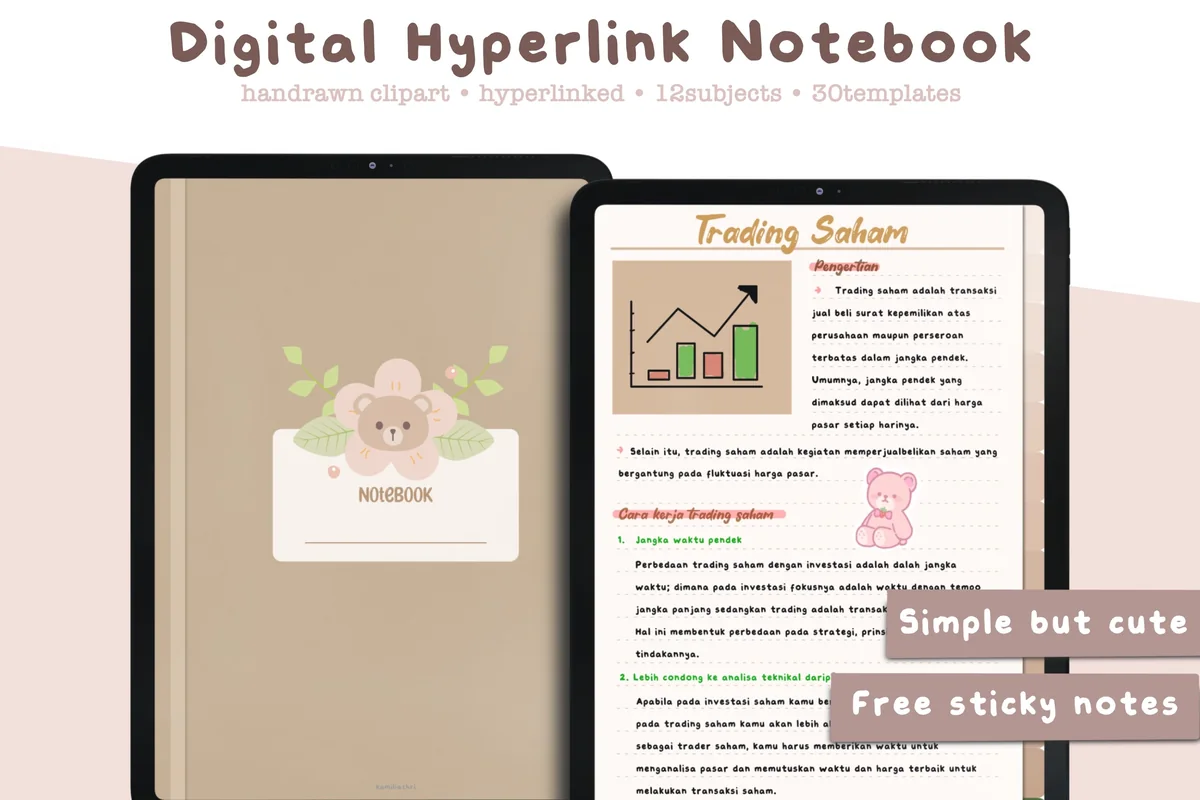
Best for 12 monthly or per-person sections
7. Digital Notebook Hyperlinked Goodnote
Orientation: PortraitLayouts: Blank, lined, grid and column pagesDates: No prefilled year shown
Best for: building monthly chore sections with sticky-note follow-ups. Designed by studiopattern.
- Interactive PDF for GoodNotes with 12 linked sections
- 30 paper templates to duplicate
- A print PDF, an interactive PDF, pre-cropped GoodNotes stickers and 10 PNG sticky notes
- Listed for GoodNotes, Notability and Xodo
Twelve sections fit a month-by-month archive or a mix of people and zones. Keep a clean grid page in each section, and use the sticky-note images as small follow-up flags. Because the seller includes a print PDF too, you can keep the same hand-drawn layout in both digital and paper form if you choose.
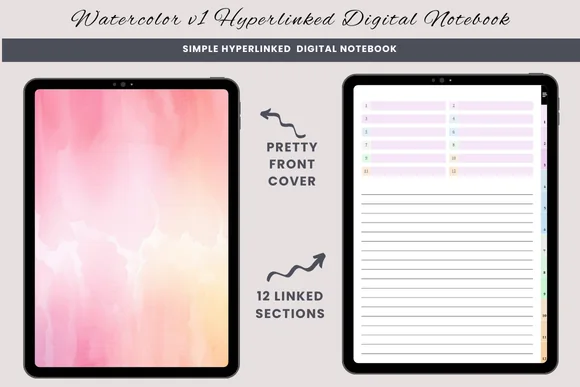
Best for simple responsible-person lists
8. Watercolor Hyperlinked Digital Notebook
Orientation: Not statedLayouts: Lined, blank and half-linedDates: No prefilled year shown
Best for: making short lists of who does what and a manual check-in log. Designed by daysfilledwithjoy.
- One hyperlinked PDF for GoodNotes or a similar PDF annotation app
- Twelve sections with lined, blank and half-lined pages
- Pages can be duplicated to extend a section
- Pink watercolor cover and numbered section dividers
Use the lined pages for a compact person-and-task list; use half-lined pages for a title and a small note underneath. The twelve sections can separate weekly passes, monthly jobs and one-off asks. Draw your own boxes where needed. The seller states the artwork uses AI graphics, but the file remains a simple hyperlinked notebook.
Best for a compact who-does-what list
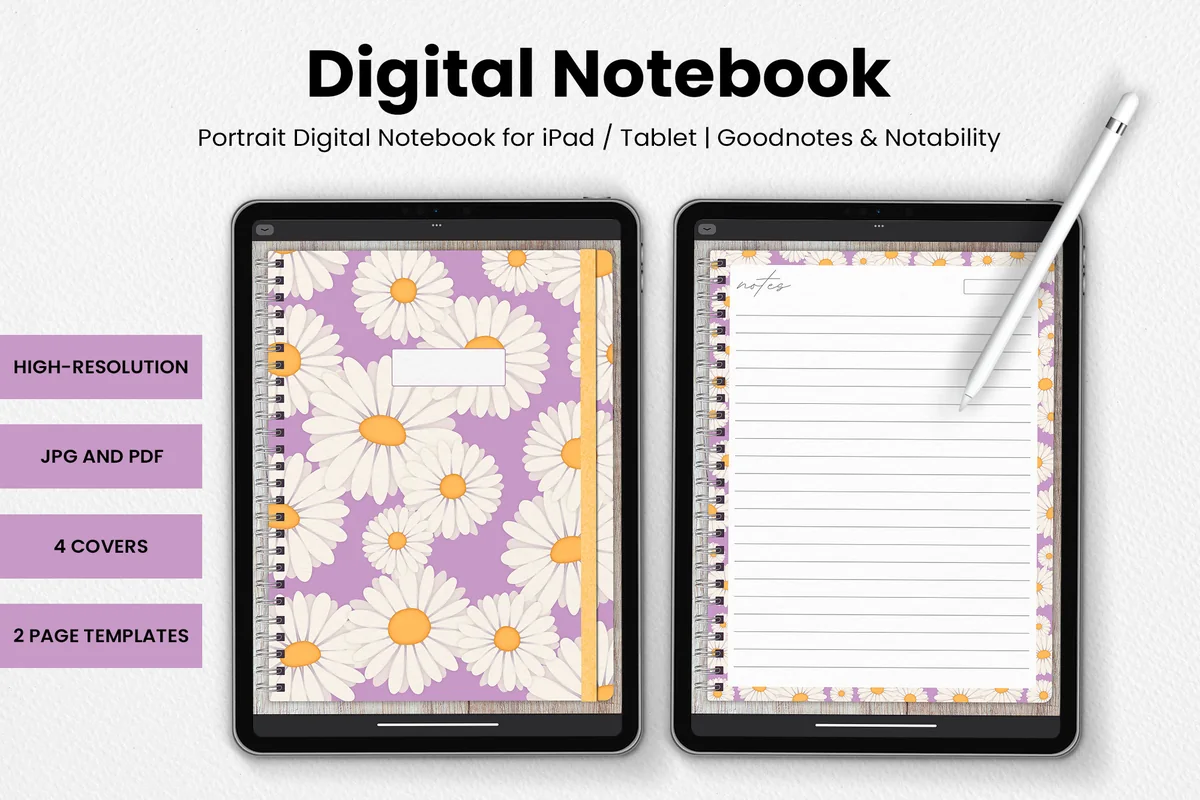
9. DaisyNotes | Digital Notebook | Purple
Orientation: PortraitLayouts: Two lined page designs with wood textureDates: No prefilled year shown
Best for: writing a short daily or weekend assign-and-mark page. Designed by catsquills.
- Portrait digital notebook for GoodNotes and Notability
- Four covers and two page templates
- JPG and PDF files at 2770 by 3500 px and 300 dpi
- The seller says you can write with a stylus or finger
This is the lightweight option when a full grid feels like too much. Write the date, list each person and one or two duties, then mark the result at the end of the week. The two lined designs leave less room for a wide table, but they keep a short handoff page fast to fill out. The listing does not promise linked sections or hyperlinks.
Quick Comparison
| Tool | Chore use | Page structure | Main distinction |
|---|---|---|---|
| 1. Digital Notebook | Family chart | 12 sections | 16 paper types |
| 2. Cute Hyperlinked Notebook – 5 Tab | Weekly rotation | 5 linked sections | 6 paper templates |
| 3. Digital Notebook 24 Hyperlinked Tab | Large roster | 24 linked sections | 30 templates |
| 4. Digital Notebook 5 Hyperlinked Tabs | Wide grid chart | 5 linked sections | Graph and Cornell |
| 5. Undated Cute Orange Bullet Journal | Weekly marks | Clickable tabs | Weekly and tracker grids |
| 6. ADHD Planner for Moms | Parent's coordinating desk | 12 undated pages | Planning and checklist pages |
| 7. Digital Notebook Hyperlinked Goodnote | Monthly archive | 12 linked sections | 30 templates |
| 8. Watercolor Hyperlinked Digital Notebook | Simple list | 12 linked sections | Lined and half-lined |
| 9. DaisyNotes | Digital Notebook | Purple | Short handoff list | 2 lined templates | 4 daisy covers |
Set up a chore chart on iPad
Keep an untouched template page before writing your first entry. That clean copy lets you adjust spacing after a few real weeks without repeatedly erasing old handwriting.
A routine you can repeat
- 1.Create three destinations. Make a weekly grid, a rotation log and a review page. In a linked notebook, use its existing sections; in a simple notebook, use clear page titles.
- 2.Write the key once. Put names, symbols and the week boundary on a reference page. Use the same labels on the entry template so an older page still makes sense.
- 3.Enter one real week. Fill in only the tasks and check-offs you actually have. Add a swap note if a shift changes. Check whether the boxes are large enough at your usual writing size.
- 4.Review before expanding. At the end of the week, check that each task appears once. Flag unfinished work, note what felt too heavy and move the follow-ups forward.
- 5.Keep a recoverable copy. Use the backup or export options available in your app and check that you can open a saved copy. Check backup settings separately from the notebook’s page links.
Build a chore list around the people who use it
For a family chore chart, give each person a row and choose duties that fit the child’s age and the supervision available. Start with three to five chores per child, and let teens help define what counts as finished. For roommates, record the last turn and agree on a check-off standard; solo adults can use the same chore tracker with due dates instead of an owner column.
What belongs on a daily household to-do list?
Choose from these ten everyday actions: make the bed, put clothes in the hamper, wash dishes, wipe the dining table, clear kitchen counters, sweep food crumbs, return shoes to their place, put toys away, empty a full wastebasket and reset the living room. Assign only the jobs your home needs that day, rather than giving everyone all ten. Group each task under a room category so your cleaning routines follow the spaces you actually use.
How do you turn the list into a recurring chore schedule?
Write the frequency beside each recurring chore, then place its next turn on the weekly grid. Keep daily resets separate from weekly cleaning and give a rotating chore a new owner at the agreed week boundary. Review unfinished work before copying the schedule, and leave room for rest rather than filling every empty square.
How can a family chart record rewards or allowance?
If your family ties chore completion to rewards, agree on the task, the completion standard and the reward before the week starts. When a child completes a job, have the parent check it before recording earned points or money. Keep everyday household responsibility separate from optional paid jobs so everyone knows which duties carry an allowance.
For paying kids real money, draw a small allowance tracker with columns for the job, agreed amount, approval date and cash paid. Add a savings column if the child wants to set part aside, and keep points separate from cash so the totals stay clear. Treat this as a handwritten record; the page does not transfer payments.
If your child enjoys a game, draw a short path and add one mark for each approved task toward an agreed activity. Review what is working at the end of the week instead of assuming that a reward will solve every missed chore. If the chart becomes a problem to maintain, try a shorter version with fewer duties and larger checkboxes.
Example: a weekly kitchen rotation with one unfinished task
Here is an invented example of record-keeping, not a required household schedule. Alex takes trash on Monday, Jordan takes dishes on Tuesday, Sam takes counters on Wednesday, and Alex has a backup shift on Friday.
- Known work: trash, dishes and counters are marked done with initials and dates.
- Backup shift: Friday is listed for Alex, but the end-of-week review finds its done column still empty.
- Swap note: Jordan and Sam traded Thursday recycling, so the entry shows both names and the date.
- Next record: move the unfinished Friday follow-up to the next weekly grid. Do not pre-check it as done.
If a task is later confirmed, update the page and note the correction. Keep planned, started and completed marks distinct so the chart shows what actually happened.
Choose the page by the question you want to answer
- “Who does what this week?” The horizontal five-tab notebook or the wide graph-page notebook gives a clean matrix for names and days.
- “Where is the rotation history?” The 24-section notebook files several weeks and task pages in one place.
- “Can we keep the weekly pass visual?” The undated orange bullet journal has horizontal weekly spreads and tracker boxes for handwritten marks.
- “I only need a short handoff list.” DaisyNotes keeps the page compact and fast to fill out.
- “I want a parent’s coordinating setup.” The ADHD Planner for Moms lists planning pages alongside household and micro-cleaning sections.
Coordinate chore handoffs between household members
Agree on who updates the roster and when the rest of the household will see it. At each handoff, share the assigned task, its due date and any change of owner. Ask the next person to acknowledge the change before marking the handoff complete.
- Notebook: hand-drawn grids, names, turns, check-offs and weekly review notes.
- Shared calendar or task app: a separate coordination layer if your household uses one, not a feature promised by these listings.
- Backup: use the export or backup tools in your PDF app; page links do not replace a saved copy.
If you need broader cleaning schedules, compare the cleaning schedule ideas or mom planner ideas. For shorter cleaning sessions, see the ADHD cleaning planner ideas. This chore chart page stays focused on people, turns, verification and rotation.
FAQ: chore charts on iPad
How do I make a chore chart on iPad with these files?
Start with a grid, column or lined page from the notebook you choose. Draw columns for the person, task, turn and checked-by field, then add names and a short legend. Keep one clean page as your reusable template.
Are these ready-made chore charts?
The ideas in this article use pages you draw yourself in digital notebooks and planners. The available descriptions do not establish whether every file includes a ready-made chore chart. Add your own household headings, rotation boxes and review prompts to follow the layouts above.
Can the whole family edit or sync the same chart automatically?
These listings do not establish shared live editing or family calendar synchronization. Hyperlinks move between pages in the file. Treat the chart as a manual page to fill in, and use a separate family calendar or messaging app if you need to coordinate access.
What is a fair way to rotate chores?
Keep the rotation visible, log the last owner and review the load weekly. A fair system is one your household can read and adjust, not a perfect formula. If a task is consistently missed, reduce the volume or change the backup plan before adding more tasks.
A household rotation and a child’s personal goal need different records. These kids reward chart ideas keep one observable action, jointly placed marks and an agreed reward on a separate page, leaving the chore roster to show shared duties and turns.
Is the ADHD Planner for Moms a treatment or medical tool?
No. It is a planner with page names that may help a parent organize household tasks. It does not diagnose, treat or manage ADHD. Bring health or behavioral concerns to a qualified healthcare professional.
Keep the next chore chart easy to read
The most useful ipad chore chart ideas leave you with a page you can read at a glance. Give one owner to each task, show the turn, mark the check and keep a clean template nearby. Let the nine planners and notebooks support that habit rather than turning every available page into another chore.
You May Also Like
Purchases through selected links may earn this site a commission without changing your price. Our affiliate disclosure explains the arrangement.