The monthly page is ready, the dates are in, and the top corner still looks empty. You try a quick peony with the Apple Pencil, and it comes out closer to a cabbage: too many round petals, no shape, one side heavier than the other. Flowers are the doodle most planner pages want and the hardest one to draw small. Procreate flower brushes solve that in two ways: a stamp places a finished bloom with one tap, and a flower-maker brush lets you build one petal at a time.
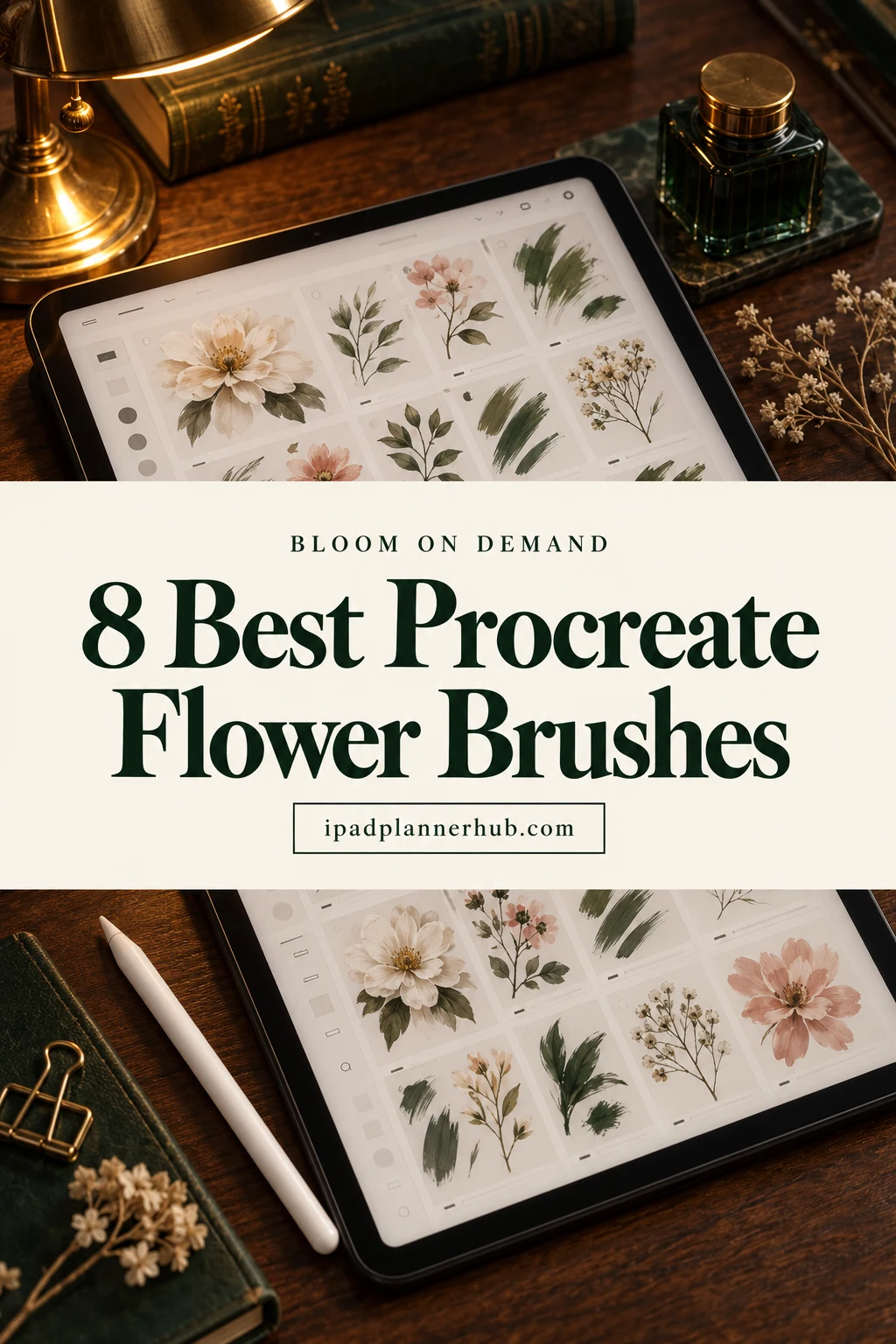
Six of the sets here are stamps, from detailed line art to simple outlines and colored wreaths; the last two are brushes that paint petals or whole flower clusters as you move the pencil. After the list: how stamps, petal brushes and dynamic brushes differ, how to turn your own flower doodle into a free stamp, and how to color the outlines without going over the lines.
Eight Procreate Flower Brushes and Stamps for Covers, Margins and Wreaths
All eight are Procreate files for the iPad. I passed on seamless rose and lavender textures (they fill a whole background, which buries planner text), a set whose description talks about trees instead of tulips, and a holiday flower pack dated to a past season. Cards 1 to 6 are stamps, cards 7 and 8 are brushes you draw with.
TL;DR: 8 Procreate flower sets for planner pages: 6 stamp packs that place a finished bloom with one tap (detailed line art, simple outlines, colored doodles with wreaths) and 2 brush sets that build flowers as you draw (single petals and leaves, textured flower clusters). All of them work only in the Procreate app on the iPad; the art moves into GoodNotes as a PNG.
Quick Picks
- Best overall: Spring Flower Lineart Stamp Brushes
- Best for bold line art: Blossom Line Art Brushes
- Best for big library: 100 Floral & Botanical Procreate Stamps
- Best for delicate sprigs: 100 Botanical Brushes
- Best for small set for planning: Procreate Flower Stamps Brushes
- Best for wreaths and color: 72 Leaf Flower Doodles
- Spring Flower Lineart Stamp Brushes – Best overall
- Blossom Line Art Brushes – Best bold line art
- 100 Floral & Botanical Procreate Stamps – Best big library
- 100 Botanical Brushes – Best for delicate sprigs
- Procreate Flower Stamps Brushes – Best small set for planning
- 72 Leaf Flower Doodles – Best for wreaths and color
- 50 Flower Brush Procreate, Flower Maker – Best flower maker
- Procreate Flower Brushes X 8 – Best painterly texture
Best overall
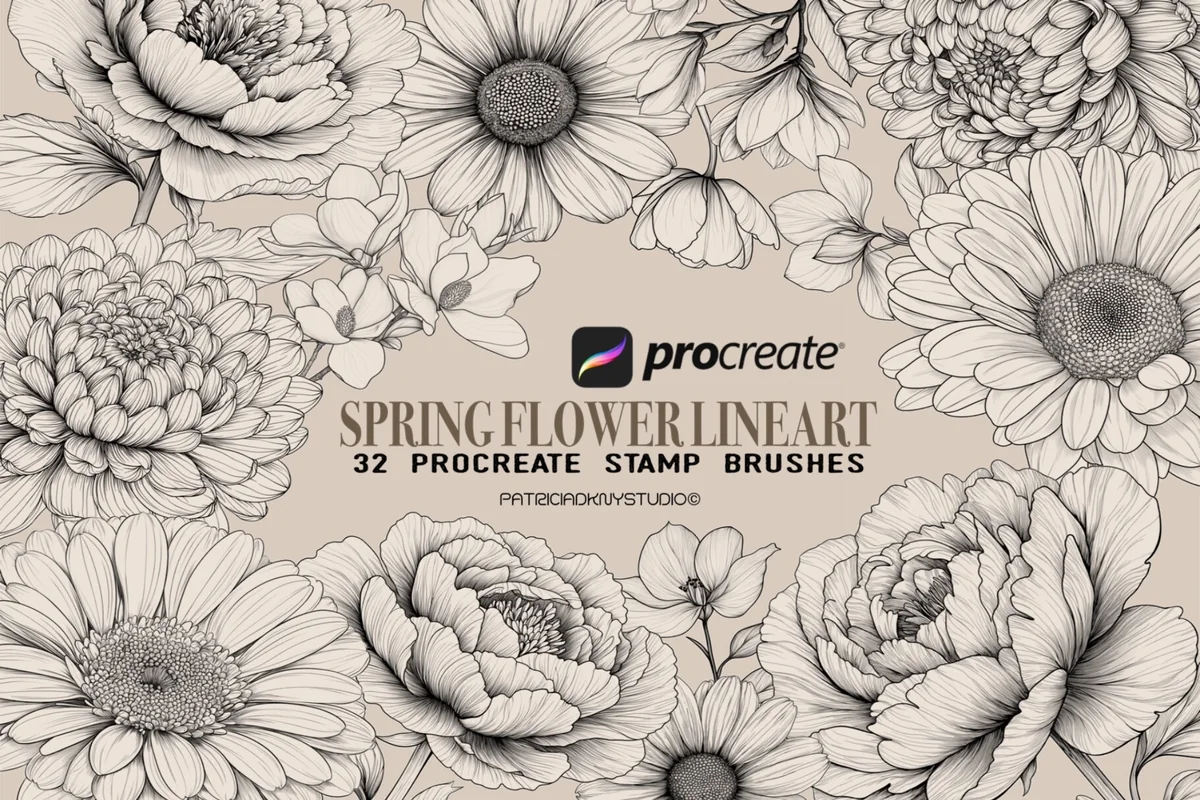
1. Spring Flower Lineart Stamp Brushes
Layouts: 32 stamps: 27 flowers (peony, daisy, gerbera, chrysanthemum, sunflower) + 5 leavesFormat: Procreate brushset
Best for: coloring fans, botanical planners, neutral aesthetic. Designed by PdknyStudio.
- 27 flower stamps and 5 leaf stamps in one .brushset file
- Peonies, daisies, gerberas, chrysanthemums, sunflowers, magnolias, a rose and a tulip in the previews
- Fine engraving-style lines with petal detail
- Leaf stamps to fill gaps between flowers
With over 400 favorites, this is the most saved flower set in the list, and the previews explain why: each peony and chrysanthemum has the layered petals that are hardest to draw by hand. The lines are fine, so a bloom works as a coloring outline or as a quiet sketch in the corner of a monthly page. Choose it if you want one set that looks finished without any extra drawing.
Best bold line art
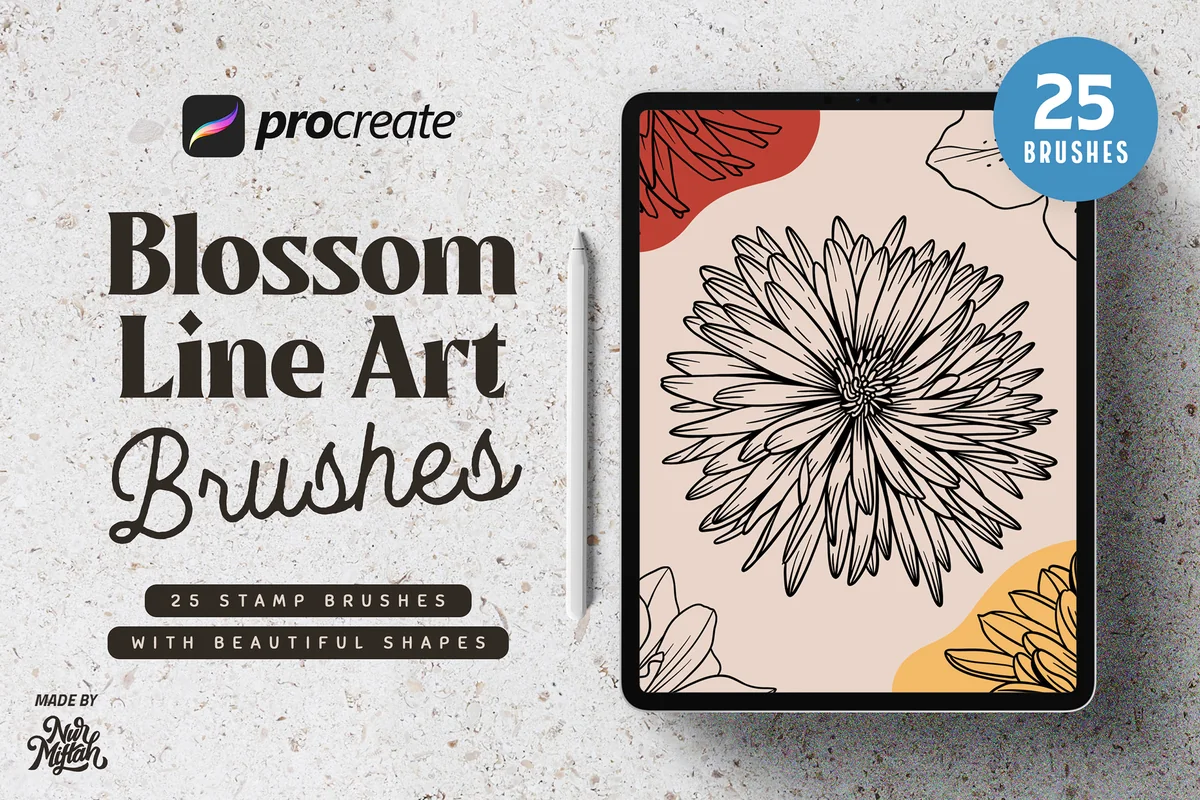
2. Blossom Line Art Brushes
Layouts: 25 blossom line-art stampsFormat: Procreate brushset
Best for: cover makers, modern art fans, bold headers. Designed by Nurmiftah.
- 25 stamp brushes with blossom shapes
- Bold, clean outlines of single flower heads
- Works in Procreate 5X and earlier versions
- Procreate only, not Photoshop
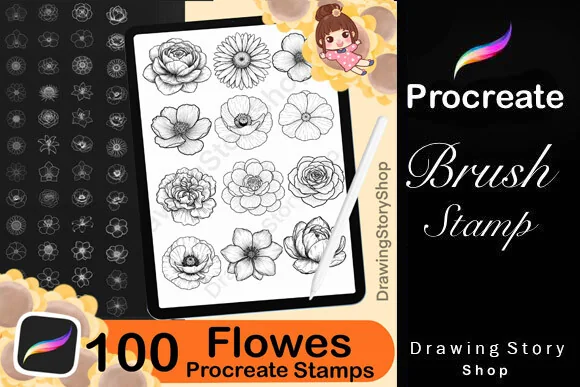
The lines here are thicker and more graphic than in the set above, closer to a modern print than a botanical drawing. One large blossom with two blocks of color behind it, the way the cover shows it, makes an easy monthly cover. It holds flower heads rather than stems and leaves, so pair it with a botanical set if you want full sprigs.
Best big library
3. 100 Floral & Botanical Procreate Stamps
Layouts: 100 flower stamps: orchid, sunflower, poppy, lily, peony, roseFormat: Procreate brushset + PDF import guide
Best for: sticker sellers, weekly spreads, flower collectors. Designed by DrawingStoryShop.
- 100 flower stamps for the Procreate app
- Orchids, sunflowers, poppies, lilies, peonies and roses in the previews
- A PDF guide on importing the brushes comes with the set
- The license allows stickers and digital prints made with the stamps
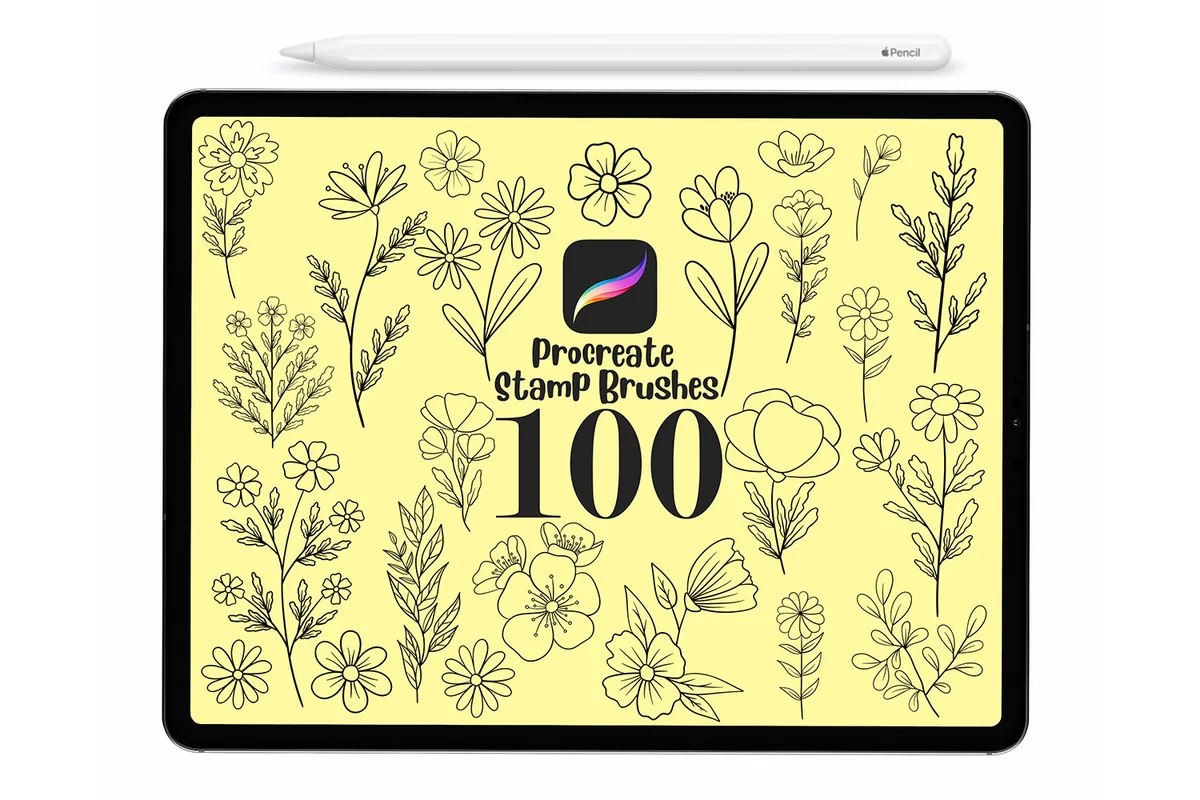
This is the most recently listed set here and the largest single library of flower heads here. A hundred stamps means a new bloom for each week of the year with plenty left over. The license line matters if you sell sticker sheets: making and selling art with the stamps is allowed, reselling the stamps themselves is not.
Best for delicate sprigs
4. 100 Botanical Brushes
Layouts: 100 floral stamps: thin stems, wildflowers, leavesFormat: Procreate brushset
Best for: minimal planners, margin doodlers, bullet journal fans. Designed by DreanArtDesign.
- 100 hand-drawn floral stamp brushes
- Thin stems with small flowers and leaves
- Not pressure sensitive: works with an Apple Pencil, another stylus or a finger
- Compatible with Procreate 4.1 and newer
Where the first two sets are about big flower heads, this one is mostly slim stems: a wildflower here, a leafy sprig there. That shape fits the narrow spaces of a planner, along the edge of a to-do list or between two days of a week. Because the stamps ignore pressure, a light tap and a firm one give the same clean result.
Best small set for planning
5. Procreate Flower Stamps Brushes
Layouts: 11 flower outline stamps: daisy, rose, tulip, lavender, irisFormat: Procreate brushset
Best for: beginners, digital planners, coloring fans. Designed by Ssolovyeva Designs.
- 11 flower stamps for Procreate on the iPad
- Daisy, rose, calla lily, tulip, hydrangea, lavender, lotus, sunflower and iris in the previews
- Simple outlines that fill easily with color
- The listing says the stamps are made to help with digital planning
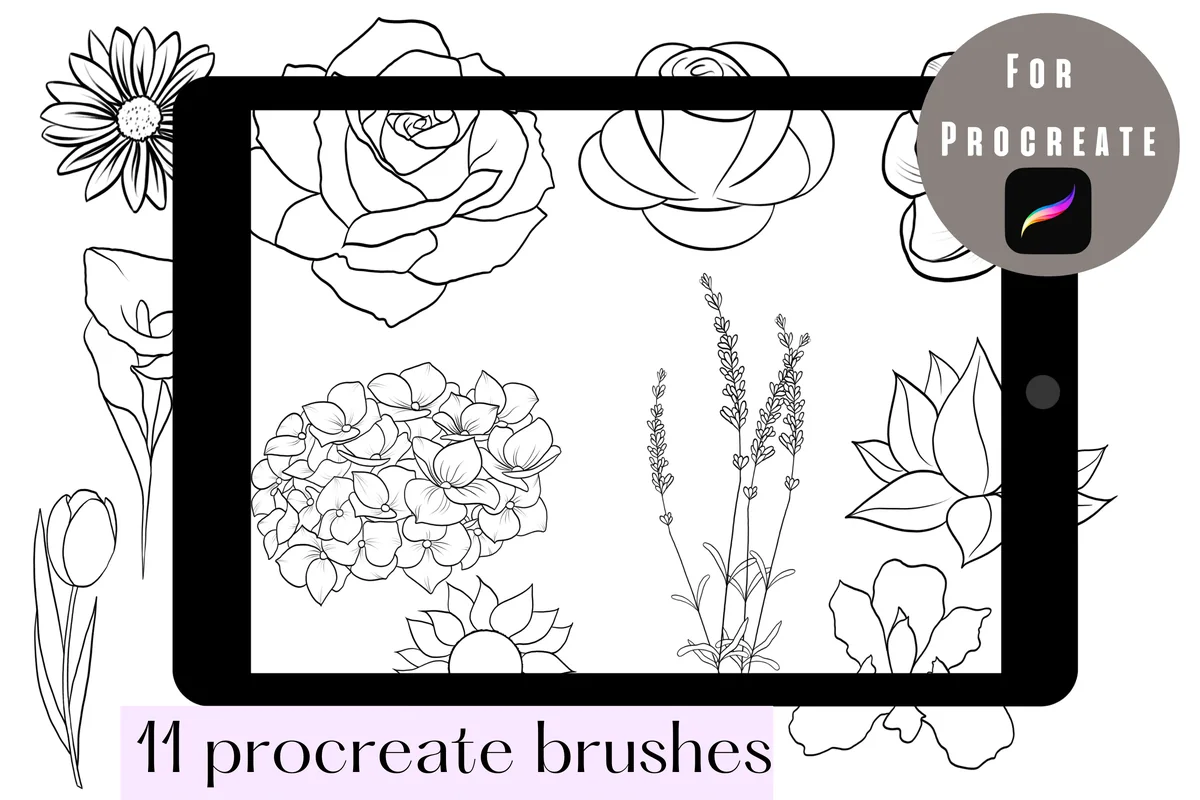
Eleven stamps sounds small next to sets of a hundred, but the list covers the flowers people actually ask for, and the outlines are simple enough to fill with one drag of color. The preview shows exactly that: a plain daisy turned cream and yellow in seconds. It is the only listing here that names digital planning as its purpose.
Best for wreaths and color
6. 72 Leaf Flower Doodles
Layouts: 72 stamps: 49 leaves, 15 flowers, 8 wreathsFormat: Procreate brushset + 2 color palettes (ZIP)
Best for: quote pages, date headers, colorful planners. Designed by TANVARA DIGITAL ART.
- 72 stamps: 49 leaf doodles, 15 flower doodles and 8 wreath doodles
- Bonus color palettes: Natural Leaf and Sakura Blossom, 30 swatches each
- Stamps resize, rotate and recolor
- Sold as a ZIP with the brushset and two palettes
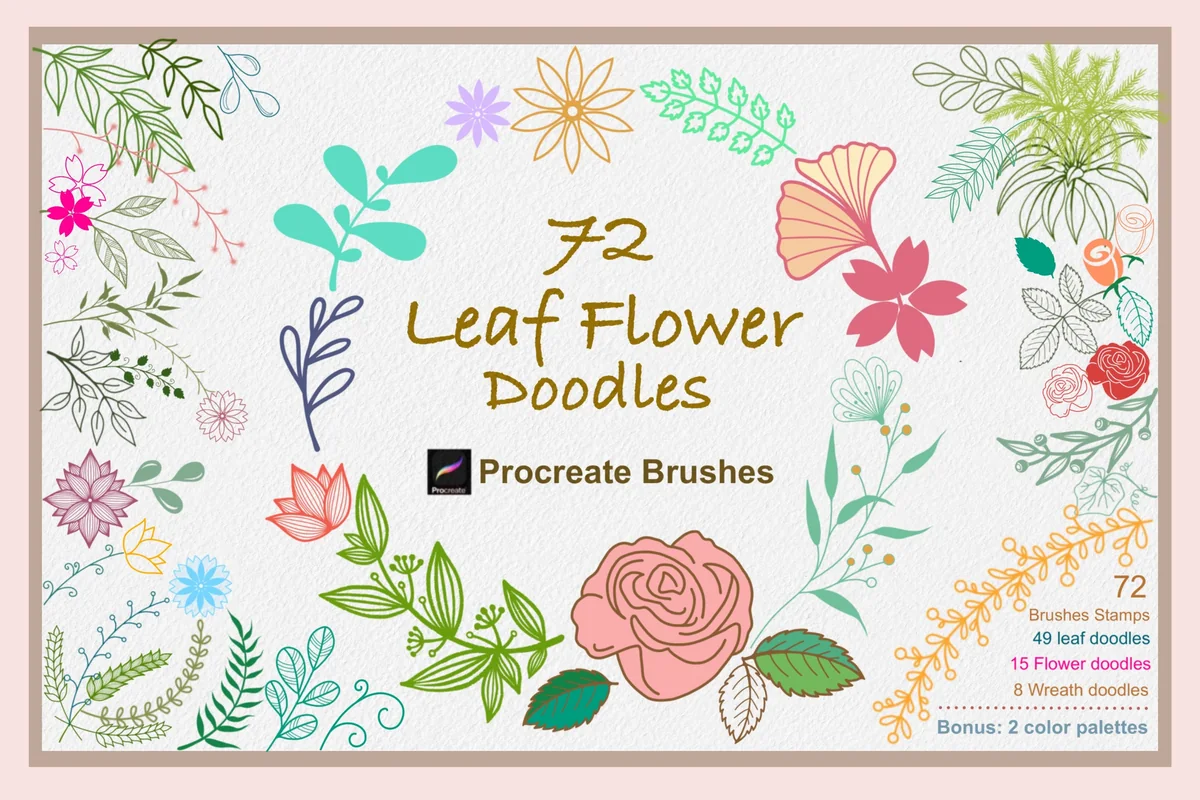
The wreaths are the reason to pick this set. A wreath stamped around a date number or a monthly quote does more for a plain page than a dozen loose flowers. Most of the set is leaves, with 15 flower doodles, so treat it as a frame-and-greenery kit, and the two palettes give matching greens and sakura pinks.
Best flower maker
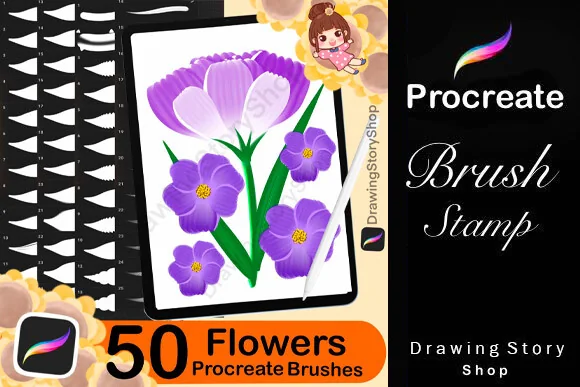
7. 50 Flower Brush Procreate, Flower Maker
Layouts: 26 petal brushes + 25 leaf brushesFormat: Procreate brushset + PDF import guide
Best for: DIY flower makers, sticker makers, painters. Designed by DrawingStoryShop.
- 26 petal brushes and 25 leaf brushes
- Each stroke places a shaded petal or leaf you arrange into a flower
- A PDF guide on importing the brushes is included
- The license allows stickers and prints made with the brushes
Stamps give you someone else's flower; this set gives you the parts. The previews build a pink magnolia branch and a magenta bloom from single petals, so no two flowers come out the same. It takes a few more minutes than one tap, but it is the closest thing here to painting your own flowers without drawing skills.
Best painterly texture
8. Procreate Flower Brushes X 8
Layouts: 8 dynamic textured flower brushesFormat: Procreate brushes (ZIP), Apple Pencil
Best for: painterly art fans, border makers, watercolor look. Designed by Mini Trezò Design.
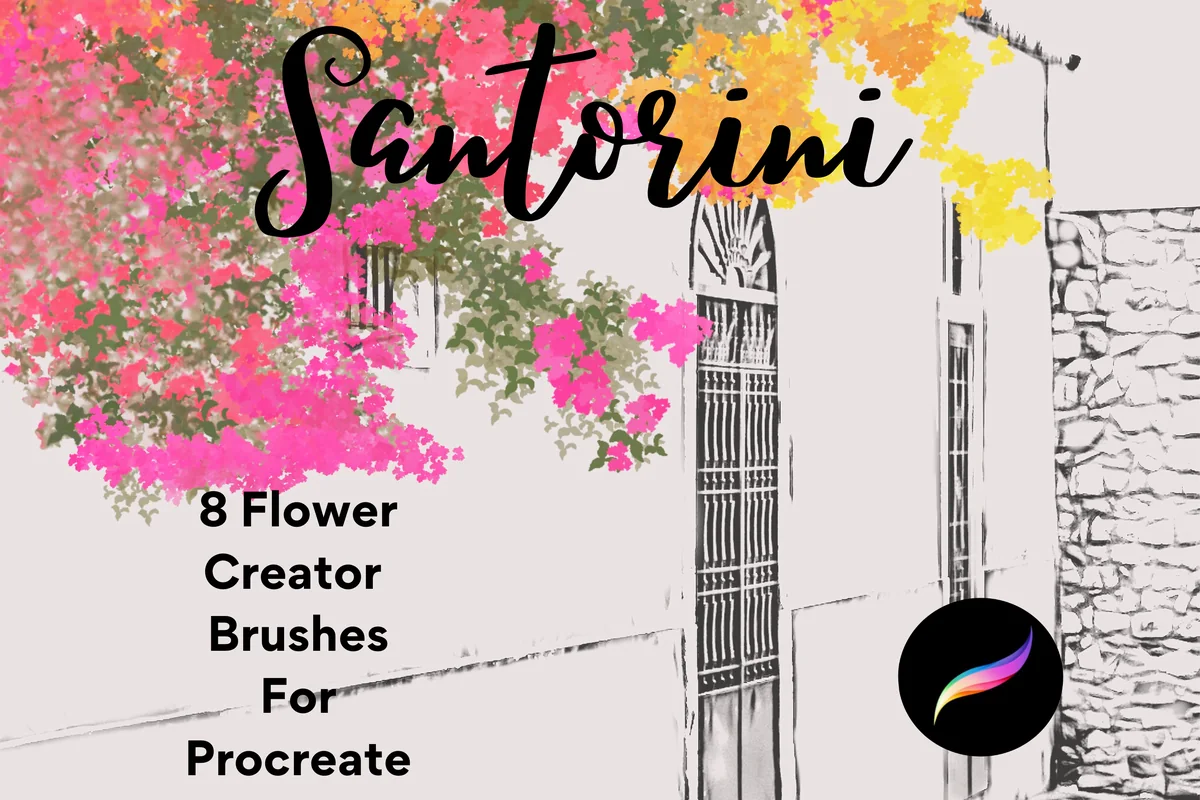
- 8 pressure-sensitive dynamic brushes, not stamps
- Multi-tonal, textured strokes that lay down masses of small flowers
- Previews show yellow, pink, magenta and orange flower clusters
- The listing asks for an Apple Pencil; the files come zipped
This one works differently from everything above: you drag the brush and a strip of tiny textured flowers follows the stroke. That makes it good for a flowering border along the top of a page or a soft blob of color behind a heading, not for single neat blooms. You need an Apple Pencil, since the strokes respond to pressure.
Quick Comparison
| Set | Type | What you get | Stand-out extra |
|---|---|---|---|
| 1. Spring Flower Lineart Stamp Brushes | Line-art stamps | 27 flowers + 5 leaves | Peonies and chrysanthemums |
| 2. Blossom Line Art Brushes | Line-art stamps | 25 blossoms | Bold outlines for covers |
| 3. 100 Floral & Botanical Procreate Stamps | Flower stamps | 100 stamps | Commercial use for your art |
| 4. 100 Botanical Brushes | Botanical stamps | 100 stamps | Slim stems for margins |
| 5. Procreate Flower Stamps Brushes | Outline stamps | 11 stamps | Simple shapes to fill |
| 6. 72 Leaf Flower Doodles | Doodle stamps | 72 stamps + 2 palettes | 8 wreath frames |
| 7. 50 Flower Brush Procreate, Flower Maker | Petal and leaf brushes | 26 petals + 25 leaves | Build any flower |
| 8. Procreate Flower Brushes X 8 | Dynamic brushes | 8 brushes | Flower clusters in one stroke |
Flower Stamp, Petal Brush or Dynamic Brush?
Every set in this list installs into the Brush Library the same way, yet each type behaves differently once you touch the canvas:
- Flower stamp brushes drop one complete flower per tap. Size, color and opacity change with the sliders, the drawing itself does not. Most stamp sets ignore pen pressure, so a finger works as well as an Apple Pencil.
- Petal and leaf brushes place a single shaded petal or leaf with each stroke. You arrange five or six of them into a flower, so every bloom is a little different and it takes a minute instead of a tap.
- Dynamic flower brushes scatter many small flowers along the stroke, with texture and changing tones. They paint borders and soft color masses rather than one neat flower.
For a planner, stamps do most of the work: the same daisy can mark every Sunday, and it looks identical each time. A petal brush is worth adding when stamped flowers start to feel repetitive, and a dynamic brush when you want a painted header strip.
Free Flower Brushes: Make a Procreate Stamp from Your Own Doodle
Searches for free flower brushes usually lead to single brushes shared on the Procreate Folio forum and to sign-up freebies. There is another free route that takes about five minutes: turn one flower you like into your own stamp.
- Draw the flower in white on a canvas and switch off the background color in the Layers panel, so only the shape is left.
- Open Actions and choose Copy canvas.
- In the Brush Library tap + to create a new brush, go to Shape, tap Edit, then Import and Paste. The flower becomes the brush shape.
- Under Stroke path, push Spacing to the maximum so one tap places one flower, not a chain of them.
- Under Apple Pencil, set Opacity to none, so a light touch does not give a faded stamp. Rename the brush under About this brush.
A homemade stamp works well for one signature flower. For a whole garden of different blooms, a ready set saves hours of drawing.
How to Color Line-Art Flower Stamps Neatly
The line-art sets in cards 1 to 5 arrive as outlines, which is what makes them flexible: the same peony can be blush pink in May and rust orange in October. Three habits keep the coloring clean:
- Stamp on its own layer. Set that layer as Reference in the layer menu, then drag color from the color circle onto a new layer underneath. The fill stops at the stamped lines, and the outline stays untouched on top.
- Close the gaps first. If color floods the whole page, a petal line has a tiny break. Zoom in and close it with a fine brush before filling.
- Pick colors from one palette. Two or three shades per flower look calmer on a planner page than a full rainbow. The bonus palettes in the leaf and wreath set, or my Procreate color palettes, keep a month consistent.
Where Flowers Work on a Planner Page
A few placements carry most of the effect, and none of them needs more than three stamps:
- Monthly cover: one large bloom or a wreath around the month name. The bold blossoms and the wreath doodles fit here.
- Margins and dividers: slim stems from the botanical set along the edge of a to-do list, or a short strip from a dynamic brush under a heading.
- Date and quote frames: a small wreath around a date number or a weekly quote.
- Sticker sheets: stamp and color a row of flowers, share the canvas as a PNG (background layer off keeps the edges clear) and add it to the GoodNotes Elements panel to reuse on any page.
If you prefer flowers ready to drop onto the page with no Procreate step at all, my flower digital stickers list covers finished sticker packs for GoodNotes.
Flower Brush Questions
Do flower brushes work in GoodNotes?
No. The .brushset files open only in Procreate on the iPad. You draw or stamp in Procreate, save the result as a PNG, and bring the picture into GoodNotes as an image or sticker.
Can I use flower stamps without an Apple Pencil?
Stamps that ignore pressure work with a finger or another stylus; the 100 Botanical Brushes listing says this directly. Pressure-sensitive brushes, like the 8 dynamic flower brushes in card 8, need an Apple Pencil.
How do I add a .brushset to Procreate?
Save the file to the Files app and tap it: Procreate opens and adds the set to the Brush Library. If the file comes as a ZIP, unzip it in Files first. Two of the sets here also include a short PDF guide on importing.
Can I sell stickers made with these flower stamps?
It depends on the listing. The two DrawingStoryShop sets allow stickers and prints made with the stamps but not reselling the stamps themselves; other designers word their terms differently, so read the license in each listing before you sell.
What is a flower pattern brush?
It is a brush that repeats a floral texture across the stroke, the way fabric repeats a print. It fills backgrounds and wrapping-paper style areas rather than placing one flower, which is why the seamless texture sets stayed out of this list.
Which Procreate Flower Brushes to Start With
Start small with Procreate flower brushes: one line-art stamp set covers most planner pages, because outlines take any color and suit any month. Pick by the kind of page you make most often. Covers lean toward bold blossoms, weekly spreads toward slim botanical stems, quote pages toward wreaths. Add a petal brush or a textured flower set only after the stamps start to repeat. Flowers are one part of a planner art kit; lettering, highlighter and washi brushes are in my Procreate brushes for planners list, and the how-to section has the rest of my iPad art guides.
If your floral design needs a little shimmer, these Procreate glitter brushes offer another kind of accent to compare.
You May Also Like
This post contains affiliate links. If you buy through them, I may earn a small commission at no extra cost to you. Learn more.