You draw a tiny coffee cup next to Monday’s to-do list, and up close it looks wobbly: the handle wavers, one side is thicker than the other, and the whole doodle reads like a rough sketch instead of a sticker. Most of the time the Apple Pencil isn’t the problem. The brush is. The right Procreate lineart brushes give an even, confident line, and a few line-art stamps skip the drawing altogether when a page just needs a neat grid or a butterfly in the corner.
Keep the cup’s contour distinct from any soft curl above it. The Procreate smoke brush comparison covers that wisp-or-plume choice, while the lineart tools here address the handle and outline rather than the atmospheric mark.
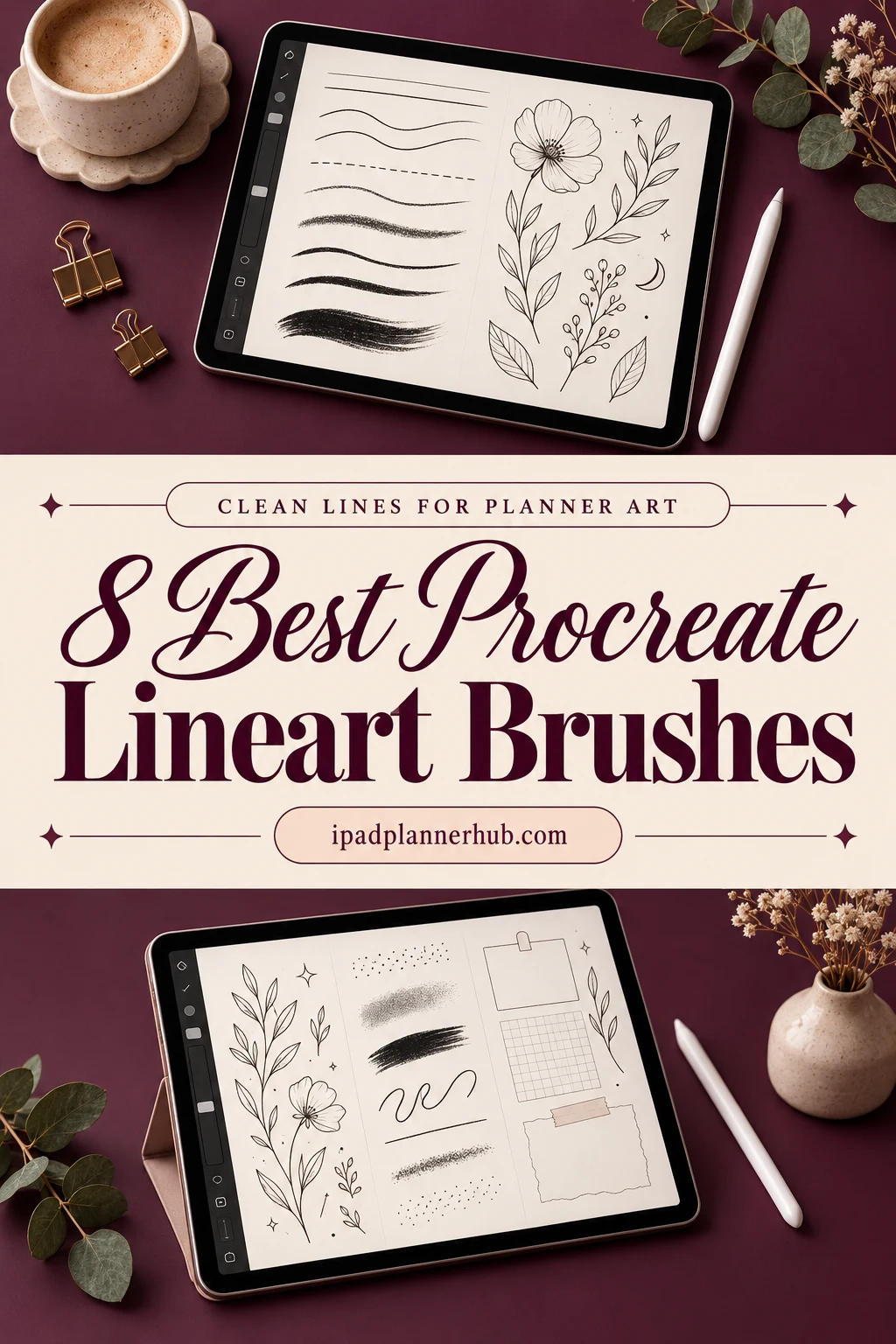
The sets here split into three jobs: brushes for drawing your own lines (inking, doodle and textured strokes), one hollow outline set for sticker borders, and stamp sets that place finished line art with a tap. Further down: the free pens Procreate already includes, the settings that steady a shaky hand, and how a doodle ends up as a sticker in GoodNotes.
Eight Procreate Lineart Brushes and Stamps, from Pens to Planner Grids
Every pick is a Procreate brush or stamp file. I left out sets whose previews are mostly portraits and anime figures, outline lettering packs already covered in my planner brush list, and floral stamp packs, which get their own roundup. Cards 1 to 5 are brushes you draw with, cards 6 to 8 are stamps.
TL;DR: 8 Procreate sets for clean line work on planner pages: 4 brush sets for drawing your own lines (inking, doodle and textured strokes), 1 hollow outline set, and 3 line-art stamp sets for planner layouts, butterflies and furniture. All of them run in the Procreate app on the iPad only; the finished art moves into GoodNotes as a PNG.
Quick Picks
- Best overall: Boho Line Brushes
- Best for sketch-to-ink: Drawing Procreate Brushes
- Best for cute doodle outlines: Procreate Doodling Brush Set
- Best for textured ink lines: Line Art Procreate Brushes
- Best for hollow outline strokes: Procreate Outline Brush Set Bundle
- Best for drawing planner layouts: Planner Outline Brush Vol. 2
- Boho Line Brushes – Best overall
- Drawing Procreate Brushes – Best for sketch-to-ink
- Procreate Doodling Brush Set – Best for cute doodle outlines
- Line Art Procreate Brushes – Best for textured ink lines
- Procreate Outline Brush Set Bundle – Best for hollow outline strokes
- Planner Outline Brush Vol. 2 – Best for drawing planner layouts
- Line Art Butterfly Procreate Stamps – Best line-art stamps for margins
- Procreate Furniture Line Art Brushes – Best for home planning pages
Best overall
1. Boho Line Brushes
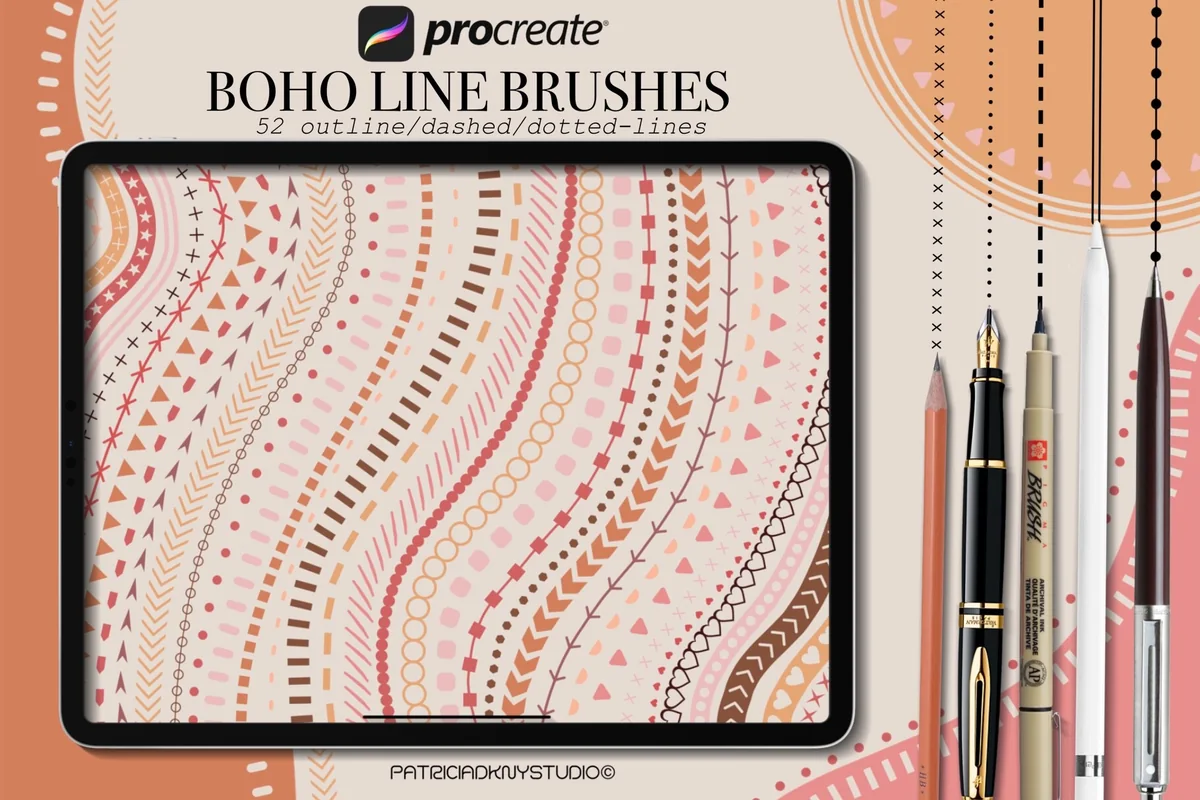
Layouts: 52 line brushes: outline, dashed, dotted, architecturalFormat: Procreate brushset
Best for: border lovers, bullet journal fans, boho planners. Designed by PdknyStudio.
- 52 hand-drawn Procreate brushes in one .brushset file
- Outline, dashed and dotted line brushes
- Architectural drawing lines alongside the decorative ones
- Previews show stitched, zigzag, heart and triangle strokes
Most planner pages need lines more than pictures: a divider under the date, a border around the week, a dotted path between two goals. This set is built around exactly that, and with nearly 900 favorites it is the most saved brush set in the list. Drag once and you get a full row of tiny hearts or crosses, which would take ages to draw by hand.
Best for sketch-to-ink
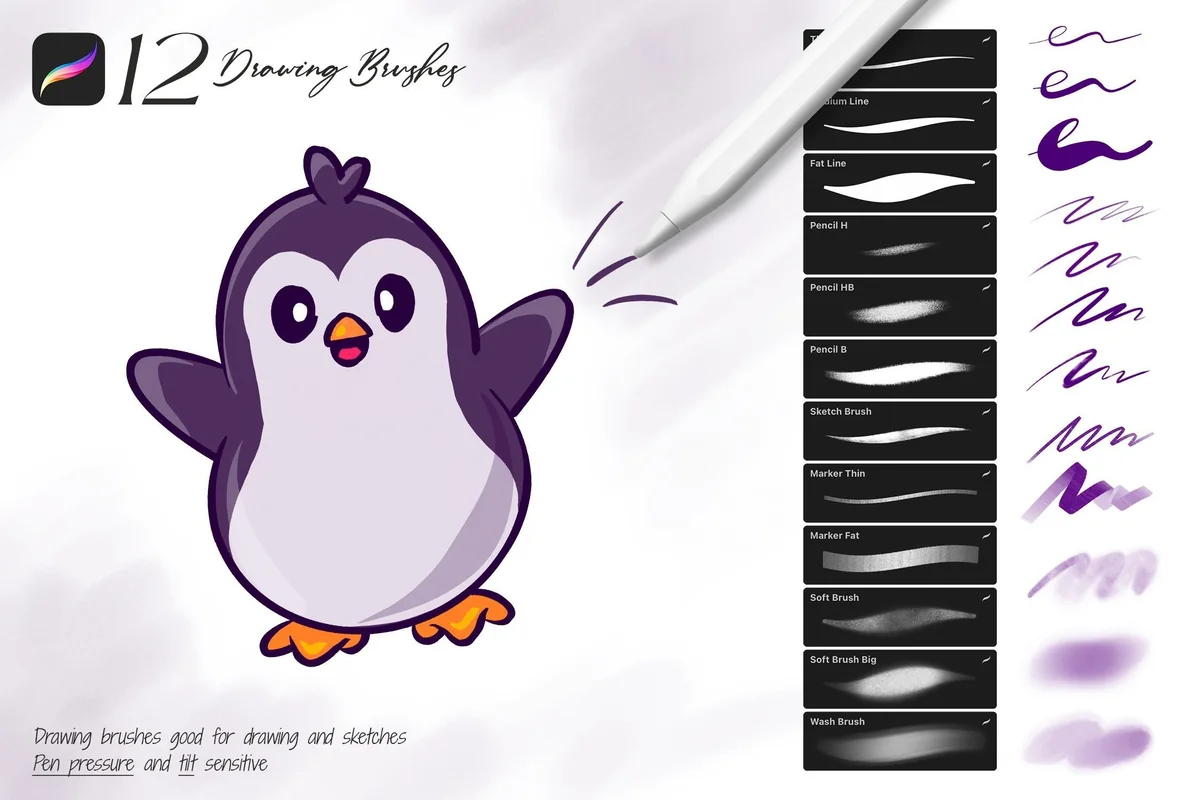
2. Drawing Procreate Brushes
Layouts: 12 brushes: 3 pencil, 3 marker, 3 soft, 3 outlineFormat: Procreate brushset
Best for: doodle beginners, sketch-first artists, small kit fans. Designed by Sko4.
- 12 brushes: 3 pencils, 3 markers, 3 soft shading brushes, 3 outline brushes
- Pen pressure and tilt sensitive
- Soft and hard pencils for the rough sketch
- Installs into Procreate as one brushset
Clean line art usually starts as a messy pencil sketch on a layer below, and this small kit covers both steps. The three outline brushes are the inking part; the pencils and markers handle the draft and a bit of color. Twelve brushes is a calm number if a big pack feels like too much scrolling.
Best for cute doodle outlines
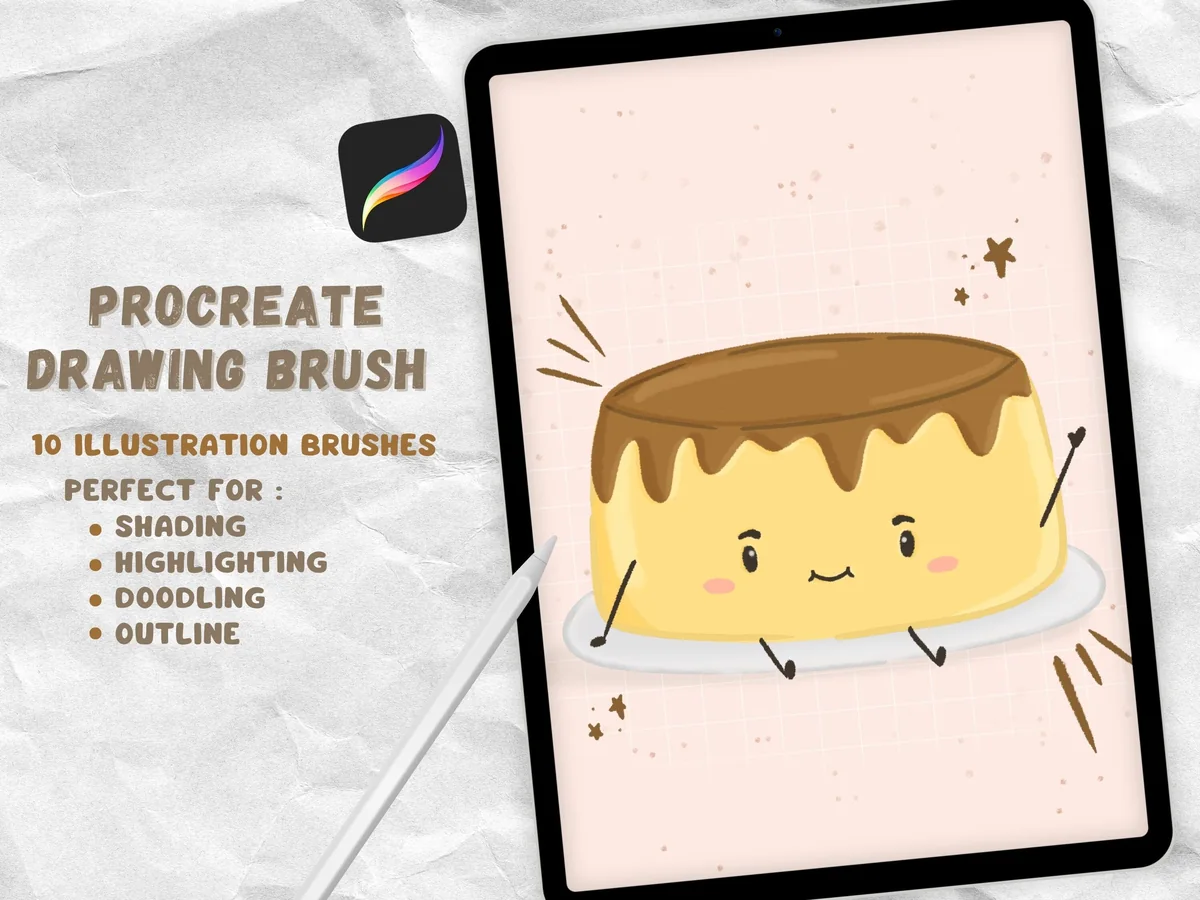
3. Procreate Doodling Brush Set
Layouts: 10 doodle brushes: feathered monoline, shading, coloring, sprinkleFormat: Procreate brushset
Best for: kawaii doodlers, cozy planners, sticker makers. Designed by jenstrokeandstyle.
- 10 brushes from the designer's Krisp set
- A monoline outline brush with a slight feathered edge
- Shading, coloring and a sprinkle background brush
- Pressure sensitive, per the previews
This is the newest set here, so it has few favorites yet, but the previews show exactly the look people mean by cute line art: a crisp outline with a soft, slightly grainy edge. The shading and sprinkle brushes finish a doodle without a second pack. Choose it if your planner leans cozy and hand-drawn.
Best for textured ink lines
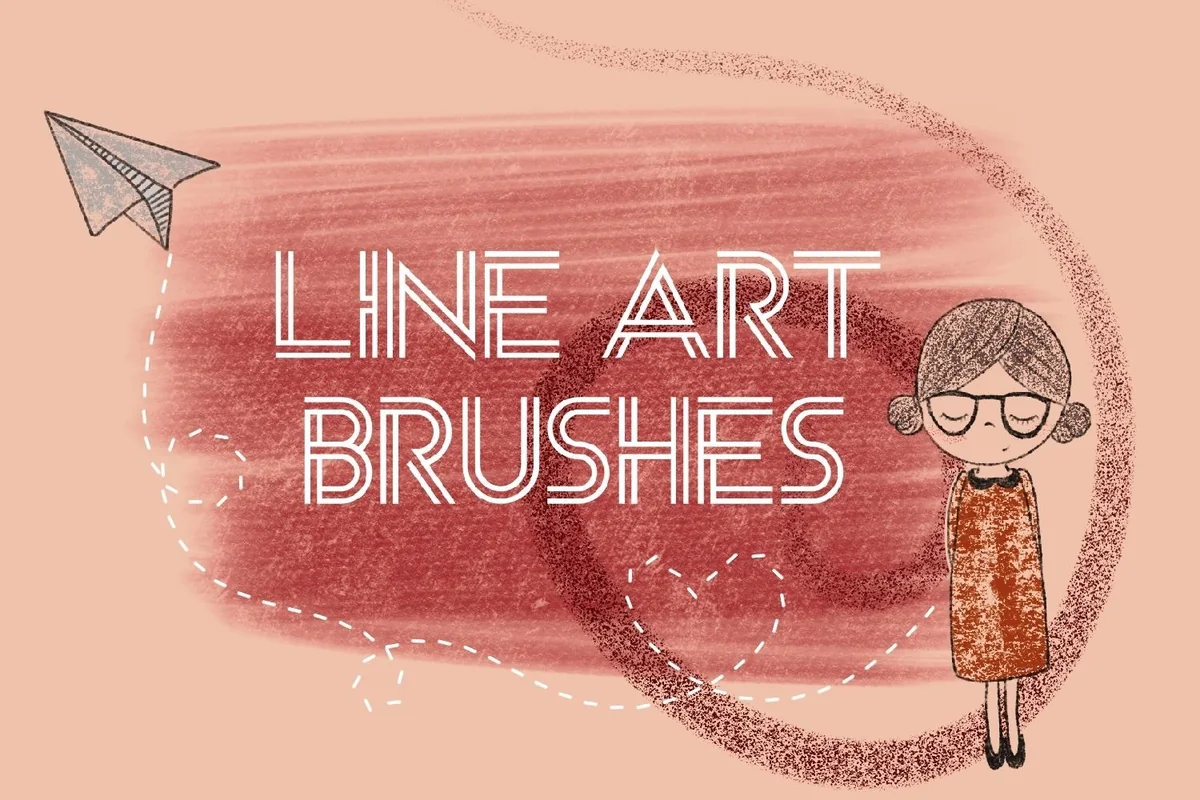
4. Line Art Procreate Brushes
Layouts: Line art brushes: smooth and grainy lines, hatching, dashesFormat: Procreate brushset
Best for: journal sketchers, pen-on-paper fans, minimal planners. Designed by SvgOcean.
- One .brushset file for Procreate only
- Works in any color and opacity
- Previews show smooth and grainy lines, hatching, dashes and cross-hatch grids
- Wide textured strokes for filling shapes
Perfectly smooth digital lines can look a little flat on a journal page. The previews here lean the other way: grainy edges, hatching and a cross-hatch grid, closer to a fineliner on paper. The listing doesn't state how many brushes are inside, so check the preview images on the product page before you decide.
Best for hollow outline strokes
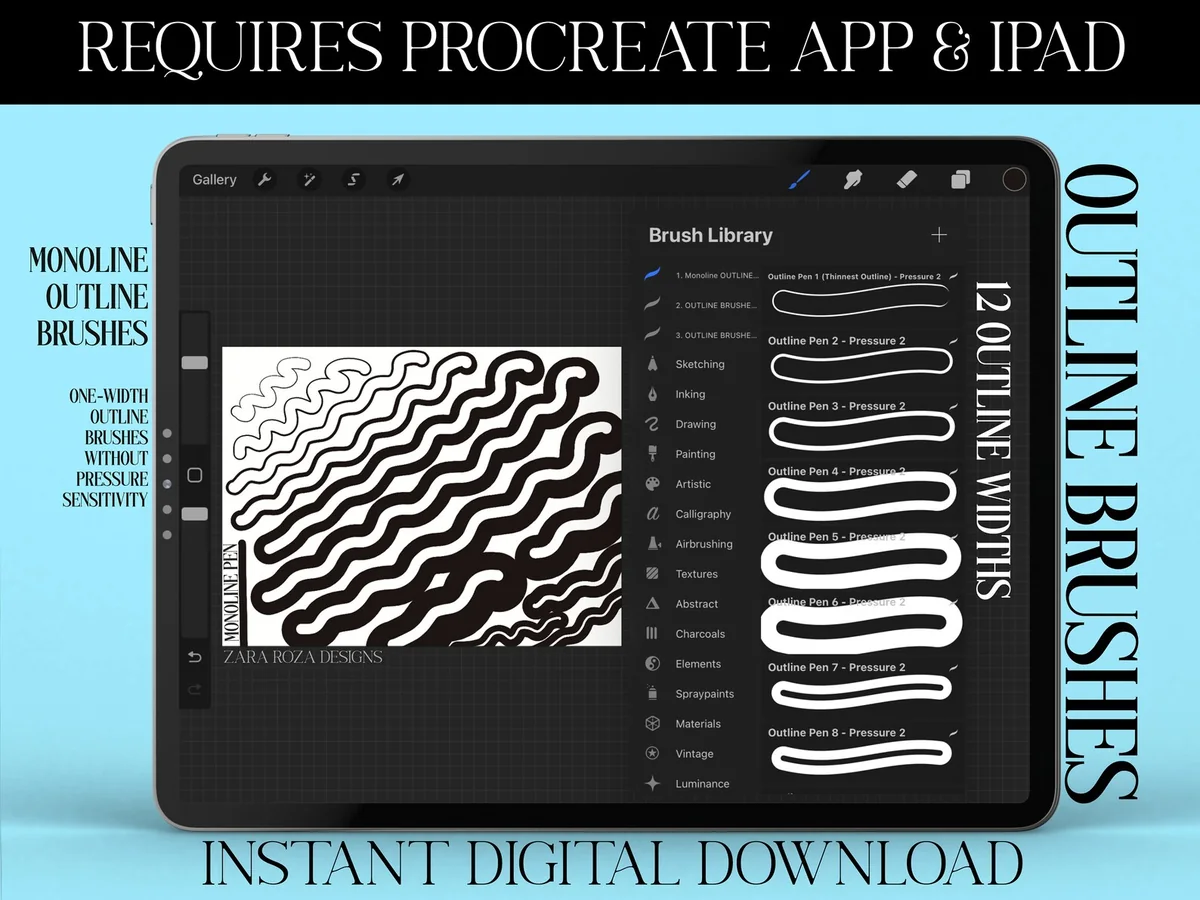
5. Procreate Outline Brush Set Bundle
Layouts: 39 outline brushes in 3 sets: monoline + 2 pressure versionsFormat: 3 Procreate brushsets
Best for: sticker makers, bubble letter fans, header makers. Designed by ZaraRozaDesigns.
- 3 brushsets: 12 monoline outline brushes plus 1 solid monoline brush
- 12 strongly pressure-sensitive outline brushes plus 1 solid brush
- 12 lighter pressure-sensitive outline brushes plus 1 solid brush
- Each stroke draws a double line with an empty center (cover)
An outline brush is a different tool from an inking pen: one stroke gives you two parallel lines with a gap you can fill later. That makes sticker borders and bubble titles fast. I like that the bundle comes in a no-pressure version too, handy if your hand shakes on a long stroke.
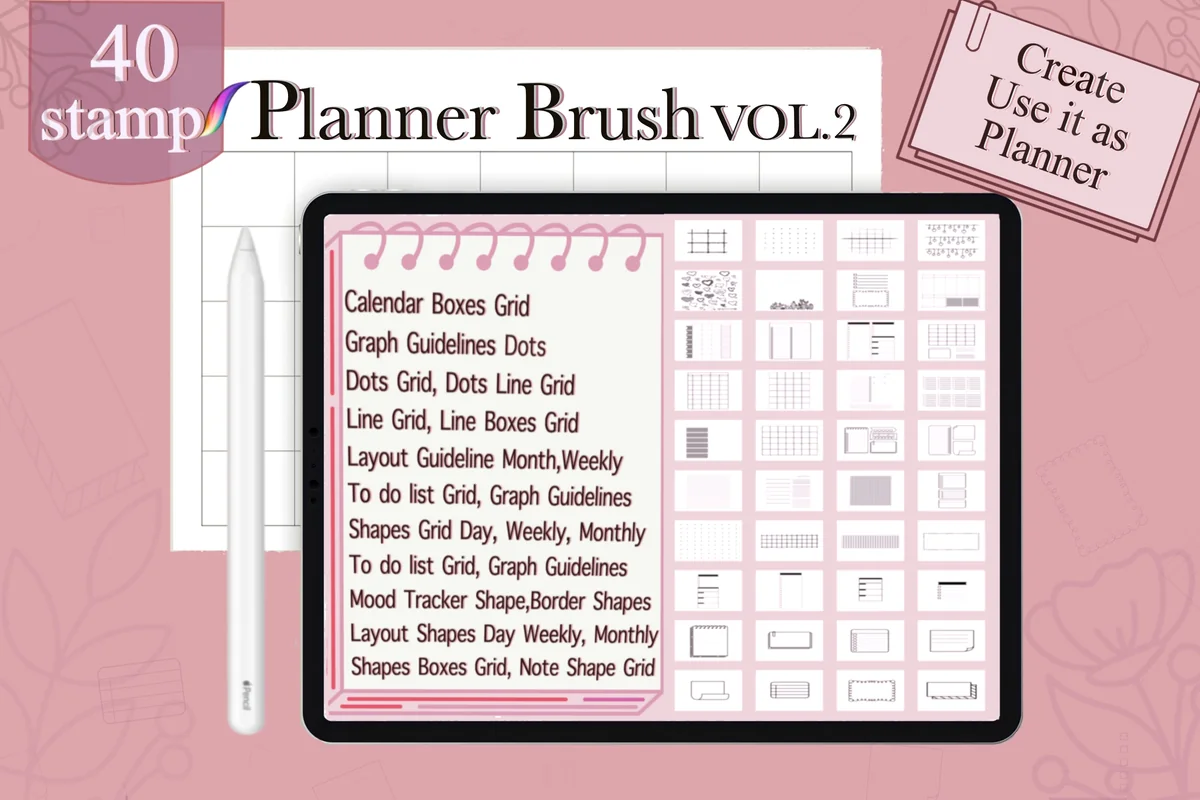
Best for drawing planner layouts
6. Planner Outline Brush Vol. 2
Layouts: 40 planner stamps: calendar boxes, grids, to-do, mood trackerFormat: Procreate brushset in ZIP + instructions
Best for: DIY planner makers, minimal planners, bullet journal fans. Designed by N Nakorn Creative.
- 40 stamps with transparent backgrounds
- Calendar boxes, dot grid, line grid and graph guidelines
- Monthly and weekly layout guides, to-do grids, mood tracker and border shapes
- Comes as a ZIP with install instructions and a ReadMe file
This is line art for the structure of a page rather than its decoration: tap once and you have a month grid or a to-do column drawn in thin, even lines. With over 900 favorites it is the most saved stamp set here. The ZIP needs unpacking in the Files app before Procreate can import it, a small extra step.
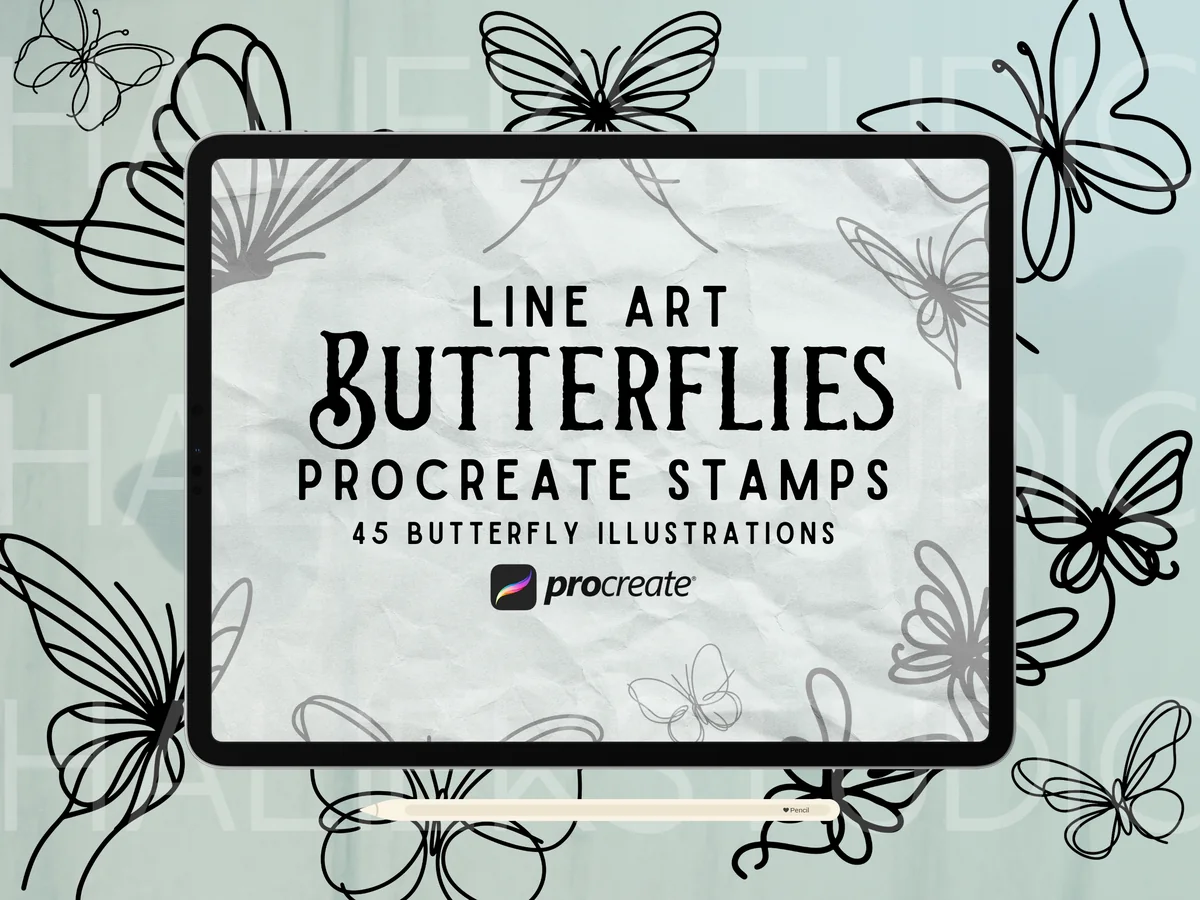
Best line-art stamps for margins
7. Line Art Butterfly Procreate Stamps
Layouts: 45 butterfly stamps, continuous monolineFormat: Procreate brushset
Best for: minimal planners, margin doodlers, sticker makers. Designed by HalieKStudio.
- 45 butterfly stamp brushes
- Hand drawn in a continuous monoline style
- Not pressure sensitive, so every stamp comes out the same
- The listing suggests them for digital planner stickers and margin doodles
Continuous-line butterflies are delicate enough for a minimal layout and still read clearly when shrunk into a corner. Because the stamps aren't pressure sensitive, a finger works as well as an Apple Pencil. Forty-five poses means the same butterfly doesn't have to repeat on every page.
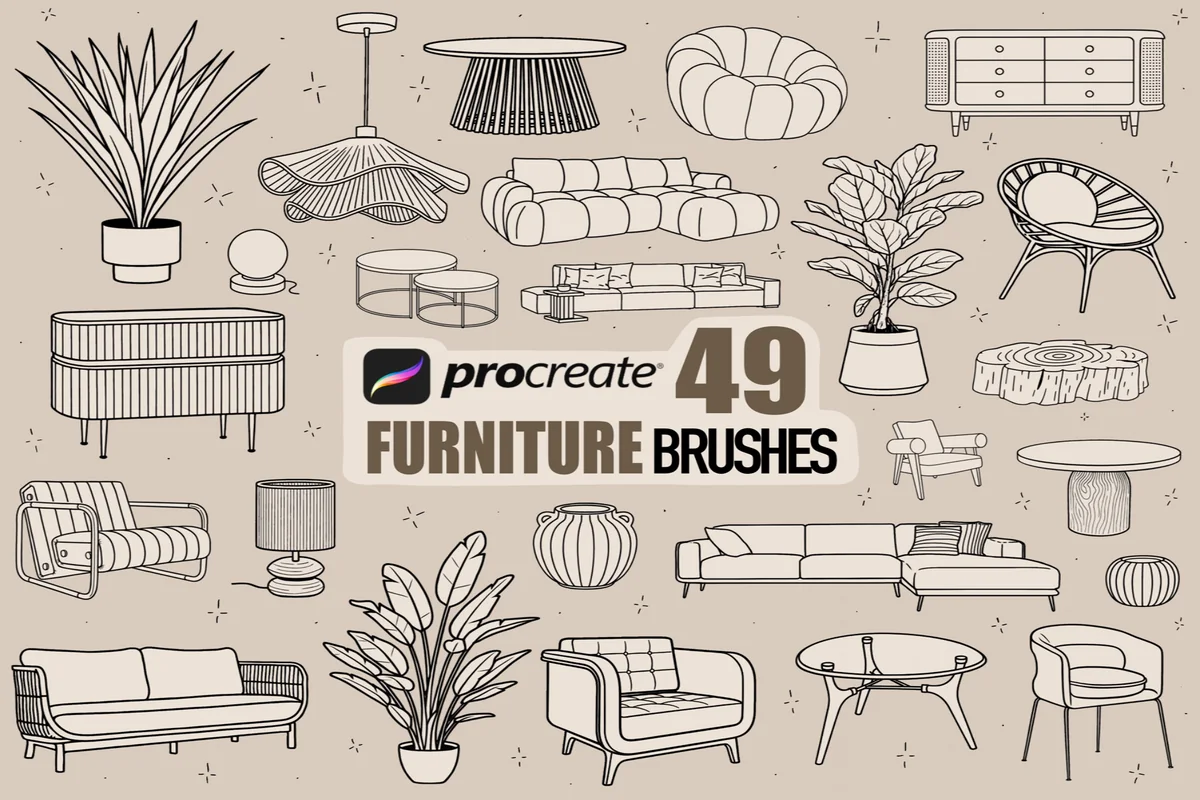
Best for home planning pages
8. Procreate Furniture Line Art Brushes
Layouts: 49 stamps: chairs, sofas, tables, cabinets, plants, lamps, vasesFormat: Procreate brushset
Best for: home planners, moving lists, room makeover fans. Designed by PdknyStudio.
- 49 hand-drawn stamp brushes with clean, sharp lines
- Chairs, sofas, sideboards, tables and coffee tables
- Plants, planters, lamps, vases and decor accents
- Made for floor plans, mood boards and decor scenes
The listing is aimed at interior designers, but the same stamps make a home page in a planner look finished: sketch the new living room, mark which sofa you're saving for, plan the plant corner. It's the most specific set here, so I'd only pick it if home projects actually show up in your planner.
Quick Comparison
| Set | Type | What you get | Stand-out extra |
|---|---|---|---|
| 1. Boho Line Brushes | Line brushes | 52 brushes | Dashed and dotted strokes |
| 2. Drawing Procreate Brushes | Drawing brushes | 12 brushes | Pencil, marker and line in one set |
| 3. Procreate Doodling Brush Set | Doodle brushes | 10 brushes | Feathered monoline edge |
| 4. Line Art Procreate Brushes | Line brushes | 1 brushset | Hatching and grainy texture |
| 5. Procreate Outline Brush Set Bundle | Outline brushes | 39 brushes in 3 sets | Monoline and pressure versions |
| 6. Planner Outline Brush Vol. 2 | Layout stamps | 40 stamps | Calendar, grid and tracker shapes |
| 7. Line Art Butterfly Procreate Stamps | Line-art stamps | 45 stamps | Continuous monoline style |
| 8. Procreate Furniture Line Art Brushes | Line-art stamps | 49 stamps | Furniture, plants and lamps |
Line Brush, Outline Brush or Stamp?
All three arrive as .brushset files and sit in the same Brush Library, but they do different work on a page:
- Line brushes follow your hand. An inking or monoline brush draws one clean line; a decorative line brush repeats a pattern (dots, dashes, tiny hearts) along the stroke. Use them for doodles you draw yourself and for borders of any length.
- Outline brushes draw two parallel lines with an empty middle in a single stroke. They are quick for sticker borders and bubble headers, but they won’t give you the thin single line of classic line art.
- Line-art stamps place a finished drawing with one tap: a butterfly, a sofa, a month grid. Most are not pressure sensitive, so the result is identical every time and a finger works fine.
If you only add one set, make it a line brush, since it covers both doodles and dividers. A stamp set earns its place when the same element keeps coming back, like a weekly grid or a signature decoration.
Furniture stamps supply objects, but arranging a readable room takes another decision. Try the reading nook in these small isometric drawing projects, which starts with a chair, bookcase and lamp and explains the guide for constructing your own scene.
The Free Lineart Pens Already in Procreate
Before paying for anything, open the Inking set in the Brush Library. Studio Pen and Technical Pen are both there by default: Studio Pen tapers with pressure, Technical Pen keeps a steadier width. The Calligraphy set also has a Monoline brush, which draws an even line that suits planner icons and neat labels.
So why buy a set at all? The built-in pens are smooth and digital-looking. Paid packs add what the default library lacks: grainy pen-on-paper texture, feathered doodle edges, decorative dashed lines and ready stamps. If the default pens already feel right in your hand, keep them and spend on stamps instead.
If the repeated line is meant to suggest sewing, compare Procreate stitch brushes before treating a decorative dash as a stitched effect. Keep the choice tied to the kind of edge your drawing needs.
Soft, Crisp or Textured: Matching the Line to Your Planner
- Crisp and even suits minimal and neutral planners: the Monoline brush, the continuous-line butterflies and the planner layout stamps all keep one steady weight.
- Soft and cute fits kawaii and cozy pages. A feathered edge like the one in the Doodling Brush Set reads friendlier than a hard vector line, especially once you add a bit of shading.
- Textured looks like a fineliner on paper. The grainy and hatching strokes in Line Art Procreate Brushes work well on journal pages with a paper background.
- Decorative lines are for structure, not pictures: dotted dividers, stitched borders and zigzags from the Boho Line Brushes.
Keep one line style per page. A crisp butterfly next to a grainy coffee cup looks like two different planners stuck together, even when both are well drawn.
The background deserves the same attention as the line style. Compare Procreate paper texture brushes when a journal illustration needs a paper surface, keeping that grain separate from the contour so you can judge whether it supports the drawing.
For a digital flash illustration, judge the contour together with its shadow. The Procreate tattoo brush comparison separates liners, shaders and dotwork tools, making it useful when a consistent outline needs a different shading treatment within the same drawing.
An outlined doodle can also carry a repeated fill without changing its contour. When that is the missing detail, compare Procreate pattern brushes by motif and scale, then keep the pattern inside one shape so it does not compete with the surrounding linework.
Lineart Brush Settings That Steady a Shaky Line
- Raise StreamLine. In the Brush Studio, StreamLine smooths the path of your stroke. A higher value takes out small wobbles; too high and quick curves start to feel laggy, so nudge it up step by step.
- Hold at the end of a stroke. QuickShape snaps a line, circle or box into a clean shape when you pause with the Pencil still on the screen. It is the fastest way to get a straight divider.
- Draw big, then shrink. Sketch the doodle large on its own layer and scale it down. Small wobbles disappear when the drawing gets smaller.
- Sketch first, ink second. Rough the shape on a low-opacity layer, add a new layer on top and trace it with your line brush, then hide the sketch.
- Color under the lines. Set the line layer to Reference and drag a color into a closed shape on the layer below with ColorDrop. The fill stays inside the lines without touching them.
From Procreate Line Art to a GoodNotes Sticker
Brushes and stamps work only inside Procreate, but the art they make travels fine. Hide the background layer, then go to Actions, Share and choose PNG: the doodle exports with a transparent background. In GoodNotes, insert it as an image on any page, resize it, and in GoodNotes 6 you can save it to Elements so it’s one tap away next time.
A sheet of twenty small doodles on one canvas is quicker than exporting them one by one: export the sheet once, then crop each sticker in GoodNotes with the lasso. For premade sticker sets that skip the drawing step, see my GoodNotes stickers, and to color the line art, the Procreate color palettes list has ready swatches.
Lineart Brush Questions
Are there free lineart brushes in Procreate?
Yes. Studio Pen and Technical Pen in the Inking set and Monoline in the Calligraphy set come with the app. They draw clean lines; paid sets add texture, patterned strokes and stamps.
How do I add a .brushset file to Procreate?
Save the file to the Files app and tap it; Procreate opens and the new set appears at the top of the Brush Library. If the file comes as a ZIP, like the Planner Outline stamps, tap the ZIP in Files first to unpack it.
Does line art in Procreate need an Apple Pencil?
For pressure-sensitive brushes, yes, since the line changes width with pressure. Stamps and non-pressure brushes, like the butterflies and the monoline version of the outline bundle, work with a finger or a basic stylus.
Can I use these brushes inside GoodNotes?
No, they only run in Procreate. Draw or stamp in Procreate, export a PNG or a PDF page, and add it to GoodNotes.
Can I sell stickers I make with these stamps?
It depends on the designer. Personal planner use is fine for all of them, but commercial rules differ between listings, so check the license terms in each listing before you sell anything made with the stamps.
Where to Start with Procreate Lineart Brushes
Before buying any Procreate lineart brushes, give the free Monoline and Studio Pen a week of doodles. If the lines still feel flat, the gap is usually texture or pattern, not skill: add one textured or doodle brush for drawing and one stamp set for the element you repeat most. Two sets are plenty for a planner; more brushes mean more scrolling, not better pages. For lettering, highlighter and washi brushes, which this list skips on purpose, go to my Procreate brushes for planners; the how-to section has the rest of my iPad art guides.
For rough pencil-like marks rather than clean contours, compare these Procreate sketch brushes for iPad, including general sketching sets and specialist textures.
You May Also Like
This post contains affiliate links. If you buy through them, I may earn a small commission at no extra cost to you. Learn more.