You plan in Notion on the laptop, then pick up the iPad and the Apple Pencil, and suddenly typing feels wrong. That moment is where the Notion vs GoodNotes question starts. They look like rivals, but they were built for different hands: Notion for the keyboard and databases, GoodNotes for the pen and pages. For planning on an iPad, that difference decides almost everything.
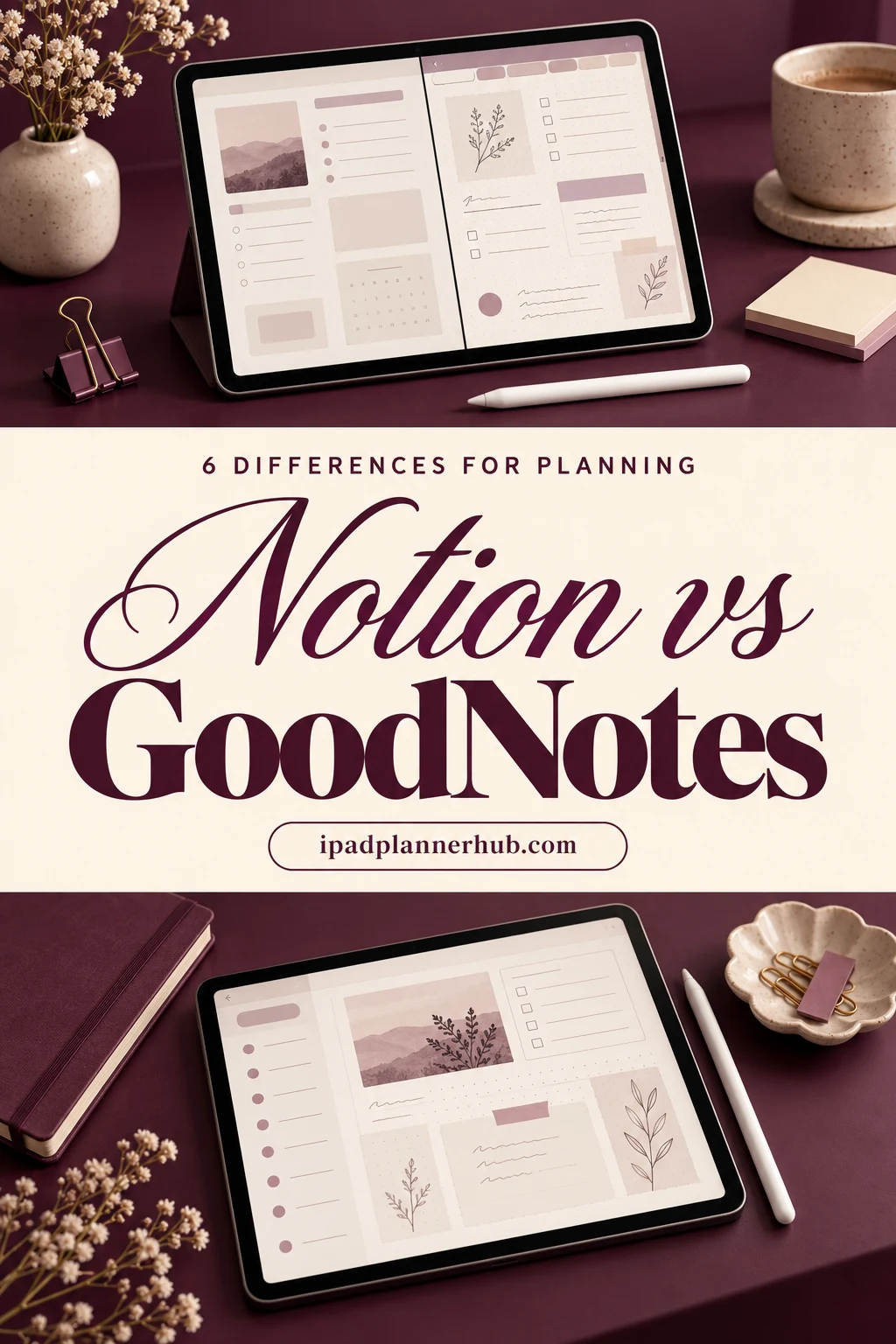
Below are the 6 differences that matter when the job is planning, who each app suits, how to use both without doing the same work twice, and 5 GoodNotes planners that will feel familiar if you came from Notion. GoodNotes prices are US prices as of October 2026, from its official pricing page.
Notion vs GoodNotes at a Glance
| What matters for planning | Notion | GoodNotes |
|---|---|---|
| Main input | Typing; handwriting only through Scribble, which turns it into text | Apple Pencil on a page, plus typed text boxes |
| How a plan is built | Databases with views: table, board, calendar, timeline | Pages of a hyperlinked PDF planner |
| Templates | Notion templates you duplicate into your workspace | PDF planners and notebooks you import |
| Stickers and decoration | Icons, covers and images | Elements tool with sticker collections, washi and photos |
| Reminders | Date reminders on pages and database items | None built in; a planner page doesn’t ping you |
| Free plan | Free plan for personal use | 3 notebooks, 100 MB |
| Paid plan | Plus and higher plans, billed monthly or yearly | Essential $11.99 a year, or Special Edition $35.99 once (Apple only) |
6 Differences That Matter for Planning on iPad
Difference 1Notion is for typing, GoodNotes is for the pen
Notion has no ink layer: what you write with the Apple Pencil becomes typed text through Scribble, and the shape of your handwriting is gone. GoodNotes keeps the ink. Arrows, circles, a crossed-out task and a tiny doodle next to Friday all stay on the page. If writing by hand is the reason you bought the Pencil, this point alone settles it.
For planning by hand: GoodNotes
Difference 2Databases vs pages
In Notion a task is a row in a database: you can filter it, sort it, show it on a board or a calendar and link it to a project. In GoodNotes a task is a line on a page. That sounds like a step back, but a page has one big advantage for daily planning: you see the whole day at once, without setting up a view. Notion wins for anything that grows and needs sorting; GoodNotes wins for the page you look at every morning.
Daily page: GoodNotes · Big projects: Notion
Difference 3Templates you duplicate vs planners you import
A Notion template is a set of pages and databases copied into your workspace, ready to type into. A GoodNotes planner is a hyperlinked PDF: tabs for months, weeks and days, trackers and note pages, all linked so one tap jumps to today. Both have huge free and paid libraries. The difference is that a PDF planner is finished when you import it, while a Notion template usually invites tweaking, which is lovely on a quiet Sunday and a trap on a busy Monday.
Ready to use today: GoodNotes
Difference 4Reminders and calendars
Notion can remind you about a date on a page or a database item, and its calendar views make deadlines visible. GoodNotes can’t ping you: a planner page only works when you open it. Most GoodNotes planners solve this with habit, not features. Keep real appointments in the iPad Calendar app, and use the planner for priorities, time blocks and notes.
Reminders: Notion
Difference 5Decoration and the feel of the page
Notion pages get an icon, a cover and maybe a few images. GoodNotes pages can hold stickers, washi tape, photos and color anywhere you like, and the Elements tool keeps sticker collections one tap away. If part of planning is the small joy of a pretty page, GoodNotes gives you far more room for it. My favorite GoodNotes sticker packs are a good place to start.
Pretty pages: GoodNotes
Difference 6Price
Both apps are free to start. Notion’s free plan is enough for one person’s planning, and paid plans add features, mostly for teams and bigger workspaces. GoodNotes is free for 3 notebooks; after that it’s Essential at $11.99 a year or a one-time Special Edition at $35.99 on Apple devices. A whole planner counts as one notebook, so many people plan on the free version for a long time. More on that in how much GoodNotes really costs.
Cheapest for one person: both start free
Which One I’d Pick for Planning
- Pick GoodNotes if you plan on the iPad with the Apple Pencil, like seeing the whole day or week on one page, and enjoy stickers and color.
- Pick Notion if you plan mostly on a laptop, run many projects with deadlines, or share plans with other people.
- Use both if your work lives in Notion but your days feel calmer on paper. Many iPad planners end up with exactly this split.
For my own planning (a weekly spread, a daily page, habit and budget trackers) I’d choose GoodNotes on the iPad. I’d keep Notion for long lists and projects that need sorting, not for the page I look at every morning.
How to Use Notion and GoodNotes Together
- Keep projects, reading lists, recipes and anything you sort or share in Notion.
- Plan the week in GoodNotes: on Sunday, copy the 3 to 5 tasks that matter from Notion onto the weekly spread by hand.
- Use the GoodNotes daily page for time blocks, notes and the small stuff that never deserved a database row.
- At the end of the week, tick the finished items back in Notion. Five minutes, once a week, keeps both in sync.
- Split View helps: Notion on one side, the planner on the other, while you plan the week.
Can You Move a Notion Planner to GoodNotes?
Partly. Notion can export a page as a PDF, and GoodNotes will import it so you can write on top. But databases become flat tables and the links between pages don’t come along, so it won’t behave like a planner. If you want the Notion feel with a pen, it’s easier to start with a hyperlinked GoodNotes planner built the same way: a dashboard page, tabs and trackers. The 5 below are a good start.
5 GoodNotes Planners for Notion Fans
I picked planners that copy what people love about Notion: a life reset system, ready-made trackers instead of databases, a sampler of layouts like a template gallery, and clean minimalist pages in light and dark mode. All five are hyperlinked and undated, so you can start any day. I skipped printables, Canva templates and anything with past years on the cover.
TL;DR: 5 hyperlinked GoodNotes planners that feel familiar after Notion: a life reset system, a life planner full of trackers, a layout sampler with 100+ templates, and a minimalist hourly planner in light and dark mode. Each card lists the layouts and dates, plus who it suits.
Quick Picks
- Best for a Notion-style life reset: The Ultimate Life Reset Digital Planner
- Best for trackers instead of databases: All in One Digital Planner Undated V2.3
- Best for trying layouts like templates: Digital Planner for Ipad, GoodNotes
- Best for minimalist planner for clean-page fans: Digital Minimalist Daily Planner
- Best for dark mode planner: Digital Daily Planner
- The Ultimate Life Reset Digital Planner – Best for a Notion-style life reset
- All in One Digital Planner Undated V2.3 – Best for trackers instead of databases
- Digital Planner for Ipad, GoodNotes – Best for trying layouts like templates
- Digital Minimalist Daily Planner – Best minimalist planner for clean-page fans
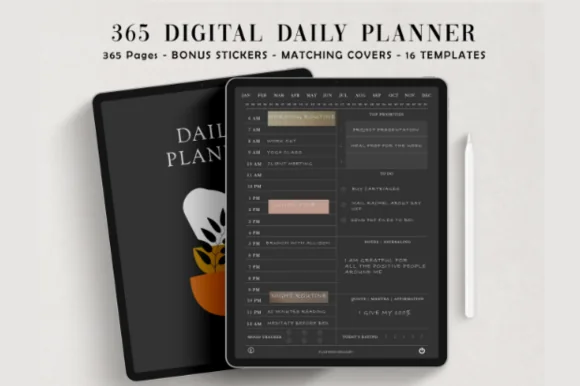
- Digital Daily Planner – Best dark mode planner
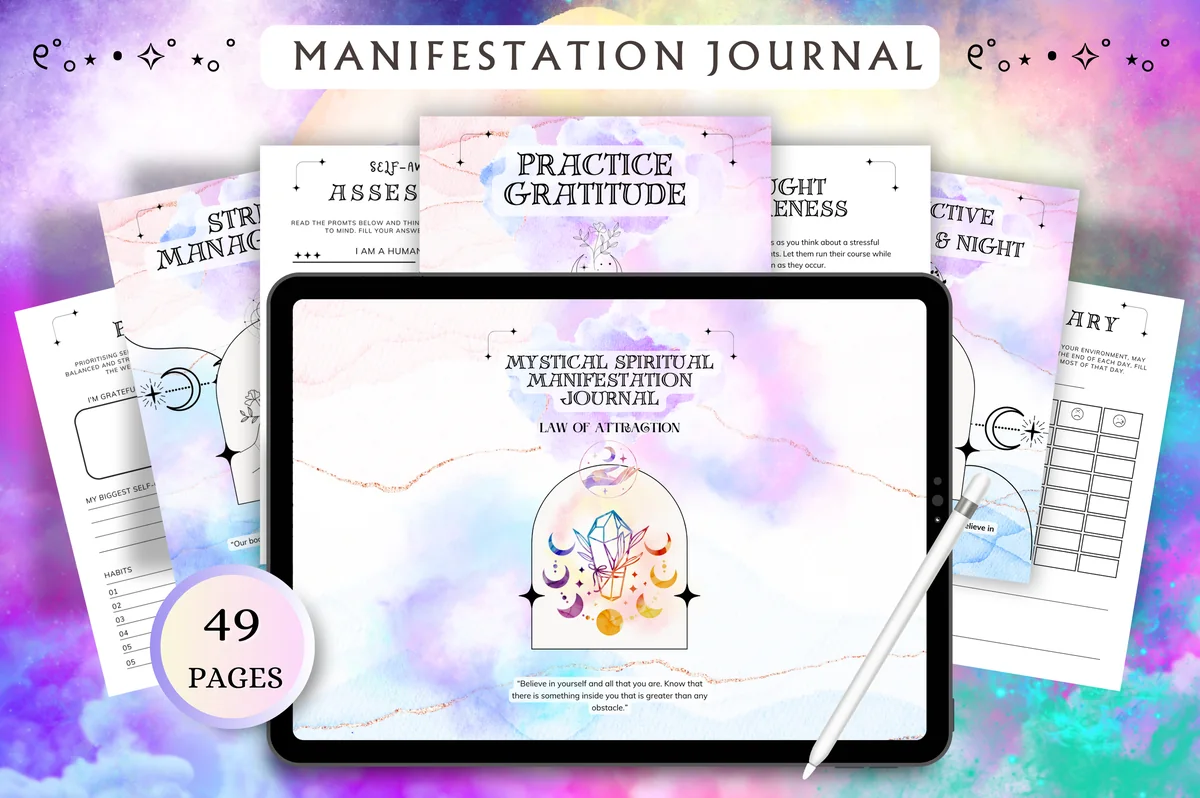
Best for a Notion-style life reset
1. The Ultimate Life Reset Digital Planner
Orientation: LandscapeLayouts: Monthly, Weekly, DailyDates: Undated
Best for: fresh starts, goal setters, self-care seekers. Designed by Tas Creative Studio.
- 49 undated pages in landscape, hyperlinked
- Daily, weekly and monthly planner with weekly and monthly reflections
- Self-discovery pages: wheel of life, ikigai, self-awareness assessment
- Goals and vision board: SMART goals, bucket list, life goals
- Cleaning checklist and other productivity pages; rated 5.0
If your favorite Notion pages were the life reset and goals dashboards, this is the closest thing on paper. The wheel of life, ikigai and goal pages do the thinking part, and the planning pages stay simple, so the reflection is what you come back to.
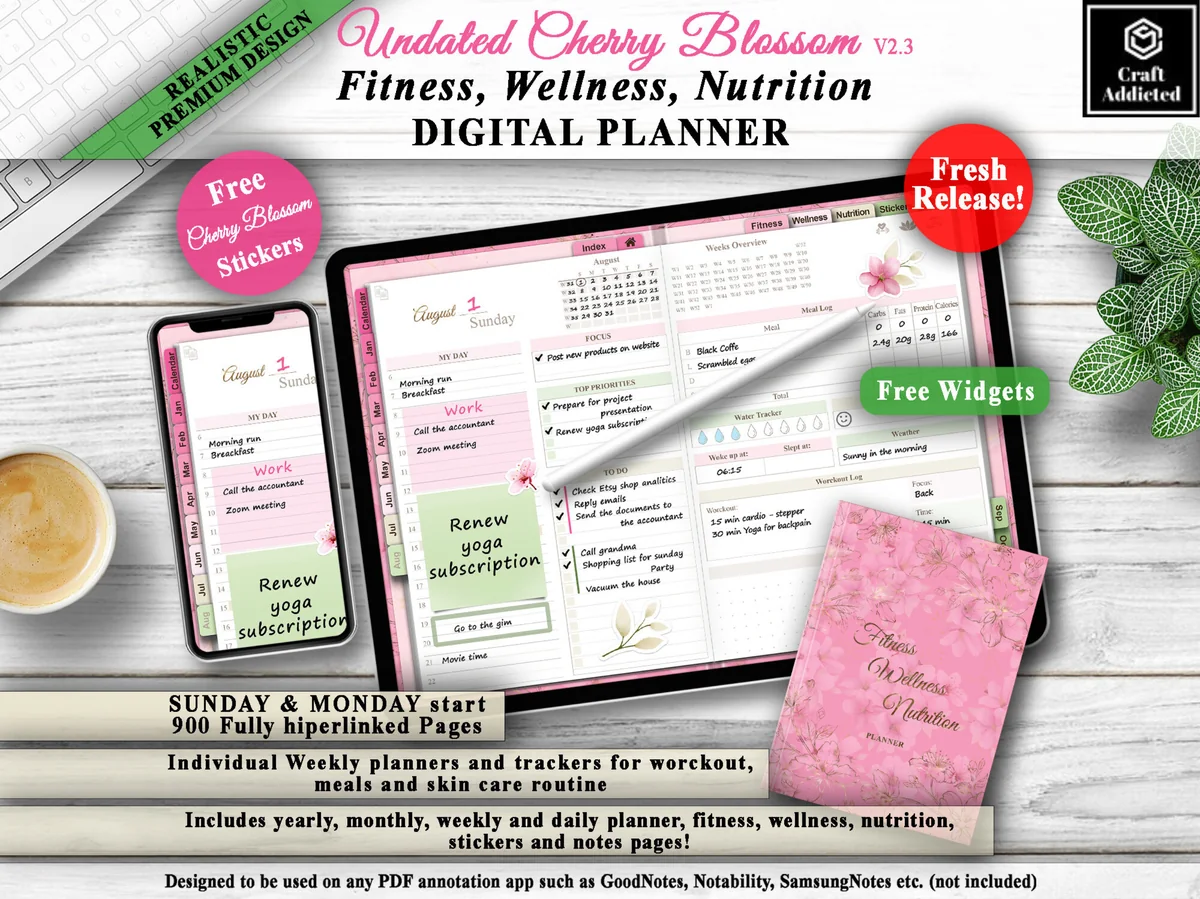
Best for trackers instead of databases
2. All in One Digital Planner Undated V2.3
Orientation: LandscapeLayouts: Yearly, Monthly, Weekly, DailyDates: UndatedWeek start: Monday or Sunday
Best for: fitness fans, wellness planners, pink lovers. Designed by CraftAddicted.
- 900 hyperlinked pages, undated, Sunday and Monday start
- Yearly, monthly, weekly and daily planner pages
- Trackers for workouts, steps, meals, sleep, water and mood, plus a skin care routine
- Pink cherry blossom design with free stickers and widgets
Notion users love a habit database. Here the trackers are ready-made pages instead: workouts, meals, sleep, water and mood, each a tap away from today. The pink cherry blossom style is the opposite of a gray Notion page, which is half the fun.
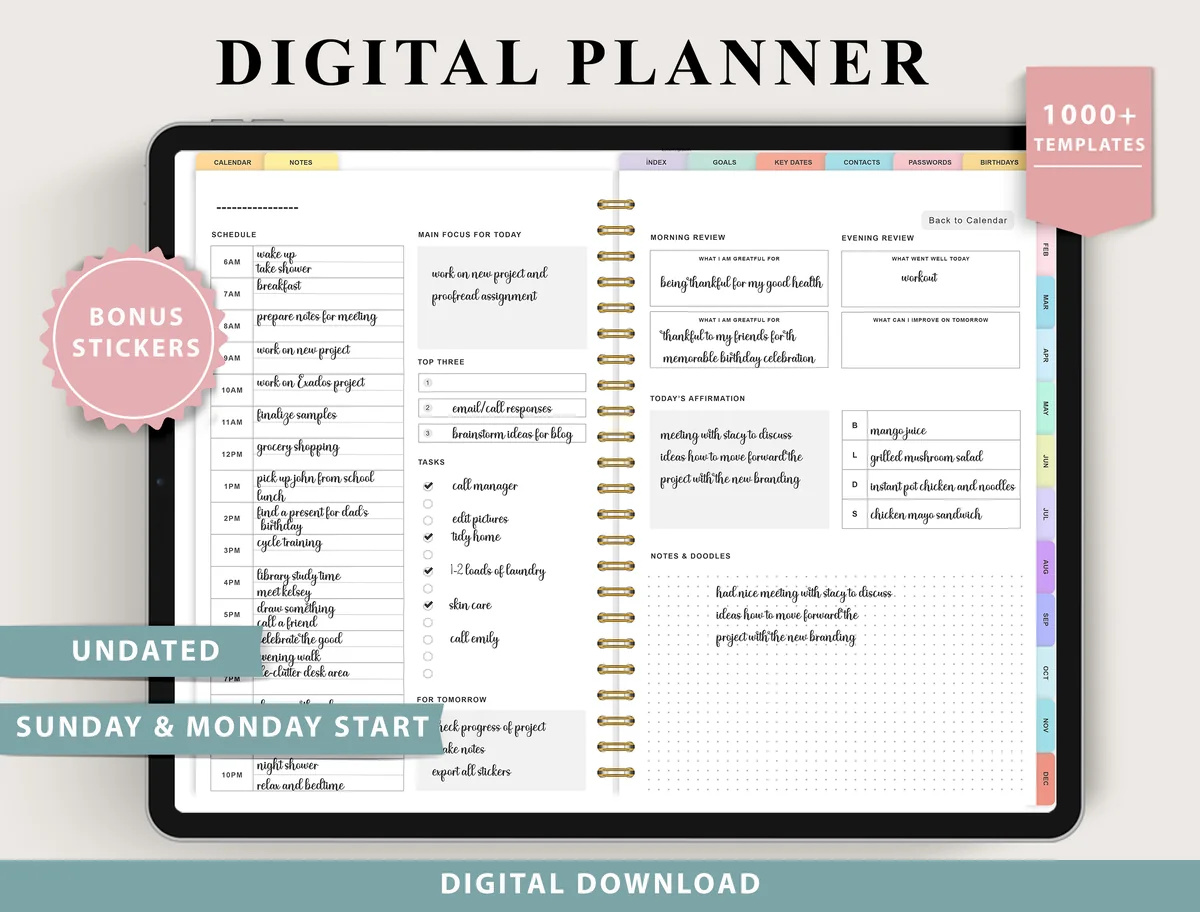
Best for trying layouts like templates
3. Digital Planner for Ipad, GoodNotes
Layouts: Monthly, Weekly (4 layouts), Daily (4 layouts), 100+ templatesDates: UndatedWeek start: Monday or Sunday
Best for: indecisive planners, fitness trackers, finance trackers. Designed by ThePlannersDelight.
- 4 weekly layouts: boxed, horizontal and scheduled
- 4 daily layouts: structured and minimal
- Undated, Monday and Sunday start
- 100+ templates for fitness, finance, nutrition and more; bonus stickers
This works the way the Notion template gallery does: try a boxed week, then a scheduled one, and keep whichever you actually fill. The 100+ extra templates for finance, fitness and meals cover most of what people build as separate Notion pages.
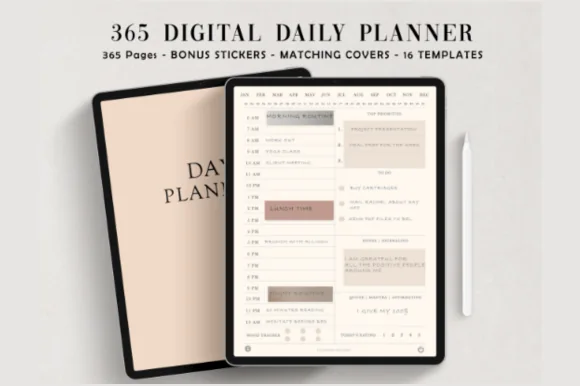
Best minimalist planner for clean-page fans
4. Digital Minimalist Daily Planner
Layouts: DailyDates: Undated
Best for: minimalists, daily planners. Designed by ThePlannersDelight.
- 365 undated daily pages, fully hyperlinked (384 pages in total)
- Two versions: schedule starting at 5 a.m. or 6 a.m.
- Ivory white, minimalist design; 16 extra page templates
- Bonus: 5 covers and 100+ pre-cropped stickers
If you chose Notion for its plain white pages, start here. One clean hourly column per day, ivory paper and nothing decorative, so time blocking with a pen feels as tidy as a calendar view.
Best dark mode planner
5. Digital Daily Planner
Layouts: DailyDates: Undated
Best for: night owls, dark mode fans. Designed by ThePlannersDelight.
- 365 undated daily pages on a coal black base, fully hyperlinked
- 5 a.m. and 6 a.m. start versions
- 16 page templates in the same dark style
- Bonus: 5 covers and matching stickers
The same hourly layout as the minimalist planner, on black pages. If your Notion lives in dark mode, this keeps the look you're used to; write with a white or pastel pen so the ink shows.
Quick Comparison
| Planner | Format | Why a Notion fan will like it | Stand-out extra |
|---|---|---|---|
| 1. The Ultimate Life Reset Digital Planner | Landscape, undated | Life reset and goals pages | Wheel of life + ikigai |
| 2. All in One Digital Planner Undated V2.3 | Portrait, undated | Trackers for health and habits | 900 linked pages |
| 3. Digital Planner for Ipad, GoodNotes | 4 weekly + 4 daily layouts | Template explorers | 100+ templates |
| 4. Digital Minimalist Daily Planner | Hourly, from 5 or 6 a.m. | Minimalists, time blockers | 365 linked days |
| 5. Digital Daily Planner | Hourly, dark mode | Night owls, dark mode fans | Black pages |
FAQ
Is GoodNotes or Notion better for planning?
For planning by hand on an iPad, GoodNotes: it keeps your handwriting, shows the whole day or week on one page and has room for stickers. Notion is better for typed plans, many projects with deadlines and anything you share with others.
Can you handwrite in Notion?
Not as ink. With Scribble on the iPad you can write with the Apple Pencil in a text field, and Notion turns it into typed text. Drawings and the look of your handwriting don’t stay on the page.
Does Notion work with GoodNotes?
There is no direct sync between them. You can export a Notion page as a PDF and import it into GoodNotes, or export a GoodNotes page as a PDF or image and add it to Notion. Most people simply use each app for its own job and copy a few tasks by hand once a week.
Is there a Notion app for iPad?
Yes, Notion has an iPad app with the same workspace as on the computer. It’s built around typing, so it feels best with a keyboard case.
Notion vs GoodNotes vs Notability: which one for students?
Notion for typed class notes, assignments and group projects; GoodNotes for handwritten notes and a planner; Notability for lectures, because it records audio next to your notes. I compared the two note apps in GoodNotes vs Notability.
Is Notion still worth using in 2026?
For projects, lists and shared work, yes. For a daily planner on an iPad with the Apple Pencil, a hyperlinked PDF in GoodNotes is usually calmer and quicker to use.
Final Thoughts
Notion vs GoodNotes comes down to what you plan with. Notion organizes information, GoodNotes holds your days. If you plan with the Apple Pencil, give GoodNotes the daily and weekly pages and let Notion keep the projects. When you’re ready to choose a planner, see my best digital planners for 2027, the all-in-one life planners and the minimalist planners for clean, Notion-like pages.
You May Also Like
This post contains affiliate links. If you buy through them, I may earn a small commission at no extra cost to you. Learn more.