You remember loving a bag of beans, but the note beside its name says only “really good.” Next week, that gives you very little to compare. These coffee tasting journal ideas turn a cup into a record you can return to, with enough brewing detail to recognize what you actually repeated.
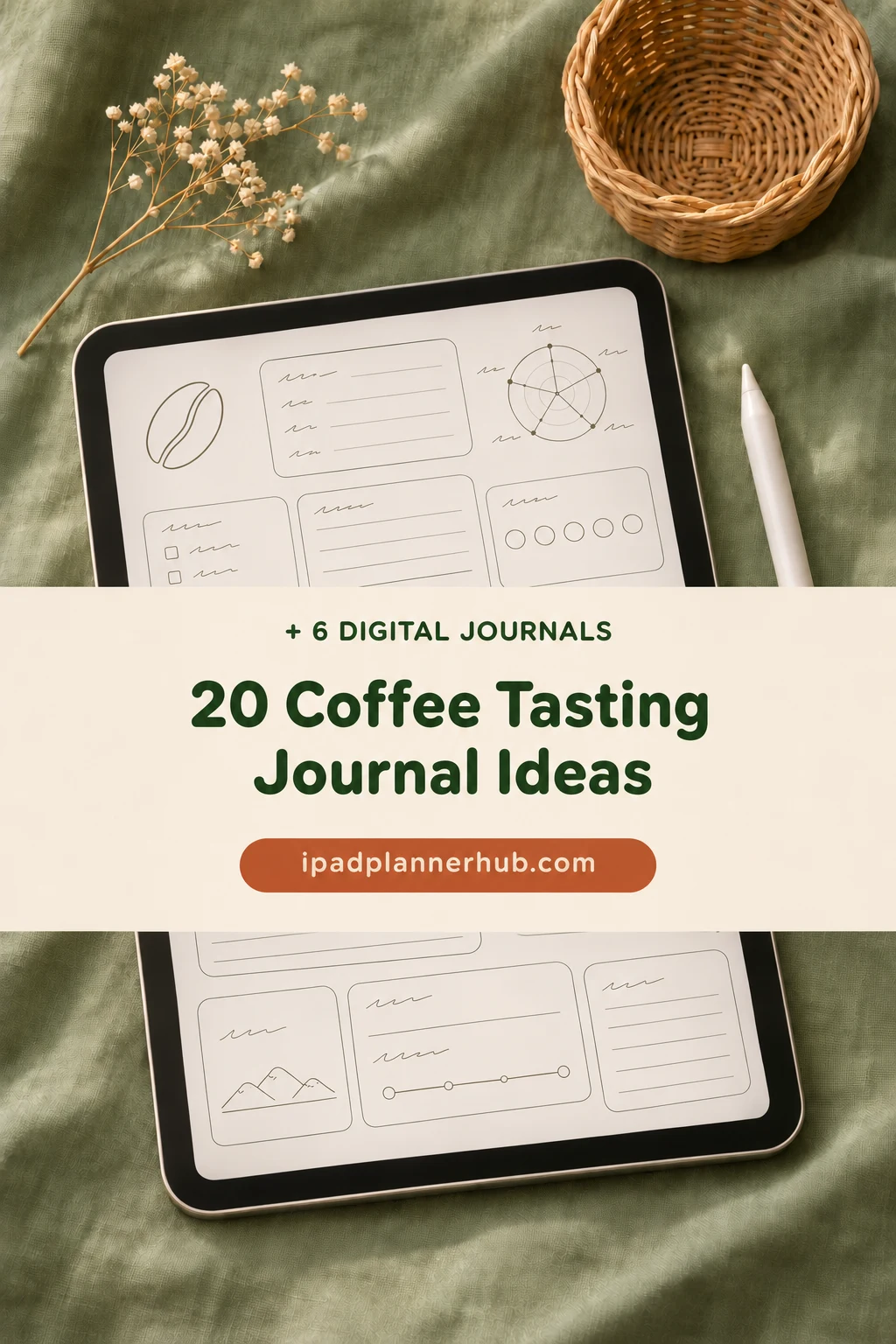
Build the journal around one tasting at a time, then connect the entries by bean and recipe. Below are six adaptable iPad journals and 20 ideas for the pages you create inside them. Start with the few fields you will use; a detailed journal is useful only if you keep writing in it.
Six Digital Journals You Can Adapt for Coffee Notes
I selected these for their writing space and page structure. They are general notebooks and journals: you manually add the coffee log, tasting prompts and comparison headings. Choose columns for comparisons, ruled pages for longer descriptions, or compact panels for a short cup memory.
TL;DR: These six general digital journals give you columns, ruled pages, compact panels or dark paper. You add the coffee headings yourself; none is presented as a dedicated coffee tasting template.
Quick Picks
- Best for side-by-side comparisons: Digital Notebook
- Best for dated tasting entries: Digital Ruled Journal
- Best for a short cup log: Undated Cute Orange Bullet Journal
- Best for a simple first page: DaisyNotes – Digital Notebook – Pink
- Best for monthly bean histories: Digital GoodNotes Journal – Tie Dye
- Best for dark comparison pages: Dark Mode Digital Notebook – Gold Theme
- Digital Notebook – Best for side-by-side comparisons
- Digital Ruled Journal – Best for dated tasting entries
- Undated Cute Orange Bullet Journal – Best for a short cup log
- DaisyNotes – Digital Notebook – Pink – Best for a simple first page
- Digital GoodNotes Journal – Tie Dye – Best for monthly bean histories
- Dark Mode Digital Notebook – Gold Theme – Best for dark comparison pages
Best for side-by-side comparisons
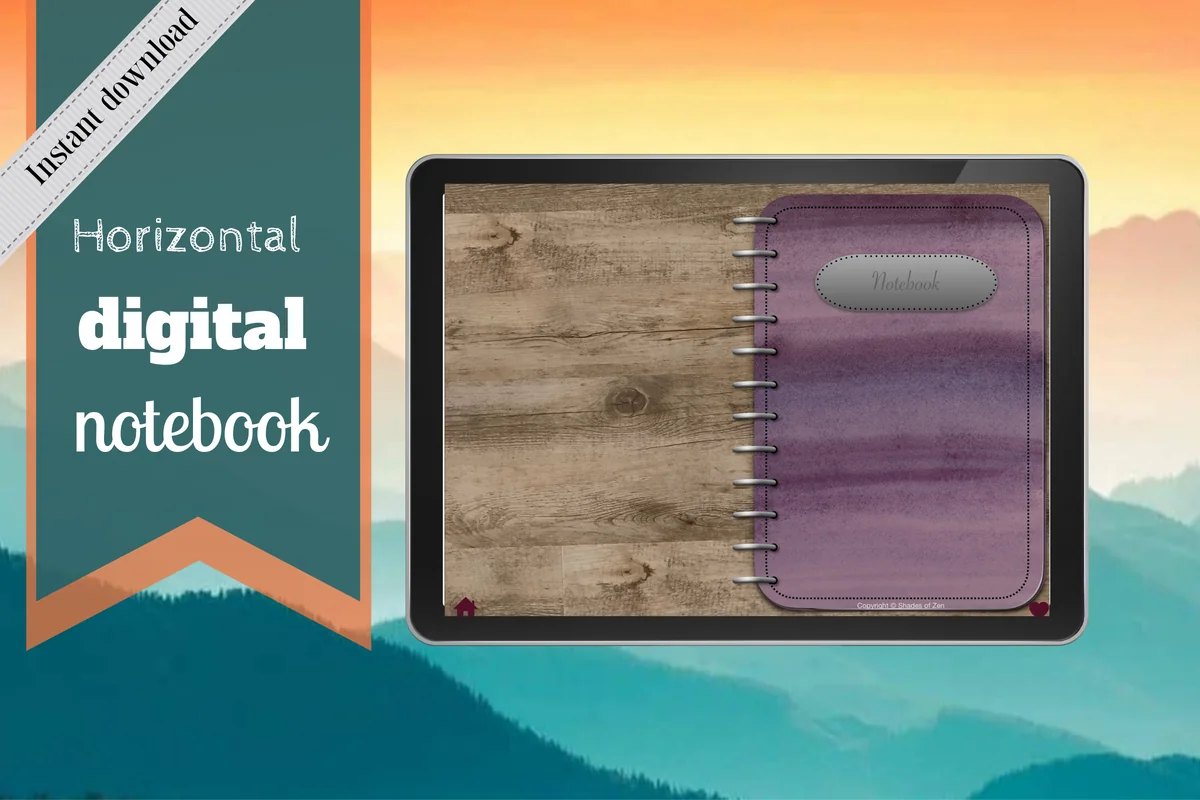
1. Digital Notebook
Orientation: LandscapeLayouts: Lined, graph, dot grid, two-column and Cornell notesDates: No dated calendar shown
Best for: comparing two cups and keeping several bean histories separate. Designed by Shades of Zen.
- 12 expandable sections with hyperlinked tabs
- 16 note templates including lined, graph, two-column and Cornell pages
- Landscape notebook for GoodNotes and PDF annotation apps
The two-column layout is the strongest reason to choose this notebook for tasting. Give each cup a column, then keep the same row headings so your eye can move straight across the page. Twelve sections leave room for different beans or brewing methods without mixing every trial together. You still create the brew log and comparison headings yourself; the notebook supplies adaptable paper, not coffee calculations or a prefilled tasting wheel.
Best for dated tasting entries
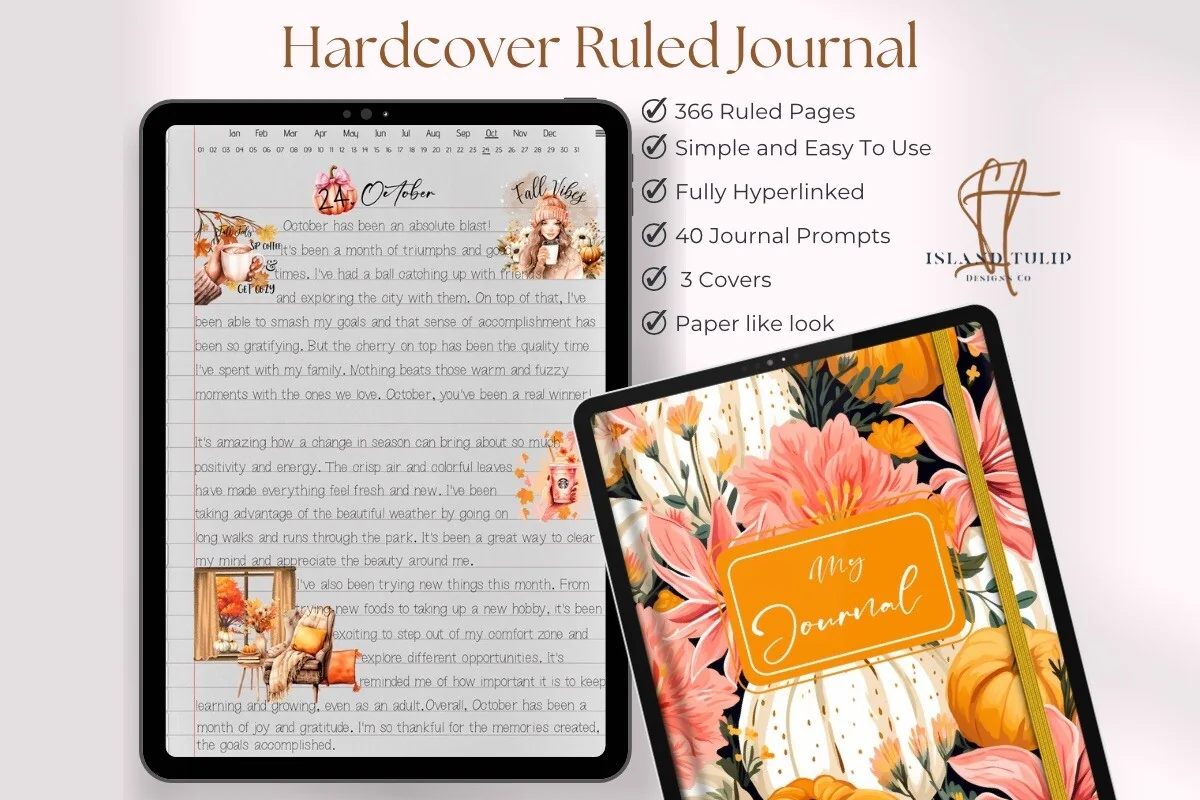
2. Digital Ruled Journal
Orientation: PortraitLayouts: Ruled pages and month/day indexDates: Month and day navigation; no year shown
Best for: returning to a tasting by the day it happened. Designed by Island Tulip Designs Co.
- 366 ruled pages with month and day navigation
- Three floral covers
- 40 general journal prompts in PNG and GoodNotes formats
A dated entry works well when you want the story of a cup rather than a dense spreadsheet. Put the bean ID and brew details on the first few lines, then use the remaining space for aroma, taste and what changed as it cooled. The month/day navigation gives you a way back to that session. Its general prompts are separate journaling extras, not coffee prompts; keep your own bean index if you want to follow one bag across several dates.
Best for a short cup log
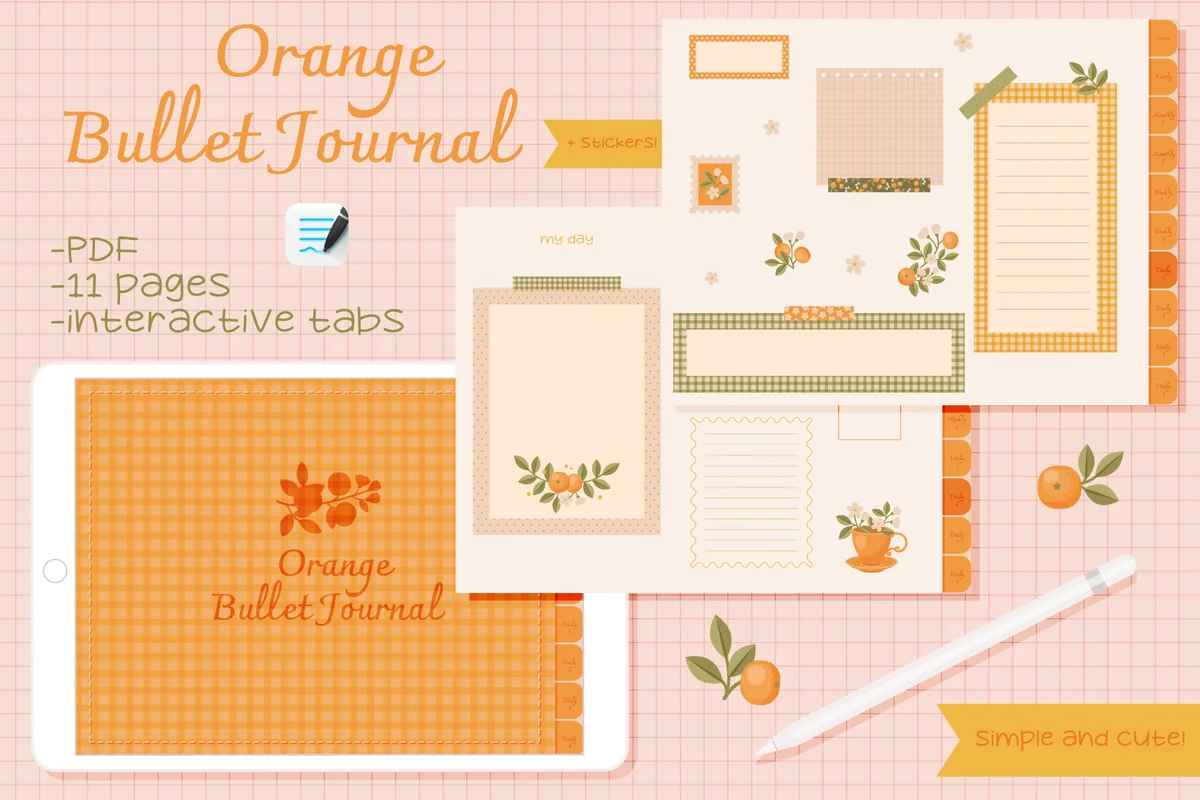
3. Undated Cute Orange Bullet Journal
Orientation: LandscapeLayouts: Undated monthly, weekly and compact daily panelsDates: Undated; fill dates yourself
Best for: saving a date, coffee name and a few taste words. Designed by digitaliya_studio.
- Interactive undated PDF for GoodNotes
- Compact decorative daily writing areas
- Monthly and weekly layouts; GoodNotes stickers
Orange makes sense for a small ritual: a coffee name, the date and two or three words you want to remember. The compact decorated panels leave too little room for a full brewing protocol or a crowded two-cup comparison. Its blank calendar can hold a reference to the day you tried a bag again. Choose a larger ruled or grid notebook from this list if the notes are already pushing outside those little writing areas.
Best for a simple first page
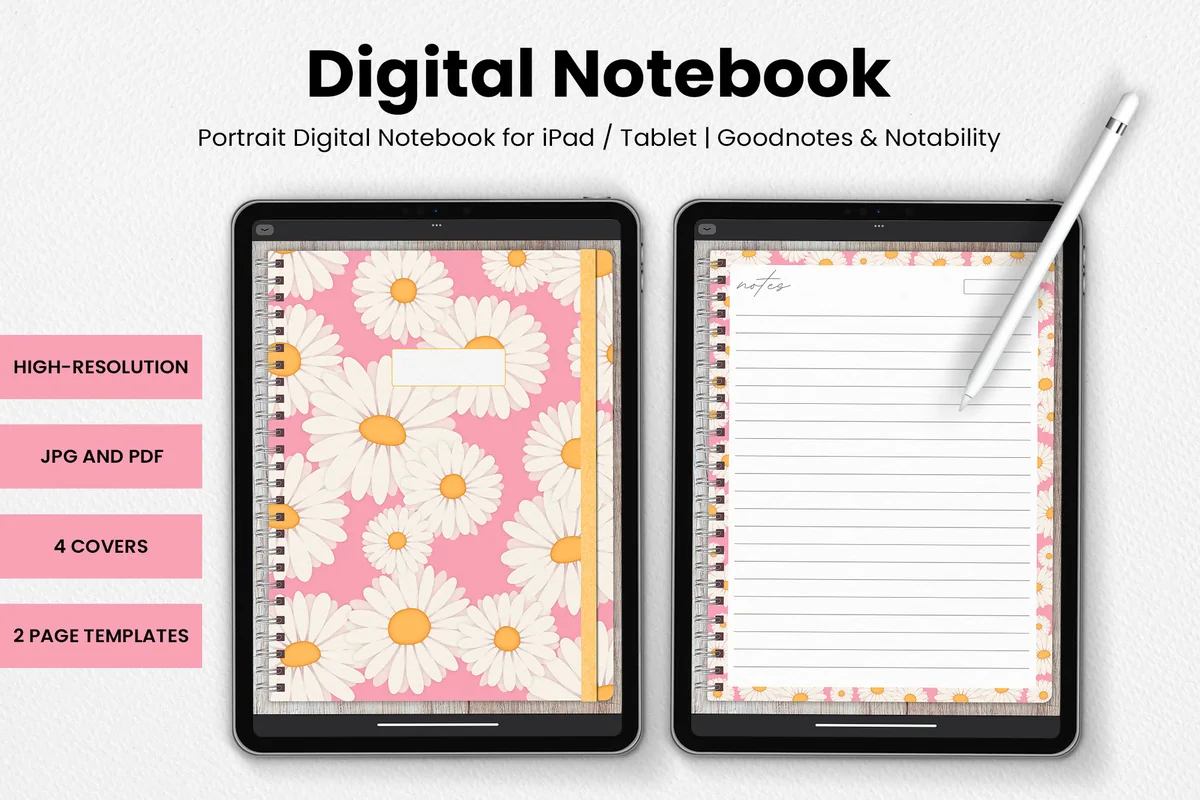
4. DaisyNotes – Digital Notebook – Pink
Orientation: PortraitLayouts: Two note-page templates; lined writing shownDates: Blank date field shown
Best for: starting with a plain written tasting record. Designed by catsquills.
- Portrait notebook for GoodNotes and Notability
- Four covers and two page templates
- JPG and PDF files with a wood-texture background
DaisyNotes keeps the choice small: a pair of page templates instead of a large planning system. The lined writing area can hold a bean label, a short recipe and a few sentences about the cup. That suits a beginner who wants to begin writing before building an elaborate index. The floral borders and wood texture are part of its appearance; leave them room rather than trying to fit a wide tasting matrix onto a portrait page. No coffee-specific fields are included.
Best for monthly bean histories
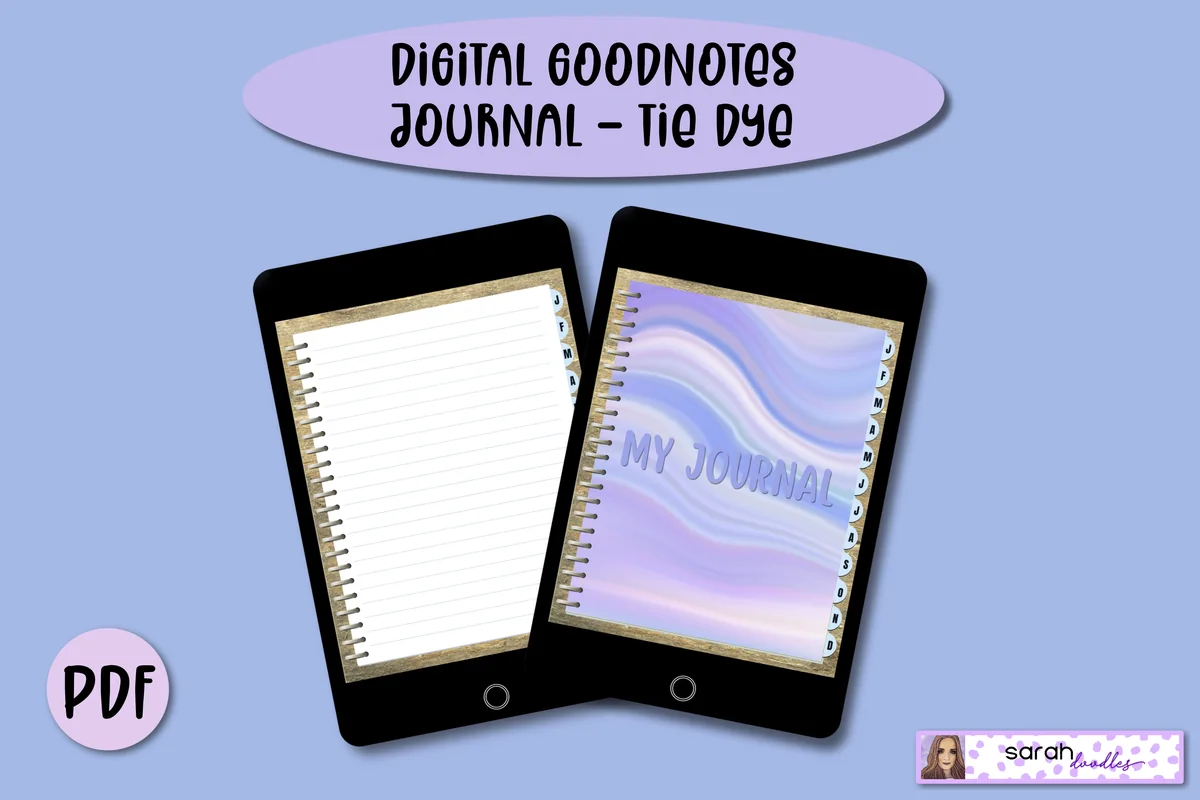
5. Digital GoodNotes Journal – Tie Dye
Orientation: PortraitLayouts: Lined pages and monthly dividersDates: Undated monthly sections
Best for: collecting several tasting entries beneath a month tab. Designed by Sarah Doodles.
- Undated hyperlinked PDF for iPad annotation apps
- A separate cover and linked divider for each month
- Five lined pages per month; additional pages can be added in GoodNotes
The monthly dividers offer a different organizing choice from the day-by-day ruled journal. Keep the coffees opened that month together, with a short list of bean IDs at the beginning. Each month starts with five lined pages. For a busy tasting month, add another copy of a lined page in GoodNotes. Keep a bean index on the first page to connect repeat tastings across months.
Best for dark comparison pages
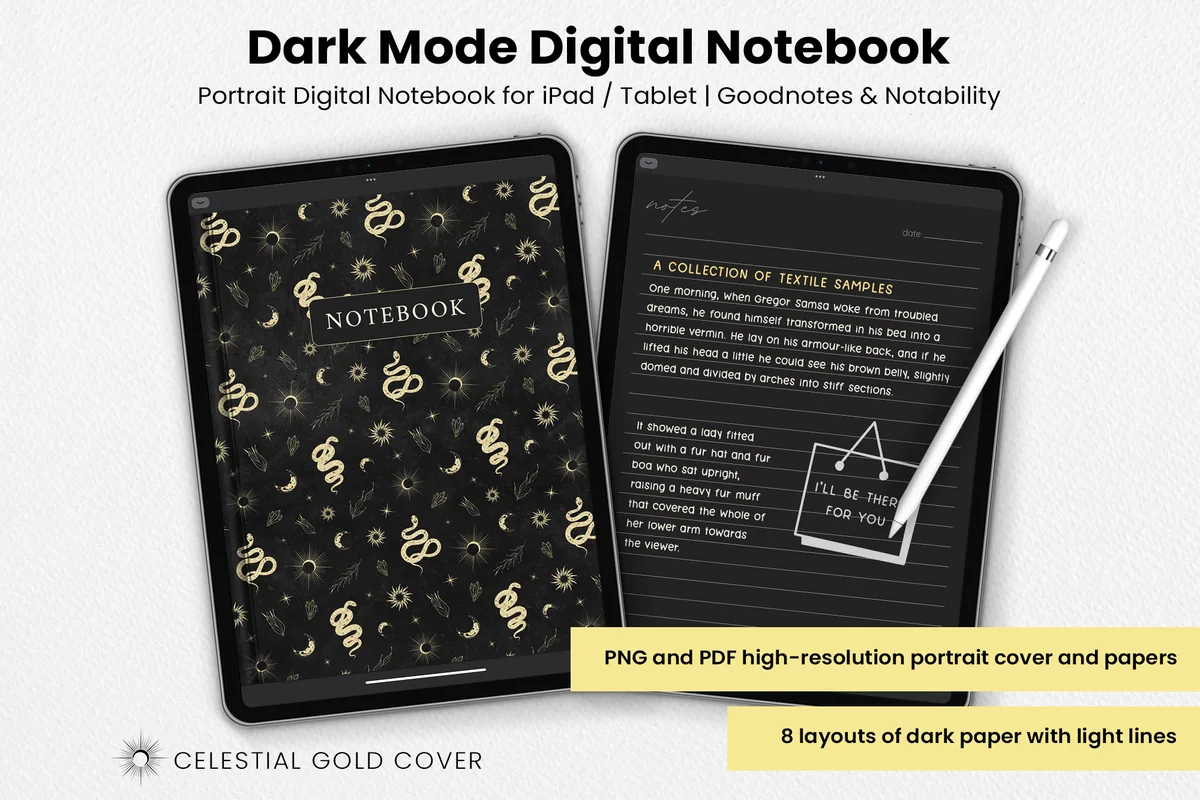
6. Dark Mode Digital Notebook – Gold Theme
Orientation: PortraitLayouts: Columns, tracker, to-do, numbered list, dots, square, lines and notesDates: No dated calendar shown
Best for: drawing custom comparison columns on dark paper. Designed by catsquills.
- Portrait notebook for GoodNotes and Notability
- Eight dark layouts including columns, square grid, lines and notes
- Celestial gold cover; PNG and PDF files
The columns and square-grid layouts are useful alternatives to an all-lined diary. Put the brew conditions on the grid and give each cup its own set of observations in the columns. The paper is dark, so choose a light pen color and check a short sample before filling the page. This is a paper-style choice rather than an app dark-mode setting. Use the included habit or to-do page for a short list of recipes to revisit; keep detailed tasting notes on the larger writing layouts.
Quick Comparison
| Journal | Page structure | Coffee use | Limitation |
|---|---|---|---|
| 1. Digital Notebook | 12 sections; 16 templates | Two-cup comparisons | Manual coffee headings |
| 2. Digital Ruled Journal | 366 ruled pages | Chronological tasting diary | Needs a bean index |
| 3. Undated Cute Orange Bullet Journal | Compact decorative pages | Brief cup notes and repeat dates | Limited writing space |
| 4. DaisyNotes – Digital Notebook – Pink | 2 page templates; 4 covers | A simple written tasting page | No section navigation promised |
| 5. Digital GoodNotes Journal – Tie Dye | Month tabs; 5 lined pages per month | Monthly tasting collections | Add pages as your notes grow |
| 6. Dark Mode Digital Notebook – Gold Theme | 8 dark paper layouts | Custom grids and columns | Requires legible light ink |
20 Coffee Tasting Journal Ideas, from Bean Label to Repeat Cup
Treat the following as a menu of page ideas, not 20 compulsory forms for every drink. A beginner can start with the bean record, recipe, three taste words and next change. Add comparison pages once there is a question you want the next cup to answer.
Identify the coffee
- 1A bean identity card. Give each bag a short ID such as B01. Write the roaster and the coffee name exactly as they appear on the label, then add any origin or processing details the bag provides. Leave a field blank when it is missing. The ID lets later tasting entries refer to the same coffee without recopying a paragraph.
- 2A label photo with readable notes. Place a photograph of the bag beside the identity card, then type the details you will want to search for later. A photo preserves the packaging, while the written name makes your index easier to scan. Keep marketing taste notes in a labeled “roaster description” area so they do not become your own observations by accident.
- 3A roast-and-opening timeline. Record the roast date if printed on the bag, the day you opened the bag and the date of each tasting. This gives repeated entries a clear sequence. Do not invent an exact roast date from a best-before label. Use the timeline as context for what you noticed, without claiming that the calendar alone explains a flavor change.
- 4A bean-to-entry index. Create one index row per bag with its ID, name and the dates or page numbers of your tasting notes. Add a small mark beside entries you want to revisit. This is particularly helpful in a month/day journal, where tasting the same coffee on different days would otherwise scatter its history across the notebook.
- 5A tasting question. Before brewing, finish one sentence: “Today I want to compare…” Your question could be the same bag prepared two ways, or the same recipe repeated another morning. Write what you plan to keep steady as well. A small question gives the tasting page a purpose beyond producing another rating.
Describe the actual cup
- 6A repeatable recipe box. Use the same headings for each entry: brewer, coffee amount, water amount, grind setting and preparation time. Add a temperature only if you measured or set it. A written recipe is a record of what you did, not a claim that the result is the right way to brew every coffee.
- 7A units-and-settings key. Put grams, minutes and your own grinder setting notation in a small key. If a grinder has named settings, copy those names rather than converting them into an invented universal number. On espresso pages, distinguish water used from beverage weight in the cup. Consistent labels make your later comparison much less ambiguous.
- 8An aroma-first line. Reserve a line for what you notice before tasting and label when you noticed it: dry grounds, freshly brewed coffee or the cup after a pause. Use a familiar association if one comes to mind. “Toasted bread” is a useful personal description; an honest “nothing distinct yet” is also a valid entry.
- 9A flavor vocabulary page. Collect words you actually use, grouped loosely as fruit, sweet, roasted or other associations. Add your own example beside an unfamiliar word so it means something when you return. This is a personal word bank, not a professional scoring standard. Keep “the label says berry” separate from “I noticed berry.”
- 10A texture and finish note. Write a few words about how the drink feels and what remains after a sip. Choose language you can recognize again, such as light, rounded, drying or lingering, rather than copying impressive adjectives. Keep this line separate from flavor so “smooth” does not have to stand in for every part of the experience.
Compare without losing the context
- 11A warm-to-cool note pair. Divide a tasting entry into an early note and a later note. State when each was written, or simply label them first sip and later sip if you did not time it. Record any difference you notice without forcing one. The point is to preserve two observations from the same cup, not to prove a general temperature rule.
- 12A two-cup spread. Put cup A and cup B in adjacent columns with matching headings for coffee, recipe and taste. Keep the observations beside each other rather than on unrelated pages. Note the order you tasted them and whether the cups differed. A small contextual detail now can prevent a very confident but unfair comparison later.
- 13A one-change trial. Copy the previous recipe and circle the single setting you intend to change. After tasting, write whether you prefer this cup and why. If another condition changed accidentally, note it instead of hiding it. This creates a useful personal experiment while avoiding a claim that one home trial proves what caused the result.
- 14A repeat-recipe check. Make the same written recipe again on a different day and link the entry to the first attempt. Note anything you could not repeat, such as the exact grind setting or measurement. A similar result may give you a useful routine. A different result gives you a reason to look at the conditions before rewriting your verdict on the beans.
- 15A shared tasting page. Give each person a separate space to write before discussing the cups. Use the same cup IDs so you can compare the notes afterward. Keep individual preferences attached to their authors rather than merging them into one supposed correct answer. You can disagree about the favorite and still keep a helpful record.
Turn notes into a useful next choice
- 16A personal rating key. Define a small scale in words before using numbers. For example, the bottom can mean “would not choose again” and the top “would happily repeat this recipe.” Write a reason beside the rating. Treat it as your preference in that setting, not a quality certificate or a score that must match another person’s.
- 17An additions note. Keep black-coffee observations separate from notes made after adding milk, sugar or ice. Record the addition and an approximate amount if you know it. This lets you remember which version you enjoyed without treating two different drinks as identical tests. You do not need to insist that one version is the proper way to taste.
- 18A cafe cup record. When you cannot see the brewing recipe, record what you do know: cafe, drink name, size, date and any bean details provided. Mark unknown settings as unknown. Keep cafe impressions in their own section, since a drink made elsewhere does not give you the same control over conditions as a home comparison.
- 19A buy-again decision. At the end of a bag, choose buy again, try another recipe first or pass for now. Support the decision with one entry you can point to, not just the most recent mood. Add the preparation you liked it in. A bag can be worth repeating for one drink without becoming your favorite for every method.
- 20A next-cup card. Close the current entry with one clear action: repeat the recipe, change one setting or compare another bag. Write the relevant bean and entry IDs beside it. Keep this card short enough to find before brewing. It turns the accumulated tasting notes into a practical starting point for the next session.
The Archer & Olive tasting-journal tutorial offers a useful starting structure: identify the drink, describe the experience, add a preference rating and leave room for thoughts. The comparisons here extend that basic record into a manually arranged iPad workflow; they are page suggestions, not a professional cupping protocol.
Set Up One Reusable Tasting Entry on Your iPad
Keep the first page simple enough to copy. An index, a repeatable entry and a comparison page are enough to begin. Choose the notebook layout that gives the notes room, rather than trying to squeeze every idea into a small decorative panel.
A short setup sequence
- 1Import and choose your page. Open the journal PDF in a compatible annotation app. Keep a blank copy of your chosen ruled, grid or column page before writing your first entry. Follow the product instructions for adding pages and navigating links; the exact controls depend on the app.
- 2Add the fields you will repeat. Start with entry ID, date, bean ID, recipe, observations and next step. Leave more writing space beside observations than beside the date. If you want a bag photo, give it a fixed corner so it does not cover the recipe or squeeze the taste notes.
- 3Make a separate comparison page. Use matching A/B headings and refer back to the original entry IDs. Copy the page when you have another comparison to make. Add an index reference by hand so a cup recorded in a different month is still easy to find.
A Filled-In Example: Keep Observation Separate from Interpretation
Here is a fictional pair of entries to show the structure, not a recommended brewing recipe. B01 is an invented bean ID. The numerical settings illustrate how to label a record; they do not establish the best ratio, grind or brewing time for your coffee.
- Entry C01: B01; pour-over; 18 g coffee; 300 g water; grinder setting 14; total time 3:00. Observation: “toasted aroma, light texture, citrus-like finish.” Preference: “enjoyable, would repeat.”
- Entry C02: same bean and written amounts; grinder setting 13; total time 3:15. Observation: “fuller texture to me, less distinct citrus.” Note: this cup was tasted later after brewing.
- Interpretation: “I preferred C01 in this pair.” Avoid changing that into “setting 14 is always better.”
- Next question: repeat C01 and keep the tasting interval more consistent before deciding which recipe belongs on the buy-again card.
A short entry can still work: bean ID, date, method, two taste words and next step. That smaller version fits the Orange journal better than the full example. If you begin adding repeated comparisons, move the detailed recipe to a larger page and keep a reference in the compact log.
Choose Between a Journal Template and a Coffee App
- Choose a PDF notebook when handwriting, photos and arranging your own fields matter most. You control the page, and you maintain its index and references.
- Consider a dedicated app if automatic calculations or structured filtering are essential to you. Check the actual app features separately; these journal PDFs do not provide those functions.
- Keep decoration secondary when comparing cups. A small icon can identify a tasting entry, but it should not cover measurements or replace a written observation.
FAQ: Coffee Tasting Notes on iPad
What should a beginner write in a coffee journal?
Start with the coffee name, date, preparation method, any measured recipe details and a few personal observations. End with whether you want the same cup again or what you would change. It is fine to leave unknown information blank; a short accurate record is more useful than a complete-looking invented one.
What are some examples of coffee tasting notes?
For a fictional cup, you might write “toasted aroma, light texture, citrus-like finish; pleasant as it cooled.” Those are descriptive associations, not a list of ingredients. Use words that mean something to you and keep the roaster’s printed notes separate from what you notice yourself.
Do I need a flavor wheel or a professional score sheet?
No professional scoring system is needed for this personal journal. A short word bank and a preference rating with a written reason are enough for the layouts suggested here. If you later follow a formal tasting protocol, keep its instructions and scale distinct from your informal home notes.
Do these journals include ready-made coffee tasting pages?
No. The six selected products are general digital notebooks or journals. Their ruled pages, columns and decorative writing areas can hold your own coffee headings, but the tasting layouts in this article are ideas you create manually.
Can I compare coffee prepared at a cafe with a home brew?
You can record your preferences for both, but label the different settings and the information you do not know. A cafe cup does not usually give you the same recipe detail as your own brew. Keep the observations and avoid treating the comparison as a controlled test.
Make the Next Cup Easier to Remember
Choose the coffee tasting journal ideas that answer your next question: which bag you liked, what you actually brewed, or what to repeat. Start with one bean card and one clear tasting entry, then add a comparison spread when there are two cups worth putting beside each other. The useful journal is the one whose notes help you choose the next cup.
You May Also Like
This article contains affiliate links. If you buy through them, I may earn a commission at no extra cost to you. Read the affiliate disclosure.