You unfold a letter, recognize the story about a new apartment, and suddenly cannot remember whether you ever answered the question on the last page. These pen pal journal ideas give each incoming letter a place beside its reply, so the next conversation starts with a detail you actually remember.
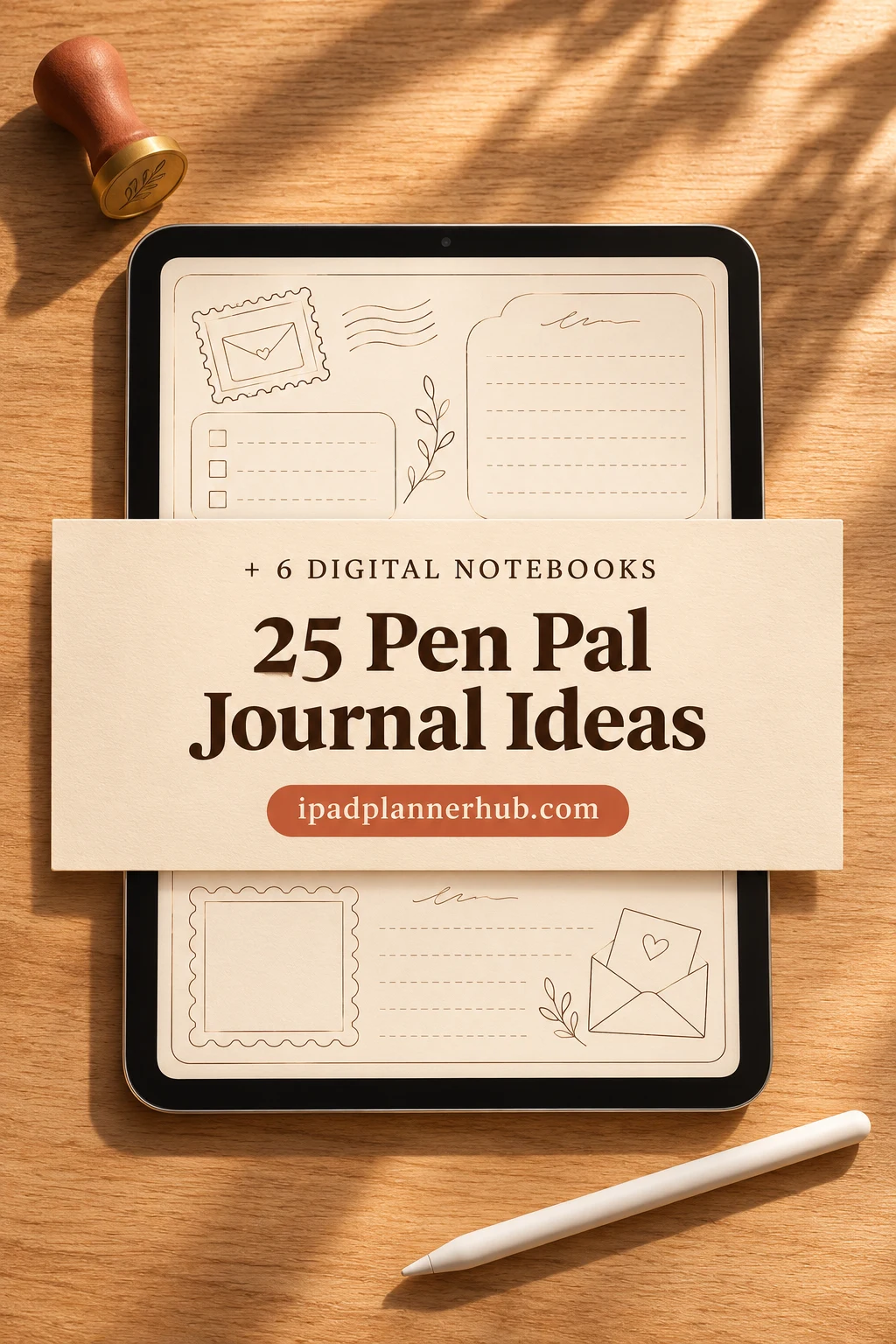
I would begin with one paired entry, then add pages only when a real problem appears: an unanswered question, a missing letter or an idea you wanted to share. The 25 ideas below are layouts to create yourself on iPad. After them, I have selected six digital notebooks with different page structures; none is a purpose-built pen pal journal.
What belongs in a correspondence journal?
A correspondence journal is your private record of a conversation. It can sit beside paper letters without replacing the pleasure of sending them. Its most useful unit is one received letter and the reply that follows, rather than a daily streak or a general record of hobbies.
- Received: correspondent, arrival date and two or three details worth remembering.
- To answer: questions, promised updates and one next action.
- Sent: mailing date and a brief account of what you wrote back.
- Find it again: a page number, app bookmark or physical storage reference.
For a useful example of paired entries, LetterMo describes its received-and-sent notebook. My layouts adapt that principle for an iPad record, with optional pages for the questions and keepsakes that can otherwise get lost.
25 Pen Pal Journal Ideas, Organized Around Each Exchange
Start with the person, not the stationery
- 1Correspondent index. Give each person a short identifier and the location of their first journal entry. A name, section number and current status are enough to begin. If two friends share a name, add a distinguishing initial rather than copying their full contact details throughout the notebook. This page should help you find a conversation quickly.
- 2A preferences page. Note only details your pen pal has shared: favorite subjects, preferred name and whether they enjoy little extras. Add the date beside anything likely to change. A note such as “likes book recommendations, not spoilers” gives you a practical choice for the next letter without turning the page into a questionnaire.
- 3A private contact reference. Use a small reference code for the address stored in your chosen private location. Keep it separate from pages you might photograph or share. When your friend moves, mark the old reference as replaced and note when your friend shared the new one; do not rely on an old envelope by habit.
- 4A welcome conversation page. Capture what prompted the first exchange and the topics you both wanted to discuss. Leave a small space for the questions you introduced yourself with. Before a second letter, scan the page and choose a new direction rather than sending the same list of introductory facts again.
- 5A communication rhythm note. Record an expectation only if you have discussed it, such as occasional long letters or short postcards between updates. Keep “my next writing session” separate from “their expected reply.” This helps you plan your own time while leaving room for a friendship to have an uneven, comfortable pace.
Pair what arrived with what you sent
- 6A received-and-sent spread. Draw two columns and use one row for a single exchange. Put the arrival date and incoming summary on the left; reserve the right for the mailing date and outgoing summary. An empty right side means you still have a reply to write. Do not mark a draft as sent.
- 7An incoming letter snapshot. Write three bullets immediately after reading: one event, one feeling your friend expressed and one question. Use your own short summary rather than copying a whole letter. Those details make it easier to return later without rereading every page, while the original stays in its envelope or archive.
- 8An answer checklist. Pull direct questions into a small checklist linked to the incoming entry. Tick each one only when the answer is in your draft. If a question feels too personal, make a private note to acknowledge it without answering; a journal can support your boundaries as well as your memory.
- 9A promised update box. When you write “I will tell you how it goes,” put that promise here with the relevant subject. At your next writing session, look for an outcome worth sharing. One box for your promises and another for things you hope to hear about keeps the two sides of the conversation clear.
- 10An outgoing letter summary. After mailing, note two or three topics you actually included and the date. A planned paragraph sometimes disappears during writing, so use the finished letter rather than your brainstorming page. This summary helps you avoid repeating a whole story while remembering which questions are now with your friend.
Make the next reply easier to start
- 11A waiting-to-reply list. List received letters that still have an empty sent field, with their journal references. Choose one next action such as “reread,” “draft” or “address envelope.” Cross the item off after mailing and update the paired entry too, so a loose checklist does not become a second conflicting record.
- 12A question bank. Keep interesting questions as they occur to you, then choose one or two that fit the current letter. Add a small “asked” mark and a correspondent reference to avoid repeating the same opener. Allison Marie suggests keeping a question book; a digital page can serve the same purpose.
- 13An ordinary-day observation page. Collect small details you could tell a friend: the lunch you keep making, a surprising sound outside or a conversation on the bus. Add a sentence explaining why the detail caught your attention. These specific moments give a reply texture without requiring a major life event between letters.
- 14A shared recommendation record. Give a book, film or recipe its own small row: who suggested it, what you have tried and what you want to say next. Avoid spoilers until your friend has reached the same point. Keep this page focused on your exchange rather than building a second general reading or entertainment tracker.
- 15An unfinished conversation page. Record the thread that deserves another turn: a move, a creative project or a question you both enjoyed. Add the last letter reference and one gentle follow-up. Before using it, check whether your friend already answered; a useful reminder should not make the next letter feel inattentive.
Keep creative extras connected to the letter
- 16An enclosure planning strip. Write what you intend to include next to the draft reference, then check what actually went into the envelope. A bookmark or a small drawing needs only a few words here. Avoid keeping an ambitious craft list that delays the letter itself; the written reply can be enough.
- 17A received keepsake index. Note the item, sender and storage location when a letter includes something you want to keep. A label such as “pressed flower card, blue folder, sleeve 2” is more useful than “lovely extras.” Ask before sharing images of personal items, and keep identifying details out of public journal photos.
- 18An envelope design note. Save a quick sketch or color pairing you would like to try, linked to the intended letter. Keep the actual address out of the decorative planning image. Once you have used a design, mark it with the correspondent code so you can repeat a favorite intentionally rather than by accident.
- 19A small shared project page. If you both agree to a tiny ongoing project, note whose turn comes next and what was last added. It might be a story prompt or a drawing passed between friends. Keep the scope small and the instructions clear; record the handoff in the outgoing summary instead of maintaining an unrelated project journal.
- 20A postcard bridge. Make a short list of things that fit on a postcard when a full reply will take longer. Link the postcard to the still-open letter and note what remains unanswered. Sending a brief hello need not erase the longer conversation or make you pretend that every question has already been addressed.
Build an archive you will want to reopen
- 21A letter storage map. Choose a physical filing rule, then record it at the front of the notebook. For example, keep envelopes by correspondent and number them in arrival order. The journal can point to “AR-07” without containing the whole letter. Use the same code on the sleeve or folder so the reference has somewhere to lead.
- 22A scan reference page. If you decide to make private scans, record the file name beside the matching entry and check that the image opens before putting the paper away. A scan is optional, not a requirement for every letter. Store scans in a private folder and keep a backup separate from the notebook.
- 23A gentle reconnection page. Keep one place for friendships you would like to resume, with the last known exchange and an opening you could use. Separate “I want to write” from “I am owed a response.” Before mailing, confirm the address through an appropriate private channel if you have reason to think it has changed.
- 24A conversation reflection. Occasionally note which subjects felt easy to talk about and which you would prefer to leave alone. Write about your own choices rather than assigning motives to a delayed reply. This makes the page useful for planning a considerate next letter instead of turning correspondence into a scorecard.
- 25An archive index for finished volumes. When a notebook becomes cumbersome, add its date range and the correspondent codes it contains to a master index. Check a few references before moving it out of your active folder. Start a new volume with unresolved replies carried forward, so changing notebooks does not silently close an unfinished conversation.
Six Digital Notebooks for Your Own Pen Pal Pages
The right notebook depends on how you want to find a letter later: by person, by month or by the next action. I selected these for their visible writing layouts and digital formats. Add the correspondence headings yourself; none automatically pairs letters, sends reminders or verifies an address.
TL;DR: Six adaptable iPad notebooks for your own pen pal pages: linked sections, a chronological ruled journal, a compact calendar, simple floral lines, monthly dividers or dark paper columns. None supplies a dedicated correspondence tracker.
Quick Picks
- Best for separate correspondents: Digital Notebook
- Best for a chronological archive: Digital Ruled Journal
- Best for a compact reply calendar: Undated Cute Orange Bullet Journal
- Best for simple lined notes: DaisyNotes Digital Notebook: Purple
- Best for monthly letter files: Digital GoodNotes Journal: Tie Dye
- Best for dark paper columns: Dark Mode Digital Notebook: Gold Theme
- Digital Notebook – Best for separate correspondents
- Digital Ruled Journal – Best for a chronological archive
- Undated Cute Orange Bullet Journal – Best for a compact reply calendar
- DaisyNotes Digital Notebook: Purple – Best for simple lined notes
- Digital GoodNotes Journal: Tie Dye – Best for monthly letter files
- Dark Mode Digital Notebook: Gold Theme – Best for dark paper columns
Best for separate correspondents
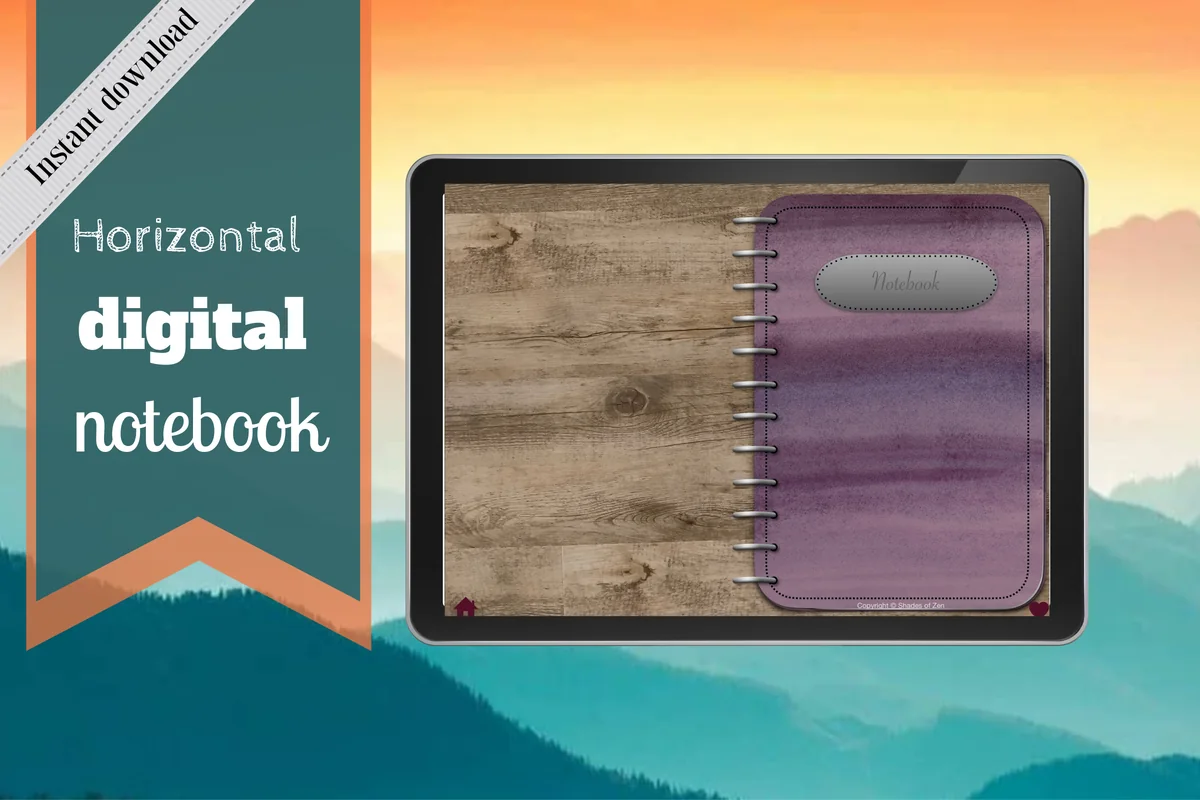
1. Digital Notebook
Orientation: LandscapeLayouts: 16 note templates; 12 linked sections
Best for: keeping several postal conversations in separate sections. Designed by Shades of Zen.
- 12 expandable sections with individual dividers
- 16 note templates, including lined, dot grid, two-column and Cornell pages
- Hyperlinked section tabs
- For GoodNotes and other PDF annotation apps
The two-column page is the closest match here to a received-and-sent log. A divider per regular correspondent keeps each conversation together; spare sections can hold questions and an index. For more than twelve correspondents, combine sections with a manual index. You supply the names, dates and summaries; there is no ready-made correspondence tracker or automatic reply list.
Best for a chronological archive
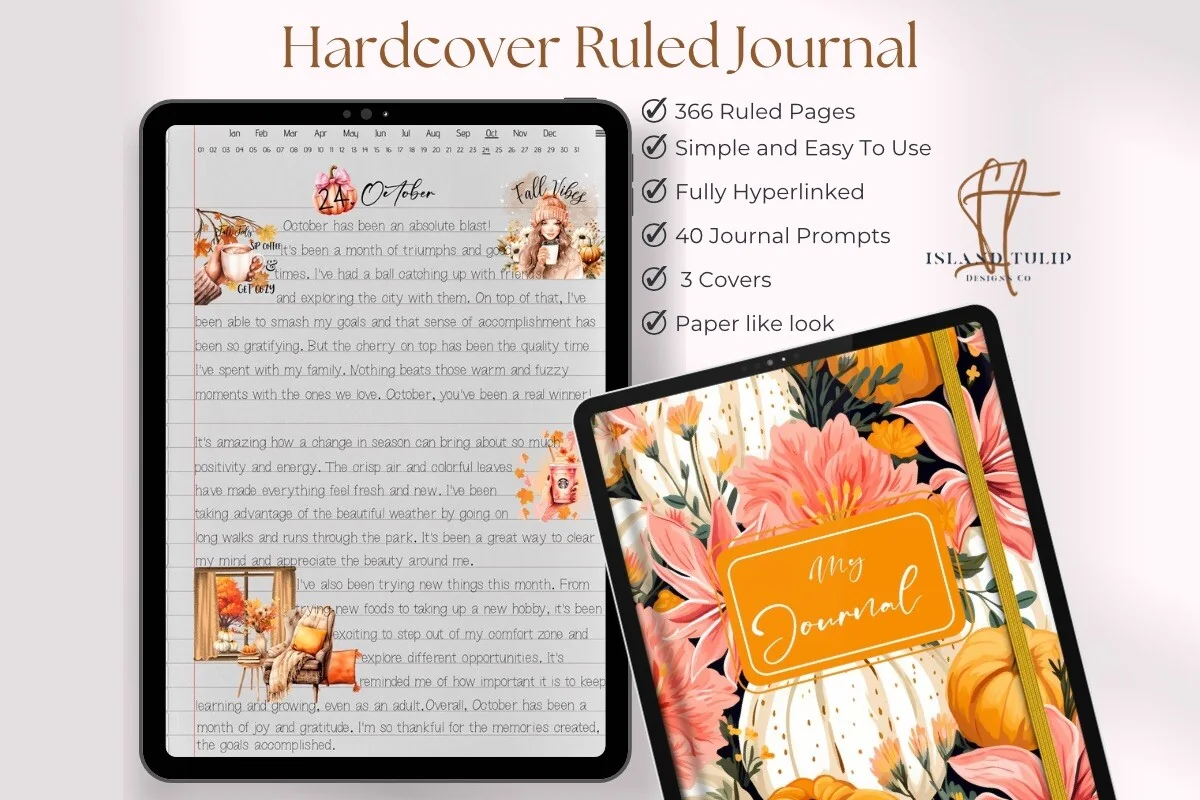
2. Digital Ruled Journal
Orientation: PortraitLayouts: 366 ruled pages; month and day navigation
Best for: writing longer letter summaries in date order. Designed by Island Tulip Designs Co.
- 366 ruled pages
- Month index and numbered-day navigation
- Three floral cover choices
- 40 journal prompts in PNG and precropped GoodNotes formats
This is the roomier option when a few bullet points cannot hold the story. The month index and numbered-day navigation suit filing by arrival date. Write the correspondent and reply reference yourself. Its general journal prompts are an extra, not a set of pen pal questions, and the page count is not a promise of 366 letter exchanges.
Best for a compact reply calendar
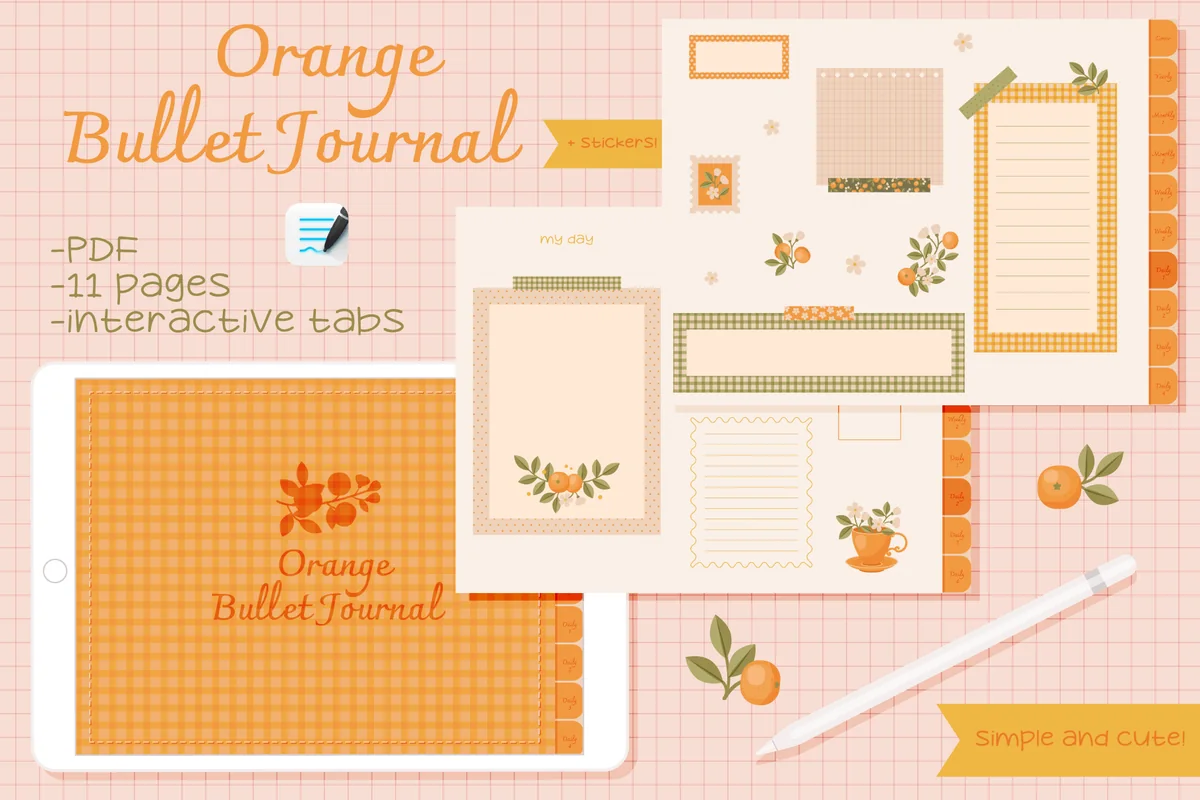
3. Undated Cute Orange Bullet Journal
Orientation: LandscapeLayouts: Fill-in calendar; decorated writing framesDates: Undated
Best for: marking a writing session and keeping a few short reply notes. Designed by digitaliya_studio.
- Interactive PDF bullet journal
- 11-page journal
- Blank calendar, weekly layouts and small writing frames
- Separate stickers in GoodNotes format
The little frames work for a question, an enclosure reminder or a brief next action. The blank calendar can hold a personal writing appointment without turning a friendship into a deadline. Its compact planning layouts suit a light reply queue rather than detailed letter histories. Add received and sent labels to the small writing frames.
Best for simple lined notes
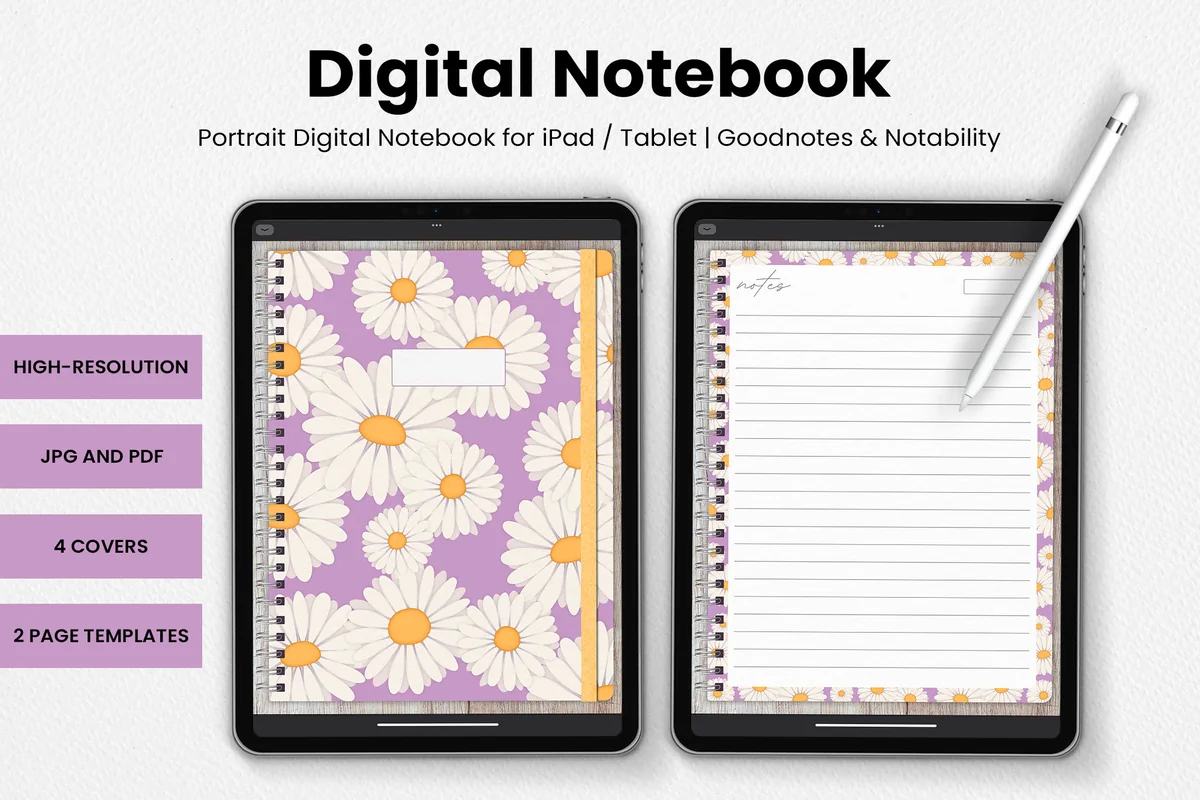
4. DaisyNotes Digital Notebook: Purple
Orientation: PortraitLayouts: Two page templates; four covers
Best for: keeping one continuous correspondence notebook with floral pages. Designed by catsquills.
- Digital notebook for GoodNotes and Notability
- Four covers and two page templates
- JPG and PDF formats
- Lined pages with purple daisy borders
DaisyNotes suits someone who wants a pleasant lined page and very little setup. Add a name and letter date at the top, then use a fresh page for the next exchange. Keep a handwritten index at the front to find each correspondent in the continuous notebook. The wood-textured background and floral border are part of the design; choose another option if you prefer plain white margins.
Best for monthly letter files
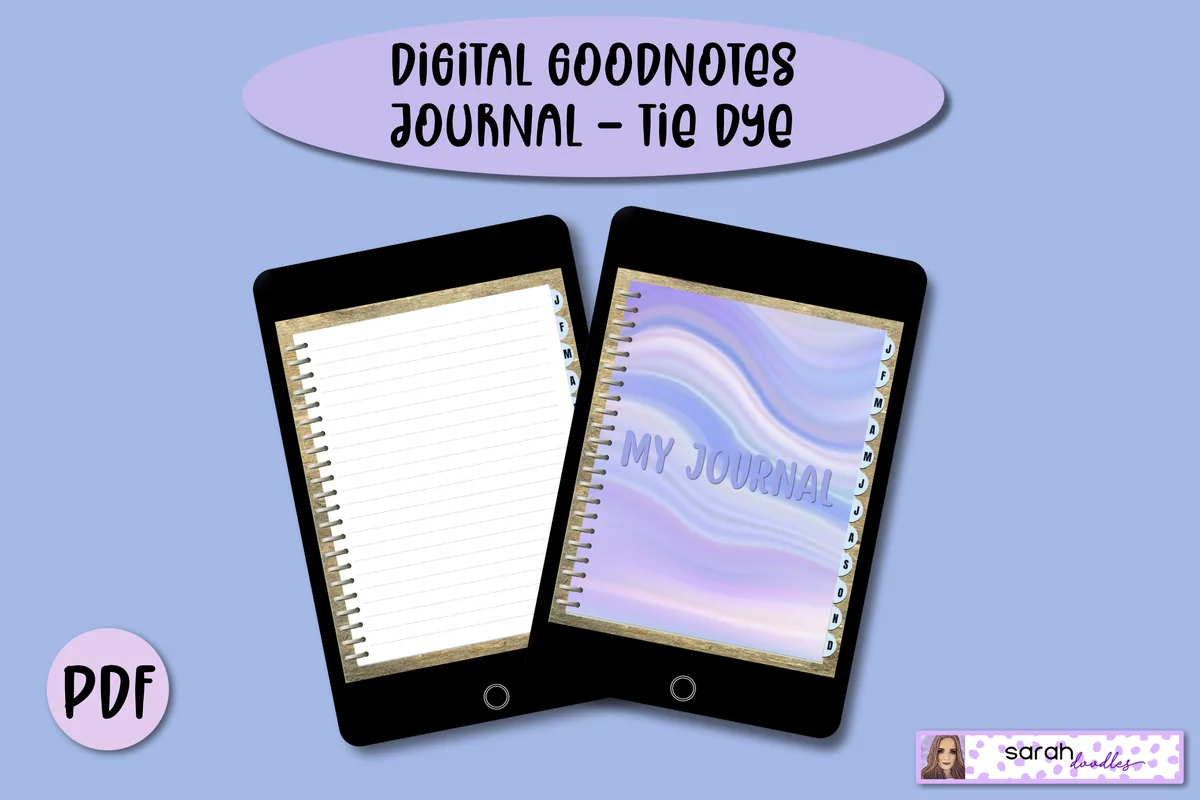
5. Digital GoodNotes Journal: Tie Dye
Orientation: PortraitLayouts: Monthly dividers; five lined pages per monthDates: Undated
Best for: grouping incoming letters and replies under the month they arrive. Designed by Sarah Doodles.
- Hyperlinked PDF with monthly divider tabs
- Five lined pages initially allocated to each month
- Additional pages can be added in GoodNotes
- For PDF annotation apps including GoodNotes, Notability and Xodo
Monthly dividers offer a useful middle ground between a separate section for everyone and one long timeline. The initial allocation is five lined pages per month, so a busy correspondence month may need more pages in your annotation app. Keep the received date and reply date together on each entry. The listing describes personal use; treat this as your private record rather than a file to circulate between pen pals.
Best for dark paper columns
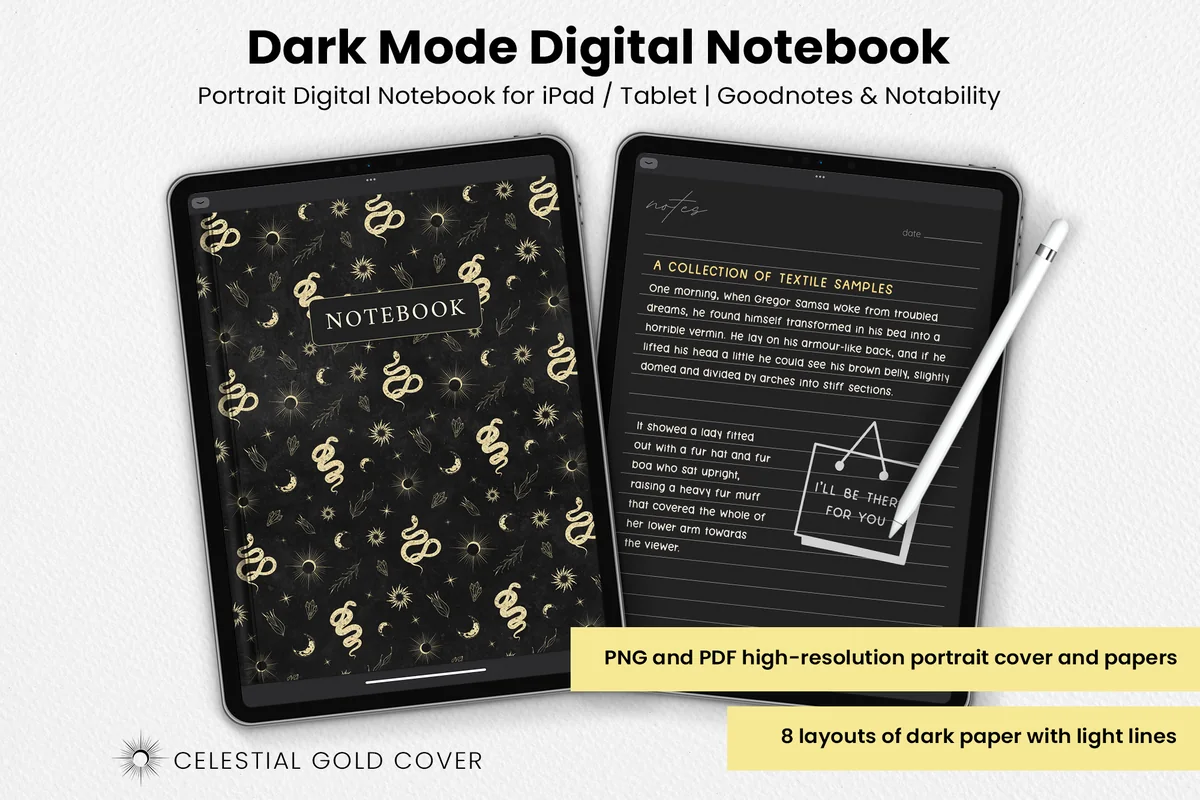
6. Dark Mode Digital Notebook: Gold Theme
Orientation: PortraitLayouts: Eight dark paper layouts, including columns and lists
Best for: making a high-contrast handwritten queue on dark page layouts. Designed by catsquills.
- Notebook for GoodNotes and Notability
- PNG and PDF formats
- Eight layouts: columns, habit tracker, to-do, numbered list, dots, square, lines and notes
- Celestial gold cover with dark paper and light ruling
The columns and to-do pages give you room for a paired log and a separate waiting-to-reply list. Use a light ink color that stays readable against the dark paper. The columns and lists are more useful for this task than the habit tracker. Plan on using your app bookmarks or a manual index for navigation.
Quick Comparison
| Notebook | Structure | Useful for | Keep in mind |
|---|---|---|---|
| 1. Digital Notebook | 12 sections, 16 templates | One section per correspondent | You create every mail heading |
| 2. Digital Ruled Journal | 366 ruled pages | Longer incoming-letter summaries | Day pages are not correspondent tabs |
| 3. Undated Cute Orange Bullet Journal | Calendar and small frames | Planning a short reply session | Compact layouts, not a large archive |
| 4. DaisyNotes Digital Notebook: Purple | Two page templates | A simple handwritten letter record | Use a handwritten index |
| 5. Digital GoodNotes Journal: Tie Dye | Monthly dividers | Browsing letters month by month | Five starting pages per month |
| 6. Dark Mode Digital Notebook: Gold Theme | Eight dark layouts | Columns for received and sent | Use app bookmarks or a manual index |
Choose a Page Structure Before Adding More Decoration
If you have only a few correspondents, a chronological log is often enough to start. Separate sections become helpful when you repeatedly search for one person. Monthly dividers suit an archive you browse by season, while a small calendar is better for choosing your own writing time than for storing a long exchange.
- Search by person: put a correspondent code on every entry and keep a section index.
- Search by arrival: use the received date consistently, even when the letter was written earlier.
- Search by next action: keep the waiting-to-reply page short and link back to the full entry.
- Search by keepsake: use a storage reference that matches a real folder or sleeve.
Set Up One Exchange on iPad
Open the PDF in a compatible annotation app and work from a copy if you want to preserve an untouched template. The product file is a page layout, while the app supplies writing, bookmarks and any supported page management. Check your own app before relying on a particular editing control.
- 1Create the entry. Choose a two-column or lined page. Add the correspondent code, received date and a short reference for the original letter. Leave the sent date blank until the reply has actually gone out.
- 2Prepare the answer. Summarize the incoming letter in a few bullets and pull its questions into a small checklist. Add one update of your own. Keep optional enclosure ideas beside the draft so they cannot hide the main task.
- 3Close the pair. After mailing, record the sent date and what you included. Remove the letter from the waiting list, then confirm that the original letter and any private scan can be found through the references you wrote.
A Filled-In Letter Log Example
This fictional example shows the difference between remembering a conversation and planning a reply. The second exchange stays open even if you have started writing. A separate reminder in your chosen calendar can help you remember a session; the PDF itself does not schedule or send anything.
| Exchange | Received | To answer | Sent |
|---|---|---|---|
| AR-07 | Nov 4: moved apartments; trying balcony herbs | Which herb survived? Share the soup recipe. | Nov 8: recipe and a note about the new kitchen |
| ML-03 | Nov 6: started a pottery class | Ask about the first bowl; describe a local walk. | Still blank: draft started, not mailed |
Keep a Small Routine That Supports the Conversation
Update the entry while the letter is beside you, then return to it before the next reply. If the system feels harder than writing to your friend, reduce it to dates, two summary bullets and one unanswered question. Decoration can wait until those details have a home.
- When a letter arrives: make the received entry and put the original in its chosen place.
- Before writing: read the last outgoing summary and choose the questions that still matter.
- After mailing: add the actual sent date and clear the matching queue item.
- When sharing a journal photo: check the entire image for addresses, private stories and identifying details.
FAQ: Pen Pal Journals and Letter Tracking
What should I put in a pen pal journal?
Start with the name or correspondent code, received date, a short incoming summary, unanswered questions and the date you mailed your reply. Add storage references if you keep paper letters elsewhere. Decorative pages and recommendations are optional additions once that basic pair is working.
What are some fun things to write to a pen pal?
Try a specific ordinary-day story, an update on something you mentioned before, or a question connected to your friend’s last letter. Keep a question bank for dry moments, but select from it thoughtfully. One relevant question usually gives the next reply more direction than a long unrelated questionnaire.
Can I use a digital notebook for paper correspondence?
Yes. The iPad can hold your private summaries and reply queue while the letters remain on paper. Use matching references if you want the two archives to connect. Do not assume a notebook PDF includes scanning, automatic mail tracking or a shareable address database.
Is a pen pal journal the same as a journal mailed between friends?
They can be different things. This article describes a personal correspondence record that stays with you. A shared journal passed between friends needs an agreement about what each person may see and keep. Buying one of these notebook files does not establish permission to redistribute it.
How often should I update the letter tracker?
An entry on arrival and an update after mailing are enough for a basic system. A brief look before writing helps you pick up the conversation. Use your own writing appointments for planning, and discuss expectations with your friend rather than treating the log as a deadline imposed on them.
Leave Yourself a Clear Place to Pick Up the Thread
The most useful pen pal journal ideas are the ones that bring you back to the person behind the envelope. Start with a received-and-sent pair, an answer checklist and a reference to the original letter. Choose a notebook whose page structure makes those three things easy, then let the rest grow around your actual correspondence.
You May Also Like
This article contains affiliate links. If you buy through them, I may earn a commission at no extra cost to you. See the affiliate disclosure.