A dentist appointment on the 14th, a birthday you nearly forgot, rent due on the 1st and a project deadline that crept up while you were planning one day at a time. Daily pages are great for today, but they hide the month. A digital monthly planner puts the whole month on one page of your iPad, so you see what’s coming weeks ahead and can spread the busy days out before they pile up.
Give that birthday a recognizable marker without crowding the date box. These birthday digital stickers compare decorative options for a GoodNotes page, alongside the reminder you have already written.
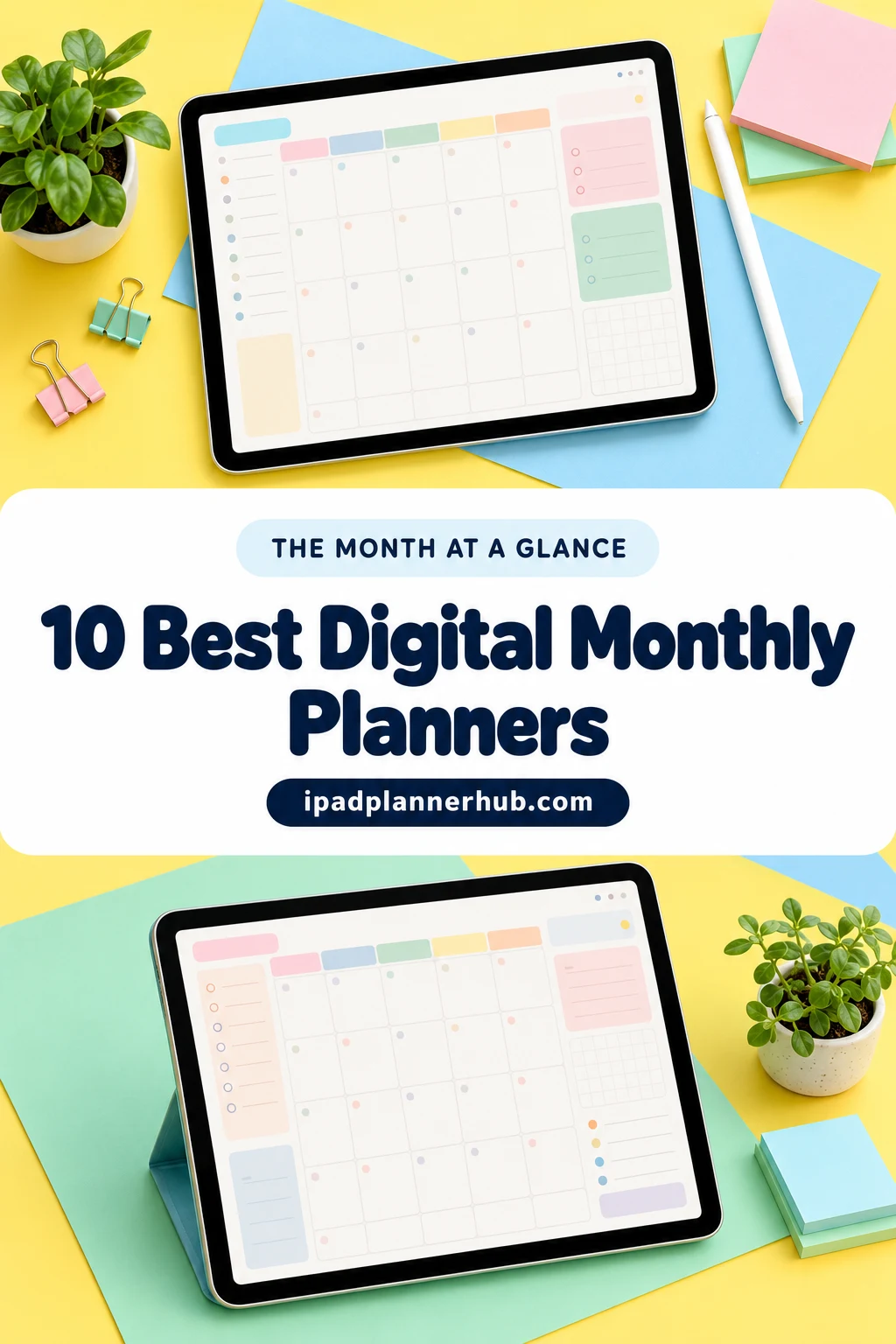
Below are the 10 monthly planners from Creative Fabrica I’d use on my iPad, from a free month grid to full planners with monthly budget and habit pages. After the list: how to choose, what to put on your monthly page and a 15-minute routine to plan the month ahead.
The 10 Best Monthly Digital Planners for iPad I Found
I skipped printables, Canva templates and anything dated for past years. The first five are planners built around the month; the last five are bigger planners from my other roundups with monthly sections strong enough to earn a spot. All of them work on the iPad in GoodNotes or Notability.
TL;DR: 10 monthly digital planners for iPad: 5 month-at-a-glance calendars (one is free) and 5 bigger planners with strong monthly pages. Each card lists orientation, layouts, dates and week start.
Quick Picks
- Best for free: FREE Undated Monthly Digital Planner
- Best for dark mode: Boho Hyperlinked Digital Monthly Planner
- Best for cute: Pastel Cute Digital Monthly Planner
- Best for colorful planner pages: Monthly Digital Planner with Hyperlinks
- Best for monthly money: Monthly, Debt, Expense Digital Planner
- Best for dated 2027: All-in-One Digital Planner 2027
- FREE Undated Monthly Digital Planner – Best free
- Boho Hyperlinked Digital Monthly Planner – Best dark mode
- Pastel Cute Digital Monthly Planner – Best cute
- Monthly Digital Planner with Hyperlinks – Best colorful planner pages
- Monthly, Debt, Expense Digital Planner – Best for monthly money
- All-in-One Digital Planner 2027 – Best dated 2027
- Undated Digital Planner – Best for monthly reflection
- Undated Digital Planner, Life Planner – Best monthly trackers
- Undated Digital Daily Life Planner – Best soft and simple
- 2027 Bundle Digital Planner – Best for monthly + quarterly goals
Best free
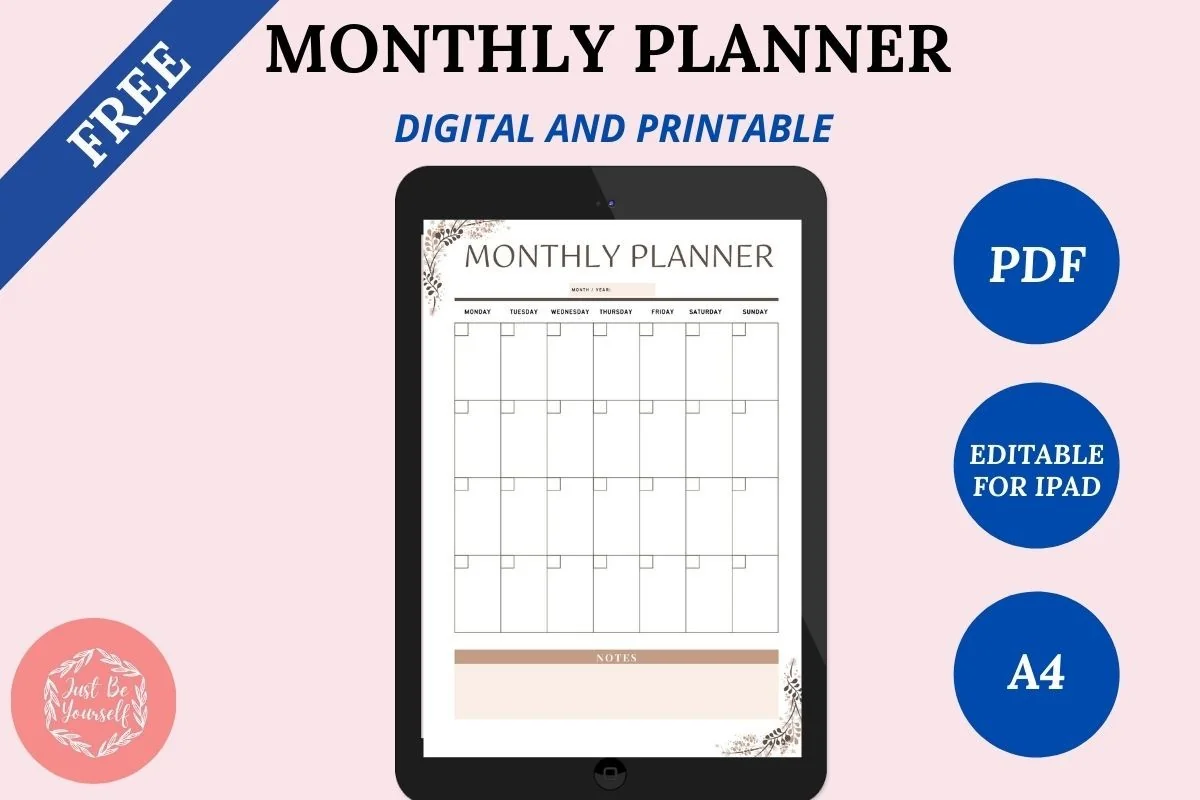
1. FREE Undated Monthly Digital Planner
Layouts: MonthlyDates: Undated
Best for: beginners, monthly planners. Designed by JustBeYourSelf.
- Undated monthly planner template you can reuse as many times as you like
- A digital editable PDF for the iPad plus a printable version
- Simple month grid for events, appointments and tasks
- Works in GoodNotes, Notability and Noteshelf
- Rated 5.0 by 7 buyers on Creative Fabrica
If you're not sure a monthly view will stick, start here. It's a clean month grid and nothing else, which is honestly all many people need for deadlines and birthdays. It's not hyperlinked like the planners below, so you swipe between months instead of tapping tabs.
Best dark mode
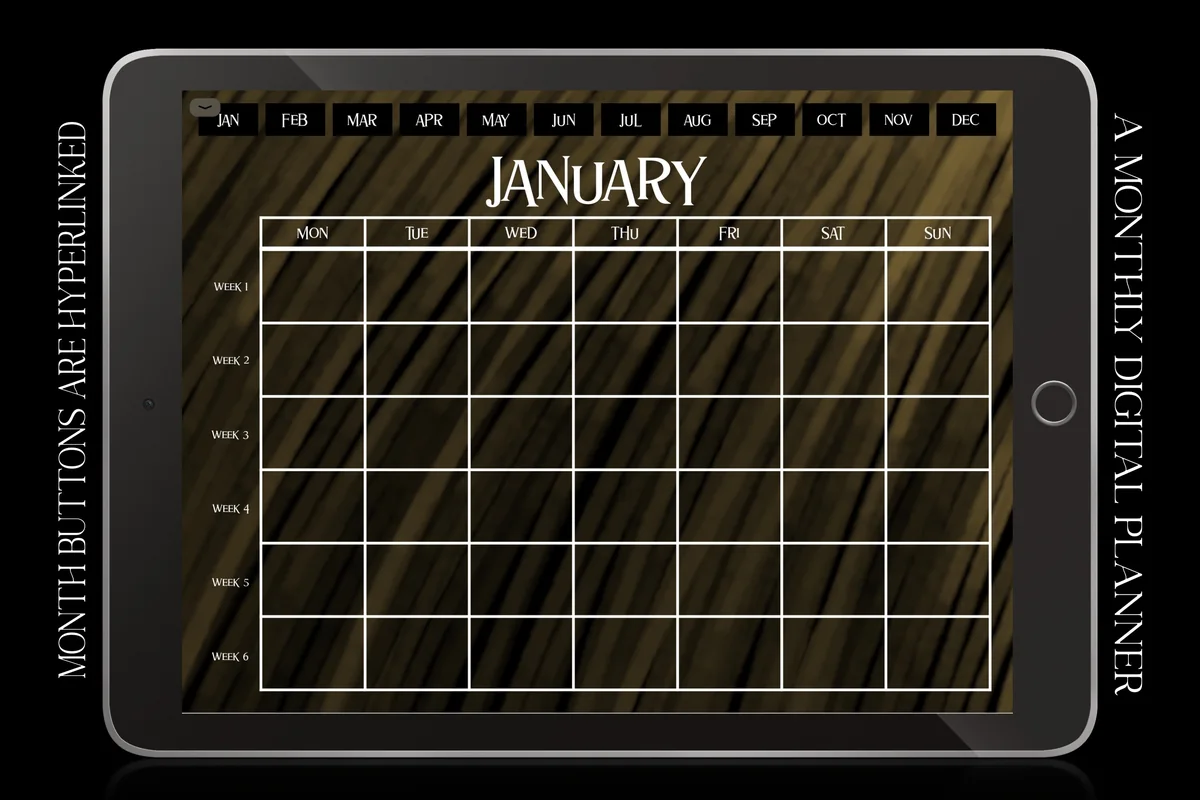
2. Boho Hyperlinked Digital Monthly Planner
Orientation: LandscapeLayouts: MonthlyDates: UndatedWeek start: Monday
Best for: dark mode fans, monthly planners, boho lovers. Designed by ZaraRozaDesigns.
- 12 undated monthly calendars with 6 weeks per month
- Month buttons along the top are hyperlinked
- Earthy dark design, a nice fit for night mode
- Landscape orientation, Monday start
- Works in GoodNotes, Notability and Noteshelf on the iPad
A dark monthly calendar is surprisingly rare, and this one looks lovely on the iPad in the evening. Six rows per month means no squeezing the last days into one box. It's a calendar only, so pair it with a weekly or daily planner if you want more detail.
Best cute
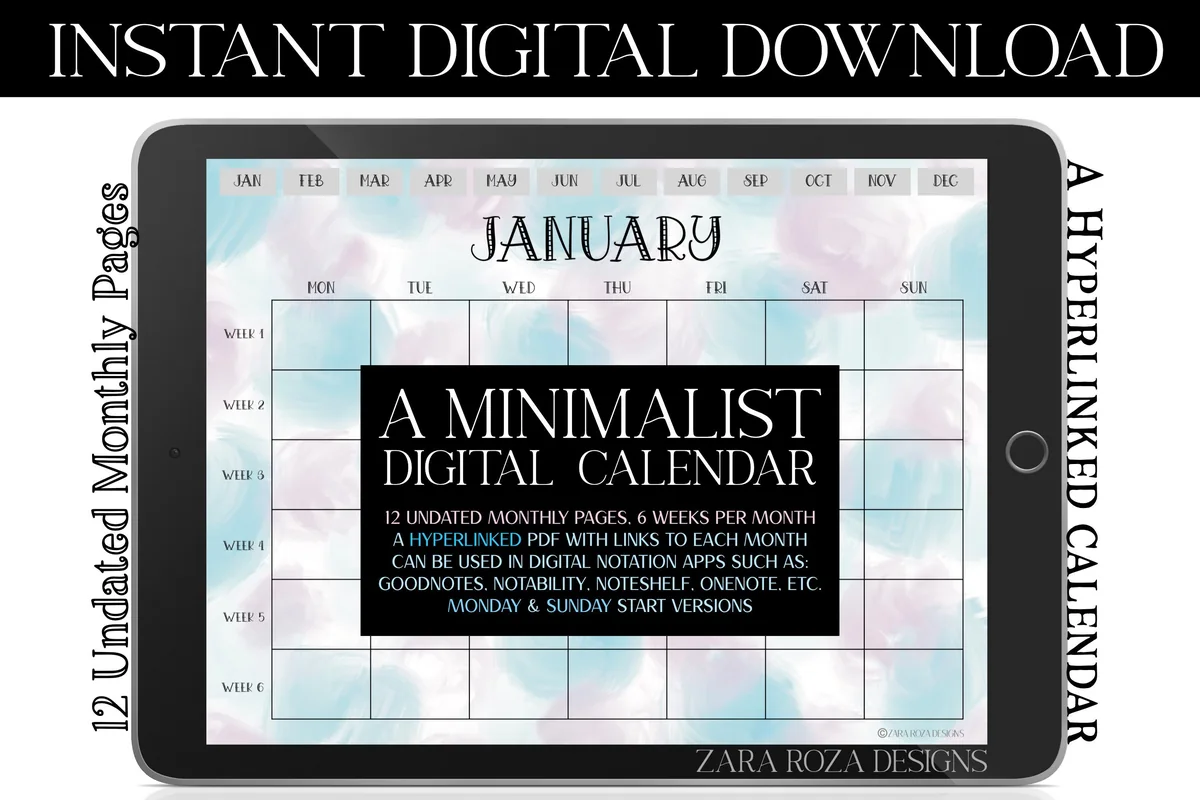
3. Pastel Cute Digital Monthly Planner
Orientation: LandscapeLayouts: MonthlyDates: UndatedWeek start: Monday or Sunday
Best for: monthly planners, students, pastel lovers. Designed by ZaraRozaDesigns.
- 12 undated monthly calendars with 6 weeks per month
- Monday start and Sunday start versions included
- Soft pastel polka dot design with a retro font
- Hyperlinked month buttons, landscape orientation
- Works in GoodNotes, Notability and Noteshelf on the iPad
Same easy calendar layout as the boho one, from the same designer, but soft and cheerful. I like that both Monday and Sunday start versions are included, so you don't have to pick before you buy. A sweet choice for students or anyone who wants their month to feel light.
Best colorful planner pages
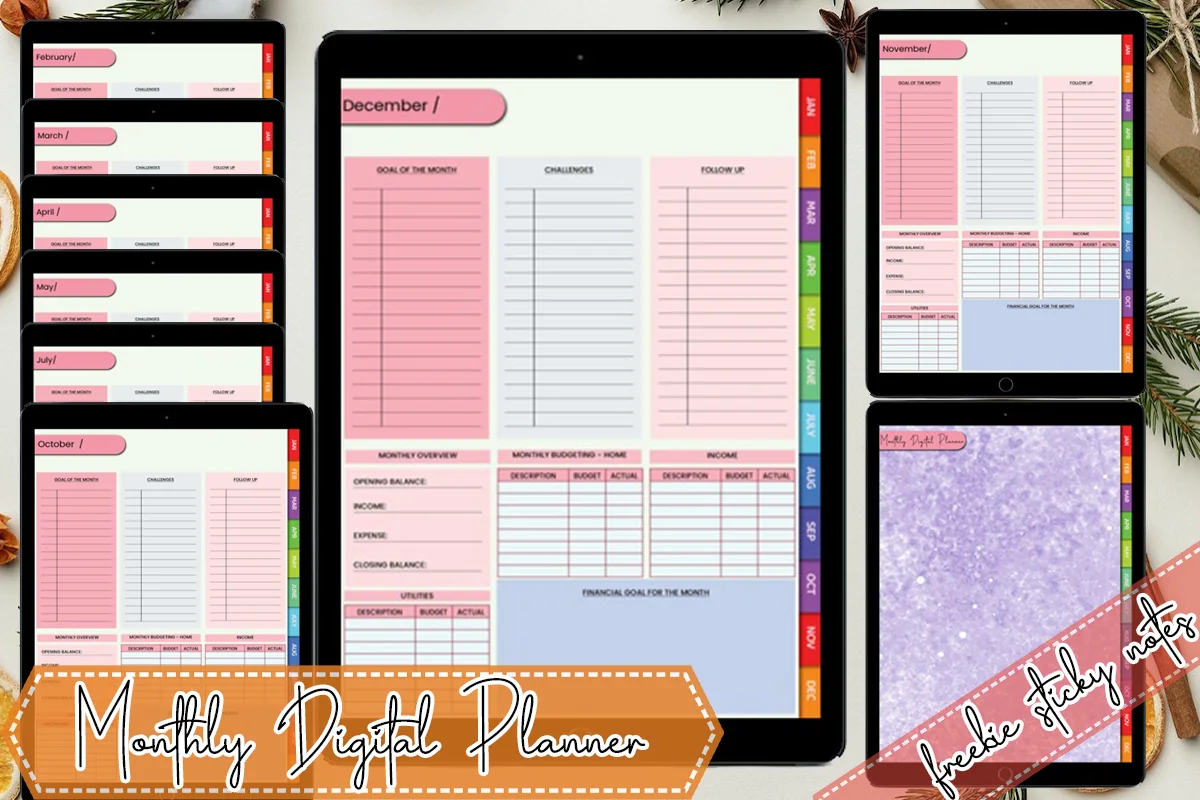
4. Monthly Digital Planner with Hyperlinks
Layouts: MonthlyDates: Undated
Best for: monthly planners, colorful planners. Designed by MOMAT THIRTYONE.
- 12 hyperlinked monthly pages, undated, so you can reuse it next year
- Colorful tabs on the side for each month
- Each month is a full planning page with blocks, not just a date grid (see the preview)
- 12 bonus winter-style sticky notes
- Works in GoodNotes, Notability, Noteshelf and Xodo
This one goes a step beyond a calendar: each month gets a full page with room to plan next to the dates. The rainbow side tabs make it easy to jump around. It's small, 12 pages in total, so it opens fast and stays simple.

Best for monthly money
5. Monthly, Debt, Expense Digital Planner
Layouts: Monthly, Debt, ExpensesDates: Undated
Best for: budgeters, debt payoff planners. Designed by MOMAT THIRTYONE.
- 60 undated pages with hyperlinks on every page
- 12 monthly planner pages
- 12 debt payment pages and 24 expense pages
- Dotted and graph notes pages
- 100+ bonus sticky notes; works in GoodNotes, Xodo and Noteshelf
If your month revolves around paydays and bills, this is a clever combo: the month plan, debt tracker and expense log sit side by side. From the same designer as the planner above, so the style matches if you buy both. Simple pages, nothing fancy, but very practical.
Best dated 2027
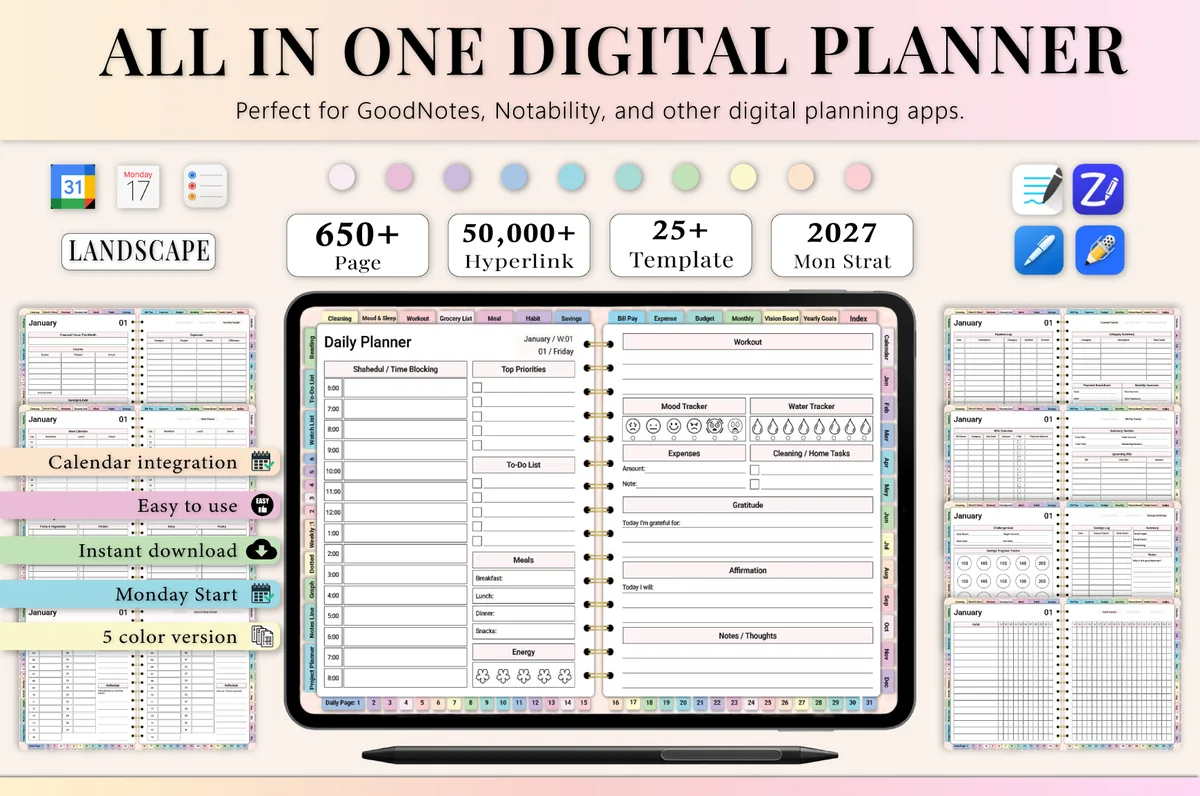
6. All-in-One Digital Planner 2027
Orientation: LandscapeLayouts: Yearly, Monthly, Weekly, DailyDates: 2027Week start: Monday
Best for: busy professionals, budgeters, people who want one planner for everything. Designed by Heartcraft Studio.
- 2027 year at a glance and dated monthly calendars, Monday start
- Monthly budget, expense and bill pay trackers
- Monthly habit tracker, meal planner and grocery list
- 650+ hyperlinked pages in landscape, 5 color versions
- Works in GoodNotes, Notability, Noteshelf and ZoomNotes
This is my top dated pick in my 2027 roundup, and the monthly section is a big reason why: every month comes with its own budget, habit and meal pages, so planning the month really means planning everything. Good if you want the dates filled in for you.
Best for monthly reflection
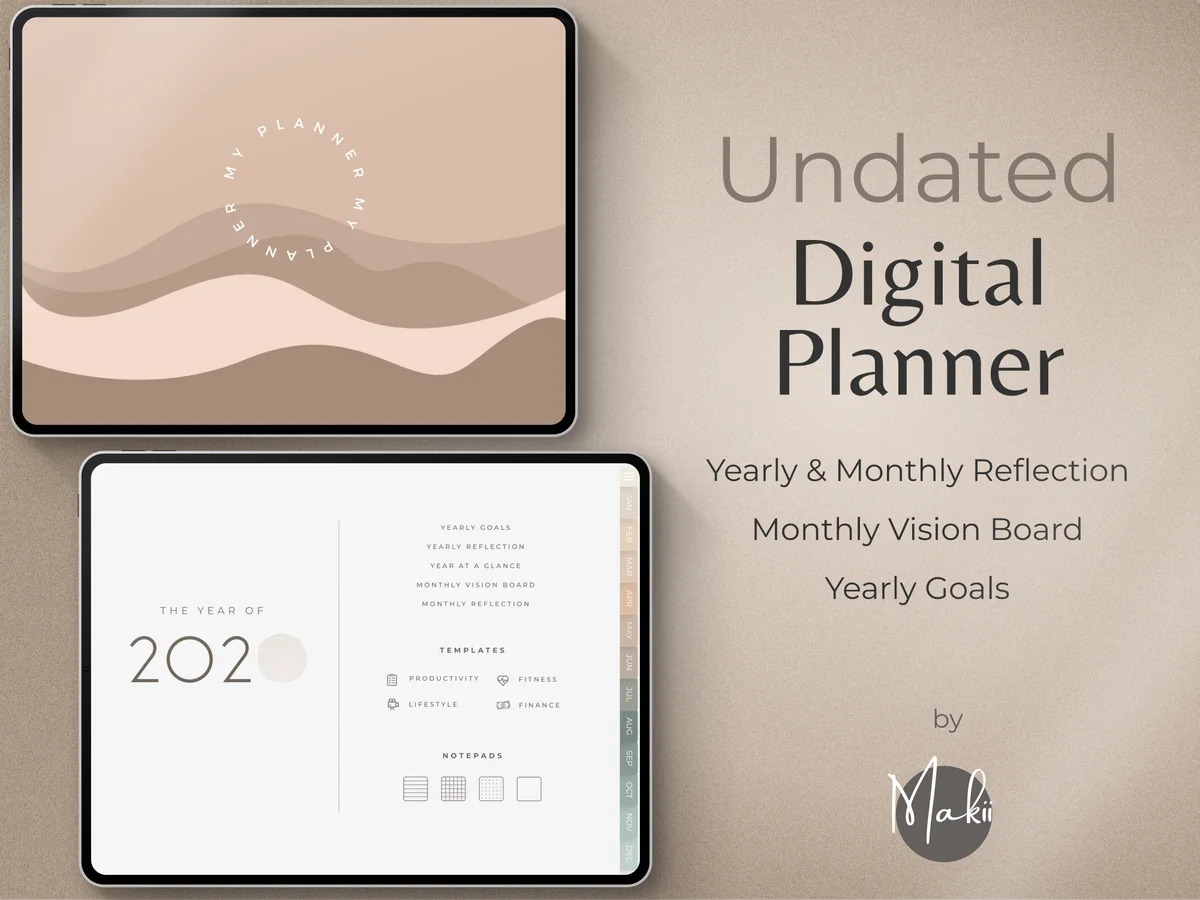
7. Undated Digital Planner
Layouts: Yearly, Monthly, Weekly, DailyDates: UndatedWeek start: Monday or Sunday
Best for: minimalists, reflective planners, goal setters. Designed by Makii.
- Monthly vision board and monthly reflection pages
- Year at a glance, yearly goals and yearly reflection
- Undated, Monday and Sunday start; weekly and daily pages too
- Dashboard home page and 250 pre-cropped stickers
- Works in GoodNotes, Notability and Xodo
Most monthly pages are about what's next; this planner also asks how last month went. The vision board and reflection pages make the start of each month feel like a small reset. The minimal beige design keeps the focus on your goals.

Best monthly trackers
8. Undated Digital Planner, Life Planner
Layouts: Yearly, Monthly, Weekly, DailyDates: UndatedWeek start: Monday or Sunday
Best for: organized planners, autumn aesthetic lovers, habit trackers. Designed by ThePlannersDelight.
- 12 monthly planner pages plus key dates and a yearly overview
- Monthly habit tracker, mood tracker, meal planner and workout log
- Monthly budget, revenue and expense trackers
- 110 pages in 10 hyperlinked sections, Monday and Sunday start
- 1,800+ stickers; instructions for GoodNotes and Noteshelf
The warm autumn colors are lovely, but what I like most is how many monthly trackers sit around the calendar: habits, mood, budget and workouts. If you review your month by numbers as much as by events, this one gives you the pages for it.
Best soft and simple
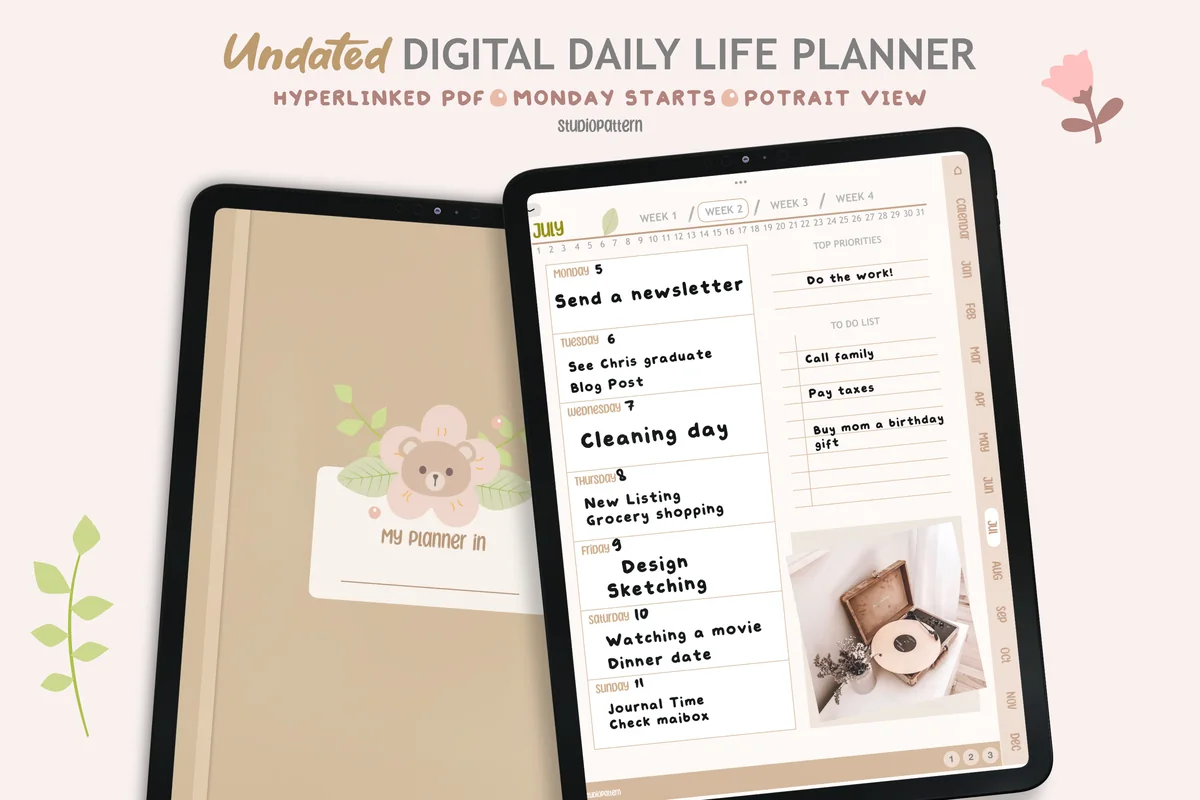
9. Undated Digital Daily Life Planner
Orientation: PortraitLayouts: Yearly, Monthly, Weekly, DailyDates: UndatedWeek start: Monday
Best for: minimalists, soft neutral lovers, beginners. Designed by studiopattern.
- Calendar, yearly overview and monthly planner pages
- Weekly and daily planner pages, Monday start
- 4 extra templates and a blank section page
- Undated and hyperlinked, portrait view
- Works in GoodNotes, Notability and Xodo
A cozy, soft-colored planner that keeps things simple: calendar, month, week and day, linked together. It's a good fit if you want the monthly view to be your starting point and only drop into weekly pages when a month gets busy. Rated 5.0 by its buyers.
Best for monthly + quarterly goals
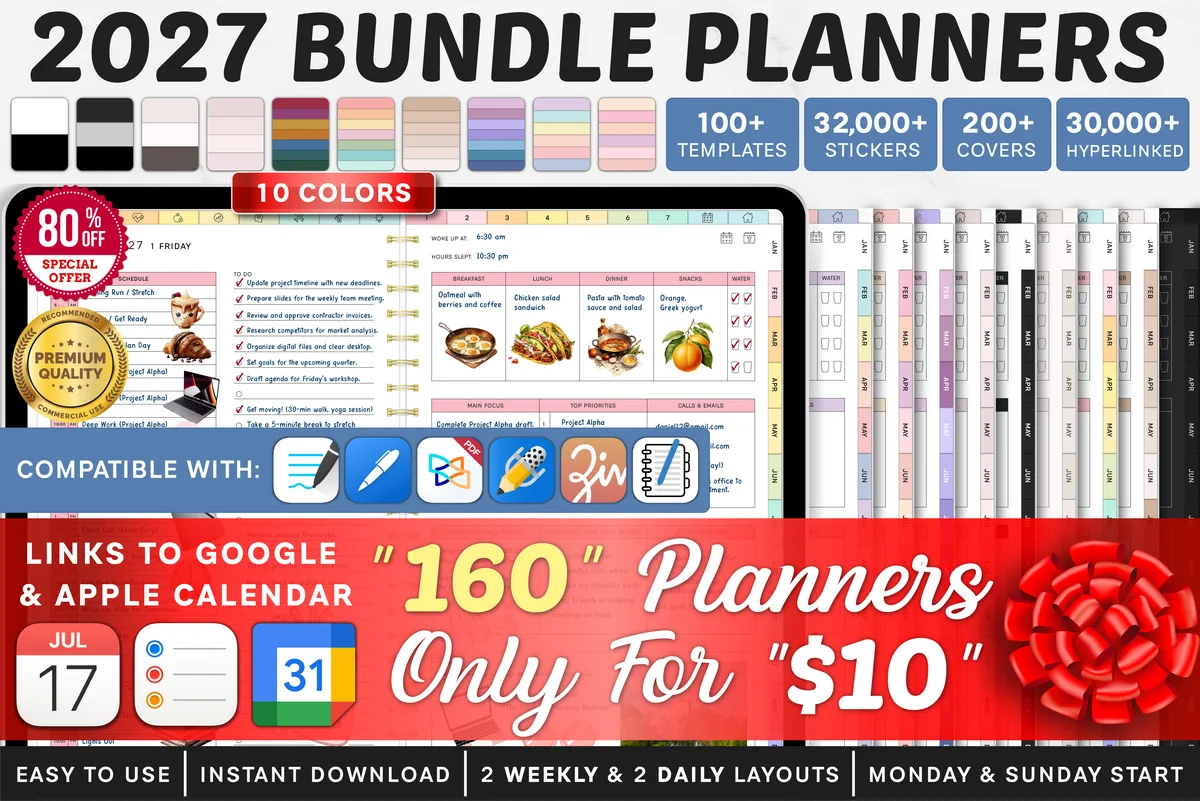
10. 2027 Bundle Digital Planner
Orientation: LandscapeLayouts: Yearly, Quarterly, Monthly, Weekly, DailyDates: 2027Week start: Monday or Sunday
Best for: goal setters, challenge fans, color lovers. Designed by SuperDigitalPlanners.
- Yearly goals and quarterly overview
- Monthly goals, vision board and reflection for every month
- Monthly habit tracker, savings tracker and 30-day challenge
- Dated 2027, Monday or Sunday start, links to Apple and Google Calendar
A big planner, but its monthly pages are some of the best on this list: a goal page, a vision board and a reflection for each month, plus a quarterly overview above them. If the month is where you plan, this one gives it room.
Quick Comparison
| Planner | Best for | Dates | Stand-out extra |
|---|---|---|---|
| 1. FREE Undated Monthly Digital Planner | A free, simple month grid | Undated | Free file |
| 2. Boho Hyperlinked Digital Monthly Planner | Dark, elegant calendar | Undated, Monday start | Clickable month tabs |
| 3. Pastel Cute Digital Monthly Planner | Cute pastel calendar | Undated, Mon or Sun | Both week starts |
| 4. Monthly Digital Planner with Hyperlinks | Monthly planning pages | Undated | Rainbow month tabs |
| 5. Monthly, Debt, Expense Digital Planner | Month + money tracking | Undated | Debt and expense pages |
| 6. All-in-One Digital Planner 2027 | Dated monthly + life pages | 2027, Monday start | Monthly budget & habits |
| 7. Undated Digital Planner | Monthly reset and goals | Undated, Mon or Sun | Vision board + reflection |
| 8. Undated Digital Planner, Life Planner | Month + trackers | Undated, Mon or Sun | Habit, mood & budget pages |
| 9. Undated Digital Daily Life Planner | Soft, simple life planner | Undated, Monday start | Calendar + monthly pages |
| 10. 2027 Bundle Digital Planner | Monthly goals and reviews | 2027 | Quarterly overview |
What I Look For in a Digital Monthly Planner
- Six rows per month. Some months spill into a sixth week. A calendar with six rows means the 30th and 31st get their own boxes. On a bigger iPad, a landscape month like #2 and #3 makes a large monthly planner with real writing space in each box.
- Clickable month tabs. Tapping straight to October beats swiping through eleven pages.
- Monday or Sunday start. Pick the one that matches your wall calendar and your head. Several planners here include both.
- Room around the grid. A small space for monthly goals, notes or a to-do list turns a calendar into a planning page.
- Dated or undated. Dated pages save setup time; undated ones let you start any month and reuse the file next year. Undated is also the easy route to a personalized monthly planner: you write your own month names, and stickers (250 in #7, 1,800+ in #8) or the 5 color versions of #6 do the rest.
- Extras that match your month. Budget and habit trackers are useful if you review your month by numbers; otherwise a clean calendar is enough.
Calendar Grid or Monthly Planning Page?
There are two kinds of monthly pages in a monthly calendar planner, and it helps to know which one you want:
- A calendar grid (month at a glance) shows dates in boxes. It’s perfect for appointments, deadlines, birthdays and paydays. The boho and pastel planners above are this type, and with the free #1 they’re the picks for anyone who wants a monthly only planner with no weekly or daily pages.
- A monthly planning page adds goals, priorities, a to-do list or trackers next to the dates. It’s better if you set monthly goals or review your month. The all-in-one planners at the end of the list do this, and if you want a monthly goal planner, #7 and #10 give every month a vision board and a reflection page.
Many people use both: a calendar for dates, and a planning page for goals. If you already have a weekly or daily planner, a simple calendar is usually all you need on top.
Monthly Planner Ideas: What to Put on Your Month
- Fixed dates first: appointments, birthdays, holidays, school breaks and travel.
- Money dates: paydays, rent, bills and subscription renewals, so nothing surprises you. Your month page then works as a calendar for bills too.
- Deadlines: work projects, assignments and anything due this month, with a reminder a few days earlier.
- Three monthly goals: one for work or study, one for home, one for you.
- A habit to focus on: one habit per month is easier to keep than five at once.
- A “this month” list: errands and small tasks that don’t have a date yet.
- Something to look forward to: a dinner, a trip or a free weekend, written in a color you love.
- A savings or no-spend goal: one number for the month, with a small box to fill in as you go.
- Meal anchors: one batch-cooking day a week and the nights you know you’ll eat out.
- A self-care slot each week: a walk, a bath or an early night, booked like an appointment.
- A one-line review box: at the end of the month, the best moment and one thing to change next time.
Monthly Planner Ideas in Practice: a November Page
Here is how a November 2026 monthly page could look with the ideas above. Fixed dates: clocks go back on Sunday, November 1, and Thanksgiving is Thursday, November 26, with Black Friday the day after. Money dates: paydays, rent and a holiday gift budget written as one number. Three goals: finish one work project before Thanksgiving week, clear out the pantry, and read one book. Habit of the month: lights out by 10:30 now that evenings are darker. A savings box for gifts, and something to look forward to: the long Thanksgiving weekend, in your favorite color.
How to Plan Your Month at a Glance in 15 Minutes
The last weekend of the month is the best time to set up the next one. This is the routine I’d use:
- Look back (3 minutes). What went well last month, what didn’t happen? Move unfinished tasks forward or let them go.
- Add fixed dates (4 minutes). Copy appointments from your calendar app, then add birthdays, paydays and bills.
- Mark the busy weeks (2 minutes). Shade the days that are already full, so you don’t plan big things there.
- Set three goals (3 minutes). Write them at the top of the page or on the planning section next to the calendar.
- Pick one habit (1 minute) and add it to your habit tracker, if your planner has one.
- Color-code (2 minutes). One color for work, one for home, one for fun. You’ll read the month at a glance.
During the month, glance at the calendar every Sunday when you plan your week. If you use a weekly planner, my weekly picks pair well with any calendar here.
Monthly Planner Template or Calendar App?
Calendar apps are great at reminders and syncing with other people. A monthly planner template is better at the thinking part: seeing the month, setting goals and writing by hand, which many people find helps them remember. A PDF can’t send notifications or sync events, so the best setup is often both: Apple or Google Calendar for alerts, and a monthly page on your iPad for the big picture.
Do You Need a Yearly Page Too?
A monthly calendar shows the next few weeks, but some things live on a longer scale: a trip in June, a work review in September, a savings goal for the whole year. That’s where a yearly page helps. You write the big dates once, then copy each one into its month when you set it up.
If you want a yearly planner template and monthly pages in one file, look at the bigger planners on my list. #6 starts with a 2027 year at a glance, #7 adds yearly goals and a yearly reflection, #8 and #9 include a yearly overview, and #10 pairs yearly goals with a quarterly overview. The first five picks are monthly pages only, so they suit you better if you keep the year in your head or in a calendar app. For more of the best yearly planners with full weekly and daily sections, see my roundup of the best digital planners for iPad. If you would rather design the yearly pages yourself, my ideas for a yearly planner cover year at a glance spreads, yearly goals and trackers.
How to Set Up a Monthly Planner in GoodNotes
- Save the planner on your iPad and unzip it if needed.
- Open the PDF, tap Share → GoodNotes → Import as New Document.
- For undated calendars, write the month name and dates for the first three months, then fill in the rest as you go.
- Add the current month to your favorites, so it’s one tap away.
- Use read-only mode when tapping month tabs, and switch back to writing to fill in the page.
FAQ
What is the best monthly planner for iPad?
It depends on what you need from your month. For a simple calendar, the boho or pastel monthly planner is enough. For monthly goals and trackers, an all-in-one like the Life Planner or the All-in-One 2027 is the better fit. If you just want to try it, start with the free undated monthly planner.
Is there a free digital monthly planner?
Yes. The first planner on my list is free and undated, and it includes an editable PDF for the iPad. Free calendars are usually simpler and not hyperlinked, but they’re a great way to see if monthly planning works for you.
Is there a GoodNotes calendar template for every month?
Yes. #2 and #3 are exactly that: 12 undated monthly calendars with six weeks per month and hyperlinked month buttons along the top, so the GoodNotes calendar template for any month is one tap away. Fill in the dates once and you have a full year of calendar planners in one file.
Can I use one monthly planner for two years?
With an undated one, yes. #1 is a single month template you can duplicate as often as you like, and #2, #3 and #4 are undated, so a 2 year monthly planner is simply the same file with a second set of months added in GoodNotes. The same works for an 18 month monthly planner or a three year monthly planner: keep duplicating the month pages and write in the dates as you go. The dated picks (#6 and #10) cover 2027 only.
Monthly or weekly planner: which is better?
They do different jobs. A monthly planner shows dates and deadlines ahead; a weekly planner helps you decide what to do each day. If you plan lightly, a monthly calendar alone can be enough. If your weeks are busy, use both, or pick a planner with monthly and weekly pages linked together.
Can I add monthly pages to the planner I already use?
Yes. In GoodNotes you can import a monthly calendar PDF and insert its pages into your existing notebook, or keep it as a separate document. The links inside the added pages may not connect to your old planner’s tabs, but you can add GoodNotes outline entries to jump to them.
Does a monthly planner PDF sync with my calendar?
No, a PDF can’t sync. Some planners have buttons that open Apple or Google Calendar in one tap, but events don’t appear on the page by themselves. Copying the month’s key dates once, during your monthly setup, takes just a few minutes.
How do I create a monthly budget?
At the start of the month, write your expected income, subtract fixed bills and savings, and split what’s left into spending categories. Log expenses as they happen and compare plan and actual at month end. Many monthly planners above include budget pages, and if you want a monthly bill payment tracker, #5 has 12 debt payment pages and #6 includes bill pay trackers for every month. For a full set, see my digital budget planners.
Final Thoughts
A good monthly page is the calmest page in any planner: one look and you know what’s ahead. Start your digital monthly planner with a simple calendar, add goals once the habit sticks, and do a short reset at the end of each month. For a full planner for next year, see my best iPad digital planners for 2027, or browse all monthly and yearly planners. Prefer to start whenever you want? See my undated digital planners. Just want a free monthly page to try? Two of my digital planner templates are free. Planning December already? These holiday stickers for a cozy December turn the month page into a Christmas plan.
If you are looking specifically for a calendar view, compare these GoodNotes monthly calendars alongside the broader monthly planners.
You May Also Like
This post contains affiliate links. If you buy through them, I may earn a small commission at no extra cost to you. Learn more.