A blank page can make even a small drawing feel like a big decision. Begin with three blue shapes and a sentence about the sky. These art journal ideas for beginners start with one color, one object or one patch of space.
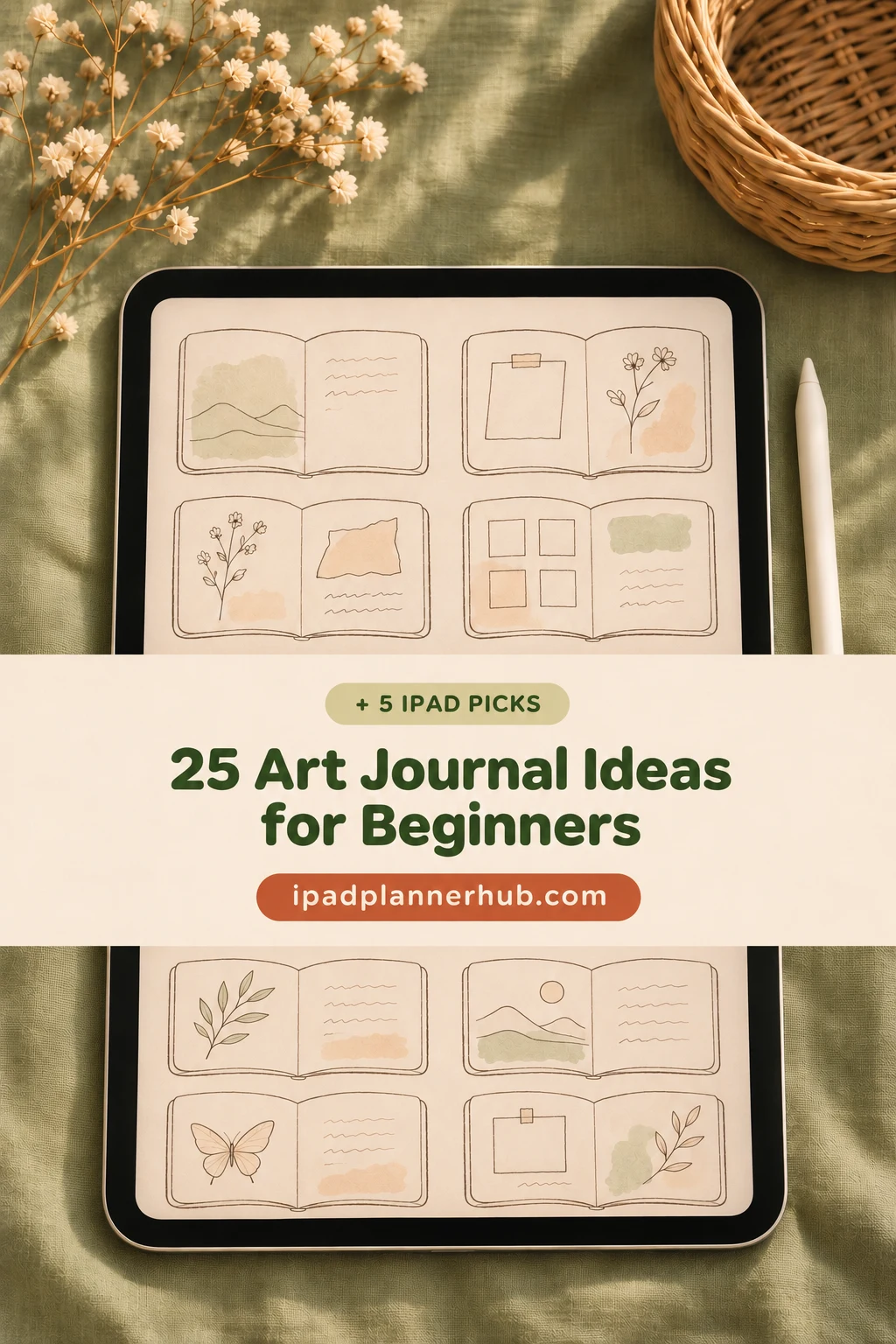
I have grouped 25 prompts by what you want to try, from simple marks to observation drawings and visual reflections. They work on an iPad page you already have. After the prompts, I compare five optional notebooks and paper sets for different ways of keeping those pages together.
Art journal ideas for beginners: what belongs on a first page?
Think of it as a place to notice something through images. A drawing, a color sample, a pattern and a few handwritten words can all belong on the same page. The point of a practice page is to explore a choice, so an unfinished edge or an uneven shape can stay.
- A subject: something you can see, remember or imagine, such as a cup or the sound of rain.
- A visual decision: limit the colors, repeat one shape or change the size of a mark.
- A short observation: write what surprised you or what you want to try next.
A visual journal can include collage, doodles and written words, but collecting finished stickers is not required. Here the activity is making and arranging your own marks. If you want a written diary instead, the broader digital journaling ideas guide offers a different starting point.
Choose a simple iPad setup before the first page
- PDF annotation app: use an existing notebook page for handwriting, shapes and small imported images. A blank template leaves more uninterrupted space than a ruled one.
- Drawing app: use it when the activity depends on painting or editing separate layers. Save a copy of the finished image if you also want it in a PDF journal.
- Small workspace: choose one quarter of a page or a single frame before filling a full spread.
- Minimal materials: a basic pen, two colors and an optional photo you own are enough for the prompts below.
The five products later in this article are notebook PDFs or paper files, not drawing apps. Their pages provide a surface and, in some cases, navigation. Brushes, automatic art lessons and layered painting tools are not part of that promise.
25 art journal prompts for beginners, grouped by the first decision
These simple art journal ideas for beginners use familiar art supplies in digital form: a pen, colors and a page. Choose one prompt from the groups below. Each gives you a concrete mark to make and a stopping point, so decoration does not become another task.
Start with marks and space
- 1One-color mark sampler
Choose a single color and fill six small boxes with different marks: short lines, dots, loops, zigzags, dashes and scribbles. Vary the spacing rather than adding more colors. Stop when every box has its own rhythm, then circle the texture you would like to repeat.
- 2Two-color mood blocks
Make three rectangles in two colors that suit how the day feels to you. Let one rectangle overlap another if your app supports filled shapes, or draw a simple outline instead. Leave a gap between the blocks and add two descriptive words; there is no correct color for a mood.
- 3Lines with changing weight
Draw five rows of lines, moving from thin to thick. If pressure sensitivity is unavailable, change the pen size manually instead of pressing harder. Notice which line is easiest to control and use it to outline a small square at the bottom of the page.
- 4A silhouette made of dots
Outline a loose leaf or a mug very lightly, then suggest its shape with dots. Put the dots closer together near one edge and farther apart toward the center. Stop before filling every gap; the unmarked space helps the object remain readable.
- 5A geometric arrangement
Place a circle, a rectangle and a triangle within one small frame. Change their sizes so one becomes the main shape and the others support it. Try a second arrangement beside the first, moving only the smallest shape, and note which balance you prefer.
Look closely at ordinary things
- 6A negative-space frame
Draw a thick border around a clear center, using tiny repeated squares or loose strokes. Keep the center untouched. Add a small word or shape only after the border is finished, noticing how the empty area changes what draws your eye.
- 7One object in three views
Use an object within reach, such as a cup, and sketch it from the front, side and above. Give each view a small box and the same time limit. Compare the shapes afterward rather than trying to make any one view polished.
- 8A window-view thumbnail
Frame a tiny section of the view from a window. Reduce it to three large shapes, such as a roof, a tree and a strip of sky. Skip individual leaves and bricks; the exercise is deciding what matters at a small scale.
- 9A five-minute contour drawing
Follow the outer edge of a shoe, plant pot or hand with one slow line. Look back at the object often and accept the places where the line wanders. When the timer ends, write one feature you noticed that you had previously ignored.
- 10A household texture study
Look closely at a woven cloth, a sponge or a wooden surface. Use a few repeated marks to suggest its texture without copying every detail. Keep this as a drawn observation; no rubbing, physical paint or special digital texture file is necessary.
Build a visual composition
- 11A palette from your own photo
Choose a photo you took and select three colors that stand out. Sample them with a color picker if available, or approximate them by eye. Make three swatches and draw a small shape under each so the palette becomes a page rather than just a list.
- 12A word as a visual motif
Write an ordinary word such as quiet, rush or warm. Surround it with marks that suggest its pace: spaced dots, crowded dashes or rounded shapes. Keep the lettering readable and stop once the marks explain your choice without an extra paragraph.
- 13A repeated tiny icon
Draw a small leaf, star or cup several times across a narrow band. Let the spacing form the pattern even if each icon differs. Add one deliberate interruption, such as a larger icon, and notice how quickly your attention moves toward it.
- 14A scene in four boxes
Divide a small area into four panels. Show an everyday moment, such as making tea, with one simple image in each panel. A kettle outline, rising steam, a cup and an empty chair are enough; a complete comic story is optional.
- 15Cut-paper-style rectangles
Arrange three filled rectangles as if they were pieces of colored paper. Resize or redraw them to leave one open corner. Add a single line across two shapes to connect them; you can create the effect with ordinary shape tools rather than a collage pack.
Mix images with a few words
- 16A photo with a drawn border
Insert one photo you own and draw a loose frame around it. Repeat a shape from the picture in the border, such as circles around a cup. Keep the frame outside the important part of the image and add the date if you want a memory cue.
- 17One sentence and breathing room
Write a short sentence about something you noticed today. Place one small drawing beside it and leave the rest of the page clear. Resist adding decorations just to fill space; compare how the words feel when the image is close and when it is farther away.
- 18Before-and-after color patches
Make a color patch before a short activity, then another afterward. Label them with your own words rather than a mood score. Treat the page as a personal observation, not a test of whether the activity improved your wellbeing.
- 19A collection arranged by shape
Sketch three objects from a desk or bag and arrange them from roundest to most angular. Ignore their real sizes and give them equal space. Use short labels if the drawings are ambiguous, then note which pair shares an unexpected shape.
- 20A zoomed-in detail
Choose one part of a familiar object: a button, a leaf edge or the rim of a cup. Enlarge it until it fills a small frame. Add just enough surrounding detail to make the crop intentional and write what becomes visible at this scale.
Return to a page and learn from it
- 21An imaginary garden in three colors
Choose three colors and build a tiny garden from stems, circles and leaf shapes. Repeat one flower shape instead of inventing a new one every time. Leave a path of empty space through the arrangement so the page has somewhere for the eye to rest.
- 22Light and shadow in two tones
Look at a simple object under one light source. Use an outline plus one darker tone for the shadow side, leaving the lighter area empty. Avoid blending on this page; the exercise is deciding where the large light and dark shapes begin.
- 23Marks responding to music
Play a short piece and make marks that follow what you hear: long lines for sustained sounds or clustered dots for quick ones. You do not need to identify notes or instruments. Add the track title and one word about the rhythm when you stop.
- 24Revisit one early page
Make a copy of an earlier study or redraw it beside the original. Change only one thing: the scale, spacing or second color. Keep both versions visible and explain the effect of that change instead of ranking the whole page as good or bad.
- 25A page about what felt easiest
Choose one mark or subject you enjoyed from the earlier prompts. Draw a small example and finish the sentence, Next time I want to try… . This becomes a practical invitation back to the journal, rather than a checklist of skills you should have mastered.
Five optional iPad notebooks and papers for these pages
You can try every prompt in a notebook you already own. I selected the following five options for different starting surfaces: blank and graph pages, a small decorative frame, or a ruled page for an image with a longer note. These are general notebooks and journals; you create the art-journal pages yourself.
TL;DR: Start with one mark, one small subject and one sentence about what you noticed. These 25 art-journal prompts work in a notebook you already own. Five optional iPad notebooks and paper sets offer blank, framed or ruled starting points; none supplies the 25 exercises as ready-made pages.
Quick Picks
- Best for separate visual experiments: Digital Notebook
- Best for one page in an existing notebook: Digital Notebook Papers – GoodNotes
- Best for a small framed composition: Undated Cute Orange Bullet Journal
- Best for keeping an idea beside its sketch: Digital GoodNotes Journal – Art Deco
- Best for a dated reflection beside an image: Digital Ruled Journal
- Digital Notebook – Best for separate visual experiments
- Digital Notebook Papers – GoodNotes – Best for one page in an existing notebook
- Undated Cute Orange Bullet Journal – Best for a small framed composition
- Digital GoodNotes Journal – Art Deco – Best for keeping an idea beside its sketch
- Digital Ruled Journal – Best for a dated reflection beside an image
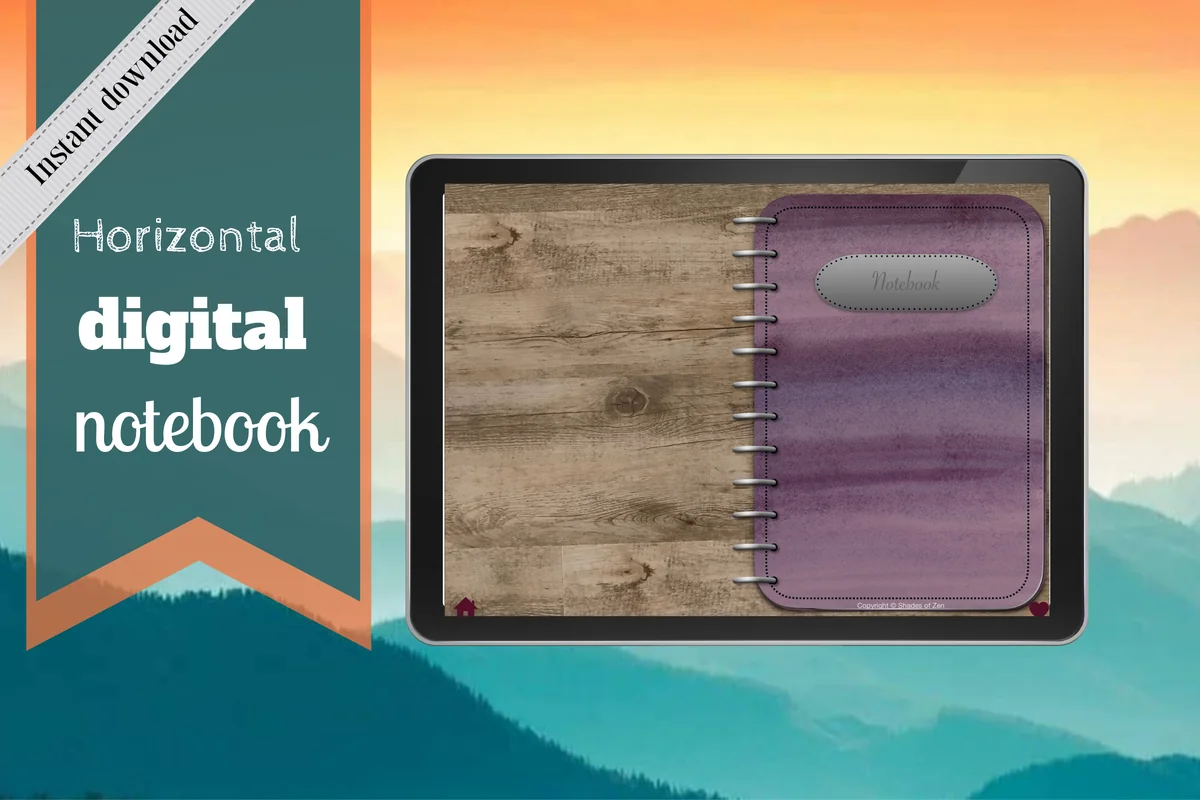
Best for separate visual experiments
1. Digital Notebook
Orientation: Landscape
Best for: organizing mark studies, sketches and reflections in different sections. Designed by Shades of Zen.
- Twelve sections with linked tabs and individual dividers
- Sixteen note templates, including blank, dot grid, lined, graph, columns and Cornell pages
- For GoodNotes or another PDF annotation app
The blank template is the strongest starting point here: a shape study does not have to compete with a printed prompt. I like the option to keep observation drawings in one section and color experiments in another. Use a two-column page when the note about your process matters as much as the image. The landscape spread, rings and borders reduce the uninterrupted drawing area; this is a PDF notebook, not a layered painting canvas.
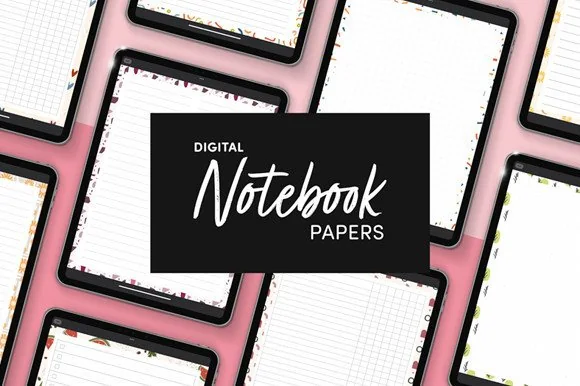
Best for one page in an existing notebook
2. Digital Notebook Papers – GoodNotes
Orientation: PortraitLayouts: 8 per paper design
Best for: adding a visual practice sheet without starting another journal. Designed by catsquills.
- Nine portrait paper designs, each offered in eight layouts
- Columns, habit tracker, to-do, numbered list, dots, square grid, lines and notes layouts
- PNG and PDF files for GoodNotes and Notability
A quiet notes sheet or dotted sheet lets the first drawing stay small. These loose papers make sense if your existing notebook already has a place for creative pages. Pick one design and keep it for several studies, rather than changing the background every session. They are paper templates, not a linked notebook or an art lesson; the decorative edge also contributes a color palette of its own.
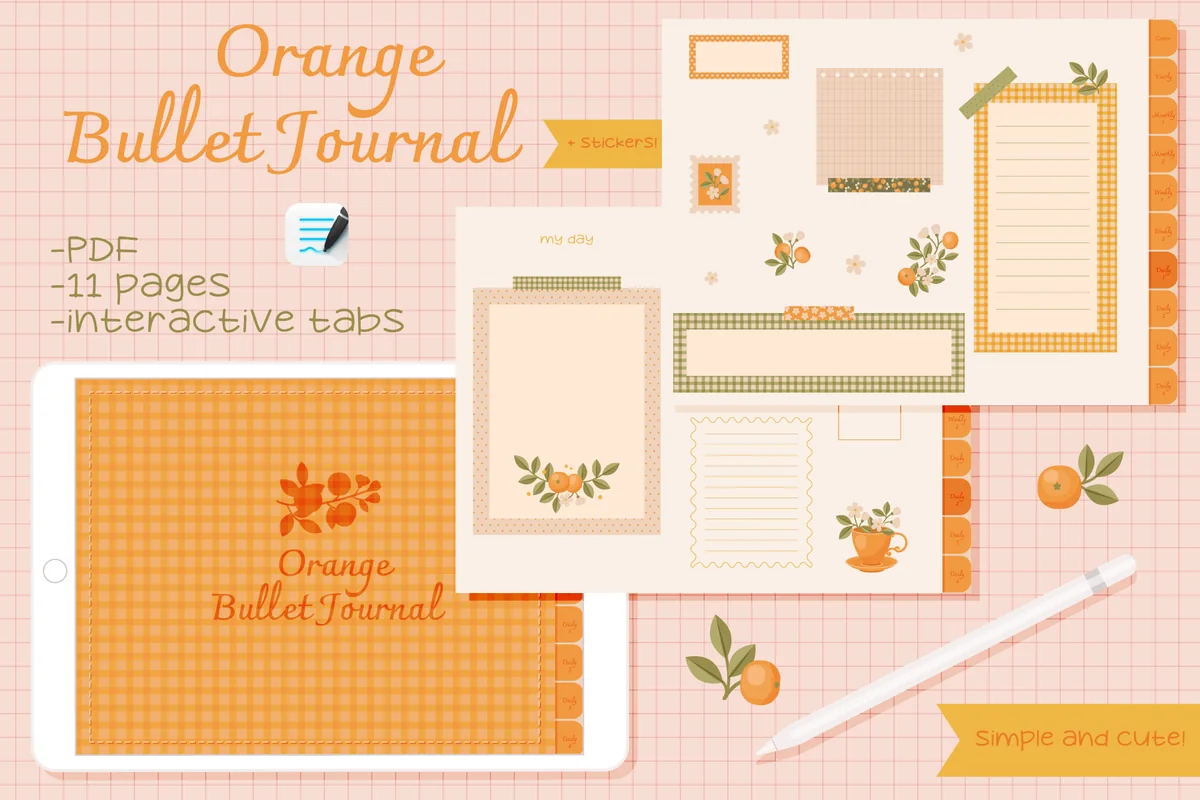
Best for a small framed composition
3. Undated Cute Orange Bullet Journal
Orientation: LandscapeDates: Undated
Best for: placing a tiny image and caption inside a decorated space. Designed by digitaliya_studio.
- Undated PDF bullet journal with GoodNotes import instructions
- Fill-in calendar, writing frames and orange-themed decorative pages shown
- 32 orange-themed stickers in .goodnotes format
An existing frame can make a first page feel manageable. Put one thumbnail in the largest open area and a short sentence in a smaller box; the orange decorations already supply the surrounding rhythm. That is a different experience from filling an empty canvas. The small spaces limit a detailed drawing, and the colored decorations may clash with a carefully matched palette. Add your own prompt from the ideas above.
Best for keeping an idea beside its sketch
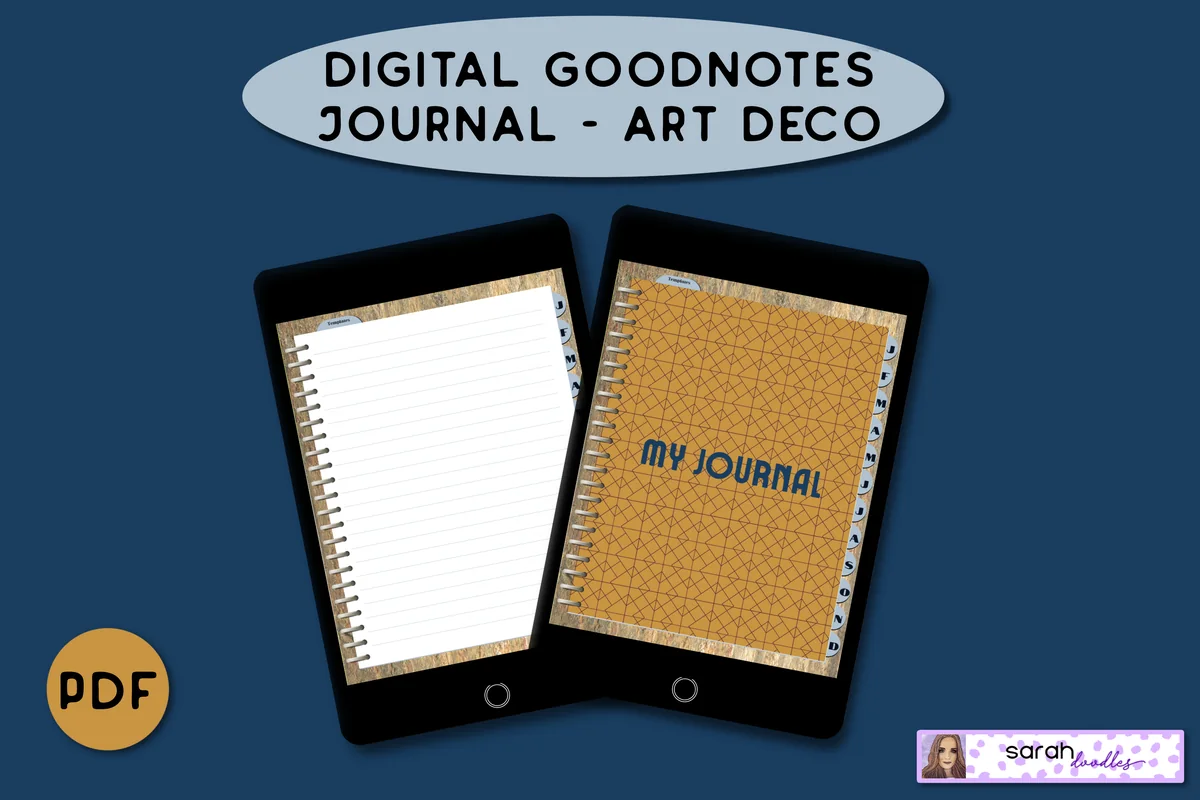
4. Digital GoodNotes Journal – Art Deco
Best for: combining a small drawing with written plans for the next page. Designed by Sarah Doodles.
- Undated hyperlinked PDF for iPad and tablet annotation apps
- Monthly dividers and five lined pages per month
- Additional brain-dump and priority templates
The extra brain-dump layouts give this journal a reason to sit beside an art practice: collect a few possible subjects, then circle the one you want to draw next. The lined pages suit a sketch with a longer caption more than a full-page painting. Art Deco refers to the decorative design, not an art course or an art-journaling method. Keep the activity small enough that the lines and patterned frame do not crowd it.
Best for a dated reflection beside an image
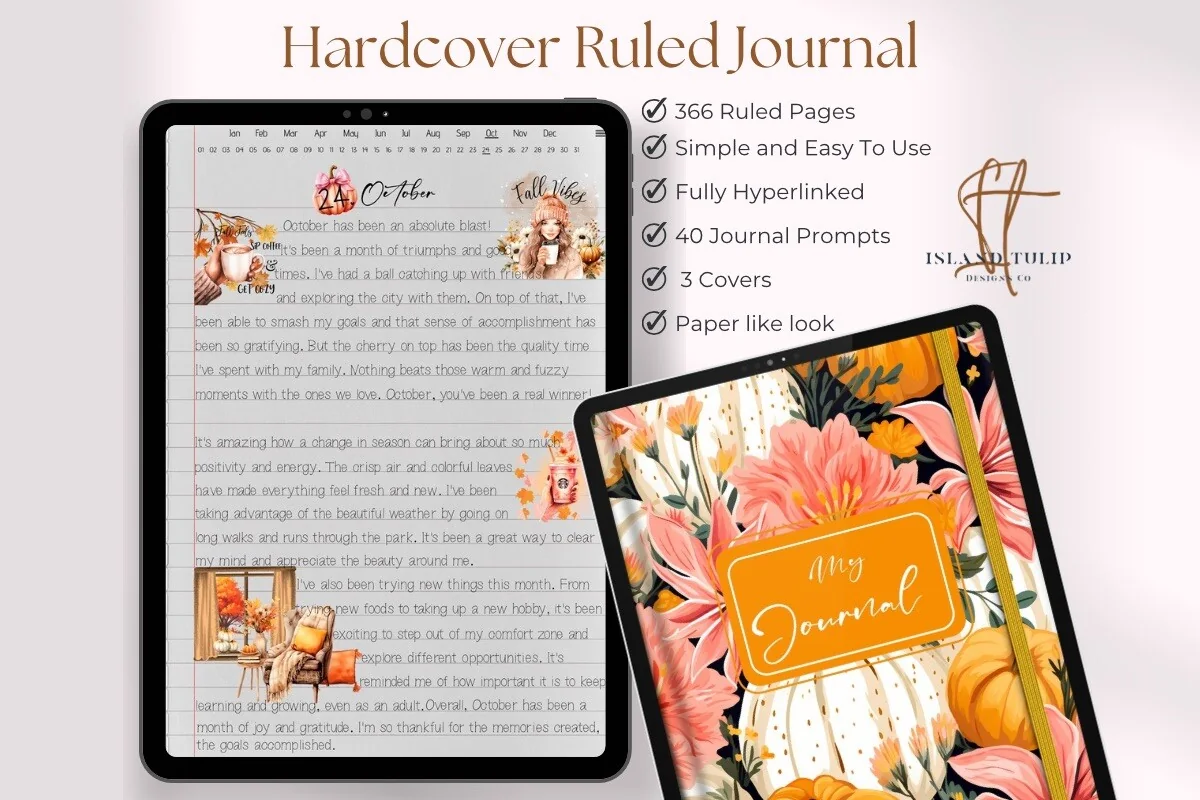
5. Digital Ruled Journal
Orientation: Portrait
Best for: recording what you noticed after a visual experiment. Designed by Island Tulip Designs Co.
- 366 ruled pages, three covers and a paper-like appearance
- Hyperlinked navigation with a month-and-day index
- Forty journal prompts in PNG and precropped GoodNotes formats
This is the writing-first choice. Reserve a small area for a photo or thumbnail, then use the lines to explain what you noticed about the color or shape. The month-and-day index can organize a record of practice without making every entry a finished artwork. A large abstract painting would fight the ruling, so a blank notebook is a better match for that task. The included prompts are general journaling prompts, not 40 art exercises.
Quick Comparison
| Notebook or paper set | Art-journal use | Starting layout | Limit to know |
|---|---|---|---|
| 1. Digital Notebook | Blank-page experiments by section | Blank, grid and column templates | Decorative rings take up space |
| 2. Digital Notebook Papers – GoodNotes | A single practice page | Portrait PNG and PDF papers | No linked notebook included |
| 3. Undated Cute Orange Bullet Journal | Tiny framed compositions | Decorated pages and sticker file | Small work areas; strong orange theme |
| 4. Digital GoodNotes Journal – Art Deco | Idea notes plus a small study | Lined and brain-dump pages | Not a blank sketchbook or art course |
| 5. Digital Ruled Journal | Reflection with a thumbnail | Ruled daily pages | Writing-first; lines remain visible |
Turn one prompt into a ten-minute page
A short sequence keeps the first page from becoming a project about choosing supplies. Use the times as a guide and stop sooner if the drawing has said enough.
- 1Choose the boundary, about one minute.
Open a blank page or choose one frame. Decide whether you will work in a quarter-page area, a single panel or a narrow strip. A visible boundary makes a tiny exercise feel finished without requiring a full spread.
- 2Make the main marks, about five minutes.
Pick one prompt and limit the tools to a pen and two colors. Work on the central subject first, leaving the background alone. If the shape looks uneven, continue long enough to see what it suggests instead of immediately clearing the page.
- 3Add one supporting element, about two minutes.
Choose a caption, a border or a second shape. Add only the element that helps explain the first one. Zoom out before adding anything else so you can see whether the new detail competes with the main subject.
- 4Name what happened, about two minutes.
Write a short observation such as the wide spacing made the pattern quieter. Save the page and, if useful, give it a title you can recognize later. Leave a note about a single change to try next time.
When the page feels crowded or unfinished
- Too crowded: remove or move the last decorative element you added. Keep one clear area around the main shape.
- Too empty: repeat an existing mark before introducing a new object. Empty space can also be a finished choice.
- Too much erasing: make a second small version beside the first, so you can compare decisions without losing the starting point.
- Background fighting the image: switch to a quieter paper template or use fewer drawing colors.
- No subject comes to mind: choose the nearest object, draw only its outline and add one word.
Keep the question specific: what changed when you made the marks farther apart? That gives you something to explore on the next page. A broad judgment about whether you are artistic offers much less direction.
Keep a practice you can return to
- Save a short title with the date or subject, such as blue cups or window shapes.
- Keep a favorites section for prompts you want to repeat, rather than forcing a new technique every day.
- Look back after a few pages and choose one useful change to test.
- If you miss a week, open a fresh page and continue; there is no requirement to fill the gap.
For a longer record of creative progress, the hobby journal ideas guide focuses on practice notes and what you learn over time. This page keeps the attention on the visual experiment itself.
FAQ: Starting an art journal on iPad
Do I need drawing skills to start an art journal?
No particular drawing skill is needed for a page of repeated marks, color blocks or a photo with a caption. Start with an activity whose result you can recognize without realistic drawing, then add observation sketches when you want a different challenge.
What can I put on the first page?
Use one color to make a line, a dot pattern and a simple shape. Add the date and a sentence about which mark felt easiest. That gives the journal an actual practice page rather than an introductory page you feel you must decorate carefully.
Can I use these art journal ideas for free?
The prompts do not require any of the featured products. Use a notebook and app you already have, or try the same exercises on paper. The five featured notebooks and paper sets are optional purchases; check the current price and terms before buying.
Is a PDF notebook the same as a painting app?
A PDF notebook gives you pages to annotate, with navigation if the file includes links. A painting app provides its own drawing tools. Choose the app for the activity first, then choose a notebook page if you want to collect drawings and notes together.
Should I buy stickers before starting?
Only if arranging ready-made images is the activity you want. The exercises here work with marks, shapes and your own photos. For a collage-focused page later, the digital scrapbook sticker guide compares that different kind of material.
What if I prefer coloring to a blank page?
A prepared outline can be an easier starting boundary. The Procreate coloring page guide covers that route. Keep a small note about your palette afterward if you want the colored page to become part of a visual journal.
Choose one page to begin
The most useful art journal ideas for beginners are the ones that get a mark onto a page. Choose a small subject, make one visual decision and leave a short note about it. A blank PDF sheet may suit an open composition; a frame or ruled page may suit a tiny image with words. Start with what you have and choose an extra notebook only when you know which surface you prefer.
You May Also Like
This article contains affiliate links. I may earn a commission if you buy through them, at no extra cost to you. Read the affiliate disclosure.