Ask anyone for the best movie they saw last year and watch them go quiet. Films blur together fast: you remember loving something in March, but not the title, the ending or why it got to you. A movie journal fixes that with a tiny habit: a title, a date, a rating and two lines of what you felt, written the same night.

Below are 5 digital movie journals and logs for the iPad that I’d use, from a full movie and TV journal with your own awards page to a one-page rating log. After the list: 40 movie journal ideas grouped by page, how to start a movie journal, what to write in a movie review in 5 lines, a yearly movie challenge, a movie journal vs Letterboxd, and how to set it all up in GoodNotes.
The Best Digital Movie Journals I Found
Most “movie journals” on Creative Fabrica are KDP interiors for printed books, Canva poster templates, clipart or laser cut “movies watched” signs, so those are out. I also skipped a popular movie and series journal series because its sample pages show dates from past years. That leaves a short list: first a real movie and TV journal, then two movie logs, then two planners with a watchlist or movie tracker page.
TL;DR: 5 picks for a digital movie journal on the iPad: 1 full movie and TV shows journal with watchlists, challenges and your own awards, 2 movie logs (a review log with a genre tracker and a one-page rating log) and 2 planners with movie and series tracker pages. Native movie journals for iPad are rare on Creative Fabrica, so the list is short on purpose: no KDP interiors, Canva templates, clipart or laser cut trackers.
Quick Picks
- Best for movie journal for iPad: Digital Movie & TV Shows Journal (Dark)
- Best for movie review log: Movie Log – Printable & Digital Movie
- Best for one-page movie log: Movie Log • Coffee Latte
- Best for planner with a watchlist page: All-in-One Undated Digital Planner
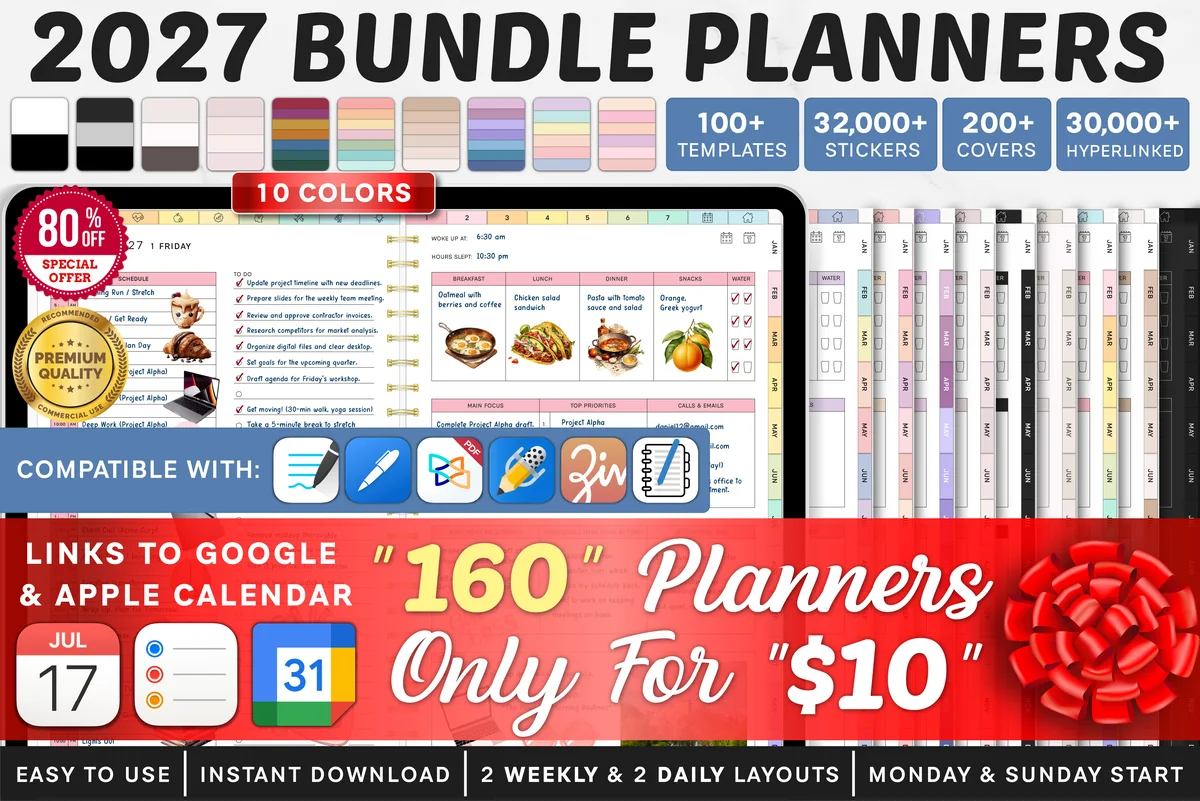
- Best for 2027 planner with movie and series trackers: 2027 Bundle Digital Planner, Goodnotes
- Digital Movie & TV Shows Journal (Dark) – Best movie journal for iPad
- Movie Log – Printable & Digital Movie – Best movie review log
- Movie Log • Coffee Latte – Best one-page movie log
- All-in-One Undated Digital Planner – Best planner with a watchlist page
- 2027 Bundle Digital Planner, Goodnotes – Best 2027 planner with movie and series trackers
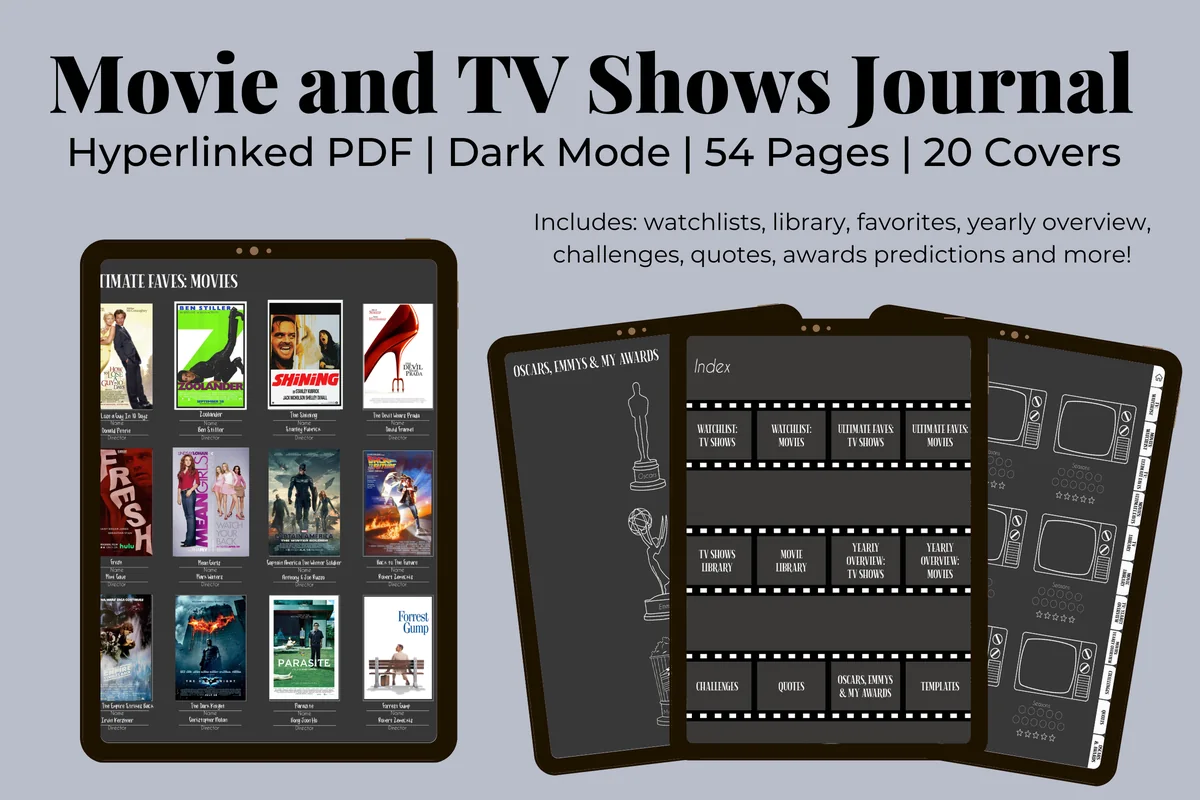
Best movie journal for iPad
1. Digital Movie & TV Shows Journal (Dark)
Orientation: PortraitLayouts: Watchlists, library, favorites, yearly overview, challenges, quotes, awardsDates: Undated
Best for: film and TV fans, dark mode lovers, awards season watchers. Designed by Kinu Planners.
- Watchlists and a library for movies and TV shows, with a retro TV template for each show
- Ultimate Faves pages for your all-time favorite movies and series
- Yearly overview with monthly highlights and a Year in Pixels page for movie days
- Movie challenges (25, 50, 100 and 365) and TV challenges (25 and 50), plus a quotes page
- Oscars, Emmys and My Awards pages; 54 hyperlinked dark mode pages, 20 covers, sized for GoodNotes and Notability
This is the one file I found that covers the whole hobby: what to watch, what you watched, what you loved, and a challenge to keep going. The My Awards page is my favorite idea in the list, because a year of movies ends with your own ceremony. It's undated, has a 5.0 rating, and the same journal also comes in a light mode version if dark pages aren't your thing.
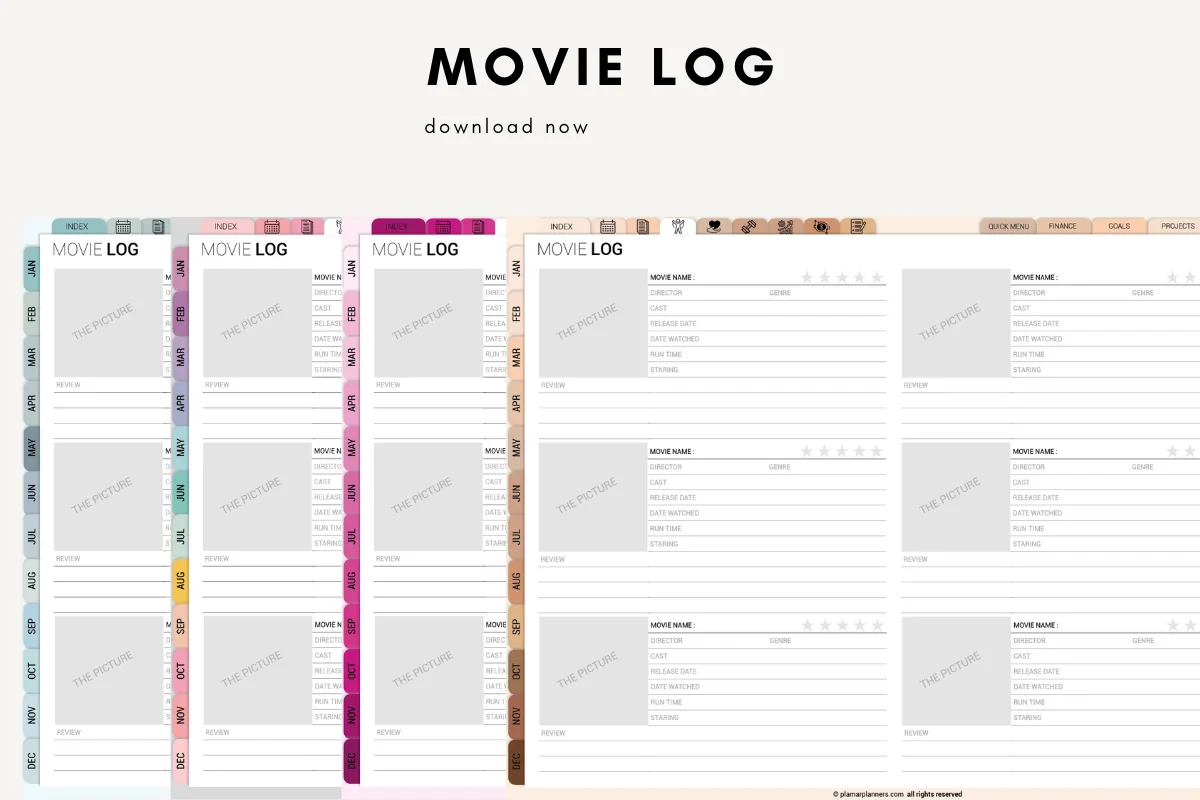
Best movie review log
2. Movie Log – Printable & Digital Movie
Orientation: LandscapeLayouts: Watchlist, review sheet, favorites, genre tracker, movie night planner, rewatch listDates: Undated, month tabs
Best for: movie reviewers, family movie nights, minimal layout fans. Designed by Plamarplanners.
- Movie log cards with a picture box, movie name, director, genre, cast, release date and date watched
- Run time, a 5-star rating and a few lines for your review on each card
- Movie watchlist, favorite movies of all time, a genre tracker, a movie night planner and a To Rewatch list
- Month tabs from January to December, no year printed; landscape pages
- Digital version for GoodNotes and Notability, plus A4 and US Letter PDFs
If you mostly want to remember what you watched and what you thought, this is the cleanest review page in the list. The picture box is made for a screenshot of the poster, which turns a log into something you'll scroll through for fun. It's a small set of pages rather than a big journal, so I'd pair it with your planner or keep it as its own notebook.
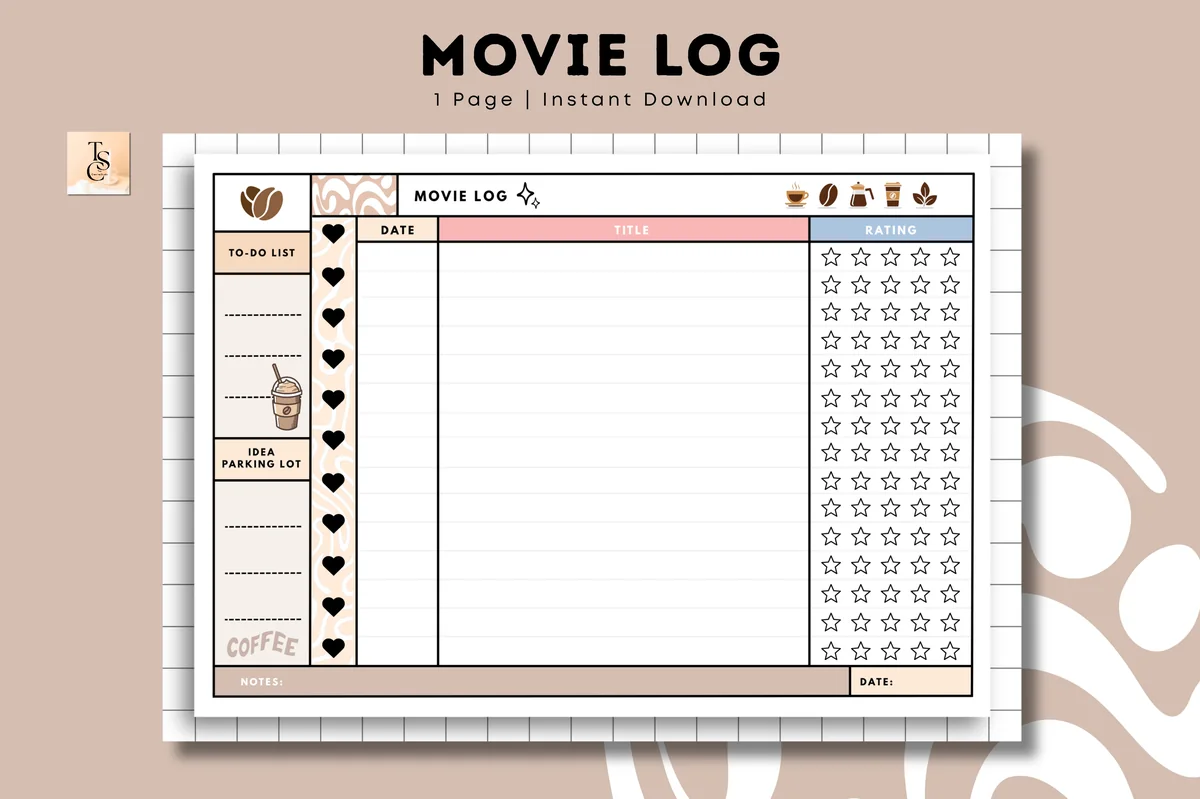
Best one-page movie log
3. Movie Log • Coffee Latte
Orientation: LandscapeLayouts: 1-page movie log: date, title, 5-star rating, to-do, notesDates: Undated
Best for: casual watchers, coffee aesthetic fans, one-page loggers. Designed by Tas Creative Studio.
- One movie log page with columns for the date, the title and a 5-star rating
- A small to-do list and an Idea Parking Lot on the side, plus a notes line
- Cozy coffee latte design with hearts and coffee icons
- Undated landscape page; digital PDF for GoodNotes, Notability, Noteshelf and Xodo, plus a printable PDF
Sometimes a whole review is too much and you only want the list. This page does exactly that: duplicate it in GoodNotes and you have a running log of the year. The Idea Parking Lot works well as a watchlist column. It's new on Creative Fabrica with no reviews yet, and it's one page, so don't expect tabs or a library.
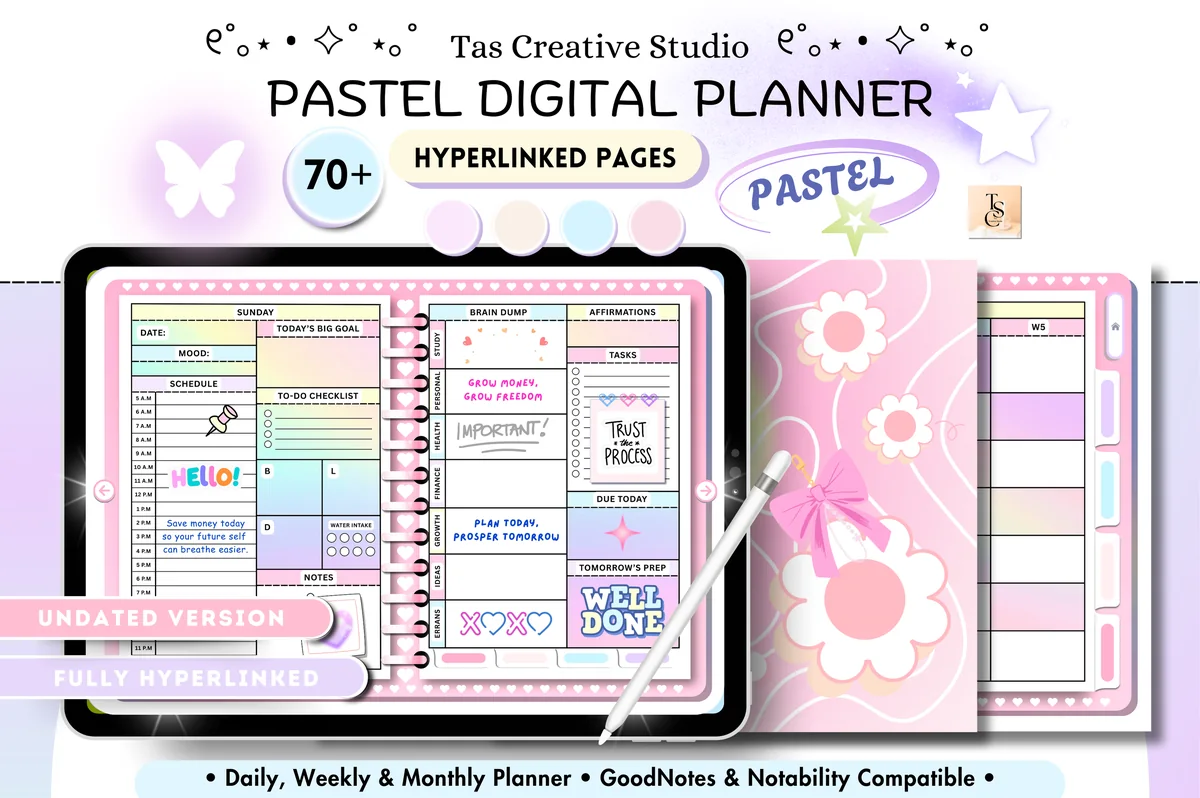
Best planner with a watchlist page
4. All-in-One Undated Digital Planner
Orientation: LandscapeLayouts: Monthly, Weekly, DailyDates: Undated
Best for: pastel lovers, wellness trackers, budgeters. Designed by Tas Creative Studio.
- A Movies/Series To Watch page in the Productivity tab, next to a Reading Log and a Habit Tracker
- Undated monthly, weekly and daily pages with a Sunday start
- Health and finance sections: workout plan, 30-day challenges, budget and savings trackers
- 68 hyperlinked landscape pages in a soft pastel design
- Works in GoodNotes, Notability and CollaNote
Not a movie journal, but a pretty undated planner where the watchlist sits one tap away from your week, which is often where movie nights get planned anyway. I'd use it if you don't want a separate notebook for films. For reviews and ratings, add one of the logs above as extra pages.
Best 2027 planner with movie and series trackers
5. 2027 Bundle Digital Planner, Goodnotes
Orientation: LandscapeLayouts: Yearly, Quarterly, Monthly, Weekly, DailyDates: 2027Week start: Monday or Sunday
Best for: goal setters, challenge fans, color lovers. Designed by SuperDigitalPlanners.
- A Movies Tracker for films you want to watch or have seen
- A Series Tracker for the shows you're watching and the episodes you've seen
- A Reading List, a wish list and subscription tracking in the same section
- Dated 2027 yearly, monthly, weekly and daily pages, Monday or Sunday start
- Thousands of hyperlinks, 200+ covers and thousands of stickers; for GoodNotes, Notability, Xodo and Noteshelf
This one makes sense if you want to start a 2027 movie challenge on January 1 and keep it inside a full planner. The movie and series trackers are simple lists, not review pages, so they're best for counting films and tracking episodes. It's a big file with a lot of extras, which is great if you'll use the planner side too.
Quick Comparison
| Pick | Type | Movie pages | Stand-out extra |
|---|---|---|---|
| 1. Digital Movie & TV Shows Journal (Dark) | Movie & TV journal | Watchlist, library, faves, challenges | Your own awards |
| 2. Movie Log – Printable & Digital Movie | Movie log | Review cards, watchlist, genre tracker | Poster box on every card |
| 3. Movie Log • Coffee Latte | One-page log | Date, title, star rating | Watchlist side box |
| 4. All-in-One Undated Digital Planner | Undated planner | Movies/Series To Watch page | Reading log next to it |
| 5. 2027 Bundle Digital Planner, Goodnotes | 2027 planner | Movies + Series Tracker | Dated 2027 |
40 Movie Journal Ideas by Page
Set up the watchlist and the rating key once, then fill the review pages as you watch. The favorites, challenge and TV pages grow slowly over the year, so pick one group to start with instead of all six.
Watchlist Page Ideas 1–7
- 1A master watchlist with a checkbox, the year of release and where it’s streaming
- 2A “recommended by” column, so you remember who told you to watch it
- 3A watchlist split by mood: cozy, scary, cry, laugh, think
- 4Classics I’ve never seen: the big titles everyone quotes
- 5Upcoming releases with the date it hits theaters or streaming
- 6A director or actor deep dive: every film from one name, in order
- 7A “did not finish” list with one line on why you stopped
Movie Review Journal Page Ideas 8–14
- 8A review card: title, date watched, where, who with, rating
- 9A poster box: paste a screenshot of the poster or a still you liked
- 10Your favorite line of dialogue, word for word
- 11The scene you’d rewatch first
- 12What you expected vs what you got
- 13A color palette of the film: three or four swatches picked from a still
- 14A cinema ticket page for movies you saw on the big screen
Rating System Ideas 15–20
- 15A simple 5-star rating with half stars
- 16Separate scores for story, acting, music and visuals
- 17A popcorn scale for how fun it was, apart from how good it was
- 18A “would rewatch” yes/no box
- 19A rating key page, so a 4 means the same thing in December as in January
- 20A monthly ranking: every film of the month from best to worst
Favorites and Rewatch Ideas 21–27
- 21All-time top 10, with a short note on why each one made it
- 22Comfort movies for bad days
- 23A rewatch log: what changed the second time
- 24Favorite soundtracks and scores
- 25Favorite quotes from movies and TV shows
- 26Seasonal favorites: the films you watch every October or every December
- 27Movies that are better than the book (and the other way around)
Movie Challenges and Awards 28–34
- 28A 52-film challenge: one movie a week for a year
- 29A 25, 50 or 100 movie challenge with a box to fill for each film
- 30A genre bingo card: one horror, one musical, one documentary, one silent film
- 31A movie from every decade, starting with the 1920s
- 32A movie from a new country each month
- 33An awards season page with your predictions and the real winners
- 34Your own year-end awards: best film, best scene, best villain, biggest surprise
TV Series Tracker Ideas 35–40
- 35A series tracker with a box for every episode of the season
- 36Currently watching: show, season, episode, and where you stopped
- 37A season review: best episode, worst episode, one line on the finale
- 38A favorite characters page with quotes
- 39A binge log: which shows took one weekend and which took months
- 40A year in pixels: one colored square for each day you watched something
How to Start a Movie Journal
A movie journal works when writing in it is faster than forgetting. The trick is to keep it small at first and fill it the same evening, while the film is still in your head.
- Pick a home: a separate movie journal, a movie log in your planner, or a few pages in your digital journal.
- Set up two pages first: a watchlist and a rating key.
- After each movie, fill one review card the same night, even if it’s only the title, the date and stars.
- Add the poster or a screenshot. It makes the journal fun to scroll through later.
- Once a month, rank the month’s films and move the best one to your favorites page.
- Add challenges and TV pages only when the basic habit sticks.
What to Write in a Movie Review in 5 Lines
A movie review in a journal isn’t a critic’s essay. Five short lines are enough to bring a film back years later, and they’re easy to repeat after every movie:
- The setup: title, date, where you watched it and who with.
- In one sentence: what it’s about, without spoilers, so future you knows which film this was.
- The moment: the scene, line or image that stayed with you.
- The feeling: how you felt walking out of the cinema or turning off the TV.
- The verdict: your rating and one word, like “rewatch”, “overrated” or “for a rainy Sunday”.
If you have more to say, the notes area is there for it. But on busy weeks these five lines are what keep the movie review journal going.
Every Film You Loved: a Yearly Movie Challenge
The title of this post is the goal: by December, every film you loved this year should be on a page, not lost in a streaming history. A yearly challenge is the easiest way to get there, and January is when most people start one.
- Pick a number you’ll enjoy: 25 films is about one every two weeks, 52 is one a week, 100 is two a week.
- One box per film: a challenge grid with numbered boxes, and the title written in each one.
- Link it to the reviews: every box gets a review card, even a five-line one.
- Check in monthly: count the boxes and write your favorite of the month.
- Finish with your own awards: best film, best scene, best performance and the biggest surprise of the year.
The Digital Movie & TV Shows Journal above has challenge pages for 25, 50, 100 and 365 movies plus an awards page, and the 2027 bundle has a Movies Tracker if you’d rather keep the challenge inside your planner.
What I Look For in a Digital Movie Journal
- Made for iPad apps. A PDF for GoodNotes or Notability, ideally with tabs. KDP interiors, Canva posters and laser cut trackers are made for sellers and crafters, not for writing in.
- A repeatable review page. One card per film that you can duplicate as often as you need.
- A watchlist. Half of a movie journal is remembering what to watch next.
- Room for a poster. A picture box turns a list into something you’ll want to look at.
- TV too, if you watch series. An episode tracker saves you from guessing where you stopped.
- No past years. I skipped files with dates from years that are already over, even on sample pages.
Movie Journal vs Letterboxd
Search for a movie journal and apps like Letterboxd come up fast. An app is great for logging a film in ten seconds, seeing what friends watched and reading other reviews. A movie journal on the iPad is slower, and that’s the point: you write by hand, paste the poster, pick your own colors and rating system, and nothing is public. Many people use both: the app for quick logging and discovery, the journal for the films that deserve a full page. If your journal lives in GoodNotes, it also sits next to your planner and your reading journal, so books and films end up in one place.
How to Set Up a Movie Journal in GoodNotes
- Import the PDF into GoodNotes (or Notability) as its own notebook, or add the movie log pages to your planner.
- Fill the watchlist and the rating key once.
- Duplicate ten blank review cards at a time, so the next one is always ready.
- Paste posters with the photo tool and crop them to the picture box.
- Bookmark the watchlist, the challenge page and the favorites page for quick jumps.
- Back up the notebook to iCloud; years of reviews are hard to recreate.
FAQ
How do you make a movie journal?
Start with a notebook or a digital template, then set up a watchlist, a rating key and a review page you can repeat. Fill one review after every film, even if it’s short, and add favorites, challenges and a TV tracker later. Ideas 1 to 20 above are enough for the first month.
What should I write in a movie journal?
The title, date and where you watched it, a one-sentence summary, the moment that stayed with you, how it made you feel and your rating. Add a favorite quote or a poster if you like. Five short lines per film are plenty.
Can I track TV shows in a movie journal?
Yes. Add a series tracker with a box for every episode and a short season review. The Digital Movie & TV Shows Journal above has TV watchlists, a library and TV challenges, and the 2027 bundle has a separate Series Tracker.
What is the best movie journal for iPad?
For a full journal, I’d pick the Digital Movie & TV Shows Journal: watchlists, favorites, challenges and your own awards in 54 hyperlinked pages for GoodNotes and Notability. If you only want reviews, the Movie Log with review cards is simpler, and if you want a watchlist inside your planner, the All-in-One Undated Digital Planner has one.
Is a movie journal better than an app?
Neither is better; they do different things. Apps are quick, social and searchable. A journal is private, handwritten and fully yours, and it’s nicer to look back on. If you love films enough to want a page for them, a journal is worth trying.
How many movies should be in a yearly movie challenge?
Pick a number that stays fun. 25 is relaxed, 52 means one film a week, and 100 needs about two a week. You can always raise the goal in summer if you’re ahead.
Final Thoughts
A movie journal works when the page after a film is quick: a title, a date, a rating and five short lines, written the same night. Add a watchlist, rank your month, and by December you’ll have every film you loved in one place. For a full journal with challenges and awards, start with the Digital Movie & TV Shows Journal; for quick reviews, the Movie Log is enough. For more page ideas, see my journaling prompts and digital reading journals, or browse all wellness journals.
You May Also Like
This post contains affiliate links. If you buy through them, I may earn a small commission at no extra cost to you. Learn more.