A budget planner only helps if you know what to put in it. Open a blank one and it’s easy to write down the rent, stare at the page and close it again. These budget planner ideas fill that gap: 32 pages and trackers grouped by goal, from paying bills on time to clearing a credit card, so you can build a planner around the money questions you actually have.
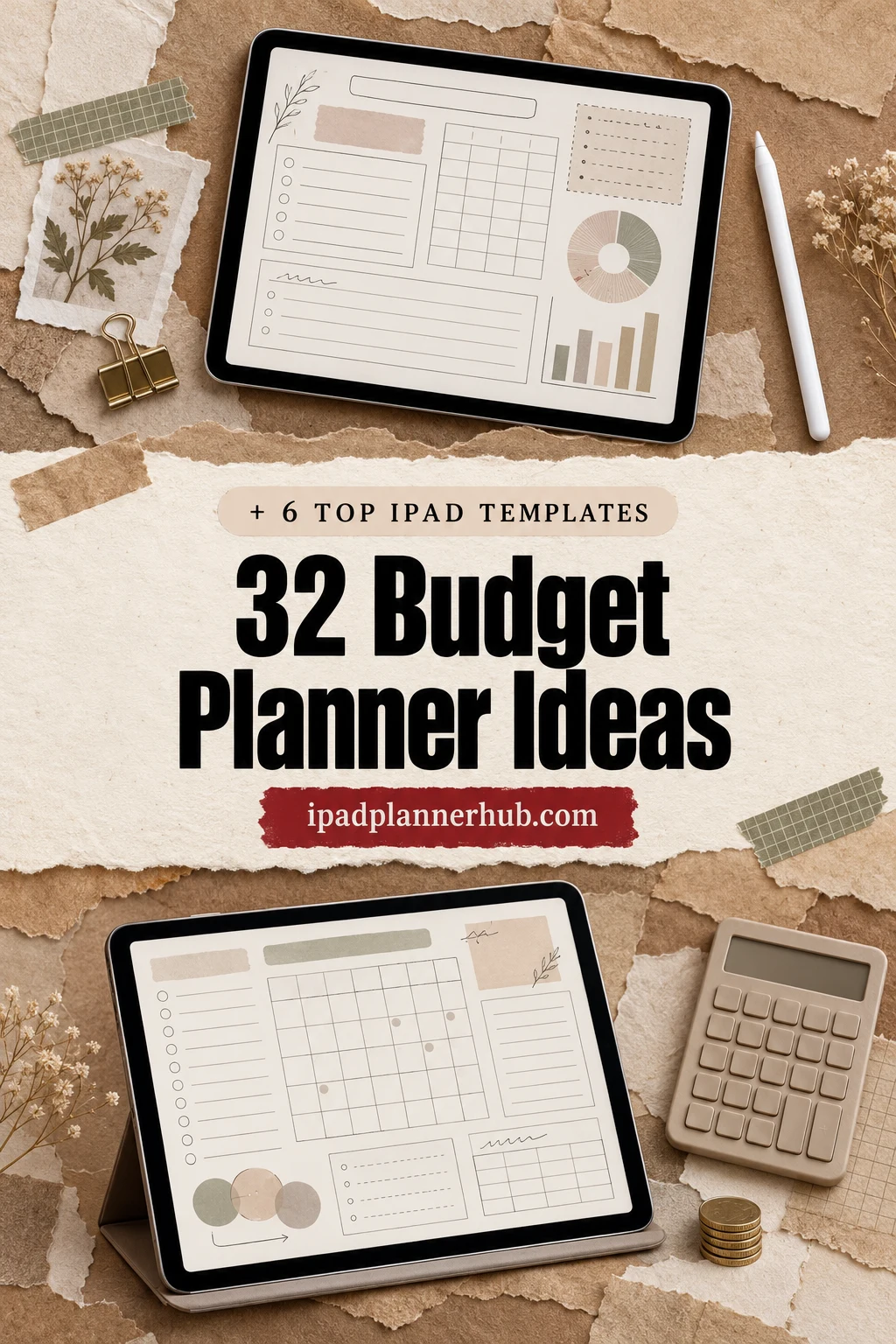
First come the ideas by goal, then the main budget layouts (monthly, paycheck, zero-based, 50/30/20) in one small table. After that, 6 iPad budget templates from Creative Fabrica that already include these pages, and a simple weekly and monthly routine to keep the planner alive past January.
32 Budget Planner Ideas, by Goal
You don’t need all 32. Pick one or two from each group that matches where your money feels messy right now, and add more later. A good budget page answers one question at a glance: what’s coming in, what’s going out, or how close you are to a goal.
For a room update, an expense total may need a trail back to each order and return. These home project planner ideas connect purchase records with measurements and project notes, so you can find the context behind a spending entry.
Income and Bills 1–6
- 1Income log: every paycheck, side gig and refund
- 2Bill calendar with due dates in one color
- 3Subscription tracker (and a “cancel” column)
- 4Bills split by paycheck: which pay covers which bill
- 5Yearly and quarterly bills: insurance, car registration, renewals
- 6Autopay checklist: what’s automatic, what’s manual
Spending Trackers 7–12
- 7Daily spend log, one line per purchase
- 8Grocery budget tracker by week
- 9Weekly expense check-in: planned vs spent
- 10Cash envelope pages for groceries, fun and gas
- 1130-day wish list: wait before you buy
- 12Spending summary by category, colored by month
Saving 13–18
- 13Emergency fund tracker with a target amount
- 14Sinking funds: gifts, car repair, vacation, vet
- 1552-week savings challenge ($1 to $52 a week, $1,378 a year)
- 16100-envelope challenge ($5,050 in total)
- 17No-spend days calendar
- 18Money saving chart: a savings jar or thermometer to color in
Debt Payoff 19–23
- 19Debt list: balance, rate and minimum payment
- 20Debt snowball tracker (smallest balance first)
- 21Debt avalanche tracker (highest rate first)
- 22Payoff bar for each card or loan
- 23Extra payment log: every bonus dollar that went to debt
Reviews and Big Plans 24–28
- 24Monthly review: planned vs actual, one change for next month
- 25Net worth tracker, updated once a quarter
- 26Yearly finance summary on one page
- 27Holiday and gift budget with a name list
- 28Trip budget: transport, stay, food, extras
Motivation and Looks 29–32
- 29Money goal tracker or vision board for the year
- 30One color per category, used on every page
- 31Money wins page: debts closed, goals reached
- 32“Paid” stickers for bills and milestones
Budget Planner Layouts: Which One Fits Your Paycheck?
The ideas above work in any layout. What changes is how you split the money. Pick the layout by how you get paid and how much detail you enjoy.
| Layout | How it works | Good for |
|---|---|---|
| Monthly budget | One page per month: income at the top, bills and categories below | A fixed monthly salary |
| Paycheck budget | A small budget for each paycheck, bills assigned to the pay that covers them | Weekly or biweekly pay |
| Zero-based budget | Every dollar gets a job until income minus plans equals zero | Detail lovers and debt payoff |
| 50/30/20 budget | 50% needs, 30% wants, 20% savings and debt | Beginners who want a simple rule |
Want a ready-made page for one of these? A 50/30/20 budget template (some call it a 50 20 30 budget template) is just a monthly page with three category groups and a target percentage at the top of each. A zero budget template adds a “left to assign” line that has to reach $0, and a couples budget template adds a second income column and a shared section for joint bills. Any of the iPad templates below can be set up this way.
Whatever you choose, these pages show up in almost every good budget planner:
- Yearly overview
- Monthly budget
- Bill tracker
- Expense log
- Savings tracker
- Debt tracker
- Monthly review
The Best iPad Budget Templates for These Ideas
I kept only digital budget planners for the iPad, no printables and nothing dated to a past year. Each card says which of the ideas above the template already has a page for, so you don’t have to build them by hand.
TL;DR: 32 budget planner ideas grouped by goal (income and bills, spending, saving, debt, reviews, motivation), a quick table of budget layouts, then 6 iPad budget templates that already have these pages. Each card lists orientation, layouts and dates, plus which ideas it covers.
Quick Picks
- Best for sinking funds and debt payoff: Digital Budget Planner, Financial Plan
- Best for paycheck budgets and net worth: Digital Budget Planner, Finance Tracker
- Best for simple budget planner: Budget Digital Planner Hyperlinked Tab
- Best for monthly reviews: Undated Budget Planner for GoodNotes
- Best for a savings challenge: Simple Savings Planner, Digital Planner
- Best for money next to your days: Digital Planner & Finance & Notes
- Digital Budget Planner, Financial Plan – Best for sinking funds and debt payoff
- Digital Budget Planner, Finance Tracker – Best for paycheck budgets and net worth
- Budget Digital Planner Hyperlinked Tab – Best simple budget planner
- Undated Budget Planner for GoodNotes – Best for monthly reviews
- Simple Savings Planner, Digital Planner – Best for a savings challenge
- Digital Planner & Finance & Notes – Best for money next to your days

Best for sinking funds and debt payoff
1. Digital Budget Planner, Financial Plan
Orientation: PortraitLayouts: Yearly overview, Monthly, Bi-weekly budgetDates: Undated
Best for: detail lovers, debt payoff planners, neutral design fans. Designed by ThePlannersDelight.
- 11 pages for every month: monthly and bi-weekly budget, sinking funds, daily spend count, cash envelopes
- Bill, debt and savings trackers plus a weekly expense check-in
- 12 payoff and fund trackers: mortgage, car loan, student loan, rainy day, vacation, job loss fund
- 200+ pages, over 10,000 hyperlinks, undated calendar pages and 200+ stickers
This is the one that covers most of the list: sinking funds (14), cash envelopes (10), the weekly check-in (9) and a whole set of debt and fund trackers (19–23). The bi-weekly budget page makes it a good fit for a paycheck budget too. Calm beige tabs, nothing loud.
Best for paycheck budgets and net worth
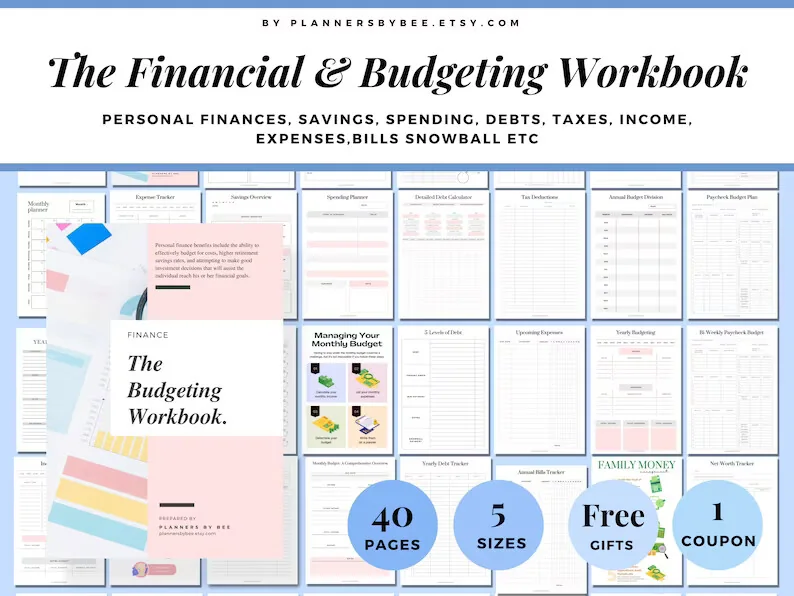
2. Digital Budget Planner, Finance Tracker
Orientation: PortraitLayouts: Yearly, Monthly, Paycheck budget
Best for: paycheck budgeters, debt snowball fans, big-picture planners. Designed by PlannersByBee.
- A 40-page financial and budgeting workbook in portrait
- Paycheck budget plan and a bi-weekly paycheck budget
- Detailed debt calculator, yearly debt tracker and net worth tracker
- Annual budget, annual bills tracker, upcoming expenses and tax deductions pages
If you get paid every two weeks, the paycheck pages answer idea 4 directly: which pay covers which bill. The net worth tracker (25) and the yearly bills page (5) are rare in smaller budget planners. Fewer pages than the first pick, but every one is about money.
Best simple budget planner
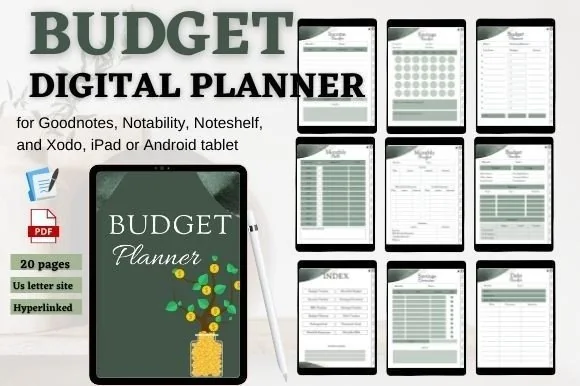
3. Budget Digital Planner Hyperlinked Tab
Orientation: PortraitLayouts: Monthly
Best for: budget beginners, savers, green lovers. Designed by mixxdigitaldesign.
- 20 pages, US Letter, hyperlinked tabs and an index
- Monthly budget, income tracker, bills tracker and monthly expenses
- Savings tracker, savings overview, savings goal and financial goal
- Debt tracker and notes pages
Twenty pages is exactly enough for a first budget: income (1), bills (2), a savings goal to fill in (18) and a debt list (19). Nothing to scroll past, which makes it easy to open every week.
Best for monthly reviews
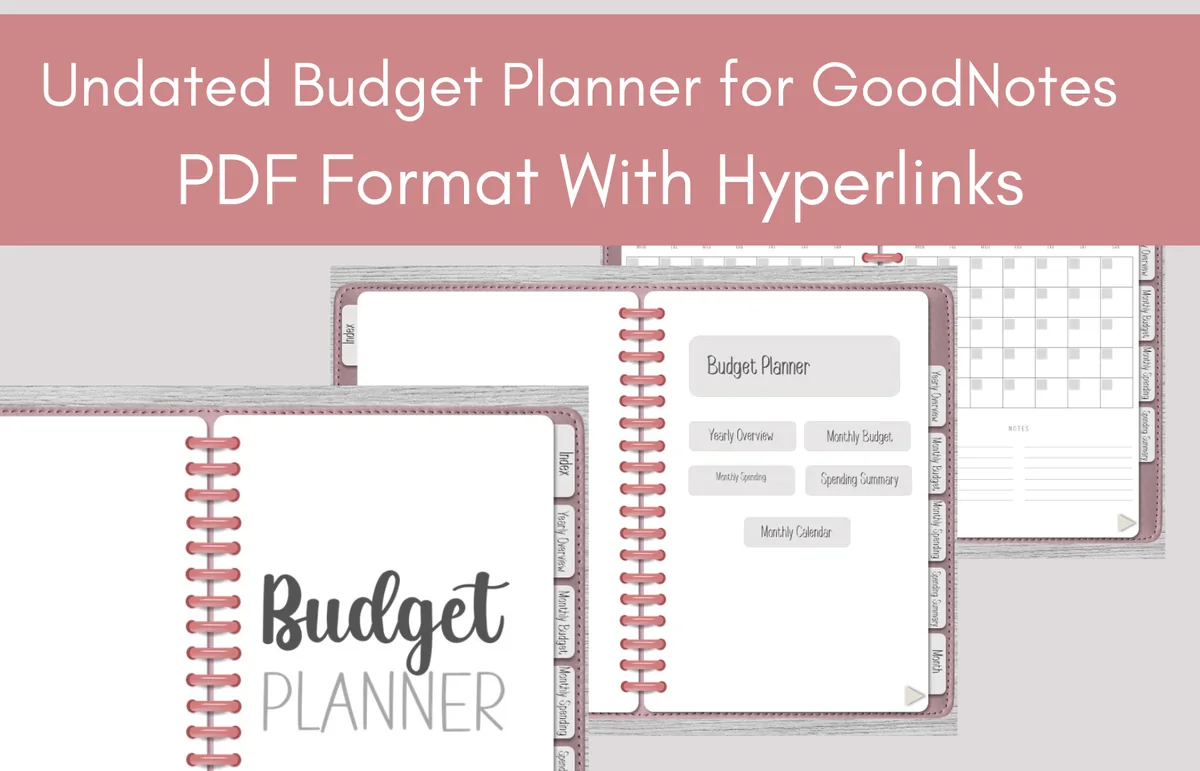
4. Undated Budget Planner for GoodNotes
Orientation: LandscapeDates: Undated
Best for: budget beginners, monthly reviewers, budget shoppers. Designed by Perla Designs.
- Undated budget planner, PDF with hyperlinks
- Yearly overview, monthly budget and monthly spending pages
- Spending summary and a monthly calendar
- Landscape spiral-notebook design with side tabs
The spending summary is the page I'd use for ideas 12 and 24: what went where, and what to change next month. Because it's undated, it starts whenever you're ready, not only in January. It's a small, low-priced planner, good for testing whether a written budget suits you.

Best for a savings challenge
5. Simple Savings Planner, Digital Planner
Layouts: Savings challenge, Bills, Purchases
Best for: savings beginners, challenge fans, minimalists. Designed by bellaROSEworkshop.
- Savings challenge page to track progress toward a goal
- Purchases tracker and bill tracker
- Hyperlinked, for GoodNotes, Notability and other PDF apps
- Minimal design, one PDF for digital use
For the saving ideas (15–17), this is the light option: a challenge to color in, plus a purchases tracker that doubles as the 30-day wish list (11). Pair it with any monthly budget if you want more.
Best for money next to your days
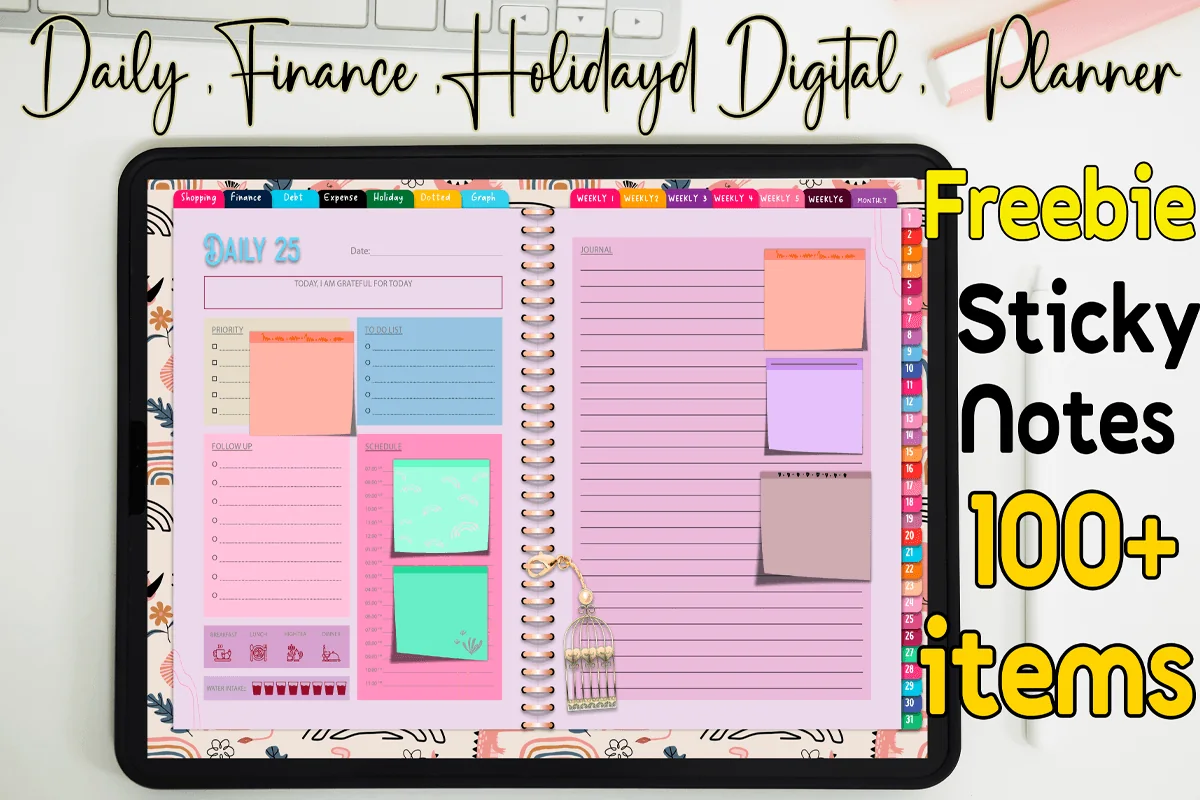
6. Digital Planner & Finance & Notes
Orientation: LandscapeLayouts: Monthly, Weekly, DailyDates: Undated (1 month)
Best for: daily planners, color lovers, holiday planners. Designed by MOMAT THIRTYONE.
- 60 undated pages for one month: 31 daily, 6 weekly and 1 monthly page
- Finance, debt payment and monthly expense pages (3 each)
- Weekly shopping lists and a holiday planner with a trip budget
- Colorful hyperlinked tabs, 100+ sticky notes
Not a budget planner first, and that's the point: your spending (7), grocery list (8) and trip budget (28) live next to the day you spend. It covers one month and is undated, so you duplicate it for the next one. Bright colors, so not for minimalists.
Quick Comparison
| Template | Best for | Budget pages | Ideas covered |
|---|---|---|---|
| 1. Digital Budget Planner, Financial Plan | A complete money system | Monthly, bi-weekly, funds, debt | 4, 9, 10, 14, 19–23 |
| 2. Digital Budget Planner, Finance Tracker | Biweekly pay, yearly view | Paycheck, debt, net worth | 4, 5, 19, 25, 26 |
| 3. Budget Digital Planner Hyperlinked Tab | First budget, no clutter | Income, bills, savings, debt | 1, 2, 13, 18, 19 |
| 4. Undated Budget Planner for GoodNotes | Start any month | Yearly, monthly, summary | 2, 12, 24, 26 |
| 5. Simple Savings Planner, Digital Planner | Saving, simply | Challenge, bills, purchases | 2, 11, 15–18 |
| 6. Digital Planner & Finance & Notes | Daily plan + money | Finance, debt, shopping, holiday | 7, 8, 19, 28 |
How to Use a Budget Planner: A Weekly and Monthly Routine
A budget planner works on a rhythm, not on willpower. Three short check-ins are enough:
- Before the month starts (30 minutes). Write down expected income, list the bills with due dates, set amounts for each category and sinking fund. If the income minus the plan isn’t zero or above, cut a category now, not on the 25th.
- Every week (15 minutes). Log the receipts, compare spending with the plan and move a little money between categories if needed. Sunday evening works well, together with the weekly plan.
- On payday (5 minutes). Mark the bills this paycheck covers, move the savings amount first and color in your challenge or goal tracker.
- At the end of the month (20 minutes). Fill in the monthly review: planned vs actual, one thing that worked, one change for next month. Then copy the useful pages for the new month.
What If Your Income Varies?
Freelancers, tipped workers and anyone paid by the hour know the problem: a budget built on a good month falls apart in a slow one. Plan the month on your lowest typical income, cover bills and needs first, and send anything extra to a buffer, savings or debt as it comes in. An income log (idea 1) kept for a few months shows what “typical” really is.
Budget Planner Template or Budgeting App?
Budgeting apps connect to your bank and sort transactions for you, which saves time. Many of them are paid subscriptions, though, and it’s easy to stop looking at numbers that appear on their own. A budget template on the iPad is a one-time purchase, and writing each expense by hand makes you notice it. Some people use both: an app or bank app for the transaction list, and a handwritten planner for the plan, the goals and the monthly review.
How to Set Up a Budget Planner in GoodNotes
- Save the PDF and open it on the iPad: Share → GoodNotes → Import as New Document.
- Fill in the yearly overview first: income, fixed bills and your two or three money goals.
- Choose one color per category and keep it on every page.
- Bookmark the pages you’ll use weekly (expense log, bill tracker) so they’re one tap away.
- Duplicate the monthly pages you need for the year and delete the ones you won’t use.
FAQ
What should a budget planner include?
At minimum: a monthly budget page, a bill tracker, an expense log and a savings tracker. If you have debt, add a debt list and a payoff tracker. A yearly overview and a monthly review page turn it from a record into a plan. Budget stickers for bills, paydays and savings goals make these pages quicker to read.
What is the 50/30/20 rule for a budget?
It splits take-home pay into three parts: 50% for needs (housing, food, bills), 30% for wants and 20% for savings and extra debt payments. It’s a starting point, not a law; in an expensive city needs often take more than half.
What should a bill tracker template include?
The bill name, due date, amount, how it’s paid (autopay or manual) and a checkbox for each month. Add a row for yearly and quarterly bills, so insurance or a car registration never catches you off guard. Templates #1, #2, #3 and #5 above all include a bill tracker page.
How do you make a couples budget?
Use one shared budget template. List both incomes, agree which bills come out of the joint pot, give each person a small amount of no-questions-asked money, and sit down for 15 minutes once a month with the monthly review page. A money goal tracker for something you both want, like a trip or an emergency fund, keeps it motivating.
What is the 70-10-10-10 budget rule?
Another simple split: 70% for living expenses, 10% for savings, 10% for debt or investing and 10% for giving. In a budget planner it works the same way as 50/30/20: four category groups with a target percentage at the top of the monthly page.
How do I start a budget planner as a beginner?
Start with three pages: an income log, a bill list and a daily spend log. Track one month without judging, then build next month’s budget from the real numbers. Add savings and debt trackers once the basics feel easy.
How much should I budget for each category?
Use your own last two or three months as the base, not someone else’s percentages. Fixed bills are what they are; for groceries, gas and fun, take the average you actually spent and decide whether to keep it or trim it a little.
Can I use my iPad as a budget planner?
Yes. A PDF budget planner works in GoodNotes, Notability or Noteshelf, and you write in it with an Apple Pencil; hyperlinked tabs jump between months and trackers, and pages can be duplicated as many times as you need. Apple doesn’t make a standalone budgeting app: Wallet shows spending summaries for Apple Card and Numbers has budget templates, so for a handwritten budget a PDF template is the usual choice.
Final Thoughts
A budget planner doesn’t need 200 pages to work. Choose a few budget planner ideas from the list (a bill tracker, a spend log and one savings goal is a great start), put them in an iPad template and check in once a week. For full budget planners, see my digital budget planners for iPad; for color-in challenges, the savings challenges for 2027; to budget by paycheck, the biweekly budget templates; or browse all budget planners. If you like simple percentages, my 50/30/20 budget templates show the rule with real numbers. Groceries are the easiest line to cut, and a digital meal planner keeps them on plan.
Still looking for an all-in-one setup? See my top digital planner picks for 2027, dated and undated.
You May Also Like
This post contains affiliate links. If you buy through them, I may earn a small commission at no extra cost to you. Learn more.