You remember making the payment, but the note on your iPad does not say whether it cleared or which balance you copied. A useful debt payoff tracker gives those details separate places, so the next review starts with a record rather than a guess.
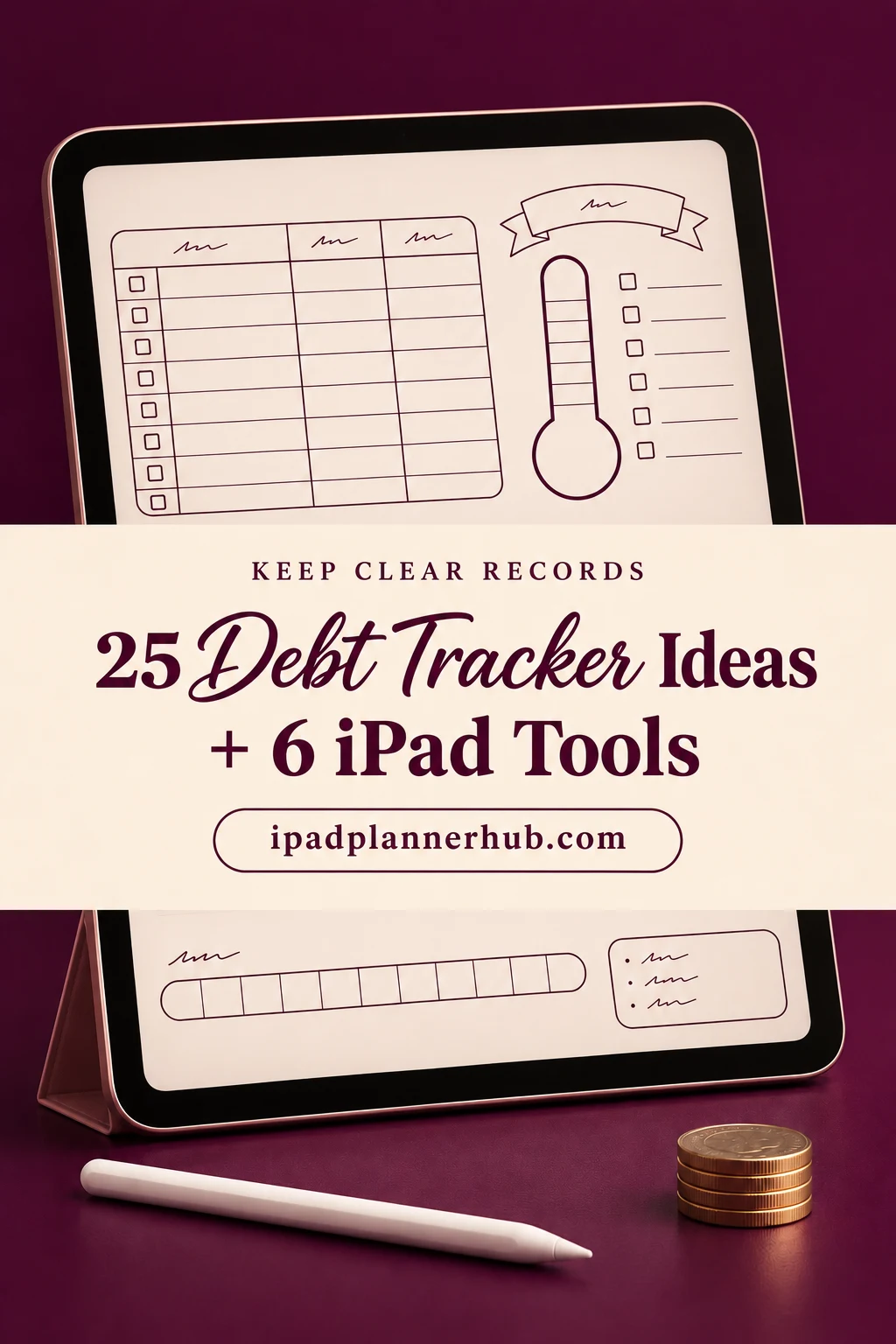
Start with three pages: an account list, a payment log and a short review page. The 25 ideas below let you build outward from that small system. Six optional digital notebooks and paper sets follow for people who want different paper layouts; an existing notebook can work too. For this manual recordkeeping setup, create your own financial headings.
What belongs in a manual debt record?
Give each amount a label and an as-of date. A statement balance, a payment you scheduled and a payment that posted answer different questions. Keeping them in different fields makes your notes easier to check against the account information later.
- Account overview: a nickname, balance with its date, interest rate, required minimum payment and due date. Copy figures from the relevant account documents.
- Payment log: the amount, scheduled date, posted date and a brief status note. Leave unknown details blank until you check them.
- Review note: what changed, what needs clarification and when you will look again. Avoid recording passwords or full account numbers.
Use the Department of Labor debt worksheet as a checklist for your account overview. Keep payment dates on a bill calendar, as the CFPB guide suggests.
25 debt payoff tracker ideas to build on your iPad
Pick only the pages that answer a real question. You do not need 25 active trackers, and the same amount should not have to be maintained in five places. Keep one main overview and refer back to it from the other pages.
Make the account picture readable
- 1Account snapshot. Create one row per account with nickname, balance, balance date, rate, minimum and due date. Keep a notes column for anything you could not verify. This is your reference page, so leave generous space between rows instead of shrinking the handwriting to fit a decorative frame.
- 2One account, one page. Give an account its own page when the overview starts to feel cramped. Repeat the nickname at the top, then keep a dated balance history and a small questions area below. Use the same page title in the overview so you can find the details without relying on a cover color.
- 3Statement-date strip. Add a narrow strip that says which statement or account screen each balance came from. A balance without a date is hard to compare with next month’s number. If the source changes, write that beside the new entry rather than quietly treating two different snapshots as equivalent.
- 4Missing-information list. Make a short collection headed “Need to check.” Put an unclear rate, missing statement or unexplained entry here with the account nickname and next action. This keeps uncertainty visible without turning a guessed number into a fact. Cross out an item only after you have recorded the answer elsewhere.
- 5Simple account key. Use short account labels such as Card A or Loan B consistently across pages. Add a small key if you need help remembering them, without full account numbers. Labels still work when the notebook is printed in grayscale or the colors are hard to tell apart.
Separate the plan from the payment record
- 6Scheduled-versus-posted log. Use separate columns for the amount you intend to pay, the date you scheduled it and the date it appears on the account. A tick in “scheduled” is not the same as “posted.” This layout gives you a clear place to revisit an entry that has not yet been checked.
- 7Minimum-and-extra columns. When recording your plan, put the required minimum and any planned extra amount in separate fields. Write the total in a third field only after checking the arithmetic. These are your notes about a plan, not instructions that submit a payment or change what the account requires.
- 8Due-date calendar. Write account nicknames on the relevant due dates, with a small reference to the payment-log page. Keep this calendar about dates rather than squeezing balances into every square. A handwritten calendar is a visual reference; use your actual payment process and separate reminders when you need alerts.
- 9Payday review page. Place a review appointment beside each payday and list the accounts you need to check before the next one. This page can bridge a debt log and a paycheck budget, but it should not decide affordability by itself. Refer to the wider budget before entering a planned extra payment.
- 10Receipt-reference line. Add a compact place to note where a payment confirmation is stored. Use a document label or a safe folder reference rather than copying sensitive details into the notebook. The point is to locate supporting information when an entry needs checking, not to collect every financial document on one visible page.
Show progress without inventing a forecast
- 11Monthly balance comparison. Put two dated balances side by side, with a column for the difference. Label this as a balance change, rather than assuming it equals the amount you paid. Use the actual figures from the account and add a note if the comparison needs explanation.
- 12Account-by-account progress bars. Draw one bar per account and write the starting balance and date beside it. Update the shading from checked balance figures using a clearly written scale. Keep the underlying numbers nearby: a colored bar is a visual summary and should not become the only surviving record.
- 13One combined overview. If you want a total, add the balances for the same set of accounts at each review. Write which accounts are included and use one currency. Changing the account list midway can make a total misleading, so mark any addition or removal next to the new figure.
- 14Milestone ladder. Mark a few balance checkpoints on a ladder, leaving space for the date you actually reach each one. These are observation points, not promised deadlines. A few readable checkpoints are easier to maintain than dozens of tiny boxes that need constant arithmetic.
- 15Questions behind the numbers. Reserve a small box for anything that makes the month’s movement unclear. Record the statement entry or question you need to investigate, then the answer when you have it. This keeps a disappointing-looking chart from becoming an unsupported story about what went wrong.
Keep the repayment approach visible
- 16Snowball order list. If you have chosen the snowball approach, list accounts by starting balance with the smallest first. The CFPB describes directing extra funds to the smallest debt while continuing minimum payments on the others. Keep the ordering page separate from your dated balance log so changes remain easy to follow.
- 17Highest-rate order list. For a debt avalanche, or highest-interest-rate approach, make a list ordered by rate and date the information you used. The CFPB describes this as targeting costlier debt first. Use the page to document the approach you chose, not as a substitute for advice about the particular terms or circumstances of your accounts.
- 18Current-focus note. Write the account currently receiving your attention and a plain-language reason for that choice. Keep this beside the order list, not in place of it. If the approach changes, start a new dated note so the notebook preserves the reason rather than rewriting the history.
- 19Change-of-plan record. Use three fields: what changed, what you need to verify and what you decided after checking. A change in income or an unfamiliar account entry may call for more than another tracker. The page helps collect questions before a conversation; it does not tell you which financial decision to make.
- 20Closed-loop follow-up list. List the next action for each unresolved issue, who you need to contact and the date to check back. Give completed actions a short outcome note. “Called” is less useful later than a dated summary of what was discussed and what information is still outstanding.
Make the notebook easier to maintain
- 21Monthly review checklist. Create a reusable checklist: gather current account information, check payment statuses, update dated balances and record unanswered questions. Keep it short enough to finish. This page supports consistency without requiring a diary entry every day or pretending that opening a tracker automatically moves money.
- 22Conversation notes. Give each call or message its own dated entry with the account nickname, your question and the response. Separate what someone said from what you still need to confirm. Leave a next-action line at the bottom so the useful result does not disappear inside a long paragraph.
- 23Neutral reset page. After a gap, write the date and restart from current account information. Note the period you did not track instead of reconstructing it from memory. A visible reset is more useful than a beautiful but unreliable sequence of guessed entries, and it gives the next review a clear starting point.
- 24Small maintenance wins. Keep a short list of organizational actions you completed: found a missing statement, clarified an entry or brought the log up to date. Keep this separate from balance milestones. It acknowledges work you can describe accurately without implying that every completed checkbox reduced the debt.
- 25Archive and next-review tab. Move an older review into a clearly named archive section and leave a pointer from the overview. Put the next review date where you will see it first. Before rearranging pages, check how your annotation app handles existing links so the notebook remains navigable after the tidy-up.
Six optional digital notebooks and paper sets for your own debt pages
These are general notebooks, journals and paper packs. None is presented as a specialist debt payoff template. I selected them for distinct ways to organize handwritten records: separate account sections, a chronological diary, a calendar, extra paper inserts, monthly notes or dark pages. Check your app and the current listing before choosing one.
TL;DR: Start with an account list, a payment log and a regular review. These 25 ideas are layouts you create yourself. Six optional digital notebooks and paper sets provide general notebook pages, not specialist debt forms, automated calculations or bank connections.
Quick Picks
- Best for separate account sections: Digital Notebook
- Best for a dated payment diary: Digital Ruled Journal
- Best for brief calendar check-ins: Undated Cute Orange Bullet Journal
- Best for adding a ledger page: Digital Notebook Papers – GoodNotes
- Best for monthly review notes: Digital GoodNotes Journal – Art Deco
- Best for dark paper layouts: Dark Mode Digital Notebook – Gold Theme
- Digital Notebook – Best for separate account sections
- Digital Ruled Journal – Best for a dated payment diary
- Undated Cute Orange Bullet Journal – Best for brief calendar check-ins
- Digital Notebook Papers – GoodNotes – Best for adding a ledger page
- Digital GoodNotes Journal – Art Deco – Best for monthly review notes
- Dark Mode Digital Notebook – Gold Theme – Best for dark paper layouts
Best for separate account sections
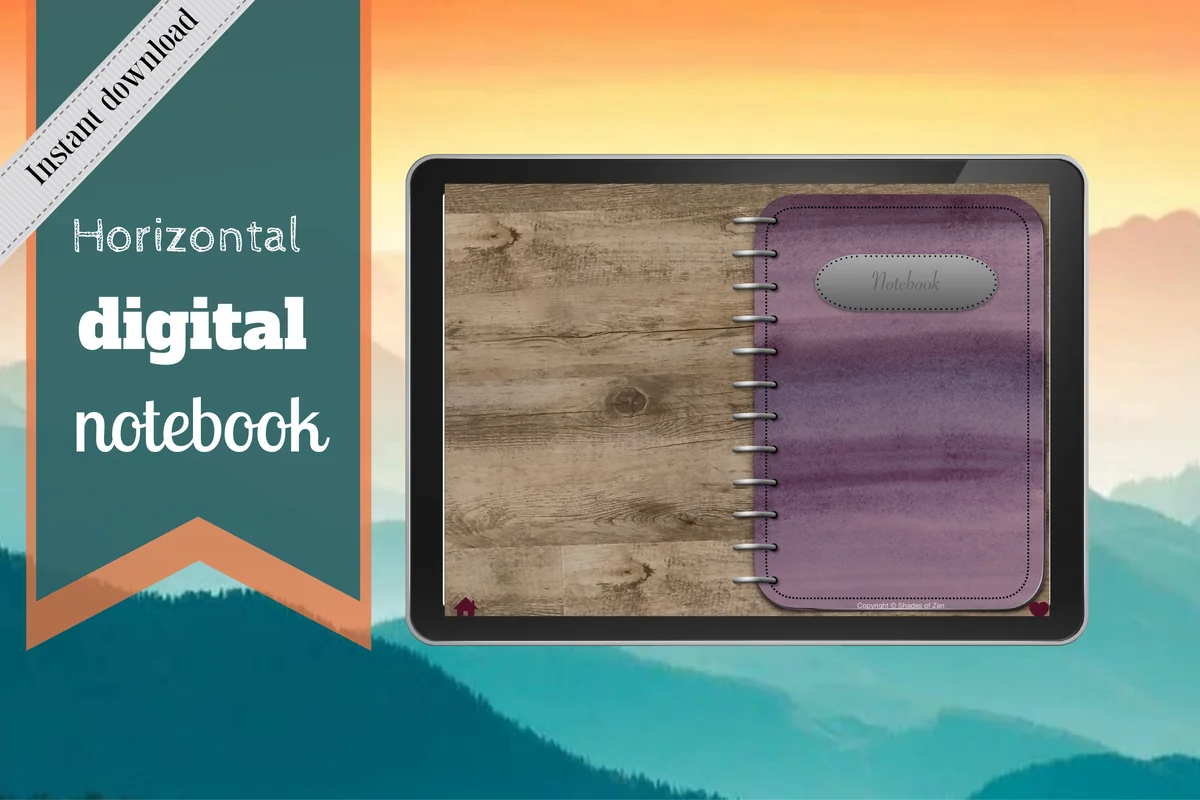
1. Digital Notebook
Orientation: LandscapeLayouts: Blank, lined, dotted, graph and Cornell notesDates: Undated note pages
Best for: several accounts that need distinct notes without losing the overall picture. Designed by Shades of Zen.
- Twelve expandable sections with hyperlinked tabs
- Sixteen note templates, including lines, dots, graph and Cornell pages
- Landscape PDF notebook with GoodNotes import instructions
I like the section structure for keeping an account history together: a balance snapshot at the front, then payment notes behind it. Use one section for your overview and the others for individual accounts. The templates are general note pages, so you draw the debt ledger yourself. The pictured binder rings also take up some writing space.
Best for a dated payment diary
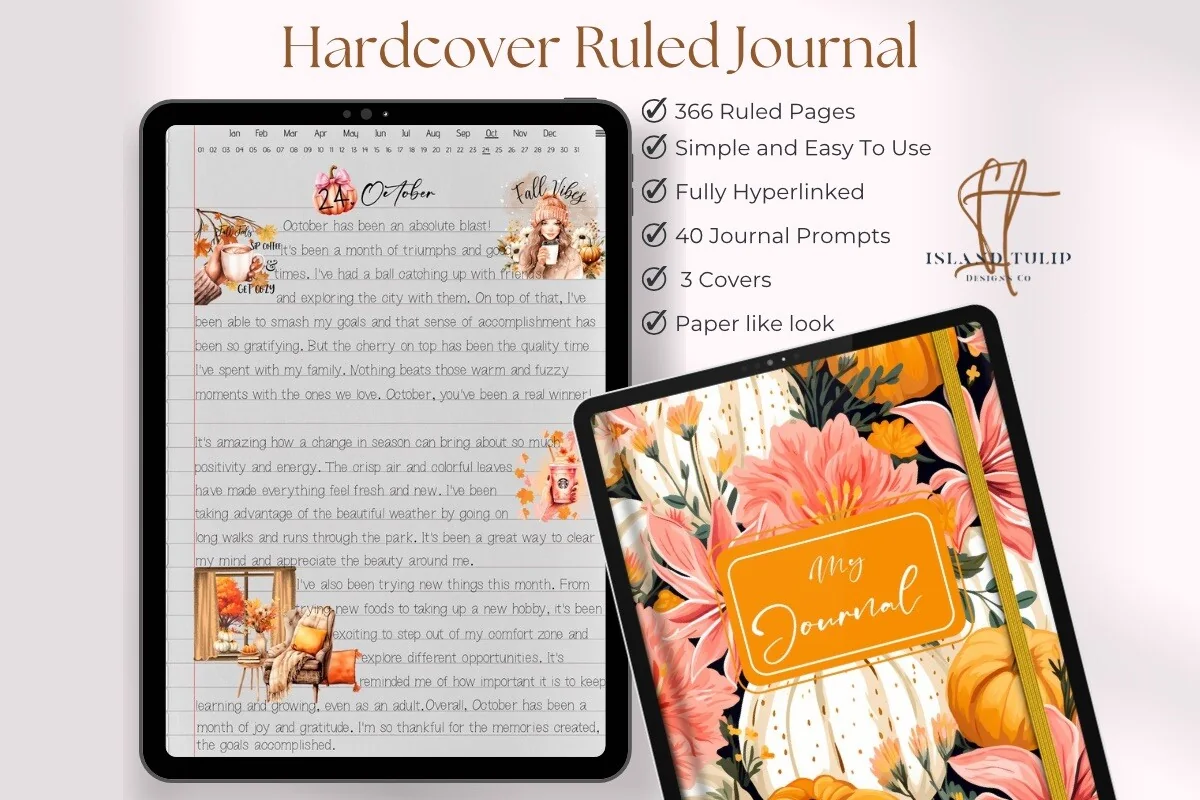
2. Digital Ruled Journal
Orientation: PortraitLayouts: Ruled daily pages and date indexDates: Month/day navigation, no fixed year shown
Best for: short chronological entries about payments and conversations. Designed by Island Tulip Designs Co.
- 366 ruled pages and three cover choices
- Hyperlinked journal with 40 PNG and precropped GoodNotes prompts
- Gallery shows month-and-day index navigation and ruled writing pages
A ruled diary suits the sentence you want to find later: what you paid, when it posted and what still needs checking. Keep the account summary on its own page so daily entries stay short. Its pictured index locates dates; it is not a debt dashboard or a payment reminder service. The journaling prompts are optional decoration for this use. The listing does not specify the journal file format; check it before purchase.
Best for brief calendar check-ins
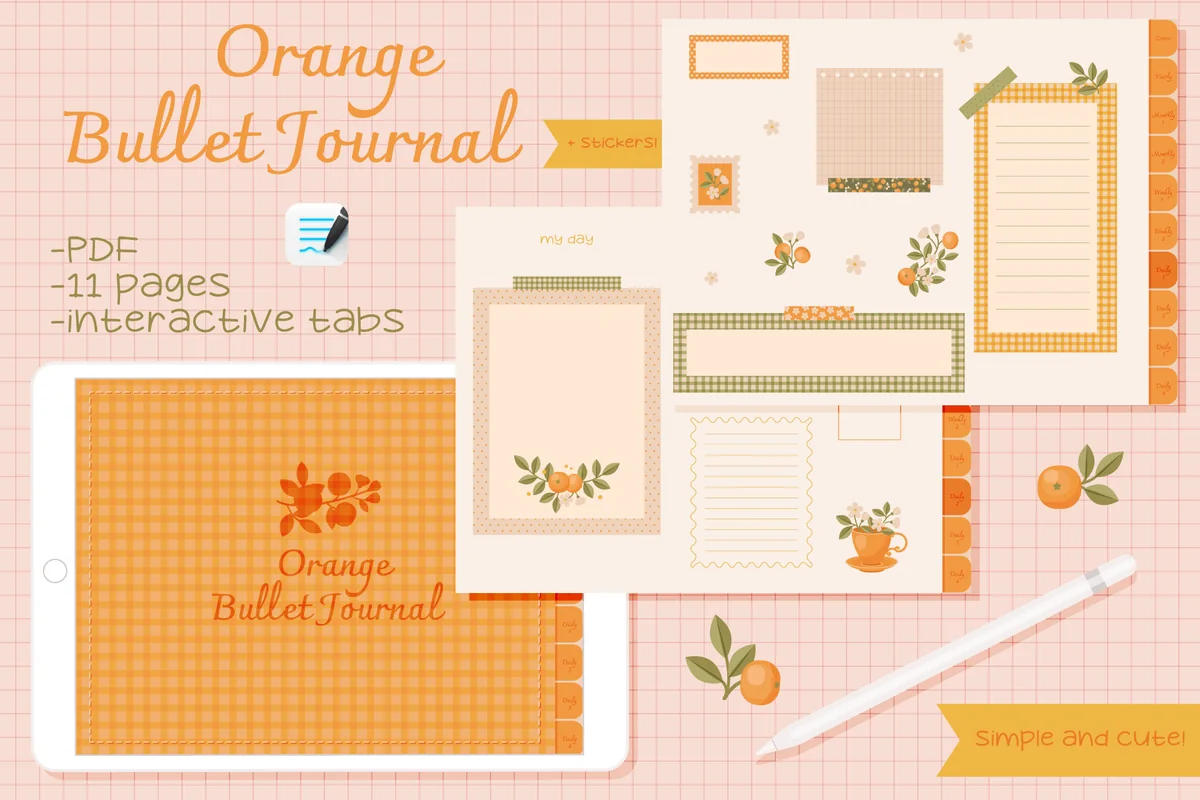
3. Undated Cute Orange Bullet Journal
Orientation: LandscapeLayouts: Fill-in calendar and decorated notesDates: Undated
Best for: a few review dates and a small next-action note. Designed by digitaliya_studio.
- Undated interactive PDF bullet journal for GoodNotes
- Gallery shows a fill-in calendar and decorated writing frames
- GoodNotes stickers included; orange botanical design
This is the compact choice for a review calendar beside a short list of things to check. The orange frames leave less room for a long account history. Dates and short follow-ups fit this space better than a crowded ledger. The financial labels are yours to add. A date written in the calendar does not trigger an alert.
Best for adding a ledger page
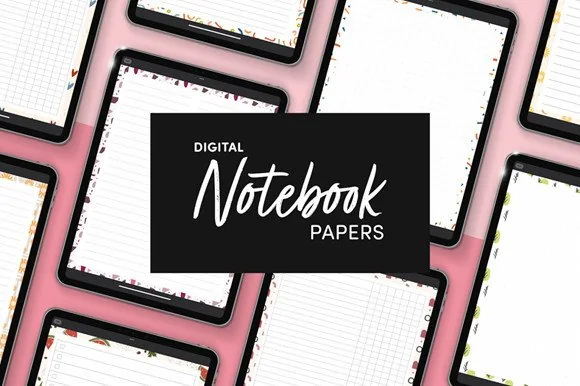
4. Digital Notebook Papers – GoodNotes
Orientation: PortraitLayouts: Columns, lists, dots, square, lines and notesFormat: PNG and PDF
Best for: using an existing notebook instead of starting another one. Designed by catsquills.
- Nine portrait paper designs for GoodNotes and Notability
- Eight layouts per design, including columns, numbered lists and lines
- PNG and PDF files listed at 2550 by 3300 pixels
Sometimes the useful purchase is one extra paper style, rather than another complete planner. The column layouts give you a starting point for a payment record; a numbered list can hold questions for the next account review. These are paper files, not an account system. You supply the headings, arithmetic and navigation in the notebook you already use.
Best for monthly review notes
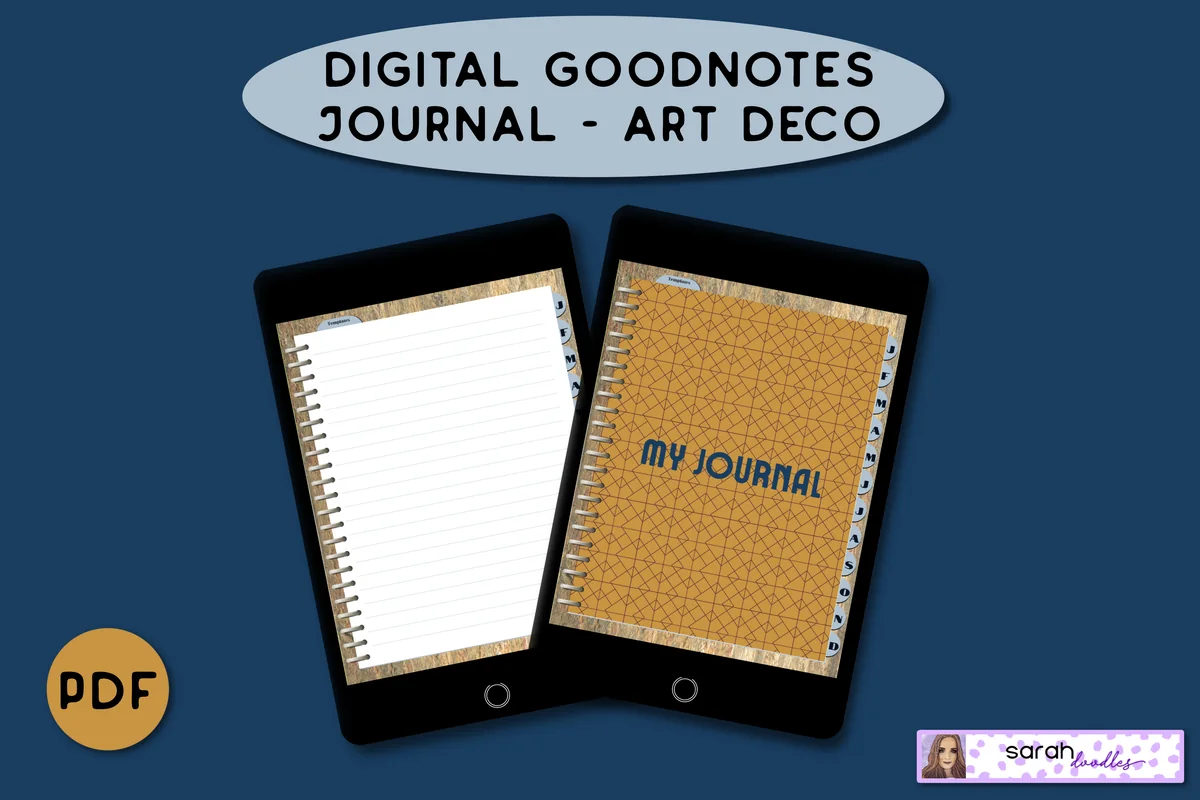
5. Digital GoodNotes Journal – Art Deco
Orientation: PortraitLayouts: Lined pages, brain dump and prioritiesDates: Undated month sections
Best for: keeping each month’s payment review and questions together. Designed by Sarah Doodles.
- Undated PDF journal for iPad and annotation apps
- Hyperlinked month dividers with five lined pages per month
- Gallery also shows brain-dump and priority templates
The monthly divider gives a natural home to a closing balance note and a short explanation of anything unusual. Keep the raw account details on a separate ledger so a monthly reflection does not become the only record. I like the pictured priority page for sorting questions before a call. It supplies general writing space, not debt calculations or a payoff forecast.
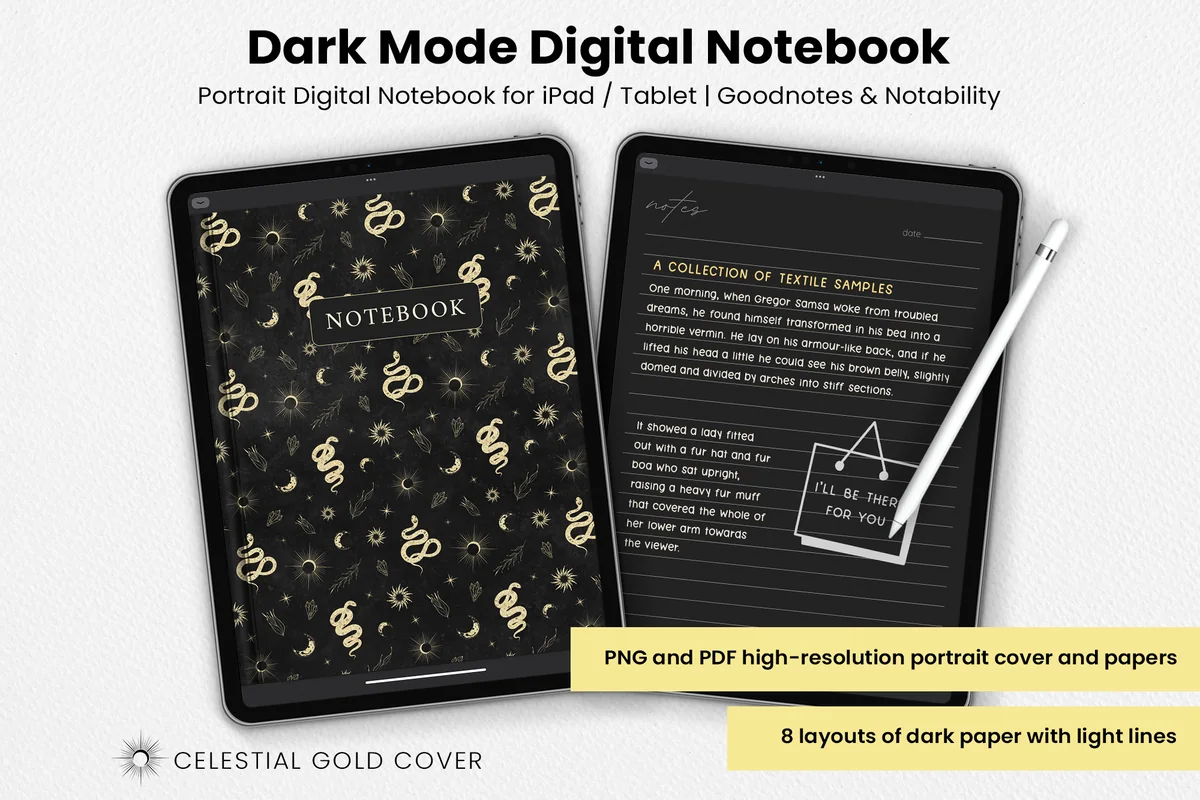
Best for dark paper layouts
6. Dark Mode Digital Notebook – Gold Theme
Orientation: PortraitLayouts: Columns, tracker, lists, dots, square, lines and notesFormat: PNG and PDF
Best for: readers who prefer light writing on a dark background. Designed by catsquills.
- Portrait digital notebook papers for GoodNotes and Notability
- Celestial gold cover with eight dark paper layouts
- PNG and PDF files; columns, lists, grids and lines shown
Choose this for the paper contrast rather than for financial features. The column and grid layouts can hold the same account labels and statement dates as a light notebook. Use a clear light pen color and check a sample entry at your normal zoom before filling a page. The gold cover is decorative; there are no ready-made debt forms or automatic links to a lender.
Quick Comparison
| Digital option | Recordkeeping use | Starting point | Limit |
|---|---|---|---|
| 1. Digital Notebook | Account-by-account ledger | Twelve linked sections | You create the financial headings |
| 2. Digital Ruled Journal | Chronological payment notes | Ruled pages and date index | No ready-made balance table |
| 3. Undated Cute Orange Bullet Journal | Review calendar and next action | Fill-in calendar and note frames | Small writing areas |
| 4. Digital Notebook Papers – GoodNotes | Custom column ledger | Paper inserts in PNG and PDF | No built-in account navigation |
| 5. Digital GoodNotes Journal – Art Deco | Monthly record bundle | Month tabs and lined pages | Financial fields must be written in |
| 6. Dark Mode Digital Notebook – Gold Theme | Dark-background ledger | Eight paper layouts | Manual entries and calculations |
Build a debt payoff tracker template with three reusable pages
Start small enough that the next update feels manageable. A simple ledger that matches your account documents is more useful than a complicated dashboard you do not trust. This setup uses only the account overview, payment log and review note from the ideas above.
A practical first setup
- 1Name your reference pages. Create Overview, Payments and Review. Put the same account nicknames on all three. Leave space for dates beside every balance and payment status, and keep unverified details in a clearly labeled questions area.
- 2Copy current information carefully. Work from the relevant statements or account records. Enter the balance and its date together. Check your handwriting, currency and decimal places before making a total; do not use a previous notebook total as evidence for a new balance.
- 3Record a payment as an event. Write what was planned, then add the actual posted information after checking the account. Keep those stages separate. A notebook entry does not initiate a payment and does not confirm that the account received it.
- 4Schedule your next review. Choose a time to compare notes with current account information. Bring unresolved questions forward with a next action, then stop. Add a new page type only when you can explain which recurring problem it will solve.
Use the review page as your debt payoff planner
Keep the payment log as a record of what happened, and use the review page to write what you plan to do next. Name the account, the planned amount and the date you will check its status. If you plan to put extra money toward debt repayment, record that amount separately from the required payment and refer back to your budget.
Give each credit card or student loan a consistent nickname so its entries stay together across reviews. Copy the interest rate or APR with the label used on the account document rather than treating an unlabeled percentage as interchangeable. Keep a dated note of your payoff strategy beside the account order so you can see why you chose the current focus.
Keep a progress note you can update consistently
To stay motivated, pair a checked balance milestone with a short note about the action you completed. Keep progress toward becoming debt-free separate from maintenance wins such as finding a statement or resolving a question. If a family member shares the recordkeeping, agree who updates the single main overview so you do not count the same payment twice. A scheduled review can help you stay organized without adding a new page for every dollar.
A payment total is not the same as a balance change
Suppose two checked snapshots show $1,000 at the start and $930 at the next review. The balance decreased by $70. If your payment log says you paid $100 during that period, keep both figures: the payment total is $100 and the observed balance decrease is $70. This is a recordkeeping example, not a payoff projection.
- Label the measure: payments made, balance remaining or change between dated snapshots.
- Keep the source: note where each balance came from and the period covered.
- Investigate differences: check the account entries instead of assuming why the numbers differ.
- Avoid a false finish date: a handwritten progress chart does not calculate future interest or a reliable payoff date.
Template or app: which job do you need done?
A debt payoff tracker PDF is useful when you want a handwritten record and a place to think through questions. An app or spreadsheet serves a different job. Before choosing one, identify whether your difficulty is organizing records, estimating scenarios or managing payments. The six digital options above address the first of those needs.
- Use notebook pages for: dated snapshots, payment notes, questions, visual milestones and review checklists.
- Look for a calculation tool when: you need modeled repayment scenarios. Check its assumptions and the inputs it requires rather than copying a result without context.
- Use actual account services for: authoritative balances, payment confirmations and account-specific information.
If coordinating reviews with income is the main problem, the paycheck budget templates article covers that broader planning task. Keep this debt log focused on accounts and payment history so it does not become a second, conflicting household budget.
FAQ: keeping debt records
Can I make a tracker for free?
Yes. Draw the overview, payment log and review checklist on a blank page you already have. The optional digital notebooks and paper sets here provide paper styles and notebook organization, not a necessary financial feature. Try the workflow on an existing page before deciding whether another notebook would help.
Can I use these digital pages in GoodNotes?
The selected listings identify GoodNotes compatibility. For listings that specify PDF or PNG, import those files according to the product and app instructions, then add your own headings. Digital Ruled Journal does not specify its journal file format, so check that detail before purchase. The exact steps depend on the file and app version; I have reviewed listing descriptions and public previews, not tested purchased archives.
Does a debt payoff tracker calculate interest?
For the manual setup described here, write the amounts and do any arithmetic separately. Keep a calculator’s assumptions distinct from the amounts you copy from account records, and do not label a handwritten estimate as an established payoff date.
Should the tracker use snowball or avalanche order?
The page can document either approach. Snowball orders debts from the smallest balance; the avalanche method puts the costlier rate first. Your personal circumstances and account terms matter. Keep a dated note of the approach you chose and seek qualified guidance when you need help deciding.
When should I get help rather than add another tracker?
If you cannot meet required payments, do not understand an account entry or feel unsure about a repayment decision, a new page layout is not enough. Contact the relevant creditor or a qualified financial counselor for guidance about your situation. This article offers organizational ideas, not individualized financial advice.
Keep the next review clear
The most useful debt payoff tracker is one you can read and update without guessing. Start with dated balances, separate planned and posted payments, and give every unresolved question a next action. Add a visual milestone or a new section only when it makes that record easier to use.
You May Also Like
Some links are affiliate links. If you buy through them, I may earn a commission at no extra cost to you. Read the affiliate disclosure.