An irregular income budget needs room for a payment that arrives on Thursday instead of Monday, or comes in smaller than expected. A monthly total alone can hide that awkward gap. I suggest seven simple pages that show what is expected, what has arrived and what must leave before the next review.
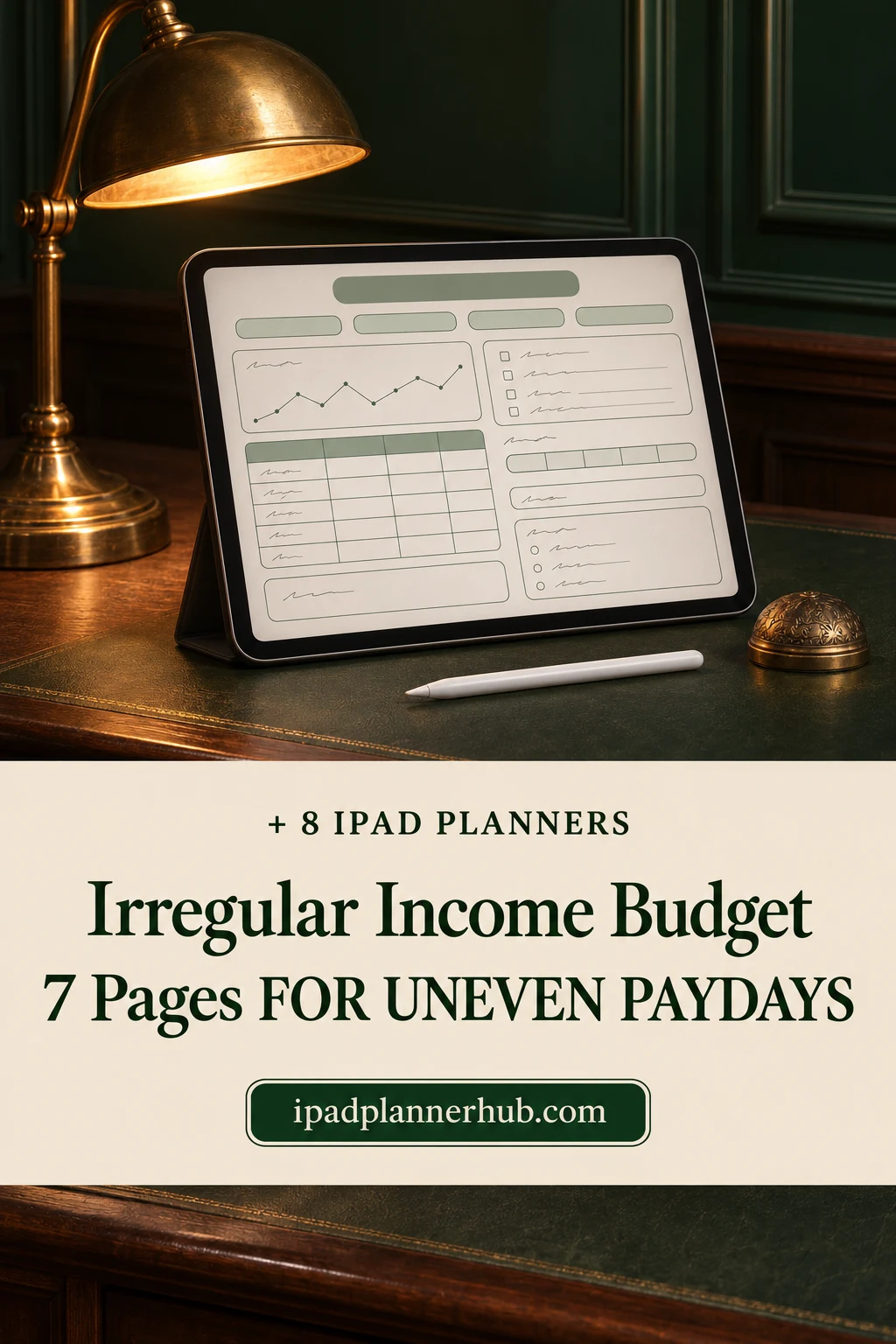
You can build these pages on paper or in an existing iPad notebook. The worked example uses invented household amounts, followed by eight digital planners with relevant money or note pages. They are optional tools for manual recordkeeping; buying a planner does not create extra income or guarantee that bills will be covered.
What an irregular income budget template needs to show
Keep two views: a forecast for planning and an actual-money record for checking what happened. An expected payment belongs in the forecast until it is received and available. Label each view clearly rather than mixing estimated and actual figures in one total.
- Expected: amount, likely date, source and next date to check. Dates can change.
- Received: amount actually available, receipt date and a reference that lets you find it again.
- Due: obligation, amount, deadline and payment status. A planned payment is not a completed payment.
- Carried forward: the checked closing balance from one week becomes the next week’s opening balance.
The CFPB cash-flow worksheet uses a weekly starting amount, received funds and outflows, then carries the result forward. That timing view is the foundation here. The page designs and dollar amounts below are my own examples, not forms included in every product.
Seven pages for uneven paydays
Choose one review week, such as Monday through Sunday, and write its dates on every page. The review week is simply an organizing window. It does not assume that you are paid weekly, twice a month or on a fixed biweekly schedule.
Keep future payments apart from available money
- 1Expected payments list. Create columns for source, expected amount, expected date, status and next check. A freelance payment of $200 expected Friday stays here while it is pending. If the date changes, update the forecast and leave a short note rather than moving imaginary money into the receipts ledger. This is a household planning reminder, not a substitute for business invoices or accounting.
- 2Actual receipts ledger. Record each available payment once, using the date it arrived and its actual amount. If two payments arrive on the same day, give each a separate line so the total can be checked. Cross-reference the matching expected entry and mark it received. A partial payment gets its own actual line, while the unpaid remainder stays expected; do not mark the entire amount received.
See commitments before the week begins
- 3Essential obligations record. List housing, utilities, food, transport and other household commitments relevant to you, with amounts and due dates. Distinguish an estimate from a known bill amount. Add a status such as upcoming, scheduled or paid, and write the actual payment date when it happens. A recurring item still needs checking; repeating last month’s figure can hide a changed charge.
- 4Weekly cash-flow calendar. Put expected receipts and upcoming outflows on their dates, with visibly different labels for expected and received money. Start from the checked opening amount and follow events in date order. This exposes a shortfall before a later payment is expected. The calendar is a view of the ledgers, not another source of income to add to the total.
Close one week before opening the next
- 5Opening and closing balance sheet. Write opening funds plus actual receipts minus actual outflows equals closing funds. Define which household cash and accounts the sheet covers, and keep that scope consistent. Money transferred between two included accounts is not new income. Keep an amount reserved for an upcoming obligation visible so that a positive closing balance is not mistaken for money without a purpose.
- 6Expected-versus-received review. Compare each expected payment with its actual receipt, not just the two grand totals. Note late, partial and unreceived payments separately. A forecast difference is information for the next plan; it does not itself change the actual balance. This page helps explain why a month with a reasonable total can still contain a tight week.
- 7Next-review note. End with three prompts: What changed? What still needs checking? When will I check again? Write a concrete follow-up such as checking the status of the remaining payment on Tuesday. Carry the checked closing balance into the next opening line. Keep an unresolved difference visible until you can explain it, rather than inventing an adjustment to make the numbers agree.
If you only have time to set up two pages today, make the actual receipts ledger and the weekly balance sheet. Then add the obligations list before making the next forecast. The aim is a record you can maintain when dates change, rather than seven beautifully decorated pages that repeat the same numbers.
A weekly cash-flow example: the missing $200 stays expected
Imagine $100 in the household money covered by this sheet at the beginning of Monday. A $300 payment arrives Tuesday. Another $200 is expected Friday, but it has not arrived by the weekly review. Actual outflows total $250, including $90 for groceries, $40 for transport and a $120 utility payment.
| Record | Amount | How it enters the check |
|---|---|---|
| Opening funds | $100 | Starting amount, not this week’s income |
| Payment received Tuesday | +$300 | Actual receipts ledger |
| Payment still expected Friday | $200 pending | Forecast only; excluded from actual funds |
| Actual weekly outflows | -$250 | Groceries $90 + transport $40 + utility $120 |
| Closing funds | $150 | $100 + $300 – $250; next week’s opening amount |
The closing amount is $150, not $350. Nothing has to be erased from the forecast: the $200 stays on Expected Payments with its next check date. If it arrives next week, record it as next week’s receipt, once. The $150 opening balance already includes this week’s remaining money, so do not add the $300 again.
- Before the Tuesday receipt: only the opening $100 is available within this example. The later receipt does not solve an earlier timing gap.
- At the weekly close: check each outflow against the actual record, including any pending transactions that affect availability.
- For next week: begin with $150, list upcoming obligations and keep the unreceived $200 outside the actual total.
When the forecast changes, keep the original trail
A delayed payment, a partial payment and a duplicate entry need different corrections. Use short status labels alongside any colors so the meaning stays clear when you copy the page.
- Late payment: leave the receipt ledger unchanged, revise the expected date and review what falls due before then.
- Partial payment: an expected $200 with $80 received creates an $80 receipt and $120 still pending. It does not create $280 of income.
- Duplicate entry: mark the duplicate clearly and remove it from the total while keeping enough detail to explain the correction.
- Changed bill: update the obligation record, then revisit the forecast. Record the eventual actual payment separately.
For the wider monthly plan, Colorado State University Extension discusses planning around a conservative income estimate, identifying essential and periodic expenses, and reviewing records regularly. That planning estimate has a different job from the actual-money ledger. Neither an estimate nor a written balance guarantees that a future payment will arrive.
Keep slow months and reserved money visible
Use the conservative monthly estimate described by Colorado State University Extension to build a budget based on leaner receipts, then compare it with essential costs. Include required debt payments and periodic expenses such as insurance premiums. Mark seasonal dips in the forecast so a strong month does not become the assumed spending level for every month.
Give emergency fund contributions and long-term saving, including retirement, their own labels in the obligations record. If you keep reserves in a savings account, define whether that account belongs inside the ledger’s scope before recording transfers. The weekly cash flow check should show whether you have enough money for upcoming commitments while keeping reserved amounts identifiable.
In the worked example, label exactly what the $150 of money left must cover next week before treating any of it as spending money. When the forecast falls short, review adjustable entertainment and subscription services to see what you can cut. Record spending on credit cards alongside other purchases so borrowing does not hide the cost of the week.
Eight iPad planners with pages you can adapt
I selected these for visible budget, receipt, expense, bill or note pages that support part of the process. None is presented as a complete purpose-built irregular-income system. The cards distinguish included pages from the weekly summaries you would create yourself. My assessment is based on the listings and galleries; I have not tested the paid planners.
TL;DR: Build the seven pages in any notebook first. These eight planners offer income, expense, bill or note pages to adapt; none is presented as an automatic irregular-income calculator.
Quick Picks
- Best for a budget and spending review: Digital Budget Planner, Financial Planner
- Best for a compact income ledger: Budget Digital Planner Hyperlinked Tabs
- Best for more custom note space: Gold Budget Digital Planner/Hyperlinked
- Best for a monthly spending recap: Undated Budget Planner for GoodNotes
- Best for the obligations side: Hyperlinked Bill Tracker Planner
- Best for a broader finance overview: Digital Budget Planner, Finance Tracker
- Digital Budget Planner, Financial Planner – Best for a budget and spending review
- Budget Digital Planner Hyperlinked Tabs – Best for a compact income ledger
- Gold Budget Digital Planner/Hyperlinked – Best for more custom note space
- Undated Budget Planner for GoodNotes – Best for a monthly spending recap
- Hyperlinked Bill Tracker Planner – Best for the obligations side
- Digital Budget Planner, Finance Tracker – Best for a broader finance overview
- All-in-One Digital Planner ( 112 Pages ) – Best for money beside a weekly schedule
- Undated Digital Planner, Life Planner – Best for separate revenue and expense logs
Record receipts and review spending
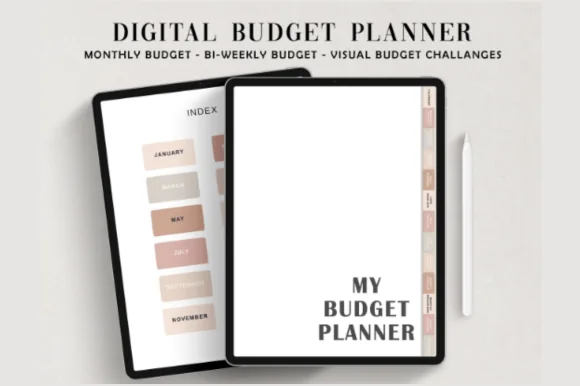
Best for a budget and spending review
1. Digital Budget Planner, Financial Planner
Orientation: PortraitLayouts: Monthly budget, spending and reviewDates: Undated
Best for: matching monthly plans with daily spending and weekly reflection. Designed by ThePlannersDelight.
- Hyperlinked PDF for GoodNotes, Noteshelf or Notability
- Monthly budget, daily spending logs and bill tracker
- Weekly expense check-in, monthly breakdown and undated calendar
- Requires an Apple tablet and a writable stylus such as Apple Pencil; apps, tablet and stylus are not included and must be purchased separately
I like the separation between planning and reviewing here. Record received money in the budget, use the daily log for actual spending, then bring both to the weekly check-in. The monthly tabs give the process a home, but the expected-payment list and weekly carry-forward calculation are your own additions. A biweekly page is included; you do not have to force irregular payments into that schedule.
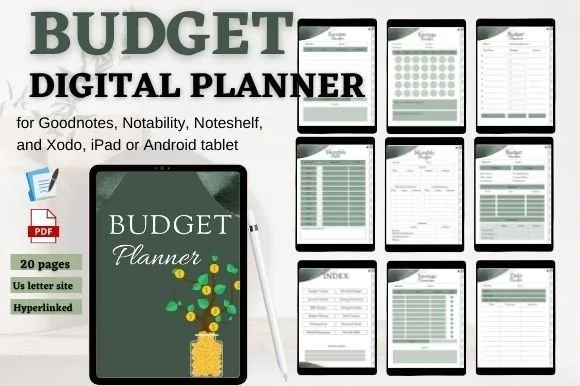
Best for a compact income ledger
2. Budget Digital Planner Hyperlinked Tabs
Orientation: PortraitLayouts: Income, monthly budget, bills and notes
Best for: keeping receipts, bills and a custom weekly summary in a small file. Designed by mixxdigitaldesign.
- 20-page hyperlinked PDF with US Letter layout
- Income Tracker, Monthly Budget and Bills Tracker
- Notes and extra pages; GoodNotes, Notability, Noteshelf and Xodo listed
This green planner has a useful starting point for the receipts page: an Income Tracker separate from Monthly Bills. Keep the tracker for money actually received, and label one extra page Expected Payments so the two totals stay distinct. Notes can hold the opening and closing balances. The 20-page format is compact, rather than a ready-made irregular-pay system.
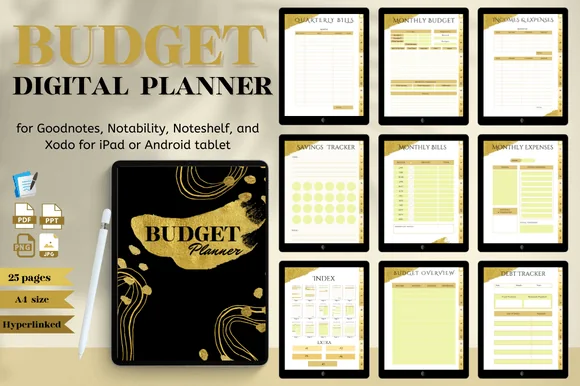
Best for more custom note space
3. Gold Budget Digital Planner/Hyperlinked
Orientation: PortraitLayouts: Income, expenses, quarterly bills and notes
Best for: building a weekly balance page beside income and expense records. Designed by Nann Digital Art.
- 25-page A4 digital planner with hyperlinked navigation
- Income Tracker, Expense Tracker, Monthly Bills and Quarterly Bills
- Five extra pages with lined and grid note layouts shown
The extra note layouts are the reason I included this black-and-gold option. Use a grid page for opening balance, actual receipts, actual outflows and closing balance, while the existing trackers hold the transaction detail. Quarterly Bills can keep a less frequent obligation visible beside the monthly list. You still calculate every balance and add the weekly labels yourself.
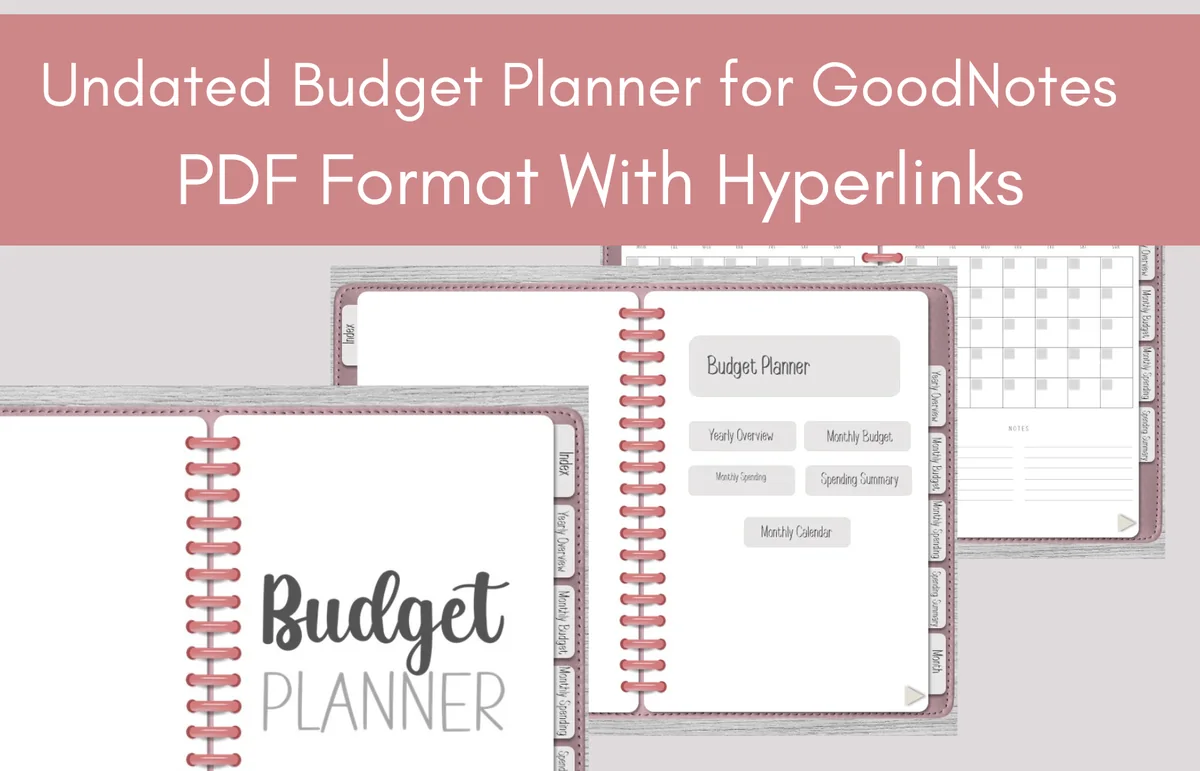
Best for a monthly spending recap
4. Undated Budget Planner for GoodNotes
Orientation: PortraitLayouts: Monthly budget, spending and calendarDates: Undated
Best for: checking the wider month after several uneven weeks. Designed by Perla Designs.
- 30-page hyperlinked PDF for GoodNotes
- Monthly Budget, Spending Summary and Monthly Calendar
- Yearly Overview and Monthly Spending pages
Perla Designs gives the month-end review a straightforward pink layout. Use its Spending Summary to review several weekly records together, especially when a payment moved into a different week than expected. The gallery shows budget and spending views, but no separate expected-income ledger; keep that record in your existing notebook.
Keep obligations and monthly context visible
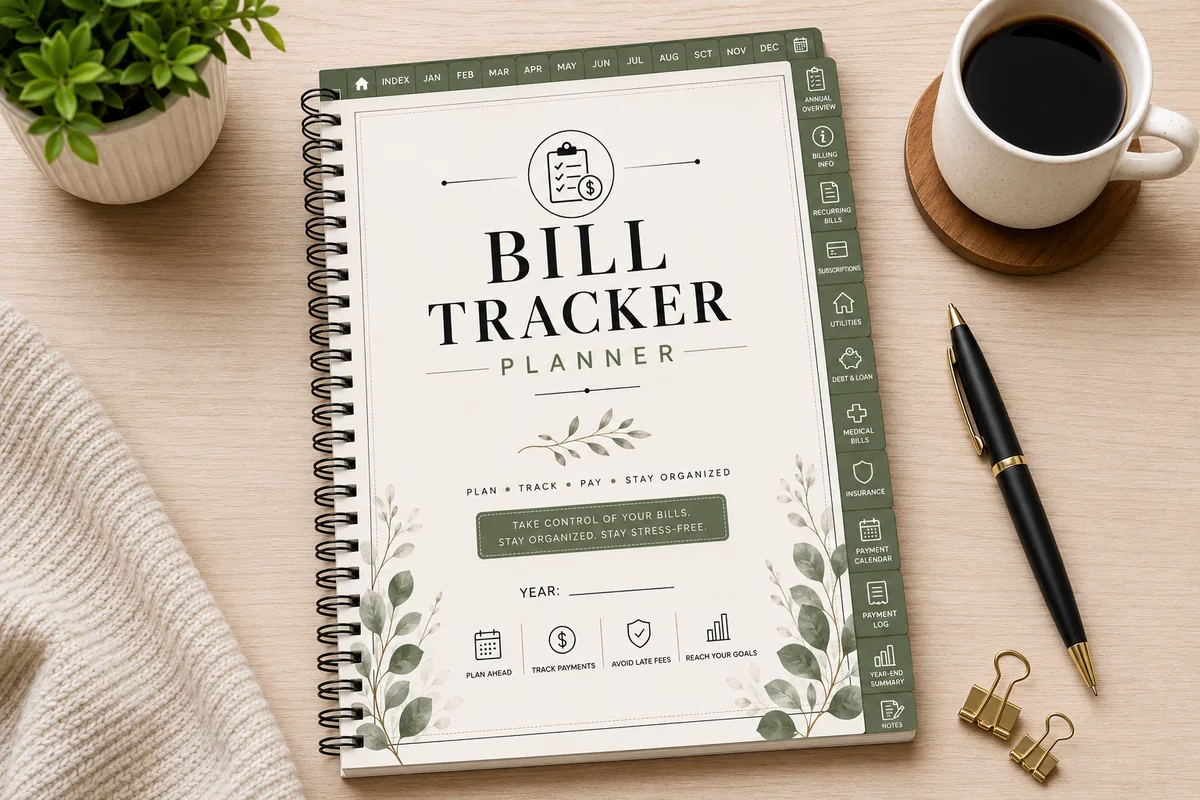
Best for the obligations side
5. Hyperlinked Bill Tracker Planner
Orientation: Portrait A4Layouts: Bills and payment recordsDates: Undated
Best for: keeping payment deadlines beside a separate received-income ledger. Designed by Azhir.
- 52-page undated hyperlinked PDF with portrait A4 layout
- Monthly Bill Trackers, Payment Log and Bill Payment Calendar listed
- Compatible with GoodNotes, Notability and Noteshelf
When the difficult part is remembering what falls due before the next payment, this bill-focused file has the clearest role. The listing includes recurring bills, monthly summaries and a payment calendar. It is a companion to an income ledger, not an income planner by itself. Only the cover is available in the gallery, so I cannot assess the internal column spacing or writing room.
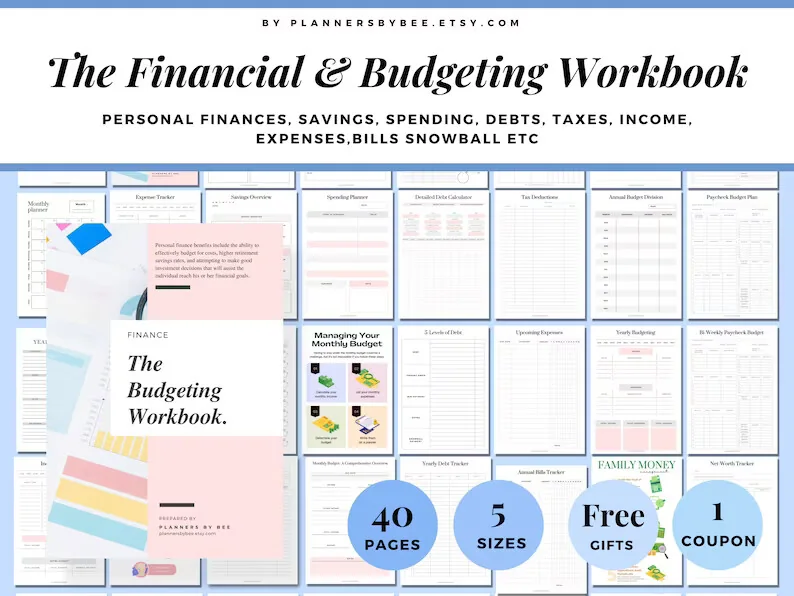
Best for a broader finance overview
6. Digital Budget Planner, Finance Tracker
Orientation: PortraitLayouts: Spending and annual bill overview
Best for: reviewing the month with spending and annual bill references. Designed by PlannersByBee.
- GoodNotes financial planning workbook
- Gallery shows Spending Planner and Annual Bill Tracker
- Single promotional overview; interior detail is limited
This colorful workbook suits a broader monthly review after you have reconciled the weekly ledger. The annual bill reference can prompt a check for obligations that a weekly view might miss. Keep the day-by-day cash-flow arithmetic on a separate page: the single overview image does not establish a dedicated received-income or running-balance form. No automatic calculations are assumed.
Add money records to a life planner
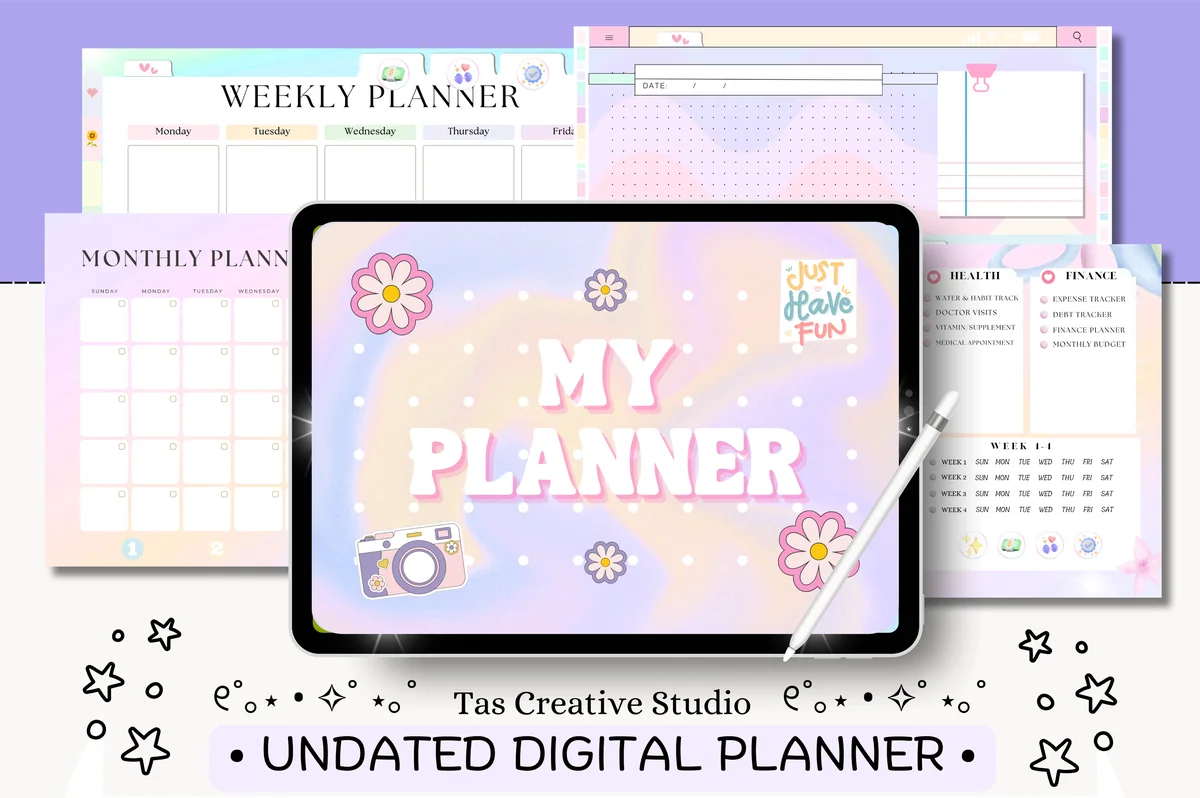
Best for money beside a weekly schedule
7. All-in-One Digital Planner ( 112 Pages )
Orientation: LandscapeLayouts: Weekly plans, budget and finance recordsDates: Undated
Best for: seeing household commitments and budget notes in one life planner. Designed by Tas Creative Studio.
- 112-page undated horizontal hyperlinked PDF
- Monthly Budget, Finance Tracker, savings and bills visible in the gallery
- Weekly calendar and dotted notes; GoodNotes and Notability supported
A calendar can make more sense when it sits beside the rest of your week. This pastel life planner combines weekly planning with finance pages, so a bill date can share the same planning session as appointments and errands. Its dotted notes provide space for your own expected-versus-received list. The game-console illustrations are a style choice; this is a general planner, not a specialized variable-income workbook.
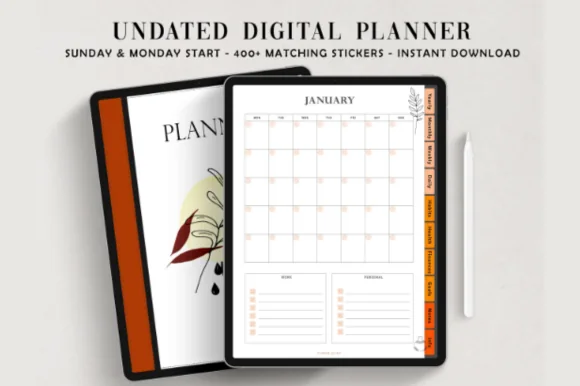
Best for separate revenue and expense logs
8. Undated Digital Planner, Life Planner
Orientation: PortraitLayouts: Revenue, expenses, budget and notesDates: UndatedWeek start: Monday and Sunday versions
Best for: keeping actual receipts apart from spending inside a life planner. Designed by ThePlannersDelight.
- Undated hyperlinked PDF for GoodNotes or Noteshelf
- Revenue Tracker, Expenses Tracker and Monthly Budget
- Monday-start and Sunday-start versions; lined and grid notes shown
Autumn Hues keeps the two actual-money lists distinct. The Revenue Tracker holds received payments, while the Expenses Tracker holds what left the household budget. Add Expected Payments to a note page, then calculate the weekly balance using those separate records. Warm tabs and a broader life-planning structure may appeal if a finance-only file feels disconnected from your everyday plans.
Quick Comparison
| Planner | Useful role | Relevant pages | Adaptation or limit |
|---|---|---|---|
| 1. Digital Budget Planner, Financial Planner | Planning and review | Monthly budget, spending and bills | Add expected-income and weekly balance pages |
| 2. Budget Digital Planner Hyperlinked Tabs | Compact receipts record | Income Tracker, bills and Notes | Create the expected-payment list yourself |
| 3. Gold Budget Digital Planner/Hyperlinked | Custom weekly summary | Income, expenses, bills and extra pages | Manual labels and arithmetic |
| 4. Undated Budget Planner for GoodNotes | Month-end reconciliation | Monthly Budget and Spending Summary | No dedicated irregular-income form shown |
| 5. Hyperlinked Bill Tracker Planner | Deadline reference | Bill calendar, monthly trackers and payment log | Income ledger separate; interior gallery absent |
| 6. Digital Budget Planner, Finance Tracker | Broader monthly review | Spending Planner and Annual Bill Tracker | One overview image; custom cash-flow page needed |
| 7. All-in-One Digital Planner ( 112 Pages ) | Schedule and money together | Weekly plans, Monthly Budget and notes | Build the cash-flow ledger on Notes |
| 8. Undated Digital Planner, Life Planner | Separate actual-money logs | Revenue, expenses, monthly budget and Notes | Expected payments and carry-forward are custom |
Choose the page that fills the gap in your current setup
Start with what you already use. Someone with a reliable bill list needs a different addition from someone whose expected payments and actual receipts are mixed together. One workable ledger is more useful than copying the same transaction into several planners.
- Receipts are hard to trace: look at the green Budget Hyperlinked Tab, Black & Gold or Autumn Hues for a separate income or revenue record.
- The timing is unclear: use a calendar beside the ledger, then add the weekly opening-and-closing calculation on Notes.
- Bills are scattered: the Hyperlinked Bill Tracker is a focused companion, with the important limit that its interior pages are not shown in the gallery.
- The month is difficult to review: Financial Plan and Perla Designs offer budget and spending views; the Finance Tracker workbook provides broader context.
- Money planning feels detached from the week: the landscape All-in-One and portrait Autumn Hues place finance records within a life planner.
Template or app: decide how the numbers will be maintained
These are manual digital planning tools. Use each with the app and equipment specified in its listing; Finance Tracker is described as a GoodNotes workbook, with no PDF format confirmed. The app, tablet and stylus are separate from the planner file. Hyperlinks provide navigation; they do not establish automatic totals, bank connections, payment reminders or synchronization with your calendar.
- PDF: choose it for handwriting, flexible notes and a page-based routine. You calculate and check the figures.
- Spreadsheet: useful if you want formulas you can inspect, provided you build and verify them. These listings are not spreadsheet products.
- Budgeting app: assess its actual features and privacy separately if automatic transaction handling matters to you. A PDF listing does not prove those functions.
Keep one clearly named working copy, with review dates on the pages. Avoid storing banking passwords or full account details in a shared planner. If you use cloud storage, review the app’s sharing settings and backup options rather than assuming the file is private or automatically recoverable.
FAQ: Planning with income that changes
What is irregular income?
Irregular income changes in amount or timing instead of following a consistent paycheck pattern. Freelance receipts, commissions and seasonal earnings can follow this pattern. In these pages, keep the expected date and actual receipt date separate so the monthly total does not conceal a week without enough available funds.
What makes a template useful for inconsistent income?
Choose a layout that separates pending payments from receipts and puts bill dates beside a checked running balance. The seven-page budget method above adds a next-review note so you can manage changes without rebuilding the whole plan. Use the existing notebook option if it already gives you space for those records.
Should expected income be included in the available balance?
Keep it in a forecast with an expected date and status. The actual balance uses money received and available within the scope of your ledger. Separating those views lets you plan ahead without representing a pending payment as spendable money.
How often should I review an irregular income budget?
A weekly review provides a repeatable starting point for the page system above. Check sooner when a payment date, bill amount or available balance changes materially. The right rhythm is one you can maintain while still seeing commitments before they fall due.
Is this the same as a biweekly paycheck budget?
A biweekly budget normally organizes a repeating two-week pay cycle. Here, the week is a review window while receipts can have changing dates and amounts. If your pay follows a predictable two-week cycle, our biweekly budget templates address that different setup.
Can I make the pages without buying another planner?
Yes. Add the seven headings to paper, blank notes or an existing digital notebook. The product list offers optional layouts for parts of the process. You will still need your own expected-payment labels, receipt records and checked weekly calculation.
When should I ask for financial help?
If available money cannot cover essential needs or required payments, recording a deficit is a signal to seek help rather than a reason to hide the number. Contact the relevant provider about your situation and consider qualified nonprofit financial counseling. This article is general recordkeeping education, not personalized financial, tax, credit or legal advice; a planner cannot resolve an income shortfall.
Give next week a checked starting point
With an irregular income budget, a useful measure of progress is whether the next review starts from a balance you can explain. Keep expected payments visible, record actual receipts once and carry the checked closing amount forward. Start with your current notebook, then choose an optional planner only if its pages make that routine easier to maintain.
You May Also Like
This article contains affiliate links. I may earn a commission if you purchase through them, at no extra cost to you. See our affiliate disclosure.