You remember the restaurant, but not which noodle dish you meant to order again. A camera roll full of plates rarely answers that question. These restaurant journal ideas turn a few notes into a useful record of where you ate, what stood out and what to do differently next time.
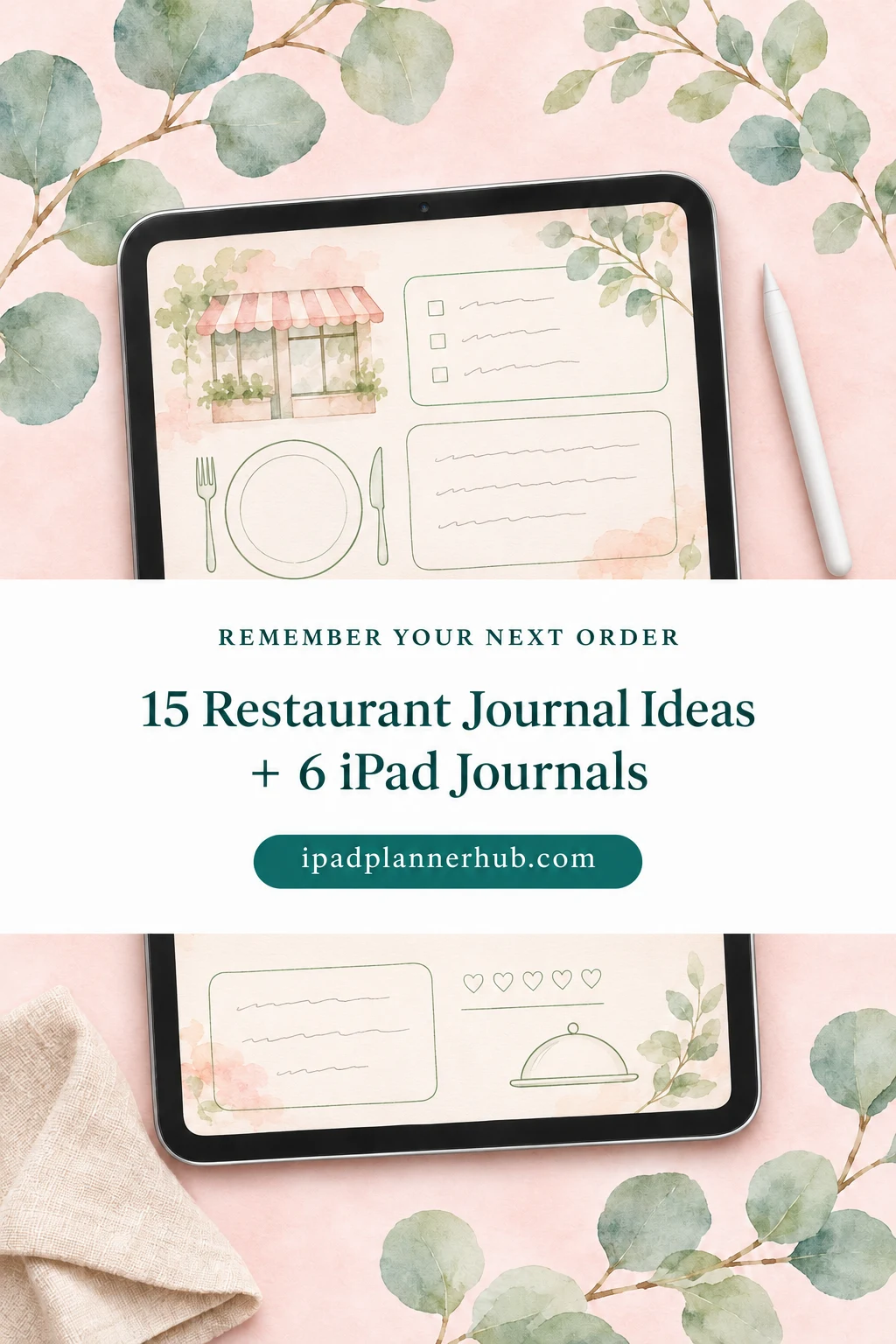
Start with one reusable visit page. The fifteen ideas below are optional fields to borrow, followed by six iPad journals that can hold them. None is a ready-made restaurant log: you write the dining headings on general notebook pages.
Restaurant Journal Ideas: 15 Details Worth Keeping
Choose three or four details for your first entry. Add another only when it answers a question you actually ask before returning. A bakery stop and an anniversary dinner can share a journal without needing equally long records.
Find the visit again
- 1A restaurant identity card
Write the exact name, neighborhood and branch. Two branches of the same restaurant should have separate entries if you want to remember which room, menu or location you experienced. Leave a small line for a page reference in your place index; a decorative title alone is harder to retrieve later. - 2The actual visit date and occasion
Record when you ate there, even if you finish the entry a week later. Add a short context such as a solo lunch, birthday dinner or quick stop before a show. That gives a later impression a fair frame: a slow meal might suit a celebration and frustrate a short lunch break. - 3An order list with useful detail
Copy dish names while you still have the receipt or menu photo. Include the variant that matters, such as the sauce or side you chose, rather than relying on a photograph to identify it. Mark shared dishes as shared so you do not later mistake the entire table order for your own. - 4The standout dish
Put a small star beside the one item you would recommend first, then give a reason. “Crisp edges and a soft center” is more useful than “amazing.” If nothing stood out, leave the star blank. A journal should preserve an ordinary meal honestly instead of requiring every outing to become a highlight. - 5A photo with a caption
Choose one picture that helps identify the food or room. Caption it with the dish name and the reason you kept it; a plate photo alone can become mysterious after several similar meals. If you do not want to photograph dinner, a quick sketch or a written description serves the same page.
Describe the meal in your own words
- 6A texture note
Pick a contrast you actually noticed: crisp and creamy, chewy and tender, or smooth and crunchy. Name the part of the dish that created it. This is a personal observation, not a chef’s technical assessment, and you do not need specialist vocabulary to record that a crust stayed crisp under its sauce. - 7A flavor sentence
Replace a general score with one specific sentence about sweetness, acidity, saltiness or heat. “Bright lemon flavor; I wanted less chili” tells your future self more than a number alone. Use familiar comparisons if a flavor is difficult to name. Do not guess ingredients or present a taste impression as an ingredient list. - 8A drink-and-dish pairing
If you enjoyed a drink with the meal, write both names and what you liked about the combination. Water, tea, coffee and soft drinks count here too. Keep the note subjective: “the iced tea felt refreshing beside the rich noodles” records a preference without claiming a pairing rule everyone should follow. - 9A service detail tied to a moment
Describe the action that affected your visit, such as a helpful explanation of the menu or a long gap before the main course. Add context you observed, like a very busy room, without guessing why something happened. Concrete wording stays useful and avoids turning one experience into a judgment about staff as people. - 10An atmosphere note for a future occasion
Write what the setting suited: quiet conversation, a lively group dinner or a quick counter meal. Describe the seat or time of day if it changed the experience. “Patio at lunch was noisy beside the road” is easier to use than “bad atmosphere.” A different table or visit time may lead to a different note.
Make the next visit easier
- 11An order-again decision
Give each memorable dish a simple yes, maybe or no, with a short reason. Keep this separate from whether you would return to the restaurant. You might go back for the starter and choose a different main course. A small decision line helps a long, enjoyable story become useful when the menu is in front of you. - 12A next-time order
Save the dish you nearly chose, a recommendation from your companion or an item that was unavailable. Label it “not tried” so the wish does not become a review by accident. A next-time list is a suggestion to check against the current menu, not evidence that the dish will always be offered. - 13A second-visit comparison
Keep both visit dates rather than editing the first record to match the latest meal. Note whether you ordered the same thing and what changed in your impression. If the dishes differed, describe each on its own terms rather than treating two meals as proof that the whole kitchen improved or declined. - 14A recommendation for a particular person
Finish the sentence “I would suggest this place to someone who wants…” and name an occasion or preference. A friend seeking a quick pastry stop needs a different recommendation from someone planning a long dinner. If sharing a page, remove private details about companions and keep opinions clearly attached to your own visit. - 15A restaurant index you will reopen
Create a short alphabetical or neighborhood list with the restaurant name, visit-page reference and one return cue. Keep places already visited separate from places you only want to try. This prevents a saved recommendation from looking like your personal endorsement, and gives the journal a practical entry point before your next meal out.
Build One Reusable Restaurant Journal Entry
A restaurant journal template can start with five core fields at the top and optional notes below. The example here is invented to show the layout; it is not a review of a real restaurant or a feature already printed in the journals.
| Field | Example entry | Why keep it |
|---|---|---|
| Place and date | Willow Table, east branch; May 8 | Identify this visit |
| Order | Mushroom noodles; iced tea | Remember the actual choice |
| Personal reaction | Springy noodles; sauce richer than expected | Explain the impression |
| Return decision | Return: yes. Same noodles: maybe. | Separate place from dish |
| Next time | Try the vegetable dumplings; not tried yet | Save a future question |
Leave enough room to write at a comfortable size on iPad. A page that looks beautiful when zoomed out can be awkward when every field needs tiny handwriting. Try the core fields on one existing blank page before buying another notebook.
Set Up Your Dining Journal on iPad
From blank page to a useful record
- 1Choose a home for visits
Use a notebook that fits how you retrieve memories: linked sections for places, monthly dividers for chronology, or a simple ruled page for stories. Import the PDF into a compatible annotation app and give the file a recognizable name. App features vary; check the current import instructions for the app you use. - 2Create the original page
Write the core headings once: place, actual visit date, order, personal reaction and return decision. Add a box for an optional photo and a line for next time. Duplicate a clean page using your app’s page controls rather than erasing a finished visit. Check the duplicate before building a large collection. - 3Connect the page to the index
Write the same restaurant name on the visit and index pages. Use a page number or another reference you can reliably find. Existing linked tabs navigate the notebook’s built-in sections; handwriting a restaurant name does not automatically create a new hyperlink. Keep the indexing method simple enough to maintain after dinner.
Six Adaptable iPad Journals for Your Own Dining Pages
I selected six different starting structures below: sectioned notes, a daily diary, a monthly journal, dark papers, simple floral pages and compact decorative frames. They provide writing space rather than restaurant-specific templates. Compatibility and included layouts come from the listings and previews; I have not tested the purchased PDFs or their links.
TL;DR: Save the place, the date and the dish you would order again. These six general digital journals offer different writing structures; you add the restaurant-specific headings yourself.
Quick Picks
- Best for organizing places: Digital Notebook
- Best for detailed visit diaries: Digital Ruled Journal
- Best for monthly dining notes: Digital GoodNotes Journal – Art Deco
- Best for dark paper layouts: Dark Mode Digital Notebook – Gold Theme
- Best for simple lined notes: DaisyNotes | Digital Notebook | Purple
- Best for compact visual memories: Undated Cute Orange Bullet Journal
- Digital Notebook – Best for organizing places
- Digital Ruled Journal – Best for detailed visit diaries
- Digital GoodNotes Journal – Art Deco – Best for monthly dining notes
- Dark Mode Digital Notebook – Gold Theme – Best for dark paper layouts
- DaisyNotes | Digital Notebook | Purple – Best for simple lined notes
- Undated Cute Orange Bullet Journal – Best for compact visual memories
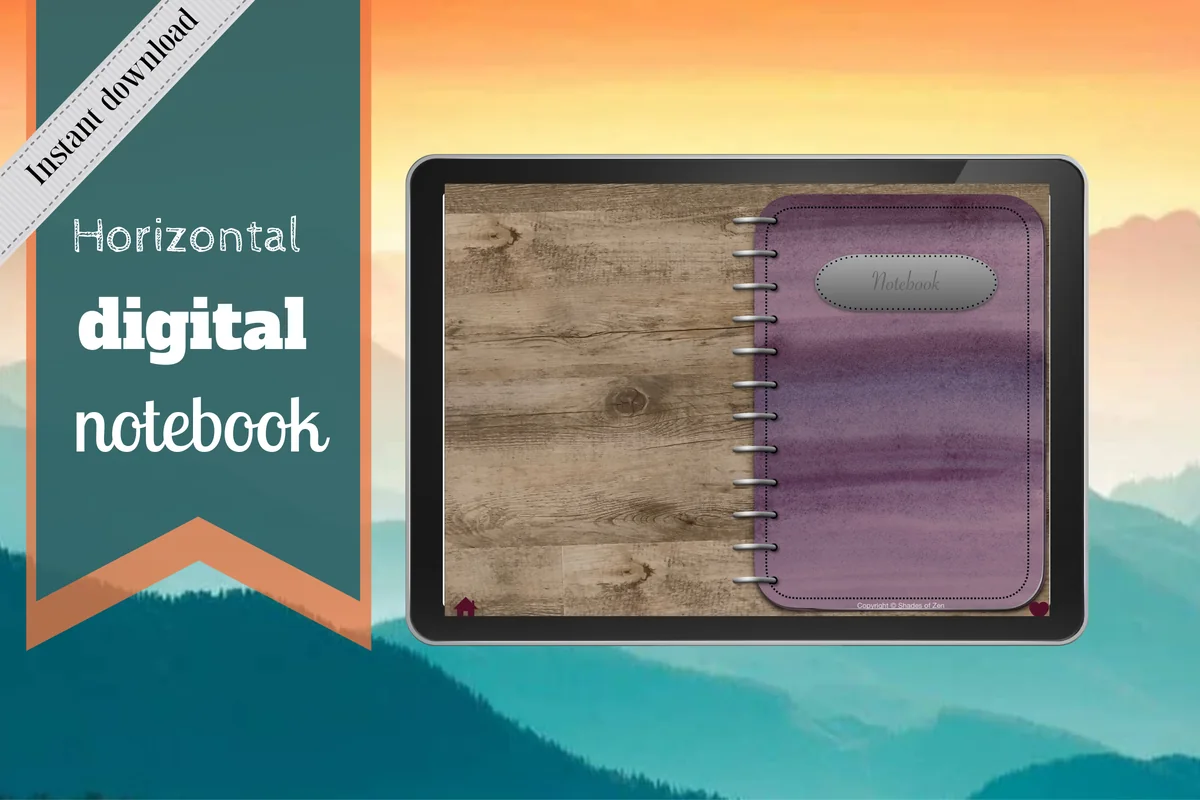
Best for organizing places
1. Digital Notebook
Orientation: LandscapeLayouts: 16 note templates; 12 sections
Best for: landscape note-takers, busy students, meeting notes. Designed by Shades of Zen.
- 12 sections with linked tabs and individual dividers
- 16 note templates, including lined, dotted, graph and Cornell pages
- Blank and two-column layouts shown in the previews
- GoodNotes import or use in another PDF annotation app
I like the two-column spread for a dish name beside the detail that made it memorable. Twelve sections offer room to separate nearby restaurants from places visited on trips, rather than mixing every visit into one dated list. Create a small place index in each section and use the same name on every visit page. Restaurant headings, ratings and return lists are your own additions; the notebook does not supply a restaurant directory.

Best for detailed visit diaries
2. Digital Ruled Journal
Orientation: PortraitLayouts: 366 ruled pages; day/month index
Best for: writing a fuller account of the meal and the people who shared it. Designed by Island Tulip Designs Co.
- 366 ruled pages
- Hyperlinked navigation and a day/month index shown in previews
- Three cover choices
- 40 PNG and precropped GoodNotes journal prompts
This is the writing-first option: enough ruled space to explain why a meal mattered, rather than squeezing everything into a rating box. The index follows days and months, so add a separate restaurant-name list if you expect to search by place. The included prompts are general journaling prompts, not restaurant questions. Keep a one-line return decision at the top so you can consult a long entry before booking again.
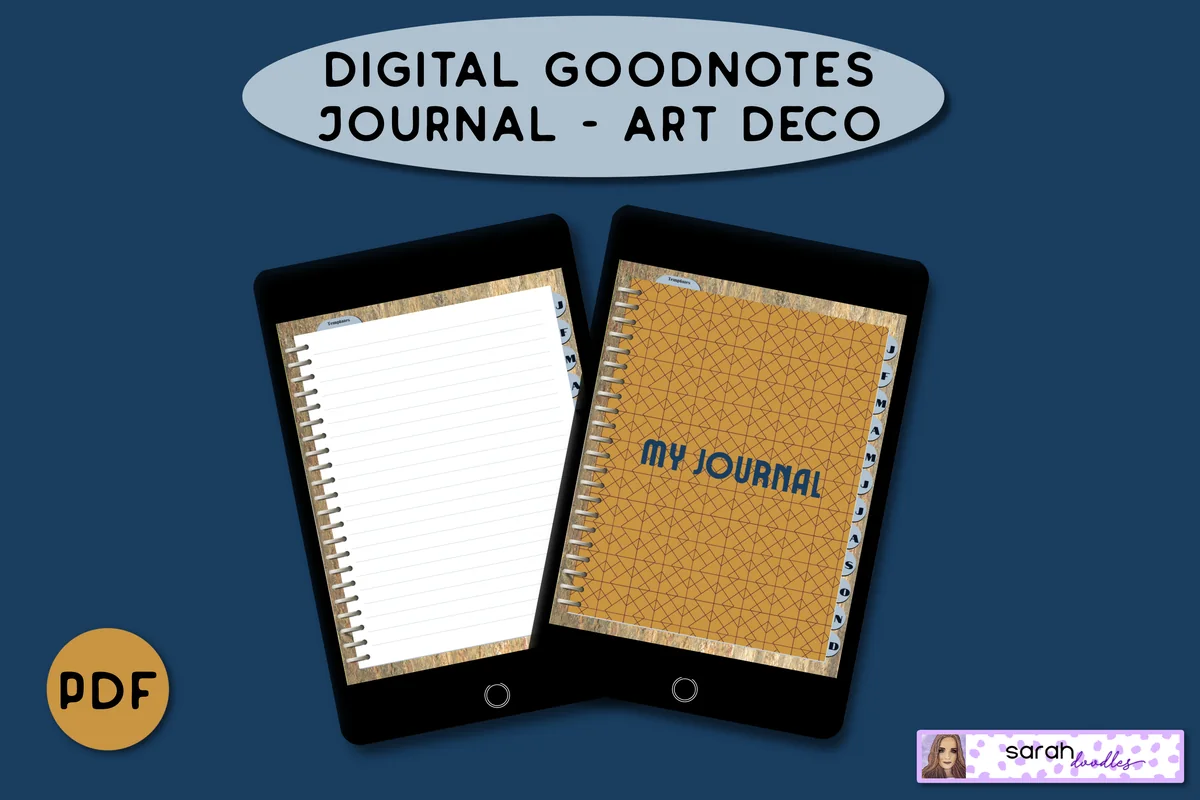
Best for monthly dining notes
3. Digital GoodNotes Journal – Art Deco
Orientation: PortraitLayouts: Lined pages; brain dump; priority pageDates: Undated
Best for: collecting outings month by month with a separate page for loose ideas. Designed by Sarah Doodles.
- Undated PDF with tabs linked to monthly dividers
- Five initial lined pages per month
- Lined pages can be duplicated in GoodNotes as described by the seller
- Brain dump and priority layouts shown in previews
Monthly sections suit a small number of outings rather than a permanent restaurant catalog. Keep the visit records on lined pages and use the brain dump layout for recommendations you have not tried yet. The five lined pages per month are a starting allocation; duplicate them for additional visits.
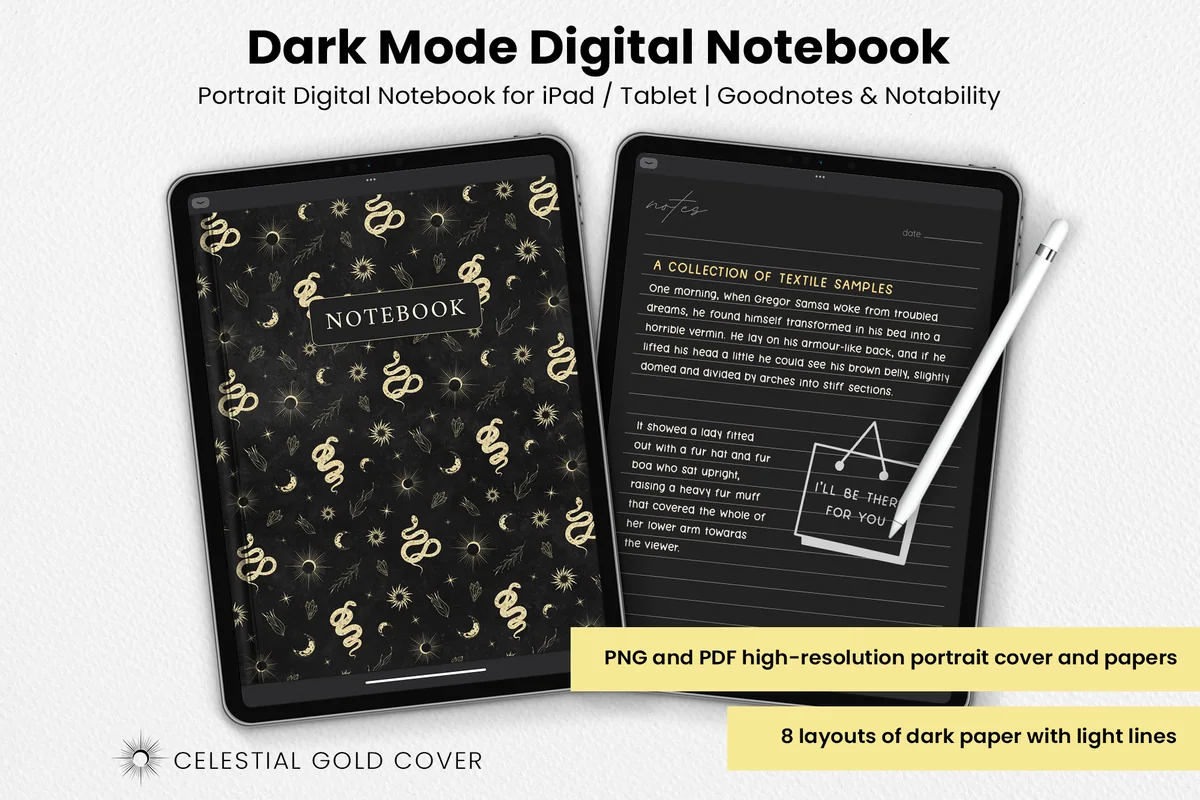
Best for dark paper layouts
4. Dark Mode Digital Notebook – Gold Theme
Orientation: PortraitLayouts: 8 dark paper layouts
Best for: night writers, dark mode fans, celestial style lovers. Designed by catsquills.
- Portrait PDF and PNG papers for GoodNotes or Notability
- Eight dark layouts with light lines
- Columns, numbered list, dots, square, lines and notes layouts
- To-do and habit tracker layouts are also included
The useful distinction here is the range of dark paper layouts. Columns can hold dish-by-dish reactions, while a numbered list becomes a compact queue of places to try. Pick a pen color you can read against the dark background before creating a whole journal. This set provides papers and a decorative celestial cover. For a large collection, plan a manual index rather than relying on linked restaurant tabs.
Best for simple lined notes
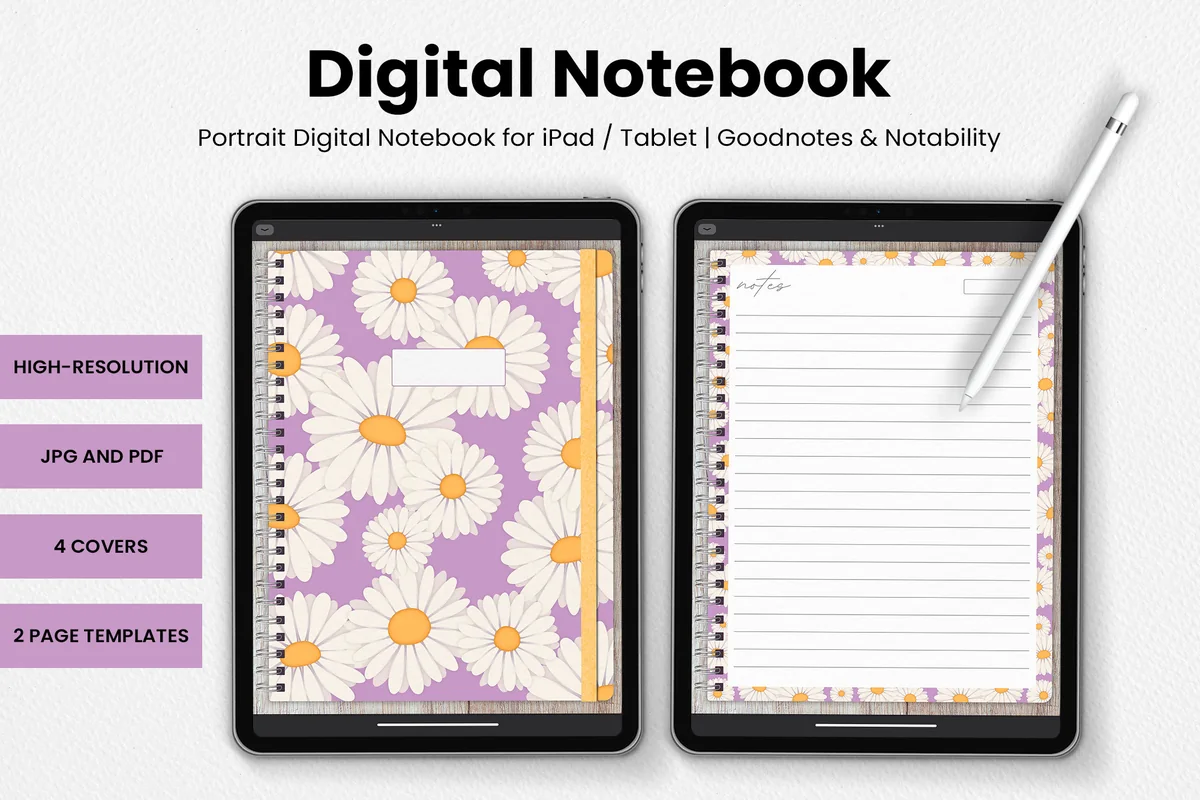
5. DaisyNotes | Digital Notebook | Purple
Orientation: PortraitLayouts: 2 templates; 4 covers
Best for: keeping one uncluttered written entry per visit with floral borders. Designed by catsquills.
- Portrait digital notebook for GoodNotes or Notability
- Four covers and two page templates
- JPG and PDF formats
- Wood texture backgrounds with daisy decoration
DaisyNotes makes sense when your restaurant record is mostly a few handwritten paragraphs. The lined page leaves the structure up to you, without a calendar or a row of scoring boxes to complete. Put the restaurant, visit date and next order above the narrative. For a large collection organized by neighborhood, the sectioned Digital Notebook above is the stronger fit. DaisyNotes offers cover choices rather than a linked place index.

Best for compact visual memories
6. Undated Cute Orange Bullet Journal
Orientation: LandscapeLayouts: Calendar; decorative framesDates: Undated
Best for: bullet journal beginners, minimal planners, monthly resetters. Designed by digitaliya_studio.
- Undated interactive PDF bullet journal
- Clickable tabs
- Fill-in calendar and decorative writing frames shown in previews
- Stickers in GoodNotes format
The small frames encourage a short record: one dish, one impression and one thing to try next time. That is a different use from the long ruled journal, and it suits a quick cafe entry or a small keepsake page. Decoration occupies some of the writing area, so skip this option if you want several detailed dish reviews on one page. Use the fill-in calendar to mark visits, then keep the details in the writing frames.
Quick Comparison
| Journal | Page structure | Dining use | Add yourself |
|---|---|---|---|
| 1. Digital Notebook | 12 linked sections | Places grouped by area | Restaurant index and dish fields |
| 2. Digital Ruled Journal | Ruled daily pages | Longer meal memories | Place-name index |
| 3. Digital GoodNotes Journal – Art Deco | Monthly linked dividers | Monthly visits and recommendations | Restaurant headings |
| 4. Dark Mode Digital Notebook – Gold Theme | 8 dark paper layouts | Lists and dish comparisons | All navigation and dining fields |
| 5. DaisyNotes | Digital Notebook | Purple | 2 page templates | Brief handwritten entries | Index and all prompts |
| 6. Undated Cute Orange Bullet Journal | Calendar and small frames | Short illustrated memories | Visit labels and return notes |
Keep the Journal Useful Between Meals
The part worth maintaining is the decision you will consult later. A restaurant bullet journal can be short and still answer the question that sent you back to it. Use this short routine on busy evenings.
- While the details are fresh: save the restaurant name, actual date and standout order. A quick phone note can be transferred to the iPad later.
- When you have a quiet moment: add a flavor or texture sentence and the return decision. Do not invent forgotten details to fill every space.
- Before the next outing: open the place index and check the next-time line. Verify menus, hours and reservations with the restaurant rather than treating an old entry as current information.
- After a return visit: add a new dated entry and update the index cue. Keep the older reaction so you can see how your own preferences changed.
Cafe Journal Ideas and Other Small Visits
A cafe entry might need only a drink, a pastry and one sentence about the setting. Keep the same place-and-date structure as a full dinner so the smaller visits remain easy to find. You can group cafes in a section, but a cafe does not need an entirely separate notebook unless that is how you prefer to browse.
- For coffee or tea: record the name from the menu, size or preparation if relevant, and whether you would order it again.
- For a bakery stop: note the pastry and the texture you liked. A tiny sketch can identify the item when its name is unfamiliar.
- For takeout: mark that you ate elsewhere and describe what you experienced. Do not add a dining-room atmosphere rating for a room you did not use.
A PDF Journal or a Restaurant App?
Choose a PDF notebook when you want handwritten notes, your own page arrangement and room for a personal account. The products here are files used inside annotation apps, not restaurant databases. A linked PDF does not supply live menus, automatically locate nearby places or make reservations.
- Need a searchable map or automatic place filters? Look for a dedicated restaurant app with those features; the PDF journals here provide writing pages.
- Already have a notebook you like? Try the core entry and index there first. New page headings may solve the problem without a purchase.
- Want a memory page to share? Share only the details you intend to show. A journal page may contain private notes that would not belong in a public review.
FAQ: Restaurant Journal Questions
What should I write in a restaurant journal?
Start with the restaurant name, actual visit date, what you ordered and whether you would order it again. Add one reason for that decision. Atmosphere, service, company and photos are optional details, not requirements for every meal.
Can I use a restaurant journal without rating everything?
Yes. A short reaction and an order-again decision can be enough. If you use stars or numbers, define what they mean for you and add a reason. Keep a dish rating separate from your impression of the whole visit.
Do these journals include restaurant review pages?
These six options offer general writing layouts, calendars or sections rather than dedicated restaurant review pages. You add the restaurant prompts, index and tasting notes yourself.
Can I make a restaurant journal in GoodNotes?
Yes. All six journals are listed for use with GoodNotes. Import the PDF and add your dining headings. Check your app version’s instructions for duplicating pages and using links.
Is this the same as a food or nutrition diary?
This is a record of dining experiences and personal preferences. It does not calculate nutrition, track symptoms or establish ingredient safety. For an allergy or another dietary requirement, ask the restaurant directly about current ingredients and preparation rather than relying on an old journal entry.
Give Your Next Order a Place to Live
The most useful restaurant journal ideas make a later choice easier: where to return, which dish to repeat and what to try instead. Start with one visit and a clear return note. Once you find yourself checking that page before dinner, add the index or extra fields that help you retrieve it.
For more approaches to personal pages, see the related journaling guides below. Keep recipes separate from restaurant impressions: a dish you enjoyed is not a tested recipe to recreate at home.
You May Also Like
This article contains affiliate links. If you purchase through them, I may earn a commission at no extra cost to you. Read the affiliate disclosure.