You open your journal to plan a catch-up with a friend, then realize the month is already half spoken for. My favorite February bullet journal ideas leave space for connection without filling every remaining square. A few useful pages can carry a short month better than a beautiful setup you never have time to finish.

Here are 35 page ideas for calendars, friendship, small routines, everyday observations and an honest month-end review. The eleven iPad notebooks and paper sets below offer different starting surfaces. Add February titles, personal fields and decorations to suit your setup.
Pick the Paper Before You Plan the Month
For a hand-drawn overview or habit tracker, look for dots or graph paper. For stories and longer reflections, choose ruled pages. Decorated frames work for brief entries, but leave less space to write. If your current notebook already has the right paper, start there and skip buying another one.
TL;DR: Choose from 35 February page ideas and 11 adaptable iPad notebooks and paper sets. Start with one calendar, a small routine grid and space for friendship notes. Seasonal fields and decorations are yours to add.
Quick Picks
- Best for a short-month dashboard: Digital Notebook
- Best for five February sections: Digital Notebook 5 Hyperlinked Tabs
- Best for a changing routine grid: Digital Notebook 5 Hyperlinked Tab
- Best for several ongoing collections: Digital Notebook 500 Pages Bundle – 2
- Best for illustrated friendship notes: Watercolor Hyperlinked Digital Notebook
- Best for a small warm-colored setup: Undated Cute Orange Bullet Journal
- Digital Notebook – For a short-month dashboard
- Digital Notebook 5 Hyperlinked Tabs – For five February sections
- Digital Notebook 5 Hyperlinked Tab – For a changing routine grid
- Digital Notebook 500 Pages Bundle – 2 – For several ongoing collections
- Watercolor Hyperlinked Digital Notebook – For illustrated friendship notes
- Undated Cute Orange Bullet Journal – For a small warm-colored setup
- DaisyNotes | Digital Notebook | Purple – For simple floral entries
- Digital GoodNotes Journal – Art Deco – For sorting a busy mind
- Digital Ruled Journal – For longer end-of-day notes
- 365 Days Daily- Digital Journal – For a line-a-day record
- Digital Notebook Papers – GoodNotes – For refreshing an existing notebook
Build a compact month with grids and tabs
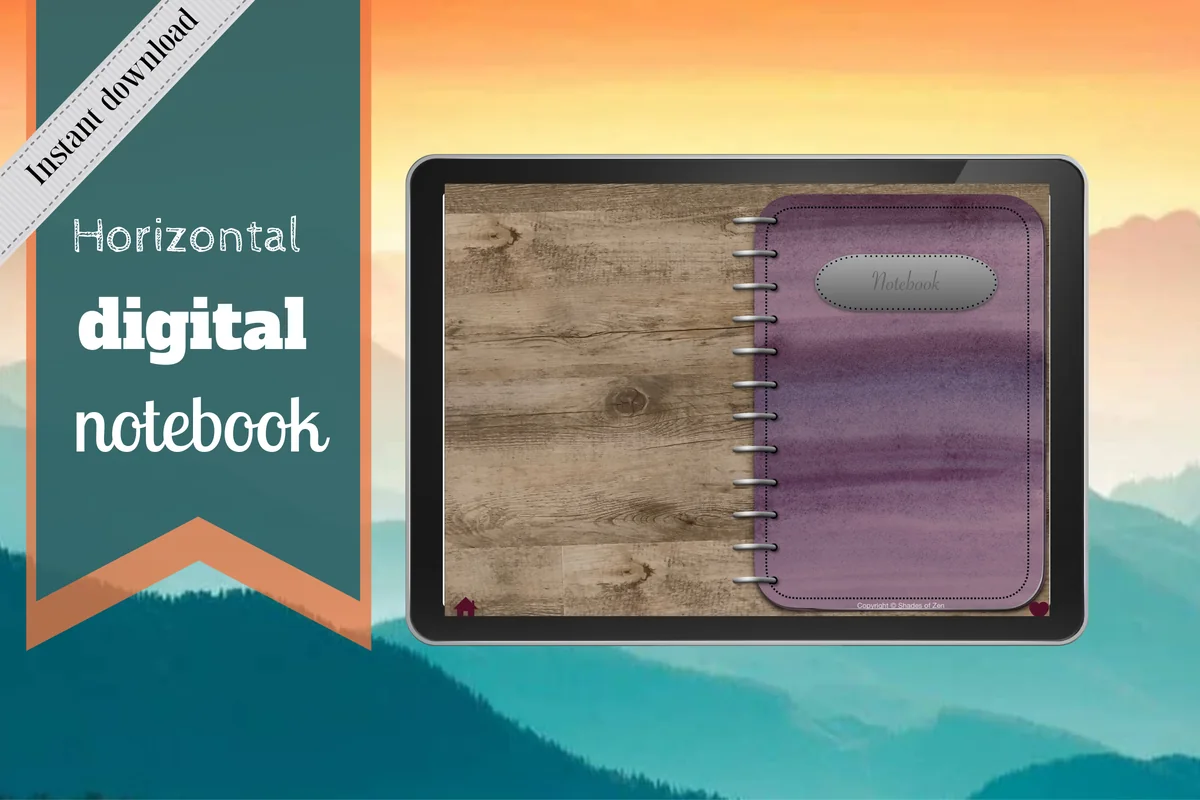
For a short-month dashboard
1. Digital Notebook
Orientation: LandscapeLayouts: 16 note templates; 12 sectionsDates: No dated calendar
Best for: a wide overview beside a separate notes column. Designed by Shades of Zen.
- 12 sections with hyperlinked tabs
- 16 note templates, including dotted, graph and Cornell pages
- GoodNotes import instructions included
A calendar on the left and a friendship list on the right would make good use of this landscape spread. The graph and dotted options suit boxes you draw yourself; the twelve sections let February stay separate from longer collections. No seasonal headings are built in.
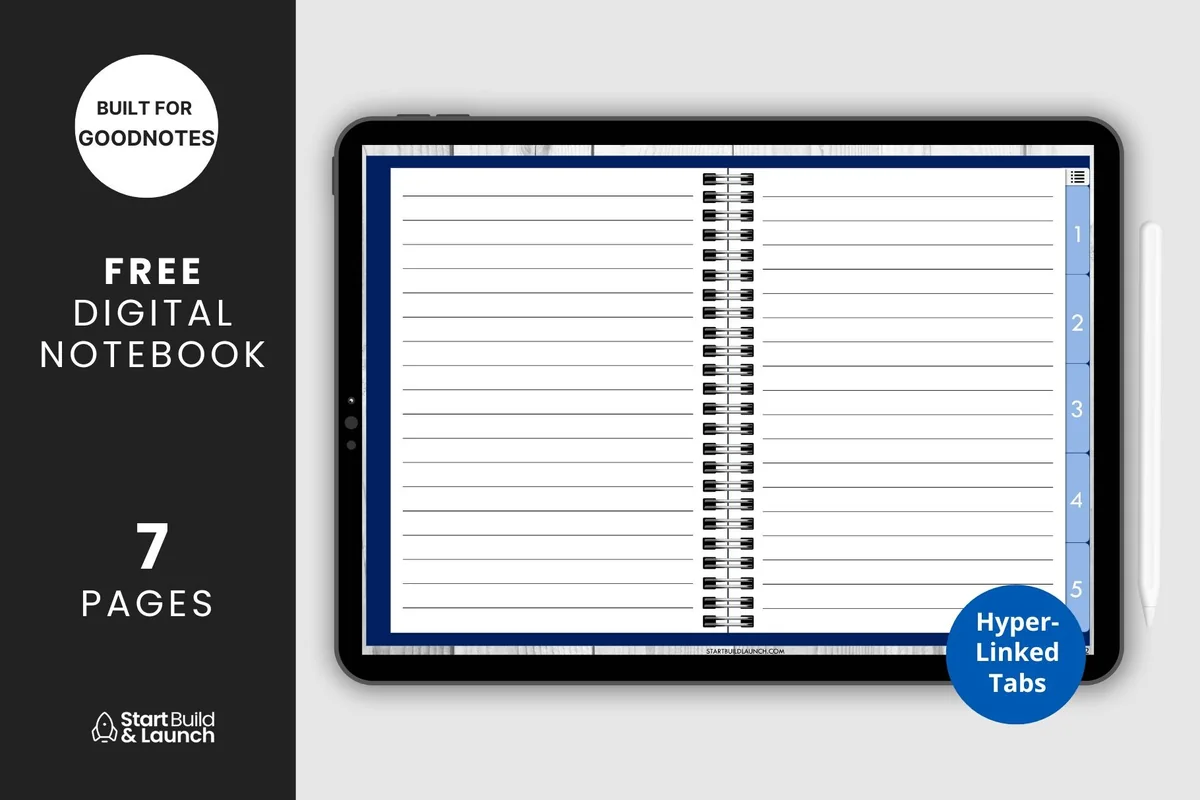
For five February sections
2. Digital Notebook 5 Hyperlinked Tabs
Orientation: LandscapeLayouts: 5 sections; blank, lined, dotted, graph, CornellDates: User adds dates
Best for: separating plans, people, routines, moments and review. Designed by aviswilliams.
- Five sections and an index/contents page
- Blank, lined, dotted, graph and Cornell paper templates
- PDF for GoodNotes, Notability and other named annotation apps
A five-part month is easy to picture with these blue tabs: plans, people, routines, moments and review. The index has room for names you supply. Its book-style landscape pages offer more space for a weekly list than the small framed Orange journal.
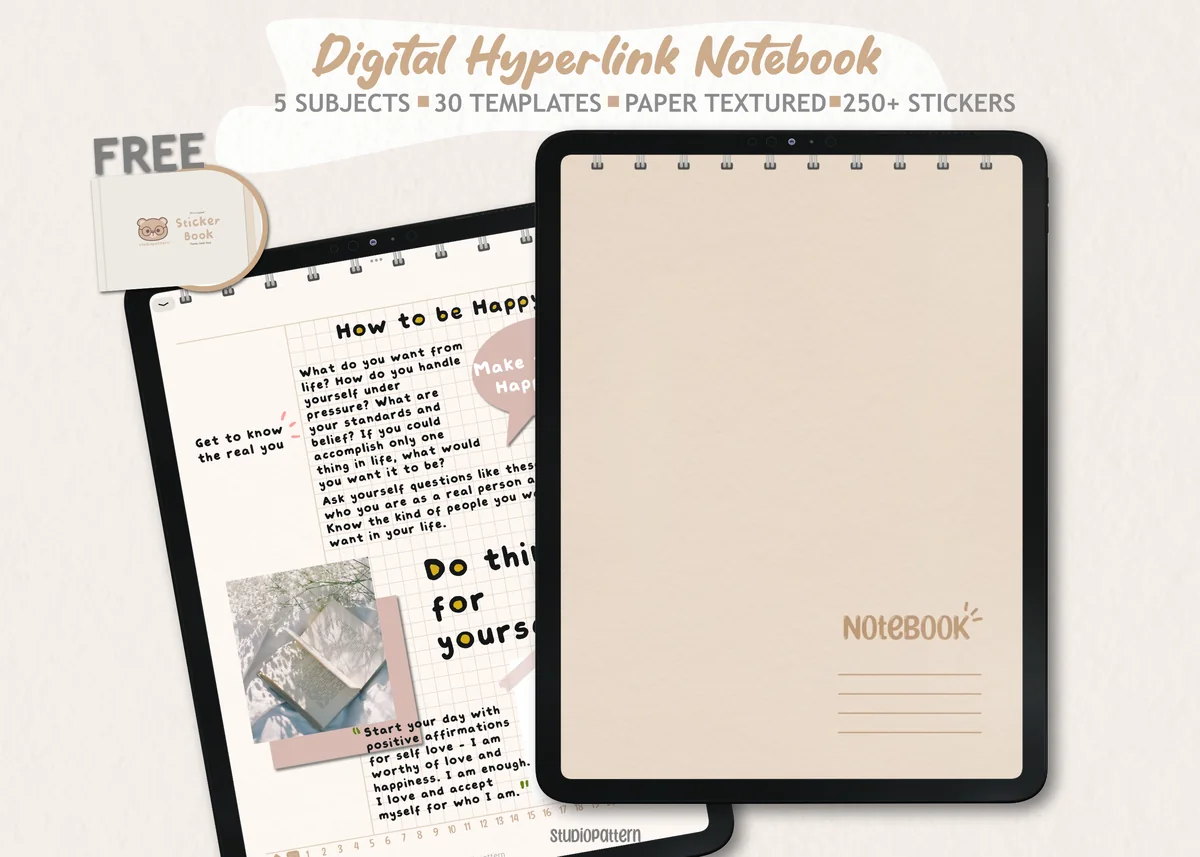
For a changing routine grid
3. Digital Notebook 5 Hyperlinked Tab
Orientation: PortraitLayouts: 30 note-taking templates; 5 sectionsDates: Fill-in pages shown
Best for: trying different handwritten tracker arrangements. Designed by studiopattern.
- Five section dividers with clickable navigation
- 30 note-taking templates, plus a manual PDF
- 250+ individual PNG stickers and a pre-cropped GoodNotes sticker book
Thirty templates give you several starting points when a narrow habit row feels cramped. The gallery also shows planner and tracker shapes. Use those as page structures, then add your own February labels; the neutral sticker collection is not a seasonal event kit.
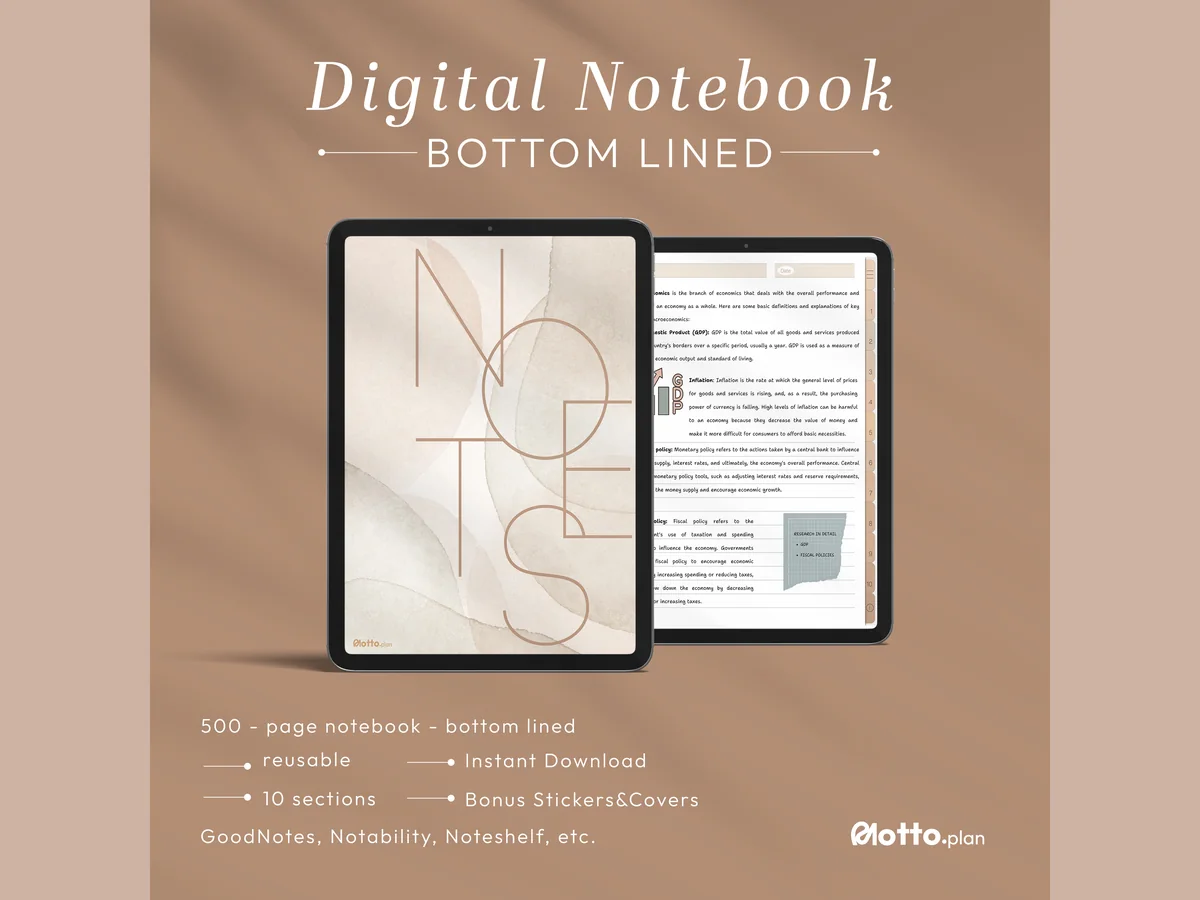
For several ongoing collections
4. Digital Notebook 500 Pages Bundle – 2
Orientation: PortraitLayouts: 500 pages; 10 sections; multiple note stylesDates: User adds dates
Best for: keeping detailed February notes beside longer projects. Designed by Motto Plan.
- 500 ready-to-use pages across 10 sections
- Lined, bottom-lined, graph, dot-grid and Cornell options
- PDF notebook, PNG stickers, a GoodNotes sticker book, covers and user guide
Ten sections and a large stock of pages suit someone whose February includes several collections already in progress. I like the choice of graph, dot grid and Cornell-style structures for separating a quick mark from a longer explanation. This is a substantial notebook, so a three-page month may need much less.
Soft color and smaller writing spaces
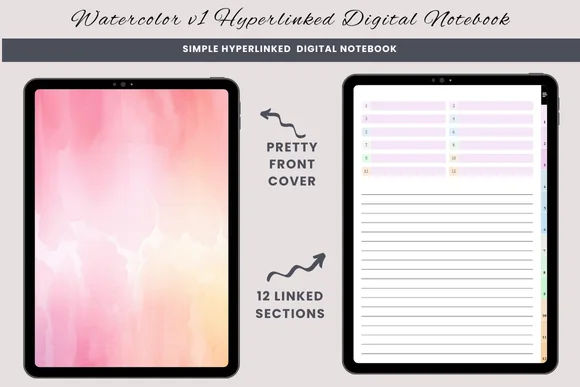
For illustrated friendship notes
5. Watercolor Hyperlinked Digital Notebook
Orientation: PortraitLayouts: 12 sections; lined, blank, half-linedDates: User adds dates
Best for: mixing a small sketch with a written memory. Designed by daysfilledwithjoy.
- 12 hyperlinked sections
- Lined, blank and half-lined pages in each section
- One PDF for GoodNotes or similar annotation apps
The half-lined page gives a handwritten friendship memory a natural division: a small drawing above, the story below. Pink watercolor dividers make a soft February palette without requiring hearts on every page. It has no ready-made gratitude prompts or friendship forms.
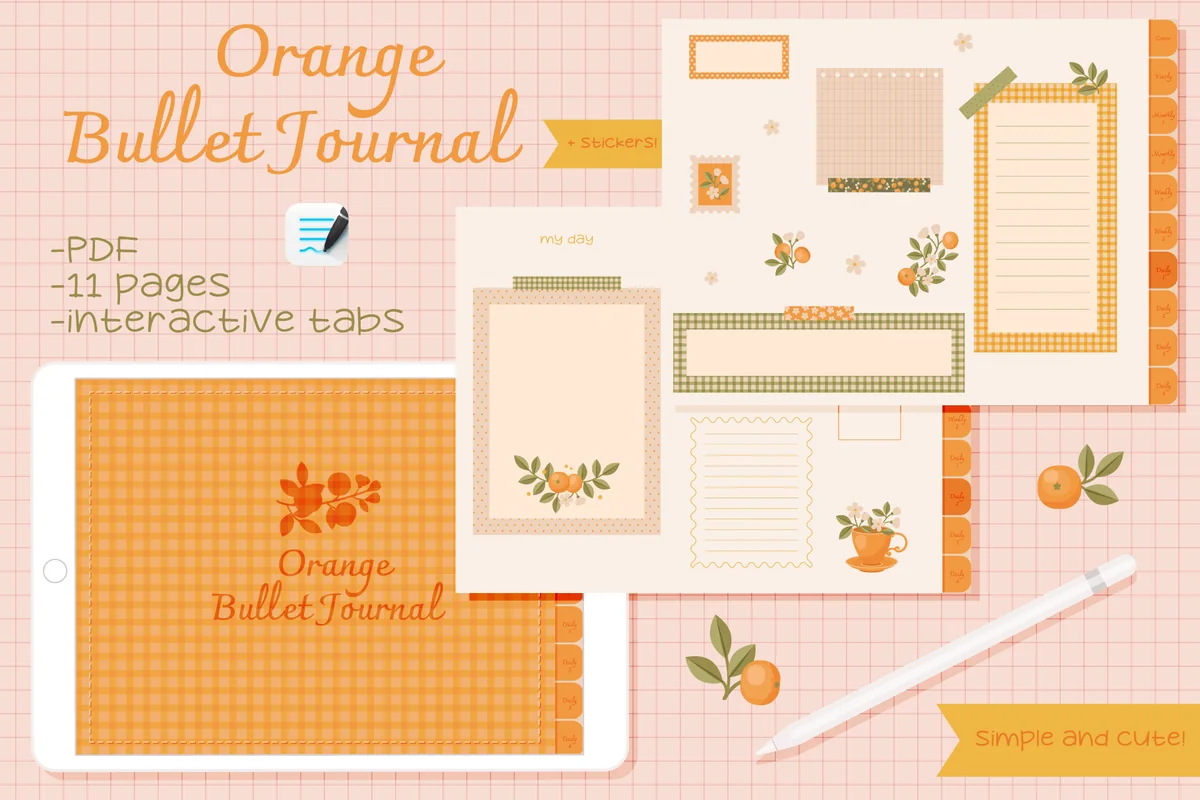
For a small warm-colored setup
6. Undated Cute Orange Bullet Journal
Orientation: LandscapeLayouts: Fill-in calendar; decorative framesDates: UndatedWeek start: Monday shown
Best for: a fill-in calendar and short notes in decorated frames. Designed by digitaliya_studio.
- Undated interactive PDF bullet journal
- 11 pages shown on the main preview
- Fill-in calendar, decorative writing frames and 32 bonus stickers shown
- Stickers in .goodnotes format
Orange is a cheerful alternative to the usual pink-and-red month. The gallery shows a fill-in calendar, small writing frames and matching citrus decorations. Those compact areas suit a few invitations or kind moments. For a large daily log, the ruled journals below leave more room.
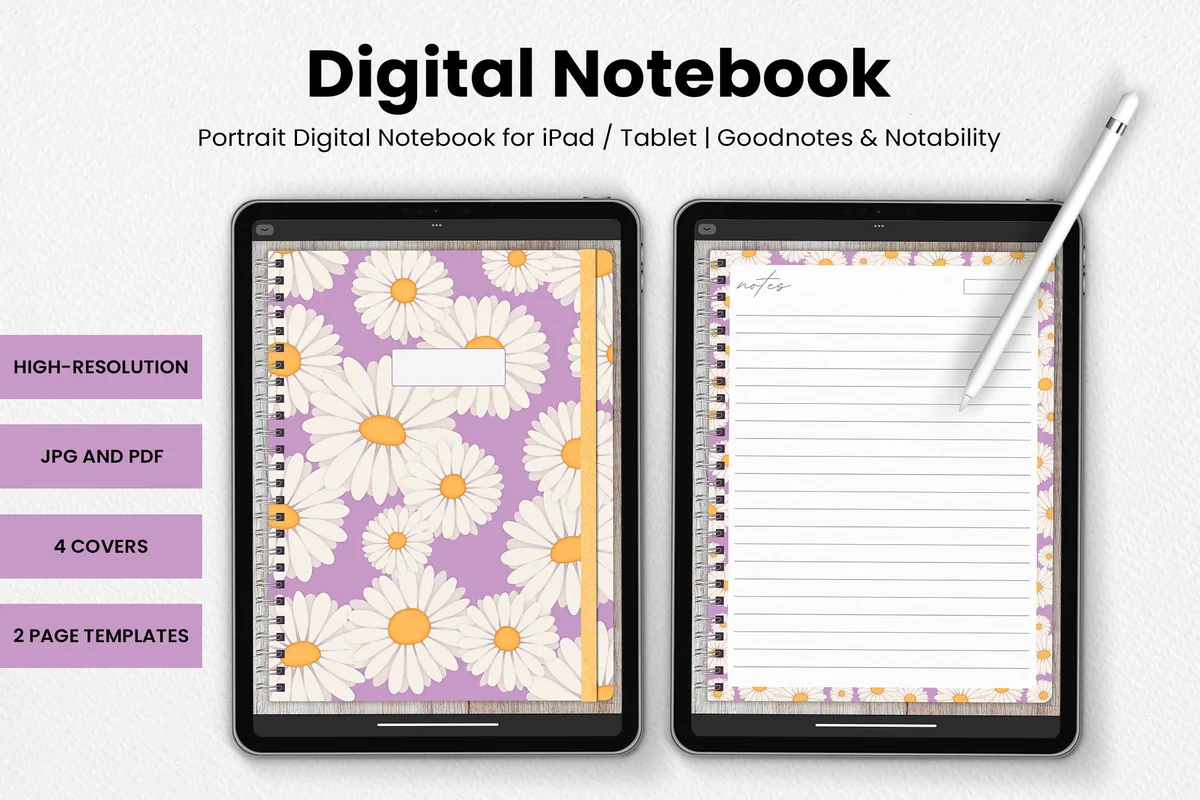
For simple floral entries
7. DaisyNotes | Digital Notebook | Purple
Orientation: PortraitLayouts: 2 page templates; 4 coversDates: User adds dates
Best for: short dated reflections with little page decoration. Designed by catsquills.
- Portrait notebook for GoodNotes and Notability
- Four covers and two page templates
- JPG and PDF files; wood-texture backgrounds
Daisies provide a February theme that does not depend on a holiday. The portrait pages have a wood-texture background and two writing templates, with four covers to choose from. Keep the extra lettering light so your entry remains the main thing on the page.
Write through the month and reflect
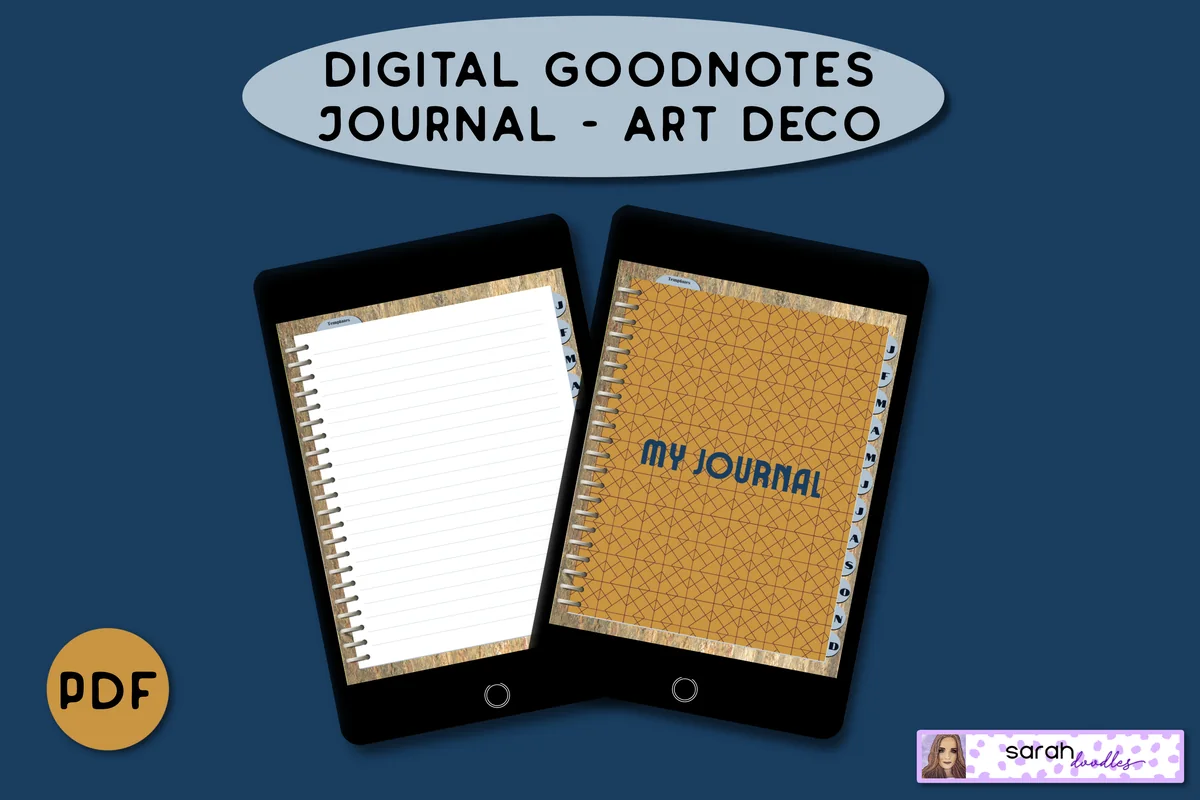
For sorting a busy mind
8. Digital GoodNotes Journal – Art Deco
Orientation: PortraitLayouts: Monthly lined pages; brain-dump templatesDates: Undated
Best for: a monthly divider with lined entries and a brain-dump page. Designed by Sarah Doodles.
- Undated hyperlinked PDF with monthly dividers
- Five lined pages allocated to each month
- Brain-dump templates shown, including an importance split
- Designed for iPad/tablet PDF apps such as GoodNotes and Notability
Art Deco includes a useful change of pace from ordinary ruled pages: a brain-dump layout and an important/not-important split. A midmonth check-in can begin there before you move a few actions to the calendar. Five lined pages start each month; add more in your annotation app when needed.

For longer end-of-day notes
9. Digital Ruled Journal
Orientation: PortraitLayouts: 366 ruled pages; 40 journal promptsDates: Month/day index; no weekday alignment
Best for: a ruled page with linked month and day navigation. Designed by Island Tulip Designs Co.
- 366 ruled pages
- Three cover choices
- Hyperlinked navigation and 40 PNG/GoodNotes journal prompts
- Paper-like look shown in the previews
This is the writing-first choice for someone who wants more than a tiny daily box. The gallery shows a month/day index, floral covers and prompt sheets. Its 366 ruled pages are not a dated February calendar, and the included prompts are not a February-specific set.

For a line-a-day record
10. 365 Days Daily- Digital Journal
Orientation: PortraitLayouts: Narrow/wide ruled; 16 additional page templatesDates: Undated
Best for: daily dated writing with a narrow- or wide-lined choice. Designed by ThePlannersDelight.
- 365 undated hyperlinked daily pages; 384 pages in total
- Narrow-lined and wide-lined journal PDFs
- 16 page templates, matching stickers and minimalist covers
- GoodNotes and Notability on iPad named in the description
The ivory background and daily navigation suit brief entries that continue after February. The two PDFs offer narrow or wide lines, along with sixteen extra templates. The botanical stickers can decorate entries throughout the year; add your own friendship or seasonal labels.
Add paper to a notebook you already own
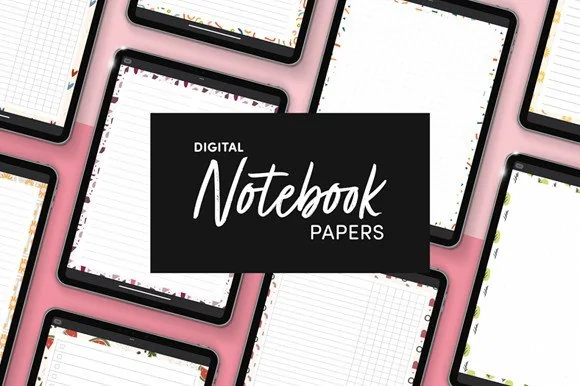
For refreshing an existing notebook
11. Digital Notebook Papers – GoodNotes
Orientation: PortraitLayouts: 9 designs; columns, trackers, lists, dots, square, lines, notesDates: User adds dates
Best for: adding a tracker or a decorated writing page. Designed by catsquills.
- Nine portrait paper designs
- Eight layouts per design: columns, habit tracker, to-do, numbered list, dots, square, lines and notes
- PNG and PDF formats for GoodNotes/Notability
- 2550 × 3300 px paper artwork
You may only need new paper, rather than a whole notebook. This set has nine portrait designs with eight layouts per design, including habit tracker, columns and dots. Import the PNG or PDF pages into the journal you already use; a linked month-navigation system is not part of this paper set.
Quick Comparison
| Notebook or papers | View | Page base | February use |
|---|---|---|---|
| 1. Digital Notebook | Landscape | 16 templates; 12 sections | Calendar beside notes |
| 2. Digital Notebook 5 Hyperlinked Tabs | Landscape | 5 sections; 5 paper styles | Five-part month |
| 3. Digital Notebook 5 Hyperlinked Tab | Portrait | 30 templates; 5 sections | Flexible routine grids |
| 4. Digital Notebook 500 Pages Bundle – 2 | Portrait | 500 pages; 10 sections | Room for ongoing notes |
| 5. Watercolor Hyperlinked Digital Notebook | Portrait | Lined, blank, half-lined | Sketch plus a memory |
| 6. Undated Cute Orange Bullet Journal | Landscape | 11-page journal; calendar and frames | Calendar and tiny lists |
| 7. DaisyNotes | Digital Notebook | Purple | Portrait | 2 templates; 4 covers | A few lines each day |
| 8. Digital GoodNotes Journal – Art Deco | Portrait | 5 lined pages per month; brain dump | Midmonth sorting |
| 9. Digital Ruled Journal | Portrait | 366 ruled pages; 3 covers | Longer daily reflections |
| 10. 365 Days Daily- Digital Journal | Portrait | 365 daily pages; 2 lined versions | Daily observations |
| 11. Digital Notebook Papers – GoodNotes | Portrait | 9 designs; 8 layouts each | Paper for your own setup |
How to Use These February Bullet Journal Ideas
Choose one page from each area that matters to you, rather than building all 35. A calendar, a friendship list and one routine grid are a workable starting trio. Add a review page near the end of the month, when you have something to look back on.
- Want more breathing room? Use a vertical date list instead of tiny calendar boxes.
- Mostly writing? Let one lined page hold several dated entries; every day does not need its own spread.
- Enjoy decorating? Repeat one border or small motif, leaving the middle clear for plans.
1–7: A Short Month with Room to Move
Begin with the shape of your real month. February has 28 days in a common year and 29 in a leap year; use the actual calendar for the year you are planning. Four seven-day periods do not necessarily mean four calendar rows.
- 1A one-line cover promise. Write February in large lettering, then finish the sentence “This month I want more room for…” below it. Leave the rest mostly empty. A cover can set a direction without becoming a list of things you must accomplish.
- 2A date list with breathing space. Number a left-hand column for the days in your chosen February. Add fixed commitments beside their dates and keep a second column for notes. This is useful when a calendar box would make each appointment too small to read.
- 3A calendar with a movable sidebar. Draw a seven-column grid and add dates only after checking the weekday of the first. Keep tasks without a fixed date in the sidebar. They can move to a later week without making the calendar look crossed out.
- 4A week that crosses a month boundary. Give the last days of January or first days of March a muted heading if they share your weekly spread. Keep appointments together by week. The page belongs to your schedule, so it need not stop abruptly at February’s edge.
- 5A two-week checkpoint. Split a page into “first half” and “second half.” Put one realistic priority in each, then add a check-in note around the middle of the month. This offers a shorter view than carrying a full annual goals page into every week.
- 6A margin for unexpected plans. Reserve a blank strip on each weekly page for invitations, errands or a changed appointment. Label it “new since setup.” Moving something here can be clearer than squeezing an extra line between the plans you already wrote.
- 7An unfinished-business limit. Make three spaces for things carried over from January. Beside each, write the next small action or a deliberate decision to leave it. The limited space asks you to choose, rather than copying an entire old task list into a shorter month.
8–14: Friendship Pages Beyond a Heart Motif
Let connection mean whatever fits your life: a friend, sibling, neighbor or someone you have not spoken to in a while. These are private prompts for your own plans, not a way to grade other people or measure how often they contact you.
- 8A small invitation menu. List three easy ways to spend time together: a walk, a short call or tea at home. Add a rough time and any practical detail beside each. When you want to invite someone, you already have a specific suggestion to offer.
- 9A Galentine-style gathering page. If that theme appeals to you, make your own page for a friendship get-together. Use headings for people, possible dates and what each person wants to bring. Keep it flexible until people reply.
- 10A note worth sending. Draft a short message about one thing you appreciate in someone. Leave a checkbox for sending it in whatever way you prefer. The useful part is the concrete memory, such as help with a difficult afternoon, rather than a polished quotation.
- 11A shared-time wish list. Write activities you would enjoy doing with a friend, with separate marks for “suggested” and “agreed.” A possibility is not a commitment. That distinction helps keep an appealing list from turning into several imaginary events on your calendar.
- 12A conversation to remember. After a good catch-up, record one sentence, question or funny detail that you want to remember. Add the date and a small sketch if you like. Avoid private information the other person would not want recorded or shared in a screenshot.
- 13Kindness noticed. Make a simple list of ordinary kindness you saw or received: someone held a door, checked in or made room for you. Write what happened in plain words. A small observed moment belongs here just as much as a big gesture.
- 14Time for yourself beside time together. Divide a page into “with others” and “on my own.” Add one appealing option to each side for the coming week. This keeps a connection-themed month open to quiet reading, a solo outing or any other time you want to protect.
15–21: Small Habits with Honest Tracking
A short month can be a convenient boundary for a small experiment. Pick a behavior you can describe clearly, and leave room for a note when the mark alone would hide the story. These are personal records, not health assessments or promises of change.
- 15One habit, one definition. At the top of a dotted page, write exactly what counts: “put tomorrow’s essentials by the door,” for example. Add one box per date. A clear definition makes the record easier to interpret than a broad label such as “be more organized.”
- 16A cue-and-action pair. Use two columns for a cue you already notice and the small action you want to try after it. An example is closing the work laptop, then clearing the desk. Add a third space for what made the pairing awkward on a particular day.
- 17A low-effort version. Draw two rows for the same routine: ordinary and very small. For a reading habit, that might be a chapter or one page. Mark the version you chose, so a difficult evening can still have an honest record without pretending it was the full routine.
- 18A midmonth adjustment note. Leave a box halfway down the tracker for “keep, change, stop.” If the action was too large or the cue never happened, revise it there. Keep the earlier marks visible; the change is part of the experiment, not a reason to redraw the page.
- 19A weekly friction list. After each week, write one thing that made a routine harder and one adjustment you could try. “The charger was in another room” gives you more to work with than “try harder.” Keep observations small enough to act on next week.
- 20A feeling-and-context log. Choose a few plain labels for how the day felt and add a short context note. A color can be convenient, but it does not explain the cause or diagnose anything. Use this page only if you find the reflection helpful, and skip scoring yourself.
- 21A return marker after a gap. Give your tracker a tiny arrow symbol for restarting after missed days. Add the next date you actually did the action, without filling older empty boxes from memory. The page then records returning as well as continuity, which can be more useful than a perfect-looking streak.
22–28: Ordinary February Moments to Keep
A seasonal journal does not have to look like a greeting card. Choose details from the place you actually live. Winter motifs are optional, and a warm-weather February can use completely different observations without changing the purpose of these pages.
- 22A window-view strip. Draw four small frames for views from the same window across the month. Add the date and a few words about what you noticed. A rough outline of a tree, balcony or street is enough; this is observation rather than an illustration assignment.
- 23One color from the day. Add a little swatch inspired by something you saw: a scarf, a flower, a bus seat or the evening sky. Write the source next to it. Over the month, the collection becomes a personal palette you can reuse for headings or a future cover.
- 24A cozy-or-cool comfort list. Record the small things that made a day pleasant in your climate. That could be soup and a blanket, or an open window and a cold drink. Keep it grounded in your own February instead of copying a winter theme that does not fit.
- 25A tiny daily drawing. Choose one repeatable subject, such as a mug, leaf or item on your desk. Draw it quickly with the pen tool and add a word about the day. Repetition gives the page a visual rhythm without requiring a different elaborate scene each evening.
- 26A few lines about a good meal. Write what you ate, who was there and one detail you would like to repeat. Leave room for a small photo if you already keep personal pictures in your journal. This is a memory page, so you do not need ingredient quantities or a recipe format.
- 27A February reading companion. Keep a short list of what you read this month, with one thought beside each item. A poem, article or a few pages of a book all fit. Put recommendations in a separate margin so they do not get confused with things you have finished.
- 28A no-hearts cover alternative. Try bold February lettering with an abstract color block, a simple floral border or a tiny landscape. Repeat just one detail on the weekly pages. Leave writing space first, then add decoration around it so the theme does not compete with your notes.
29–35: A Month-End Review You Can Actually Use
Look back at what is on the page, rather than judging the month against a picture of how February should have felt. A short review can identify a useful next step without turning every entry into a lesson.
- 29A connection worth continuing. Choose one conversation or shared activity that you would like to make time for again. Write the smallest next action, such as suggesting another walk. Leave it as an invitation to yourself, with no assumption that the other person is already available.
- 30A small surprise. Describe something that differed from what you expected at the beginning of the month. Use two short lines: “I expected…” and “What happened…” This can hold a pleasant discovery or a practical complication without forcing either into a positive slogan.
- 31What the habit marks leave out. Read your routine grid and add two context notes. Perhaps a blank week included travel, or a simple version worked on busy evenings. The explanation matters more than comparing a total with someone else’s tracker or treating a mark as a measure of character.
- 32A calendar-space audit. Look at the weekly pages and mark where the writing felt cramped or where space stayed empty. Decide on one layout change for March. That might be a larger appointment column, fewer habit rows or a separate page for longer daily reflections.
- 33Three moments, three lines. Pick an ordinary moment, a shared moment and something you did for yourself. Write one line for each. The categories help you look beyond big events, and the small space keeps this from becoming another long entry you feel obliged to complete.
- 34A deliberate carry-forward. Move only the tasks or invitations that still matter to a March list. Add a reason beside anything you are postponing again. You can also decide to drop it; a journal is more useful when old possibilities do not automatically become permanent obligations.
- 35A closing page with one open door. Finish with “I want to keep…” and “I can leave…” Then add one question you are curious about next month. It gives the month a clear ending while leaving room for life to change before you make another detailed setup.
Choose a February Bullet Journal Cover Page You Can Repeat
For a minimalist cover, write February large in the center and place a small date list underneath. If you enjoy lettering, let the month name fill most of the page and repeat its letter style in your weekly headings. For an abstract version, draw overlapping color blocks around the title and reuse one shape as a marker beside important dates.
A February bullet journal theme can follow Valentine’s Day with tiny hearts or handwritten envelopes, but it can also follow flowers or a view from your window. For a scrapbook-style cover on iPad, arrange your own photos with drawn paper-shaped frames and leave a clear space for the month name. Choose one motif you can redraw at a small size, so the cover connects to the planning pages without requiring a new illustration each week.
Make a February Bullet Journal Weekly Spread from a Blank Page
To create your own February bullet journal template, divide a blank two-page spread into seven dated spaces and a narrow notes column. Give busy days more writing room, then place a small invitation box and one habit row in the remaining space. Keep this master page undated, duplicate it for each week and add the dates to the copies. Let the final week include the first days of March if you prefer to keep a whole week together.
Build a Small iPad Setup in Four Passes
Start on paper you can comfortably write on at your usual zoom. In an existing PDF notebook, use a spare page or make a copy before adding new headings. These steps create your own layout; they do not turn a PDF notebook into an automated planner.
- 1Place the fixed dates first. Check the year and weekday alignment against your device calendar, then add appointments you already know. Keep one clear notes area beside the calendar. A generic undated page needs your dates, and decorative calendar thumbnails are not a reliable year-specific reference.
- 2Make one reusable week. Set up a readable heading, a place for appointments and a small space for new plans. Duplicate the page in your annotation app if that suits your notebook. Rename or write each week’s dates yourself; copying a page also copies its old handwriting unless you remove it.
- 3Add people and one routine. Create a short invitation list and one clearly labeled habit row. Write directly on the page or add your own text boxes. The optional stickers included with some products are separate assets, so check their format before expecting them to behave like editable fields.
- 4Reserve the review space. Add a final page or bookmark for the end-of-month prompts you chose. Write a short reminder to return to it. Check that you can reach the page using your notebook’s existing navigation or your app’s page view; a handwritten label does not create a new PDF hyperlink.
For a wider range of page types, see my digital bullet journal ideas. The monthly review ideas go deeper into reflecting on a finished month, while this setup keeps the review small enough to sit beside February’s plans.
FAQ: February Pages, Themes and iPad Files
What are good themes for February?
Friendship notes, letters, flowers, abstract shapes and simple lettering all work. Pink and red are optional. Choose something you want to notice or make time for, then repeat one detail across the cover and weekly pages.
How many rows does a February calendar need?
It depends on the year and your chosen week start. Check the first weekday and the number of days, then allow a row for every partial week. A 28-day month does not automatically fit four calendar rows. A vertical date list avoids the box layout altogether.
Can I make this setup without buying another notebook?
Yes. Blank, lined or dotted pages in an existing notebook are enough for the ideas here. The product choices offer different paper and navigation styles; they are optional bases. Adapt the headings and fields to your February plans.
Are Valentine or Galentine stickers included with every journal?
No. Some products include their own general or matching stickers, and others are page files only. None of the ideas above requires a Valentine or Galentine sticker pack. Draw a simple motif yourself or use decorations you already have permission to use.
Will these pages sync appointments with my calendar?
A PDF notebook is a place to write plans manually. The page files here do not automatically sync the appointments you write with Apple Calendar or Google Calendar. Keep your actual reminders in the calendar or reminder app you already rely on.
Which file type should I look for on iPad?
Choose a PDF notebook for multi-page writing in a compatible annotation app. PNG or JPG paper can be inserted as a page image, depending on your app. A .goodnotes sticker book is a different file type; check the individual listing and your app before choosing it.
Leave a Little Room for the Month Itself
A useful February bullet journal can be as small as one calendar, a few friendship notes and a routine you understand. Pick the pages that answer a real question in your week, then let the empty space stay empty until you need it. The point of this short-month setup is to have somewhere to return, not another project to finish.
You May Also Like
Purchases made through the product links may support this site with an affiliate commission. Your price stays the same. Details are in my affiliate disclosure.