The holiday lists are still open, your work bag needs repacking, and the first ordinary Monday is approaching. I like January bullet journal pages that make room for that awkward return to routine, rather than asking you to reinvent your whole life before breakfast.
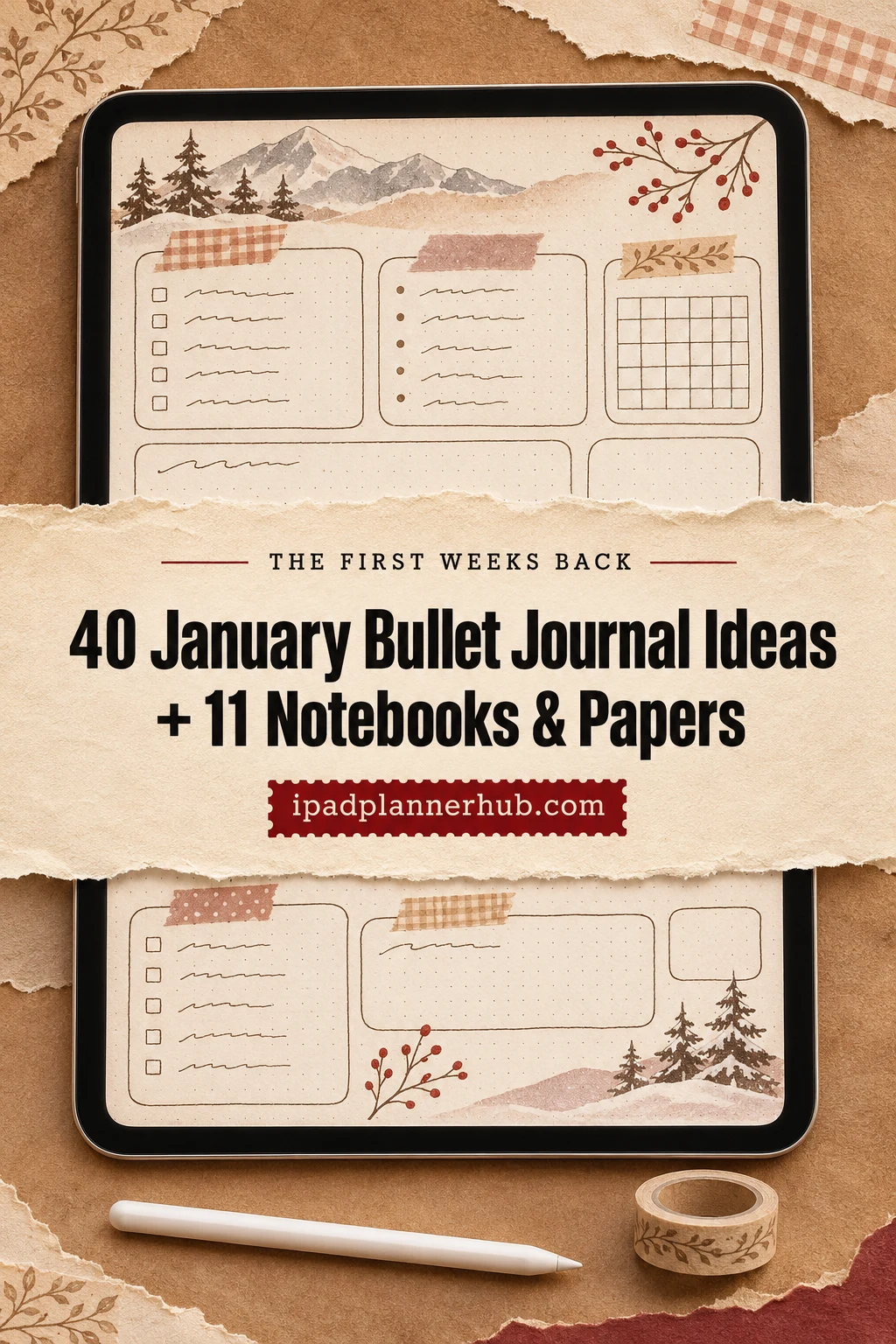
These 40 ideas move from a fresh-year index to the first weeks back, personal observations and a useful month-end handoff. Start with the pages you need now. The eleven iPad notebooks and paper sets below provide different bases for your own layouts; the January headings, winter drawings and custom fields described here are yours to create.
Choose a Page Base for Your January Bullet Journal
A grid makes a hand-drawn calendar easier to divide, while lined pages give daily reflections more room. I selected options for both, plus decorated pages for a small setup. You do not need a new notebook if your current one already has suitable paper.
TL;DR: Forty January page ideas, with eleven adaptable iPad notebooks and paper sets. Pick a grid for trackers, a lined journal for daily observations, or a small decorated calendar for a lighter setup. You create the seasonal headings and fields yourself.
Quick Picks
- Best for a fresh-year index: Digital Notebook
- Best for five clear destinations: Digital Notebook 5 Hyperlinked Tabs
- Best for mixing tracker layouts: Digital Notebook 5 Hyperlinked Tab
- Best for a large reusable notebook: Digital Notebook 500 Pages Bundle – 2
- Best for sketch-and-caption pages: Watercolor Hyperlinked Digital Notebook
- Best for a small decorated setup: Undated Cute Orange Bullet Journal
- Digital Notebook – For a fresh-year index
- Digital Notebook 5 Hyperlinked Tabs – For five clear destinations
- Digital Notebook 5 Hyperlinked Tab – For mixing tracker layouts
- Digital Notebook 500 Pages Bundle – 2 – For a large reusable notebook
- Watercolor Hyperlinked Digital Notebook – For sketch-and-caption pages
- Undated Cute Orange Bullet Journal – For a small decorated setup
- DaisyNotes | Digital Notebook | Purple – For a floral writing page
- Digital GoodNotes Journal – Art Deco – For the January brain dump
- Digital Ruled Journal – For a one-entry-per-day record
- 365 Days Daily- Digital Journal – For narrow or wide handwriting
- Digital Notebook Papers – GoodNotes – For keeping your existing journal
Grids and sections for a fresh-year system
For a fresh-year index
1. Digital Notebook
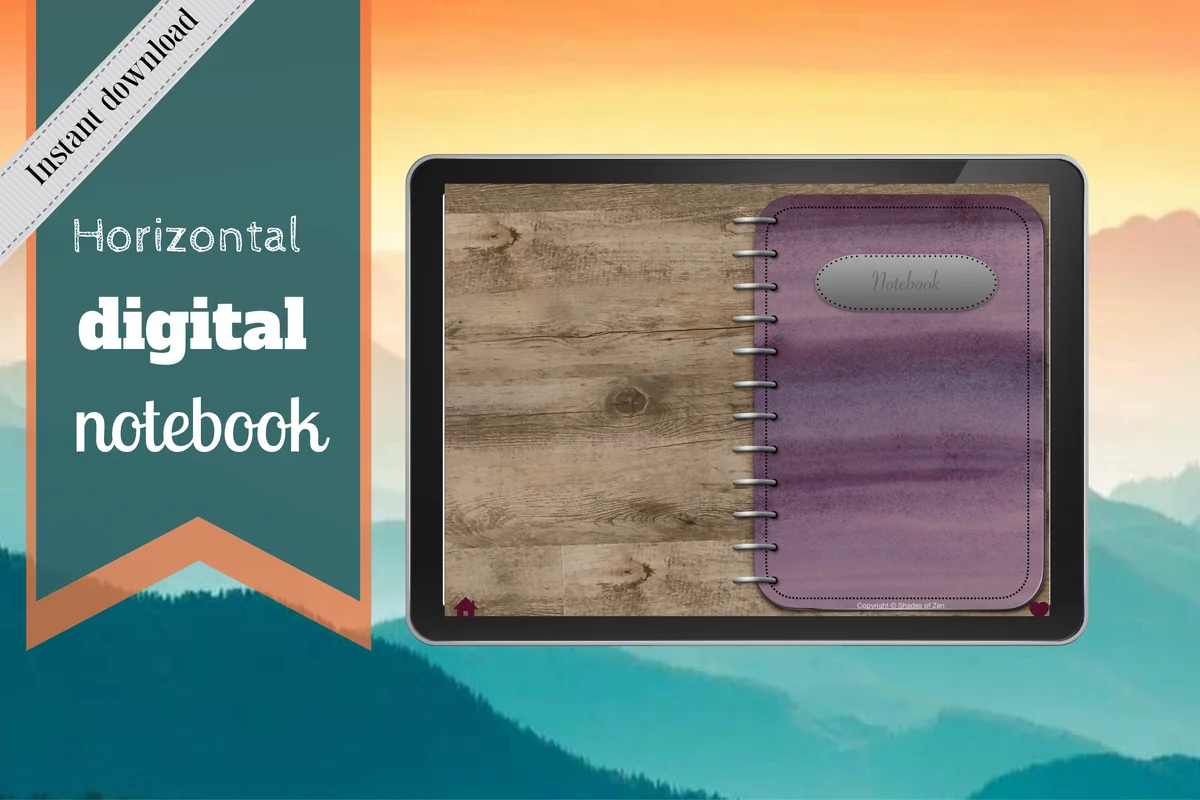
Orientation: LandscapeLayouts: 16 note templates; 12 sectionsDates: No dated calendar
Best for: a landscape index with room for collections. Designed by Shades of Zen.
- 12 sections with hyperlinked tabs
- 16 note templates, including dotted, graph and Cornell pages
- GoodNotes import instructions included
The two-page landscape view gives a fresh-year index some breathing room. Reserve one section for January and use the others for collections that continue after the month ends. This is a notebook to label yourself, rather than a ready-made January setup.
For five clear destinations
2. Digital Notebook 5 Hyperlinked Tabs
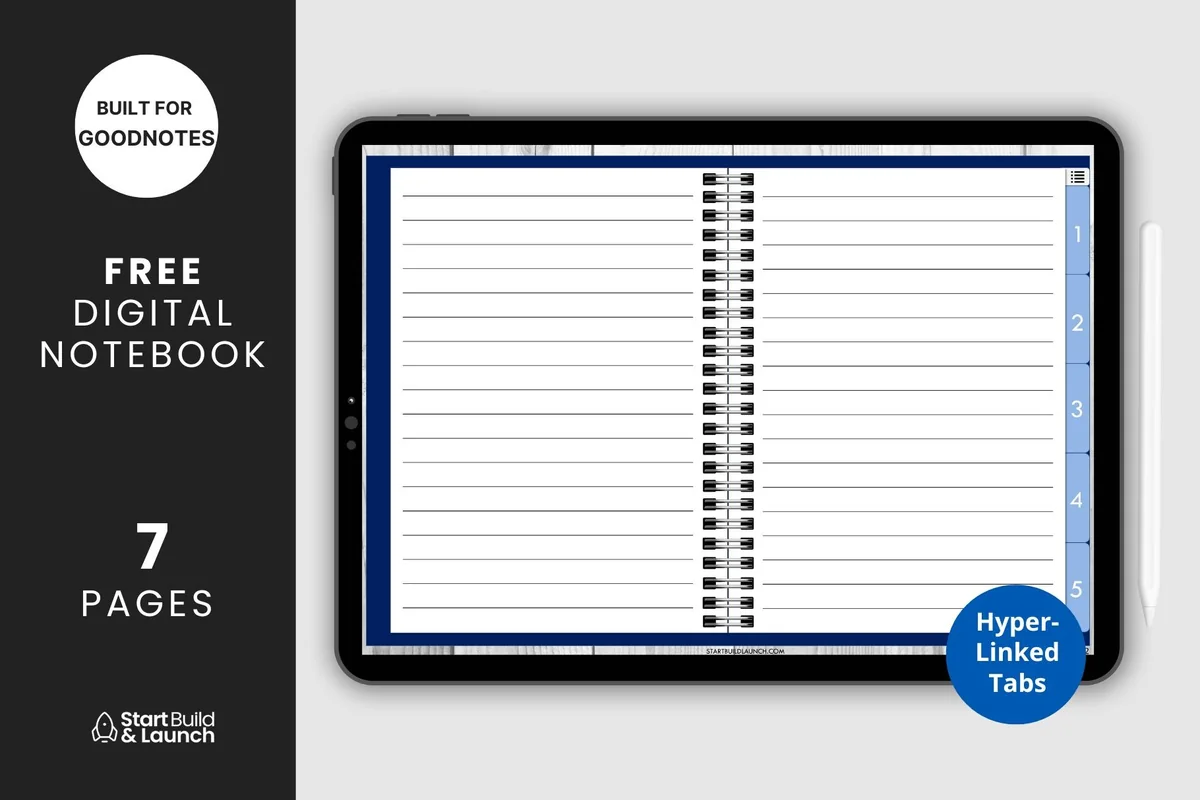
Orientation: LandscapeLayouts: 5 sections; blank, lined, dotted, graph, CornellDates: User adds dates
Best for: keeping the month in five named sections. Designed by aviswilliams.
- Five sections and an index/contents page
- Blank, lined, dotted, graph and Cornell paper templates
- PDF for GoodNotes, Notability and other named annotation apps
Five tabs suggest a useful limit: overview, routines, observations, projects and review. The blue book-style design already provides structure, so short handwritten January headings can be enough. It does not supply the forty themed pages in this article.
For mixing tracker layouts
3. Digital Notebook 5 Hyperlinked Tab
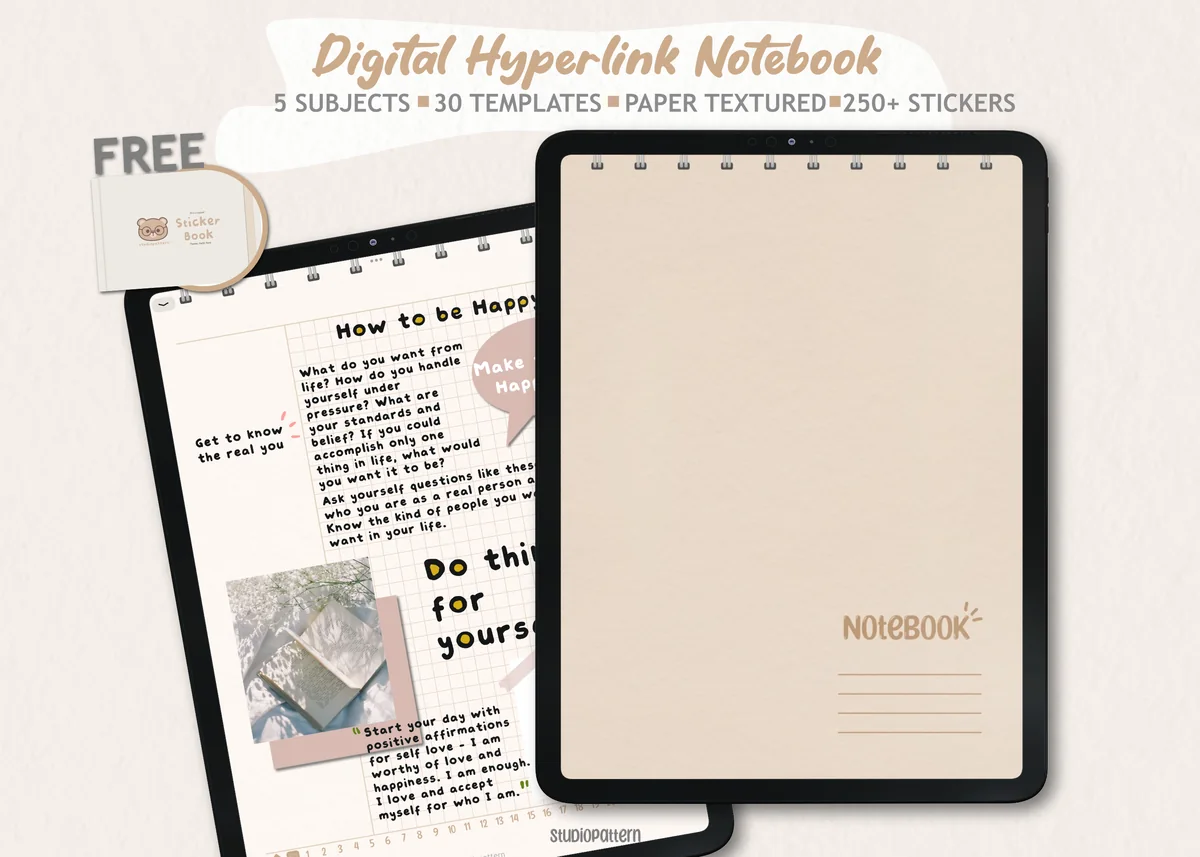
Orientation: PortraitLayouts: 30 note-taking templates; 5 sectionsDates: Fill-in pages shown
Best for: building grids alongside softer paper textures. Designed by studiopattern.
- Five section dividers with clickable navigation
- 30 note-taking templates, plus a manual PDF
- 250+ individual PNG stickers and a pre-cropped GoodNotes sticker book
This one has more layout choice than the blue five-tab notebook. The gallery shows blank, lined, grid and dotted variations, plus planner and tracker pages. I like that flexibility for trying a routine page and changing its shape later; the neutral stickers are not a winter-themed pack.
For a large reusable notebook
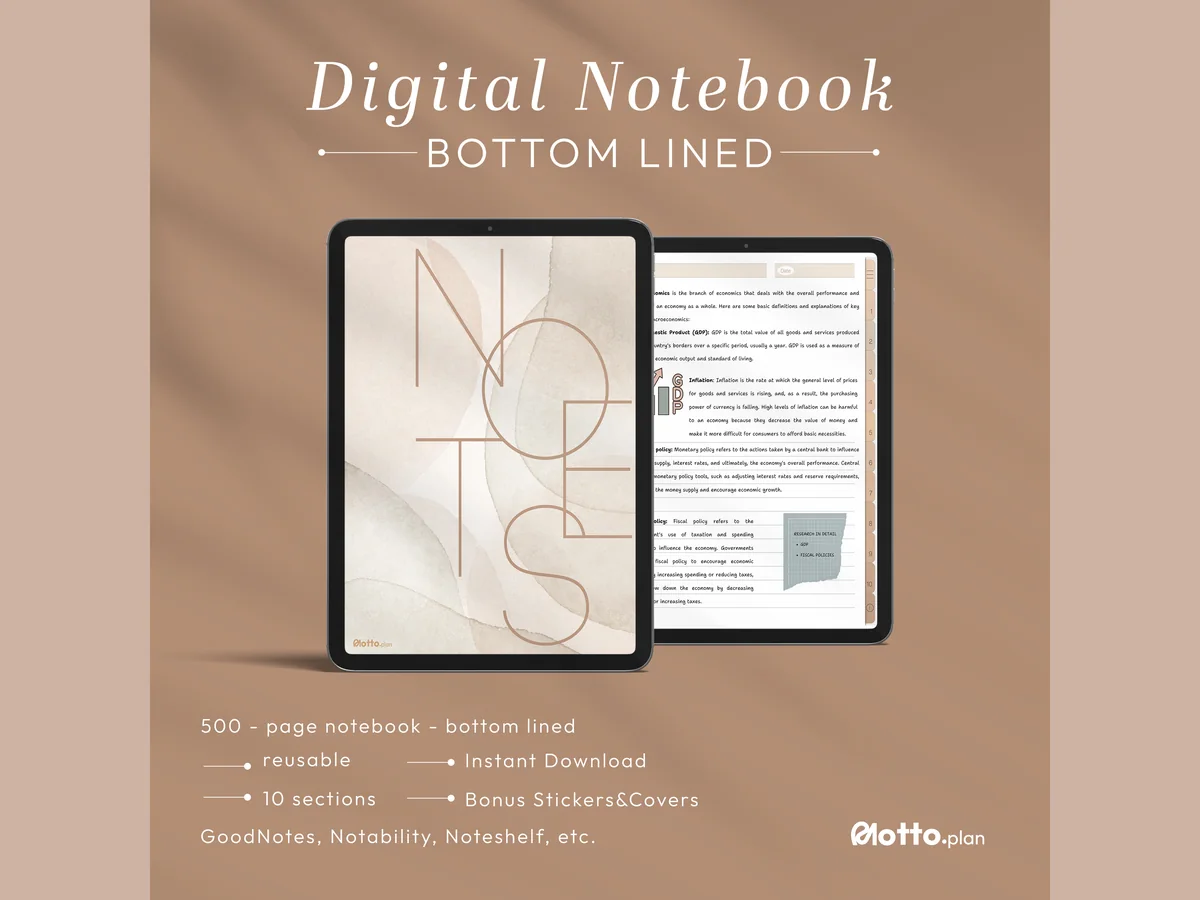
4. Digital Notebook 500 Pages Bundle – 2
Orientation: PortraitLayouts: 500 pages; 10 sections; multiple note stylesDates: User adds dates
Best for: separating experiments from pages you keep. Designed by Motto Plan.
- 500 ready-to-use pages across 10 sections
- Lined, bottom-lined, graph, dot-grid and Cornell options
- PDF notebook, PNG stickers, a GoodNotes sticker book, covers and user guide
A large notebook makes sense if January is only the opening chapter of a longer journal. Ten sections leave space to keep experiments apart from the pages you actually return to. For a three-page monthly setup, this is more material than you need.
Decorated pages for a lighter January

For sketch-and-caption pages
5. Watercolor Hyperlinked Digital Notebook
Orientation: PortraitLayouts: 12 sections; lined, blank, half-linedDates: User adds dates
Best for: winter observations with space for handwriting. Designed by daysfilledwithjoy.
- 12 hyperlinked sections
- Lined, blank and half-lined pages in each section
- One PDF for GoodNotes or similar annotation apps
Half-lined paper suits a tiny weather sketch above a few written observations. The watercolor cover gives it color without supplying a seasonal theme. Choose this over a dense grid notebook when drawing and captions matter more than a precise habit matrix.

For a small decorated setup
6. Undated Cute Orange Bullet Journal
Orientation: LandscapeLayouts: Fill-in calendar; decorative framesDates: UndatedWeek start: Monday shown
Best for: a fill-in monthly calendar and short notes. Designed by digitaliya_studio.
- Undated interactive PDF bullet journal
- 11 pages shown on the main preview
- Fill-in calendar, decorative writing frames and 32 bonus stickers shown
- Stickers in .goodnotes format
Orange florals offer a warmer alternative to snowflakes. The calendar is useful for a compact overview, while the small frames suit a January intention or a short list. Long daily entries would feel cramped here, and the stickers are orange-themed rather than winter-specific.
For a floral writing page
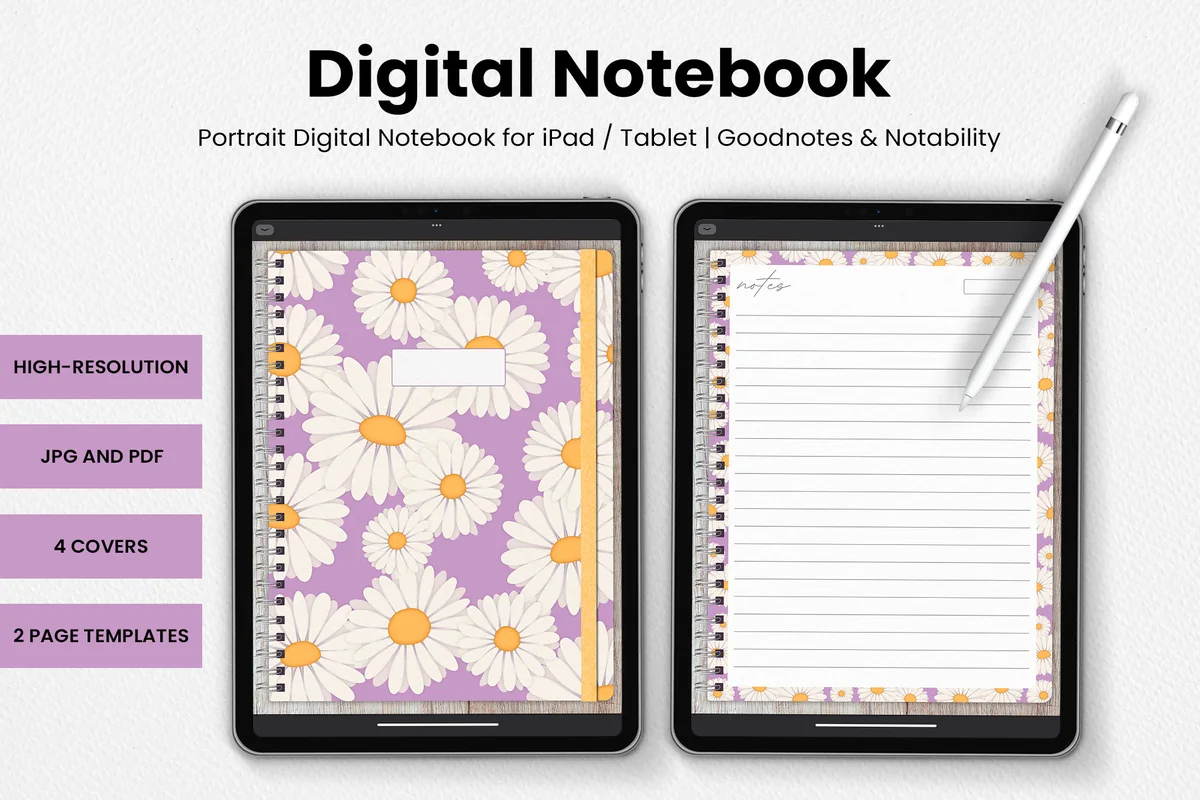
7. DaisyNotes | Digital Notebook | Purple
Orientation: PortraitLayouts: 2 page templates; 4 coversDates: User adds dates
Best for: short entries on a visibly textured background. Designed by catsquills.
- Portrait notebook for GoodNotes and Notability
- Four covers and two page templates
- JPG and PDF files; wood-texture backgrounds
Snow is optional. DaisyNotes gives a bright floral direction for a January cover or a one-line daily record, including if January is summer where you live. Its small template selection is better for writing than for comparing lots of tracker designs; no linked index is promised.
Daily writing and a January brain dump

For the January brain dump
8. Digital GoodNotes Journal – Art Deco
Orientation: PortraitLayouts: Monthly lined pages; brain-dump templatesDates: Undated
Best for: monthly entries plus a place to sort loose thoughts. Designed by Sarah Doodles.
- Undated hyperlinked PDF with monthly dividers
- Five lined pages allocated to each month
- Brain-dump templates shown, including an importance split
- Designed for iPad/tablet PDF apps such as GoodNotes and Notability
The January divider makes this a direct route into the month. The extra brain-dump pages give loose New Year thoughts somewhere to land before they turn into tasks. It is still a lined journal, so a freeform illustrated calendar requires a different page base.

For a one-entry-per-day record
9. Digital Ruled Journal
Orientation: PortraitLayouts: 366 ruled pages; 40 journal promptsDates: Month/day index; no weekday alignment
Best for: brief daily writing with numbered navigation. Designed by Island Tulip Designs Co.
- 366 ruled pages
- Three cover choices
- Hyperlinked navigation and 40 PNG/GoodNotes journal prompts
- Paper-like look shown in the previews
The index is a set of month-and-day numbers, not a weekday-aligned calendar for a particular year. That suits a daily observation log: choose a day, write, and return tomorrow. The autumnal floral covers do not make this a January-themed kit, and the included prompts are general.

For narrow or wide handwriting
10. 365 Days Daily- Digital Journal
Orientation: PortraitLayouts: Narrow/wide ruled; 16 additional page templatesDates: Undated
Best for: daily reflections with a choice of line spacing. Designed by ThePlannersDelight.
- 365 undated hyperlinked daily pages; 384 pages in total
- Narrow-lined and wide-lined journal PDFs
- 16 page templates, matching stickers and minimalist covers
- GoodNotes and Notability on iPad named in the description; the seller requires a tablet with a stylus, such as Apple Pencil. Apps, tablet and stylus are not included.
Line spacing is the useful distinction here. A wide-lined January reflection and a narrow-lined running log need different amounts of room, and this listing offers both versions. The bonus grids also leave space for a hand-built tracker; you add the January headings and fields yourself.
New paper for the journal you already have
For keeping your existing journal
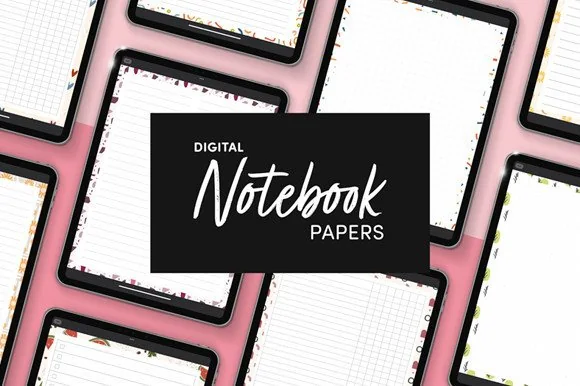
11. Digital Notebook Papers – GoodNotes
Orientation: PortraitLayouts: 9 designs; columns, trackers, lists, dots, square, lines, notesDates: User adds dates
Best for: adding a new paper style without a new notebook. Designed by catsquills.
- Nine portrait paper designs
- Eight layouts per design: columns, habit tracker, to-do, numbered list, dots, square, lines and notes
- PNG and PDF formats for GoodNotes/Notability
- 2550 × 3300 px paper artwork
If your current journal already works, a paper set may be the only addition worth considering. The habit and column layouts offer starting points for a January routine page. These are separate papers, not a complete hyperlinked notebook, and any month heading or tracker labels are yours to add.
Quick Comparison
| Notebook or papers | View | Page base | January use |
|---|---|---|---|
| 1. Digital Notebook | Landscape | 16 templates; 12 sections | Build your own index |
| 2. Digital Notebook 5 Hyperlinked Tabs | Landscape | 5 sections; 5 paper styles | A compact month system |
| 3. Digital Notebook 5 Hyperlinked Tab | Portrait | 30 templates; 5 sections | Flexible routine pages |
| 4. Digital Notebook 500 Pages Bundle – 2 | Portrait | 500 pages; 10 sections | An ongoing annual notebook |
| 5. Watercolor Hyperlinked Digital Notebook | Portrait | Lined, blank, half-lined | Sketches with captions |
| 6. Undated Cute Orange Bullet Journal | Landscape | 11-page journal; calendar and frames | Short decorated entries |
| 7. DaisyNotes | Digital Notebook | Purple | Portrait | 2 templates; 4 covers | A floral monthly journal |
| 8. Digital GoodNotes Journal – Art Deco | Portrait | 5 lined pages per month; brain dump | Sorting January thoughts |
| 9. Digital Ruled Journal | Portrait | 366 ruled pages; 3 covers | A dated-by-you daily record |
| 10. 365 Days Daily- Digital Journal | Portrait | 365 daily pages; 2 lined versions | Choosing handwriting space |
| 11. Digital Notebook Papers – GoodNotes | Portrait | 9 designs; 8 layouts each | Adding papers to a current journal |
40 January Page Ideas, Organized Around the First Weeks Back
The groups below are a menu, not a forty-page assignment. A January bullet journal cover page can introduce the month, but the useful work happens in the pages you return to afterward. For a smaller bullet journal setup, choose one overview, one routine page and one place to write.
Ideas 1–8: Give the New Year a Front Door
- 1A fresh-year index with two lanes. Divide a page into “January” and “Keep all year.” Put current weekly pages in the first lane and ongoing collections in the second. Write the tab name or page title beside each entry so your index still makes sense after you add more pages.
- 2A January cover with one usable corner. Letter the month in the center and place a tiny “turn here first” note at the bottom. Add the title of your overview page. This keeps a decorative cover connected to the journal you actually use.
- 3A word with a handwritten definition. Choose a word for the year, then write what it means in an ordinary January week. “Steady” might mean opening your notes before checking messages. Leave space to revise the definition when the month teaches you something.
- 4A carry-forward sorting page. Give unfinished December notes three destinations: schedule, save for later, or let go. Move an item only after choosing its destination. Copy only the items you still intend to act on.
- 5A small symbols key. Pick a task mark, an event mark and a note mark that you can recognize in your own handwriting. Add one example of each from January. If color helps, pair it with a symbol so meaning does not depend on color alone.
- 6A this-month / this-year split. Put January commitments on one side and longer possibilities on the other. A class beginning this month belongs beside its first action; an uncertain trip can wait in the yearly lane. This page separates an appointment from an idea.
- 7A title-only collection map. Write the names of collections you might want, such as books, home notes or creative projects. Create the actual pages only when you have an entry. The map gives new interests a home without filling the notebook with empty forms.
- 8A letter to the end of January. Write a short note beginning “By the end of this month, I hope everyday life feels…” Add one thing you can influence. Return to the note during your review, without treating it as a contract you failed to meet.
A linked notebook provides destinations, while a handwritten index explains what you put there. Those are different jobs. For plans that belong beyond this month, the future-log ideas give those later notes a separate home.
Ideas 9–16: Make the First Ordinary Weeks Visible
- 9A calendar with the margins protected. Draw seven weekday columns and enough rows for the month you are planning. Reserve the outer margin for notes instead of squeezing tasks into date boxes. Check the correct weekday for January 1 before numbering any squares.
- 10A back-to-work landing strip. Divide a page into “Before I return,” “First day” and “Can wait.” Put practical details here: charge the iPad, locate a pass, check the commute. Keep ambitious annual goals on a different page so they do not hide tomorrow’s essentials.
- 11A first-week capacity sketch. Block out commitments that are already fixed, then mark the remaining spaces. Choose tasks only after you can see those gaps. This is a handwritten planning picture, not an automatic calendar connection or a promise of spare time.
- 12A routine restart checklist. List the ordinary actions that disappeared during the holidays: refill a work bag, reset a desk or choose the next day’s clothes. Give each one a checkbox and a place for a note. Stop adding items when the checklist becomes another project.
- 13A new timetable reference. Write changed class, work or activity times in one compact reference. Include the source you need to recheck, such as a course portal or work calendar. Use this page as a reminder to verify details, rather than copying an old schedule from memory.
- 14A weather-contingency pair. Write an outdoor plan and an indoor alternative for one ordinary day. Add a trigger you can observe, such as heavy rain. The point is to avoid deciding everything again when conditions change, whether January brings snow or summer heat.
- 15A five-minute evening handoff. Make three small fields: what remains open, what tomorrow needs, and what can leave the list. Fill them in at the end of a busy day. An unfinished task gets a decision instead of a growing row of copied checkboxes.
- 16A recurring-friction log. Record one thing that made a morning harder, followed by one possible adjustment. For example, “couldn’t find charger / keep it beside the bag.” Revisit repeated entries after a week; you are collecting specific clues rather than grading your discipline.
A January bullet journal calendar and a weekly spread need different amounts of detail. The overview holds dates you need to see together; the weekly page holds the next actions. Copy only what helps, especially when the first or last week crosses into another month.
Ideas 17–24: Try a Routine Without Filling Every Box
- 17A three-habit grid with definitions. Put dates across the top and up to three actions down the side. Under each action, define what counts: “read a page” is clearer than “read more.” Leave an unrecorded day blank rather than guessing later.
- 18A minimum-version card. Choose one January habit and write its ordinary version beside a smaller fallback. A long reading session might become one paragraph on a crowded day. Make the fallback something you choose, not a punishment for missing the bigger version.
- 19A restart-after-a-gap line. Draw a line beneath your tracker labeled “next opportunity.” When a gap appears, write the next occasion you want to try again. This makes the page useful after an interruption instead of useful only while every box is filled.
- 20A winter walk observation row. Record the date, where you went and one detail you noticed. Add a small weather symbol if you want one. Keep the page about personal observations; it does not need distances, targets or an outdoor streak.
- 21A reading return bookmark. Write the book, the page you stopped on and one sentence about what is happening. Add a “next opening” field for when you hope to resume. The note helps you re-enter a book after a holiday break without setting a reading quota.
- 22A screen-free pocket of time. Mark a small part of an ordinary day when you would like to do something away from a screen. Write the alternative beside it, such as making tea or sketching on paper. Record what happened without claiming a health outcome.
- 23A getting-ready rehearsal. List what one returning routine requires and try arranging those things in advance. Note anything missing or inconvenient. This is especially useful for a new class, a changed work location or a hobby you have not touched since December.
- 24A keep / change experiment review. After trying a routine for a few days, write what helped and what made it awkward. Choose one change for the next attempt. Avoid changing the habit, tracker shape and timing all at once if you want to understand your own notes.
The grid is a record, not a score. If it stops helping, replace it with a dated note explaining what happened. The monthly habit tracker ideas offer other shapes without requiring you to restart the whole journal.
Ideas 25–32: Collect the Texture of January
- 25A one-word mood row. Number a line or small box for each day and add a word that fits your own description. Include “mixed” or “not recorded” if useful. A mood tracker here is a personal journal page, not a diagnostic tool or a way to explain every feeling.
- 26A weather-and-window sketchbook. Draw one small view from the same window on different days. Add a date and a caption about what changed. A blank or half-lined page suits this better than a crowded calendar, and the sketches do not have to be realistic.
- 27A winter palette sampler. Choose a few colors from something you actually see: a scarf, a gray sky, a warm drink. Make swatches and label where they came from. If January is summer for you, use local flowers, bright light or a favorite beach towel instead.
- 28A hot-drink notes page. Sketch a mug and write what you made, where you were and who shared the moment. A small memory collection gives an ordinary afternoon a place in the journal.
- 29A snowflake or sun-ray border test. Try a simple repeated mark along one edge of a spare page. Keep the center clear for writing. These are doodle ideas you draw yourself; none of the generic notebook choices needs to include seasonal artwork for this to work.
- 30A quiet-moment collection. Add a short entry when something ordinary feels worth keeping: a peaceful bus ride, a favorite song, a conversation. Let the page fill unevenly. I prefer an open collection to thirty-one boxes when the subject is a moment you want to notice.
- 31A small creative return. Choose one unfinished sketch, craft or writing idea and give it a page with “where I stopped” and “next tiny move.” Add an image of your own work if helpful. The aim is to make re-entry easier, rather than announce a large January project.
- 32A one-photo-and-caption spread. Place a personal January photo beside a few lines about what the image leaves out. A half-lined layout keeps the caption close to the picture. Use your own photo or artwork you have permission to use, especially if you plan to share the spread.
How Can a January Bullet Journal Mood Tracker Match the Theme?
To turn idea 25 into an illustrated tracker, draw 31 snowflakes or small circles and number them for the days of January. Define your own mood labels in a key, then add a color and a word to each day’s shape when you record an entry. Keep mixed feelings and unrecorded days distinct, and leave a notes margin for anything a single label misses.
January theme ideas can be as simple as one repeated border and a small palette. Snowflakes, a winter forest, a coffee cup or a minimalist month heading give the pages a visual thread. A summery or floral journal theme is just as welcome if winter imagery does not match your month.
Which January Bullet Journal Themes Fit Your Pages?
For winter vibes, draw a snowy mountain above the month heading and repeat small pine trees beside weekly dates. A snow globe can frame the cover, while a polar bear doodle can sit in a notes margin. Keep the winter landscape outside the writing boxes so the same theme works on a full calendar spread and a narrow daily page.
For a lighter January bujo, use clouds and a crescent moon around the title, or draw sun rays along the top edge for a summer theme. Repeat one color and one shape across your journal spread instead of drawing a new scene on every page. If you like inspiring quotes, write a short line you have chosen beneath the month name and leave the rest of the cover open.
Ideas 33–40: Leave a Useful Note for February
- 33A January win with its context. Write something that went well and the conditions that helped it happen. A quiet desk or a realistic task size is more useful information than a gold star alone. Keep the entry specific enough that you can recognize the situation again.
- 34A plan-that-changed note. Record the original plan, what changed and what you chose instead. This gives adjustments a visible place in the story of the month. You do not have to recast every change as either a success or a mistake.
- 35A page-use tally. List the spreads you actually reopened, with a simple mark each time you remember using one. At review time, look for pages that earned their space. An elaborate cover and a useful checklist can have different roles without competing for the same score.
- 36A late-January loose-ends tray. Gather unassigned notes in one place before the month ends. Beside each, write its destination or a reason to drop it. Avoid making February’s opening page a duplicate of everything you did not finish in January.
- 37A buy / borrow / already-have check. Before adding supplies for another themed setup, list what is already available. Include saved paper templates, existing stickers and tools in your app. This page can end with no purchase at all and still do its job.
- 38A February carry-forward shortlist. Choose the few open items that genuinely belong next month. Add a next action and any date you have verified. Keep larger someday ideas in the future log rather than squeezing them into the next monthly calendar.
- 39A letter back to your opening note. Re-read idea 8 and answer with what ordinary life actually felt like. Mention one surprise and one thing you want to keep. The comparison works even if January went in a completely different direction from the one you expected.
- 40A keep-this-page recipe. Describe one layout worth repeating: paper style, headings and the amount of space you needed. Save a clean copy before adding another month’s entries. Carry the useful structure forward while giving February its own questions and purpose.
Build a Small Setup Before You Decorate the Rest
For an iPad setup, the notebook is the page base; the January journal ideas are what you write on it. A dotted page helps position boxes, while a lined page already guides a paragraph. Neither paper style creates reminders or calendar syncing by itself.
A four-part first sitting
- 1Choose three working pages. Start with an overview, a return-to-routine page and a place for daily notes. Match the paper to the task before choosing a palette. A calendar grid and a reflective paragraph do not need identical layouts.
- 2Write dates only after checking them. Set your preferred weekday order, verify January 1 for the year you mean, and number through 31. Allow enough rows for the complete month. A blank undated calendar can be reused; a copied dated calendar may put events in the wrong squares.
- 3Test one ordinary entry. Write an appointment, one small task and a note at the size you normally use. If the boxes feel cramped, enlarge them before adding decoration. Try the linked tabs in your chosen PDF app; navigation varies by app and interaction mode. I have reviewed the listings and previews, not tested the purchased PDFs.
- 4Add a repeatable visual cue. Choose one heading style and a border or a few doodles. Carry that cue onto the weekly page, then stop. Save an unfilled version of your own layout so you can adapt it after a week instead of rebuilding every page.
Keep date navigation separate from calendar layout: linked month and day numbers help you find an entry, but do not establish which weekday a date falls on.
FAQ: January Pages on an iPad
Which pages belong in my first January setup?
Begin with the dates you need, the routine you are returning to and one page for notes. Add a cover or a tracker if it serves a purpose for you. The forty ideas are alternatives to choose from, so you can start without preparing forty separate pages.
Do I need dot-grid paper?
No. A dot grid is a pattern of evenly spaced dots that can guide boxes and lettering without solid ruled lines. It is useful for a hand-built tracker. Lined paper suits longer entries, and blank paper gives drawings more freedom; several notebooks above include more than one style.
Can I start after New Year’s Day?
Yes. Write the date you are starting and plan from there. You can leave earlier days unfilled or add a short note about the gap. Undated pages let you build a current view without inventing entries for days you did not record.
Are the winter illustrations and forty layouts included in these files?
No. The ideas in this article are prompts for your own page design. The cards describe the files each product actually offers, such as lined paper, a fill-in calendar or stickers. Do not assume a general notebook contains a snowflake theme, a January mood chart or every custom field mentioned here.
How can I use these January bullet journal ideas in a PDF?
Use a dotted or blank page in your digital notebook to draw the spread you need: a monthly calendar, a routine checklist or a mood log. Add your own headings and dated fields, then keep an unfilled copy of the layout for later adjustments. The ideas here guide what you draw and write; the product cards identify the page bases and formats included in each file.
How do I adapt January bullet journal ideas from Pinterest?
Choose one feature from an inspiring pin, such as its blue palette, snowy border or balance of drawing and writing space. Sketch your own version around the appointments and notes you actually need, then test an ordinary entry before decorating the whole month. Draw a washi tape effect as a narrow patterned strip beside the heading if you want a scrapbook detail without crowding the calendar.
Will a PDF tracker update itself or remind me to write?
The trackers described here are filled in manually. Hyperlinks provide navigation; they do not turn a PDF into an automated habit app. Check your annotation app separately for its own features, and choose a reminder method you already trust if you want one.
Let the First Week Choose the Pages You Keep
Your January bullet journal does not have to predict the whole year. Give the first ordinary week enough space to show you what needs a page, then keep the parts you reopen. When January closes, the monthly review ideas can help turn those notes into a deliberate handoff instead of a fresh stack of unfinished lists.
You May Also Like
This article contains affiliate links. If you purchase through them, I may earn a commission at no extra cost to you. See the affiliate disclosure.