You open a beautiful notebook, write a title, and stop because the first real page suddenly feels too important. These empty notebook ideas begin with a smaller decision: what would you like to find here the next time you open it? Pick one useful job, make three working pages, and let the rest stay blank until you need it.
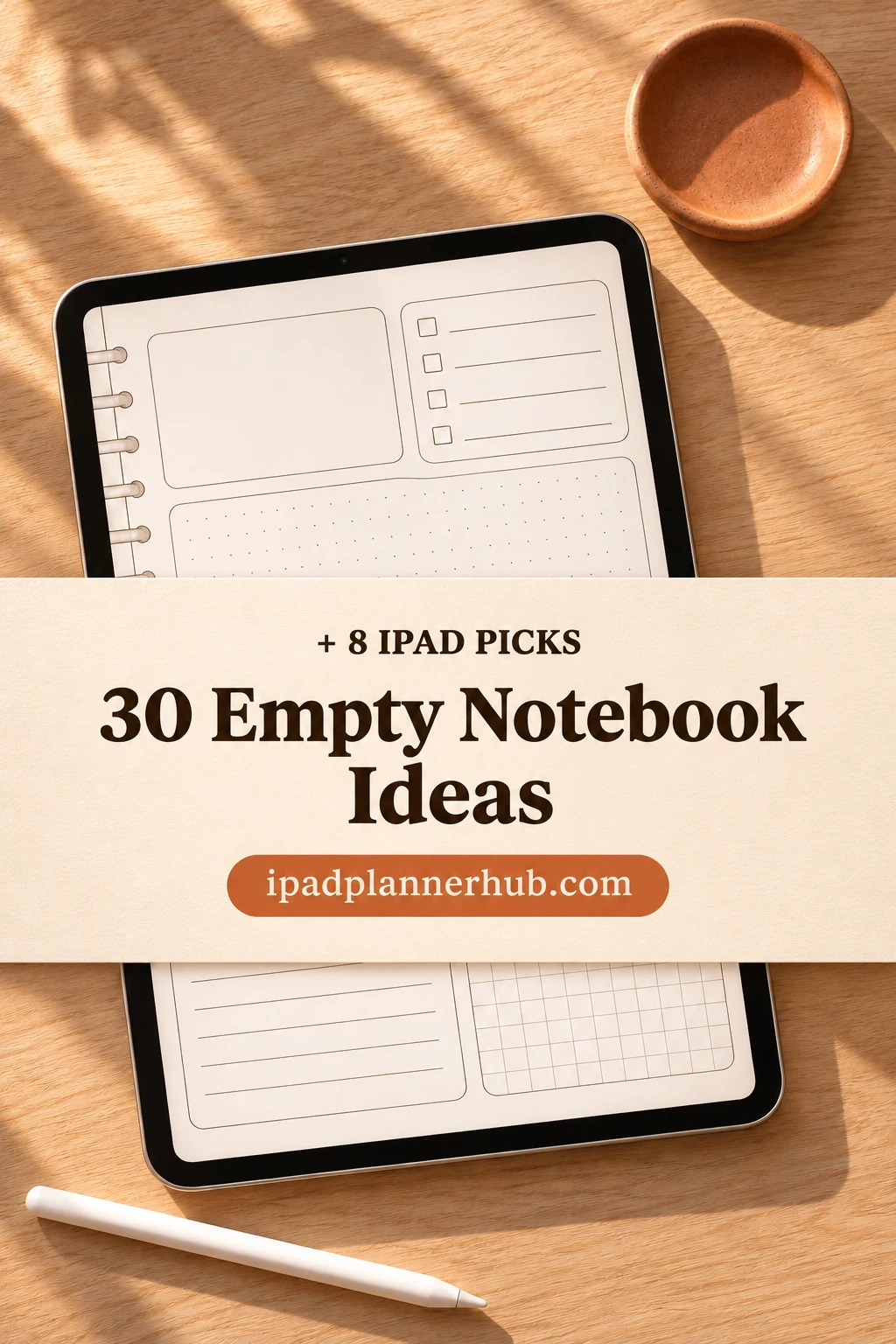
I have grouped 30 uses by the kind of information you want to keep. Each has a suggested paper type, a three-page starting point and a reason to return. The layouts are my suggestions for you to create; the seven iPad notebooks and one paper pack later in the article provide the paper, not all of these finished systems.
Choose a job before choosing the paper
A notebook becomes easier to use when its purpose fits into one sentence: “This is where I look up measurements before buying something,” or “This is where unfinished story fragments wait.” If you cannot name a likely return visit, try one page in an existing notebook before making a whole new one.
| Your goal | Paper to try | First three pages | Return rule |
|---|---|---|---|
| Look something up | Lined or graph | Purpose; reference list; first detail sheet | After a fact changes |
| Learn a small topic | Two columns or dotted | Questions; examples; recall check | At the next study session |
| Develop creative material | Blank or half-lined | Seed list; first sketch; variations | When you make another draft |
| Move a project forward | Dotted or checklist | Outcome; current work; waiting list | Before the next work session |
| Keep a collection | Lined with sketch space | Collection scope; entries; favorites | When you add an item |
Use that table as a filter, not a commitment to fill every section. A reference notebook can sit untouched for weeks and still earn its place when it saves you measuring the same shelf again. A creative notebook needs a lower entry barrier: rough fragments count as entries.
30 empty notebook ideas with a first-page plan
Each numbered use below is one option. The three starting pages are enough to test whether it belongs in your life. Duplicate a digital page only when the current one is nearly full; in a paper notebook, leave a little room instead of reserving thirty pages for an untested idea.
Everyday references: information worth finding again
- 1Repair history. Use lined paper for things you own. Start with an appliance list, one repair entry and an unresolved-issues page. On the repair page, write the symptom, action and result; add a new entry after service instead of rewriting the whole story.
- 2Household measurements. Use graph paper. Begin with a room list, one measured sketch and a shopping-fit checklist. Label units beside every measurement and update the drawing after a change; a tiny shelf sketch is more useful than an unlabeled page of numbers.
- 3Borrowed and lent items. Choose a numbered list. Make pages for items lent, items borrowed and items returned. Record the person and date beside the item, then move a line to returned when it comes back; review before lending the same object again.
- 4Warranty reference. Choose lined paper and start with a product index, document locations and one claim-history page. Keep receipt locations or filenames here rather than sensitive account credentials. Update after a purchase or claim, so the notebook points you to the actual paperwork.
- 5Purchase comparison. Use columns for one ordinary purchase, such as a desk lamp. Start with requirements, candidate notes and unanswered questions. Compare the same features across candidates, then close the page once you choose; it should not become a permanent shopping backlog.
- 6Practical contact notes. Use a two-column sheet for a service, office or community group you contact occasionally. Begin with a contact directory, call notes and follow-up questions. Keep only information you need and have permission to retain; update when the contact details change.
Learning: build a small working reference
- 7Term-and-example glossary. Use two columns. Start with a topic boundary, terms and examples. Put a definition in your own words beside a concrete instance; return when a reading introduces a new term. Keep unrelated subjects in separate sections so the glossary stays searchable.
- 8Lecture takeaways. Use lined paper with a small margin. Begin with sessions, key takeaways and questions to investigate. After each lecture, keep three useful points rather than transcribing everything. Bring the question page to the next session and mark what has been answered.
- 9Question-and-answer bank. Divide dotted paper into question and answer columns. Start with questions, answers and corrections. Write questions before looking at your notes, then check the answers separately. Revisit missed items at your next study session.
- 10Formula with an example. Use graph paper. Make a formula index, a worked-example page and a common-mistakes page. Include units and one small example for each formula. Add a correction when you find a mistake, rather than copying a pristine reference that hides what confused you.
- 11Course checkpoint book. Choose lined paper. Begin with course topics, a current-topic summary and remaining questions. End a lesson by writing what you can explain without the material open. For a full timetable and assignment system, use a study planner rather than expanding this into one.
- 12Connection maps. Use blank or dotted paper. Start with a central question, a map and a short explanation of its links. Label arrows with relationships such as “depends on” or “contrasts with.” Redraw only when your understanding changes; extra decoration is not another connection.
For paper built around a particular note structure, the GoodNotes note-template guide compares more focused options. Choose the notebook’s purpose first, then use that guide to narrow down the paper.
Creative work: give unfinished material somewhere to wait
- 13Title bank. Use a numbered list. Start with project categories, rough titles and a shortlist. Capture the title with one line about the audience or mood it suits. Revisit when naming something real; keep rejected titles available instead of polishing the list every day.
- 14Character workshop. Choose half-lined paper for a sketch above a note. Begin with character seeds, one contradiction and a scene test. Try showing the contradiction through an action rather than adding a longer biography. Add another page when a scene reveals something you need to keep.
- 15Dialogue fragments. Use lined paper. Start with situations, short exchanges and revision notes. Write a few invented lines with a clear speaker and tension, then test them in a scene. Avoid recording identifiable private conversations; the point is fictional material you can develop.
- 16Color combinations. Use blank paper. Start with a swatch index, paired colors and project applications. Label each swatch with its tool or color value so you can recreate it. Return while designing; a pretty palette with no identifier is harder to use than a rough labeled one.
- 17Short-video sketches. Choose a three-column layout on graph paper. Start with ideas, one shot sequence and a filming checklist. Match each shot to its purpose and any spoken line. Review before recording, then note one change for the next version instead of keeping an endless content calendar.
- 18Creative trial book. Use half-lined paper for craft or drawing experiments. Begin with the question, one test and the next variation. Change one variable, such as brush size or color pairing, and note the visible result. Keep each test small enough to compare with the next variation.
Projects: make the next visit obvious
- 19Next-action notebook. Use dotted paper. Start with the outcome, current actions and finished work. Phrase the next action as something visible, such as “measure the drawer,” rather than “organize home.” Before stopping, leave one action ready for the next session.
- 20Decision bookmark. Use lined paper for a brief pointer to a choice you need to make. Start with choices, open questions and a link or page reference to fuller notes. Keep the detailed reasoning in your existing decision system; do not rebuild it just to fill another notebook.
- 21Prototype sketchbook. Choose blank paper. Begin with the problem, a rough version and feedback to try. Give each version a short name so comments refer to the right sketch. Return after feedback; keep the earlier drawing so the next version has a visible starting point.
- 22Waiting-for list. Use a checklist. Start with people or services, requests sent and responses received. Put the request date and next sensible check beside each item. Review before the next project session; if you need a timed reminder, set it in a separate reminder app.
- 23Meeting follow-through. Use two columns. Start with meetings, agreed actions and unresolved questions. Separate a decision from a task, and give each task an owner only when that was agreed. Return before the next meeting to see what moved, rather than collecting another transcript.
- 24Project closing notes. Use lined paper. Begin with the intended result, what happened and what to carry forward. Add a brief note when a project closes, not a running daily diary. For room-by-room work, move to the dedicated home-project planner ideas instead of rebuilding that workflow here.
Collections: save a small reason, not just a name
- 25Recipe shortlist. Use a compact lined list for recipes you might actually cook. Start with categories, candidate titles and the next meal to try. Point to the recipe source instead of copying its full method; the recipe journal guide handles the deeper cooking record.
- 26Nearby weekend places. Use blank or half-lined paper. Begin with a small map, places and practical questions. Record why each place interests you plus a link to check current opening information. Review before an outing; saved hours are a note to verify, not a promise that nothing changed.
- 27Film notes. Use lined paper. Start with a watchlist, one short response and titles to discuss. After watching, write a memorable detail and who you might recommend it to. Keep spoilers separate from the recommendation so the notebook remains useful when a friend asks for a suggestion.
- 28Family stories. Use half-lined paper with room for a picture or sketch. Start with people, story questions and one dated recollection. Note whose memory it is and get permission before sharing. Return after a conversation; leave uncertain details uncertain rather than inventing a smoother story.
- 29Gift possibilities. Use two columns. Start with people, gift ideas and items already given. Note the interest behind an idea, such as a new hobby, rather than only a shopping link. Revisit before an occasion and remove ideas that no longer fit; a saved list is not an obligation to buy.
- 30Seasonal observations. Use blank paper beside short notes. Start with a place, observations and a page of changes. Sketch the same view or note the same small detail on later visits. Record what you actually notice without guessing at species names or turning the notebook into another daily streak.
Make the first three pages deliberately unfinished
A page should tell you how to come back. Set up the following three pages before labeling all the tabs. The first entry can be a messy example; it gives you something concrete to improve after a real return visit.
A three-page trial
- 1Purpose and boundary. Write “I use this notebook to…” and finish the sentence with one job. Add what belongs elsewhere. A contact reference, for instance, can hold a service number without becoming storage for passwords or identity documents.
- 2A small finding page. List just the entries or topics you have now. In a digital notebook, use the existing linked index if one is included; handwritten labels alone do not create new hyperlinks. Leave space for additions rather than assigning every future page.
- 3A real first entry. Use an actual measurement, question, sketch or list. Write when you will next need it. After that visit, decide whether the page needs more space, fewer fields or a different paper type before duplicating it.
For collected quotations and reading notes, a commonplace book gives those sources a more specific home. If the job you want is personal reflection instead of a practical reference, the digital journaling ideas offer prompts without forcing them into this system.
8 iPad notebook and paper picks for these ideas
I selected these for their page structures and clear iPad annotation use. Seven are notebooks; the last is loose digital paper for a notebook you already have. Match the paper to one of the uses above, then create your own fields. Check the current listing and the requirements of your chosen app before buying.
TL;DR: Start with one notebook purpose and three pages. The eight options below are seven digital notebooks and one paper pack, not eight ready-made systems for the ideas above. A compatible annotation app may require a separate purchase.
Quick Picks
- Best for short writing and sketches: Watercolor Hyperlinked Digital Notebook
- Best for varied note structures: Digital Notebook
- Best for portrait reference notes: Digital Notebook Hyperlinked Cute Purple
- Best for five clear subjects: Digital Notebook 5 Hyperlinked Tabs
- Best for combining notes and planning: Digital Notebook 5 Hyperlinked Tab
- Best for compact mixed pages: Cute Hyperlinked Notebook – 5 Tab
- Watercolor Hyperlinked Digital Notebook – Best for short writing and sketches
- Digital Notebook – Best for varied note structures
- Digital Notebook Hyperlinked Cute Purple – Best for portrait reference notes
- Digital Notebook 5 Hyperlinked Tabs – Best for five clear subjects
- Digital Notebook 5 Hyperlinked Tab – Best for combining notes and planning
- Cute Hyperlinked Notebook – 5 Tab – Best for compact mixed pages
- Pastel Digital Notebook Hyperlinked – Best for choosing a paper background
- Digital Notebook Papers – GoodNotes – Best for an existing notebook
Twelve-section notebooks for separate collections
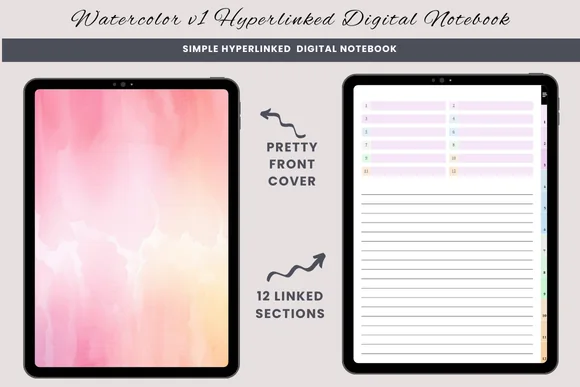
Best for short writing and sketches
1. Watercolor Hyperlinked Digital Notebook
Orientation: PortraitLayouts: Lined, blank, half-linedSections: 12Format: PDF
Best for: keeping simple references in twelve separate sections. Designed by daysfilledwithjoy.
- 12 hyperlinked sections
- Lined, blank and half-lined pages
- One PDF for GoodNotes or a similar PDF annotation app
- Duplicate a page when a section needs more room
Half-lined paper makes this my starting point for an object sketch with a few measurements underneath. It offers fewer paper choices than the sixteen-template notebook below, which can be helpful when choosing paper has become the project. You supply the reference headings; this is not a ready-made home inventory.
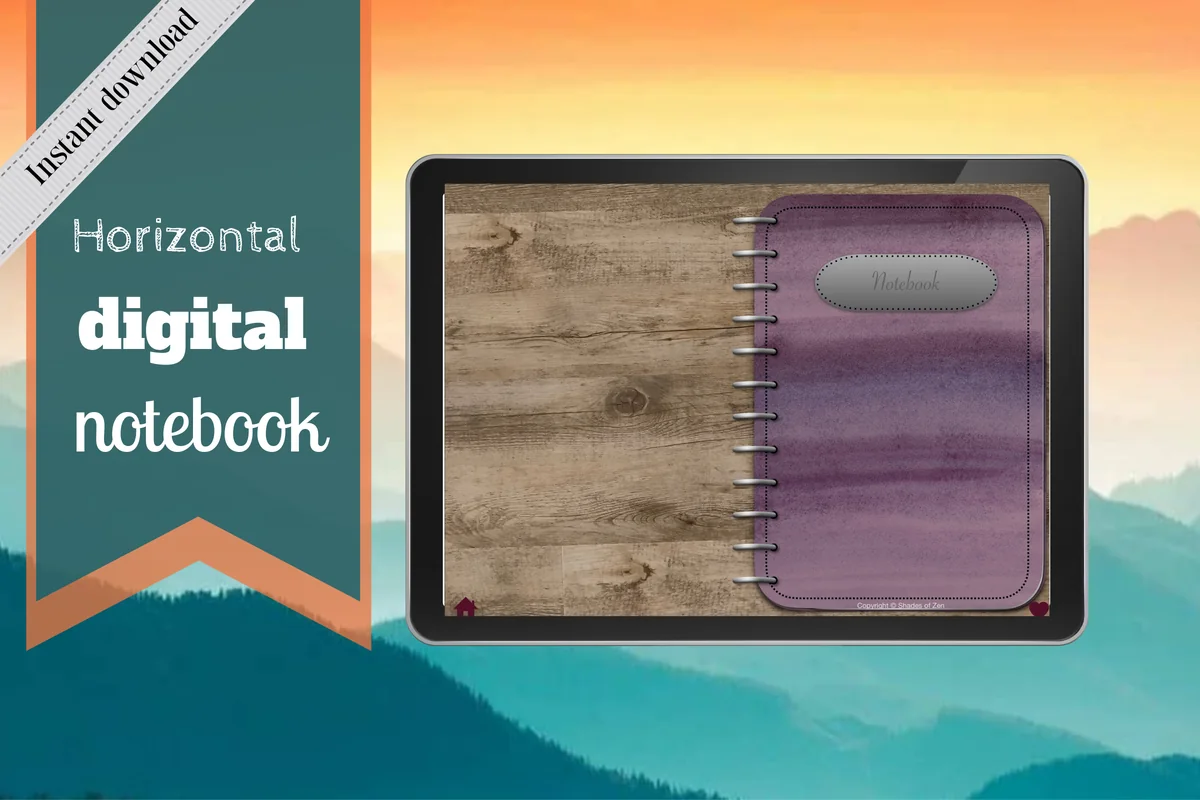
Best for varied note structures
2. Digital Notebook
Orientation: LandscapeLayouts: 16 templates; lined, dotted, graph, CornellSections: 12Format: PDF annotation notebook
Best for: switching between written notes, grids and divided pages. Designed by Shades of Zen.
- 12 expandable sections with linked tabs
- 16 note templates
- Lined, dotted, wide-ruled, graph and Cornell options
- Distinct section dividers and instructions
The useful distinction here is structure, rather than another cover color. Two-column pages shown in the previews suit a term on the left and an example on the right; a plain page leaves room for a rough connection map. The landscape spread has a visible ring-binder design, so choose it because that arrangement appeals to you, not because it provides a full-width blank canvas.
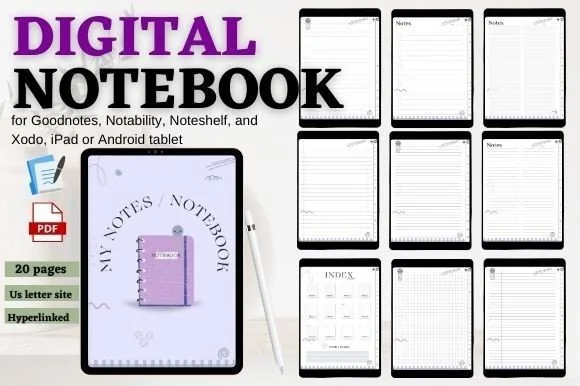
Best for portrait reference notes
3. Digital Notebook Hyperlinked Cute Purple
Orientation: PortraitLayouts: Lined, grid, checklist and notesSections: 12Format: PDF
Best for: separating small collections without a landscape binder spread. Designed by mixxdigitaldesign.
- 12 hyperlinked sections and an index with shortcuts
- 20-page PDF, including the cover and three extra pages
- Previews show lined, grid, checklist and blank-style note pages
- For GoodNotes, Notability, Noteshelf and Xodo
The portrait page suits a running reference you open beside a household object or a course recording. Twenty pages does not mean twenty different paper layouts. Compared with the landscape Digital Notebook above, this offers a tall page and a simple index rather than a larger template library.
Smaller subject sets and flexible paper
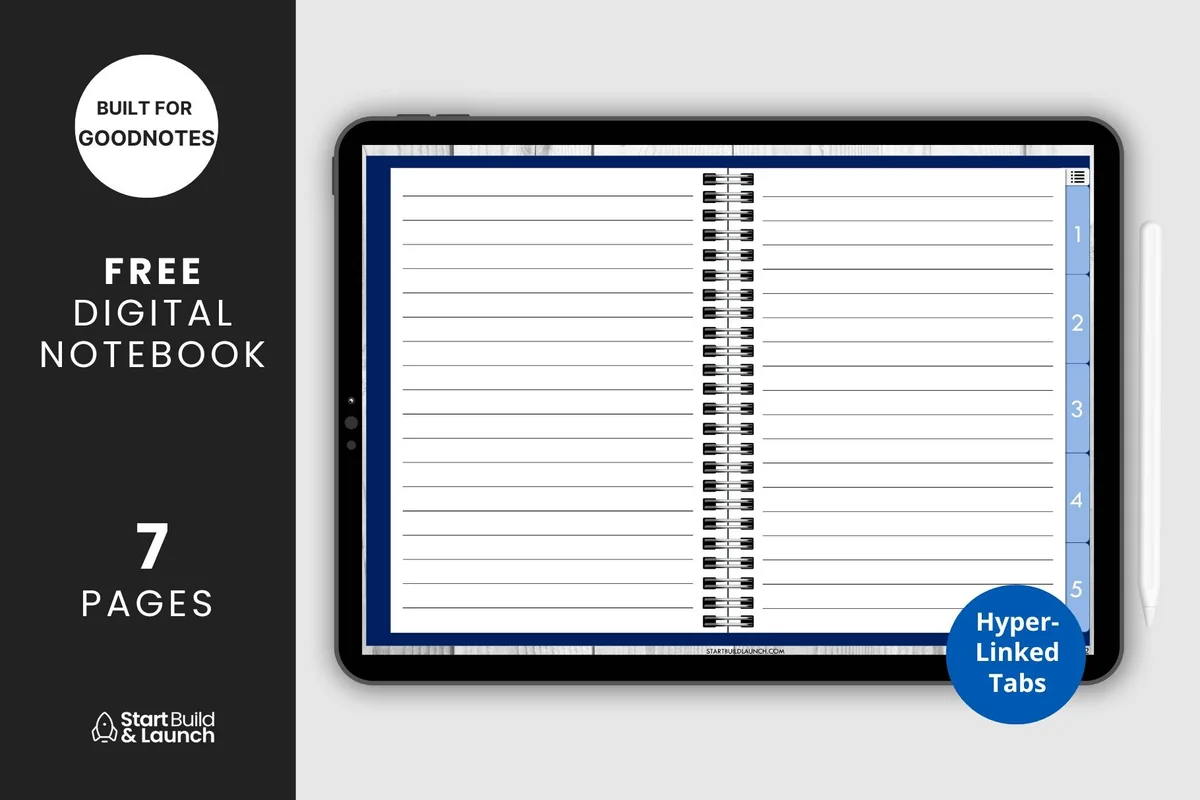
Best for five clear subjects
4. Digital Notebook 5 Hyperlinked Tabs
Orientation: LandscapeLayouts: Blank, lined, graph, Cornell, dottedSections: 5Format: PDF
Best for: giving a small number of notebook purposes a fixed home. Designed by aviswilliams.
- Five hyperlinked sections and a contents page
- Blank cover with space for your title
- Blank, lined, graph, Cornell and dotted paper
- PDF for iPad or tablet annotation apps
Five tabs give each purpose a fixed home: home, learning, creative work, projects and collections. Choose graph paper for measurements and blank paper for sketches. The five paper types are separate from the cover and index; this is a compact starting set rather than a large template library.
Best for combining notes and planning
5. Digital Notebook 5 Hyperlinked Tab
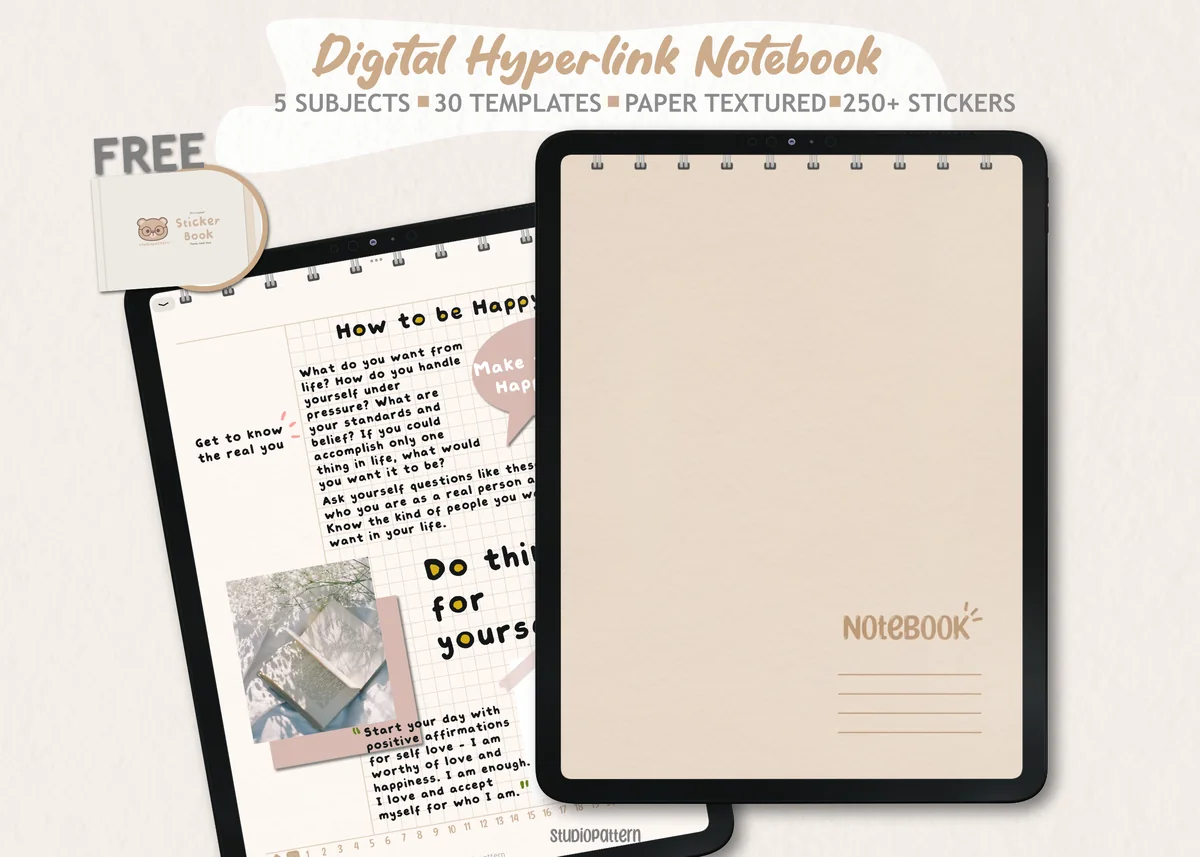
Orientation: PortraitLayouts: 30 templates including notes and planningSections: 5Format: PDF; PNG stickers; GoodNotes sticker book
Best for: keeping blank-paper work beside simple planning pages. Designed by studiopattern.
- Five hyperlinked sections and 30 paper templates
- Blank, lined, grid, dotted and dashed styles shown in the previews
- Monthly, weekly, daily, habit and checklist pages shown
- Hyperlinked PDF, manual, individual PNG stickers and a GoodNotes sticker book
This is the broadest five-section option here. A project can begin on a blank sheet and later use a checklist or weekly page without changing the notebook's overall look. The soft paper texture is visible across the previews; that is a style choice to weigh if you prefer a clean white background. The planning pages do not create reminders or automatically schedule anything.
Best for compact mixed pages
6. Cute Hyperlinked Notebook – 5 Tab
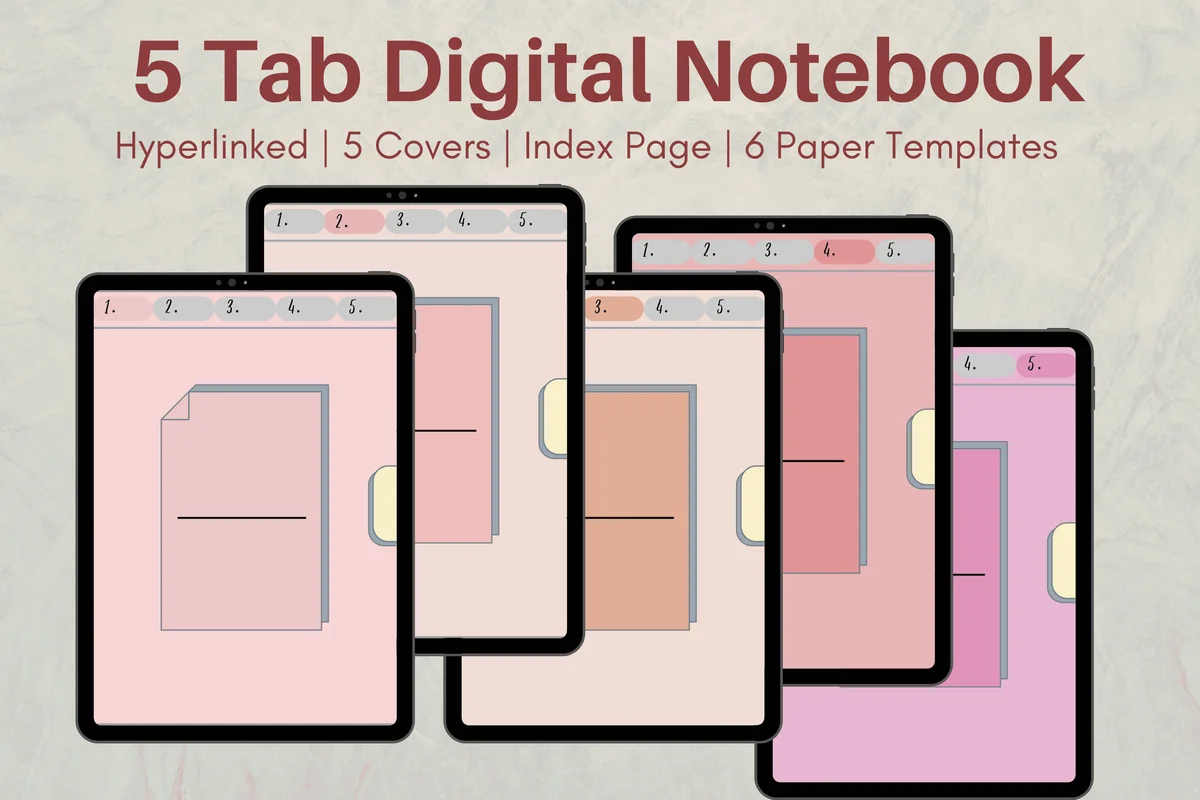
Orientation: PortraitLayouts: 6 paper templatesSections: 5Format: PDF
Best for: pairing a few topics with portrait paper and split layouts. Designed by Melissam Illustration.
- Five linked subject dividers and an index page
- Six paper templates
- Five cover color options
- One PDF for GoodNotes, Notability, Noteshelf or Xodo
The six templates include a two-column sheet and a mixed writing-and-sketch layout in the previews. Those are useful for a vocabulary example or a character sketch without drawing every divider yourself. Five cover options are visual alternatives, not five different notebook systems. It suits someone who wants portrait pages and fewer template choices than the thirty-template pack.
Best for choosing a paper background
7. Pastel Digital Notebook Hyperlinked
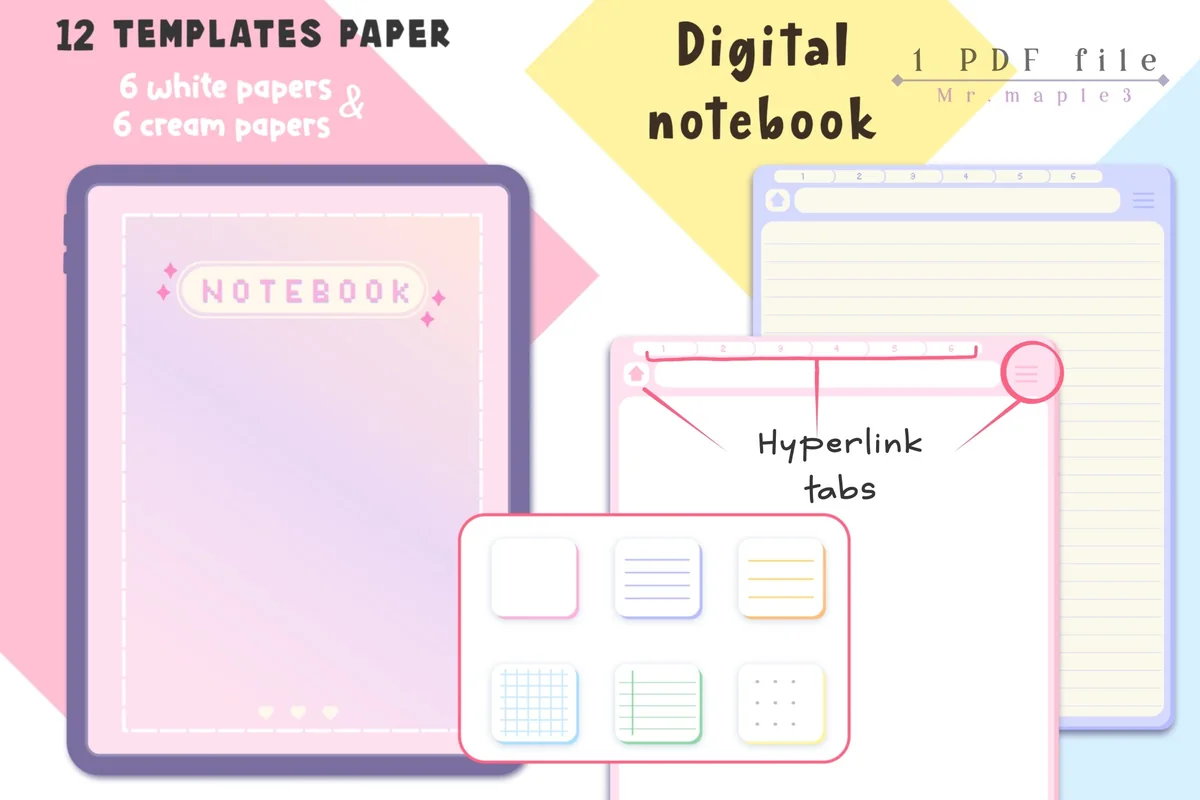
Orientation: PortraitLayouts: 6 white and 6 cream paper variantsSections: 6 chapter covers shownFormat: PDF; JPG instructions
Best for: keeping the same collection on white or cream pages. Designed by Maple3Studio.
- Hyperlinked tabs throughout the notebook
- 12 paper templates: six white and six cream
- Six chapter covers shown in the previews
- Archive with a notebook PDF and JPG instructions
White and cream versions make this a background preference choice, rather than twelve unrelated layouts. The previews show a small set of blank, lined, grid and divided sheets repeated in both colors. I like the six chapter arrangement for a notebook with one spare section: five active topics now, one available later. You still write the purpose and collection fields yourself.
Paper for a notebook you already have
Best for an existing notebook
8. Digital Notebook Papers – GoodNotes
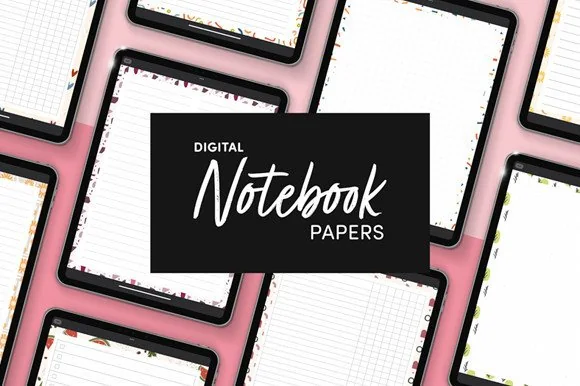
Orientation: PortraitLayouts: 8 layouts per designPaper: 9 designsFormat: PNG and PDF
Best for: adding paper without starting another tabbed book. Designed by catsquills.
- Nine portrait paper designs
- Eight layouts per design: columns, habit tracker, to-do, numbered list, dots, square, lines and notes
- PNG and PDF formats
- 2550 × 3300 px, US Letter proportions
Already have a notebook you like? This is the alternative to buying another complete one. The paper can provide a visual base for a list or collection, but there is no claim here of linked sections or a complete notebook shell. Choose the layout first and the decorative border second; a busy frame is less useful if the page needs a large diagram.
Quick Comparison
| Notebook or paper | Useful for | Structure | Main distinction |
|---|---|---|---|
| 1. Watercolor Hyperlinked Digital Notebook | Everyday references | 12 sections | 3 paper types |
| 2. Digital Notebook | Mixed study notes | 12 sections | 16 templates |
| 3. Digital Notebook Hyperlinked Cute Purple | Portrait collections | 12 sections | 20-page PDF |
| 4. Digital Notebook 5 Hyperlinked Tabs | A small subject set | 5 sections | 5 paper types |
| 5. Digital Notebook 5 Hyperlinked Tab | Notes plus planning | 5 sections | 30 templates |
| 6. Cute Hyperlinked Notebook – 5 Tab | Compact portrait notes | 5 sections | 6 templates |
| 7. Pastel Digital Notebook Hyperlinked | White or cream paper | 6 chapters shown | 12 paper variants |
| 8. Digital Notebook Papers – GoodNotes | Extra paper only | No linked shell promised | 9 designs × 8 layouts |
Keep a half-empty notebook useful
A half-empty notebook does not need to be restarted. Give the unused space one job and make a clear boundary from the older material. On an iPad, the way you duplicate or move pages depends on the annotation app; a linked PDF does not automatically reorganize itself.
- Still use the old pages? Keep them and add a short finding note pointing to the new section.
- The old purpose is finished? Mark its last page and begin the new use with its own title and start date.
- Too many collections? Pause the ones you never reopen. Move only useful material, not every unfinished list.
- Need a reminder? Use a calendar or reminder app for alerts, then keep the detail in the notebook.
For aesthetic empty notebook ideas, choose one heading style and a single accent color after the first useful entry. Decoration can help distinguish sections, but an elaborate first page should not be the price of writing a second one.
FAQ: choosing and filling a blank notebook
How do I begin the first page?
Write one sentence explaining its job, then make a small finding page and one real entry. A list of shelf measurements or a rough story scene is enough. You do not need a polished introduction, a decorative cover page or a full year of prepared layouts.
What are good empty notebook ideas for students?
A term-and-example glossary, question bank or formula notebook can each serve a distinct study need. Start with the subject you are working on now. Use a planner for deadlines and a notebook for the material itself, rather than keeping two competing assignment lists.
Can I mix several uses in one notebook?
Yes, when you can find them again. Use a few labeled sections for collections you revisit at different times. If two uses need different update routines, give each its own page rather than blending everything into a single running list.
Do I need to buy a digital notebook to try these ideas?
No. Begin on paper or on a blank page in an app you already have. A notebook PDF adds a particular design, paper library or linked structure; it is optional. A compatible annotation app and any paid app features are separate considerations.
Are blank notebook ideas the same as diary prompts?
Some uses overlap, but this collection emphasizes things you can look up, develop or move forward. A diary is a better fit when the main purpose is describing your day or reflecting on feelings. There is no requirement to keep either one daily.
Give the next visit a reason
Choose empty notebook ideas with a clear return path: a fact to check, a question to answer or a draft to improve. Pick one of the 30 uses, make three pages and stop setting up. Whether you use a notebook you already own or one of the eight iPad options, let your next real entry decide what the notebook becomes.
You May Also Like
This article contains affiliate links. If you purchase through them, I may earn a commission at no extra cost to you. Read the affiliate disclosure.