You finish a great book, tell yourself you’ll remember it, and three months later the title is gone, along with the line you loved and the reason you gave it five stars. A reading journal fixes that. One page per book, a running list of what you’ve read and a few trackers turn a busy reading year into something you can actually look back on. On an iPad it’s even easier: tap a book on your shelf and its review opens, and the whole journal fits in your bag next to your e-reader.
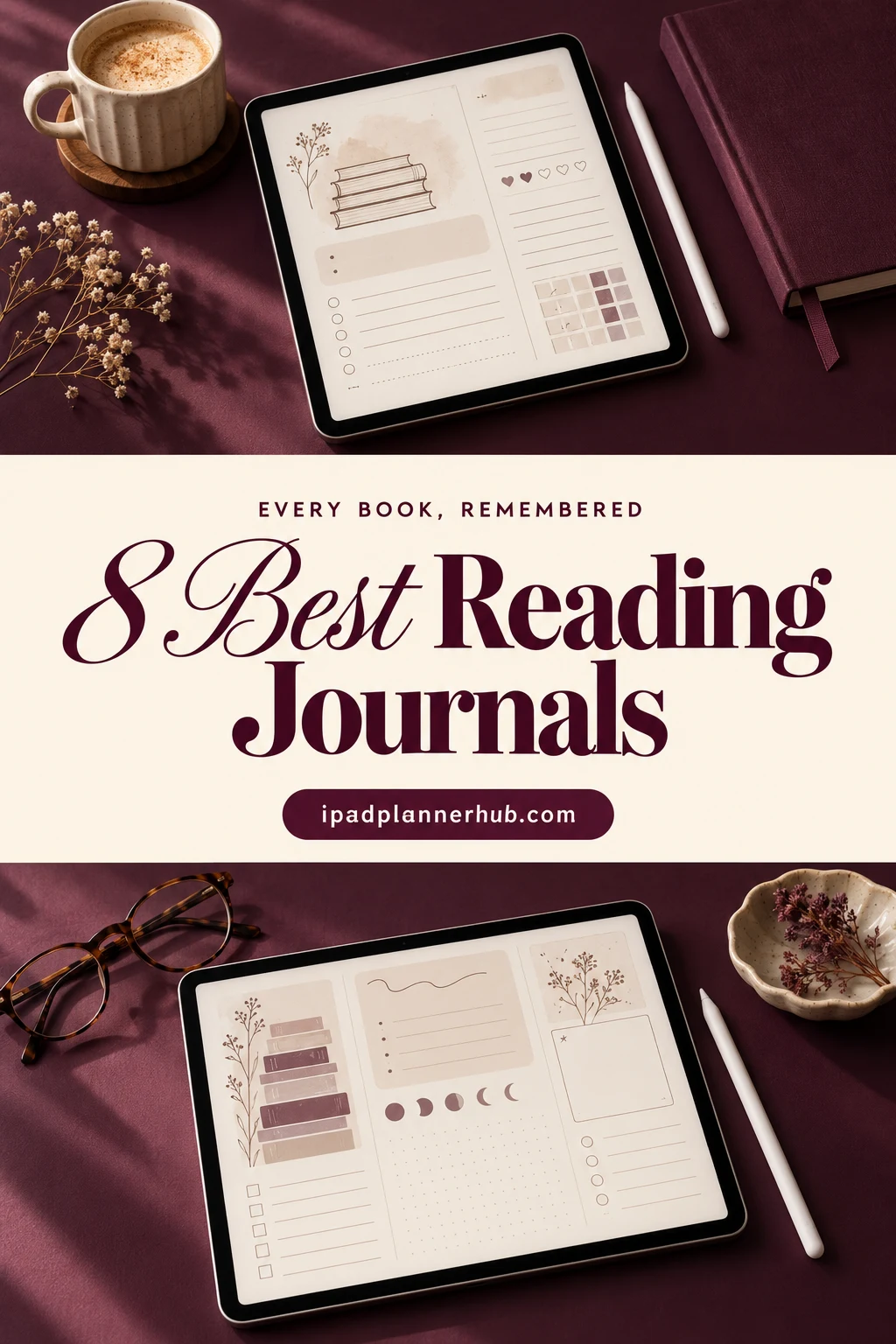
Below are the 8 digital reading journals from Creative Fabrica I’d use on my iPad, from a 480-book library to a dark romantasy journal and a simple 10-page one. After the list: 30 reading journal ideas, what to include, how to set it up in GoodNotes and how to keep it going.
The 8 Best Digital Reading Journals for iPad I Found
I skipped Canva templates, KDP interiors, printable sheets and anything with past years on the pages, and kept hyperlinked PDFs you can write in with an Apple Pencil. All 8 are made for books, not general journals with one reading page.
TL;DR: 8 digital reading journals for iPad, all made for books: big libraries with series trackers, a cute bear journal, a dark romantasy journal, a dark mode journal with reading stats and two simple options for a few books a month. Each card lists what's inside and who it suits.
Quick Picks
- Best overall: Book Reading Journal GoodNotes Planner
- Best for a cute look: Digital Reading Journal Hyperlinked PDF (Bear)
- Best for fantasy and romantasy: Romantasy Digital Reading Journal (Of Ink & Moonlight)
- Best for dark mode: Digital Reading Journal (Dark Mode)
- Best for minimalists: Unicorn Digital Reading Journal
- Best for decorating: Digital Reading Journal Hyperlink PDF (Neutral)
- Book Reading Journal GoodNotes Planner – Best overall
- Digital Reading Journal Hyperlinked PDF (Bear) – Best for a cute look
- Romantasy Digital Reading Journal (Of Ink & Moonlight) – Best for fantasy and romantasy
- Digital Reading Journal (Dark Mode) – Best for dark mode
- Unicorn Digital Reading Journal – Best for minimalists
- Digital Reading Journal Hyperlink PDF (Neutral) – Best for decorating
- Book Review Digital Planner – Best for book reviews
- My Bookish Digital Reading Journal – Best for beginners
Best overall
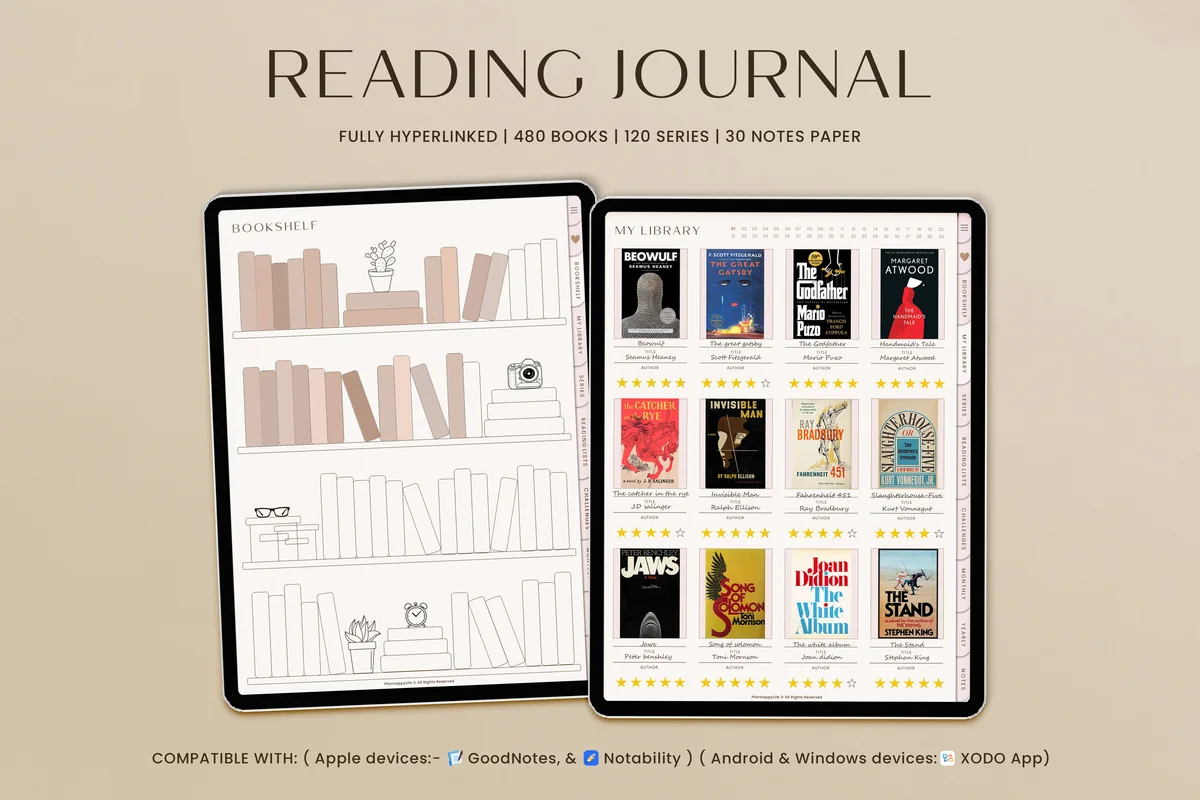
1. Book Reading Journal GoodNotes Planner
Orientation: Portrait (landscape version sold separately)Layouts: Library of 480 book reviews, 120 series reviews, 6 reading challenges, reading goals, yearly wrap-up, 30 notes papers
Best for: avid readers, series readers, reading challenge fans. Designed by TrendyCreative.
- A library of up to 480 books, each linked to its own book review page
- Up to 120 book series, each linked to a series review
- 6 reading challenges, reading goals and a yearly wrap-up
- Wishlist, favorite books, authors and quotes
- Fully hyperlinked; works in GoodNotes, Notability and Xodo; a landscape version is sold separately
This is the one I'd start with because it covers the whole reading year without feeling busy: tap a book on the shelf, and its review page opens. The series tracker is a nice touch if you read trilogies and long fantasy sagas.
Best for a cute look
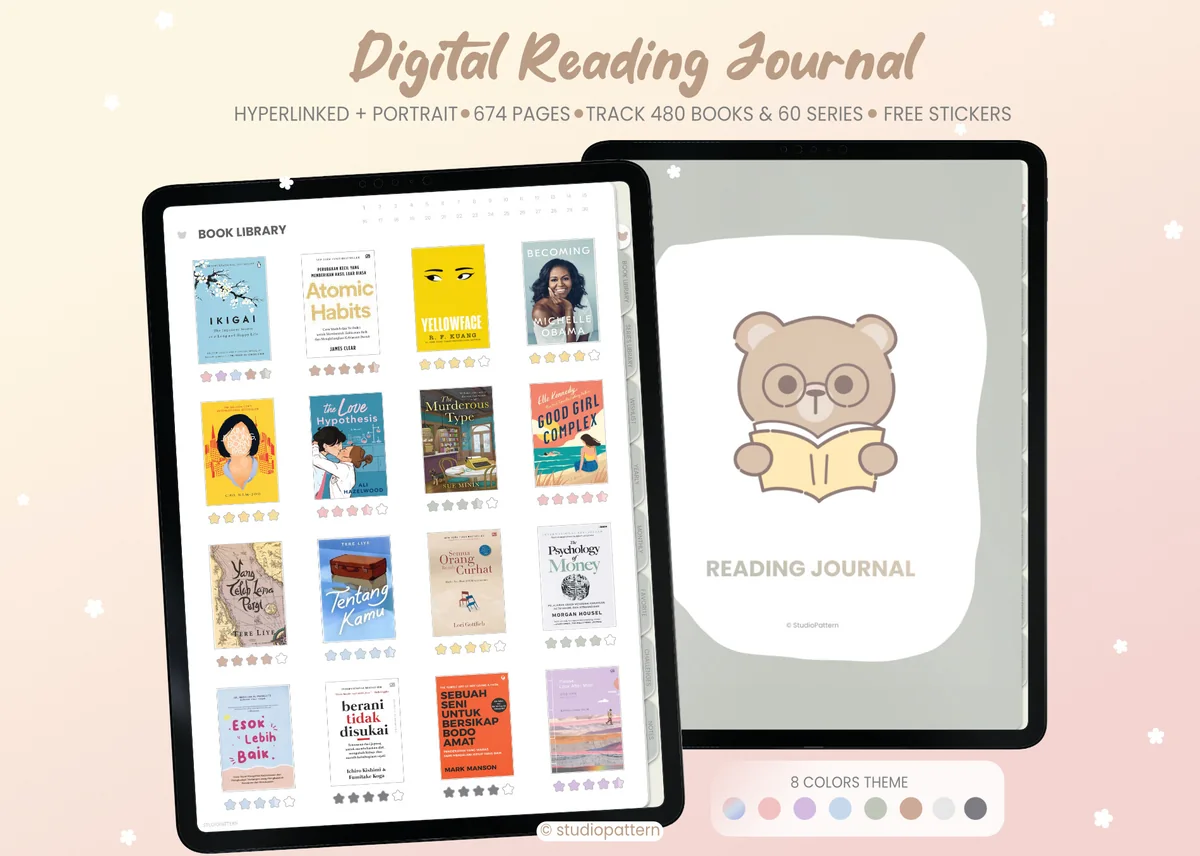
2. Digital Reading Journal Hyperlinked PDF (Bear)
Orientation: PortraitLayouts: 674 pages: 480 book reviews, 60 series, yearly and monthly trackers, 10 to 100 book and A to Z challengesFormat: Hyperlinked PDF, 8 tab colors
Best for: cute aesthetic fans, yearly reading goal setters, challenge lovers. Designed by studiopattern.
- 674 portrait pages with a little reading bear on the cover
- Space for 480 book reviews and 60 series
- Yearly goals, reading tracker, monthly favorites and monthly reading tracker
- Challenges: 10, 25, 50 and 100 books, A to Z and more
- 8 tab colors in one purchase; can be reused every year
If you want your reading journal to feel like a treat, this one is hard to beat: soft colors, the bear, and enough challenge pages to keep a whole year interesting. Pick a tab color once and it stays calm on the eyes.

Best for fantasy and romantasy
3. Romantasy Digital Reading Journal (Of Ink & Moonlight)
Layouts: 103 pages: 30 book reviews, 12 monthly sections, reading stats, trope bingo, TBR and library loansFormat: Hyperlinked PDF, 2,200+ linksDates: Undated
Best for: fantasy and romantasy readers, dark mode fans, monthly wrap-up lovers. Designed by ModernAstic.
- 103 undated pages with 2,200+ links and 20 side tabs
- 30 book review pages with star rating, spice meter, mood tracker and favorite quote
- 12 monthly sections: overview, reading log and wrap-up
- 52 Book Quest, trope bingo, reading stats and a year wrap-up
- TBR list, wishlist, library loans, series and author trackers
The newest journal in this list and the most atmospheric one: deep midnight pages with gold details. The trope bingo and the 52 Book Quest make it fun for anyone who reads a lot of fantasy, and the undated pages mean you can start in any month.

Best for dark mode
4. Digital Reading Journal (Dark Mode)
Layouts: 85 pages: yearly overview, year in pixels, library, series library, 25 to 200 book challenges, moodboards, book awardsFormat: Hyperlinked PDF + 60 covers; light mode version sold separately
Best for: dark mode fans, reading stats lovers, book award makers. Designed by Kinu Planners.
- 85 hyperlinked pages for GoodNotes and Notability, with 60 covers
- Yearly overview, Year in Pixels and a yearly bookshelf
- Reading log, TBR, Did Not Finish, future releases, library and series library
- Challenges for 25, 50, 100 and 200 books
- Moodboards, quotes and your own yearly book awards; a light mode version is sold separately
Dark pages are easier on the eyes if you log books in bed, and this one adds my favorite small idea: book awards at the end of the year. The Year in Pixels page turns your reading into a picture you'll want to look back on.

Best for minimalists
5. Unicorn Digital Reading Journal
Layouts: 300+ pages: 120 book reviews, 120 series trackers, 60-book bookshelf, reading log and challenges, 4 notes papersFormat: Hyperlinked PDF + 8 covers and stickers
Best for: minimalists, big-library readers, series fans. Designed by ThePlannersDelight.
- 300+ hyperlinked pages in an ivory, minimalist design
- 120 books with review pages and 120 series trackers
- A 60-book bookshelf linked to book boards
- Reading wishlist, log, trackers and challenges
- 4 notes papers, 8 bonus covers and matching stickers; light file, 2.6 MB
If you read a lot and don't want decoration in the way, this ivory journal keeps the focus on the books. The rainbow side tabs make it quick to jump between library, series and log.
Best for decorating
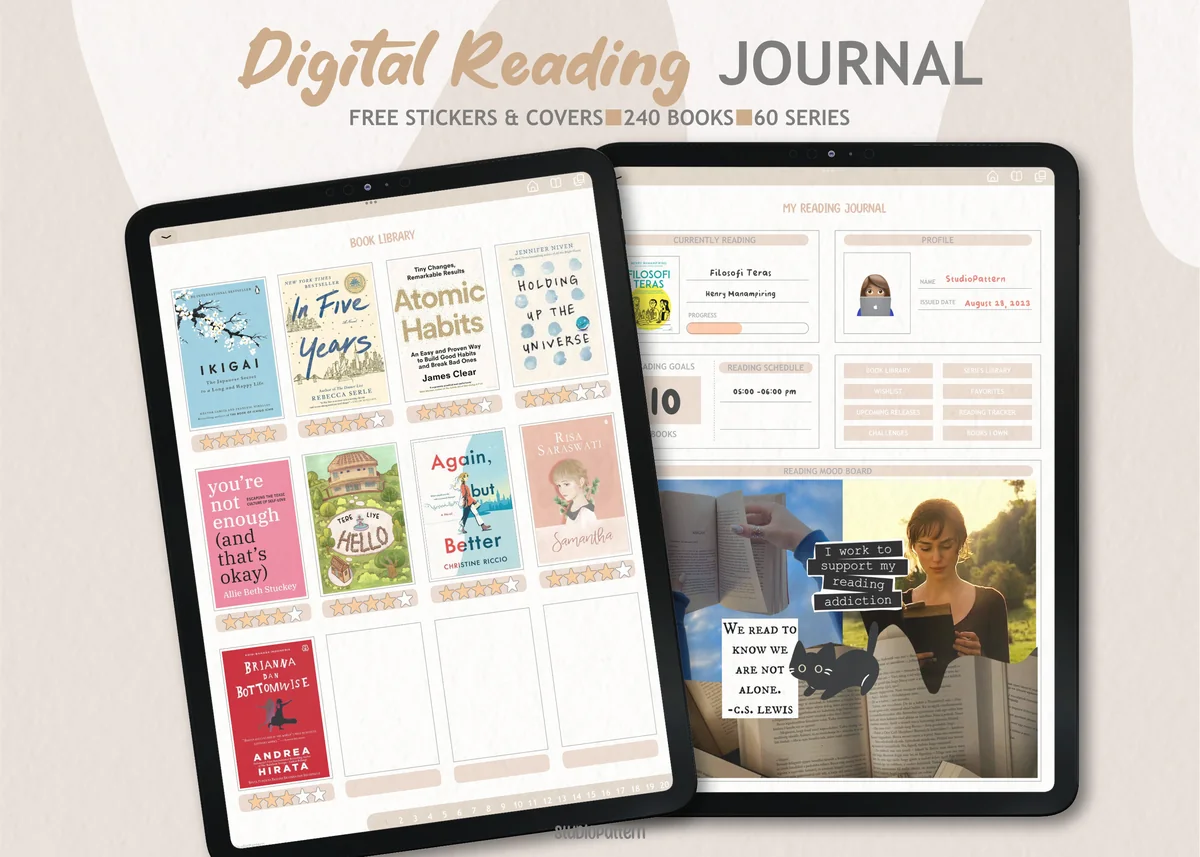
6. Digital Reading Journal Hyperlink PDF (Neutral)
Layouts: 240 books, 40 series, index, templatesFormat: Hyperlinked PDF + 8 bonus covers + 40 stickers (PNG and GoodNotes collection)
Best for: neutral lovers, sticker decorators, book collectors. Designed by studiopattern.
- Hyperlinked journal for 240 books and 40 series
- Index, review pages and copy-and-paste templates
- 8 bonus covers in 4 designs and 2 colors
- 40 stickers as PNG files plus a GoodNotes collection file
- A PDF manual on how to use the journal
This is the warm, neutral sibling of the bear journal, and the stickers are the reason to pick it: stars, hearts and "currently reading" labels make rating a book quick and pretty. 240 books is plenty for most readers.

Best for book reviews
7. Book Review Digital Planner
Layouts: Book review pages, books read this year list, hyperlinked tabFormat: PDF for GoodNotes + PNG stickers
Best for: cute style fans, casual readers, book review writers. Designed by hanacrochetdesign.
- "My book's review" cover and review pages with title, author, thoughts, quote and rating
- A list of books read this year
- Hyperlinked tab
- PNG stickers to decorate the pages
- Made for GoodNotes on iPad
A small, sweet file for readers who mostly want to write a few lines after each book. It's simpler than the big libraries above, which is exactly why some people will actually keep it up.
Best for beginners
8. My Bookish Digital Reading Journal
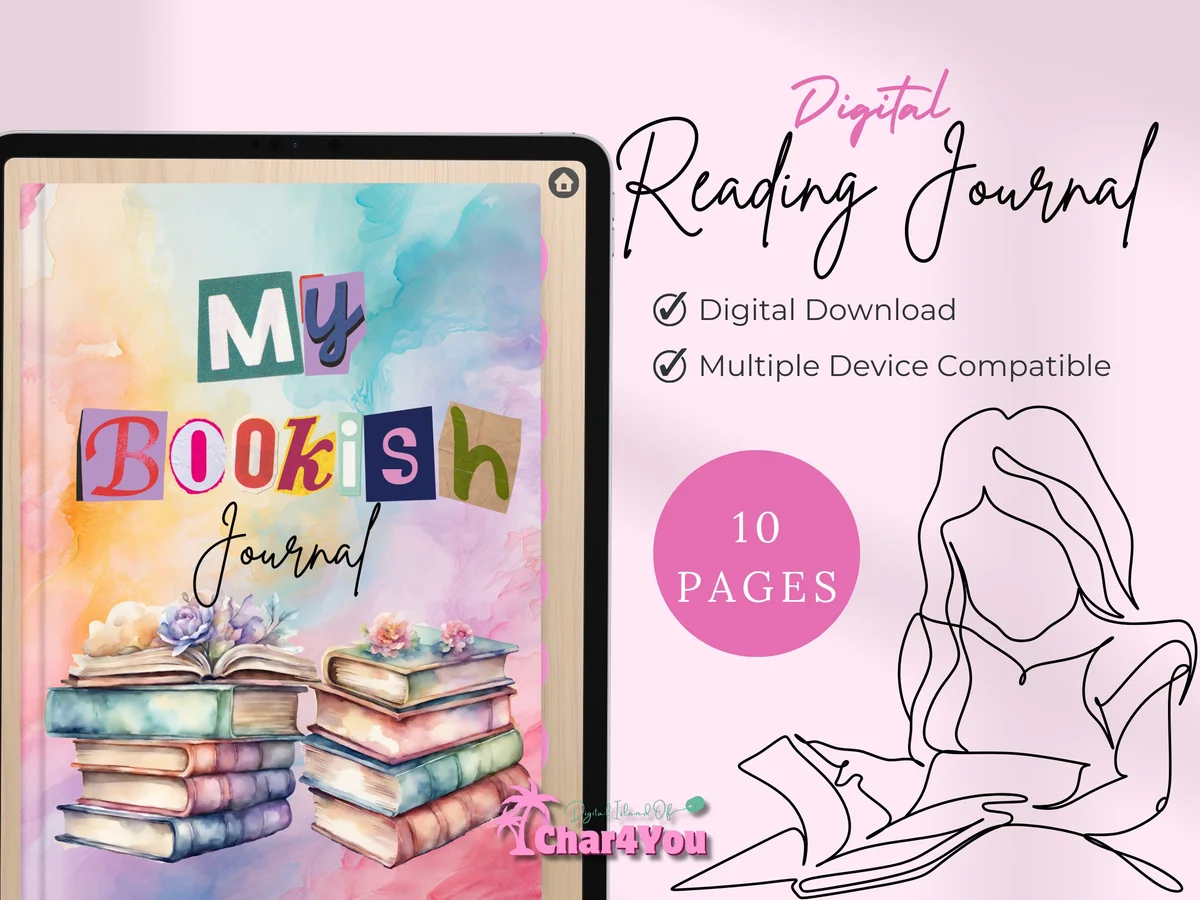
Layouts: 10 pages: book review, book club review, books I have read, book log, hall of fame
Best for: beginners, book club members, light readers. Designed by Char4You.
- 10 pages: book review, book club review, books I have read, book log and hall of fame
- Watercolor book stack cover
- Works in GoodNotes, Notability and other note apps on iPad
Ten pages is all some readers need. The book club review page is a nice extra if you meet to talk about books, and the hall of fame keeps your favorites in one spot.
Quick Comparison
| Journal | Best for | Library size | Stand-out extra |
|---|---|---|---|
| 1. Book Reading Journal GoodNotes Planner | One home for all your books | 480 books, 120 series | 6 reading challenges |
| 2. Digital Reading Journal Hyperlinked PDF (Bear) | Cute and cozy | 480 books, 60 series | 8 tab colors |
| 3. Romantasy Digital Reading Journal (Of Ink & Moonlight) | Fantasy and romance readers | 100 books read, 30 reviews | Trope bingo |
| 4. Digital Reading Journal (Dark Mode) | Reading in bed | Library + series library | Book awards, moodboards |
| 5. Unicorn Digital Reading Journal | Calm and minimal | 120 books, 120 series | Light 2.6 MB file |
| 6. Digital Reading Journal Hyperlink PDF (Neutral) | Decorating your pages | 240 books, 40 series | 40 stickers + 8 covers |
| 7. Book Review Digital Planner | Short book reviews | Review pages + yearly list | Cute stickers |
| 8. My Bookish Digital Reading Journal | Starting out | 10 pages | Book club review page |
30 Reading Journal Ideas for Every Kind of Reader
These reading journal ideas work in any of the journals above, or on blank pages in GoodNotes. You don’t need all 30. Pick a few from each group, try them for a month and keep the pages you open most.
Trackers 1–8
- 1A yearly reading goal with a number to color in as you go
- 2A “books read” counter: one box per finished book
- 3A monthly reading log with title, author and rating
- 4A “days I finished a book” calendar
- 5A genre tracker to see what you really read most
- 6A pages or minutes tracker for busy months
- 7A format tracker: ebook, audiobook or paper
- 8A Year in Pixels, one color per day you read
Lists 9–15
- 9A TBR (to be read) list, split into “next up” and “someday”
- 10A wishlist for books you want to buy
- 11A DNF (did not finish) list with one line on why
- 12A library loans tracker with due dates
- 13Upcoming releases from authors you follow
- 14A series tracker so you never lose your place
- 15Book club picks and meeting dates
Reviews and Reflection 16–22
- 16A one-page review: rating, favorite moment, who you’d recommend it to
- 17A mini review: three lines and a star rating
- 18A favorite quotes page with the page number
- 19A characters page for long books with big casts
- 20“How it made me feel”: a mood rating for each book
- 21Questions to bring to your book club
- 22A monthly wrap-up: best book, worst book, surprise of the month
Challenges and Fun 23–30
- 23A bookshelf spread you color in for every finished book
- 24An A to Z challenge by title or author
- 25A 52-book challenge, one book a week
- 26Book bingo with prompts like “a book set by the sea”
- 27A rainbow challenge: one book cover of each color
- 28A book of the year bracket in December
- 29Your own yearly book awards (best ending, best villain)
- 30A moodboard page for a favorite book
What to Include in a Reading Journal
Most reading journal spreads come down to five parts. If a journal has these, it has everything you need to start:
- A library or index of every book you read, with a link to its review.
- Review pages with a rating, a few thoughts and a favorite quote.
- A reading log by month, so you can see how the year went.
- Lists: TBR, wishlist, did not finish.
- A goal or challenge that gives the year a shape, even a small one like 12 books.
Everything else (series trackers, bingo, moodboards, stats) is a bonus. Add it when the basics feel easy.
If even a short book review feels like too much, keep one reading moment within a daily memory instead. The one line a day journal comparison separates a book arranged by recurring dates from simple sheets you organize yourself; neither needs to become a catalog of books.
A favorite quotation can become more than a detail in one book review. These commonplace book ideas show how to keep its source beside your own response and connect related thoughts across books, while your reading log continues to record what you finished.
For a book you will discuss with others, keep your first reaction separate from the meeting record. These book club journal ideas add passage questions, contrasting interpretations and a next-meeting handover to the personal reading notes you already keep.
How to Start a Reading Journal
- Pick a journal size that matches your reading. 10 to 30 books a year? A simple journal is enough. 50 or more, or lots of series? Choose one with a big library and a series tracker.
- Set one goal. A number of books, a genre you want to try or a challenge. One is enough for the first year.
- Log the book you’re reading now. Don’t try to fill in the whole past year. Start with today.
- Write the review the day you finish. Five minutes while the book is fresh beats a long review you never get to.
- Do a monthly wrap-up. At the end of each month, look at the log and write two lines: favorite book and what you want to read next.
What Makes the Best Digital Reading Journal
- Hyperlinks that go both ways: from the shelf to the review and back. Without that, a 300-page file is hard to use.
- Enough review pages for your year: 30 pages is fine for a casual reader; heavy readers need 120 or more.
- Undated pages, so you can start in any month and reuse the journal next year.
- A look you like opening: cute, minimal or dark. You’ll use it more if it feels like yours.
- Works in your app: all 8 above are PDFs for GoodNotes, and most also open in Notability and other note apps.
Reading Journal or Reading App?
Apps like Goodreads and StoryGraph are great for logging a book in two taps and finding new reads. A reading journal is slower on purpose: you write your own review by hand, color in your shelf and keep quotes where you’ll see them again. Many readers use both, an app for quick tracking and a digital book journal for the books that matter. The journals above don’t sync with any app; they’re PDFs you fill in yourself.
Digital or Paper Book Journal?
A paper book journal is lovely on a shelf, but once you read more than a few books a month, it fills up fast and you can’t search it. A digital reading journal has room for hundreds of books, lets you undo mistakes and add photos of covers, and goes everywhere with your iPad.
What You Need to Get Started
- An iPad and an Apple Pencil (or another stylus).
- A note app that opens PDFs with links: GoodNotes, Notability or Xodo.
- A digital reading journal from the list above.
- Optional: book cover images to paste onto your shelf and review pages.
How to Set Up a Reading Journal in GoodNotes
- Unzip the file and open the PDF in GoodNotes (Import or Share to GoodNotes).
- Open it in read-only mode once and tap a few tabs to see how the links work.
- Switch back to writing mode and fill in the goals page first.
- Save the cover images you’ll use often as GoodNotes elements, so adding a book takes seconds.
- Bookmark the pages you’ll visit most: the library, the current month and the TBR list.
How to Keep Your Reading Journal Going
The journals people stop using are the ones that feel like homework. Keep it light:
- Log every book in the library right away, even if the review waits.
- Use a mini review on busy weeks: three lines and a rating still count.
- Color in the bookshelf as a small reward for every finished book.
- Save the fun pages (bingo, awards, moodboards) for weekends and the end of the year.
FAQ
What is the best digital reading journal for iPad?
For most readers, the Book Reading Journal GoodNotes Planner: it keeps every book, series and quote in one hyperlinked file. The best digital reading journal for you still depends on how you read. Pick the Bear journal for a cute look, the Romantasy one for fantasy, the Dark Mode journal for reading stats at night and My Bookish journal if you’re just starting out.
What should a reading journal include?
At minimum: a list of books you’ve read, review pages, a monthly reading log, a TBR list and one reading goal. Series trackers, quotes, challenges and stats are nice extras once the basics feel easy.
How do I create my own reading journal?
You can draw your own pages in a blank GoodNotes notebook using the 30 ideas above. It takes a few evenings, and links between pages are hard to add yourself. A ready-made digital reading journal gives you a hyperlinked library and review pages from day one.
Can I use a digital reading journal in GoodNotes?
Yes. All 8 journals above are PDFs for GoodNotes on iPad, and most also work in Notability, Xodo and other note apps that support hyperlinks.
How many books can a digital reading journal hold?
It depends on the file: the ones in this list range from 10 pages to libraries of 480 books with 120 series. If you need more, duplicate a review page in GoodNotes and add it at the end.
Is a reading journal good for students?
Yes, especially for literature classes: a characters page, quotes with page numbers and a short review after each chapter make essays and exams much easier. A simple journal like the 10-page one above is a good start.
When is the best time to start a reading journal?
Today, with the book you’re reading now. If you like fresh starts, January is popular for yearly reading goals, but undated journals work from any month.
Final Thoughts
A reading journal doesn’t have to be pretty or complete to be worth it. One line per book is already more than most readers keep. Pick the journal that matches how much you read, the big library, the cute bear, the dark romantasy one or the simple 10-page file, and log the book on your nightstand tonight. A year from now you’ll have every book, remembered. To decorate your reading log, see my picks of bookish stickers from TBR to five stars. For films and series, my movie journal ideas work the same way, one page per title. Reading in bed with the lights off? The dark mode digital planners are easier on the eyes at night.
Want to journal about more than books? See my journaling ideas and the digital gratitude journals. To decorate your pages, the GoodNotes stickers roundup has packs to decorate every page, and you’ll find everything else in wellness journals.
You May Also Like
This post contains affiliate links. If you buy through them, I may earn a small commission at no extra cost to you. Learn more.