You notice new buds on a familiar tree, then realize you cannot remember what they looked like last week. These nature journal ideas give that small change a place on the page: one observation, a quick sketch and a question. Keeping a nature journal on your iPad gives those journal pages a place to grow without requiring a finished illustration every time.
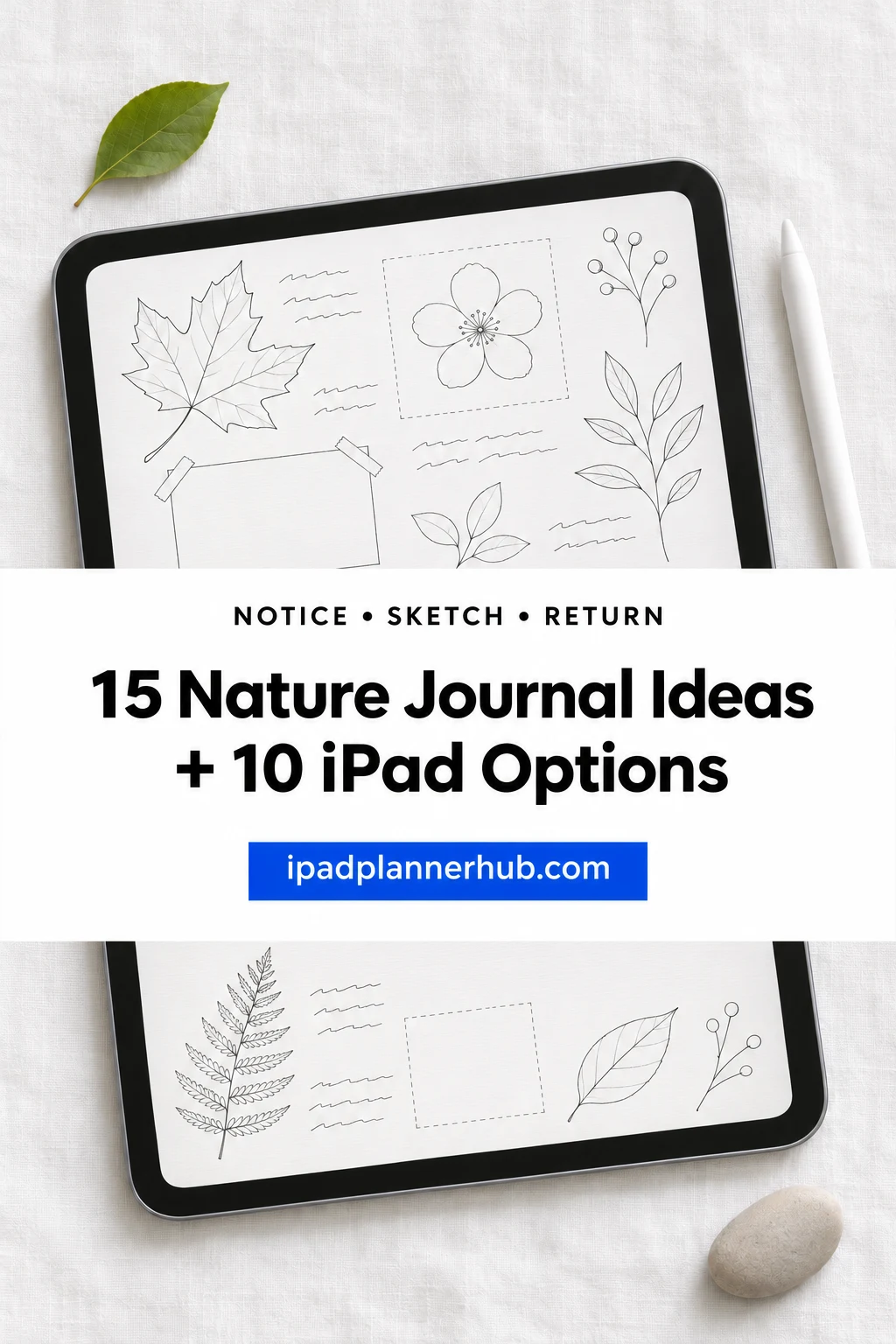
The fifteen ideas below focus on noticing details and comparing visits. Ten optional notebooks and paper sets follow for building the pages yourself. I reviewed their descriptions and gallery images, but have not tested the purchased files. They are general writing surfaces, not specialist nature journals with identification keys or scientific recording forms.
Nature journal ideas for beginners: notice, describe, return
Choose one idea from the first group and leave space for another visit. A small, repeatable page is more useful here than a long list of places you intend to see. The point is to record what changes at a place, rather than document a travel itinerary.
Anchor the observation1–5
- 1Make a place card. Give a regular spot a short name, such as “bench by the pond.” Sketch two landmarks that help you stand in the same place next time. Add the date, time and direction you are facing. A rough plan is enough; its job is to make a later comparison possible, not to replace a trail map.
- 2Keep a weather strip. Write a few conditions beside each entry: cloud cover, wind and whether the ground looks wet or dry. Include a temperature only if you actually measure it or record a named weather source and its time. “Felt cool in the shade” is a personal impression, not a temperature reading.
- 3Draw a quick contour. Choose one stationary object and draw its outer edge before adding detail. Put a word beside any feature that is hard to draw, such as a folded tip or an uneven surface. I like this as a low-pressure start because even a rough outline gives the written description something specific to point to.
- 4Build a small color palette. Make three or four marks for colors you can see on the same object. Label where each occurs: leaf edge, stem or shaded underside. Note whether you are looking in sun or shade. Treat the marks as your impression under those conditions; screen settings and a photograph can change the apparent color.
- 5Split observation from explanation. Use two columns headed “I can see” and “I wonder.” A hole in a leaf belongs in the first; an idea about what made it belongs in the second until you have evidence. Add a question mark to a possible species name. This keeps an interesting guess from turning into a fact when you reread the page.
Explore one object closely6–10
- 6Study a leaf in detail. Draw the outline, then enlarge a small part of the edge or vein pattern in a second box. Add labels for what you notice rather than filling the page with terminology you have not checked. Observe it where it is, or use a fallen leaf where collection is permitted. You can compare the same features next time.
- 7Make a sound map. Put a dot for yourself in the middle of the page and place short sound labels around it. Use arrows for direction and different marks for repeated or continuous sounds. “Three short calls from the hedge” is useful even if you cannot name the bird. Keep uncertain sound sources as questions.
- 8Add a scale note. Record a measured length when you can do so without disturbing the object. Otherwise label the estimate clearly or compare it with a familiar reference. A drawing enlarged to fill the screen needs a note saying it is enlarged. Later, you want to know whether a difference comes from the object or your page layout.
- 9Compare two similar objects. Place two sketches side by side and choose the same three features for each: outline, surface and color, for example. Describe both before looking for a name. The useful result may be a difference you did not expect, not a confident identification. Give each object a simple label so the notes remain easy to follow.
- 10Pair a photo with a sketch. Add one photo for context and a small drawing that isolates a detail the photo makes difficult to notice. Write when the photo was taken and what the sketch emphasizes. If you draw from the photo later, say so. A later drawing is still useful, but it is a different record from a sketch made while observing.
Build a record across visits11–15
- 11Keep a question for your return. Finish with one question you can investigate at the same place: Are the buds more open? Is water still standing beside the path? Make the next page begin with that question. A specific return prompt is easier to act on than “notice more nature,” and it gives the two entries a clear connection.
- 12Follow one patch through the seasons. Use the same viewpoint for a small drawing at each visit. Keep the scale and landmarks roughly consistent, and record the date each time. Compare visible conditions such as leaf cover, flowers or bare ground. Do not fill missing months from memory; a gap is part of the record, not a space you have to disguise.
- 13Look for traces of change. Sketch something that suggests a change, such as a fresh fallen branch, a new hole or a patch of disturbed soil. Write the visible evidence separately from a possible cause. If you have an earlier page, point to it. Without an earlier observation, describe the present trace instead of claiming exactly when it appeared.
- 14Repeat a small count. Define a modest counting task: visible flower heads on one branch or birds seen from one seat for a short period. Record the boundary and duration alongside the count. Repeat the same method when practical. A personal count is a snapshot under those conditions, not a population estimate or proof that a species has disappeared.
- 15Create an object index. Give recurring objects short identifiers such as “Tree A” and list the dates of their entries on one page. Add a brief distinguishing feature so two similar trees do not get mixed up. A notebook tab can hold the subject, while the manual index connects its separate visits. Update it before creating another collection.
For simple nature journal prompts, ask what is different from your last visit, what you can count, or what you would need to see before naming an object. You can rotate those questions across the same journal pages. There is no need to start a new notebook every time the season changes.
Ten iPad options for building your own observation pages
Choose by the kind of record you want to keep: open space for a sketch, ruled pages for descriptions, or sections for repeated subjects. The first four options separate places or topics; the next two favor entries in sequence. The final four change the writing surface or supply compact pages. Each requires your own nature headings.
TL;DR: Start with one place and one question. These ten general iPad notebooks and paper sets offer different spaces for your own observations, sketches and return-visit notes. None is a species guide or a ready-made field survey.
Quick Picks
- Best for sketches and comparisons: Digital Notebook
- Best for a small set of observation sites: Digital Notebook 5 Hyperlinked Tab
- Best for subject folders: Digital Notebook Hyperlinked Goodnote
- Best for a larger observation collection: Digital Notebook 24 Hyperlinked Tab
- Best for chronological field notes: Digital Ruled Journal
- Best for monthly return visits: Digital GoodNotes Journal – Art Deco
- Digital Notebook – Best for sketches and comparisons
- Digital Notebook 5 Hyperlinked Tab – Best for a small set of observation sites
- Digital Notebook Hyperlinked Goodnote – Best for subject folders
- Digital Notebook 24 Hyperlinked Tab – Best for a larger observation collection
- Digital Ruled Journal – Best for chronological field notes
- Digital GoodNotes Journal – Art Deco – Best for monthly return visits
- DaisyNotes | Digital Notebook | Purple – Best for straightforward written entries
- Dark Mode Digital Notebook – Gold Theme – Best for contrasting mark-making
- Digital Notebook Papers – GoodNotes – Best for adding observation sheets
- Undated Cute Orange Bullet Journal – Best for one-object observation cards
Separate places and subjects
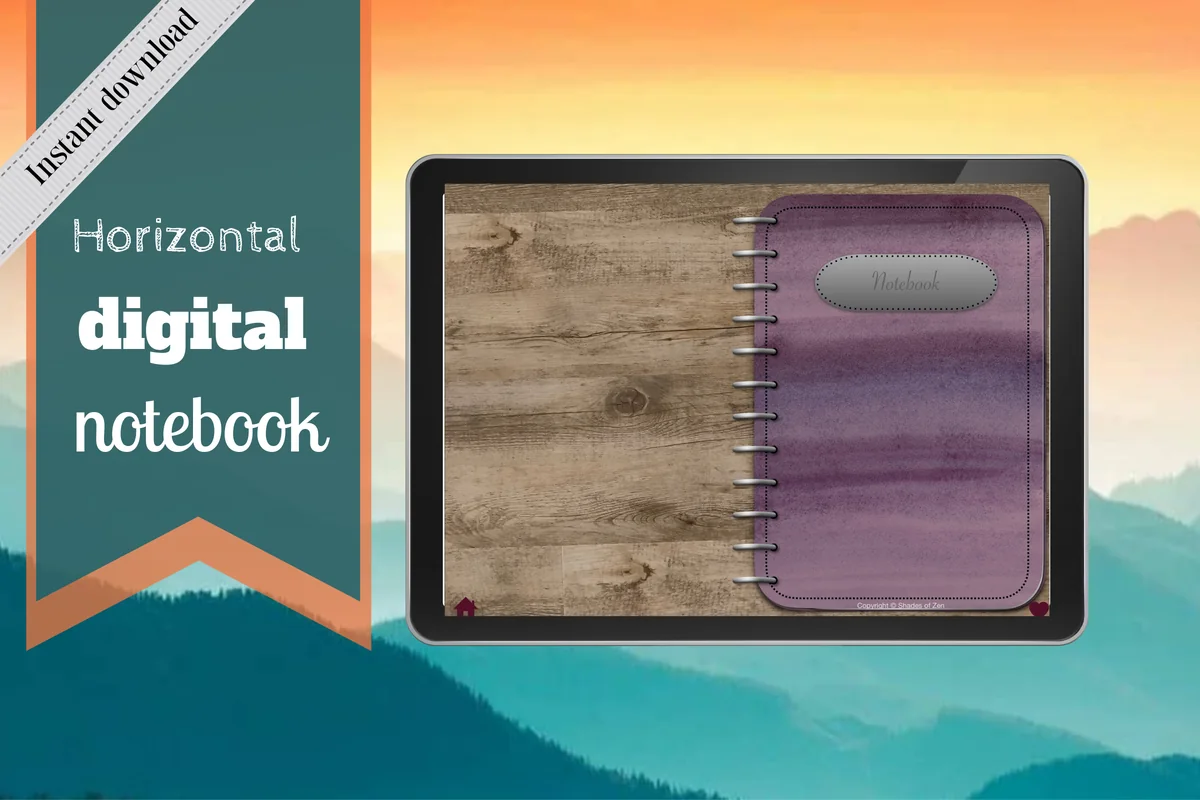
Best for sketches and comparisons
1. Digital Notebook
Orientation: LandscapeLayouts: 12 sections; 16 note templates
Best for: keeping different places in separate sections. Designed by Shades of Zen.
- 12 expandable sections with linked tabs
- 16 templates including blank, dots, graph, lines and Cornell notes
- GoodNotes import instructions included
The blank and two-column pages are the strongest reason to start here. Draw a leaf on one side and write the details you can actually see on the other; use a section for each regular observation site. I like the mix of layouts more than a decorative cover for this task. The landscape spread includes visible binder rings, so check that the available drawing space suits your style. There are no species guides or ready-made weather records.
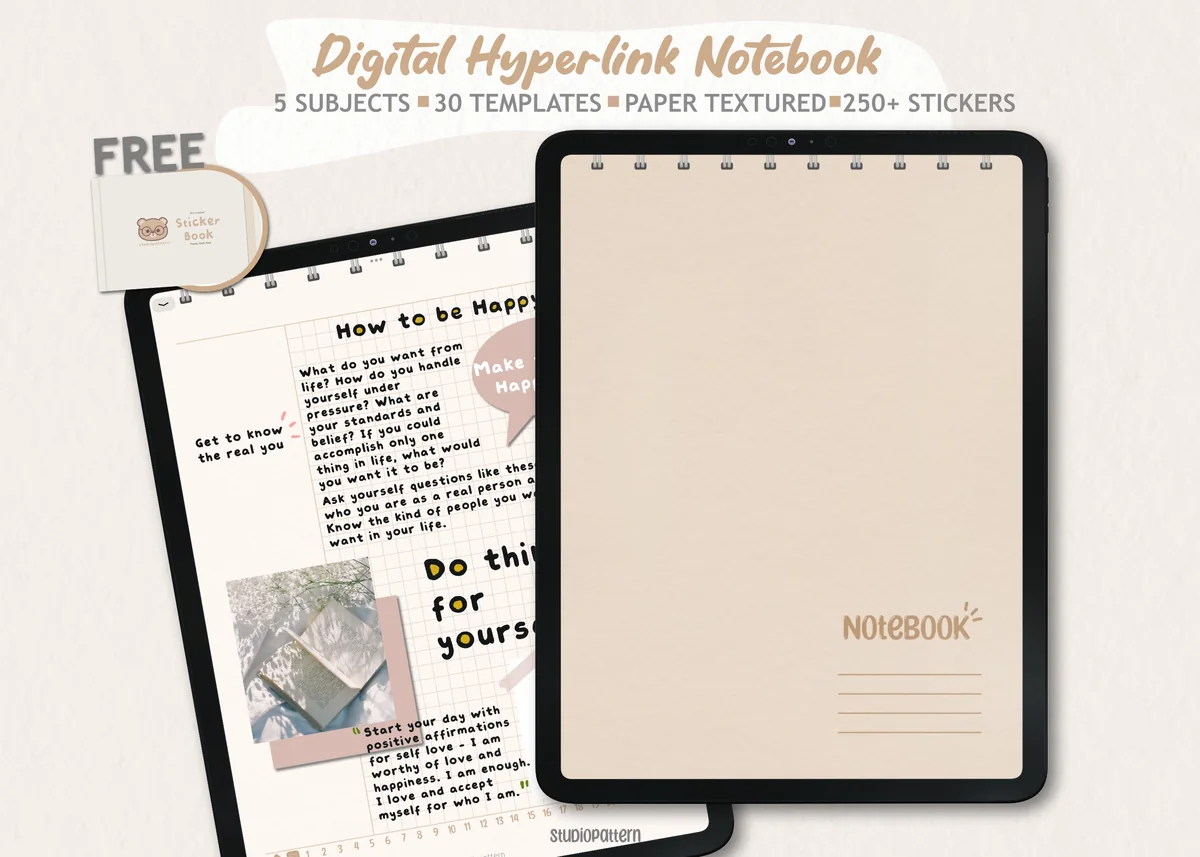
Best for a small set of observation sites
2. Digital Notebook 5 Hyperlinked Tab
Orientation: PortraitLayouts: 5 sections; 30 note templates
Best for: giving five familiar places a clear home. Designed by studiopattern.
- 5 section dividers and a contents page
- 30 note-taking templates
- Hyperlinked PDF, manual and GoodNotes sticker book
Five sections can be enough for a window view, a park corner, a tree, a pond and a general question log. That small structure is useful when a large notebook would tempt you to create folders you never revisit. The previews show blank, ruled, grid and dotted choices, plus general planning pages. Keep only the layouts you need. This is a notebook you adapt, not a five-location survey prepared by the seller.
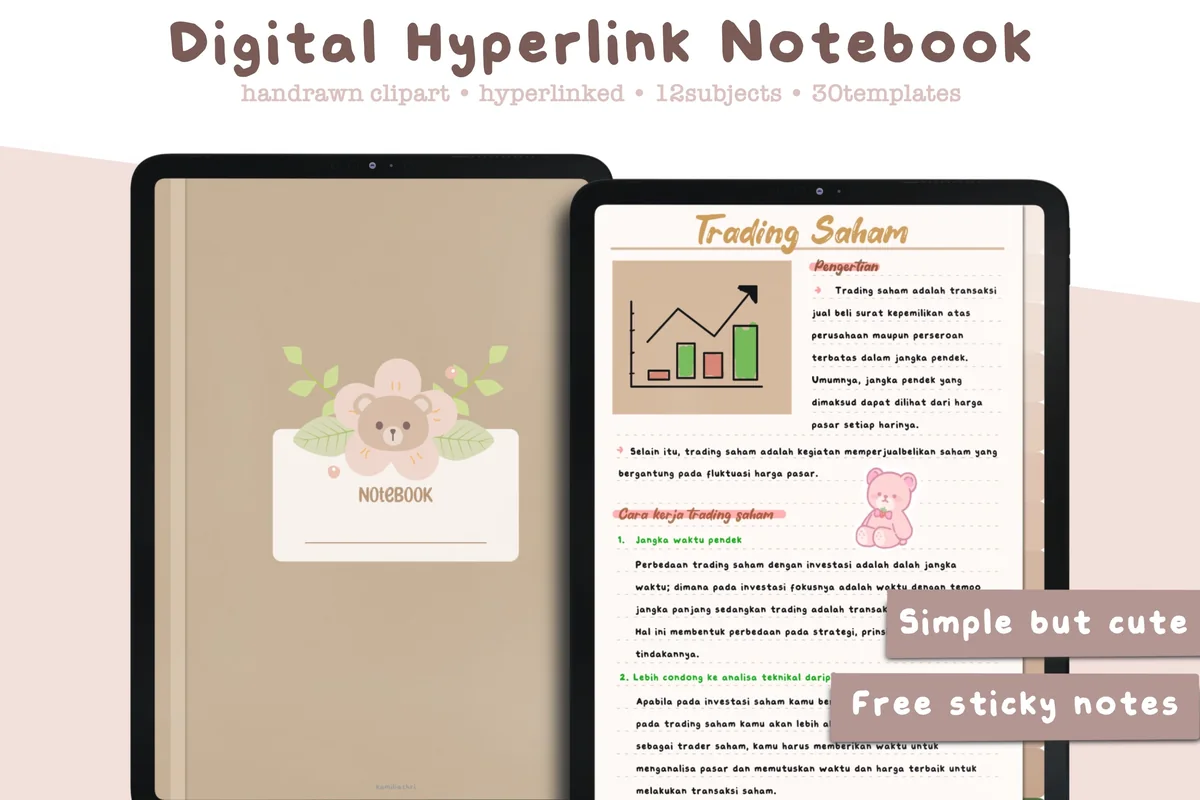
Best for subject folders
3. Digital Notebook Hyperlinked Goodnote
Orientation: PortraitLayouts: 12 subject sections; 30 paper templates
Best for: separating plants, birds and other recurring subjects. Designed by studiopattern.
- 12-section hyperlinked PDF for GoodNotes and other annotation apps
- 30 paper templates
- Precropped GoodNotes sticky notes and individual PNG files
This twelve-section option offers another way to organize a journal: subjects rather than places. A plant section could contain separate pages for the same tree across several visits, with a short list of page names at the front. The pictured muted paper and potted-plant dividers are decoration, not botanical reference material. Its extra planning templates need not become part of your field routine. Written species names and page references remain your responsibility.
Best for a larger observation collection
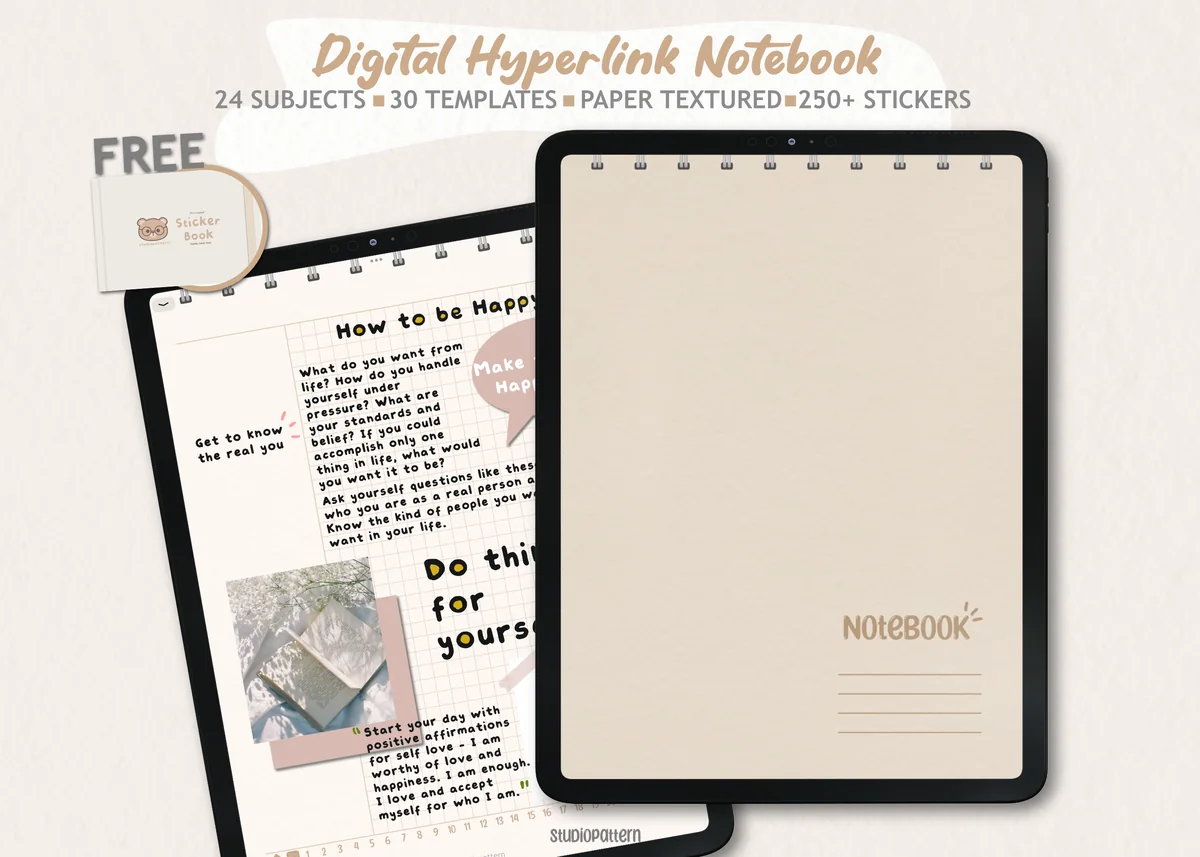
4. Digital Notebook 24 Hyperlinked Tab
Orientation: PortraitLayouts: 24 sections; 30 paper templates
Best for: keeping many recurring sites or subjects separate. Designed by studiopattern.
- 24 section divider tabs with a contents page
- 30 note-taking templates
- Hyperlinked PDF and a manual; GoodNotes and Notability
Twenty-four sections make sense only when you have enough recurring subjects to use them. Reserve a few for regular sites and leave the rest unnamed until you need them; there is no benefit in inventing a collection for every tab. The light paper layouts can support a sketch, a count or a comparison, but you still design those fields. Compared with the five-section version, this gives an established collection more separate homes. A beginner can leave most of those tabs unused.
Keep observations in sequence
Best for chronological field notes
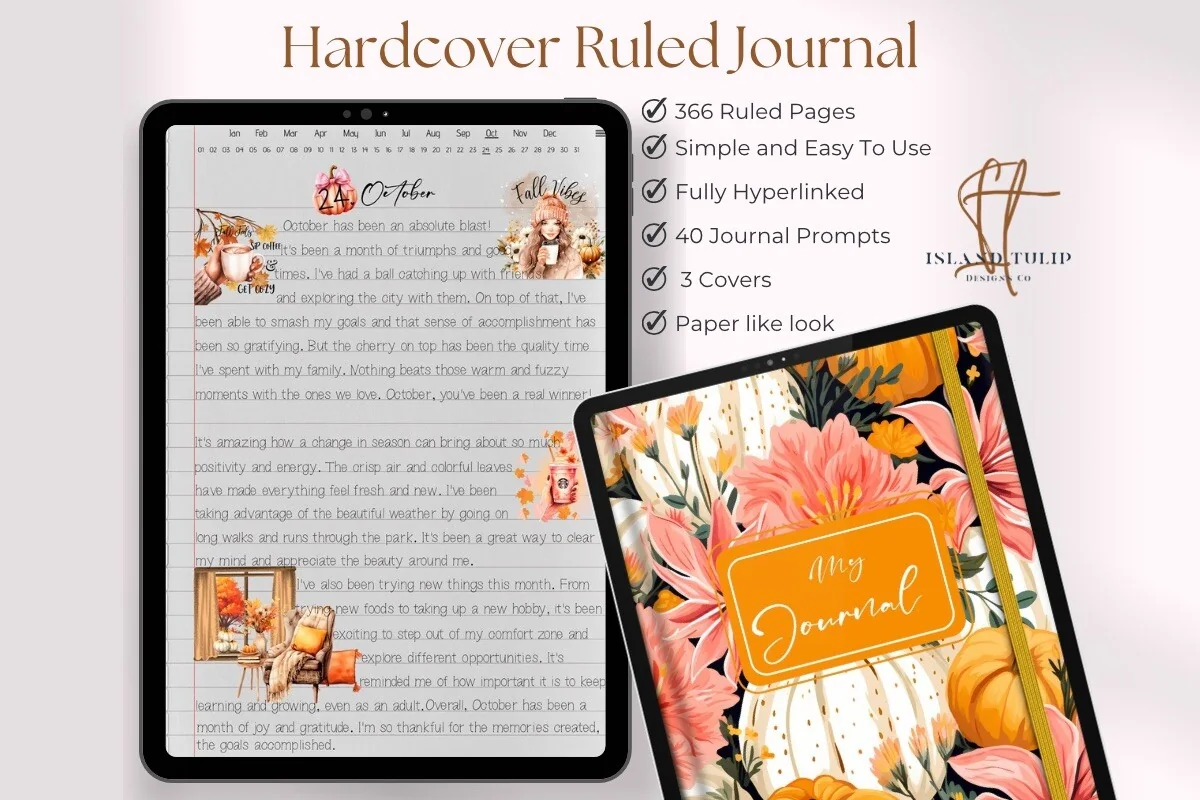
5. Digital Ruled Journal
Orientation: PortraitLayouts: Ruled daily pages; month/day index
Best for: writing a dated account of each visit. Designed by Island Tulip Designs Co.
- 366 ruled pages
- Three cover choices and 40 general journal prompts
- Month/day index without a calendar year
If your page is mostly words, the ruled journal gives the observation room to develop. Put the location and time at the top before describing changes since your previous visit. Its index follows months and numbered days, which helps with chronology but does not gather every entry about the same tree. Add your own subject register if that matters. The prompts are general journaling extras, not a nature-study program.
Best for monthly return visits
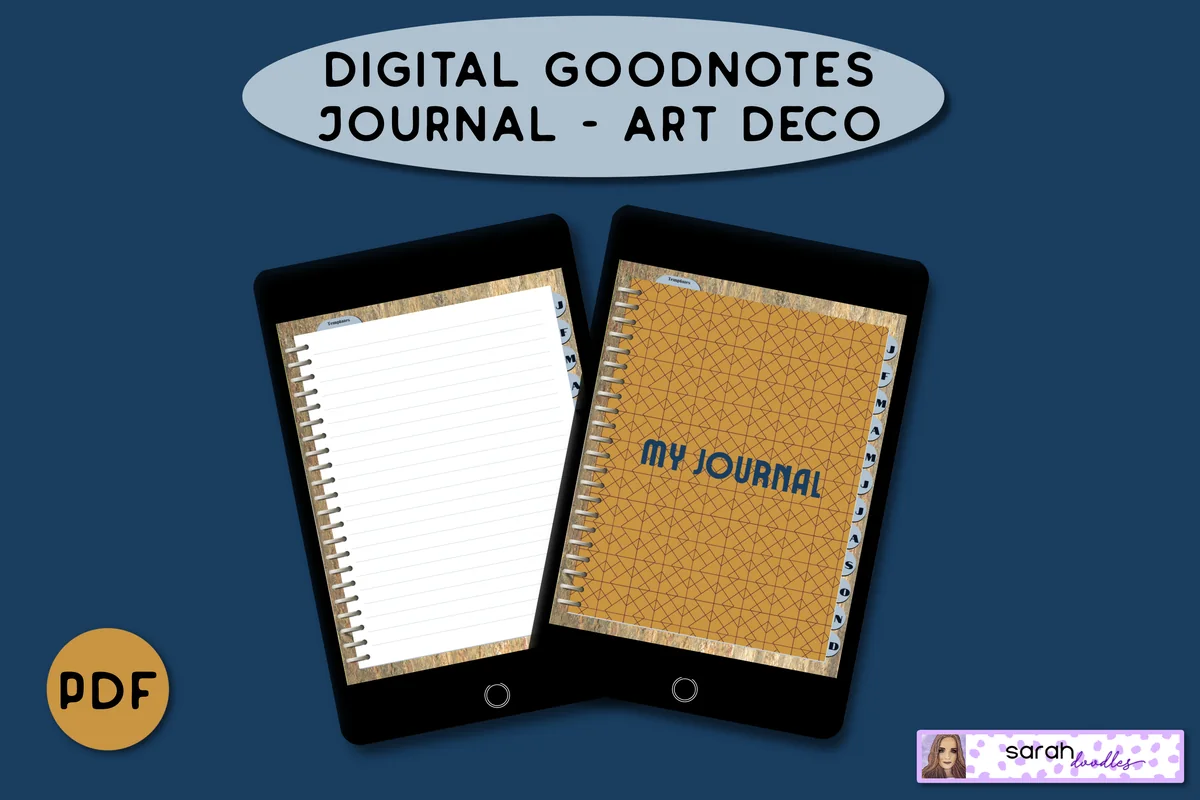
6. Digital GoodNotes Journal – Art Deco
Orientation: PortraitLayouts: Monthly dividers; lined and brain-dump pagesDates: Undated
Best for: collecting a few field entries under each month. Designed by Sarah Doodles.
- Undated PDF for iPad annotation apps
- Linked monthly dividers with five lined pages per month
- Extra brain-dump layouts
A monthly structure suits a recurring look at the same park or garden. The Art Deco journal starts with five lined pages per month; a frequent observer may need to add more by duplicating a page in the annotation app. Its extra open brain-dump page can become a question sheet that you label yourself. Monthly tabs help you return to a period, but they do not automatically connect matching observations.
Choose a different writing surface
Best for straightforward written entries
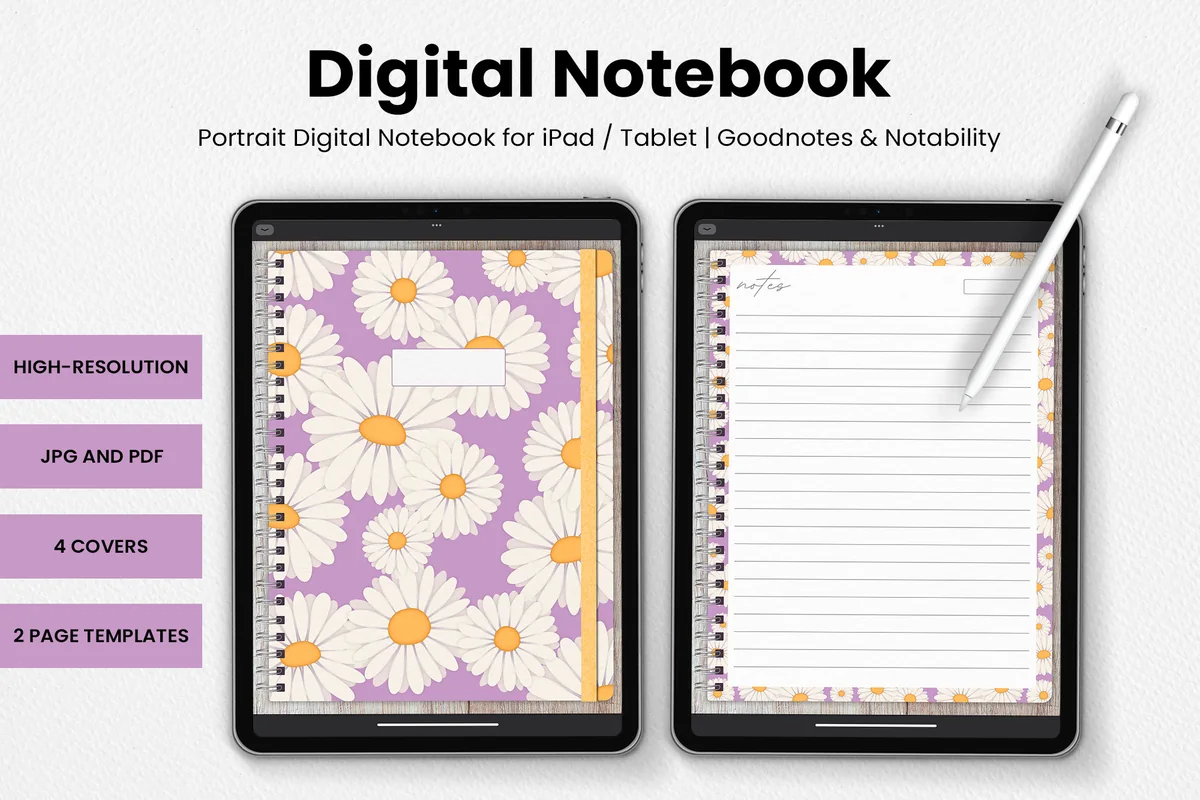
7. DaisyNotes | Digital Notebook | Purple
Orientation: PortraitLayouts: 2 page templates; 4 covers
Best for: keeping short observations on a simple lined page. Designed by catsquills.
- Four daisy covers and two page templates
- Portrait notebook with a wood-texture background
- JPG and PDF formats for GoodNotes and Notability
The lined page is a good fit for a short description of a bird at the window or the first buds you notice. Four covers and two templates keep the choice small. The floral border does not make this a nature-specific journal, and its wood texture may be less suitable for detailed color comparisons than a plain white page. Use it when writing is your main activity; choose a broader layout set for maps or measured diagrams.
Best for contrasting mark-making
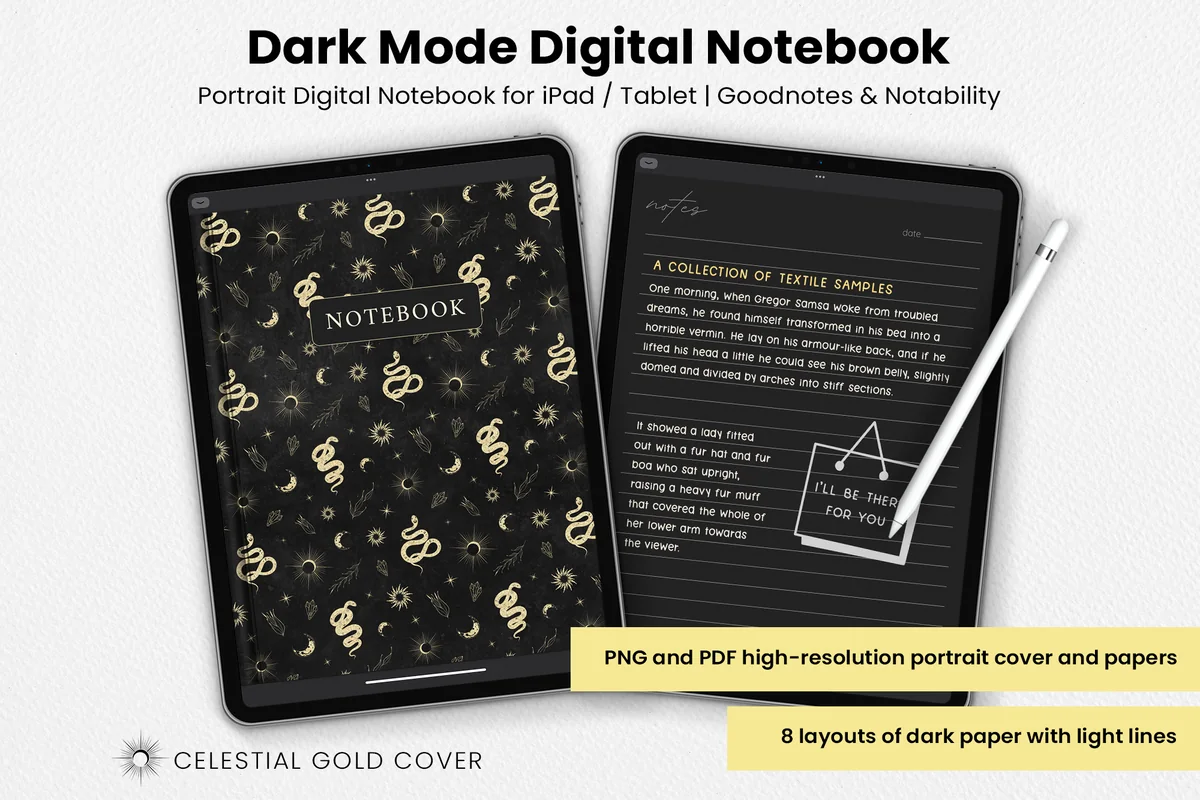
8. Dark Mode Digital Notebook – Gold Theme
Orientation: PortraitLayouts: 8 dark paper layouts
Best for: writing light-colored notes on dark paper. Designed by catsquills.
- Eight dark layouts including columns, lines, dots and squares
- One celestial gold cover
- PNG and PDF formats for GoodNotes and Notability
Dark paper changes the writing surface rather than the observation method. A light pen can make a short sound map or numbered bird count stand out, while columns leave space for time and a description. Test legibility before filling a page. I would avoid this background for judging subtle leaf colors: the surrounding black changes how those marks look. The celestial cover is decorative and supplies no astronomy or identification tools.
Best for adding observation sheets
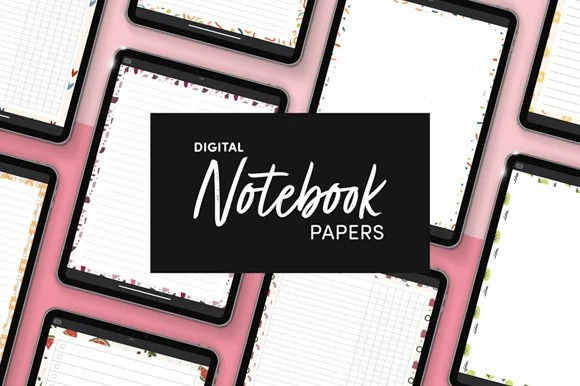
9. Digital Notebook Papers – GoodNotes
Orientation: PortraitLayouts: 9 designs; 8 layouts per designFormat: PNG and PDF
Best for: extending a notebook you already keep. Designed by catsquills.
- Nine portrait paper designs
- Eight layouts per design including columns, dots, squares and numbered lists
- PNG and PDF files for GoodNotes and Notability
You may need a single additional layout rather than another notebook. Columns can hold an observation beside an unanswered question, and grid paper can support a rough site diagram. This is a paper pack, so it does not supply a linked field-journal structure. Keep your existing page labels consistent when adding sheets. The decorative borders and multiple paper designs are optional choices, not different research methods or prewritten nature prompts.
Best for one-object observation cards
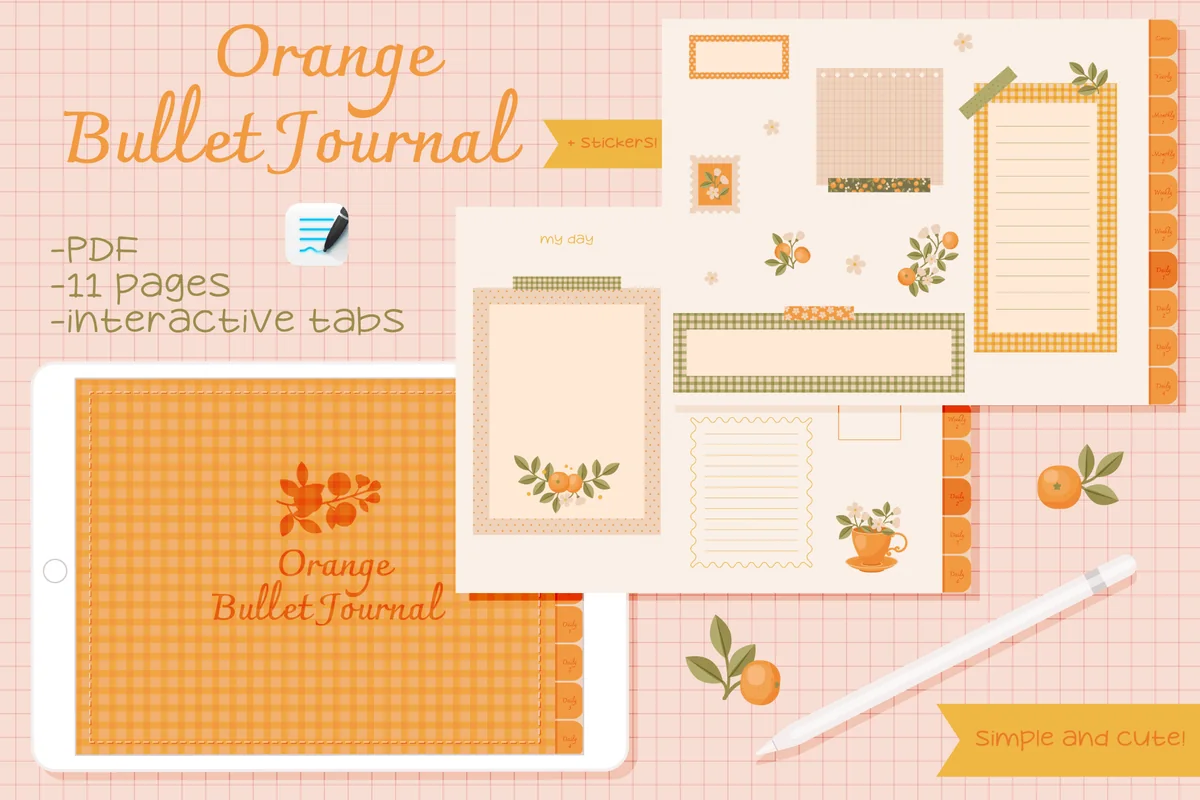
10. Undated Cute Orange Bullet Journal
Orientation: LandscapeLayouts: Small decorated frames; unfilled calendarDates: Undated
Best for: keeping a small sketch and caption together. Designed by digitaliya_studio.
- Interactive PDF with GoodNotes import instructions
- Decorated writing frames and an unfilled calendar
- GoodNotes-format stickers included
The compact frames suit a single object: a leaf outline, three visible details and a question for another visit. The orange decoration creates a clear boundary that may help you stop before the page becomes a project of its own. Longer descriptions or a large map will need more space. The blank calendar can hold return dates you enter manually; the notebook does not monitor weather or identify the plants in its decorative artwork.
Quick Comparison
| Option | Page structure | Nature journal use | Limit |
|---|---|---|---|
| 1. Digital Notebook | 12 sections; varied note pages | Sketches beside field notes | You supply observation headings |
| 2. Digital Notebook 5 Hyperlinked Tab | 5 sections; 30 templates | A manageable set of local sites | No specialist field forms |
| 3. Digital Notebook Hyperlinked Goodnote | 12 subject folders | A growing subject-based collection | Detailed entries need a manual index |
| 4. Digital Notebook 24 Hyperlinked Tab | 24 sections | Many sites or long-term subjects | More sections to maintain |
| 5. Digital Ruled Journal | 366 ruled pages | Long observations in date order | Add a place or subject index yourself |
| 6. Digital GoodNotes Journal – Art Deco | Monthly dividers | Seasonal notes grouped by month | Five starting lined pages per month |
| 7. DaisyNotes | Digital Notebook | Purple | Two templates | Brief prose and descriptive labels | Less layout variety |
| 8. Dark Mode Digital Notebook – Gold Theme | Eight dark layouts | Light pen notes and simple diagrams | Background affects color comparison |
| 9. Digital Notebook Papers – GoodNotes | Separate paper layouts | Custom count logs and comparison sheets | No built-in linked journal |
| 10. Undated Cute Orange Bullet Journal | Small frames and a calendar | One sketch with a short caption | Limited space for extended notes |
Set up a page you can reuse at the same spot
Try the layout in an existing notebook before buying anything. My starting point would be a clear date-and-place header, one drawing area and two short writing areas. A digital nature journal template only helps if it leaves enough space for the observation you actually make.
A repeat-visit page in three steps
- 1Prepare the empty page. Add place, date, time and weather headings. Leave most of the page open for a sketch or diagram, with a narrow area for labels. Name the page with a location and date so it will be easy to find. Keep the original empty layout for another visit.
- 2Record while the subject is present. Add a rough drawing, two specific observations and any measured or estimated scale. Keep guesses in a separate question area. If you take a photo for later, label that source when you return to the page. You do not need to finish the illustration outdoors.
- 3Close with a comparison prompt. Write one thing to check next time, then add this entry to your object index. On your return, create a new dated entry rather than overwriting the old one. The small differences between the two pages are the reason to keep both.
Turn a page into a continuing record
The next entry does not need a new theme. It needs enough shared detail to compare with the previous one. These short checks keep a growing notebook useful without turning every walk into a formal survey.
- Keep the viewpoint recognizable. Use the same landmarks and note when you had to stand somewhere else.
- Preserve uncertainty. Add a later identification with a source and date rather than silently replacing the original guess.
- Separate missing from absent. “I did not see it during this visit” says less than “it is no longer here.” Record the observation you made.
- Follow one question. A second view of the same leaf can tell you more than opening five unrelated collections.
- Keep personal notes distinct. A feeling or memory can belong on the page, but label it separately from a count or description.
For example, a first entry might say “Tree A, upper branch: closed buds; two brown leaves still attached.” The next entry can revisit that branch and record what is visible now. There is no need to force a seasonal conclusion from two observations; leave room for more visits.
Nature journaling on an iPad without making the page the main event
John Muir Laws’s guide to getting started emphasizes looking closely over producing polished pictures. Fiona Gillogly’s account of nature journaling also connects sketches with observations and questions. That is the approach behind these pages: use drawing to investigate the natural world, even when the drawing stays rough.
- Keep equipment modest. An iPad, a suitable annotation app and a familiar pen tool can be enough. Extra art supplies are optional; these pages do not require a specialist journaling kit.
- Choose a practical place to write. A sheltered seat or a window observation may be easier than carrying a screen through a long walk. Put the device away when conditions make it awkward.
- Use photos deliberately. Keep a context image if it helps, then write the feature you noticed. A camera roll alone will not explain why a particular mark interested you.
- Protect what you observe. Stay on permitted routes, watch animals from a distance and avoid moving nests or disturbing plants to improve a drawing.
- Keep identification separate. These PDF pages do not recognize species, record sensor readings or establish whether an unfamiliar plant is safe to handle.
FAQ: starting and keeping nature notes
What should I include in a nature journal?
Start with a date, location, a sketch or diagram, and a few details you can observe directly. Add a number when it is meaningful, and leave a question for another visit. Weather and time give the entry context. You do not need a complete species identification or a full page of writing.
What are good nature journal ideas for adults with little time?
Choose a repeatable view and one task: draw the edge of a leaf, list three sounds or compare a bud with your previous entry. A window view or a familiar park bench can work. Keep the page short enough that you can finish the observation without needing a separate art session.
Do I need to draw well before starting?
No. Use a rough outline, arrows and written labels to capture a detail. A drawing can be useful even when it looks unfinished. Keep its purpose clear: showing the shape or position you noticed, rather than demonstrating an illustration skill. A photo can support the note when the subject moves.
Can I use GoodNotes for a digital nature journal?
The selected listings name GoodNotes or other PDF annotation apps, and their general pages can hold handwritten observations. Check each file format and app requirement before choosing. These are notebook files, not dedicated nature apps, and I have not tested their purchased PDFs or links. Set up your own observation headings.
Can I keep nature notes indoors?
Yes. Observe a plant, a tree visible from a window, passing clouds or birds you can see from a suitable spot. Write down the limits of the view, such as a branch hidden by a wall. Compare what you can actually observe across visits rather than filling missing details from assumptions.
How do I organize nature journal pages over time?
Use consistent place or object names with a date on every entry. Keep an index that lists the relevant dates for each subject. Sections can separate sites, while monthly tabs suit a chronological diary. Preserve old entries and add later corrections visibly so you can follow how your understanding changed.
An observation index follows a subject; a trail record follows an outing. If you also want to remember the walk between observation spots, hiking journal pages can hold its trail name, visit date and photo references while the detailed nature entries remain separate.
Return to one small detail
Pick one of these nature journal ideas and give it a familiar place to live: one tree, one page and one question for next time. The useful notebook is the one with room for that observation and an earlier entry you can find. Return to it and record what has changed.
You May Also Like
This article contains affiliate links. If you choose a product through one of these links, I may earn a commission at no extra cost to you. Read the affiliate disclosure.