The flame on your iPad looks like an orange sticker, while the preview you liked has wispy edges and a bright center. Choosing Procreate fire brushes starts with the mark you need: a stroke you can shape, a ready-made stamp, or a simple graphic symbol.
I shortlisted twelve packs with those differences in mind. Some focus on painted fire, others mix flames with smoke, and the last group is deliberately decorative. The comparison distinguishes painting tools from stamps and separates mixed-library totals from flame counts. Below it, I explain how to choose a first pack and plan a small flame study without expecting the brush to finish the whole picture.
Procreate Fire Brushes: Twelve Packs with Different Jobs
A realistic flame, an outlined campfire and a stylized flash motif all belong in fire art, but they solve different problems. I left out standalone image files, spark-only tools and finished burning-car scenes. Within this selection, the larger collections earn their place through a distinct range of marks rather than their headline number alone.
TL;DR: For pressure-shaped flames, start with Sko4. Compare Nurmiftah for fire lettering with lava and smoke, or choose a stamp pack for a fixed decorative shape. Dynamic Fire FX supports Procreate 5 but requires a separate glow workflow. All twelve packs are grouped by the marks they make.
Quick Picks
- Best for pressure-shaped flames: Fire Procreate Brushes
- Best for fire with lava and smoke: Procreate Fire Brush
- Best for compact mixed-flame set: Dans Fire Brush
- Best for neon and fire lettering: Procreate Neon&Fire /70 Brushes
- Best for a manual glow workflow: Dynamic Fire FX Brush Set
- Best for a flame-and-smoke stamp mix: Fire and Flame Procreate Brushes
- Fire Procreate Brushes – Best for pressure-shaped flames
- Procreate Fire Brush – Best for fire with lava and smoke
- Dans Fire Brush – Best compact mixed-flame set
- Procreate Neon&Fire /70 Brushes – Best for neon and fire lettering
- Dynamic Fire FX Brush Set – Best for a manual glow workflow
- Fire and Flame Procreate Brushes – Best for a flame-and-smoke stamp mix
- 220+ Procreate Smoke & Fire Brushes – Best for a large fire-and-smoke library
- 30 Fire Japanese Procreate Stamp Brush – Best for Japanese-style flame motifs
- Fire Procreate Brush Stamp – Best for bold fire silhouettes
- 50 Fire Procreate Stamps Brushes – Best for flame-shape variety
- 100+ Procreate 3D Flames Stamps – Best for sculpted-looking flame stamps
- Fire LineArt Procreate Brush Stamp – Best for a single campfire icon
Painted Flames, Lettering and Manual Glow
Best for pressure-shaped flames
1. Fire Procreate Brushes
Sections: 12 fire brushesFormat: Procreate on iPad
Best for: painting a candle flame or adding a small fire effect to an illustration. Designed by Sko4.
- 12 fire-effect brushes for Procreate on Apple iPad
- Pressure changes line thickness; different colors are supported
- The gallery shows all twelve flame styles and photo-edit examples
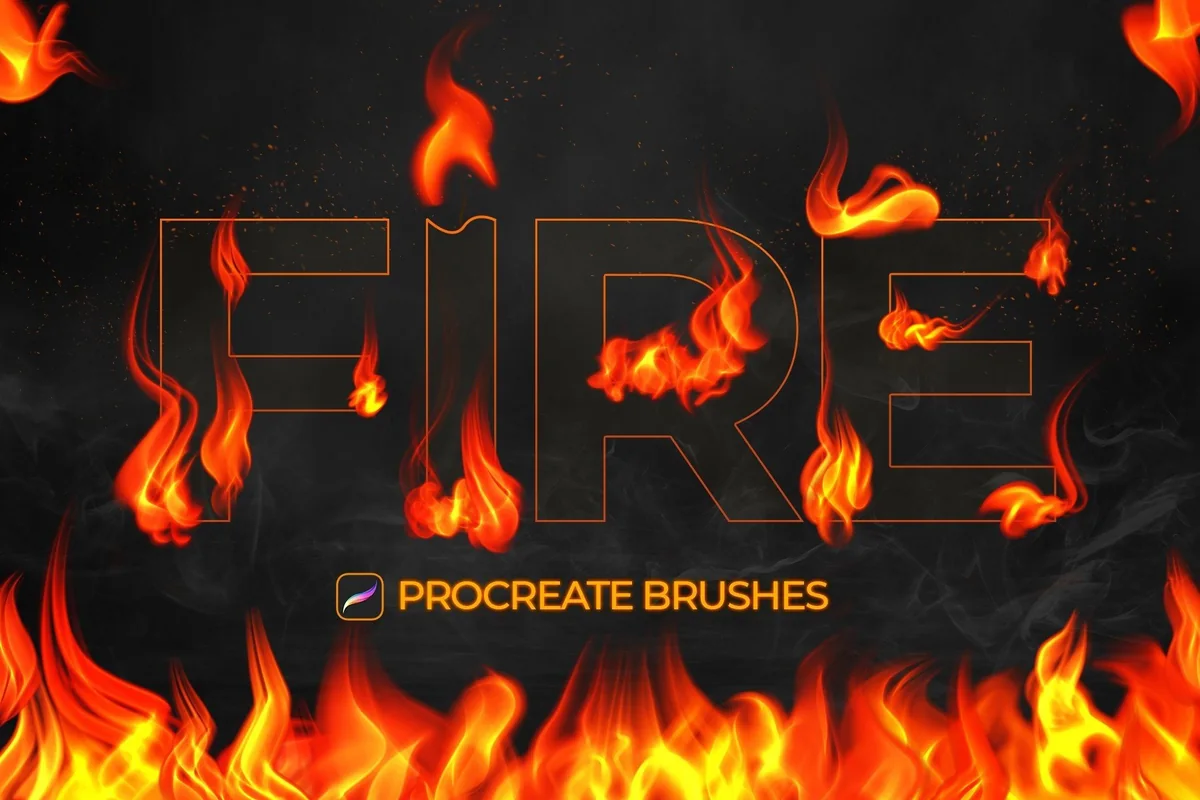
Sko4 is my first choice when the flame needs to follow your hand. More pressure produces a thicker line, and the gallery pairs each style with several stroke sizes. That range suits a narrow candle flame beside a wider burst. This is a focused fire set rather than a library of complete campfire pictures. Its multicolored examples also make it worth considering for fantasy fire without committing to a red-and-orange palette.
Best for fire with lava and smoke
2. Procreate Fire Brush
Sections: 25+ effect brushesFormat: Procreate on iPad
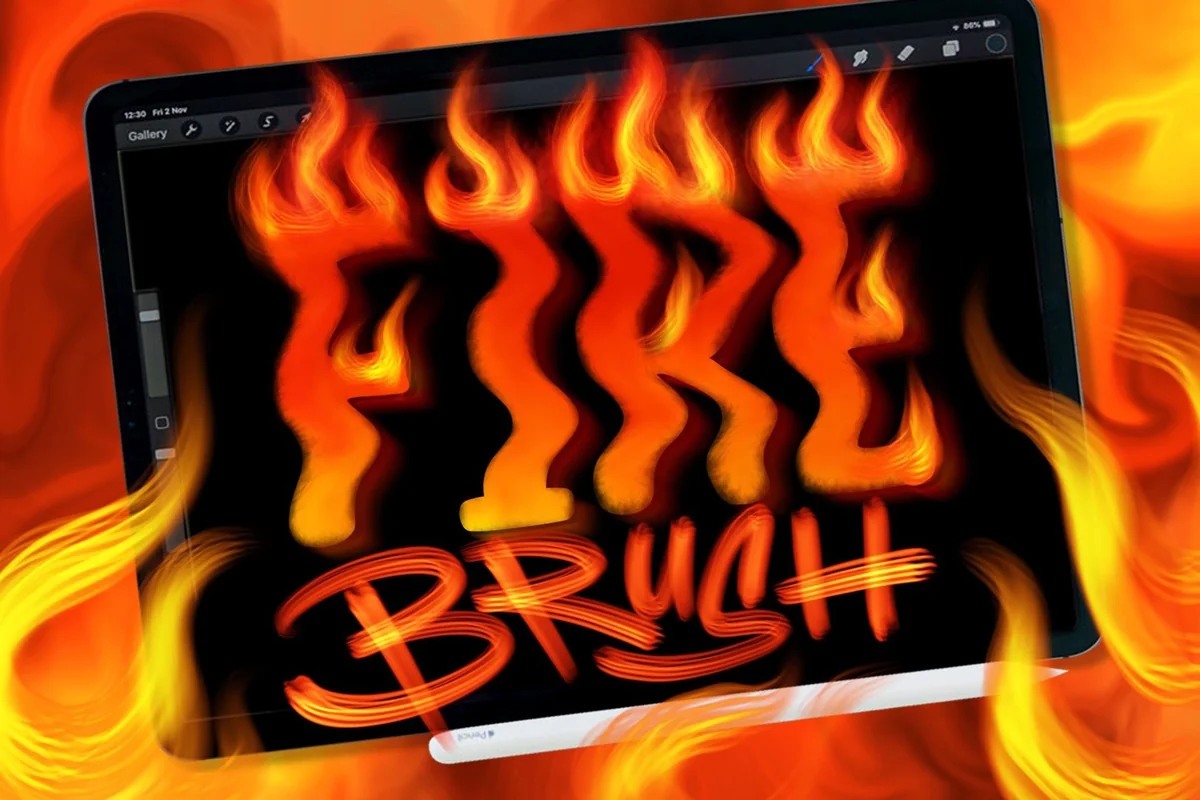
Best for: lettering and illustrations that need several related fire effects. Designed by Nurmiftah.
- 25+ brushes, including fire, lava, smoke and sparks
- For Procreate, including version 5 and earlier versions
- The maker recommends a palette between red and orange
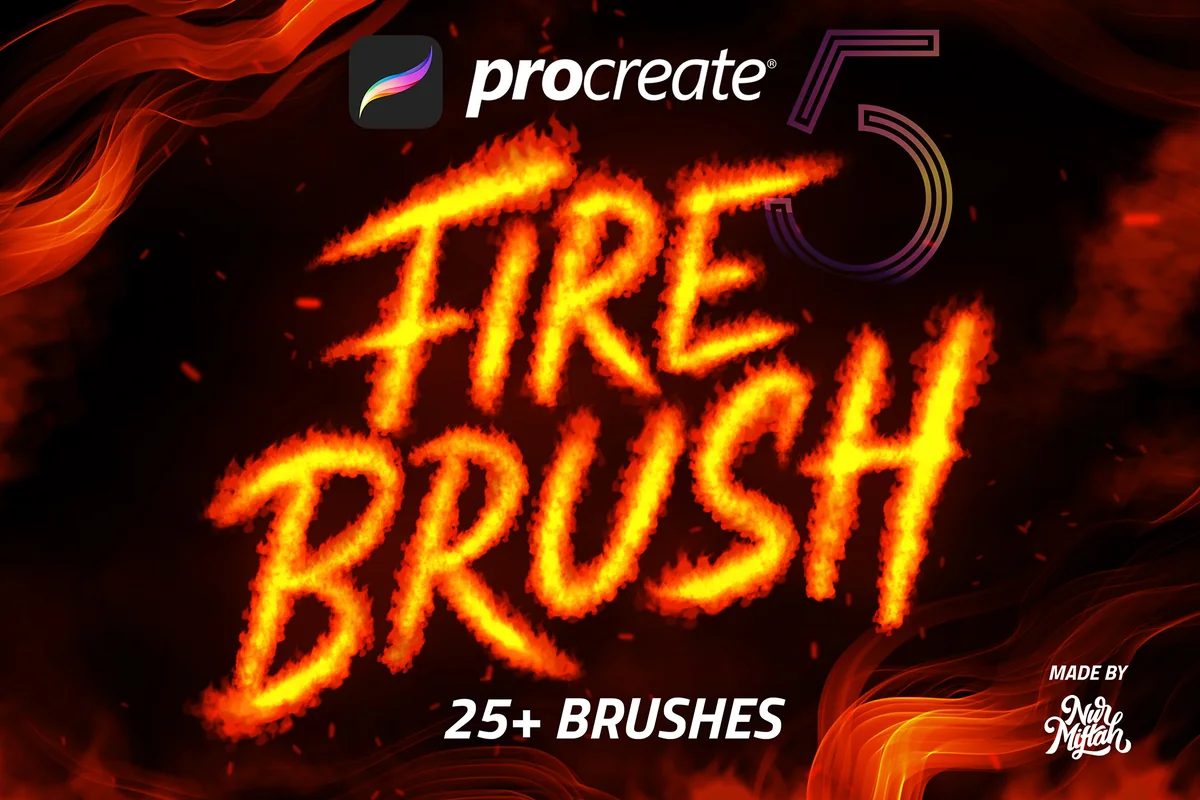
Nurmiftah gives fire a supporting cast. Its swatch sheet moves from solid flame shapes to wavy lava-like lines, wisps and scattered sparks; the lettering examples show why those marks belong together. This is the pack I would shortlist for a burning word or a fantasy title treatment. The 25+ total covers several effect types, so it should not be read as 25 separate realistic flames. Photoshop compatibility is explicitly excluded.
Best compact mixed-flame set
3. Dans Fire Brush
Sections: 10 fire brushesFormat: Procreate on iPad
Best for: comparing a small range of graphic and textured fire marks. Designed by Dansdesign.
- 10 fire brushes for Procreate
- Designed around iPad Pro and Apple Pencil use
- Preview sheet includes smooth, wispy and grainier flame treatments
Ten brushes can be a sensible stopping point if you want variety without scrolling through a large library. Dansdesign shows smooth orange shapes beside ragged, smoky textures and thin strands of fire. I would compare these swatches with Sko4 before choosing: Dans has a broader-looking mix of textures, while Sko4 provides the clearer pressure-sensitive promise. The pack lists ten fire brushes; graffiti templates mentioned in the designer's broader introduction are not listed as contents.
Best for neon and fire lettering
4. Procreate Neon&Fire /70 Brushes
Sections: 70 mixed brushesFormat: Procreate on iPad
Best for: combining glowing-looking lines with flame textures. Designed by Infinity Art Works.
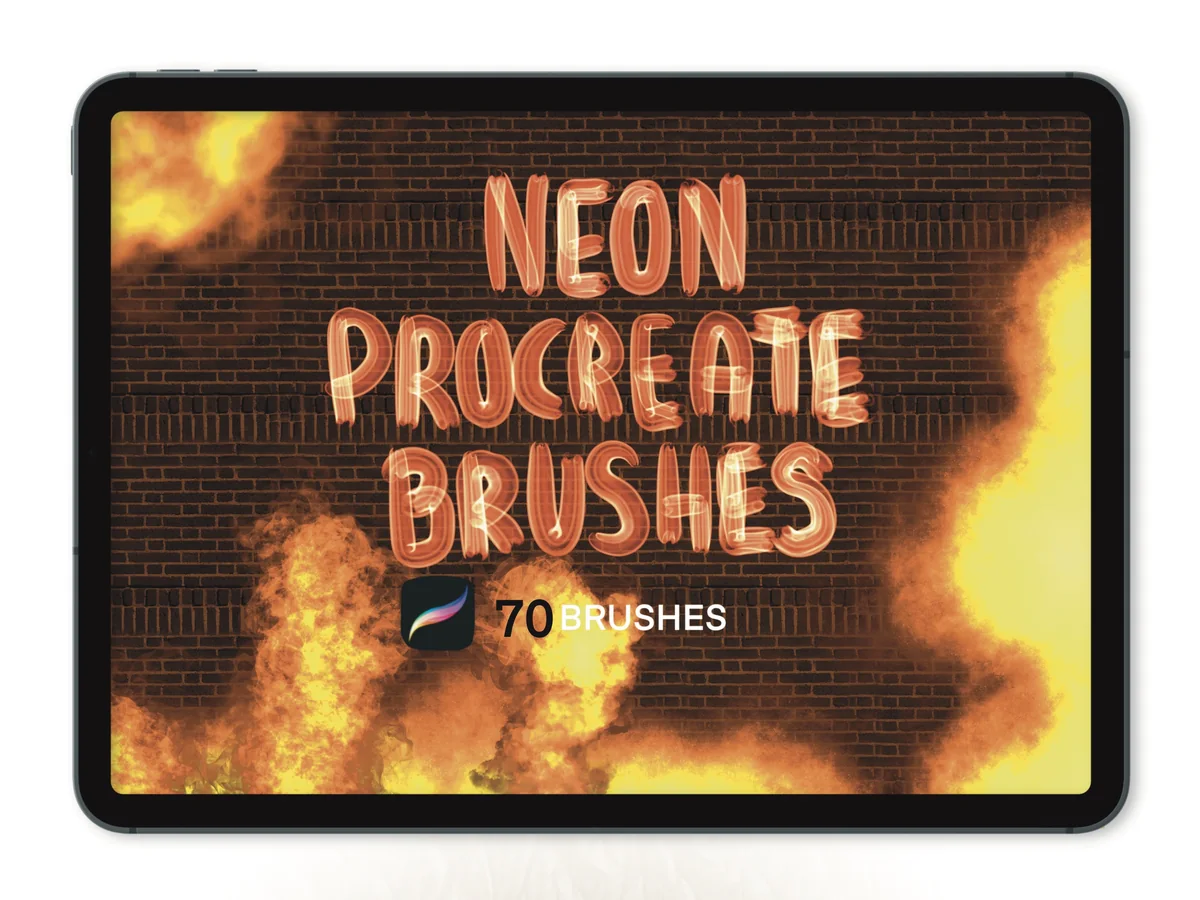
- 70 brushes across neon and fire styles
- Procreate on iPad with Apple Pencil or a pressure-sensitive compatible pen
- Gallery separates many smooth neon strokes from textured fire marks
Infinity Art Works is the broader lettering option here. The preview sheets put pale and dark backgrounds side by side, so you can compare the same mark against both. Several pages show ribbon-like neon strokes; later pages introduce rough, billowing fire textures. Choose it for that combination rather than treating the headline as seventy flame brushes. A project that only needs one campfire may be better served by a smaller, more focused set.
Best for a manual glow workflow
5. Dynamic Fire FX Brush Set
Sections: 67 effect brushesFormat: ABR; Procreate 5.0
Best for: painting natural-looking flames while controlling the finishing effect. Designed by Zsolt Kosa Art.
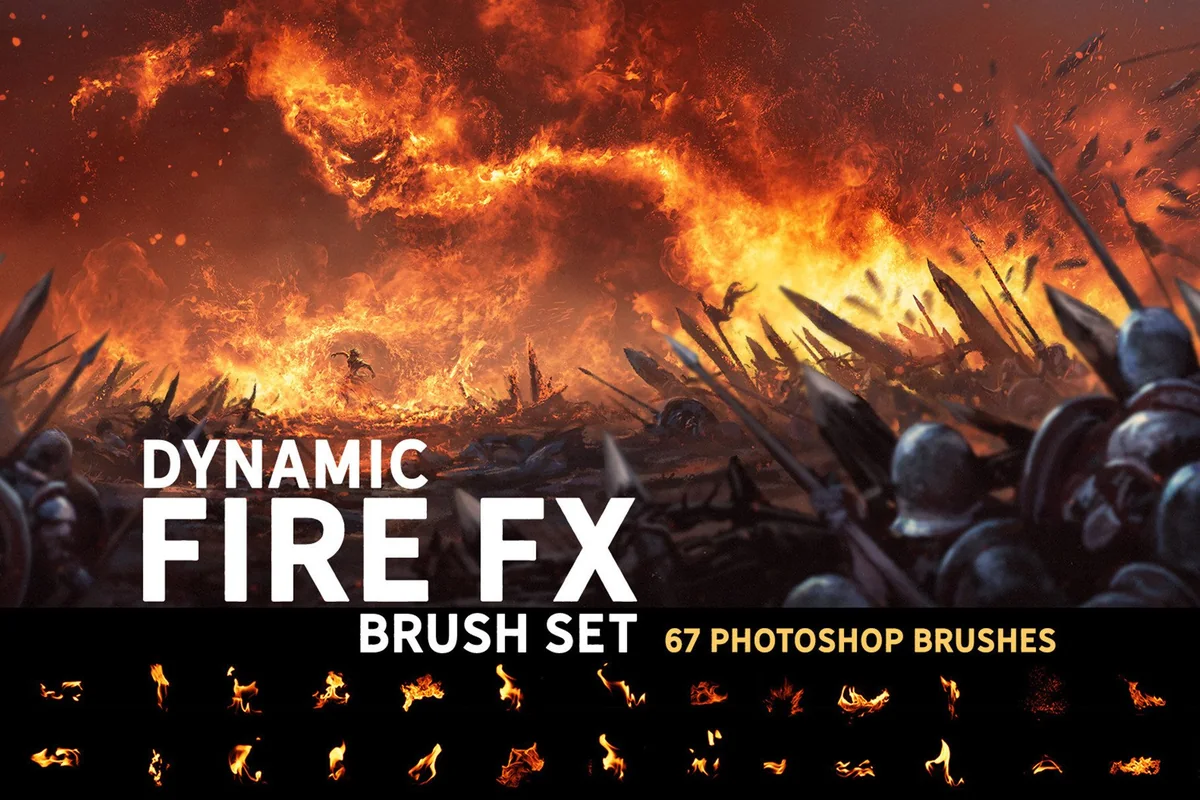
- 67 brushes with natural flames, intense flames and sparks
- ABR brushes compatible with Procreate 5.0
- Glow requires extra steps; Procreate instructions come in a text file
The Photoshop wording on the cover needs context: the full description also names Procreate 5.0. Zsolt Kosa Art says these tools can paint as well as stamp, and the gallery shows thin streaks, dense fire and scattered particles. The important catch is glow. It is not automatic, and the sample PSD workflow is for Photoshop; Procreate users are directed to the text instructions. This pack suits artists who want to control the finishing effect and are comfortable following extra steps.
Flame and Smoke Stamp Libraries
Best for a flame-and-smoke stamp mix
6. Fire and Flame Procreate Brushes
Sections: 1 brush setFormat: Procreate on iPad
Best for: placing flame shapes and atmospheric marks in the same composition. Designed by SvgOcean.
- One .brushset file for Procreate on iPad with Apple Pencil
- Stamps can be used in different colors and opacities
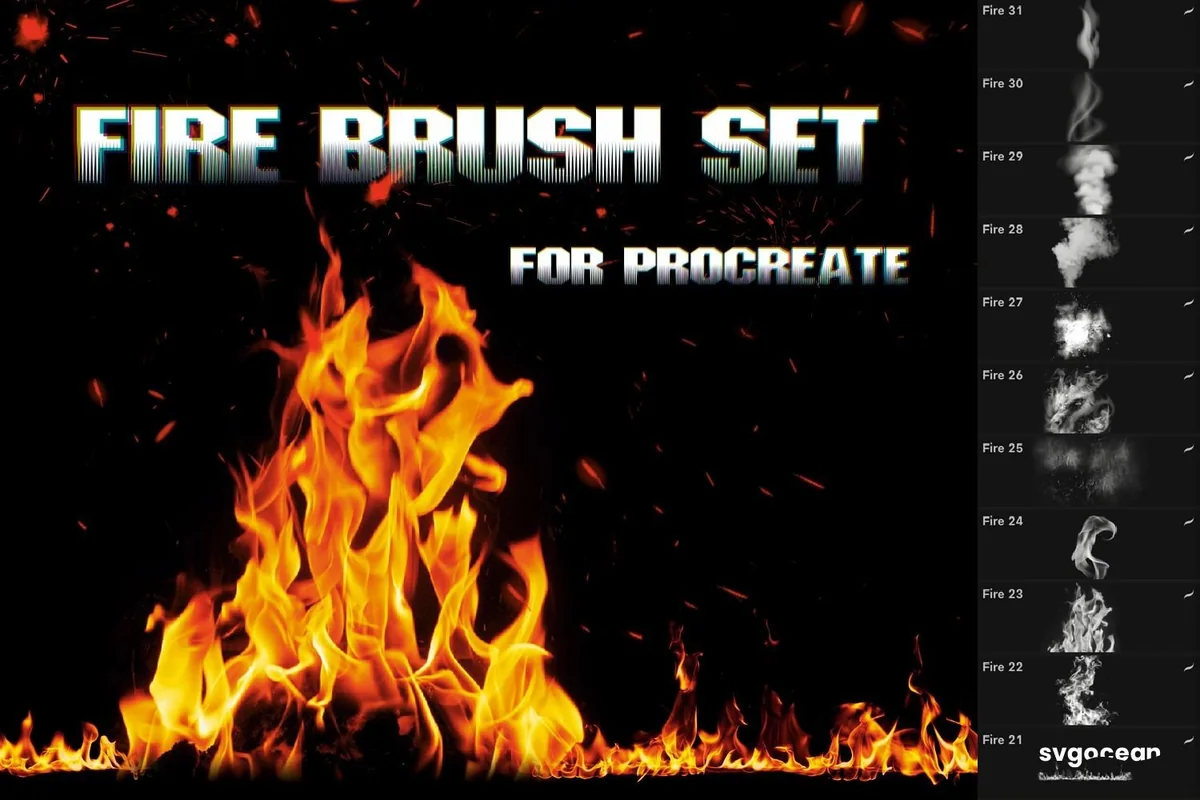
- Gallery shows flames, smoke-like marks and scattered particles
SvgOcean's gallery is more useful than a single finished fire picture. It shows long flame shapes, curling wisps, soft puffs and particle sheets, giving a clearer idea of the range of marks. The contents list one brush set without an exact tool total. A palette appears in the gallery, but no separate palette file is listed. The main reason to choose this pack is the mixed visual vocabulary.
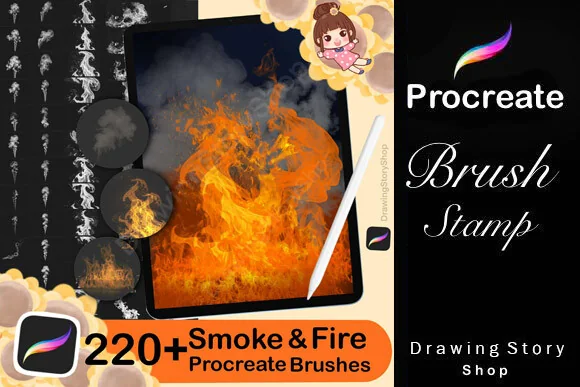
Best for a large fire-and-smoke library
7. 220+ Procreate Smoke & Fire Brushes
Sections: 155 smoke + 70 fire-smokeFormat: Procreate on iPad
Best for: building scenes that need both flame stamps and several kinds of smoke. Designed by DrawingStoryShop.
- 155 smoke brushes and 70 fire-smoke brushes
- Designed specifically for Procreate on iPad
- A PDF import guide is listed with the stamps
DrawingStoryShop devotes much of this collection to smoke. The gallery shows thin curls, denser clouds and orange fire forms on separate sheets, which helps set expectations before seeing the large headline number. Its listed contents total 225 tools, with seventy in the fire-smoke portion. Its strength is the range of smoke stamps for scenes that need curls, clouds and fire together.
Decorative Fire Motifs and a Campfire Icon
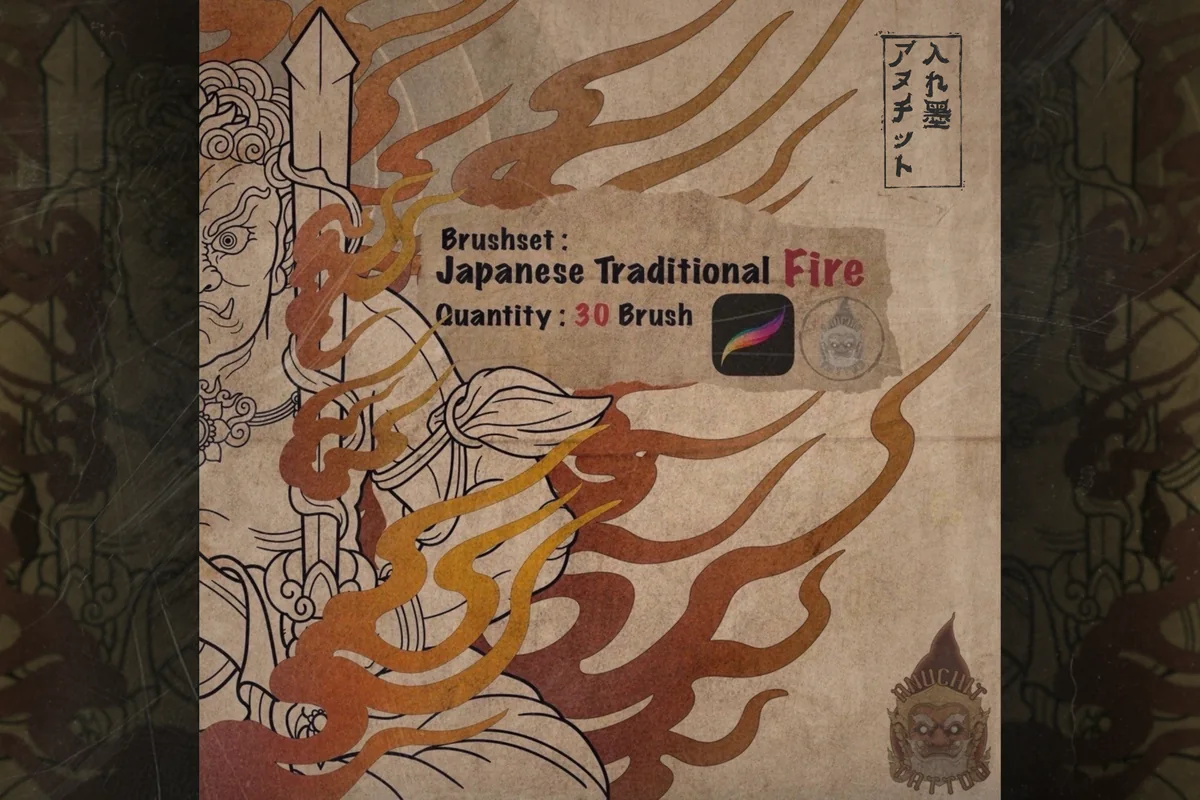
Best for Japanese-style flame motifs
8. 30 Fire Japanese Procreate Stamp Brush
Sections: 30 fire stampsFormat: Procreate on iPad
Best for: adding stylized flame outlines to a digital flash composition. Designed by AnuchitTATTOO.
- 30 Japanese-style fire stamp brushes
- For Procreate; the gallery identifies Japanese Traditional Fire
- An individual preview sheet labels Fire 1 through Fire 30
AnuchitTATTOO changes the visual language completely. These are stylized, curling outlines, shown as individual motifs and as warm shapes surrounding a larger illustration. I like this option for a digital flash sheet or a decorative border where a realistic flame would feel out of place. The thirty fire motifs are the focus; character stamps are not listed as part of this pack.
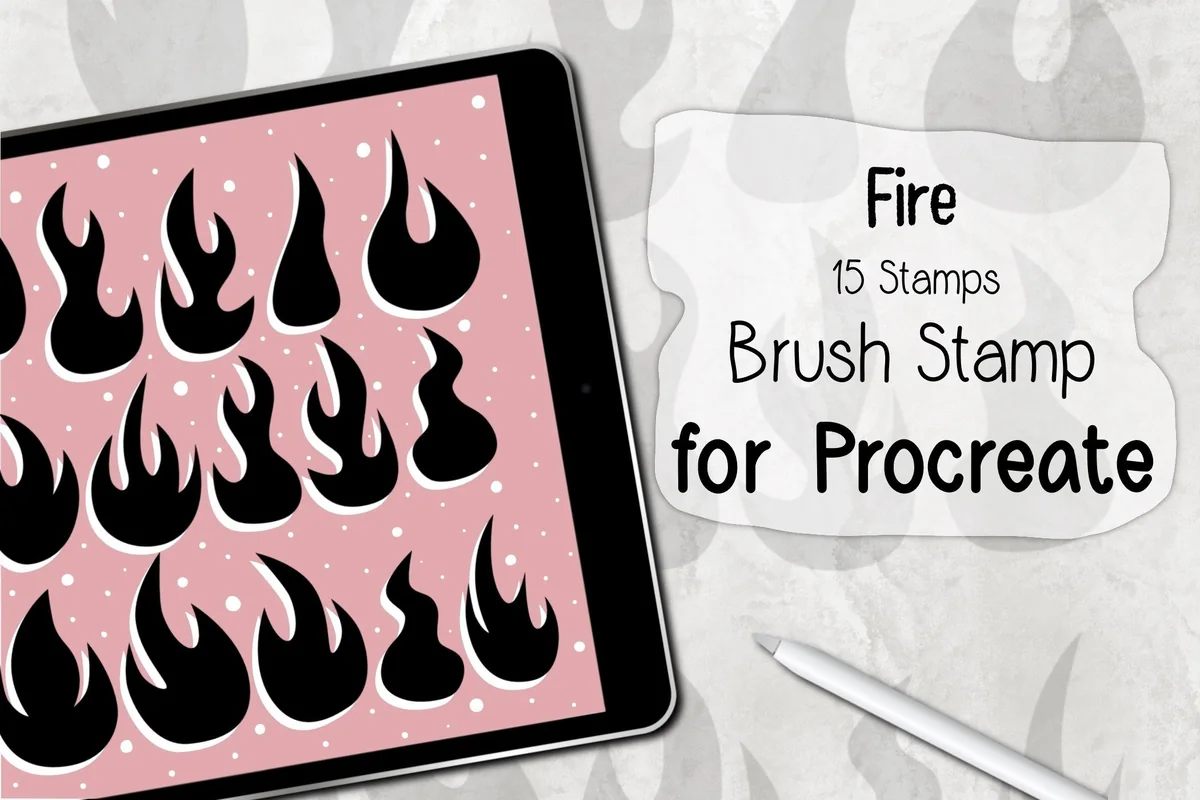
Best for bold fire silhouettes
9. Fire Procreate Brush Stamp
Sections: 15 fire stampsFormat: Procreate on iPad
Best for: making a simple flame icon or a repeated decorative pattern. Designed by DREAMs Soul G. Shop.
- 15 stamps in one .brushset inside a ZIP archive
- Requires Procreate 5.0 or later on iPad
- Apple Pencil or a compatible pressure-sensitive stylus is specified
DREAMs Soul G. Shop shows a tidy grid of bold silhouettes. Some flames are rounded, others have several pointed tongues, and the pastel example makes the flat graphic character easy to see. This is a useful contrast to the wispy effect brushes above: you are choosing a recognizable shape. I would use the gallery to pick a motif for a repeating border or a small icon, without expecting the stamp to provide a realistic glow or detailed smoke.
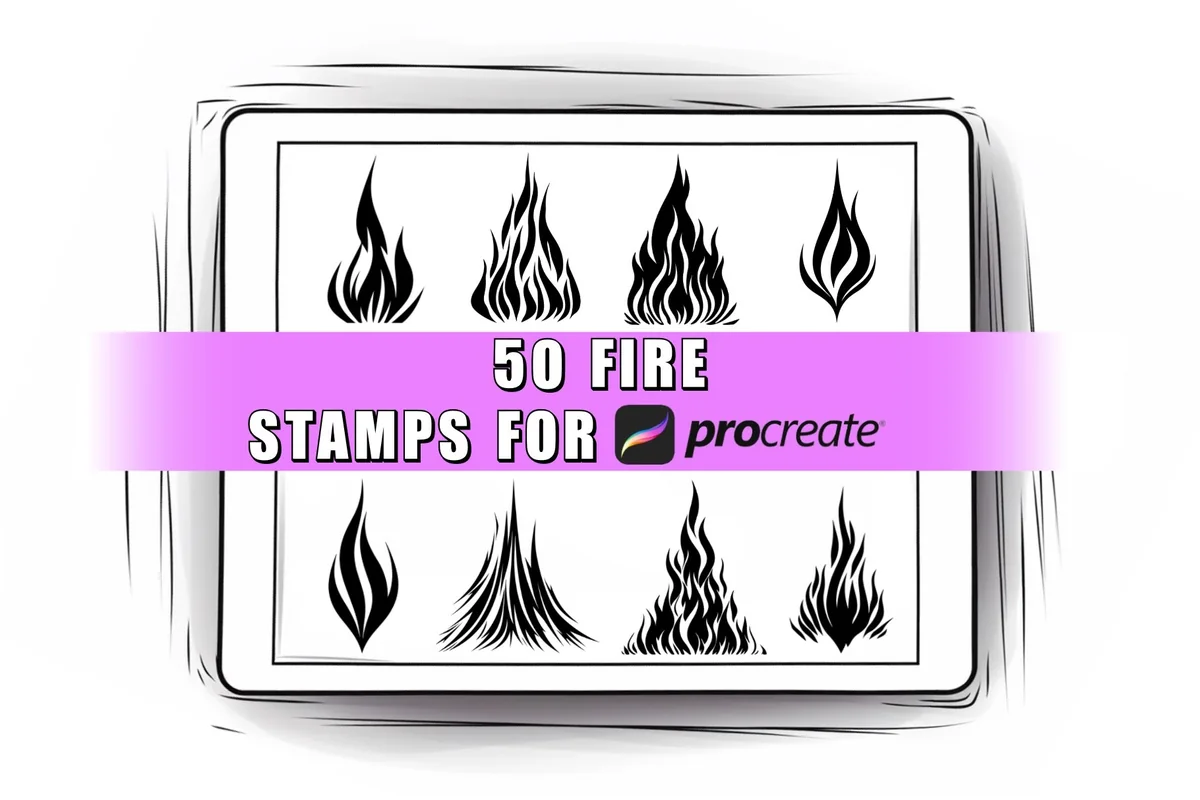
Best for flame-shape variety
10. 50 Fire Procreate Stamps Brushes
Sections: 50 fire stampsFormat: Procreate on iPad
Best for: choosing a decorative flame with internal cutouts and fine points. Designed by ProcreateSale.
- 50 fire stamps in one brush set for Procreate on Apple iPad
- The stamps are explicitly not pressure sensitive
- Color, size and opacity can be changed; finger use is listed
ProcreateSale offers more decorative shapes than the fifteen-stamp set, with narrow inner gaps and pointed, branching edges visible across the preview sheets. Its input requirement is unusually clear: these stamps are not pressure sensitive, and the maker lists a finger among the ways to use them. That makes it a better match for choosing and placing a motif than shaping a flame through pen pressure. The number refers to stamp designs, not fifty painting techniques.
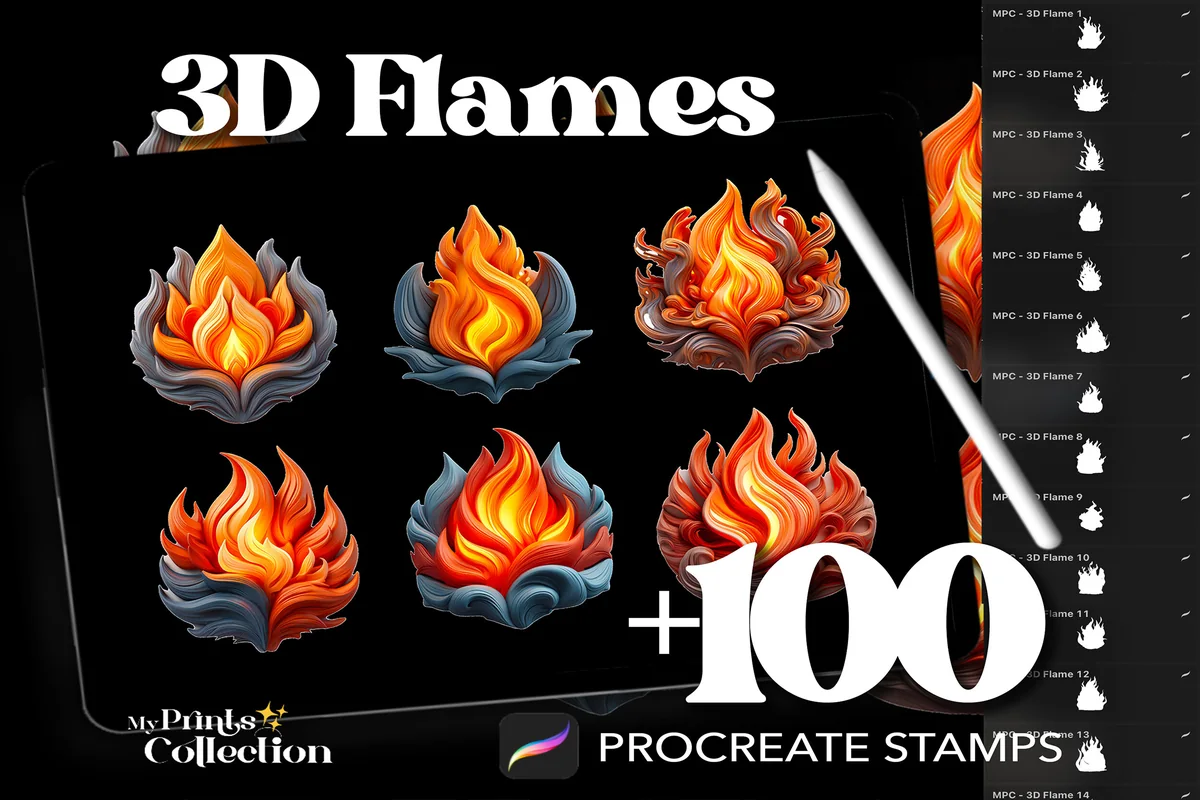
Best for sculpted-looking flame stamps
11. 100+ Procreate 3D Flames Stamps
Sections: 100+ flame stampsFormat: Procreate on iPad
Best for: starting an ornamental flame illustration from a shaded stamp. Designed by myprintscollection.
- 100+ stamps in a .brushset for Procreate 5 or later
- Gallery includes grayscale flame forms and colored examples
- The listed PDF leads to the brush set; no 3D model format is promised
Myprintscollection shows rounded, carved-looking flame forms with substantial shading, a different effect from both the flat silhouettes and the wispy fire packs. That sculpted look suits an ornamental flame study. The grayscale sheets matter: the orange finished examples should not be mistaken for a guarantee that every stamp arrives as a multicolored painting. Despite the name, this is a brush stamp collection, not a library of editable 3D objects.
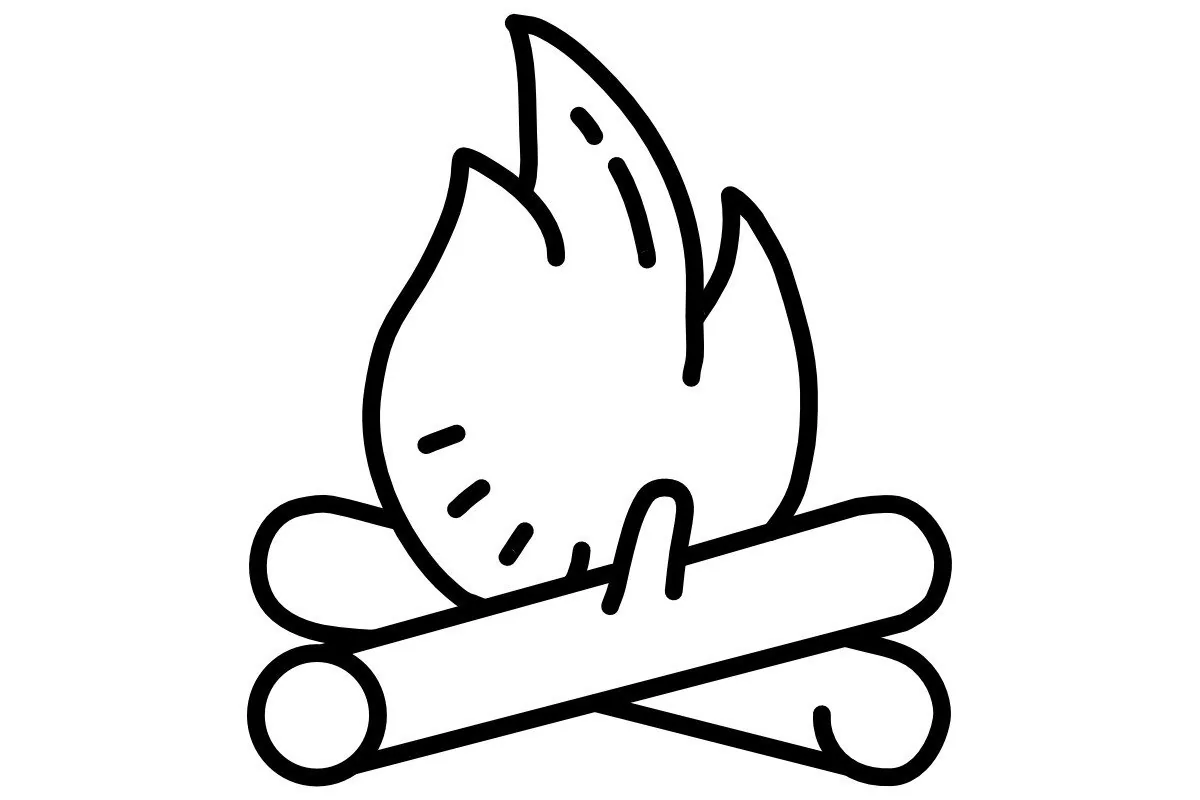
Best for a single campfire icon
12. Fire LineArt Procreate Brush Stamp
Sections: 1 line-art stampFormat: Procreate on iPad
Best for: adding one clear outlined campfire to a small illustration. Designed by Jazz173.
- One clipart-style fire line-art stamp
- For Procreate on iPad and Procreate Pocket on iPhone
- All three previews show the same flame above crossed logs
Jazz173 is the smallest choice in the list and the most specific. Every preview shows one campfire outline, including the crossed logs, against a different background. I like it for a small campsite icon when drawing each log is unnecessary. It is not a set of separate flame and log tools, and it will not give you a library of flame variations. Choose it for that complete little symbol, not for painting a new fire shape.
Quick Comparison
| Brush pack | Best use | Included | Distinction |
|---|---|---|---|
| 1. Fire Procreate Brushes | Painted flames | 12 brushes | Pressure-sensitive strokes |
| 2. Procreate Fire Brush | Lettering + effects | 25+ brushes | Fire, lava, smoke and sparks |
| 3. Dans Fire Brush | Compact variety | 10 brushes | Graphic and textured marks |
| 4. Procreate Neon&Fire /70 Brushes | Neon + fire | 70 brushes | Mixed collection, not 70 flames |
| 5. Dynamic Fire FX Brush Set | Manual finishing | 67 brushes; ABR | Glow requires separate work |
| 6. Fire and Flame Procreate Brushes | Mixed effect stamps | 1 brush set | Exact brush total not stated |
| 7. 220+ Procreate Smoke & Fire Brushes | Fire + smoke library | 155 + 70 tools | Smoke makes up most of the set |
| 8. 30 Fire Japanese Procreate Stamp Brush | Stylized motifs | 30 stamps | Japanese-style flame outlines |
| 9. Fire Procreate Brush Stamp | Bold silhouettes | 15 stamps | Flat graphic flame shapes |
| 10. 50 Fire Procreate Stamps Brushes | Decorative variety | 50 stamps | No pressure sensitivity |
| 11. 100+ Procreate 3D Flames Stamps | Sculpted appearance | 100+ stamps | Shaded shapes, not 3D models |
| 12. Fire LineArt Procreate Brush Stamp | Single campfire icon | 1 stamp | Outlined flame plus crossed logs |
Choose the Mark Before the Brush Count
The first decision is whether you want to draw a path or place a shape. A pressure-sensitive fire stroke can suit a slender candle or a sweeping flame. A stamp gives you a particular silhouette or shaded form to arrange in the composition. Neither approach replaces the other: buying more stamps will not necessarily give you a stroke that follows a handwritten word.
- For a candle or a small flame: start with Sko4’s twelve pressure-sensitive tools and compare the individual swatches. The useful difference is how the flame changes with the line, not how many effects you can put around it.
- For a title treatment: compare Nurmiftah’s fire, lava and related marks with Infinity Art Works’ neon-and-fire collection. The latter contains many neon styles, so its seventy-tool headline is not a count of fire brushes.
- For an atmospheric illustration: look at the flame-and-smoke libraries. Check how much of the total is smoke before choosing a large set.
- For an icon or decorative border: choose a silhouette, line-art or Japanese-style stamp. A clear shape can be more useful here than layers of wispy texture.
My shortlist puts the stroke-oriented packs first because they offer the clearest route to shaping fire. The decorative group remains useful for a different reason: a page of small icons, a digital flash sheet and a softly shaded flame study need different visual languages. Choose the language that fits your artwork before comparing quantities.
What the larger numbers actually mean
DrawingStoryShop lists 155 smoke brushes and seventy fire-smoke brushes. That is a 225-tool mixed library, not 225 flame shapes. Infinity Art Works also mixes categories, while ProcreateSale’s fifty-tool pack is explicitly a collection of stamps. Read the contents as a list of jobs the tools can do; a larger number is valuable only when those jobs belong in your project.
Plan a Flame Study Around One Clear Shape
A small study is a useful first project because it gives the brush one job. Choose a candle, a free-standing flame or a decorative fire motif, rather than trying to match every detail of a dramatic product cover. Use the following sequence to keep the practice focused.
A Focused First Flame Study
- 1Choose the subject and its scale. Decide whether this is a tiny candle, a larger isolated flame or a graphic symbol. For a pressure-shaped mark, start with the stroke-oriented group. For a fixed outline or shaded form, choose from the stamp group. Keep the intended final size in mind when comparing detailed motifs.
- 2Compare one mark before building a scene. Use a spare area of your canvas to compare the shape you selected with one alternative. For a pressure-sensitive pack, compare a lighter and a firmer stroke. For a stamp, compare the silhouette at two sizes. This gives the test a clear question instead of becoming a page of unrelated marks.
- 3Keep supporting effects selective. If the study needs smoke or sparks, choose them for that purpose. Nurmiftah and the larger mixed libraries list those related tools, but they are not mandatory ingredients in every flame. An isolated candle icon may communicate more clearly with its main shape alone.
- 4Evaluate the finish separately. Compare the main flame with any extra glow treatment and keep the shape you wanted visible. Follow the selected pack’s instructions, particularly when the product distinguishes Procreate steps from Photoshop files. Save the simple study as a reference for the next composition rather than changing every tool at once.
For lettering, keep the same principle: decide whether the word is built from fire strokes or decorated with separate flame stamps. Nurmiftah’s gallery demonstrates fiery lettering, while Infinity Art Works shows both smooth neon lines and textured fire marks. Those examples support different starting points; they do not promise a finished alphabet or editable typeface.
A Flame Shape and Its Glow Are Separate Decisions
A bright-looking product preview can combine the brush mark with a finishing workflow. Dynamic Fire FX makes that distinction explicit: its brushes do not glow by default. The maker supplies a text guide for Procreate and a sample PSD workflow for Photoshop. The PSD is not evidence of a ready-made Procreate effect.
Two drawing tutorials approach the same issue through layers and blend modes. Ioanna Ladopoulou demonstrates duplicating a flame layer and adjusting its blend mode, brightness and opacity. Bardot Brush describes a glowing effect using Gaussian Blur and blend modes. These are examples of finishing a flame, not proof that every pack in this roundup has an automatic glow setting.
- Keep the shape legible: choose a flame whose edges suit the illustration before chasing the brightest halo.
- Follow the pack’s own instructions: especially for Dynamic Fire FX, distinguish the Procreate text workflow from the Photoshop sample.
- Judge against the actual background: Infinity Art Works shows light and dark swatch comparisons; a mark that stands out in one sample can look different against your own page.
- Recheck small output: for a planner decoration or a small icon, compare the shape at the size the reader will see. Fine interior gaps may be less useful than a simple silhouette.
For a color starting point, see my Procreate color palette selection. Nurmiftah recommends red-to-orange colors, while Sko4 explicitly supports different colors. Choose colors for the pack and artwork rather than treating one palette as a requirement for all twelve.
Check the File and Input Requirements Before Choosing
Several packs list a .brushset file, which is different from buying a folder of finished pictures. Dynamic Fire FX instead uses ABR brushes and explicitly names Procreate 5.0 compatibility. That written compatibility matters more than the Photoshop wording on its cover. It does not mean that any unrelated Photoshop brush will behave the same way.
- One file is not one brush: the fifteen-stamp DREAMs Soul pack and the fifty-stamp ProcreateSale pack each use a brush set container.
- A PDF can be a guide: DrawingStoryShop lists a PDF for importing the brushes; it is not a printable flame collection.
- A PDF can also lead to the set: myprintscollection describes a PDF link followed by the .brushset. Follow the PDF link to reach the brush set; the PDF itself is not the art tool.
- Version requirements vary: DREAMs Soul and myprintscollection specify Procreate 5 or later; Nurmiftah also names earlier versions. Use the requirement of the pack you choose.
- Input requirements vary too: Sko4’s painted flames respond to pressure. ProcreateSale explicitly says its stamps are not pressure sensitive and lists finger use. Other makers specify Apple Pencil or a compatible pressure-sensitive stylus.
The app name on one listing should not be generalized to all the others. Jazz173 explicitly includes Procreate Pocket on iPhone, but that does not establish Pocket support for every pack. Most of this selection is described for Procreate on iPad, and several makers explicitly rule out other apps.
When a Decorative Flame Is the Better Choice
A softly textured flame is not always the most useful mark. For a row of small fire symbols, the fifteen bold silhouettes from DREAMs Soul are easy to compare. For more elaborate pointed shapes, ProcreateSale offers fifty motifs. AnuchitTATTOO’s curling outlines have a different, Japanese-style character, and Jazz173 gives you one whole campfire outline with logs already attached.
- Match internal detail to the task: the bold silhouettes suit a simple symbol; narrow gaps and fine points create a busier decorative mark.
- Check what is attached: Jazz173’s crossed logs belong to the stamp, so choose it for a campfire icon rather than a free-standing flame.
- Treat colored demos as examples: myprintscollection shows grayscale sculpted forms as well as orange artwork. Do not assume the stamp is a finished multicolored scene.
- Separate illustration from included content: a character around Japanese-style flames or a palette beside a brush demonstration is not automatically an extra file in the pack.
If the outlined approach appeals to you, my line-art brush comparison covers tools for drawing the surrounding shapes. For a digital flash sheet, the tattoo brush selection is a closer next step than another atmospheric effect pack.
FAQ: Choosing and Using Fire Brush Packs
Which pack would you start with for painted flames?
Sko4 is my first shortlist choice for a focused set of twelve fire brushes with an explicit pressure-sensitive behavior. Compare Nurmiftah if the project also needs lava, smoke and sparks. My comparison is based on the listed contents and preview swatches.
Are fire stamps the same as fire painting brushes?
A stamp places a prepared mark, such as a silhouette or shaded flame form. A painting brush is chosen for the stroke it makes as you draw. Dynamic Fire FX explicitly says its brushes can paint as well as stamp, while ProcreateSale describes fifty non-pressure-sensitive stamps. Check the individual pack rather than assuming every tool works the same way.
Will the brushes create glow automatically?
Do not assume that from a cover picture. Dynamic Fire FX specifically says glow is not the default and supplies separate Procreate instructions. A finished example can combine a flame shape with layer adjustments. The amount of additional work depends on the pack and the result you want.
Which packs require a pressure-sensitive stylus?
Follow the maker’s stated requirements. Several packs specify Apple Pencil or another pressure-sensitive stylus. ProcreateSale’s fifty stamps are the clear exception here: they are not pressure sensitive, and the listing explicitly allows a finger. That exception should not be applied to the pressure-sensitive painted-flame sets.
Can the ABR pack work in Procreate?
Dynamic Fire FX explicitly lists Procreate 5.0 alongside Photoshop CC and discusses ABR importing. Its cover’s Photoshop label therefore does not exclude it from this selection. The Procreate finishing instructions are a text file, however; the sample PSD is a separate Photoshop workflow.
Is there a free way to try drawing flames first?
Bardot Brush’s fire tutorial names a built-in Flames brush from the Elements set for one of its methods. Check your app’s brush library and the tutorial before buying an additional pack. I have not verified a currently free Creative Fabrica product for this roundup, so none of the twelve paid listings is presented as a freebie.
Pick One Flame Job for Your First Pack
My starting point for Procreate fire brushes would be the mark missing from the picture: a pressure-shaped stroke, smoke around an existing flame, or a decorative symbol. Sko4 is the focused painting choice; the stamp group is better approached by shape and detail. Leave the largest library until you can name which of its extra tools your scene needs.
For a campfire landscape, choose the setting separately from the effect. My tree brush comparison covers forest elements that can sit around the fire. A coherent scene starts with compatible marks, not with using every brush in the same picture.
You May Also Like
This article contains affiliate links. If you buy through them, I may earn a commission. Read my affiliate disclosure.