The sky looks right, but the trees along the ridge all have the same round crown. A varied set of Procreate tree brushes can give that scene a clearer foreground, middle distance and horizon without drawing every branch from scratch.
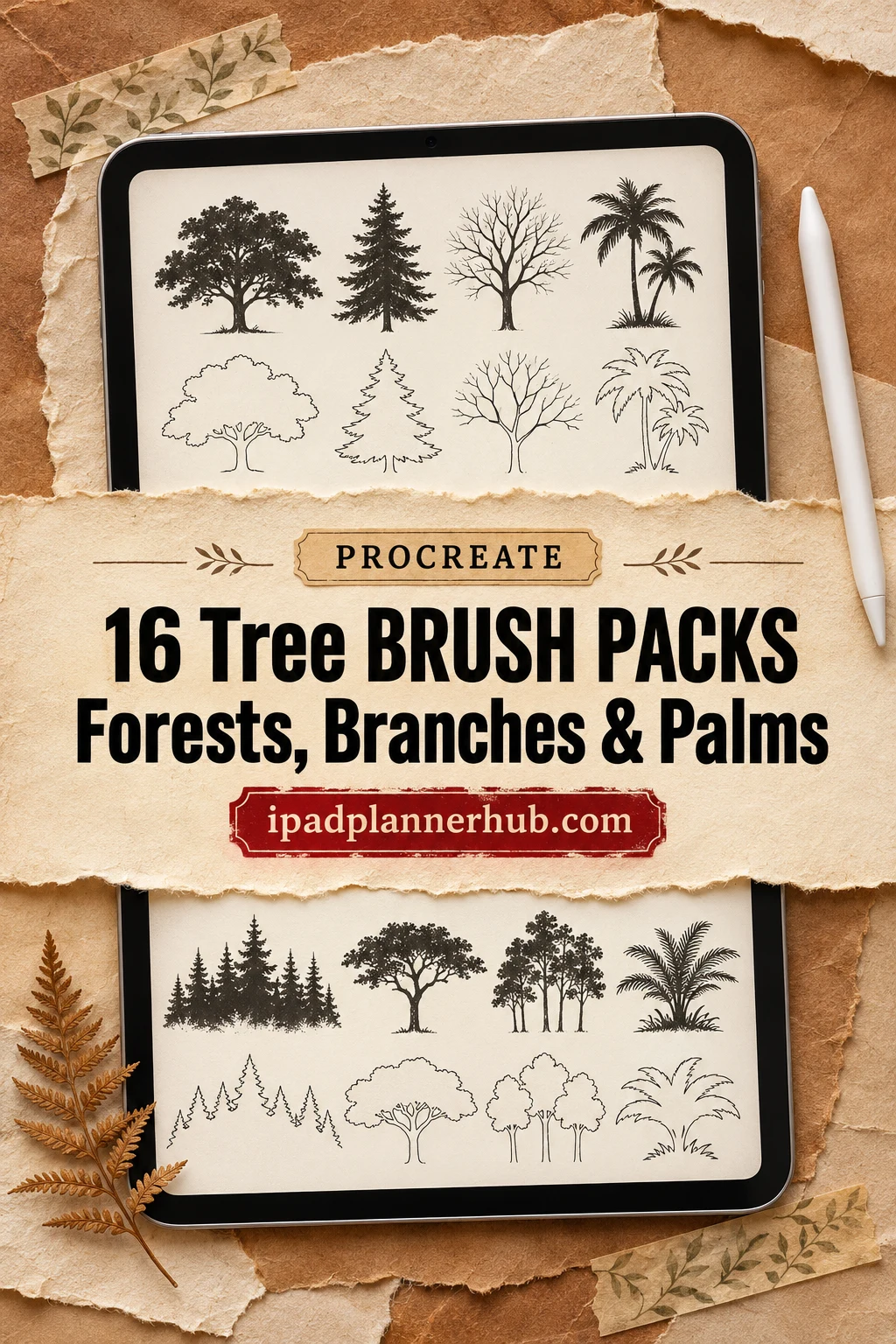
I compared 16 brush packs by their descriptions and complete public preview galleries. Some are solid tree stamps, some are detailed drawings, and a few can lay down repeated forest strokes. I have not bought or installed these files, so my choices are based on the shapes and features shown, rather than a hands-on performance test.
TL;DR: Compare 16 packs for whole-tree silhouettes, detailed woodland drawings, bare branches and palms. For repeated forest strokes, look at the mixed 160-piece set or Calcool’s 50-brush collection. For supporting vegetation, the final toolkit adds grass, leaves and flowers alongside 20 tree brushes.
Quick Picks
- Best for varied forest silhouettes: 160 Procreate Tree Silhouette Stamps
- Best for dynamic forest strokes: Tree Procreate Brush Set | 160 Stamps
- Best for pressure-controlled treelines: Procreate Trees Stamp Brushes Silhouette
- Best for decorative tree icons: 50 Trees Procreate Stamps Brushes
- Best for a small mixed tree library: 20 Procreate Tree Stamps
- Best for bold leafy crowns: Trees Procreate Stamps
- 160 Procreate Tree Silhouette Stamps – Best for varied forest silhouettes
- Tree Procreate Brush Set | 160 Stamps – Best for dynamic forest strokes
- Procreate Trees Stamp Brushes Silhouette – Best for pressure-controlled treelines
- 50 Trees Procreate Stamps Brushes – Best for decorative tree icons
- 20 Procreate Tree Stamps – Best for a small mixed tree library
- Trees Procreate Stamps – Best for bold leafy crowns
- Procreate Tree Landscape Brush Stamp Set – Best for detailed landscape line art
- Trees Procreate Stamp Brushes – Best for airy woodland detail
- Forest Trees Procreate Stamps Brushes – Best for vintage-style woodland trees
- Pine Trees Procreate Stamps – Best for focused pine silhouettes
- 20 Tree Procreate Brushes Silhouette – Best for broad bare branching
- Tree Procreate Brushes, Tree Silhouette – Best for taller bare tree forms
- Winter Tree Procreate Stamps – Best for a small winter scene
- Procreate Tree Stamps Botanical Brushes – Best for simple tropical shapes
- 100+ Procreate Palm Tree Stamps – Best for detailed palm drawings
- 200 Forest Nature Procreate Brushes – Best for adding plants around trees
Mixed silhouettes and forest strokes
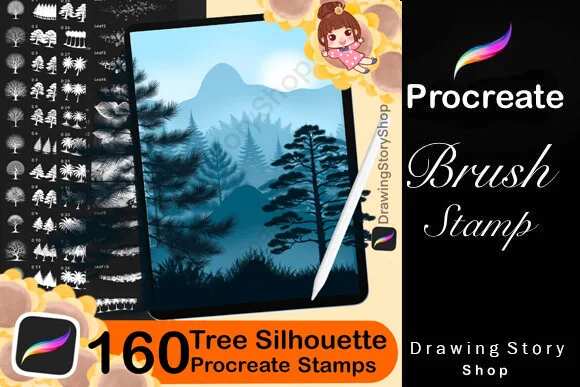
Best for varied forest silhouettes
1. 160 Procreate Tree Silhouette Stamps
Sections: 160 stampsFormat: Procreate stamps
Best for: mixing individual trees with ready-made treelines. Designed by DrawingStoryShop.
- 160 tree silhouette stamps for Procreate on iPad
- Gallery shows leafless trees, conifers, palms and rows of trees
- An import guide is listed in the description
The mix of single trees and forest rows is the main draw. I like the rows for a distant ridge and the individual silhouettes for breaking up its edge. Leaf effects also appear in the gallery, but no separate count is given for them, so the tree library is the clearer reason to choose this pack.
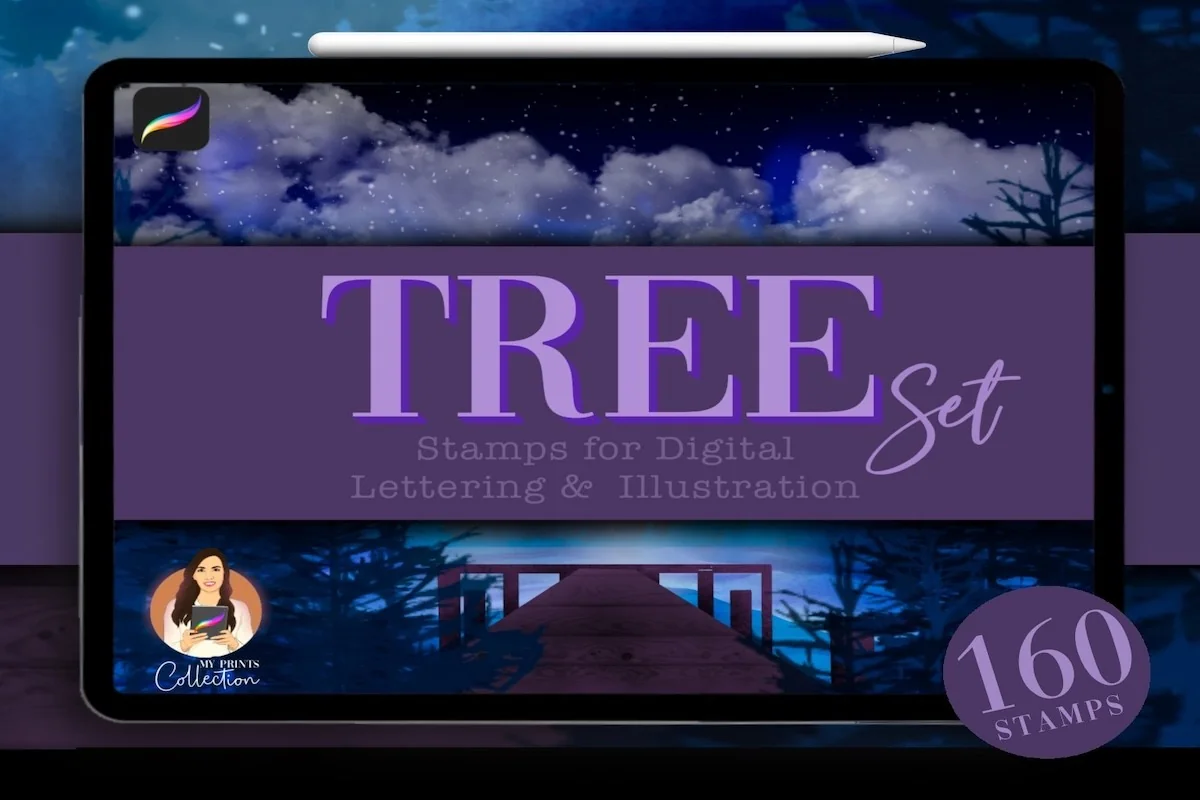
Best for dynamic forest strokes
2. Tree Procreate Brush Set | 160 Stamps
Sections: 20 brushes + 140 stampsFormat: .brushset
Best for: painting repeated tree strokes alongside individual stamps. Designed by myprintscollection.
- 20 dynamic-color brushes plus 140 tree stamps
- Procreate 5 or higher is required
- Gallery demonstrates pressure-sensitive strokes and individual tree shapes
The 160-piece total here means 20 dynamic-color brushes and 140 stamps. The stroke examples suit a forest edge with variation along the band. Keep a few individual trees on separate layers to give the skyline a less uniform outline.
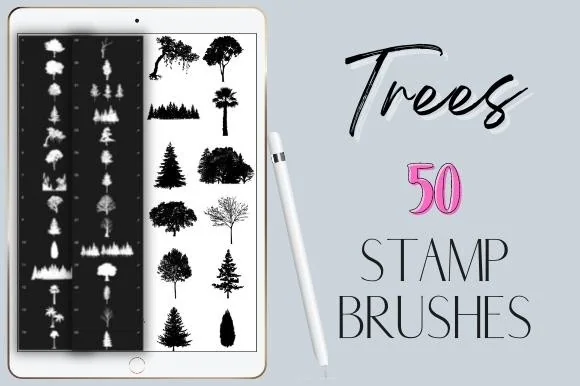
Best for pressure-controlled treelines
3. Procreate Trees Stamp Brushes Silhouette
Sections: 50 brushesFormat: ZIP archive
Best for: combining a compact silhouette library with repeated forest marks. Designed by Calcool.
- 50 silhouette tree brushes in one ZIP archive
- Seller describes pressure-sensitive forest strokes
- For Procreate on iPad Pro with Apple Pencil; not Photoshop
Calcool shows both isolated trees and curved bands of repeated trees. This is a smaller alternative to the mixed 160-piece collection for a wooded skyline. Its Apple Pencil requirement makes it a less suitable choice for finger stamping than the explicitly non-pressure-sensitive packs below.
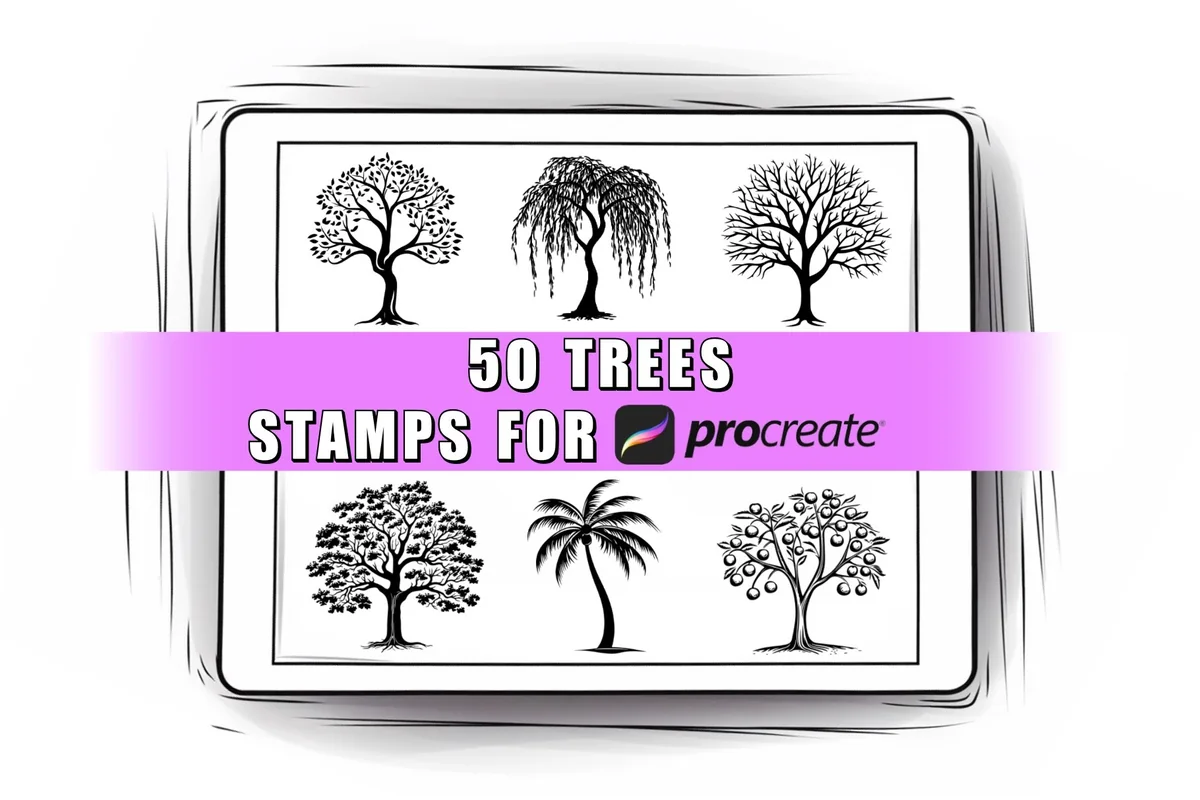
Best for decorative tree icons
4. 50 Trees Procreate Stamps Brushes
Sections: 50 stampsFormat: Brush set file
Best for: using clear tree shapes in small illustrations and page decorations. Designed by ProcreateSale.
- 50 tree stamps in one brush set file
- Not pressure sensitive; seller allows a finger or third-party stylus
- Gallery includes palms, bare trees, conifers and ornamental leafy trees
The decorative outlines suit a small illustration beside a journal heading or an isolated tree on a card. Several crowns have open spaces between the leaves rather than a solid dark fill. The seller explicitly allows finger stamping, which makes this a useful option without pressure-sensitive input.
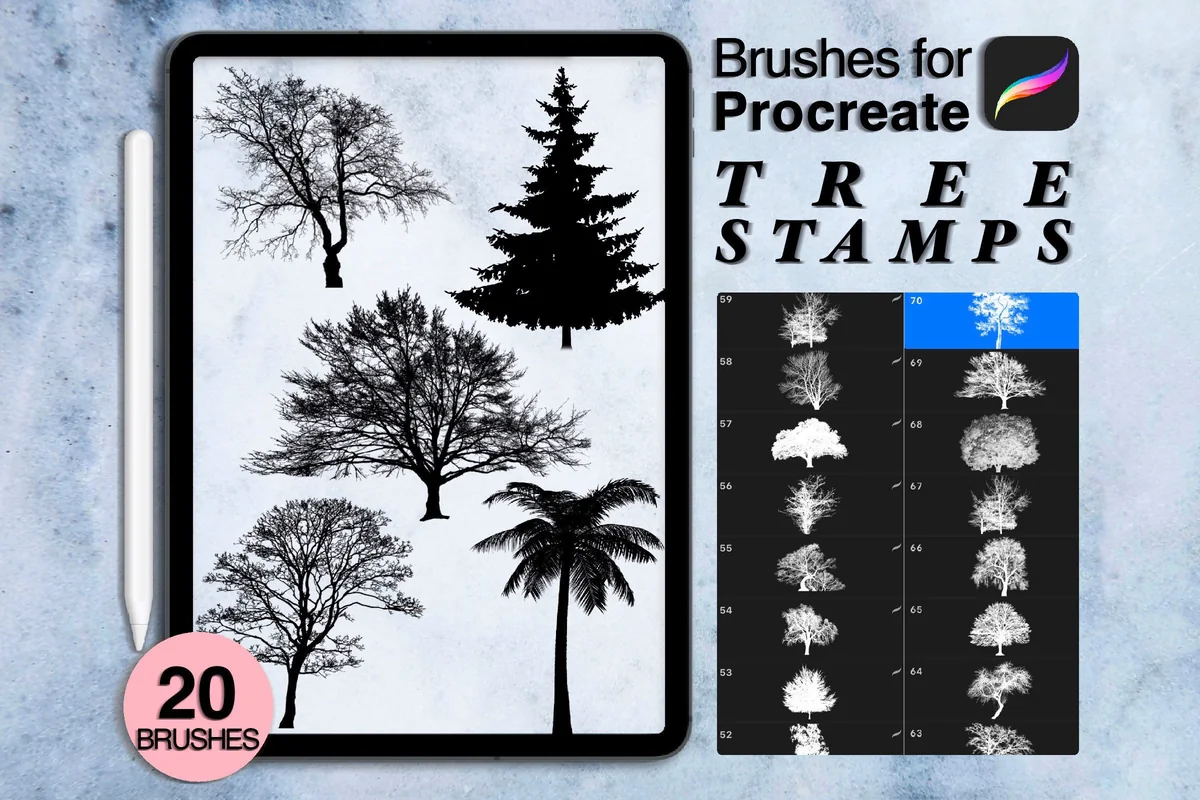
Best for a small mixed tree library
5. 20 Procreate Tree Stamps
Sections: 20 brushesFormat: ZIP archive
Best for: trying varied tree forms without a large brush menu. Designed by Arts For Peace.
- 20 tree brushes for Procreate
- Requires Procreate 5 or higher on iPad and a pressure-sensitive pen
- Previews show leafy trees, bare forms, conifers and palms
Twenty trees give you contrasting crowns without a long brush menu. The gallery spans spiky palms, dense conifers and fine bare branches. The archive wording mentions brushes or swatches without clearly promising a separate palette, so I would base the purchase on the trees alone.
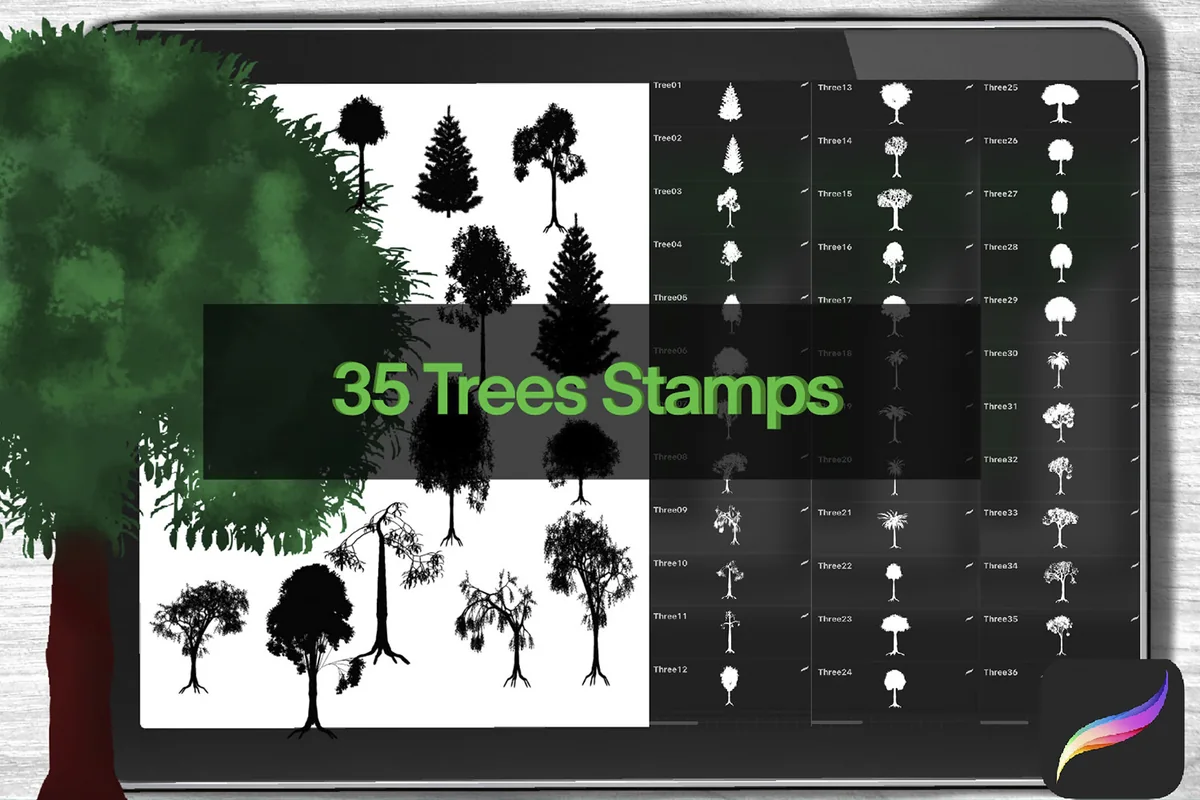
Best for bold leafy crowns
6. Trees Procreate Stamps
Sections: 35 stampsFormat: Procreate stamp set
Best for: placing leafy trees with strong dark masses. Designed by larisaetsy.
- 35 tree stamps for Procreate
- Requires iPad, a stylus or Apple Pencil, and Procreate
- Gallery shows rounded crowns, narrow trees, hanging foliage and palms
The heavy crowns distinguish this pack from the finer woodland drawings. They suit a bold shape in a narrow margin, where tiny branch detail could get lost. Check the individual forms against your scene: some have hanging foliage or roots rather than a familiar park-tree outline.
Detailed woodland drawings and pines
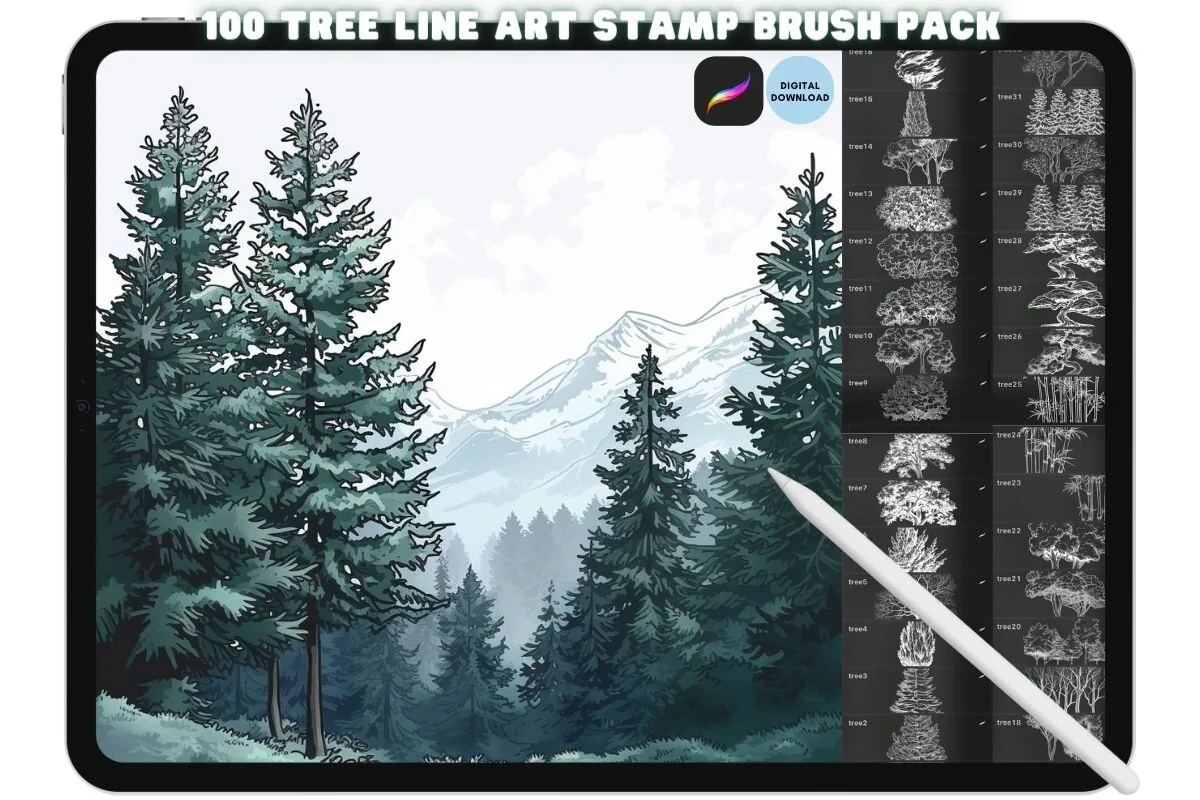
Best for detailed landscape line art
7. Procreate Tree Landscape Brush Stamp Set
Sections: 100 stampsFormat: .brushset
Best for: starting a drawn tree scene with visible internal detail. Designed by kraftcake.
- 100 tree landscape stamps in .brushset format
- Procreate-only in the product description
- Previews include conifers, broadleaf trees, bare trunks and grouped woodland scenes
This collection moves from a solid skyline toward a detailed drawing. Trunks, roots and inner foliage lines remain visible in the sample sheets, making a focal tree a useful starting point. The colored cover shows finished artwork; it does not establish that each stamp arrives painted.
Best for airy woodland detail
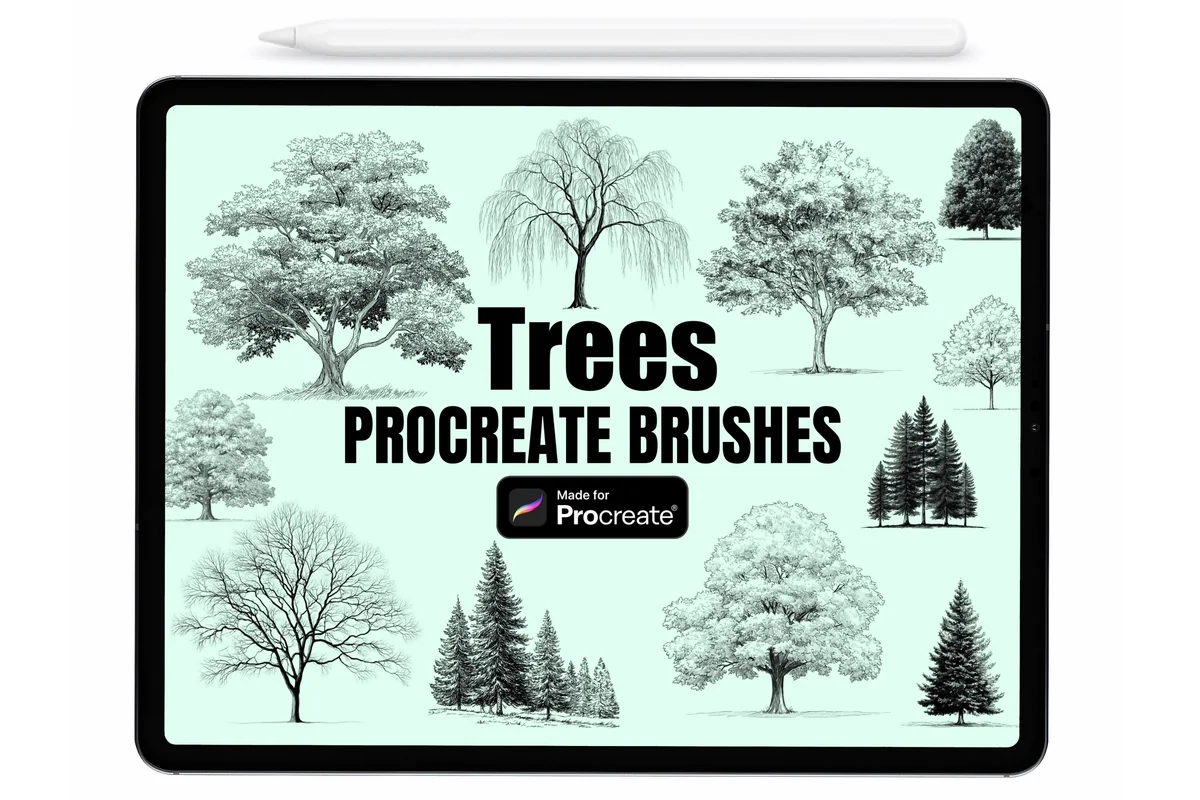
8. Trees Procreate Stamp Brushes
Sections: 20 stampsFormat: .brushset
Best for: adding fine tree drawings and small conifer groups. Designed by DreanArtDesign.
- 20 forest tree stamps in a .brushset file
- Not pressure sensitive; Procreate 4.1 or higher
- Gallery includes pale fine branches, leafy crowns and grouped conifers
I like the lighter visual weight of the mint-background sample sheets for a quiet woodland vignette. Fine branches and a few grouped conifers help create a scene without a solid black canopy. This remains a compact stamp pack, with the surrounding painting left to you.
Best for vintage-style woodland trees
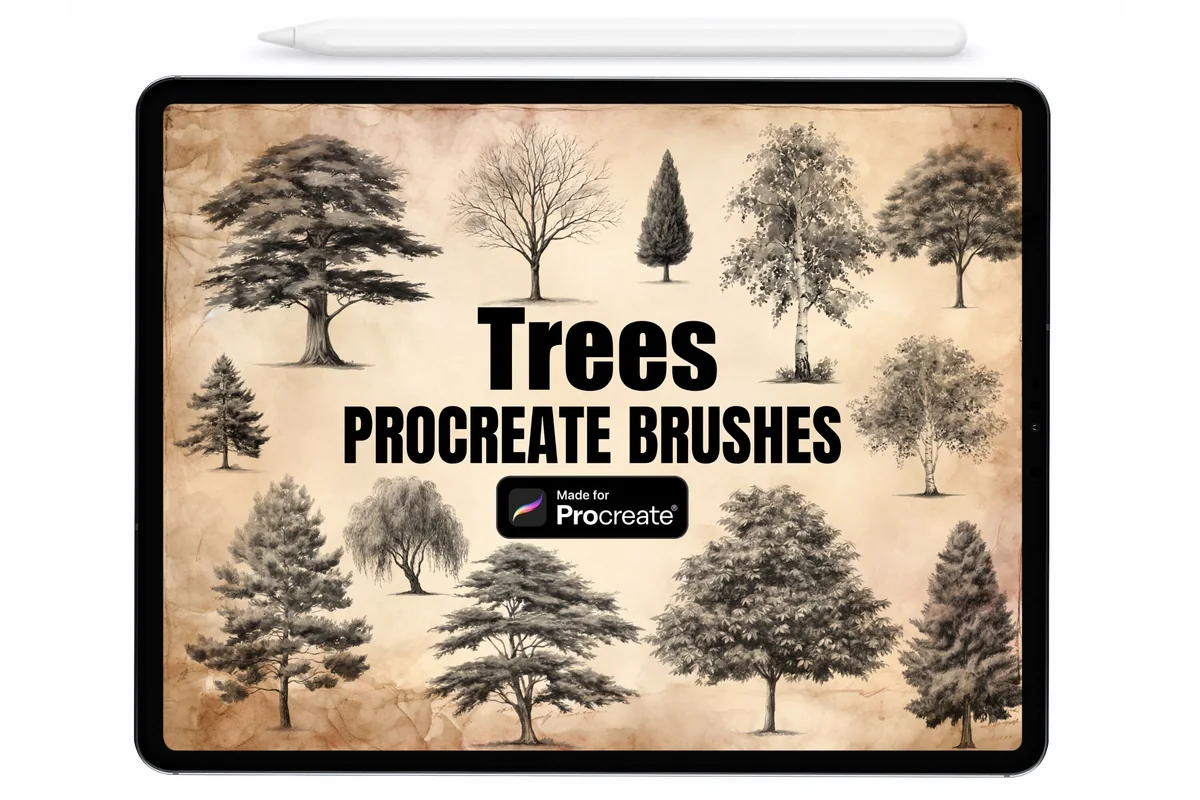
9. Forest Trees Procreate Stamps Brushes
Sections: 20 stampsFormat: .brushset
Best for: building a tree study with textured-looking line detail. Designed by DreanArtDesign.
- 20 forest tree stamps in a .brushset file
- Non-pressure-sensitive; seller specifies Procreate 4.1 or higher
- Gallery shows individual spreading trees, conifers, bare forms and willows
The description closely matches the other DreanArtDesign pack, but the parchment-background sheets show a different selection of individual trees, including spreading crowns and drooping forms. Compare those shapes with the mint-background set before buying both. Similar names and counts do not guarantee that both will add useful variety to your own library.
Best for focused pine silhouettes
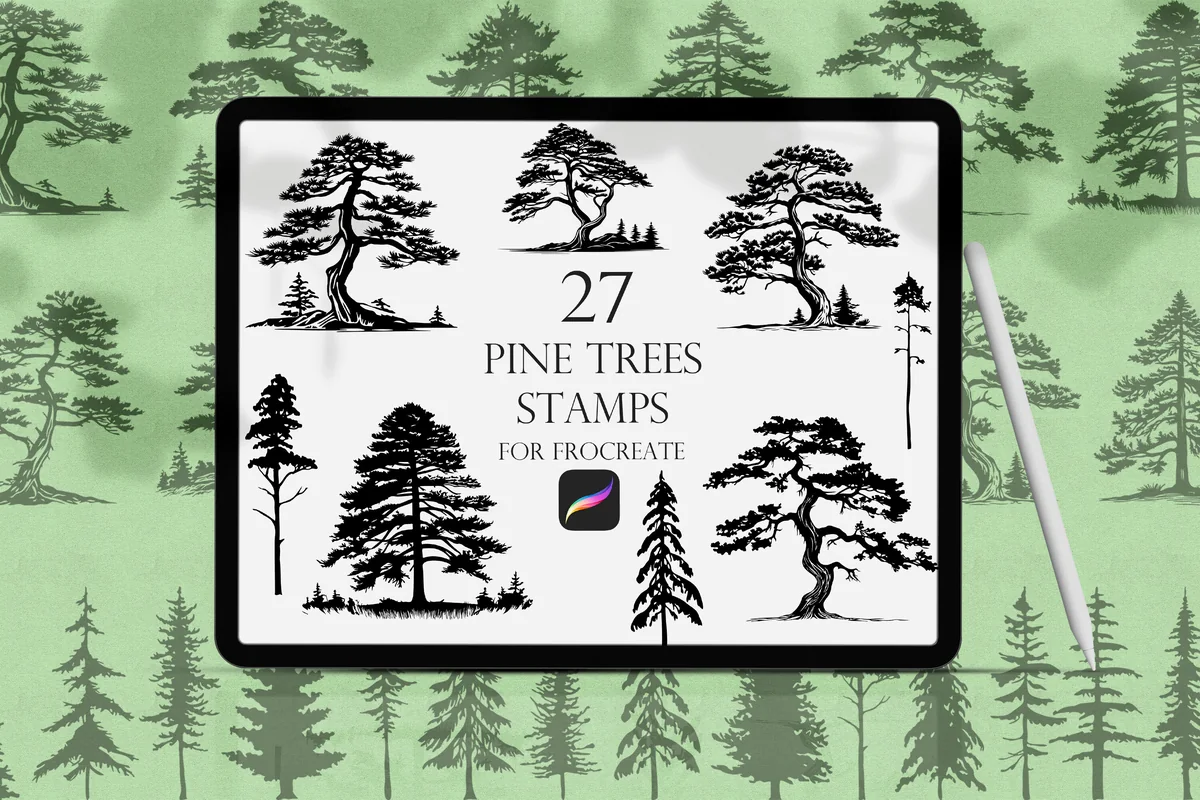
10. Pine Trees Procreate Stamps
Sections: 27 stampsFormat: .brushset
Best for: keeping a scene centered on pines and spruces. Designed by DervikArtStore.
- 27 pine and spruce stamps in .brushset format
- Seller allows changes to size, color and opacity
- Gallery shows spreading pines, narrow conifers and small grouped forms
A focused conifer set keeps palms out of the brush menu when the picture is a mountain trail. The sample sheet ranges from broad, layered pines to narrow spruce-like outlines. Judge those shapes rather than the framed wall-art mockups, which illustrate possible uses of the digital brushset.
Bare trees for winter scenes
Best for broad bare branching
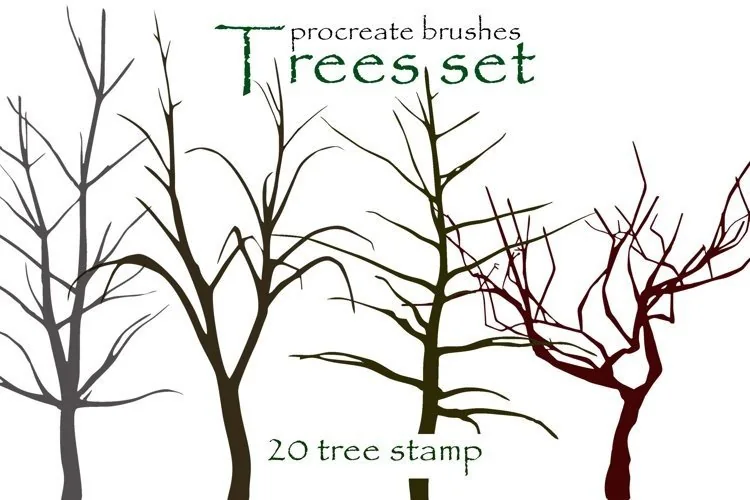
11. 20 Tree Procreate Brushes Silhouette
Sections: 20 stampsFormat: .brushset + .abr
Best for: starting leafless trees with open branching structures. Designed by blacbidigital.
- 20 tree stamps shown across the gallery
- One .brushset for Procreate plus an .abr archive file
- First three previews show bare trees; the last shows colored foliage examples
The open bare branches are the reason to consider this set. Sideways and bending trunks offer a different starting shape from straight winter trees. Colored foliage appears in the final example, but a separate leaf brush pack is not listed.
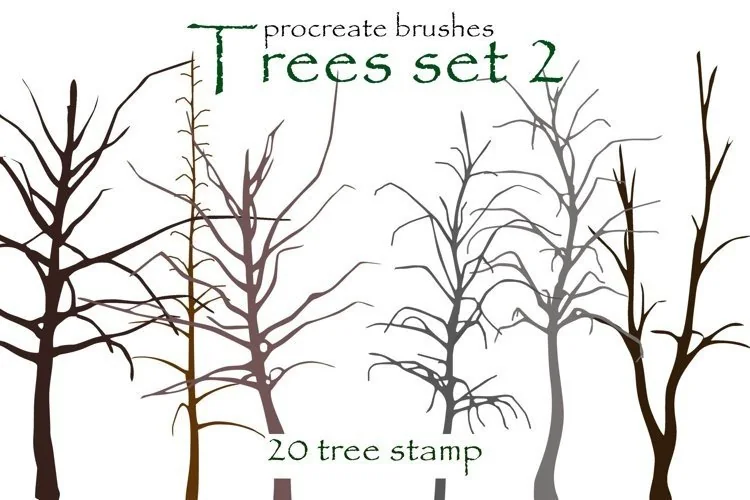
Best for taller bare tree forms
12. Tree Procreate Brushes, Tree Silhouette
Sections: 20 stampsFormat: .brushset + .abr
Best for: adding a second selection of slender leafless trees. Designed by blacbidigital.
- Gallery labels this collection Trees set 2 and shows 20 stamps
- One Procreate .brushset plus one .abr archive file
- Sample sheets show different bare branching shapes from the first set
The gallery label Trees set 2 helps distinguish this pack from the first bare-tree collection. Its sample sheets lean toward taller, slender trunks with different branching patterns. Compare the two sheets for the shapes your scene needs; the second pack adds another selection rather than a new drawing method.
Best for a small winter scene
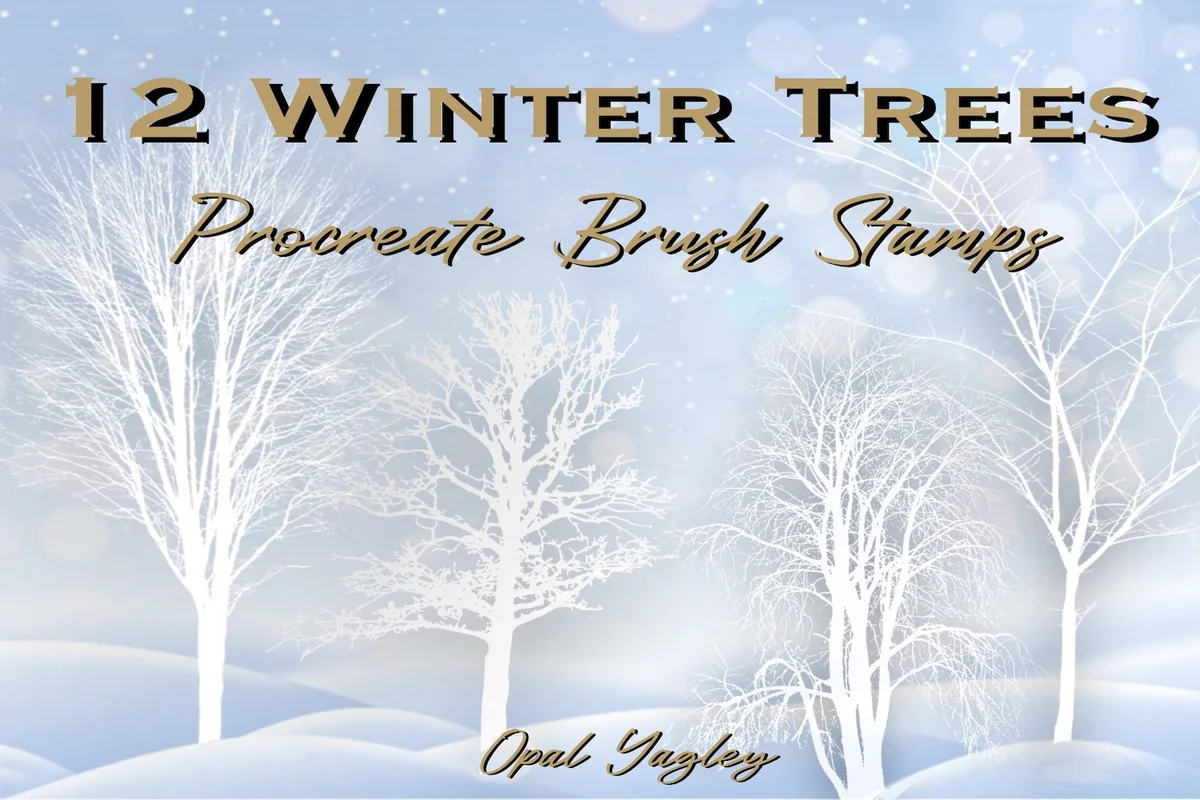
13. Winter Tree Procreate Stamps
Sections: 12 shown in galleryFormat: ZIP archive
Best for: placing leafless trees against a pale seasonal background. Designed by opal.yagley.
- 12 winter trees are shown and numbered in the gallery
- ZIP archive contains a Procreate brush-stamp file
- Description identifies leafless tree silhouettes for the iPad app
The gallery shows and numbers twelve shapes, so the small winter selection is easy to compare. I like the fine leafless crowns for a pale seasonal scene. The white-on-blue cover is a color and composition example, rather than a complete background included with each stamp.
Tropical trees and supporting vegetation
Best for simple tropical shapes
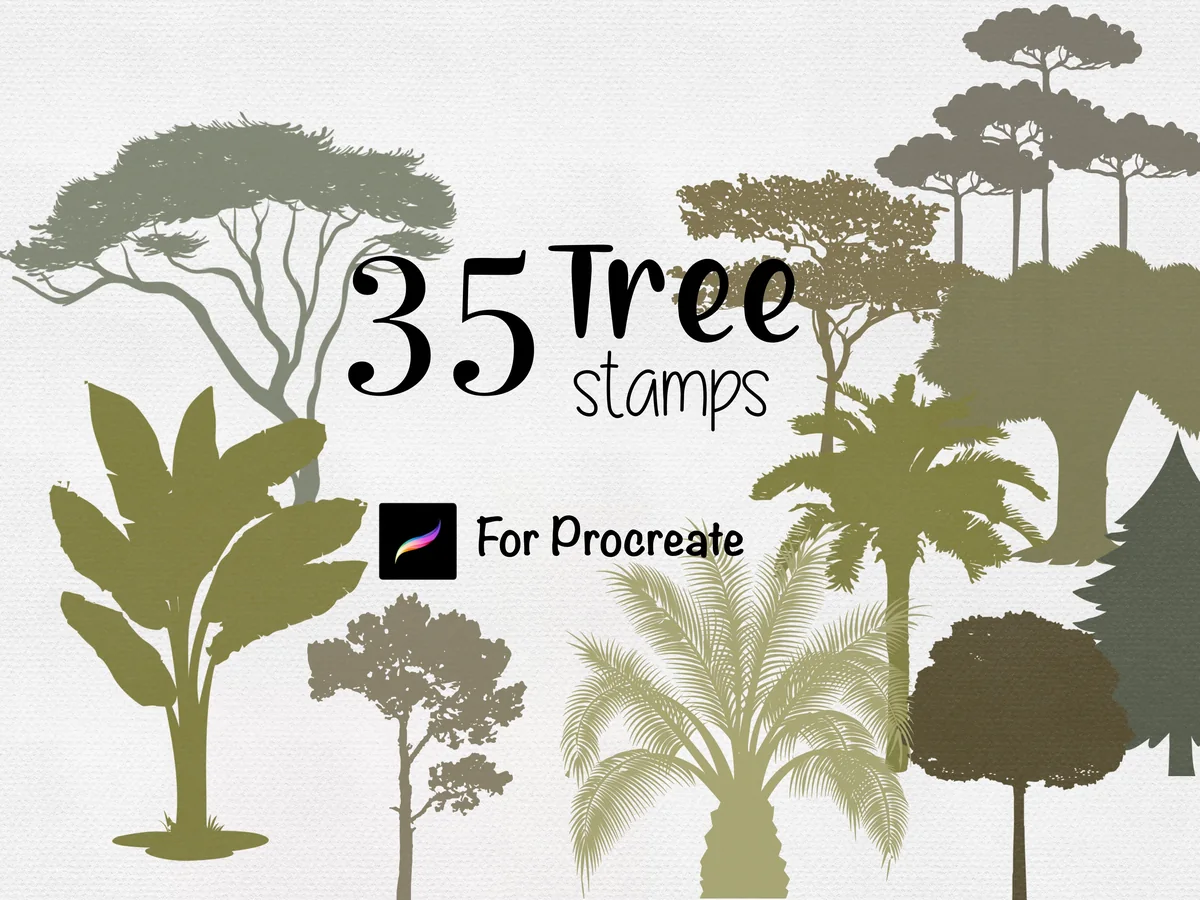
14. Procreate Tree Stamps Botanical Brushes
Sections: 35 stampsFormat: .brushset
Best for: adding palms and broad tropical crowns to lettering or scenery. Designed by MilaMockup.
- 35 hand-drawn tropical tree stamps in one .brushset
- Works only in Procreate
- Seller supports changing color, opacity and size
MilaMockup uses flat, graphic forms, including palms and broad canopies. They suit a travel-journal title or a simple island scene. Choose this look for silhouettes; the next pack gives you detailed palm drawings to color instead.
Best for detailed palm drawings
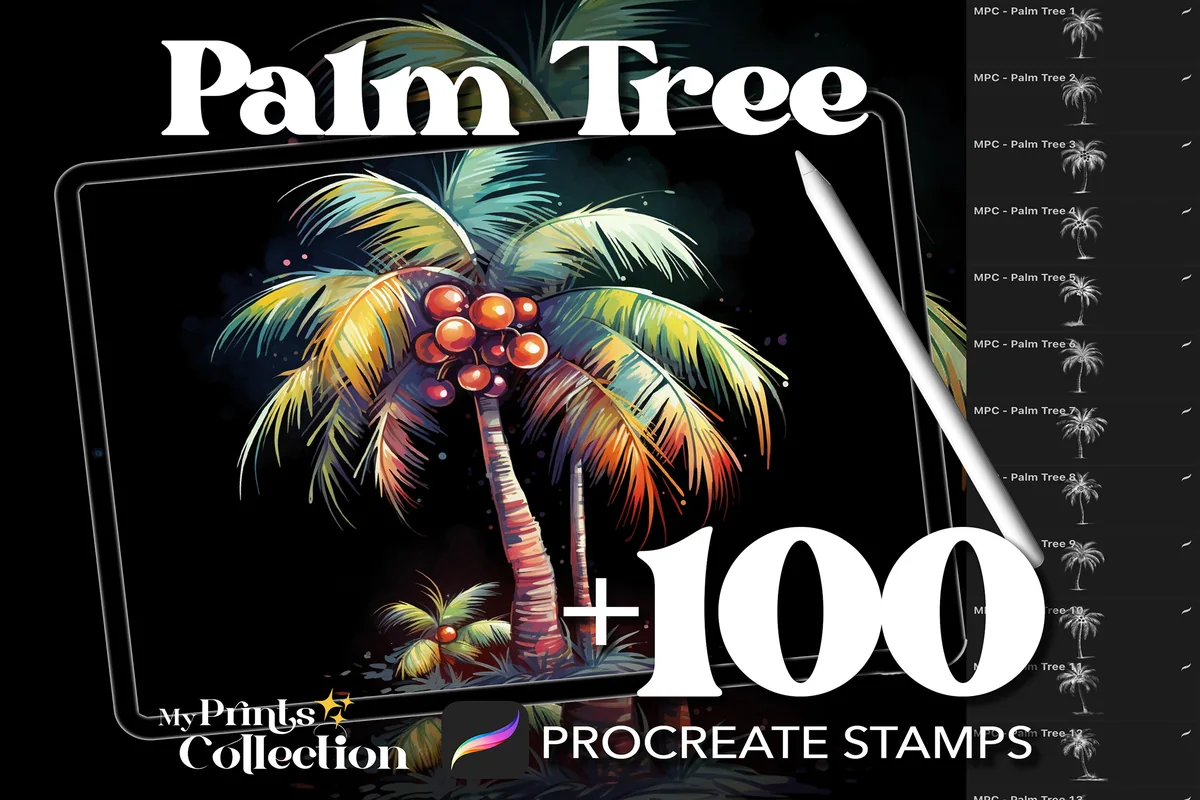
15. 100+ Procreate Palm Tree Stamps
Sections: 100+ stampsFormat: .brushset
Best for: choosing a palm outline to color and finish yourself. Designed by myprintscollection.
- 100+ palm tree stamps in .brushset format
- Requires Procreate 5 or higher; not Photoshop or Illustrator
- Preview grids show palm outlines, with a separate colored use example
The palm outlines in the stamp grids are the useful comparison here. The bright cover and separate use example show how coloring can develop those drawings. This pack suits a scene where the fronds and trunk need line detail, while the tropical silhouettes above suit simpler shapes.
Best for adding plants around trees
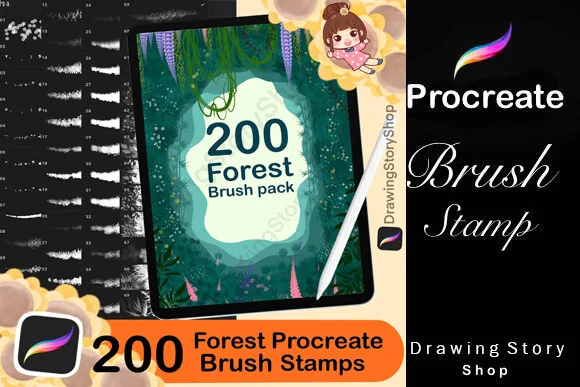
16. 200 Forest Nature Procreate Brushes
Sections: 20 tree + 180 plant brushesFormat: Procreate brush pack
Best for: finishing the ground and foliage around a tree composition. Designed by DrawingStoryShop.
- 20 tree brushes plus 180 flower, leaf and grass brushes
- Designed for Procreate on iPad
- Gallery separates whole trees from leaf textures, grass and floral marks
The twenty tree brushes cover the main subject; the other 180 tools add flowers, leaves and grass. This is a companion for undergrowth and a forest floor, rather than a library of 200 trees. Some tree forms may overlap the same seller’s silhouette collection, so compare the previews if you already own that pack.
Quick Comparison
| Brush pack | Tree style | Contents | Useful difference |
|---|---|---|---|
| 1. 160 Procreate Tree Silhouette Stamps | Silhouettes and rows | 160 stamps | Wide forest variety |
| 2. Tree Procreate Brush Set | 160 Stamps | Strokes and stamps | 20 brushes + 140 stamps | Dynamic-color strokes |
| 3. Procreate Trees Stamp Brushes Silhouette | Silhouettes and strokes | 50 brushes | Pressure-sensitive forest rows |
| 4. 50 Trees Procreate Stamps Brushes | Decorative tree outlines | 50 stamps | Finger-friendly stamping |
| 5. 20 Procreate Tree Stamps | Mixed tree forms | 20 brushes | Compact varied selection |
| 6. Trees Procreate Stamps | Bold silhouettes | 35 stamps | Dense leafy crowns |
| 7. Procreate Tree Landscape Brush Stamp Set | Detailed tree line art | 100 stamps | Groups and individual trees |
| 8. Trees Procreate Stamp Brushes | Fine woodland stamps | 20 stamps | Grouped conifers |
| 9. Forest Trees Procreate Stamps Brushes | Woodland tree studies | 20 stamps | Spreading and drooping forms |
| 10. Pine Trees Procreate Stamps | Pines and spruces | 27 stamps | Focused conifer collection |
| 11. 20 Tree Procreate Brushes Silhouette | Bare tree silhouettes | 20 stamps | Procreate plus ABR file |
| 12. Tree Procreate Brushes, Tree Silhouette | Bare trees: set 2 | 20 stamps | Slender branching forms |
| 13. Winter Tree Procreate Stamps | Winter tree silhouettes | 12 shown in gallery | Compact leafless library |
| 14. Procreate Tree Stamps Botanical Brushes | Tropical silhouettes | 35 stamps | Flat graphic trees |
| 15. 100+ Procreate Palm Tree Stamps | Palm tree line art | 100+ stamps | Detailed palm variations |
| 16. 200 Forest Nature Procreate Brushes | Trees plus plant tools | 20 tree + 180 plant brushes | Grass, leaf and flower support |
How to Choose Procreate Tree Brushes for Your Scene
Start with the final size of the picture, then choose the tree style. A detailed branch drawing can look beautiful at full canvas size and disappear into a dark speck when reduced to a journal decoration. A simple silhouette may stay clearer in that smaller space.
Match the mark to the job
- Distant forest ridge. Start with mixed silhouettes or repeated tree strokes. Look for varied heights and crown shapes so the horizon does not become an even fence.
- One tree beside a path. Choose a detailed landscape or woodland stamp. Leave space around the trunk and canopy so its internal lines remain visible.
- Winter branches. Use the bare-tree group. These packs show the whole branching structure, giving you a starting point for a leafless scene without adding foliage.
- Tropical scene. Pick flat botanical silhouettes for a graphic image, or detailed palm drawings if you want to color the fronds yourself.
The mixed packs overlap in subject, but the file counts do not mean the same thing. One 160-piece set is described as 160 stamps; the other contains 20 brushes and 140 stamps. The 200-piece nature collection contains only 20 tree brushes. Compare the tree shapes your scene needs before comparing the largest numbers on the covers.
Whole Trees, Leaf Brushes and Bark Textures Solve Different Problems
A whole-tree stamp supplies a ready-made outline or drawing. A leaf brush adds marks to an existing crown, while a bark texture adds surface detail to a trunk. Searching for Procreate nature brushes brings all of these together, but they are not interchangeable.
- Choose a whole-tree stamp when the silhouette or branching structure is the missing part of the scene.
- Choose leaf or grass tools when you already have the tree and need supporting vegetation. The final collection above includes that broader toolkit.
- Choose bark texture separately when you are painting a close-up trunk. A distant treeline rarely needs that level of surface detail.
- Check the viewing angle. These previews show side-view trees. They do not establish a top-view tree library for an architectural plan.
I kept blossom-only and separate-branch packs out of the selection because they would not give you a complete tree. The tropical silhouette pack does include broad plant-like forms alongside its trees, so use its full gallery to decide whether those shapes match the landscape you have in mind.
A Small Layered Forest Project
For a first composition, I would keep the scene deliberately small: one sky, three tree layers and a clear opening between them. Adapt this suggested exercise to whichever silhouette library you choose.
Build the scene from back to front
- Decide where the eye should go. Mark a gap for a path, lake or patch of light before placing trees. Keeping that opening visible is more useful than filling every part of the canvas.
- Put the distant trees on their own layer. Try small, light-colored silhouettes across the ridge. Keep the tallest crowns irregular and stop the row before it closes the focal opening.
- Add a middle-distance layer. Use a few larger shapes with more contrast. Mix a narrow conifer with a wider crown if the setting calls for both; repeat a limited family of shapes for a more consistent forest.
- Place the foreground trees separately. Choose one or two stronger silhouettes near the edges. Keep them off the exact center unless the tree itself is the subject.
- Review at the intended display size. Zoom out or view a reduced copy. If branches merge into a blot, simplify that layer, reduce the number of trees, or pick a clearer silhouette.
The reason for separating the distances is practical: Procreate lets you adjust a layer independently, including its opacity. Its Layers handbook explains those controls. If the distant forest becomes too strong, you can change it without repainting the foreground.
For a storm version of this forest study, keep the tree layers and consider where one lightning shape would fit in the open sky. The Procreate lightning brush comparison separates branching strikes from broader electric effects, helping you choose the mark for that scene.
Keep Repeated Trees from Looking Like Wallpaper
A forest stroke can establish a wooded edge quickly, but the rhythm may become obvious if every tree has the same height and spacing. I would use it as the background structure, then interrupt it with a few individual trees. The goal is a believable arrangement, not hiding every sign that a stamp was involved.
- Vary the gaps. Leave a few openings between clusters rather than spacing every trunk equally.
- Change scale with a reason. Smaller trees can suggest distance; a much larger tree usually reads as closer. Treat this as a composition choice, not proof that every stamp will stay sharp at any size.
- Use fewer families of shapes. A pine forest does not need a palm simply because the pack includes one.
- Break up the top edge. Let a few crowns rise above the main band instead of making the whole skyline level.
- Pause before adding texture. Grass, leaves and bark will not fix a composition whose large shapes already compete with each other.
For a simple planner decoration, a single tree may be enough. I would leave a clean area for the heading and keep the decoration away from the writing space. If the sky needs more structure, the separate cloud brush comparison is a more relevant next step than buying another tree library.
Importing the Files and Checking Stylus Requirements
Use the file format specified for the particular pack. Several listings provide a .brushset; others describe a ZIP archive that contains the brush files. The two blacbidigital packs also list an ABR file, but that does not make every product here compatible with Photoshop.
Before your first tree stamp
- Check the app requirement. Several sellers specify Procreate 5 or higher, while the DreanArtDesign packs specify 4.1 or higher. Check the exact listing against your installed version before purchase.
- Open the archive if there is one. Find the actual brush or brushset file inside it. A ZIP container and a brushset are different parts of the process.
- Import the brush file into Procreate. Tap the brush file in Files and follow the prompt to import it into Procreate, then locate it in the Brush Library.
- Make a practice mark on a new layer. Start with one tree, change its size and color, and inspect it at the size you intend to use. If the listing promises pressure control, check it with the required Pencil or pen.
The official brush-sharing guide covers importing brushes and brush sets. Product-specific instructions still matter, especially when a seller supplies several file types. Keep the original archive as well as the imported brushes.
Pressure sensitivity is not a universal feature. ProcreateSale and the two DreanArtDesign listings explicitly describe non-pressure-sensitive stamps; Calcool describes pressure-sensitive forest marks and specifies Apple Pencil. Those are different buying choices, even though both appear under tree brushes.
Read the Preview as a File Guide, Not a Finished-Art Promise
A colorful cover can make a brush pack look like a collection of ready-painted pictures. The palm-tree pack shows a bright finished illustration beside a line-art reference; the actual stamp grids show outlines. Likewise, the bare-tree sets show foliage in their final examples without listing an additional leaf toolkit.
- Counted contents: use the description and sample sheets to see what the seller says is included.
- Finished examples: treat painted scenes, lettering and framed pictures as ideas for using the brushes.
- Unlisted extras: do not assume that a font, background, color palette or completed painting comes with the stamps.
- Commercial work: check the current license terms for your intended project. Permission to use artwork does not mean permission to redistribute the brush files.
That distinction is especially useful if you are choosing a pack for a quick journal cover. A flat silhouette is closer to a place-and-recolor workflow; detailed tree line art leaves more drawing and coloring for you. Neither is automatically better, but one may fit the time you want to spend.
FAQ: Tree Stamps and Brush Packs
Are these brushes for Procreate or Goodnotes?
They are Procreate brush packs. A Procreate brushset does not become a Goodnotes brush library. If your aim is a journal decoration, make the artwork in Procreate first and use an image workflow supported by your journal app; the paid brush files themselves stay in Procreate.
Can I use the stamps without Apple Pencil?
Some sellers explicitly allow finger stamping or a third-party stylus, including ProcreateSale and DreanArtDesign. Other packs specify Apple Pencil or pressure-sensitive input. Choose a listing that states support for the input device you have; the requirements vary between packs.
Do these packs include top-view trees for landscape plans?
The inspected previews show side-view silhouettes and tree drawings. They are not a suitable match for a measured architectural plan that needs top-view canopy symbols. Use a pack whose actual sample sheet shows the correct angle for that job.
Is a 160-piece set the same as 160 tree stamps?
Not always. DrawingStoryShop lists 160 tree silhouette stamps, while myprintscollection divides its 160-piece pack into 20 dynamic-color brushes and 140 stamps. The contents column above keeps that difference visible.
Will the colorful palm or winter scene appear with one tap?
Do not assume so. The palm grid shows detailed drawings that can be colored, and the winter gallery demonstrates white tree marks against a background. The finished scene also depends on your colors, layers and composition.
Are any of these packs free?
I have not verified a current free Creative Fabrica offer among these selections. A subscription offer is not the same as a permanently free file. Check the current product page and license before choosing a pack based on price.
My Starting Point for a Tree Scene
For a mixed forest, I would begin with the 160 silhouette-stamp library and only add a specialist pack when a particular shape is missing. A winter study calls for bare branches; a tropical illustration may need simple palm silhouettes or more detailed palm line art. The best Procreate tree brushes for you are the ones whose visible tree forms match that specific scene, not the pack with the biggest total.
Keep the first project small enough to judge the trees at their final size. If one silhouette and a quiet sky already tell the story, there is no need to fill the canvas with the rest of the library.
You May Also Like
This article contains affiliate links. If you buy through them, I may earn a commission at no extra cost to you. Read the affiliate disclosure.