Your building sketch looks convincing until the wall turns into a flat grid of identical rectangles. The right Procreate brick brushes can give that surface a clearer role, whether you want loose stonework behind a cottage window or a sharply defined urban facade.
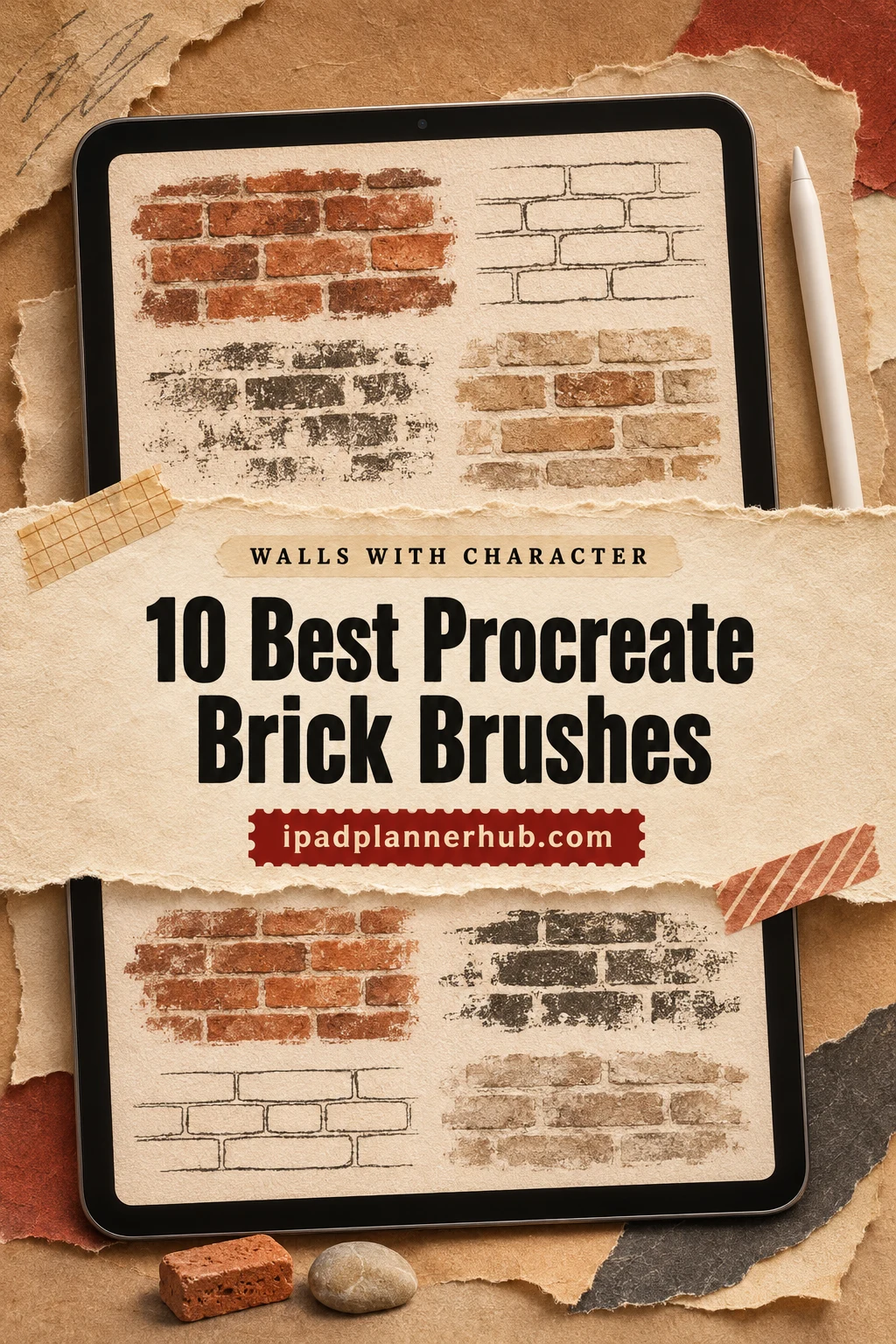
I shortlisted ten packs with different kinds of masonry marks: continuous textures, spare sketch strokes, outlined patterns, damaged walls and watercolor architectural stamps. Compare the actual samples first; a big brush count does not tell you whether a wall will fit your drawing. After the packs, there is a short way to plan scale, perspective and surface detail before committing to a texture.
Which of These Procreate Brick Brushes Fits Your Wall?
A highly detailed wall texture may be too busy for a small house in the distance. These ten options separate those jobs. Counts describe the whole pack, including stone or roof textures where those are part of the contents; the collections are separate purchases.
TL;DR: For detailed continuous walls, compare the 100+ Brick Wall library with the smaller 40-brush surface set. Mini Trezò suits loose sketches; vect studio emphasizes outlines. Choose Hole for openings, Grunge for worn surfaces, or DrawingStoryShop for watercolor buildings with mixed architectural textures.
Quick Picks
- Best for broad brick texture library: 100+ Procreate Brick Wall Brushes
- Best for walls and paving together: 40 Brick Procreate Brushes
- Best for a softer brick-and-stone mix: Brick,Stone Texture Brushes Procreate
- Best for architectural pattern choices: Procreate Brick Seamless Texture Brush
- Best for loose building sketches: Procreate Sketch Bricks Brushes X 10
- Best for one simple repeat: Brick Wall Pattern Procreate Brush
- 100+ Procreate Brick Wall Brushes – Best broad brick texture library
- 40 Brick Procreate Brushes – Best for walls and paving together
- Brick,Stone Texture Brushes Procreate – Best for a softer brick-and-stone mix
- Procreate Brick Seamless Texture Brush – Best for architectural pattern choices
- Procreate Sketch Bricks Brushes X 10 – Best for loose building sketches
- Brick Wall Pattern Procreate Brush – Best for one simple repeat
- Brick Pattern Brush Set for Procreate – Best for bold masonry outlines
- 100+ Procreate Brick Wall Hole Brushes – Best for broken wall openings
- 100+ Procreate Brick Wall Grunge Brushes – Best for weathered brick surfaces
- Watercolor Brick Wall Procreate Brushes – Best for watercolor building details
Continuous Walls and Mixed Surface Libraries
Best broad brick texture library
1. 100+ Procreate Brick Wall Brushes
Layouts: Brick courses and varied surface texturesFormat: .brushset; Procreate 5+
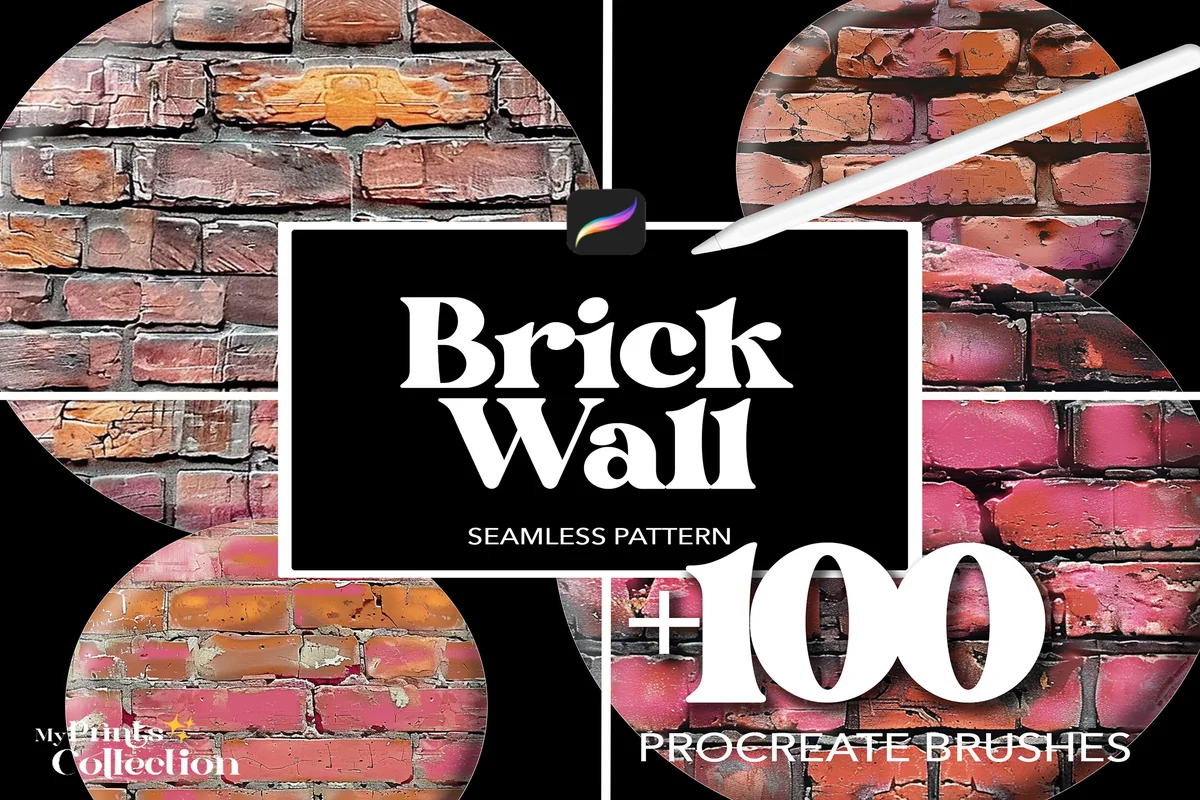
Best for: comparing many close-up wall surfaces for a detailed urban illustration. Designed by myprintscollection.
- 100+ seamless Procreate brushes in a .brushset file
- Sample sheets show many mortar widths, worn brick faces and irregular courses
- The seller specifies Procreate 5 or higher and excludes Photoshop and Illustrator
The sample sheets make this the broadest starting point here for a wall that needs visible surface variation. Some bricks look chipped, others smoother, and the colored examples show how much the palette changes the mood. Narrow the choices to two or three samples before building a scene. This is the regular Brick Wall collection; the Hole and Grunge collections below put damage and wear at the center instead. Those small differences matter most in a close-up drawing.
Best for walls and paving together
2. 40 Brick Procreate Brushes
Layouts: Brick, concrete and stone effectsFormat: .brushset and .swatch; Procreate 5+
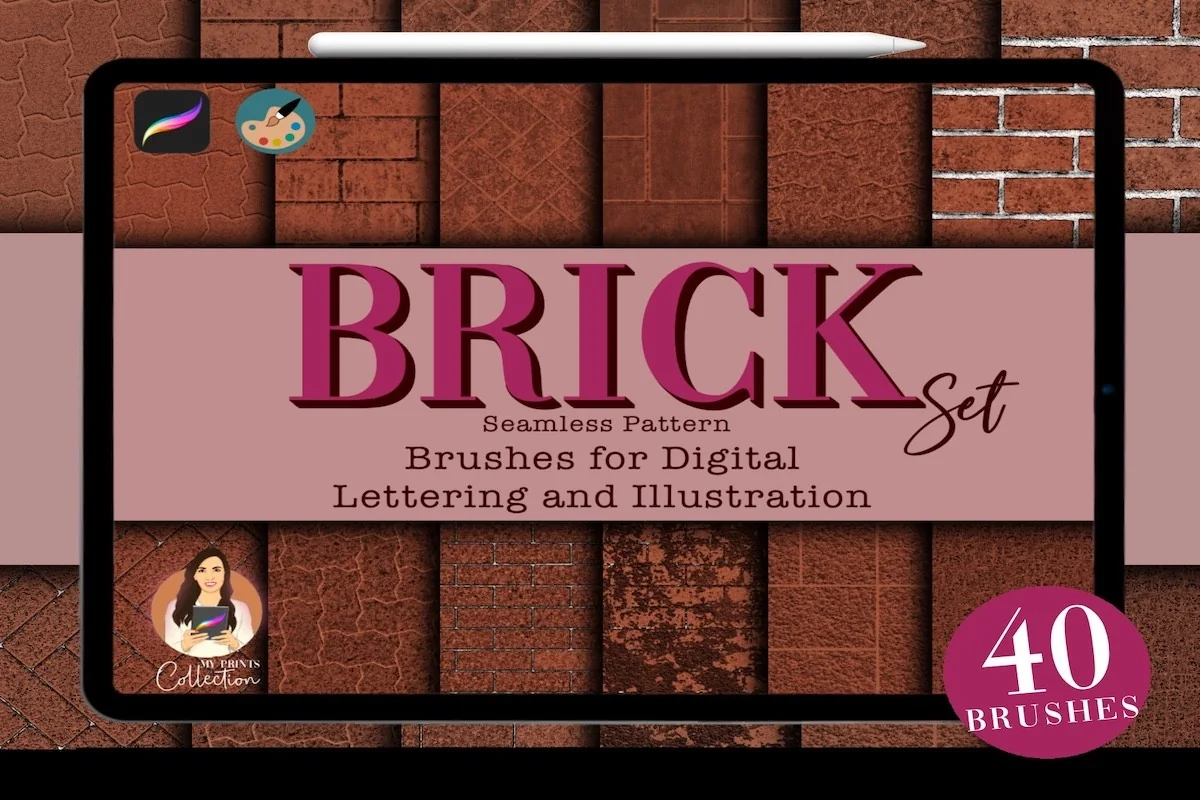
Best for: using brick, concrete and stone textures across a building and its surrounding ground. Designed by myprintscollection.
- 40 seamless Procreate brushes and one color palette
- The contents name a .brushset and a .swatch file
- Preview instructions demonstrate grain scale, grain inversion and a Gradient Map example
- Procreate 5 or higher is required; Photoshop and Illustrator are excluded
One building can need more than a brick facade: a path, paved courtyard or concrete area may sit beside it. This smaller mixed set covers those surfaces without asking you to sort through a hundred wall textures. The preview distinguishes brush size from the grain Scale control: the painted area and the size of the brick repeat can be adjusted separately. The lettering tools advertised in the last picture are other shop products, outside the listed contents.
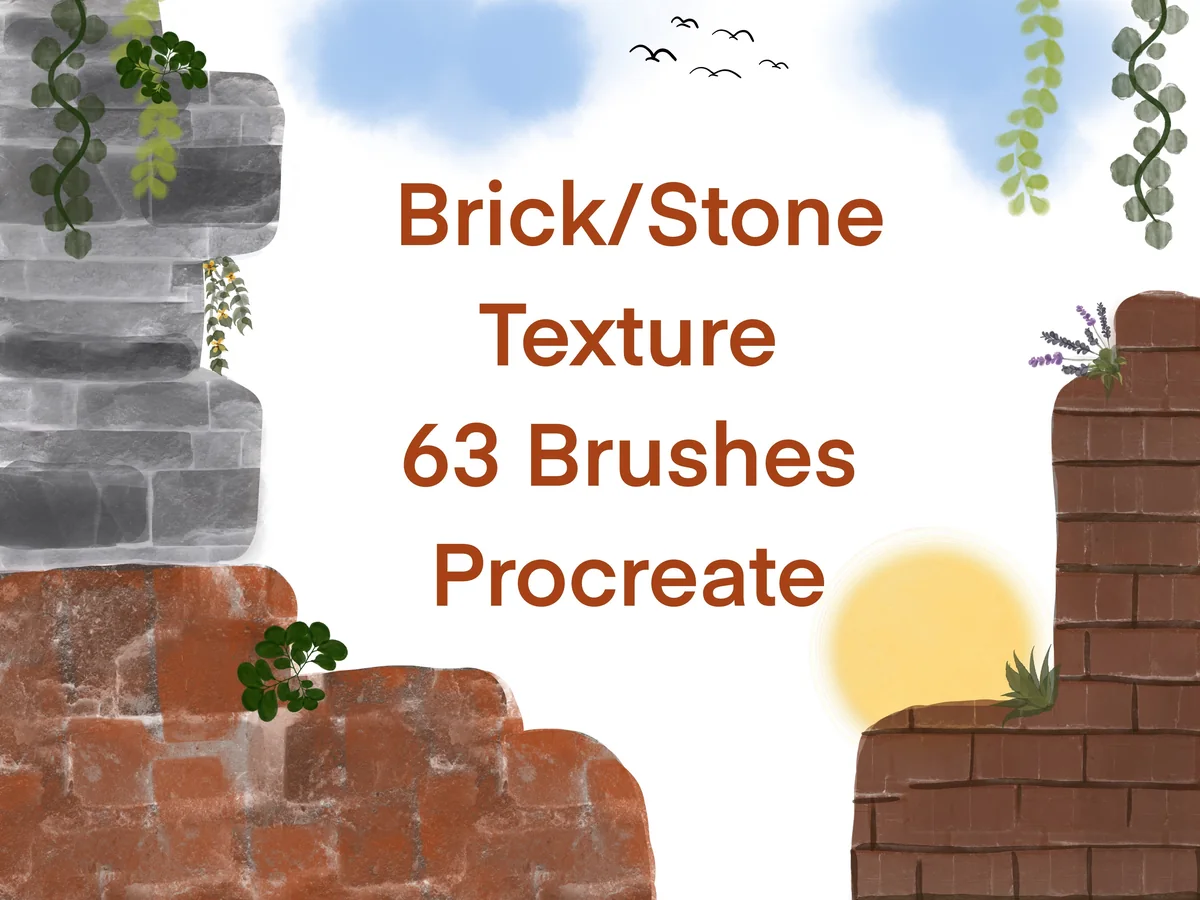
Best for a softer brick-and-stone mix
3. Brick,Stone Texture Brushes Procreate
Layouts: Brick, stone and companion texturesFormat: Procreate brushes; 60-color palette
Best for: combining a textured wall with less uniform masonry in an illustrated building. Designed by Infinity Art Works.
- 63 brick, stone and surface texture brushes
- A 60-color Procreate palette is included
- The previews show colored texture squares and matching stroke samples
- The seller names Procreate on iPad/iPad Pro with Apple Pencil or a pressure-sensitive pen
This collection has a gentler illustrated range alongside recognizable brick rows. The numbered samples include dense stone textures, faint rubbings and more regular block patterns, so it suits a building whose surfaces should not all have the same sharpness. The earth-toned palette is another useful distinction from a plain brush-only set. Not every one of the 63 tools is a brick wall: several are broader texture companions. Use the numbered grid to find a texture with the same sharpness as your sketch.
Best for architectural pattern choices
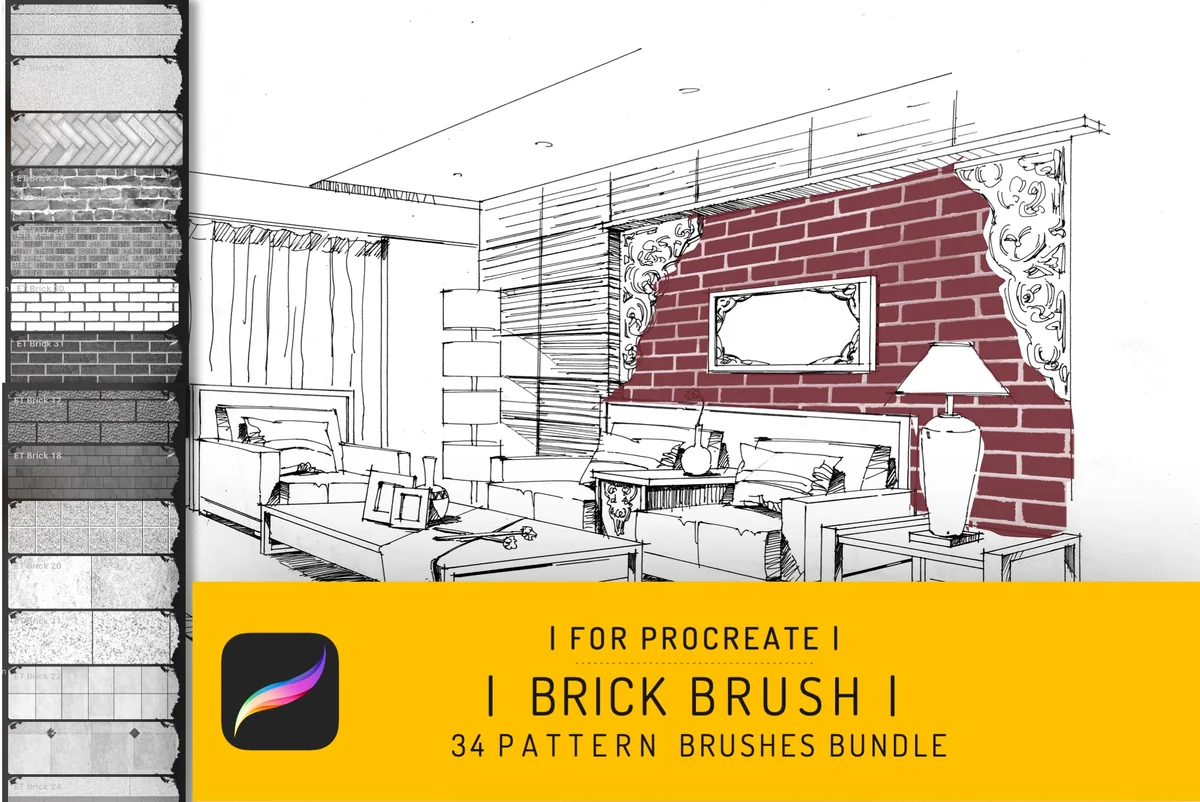
4. Procreate Brick Seamless Texture Brush
Layouts: Brick, stone and geometric surface patternsFormat: .brushset; guidebook; Procreate 4+
Best for: choosing different surface patterns within an interior or exterior concept drawing. Designed by EfficientTools.
- One .brushset containing 34 brushes, plus an instruction guidebook
- The sample sheets include brick courses, irregular stone, grid-like blocks and diagonal patterns
- The seller specifies Procreate 4 or higher for iPad Pro, excluding other applications
The interior example gives this pack a clear purpose: a surface finish sits inside a larger architectural drawing. Its range includes more than rectangular bricks, which helps when a wall and a neighboring panel need different treatments. The map-shaped examples demonstrate filled silhouettes, not a pack of finished architectural scenes. Its 34 patterns offer a moderate-sized alternative to the larger weathered-wall libraries. Check the iPad Pro wording with the seller if you use another iPad model.
Sketch Marks, Simple Repeats and Outlines
Best for loose building sketches
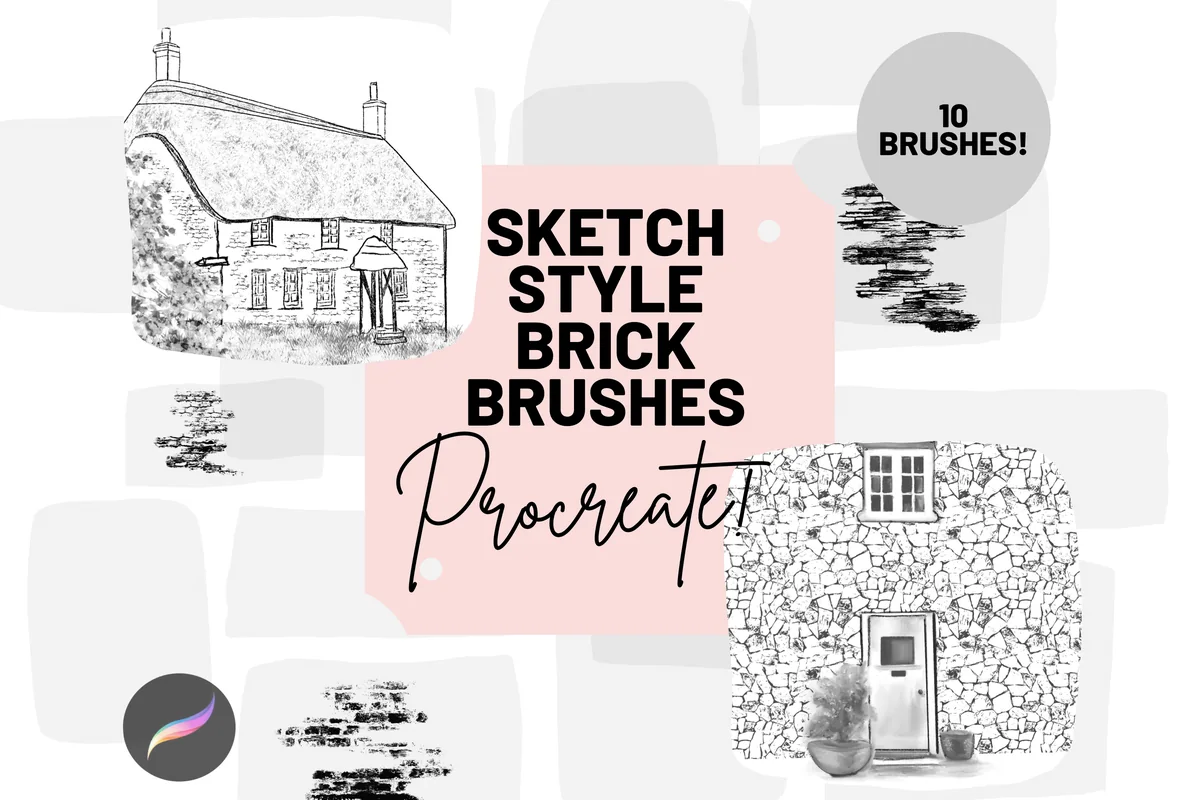
5. Procreate Sketch Bricks Brushes X 10
Layouts: Broken brick strokes and stonework outlinesFormat: Archived Procreate brush files
Best for: suggesting stonework and bricks while leaving white space around an ink-style drawing. Designed by Mini Trezò Design.
- 10 individual Procreate digital brushes for sketch-style brick and stonework
- The sample sheet shows broken dark marks, irregular stone outlines and patchy horizontal strokes
- The seller requires Procreate, Apple Pencil and iPad Pro; files arrive in an archive
The cottage example keeps the surface marks selective, leaving the windows, roof and building outline easy to read. That is the appeal of this pack: a few loose patches can suggest masonry without filling every centimeter of the wall. The framed interior picture is a presentation mockup; the purchase contains the ten digital brushes. For a uniformly colored wall behind a poster, a seamless pattern pack is a more direct comparison.
Best for one simple repeat
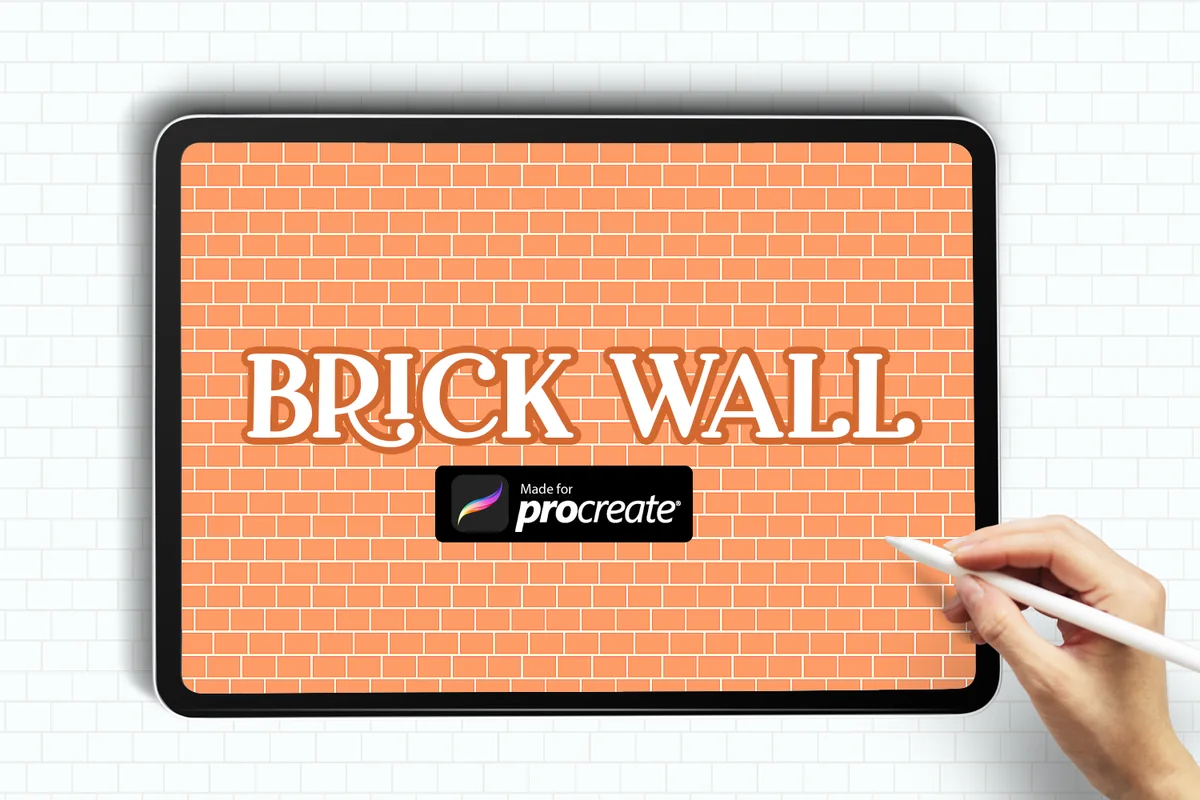
6. Brick Wall Pattern Procreate Brush
Layouts: Regular brick patternFormat: ZIP with one .brush file
Best for: adding a regular brick background when a large library would be unnecessary. Designed by Cute files.
- One Brick Pattern Brush file for Procreate
- The seller names a .brush file inside a ZIP archive
- The single preview shows an even brick repeat across an iPad canvas
This is the compact option: one repeat rather than a menu of architectural surfaces. The preview shows a regular wall with clear mortar lines, so the main reason to choose it is wanting that particular arrangement. It cannot offer the range of wear, stone shapes or broken walls in the larger packs. There is only one preview to judge it by, and no separate sample sheet showing stroke behavior. If stroke behavior is decisive, ask the seller for a demonstration before buying.
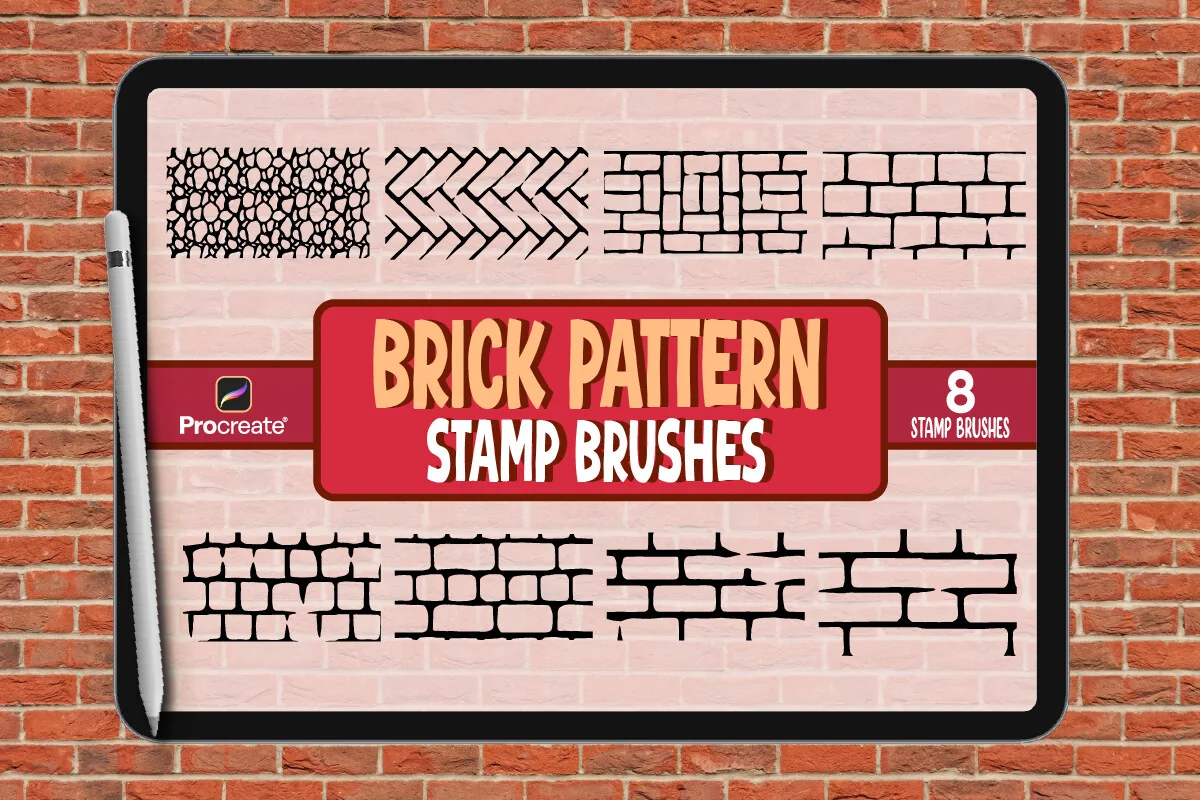
Best for bold masonry outlines
7. Brick Pattern Brush Set for Procreate
Layouts: Outlined bricks, paving and stone patternsFormat: .brushset; JPG preview; Read Me.pdf
Best for: using visible brick and stone boundaries in a graphic background or architectural sketch. Designed by vect studio.
- A Procreate .brushset, eight pattern types, a JPG preview and Read Me.pdf
- The cover calls the eight tools stamp brushes
- Samples show rectangular bricks, interlocking blocks, diagonal paving and irregular stones
The thick black outlines are the useful distinction here. They would remain a deliberate part of an illustration instead of disappearing into a photographic surface. Although the description emphasizes realism, the samples point to a graphic, high-contrast use: bold joints around otherwise unfilled shapes. Its cover also says stamp brushes, so do not assume the pack behaves exactly like a freehand inking brush. The JPG is a preview asset, while the .brushset is the working Procreate file.
Damaged, Weathered and Watercolor Walls
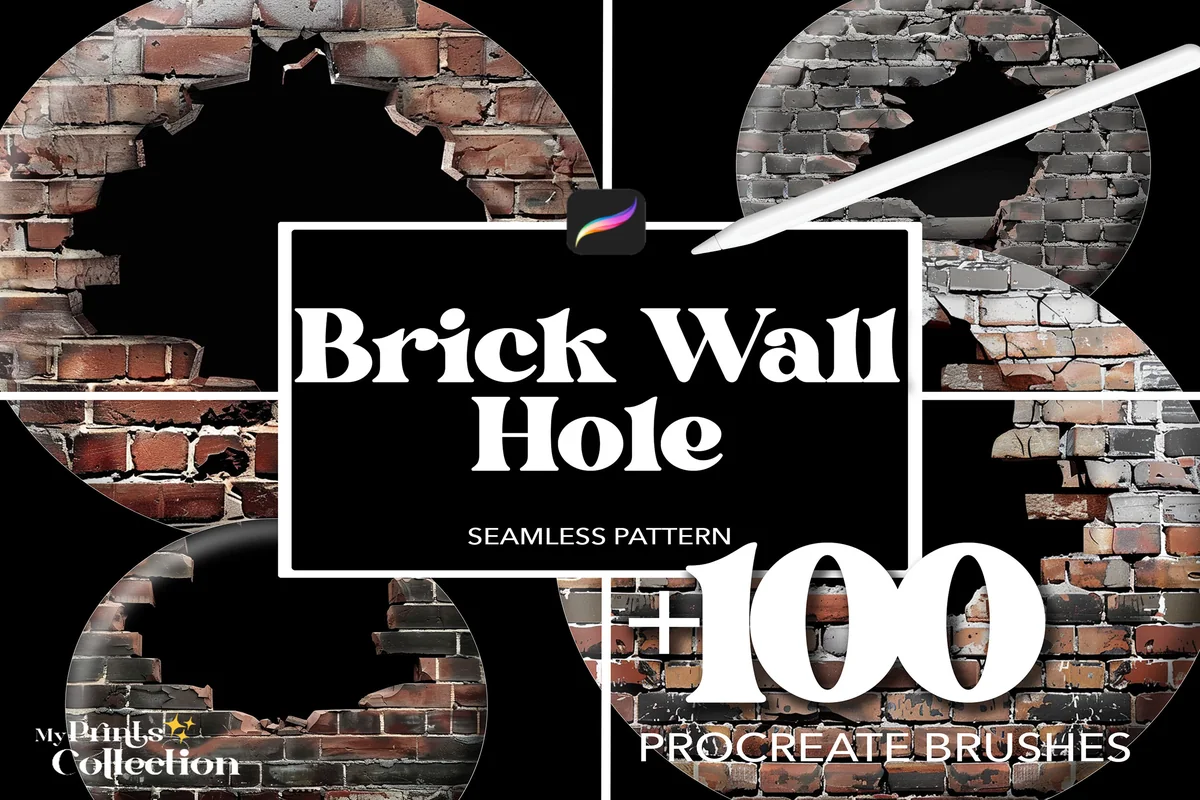
Best for broken wall openings
8. 100+ Procreate Brick Wall Hole Brushes
Layouts: Brick walls with varied hole effectsFormat: .brushset; Procreate 5+
Best for: making damaged masonry the main feature of an illustrated background. Designed by myprintscollection.
- 100+ seamless Brick Wall Hole brushes in a .brushset
- Preview grids show differently shaped dark openings surrounded by exposed brick edges
- Procreate 5 or higher is required; Photoshop and Illustrator are excluded
The openings give this collection a purpose the regular wall library does not share. Ragged edges and dark centers make the damage a focal point, which could suit a ruined facade or an illustration with an opening through the wall. The dark centers shown in the previews do not establish transparent cutouts. To reveal a scene behind the masonry, plan a separate layer arrangement. For subtle weathering without a large gap, the Grunge pack is the closer fit.
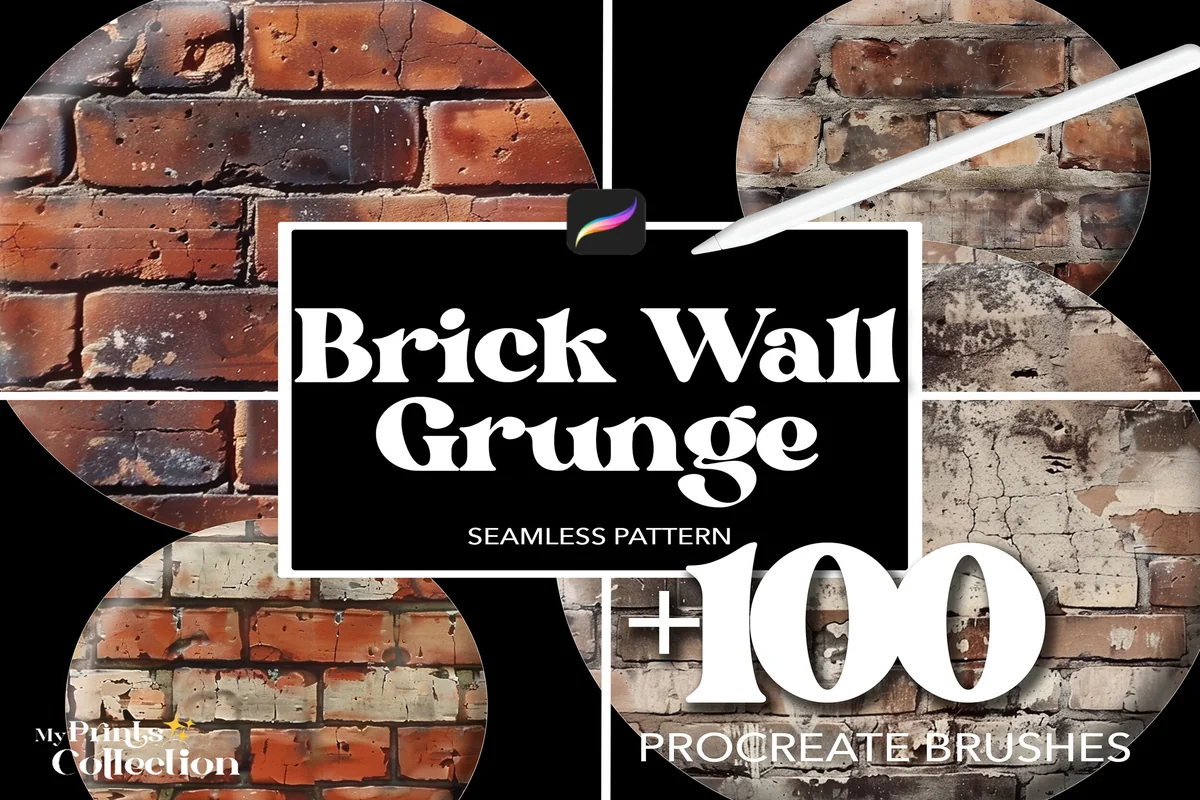
Best for weathered brick surfaces
9. 100+ Procreate Brick Wall Grunge Brushes
Layouts: Weathered brick and patchy surface effectsFormat: .brushset; Procreate 5+
Best for: adding worn patches and uneven surface character without centering a large opening. Designed by myprintscollection.
- 100+ seamless Brick Wall Grunge brushes in a .brushset
- The sample grids include pale worn patches, mottled color and uneven brick surfaces
- The seller specifies Procreate 5 or higher, excluding Photoshop and Illustrator
Compared with the Hole collection, this pack keeps attention on the face of the wall. The colored sheets have worn light areas and patchy surfaces that could support an older storefront or an urban background. There is still recognizable brick structure beneath the wear. Compare the darkest sample against any lettering or figure placed over it; heavily marked bricks may compete with that focal point. This weathered collection is sold separately from the regular Brick Wall pack.
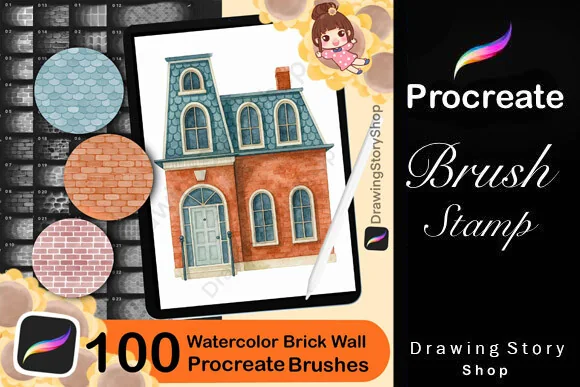
Best for watercolor building details
10. Watercolor Brick Wall Procreate Brushes
Layouts: Brick, stone, roof tiles and shinglesFormat: Procreate stamps; PDF import guide
Best for: coordinating a painted brick wall with stonework and roof textures in a house illustration. Designed by DrawingStoryShop.
- 100 Procreate stamps and a PDF explaining brush import
- The preview pages include brick courses, irregular stones, roof tiles and shingle-like textures
- The set is designed for Procreate on iPad; the files are digital tools
The house on the cover explains why this mixed collection belongs here. A watercolor facade can share a visual style with the stone base and tiled roof rather than using three unrelated surface packs. The important limit is the contents: the 100 count covers the architectural stamp collection, not 100 different brick-only patterns. The fill-layer and texture-layer example shows how the colored result is assembled; the house on the cover is an illustration of the tools, not a one-tap building stamp.
Quick Comparison
| Brush pack | Surface / use | Contents | Files / requirements |
|---|---|---|---|
| 1. 100+ Procreate Brick Wall Brushes | Detailed wall surfaces | 100+ seamless brushes | .brushset; Procreate 5+ |
| 2. 40 Brick Procreate Brushes | Walls, floors and paving | 40 brushes + palette | .brushset + .swatch; Procreate 5+ |
| 3. Brick,Stone Texture Brushes Procreate | Soft masonry and mixed textures | 63 brushes + 60-color palette | Procreate; pressure-sensitive pen |
| 4. Procreate Brick Seamless Texture Brush | Interior and exterior concepts | 34 brushes + guide | .brushset; Procreate 4+; iPad Pro stated |
| 5. Procreate Sketch Bricks Brushes X 10 | Loose ink-style buildings | 10 sketch-style brushes | Procreate; iPad Pro + Apple Pencil |
| 6. Brick Wall Pattern Procreate Brush | One regular wall repeat | 1 brush | ZIP containing .brush |
| 7. Brick Pattern Brush Set for Procreate | Bold outlined masonry | 8 pattern types + guide | .brushset; JPG preview; PDF |
| 8. 100+ Procreate Brick Wall Hole Brushes | Broken walls and openings | 100+ hole-effect brushes | .brushset; Procreate 5+ |
| 9. 100+ Procreate Brick Wall Grunge Brushes | Worn and mottled walls | 100+ grunge brushes | .brushset; Procreate 5+ |
| 10. Watercolor Brick Wall Procreate Brushes | Watercolor architecture | 100 mixed architectural stamps | Procreate on iPad; PDF guide |
Decide What the Masonry Should Do in the Drawing
The best Procreate brick brushes for your project depend on the wall’s job. A detailed brick texture brush for Procreate can become the main feature of a poster. A stone wall brush in Procreate might instead provide a quiet base under a cottage window. For a brick wall background, compare the mortar lines at the size people will actually see, rather than judging only the enlarged product cover.
- The wall is the subject: compare the regular 100+ Brick Wall collection with Grunge. Look at chipped faces, surface marks and the gaps between courses. Those details need room to read.
- The wall supports a building sketch: compare Mini Trezò for selective marks with EfficientTools for a broader choice of architectural patterns. Keep the building outline more prominent than the surface.
- The wall sits behind text: compare Cute files for one regular repeat with vect studio for bold outlines. Choose a sample whose line weight leaves room for your lettering.
- The illustration includes the roof and ground: compare the 40-brush surface set for paving, Infinity Art Works for softer stone textures, and DrawingStoryShop for watercolor architectural details.
For the lines around doors, windows and roof edges, the Procreate sketch brush comparison covers the drawing tools that can sit alongside these surface packs. Here, the choice stays focused on masonry rather than a full illustration toolkit.
Read the Sample Sheet Before Counting Brushes
A continuous texture, a placed stamp and a sketchy mark can all depict bricks. They ask different things of your drawing. The product previews are useful for choosing the appearance, but they cannot establish every detail of a brush’s response to your particular Pencil settings.
Repeat and coverage
- 1Follow the mortar. Compare the spacing between horizontal courses and the width of vertical joints. A narrow repeat may disappear on a small building; a wide one may make the same building look toy-sized.
- 2Check the edges. A continuous surface is useful for a filled wall. Mini Trezò’s broken marks leave a more selective sketch effect; the Hole pack puts an opening inside the wall itself.
Line and finish
- 3Separate outline from texture. vect studio’s dark boundaries are a visible graphic choice. The regular Brick Wall sample grids put more detail inside the brick faces.
- 4Look beyond the cover count. EfficientTools includes several surface patterns; DrawingStoryShop includes roof and stone textures. Count the marks you need, not just the total advertised.
Do not treat a colored sample as proof of a one-tap multicolor stroke. The 40-brush pack demonstrates a Gradient Map treatment, while the watercolor previews show separate fill and texture layers. Their pictures are useful examples of a finish; the underlying files still need to be used within your composition.
Plan a Wall That Recedes Instead of a Flat Rectangle
Try this four-step wall study to compare a chosen texture in context. It uses your own facade sketch; no building template or pack-specific perspective controls are required.
One facade, four decisions
- 1Start with the wall shape. Sketch a front-facing rectangle beside an angled side wall. Mark a window and door before adding masonry. Use these openings as a visual check on whether your chosen bricks look too large.
- 2Make a small surface trial. Put the brick marks on their own layer and compare a fine repeat with a coarser one. Keep the version whose mortar remains visible without competing with the window frame. This is a composition choice, not a prescribed brush-size number.
- 3Angle the surface deliberately. Procreate’s Distort mode can move corner nodes so a front-facing texture follows a receding plane. Use the wall outline as your boundary. Judge the result against the rest of the building rather than expecting the brush to establish the perspective for you.
- 4Reduce detail where it distracts. Decide where the drawing should hold attention: perhaps the doorway, a sign or one patch of broken masonry. Leave quieter areas nearby. Compare the whole building again before adding another texture from the pack.
The corner-node operation is described in the official Procreate Distort guide. Use it to position the texture after choosing its scale. A seamless repeat still needs to be aligned with each wall plane.
Keep Wear, Holes and Color as Separate Choices
It is tempting to add everything that looks interesting on the sample sheet. Instead, choose whether the wall needs a clean course pattern, a worn face or a visible opening. Those three decisions lead to different packs even when all the covers show red bricks.
- Clean structure: the regular wall library or simple Cute files repeat keeps the emphasis on brick courses. For graphic boundaries, compare the eight outlined patterns.
- Wear across a surface: Grunge emphasizes mottled and worn patches. Ask whether that patchwork belongs behind your focal point or in a quieter area of the composition.
- An opening through masonry: Hole makes the break itself prominent. Its dark-center previews do not establish transparency, so keep a scene behind the wall as a separate compositional task.
- A painted architectural finish: the watercolor stamps coordinate brick, stone and roof treatments. The Mini Trezò marks instead suggest a looser ink-style building. Choose between those visual directions before adding a paper effect.
Color can make two similar surface patterns feel very different. The Procreate color palette guide is useful if your building needs a more consistent set of brick, mortar and shadow colors. A muted wall and a brighter sign are one possible direction; none of these packs requires a particular mood or color scheme.
Check the Working Files Before You Buy
The comparison distinguishes the brush file from preview assets and instructions. A JPG sample sheet is useful for choosing a look, but it is not the working brushset. Likewise, a PDF guide does not add more brushes to the advertised count.
- Match the app and device: several sellers name iPad Pro specifically. Ask the seller about compatibility with other iPad models before buying.
- Check the file type: the Cute files single brush names .brush; several collections name .brushset. Where the listing only says Procreate brushes or stamps, no extra suffix is promised here.
- Keep archive contents distinct: palettes, JPG previews and PDF instructions accompany some packs. Read the contents instead of assuming that a room mockup, finished house or lettering tool shown in an advertisement is included.
For importing, the official brush import guide explains opening supported brush files from Files or importing through the brush library. Open the working brush file from the received archive and follow the seller’s instructions for that pack. Interface labels can differ with your installed app version.
FAQ: Brick Brushes and Architectural Textures
Does this comparison cover Procreate’s built-in brushes?
No. These are third-party packs with their own contents and seller requirements. The comparison does not claim that a similarly named brush is included with every installation of Procreate. Check your own library before buying a pack just to obtain one regular repeat.
Are the larger packs entirely made of brick-wall patterns?
Not all of them. The 40-brush set includes concrete and stone, Infinity Art Works mixes brick with stone and other textures, and the watercolor collection includes roof treatments. Their totals describe the whole collection. The product cards keep these mixed contents separate from brick-only claims.
Will a seamless pattern wrap around a building corner?
A seamless repeat and a perspective treatment are separate jobs. You still need to place the surface on the correct wall plane. The facade exercise above uses Procreate’s Distort operation for that purpose; it does not assume that a pack automatically calculates a building corner.
Which pack leaves room for loose pen lines?
Mini Trezò’s sample sheet shows broken, selective marks, making it the most direct comparison for an airy sketch. vect studio has bolder, more continuous outlines. Compare both against the weight of your own window and roof lines before choosing a visual direction.
Are any of these ten packs listed as free?
None is presented as a free offer here. Check the individual product page for current purchase options; a free-resource search result does not establish that one of these ten packs is free.
Can I use the Hole pack to see another picture through the wall?
The previews show dark openings in brick textures. They do not establish automatic transparent cutouts. If the picture behind the wall matters, treat the reveal as a separate layer or masking task rather than buying on the assumption that a dark preview area is transparent.
Choose the Surface Before Expanding the Library
Start with the wall’s role: a close-up surface, a loose building sketch or a visibly damaged facade. That narrows these Procreate brick brushes more usefully than the largest count. Pick one sample that fits your window scale and drawing style, then compare it in a small wall study before planning a whole scene.
If you need decorative fills beyond architectural masonry, the Procreate pattern brush roundup covers a wider range of repeats. Keep that broader task separate from choosing the bricks, mortar and stonework of a building.
You May Also Like
This article contains affiliate links. If you buy through them, I may earn a commission at no extra cost to you. Read the affiliate disclosure.