A winter sketch can look flat if the snow is pure white and the shadows are gray. These iPad winter drawing ideas help you build a small scene around light: blue shadows, warm windows, soft snowfall and a few frosted details. The ten prompts below are followed by ten Procreate brushes and palettes you can use, but the ideas work with basic brushes too.
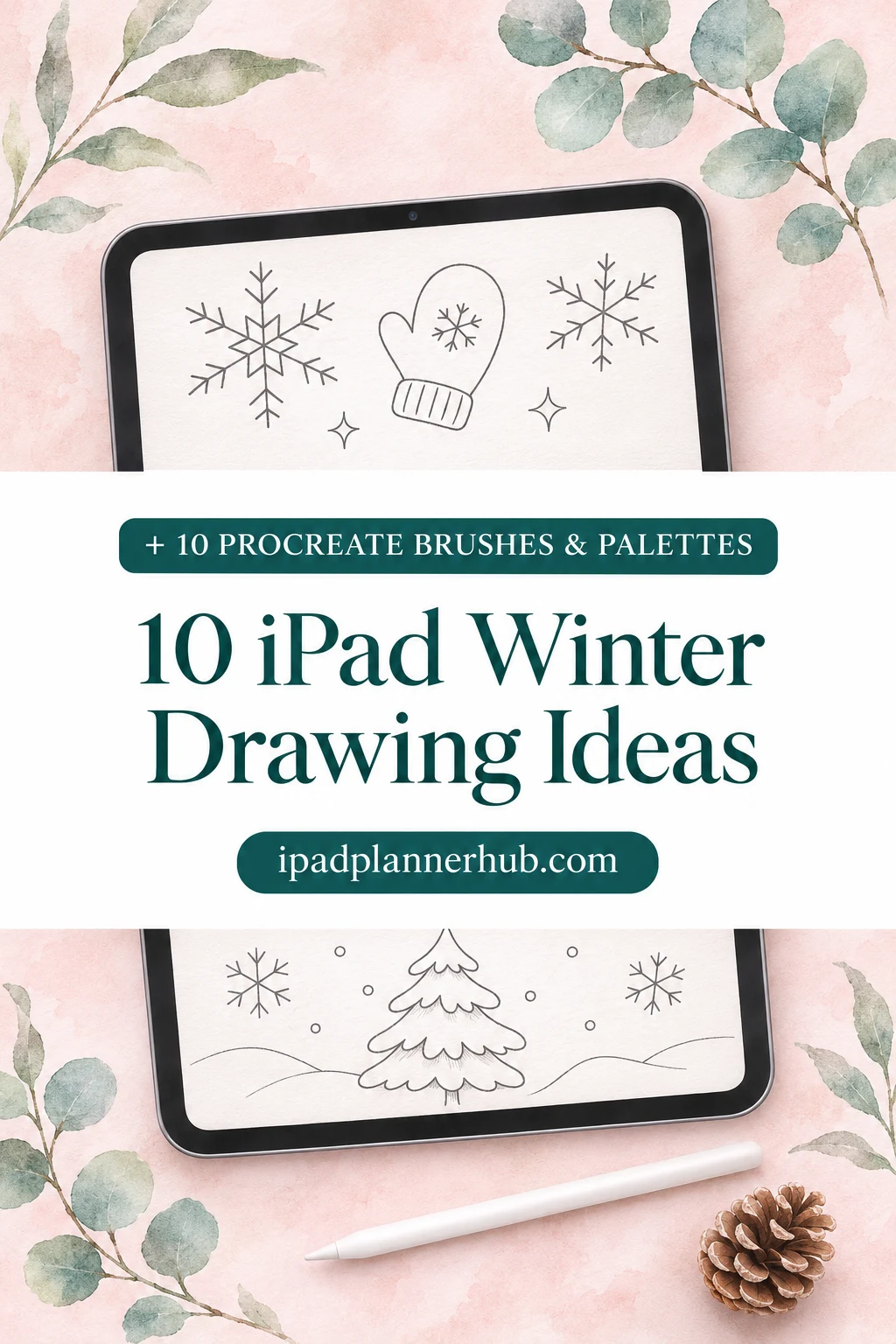
Treat each idea as a drawing exercise, not a fixed layout. Start with large shapes, test one light source and add texture only after the light and dark shapes read clearly. The selected tools support the same order: brushes for surface, sketch brushes for structure and palettes for the cold light.
Start with light before texture
For this exercise, try blue, violet or cool gray on the shadow side of the snow. Before you add snow layers, decide where the light comes from and which shapes stay warm. A single warm window, low sun or small lamp gives the scene a focal point. Keep the warm accent small; the rest of the snow stays cold.
- Use pale blue for shadows: pick a slightly darker cool tone instead of gray.
- Reserve pure white: use the brightest value only on the top edge or the spot nearest the light.
- Place warmth deliberately: one window, one edge of a mug, or one low-sun reflection is enough.
- Work in layers: put snow shadows on one layer, warm light on another, and falling snow on top.
10 iPad winter drawing ideas for Procreate
Pick two or three prompts for the same scene. If one idea makes you want more texture, add a brush later. A small warm window, a soft snowdrift and a pale blue shadow can already carry the winter mood.
Use light and shadow
- 1.White snow through blue shadows and warm light accents. Fill the snow with very light blue, not pure white, and reserve pure white for the brightest top edge. Use a warm ivory or gold accent only where a light source would touch the scene, such as a window glow or low sun. This keeps the page from looking gray while preserving the cold temperature.
- 2.Snowdrifts as large shapes before detail. Block the ground with two or three simple curves: a filled snowbank, a slight hollow and a soft crest. Wait for the shapes to feel balanced before adding tracks or frost texture. A clean silhouette is often clearer than many small brush marks.
- 3.Three planes of snowfall. Put fine distant flakes behind the main subject, medium flakes in the middle ground, and a blurred near layer in front. Reduce opacity on the distant layer and blur the closest flakes. This creates depth without making the whole scene look like static.
- 4.Warm windows in a cold blue setting. Draw a small dark house or cabin, then add orange or ivory window shapes. The surrounding snow stays cool blue, so the contrast does the work. Keep the window light simple and avoid reflections that would require a precise light source.
Draw winter objects and surfaces
- 5.Bare branches with snow caps. Start with the branch structure before adding snow. Use a thin dark line for the limb, then lay a soft white shape along the top edge. Vary the snow thickness instead of covering every branch. Leave gaps where the dark branch can show through.
- 6.Frost on glass as a texture study. Fill the glass or window with a cold gray-blue background, then add frost lines from one corner. Keep the pattern uneven: some areas tight, others more open. Use the same color for the edges and a lighter cool tone for the center to preserve the smooth surface.
- 7.Mittens and a mug as a winter still life. Combine two simple objects on a table: a pair of mittens and a warm mug. Draw the mug shadow cool, the rim highlight warm, and the mitten folds with a few large creases. This is an easy way to practice warm and cool values without drawing a whole landscape.
- 8.One scene in daylight and in blue hour. Duplicate your scene and replace the sky with a deep blue palette. Change the snow shadows from pale blue to navy, then keep one warm light. This helps you compare how much of the mood comes from color rather than detail.
Finish the edge and ground
- 9.A snowflake border around your own drawing. Add one continuous row of snowflake marks along the outer edge. Keep the pattern small and repeat the same mark so the border does not compete with the main scene. This works best when the interior already has a clear focal point.
- 10.A small cracked snow surface. Block in a pale snowfield across the lower part of the canvas, then draw a few thin cracks where the snow would be compacted or split. Use a limited area so the cracks read as a ground detail rather than a broken object.
10 Top Procreate brushes and palettes for your winter drawing ideas
These tools cover snow texture, sketching and color. The first seven offers are brushes or brush sets, and the last three are color palettes. You can complete every idea with basic brushes, so use these only when a specific snow, frost or palette problem slows you down.
TL;DR: Start with the texture or color you will actually use: snow and ice brushes for surfaces, a sketch set for the underdrawing, and three palettes for cold light. These ten tools are Procreate brushes and color palettes. You build the winter compositions yourself.
Quick Picks
- Best for snowdrifts, snowfall and frost texture: Winter Snow and Ice Procreate Brushes
- Best for compact snow atmosphere: 4 Realistic Snow Procreate Brushes
- Best for layered snowfall depth: Snow Procreate Brushes
- Best for soft fluffy snow: Snow Brush Pattern for Procreate
- Best for a small cracked ground detail: Cracked Snow Ground Procreate Brush
- Best for a decorative snowflake edge: Snowflakes Single Procreate Brush
- Winter Snow and Ice Procreate Brushes – Best for snowdrifts, snowfall and frost texture
- 4 Realistic Snow Procreate Brushes – Best for compact snow atmosphere
- Snow Procreate Brushes – Best for layered snowfall depth
- Snow Brush Pattern for Procreate – Best for soft fluffy snow
- Cracked Snow Ground Procreate Brush – Best for a small cracked ground detail
- Snowflakes Single Procreate Brush – Best for a decorative snowflake edge
- Sketch Brushes for Procreate – Best for the underdrawing
- Muted Winter Procreate Color Palette – Best for a calm snow-day palette
- Frosted Noel Procreate Color Palette – Best for cold light with warm accents
- Dusty Muted Procreate Color Palette – Best for blue-hour and earthy winter scenes
Snow, frost and surface brushes

Best for snowdrifts, snowfall and frost texture
1. Winter Snow and Ice Procreate Brushes
Orientation: Drawing toolLayouts: 12 Procreate brushes and PDFDates: Not applicable
Best for: building a full winter scene with snow and ice textures. Designed by Olya Haifisch.
- 12 Procreate brushes: 2 snowdrift, 3 snowfall, 3 snowflake, 3 ice and 1 Snowflake Stamp
- A ZIP with a .brushset and a PDF of brush tips
- Only for Procreate on iPad
- Preview scenes, photos, fonts and mockups are not included
This set covers snowdrifts, falling snow and ice textures in one pack. Use the snowdrift brushes for large shadowed shapes, add a snowfall layer at medium opacity, then test the ice brushes on a separate frost layer. The Snowflake Stamp is one auxiliary stamp rather than a whole stamp library. Keep the scene simple at first because twelve brushes can quickly turn into too many competing textures.

Best for compact snow atmosphere
2. 4 Realistic Snow Procreate Brushes
Orientation: Drawing toolLayouts: 4 Procreate brushesDates: Not applicable
Best for: adding fine snowfall, whiteout, ice crystal and bokeh effects. Designed by opal.yagley.
- One 4_Snow.brushset with 4 brushes
- Snowfall, Whiteout, Ice Crystal and Winter Bokeh effects shown
- Procreate on iPad
Use this compact set when the scene needs atmosphere rather than distinct snowflake shapes. Whiteout works as a soft veil over distant trees, Snowfall as fine distant flakes, and Winter Bokeh as blurred near-camera circles. The cover trees are a preview example, not a promised brush. Choose from four effects to match the atmosphere you want, then pair the set with a palette.
Best for layered snowfall depth
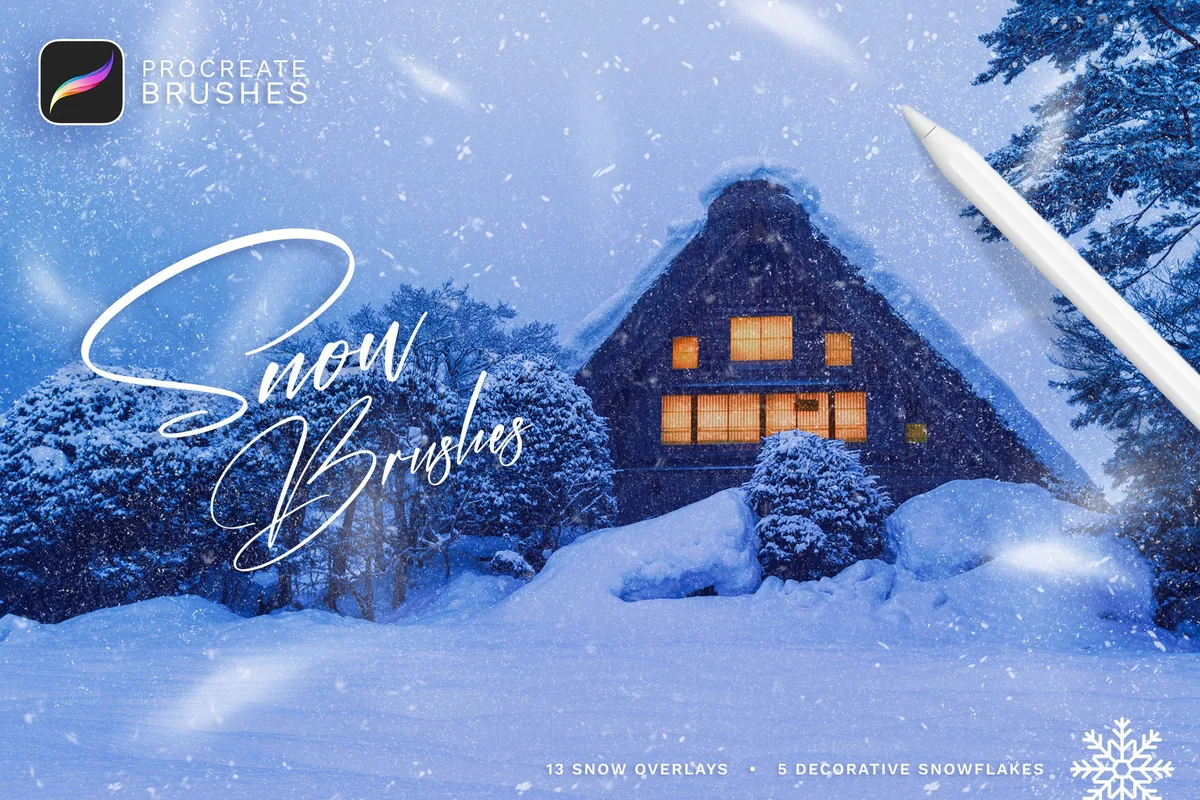
3. Snow Procreate Brushes
Orientation: Drawing toolLayouts: 18 Procreate brushesDates: Not applicable
Best for: building near, middle and distant snow layers. Designed by Sko4.
- Snow_[by_Sko4].brushset with 18 brushes
- 13 snow overlays and 5 decorative snowflakes
- Pressure sensitive
- Video tutorial listed
This is the set for layered snowfall depth. Put small flakes farthest, medium snowfall in the middle and a blurred overlay nearest to the viewer. The five snowflakes can decorate edges, but keep decorative marks separate from the atmosphere. The previews show houses and a deer for demonstration only.
Best for soft fluffy snow
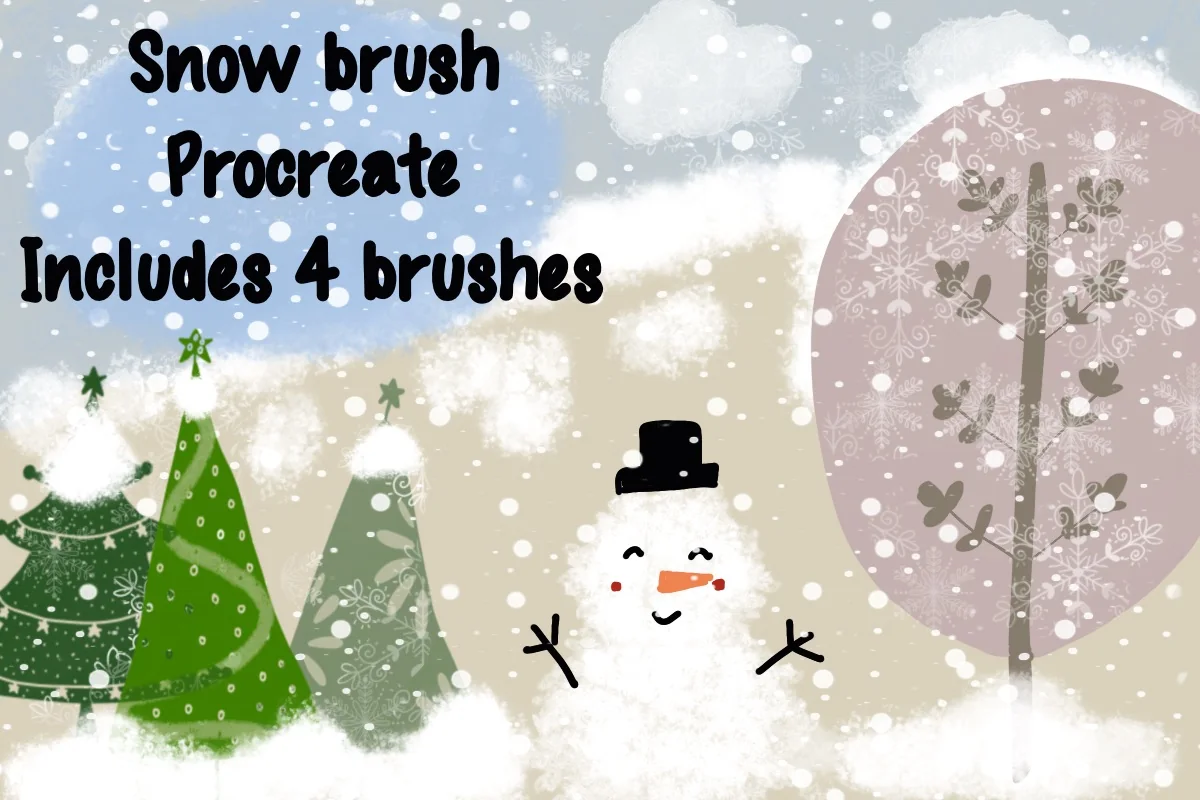
4. Snow Brush Pattern for Procreate
Orientation: Drawing toolLayouts: 4 Procreate brush filesDates: Not applicable
Best for: creating fluffy snow layers and gentle snowflake marks. Designed by Temtemdesign.
- ZIP with 4 brush files
- Snow Falling, Snowflakes, Fluffy Snow and Fluffy Snow Flakes
- Procreate; iPad shown in previews
The fluffy brushes suit a softer snow layer on branches or ground. Apply them at reduced opacity, then add a separate shadow color under the white. The listing examples include Christmas scenes, but the four effects are not limited to cards or wreaths. The snowman in the preview demonstrates the effects; draw your own subject.

Best for a small cracked ground detail
5. Cracked Snow Ground Procreate Brush
Orientation: Drawing toolLayouts: 1 Procreate brushDates: Not applicable
Best for: adding a limited cracked-snow surface accent. Designed by myprintscollection.
- One Procreate Single Brush
- Seamless cracked snow pattern texture shown
- Procreate 5 or higher; Photoshop or Illustrator not compatible
Use this as a small accent, not the main ground. A cracked patch can sit near a path edge or where snow has compacted and split. The second preview advertises a separate 69-brush ground set; those brushes are not included. Keep the crack layer limited so it does not break a soft snowfield.

Best for a decorative snowflake edge
6. Snowflakes Single Procreate Brush
Orientation: Drawing toolLayouts: 1 seamless Procreate brushDates: Not applicable
Best for: drawing a continuous row of snowflakes around a composition. Designed by myprintscollection.
- One .brushset with a single seamless snowflake brush
- Continuous pattern type
- Procreate 5 or higher; Photoshop or Illustrator not compatible
A continuous pattern brush works as a decorative border or a repeated edge motif. Pull one line around the corner of the canvas and adjust the size. The second preview advertises a separate 52-brush border set; those brushes are not included. Use this for a subtle frame instead of shaping individual snowflakes.
Sketch your own winter scene

Best for the underdrawing
7. Sketch Brushes for Procreate
Orientation: Drawing toolLayouts: 8 Procreate sketch brushesDates: Not applicable
Best for: sketching branches, a cabin or a still life before adding snow. Designed by Ssolovyeva Designs.
- 8 sketch brushes
- Only for Procreate on iPad
- Previews show portrait sketching, line work, shading and hatching
Before committing to snow layers, sketch the underlying shapes with these general drawing brushes. They are useful for bare branches, the outline of a cabin or a still life with a mug and mittens. Draw your own winter objects, then add snow texture on a separate layer.
Palettes for cold light and warm accents
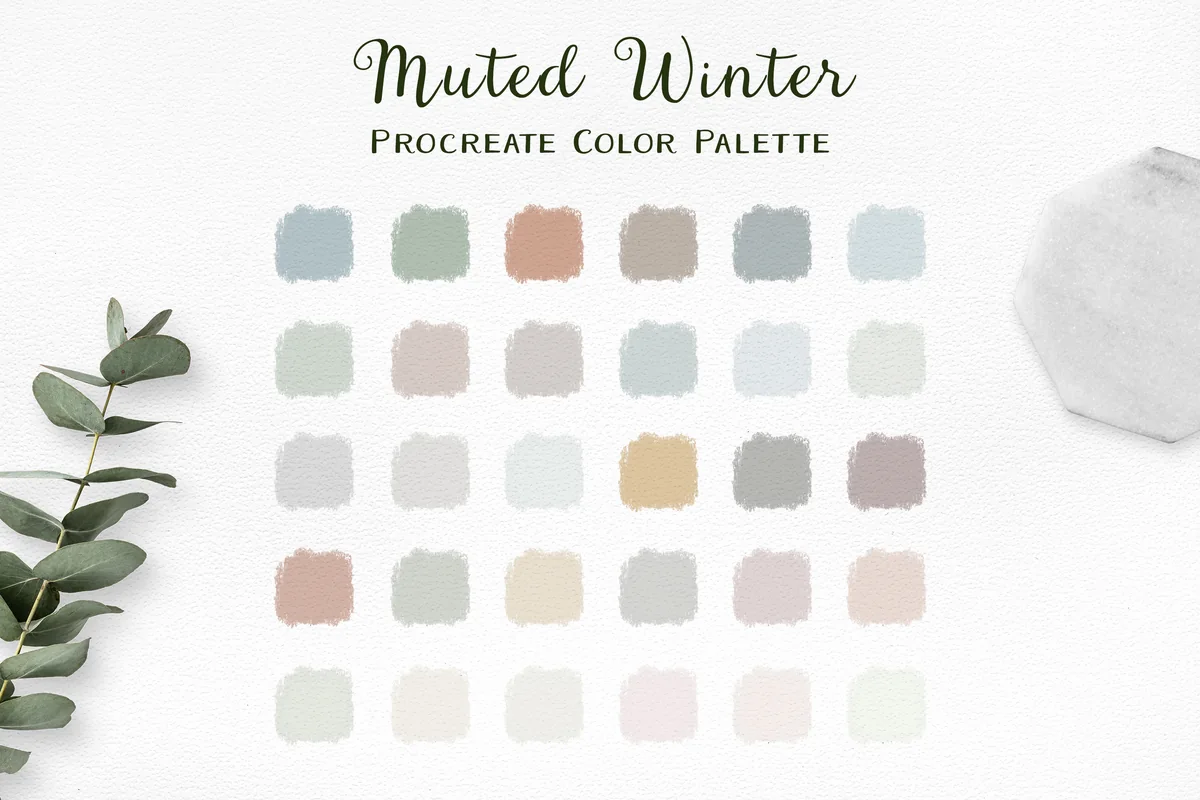
Best for a calm snow-day palette
8. Muted Winter Procreate Color Palette
Orientation: Color toolLayouts: 30 Procreate colorsDates: Not applicable
Best for: pale blue shadows, muted greens and soft warm neutrals. Designed by Little Nordic Atelier.
- 1 SWATCHES file with 30 colors
- Only for Procreate on iPad
- Preview shows pale blues, greens, grays, pinks and warm neutrals
This is a calm starting palette for a bright snow day. Use the pale blues for snow shadows, warm neutrals for window light, and a muted green for distant trees. It supplies colors, not brushes or finished scenes. Load it before testing brushes so every texture shares the same cold but soft range.
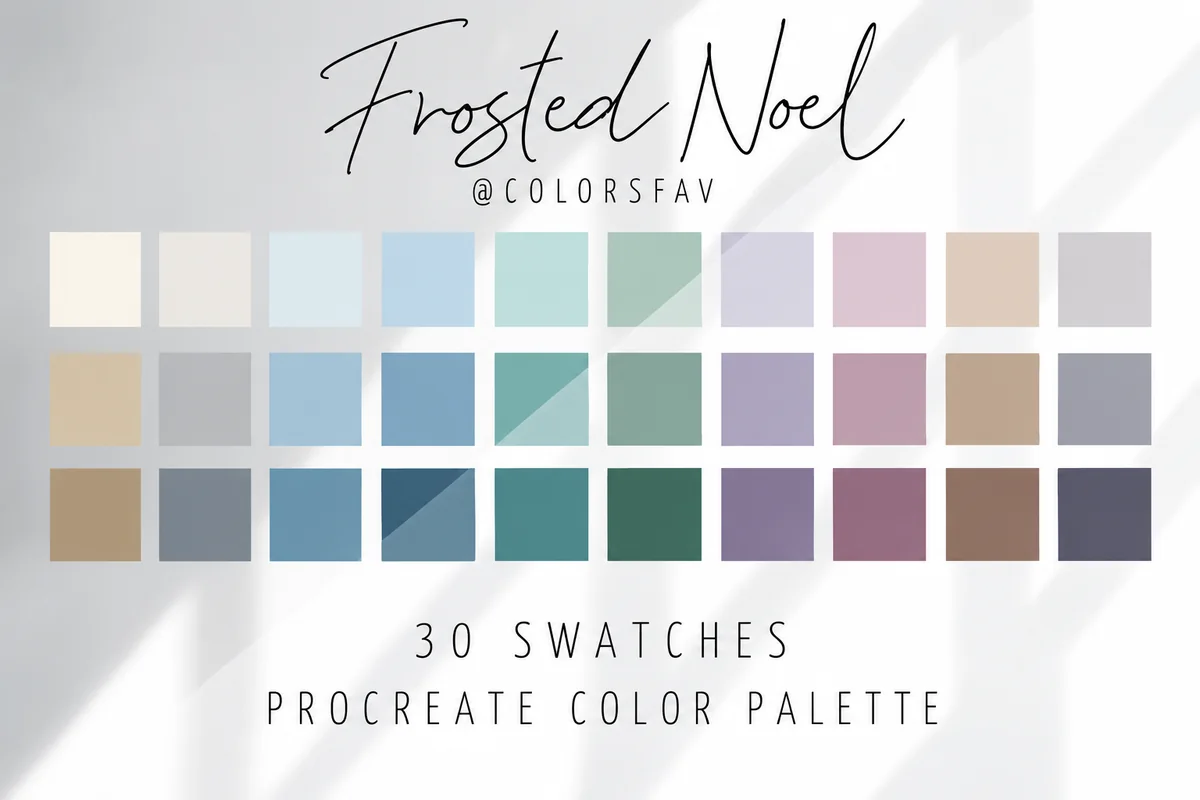
Best for cold light with warm accents
9. Frosted Noel Procreate Color Palette
Orientation: Color toolLayouts: 30 Procreate colors plus PNG and HEX referencesDates: Not applicable
Best for: icy blues, muted teal, soft gray and warm ivory. Designed by ColorsFav.
- 1 .swatches file with 30 colors
- PNG reference with HEX labels, TXT list of 30 HEX and TXT import guide
- Procreate .swatches for iPad
- PNG or HEX can be used to select colors manually in other apps
Despite the Noel name, the palette serves nondenominational winter light: icy blues, muted teal, soft gray and warm ivory. Use the three rows of light, medium and deep tones for highlights, base shapes and shadows. It is useful when you want cool light without losing warm accents in a lit window.
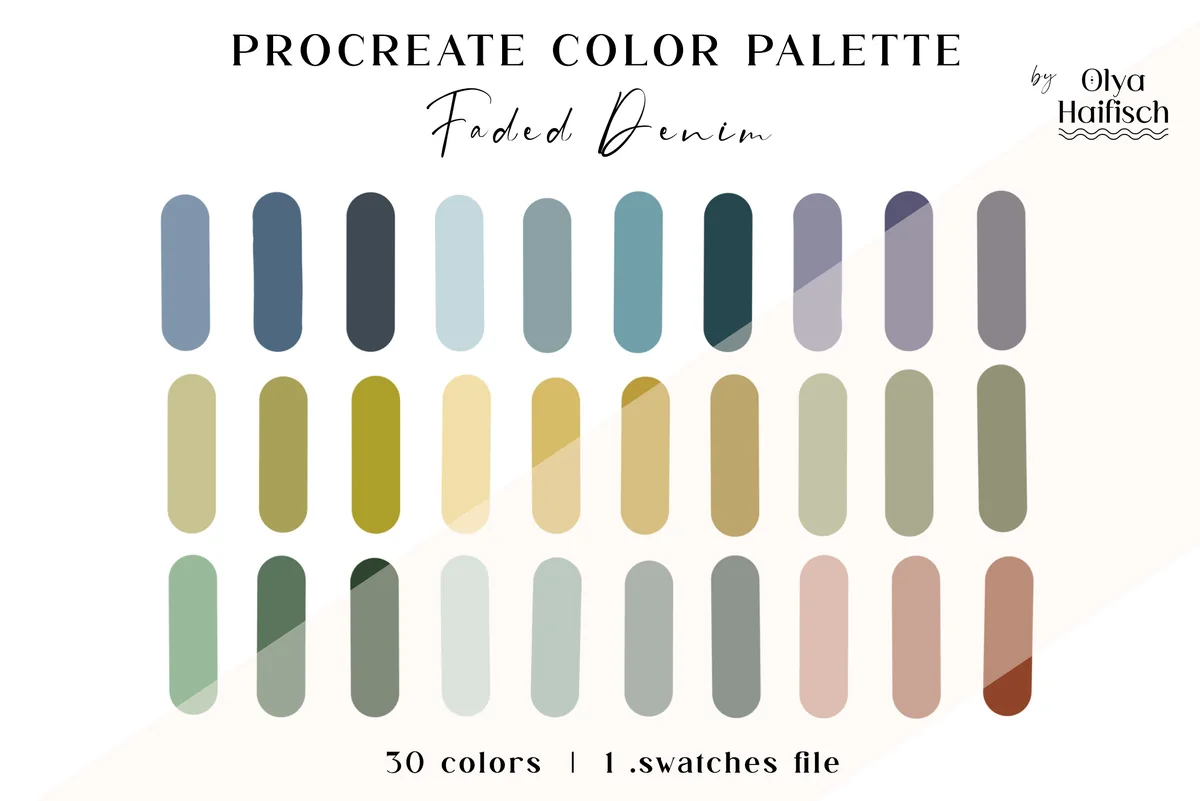
Best for blue-hour and earthy winter scenes
10. Dusty Muted Procreate Color Palette
Orientation: Color toolLayouts: 30 Procreate colorsDates: Not applicable
Best for: dusty blue shadows, navy tones and earthy warm accents. Designed by Olya Haifisch.
- ZIP: 1 .swatches file, 30 colors
- Only for Procreate on iPad
- Preview shows the palette name Faded Denim and dusty blue, navy, teal, olive, khaki, sage and dusty rose
- Preview colors are muted or darkened with shadow
The dusty blues and earthy accents suit a blue-hour winter study. Pair dusty blue shadows with golden khaki or dusty rose window accents. The designer notes preview colors are muted by shadow, so check the received palette before choosing your final colors. It is a compact palette rather than a full brush system.
Quick Comparison
| Tool | Winter use | Contents | Main distinction |
|---|---|---|---|
| 1. Winter Snow and Ice Procreate Brushes | Snowdrifts and frost | 12 brushes plus PDF | Broad winter set |
| 2. 4 Realistic Snow Procreate Brushes | Snow atmosphere | 4 brushes | Compact overlay set |
| 3. Snow Procreate Brushes | Snowfall depth | 18 brushes | 13 overlays + 5 snowflakes |
| 4. Snow Brush Pattern for Procreate | Soft snow texture | 4 brushes | Fluffy and falling effects |
| 5. Cracked Snow Ground Procreate Brush | Cracked ground detail | 1 brush | Small texture accent |
| 6. Snowflakes Single Procreate Brush | Decorative snowflake edge | 1 seamless brush | Pattern border |
| 7. Sketch Brushes for Procreate | Underdrawing | 8 sketch brushes | General drawing set |
| 8. Muted Winter Procreate Color Palette | Calm snow-day palette | 30 colors | 1 .swatches |
| 9. Frosted Noel Procreate Color Palette | Cold light and warm accents | 30 colors | .swatches + PNG/HEX refs |
| 10. Dusty Muted Procreate Color Palette | Blue-hour palette | 30 colors | Faded Denim tones |
Set up these iPad winter drawing ideas
Start with one small scene and three layers: background color, shadow shape and light accent. Keep the line sketch on a separate layer above the background, and name each layer while the scene is still simple. That way you can adjust the snow without repainting the whole image.
More practical Procreate and planner tutorials are in the how-to guides archive.
FAQ: winter drawing ideas on iPad
Do I need special brushes for these ideas?
No. You can use the built-in Procreate brushes for most of the exercises. The selected brush sets add snow, frost or edge patterns quickly, but they are optional. Start by testing the idea with a standard round or soft brush before deciding whether extra texture would help.
Are the selected tools ready-made winter scenes?
No. The brushes add marks such as snowfall, snowdrifts or frost. The palettes supply colors. You draw the cabin, branches, mug and other objects yourself using the ideas above. Previews may show finished examples, but those scenes are demonstrations.
Can I use these ideas on any iPad model?
The ideas use Procreate, which runs on supported iPads with the Procreate app. The selected brush and palette products say they are for Procreate on iPad. Check your current iPad and Procreate version against the product requirements before buying.
Should I start with color or texture?
Start with color in simple blocks. A scene with accurate cool shadows reads as winter even before fine snow texture is added. Too much texture can hide a weak value structure. Layer texture last.
What if my snow looks gray instead of bright?
Try lowering the saturation of the shadow color instead of brightening the whole snowy area. Keep the shadow as a pale blue or cool violet and place pure white only near the light. If the whole page is too dark, reduce the background layer first.
Keep the winter scene small enough to finish
The most useful iPad winter drawing ideas are the ones you can complete in one sitting. Choose a single light source, block large shapes first, and add just enough snow texture to read the season. Let the selected brushes and palettes support that order rather than making every layer more complex.
You May Also Like
Purchases through selected links may earn this site a commission without changing your price. Our affiliate disclosure explains the arrangement.