You have the dark sky, the silhouette and the empty space where a bolt should go. Then the lightning looks like a white scratch pasted over the scene. The right Procreate lightning brushes give you a more useful starting shape, whether you need a single branching strike or a web of electric color.
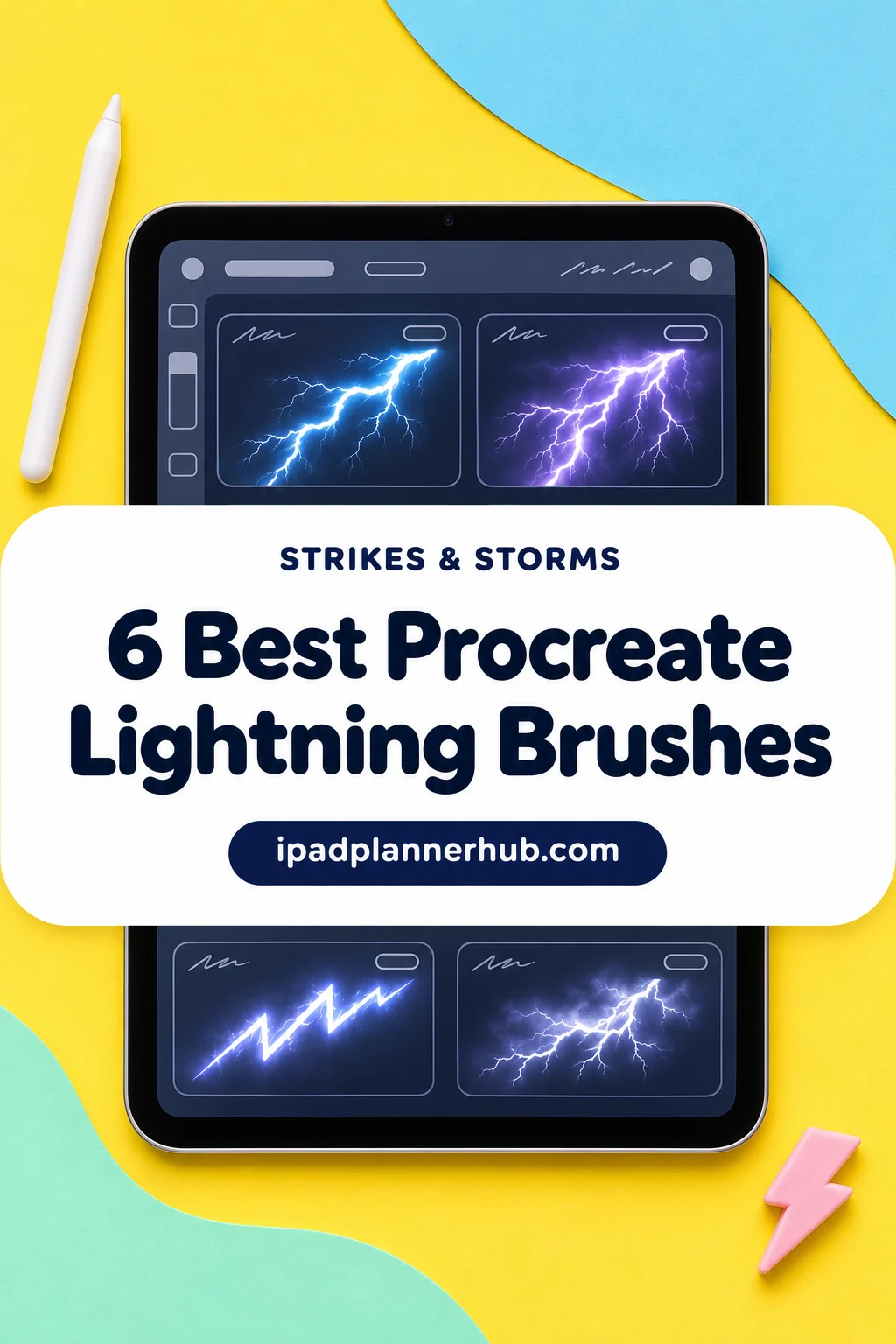
I selected six packs by reading their listings and comparing every available preview. I have not tested their brush response on an iPad. My shortlist separates compact stamp sets, broader electric effects and a mixed storm kit so you can buy for the scene you want to make.
6 Best Procreate Lightning Brushes: My Shortlist
TL;DR: Choose Joanna Vu for ten focused stamps, Nurmiftah for branching backgrounds, or DrawingStoryShop for rings and bursts as well as strikes. Lightning Pro Brushes includes a video tutorial; SvgOcean combines lightning with clouds in a mixed storm set. For more dedicated bolt shapes, 2515 Design offers thirty numbered lightning stamps.
Quick Picks
- Best for branching backgrounds: Procreate Lightning Brushes
- Best for compact stamp selection: Lightning Brushes – Procreate
- Best for stylized energy shapes: 100 Procreate Lightning Brushes Stamps
- Best for a tutorial companion: Lightning Pro Brushes
- Best for a complete storm scene: Storm and Lightning Procreate Brushes
- Best for a larger bolt-only library: Brush Stamp Procreate 30 Bolt
- Procreate Lightning Brushes – Best for branching backgrounds
- Lightning Brushes – Procreate – Best compact stamp selection
- 100 Procreate Lightning Brushes Stamps – Best for stylized energy shapes
- Lightning Pro Brushes – Best for a tutorial companion
- Storm and Lightning Procreate Brushes – Best for a complete storm scene
- Brush Stamp Procreate 30 Bolt – Best for a larger bolt-only library
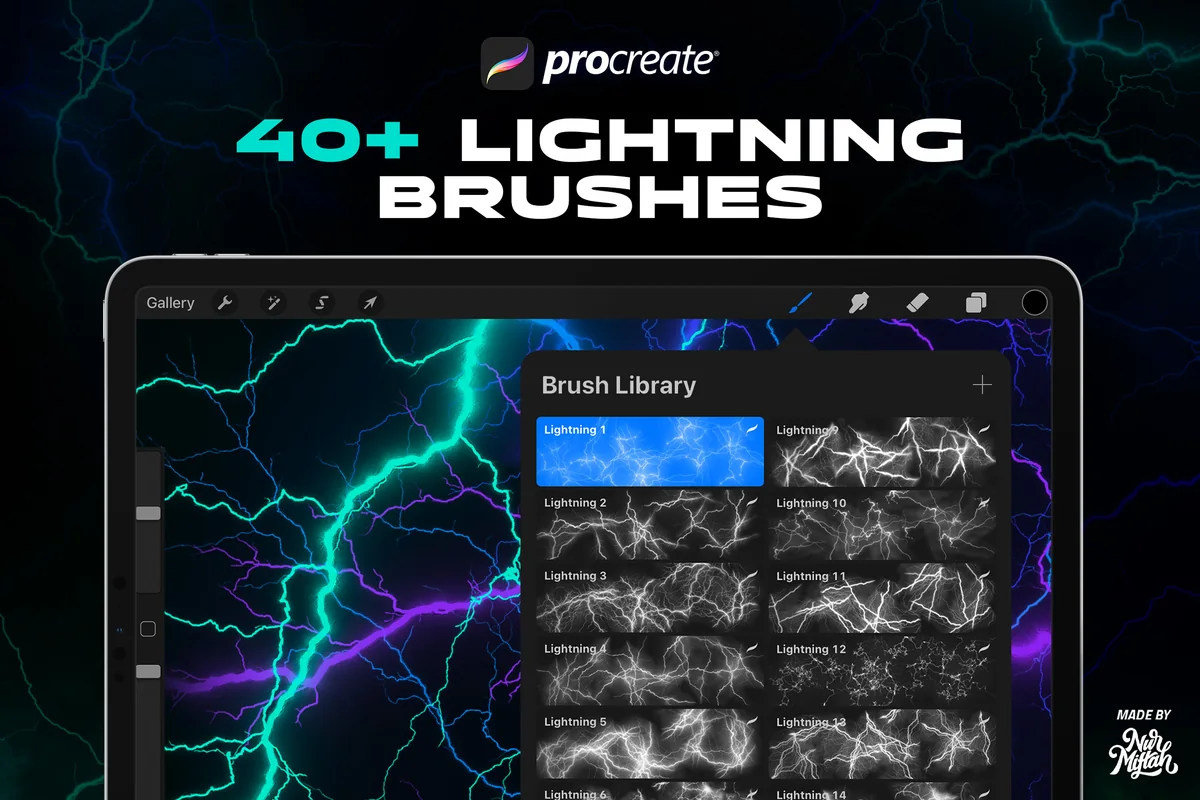
Best for branching backgrounds
1. Procreate Lightning Brushes
Layouts: Fine branching webs and colored electric effectsFormat: Procreate; suffix not stated
Best for: layered electric backgrounds with many fine forks. Designed by Nurmiftah.
- 40+ brushes for Procreate
- The seller specifies Procreate 5X and earlier versions
- Examples show blue, green and violet branching effects on dark canvases
- Photoshop and other apps are explicitly excluded
The fine branching webs suit an electric background. The previews show the effect spreading across the canvas rather than only one isolated bolt. That is useful behind a poster title, but it can also compete with small lettering. Leave a quiet area for your words and use the busiest branches near the edges. The exact file extension is not stated in the description.
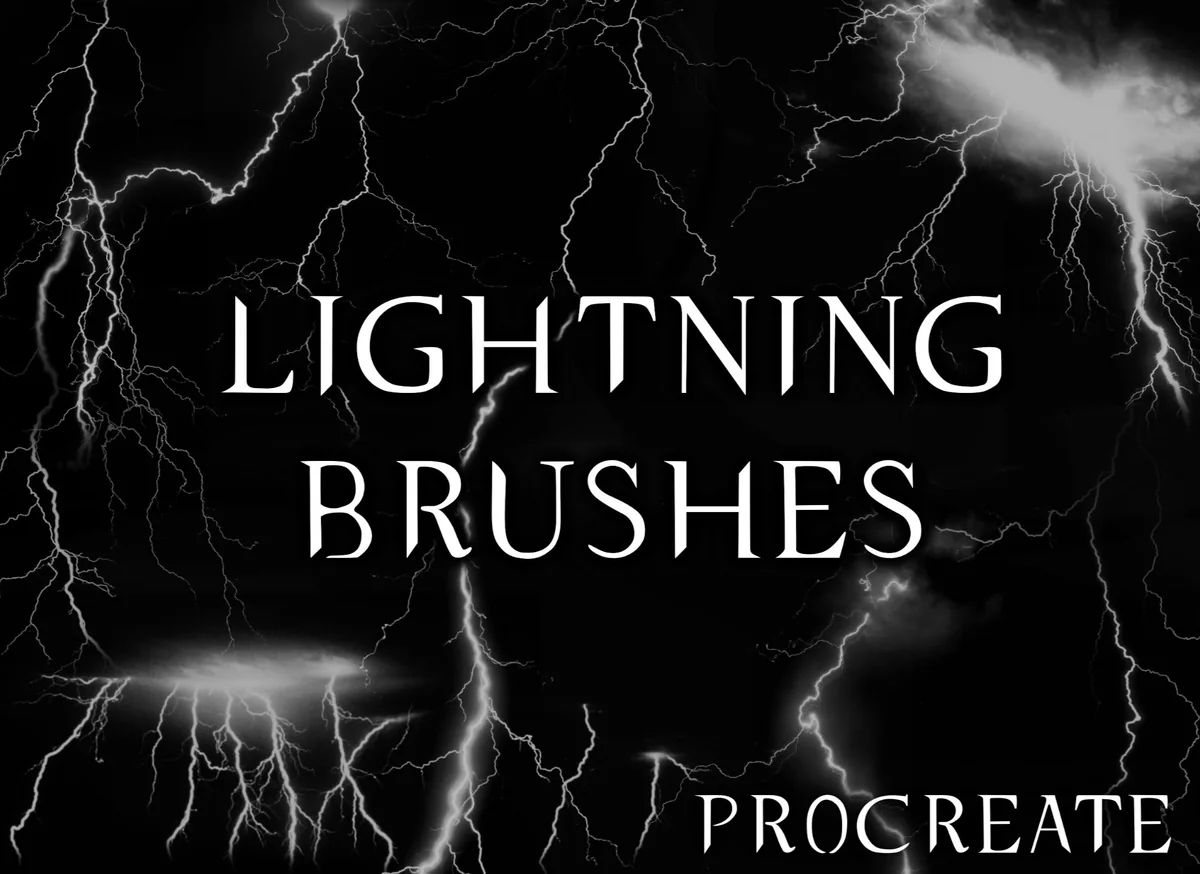
Best compact stamp selection
2. Lightning Brushes – Procreate
Layouts: Thin strikes and wider branching formsFormat: Procreate; suffix not stated
Best for: placing a few distinct lightning strikes without browsing a huge library. Designed by Joanna Vu.
- 10 lightning stamp brushes
- Made only for the Procreate app
- The sample sheet shows both narrow strikes and wider branching forms
- A finished storm-and-lettering example illustrates one possible use
Joanna Vu keeps the choice small enough to compare at a glance. I like the visible difference between thin upright strikes and more horizontal or spreading shapes. This is a more focused purchase than a hundred-stamp collection when you only need one accent in a finished scene. Neither pressure behavior nor the file suffix is specified.
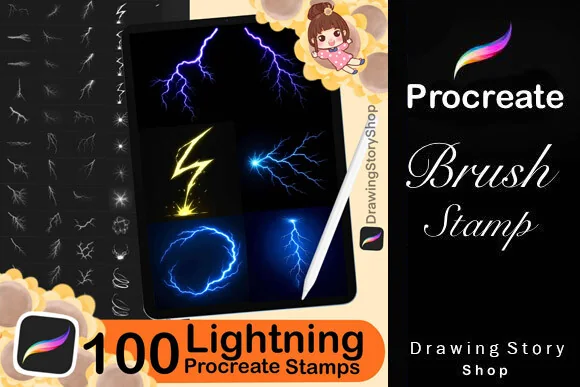
Best for stylized energy shapes
3. 100 Procreate Lightning Brushes Stamps
Layouts: Branching strikes, angular bolts, rings and burstsFormat: Procreate stamps; PDF import guide
Best for: mixing lightning strikes with rings, bursts and graphic energy accents. Designed by DrawingStoryShop.
- 100 lightning brushes designed for Procreate on iPad
- A PDF import guide is included
- Six previews show narrow bolts, angular symbols, circular effects and radiating bursts
- The stamps themselves cannot be resold or shared as standalone files
This collection goes beyond the silhouette of a storm bolt. The rings and radiating forms make it the most interesting option here for a fantasy emblem or an illustrated energy effect. Those shapes also explain why the largest count is not automatically the best choice for a naturalistic sky. Choose it for variety you actually want to use. The colorful examples do not establish that a palette, finished illustration or animation is included.
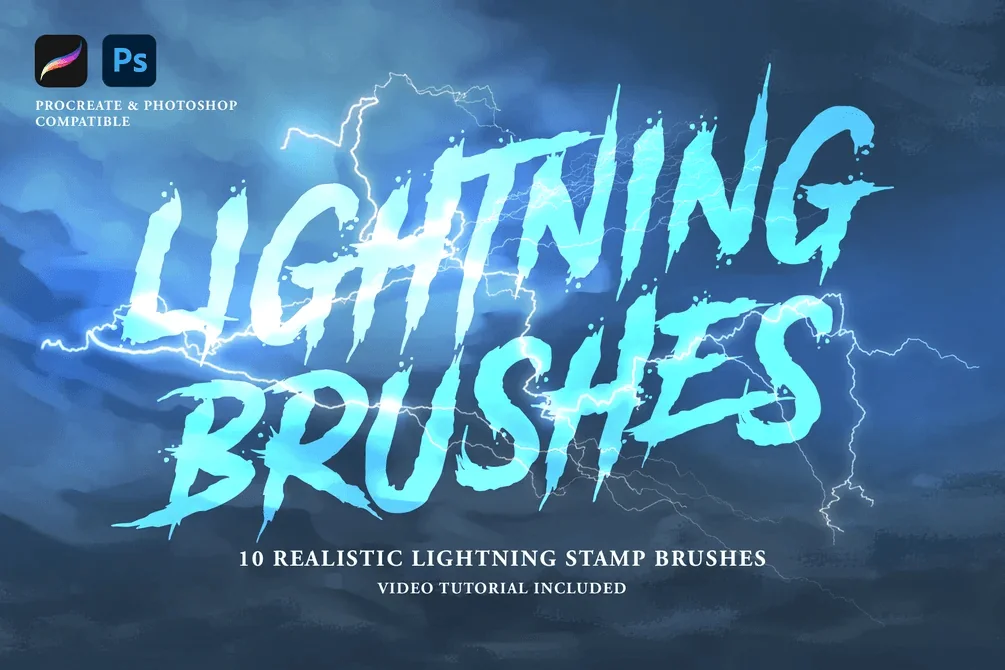
Best for a tutorial companion
4. Lightning Pro Brushes
Layouts: 10 individual branching lightning stampsFormat: Procreate and Photoshop; suffixes unstated
Best for: starting with ten lightning stamps and a seller-provided video explanation. Designed by jujuarts.
- 10 high-resolution lightning stamp brushes
- The listing states 3K resolution
- Compatibility is stated for Procreate and Photoshop
- A video tutorial about enhancing the lightning effect is included
The included video is the useful difference in this small set. A good-looking stamp still needs a sensible position and brightness within the surrounding scene, so an explanation may be more useful than dozens of extra shapes. The sample sheet shows ten individual branching strikes rather than cloud brushes. The listing does not identify the separate file extensions or the length of the tutorial. Check those details if packaging or teaching depth is the deciding factor.
Best for a complete storm scene
5. Storm and Lightning Procreate Brushes
Layouts: Clouds, lightning and other storm texturesFormat: .brushset; Procreate on iPad
Best for: combining lightning with cloud and rain-like storm textures. Designed by SvgOcean.
- One .brushset file for Procreate
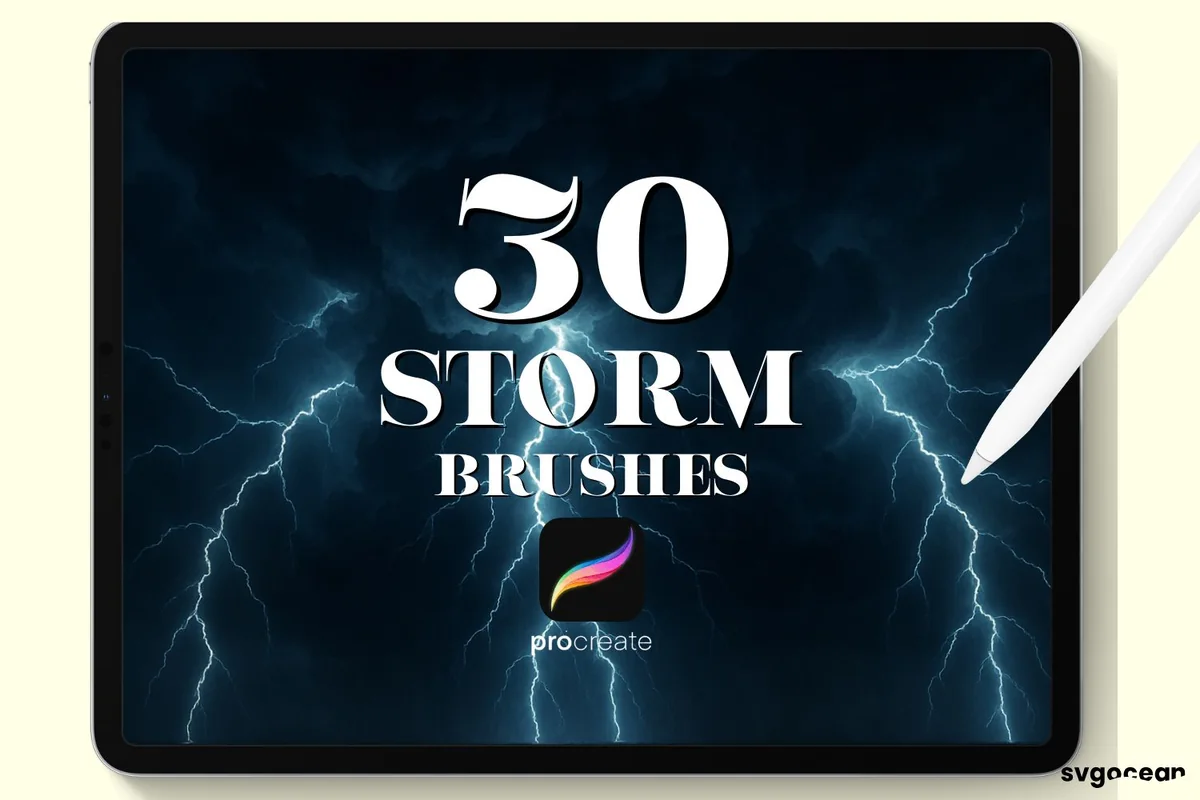
- The cover advertises 30 storm brushes, not 30 lightning brushes
- Three labeled sample sheets cover Storm 1 through Storm 30
- Previews combine clouds, branching strikes and streaked atmospheric marks
SvgOcean makes more sense as a scene-building companion than a dedicated bolt-only library. The first sample sheet is dominated by clouds, while later sheets contain branching lightning and other storm marks. That mixture can save you a separate search for a cloudy background. It also means the number 30 should never be read as thirty different bolts. For the iPad setup, the listing specifies Procreate and an Apple Pencil.
Best for a larger bolt-only library
6. Brush Stamp Procreate 30 Bolt
Layouts: 30 numbered storm lightning stampsFormat: Procreate; iPad Pro and Apple Pencil specified
Best for: browsing thirty storm lightning stamps with a visible sample sheet. Designed by 2515 Design.
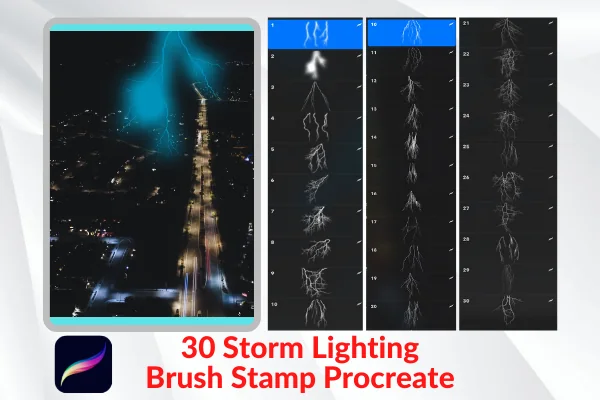
- 30 storm lightning stamp brushes for Procreate
- The seller specifies iPad Pro, Apple Pencil and Procreate
- The first preview shows numbered samples 1 through 30
- City-sky examples show both pale branching strikes and colored effects
This is the useful middle ground between a ten-stamp pack and a hundred-shape collection. The first preview lets you compare thirty marks, including long forks and denser branching forms, without relying only on a finished scene. The city examples suggest a straightforward sky-compositing use. Check the stated iPad Pro and Apple Pencil requirements against your setup. A file extension is not specified, and the city photographs are examples rather than promised included backgrounds.
Quick Comparison
| Brush pack | Main use | Contents | Compatibility / files |
|---|---|---|---|
| 1. Procreate Lightning Brushes | Branching backgrounds | 40+ brushes | Procreate only |
| 2. Lightning Brushes – Procreate | Compact lightning stamps | 10 stamps | Procreate only |
| 3. 100 Procreate Lightning Brushes Stamps | Strikes, rings and bursts | 100 brushes + PDF guide | Procreate on iPad |
| 4. Lightning Pro Brushes | Stamps with a video | 10 brushes; 3K stated | Procreate and Photoshop |
| 5. Storm and Lightning Procreate Brushes | Clouds and lightning together | 30 mixed storm brushes | .brushset |
| 6. Brush Stamp Procreate 30 Bolt | Larger bolt-only selection | 30 storm lightning stamps | Procreate; iPad Pro specified |
Choose the Shape Before the Brush Count
A hundred shapes are not necessarily a better fit than ten. First decide what the lightning needs to do in the composition, then compare the sample sheets for that job. For a larger dedicated selection, 2515 Design shows thirty numbered lightning stamps without the energy rings in the hundred-brush pack. The distinction is especially useful when a product mixes weather with graphic energy effects.
- One distant strike: look for a narrow silhouette with a clear direction. Joanna Vu and Lightning Pro Brushes offer small dedicated selections.
- A branching electric background: Nurmiftah shows dense webs across dark canvases. Leave a quiet zone around text or the subject.
- A fantasy energy effect: DrawingStoryShop adds rings, radiating bursts and angular bolt symbols. These are visibly different from a distant storm.
- A whole storm: SvgOcean includes clouds and other atmospheric marks alongside lightning. Its total counts the mixed kit.
For a sky that still needs structure, my cloud brush comparison focuses on the surrounding atmosphere. Here, the main decision is the discharge shape itself. A cloud-heavy set can be helpful, but it should not win simply because the cover looks dramatic.
Read the Sample Sheet, Not Just the Finished Scene
A finished poster shows what an artist made with the pack. It does not tell you that the background, lettering, colors or complete composition arrives with the brushes. I look for individual marks because they make it easier to judge whether two packs solve the same problem.
- Direction: a mostly vertical bolt fits a sky-to-ground composition; a sideways branch may suit an energy beam or an edge accent.
- Density: tiny side branches can add detail, but too many overlapping shapes make the center harder to read.
- Silhouette: a ring or angular symbol communicates a different idea from a naturalistic branching strike.
- Separation: cloud samples and lightning samples should be counted as different roles when judging a mixed kit.
The bright colors in the examples are styling references. Unless the contents explicitly promise a palette, plan your own colors. For a coordinated starting point, see the Procreate palette guide; a small color family is often easier to control than several unrelated neon hues.
A Small Composition Exercise for Your First Bolt
Use this as a drawing exercise after choosing a pack, rather than a promise about how any particular brush behaves. The aim is to see whether one shape belongs in the scene before adding more effects. Keep the first version simple enough that you can identify what needs changing.
- 1Reserve the path. Sketch a dark scene with a clear open route for the main strike. Choose whether the bolt connects the sky to an object or acts as a graphic accent. Avoid placing the busiest fork directly over a face or a small title.
- 2Place one mark on its own layer. Start with a shape whose direction already suits the scene. Keep a spare version before experimenting with its size. Compare the bolt against the whole composition instead of judging it only while zoomed in.
- 3Build the surroundings deliberately. Add a limited patch of brighter color around the strike and leave much of the background dark. Treat this as a compositional choice, not a need to turn every cloud into a glowing area. Reduce competing accents if the main shape becomes difficult to follow.
- 4Check at the final viewing size. Look at a small version of the entire piece. If the bolt has become a fuzzy stripe, simplify the surrounding effects. If the image has several equally bright centers, decide which one should attract attention first and quiet the others.
For a poster, keep a plain version of the text nearby while choosing the effect. Decorative lettering and branching lightning can both demand attention; testing their relationship early is easier than rebuilding a crowded composition at the end.
Files and Compatibility Worth Checking
The six packs all state Procreate compatibility, but their packaging is not equally specific. SvgOcean explicitly lists one .brushset file. DrawingStoryShop names a PDF import guide. The remaining descriptions should not be read as a guarantee of an extension they never state.
- App: Joanna Vu, Nurmiftah and SvgOcean center on Procreate. Lightning Pro Brushes also names Photoshop. Do not assume that compatibility transfers between every app.
- Contents: an import guide or video is a companion, not an extra brush. Count the actual drawing tools separately.
- Resolution: Lightning Pro Brushes states 3K. That does not establish an unlimited enlargement claim or the resolution of the other packs.
- Rights: check the current license for your intended use. Buying a brush does not mean you can redistribute the brush file.
A ten-stamp library keeps the selection compact, while a larger pack offers more silhouettes to browse. Brush response with your Pencil settings still needs a hands-on check.
FAQ: Lightning Brushes for Procreate
Which pack is best for a small selection of lightning stamps?
Joanna Vu lists ten Procreate-only stamps. Lightning Pro Brushes also offers ten, with a video tutorial and stated Photoshop compatibility. Choose between them by the sample shapes and whether the tutorial matters to you.
Are the 30 storm brushes all lightning bolts?
No. SvgOcean’s previews show clouds and other storm marks as well as lightning. The advertised 30 is a count for the mixed storm collection, not thirty dedicated bolt designs.
Which pack includes electric rings and bursts?
DrawingStoryShop’s 100-brush collection shows circular energy effects, radiating bursts and angular symbols alongside branching strikes. It is the broadest visible shape mix in this shortlist.
Do these packs include the finished artwork on their covers?
Do not assume so. The listings offer brushes and the explicitly named companions, such as a PDF guide or video. A complete storm illustration or poster on a preview is an example of use unless it is separately listed as included.
Which of the packs also names Photoshop?
Lightning Pro Brushes explicitly names both Procreate and Photoshop. Nurmiftah explicitly excludes Photoshop, and Joanna Vu and SvgOcean specify Procreate-only use. DrawingStoryShop describes its set for Procreate on iPad.
Is there a verified free pick in this comparison?
I have not established a current Creative Fabrica Freebies offer for these six packs. They are compared as product choices without a promise of a free price or a subscription entitlement.
Pick for the Scene You Want to Finish
My starting point for Procreate lightning brushes would be a small stamp set for a single strike, Nurmiftah for branching backgrounds, or DrawingStoryShop for stylized energy shapes. SvgOcean is the scene-building choice when you also need clouds. Decide which role is missing from your canvas before choosing the largest count.
Start with one bolt and judge the complete picture at its intended size. A restrained effect with a clear purpose can do more for the composition than a crowded sky of competing strikes.
You May Also Like
This page includes affiliate links. A purchase through one may earn the site a commission without changing your cost. Read our affiliate disclosure for details.