The hotel tab is still open, the flight price has changed again, and your trip fund is a number you last checked weeks ago. A vacation savings tracker gives those moving pieces a shared home: what the trip may cost, what you have set aside and what still needs funding.
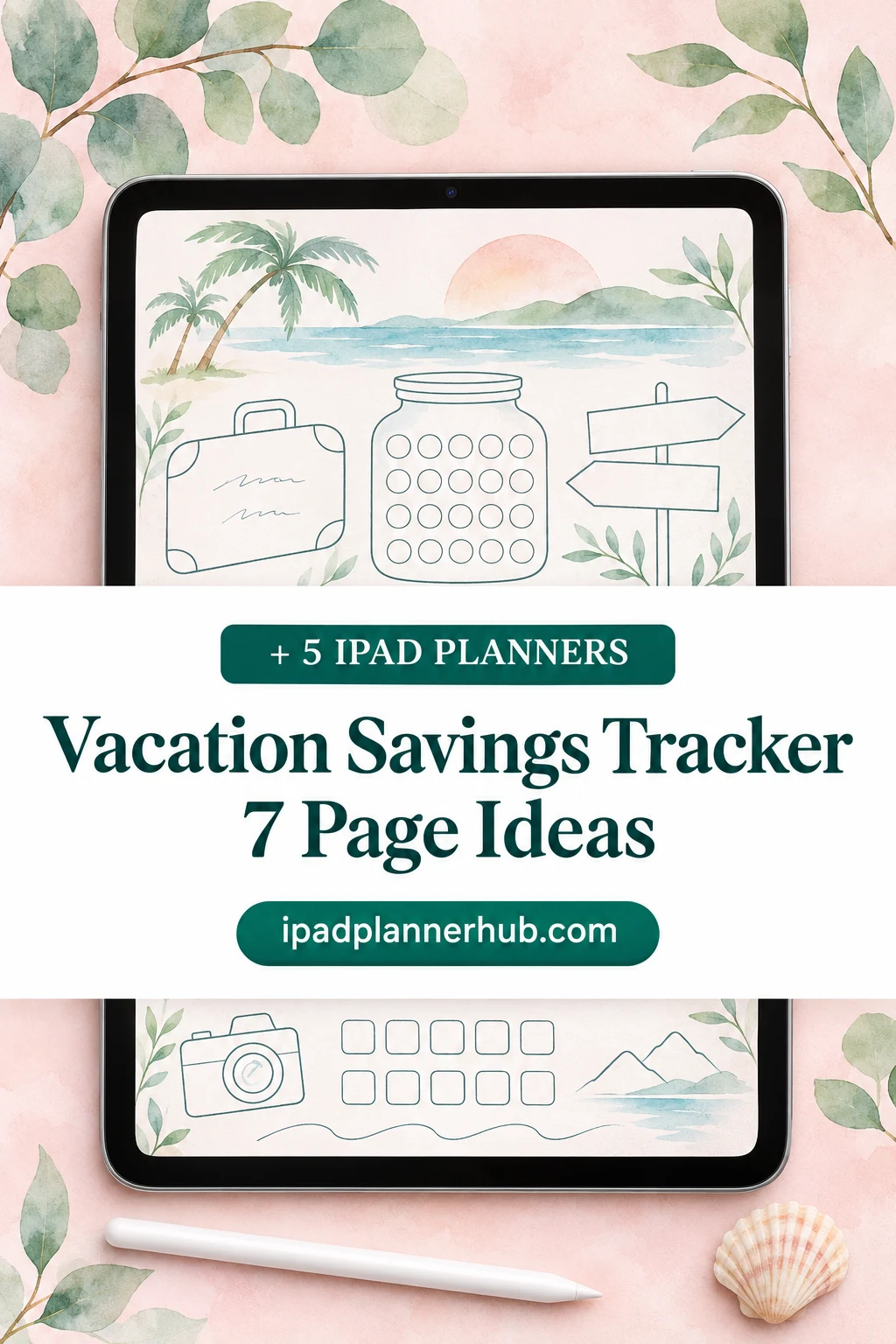
These seven page ideas follow the money from the first estimate to the last check before departure, starting with a target and a clearly labeled progress bar. Five iPad planners below support different pieces of that process. The first planner explicitly lists a Vacation Fund among its challenges.
Build a vacation savings tracker around seven useful pages
A travel savings tracker can cover a weekend away or a longer holiday; the fields stay the same, while the costs and deadlines change. You do not need seven separate files. Put these views on a few pages in an existing PDF notebook, or use a planner’s savings and notes sections. Keep one authoritative balance: copying the same total into several places makes it easier to count a transfer twice.
Define the trip and the schedule
- 1Give the goal a name and a funding deadline
Write the destination or trip description, intended dates, estimated total and the amount already reserved for it. Add a separate funding deadline if a deposit or final payment is due before departure. A trip in September might need its main costs funded in July; the saving schedule should follow the payment deadline.
Fields to add: trip name, travel dates, funding deadline, target, opening balance, estimate checked on.
If the destination is undecided, describe the scope instead: a three-night beach break for two. That gives later estimates a useful boundary. Keep money intended for everyday bills out of the opening trip balance.
- 2Build a cost map before choosing a contribution
Separate the estimate into transport, lodging, food, activities and other costs that actually apply. Record the date and source of each quote beside the amount. Mark whether a figure covers one person, one night or the whole group; a nightly room price is not a complete lodging total.
Fields to add: cost category, quantity, unit estimate, subtotal, source date, included or optional.
For an illustrative $2,400 trip, transport might be $700, lodging $900, meals $350, activities $250 and other selected costs $200. These are invented planning figures, not destination prices. Do not treat a quoted deposit as the full cost of the booking.
- 3Turn the remaining gap into dated contributions
Subtract money already set aside from the current target, then divide the gap by the number of contribution dates left before the funding deadline. Count actual dates on the calendar. Four months is not necessarily eight paydays, and a payday after the final bill is due cannot fund that bill in time.
Fields to add: contribution date, planned amount, actual amount, shortfall carried forward.
With a $2,400 target and $600 already saved, the gap is $1,800. Twelve remaining contributions would average $150 each. That arithmetic describes the schedule; it does not prove $150 is affordable. If it does not fit the budget, revisit the trip scope, deadline or target.
Track contributions and explain changes
- 4Keep an actual-money ledger
Give each contribution a dated row with a short description and the running balance. Record withdrawals as well as additions. An entry such as “hotel deposit” explains why the cash balance fell even though the money still supported the trip. Reconcile the page with your real records instead of relying on a colored shape.
Fields to add: date, description, money in, money out, running cash balance, checked.
An opening balance of $600 plus a $150 contribution gives $750. Paying a $200 trip deposit leaves $550 in available cash. The deposit is already paid toward the trip; it is not a failed savings contribution or money that should be subtracted twice.
- 5Add a progress picture with a clear unit
Draw a suitcase, thermometer or row of circles if visual progress helps you return to the page. State exactly what the picture measures. You can show total contributions toward the trip or cash still available, but those totals differ after bookings have been paid. Label the picture so the difference stays clear.
Fields to add: progress measure, target represented, amount per shape, updated date.
For a $1,800 remaining contribution goal, 18 shapes could represent $100 each. A $150 contribution fills one shape and half of another, or one shape with $50 recorded beside it. Do not round the ledger up just to finish the next icon.
- 6Keep a change log instead of erasing the old target
Travel estimates move. Save the previous target, the revised amount, the reason and the date of the change. Recalculate only the unfunded amount using the contribution dates still ahead. A short history helps you see whether the gap changed because of prices, a different plan or missed contributions.
Fields to add: change date, previous estimate, revised estimate, reason, new funding gap, next review.
If your $2,400 target becomes $2,550 and $900 has already been funded, the new gap is $1,650. With ten contributions remaining, the revised average is $165. Do not divide by the original twelve periods once two of them have passed.
Close the saving phase
- 7Make a pre-trip handover page
Before departure, split the trip total into costs already paid, money reserved for unpaid bookings and money available for the remaining trip costs. Note the next payment date and the location of booking records. This closes the saving phase without turning your savings page into a daily travel expense diary.
Fields to add: paid toward trip, still to pay, cash available, next payment, booking reference location.
Once the figures reconcile, move the itinerary and reservations into a travel planner. Keep this page as the funding snapshot. Avoid storing full card numbers, passwords or other sensitive payment details in a notebook you might export or share.
For a useful public example of the same building blocks, Colorado State University Extension’s vacation worksheet separates estimated costs, a savings goal and dated fund entries. The seven page designs and numerical examples here are my own organizational suggestions.
If you draw the progress picture yourself, use a dot grid to keep the shapes evenly spaced and leave room for the amount each shape represents. A black and white outline lets you mark progress with shading instead of relying on several colors. Size the drawing so you can still read the amounts beside it when you view the whole page on your iPad.
Five iPad planners for different parts of the trip fund
Choose for the job you need to record. A dedicated fund layout is the closest fit for contributions; a trip budget page helps calculate the target first. You can use notes pages in your chosen planner to keep extra trip details beside the savings record.
TL;DR: Start with the seven page ideas below. These five planners support different parts of the process: a built-in vacation goal, monthly contributions, savings overviews or a cruise cost estimate. All amounts and progress need your own entries.
Quick Picks
- Best for a built-in vacation goal: Digital Budget Planner, Financial Planner
- Best for a compact contribution log: Simple Savings Planner, Digital Planner
- Best for goal and savings overviews: Budget Digital Planner Hyperlinked Tabs
- Best for a wider finance workbook: Digital Budget Planner, Finance Tracker
- Best for estimating a cruise target: Cruise Digital Planner for Goodnotes PDF
- Digital Budget Planner, Financial Planner – Best for a built-in vacation goal
- Simple Savings Planner, Digital Planner – Best for a compact contribution log
- Budget Digital Planner Hyperlinked Tabs – Best for goal and savings overviews
- Digital Budget Planner, Finance Tracker – Best for a wider finance workbook
- Cruise Digital Planner for Goodnotes PDF – Best for estimating a cruise target

Best for a built-in vacation goal
1. Digital Budget Planner, Financial Planner
Orientation: PortraitFormat: Hyperlinked PDF
Best for: detail lovers, debt payoff planners, neutral design fans. Designed by ThePlannersDelight.
- Vacation Fund among the visual challenges and trackers
- Sinking Funds, Savings Tracker and monthly and biweekly budget pages
- Hyperlinked PDF for GoodNotes, Noteshelf and Notability; PNG stickers
The Vacation Fund entry gives this planner the closest connection to this project. I like having a visual goal beside a separate sinking-funds ledger: one shows the direction, while the other holds the dated amounts. Use the ledger for the arithmetic and choose your own value for any progress symbol. This is a broad budget planner, so readers wanting only one trip page may find the other sections unnecessary. The seller requires an Apple tablet plus a writable stylus, for example Apple Pencil. Budget separately for the apps and hardware, which are not included.

Best for a compact contribution log
2. Simple Savings Planner, Digital Planner
Orientation: Landscape previewsFormat: Hyperlinked PDF
Best for: savings beginners. Designed by bellaROSEworkshop.
- Saving Challenge with saving-for and goal fields
- Monthly rows for date, deposit, balance and notes
- Purchases Tracker and Bill Tracker; hyperlinked PDF for annotation apps
A small planner can make the routine easier to maintain. The Saving Challenge preview has monthly rows, so it suits a monthly contribution summary rather than a separate line for every daily transfer. Rename the purpose in your handwriting and keep any detailed receipts elsewhere. The seller calls the PDF not editable: plan to annotate it in an app, rather than expect to redesign its underlying fields.

Best for goal and savings overviews
3. Budget Digital Planner Hyperlinked Tabs
Orientation: PortraitFormat: Hyperlinked PDF
Best for: savers, budget beginners. Designed by mixxdigitaldesign.
- Savings Goal, Savings Tracker and Savings Overview
- Monthly Budget, Monthly Bills and Financial Goal pages
- 20-page hyperlinked digital planner for iPad PDF annotation apps
The green goal layouts offer two different views of the same plan: a place to name the target and an overview for the wider budget. That distinction is useful if the vacation is only one of several things you are saving toward. Keep detailed trip estimates in Notes and give the savings goal your trip name. Its pages also support printing, but the reason it belongs here is the explicit iPad and Goodnotes compatibility.
Best for a wider finance workbook
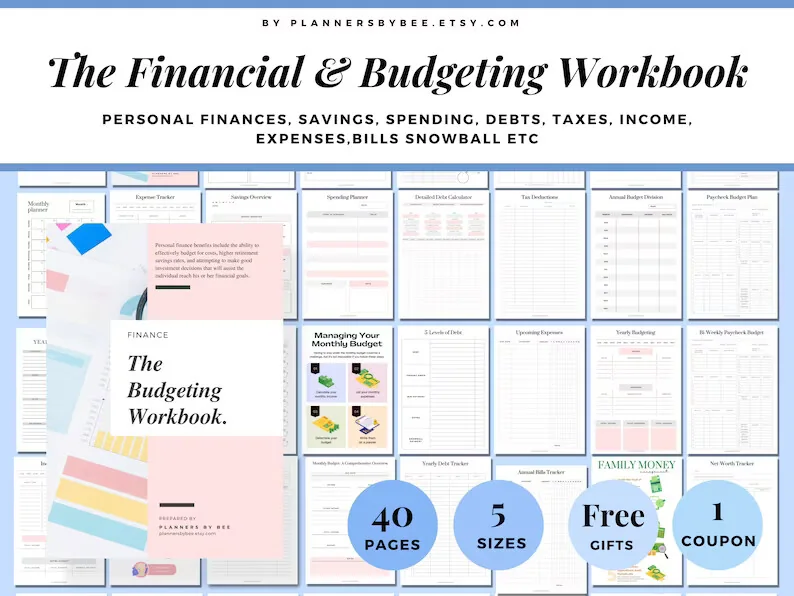
4. Digital Budget Planner, Finance Tracker
Orientation: Portrait page previewsFormat: Digital workbook for GoodNotes
Best for: paycheck budgeters, debt snowball fans, big-picture planners. Designed by PlannersByBee.
- GoodNotes-oriented financial planning workbook
- Savings Overview and Spending Planner visible in the listing collage
- Broader bill, income and expense layouts shown on the cover
This option makes sense when you want the trip fund to stay in sight of the rest of your finances. The listing image shows a Savings Overview, but the only preview is a collage, not a full gallery of individual pages. It suits a broad overview; a detailed contribution log would need its own notes page. The listing does not show a dedicated vacation tracker or promise automatic calculations.
Best for estimating a cruise target
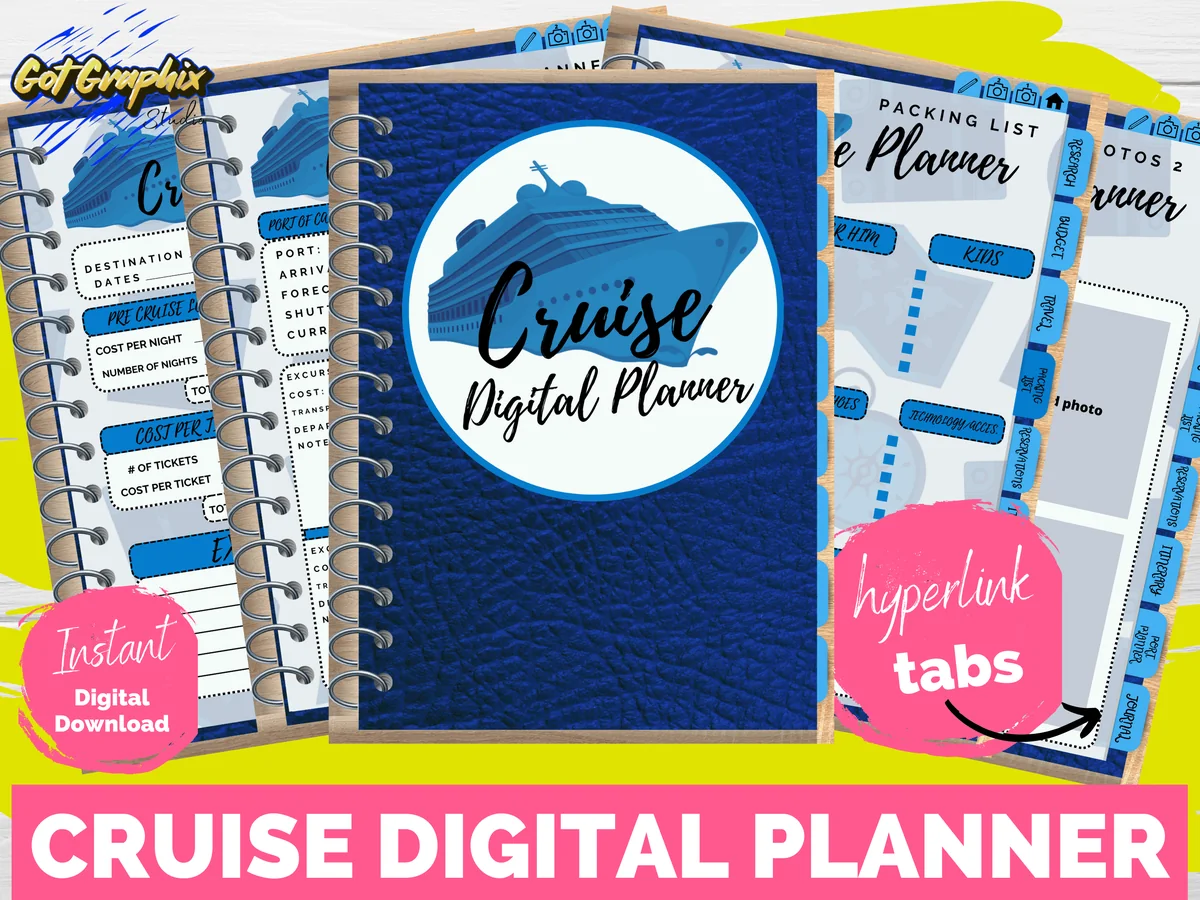
5. Cruise Digital Planner for Goodnotes PDF
Orientation: PortraitFormat: Hyperlinked PDF for Goodnotes
Best for: first-time cruisers, cruise fans, photo journalers. Designed by Kindle&ClothDesigns.
- Budget page with trip budget target and travel dates
- Pre-cruise and post-cruise lodging, ticket and add-on cost fields
- Hyperlinked PDF for Goodnotes with travel, reservation and notes pages
The Budget preview is useful before you decide how much to save: it separates lodging on either side of the cruise from tickets and extras. That earns it a place here as a cost-estimation tool, rather than a savings ledger. Keep contributions on a page you create in Notes or in your existing tracker. Choose a general budget planner instead if the trip is not a cruise; most of this file is devoted to the voyage itself.
Quick Comparison
| Planner | Role in the plan | Relevant pages | Limit to consider |
|---|---|---|---|
| 1. Digital Budget Planner, Financial Planner | Vacation Fund and sinking funds | Goal progress plus dated entries | Manual totals; wider budget system |
| 2. Simple Savings Planner, Digital Planner | Monthly saving log | Date, deposit, balance and notes | Monthly rows; no ready-made trip design |
| 3. Budget Digital Planner Hyperlinked Tabs | Goal plus overview | Savings Goal and Savings Overview | Name the trip and add detailed costs yourself |
| 4. Digital Budget Planner, Finance Tracker | Broader financial overview | Savings Overview and spending records | One collage preview; no dedicated trip ledger |
| 5. Cruise Digital Planner for Goodnotes PDF | Cruise cost estimate | Trip target, lodging, tickets and extras | Cruise-specific; create your own deposit log |
Keep the balances clear after bookings begin
A common snag appears when a tracker measures cash but a progress chart measures funding. Once you pay for part of the trip, those figures stop moving together. Give each figure a label before comparing them.
- Cash still available: opening trip balance plus contributions, minus payments and other withdrawals.
- Costs already paid: trip expenses you have settled; keep these in the cost map so they are not funded twice.
- Unpaid trip costs: remaining estimated expenses, including scheduled final payments.
- Remaining funding gap: unpaid costs minus cash genuinely available for them. If this is below zero, review what the excess is reserved for before changing the target.
For example, $900 funded with a $200 deposit already paid leaves $700 cash. Against a $2,400 trip estimate, the unpaid costs are $2,200 and the remaining gap is $1,500. Subtracting both the deposit and the full $2,400 from the cash balance would count the deposit twice.
Use a short review routine when prices or plans change
- 1Check the real balance. Compare your ledger with the money actually reserved for the trip. Correct missing entries before editing a target.
- 2Refresh the remaining costs. Replace old estimates with current quotes, label anything still uncertain and separate paid costs from unpaid costs.
- 3Count the remaining contribution dates. Divide the new funding gap by those dates, then check whether the resulting schedule fits your budget.
- 4Choose one change. Adjust an optional cost, the trip scope or the timing if needed. Write the decision and the next review date instead of silently raising every future contribution.
Build a regular saving habit by updating the page after putting money aside, then set the next review date. Keep the dream vacation visible, but use the expense tracker in your existing budget to understand what you can contribute. If you decide to save money by reducing an optional expense, record the contribution only after you have actually reserved that amount for the trip.
A missed contribution is useful information, not a reason to erase a row. Keep the planned amount and actual amount side by side. If your income varies, use a plan you can revisit; the PDF cannot decide what is affordable or protect money you have only written down.
Keep the trip ledger ready for the next payment
Keep the trip estimate, contribution record and payment dates close together in your iPad notebook. When you reserve money or pay a booking deposit, record the date and amount, then reconcile the trip balance with your financial records. This keeps the next payment tied to the money available for it.
- Find the next payment: note its due date beside the booking cost and the amount already paid.
- Keep the calculation visible: record the remaining cost and subtract the cash reserved for it before scheduling more contributions.
- Save the revised record: back up your notebook after changing the target or recording a booking payment, using your annotation app’s backup settings.
When the funding work is done, the digital travel planner guide covers tools for the next phase: bookings, itinerary and the trip itself. Keep that operational detail out of a contribution ledger unless it explains a payment.
FAQ: vacation fund planning on iPad
What should a vacation savings tracker include?
Start with a target, funding deadline, opening balance and dated contributions. Add an estimate breakdown and record money paid out toward the trip. A progress picture is optional; a balance you can reconcile matters more than a finished page design.
How much should I save each week for a trip?
Divide the remaining funding gap by the number of weekly contribution dates before your funding deadline. A $1,200 gap across 20 contributions gives an illustrative $60 per contribution. Check that against your budget and change the plan if needed; it is a calculation, not a recommended saving amount.
How much should I save each month for vacation?
Divide the unfunded trip total by the number of monthly contribution dates before the payment deadline. If a family trip needs another $1,800 and six dates remain, the plan calls for $300 each month. Compare that figure with your household budget, including groceries, bills and other commitments, before setting the contribution.
Where should I record the money reserved for the trip?
Note where you keep the trip money and how much of that balance belongs to the vacation fund. If it shares an account with other savings goals, record the trip allocation separately so the same money does not also count toward house savings or car expenses. For a shared family fund, log each person’s actual contribution and agree who updates the balance.
Can I use a monthly savings page for weekly deposits?
You can enter a monthly total and keep weekly transactions on a separate notes page. Simple Savings has monthly rows in its preview, so do not assume it provides enough individual lines for every weekly entry. Make the detailed ledger the source for the monthly summary.
Does coloring a tracker mean the money has been saved?
Only if the picture follows actual money set aside. A plan, a promised contribution and a completed transfer are different things. Choose one progress measure, update the cash ledger first and color the matching amount afterward.
Do these planners include a ready-made vacation savings page?
The first planner explicitly lists a Vacation Fund among its challenges, and the cruise planner lists a budget planner among its sections. You can keep a separate contribution log in Notes or your existing tracker. The seven page ideas above suggest ways to organize your own trip records; they do not describe seven templates included in each product.
When should I get help with the budget?
These pages organize a discretionary trip, not a personalized financial plan. If saving for it makes essential bills hard to cover, or you are unsure how it fits with debts and other needs, pause and seek guidance from a qualified financial counselor or adviser who can review your circumstances.
Give the trip fund one clear next step
A useful vacation savings tracker tells you what is already funded, what still needs money and when to review the next contribution. Start with the target and the actual-money ledger, then add the other page ideas only when they answer a question you keep having. The goal is a trip plan you can read and revise without guessing at the balance.
You May Also Like
This article contains affiliate links. If you buy through them, I may earn a commission at no extra cost to you. Read the affiliate disclosure.