Your notes are full of useful passages, but the first body paragraph still has nowhere to go. An essay planner on your iPad can give each passage a job before you turn it into prose.
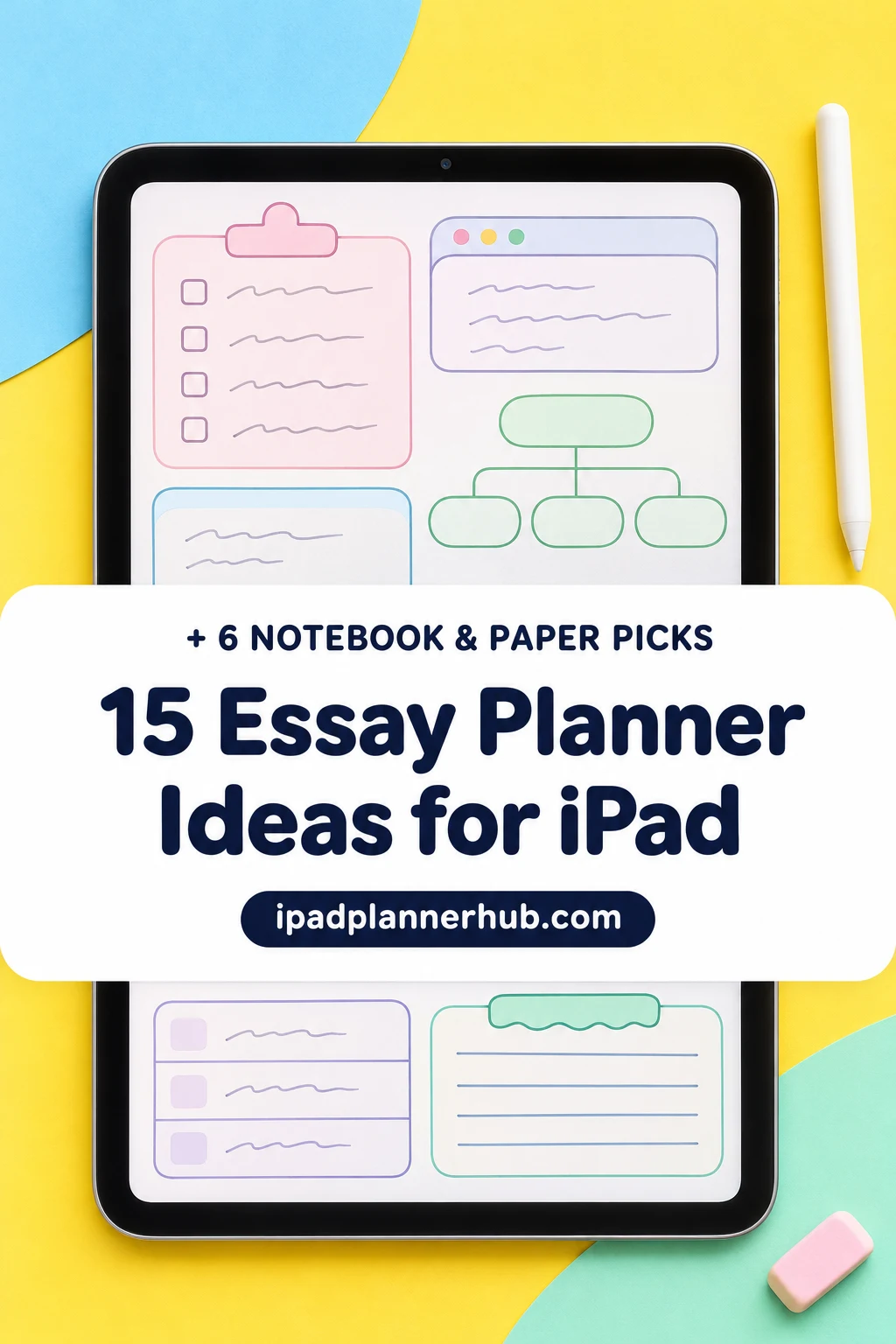
Start with a question, a provisional answer and one page that connects the two. Below are six notebook and paper options, followed by 15 ways to build your own planning pages and a short worked example. You can try the ideas on paper you already own; buying a notebook is optional.
Six iPad notebook and paper options for your plan
I selected these for different writing surfaces: open space for maps, columns for evidence, tabs for working stages and extra room for revisions. Each is a general notebook or paper pack. Use the ideas below to create your own essay-planning fields, example labels and workflows.
TL;DR: Choose one of 15 page ideas to connect the essay question, a working thesis and the evidence for each paragraph. These six iPad notebook and paper options provide space for your own plan; they are general writing tools, not prepared essay answers.
Quick Picks
- Best for a visual argument map: Watercolor Hyperlinked Digital Notebook
- Best for comparing evidence: Digital Notebook
- Best for a five-part workflow: Digital Notebook 5 Hyperlinked Tabs
- Best for changing page structures: Digital Notebook 5 Hyperlinked Tab
- Best for a notebook you already use: Digital Notebook Papers – GoodNotes
- Best for several argument versions: Digital Notebook 500 Pages Bundle – 2
- Watercolor Hyperlinked Digital Notebook – Best for a visual argument map
- Digital Notebook – Best for comparing evidence
- Digital Notebook 5 Hyperlinked Tabs – Best for a five-part workflow
- Digital Notebook 5 Hyperlinked Tab – Best for changing page structures
- Digital Notebook Papers – GoodNotes – Best for a notebook you already use
- Digital Notebook 500 Pages Bundle – 2 – Best for several argument versions
Best for a visual argument map
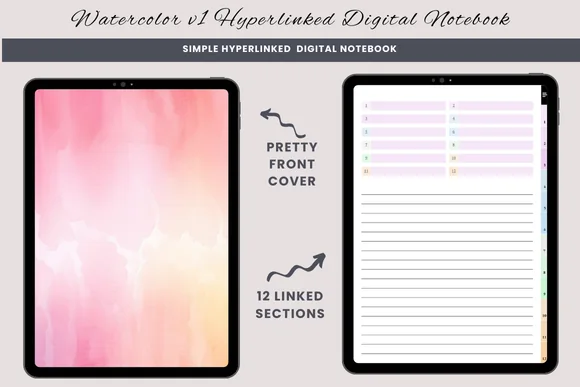
1. Watercolor Hyperlinked Digital Notebook
Orientation: PortraitLayouts: Lined, blank, half-lined
Best for: free-form writers, sketch and write journalers, topic-by-topic journalers. Designed by daysfilledwithjoy.
- One hyperlinked PDF with twelve sections
- Lined, blank and half-lined pages
- For GoodNotes or a similar PDF annotation app
The half-lined page is the useful detail here: put a small argument map above a written explanation. I like that it leaves the shape of the plan up to you. Label the sections for your own essay stages; the notebook supplies general paper, so you create the thesis and evidence fields yourself.
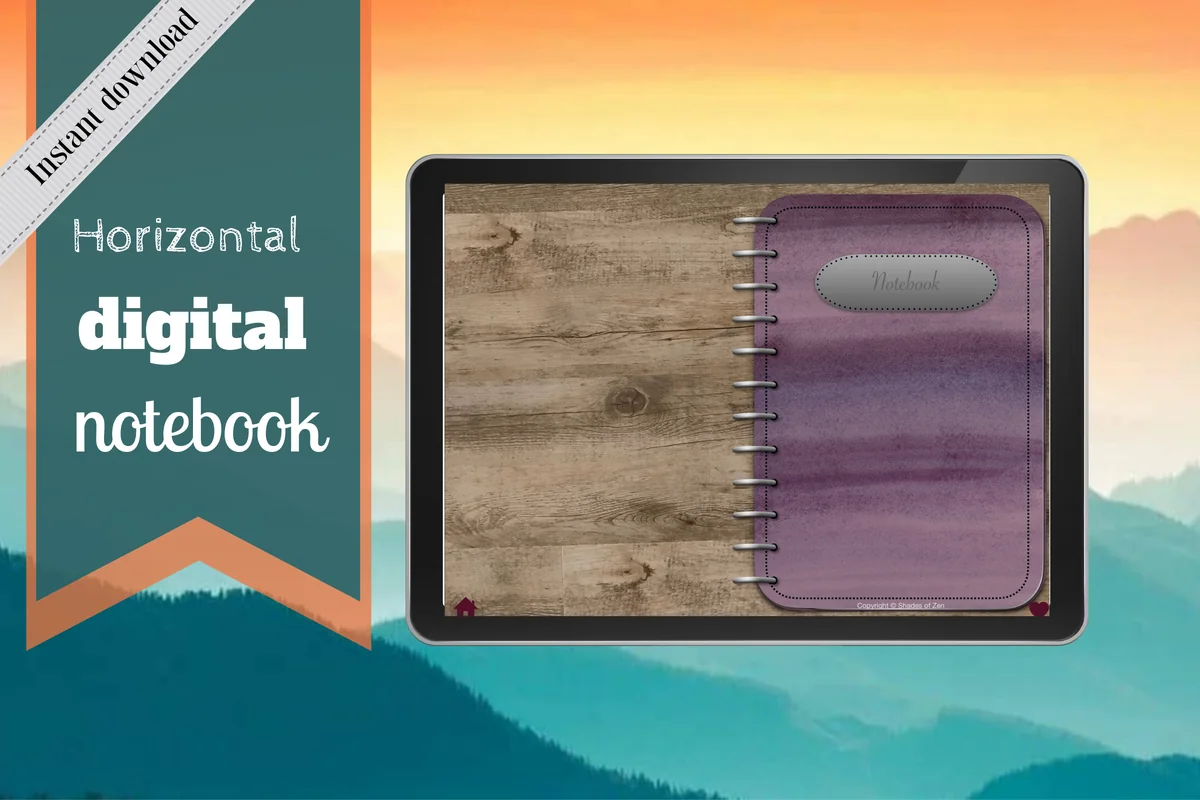
Best for comparing evidence
2. Digital Notebook
Orientation: LandscapeLayouts: 16 templates; Cornell, graph, columns
Best for: landscape note-takers, busy students, meeting notes. Designed by Shades of Zen.
- Twelve expandable sections with hyperlinked tabs
- Sixteen templates, including Cornell, graph and two columns
- Instructions included for Goodnotes or another PDF annotation app
A landscape spread makes a two-column comparison easier to scan. Put a passage on one side and your interpretation on the other, with its page reference on the same line. The purple notebook has room for several strands of an argument, so name only the sections this assignment actually needs.
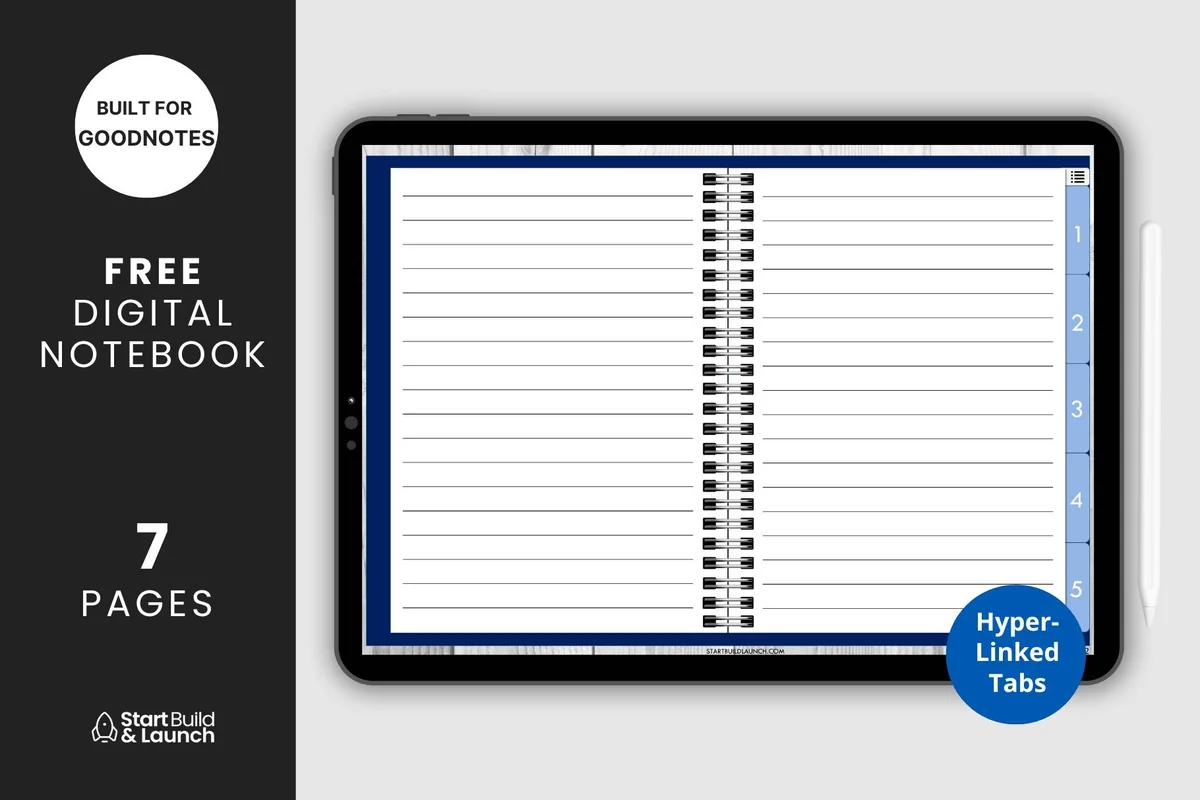
Best for a five-part workflow
3. Digital Notebook 5 Hyperlinked Tabs
Orientation: LandscapeLayouts: Blank, lined, dotted, graph, Cornell
Best for: beginners, high school students, minimalists. Designed by aviswilliams.
- PDF notebook with index and five linked sections
- Blank, lined, dotted, graph and Cornell paper
- Seller recommends an iPad or tablet with a stylus and a PDF annotation app
Five tabs match the five working areas I suggest below without needing a separate section for every paragraph. Keep the evidence together and give each paragraph a reference back to it. The template names describe the paper, not prepared essay worksheets. Goodnotes, Notability and Noteshelf are among the apps named by the seller.
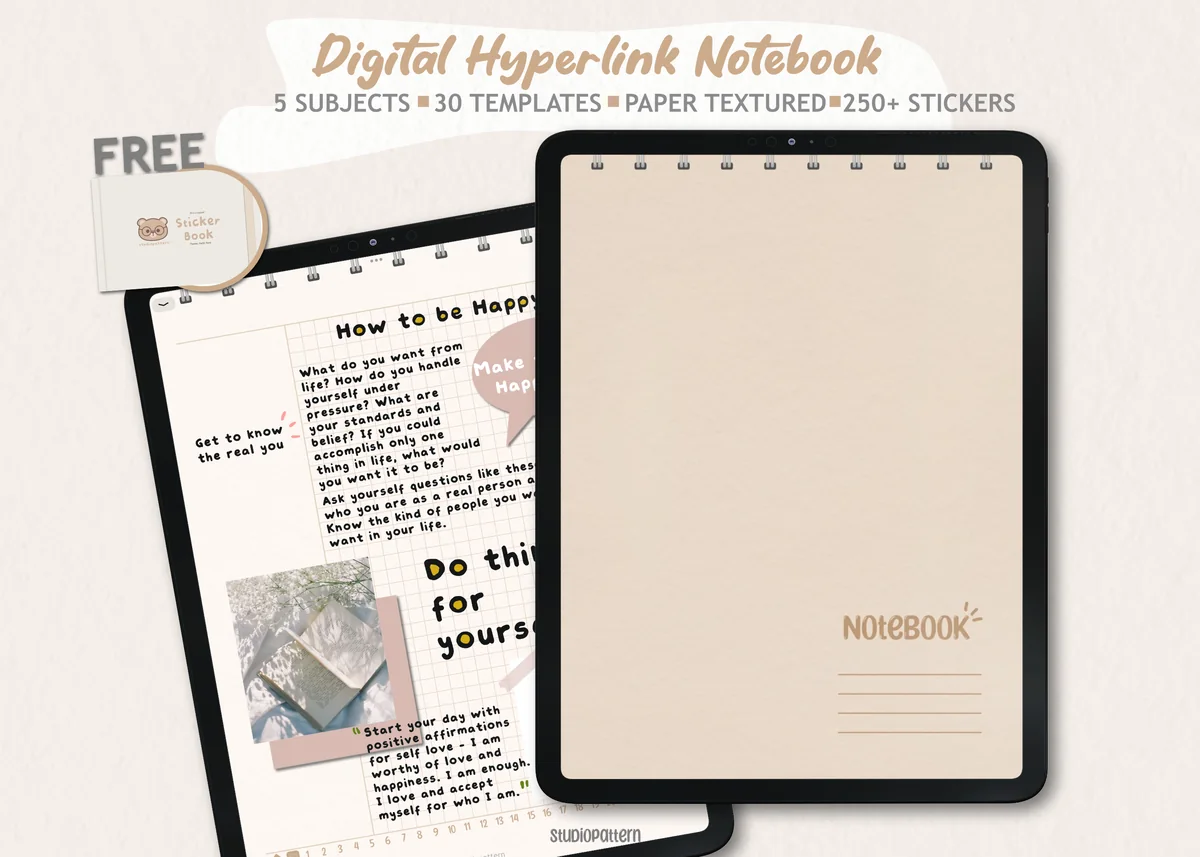
Best for changing page structures
4. Digital Notebook 5 Hyperlinked Tab
Orientation: PortraitLayouts: 30 paper templates
Best for: 5-subject students, sticker lovers, neutral aesthetic fans. Designed by studiopattern.
- Five linked sections and a contents page
- Thirty paper templates that can be duplicated
- Archive includes hyperlinked PDF, manual, PNG stickers and Goodnotes sticker book
The paper overview shows several ways to divide the writing area. That flexibility suits an essay where one paragraph needs a comparison and another needs a diagram. Start with one plain page rather than filling the notebook with extras. The seller recommends an iPad or tablet with Apple Pencil or a stylus; the annotation app may require a separate purchase.
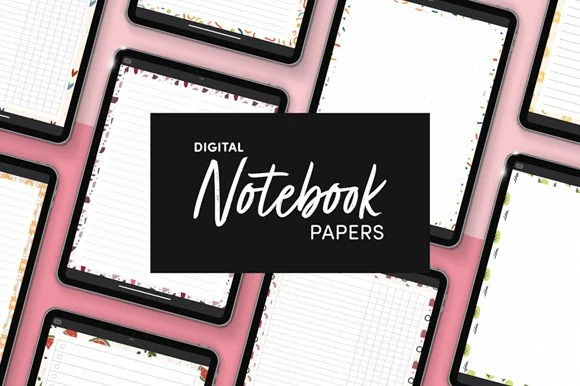
Best for a notebook you already use
5. Digital Notebook Papers – GoodNotes
Orientation: PortraitLayouts: 9 designs; 8 layouts each
Best for: list makers, decorative note-takers, planner add-ons. Designed by catsquills.
- Nine portrait paper designs, with eight layouts per design
- Columns, square, lines, notes and list layouts
- PNG and PDF files for GoodNotes or Notability
A paper pack is my leanest choice if your course notes already have a home. Use the columns layout for a claim and its supporting passage, then add your own source label. You receive page designs rather than a promise of essay-specific navigation. The decorative borders also deserve a look if you prefer a completely plain writing area.
Best for several argument versions
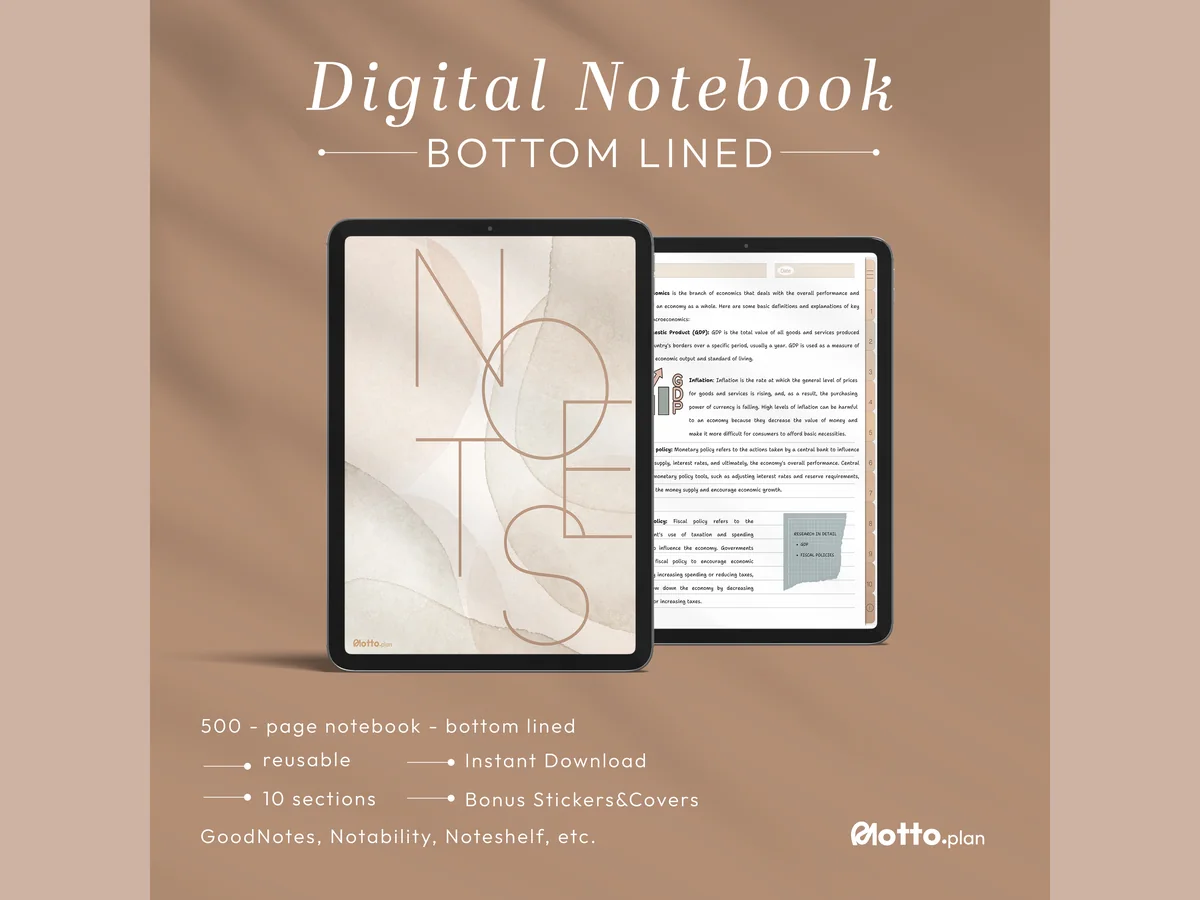
6. Digital Notebook 500 Pages Bundle – 2
Orientation: PortraitLayouts: Lined, blank, dots, graph, Cornell
Best for: college students, lecture note-takers, Cornell method fans. Designed by Motto Plan.
- Five hundred pages arranged in ten linked sections
- PDF notebook, covers, PNG stickers, GoodNotes sticker book and user guide
- Lined, blank, graph, dot grid and Cornell layouts
This larger notebook earns its place when you want to retain a rejected outline and compare it with the new one. Ten sections can hold versions and evidence strands for an extended assignment. More pages are optional capacity, not a reason to expand the essay. The seller recommends a tablet or iPad with Apple Pencil or a stylus and a compatible annotation app such as GoodNotes, Notability, Xodo or Noteshelf.
Quick Comparison
| iPad option | Planning role | Paper | Organization |
|---|---|---|---|
| 1. Watercolor Hyperlinked Digital Notebook | Map plus explanation | Blank and half-lined | Twelve sections |
| 2. Digital Notebook | Passage versus interpretation | Cornell and two columns | Twelve sections |
| 3. Digital Notebook 5 Hyperlinked Tabs | Five working areas | Graph and Cornell | Five tabs and index |
| 4. Digital Notebook 5 Hyperlinked Tab | Flexible planning grids | Thirty templates | Five linked sections |
| 5. Digital Notebook Papers – GoodNotes | Add one evidence sheet | Columns and square paper | PNG and PDF papers |
| 6. Digital Notebook 500 Pages Bundle – 2 | Outline version archive | Cornell, graph and blank | 500 pages; ten sections |
What should an essay planner include?
A useful plan connects the assignment to the argument you intend to make. Think of an essay planner outline as a roadmap: the thesis states your answer, and the body points show how you will establish it. The University of Newcastle essay planning guide uses a box plan for an introduction, body points and conclusion. The University of Toronto writing guide also treats outlines as working structures that can change as you evaluate evidence. Keep the first version deliberately small.
- Brief: the exact question, course, teacher or professor, deadline, target length and required citation style.
- Working thesis: your current answer, with enough qualification to show its limits.
- Body points: what each paragraph contributes to that answer.
- Evidence: a passage, reference locator and explanation of its relevance.
- Revision notes: gaps, objections and changes to carry into the draft.
Those fields work for college students without turning the page into a semester schedule. Students and their teacher can use the same brief to identify a missing requirement before drafting. If dates and submission milestones are the problem, an assignment tracker can hold them separately. Here the central question is whether the argument holds together.
15 page ideas from the assignment brief to revision
Use these as a menu, not 15 pages you must finish. A short essay may need only a brief, an evidence sheet and an outline. Longer writing can justify separate pages when one sheet becomes crowded. Keep the wording of the assignment visible as you move between sections.
Read the task and decide what you are arguing
- 1Make a question-decoder strip. Copy the exact assignment question at the top and mark its task verb, subject and boundary. Under “evaluate,” for example, leave space for the criteria you will use to judge something. Separate required work from interesting background. If a word is unclear, write a question for your teacher instead of quietly guessing what the task means.
- 2Turn the rubric into a planning margin. Put the assessment requirements down one side of a page and leave the main area for your outline. Beside “use evidence,” write where that evidence will appear; beside “analysis,” identify the paragraph that explains its meaning. Keep the rubric wording intact. This makes the page a check against the actual assignment rather than a generic checklist of what essays usually contain.
- 3Write a working-thesis box with an escape hatch. Give your provisional answer one or two sentences, then add a smaller box labeled “what could change this?” A strong source or a convincing objection may require a narrower claim. I like this pairing because it keeps the thesis useful without making it untouchable. Date the version so you can distinguish a revised argument from an older note.
- 4Draw a branch map with reasons on the branches. Place the working answer in the center and connect it to reasons that would support it. Put a source locator beside a branch only after you have checked the passage. A branch labeled merely “history” is a topic; “this policy changed access” starts to show an argumentative role. Use blank paper for the map, then translate its relationships into a linear outline.
Give your evidence a clear destination
- 5Build a passage-and-purpose grid. Create columns for the passage or paraphrase, source locator, claim supported and your explanation. Keep quotation marks around exact wording from the start. A page number alone does not explain why the evidence matters, so write that connection in your own words. If it takes a whole page to explain the link, the claim may need narrowing before the paragraph is drafted.
- 6Make one paragraph card at a time. Use four small zones: point, evidence, explanation and connection back to the thesis. Begin with the paragraph you understand best rather than forcing the introduction first. The evidence can be a placeholder marked “find source” while planning, but it must become a checked reference before submission. Give the card a short working title so you can move its position in the outline.
- 7Keep an objection-and-response pair. Divide the page into the strongest reasonable challenge to your argument and the response your evidence permits. A response can concede a limit rather than dismissing the objection. Note whether this belongs in its own paragraph or beside a particular claim. Avoid inventing an opposing view that nobody would actually defend just because it is easy to answer.
- 8Start a source-locator ledger. Assign each source a short ID and record the author, title, year and page or other usable locator. Link the ID to your evidence grid and keep the full reference details together. A handwritten ID is an organizational label, not a finished citation. Use the required style when you prepare the reference list, and check that every quoted passage can be found again.
- 9Park appealing material outside the outline. Give unrelated examples and interesting passages a small “not for this argument yet” area. Add a reason for leaving each one out: wrong scope, repeated point or missing connection. This preserves the idea without forcing it into the essay. Revisit the area only if the argument changes; a source does not earn a paragraph simply because you spent time reading it.
Arrange the argument and test the draft
- 10Order paragraphs by the reader’s questions. Write one sentence for each proposed body point, then read only those sentences. Ask what a reader needs to understand before the next point makes sense. Move background earlier only where it enables the argument. The order of chapters in a source does not have to become the order of your essay, and a sequence of events is not automatically a sequence of reasons.
- 11Add a provisional word-budget rail. Write a rough allocation beside each major section, giving more room to the points that need more explanation. Add the numbers and compare the total with the assignment limit. This is a planning estimate, not a requirement to make every paragraph identical. If a point needs twice the space you expected, reconsider its importance before cutting the analysis to preserve a decorative page layout.
- 12Reserve an introduction-and-conclusion pair. On the introduction side, note the problem, necessary context and thesis. On the conclusion side, note what the completed argument lets you say. Leave both flexible while the body develops. This is more useful than polishing a hook before the argument exists. If the conclusion makes a new claim, send that claim back to the body for evidence or remove it.
- 13Make a reverse-outline margin. After drafting, summarize what each paragraph actually does in a short phrase. Compare that sequence with the plan. Repeated jobs can signal duplication; a paragraph with no clear job may need a new point or a different place. The University of Toronto describes reverse outlining as a revision method. Keep the original plan beside the new margin notes so the change is visible.
- 14Create a claim-to-citation audit. List the claims that depend on a source and mark where their evidence appears in the draft. Check both directions: every citation should serve a point, and every sourced claim should have its reference. Separate your interpretation from the author’s wording. An empty cell means “check this,” not permission to invent a reference or leave a quotation unattributed.
- 15Leave a next-action line before stopping. Finish a session with one specific instruction, such as “compare these two passages for paragraph three” or “rewrite the thesis to include the exception.” Keep it beside the current outline version. A concrete action is easier to return to than “work on essay.” Once the draft is organized, stop redesigning the plan and spend the remaining time on checking and revision.
An essay planner example you can copy by hand
Here is an invented planning example, not an evidence-based answer to the topic. Suppose the question is “Should a college library extend evening opening hours?” The working answer might be: “Extend hours during assessment periods if staffing and measured demand support the change.” The qualification gives you something specific to investigate.
- Context: define which library and which period the proposal concerns. Keep the scope small enough to investigate.
- Point A, access: investigate whether current hours restrict students’ access. Evidence needed: relevant local usage or student feedback.
- Point B, feasibility: investigate staffing and operating constraints. Evidence needed: appropriate institutional information.
- Objection: low demand could make an extension hard to justify. Check the evidence instead of assuming the objection is wrong.
- Conclusion: revisit the conditional recommendation after examining access and feasibility.
On a two-column page, put “what I want to argue” on the left and “what I still need to establish” on the right. The example provides no research findings or citations: mark both as research tasks. That distinction keeps an essay plan example from turning a plausible sentence into a supposed fact.
Template or app: PDF, online outline, Google Docs or Notion?
An essay planner template is the structure of the page. An essay planner app is where you edit or annotate it. The products above provide notebook or paper files. Check the seller’s stated purchase contents and file format, then check your chosen app’s terms and import support separately before choosing a pack.
- PDF planning page: choose this route for handwriting, arrows and a stable page shape. You add the essay labels and references yourself.
- Online essay planner or shared document: consider this when typed reordering or comments matter more than drawing. Check saving, export and access requirements for the tool you choose.
- Essay planner template: Google Docs route. Use the same brief, thesis and body-point structure as headings or a list if you prefer typed text. The saved product descriptions for the six notebook packs here list PDF, PNG or annotation-app use and do not mention a Google Docs template.
- Essay planner: Notion route. The same fields can become your own page structure, including a separate area for references. The saved descriptions of the six notebook or paper offers here do not mention a Notion template.
- AI-assisted planning: follow your course rules and verify any proposed claims against real sources. Generated wording is not evidence, and a plausible citation still needs checking.
For PDF planning, first decide whether you need a linked notebook or simply a page to annotate. A convenient layout is one you can read at your normal writing size on the devices you use. Before relying on cloud storage, check how you will save and receive a backup of your work; do not assume a pack includes a subscription or a sync service. When choosing an app, decide which editing actions matter before choosing software. For more paper layouts, compare the published GoodNotes note templates guide.
Keep the page readable while the argument changes
- Use one color for your own analysis and another for source notes; retain quotation marks and written source labels so color is never the only distinction.
- Keep long quotations in the source notes and short evidence cues in the outline. Carry the locator across when you move a point.
- Give versions clear names such as “initial argument” and “revised after objection.” Do not let two different theses share the same heading.
- If a grid becomes cramped, continue on another page rather than shrinking handwriting until it is hard to read.
FAQ: planning an essay on iPad
How do you plan an essay before writing?
Read the question and rubric, make a provisional answer, then arrange the reasons and evidence that support it. Start drafting when you have enough structure to test the argument. Update the plan as the draft changes rather than treating the outline as a contract.
What is the 10% rule for essays?
Newcastle’s guide suggests roughly 10% of the word count for the introduction and another 10% for the conclusion. Treat that as an initial allocation, not a universal grading rule. Your assignment instructions and the needs of the argument take priority; the body needs room for evidence and analysis.
Can I write a 3,000-word essay in one day?
A word count does not tell you whether the research, reading and revision can fit into a day. Check what is already done and what remains, then protect time for references and a final read. If the deadline is unmanageable, check the course’s extension process rather than relying on a guarantee of speed.
Is there a free way to make an essay planning template?
Yes: draw the brief, thesis, paragraph and evidence fields on a blank page or make your own typed outline. The method does not depend on buying one of these packs. Product prices and app charges can change, so check current terms instead of assuming a listing or an annotation app is free.
Do I have to complete every planning page?
No. Choose only the pages that resolve a real writing problem. If the argument is clear but the citations are scattered, make a source ledger; if the draft repeats itself, make a reverse outline. Students who need additional writing support can also ask their course writing center about available help.
Start with the paragraph that needs a reason
The most useful essay planner is the one that shows what your next paragraph is trying to establish. Pick a single page idea, attach its evidence and check the link back to the question. Choose a notebook after deciding whether that page needs open space, columns or a few separate tabs.
You May Also Like
This article contains affiliate links. If you purchase through them, I may earn a commission at no extra cost to you. See the affiliate disclosure.