You open your iPad to plan tomorrow and find grocery notes beside work deadlines, a half-finished reading list, and three different places to check what comes next. A Notion planner can give those pieces a shared home. I compared the included sections and product galleries of these eight templates to help you choose a daily system, a wider life dashboard, or a focused task workflow.
Choose by the work you need the template to do before choosing a color palette. The comparison below separates planning horizons, academic sections, routine checklists and project stages. This comparison uses the published descriptions and gallery images. I have not purchased these workspaces or tested their formulas and automations.
TL;DR: Eight Notion templates for daily routines, weekly reflection, life administration, study and goal-focused tasks. Start with the planning horizon you need, then compare the included sections. These are templates for a Notion workspace, rather than handwriting pages for Goodnotes.
Quick Picks
- Best for planning horizons: Notion Template, Notion Life Planner
- Best for routine and reflection: Notion Template, Notion Life Planner
- Best for visual life categories: Notion Template ADHD, Life Planner
- Best for everyday routines: Notion Template ADHD, Notion Life Plan
- Best for household overview: Life OS Notion Template
- Best for student life: Notion Student Planner
- Notion Template, Notion Life Planner – Best for planning horizons
- Notion Template, Notion Life Planner – Best for routine and reflection
- Notion Template ADHD, Life Planner – Best for visual life categories
- Notion Template ADHD, Notion Life Plan – Best for everyday routines
- Life OS Notion Template – Best for household overview
- Notion Student Planner – Best for student life
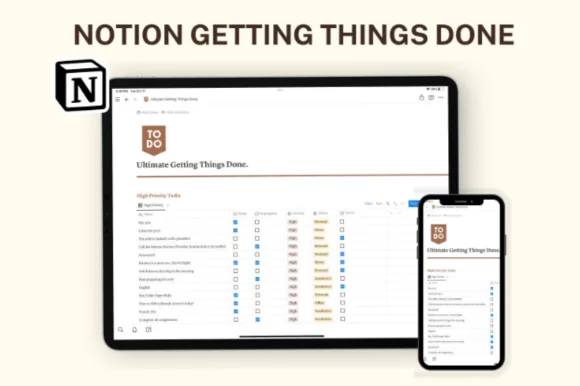
- Getting Things Done Notion Template – Best for task stages
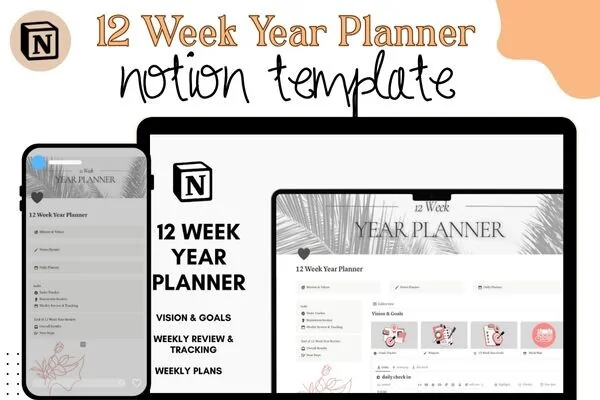
- 12 Week Year Planner Notion Template – Best for a focused goal cycle
Life planning and everyday routines
Best for planning horizons
1. Notion Template, Notion Life Planner
Sections: Planning + householdFormat: Notion template
Best for: connecting a daily checklist to longer-term life plans. Designed by ThePlannersDelight.
- Yearly, monthly, weekly and daily planning sections, plus a calendar and to-do lists
- Vision section, budget tools, subscription tracker and shopping list
- Leisure, fitness and nutrition sections, with recipes and a grocery list
- PDF containing the Notion template link; duplicate the template into your workspace
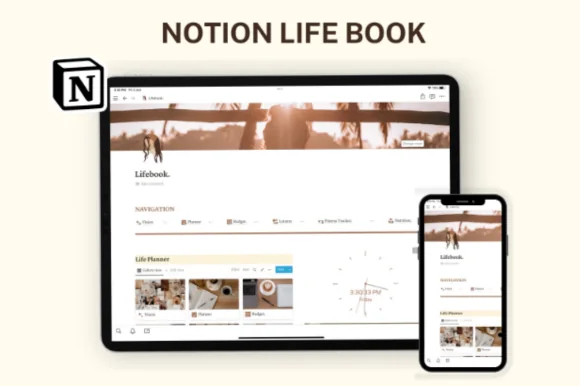
The Lifebook stands out because it separates planning horizons instead of putting every intention in one running list. I like the warm brown navigation and the distinction between Vision and Planner: the first gives a goal somewhere to live, while the second gives the next action a place in your day. Its breadth is also the tradeoff. Start with the weekly and daily pages rather than filling every lifestyle section on arrival.
Best for routine and reflection
2. Notion Template, Notion Life Planner
Sections: Routines + reflectionFormat: Notion template
Best for: a weekly check-in with space for daily reflection. Designed by ThePlannersDelight.
- Beige life dashboard with weekly priorities and a to-do list
- Morning and night routines, journal and daily reflection
- Calendar, budget, shopping, recipes, fitness and media hub
- PDF with a link to the Notion template and duplication instructions
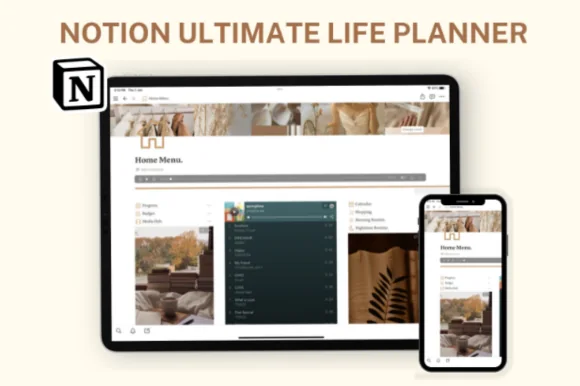
This is the softer alternative to the Lifebook. The beige gallery gives journals and routines more visual weight, making it a useful choice when your weekly review includes how the week felt as well as what got finished. Use the morning routine for a short opening checklist and the reflection page for one sentence at night. Choose the Lifebook instead if separate daily, monthly and yearly planning pages are your main requirement.
Best for visual life categories
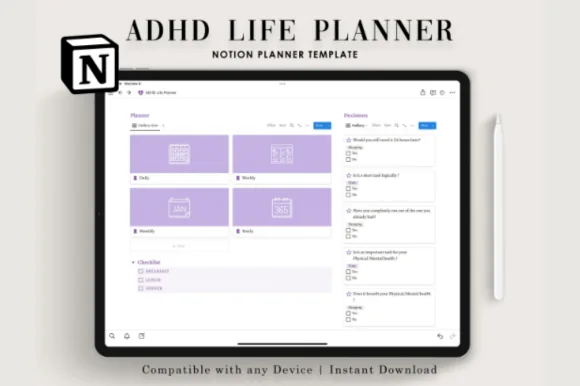
3. Notion Template ADHD, Life Planner
Sections: Visual life categoriesFormat: Notion template
Best for: seeing different life areas through lavender navigation tiles. Designed by ThePlannersDelight.
- Today’s agenda, decisions, checklist and yearly, monthly, weekly and daily planning
- Goals, habits, sleep log and home cleaning sections
- Budget, leisure, reading, media, fitness, recipes and grocery lists
- Notion template accessed through a PDF; the gallery explains duplication
The lavender tiles make the planning areas easy to distinguish in the preview. What interests me is the combination of a decisions area and an ordinary checklist: an unresolved choice need not sit mixed in with errands. The product is marketed with ADHD in its name, but that label is not evidence of a clinical benefit. Choose it for the visible structure and the sections you need; a very large life dashboard can still be too much to manage.
Best for everyday routines
4. Notion Template ADHD, Notion Life Plan
Sections: Checklists + prioritiesFormat: Notion template
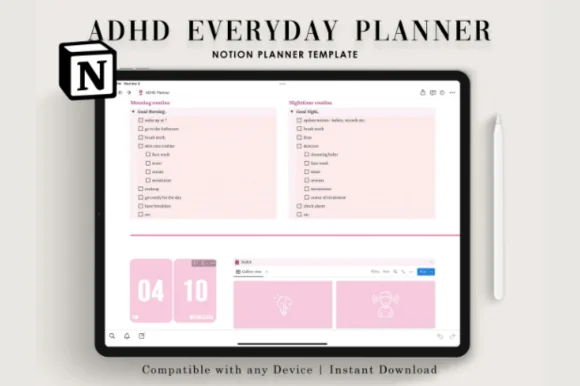
Best for: keeping morning and nighttime checklists close to priority tasks. Designed by ThePlannersDelight.
- Morning and nighttime routines, decisions and high-priority tasks
- Contacts, projects, checklist and a 15-minute space-maintenance section
- Habit tracker, journal, calendar, water and sleep logs
- Focus, Reflect, Plan and Be Present sections; digital template for Notion
This pink everyday planner has a different emphasis from the lavender life planner. The preview puts morning and nighttime checklists up front, with short maintenance tasks nearby. That makes it a more natural candidate for a repeatable daily opening and closing routine. Keep each checklist short enough to scan without scrolling. The ADHD wording belongs to the seller’s title; it does not mean this template treats attention difficulties or replaces professional support.
Best for household overview
5. Life OS Notion Template
Sections: Home + goals modulesFormat: Notion template
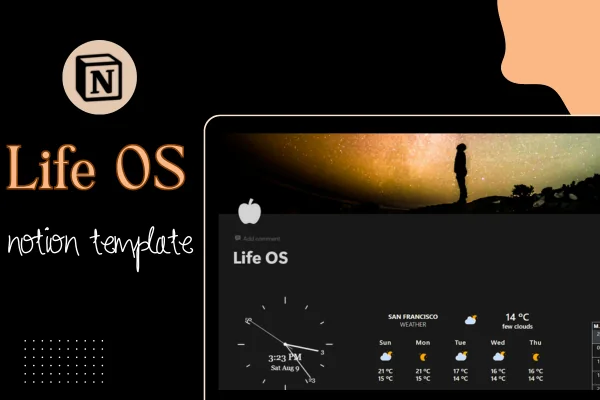
Best for: bringing home administration and longer-term goals into one workspace. Designed by Dohaforkdp.
- Dashboard with top three tasks, weekly agenda, master to-do list and quick-capture inbox
- Annual goals, quarterly OKRs, projects and habit tracking
- Meals, fitness, journal, mood, finances, subscriptions and bills
- Learning, reading, home inventory, gifts and contacts; English-only template linked from a PDF
This Life OS by Dohaforkdp is the broadest home-administration option here. The dark dashboard and module navigation separate household information from the day’s immediate tasks. I like the top-three focus as a way to avoid treating an entire inventory as today’s work. The cost is setup: contacts, bills and home information take time to enter. Pick it when consolidating those areas is the actual goal, rather than simply wanting a prettier weekly list.
Study and academic planning
Best for student life
6. Notion Student Planner
Sections: Subjects + assignmentsFormat: Notion template
Best for: combining academic tasks with everyday life planning. Designed by ThePlannersDelight.
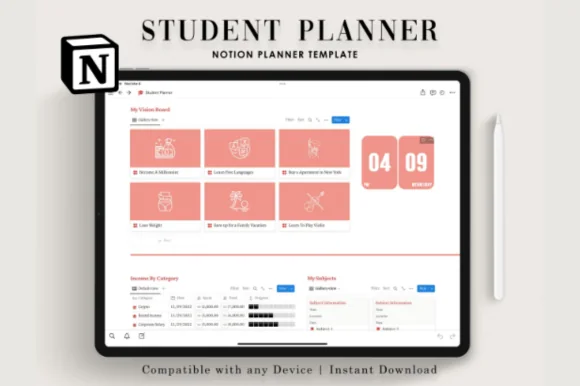
- Academic section with a class schedule, subject tracker and assignments shown in the gallery
- Daily tasks, monthly tasks board, notebooks and goals
- Budget, media hub, fitness, recipes and calendar
- PDF containing a Notion template link; coral student dashboard shown on an iPad
The coral Student Planner gives academic work a recognizable home, while keeping meals, money and everyday tasks nearby. Its gallery shows subjects and assignments, which makes it more relevant to study than a generic life dashboard with a school-themed cover. For this broad comparison, the useful distinction is the academic section. If you only need project deadlines and personal notes, one of the task-focused choices below will involve fewer unrelated pages.
Task progress and focused goals
Best for task stages
7. Getting Things Done Notion Template
Sections: Task stagesFormat: Notion template
Best for: sorting actionable work by priority and progress. Designed by ThePlannersDelight.
- High-priority tasks checklist, calendar and clock
- To Do, In Progress and Done sections
- Low- and high-priority task organization
- PDF with the template link; sections can be customized in Notion
The strength here is the change in state: a task can move from waiting to active to finished. I prefer that visible distinction when several small projects overlap, because an unfinished task is not always a task you should start today. The preview is more workmanlike than decorative. The name references Getting Things Done, but assess the actual checklist and stages rather than assume it provides a complete course in that method.
Best for a focused goal cycle
8. 12 Week Year Planner Notion Template
Sections: Goals + weekly reviewFormat: Notion template
Best for: planning a defined twelve-week project with regular reviews. Designed by Dohaforkdp.
- Mission and values, vision and goals, and a brainstorm session
- Daily planner, task tracker, daily check-in and weekly plans
- Weekly review and tracking, overall results and next steps
- English-only Notion template; PDF contains the template link
A twelve-week frame is useful when a full life dashboard would distract from one project. The weekly review and overall-results sections give this template a stopping point as well as a starting point. Define a concrete outcome, then choose weekly actions that fit the hours actually available. The time frame is a planning structure, not a promise that twelve weeks will deliver a year’s worth of results. Keep unrelated household lists elsewhere.
Quick Comparison
| Template | Planning focus | Key sections | Consider before choosing |
|---|---|---|---|
| 1. Notion Template, Notion Life Planner | Daily to yearly | Planning + household | Many sections to maintain |
| 2. Notion Template, Notion Life Planner | Weekly priorities | Routines + reflection | Lifestyle-heavy dashboard |
| 3. Notion Template ADHD, Life Planner | Agenda to yearly | Visual life categories | ADHD is a product label |
| 4. Notion Template ADHD, Notion Life Plan | Daily routines | Checklists + priorities | Not a treatment tool |
| 5. Life OS Notion Template | Weekly + long term | Home + goals modules | English only; broad setup |
| 6. Notion Student Planner | Study + daily life | Subjects + assignments | Academic emphasis |
| 7. Getting Things Done Notion Template | Priority + progress | Task stages | Focused task system |
| 8. 12 Week Year Planner Notion Template | Twelve-week cycle | Goals + weekly review | English only; goal focus |
Choose a Notion planner by the decisions you make each week
A Notion life planner is useful when your calendar, goals and household lists need to sit together. A task planner makes more sense when the main problem is deciding what to do next. The best life planner for you is the smallest system that makes those decisions easier, even if a larger dashboard looks more impressive.
- Daily and weekly planning: Choose the Lifebook when you want separate time horizons. Choose the beige life planner when routines and reflection matter more than a separate page for each period.
- Recurring routines: The pink everyday planner puts morning and nighttime checklists first. The lavender life planner offers a wider collection of life categories alongside its agenda.
- Home administration: Dohaforkdp’s Life OS includes home inventory, gifts and contacts as well as goals. Those modules are useful only if you intend to maintain them.
- Study: The coral Student Planner has actual academic sections in its gallery. Treat its other life sections as optional, rather than another set of assignments.
- Projects: Getting Things Done emphasizes priority and task stages. The twelve-week template emphasizes a defined goal cycle with weekly reviews.
Notion planner ideas for a useful dashboard
Start with a clear route from an overview to an action. A calendar answers when; a task list answers what; a notes section holds the detail that would otherwise make the list unreadable. You do not need every page to display the entire collection at once.
- A place to capture: Put a new errand or idea somewhere quickly, then decide where it belongs during a review. An inbox should be a temporary holding area, not a second forgotten to-do list.
- A daily focus: Separate a few actions you intend to finish today from all the resources and projects you might work on eventually.
- A weekly overview: Check commitments, available time and deadlines together before adding optional tasks.
- A home for goals: Write the next action beneath each bigger goal. “Organize the kitchen” becomes “measure the drawer before buying dividers.”
- A review point: Keep a short reflection on what was completed, what changed and what needs a smaller next step.
For a simple checklist, ordinary to-do blocks may be enough. A database becomes more useful when you need the same tasks organized by status, due date or category. Notion’s database-view guide explains how multiple views can present the same information with different filters and sorts. That is a platform capability; it does not establish that a particular purchased template arrives with every view already configured.
Aesthetic templates: a visual Notion planner review
For an aesthetic online planner, inspect the page you will actually open each morning. The warm brown Lifebook, beige reflection planner, lavender life categories and pink routine checklists offer different visual cues. Pick the cue that helps you find your next action quickly, rather than collecting several versions of the same workflow.
- Look for navigation labels you can understand without memorizing the layout. A row of attractive icons should still lead somewhere obvious.
- Compare the density of the daily task section with the space given to images and decorative widgets. A beautiful page is less useful if your next action is several screens below it.
- Choose table, calendar or board views for a reason. A table can make details easy to compare; a calendar highlights dates; a board can make stages of work visible.
- Keep the original structure until you understand it. Changing every section, cover and label on the first day can turn setup into a separate project.
A practical Notion planner tutorial for your first week
These are workspace templates, so the useful next step is duplicating and organizing the Notion pages rather than importing them as handwriting sheets. Several listings supply a PDF containing the template link. Keep that access document somewhere you can find again, but do your actual planning inside the copied workspace.
From template link to a manageable first week
- 1Open the access instructions. Follow the seller’s template link while signed into the Notion account you intend to use. Check that you are looking at the correct product and read any seller-specific setup notes before making changes.
- 2Duplicate into the right workspace. Notion’s public-page instructions say to use Duplicate and choose the destination workspace. Check the copy and its subpages before editing. If the option is missing, ask the seller about access rather than assuming that importing the PDF will create the workspace.
- 3Choose one starting page. Use the daily agenda, weekly priorities or task dashboard as your entry point. Leave recipes, media collections and other optional sections alone until the basic planning route feels clear.
- 4Add a realistic sample week. Enter a few real commitments, one project and a short routine. Give each action enough detail to recognize it later. Replace vague tasks such as “admin” with a concrete action such as “send the invoice for the finished project.”
- 5Review after a few days. Notice which pages you actually opened and which stayed untouched. Simplify the route to frequent actions before adding another database, formula or widget. Keep a copy before making major structural changes.
The duplication steps follow Notion’s public-page guide. A seller’s delivery document may add product-specific instructions. Allow a short period of learning before buying another template.
Turn the weekly review into a short routine
A planning system becomes useful when it helps you make a choice, not merely collect information. Reserve a small weekly check-in for the decisions below. The twelve-week template already includes a weekly-review section; with another template, use an appropriate notes page rather than assuming a review form is included.
A weekly check-in with a clear finish
- 1Clear the capture area. Move useful notes and tasks to their intended homes. Remove duplicates and turn a large idea into one next action. Keep reference material out of today’s working list.
- 2Check capacity before priorities. Look at the coming week’s fixed commitments and decide how much space remains. Carrying every unfinished task forward automatically can create a larger backlog without a more realistic plan.
- 3Choose a few outcomes. Pick work that can move a goal or project forward. Write the due date only when it has a real purpose, then decide which task deserves attention first.
- 4Leave a reflection. Record one obstacle and one adjustment for next week. A habit check is information about a routine; it is not a grade for your character or a reason to add more tracking.
Notion template, planner app, or handwriting PDF?
A template supplies a starting structure within Notion; it is not a separate planner app. If your main habit is typing tasks, sorting information and keeping notes with projects, that structure may suit your iPad routine. If your main habit is writing across a page with an Apple Pencil, a handwriting planner is a different starting point.
- Choose a Notion workspace when you want to edit structured tasks, navigate between sections and organize project information. Evaluate the particular template’s sections before assuming it provides calendar integration or advanced automation.
- Choose a Goodnotes-style planner when the page layout and handwritten annotations are central to how you plan. Our weekly iPad planner comparison covers that alternative.
- Use both with a clear boundary if you want structured project records alongside a handwritten daily page. Decide which place owns a deadline so that two lists do not become two conflicting versions of the week.
For a fuller comparison of those workflows, read our Notion vs Goodnotes comparison, linked below. Here the question is which ready-made workspace fits your planning habits, rather than which app wins overall.
FAQ: choosing and using Notion templates
What is a Notion planner template?
It is a prebuilt set of Notion pages and, depending on the product, databases and views for organizing plans. The seller supplies the structure; you add your own commitments, tasks and notes. A PDF included with a listing can simply be the access document containing the template link.
Is Notion Planner free?
Separate the template price from the account used to open it. A paid Creative Fabrica template is not made free by a reference to a free Notion account. Check the current offer and any account requirements on the product page before purchase; this comparison does not promise a free template or a particular subscription price.
Is Notion good as a daily or weekly planner?
It can suit someone who wants typed tasks, structured information and connected planning sections. It may be more setup than you want for a short handwritten list. Begin with one daily or weekly route and judge whether it makes planning easier before filling the optional lifestyle pages.
Can I use my template offline?
Notion currently supports making pages available offline in its desktop and mobile apps, including on free plans; this is not a browser feature. Prepare the pages you need while connected and check them before relying on them during a trip. Read Notion’s offline instructions and limitations for the current behavior of subpages, databases and embedded content.
How do I add a timetable or calendar?
Start by checking what the specific template includes. A class schedule, a calendar inside a workspace and a connection to an external calendar are different features. For a study routine, the coral Student Planner shows a class schedule; for another template, plan to create or adapt your own timetable unless the listing explicitly includes one.
Will a planner marketed for ADHD improve symptoms?
A checklist or visual navigation system may be a practical preference, but a product name does not establish treatment effectiveness. Use the visible layout as a buying criterion. If attention, sleep or distress is disrupting daily life, discuss that with a qualified professional rather than relying on a template as treatment.
Pick the workspace you will open tomorrow
The best Notion planner for your day should make the next action easier to find. Start with the Lifebook for separate planning horizons, a routine-focused option for daily checklists, or a task-focused template when projects are the main concern. Give the essential pages a chance to become a habit before expanding the workspace.
One useful weekly plan and a small set of current tasks can be easier to maintain than a fully decorated dashboard. Choose the sections you will use now; let everything else earn its place later.
You May Also Like
This article contains affiliate links. If you buy through them, I may earn a commission at no extra cost to you. Read the affiliate disclosure.