You open a weekly page and the first thing you see is a busy frame, not the tasks. A calm iPad weekly planner aesthetic starts with fewer marks, not more. Three recipes below give you a specific margin, one accent and a fill test so the page still reads clearly after you write.
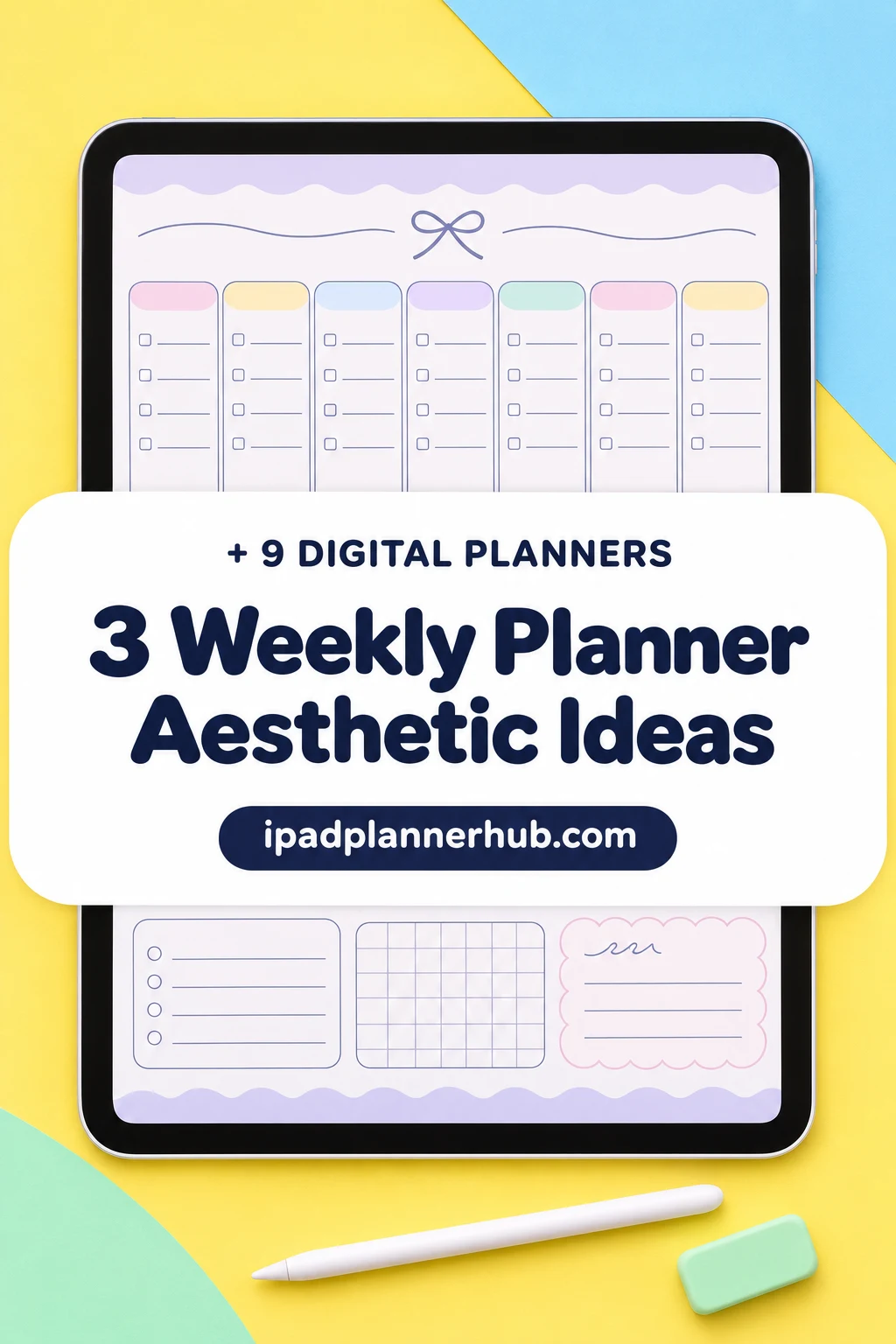
Build the layout around the note you will actually write. The dimensions below are sketching suggestions for a blank page, not fixed margins inside any product. Ready-made pages keep their existing layouts; use the accent and handwriting tests without rebuilding their fields. Try one recipe on a clean page before copying it across a planner.
Start with one accent and a readable zone
Keep the base page simple. Allocate space first: a header, a day area and a note area. Then pick one accent and use it only where the eye should land. When a page has too many accents, no single field stands out.
3 iPad weekly planner aesthetic ideas
Use one recipe at a time. The three versions below are about a finished page you can scan after a real week, not a page that only looks good before the first task.
Three visual recipes for a clean weekly page
- 1.White space with one accent. Keep the outside margin at about 0.5 inches. Set a 0.25 inch gutter between the seven day columns and leave the bottom 1 inch for notes. Choose one accent color, such as muted red or blue, for the week label and the top priority only. Fill test: write a task long enough to wrap on a Tuesday, add a late Friday block, and leave Sunday empty. If the page still looks calm, the hierarchy is enough.
- 2.Half-hour grid with a single highlighter. Sketch a spread across two portrait pages with a 0.5 inch header and a 30-minute row height you can read at 100 percent zoom. The accent is one highlighter across the priority box and the current day line. Fill test: schedule a 45-minute focus block, a task that crosses lunch, and a two-day note. The highlighter should not cover the handwriting; the weekend needs its own visible column.
- 3.Pastel frame with plain day boxes. Use an A4 landscape page with a 0.4 inch outer margin and pastel headers that stay inside the top stripe. The accent is the same pastel pencil for all seven day titles, not a new color per day. Fill test: add a long to-do, an idea parking lot note, and a follow-up with a circled date. The pale color should guide the eye, while the handwriting stays dark and easy to read.
Nine digital planners for your own weekly style
These nine weekly planning tools are optional. You can use them to carry one of the recipes or to build a bigger weekly system. The dimensions above are starting points for your page, not a claim about the exact margins in any file.
TL;DR: Keep a weekly page readable with white space, one accent and a handwriting test. Try three styling recipes, then choose from nine digital planners: simple weekly pages, linked systems or themed pages. File formats, navigation and app support vary by product.
Quick Picks
- Best for a calm one-accent page: Undated Weekly, Digital Planner, Weekly
- Best for strict half-hour time blocks: Half-Hour Weekly Planner
- Best for a soft pastel palette: Weekly Planner – Cozy Pastel
- Best for a blue floral cover and light week: Weekly Planning Digital Planners Sun Mon
- Best for a complete linked system: The Joy Undated Digital Planner
- Best for a bright 52-page rainbow: 52 Weekly Digital Planner Colorful Style
- Undated Weekly, Digital Planner, Weekly – Best for a calm one-accent page
- Half-Hour Weekly Planner – Best for strict half-hour time blocks
- Weekly Planner – Cozy Pastel – Best for a soft pastel palette
- Weekly Planning Digital Planners Sun Mon – Best for a blue floral cover and light week
- The Joy Undated Digital Planner – Best for a complete linked system
- 52 Weekly Digital Planner Colorful Style – Best for a bright 52-page rainbow
- Undated Weekly Digital Planner – Best for a navy and gold planner system
- Weekly Work from Home Planner Pirates – Best for an adult nautical work-from-home set
- Christmas Digital Weekly Planner – Best for a separate Christmas week
Simple weekly pages and soft accents
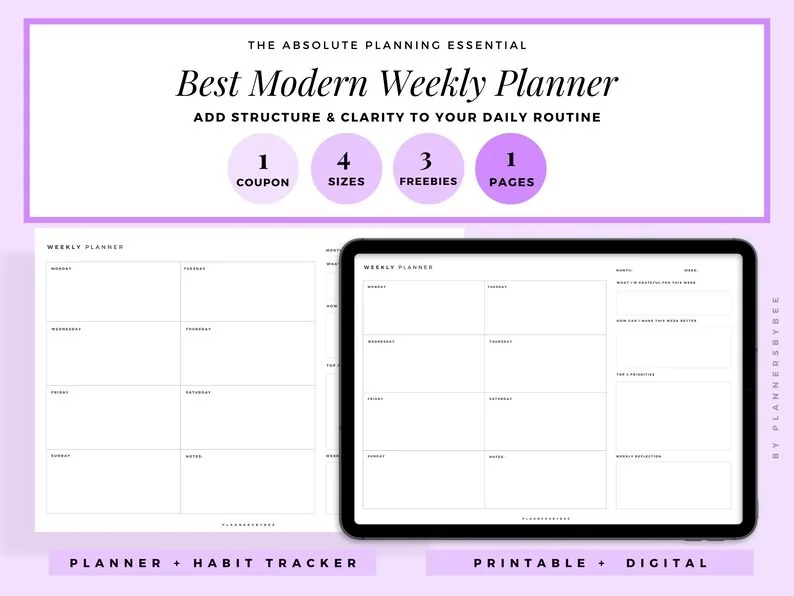
Best for a calm one-accent page
1. Undated Weekly, Digital Planner, Weekly
Orientation: LandscapeLayouts: Weekly day fields with a right-hand columnDates: Undated
Best for: a minimal landscape week before you add one accent color. Designed by PlannersByBee.
- One landscape weekly page shown with seven day fields and a right-hand column
- Digital and printable landscape version for iPad; specific annotation app not named
- Promo mentions 1 page, 4 sizes and 3 bonuses; bonus contents are not described
- Undated day fields with a minimal grid
A light grid leaves room for a restrained accent on the week label and priority. Put reminders in the right column and keep task areas clear. The listing does not name the file format or annotation app, so check those details before purchase.
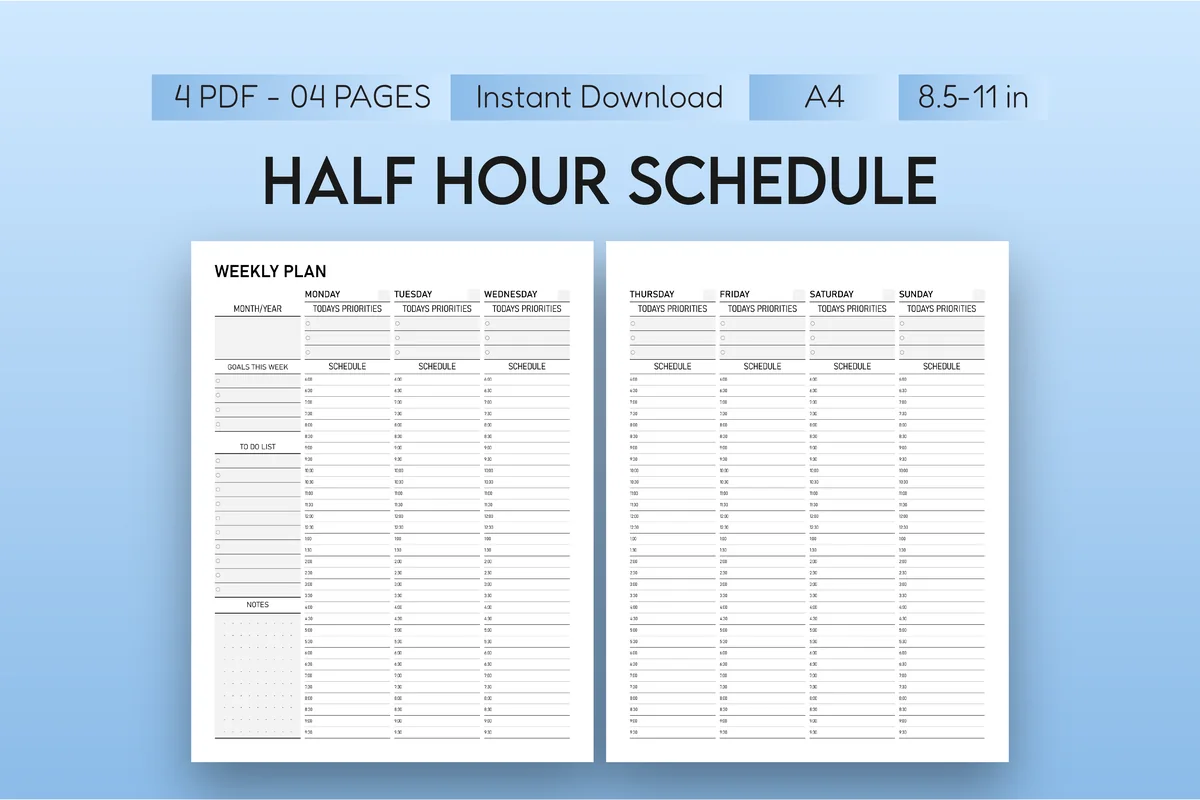
Best for strict half-hour time blocks
2. Half-Hour Weekly Planner
Orientation: PortraitLayouts: Two-page weekly spread with 30-minute rowsDates: Undated
Best for: turning one accent into a clear workday grid. Designed by Mol Tazime.
- Two-page portrait spread with Monday through Wednesday on the left and Thursday through Sunday on the right
- Half-hour rows plus priorities, goals, tasks and notes
- PDF and PNG at 300 DPI; GoodNotes and Notability
- Undated; promo lists 4 PDF pages, A4 and 8.5 x 11 in, without explaining the page-to-size split
The half-hour rows suit a week built around appointments. Mark priorities with one highlighter and bracket longer tasks without covering the writing. This is a spread of portrait pages; the promo lists four PDF pages but does not explain how they are distributed across sizes.

Best for a soft pastel palette
3. Weekly Planner – Cozy Pastel
Orientation: LandscapeLayouts: Seven vertical day columns and task fieldsDates: Undated
Best for: testing pastel headings without painting every field. Designed by Tas Creative Studio.
- Pink and lilac weekly page with hearts and seven vertical day columns
- Top priority, to-do, idea parking lot, important/follow up and notes fields
- A4 landscape digital PDF and printable PDF; GoodNotes, Notability, Noteshelf, XODO, Samsung Notes
- Undated
Pink and lilac already supply the palette, so dark handwriting may be all you need. Split a long list between top priority and follow-up before adding stickers. The existing hearts and colored borders suit a softer look with little extra decoration.
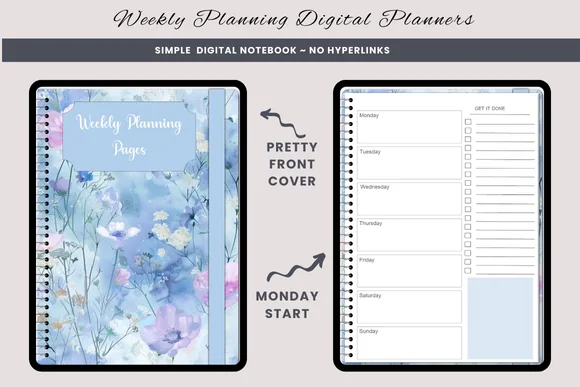
Best for a blue floral cover and light week
4. Weekly Planning Digital Planners Sun Mon
Orientation: Not specifiedLayouts: Weekly day blocks and get it done columnDates: Undated
Best for: a floral style that stays away from heavy decoration. Designed by daysfilledwithjoy.
- Two PDFs in a ZIP with bonus PNG files; Sunday and Monday starts
- Blue watercolor wildflower covers and a light weekly page
- Day blocks on the left and a get it done section on the right
- Fields without prefilled dates
The blue watercolor cover supplies the floral detail while the weekly page stays light. These notebooks are explicitly not hyperlinked: navigate by swiping and duplicate a blank page when needed. Choose the Sunday-start or Monday-start file to match your week.
Linked planners with a coordinated palette
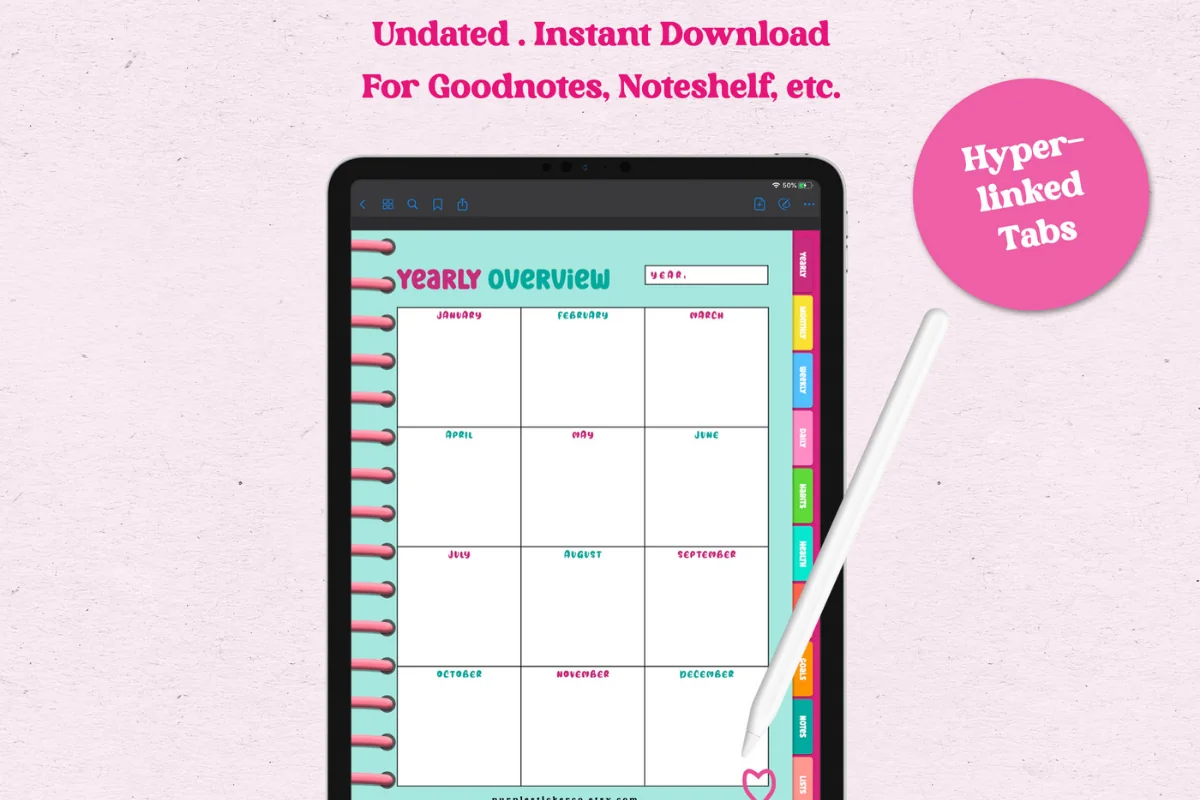
Best for a complete linked system
5. The Joy Undated Digital Planner
Orientation: Not specifiedLayouts: Yearly, monthly, weekly, daily, habits, health, money, goals, notesDates: Undated
Best for: matching several page types to one bright aesthetic. Designed by GIRLIESPREADS.
- 86 pages with 12 calendars, 5 weekly, 7 daily, 5 habits, 5 health, 3 money sets, 3 goal sets, 10 notes and more
- Hyperlinked PDF with Monday start; undated
- GoodNotes, Notability and Noteshelf on the promo
- Seller permits duplicating or deleting pages; background is used as is
- Requires a tablet you can write on with a stylus such as Apple Pencil; apps, tablet and stylus are not included
Turquoise pages and pink headings carry the same look across weekly planning, goals and notes. Start with the weekly section and add only the supporting sections you need. The seller describes a finished planner used as is, with pages that can be duplicated or deleted; do not expect an editable background.
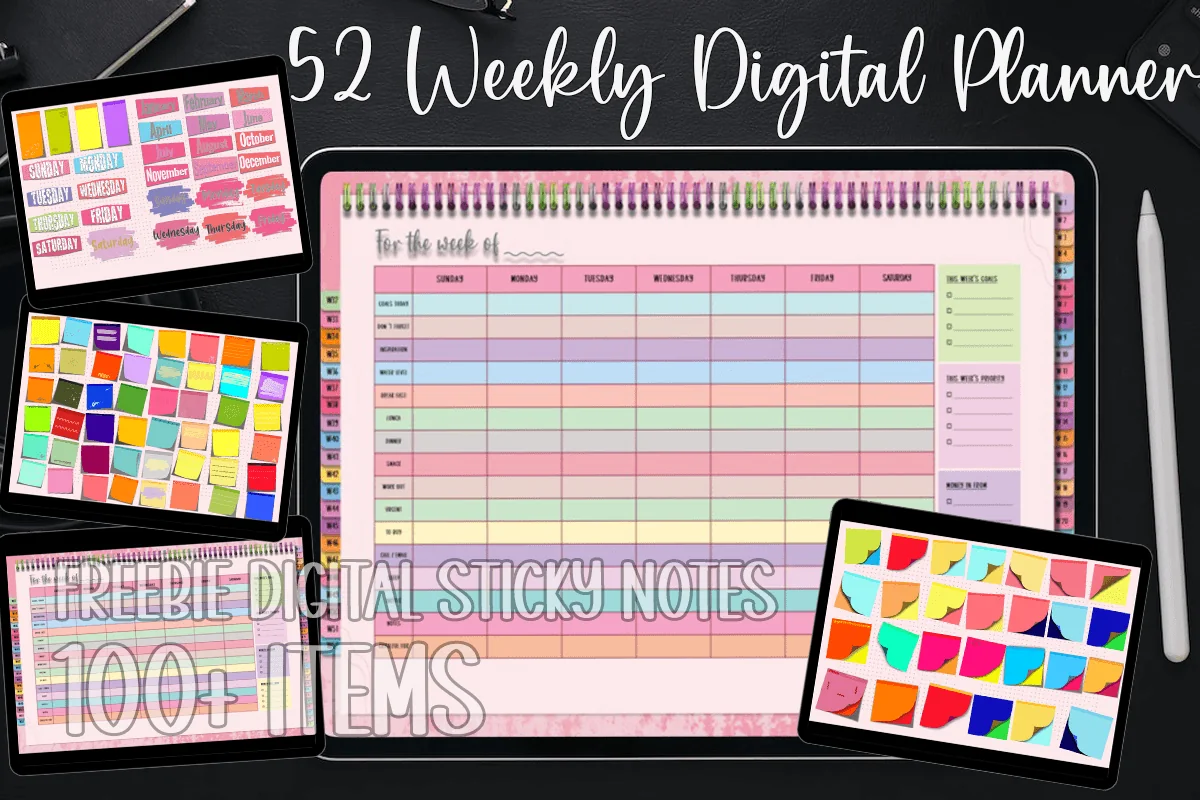
Best for a bright 52-page rainbow
6. 52 Weekly Digital Planner Colorful Style
Orientation: LandscapeLayouts: Weekly grid with color fields and task/notes blocksDates: Undated
Best for: a colorful weekly set with the same layout repeated. Designed by MOMAT THIRTYONE.
- 52 undated weekly pages for a year and reuse after
- One PDF plus 100+ sticky notes in a ZIP; GoodNotes, Xodo, Noteshelf, Notability
- Hyperlinks are stated; Sunday start appears on the previews
- Colorful horizontal fields, pink frame, side tabs and task/notes blocks
A repeated weekly layout removes the need to rebuild the page each week. Let the existing rainbow fields do most of the organizing and add sticky notes only where they make a task easier to find. The seller describes 52 undated weekly pages for a year, with reuse afterward.
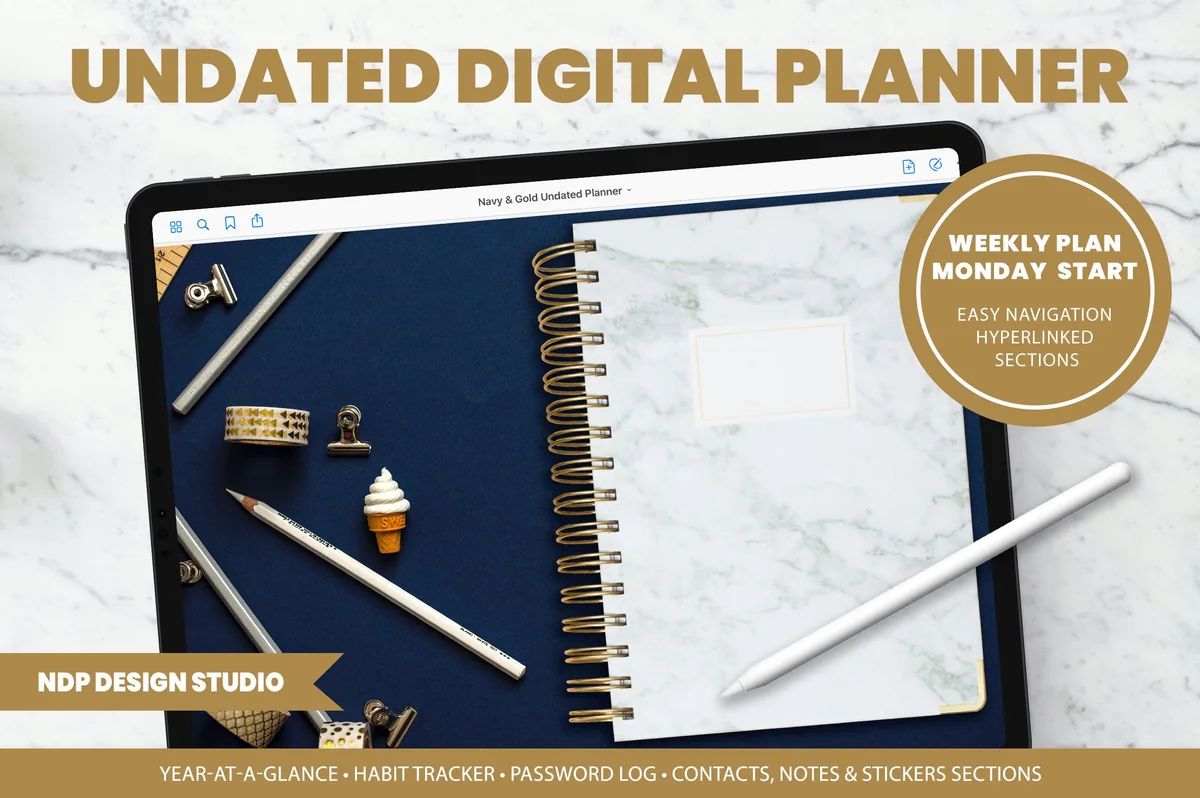
Best for a navy and gold planner system
7. Undated Weekly Digital Planner
Orientation: LandscapeLayouts: Year, month, week, notes grid/dot/line/blankDates: Undated
Best for: a dark blue accent with structured sections and links. Designed by NDP Design Studio.
- GoodNotes file, hyperlinked PDF and illustrated PDF instruction
- iPad, GoodNotes and Noteshelf; Monday start
- Year, month, week and sections, plus notes with grid, dot, line and blank pages
- Undated; page count not shown
Navy, gold and a textured cover provide a coordinated frame for a larger planning system. The description includes weekly navigation, although the gallery does not show a separate weekly layout in detail. The seller permits duplicating or removing inserts within Notes and warns against moving them between sections because links can break.
Nautical and seasonal weekly pages

Best for an adult nautical work-from-home set
8. Weekly Work from Home Planner Pirates
Orientation: Not specifiedLayouts: Weekly overview, daily schedule/to-do, weekend, reviewDates: Undated
Best for: giving a vintage map style a functional weekly structure. Designed by Quiet Deluxe Digital.
- PDF for Goodnotes; promo also names Notability, Noteshelf, A4 and PNG covers
- Weekly overview, daily schedule/to-do, weekend and week in review
- 14 covers
- Week/date fields without a prefilled year
Vintage maps and ship covers give a work week a nautical theme. The overview, daily schedule, weekend and review pages serve different jobs, so choose a page order around your routine. Keep handwriting dark against the textured backgrounds; the cover set is decoration, not an extra scheduling feature.
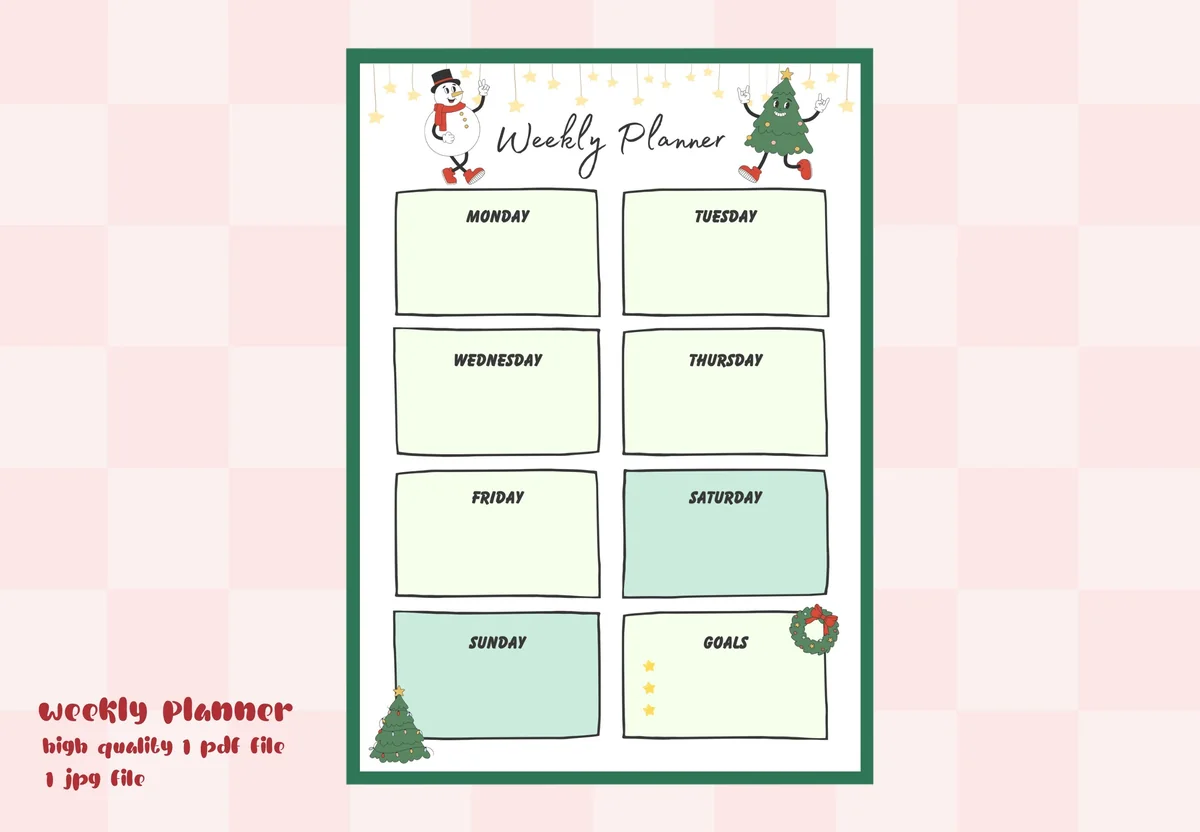
Best for a separate Christmas week
9. Christmas Digital Weekly Planner
Orientation: PortraitLayouts: Seven day blocks and goalsDates: Days without dates
Best for: a seasonal page you can use without forcing it into the main system. Designed by Namm.WS.
- One PDF and one JPEG; Goodnotes
- Green and cream portrait page with seven day blocks and goals
- Snowman, tree and wreath on the shown page
- Monday first, days without dates
A green and cream page adds a festive week without changing the rest of your planner. Use the day blocks for holiday tasks and the goals field for a short priority list. The listing includes one PDF and one JPEG; the preview shows a single weekly composition.
Quick Comparison
| Tool | Aesthetic role | Page structure | Main distinction |
|---|---|---|---|
| 1. Undated Weekly, Digital Planner, Weekly | Minimal landscape week | 7 day fields and one right column | Undated |
| 2. Half-Hour Weekly Planner | Half-hour grid | Two-page weekly spread | Undated |
| 3. Weekly Planner – Cozy Pastel | Pastel weekly blocks | 7 day columns plus task sections | Undated |
| 4. Weekly Planning Digital Planners Sun Mon | Blue floral cover | Sunday and Monday starts | Not hyperlinked |
| 5. The Joy Undated Digital Planner | Full hyperlinked system | 86 pages across multiple sections | Undated |
| 6. 52 Weekly Digital Planner Colorful Style | 52 weekly pages | Rainbow fields and side tabs | 1-year reuse, undated |
| 7. Undated Weekly Digital Planner | Navy and gold sections | Linked year/month/week/sections | Undated |
| 8. Weekly Work from Home Planner Pirates | Nautical work-from-home | 4 page types and 14 covers | Undated |
| 9. Christmas Digital Weekly Planner | Christmas week | 7 day blocks and goals | Days without dates |
Set up one test page on iPad
To create an aesthetic weekly planner from a PDF on iPad, start by importing the file into the annotation app named for it. Open one weekly spread and write a sample task before adding decoration. If you are a beginner, keep this basic workflow for a week so you can judge the spacing from your own handwriting.
A small setup you can repeat
- 1.Place a clean copy. Keep one untouched page before writing your first real week. Use that copy to reset spacing after a few entries.
- 2.Set the page title and week boundaries. Write the week range or start date once, and use the same format in later pages.
- 3.Write the margin sizes in a small key. Note the outer margin, gutter and note area so the recipe is easier to repeat.
- 4.Fill one long task, one late change and one weekend note. Check that the accent does not hide the handwriting.
- 5.Review before expanding. At the end of the week, change only one field if something was hard to read. Keep the rest stable for a second test.
Keep digital stickers outside the writing zones
If you prefer a paper planner or bullet journal look, keep the handwritten headings and use one small decoration beside the week label. Choose planner stickers that repeat your accent color, and leave day boxes clear for tasks. Build a custom planner style through consistent marks rather than covering every blank area with extra stickers.
Keep the same visual rules when plans change
At the start of the week, write fixed appointments and deadlines first, then place flexible tasks around them. Students can reserve the accent for assignment due dates, while a work schedule can use it for one meeting that needs preparation. Put recurring tasks in the same position each week so you can find them without adding another color.
During a daily check-in, review tomorrow and move unfinished tasks only when you still intend to do them. Keep a short journal note in the notes area about a crowded day or an unused field. At the weekly review, adjust that one area and keep the rest of the layout steady; this keeps the page focused on your routine as the week fills up.
Example: one fill test with three notes
- Long task: a task wraps to two lines on Tuesday. The second line still stays inside the day block.
- Cross-block note: a 45-minute task takes two half-hour rows. One vertical accent mark shows the block without covering the text.
- Weekend note: Saturday and Sunday remain visible even after a busy weekday list.
Template or app: where the choice matters
The selected planners provide pages for handwriting and annotations. Their listings do not promise automatic calendar synchronization. Keep appointments in your calendar app and copy the details you need onto the weekly page.
- Planner file: page layout, day boxes, notes and a color accent you can fill by hand.
- App data: appointments and reminders managed separately in your calendar app.
- Application fit: check the listing for the app named, and verify support before choosing your annotation app.
FAQ: weekly planner aesthetic on iPad
What is an iPad weekly planner aesthetic?
It is the visual system of the weekly page: margins, readable day areas, one accent and enough white space for real handwriting. The three recipes in this article show how to test that system with actual tasks instead of empty boxes.
Do these recipes require a specific planner?
No. Sketch the recipes on a separate blank page in your annotation app, or adapt their accent rules to a planner you already own. The margin sizes and accent rules guide your own layout; they do not describe fixed fields inside a specific product.
Can I recolor the pages inside these planners?
The base appearance of a page may be part of the file. You can add handwriting, highlighted marks and stickers on top. If the listing does not describe editing the background or palette, add marks with your annotation app rather than expecting to recolor the page itself.
Are all nine planners hyperlinked PDFs?
No. Some listings state hyperlinks, some do not, and the Sunday/Monday notebook pair is explicitly not hyperlinked. The group is best described as digital weekly planners or weekly planning tools. Check the current listing before purchase because the buyer should not expect one behavior across all nine files.
Will a digital weekly planner sync with my calendar?
The selected listings do not establish automatic calendar synchronization. Use the planner file for the page structure and handwriting, and keep calendar app data as a separate reference. Copy the relevant details into the page instead of expecting the two systems to update each other.
Keep your iPad weekly planner aesthetic easy to read
The most useful iPad weekly planner aesthetic is the one that stays legible after a real week. Choose one accent, test a long task, and leave enough white space for the note you did not plan. Let the nine digital planners support that habit rather than turning every page into another decoration.
You May Also Like
Find more page ideas in the weekly planners archive.
Purchases through selected links may earn this site a commission without changing your price. Our affiliate disclosure explains the arrangement.