Your cat’s cheek needs a few soft hairs, but the brush leaves a dense stripe across the face. Choosing a Procreate fur brush starts with the kind of mark you need: a soft fur texture brush fills space very differently from a directional strand brush. I compared 15 Procreate fur brushes and focused tools through their descriptions and public galleries to separate portrait tools, playful fur brushes and a few narrower surface effects.
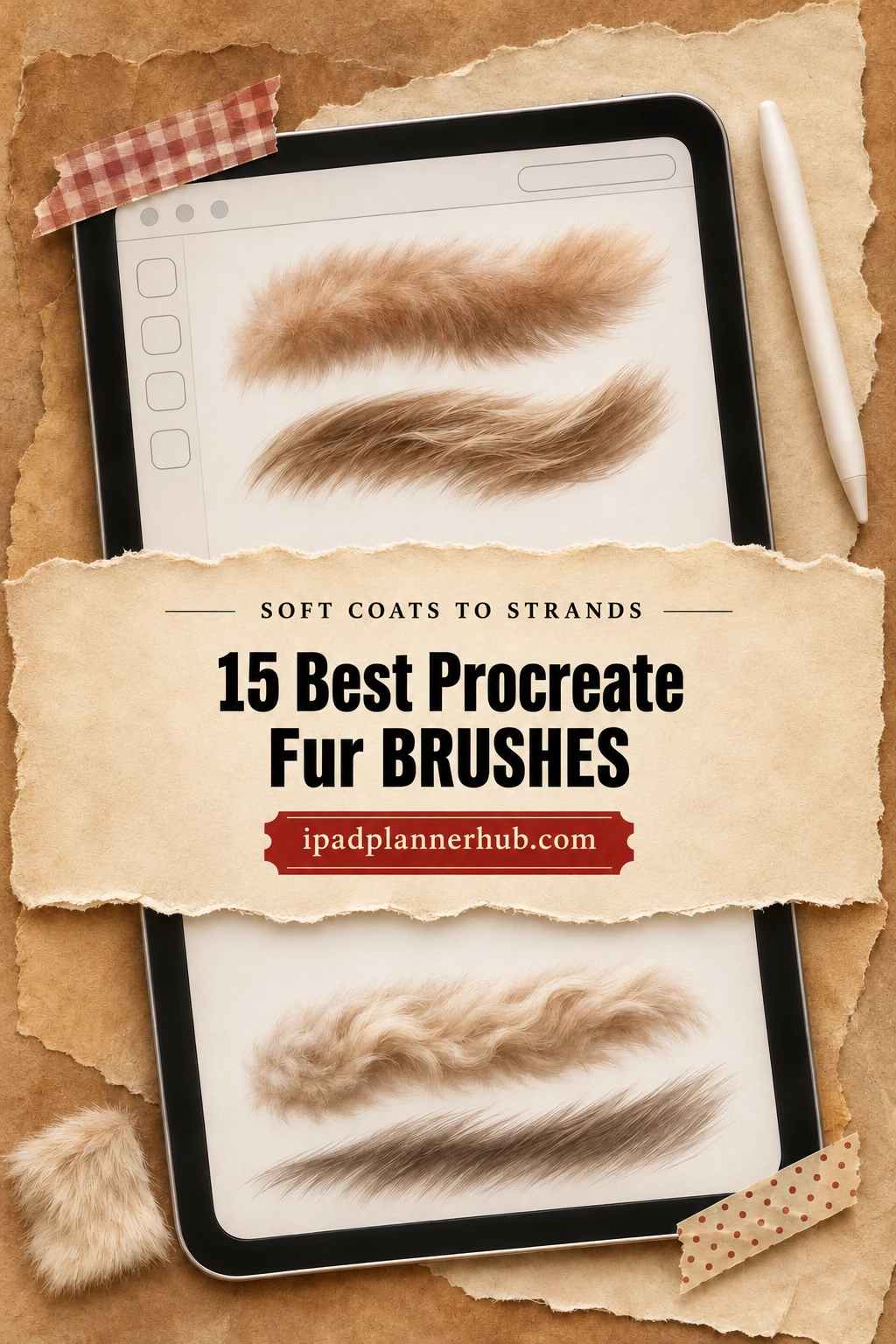
I reviewed the previews and listing details; I have not painted with these paid brush files. For a detailed pet portrait, I would start with directional strands and a small working palette. For a loose creature sketch, a grainy patch or one fuzzy stroke may be all you need. The options below include both approaches, with lettering, fashion and repeating-texture extras kept in their proper roles.
Choose a Procreate Fur Brush by the Mark You Need
Before comparing brush counts, decide what is missing from your drawing. A larger collection is useful only if its marks solve a problem you actually have. Compare these differences in the sample sheets:
- Soft coat coverage: diffuse, short marks for broad patches of fuzz. Keep the underlying light and shadow readable instead of covering the whole shape with equally bright hairs.
- Directional strands and clumps: longer, grouped marks for cheeks, tails and overlapping tufts. Look for an explicit left/right option or a preview that explains how the hairs follow your stroke.
- Sketch and ink texture: broken, grainy marks that suggest a coat without making every hair look polished. These suit a loose animal study more naturally than a luminous fluff effect.
- Repeating fur surfaces: texture fields for a broad stylized area. They do not automatically change growth direction as you move around a muzzle, ear or shoulder.
Compare two or three sample marks against the reference animal before choosing a pack. A short-haired cat needs different edge treatment from a shaggy dog; a fantasy creature gives you more freedom. The important distinction is how the strokes group and turn, not whether the product name contains a particular breed.
The 15 Fur Tools and Brush Packs Worth Comparing
TL;DR: For detailed directional fur, start with Realistic FUR. Animal Fur offers a compact portrait toolkit; Sko4 gives 12 clearly illustrated textures. Choose Sketch Fur for a loose ink finish or Fox Tail for one focused stroke. The lettering, fashion and seamless-surface options have narrower roles.
Quick Picks
- Best for directional realism: Realistic FUR Brushes for Procreate
- Best for pet-portrait essentials: Animal Fur Brushes
- Best for fur with feather extras: Animal Fur 2 – Procreate Brushes
- Best for a focused pressure-sensitive set: Fur Procreate Brushes
- Best for fluffy monster variety: Procreate Fur Brushes
- Best for a large directional library: 87 Fur & Hair Procreate Brush Set
- Realistic FUR Brushes for Procreate – Best for directional realism
- Animal Fur Brushes – Best for pet-portrait essentials
- Animal Fur 2 – Procreate Brushes – Best for fur with feather extras
- Fur Procreate Brushes – Best for a focused pressure-sensitive set
- Procreate Fur Brushes – Best for fluffy monster variety
- 87 Fur & Hair Procreate Brush Set – Best for a large directional library
- Procreate Fur Brush Pack – Best for clear strip-style samples
- 100 Fur Brushes Set for Procreate – Best for a broad swatch collection
- Sketch Fur Brushes Procreate X 24 – Best for sketch and ink fur
- Fur Procreate Brushes – Best for mixed fur-mark experiments
- Procreate Brushes Fur Textile Brush Draw – Best for a small surface-texture mix
- Brush for Fur. Fox Tail Procreate Brush – Best for one fluffy tail tool
- Procreate Fur Brush – Best for soft fur with lettering extras
- Fur Procreate Brushes – Best for patterned fur and trim accents
- 100+ Procreate Skin Bear Fur Brushes – Best for seamless bear-fur surfaces
Core animal-fur libraries
Best for directional realism
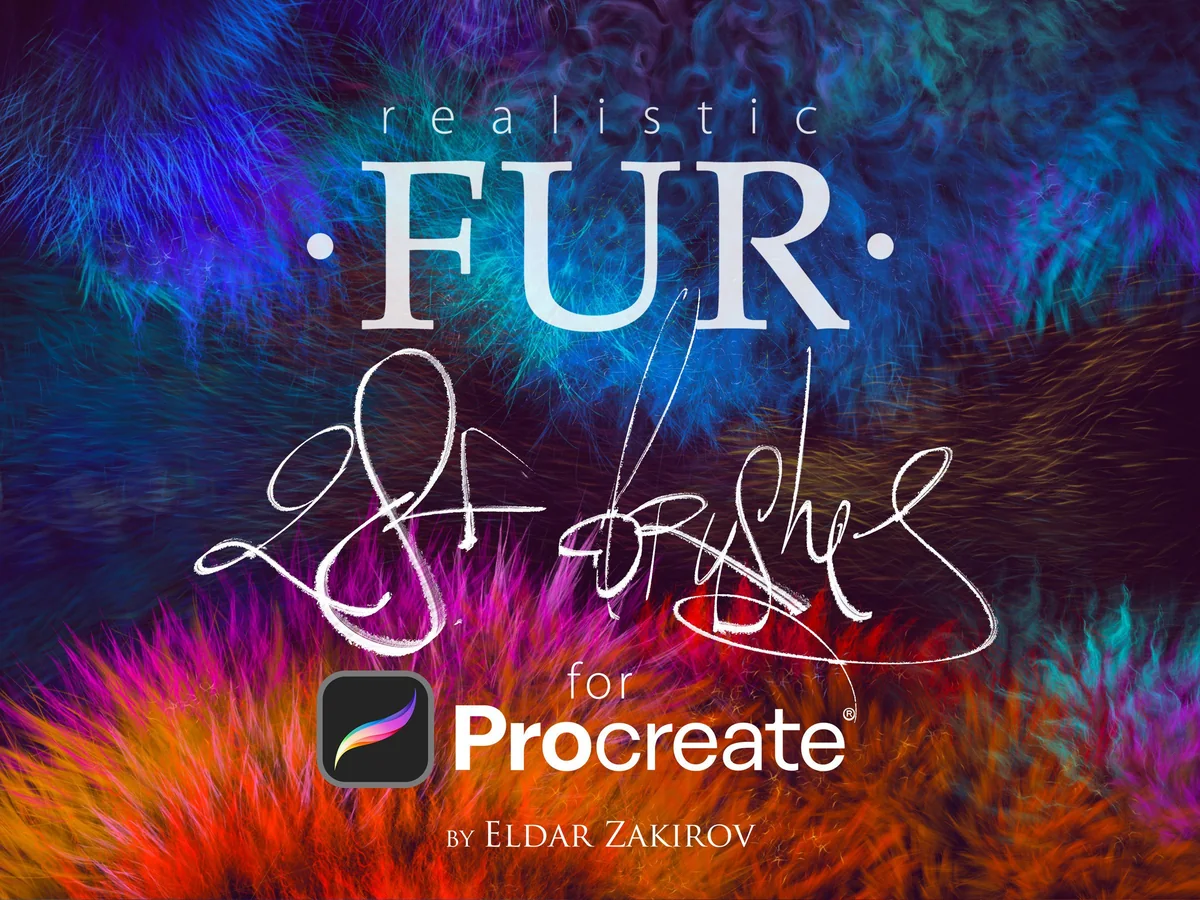
1. Realistic FUR Brushes for Procreate
Format: .brushset + PDF notes; Procreate 5+; 31 brushes, 28 families
Best for: painting strands that follow the form of an animal. Designed by Ldarro.
- 28 brush families, 31 brushes including left/right variants
- Procreate 5 or later; .brushset file and PDF notes
- Gallery shows side-view fur, clumps, soft fluff and sharp tips
The directional variants are the reason this would be my first stop for a close-up animal portrait. The gallery moves between fine strands and thicker tufts, and the seller explains why the advertised 28 becomes 31 actual brushes. Start with the underlying shaded shape; these marks are a finishing vocabulary, not a substitute for the animal’s volume. Choose the Procreate edition, since the creator sells other app versions separately.
Best for pet-portrait essentials
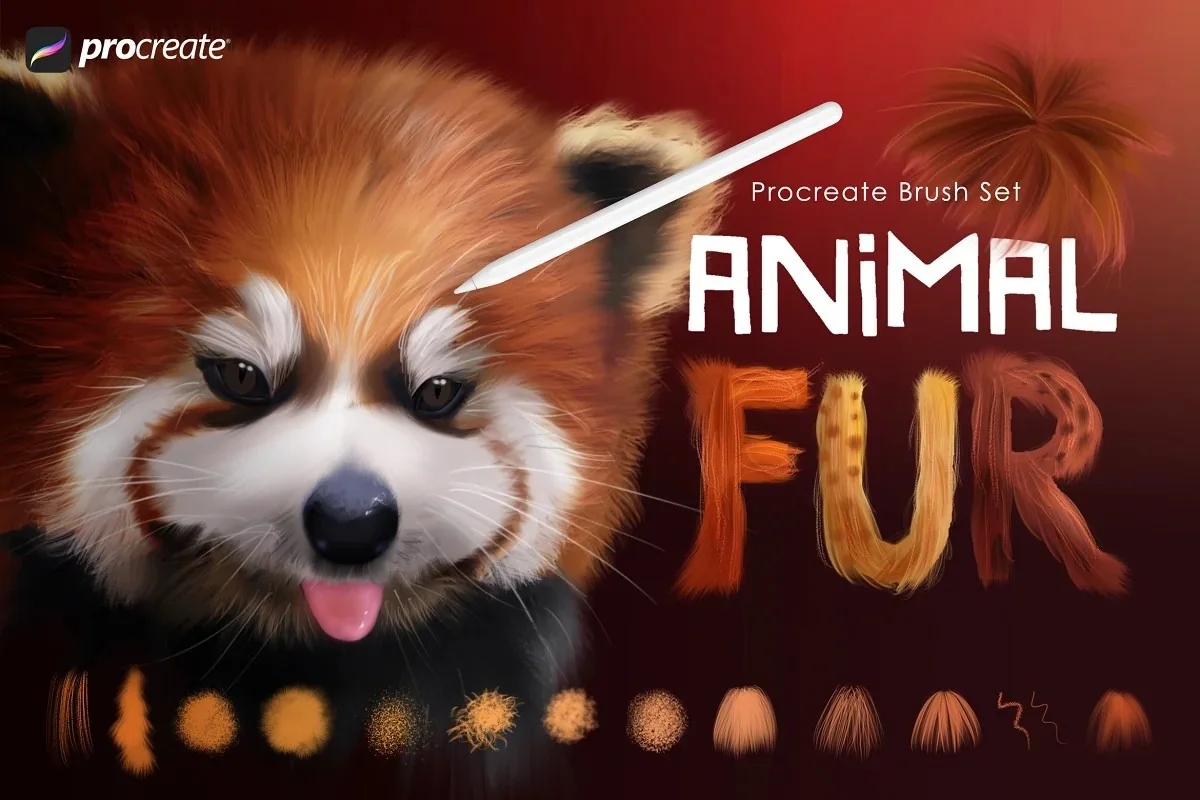
2. Animal Fur Brushes
Format: Procreate brushes; 32 dynamic brushes
Best for: mixing coat types with base painting and detail tools. Designed by MelsBrushes.
- 32 dynamic fur and hair brushes
- Base, shading, detail, eye and nose tools
- Gallery labels fleece, poodle, whiskers, kitten and wiry strand samples
MelsBrushes combines smooth strands, wiry marks and soft fleece with base-painting and detail tools. That range makes this a useful starting point for a pet portrait with several coat textures. Compare the labeled sample sheet with your reference: the red panda and cat show possible finished results, while the swatches show the marks you can choose.
Best for fur with feather extras
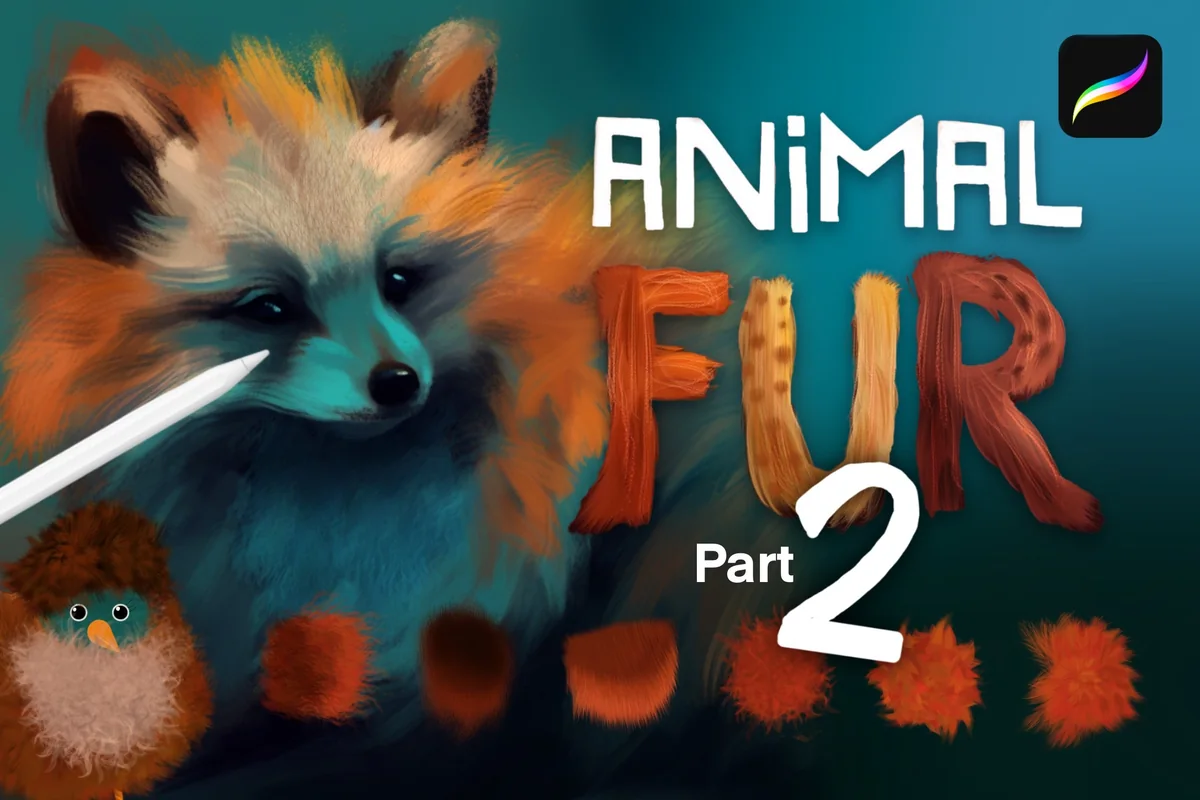
3. Animal Fur 2 – Procreate Brushes
Format: Procreate brushes; 35 brushes
Best for: drawing fantasy creatures or animals alongside birds. Designed by MelsBrushes.
- 35 dynamic fur, hair and feather brushes
- Base brushes, detail tools and some dual-color brushes
- Gallery shows strand, short-fur and blender families
Part 2 has a different emphasis from the original Animal Fur pack: the feather and dual-color options make it useful for creatures that cross between furry and feathered surfaces. Its gallery includes short, smooth patches as well as more unruly tufts. It is sold as a companion, not a requirement to own Part 1. Exact file overlap is not listed, so compare the sheets before buying both; do not add their counts together as a guaranteed unique collection.
Best for a focused pressure-sensitive set
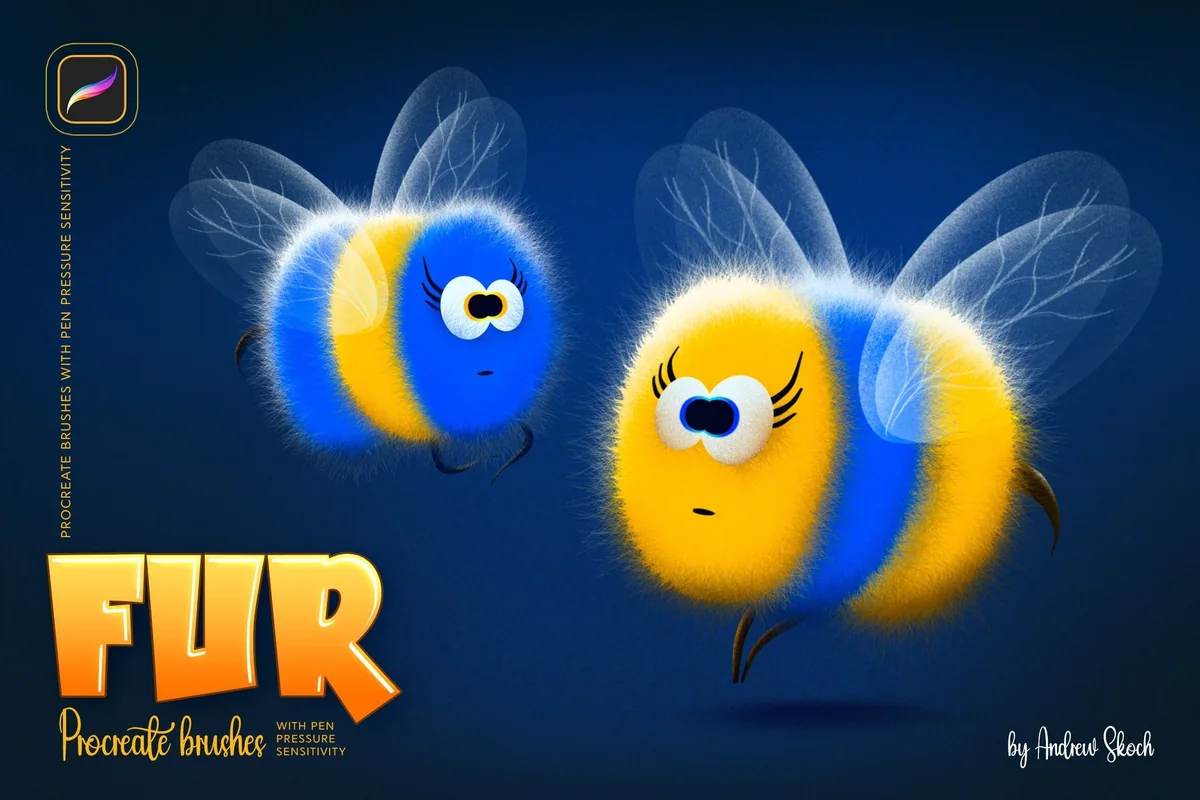
4. Fur Procreate Brushes
Format: .brushset; Procreate for iPad only; 12 brushes
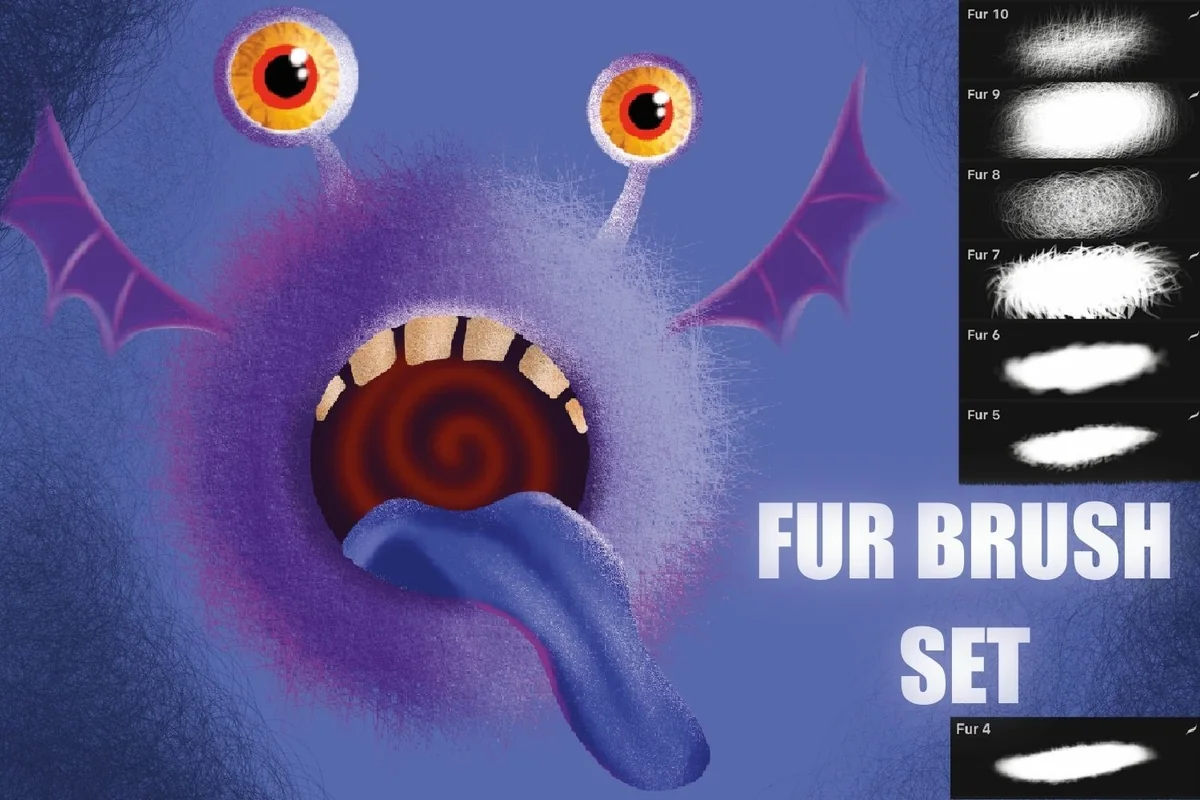
Best for: building soft or spiky cartoon fur with a manageable library. Designed by Sko4.
- 12 Procreate brushes in .brushset format
- Pressure changes opacity according to the seller
- Nine previews include numbered samples and combined-brush examples
Sko4 shows the same 12 textures as round patches and as longer strokes, which makes comparison unusually straightforward. Several samples are wispy, while others have a dense, almost glowing center. The little monsters are illustrations of the finish, not stamps that create a completed character. The seller describes pressure affecting opacity; that is more specific than assuming every brush changes both size and opacity in the same way.
Best for fluffy monster variety
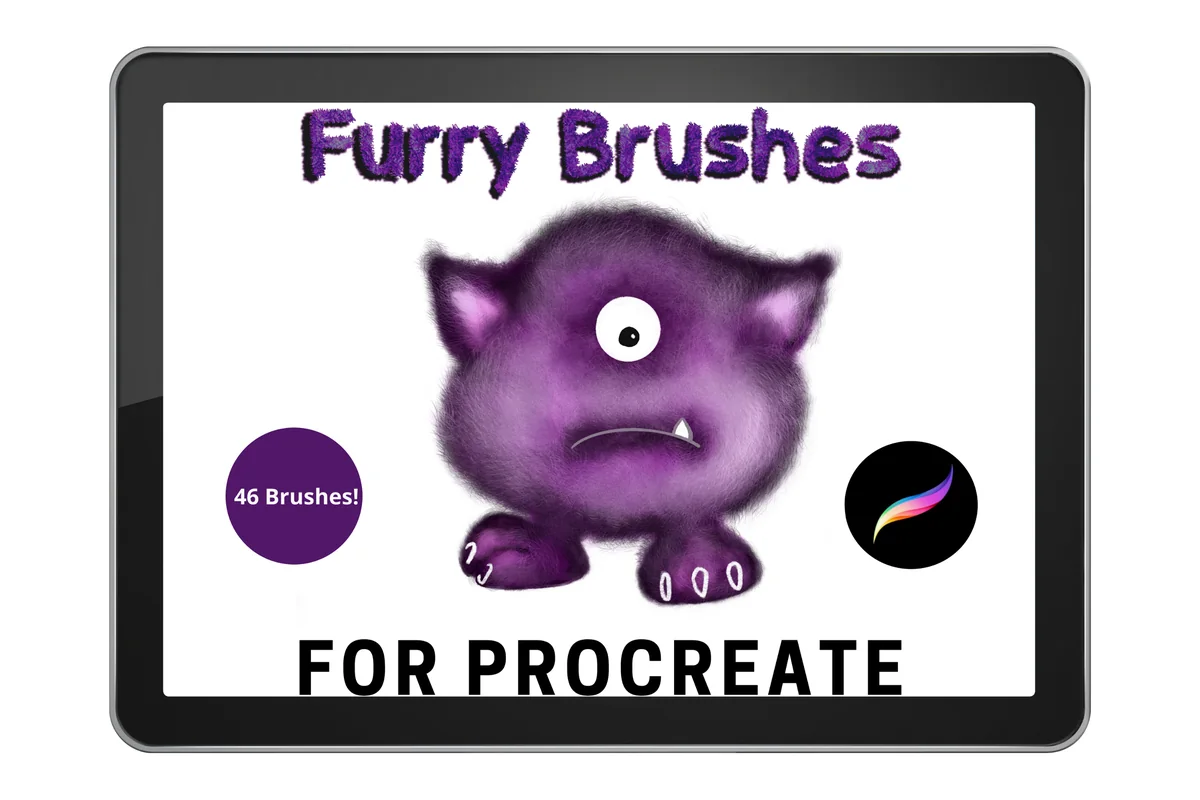
5. Procreate Fur Brushes
Format: Procreate brushes; Procreate only; 46 brushes
Best for: moving between bristles, fluffy coats and fantasy fur. Designed by Mini Trezò Design.
- 46 varied Procreate brushes
- Description names fluffy fur, glowing monster fur and bristles
- Three previews show a purple creature and brush-library samples
For a fuzzy fantasy character, Mini Trezò Design offers 46 brushes spanning fluffy fur, glowing effects and bristles. The purple creature illustrates the playful finish; the library sheet helps narrow the choice to a few working tools. The seller specifies an iPad Pro, Apple Pencil and Procreate, so check that requirement against your setup.
Larger fur and hair collections
Best for a large directional library
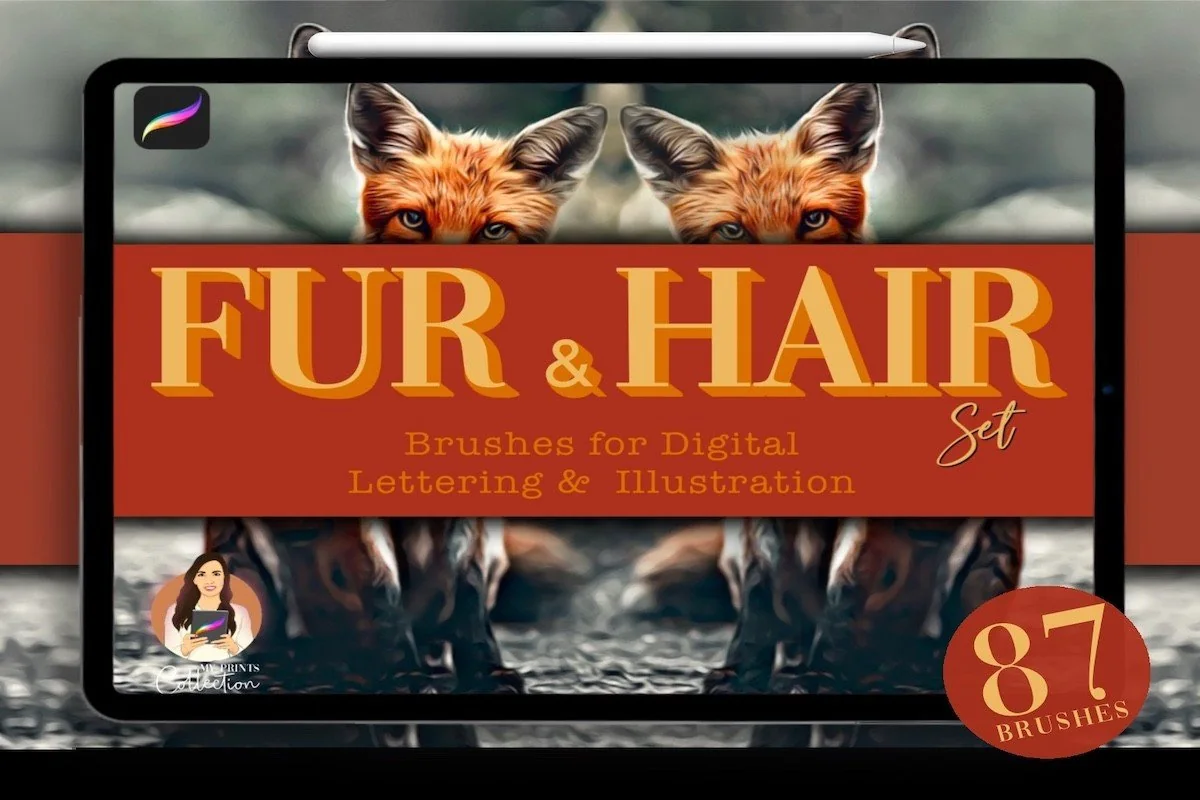
6. 87 Fur & Hair Procreate Brush Set
Format: .brushset; Procreate 5+; 87 brushes
Best for: comparing vertical, horizontal and pencil-following fur marks. Designed by myprintscollection.
- 87 brushes in a .brushset file
- Woolly, fluffy, curly and grizzly effects; some color-changing tools
- Gallery distinguishes vertical, horizontal, round and round-dynamic behavior
The useful distinction here is direction, not simply the large number. The illustrated guide separates fixed vertical and horizontal fur from marks that follow the pencil, with a further dynamic-color option. That is worth considering if a stroke repeatedly lays hairs across the wrong part of a muzzle. Eighty-seven tools also mean more sorting. Pick a small working subset before beginning a portrait, rather than treating every preset as an equally necessary step.
Best for clear strip-style samples
7. Procreate Fur Brush Pack
Format: Procreate brushes; 13 brushes
Best for: choosing fur by comparing straight and curled stroke samples. Designed by Alajoki Artistry.
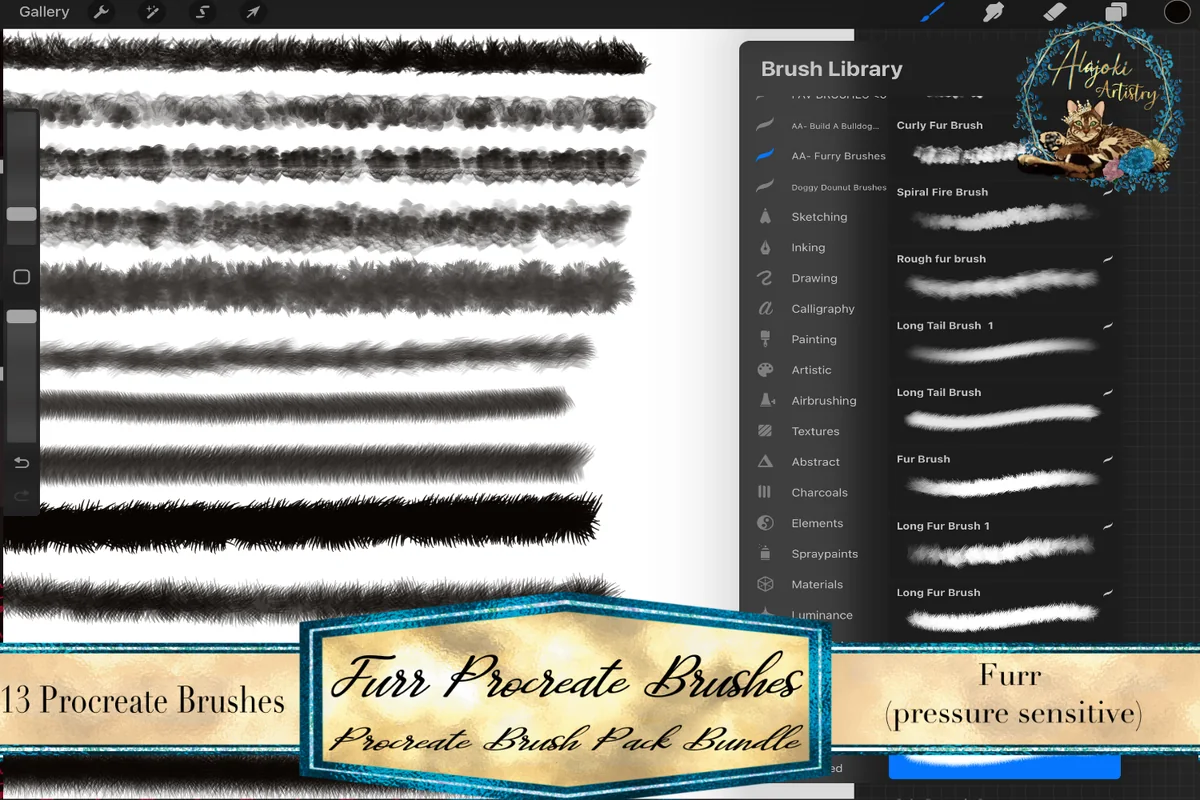
- 13 separate pressure-sensitive fur brushes
- Brush files in a ZIP archive
- Two previews show the brush library beside black fur strokes
Alajoki Artistry shows its 13 fur brushes as black strips beside the brush library. Dense, spiky and curled edges are easy to compare without inferring the texture from a finished animal. This compact set suits choosing a few stroke types for a study; the files arrive in a ZIP archive.
Best for a broad swatch collection
8. 100 Fur Brushes Set for Procreate
Format: Procreate brushes; Procreate for iPad; 100 brushes + PDF instructions
Best for: exploring many soft, coarse and strand-like textures. Designed by DrawingStoryShop.
- 100 fur brushes for Procreate on iPad
- PDF import instructions listed
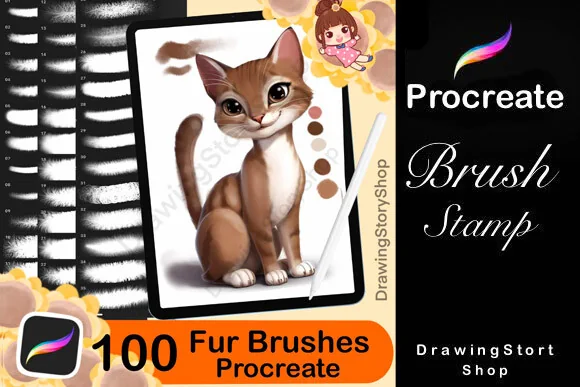
- Six previews show round swatches, curved strokes and some animal examples
DrawingStoryShop has the largest numbered general fur collection here. Its round swatches and curved strokes reveal soft, coarse and strand-like edges, making the pack useful for exploring different coats. A small working subset should be enough for a single drawing. The previews do not establish a distinct pressure response for every preset.
Sketch marks and fabric textures
Best for sketch and ink fur
9. Sketch Fur Brushes Procreate X 24
Format: Procreate brushes; 24 sketch/ink brushes
Best for: suggesting a coat without a polished painted finish. Designed by Mini Trezò Design.
- 24 sketch/ink-style Procreate brushes
- Description names fluffy fur, teddy fur and inky fur
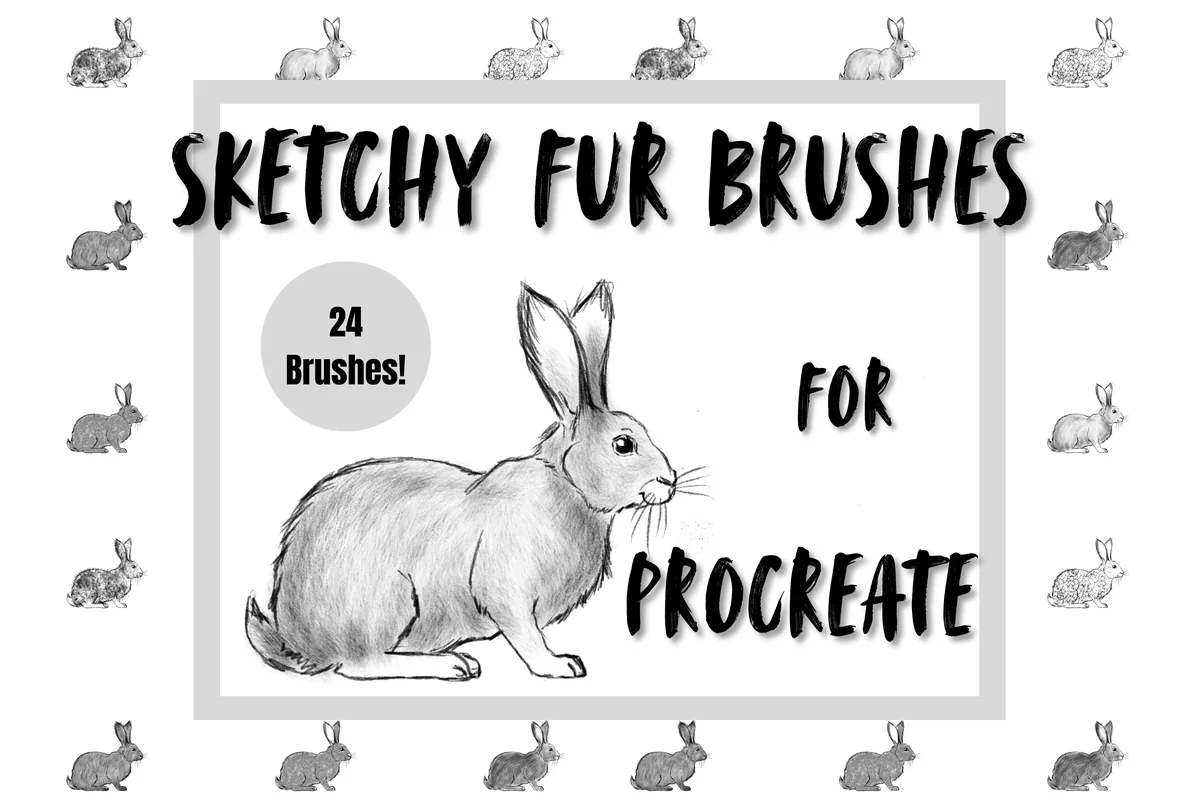
- Five previews show monochrome texture circles and rabbit sketches
Rough black-and-gray swatches give this pack a sketchier finish than the luminous creature sets. Grain, broken marks and inky fur suit a loose rabbit or animal study with some paper showing through. It is a separate product from the creator’s 46-brush pack; exact file overlap is not listed, so compare both sheets before buying both.
Best for mixed fur-mark experiments
10. Fur Procreate Brushes
Format: 1 .brushset file; Procreate only
Best for: combining diffuse patches, thin strands and fuzzy edges. Designed by SvgOcean.
- One .brushset file for Procreate on iPad
- Apple Pencil specified; color and opacity can be varied
- Six previews show patches, strands, curled marks and fuzzy strokes
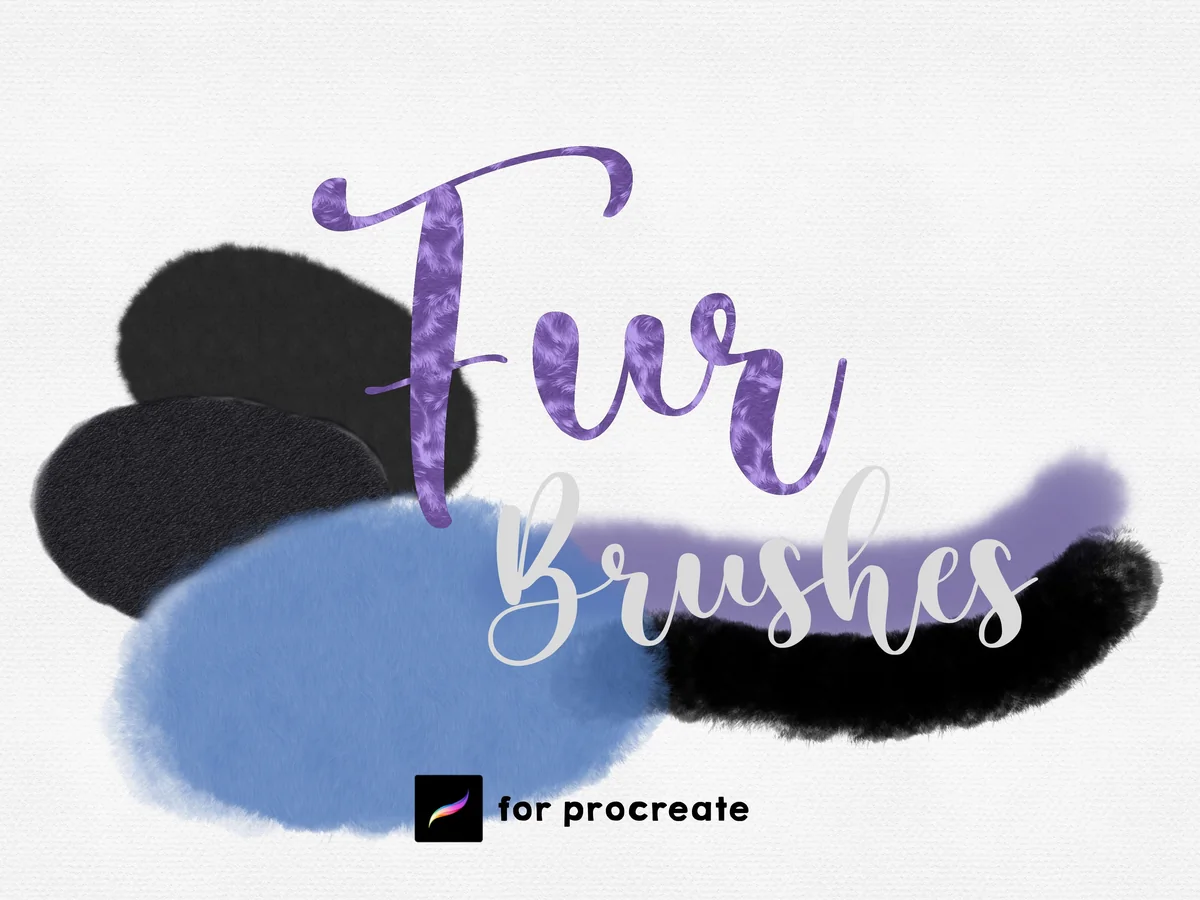
SvgOcean combines diffuse patches, longer strands and fuzzy strokes in one .brushset file. Although the listing calls them stamps, the samples show marks for building a coat rather than completed animals. The total brush count is not stated, so choose this pack for its visible mix of textures rather than its library size.
Best for a small surface-texture mix
11. Procreate Brushes Fur Textile Brush Draw
Format: 1 .brushset file; Procreate only; 8 brushes; paper extra mentioned
Best for: adding soft, curly or patterned fur patches. Designed by MilaMockup.
- 8 brushes in one .brushset file
- Description also mentions textured canvas paper
- Five previews show swatches and curved strokes with dense, curly and patterned finishes
MilaMockup’s eight brushes show soft, curly and patterned surfaces in circular swatches and curved strokes. They suit comparing small texture patches; the gallery gives less guidance on hair-growth direction. A canvas-paper extra is mentioned, but its format and separate count are unclear. Treat the eight brushes as the core offer.
Focused fur strokes and effects
Best for one fluffy tail tool
12. Brush for Fur. Fox Tail Procreate Brush
Format: Procreate brushes; 1 Fox Tail brush
Best for: adding a broad furry stroke to a fox or cat illustration. Designed by DoodleBox.
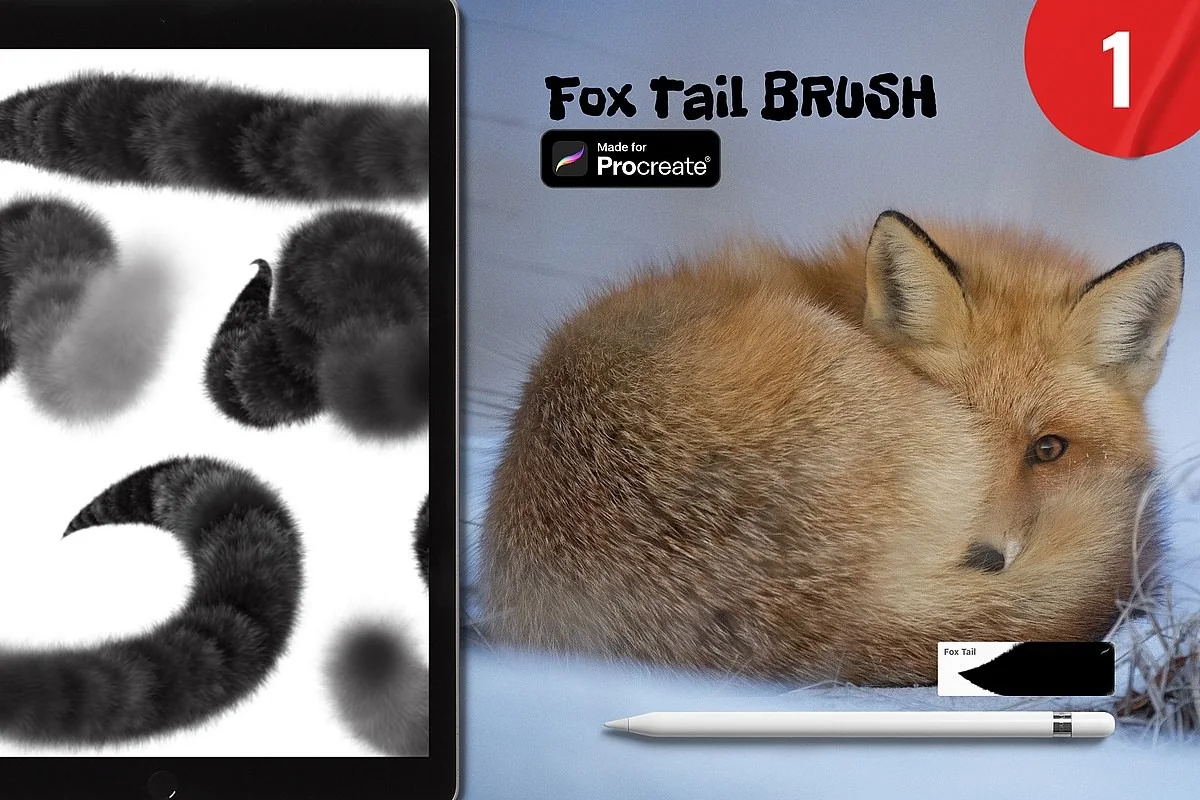
- One Fox Tail brush advertised on the cover
- Procreate brush-set import mentioned in the description
- Two previews show a fox and thick curved fur strokes
A single tool can be enough if the missing piece is a fluffy tail. DoodleBox shows broad, curling marks with a fuzzy perimeter, so this is a narrower purchase than a full pet-portrait kit. It will not draw the fox’s face or choose the tail’s silhouette for you. I would compare its edge with your existing brushes before buying a larger library just for one similar stroke.
Best for soft fur with lettering extras
13. Procreate Fur Brush
Format: Procreate brushes; Procreate for iPad; 4 brushes + 1 paper texture
Best for: adding a soft fuzzy accent while keeping a very small toolset. Designed by FreyaArtProcreate.
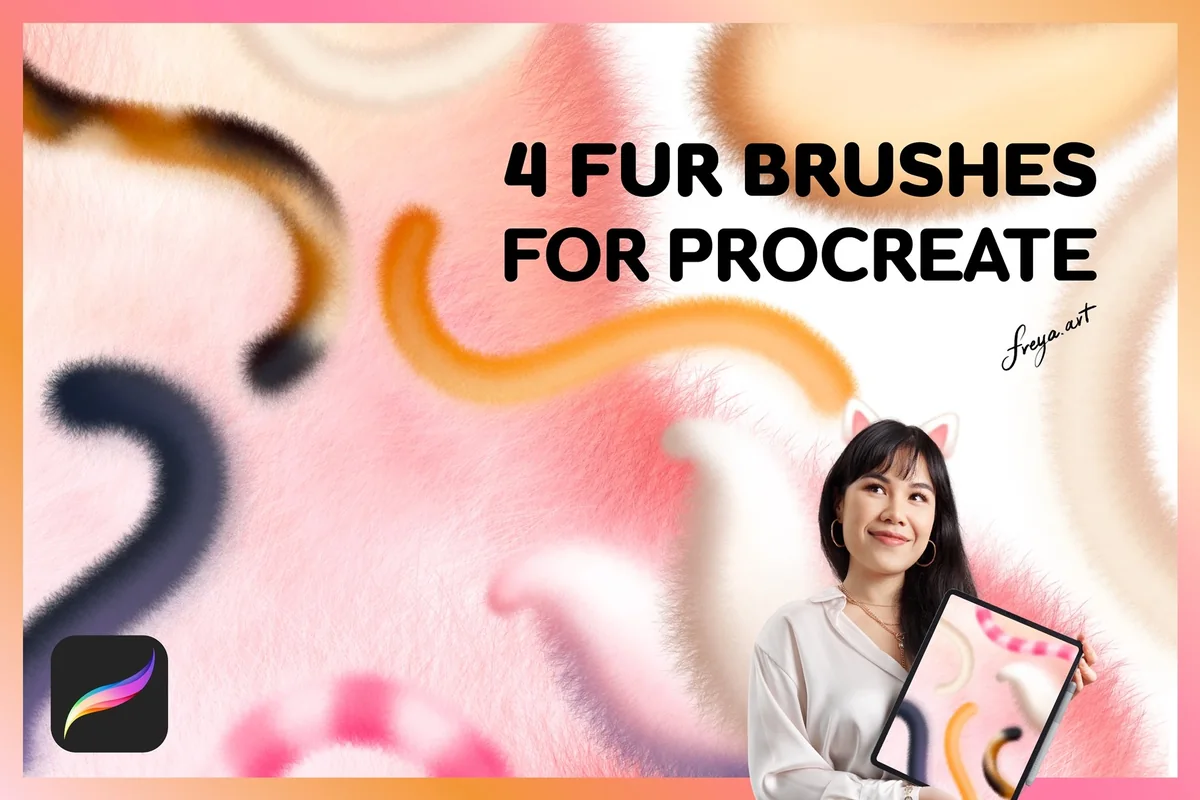
- 4 brushes: Fluff So Soft, Fluff Monoline, Fluff Lettering and Fur
- One paper-texture bonus
- Three previews include labeled swatches and iPad compatibility guidance
FreyaArtProcreate is a mixed set: three tools lean toward soft or lettering-style marks, while the named Fur brush shows a visibly hairier edge. That makes it an adjacent option for a simple fluffy creature or a decorative accent, rather than my first choice for anatomical animal painting. I like that all four main brushes are named in the sample sheet. Apple Pencil pressure is part of the seller’s intended setup.
Best for patterned fur and trim accents
14. Fur Procreate Brushes
Format: Procreate brushes; 18 brushes
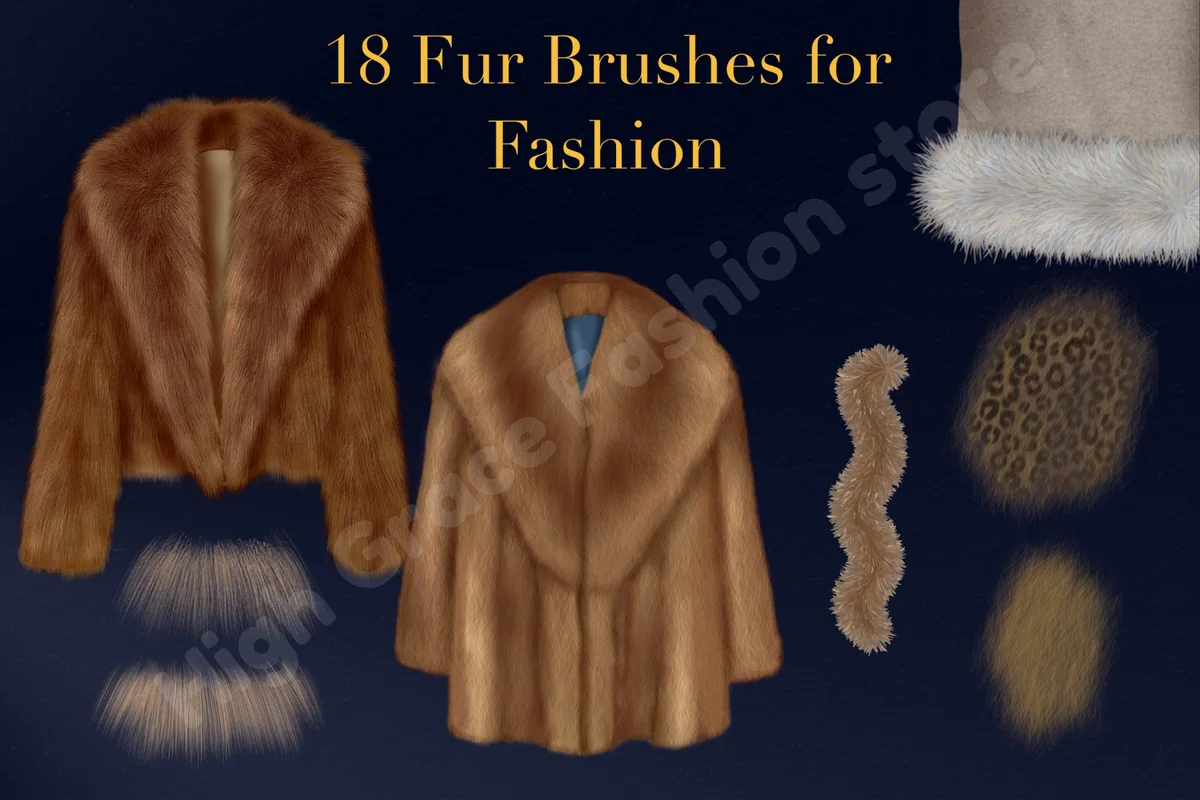
Best for: adding animal-print fur patches or furry costume details. Designed by High Grace Fashion Store.
- 18 brushes, including long/short pile and teddy fur
- Four animal-print brushes, eight trims and one pom-pom brush
- Gallery demonstrates short pile with a separate animal-print layer
High Grace Fashion Store focuses on fashion illustration. Long and short pile can add texture to a creature, while the animal-print layers, trims and pom-pom tool suit patterned patches and furry costumes. This is a useful adjacent option for a dressed character. The 18-brush total includes those fashion tools, so it is not a count of portrait-fur presets.
Best for seamless bear-fur surfaces
15. 100+ Procreate Skin Bear Fur Brushes
Format: .brushset; Procreate 5+
Best for: filling a broad fur-textured shape before selective edge work. Designed by myprintscollection.
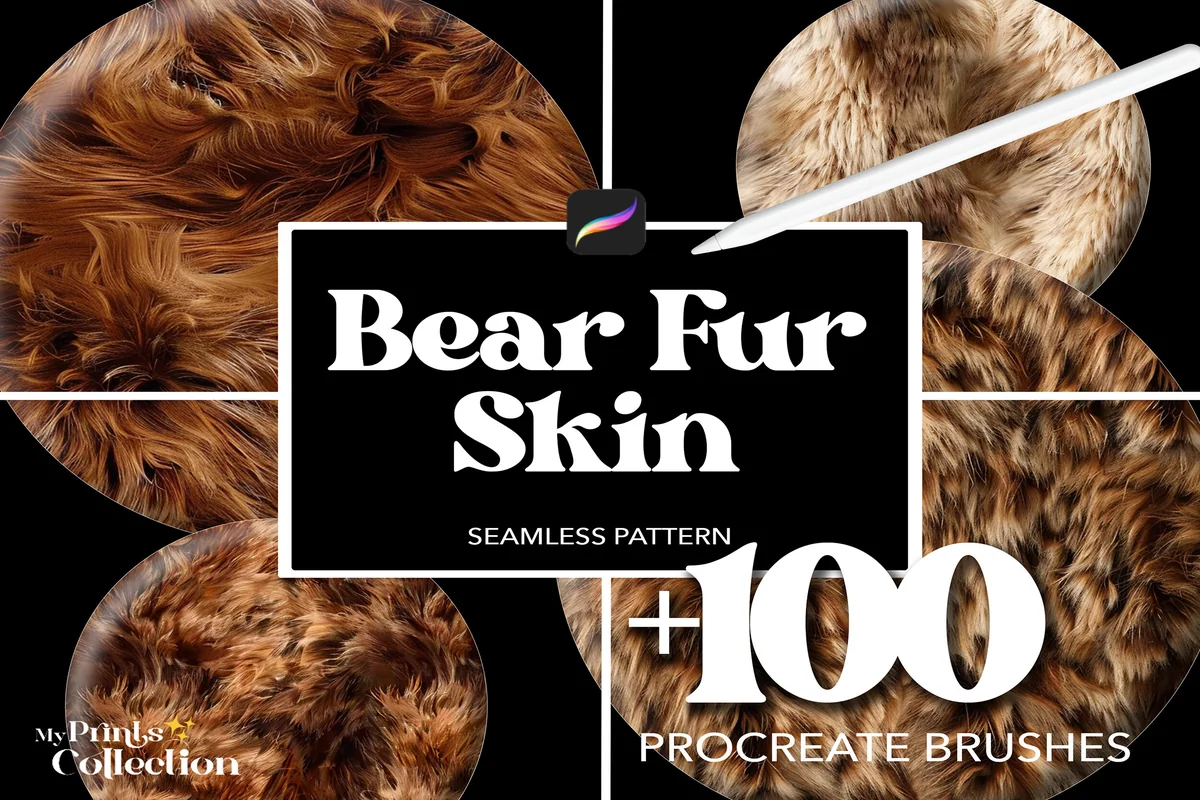
- 100+ seamless Procreate texture brushes in .brushset format
- Procreate 5 or later; not Photoshop or Illustrator
- Six previews show repeatable fur surfaces and texture-library sheets
This is a surface library rather than my pick for sculpting individual tufts around a face. The bear-fur samples show repeating texture fields, which could suit a broad body area or a stylized fur-covered object. Keep it separate from the portrait tools: a seamless texture does not automatically bend around a shoulder or change direction at an ear. Use it only if that repeating surface is the effect you want.
Quick Comparison
| Brush pack | Included | Texture emphasis | Choose it for |
|---|---|---|---|
| 1. Realistic FUR Brushes for Procreate | 31 brushes / 28 families | Directional strands and tufts | Detailed animal portraits |
| 2. Animal Fur Brushes | 32 brushes | Fur plus base/detail tools | Pet portraits with varied coats |
| 3. Animal Fur 2 – Procreate Brushes | 35 brushes | Fur, feathers and dual color | Mixed creature textures |
| 4. Fur Procreate Brushes | 12 brushes | Pressure-controlled opacity | Soft and spiky creature fur |
| 5. Procreate Fur Brushes | 46 brushes | Fluffy, glowing and bristly marks | Fantasy monster art |
| 6. 87 Fur & Hair Procreate Brush Set | 87 brushes | Multiple direction behaviors | Organized directional choices |
| 7. Procreate Fur Brush Pack | 13 brushes | Strip and curl samples | A compact stroke library |
| 8. 100 Fur Brushes Set for Procreate | 100 brushes | Soft, coarse and strand samples | A large exploration library |
| 9. Sketch Fur Brushes Procreate X 24 | 24 brushes | Sketchy, inky and grainy marks | Loose animal studies |
| 10. Fur Procreate Brushes | Count not stated | Patches, strands and fuzzy strokes | Mixed-mark experiments |
| 11. Procreate Brushes Fur Textile Brush Draw | 8 brushes | Soft, curly and patterned patches | A small surface-texture set |
| 12. Brush for Fur. Fox Tail Procreate Brush | 1 advertised brush | Broad curved furry strokes | A focused tail effect |
| 13. Procreate Fur Brush | 4 brushes + paper bonus | Soft marks plus one named Fur tool | Simple fluffy accents |
| 14. Fur Procreate Brushes | 18 brushes | Pile, animal prints and trims | Patterned creatures or costumes |
| 15. 100+ Procreate Skin Bear Fur Brushes | 100+ texture brushes | Seamless repeating fur | Broad stylized surfaces |
Turn the Comparison into a Smaller Shortlist
You do not need to buy several sets to cover every animal. Narrow the table by the job first, then compare the galleries of two finalists. Here is how those choices translate into a drawing:
- A close-up cat or dog: Realistic FUR gives explicit directional variants. Animal Fur adds base and detail tools, while Sko4 provides a smaller group of clearly numbered textures.
- A fluffy original character: the 46-brush Mini Trezò pack and Sko4 emphasize fuzzy creature examples. Animal Fur 2 adds feather and dual-color options for a more mixed surface.
- A loose rabbit sketch: Sketch Fur’s monochrome, inky samples are the closest match here. You can keep the paper visible rather than cover the coat with dense painted strands.
- One tail or a simple accent: Fox Tail is the narrowest offer. Freya’s small mixed set also makes sense if you want soft accents and lettering extras alongside its named Fur brush.
- A patterned costume or broad surface: the fashion set and seamless bear-fur library have specific adjacent roles. Neither is my starting recommendation for shaping the fine hair around an animal’s eyes.
The two MelsBrushes collections are sold separately. Their descriptions explain different contents, but do not provide a file-by-file overlap list. The same caution applies to the two Mini Trezò sets: compare the finish you want before treating related products as a bundle of entirely new presets.
A Fur-Painting Order That Keeps the Animal’s Shape
The most useful shared advice in the fur tutorials I reviewed is to build the color and form before the finest texture. Both the dog-fur guide at Brush Galaxy and the bear example at Envato Tuts+ layer darker and lighter fur over a base. Realistic FUR’s own notes also put large shapes and shading before individual strands. Here is a short sequence based on that approach:
From shaded shape to selective hairs
- 1Block in the animal and its main coat colors. Keep this stage simple enough that the pose, muzzle and ears read without texture. Put the main light and dark areas in place first. The fur brush will sit over that structure; a dense fringe should not have to explain where the head ends and the body begins.
- 2Add a darker texture pass where the coat turns away from light. Choose a restrained value change rather than jumping straight to black. Follow the form with a few grouped strokes and leave room between them. Both reviewed tutorials use darker and lighter stages; the aim here is depth, not an evenly striped surface.
- 3Use a lighter pass for selected lit clumps. Keep some of the darker coat visible between the marks. Work around the cheek, brow or shoulder in the direction suggested by the reference, rather than dragging one long stroke across every region. A directional preset is helpful only when it follows the animal’s changing form.
- 4Break the silhouette and finish a few details. Add a limited number of stray hairs or tufts where the edge needs softness. Leave other edges quieter so the whole animal does not become a uniform halo. Check the result at the size you intend to share it, then keep only the details that improve the expression or silhouette.
Clipping masks can help keep interior texture inside a painted body shape. The Tuts+ bear example uses clipped darker and lighter passes, then a separate layer behind the animal for the outer fringe. That is one workable arrangement, not a requirement for every drawing. If you use it, keep the body texture and silhouette hairs separate enough to adjust them independently.
Match the Stroke to the Coat, Then Adjust
A brush preview is a starting point, not a promise that your first stroke will look like the finished artwork. Before committing texture to the face, make a few marks beside the drawing. Compare them in the same color family and at a similar scale so one brighter sample does not win simply because it is easier to see.
- For short fur: look at compact, close-edged marks. If every stroke creates a large fringe, compare a smaller size or a denser sample before adding more layers.
- For long fur: compare grouped strands and direction. The left/right variants in Realistic FUR and the direction guide in the 87-brush set offer specific choices to inspect.
- For curly or woolly fur: choose a visibly clustered or irregular texture from the gallery. Avoid assuming a smooth strand preset will turn into curls merely because you lower the opacity.
- For soft fantasy fluff: compare the fuzzy round patches and halo-like edges in the creature sets. Save a few firmer marks for facial features so the expression stays readable.
Size and opacity are useful first comparisons, but pressure behavior is product-specific. Sko4 explicitly describes pressure changing opacity; Freya recommends Apple Pencil for its pressure-dependent brushes. Do not transfer one seller’s settings or hardware claim to every set in the table.
When the Fur Looks Flat, Noisy or Too Repetitive
More detail can make a coat less convincing if every area receives the same texture. Diagnose the drawing before switching packs. These checks keep the decision tied to the picture rather than the size of the brush library:
- The animal looks flat: temporarily hide the fine fur and inspect the large light and dark shapes. Rebuild those shapes before adding brighter hair tips.
- The coat looks noisy: compare the drawing at its final viewing size. Reduce the number of equally sharp marks and leave some quieter areas between detailed tufts.
- The hairs point across the form: inspect the stroke direction and the selected preset. Try the appropriate directional variant before changing the animal’s anatomy to fit the brush.
- A repeated surface is obvious: reconsider whether a seamless fill suits that area. A repeating bear-fur texture is a different tool from individual clumps along a cheek.
- The whole outline glows: keep only the fringe that helps describe the coat. A fuzzy monster effect can be charming, but it is not the same finish as a carefully lit pet portrait.
Blending also needs restraint. Brush Galaxy recommends softening color transitions without losing the texture, and the MelsBrushes listings suggest using their tools for both painting and smudging. That does not mean all 15 offers are dedicated blenders. If a set does not describe a smudge role, keep that behavior as something to test rather than a promised feature.
Check the Files and Compatibility Before You Choose
All the offers here are for Procreate. They are drawing tools for an iPad workflow, not Photoshop fur brushes or completed dog stickers. Some listings supply a .brushset file directly and others describe a ZIP archive containing the files. Open the archive first when necessary, then follow the seller’s import instructions for the actual brush-set file.
- App version: Realistic FUR and the two myprintscollection offers explicitly specify Procreate 5 or later. Check any other version requirement on the selected listing before purchase.
- Hardware: several sellers specify Apple Pencil, and the 46-brush Mini Trezò listing specifically names iPad Pro. Match the offer to your actual device and stylus instead of assuming universal pressure support.
- Extra contents: a PDF guide or paper texture is separate from the brush count. Freya’s four main brushes remain four brushes even though a paper bonus is included.
- Artwork versus tools: the animals and monsters in the galleries demonstrate a possible finish. A picture of a cat does not make the product a cat-stamp set.
For broader context, compare Procreate hair brushes if your drawing also includes human hairstyles, or sketch brushes for the underlying animal study. Fur and hair share strand-like marks, but a ready-made hairstyle stamp solves a different task from painting a changing coat direction.
FAQ: Choosing Fur Brushes for Procreate
What brush should I use for fur in Procreate?
Choose by the mark you need. Directional strands suit detailed animal coats; soft patches suit broad fluff; rough grain suits sketchy fur. Among these offers, Realistic FUR emphasizes directional control, Sko4 shows 12 numbered textures, and Sketch Fur focuses on an ink-like finish.
Can I use the same brushes for cat and dog fur?
Often the coat’s length, density and direction matter more than the animal’s label. The selected general fur sets show several textures rather than one fixed breed. Compare your reference with the samples, then choose the mark that suits the cheek, chest or tail you are painting.
Are there any free fur brushes available for Procreate?
No free pack is verified in this selection of 15 offers. Before choosing a free resource, check that its brush files are available, compatible with your Procreate version and licensed for your intended use. A custom-brush tutorial is another route if you prefer to build your own fur tool.
Are these animal stamps or brushes for drawing fur?
The selection focuses on fur marks and textures. Some sellers use the word stamps for brush-set files, but the galleries show strokes, patches or repeating textures rather than completed animals. Check the individual card: seamless surfaces, lettering tools and fashion trims have narrower roles than the portrait sets.
Why does Realistic FUR say 28 but include 31 brushes?
The creator describes 28 brush families. Three side-view brushes each have left- and right-growth variants, adding three extra presets for 31 brushes in the file. The listing and its gallery explain the difference; the number is not a second pack or an additional purchase.
How do I add a fur brush set to Procreate?
Use the actual .brushset file supplied by the seller. If the files arrive in a ZIP archive, extract it first. Follow the product’s import directions on your iPad; several listings describe opening the brush-set file to import it. Make sure you selected the Procreate edition and meet its app-version requirement.
Choose One Coat Problem to Solve First
The best Procreate fur brush for your next drawing is the one whose sample marks match the coat you want to paint. My starting choices would be Realistic FUR for directional realism, Animal Fur for a compact portrait toolkit, or Sketch Fur for a loose monochrome study. A focused tail brush or a small set can be a better fit than a large library when you already know which mark is missing.
Pick a shortlist, check the device requirements, and keep the base shading visible beneath the texture. You can add more tools later if a real drawing calls for them; the animal’s form and expression should remain the reason for every extra strand.
You May Also Like
This article contains affiliate links. If you purchase through them, I may earn a commission at no extra cost to you. Read the affiliate disclosure.