A leaf in the corner, a soft arch behind a heading, and enough room to actually write: that is a useful starting point for a boho page. Boho digital stickers can give an iPad journal a relaxed botanical look without turning the whole weekly spread into a collage. The useful decision is where decoration ends and your notes begin.
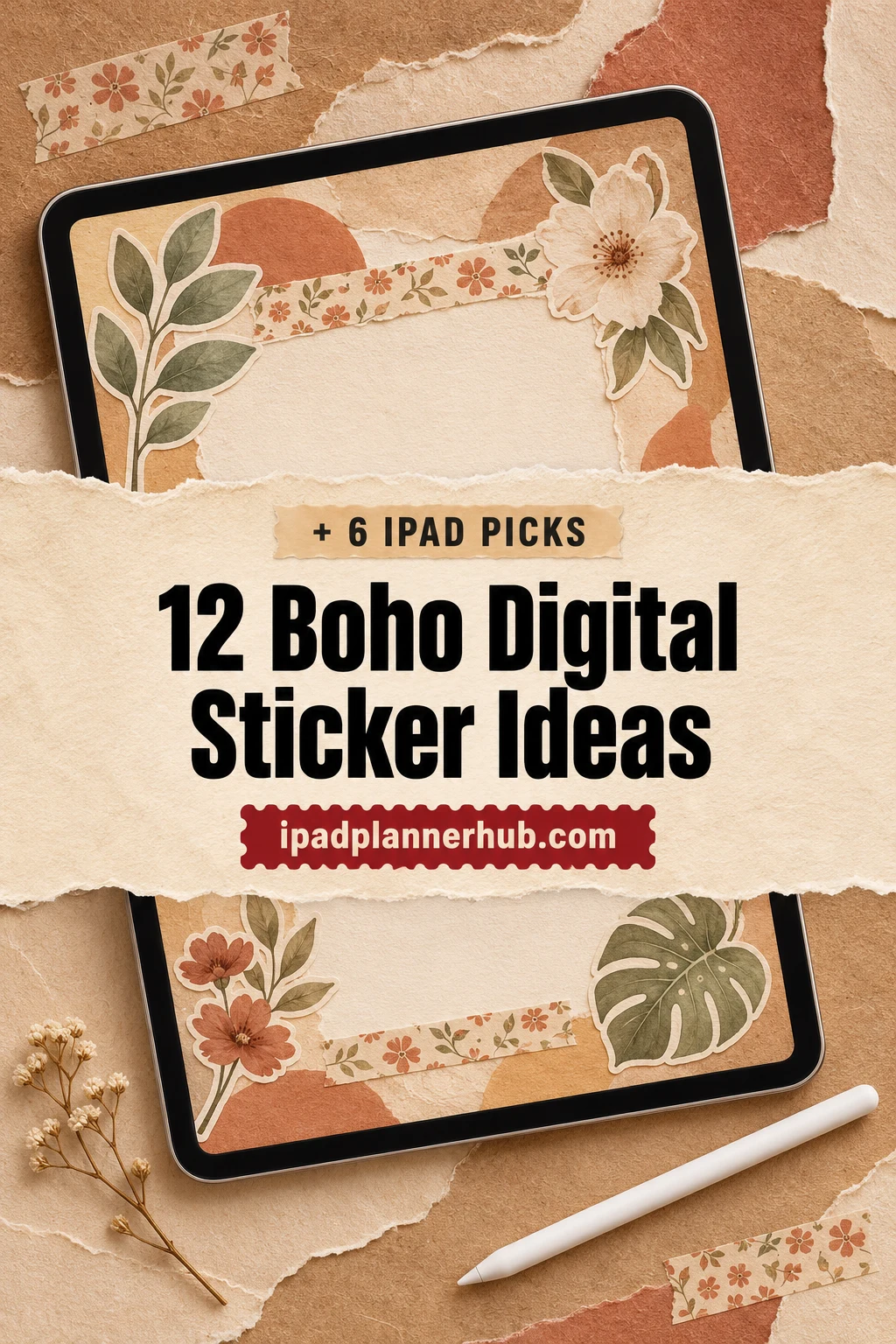
Below are 12 layouts to make yourself, plus six picks with different jobs: a botanical full-sheet set, floral washi, and four notebook or journal foundations. You do not need to buy six products to make one page. If you already have a notebook you like, start with the sticker format that suits your workflow.
What are boho digital stickers?
Digital stickers are images you add to a digital planner, notebook or journal. Digital planner stickers can act as small visual markers on a bullet journal page. Choose a sticker set for the motifs you need, then check whether its sticker sheet needs cropping before you add stickers. They can mark appointments, frame a photo or decorate a blank corner. A PNG sticker sheet holds several motifs inside one image; an individual PNG gives you one image to place. A notebook PDF supplies the page underneath. Those formats solve different parts of the same project.
For an aesthetic planner built around these layouts, boho means a loose combination of botanical shapes, warm colors and uneven edges. My suggested starting palette is cream, terracotta and sage, with dark ink for readable text. That is a design recipe, not a claim that every product here contains those exact colors. The botanical pack also shows lavender, blue and stronger greens, while the washi includes navy and yellow.
- Choose one main motif, such as a leaf or an arch, before choosing small accents.
- Keep an open writing area that fits the amount of text you usually add.
- Repeat one accent color in the heading and border to connect separate pieces.
- Let the notebook frame influence the palette instead of hiding its tabs under images.
Six picks: sticker artwork and pages to build on
The first two picks supply decorative artwork. The remaining four supply writing surfaces and navigation for a layout you arrange yourself. Check the individual file format before choosing: a full PNG sheet needs different preparation from separate washi images.
TL;DR: Start with the eight full PNG sheets for botanical cutouts, or choose the 14 individual washi PNGs for borders. The four notebooks and journals are optional page foundations for your own layouts, not four more boho sticker packs. The 12 ideas below are layouts you create yourself.
Quick Picks
- Best for botanical sheet set: Boho Botanical Digital Stickers Set
- Best for floral border accents: Digital Washi Tape BOHO FLORAL
- Best for varied writing surfaces: Digital Notebook
- Best for lined reflection pages: Digital Ruled Journal
- Best for blank collage space: Watercolor Hyperlinked Digital Notebook
- Best for compact five-section base: Digital Notebook 5 Hyperlinked Tabs
- Boho Botanical Digital Stickers Set – Best botanical sheet set
- Digital Washi Tape BOHO FLORAL – Best floral border accents
- Digital Notebook – Best varied writing surfaces
- Digital Ruled Journal – Best lined reflection pages
- Watercolor Hyperlinked Digital Notebook – Best blank collage space
- Digital Notebook 5 Hyperlinked Tabs – Best compact five-section base

Best botanical sheet set
1. Boho Botanical Digital Stickers Set
Format: 8 full PNG sheets; manual cropping
Best for: boho planners, bullet journals, note frames. Designed by Aloe_wannaart.
- 8 full PNG sheets with transparent backgrounds
- A4 size at 300 DPI in a ZIP archive
- Arches, frames, irregular shapes, banners and green leaves across the previews
- PNG artwork for GoodNotes or Procreate on iPad
The full-sheet format is the important tradeoff. I like the mix of green foliage and colored shapes for building a page around one motif, but you will need to crop a sheet to isolate your chosen sticker. Eight PNGs means eight sheets, not eight individual decorative elements.
Best floral border accents
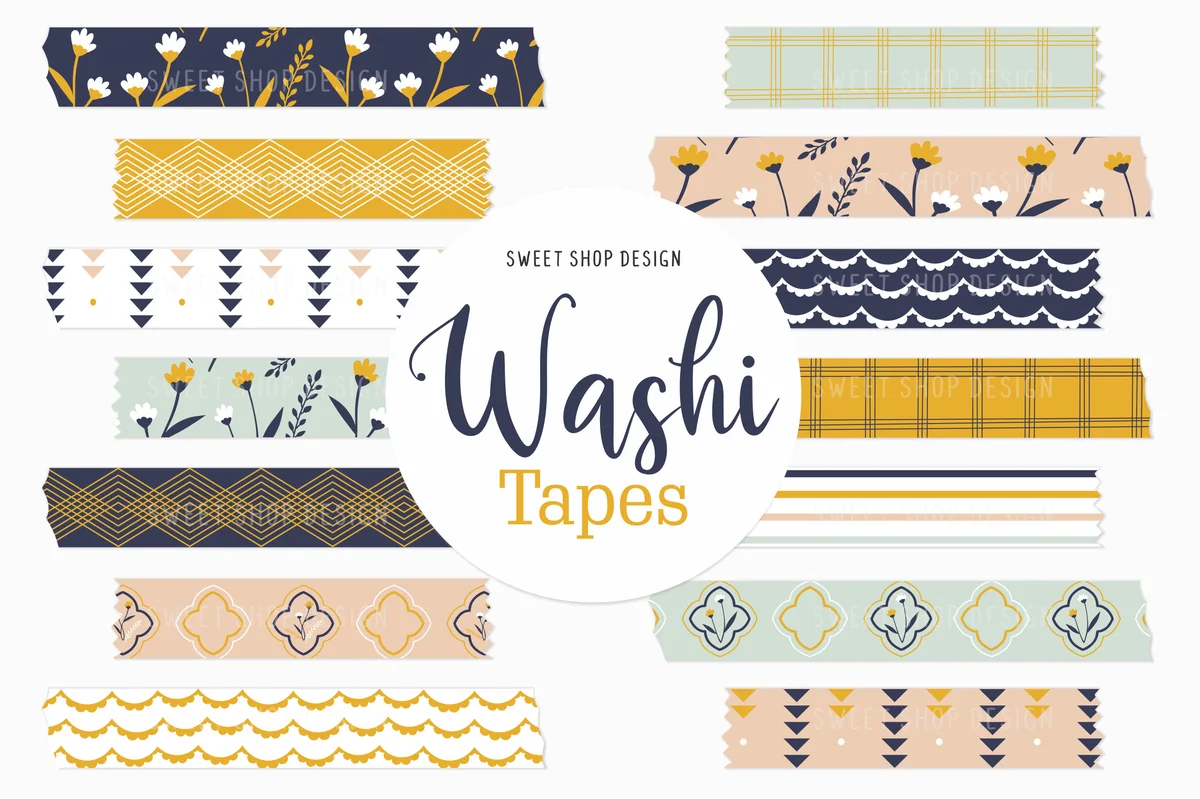
2. Digital Washi Tape BOHO FLORAL
Format: 14 individual PNG pieces
Best for: page edges and short dividers. Designed by Sweet Shop Design.
- 14 separate PNG clipart pieces
- 300 DPI artwork with floral, striped, plaid and geometric tape designs
- For iPad planners in Goodnotes or Notability
- Individual pre-cropped images for placement and resizing
For a page that already has enough artwork, a narrow tape strip can finish the edge without adding another focal point. The navy, yellow and pale green in this set are more varied than an all-terracotta palette. Choose one strip that suits your page rather than trying to use the whole collection together.
Best varied writing surfaces
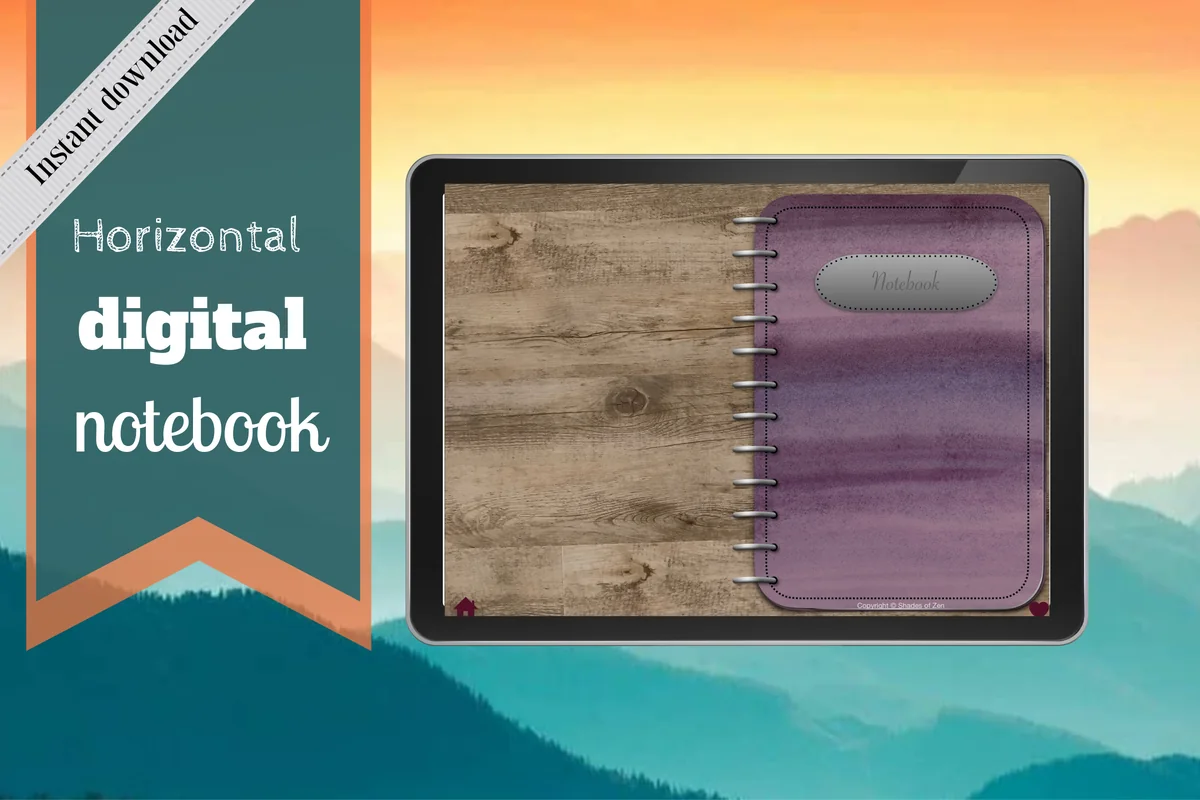
3. Digital Notebook
Orientation: HorizontalLayouts: 16 note templatesSections: 12 linked sections
Best for: landscape note-takers, busy students, meeting notes. Designed by Shades of Zen.
- 12 linked sections with their own dividers
- 16 note templates including lined, dotted, graph and Cornell notes
- Purple horizontal notebook shown with a two-page spread
- For Goodnotes and PDF annotation apps
The purple frame is already a strong color choice. Pair it with the lavender and cream botanical shapes rather than force it into a strictly rust-and-sand scheme. This is a reusable surface for your own boho arrangements; the botanical sheets and washi are separate products.
Best lined reflection pages
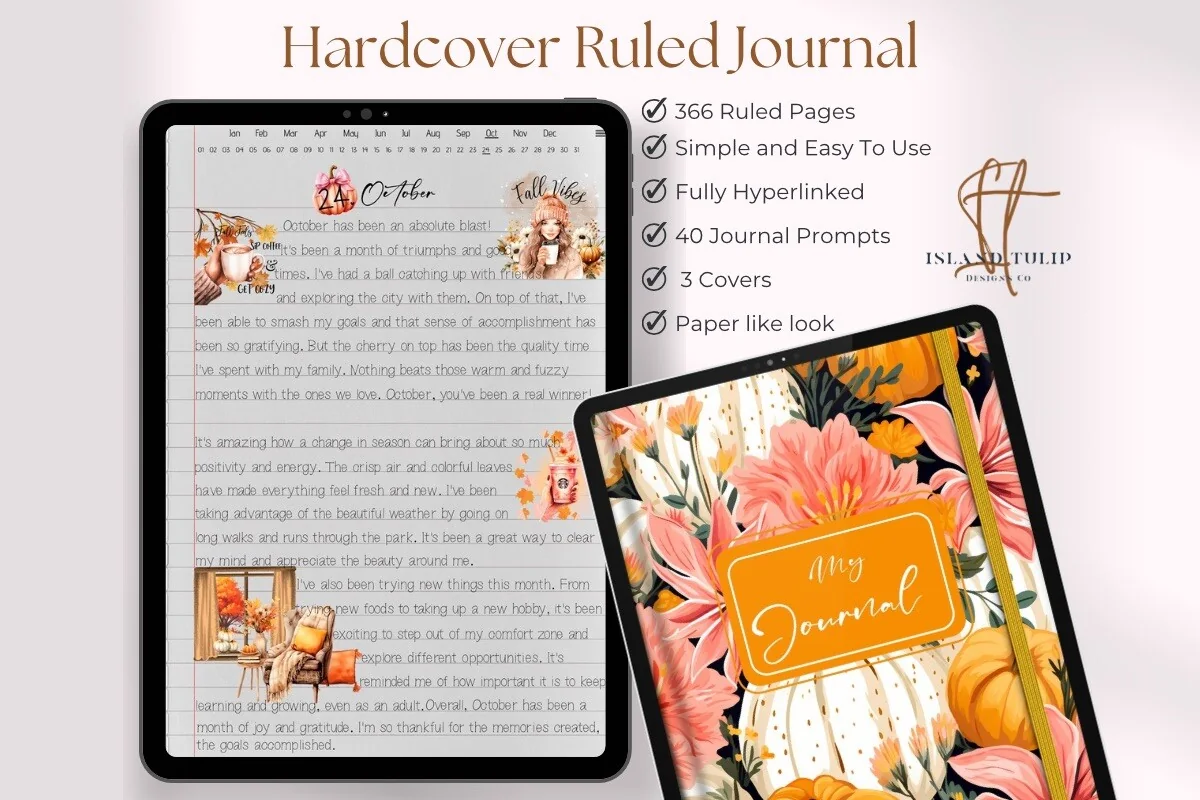
4. Digital Ruled Journal
Paper: 366 ruled pagesFormat: PNG and GoodNotes prompts
Best for: short entries with a botanical margin. Designed by Island Tulip Designs Co.
- 366 ruled pages and three cover choices
- Hyperlinked navigation
- 40 journal prompts in PNG and pre-cropped GoodNotes formats
- Gallery shows floral covers, daily writing pages and an index
Choose this when words matter more than a large collage. A slim branch in the outer margin leaves the ruled page useful for a daily reflection. The included prompts are a separate feature of this journal; they do not turn it into a ready-made boho sticker kit.
Best blank collage space
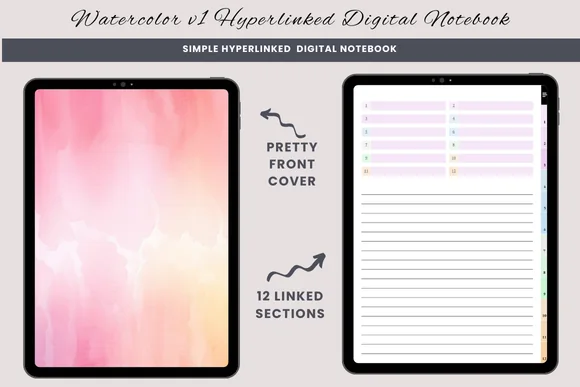
5. Watercolor Hyperlinked Digital Notebook
Paper: Lined, blank, half-linedSections: 12 linked sectionsFormat: PDF
Best for: free-form writers, sketch and write journalers, topic-by-topic journalers. Designed by daysfilledwithjoy.
- One PDF for GoodNotes or similar annotation apps
- 12 hyperlinked sections
- Lined, blank and half-lined pages
- Pink watercolor cover and dividers; duplicate pages as needed
The half-lined option gives a useful boundary: put a botanical composition in the open area and write underneath. The watercolor treatment is on the cover and dividers, so do not expect every writing page to arrive as a decorated boho spread. Add your own artwork to the plain page.
Best compact five-section base
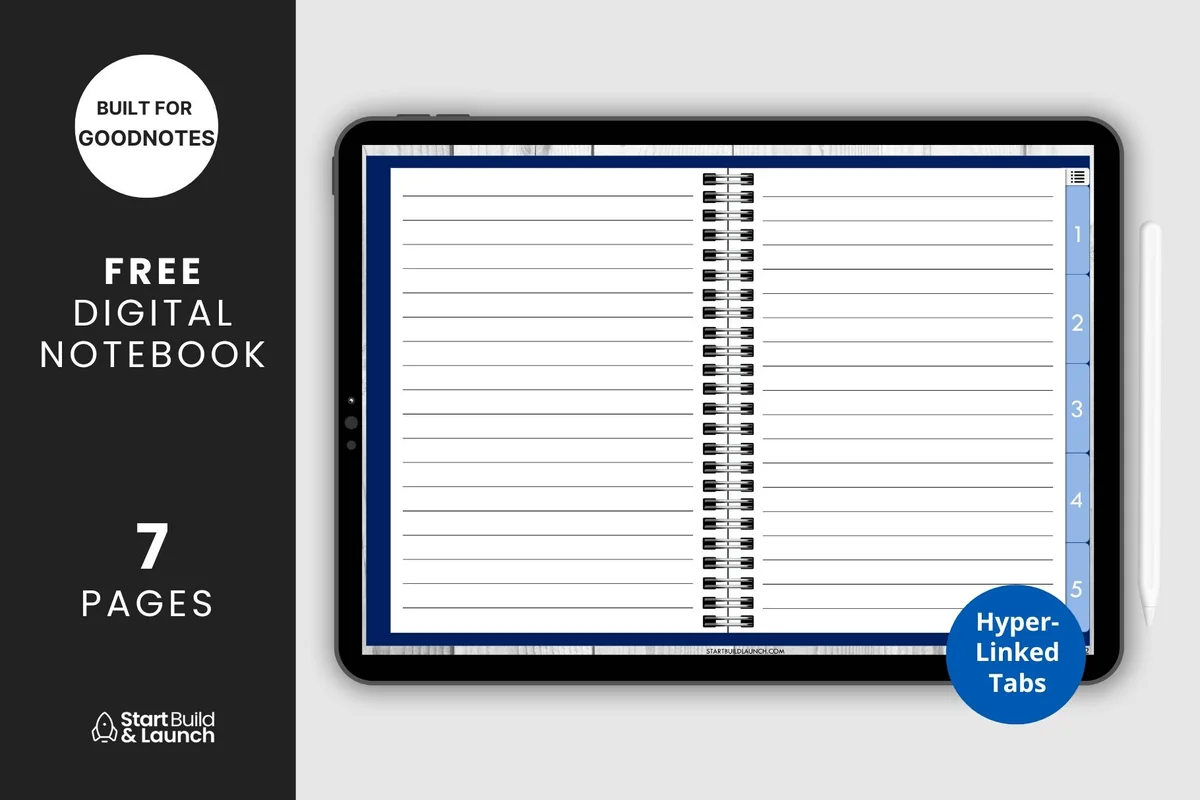
6. Digital Notebook 5 Hyperlinked Tabs
Paper: Blank, lined, dotted, graph, CornellSections: 5 linked sectionsFormat: PDF; tablet with stylus
Best for: beginners, high school students, minimalists. Designed by aviswilliams.
- PDF designed for iPad or tablet with a stylus
- Five linked sections with an index and blank title cover
- Blank, lined, dotted, graph and Cornell page templates
- For Goodnotes, Noteshelf or Notability
Five sections are enough to separate weekly notes, memories, reading, projects and spare pages without a huge index. The navy binding will remain part of the page, so navy-and-sage accents are an easier match than a pale neutral-only collage. Bring your own sticker images and headings.
Quick Comparison
| Pick | Role | Files or pages | Choose for |
|---|---|---|---|
| 1. Boho Botanical Digital Stickers Set | Sticker sheets | 8 full PNG sheets | Botanical cutouts |
| 2. Digital Washi Tape BOHO FLORAL | Washi accents | 14 PNG pieces | Borders and dividers |
| 3. Digital Notebook | Notebook foundation | 12 sections; 16 templates | Mixed notes and sketches |
| 4. Digital Ruled Journal | Journal foundation | 366 ruled pages; 40 prompts | Writing-led pages |
| 5. Watercolor Hyperlinked Digital Notebook | Notebook foundation | PDF; 3 page styles | Half-page compositions |
| 6. Digital Notebook 5 Hyperlinked Tabs | Notebook foundation | PDF; 5 page templates | A small themed notebook |
12 boho page ideas with a job for every sticker
These are original layout suggestions, not pages promised inside the products. Pick one idea and one suitable page base first. Keep an undecorated copy of that page so you can begin again without rearranging the same leaf every week.
Small accents for everyday planning
- 1Botanical priority corner. Put one cropped branch beside a handwritten “Today” heading, leaving the center clear for three priorities. A lined or dotted page works well. Keep the stem outside the first writing line, so the leaf points toward the list without covering a checkbox.
- 2Arch behind one heading. Use a single arch from the botanical sheet as a small title background. Write a short label such as “This week” in dark ink. If the arch makes the text harder to read, place the title beside it instead of shrinking the lettering to fit.
- 3Floral washi divider. Separate appointments from notes with one narrow strip. Match its width to the writing column, not the entire tablet screen. In the navy notebook, a navy floral strip can connect the decoration to the existing frame while preserving the space around the tabs.
- 4Quiet weekend box. Draw a simple box for a weekend plan and set a small irregular shape next to its title. Write the location, time and one thing to bring inside. Let the shape act as a visual cue; it does not need to become the background for every line.
Botanical journaling without losing the text
- 5Half-lined memory page. Use the open half of the watercolor notebook for one photo and a cropped leaf. Put the date, place and two sentences in the lined half. Leave a little plain space around the photo so the botanical edge looks deliberate instead of squeezed into a gap.
- 6Ruled reflection margin. On a ruled journal page, reserve the outside edge for a narrow branch and keep the lines for writing. Begin with “What felt worth keeping today?” The page already provides the writing structure; your decoration should stay out of the route your hand follows.
- 7Three-color reading note. Use cream for the open space, a green leaf beside the book title and a rust-colored handwritten underline. Add “One idea,” “One quote” and “My response” as your own headings. The stickers provide atmosphere, not a prebuilt reading tracker.
- 8Photo held by washi. Put a photo in the upper third of a blank page and add two short tape strips at opposite corners. Write a caption below before adding other decoration. If the tape is the strongest pattern, skip a second patterned border so the image remains the focus.
Reusable pages for projects and collections
- 9Botanical project cover. Label a notebook divider with a project name and put one leaf beside it. Keep the section number and navigation controls uncovered. Use the same leaf at a smaller size on later project pages to connect them without rebuilding a full cover each time.
- 10Two-column idea garden. On a blank or dotted page, draw one column for “Try” and another for “Keep.” A small plant at the bottom can anchor the composition. Write short ideas as separate lines so you can move them later without selecting a large decorative background.
- 11Monthly color sampler. Make a small reference page with three handwritten color swatches, one leaf and a short washi strip. Add a note about which pen color stays readable against the shape. Treat this as your own style guide for future spreads, not an included palette file.
- 12Five-section creative journal. Give the five-tab notebook your own section labels: plans, memories, books, projects and notes. Decorate each opening page with the same motif in a different position. The consistent image gives the sections a shared look while the index does the navigation work.
From a full PNG sheet to one reusable accent
The botanical set is shown as full sheets. Importing a sheet will not automatically separate its leaves, frames and banners into individual objects. Work on a spare page first, then move only the cropped image you need to your actual spread.
A practical setup sequence
- 1Open the archive and identify the files. Keep the original PNG files in a clearly named folder. Choose the sheet with the motif you want; the leaf sheets are a simpler starting point than a densely arranged page of labels. A transparent background does not mean each motif is a separate file.
- 2Insert the sheet into a spare page. Use your annotation app’s image insertion options to choose a PNG from Files or Photos. In Goodnotes, select the image to access its object actions. Keep the sheet large enough to see the edges of the motif while preparing the crop.
- 3Crop around one motif. Use the image’s Crop action and keep the least unwanted neighboring artwork. Inspect the result against a plain page: a stray corner of another label is easier to spot there than inside a busy collage.
- 4Place and resize the result. Move the cropped image to your writing page, then resize it to leave room for handwriting. Check the page at the scale you actually use for planning. A leaf that looks delicate when zoomed in can feel oversized when the whole weekly page is visible.
- 5Keep a reusable copy. Save the prepared accent on a reference page or create a Goodnotes Element from it. Use a collection name that describes the pack rather than a broad label such as “Everything.” Keep the source sheet too, so a different crop does not require hunting for the original file.
For image selection and cropping, see the Goodnotes Lasso Tool guide. Menu wording can vary by version. For the washi pack, the seller also describes saving PNG images to Photos or Camera Roll, then inserting them into the planner. The goal is to select an image object and crop that image, rather than take a screenshot of the entire page.
Choose files by the work you want to do
- Want to start with one leaf? Choose the botanical sheet set and allow time for cropping. Its eight sheets give you shapes and foliage, not an imported library of separate Elements.
- Want a quick edge accent? The individual washi PNGs reduce preparation. Place a strip, resize it and stop when the page has enough decoration.
- Need more room for writing? Use a lined journal or notebook page you already own. A new sticker collection does not require a new planner.
- Want to build a collage? A blank or half-lined page gives you a clearer boundary between imagery and text than a page already filled with daily fields.
Fix the common problems before adding more art
- The whole sheet moves. It is still one image. Crop a copy around the desired motif before arranging individual accents.
- The lasso selects handwriting too. Review the “Included in Selection” filter and choose the content types you intend to move. Goodnotes documents this filter in its Lasso Tool guide.
- The page feels crowded. Remove the largest decorative shape first, then check whether the heading and task list are easier to find. Adding a second border rarely solves a lack of space.
- Colors clash with the notebook. Repeat a color already present in the binding or tabs. Purple can work with lavender botanical labels; navy can work with the darker washi strips.
- The crop has unwanted edges. Return to the source sheet and make a cleaner selection. Do not assume a transparent PNG guarantees a clean crop when two printed motifs sit close together.
Keep your favorites easy to find
A useful collection is small enough that choosing a sticker takes less time than writing the note. Begin with one leaf, one frame and one strip of washi tape, then add another element only when a page calls for it. Reuse existing stickers from that small collection before browsing another pack. A separate reference page can hold larger compositions that you want to copy without turning each part into a separate favorite.
For a larger library, the Goodnotes sticker organization ideas guide helps you separate packs from favorites. If your page is becoming more about photos and captions, try the digital scrapbook layout ideas for a stronger composition. Keep these boho pages focused on plants, shapes and usable writing space.
FAQ: Boho stickers on iPad
Can I use boho digital stickers in Goodnotes?
Yes, when the files are images that Goodnotes can insert. The botanical and washi descriptions here explicitly name Goodnotes. Their workflows differ: crop the full botanical sheet to isolate a motif, or place an individual washi PNG. A product called “digital stickers” is not automatically a pre-cropped Goodnotes library.
What colors make a planner look boho?
Cream, sand, terracotta and sage are a useful starting combination for these ideas. You can also use the lavender, blue or navy already present in your chosen artwork or notebook. Keep writing dark enough to read and use one patterned accent as the strongest color cue.
Do I need to buy a new digital planner?
No. Use an existing notebook or planner if it accepts images and leaves room for the layout you want. The notebooks here are optional foundations with different page styles. They are not extra sticker packs, and the suggested boho layouts are pages you create yourself.
Are eight PNG sheets the same as eight stickers?
No. Each sheet can contain several motifs inside one image file. The botanical previews show multiple shapes or leaves arranged on a sheet. You crop around the motif you want, then place that crop on your page. Do not expect the app to separate all the artwork automatically.
Can I print these instead of using an iPad?
This guide focuses on digital pages. Printing also depends on the files, printer settings and applicable license. A high-resolution image does not establish permission to resell stickers or distribute the artwork. Read the current license for the intended use before sharing or selling anything made with it.
What should I add first to a busy weekly spread?
Start with one small leaf or a short divider outside the appointment area. Write the week’s essential information before adding another image. If you cannot immediately find the next task, remove decoration until the page becomes useful again.
Build one page you can keep using
Start with the page you already reach for: a weekly note, a lined reflection or a blank memory page. Choose boho digital stickers for one clear role, crop a single accent if needed, and leave space for the words. Once that page works at your normal writing size, duplicate the structure and vary the motif instead of starting from scratch.
You May Also Like
This article contains affiliate links. If you purchase through them, I may earn a commission at no extra cost to you. Read the affiliate disclosure.